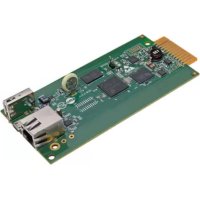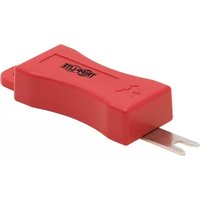
N2LOCK-KEY-RD - Network accessory Tripp Lite - Free user manual and instructions
Find the device manual for free N2LOCK-KEY-RD Tripp Lite in PDF.


| Product Type | Unlocking key for RJ45 jack |
| Brand | Tripp Lite |
| Model | N2LOCK-KEY-RD |
| Color | Red |
| Material | Rigid plastic |
| Dimensions (approx.) | 5 cm x 2 cm x 0.5 cm |
| Weight (approx.) | 5 g |
| Power | None (manual tool) |
| Compatibility | Tripp Lite N2LOCK-010-YW locking device and N2LPLUG-010-YW insert piece |
| Main function | Unlock RJ45 jacks equipped with Tripp Lite locking system |
| Usage | Insert key teeth into the lock groove and pull simultaneously |
| Maintenance | No maintenance required |
| Cleaning | Wipe with a dry cloth if needed |
| Safety | Small parts: keep away from children |
| Spare parts | No detachable parts |
| Repairability | Not repairable, replace if damaged |
| General information | Designed to secure RJ45 connections in networks |
Frequently Asked Questions - N2LOCK-KEY-RD Tripp Lite
User questions about N2LOCK-KEY-RD Tripp Lite
0 question about this device. Answer the ones you know or ask your own.
Ask a new question about this device
Download the instructions for your Network accessory in PDF format for free! Find your manual N2LOCK-KEY-RD - Tripp Lite and take your electronic device back in hand. On this page are published all the documents necessary for the use of your device. N2LOCK-KEY-RD by Tripp Lite.
USER MANUAL N2LOCK-KEY-RD Tripp Lite
Universal RJ45 Plug Lock, Locking Insert and Key
Models: N2LOCK-010-YW, N2LPLUG-010-YW, N2LOCK-KEY-RD
Español 8 • Français 15 • Русский 22
WARRANTY REGISTRATION
Register your product today and be automatically entered to win an ISOBAR surge protector in our monthly drawing!
www.tripplite.com/warranty


1111 W. 35th Street, Chicago, IL 60609 USA tripplite.com/support
Copyright © 2019 Tripp Lite. All rights reserved.
Installation

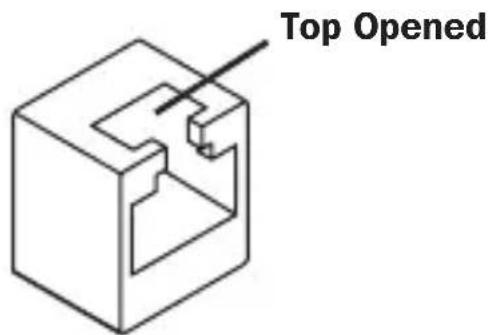
This product may not be suitable for some top opened (shown below) or special jack applications.
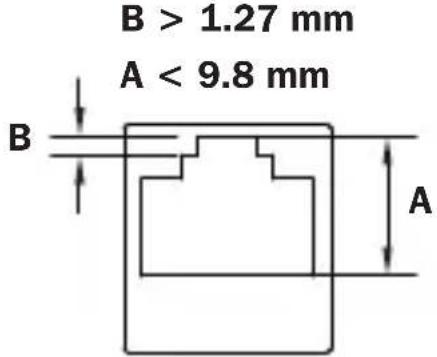
This product is designed to work with following RJ45 jack dimensions:
Installation
N2LOCK-010-YW Plug Lock Installation
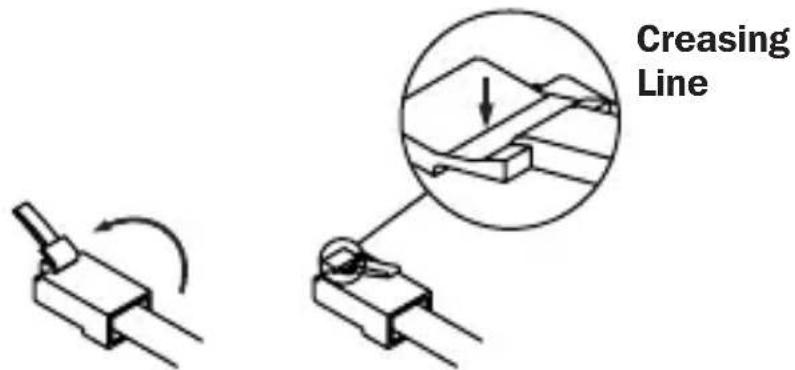
1 Bend the latch back and forth to create a creasing line.
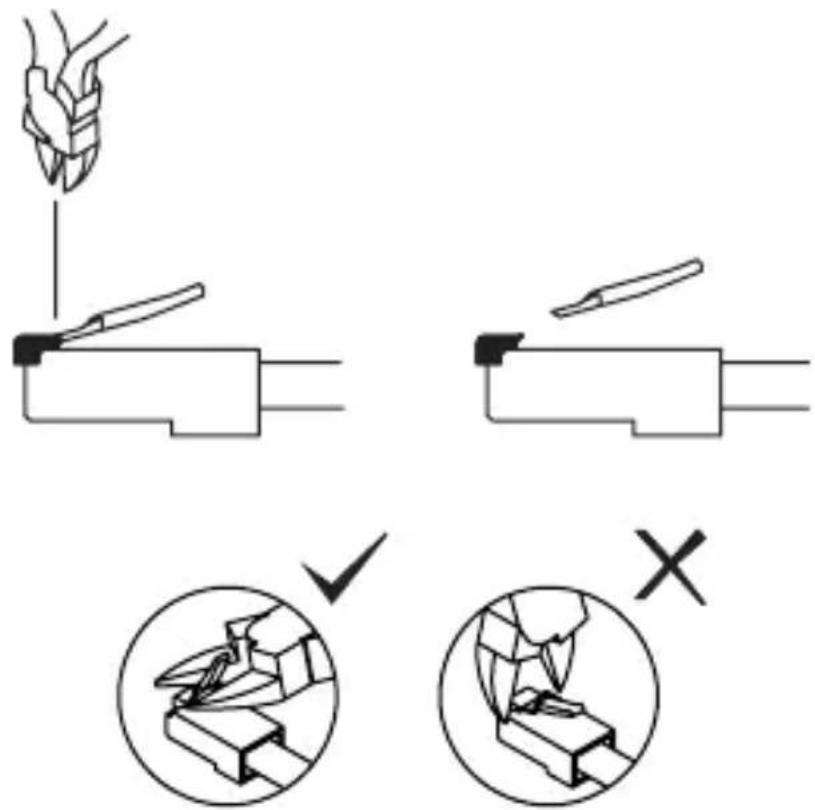
2 Align the cutter with the creasing line to cut off the latch.
Installation
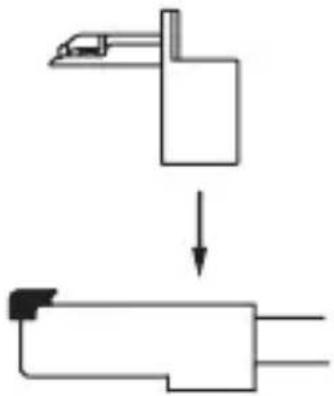
3 Affix the Plug Lock onto the RJ45 connector.
flowchart
graph TD
    A["Machine"] --> B["Device"]
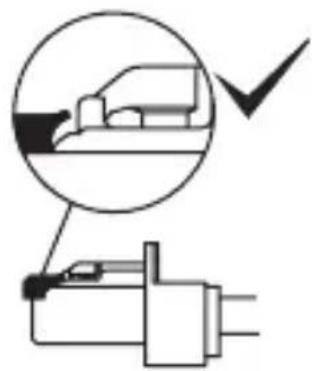
Note: Always check for proper fitting of the latch. Otherwise, it can cause damage to the RJ45 jack.
natural_image
Pure electrical circuit lines without any symbols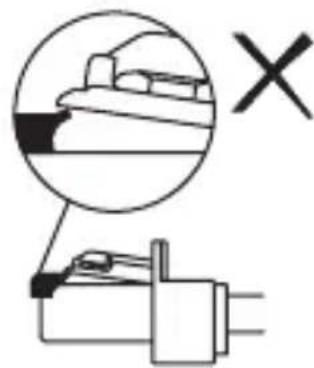
natural_image
Pure electrical circuit lines without any symbolsInstallation
4 Plug the newly affixed RJ45 connector directly into the desired RJ45 jack.
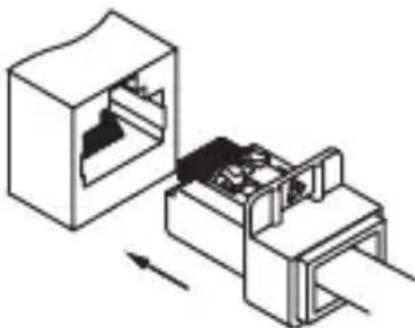
natural_image
Technical line drawing of a mechanical assembly with internal components and directional arrows (no text or symbols)Note: A click sound will indicate the RJ45 connector is properly locked into place.
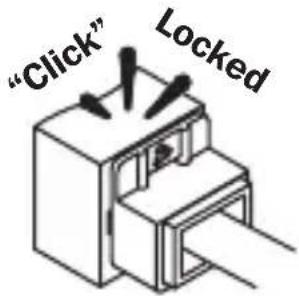
Installation
N2LPLUG-010-YW Plug Locking Insert Installation
1 Plug the Locking Insert directly into the RJ45 jack.
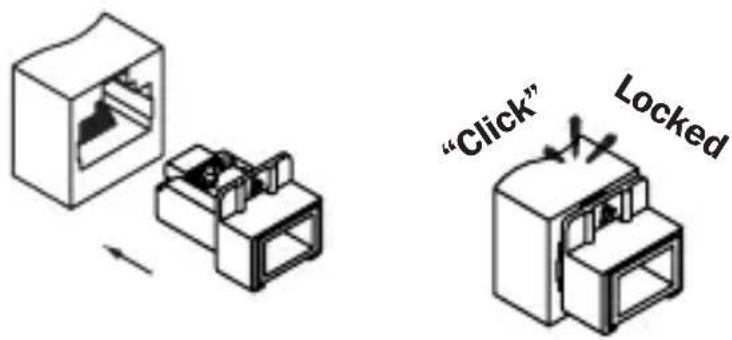
Note: A click sound will indicate the Locking Insert is properly locked into place.
N2LOCK-KEY-RD Plug Key Removal
Note: This key will release both the N2LOCK-010-YW Plug Lock and N2LPLUG-010-W Plug Locking Insert.
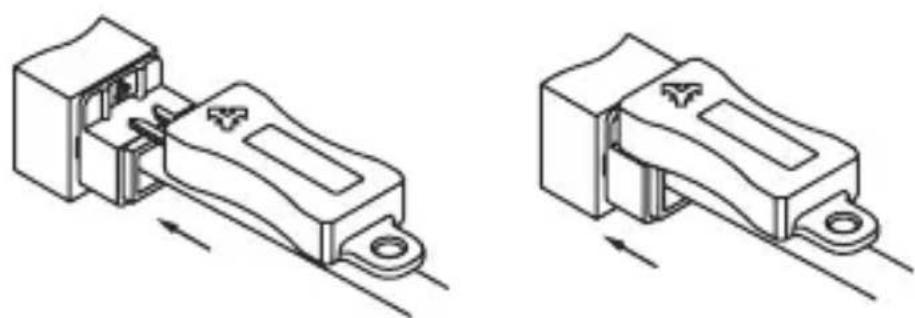
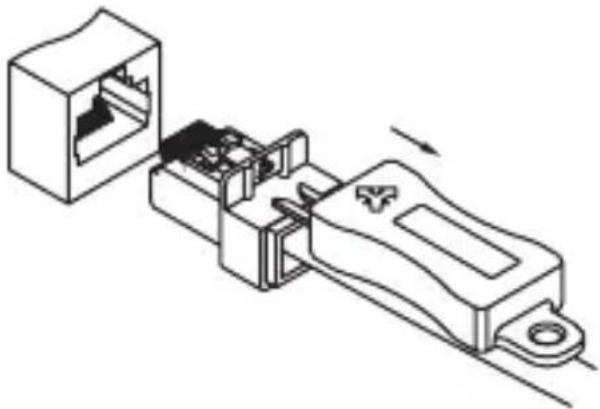
1 Insert the teeth of the key into the available groove located at the top of the locking plug.
natural_image
Technical line drawings of two mechanical components with directional arrows indicating movement (no text or symbols)Operation
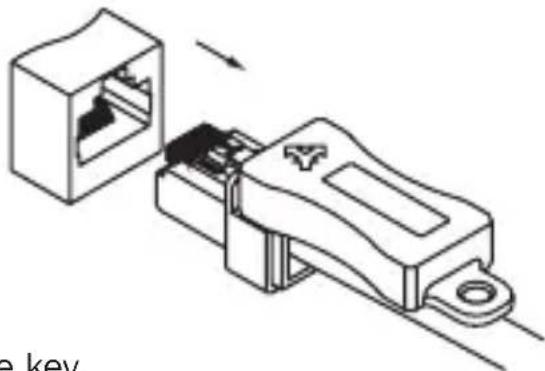
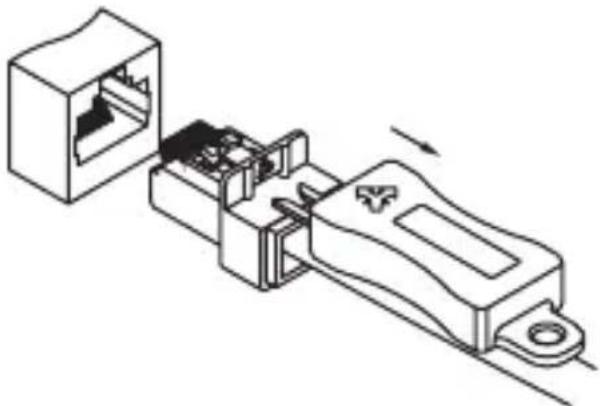
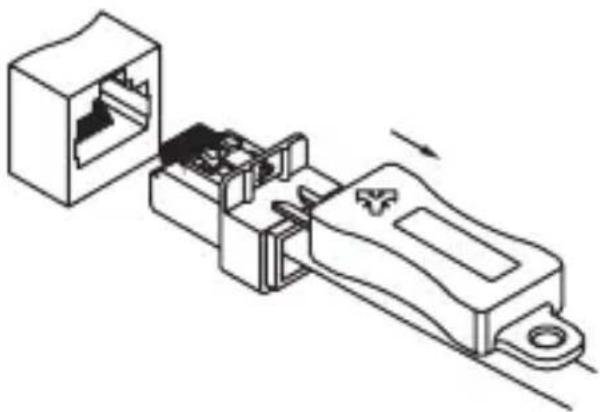
2 Pull out the plug and key together.
natural_image
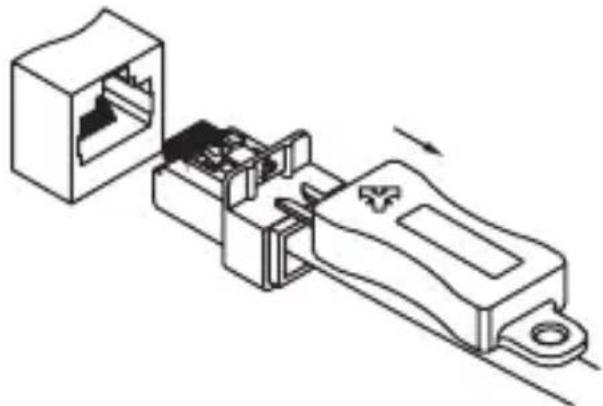
Technical line drawing of a connector assembly with internal components and an open socket (no text or symbols)3 Release the key.
natural_image
Technical line drawing of an electrical connector assembly (no text or symbols)

1111 W. 35th Street, Chicago, IL 60609 USA tripplite.com/support
19-08-152 93-3B12_RevA
Guía de Instalación
Instalación
flowchart
graph TD
    A["Machine"] --> B["Device"]
natural_image
Pure electrical circuit lines without any symbols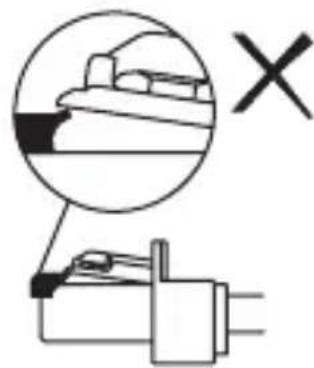
natural_image
Pure electrical circuit lines without any symbolsInstalación
natural_image
Technical line drawing of a mechanical assembly with internal components and directional arrows (no text or symbols)natural_image
Technical illustration of two mechanical components with internal slots, one shown in a hollow housing and the other in a assembled housing (no text or symbols)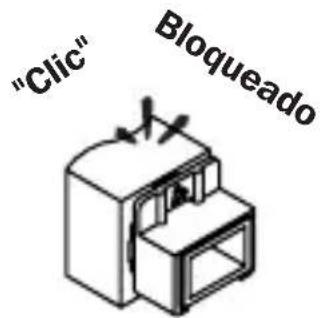
natural_image
Technical line drawing of a mechanical component with internal structure and directional arrows (no text or symbols)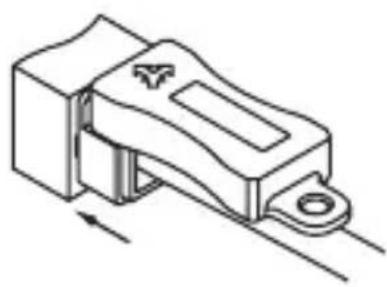
natural_image
Technical line drawing of a mechanical component with no visible text or symbolsOperación
natural_image
Technical illustration of a mechanical connector assembly (no text or symbols)3 Libere la llave.
natural_image
Technical line drawing of an electrical connector assembly (no text or symbols)

1111 W. 35th Street, Chicago, IL 60609 EE. UU. tripplite.com/support
19-08-152 93-3B12_RevA
1111 W. 35th Street, Chicago, IL 60609 USA tripplite.com/support
Installation
flowchart
graph TD
    A["Device"] --> B["Mechanical Component"]
Installation
natural_image
Technical line drawing of a mechanical assembly with internal components and directional arrows (no text or symbols)natural_image
Technical line drawing of two mechanical components with internal slots, no text or symbols present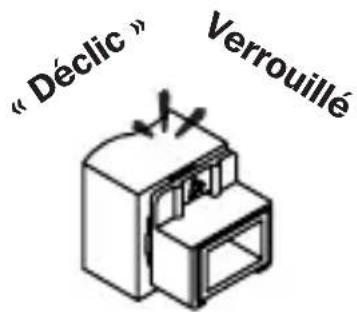
natural_image
Technical line drawing of a mechanical component with internal structure and directional arrow (no text or symbols)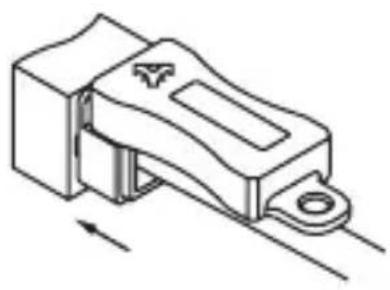
natural_image
Technical line drawing of a mechanical component with no visible text or symbolsFonctionnement
natural_image
Diagram of an electrical connector assembly showing internal structure and connection (no text or symbols)3 Relâcher la clé.
natural_image
Technical line drawing of an electrical connector assembly (no text or symbols)

1111 W. 35th Street, Chicago, IL 60609 USA tripplite.com/support
21
19-08-152 93-3B12_RevA
1111 W. 35th Street, Chicago, IL 60609 USA
tripplite.com/support
Установка
flowchart
graph TD
    A["Machine"] --> B["Device"]
natural_image
Pure electrical circuit lines without any symbols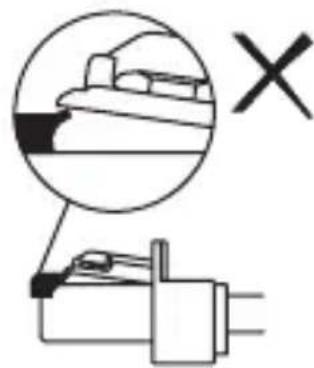
natural_image
Pure electrical circuit lines without any symbolsУстановка
natural_image
Technical line drawing of a mechanical assembly with internal components and directional arrows (no text or symbols)natural_image
Technical illustration of two mechanical components with internal slots, shown from different angles (no text or symbols)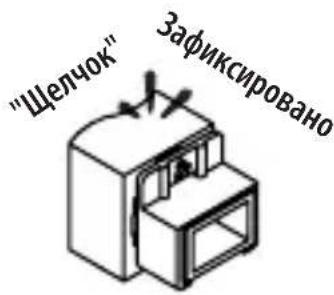
natural_image
Technical line drawing of a mechanical component with internal structure and directional arrow (no text or symbols)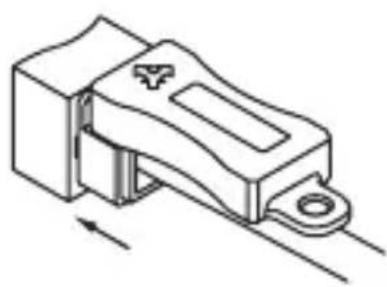
natural_image
Technical line drawing of a mechanical component with no visible text or symbolsnatural_image
Technical line drawing of a connector assembly showing internal structure and connection point (no text or symbols)3 Выньте ключ.
natural_image
Technical line drawing of an electrical connector assembly (no text or symbols)

1111 W. 35th Street, Chicago, IL 60609 USA tripplite.com/support
19-08-152 93-3B12_RevA