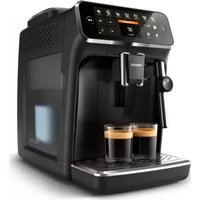
PHILIPS 4300 Series EP4321 - Coffee machine

4300 Series EP4321 - Coffee machine PHILIPS - Free user manual and instructions

Find the device manual for free 4300 Series EP4321 PHILIPS in PDF.

English EN Download 💬 AI Question 10 questions ⚙️ Specs
📄

Document temporarily unavailable

The manual is currently being transferred to our new server. It will be accessible again in a few hours. Thank you for your patience.

Pick your language and provide your email: we'll send you a specifically translated version.
Product Type Fully automatic coffee machine
Brand Philips
Model 4300 Series EP4321
Dimensions (W x H x D) 246 x 377 x 434 mm
Weight 7 to 7.5 kg
Power supply See label inside the service door
Water tank capacity 1.8 L
Bean hopper capacity 275 g
Grounds container capacity 12 servings
LatteGo capacity (milk container) 250 ml
Adjustable spout height 88 to 145 mm
Beverages prepared Espresso, Coffee, Americano, Cappuccino, Latte Macchiato, Café au lait, Hot water, Steam (depending on model)
Grind setting 12 levels, adjustable while grinding
Coffee strength 5 adjustable levels
Custom profiles Yes, several color profiles + guest profile
Water filter AquaClean integrated, activation via menu
Cleaning Removable brewing unit, dishwasher-safe parts, descaling program, quick milk cleaning
Maintenance Lubricate brewing unit every 2 months, descale according to alert
Included accessories Measuring spoon, water hardness test strip, AquaClean filter, LatteGo or milk frother depending on model
Spare parts Available online at the Philips website

Frequently Asked Questions - 4300 Series EP4321 PHILIPS

How to descale the Philips 4300 Series EP4321 machine?
When the descaling message appears, press the cleaning icon, select 'Descaling' and follow the on-screen instructions. Use only Philips descaling solution. The process takes about 30 minutes.
Why is my coffee not hot enough?
Check that the temperature selected in the settings is at maximum. Preheat the cups with hot water. Adding milk can also lower the temperature.
How to clean the brewing unit?
Remove the brewing unit by opening the service door and pressing the PUSH lever. Rinse it under lukewarm water without detergent, let it air dry. For deep cleaning, use Philips degreasing tablets.
What to do if coffee flows slowly or not at all?
Check that the AquaClean filter is correctly installed and not blocked. Clean the brewing unit and the dispensing spout. Set the grind to a coarser setting. Descale the machine if necessary.
How to activate the AquaClean filter?
Soak the filter upside down in cold water, shake it, then insert it vertically into the water tank. In the cleaning menu, select 'AquaClean' and follow the on-screen instructions. A 1-minute hot water cycle will be required.
Why does milk not froth with the LatteGo?
Make sure the milk container is correctly clicked onto the frame (click). Clean both parts thoroughly. Use cold whole or semi-skimmed milk, preferably lactose-free.
How to empty the coffee grounds container without triggering an alert?
Always empty the grounds container when the machine is on. Remove it, wait at least 5 seconds before putting it back to reset the counter.
What does error code 01 mean?
Code 01 indicates that the pre-ground coffee funnel is blocked. Turn the machine off, remove the brewing unit, open the lid of the pre-ground coffee compartment and insert the handle of a spoon to unblock it.
Can I use pre-ground coffee?
Yes, open the lid of the pre-ground coffee compartment, pour in one scoop of ground coffee and select the corresponding function in the settings menu. Note that you can only prepare one cup at a time.
How to reset to factory settings?
Press the settings icon, select 'Factory Settings' with the arrows, confirm with OK, then press the on/off button to validate. Profiles and settings will be restored.

User questions about 4300 Series EP4321 PHILIPS

0 question about this device. Answer the ones you know or ask your own.

Ask a new question about this device

The email remains private: it is only used to notify you if someone responds to your question.

No questions yet. Be the first to ask one.

Download the instructions for your Coffee machine in PDF format for free! Find your manual 4300 Series EP4321 - PHILIPS and take your electronic device back in hand. On this page are published all the documents necessary for the use of your device. 4300 Series EP4321 by PHILIPS.

USER MANUAL 4300 Series EP4321 PHILIPS

Manual assistant
Powered by Anthropic
Waiting for your message
Product information

Brand : PHILIPS

Model : 4300 Series EP4321

Category : Coffee machine