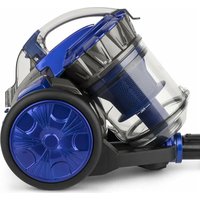
ws14 - Vacuum Cleaner Wëasy - Free user manual and instructions
Find the device manual for free ws14 Wëasy in PDF.


| Brand | Wëasy |
| Model | ws14 |
| Product type | Canister vacuum with multi-cyclonic system |
| Power supply | Mains, power cord with automatic rewinder |
| Power | Approximately 1600 W |
| Dust container capacity | Approximately 1.5 L |
| Filtration system | Washable multi-cyclonic plastic filter + washable rear filter |
| Power adjustment | Variable speed control on handle (ventilation control) |
| Included accessories | Floor brush, telescopic tube, crevice tool (not specified, estimated) |
| Cord length | Approximately 6 m (not specified, common estimate) |
| Operating radius | Approximately 9 m (estimate) |
| Noise level | Approximately 75 dB (estimate) |
| Weight | Approximately 5.5 kg |
| Dimensions | Not specified |
| Color | Not specified (elegant, understated) |
| Usage | Domestic, hard floors and carpets |
| Maintenance | Regularly clean the container and filters; rear filter to be replaced every 6 to 12 months |
| Safety | Automatic shutdown in case of overheating (not specified but likely) |
| Warranty | 2 years |
| Support | Online customer service: sav.hkoenig.com |
Frequently Asked Questions - ws14 Wëasy
User questions about ws14 Wëasy
0 question about this device. Answer the ones you know or ask your own.
Ask a new question about this device
Download the instructions for your Vacuum Cleaner in PDF format for free! Find your manual ws14 - Wëasy and take your electronic device back in hand. On this page are published all the documents necessary for the use of your device. ws14 by Wëasy.
USER MANUAL ws14 Wëasy
Vacuum multicyclonic
Aspirateur multicyclonique Vakuum multicyclonic Vacuüm multicyclonic MultiCyclonic vacío Multicyclonic vuoto
ENGLISH
MAIN PART IDENTIFICATION:
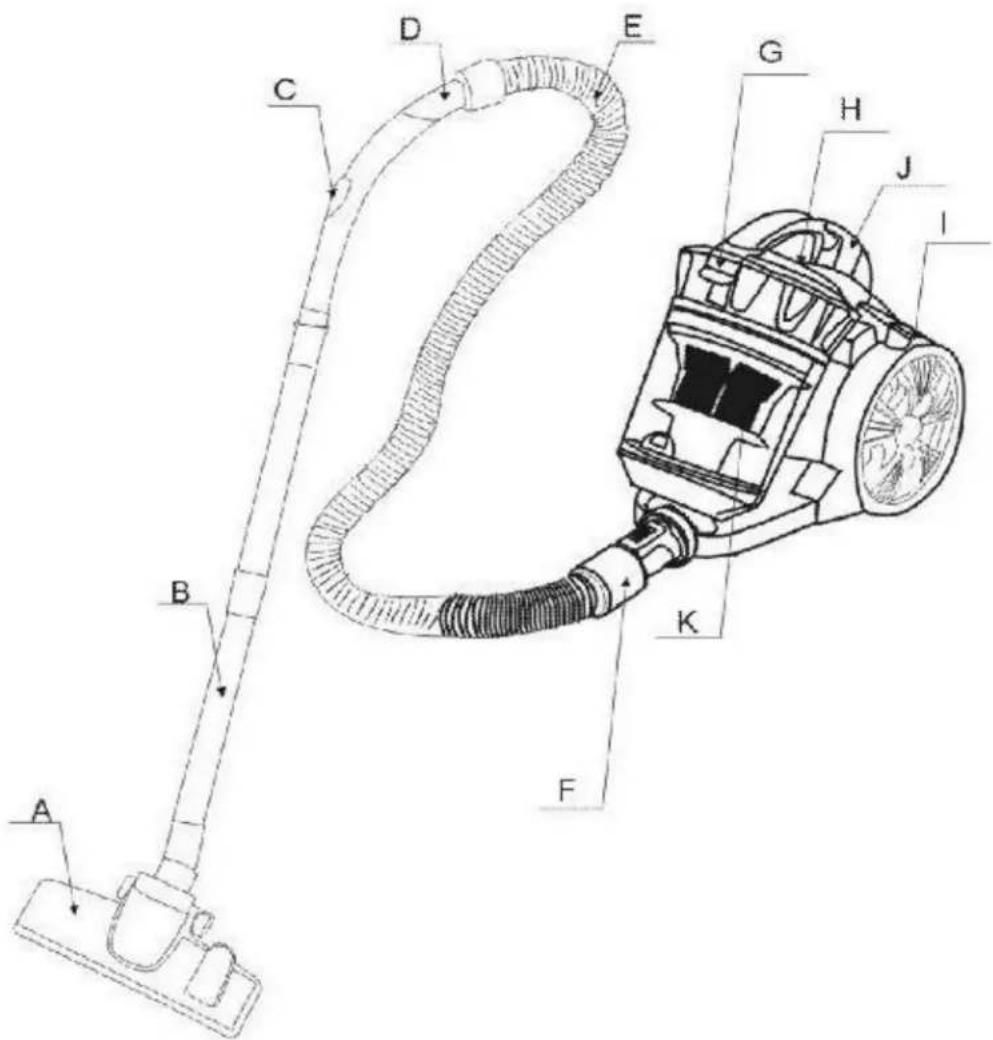
A. Floor brush G. Handle
B. Tube H. On/Off switch
C. Airflow control I. Cord button
D. Bend tube J. Dust cup clip
E. Hose K. Multi-cyclonic plastic filter
F. Hose connector
IMPORTANT SAFETY INSTRUCTIONS
Read this manual thoroughly before first use, even if you are familiar with this type of product. The safety precautions enclosed herein reduce the risk of fire, electric shock and injury when correctly adhered to.
Keep the manual in a safe place for future reference, along with the completed warranty card, purchase receipt and carton. If applicable, pass these instructions on to the next owner of the appliance.
Always follow basic safety precautions and accident prevention measures when using an electrical appliance, including the following:
ELECTRICAL. SAFETY AND CORD HANDLING
- Before turning on, ensure that your electrical voltage and circuit frequency correspond to those indicated on the appliance.
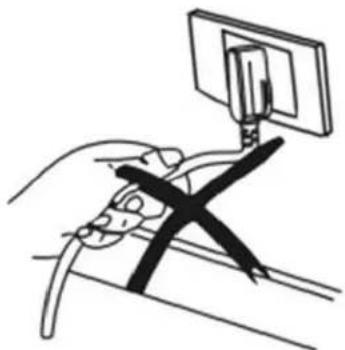
- To reduce the risk of electrocution, never operate this product or handle the plug with wet hands, submerge it under water or spill liquids into the product.
- Do not insert any objects into the appliance.
-
If the supply cord is damaged, it must be replaced by the manufacturer or its service agent or an appropriately qualified person in order to avoid a hazard.
-
Check the appliance and cord regularly for visible damage. Do not use it if the cord or housing is damaged, if it has been dropped, damaged, left outdoors or dropped into water, or if it appears faulty in any way. Call the after sales support line if any part appears damaged.
- Do not kink, bend, squash, strain or damage the power cord.
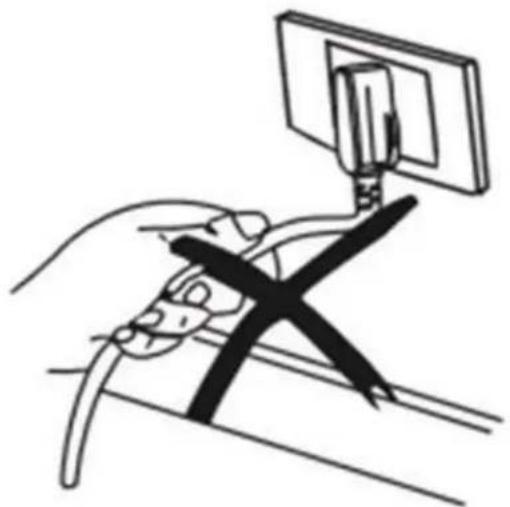
- Do not pull or carry the vacuum cleaner by the cord. Do not use the cord as a handle, close a door on the cord or pull the cord around sharp edges or corners.
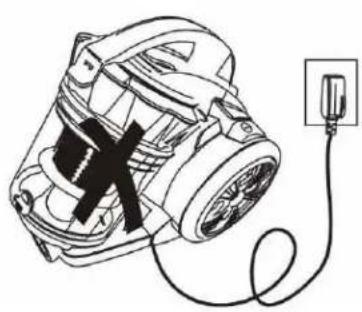
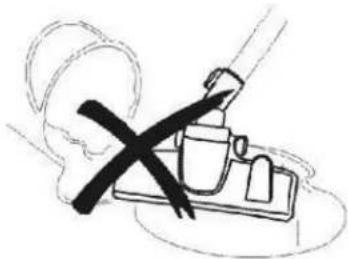
Do not run the vacuum cleaner over the cord. Keep the cord away from heated surfaces.
- Turn off the vacuum cleaner controls before connecting or disconnecting it from the mains supply.
- WARNING: Always switch off and unplug the vacuum cleaner before connecting or disconnecting the vacuum hose and accessories and before emptying or cleaning the dust tank.
- Do not pull on the cord to disconnect the plug from the power supply. To unplug, grasp the plug, not the cord, and gently pull it out of the power point and then press the cord retraction button to retract the cord.
USAGE CONDITIONS AND RESTRICTIONS
- This appliance is intended for household use only. It is neither suitable for commercial/industrial nor for outdoor use.
- Only use the vacuum cleaner on dry, indoor surfaces, as described in this manual and with the original accessories supplied by the manufacturer/distributor.
- Do not use it for any purpose other than described in this manual.
- Improper installation and use may result in the risk of fire, electric shock and/ or injury to persons. We assume no liability for any eventual damages caused by improper or faulty use.
- This appliance may be used by persons with reduced physical, sensory or mental capabilities or lack of experience or knowledge, provided that they are supervised or instructed in the safe use of the appliance and that they fully understand the potential hazards.
- Supervise young children to ensure they do not play with the appliance. Close supervision is necessary when any appliance is used by or near children.
- Never leave the appliance unattended.
SAFE USAGE
- Keep hair, loose clothing, fingers and all parts of the body away from openings and moving parts.
- Keep the end of the hose, wands and other openings away from your face and body.
- Do not point the vacuum cleaner at people or animals when in use.
- Do not use the product without the filters in place.
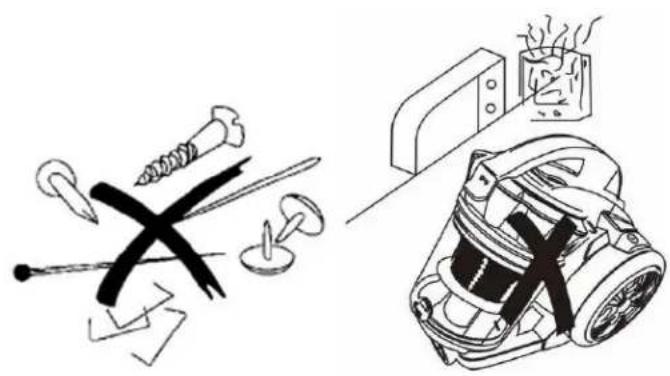
• Take extra care when vacuuming on stairs. - Do not use the vacuum cleaner to pick up: flammable or combustible fluids (such as fuel or solvent); burning substances (such as ash, cigarettes or hot coals), or use it in the presence of explosive liquids or vapours; hard or sharp objects such as shards of glass, nails, coins; harmful or toxic materials (such as chlorine bleach, ammonia, drain cleaner); any liquids, or vacuum in areas where liquids may be present.
- Keep the vacuum cleaner away from heat sources (radiator, oven etc.), direct sunlight, moisture and sharp edges.
- Keep all openings free of dust, lint, hair or anything that may reduce the airflow.
- Do not use the product with any openings blocked or restricted airflow.
- Put the vacuum cleaner away after every use to prevent anyone tripping over it.
-
IMPORTANT: Washing the filters improves vacuum performance.
-
Make sure all filters are completely dry before reattaching them.
- Only clean the housing with a soft, dry cloth. Do not use liquid or aerosol cleaners.
- Store the vacuum cleaner indoors in a cool, dry area, out of reach of young children.
- Never attempt to open the motor base of the vacuumcleaner yourself or to replace the power cord. If the vacuum cleaner is damaged, it must be repaired by the manufacturer or its service agent or an appropriately qualified person in order to avoid a hazard. In case of damage, call the after-sales support line for advice.
- This appliance may be used by children of at least 8 years of age, as long as they are supervised and have been given instructions about using the appliance safely and are fully aware of the dangers involved.
- Cleaning and maintenance should not be carried out by children unless they are at least 8 years of age and are supervised by an adult.
- Keep the appliance and its power cord out of reach of children under 8 years of age.
- When using electrical equipment, safety precautions must always be taken to prevent the risk of fire, electric shock and/or injury in the event of misuse.
- Please keep this document at hand and give it to the future owner in case of transfer of your device
- The device must not be used if it has been dropped, it obvious signs of damage are visible or if it has leaks.
WARNING!
- Never use this machine when the suction power becomes very weak.
When this happens:
- Switch off the unit, unplug it and check whether the dust container is full.
- Then check if any part of the floor brush, tube or hose is blocked.
Do not use the vacuum cleaner until the blockage is removed and it operates normally again.
If you cannot solve the problem, contact the after-sales support line.
- Always switch the vacuum cleaner off after use, and before plugging it in again, make sure to hold the vacuum cleaner firmly when using it.
- Always switch off and unplug the vacuum cleaner from the electrical outlet before assembling, opening or emptying the dust bag, or before connecting/ disconnecting the attachments.
BRIEF INTRODUCTION:
This model not only features an exquisite appearance in both aesthetic design and graceful color, but it is also an example of superior engineering. This is multi-cyclone, plastic filter vacuum cleaner has a convenient foot push switch and automatic wire rolling button, and also comes with many absorbing attachments. It features low noise and high efficiency. To choose this machine is to make your life that much more comfortable.
For the sake of safety, please comply with following instructions:
-
After using, switch of the power using the machine's switch, not by pulling out the power cable.
-
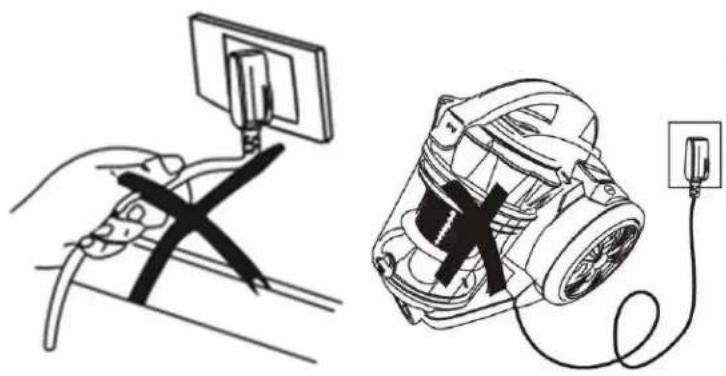
Do not run the appliance over the power cable when operating.
-
Do not vacuum up lit cigarettes.
-
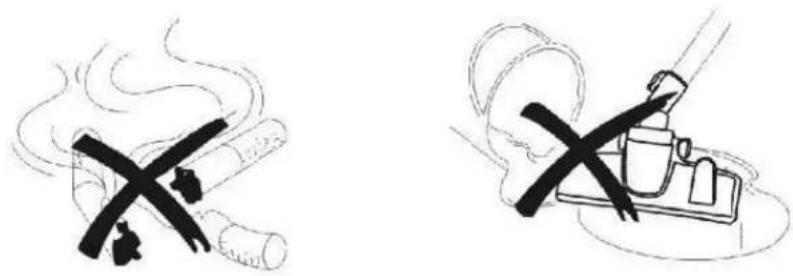
Do not vacuum up water or any other liquid.
-
Do not vacuum up sharp or heavy objects.
-
Do not place the appliance near a heat source.
INSTRUCTIONS FOR USE
1. Preparation:
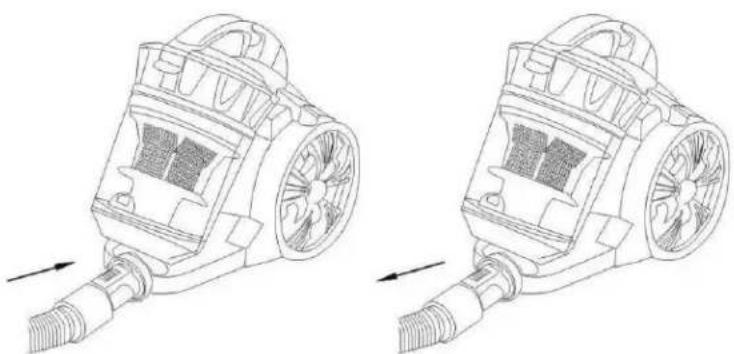
(1) Insert the end of the hose into the air intake socket until it clicks into position.
(2) After using, push the button on the hose and pull out the end of the hose.
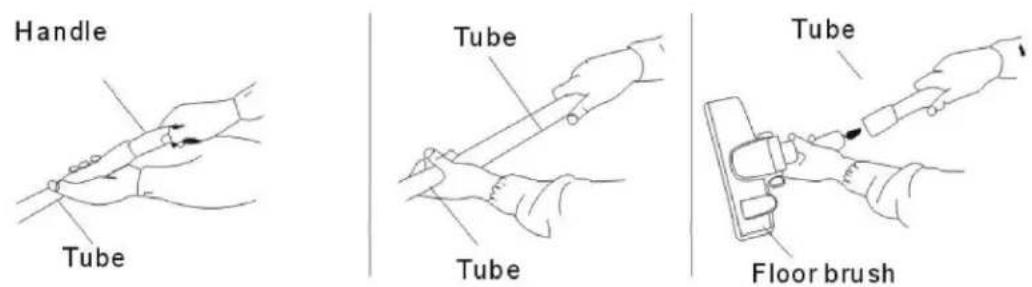
(3) Fit the extension tube to the handle, fit the separate tubes together, and fit the tube to the floor brush, as shown in the picture below.
- Using the machine:
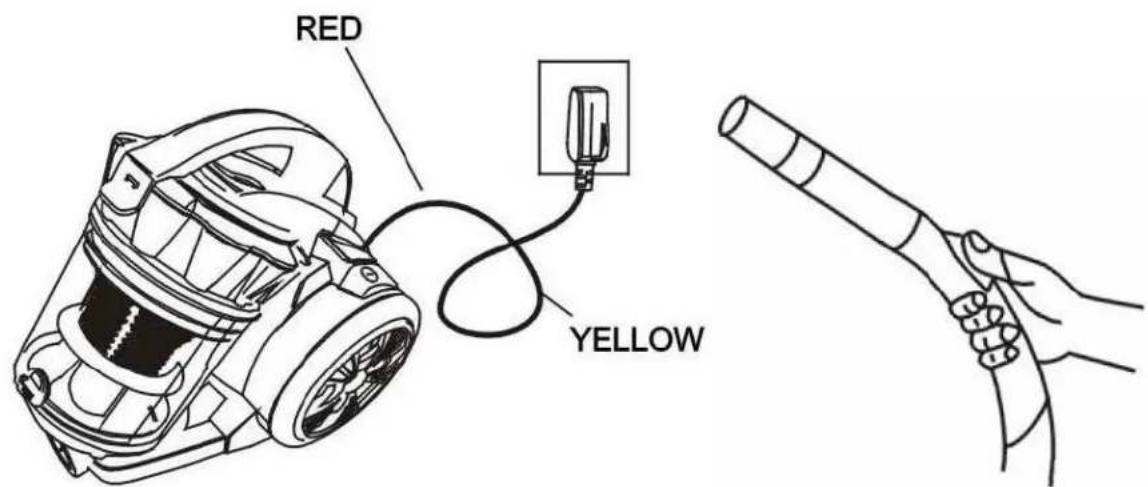
Pull out the wire to a suitable length, then insert the plug into a power socket. Press the switch to run the machine. You may now begin vacuuming. A wind volume adjuster is on the handle.
*Attention: Do not extend the cable beyond the RED MARK.
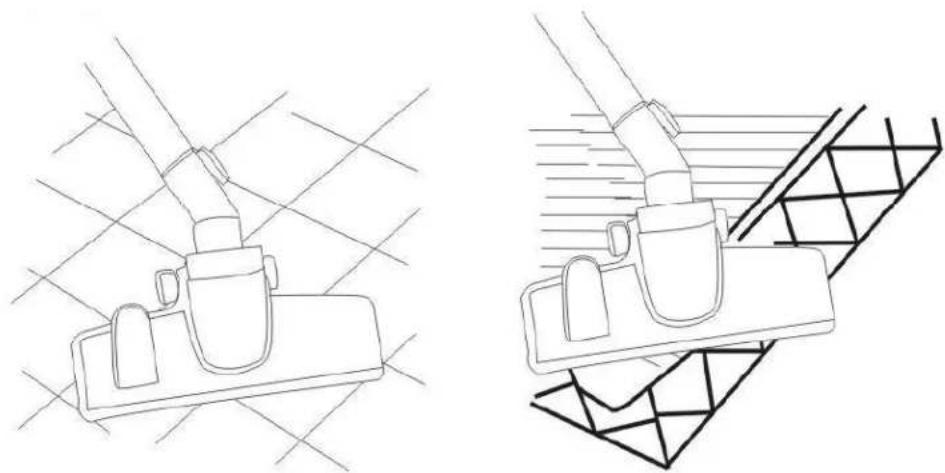
- Using accessories for the floor:
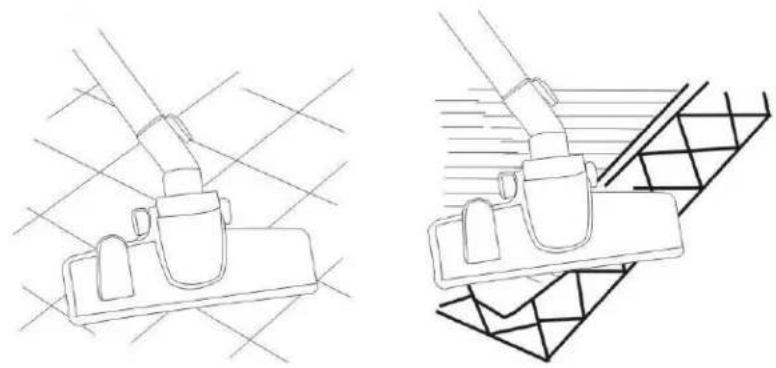
- Power and cord rewind functions:
Your vacuum cleaner is equipped with an automatic cord rewind and power buttons. Please press the cord button and switch button by foot in order for easy and convenient use.
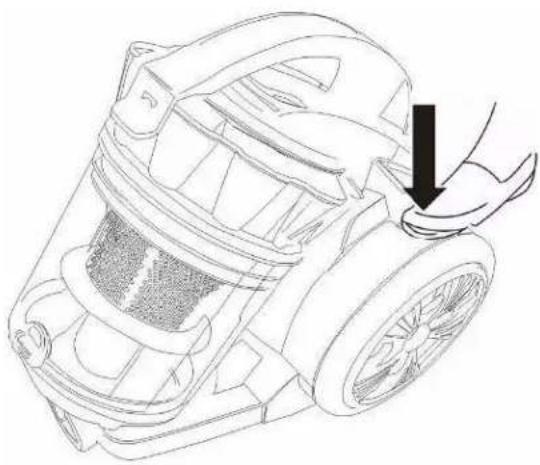
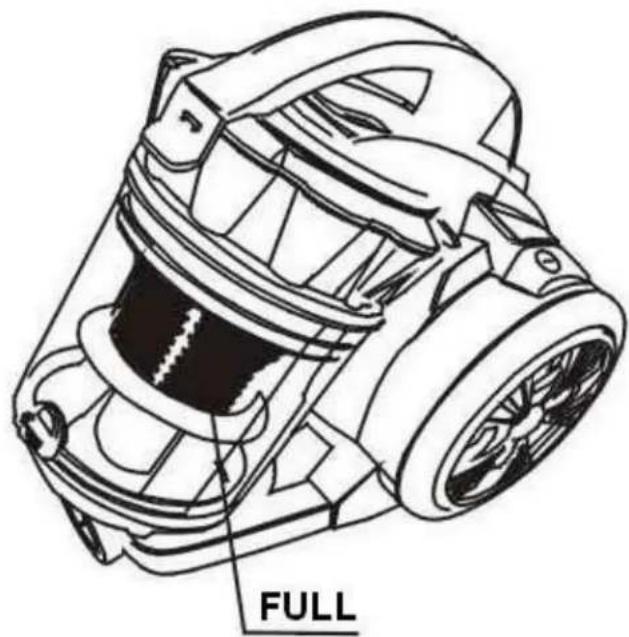
REPLACING THE DUST-CUP
- When the level of dust in the vacuum reaches the 1/4 level in the dust-cup, it means that dust-cup is full. At this point, dust-cup should therefore be emptied and the filter should be washed.
- Open the dust-cup as showed in the picture.
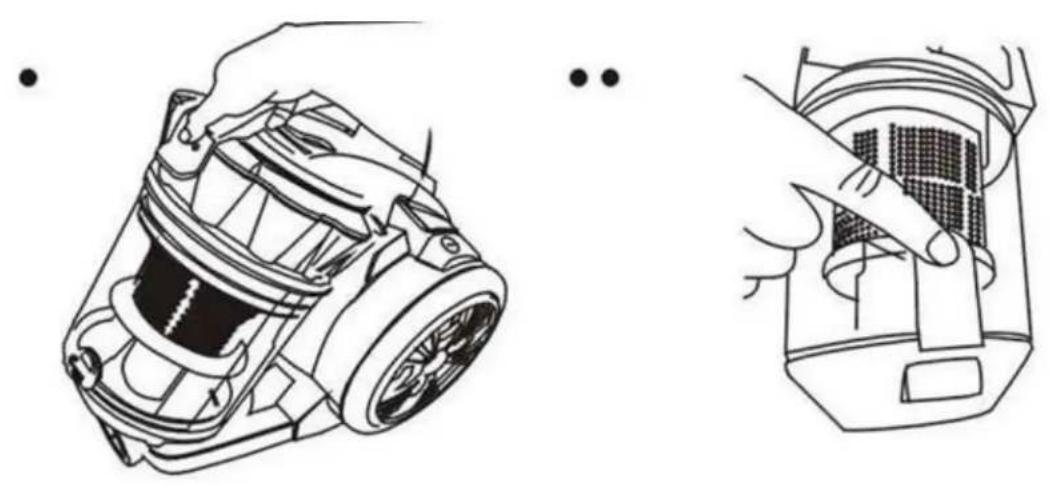
CLEANING AND MAINTENANCE:
Important : Always disconnect the product before handling or changing filters!
Clean the tank
Clean the tank regularly to avoid overheating the product
- Disconnect the product before cleaning the tank
- Empty the tank into the bin as indicated on image

CLEANING THE FILTER:
- Caution: Always disconnect the unit before cleaning the filter.
- Press the handle of the tank and take out the filter to clean it with a brush,
- important :
It is normal for the filter to change colour, but this does not mean that it is not effective.
If you wash it in water, make sure to let it dry free of charge for at least 24 hours in the air
Note: Without the filter, the product does not have a suction capacity.
Caution: Make sure that the hoses and brush are always free of residue.
Clean or replace the rear filter
Open the grid, remove the filter and wash it with warm water, as shown in the images below
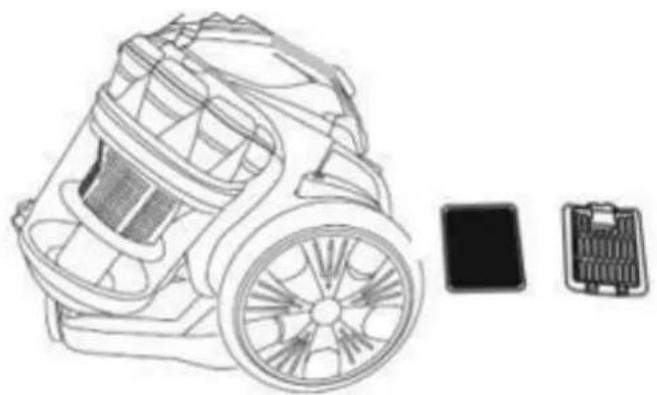
It is preferable to change the filters every 6 to 12 months.
Be sure to install the filters properly before use.
WARRANTY
The warranty period for our products is 2 years, unless otherwise stated, starting from the date of initial purchase or the date of delivery.
If you have any problems or questions, you can easily access our help pages, troubleshooting tips, FAQ, and user manuals on our service site: https://sav.hkoenig.com.
By typing the reference name of your device in the search bar, you can access all available online support, designed to best meet your needs.
If you still cannot find an answer to your question or problem, then click on "Did the answer solve your problem?". This will direct you to the Customer Support Request Form, which you can fill out to validate your request and get help.
WARRANTY CONDITIONS
The warranty covers all failures occurring under normal use, in accordance with the usage and specifications in the user's manual.
This warranty does not apply to packaging or transportation problems during shipment of the product by the owner. It also does not include normal wear and tear of the product, nor maintenance or replacement of consumable parts.
EXCLUSION OF WARRANTY
- Accessories and wearing parts (*).
- Normal maintenance of the device.
- All breakdowns resulting from improper use (shocks, failure to comply with power supply recommendations, poor conditions of use, etc.), insufficient maintenance or misuse of the device, as well as the use of unsuitable accessories.
- Damage of external origin: fire, water damage, electrical surge, etc.
- Any equipment that has been disassembled, even partially, by persons other than those authorized to do so (notably the user).
- The products whose serial number would be missing, deteriorated or illegible that would not allow its identification.
- The products subjected to leasing, demonstration, or exhibition.
(*) Some parts of your device, called wear parts or consumables, deteriorate with time and frequency of use of your device. This wear and tear are normal but can be accentuated by poor conditions of use or maintenance of your device. These parts are therefore not covered by the warranty.
The accessories supplied with the device are also excluded from the warranty. They cannot be exchanged or refunded. However, some accessories can be purchased directly through our website: https://sav.hkoenig.com/.
ENVIRONMENT

CAUTION:
Do not dispose of this product as it has with other household products. There is a separation of this waste product into communities, you will need to inform your local authorities about the places where you can return this product. In fact, electrical and electronic products contain hazardous substances that have harmful effects on the environment or human health and should be recycled. The symbol here indicates that electrical and electronic equipment should be chosen carefully, a wheeled waste container is marked with a cross.
Adeva SAS / H.Koenig Europe - 8 rue Marc Seguin - 77290 Mitry Mory - France www.hkoenig.com - sav@hkoenig.com - contact@hkoenig.com - Tél: +33 1 64 67 00 05
FRANÇAIS
IDENTIFICATION DE LA PARTIE PRINCIPALE
INSTRUCTIONS DE SÉCURITÉ
VEUILLEZ LIRE CE MANUEL ATTENTIVEMENT AVANT D'UTILISER L'APPAREIL ET LE CONSERVER SOIGNEUSEMENT
INSTRUCTIONS IMPORTANTES DE SÉCURITÉ
MODE D'EMPLOI
- Préparation
2. Utiliser la machine
REPLACEMENT DU BOUCHON ANTI POUSSIERE
NETTOYAGE ET ENTRETIEN :
CONDITIONS DE GARANTIE
INBETRIEBNAHME
1. Vorbereitung
ERSETZEN DER STAUBBOX.
REINIGEN DES FILTERS:

BELANGRIJKE VEILIGHEID INSTRUCTIES
HOE TE GEBRUIKEN
1. Voorbereiding
VERVANGEN VAN DE STOF-BEKER
SCHOONMAKEN EN ONDERHOUD:
REINIGEN VAN HET FILTER:
MODO DE EMPLEO
1. Preparación
LIMPIEZA Y MANTENIMIENTO:
3. importante
IMPORTANTI NORME DI SICUREZZA
COME UTILIZZARLO
1. Preparazione
PULIZIA DEL FILTRO:

- VACUUM MULTICYCLONIC
- ENGLISH
- MAIN PART IDENTIFICATION
- IMPORTANT SAFETY INSTRUCTIONS
- ELECTRICAL. SAFETY AND CORD HANDLING
- USAGE CONDITIONS AND RESTRICTIONS
- SAFE USAGE
- WARNING
- BRIEF INTRODUCTION
- FOR THE SAKE OF SAFETY, PLEASE COMPLY WITH FOLLOWING INSTRUCTIONS
- INSTRUCTIONS FOR USE
- PREPARATION
- REPLACING THE DUST-CUP
- CLEANING AND MAINTENANCE
- CLEAN THE TANK
- CLEANING THE FILTER
- WARRANTY
- WARRANTY CONDITIONS
- EXCLUSION OF WARRANTY
- ENVIRONMENT
- CAUTION
- FRANÇAIS
- IDENTIFICATION DE LA PARTIE PRINCIPALE
- INSTRUCTIONS DE SÉCURITÉ
- MODE D'EMPLOI
- UTILISER LA MACHINE
- REPLACEMENT DU BOUCHON ANTI POUSSIERE
- NETTOYAGE ET ENTRETIEN
- CONDITIONS DE GARANTIE
- INBETRIEBNAHME
- VORBEREITUNG
- ERSETZEN DER STAUBBOX
- REINIGEN DES FILTERS
- BELANGRIJKE VEILIGHEID INSTRUCTIES
- HOE TE GEBRUIKEN
- VOORBEREIDING
- VERVANGEN VAN DE STOF-BEKER
- SCHOONMAKEN EN ONDERHOUD
- REINIGEN VAN HET FILTER
- MODO DE EMPLEO
- PREPARACIÓN
- LIMPIEZA Y MANTENIMIENTO
- IMPORTANTE
- IMPORTANTI NORME DI SICUREZZA
- COME UTILIZZARLO
- PREPARAZIONE
- PULIZIA DEL FILTRO
Brand : Wëasy
Model : ws14
Category : Vacuum Cleaner