WS10 - Vacuum Cleaner Wëasy - Free user manual and instructions
Find the device manual for free WS10 Wëasy in PDF.


| Brand | Wëasy |
| Model | WS10 |
| Device type | Vacuum cleaner |
| Power supply | Mains (220-240 V) |
| Filter type | Washable plastic filter (replacement recommended after 100 hours) |
| Included accessories | Hose, tube, universal brush, floor tools |
| Main functions | Airflow adjustment, automatic cable rewind, on/off |
| Control type | On/Off button and adjustment wheel on the handle |
| Rewind method | Foot pedal |
| Use | Dry vacuuming only |
| Safety | Use by children from 8 years old under supervision; do not use if cable is damaged |
| Maintenance | Regular cleaning of filter and dust bin; do not wash filter in machine |
| Warranty | 2 years (unless otherwise decreed) |
| After-sales service | H.Koenig customer service: https://sav.hkoenig.com |
| Environmental information | Do not dispose of with household waste, recycling required |
Frequently Asked Questions - WS10 Wëasy
User questions about WS10 Wëasy
0 question about this device. Answer the ones you know or ask your own.
Ask a new question about this device
Download the instructions for your Vacuum Cleaner in PDF format for free! Find your manual WS10 - Wëasy and take your electronic device back in hand. On this page are published all the documents necessary for the use of your device. WS10 by Wëasy.
USER MANUAL WS10 Wëasy
natural_image
Purple and white vacuum cleaner device with visible wheels and filter (no text or symbols)vacuum multicyclonic
aspirateur multicyclonique vakuum multicyclonic vacuüm multicyclonic multiCyclonic vacío multicyclonic vuoto
ENGLISH
SECURITY INSTRUCTIONS
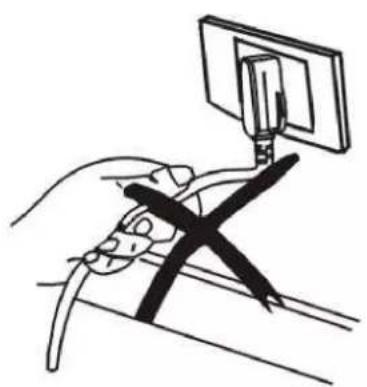
• After usage, do not unplug by pulling on the cable.
• Do no roll over the cable with the vacuum.
natural_image
Line drawing of a hand holding a device with a screen mounted on top (no text or symbols)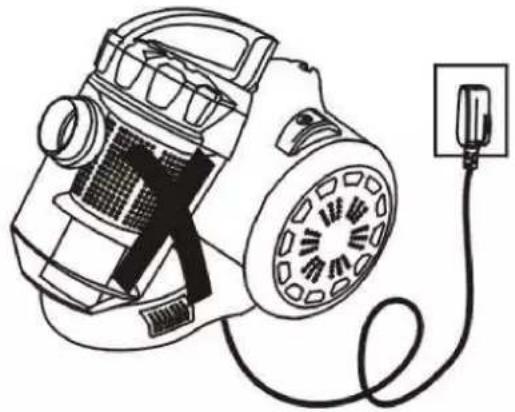
natural_image
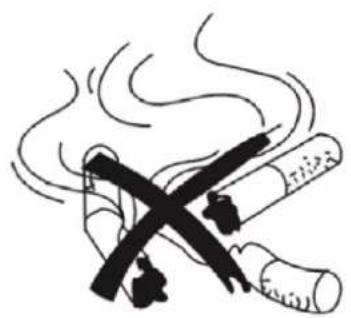
Line drawing of a vacuum cleaner connected to a power outlet (no text or symbols)- Do not vacuum cigarette ashes, even cold.
- Do no vacuum water or any other liquid.
natural_image
Illustration of a crossed cigarette emitting smoke next to two stacked cigarettes (no text or symbols)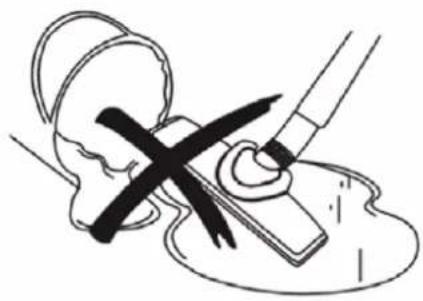
natural_image
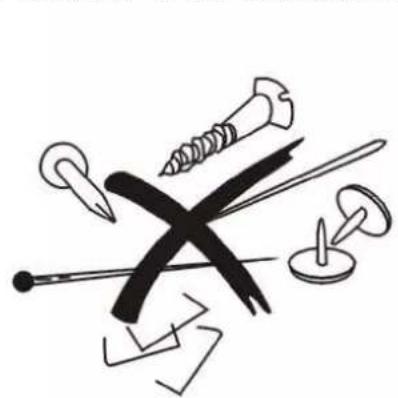
Illustration of a medical procedure with a tool and cross mark (no text or symbols)- Do not vacuum heavy or sharp items.
• Do not leave the vacuum close to a heat source.
natural_image
Illustration of various screw and nail tools including screws, nails, and pliers (no text or symbols)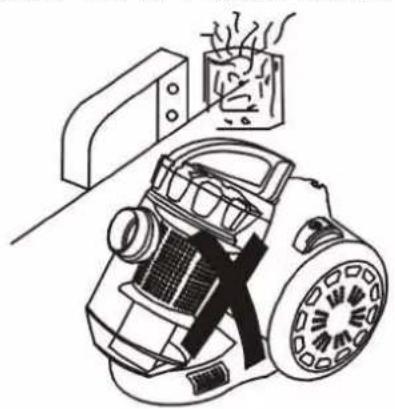
natural_image
Line drawing of a vacuum cleaner with exhaust smoke, placed on a surface next to a cabinet (no text or symbols)- The appliance is not suitable to be used by physically or mentally disabled people, unless supervised by a capable adult.
- Children can only use the vacuum when supervised by an adult.
- This vacuum can only be used safely with a compatible electric system. The maker cannot be held responsible for any accident or damage caused by an electrocution. in can of doubts about the compatibility, please contact a qualified professional for advice.
- Do not operate this appliance if it has a damaged cord or plug, if it is not working properly or if it has been damaged or dropped. If the supply cord is damaged, it must be replaced by the manufacturer or its service agent or a similarly qualified person in order to avoid a hazard.
- This appliance may be used by persons with reduced physical, sensory or mental capabilities or lack of experience or knowledge, provided that they are supervised or instructed in the safe use of the appliance and that they fully understand the potential hazards.
- If the power cord is damaged, it must be replaced with an after-sales service to avoid any danger.
- This appliance may be used by children of at least 8 years of age, as long as they are supervised and have been given instructions about using the appliance safely and are fully aware of the dangers involved.
- Cleaning and maintenance should not be carried out by children unless they are at least 8 years of age and are supervised by an adult.
- Keep the appliance and its power cord out of reach of children under 8 years of age.
- When using electrical equipment, safety precautions must always be taken to prevent the risk of fire, electric shock and/or injury in the event of misuse.
- Make sure that the voltage rating on the typeplate corresponds to your main voltage of your installation. If this is not the case, contact the dealer and do not connect the unit
- Please keep this document at hand and give it to the future owner in case of transfer of your device
- Never leave the unit unattended while in operation.
- The device must not be used if it has been dropped, it obvious signs of damage are visible or if it has leaks.
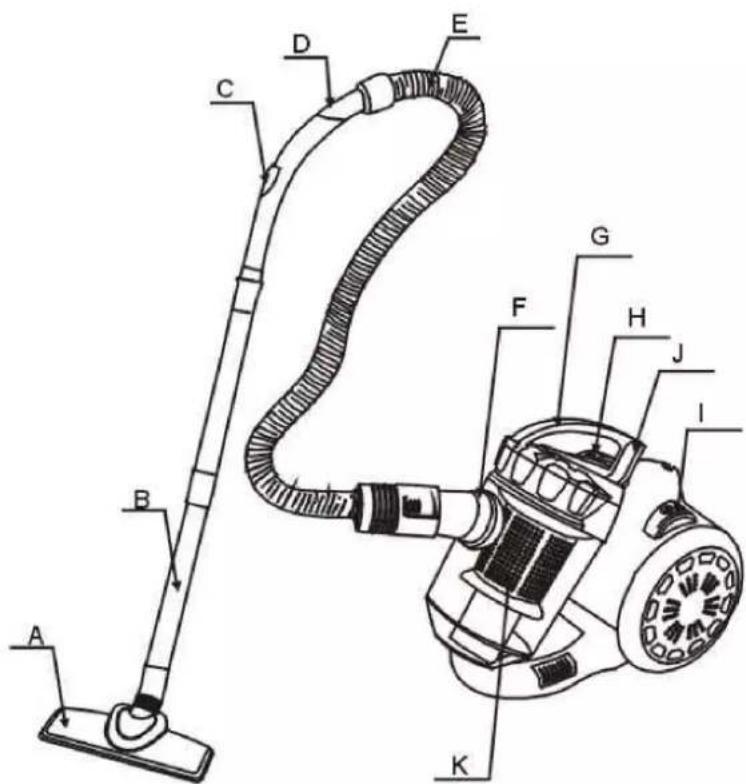
PARTS
text_image
Technical diagram of a vacuum cleaner with labeled parts from A to KA - Universal brush
B - Pipes
C - Air flow control system D - Pipe elbow
E - Pipe
F - Pipe connector
G - Handle
H - ON/OFF button
I - Power cable roller
J - Dust bag clip
K - Plastic filter
USAGE
1 - Preparation:
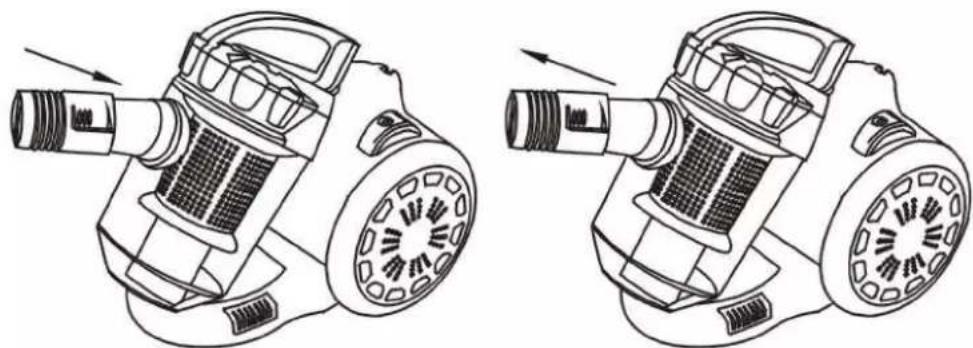
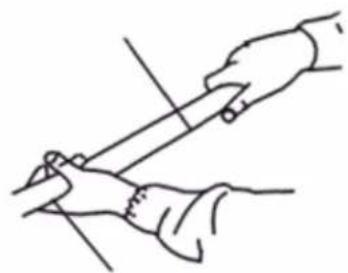
• Insert the pipe into the air flow entry till you hear a clicking sound confirming it's properly set
• After usage, use the button under the pipe to take it off.
natural_image
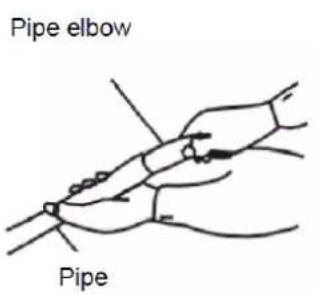
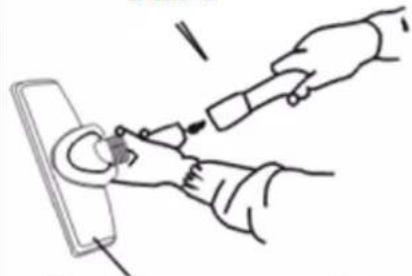
Technical line drawings of two identical mechanical components with internal gears and shafts, shown from different angles (no text or symbols)- Insert the pipe elbow into the pipe and connect the 2 pipes together before attaching the universal brush.
text_image
Pipe elbow Pipe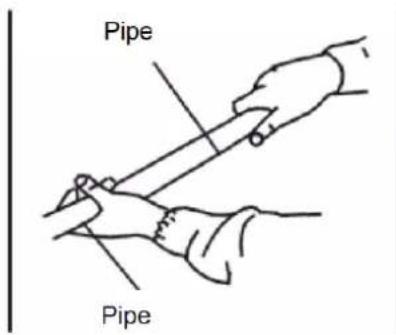
text_image
Pipe Pipe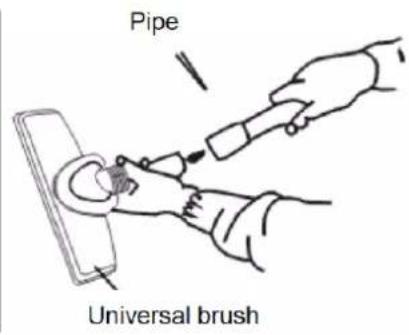
text_image
Pipe Universal brush2- Usage:
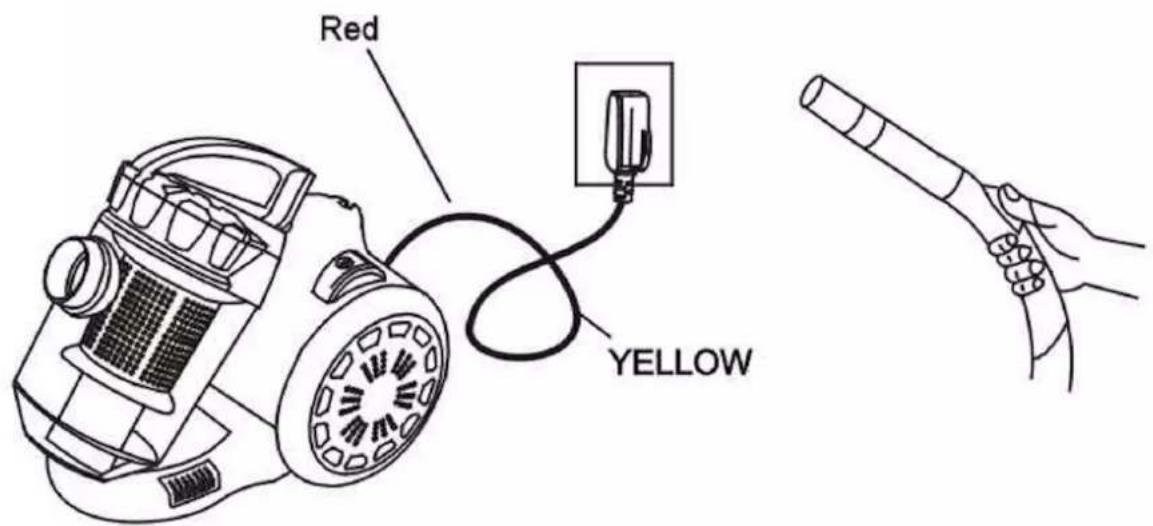
- Pull the power cable to the desired length before plugging the vacuum.
Note: Stop pulling on the cable as soon as you can see the red mark.
- Hit the ON button. You can use the air plug on the elbow pipe to control the air flow.
text_image
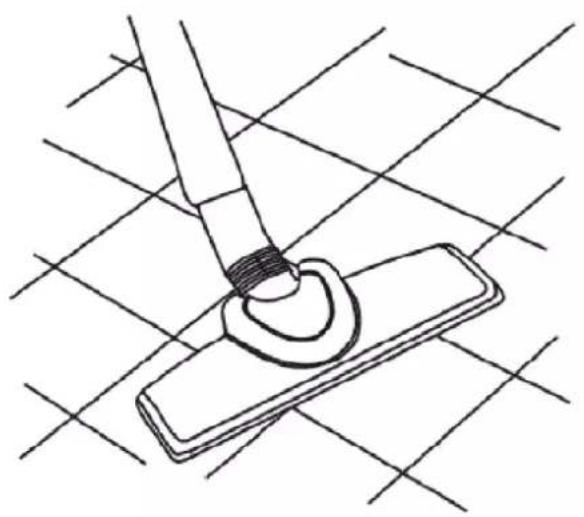
Red YELLOW3- Using accessories for the floor:
natural_image
Line drawing of a hand using a brush to clean or mark a circular object on a rectangular surface, with intersecting grid lines (no text or symbols)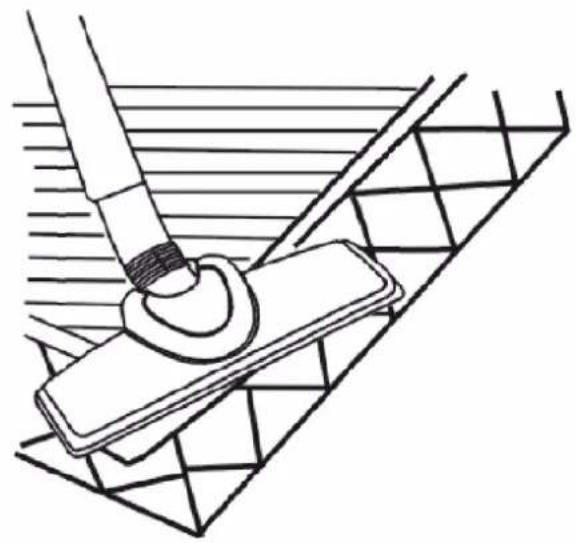
natural_image
Technical line drawing of a mechanical assembly with a tool and base plate (no text or symbols)4 - Rewind the power cable:
Your vacuum is equipped with an automatic cable rewinder. When you're done cleaning, turn off the vacuum, unplug it and hit the rewind button with your foot to rewind the cable. Avoid using your hand in case the cable whips over the vacuum hurling your hand.
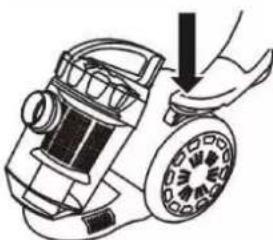
natural_image
Illustration of a hand using a vacuum cleaner to lift a circular component (no text or symbols)CLEANING AND MAINTENANCE
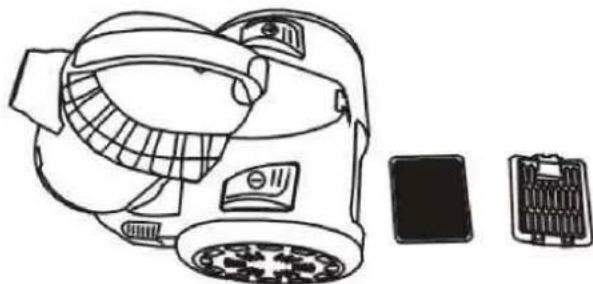
The dust bag is considered to be full when the dust level hits a quarter of its capacity. You need to empty the dust bag and wash the filter before using the vacuum again.
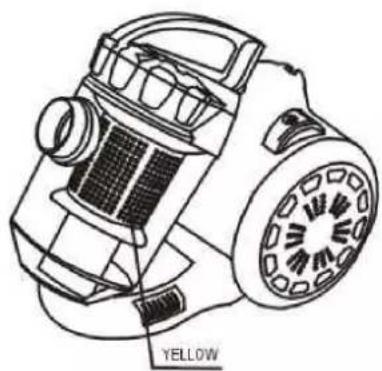
natural_image
Technical line drawing of a mechanical device with labeled yellow component (no text or symbols beyond label)To open the dust bag, follow the instructions below:
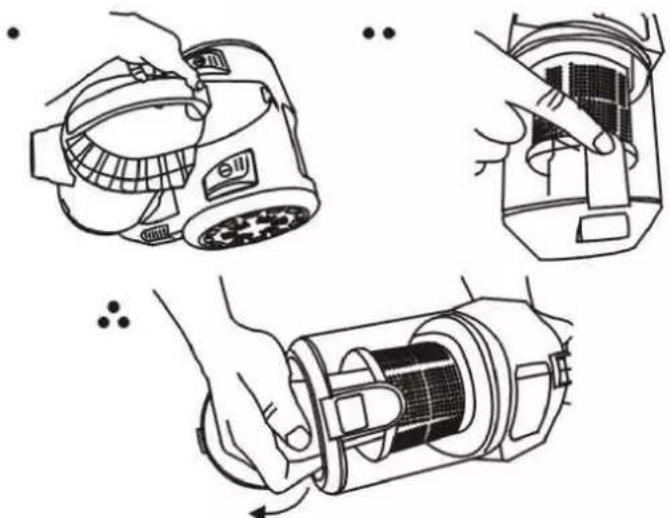
natural_image
Three-step diagram showing hand-crank cleaning of a device with a magnifying glass and internal components (no text or symbols)- The filter should be replaced regularly, we recommend a replacement every 100 hours to avoid clogging.
- When the filter is dirty you need to wash it, doing that every time you empty the dust bag is advised.
natural_image
Line drawing of a portable air purifier with accessories and a battery pack (no text or symbols)Caution: Clean the filter manually and let it air dry, do not wash it in the dishwasher and do not use an electric device to dry it (such as a hair dryer). Place it back as soon as it is dry.
- Do not clean the body of the vacuum with any liquid or oily substance. You can wipe it clean using a wet cloth.
Caution: Do not get the vacuum body wet and avoid any water penetrating inside as this could severely damage the appliance.
WARRANTY
The warranty period for our products is 2 years, unless otherwise stated, starting from the date of initial purchase or the date of delivery.
If you have any problems or questions, you can easily access our help pages, troubleshooting tips, FAQ, and user manuals on our service site: https://sav.hkoenig.com.
By typing the reference name of your device in the search bar, you can access all available online support, designed to best meet your needs.
If you still cannot find an answer to your question or problem, then click on “Did the answer solve your problem?”. This will direct you to the Customer Support Request Form, which you can fill out to validate your request and get help.
WARRANTY CONDITIONS
The warranty covers all failures occurring under normal use, in accordance with the usage and specifications in the user's manual.
This warranty does not apply to packaging or transportation problems during shipment of the product by the owner. It also does not include normal wear and tear of the product, nor maintenance or replacement of consumable parts.
EXCLUSION OF WARRANTY
- Accessories and wearing parts (*).
- Normal maintenance of the device.
- All breakdowns resulting from improper use (shocks, failure to comply with power supply recommendations, poor conditions of use, etc.), insufficient maintenance or misuse of the device, as well as the use of unsuitable accessories.
- Damage of external origin: fire, water damage, electrical surge, etc.
- Any equipment that has been disassembled, even partially, by persons other than those authorized to do so (notably the user).
- The products whose serial number would be missing, deteriorated or illegible that would not allow its identification.
- The products subjected to leasing, demonstration, or exhibition.
(*) Some parts of your device, called wear parts or consumables, deteriorate with time and frequency of use of your device. This wear and tear are normal but can be accentuated by poor conditions of use or maintenance of your device. These parts are therefore not covered by the warranty.
The accessories supplied with the device are also excluded from the warranty. They cannot be exchanged or refunded. However, some accessories can be purchased directly through our website: https://sav.hkoenig.com/.
ENVIRONMENT
CAUTION:
Do not dispose of this product as it has with other household products. There is a separation of this waste product into communities, you will need to inform your local authorities about the places where you can return this product. In fact, electrical and electronic products contain hazardous substances that have harmful effects on the environment or human health and should be recycled. The symbol here indicates that electrical and electronic equipment should be chosen carefully, a wheeled waste container is marked with a cross.
Adeva SAS / H.Koenig Europe - 8 rue Marc Seguin, 77290 Mitry-Mory, France www.hkoenig.com - https://en.hkoenig.com - Tél: +33 1 64 67 00 05
FRANÇAIS
CONSIGNES GENERALES DE SECURITE
natural_image
Simple line drawing of a hand holding a cable with a black X-shaped object attached to a wall-mounted device (no text or symbols)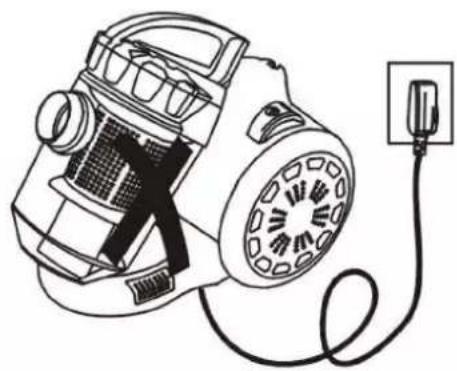
natural_image
Line drawing of a vacuum cleaner connected to a power outlet (no text or symbols)natural_image
Illustration of two crossed cigarette sticks emitting smoke (no text or symbols)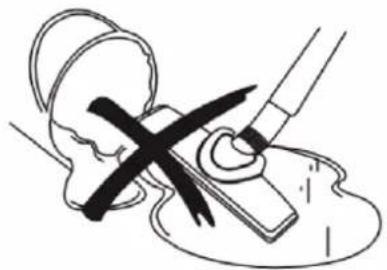
natural_image
Illustration of a medical procedure with surgical tools and a cross mark (no text or symbols)natural_image
Illustration of various tools including screws, pliers, and a cross-shaped object (no text or symbols)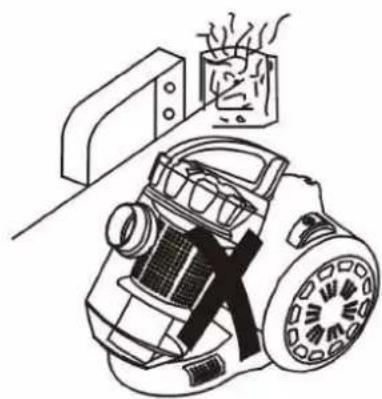
natural_image
Line drawing of a vacuum cleaner with steam rising from its chimney (no text or symbols)text_image
Technical diagram of a vacuum cleaner with labeled parts from A to KA - Brosse universelle
B - Flexible
natural_image
Technical line drawings of two identical mechanical components with internal tubing and mounting holes (no text or symbols)natural_image
Line drawing of a hand using a tool to apply material to a rectangular object on a grid background (no text or symbols)
natural_image
Line drawing of a cleaning or painting process with a brush applying material to a grid-patterned surface (no text or symbols)natural_image
Illustration of a hand holding a circular device with a clock face (no text or symbols)NETTOYAGE ET ENTRETIEN
natural_image
Three-step line drawing showing hand-cranked cleaning of a device with a circular component, no text or symbols present.natural_image
Line drawing of a smart air purifier with labeled components (no text or symbols)CONDITIONS DE GARANTIE
natural_image
Simple line drawing of a hand holding a cable with a mounted device above it (no text or symbols)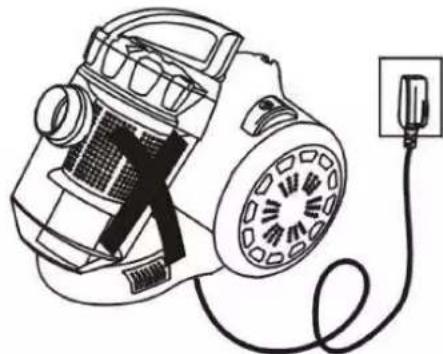
natural_image
Line drawing of a vacuum cleaner connected to a power outlet (no text or symbols)natural_image
Illustration of two cigarettes crossed with a cross, emitting smoke (no text or symbols)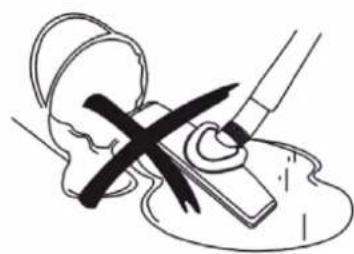
natural_image
Illustration of a medical procedure with a cross mark and tool, no text or symbols presentnatural_image
Illustration of various tools including screws, nails, and pliers (no text or symbols)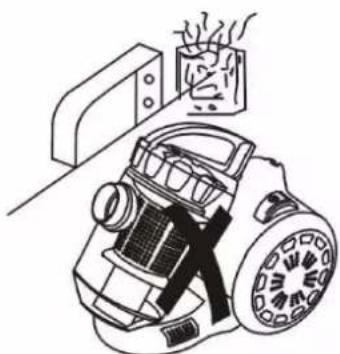
natural_image
Illustration of a vacuum cleaner with steam rising above it, next to a cabinet (no text or symbols)text_image
Technical diagram of a vacuum cleaner with labeled parts from A to Knatural_image
Technical line drawings of two identical mechanical components with arrows indicating motion direction (no text or symbols)natural_image
Two technical line drawings showing a tool interacting with a rectangular object, one with a curved handle and the other with a flat surface (no text or symbols)natural_image
Line drawing of a hand holding a small vacuum cleaner with a circular component (no text or symbols)natural_image
Illustration of three steps of a hand holding a device, showing mechanical components and a close-up view (no text or symbols)natural_image
Line drawing of a portable electronic device with front panel, internal circuit board, and battery pack (no text or symbols)natural_image
Simple line drawing of a hand holding a cable and a mounted device (no text or symbols)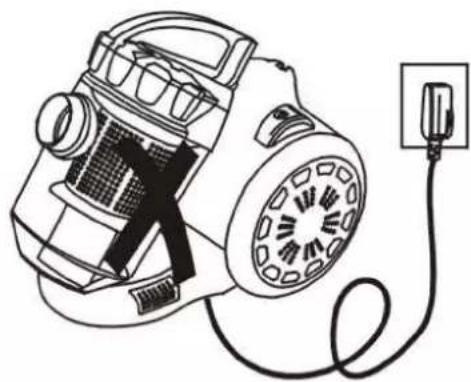
natural_image
Line drawing of a vacuum cleaner connected to a power outlet (no text or symbols)natural_image
Illustration of a crossed cigarette emitting smoke (no text or symbols)
natural_image
Illustration of a medical procedure with a pen and tool, no text or symbols presentnatural_image
Illustration of various hand tools including screw, nail, and pushpin (no text or symbols)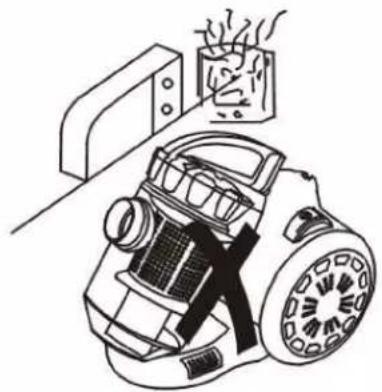
natural_image
Line drawing of a vintage vacuum cleaner with a smokestack emitting vapor (no text or symbols)text_image
Technical diagram of a vacuum cleaner with labeled parts from A to KA - Universele borstel
B - Buizen
natural_image
Technical line drawings of two identical mechanical components with internal parts and directional arrows (no text or symbols)natural_image
Two technical line drawings showing a tool on a rectangular object and a mechanical component inserted into a grid-patterned structure (no text or symbols)4 - Rol de stroomkabel op:
natural_image
Illustration of a hand using a handheld device to lift a circular component (no text or symbols visible)REINIGING EN ONDERHOUD
natural_image
Three-step line drawing showing hand operating a device with a brush, no text or symbols presentnatural_image
Line drawing of a portable air purifier with attached circuit breakers and a battery pack (no text or symbols)natural_image
Simple line drawing of a hand holding a cable with a screen above, no text or symbols present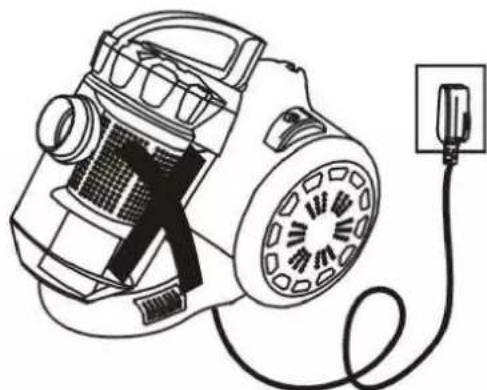
natural_image
Line drawing of a vacuum cleaner connected to a power outlet (no text or symbols)natural_image
Illustration of a cigarette emitting smoke, crossed with a black X mark (no text or symbols)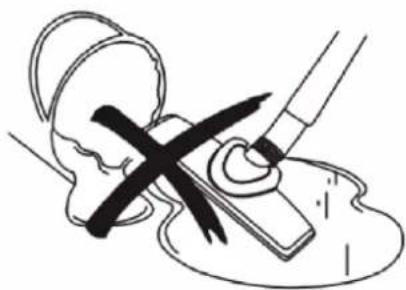
natural_image
Illustration of a medical procedure with a pen and tool, no text or symbols presentnatural_image
Illustration of various hand tools including screws, nails, and a crossed black X (no text or symbols)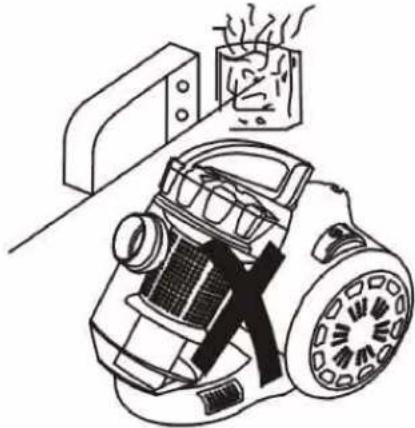
natural_image
Line drawing of a vacuum cleaner with a mounted device and emitting steam (no text or symbols)text_image
Technical diagram of a vacuum cleaner with labeled parts from A to Knatural_image
Technical line drawings of two identical mechanical components with internal gears and shafts, shown from different angles (no text or symbols)natural_image
Line drawing of a hand holding a tool or device against a plain background (no text or symbols)Tubo
natural_image
Line drawing of two hands holding a tool, no text or symbols presentTubo
natural_image
Line drawing of hands using a tool to adjust or install a component (no text or symbols present)Cepillo para suelo
natural_image
Line drawing of a hand using a tool to clean or mark a surface, with no text or symbols present.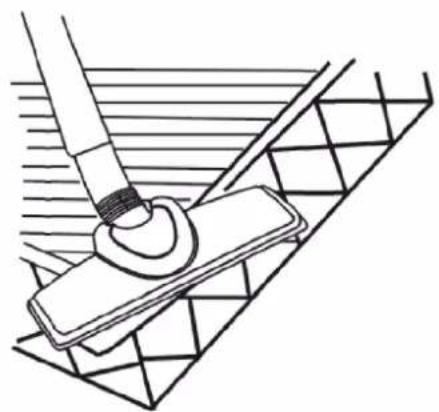
natural_image
Technical line drawing of a mechanical assembly with a tool and base plate (no text or symbols)natural_image
Illustration of a hand using a handheld device to lift a circular component (no text or symbols visible)LIMPIEZA Y MANTENIMIENTO
natural_image
Three-step diagram showing hand-crank cleaning of a device with a circular component, no text or symbols presentnatural_image
Line drawing of a portable air purifier with internal components and a separate inset showing its internal structure (no text or symbols)natural_image
Simple line drawing of a hand holding a cable with a screen above, no text or symbols present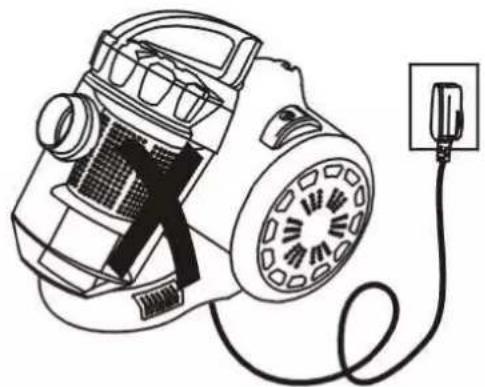
natural_image
Line drawing of a vacuum cleaner connected to a power outlet (no text or symbols)natural_image
Simple line drawing of a cigarette crossed over a lit cigarette (no text or symbols)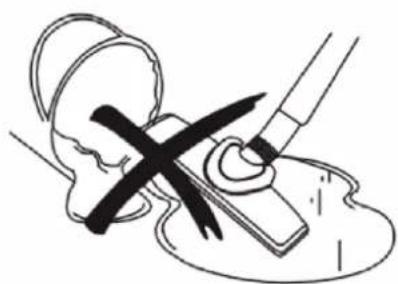
natural_image
Medical illustration showing a surgical procedure with surgical tools and a cross mark (no text or symbols)natural_image
Illustration of two different cleaning tools: a screwdriver and a washing machine, both without any text or symbols.text_image
PARTI A B C D E F G H J I KA - Spazzola universale
B - Tubi rigidi