HF210H 011 - Vacuum Cleaner HOOVER - Free user manual and instructions
Find the device manual for free HF210H 011 HOOVER in PDF.


User questions about HF210H 011 HOOVER
0 question about this device. Answer the ones you know or ask your own.
Ask a new question about this device
Download the instructions for your Vacuum Cleaner in PDF format for free! Find your manual HF210H 011 - HOOVER and take your electronic device back in hand. On this page are published all the documents necessary for the use of your device. HF210H 011 by HOOVER.
USER MANUAL HF210H 011 HOOVER
natural_image
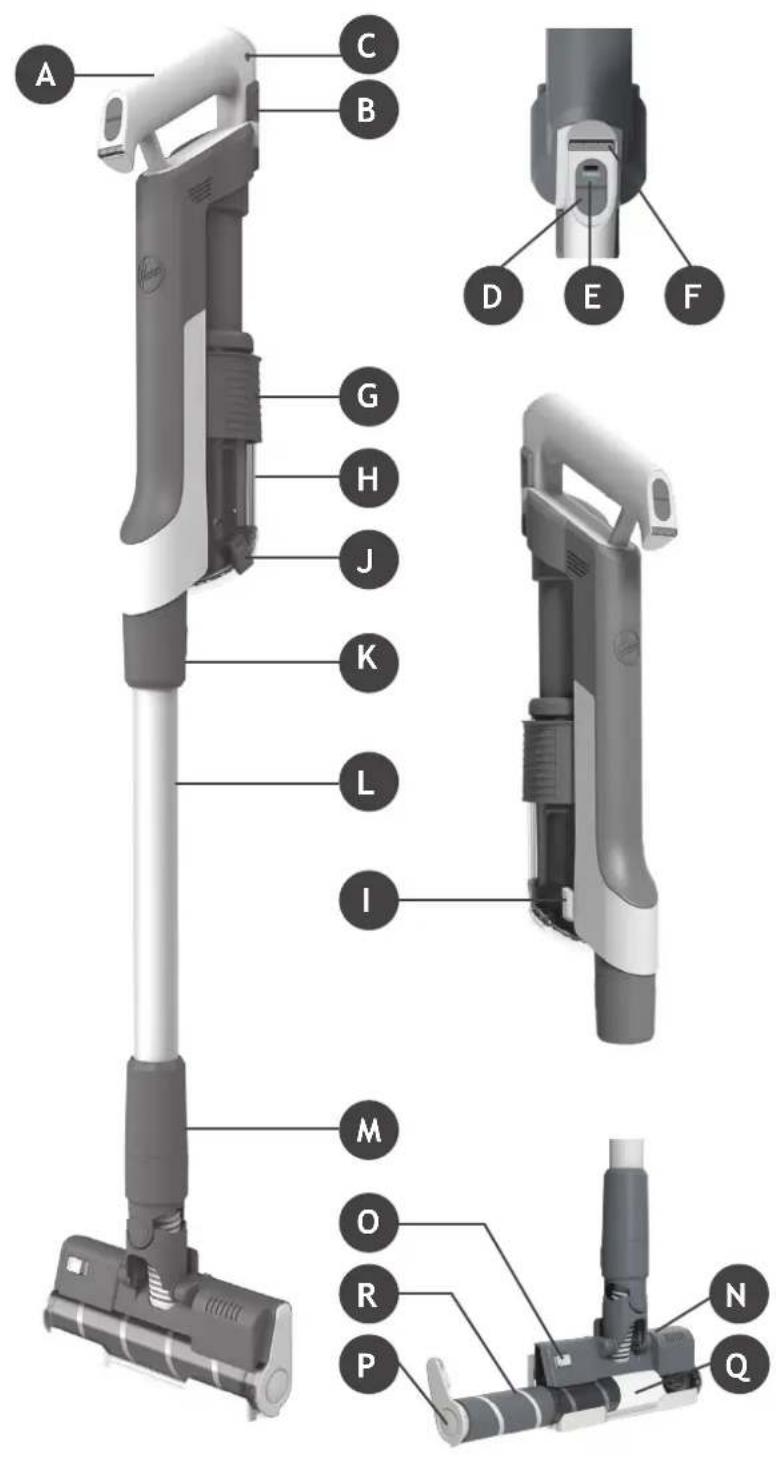
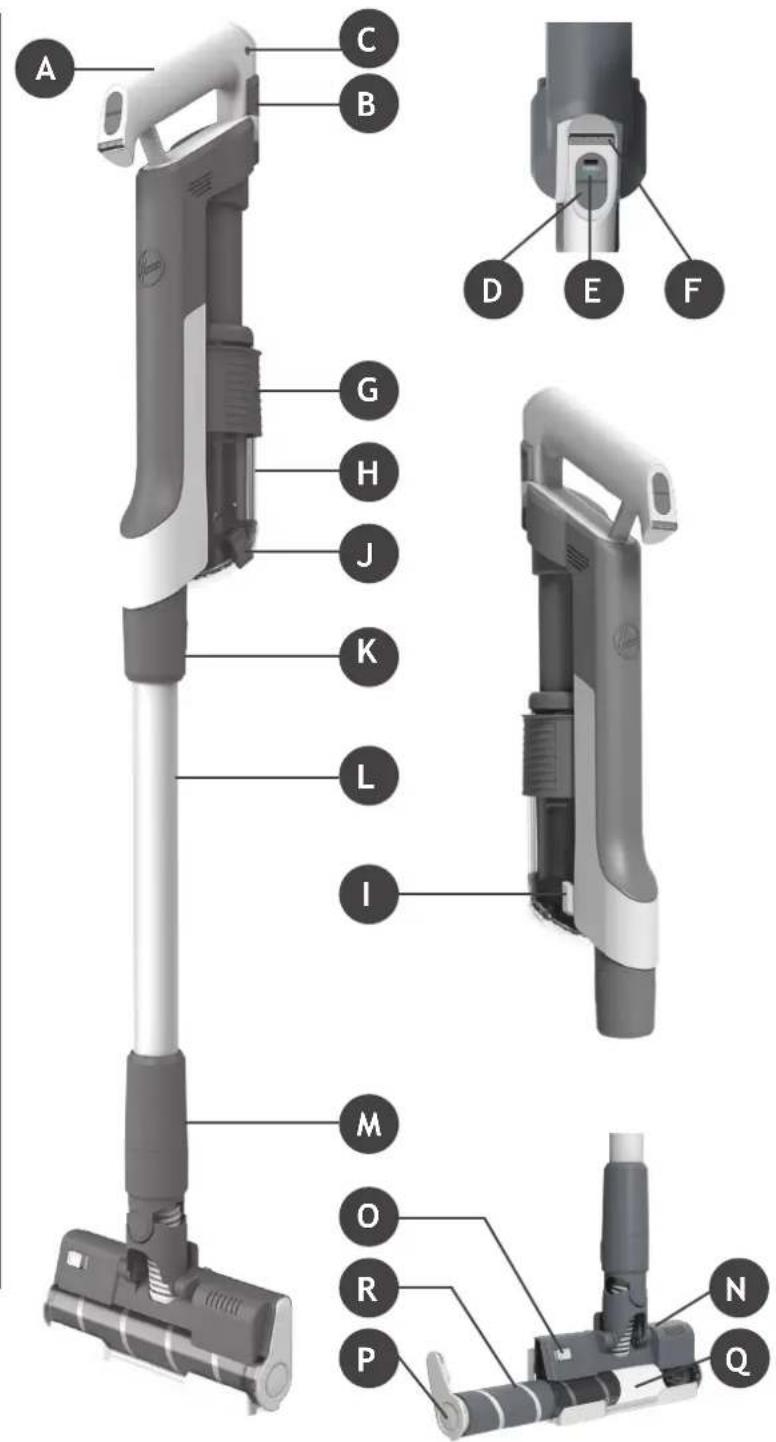
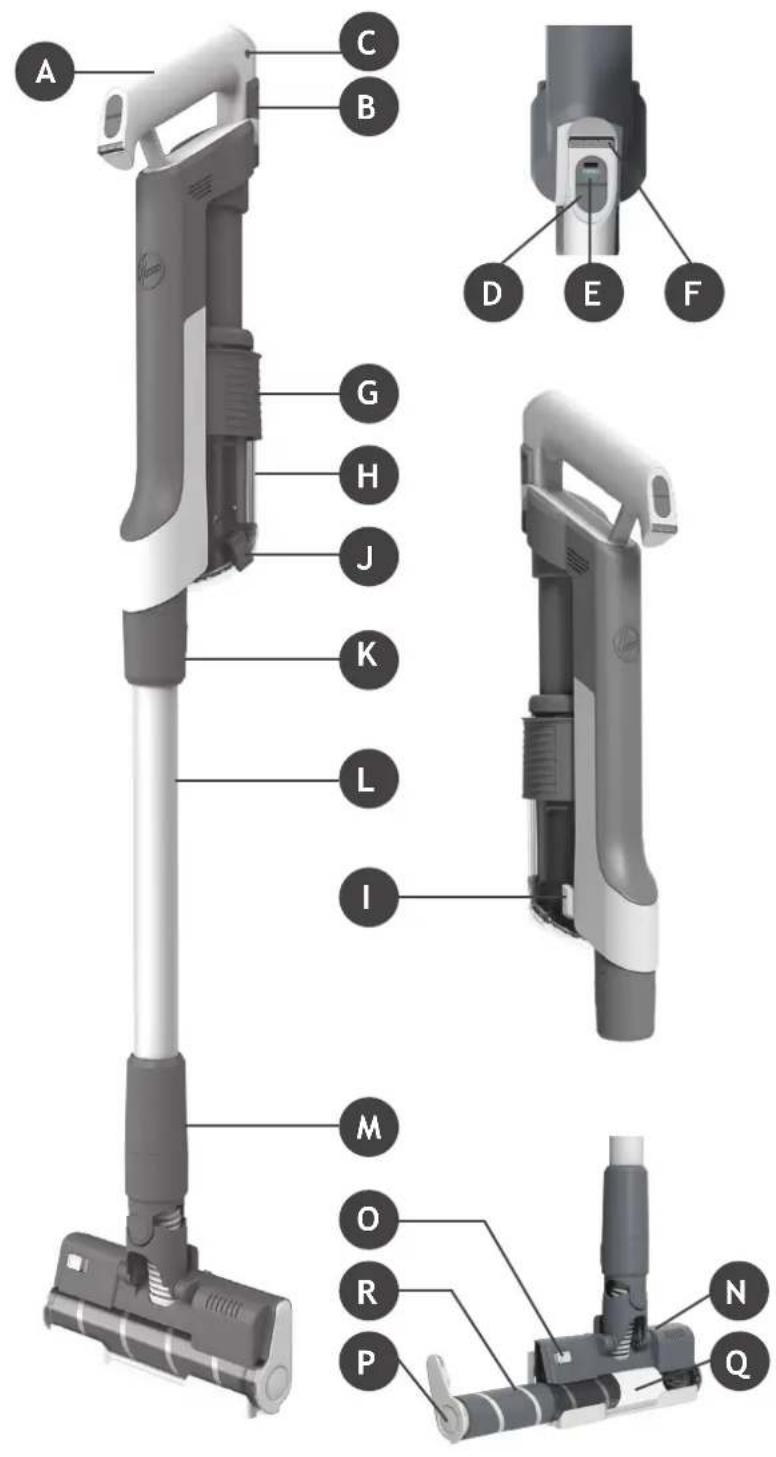
Exterior view of a modern vacuum cleaner with black and gray body (no text or symbols visible)MAIN COMPONENTS:
A. BATTERY PACK
B. BATTER PACK RELEASE BUTTONS
C. BATTERY CHARGER INLET
D. ON/OFF POWER BUTTON
E. POWER MODE BUTTON
F. BATTERY STATUS LED
G. DUST BIN ULTRA COMPACT X3 SLIDER
H. DUST BIN
I. DUST BIN REMOVAL LEVER
J. DUST BIN EMPTY RELEASE BUTTON
K. TUBE RELEASE BUTTON
L. TUBE
M. NOZZLE RELEASE BUTTON
N. FLOOR NOZZLE
O. NOZZLE BRUSHBAR RELEASE SLIDER
P. NOZZLE BRUSHBAR RELEASE LATCH
Q. NOZZLE WINDOW
R. NOZZLE BRUSHBAR
S. WALL MOUNT
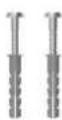
T. WALL MOUNT SCREWS & FIXINGS
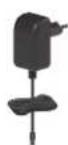
U. CHARGER
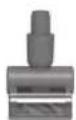
V. MINI POWER NOZZLE*
W. CREVICE TOOL
X. ADDITIONAL BATTERY PACK*
text_image
A C B D E F G H J K L I M O R P N Q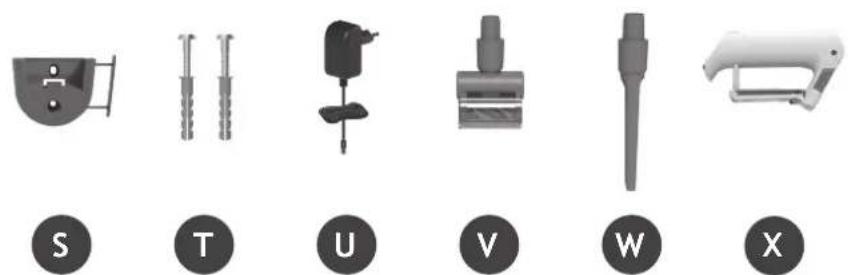
text_image
S T U V W X2. PREPARING YOUR CLEANER
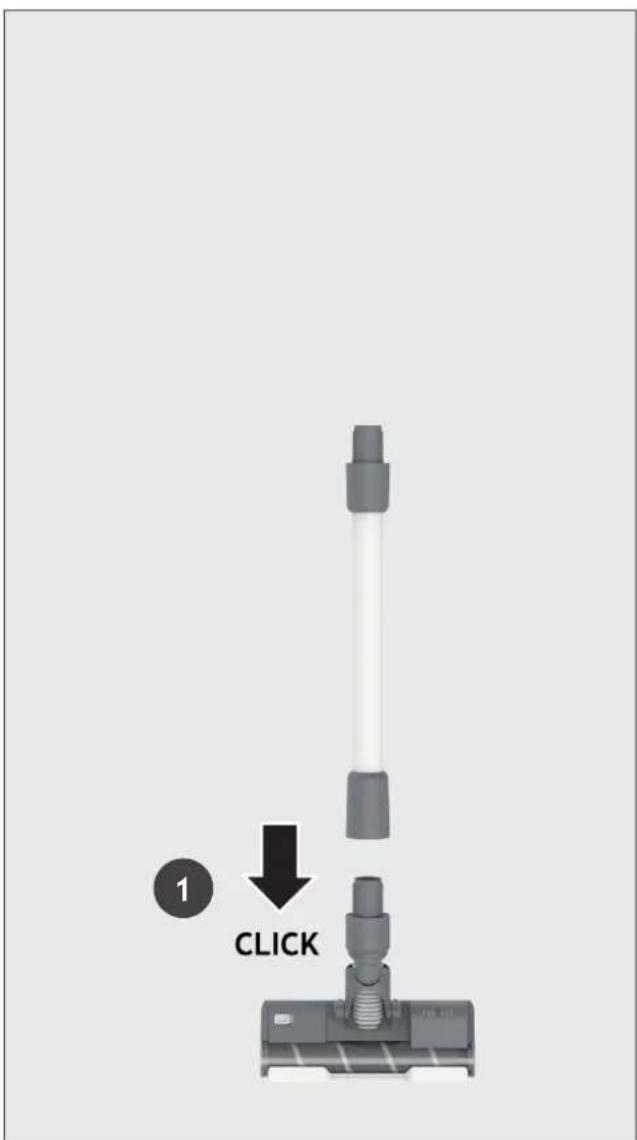
Remove all product parts from the packaging and assemble your cleaner.
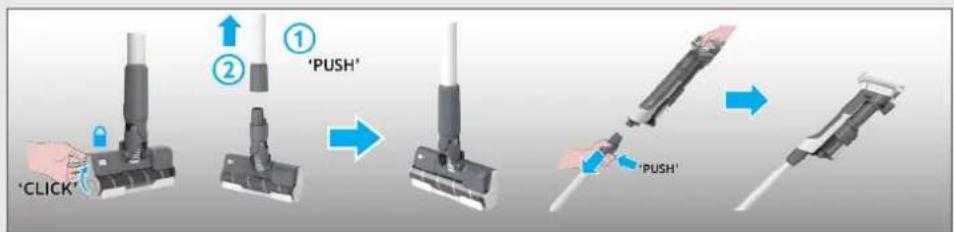
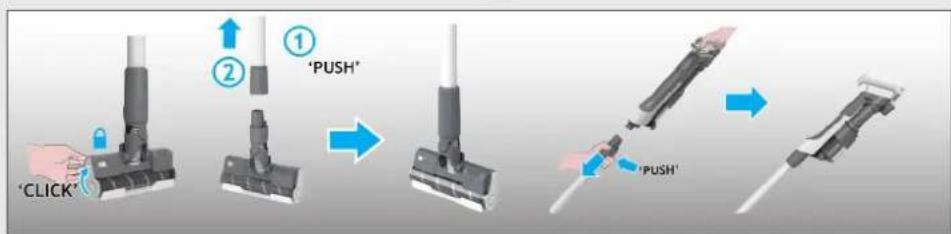
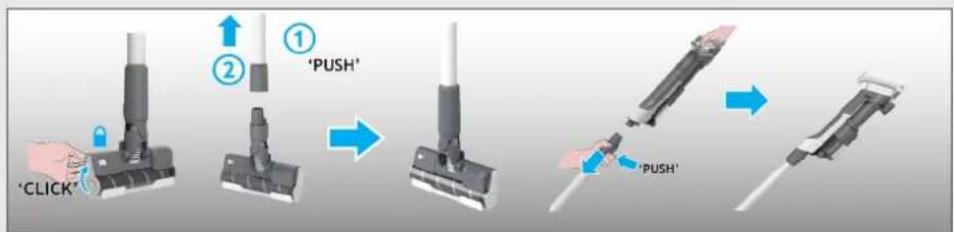
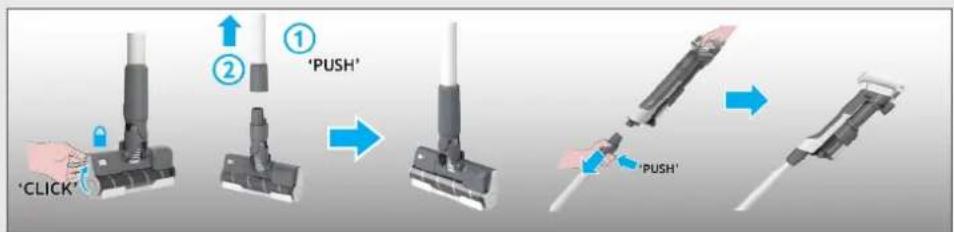
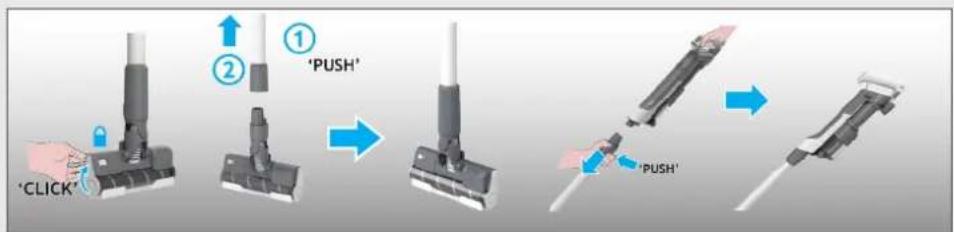
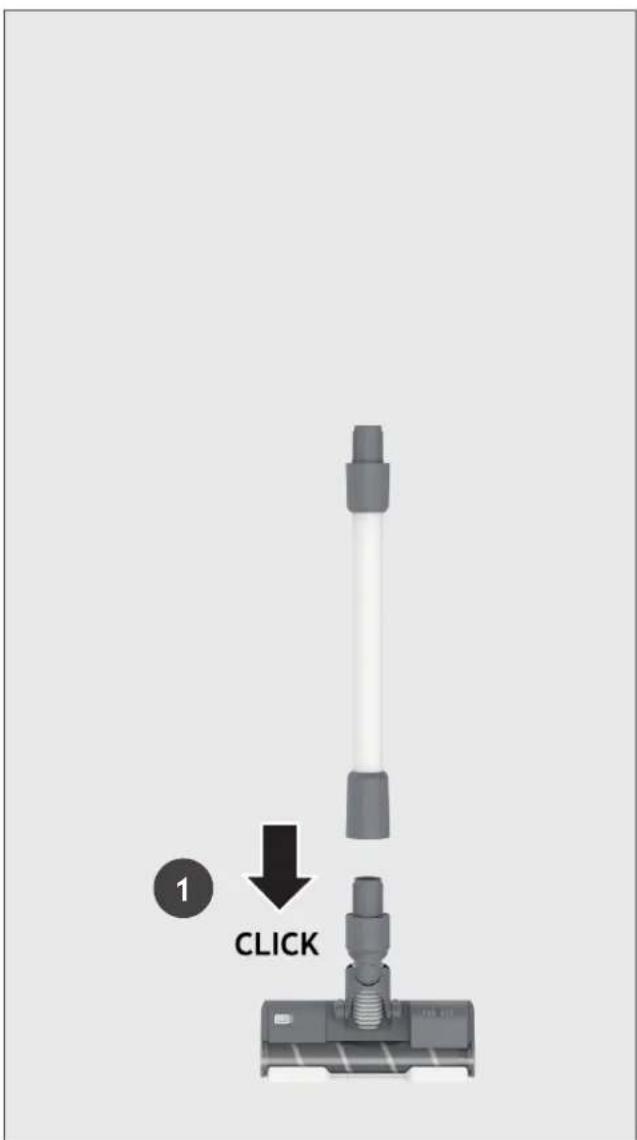
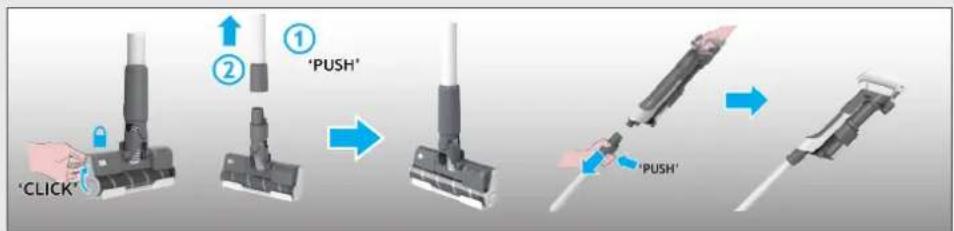
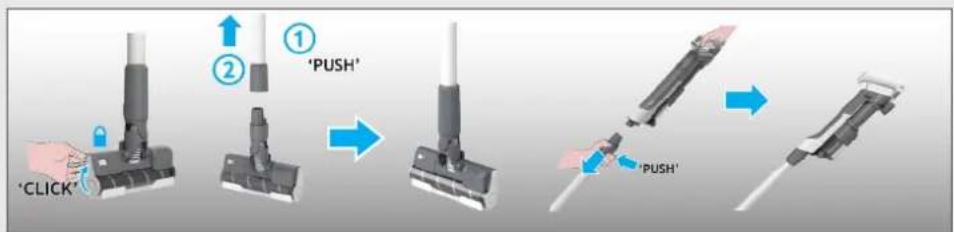
STEP 1: Fit the tube into the floor nozzle.
STEP 2: Fit the handheld unit onto the tube.
text_image
1 CLICK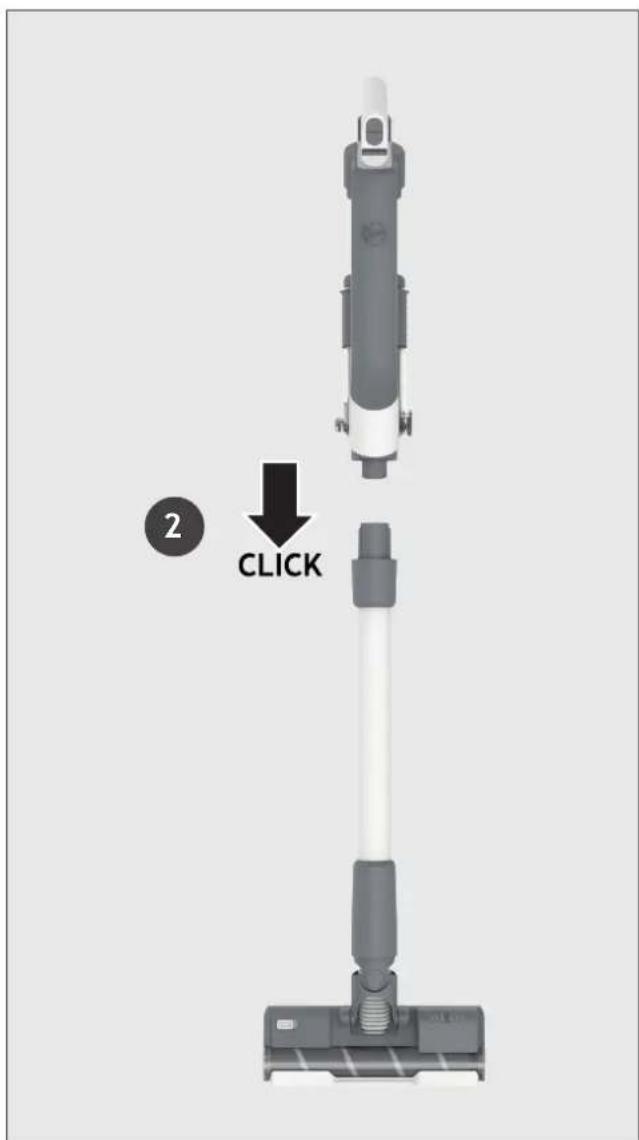
text_image
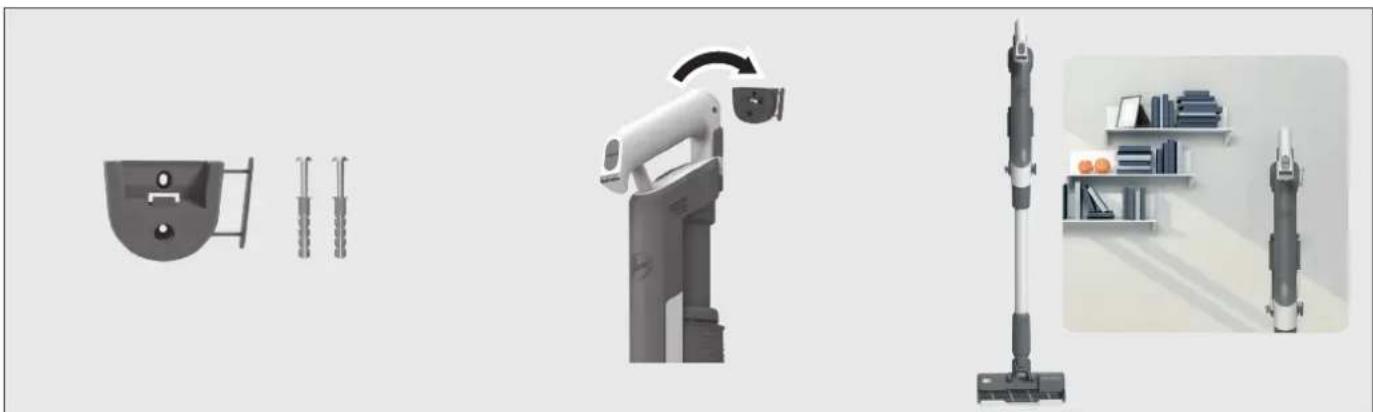
2 CLICKWe provide a wall mount for optional storage.
You can fix the wall mount to a suitable wall using the screws and fixings provided.
natural_image
Illustration of a vacuum cleaner with three accessories and a close-up of its base shelf (no text or symbols)3. CHARGING THE BATTERY
The battery of your product does not come fully charged.
Before first use, please charge your product completely. It takes around 4 hours.
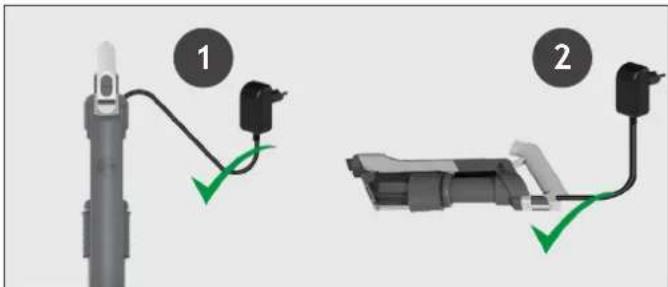
You can charge your product in three different conditions, and the Battery status will be indicated on the LED DISPLAY.
- With the product fully assembled in stick mode or located in the wall mount.
- With the product In the handheld mode.
- With the battery removed from the product.
text_image
Diagram showing two connected electrical connectors with labeled parts and green arrows indicating connection points.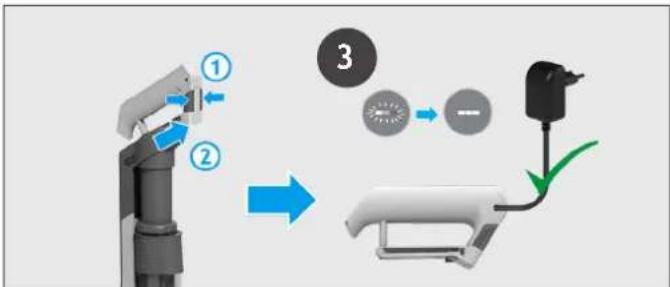
flowchart
graph TD
    A["Robot Arm"] -->|①| B["Battery"]
    B -->|②| C["Switch"]
    C -->|③| D["Battery"]
    style A fill:#f9f,stroke:#333
    style B fill:#ccf,stroke:#333
    style C fill:#cfc,stroke:#333
    style D fill:#fcc,stroke:#333
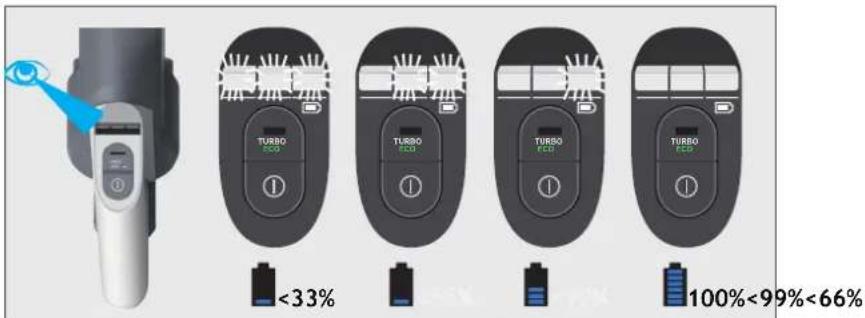
When using your product, the real time charge level of your battery is indicated on the Battery Status LED located on the handheld.
When the remaining run time is finishing, the LED display icons will begin to blink white. It is recommend you switch off your product and recharge the battery.
text_image
TURBO ECO <33% TURBO ECO 50% TURSO ECO 70% TURSO ECO 100%<99%<66%4. USING YOUR CLEANER
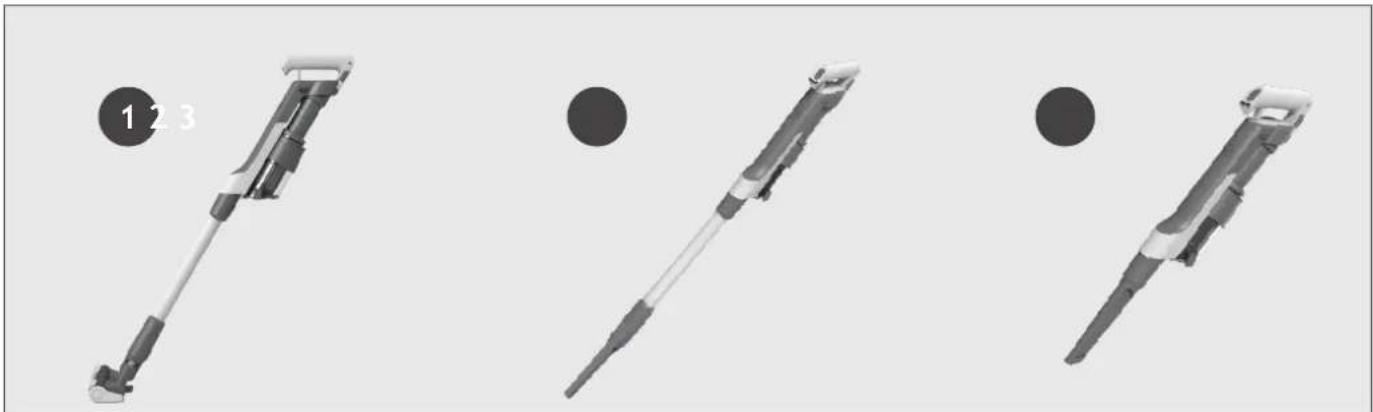
There are 3 different working modes for your cleaner:
- Stick mode.
- Above Floor mode.
- Handheld mode.
natural_image
Three identical mechanical devices with black circular indicators, shown from different angles (no text or symbols)4.1 STICK MODE
To use your product in Stick Mode:
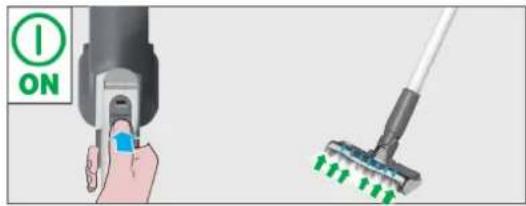
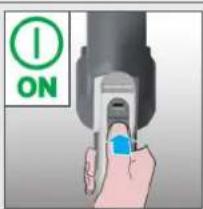
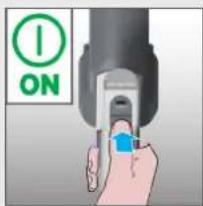
Press the ON/OFF button to begin cleaning, the default mode is STANDARD. Press the Power Mode Button to shift the working mode between Turbo/ECO/Standard.
NOTE: The nozzle LED lights are always on and the brushbar is always rotating.
text_image
ON
text_image
I ON TURBO ECO STD MODE X 1 TURBO MODE X 1 ECO MODE X 1 STD MODEIf you require a deeper clean when using your product in Stick Mode, press the Power Mode Button once to enter TURBO mode. The Power Mode icon will illuminate white on the LED display to confirm your selection. Please note this will reduce your battery runtime.
If you require a lighter clean when using your product in Stick Mode, press the Power Mode Button two times to enter ECO Mode. The Power Mode icon will illuminate green to confirm your selection.
Press again the Power Mode Button to go back to Standard Mode. The Power Mode icon will turn off to confirm your selection.
4.2 ABOVE FLOOR / HANDHELD MODE
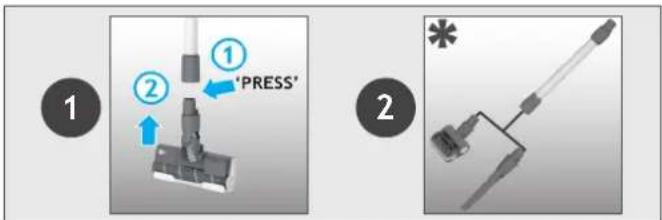
To use your product in Above Floor mode:
- Detach the Nozzle from the tube by pressing the Nozzle Release Button.
- Fit your desired accessory to the end of the Tube, all of your available accessories will fit onto the end of the Tube.
- Press the ON/OFF Button to start cleaning.
text_image
1 2 ① 'PRESS' 2 *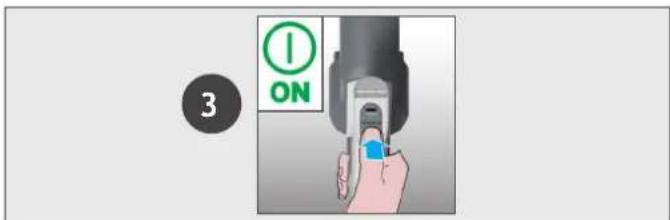
text_image
3 ONTo use your product in Handheld mode:
- Detach the Tube from the handheld unit by pressing the Tube Release Button.
- Fit your desired accessory to the end of the handheld unit, all of your available accessories will fit onto the end of the handheld unit. You also can use the Integrated Crevice tool.
- Press the ON/OFF button to start cleaning.

text_image
1 "PUSH" 2 *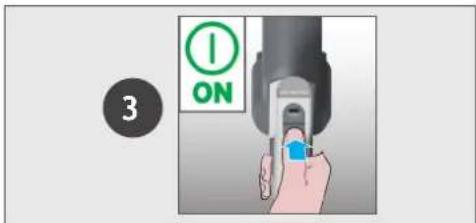
text_image
3 ON4.2 ABOVE FLOOR / HANDHELD MODE
Control settings:
Press the ON/OFF button to begin cleaning, the default mode is STANDARD. Press the Power Mode Button to shift the working mode between Turbo/ECO/Standard.
If you require a deeper clean, press the Power Mode Button once to enter TURBO Mode. The Power Mode icon will illuminate white on the LED display to confirm your selection. Please note this will reduce your battery runtime.
If you require a lighter clean, press the Power Mode Button two times to enter ECO Mode. The Power Mode icon will illuminate green to confirm your selection.
Press again the Power Mode Button to go back to Standard Mode. The Power Mode icon will turn off to confirm your selection.

text_image
ON TURBO ECO X 1 TURBO ECO X 1 TURBO ECO X 15. CLEANER MAINTENANCE
5.1 ULTRA COMPACT X3: DUST COMPACTION FUNCTION
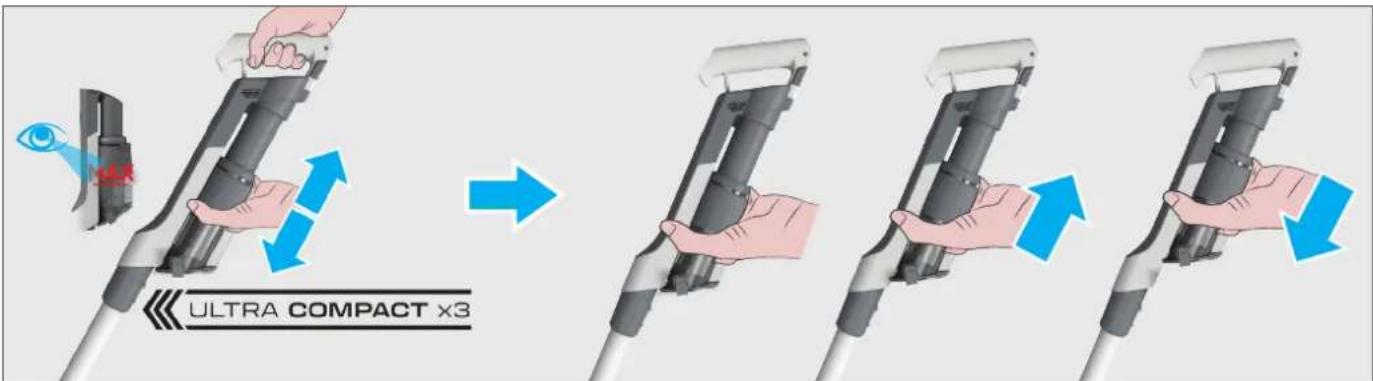
You can compress the debris in the DUST BIN to increase the debris capacity of the DUST BIN. Move the slider upwards then downwards to perform dust compaction function.
text_image
ULTRA COMPACT x35. CLEANER MAINTENANCE
5.2 EMPTYING THE DUST BIN
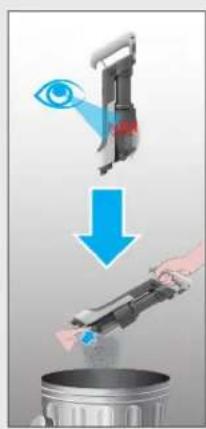
When the debris in your dust bin reaches the max fill line, empty your bin.
- Switch off your product.
- Press the Tube Release Button and to detach the Tube from handheld.
- Hold the handheld over a Dust Bin and press the Dust Bin Empty Release Button to open the flap and release the debris into the trash.
- Hold the Dust Bin ULTRA COMPACT X3 Slider and move it upwards and downwards to remove any residual dirt.
- Close the Bin Flap.
- Check that the Dust Bin ULTRA COMPACT X3 Slider is back into its original position.
text_image
Diagram illustrating a cleaning or anti-dyeing process with labeled components and directional arrows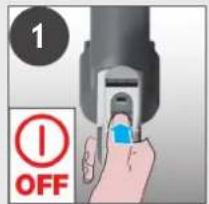
text_image
1 OFF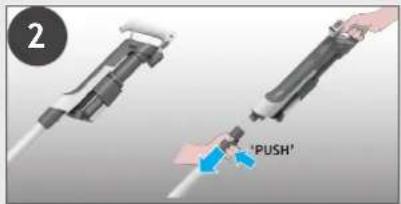
text_image
2 'PUSH'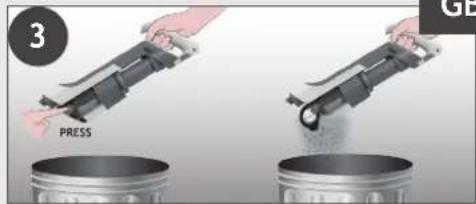
text_image
3 PRESS GD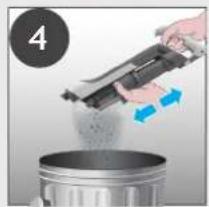
natural_image
Person pouring liquid from a mechanical device into a metal container (no text or symbols visible)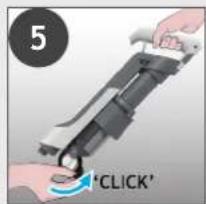
text_image
5 'CLICK'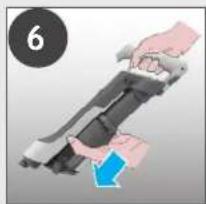
natural_image
Illustration of a hand holding a device with a blue arrow indicating motion (no text or symbols)5. CLEANER MAINTENANCE
5.3 CLEANING THE FILTER AND THE BIN
IMPORTANT: for optimum performance, we recommend to wash the filters after every 5 bin empties.
- Ensure your product is switched off.
- Hold the Dust Bin ULTRA COMPACT X3 Slider and pull it upwards.
- Press the Dust Bin Empty Release Button to open the Bin Flap.
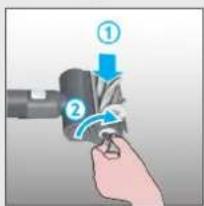
- Rotate the Filter anti-clockwise.
- Remove the Filter from the handheld unit.
Note: Remove any excess debris from the Filter.
- Press the Dust Bin Removal Lever to release the bin moving it downwards.
- Remove the bin from the main unit sliding it downwards.
- Check for any residual dust or debris on the main unit.
- Wash the filter and the bin using lukewarm water.
- Leave them to dry for 24hrs before refitting to your product.
- Refit the bin onto the main unit.
- Attach the bin sliding it upwards on the main unit until you hear a "click" sound.
- Insert the filter back into position and rotate it clockwise until you hear a "click" sound.
- Close the bin flap.
- Hold the Dust Bin Ultra Compact x3 Slider and move it downwards into its original position.
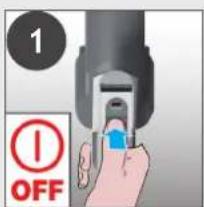
text_image
1 OFF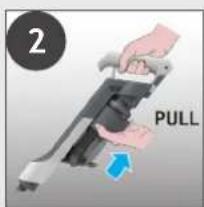
text_image
2 PULL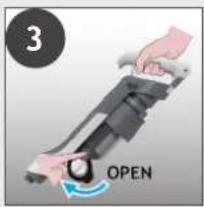
text_image
3 OPEN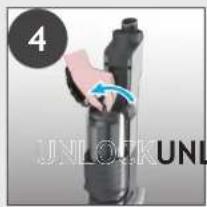
text_image
4 UNLOCK UNL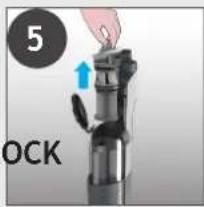
text_image
5 OCK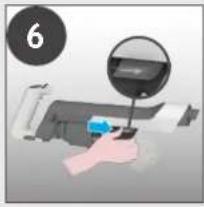
natural_image
Hand holding a printer with a magnified inset showing the printer's screen (no text or symbols visible)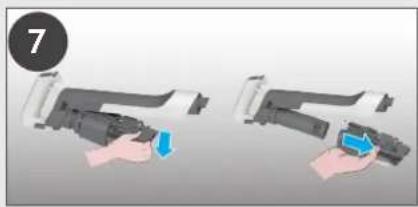
natural_image
Two-step illustration of a hand holding a device, showing the process with a blue arrow indicating action (no text or symbols present)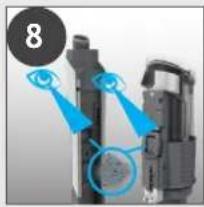
natural_image
Close-up of a mechanical device with blue annotations highlighting components (no readable text or symbols)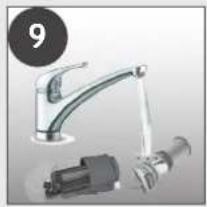
natural_image
Product photo of a kitchen sink with a hand pump and mechanical component (no visible text or symbols)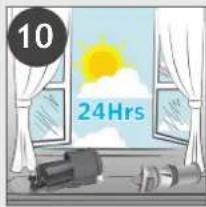
text_image
10 24Hrs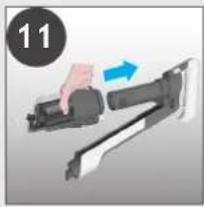
natural_image
Hand holding a firearm with a blue arrow indicating motion (no text or symbols)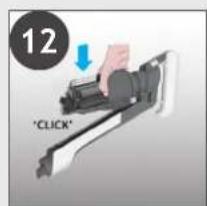
text_image
12 "CLICK"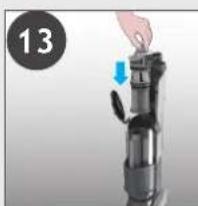
natural_image
Hand placing a component into a device, with a blue arrow indicating the motion (no text or symbols visible)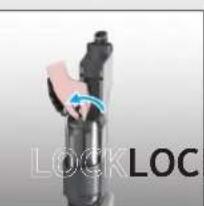
natural_image
Close-up of a black mechanical component with a blue circular arrow indicating rotation, labeled 'LOCKLOC' on the side (no other text or symbols)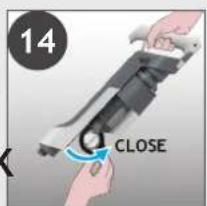
text_image
14 CLOSE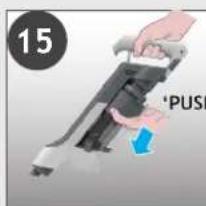
text_image
15 'PUSH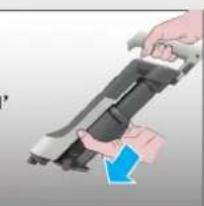
natural_image
Illustration of a hand holding a mounted weapon with a blue arrow indicating motion (no text or symbols)5. CLEANER MAINTENANCE
5.4 CLEAN FLOOR NOZZLE
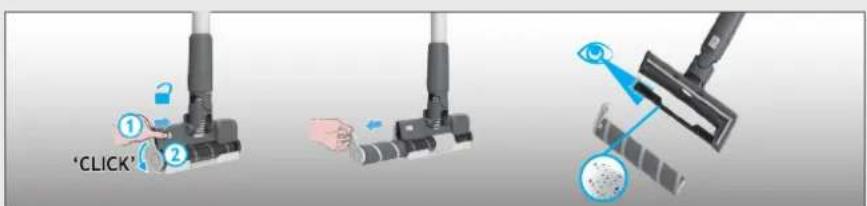
Thanks to ANTI-TWIST, your Hoover vacuum features an integrated comb which radically reduces hair wrapping around the brushbar. However, if your cleaner is not picking up efficiently your brushbar may need to be cleaned.
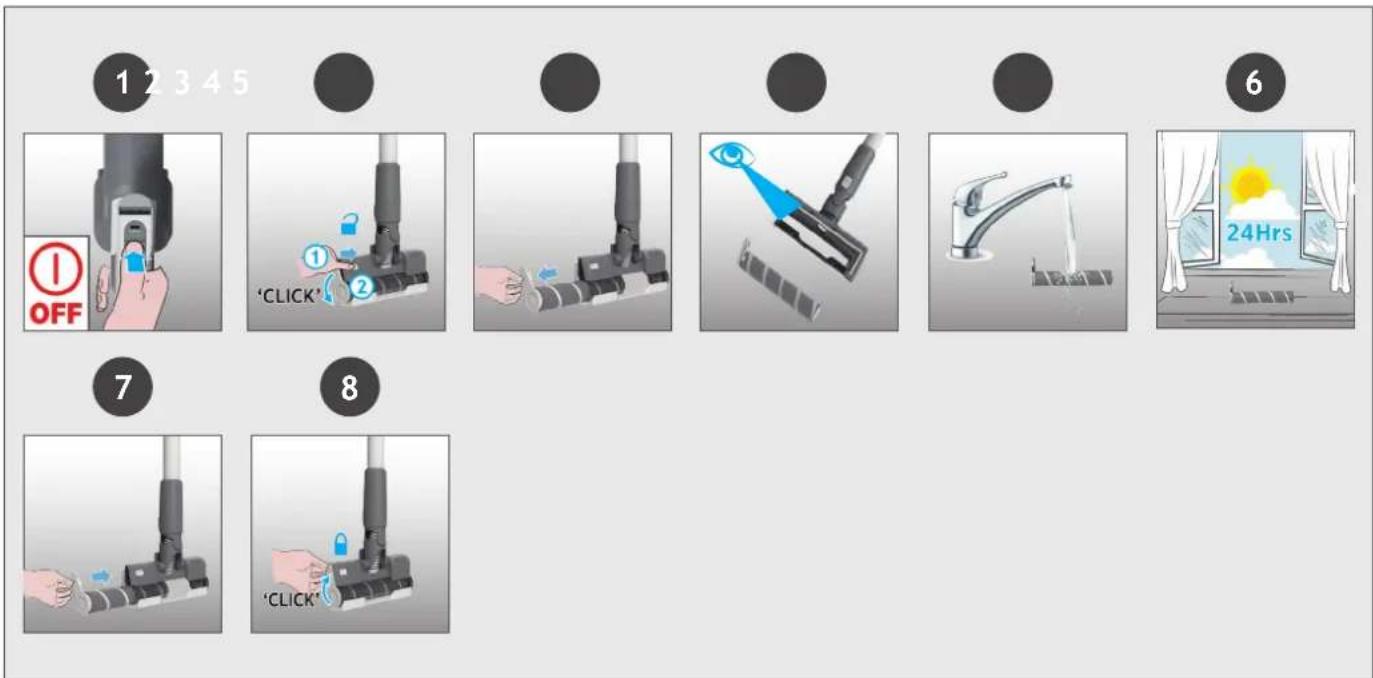
- Ensure your product is switched off.
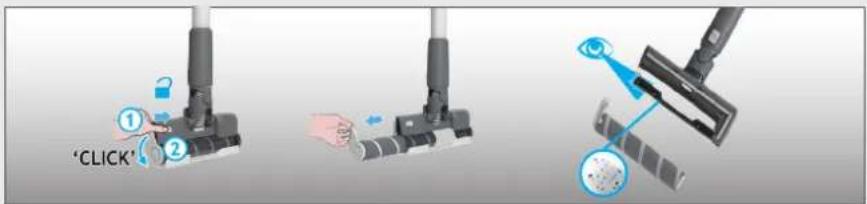
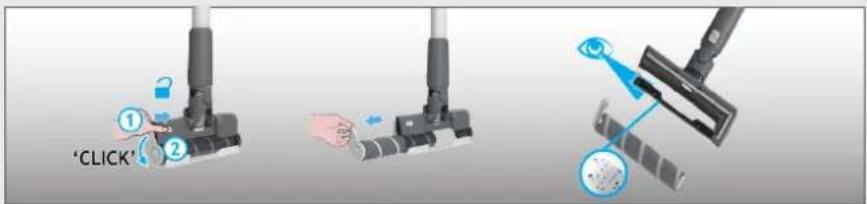
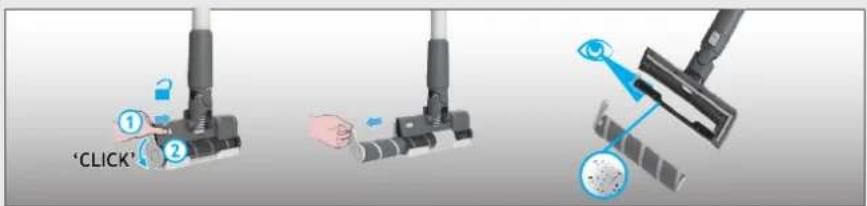
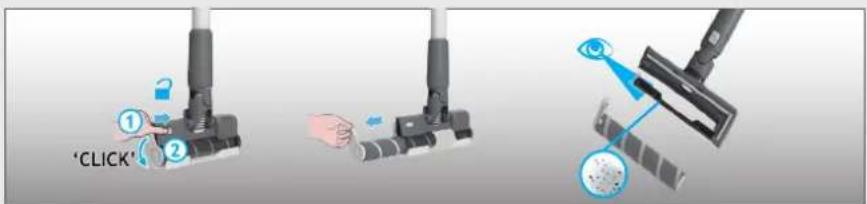
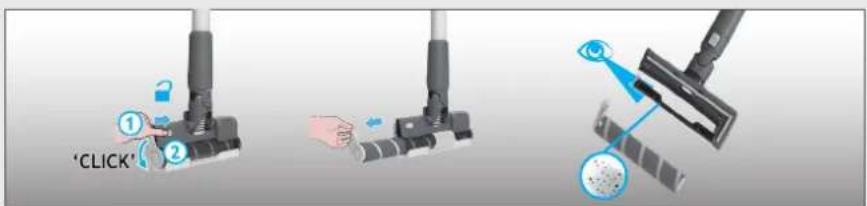
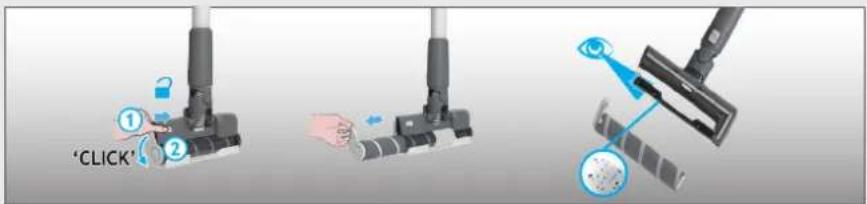
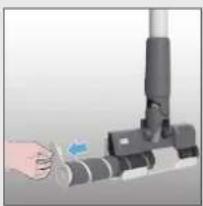
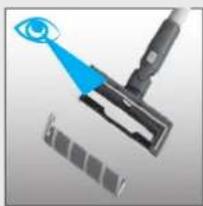
- Remove Nozzle Brushbar from the Floor Nozzle.
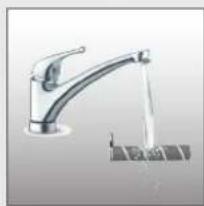
- Wash the Nozzle Brushbar using lukewarm water.
- Leave to dry for 24hrs.
-
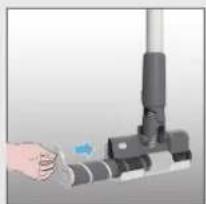
Reinsert the Nozzle Brushbar into the Nozzle.
-
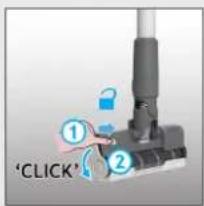
Slide the Nozzle Brushbar Release Slider on the nozzle and rotate Nozzle Brushbar Release Latch.
-
Remove any excess debris from the brushbar. Check for and remove any large debris from inside the nozzle.
-
Turn the Nozzle Brushbar Release Latch to the correct position to lock it.
text_image
1 2 3 4 5 OFF 7 8 'CLICK' 6 24Hrs5. CLEANER MAINTENANCE
5.5 CLEAN MINI POWER NOZZLE
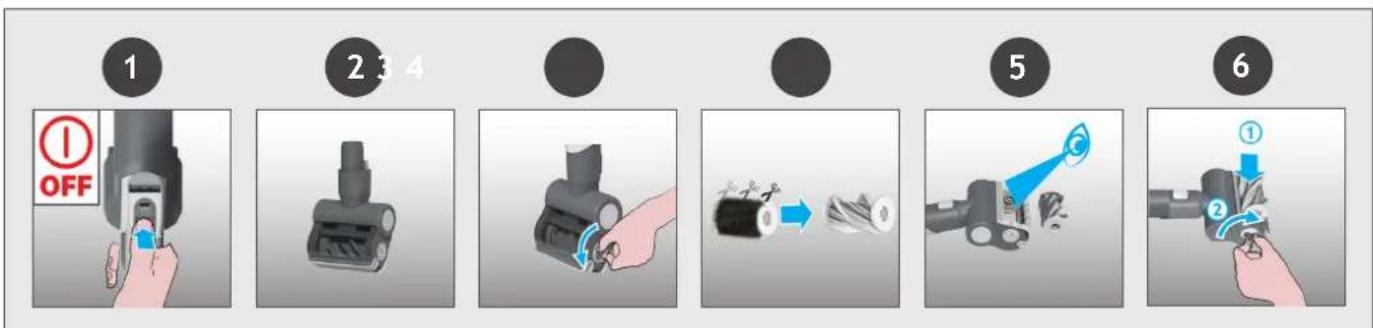
- Ensure your product is switched off.
- Detach the mini-power nozzle from your product.
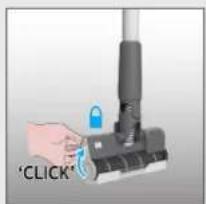
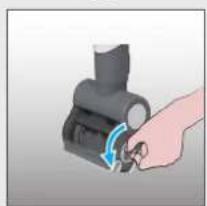
- To remove the brushbar, unlock the release latch with a coin.
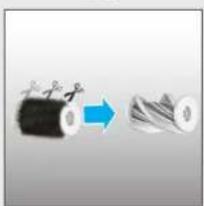
- Using scissors, remove any tangled fibres or debris from the Brushbar.
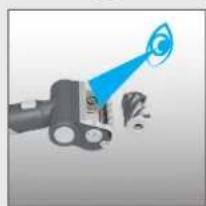
- Look inside the nozzle and remove any debris.
- Re-fit the brushbar, push and lock the release latch with a coin.
flowchart
graph LR
    A["1: Pinning"] --> B["2: 3: 4: Assembly"]
    B --> C["3: Assembly with Motion Arrow"]
    C --> D["5: Assembly with Motion Arrow"]
    D --> E["6: Final Assembly with Motion Arrow"]
5. CLEANER MAINTENANCE
5.6 BLOCKAGES
GB
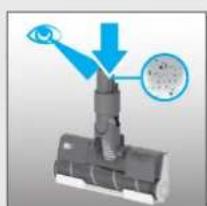
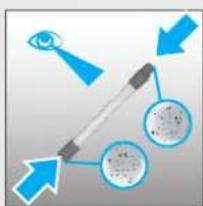
If your product is still working but has low or no suction, your product may have a blockage. A red steady light may appear on the battery status led bar. Carry out all maintenance instructions included in sections, 5.1, 5.2, 5.3, 5.4, 5.5. The following additional areas of your product should also be checked for any debris or blockages:
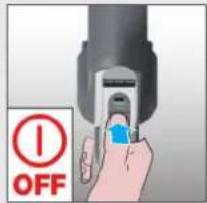
- Ensure your product is switched off.
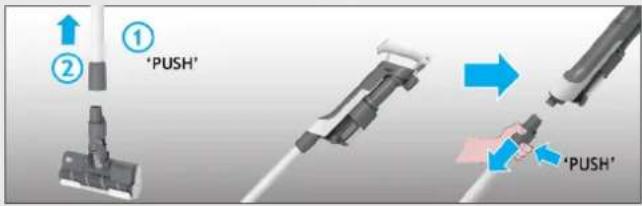
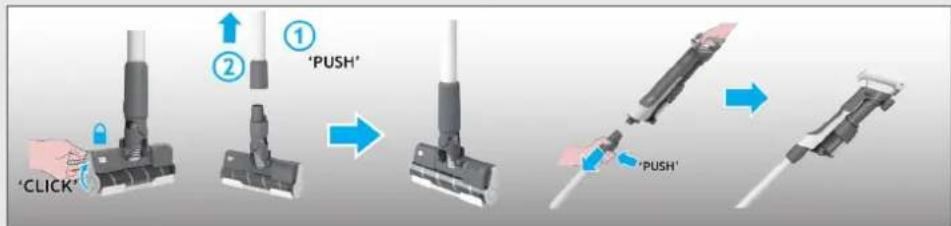
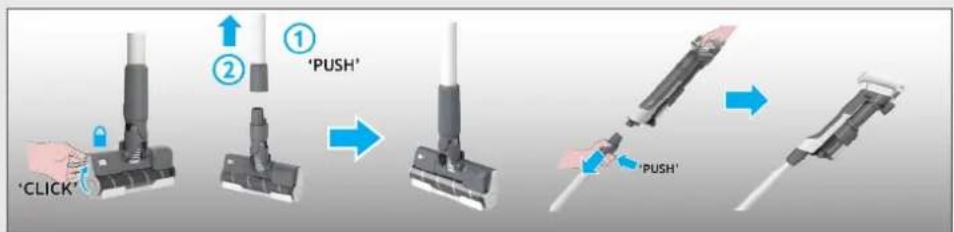
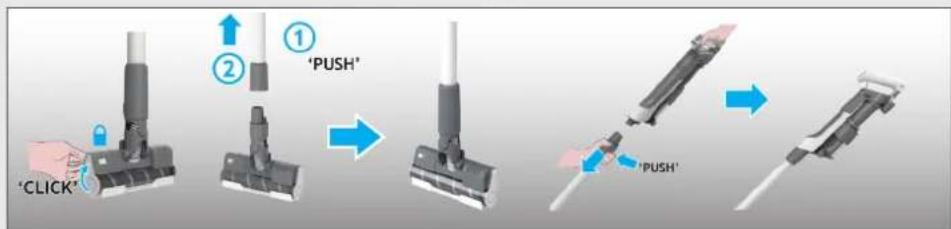
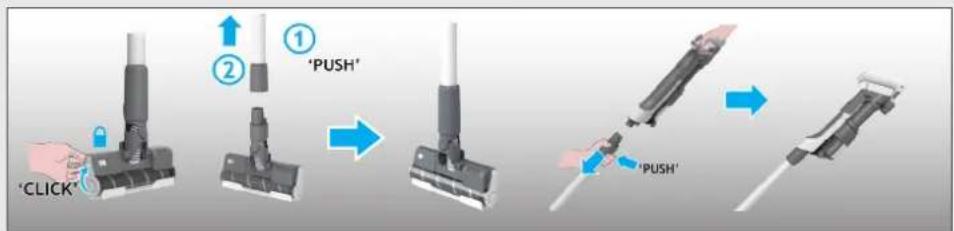
- Detach the nozzle, tube and handheld unit as per previous instructions.
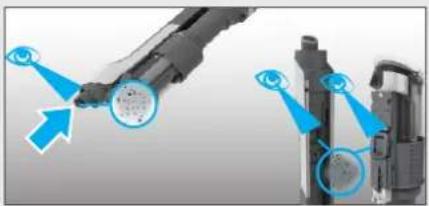
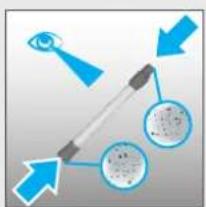
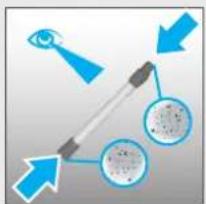
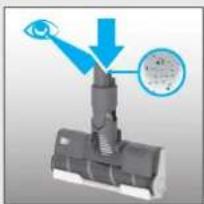
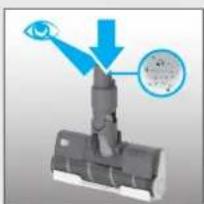
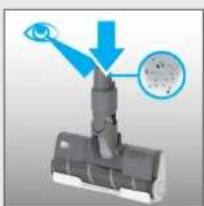
- Visually check the handheld inlets for any debris or obstructions and clean it.
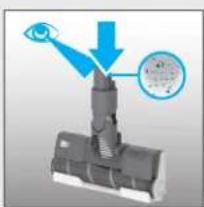
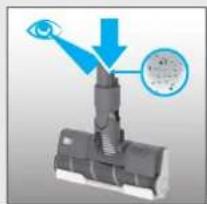
- Visually inspect the nozzle joints area for any debris or obstructions and clean it.
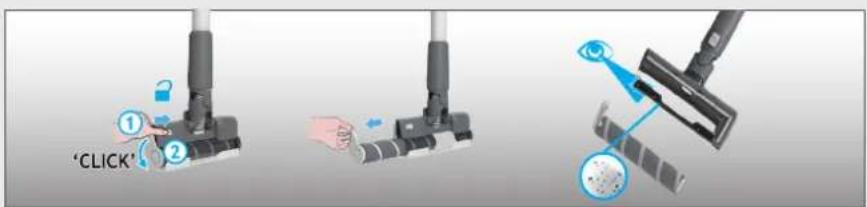
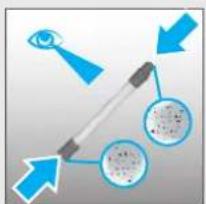
- Remove the Brushbar and check the nozzle inlet area for any debris or obstructions and clean it.
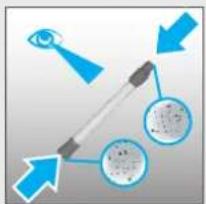
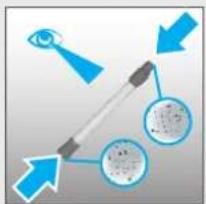
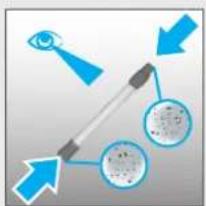
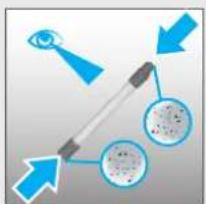
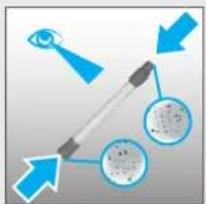
- Visually check both ends of the tube and remove any debris or obstructions.
- Re-Assemble your product.
1
text_image
OFF2
text_image
① ② 'PUSH' → 'PUSH'3
natural_image
Two mechanical components with blue arrows pointing to circular features, no visible text or symbols4
natural_image
Diagram of a mechanical assembly with a blue arrow pointing to a component and a magnified inset showing a circular detail (no text or symbols)5
text_image
'CLICK'6
flowchart
graph TD
    A["Eye Signal"] --> B{Signal}
    B --> C["Input Image"]
    B --> D["Output Image"]
    style A fill:#f9f,stroke:#333
    style B fill:#ccf,stroke:#333
    style C fill:#cfc,stroke:#333
    style D fill:#fcc,stroke:#333
7
flowchart
graph LR
    A["Start: Click brush"] --> B["Step ①: Push"]
    B --> C["Step ②: Insert brush"]
    C --> D["Step ③: Pull-in brush"]
    D --> E["Step ④: Release brush"]
6. TROUBLE SHOOTING
The following is a list of commonly encountered problems and solutions.
A. Cleaner does not switch on.
Check if the cleaner is charged.
Check if the battery pack is assembled in place.
Check if the filter is assembled in place.
Check if the dust bin is assembled in place.
B. If a red flashing light appears on the battery status LED bar.
Check if the battery is assembled correctly.
Check if the Dust Bin ULTRA COMPACT X3 slider is the correct position.
Check if the filter is assembled correctly.
C. Cleaner stop working.
Check if there is an obstruction in air inlet or in the tube, clear it and ensure the product is OFF. Once this is done simply press the on/off button, the product will start working again.
D. The Hard Floor Nozzle front LED light goes off and the warning symbol on Hand-Held LED is RED.
There is a blockage in the nozzle or an obstruction to the brushbar or the nozzle window is not properly located.
Ensure your product is switched OFF and remove any debris or obstruction and following cleaner maintenance 5.4.
E. Batteries cannot be charged.
This may be a result of very long storage periods (over half year).
Contact Hoover customer service to arrange battery replacement.
If the problem persists, contact the Hoover customer service center.
If there is any doubt call the Hoover Service Office for advice. They may be able to assist you over the telephone. A service charge will be made if the cleaner is examined and found to be in working order, has not been assembled in accordance with these instructions or has been used incorrectly.
7. IMPORTANT INFORMATION
Hoover Spares and Consumables
Always replace parts with genuine Hoover spares. These are available from your local Hoover dealer or direct from Hoover. When ordering parts always quote your model number.
Quality
Hoover's factories have been independently assessed for quality. Our products are made using a quality system which meets the requirements of ISO 9001.
Your Guarantee
The guarantee conditions for this appliance are as defined by our representative in the country in which it is sold. Details regarding these conditions can be obtained from the dealer from whom the appliance was purchased. The bill of sale or receipt must be produced when making any claim under the terms of this guarantee.
Subject to change without notice.
COMPOSANTS PRINCIPAUX :
A. BLOC BATTERIE
B. BOUTONS DE DÉVERROUILLAGE DU BLOC BATTERIE
C. ENTRÉE DU CHARGEUR DE LA BATTERIE
D. BOUTON MARCHE/ARRÊT
E. BOUTON POWER MODE (MODE TURBO)
F. LED D'ÉTAT DE LA BATTERIE
G. COULISSEAU ULTRA COMPACT X3 DU RESERVOIR
H. RESERVOIR
I. LEVIER DE VIDAGE DU RESERVOIR
J. BOUTON DE DÉVERROUILLAGE DU VIDAGE DU RESERVOIR
K. BOUTON DE DÉVERROUILLAGE DU TUBE
L. TUBE
M. BOUTON POUR DÉTACHER LA BROSSE
N. BROSSE MOTORISEE
O. COULISSEAU DE DÉVERROUILLAGE DE LA BARRE DE BROSSE
P. LOQUET DE DÉVERROUILLAGE DU ROULEAU DE LA BROSSE
Q. COUVERCLE SUPÉRIEUR
R. ROULEAU DE LA BROSSE
S. BASE MURALE
T. VIS DE LA BASE MURALE ET FIXATIONS
U. CHARGEUR
V. MINI TURBOBROSSE*
W. SUCEUR PLAT
X. BLOC-BATTERIE SUPPLÉMENTAIRE*
text_image
A C B D E F G H J K L I M O R P N Q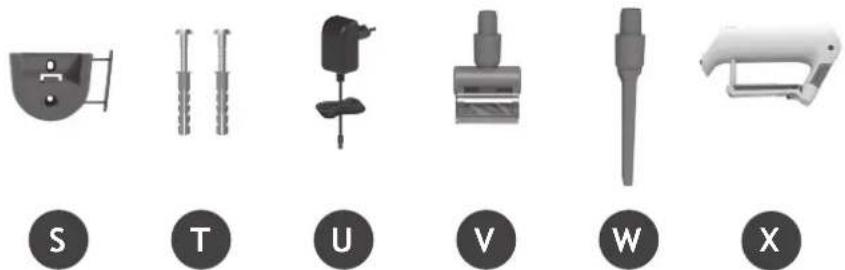
natural_image
Six grayscale industrial tools labeled S, T, U, V, W, X, each with a unique symbol and label (no text or numbers on the tools themselves)2. PREPARATION DE L'APPAREIL
natural_image
Illustration of a vacuum cleaner with three accessories and a close-up of its base shelf (no text or symbols)3. CHARGEMENT DE LA BATTERIE
text_image
Diagram showing two connected electrical connectors with labeled parts and green arrows indicating connection points.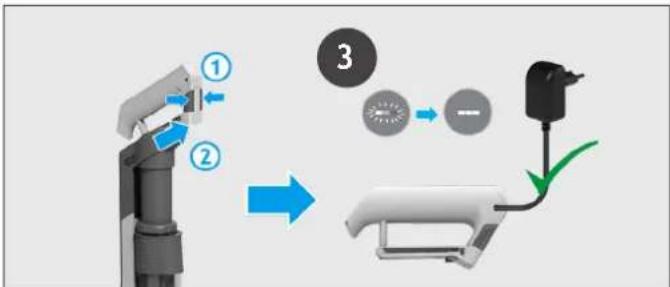
flowchart
graph TD
    A["Robot Arm"] -->|①| B["Battery"]
    B -->|②| C["Switch"]
    C -->|③| D["Battery"]
    style A fill:#f9f,stroke:#333
    style B fill:#ccf,stroke:#333
    style C fill:#cfc,stroke:#333
    style D fill:#fcc,stroke:#333
natural_image
Three identical mechanical devices with black circular indicators, shown from different angles (no text or symbols)text_image
1 "PUSH" 2 *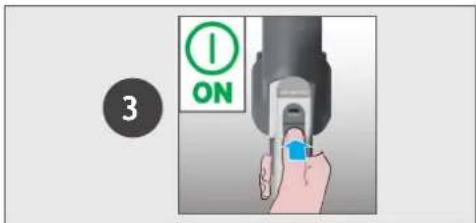
text_image
3 ON4.2 MODE HAUTEUR / ASPIRATEUR À MAIN
text_image
ULTRA COMPACT x35. ENTRETIEN DE L'ASPIRATEUR
5.2 VIDER LE RESERVOIR A POUSSIÈRE
text_image
Diagram illustrating a cleaning or anti-dyeing process with labeled components and directional arrows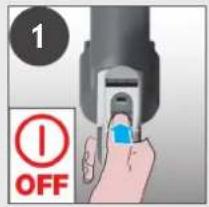
text_image
1 OFF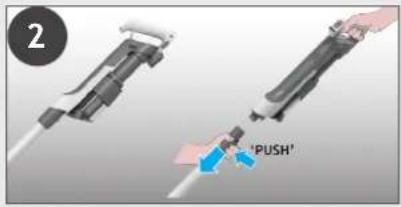
text_image
2 'PUSH'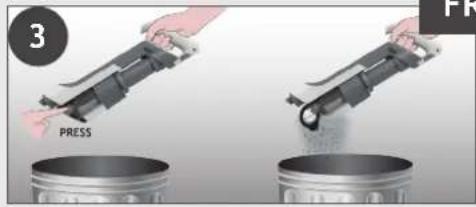
text_image
3 PRESS FR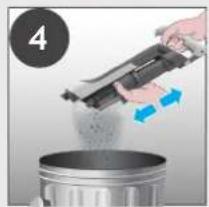
natural_image
Person pouring liquid from a mechanical device into a metal container (no text or symbols visible)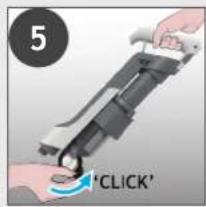
text_image
5 'CLICK'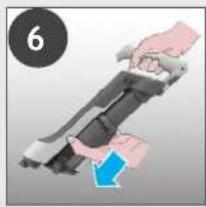
natural_image
Illustration of hands holding a device with a blue arrow indicating motion (no text or symbols)5. ENTRETIEN DE L'ASPIRATEUR
5.3 NETTOYAGE DU FILTRE ET DU RESERVOIR
natural_image
Hand using a computer to press or install a printer, with a magnified inset showing the printer's screen (no text or symbols visible)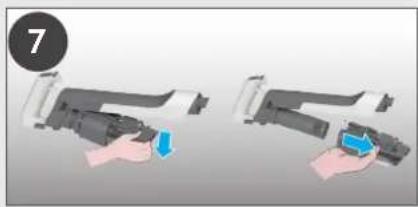
natural_image
Two-step illustration of a hand holding a device, showing a blue button and a blue arrow (no text or symbols)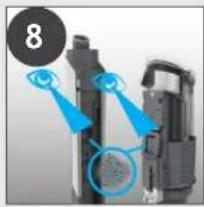
natural_image
Close-up of a mechanical device with blue arrows pointing to components (no visible text or symbols)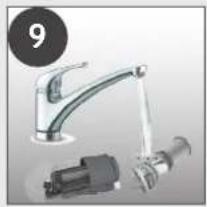
natural_image
Product photo of a kitchen sink with faucet, motor, and pump (no visible text or symbols)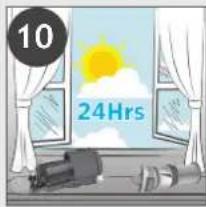
text_image
10 24Hrs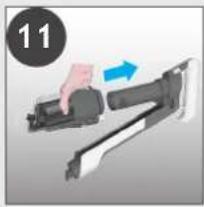
natural_image
Hand holding a mechanical device with a blue arrow indicating motion (no text or symbols)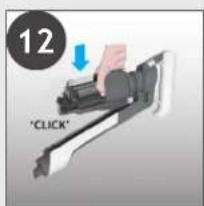
text_image
12 'CLICK'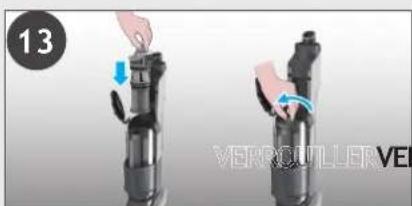
natural_image
Two hands performing a press or lifting operation on a black cylindrical device, with no visible text or symbols.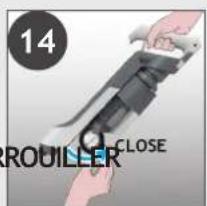
text_image
14 ROUILLER CLOSE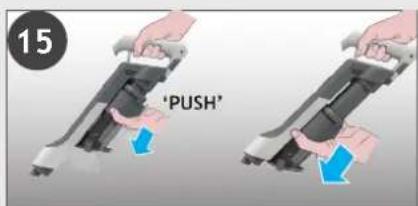
text_image
15 'PUSH'5. ENTRETIEN DE L'ASPIRATEUR
5.4 NETTOYAGE DE LA BROSSE
flowchart
graph LR
    A["1: Hand press"] --> B["2: 3: 4: Brusher"]
    B --> C["3: Presser press"]
    C --> D["5: Screwdriver with brush"]
    D --> E["6: Close brush with brush"]
    style A fill:#f9f,stroke:#333
    style E fill:#bbf,stroke:#333
5. ENTRETIEN DE L'ASPIRATEUR
5.6 BLOCAGES
FR
natural_image
Close-up of a robotic arm with blue arrows pointing to circular components (no text or symbols visible)4
natural_image
Diagram showing a mechanical assembly with an eye and a magnified inset of a textured surface (no text or symbols)5
text_image
'CLICK'6
flowchart
graph TD
    A["Eye"] --> B{Signal}
    B --> C["Input Image"]
    B --> D["Output Image"]
    style A fill:#f9f,stroke:#333
    style B fill:#ccf,stroke:#333
    style C fill:#cfc,stroke:#333
    style D fill:#fcc,stroke:#333
7
flowchart
graph LR
    A["Start: Click brush"] --> B["Step ②: Inserted brush"]
    B --> C["Step ①: Pushing"]
    C --> D["Step ①: Pulling"]
    D --> E["Step ②: Release of brush"]
6. DÉPANNAGE
text_image
A C B D E F G H J K L I M O R P N Q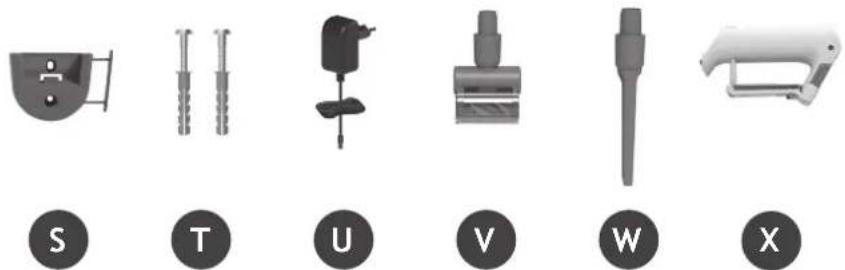
natural_image
Six grayscale industrial tools or components labeled S, T, U, V, W, X, each with a unique symbol and circular base (no text or numbers on objects)natural_image
Illustration of a vacuum cleaner with attached components and a close-up of its base shelf (no text or symbols)3. AKKU AUFLADEN
text_image
Diagram showing two connected components with labeled parts, likely illustrating a cable or connector assembly.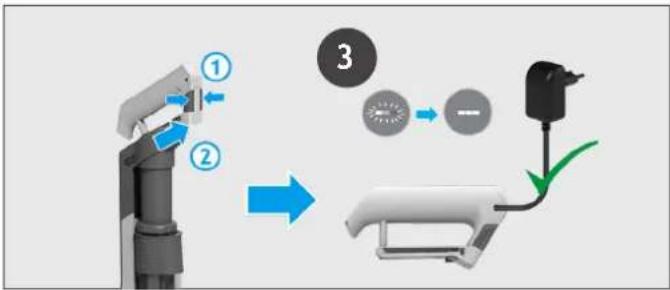
flowchart
graph TD
    A["Robot Arm Joint"] --> B["Gear Shift"]
    B --> C["Battery"]
    C --> D["Switch"]
text_image
TURBO ECO <33% 50% 70% 100%<99%<66%4. GEBRAUCH DES GERÄTS
natural_image
Three identical mechanical devices with black circular indicators, shown from different angles (no text or symbols)text_image
1 "PUSH" 2 *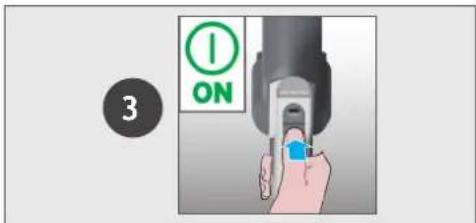
text_image
3 ON4.2 HANDGERÄTE-MODUS
Einstellungen:
text_image
ULTRA COMPACT x3flowchart
graph LR
    A["1: Disassembly"] --> B["2: 3: 4: Assembly"]
    B --> C["3: Hand Rolling"]
    C --> D["5: Assembly with Arrow"]
    D --> E["6: Final Assembly with Arrow"]
flowchart
graph TD
    A["Step 1: Touching brush"] --> B["Step 2: Pushing brush"]
    B --> C["Step 3: Capture brush"]
    C --> D["Step 4: Capture brush with 'CLICK' button"]
    D --> E["Step 5: Capture brush with 'PUSH' button"]
    E --> F["Step 6: Capture brush with 'PUSH' button"]
    F --> G["Step 7: Capture brush with 'PUSH' button"]
text_image
A C B D E F G H J K L I M O R P N Q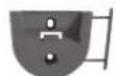


2. PREPARAZIONE DELL'APPARECCHIO
IT
natural_image
Illustration of a vacuum cleaner with three accessories and a close-up of its base shelf (no text or symbols)text_image
Diagram showing two connected electrical connectors with labeled parts and green arrows indicating connection points.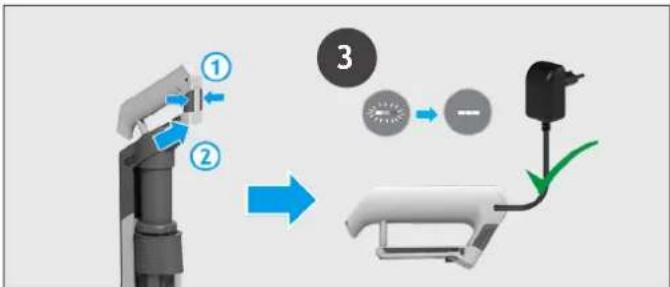
flowchart
graph TD
    A["Robot Arm"] -->|①| B["Battery"]
    B -->|②| C["Switch"]
    C --> D["Motor Battery"]
    D --> E["Ground"]
natural_image
Three identical mechanical devices with black circular indicators, shown from different angles (no text or symbols)4.1 MODALITÀ STANDARD
text_image
1 "PUSH" 2 *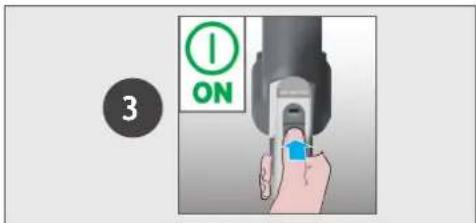
text_image
3 ON4.2 MODALITÀ PER RIPIANI / PORTATILE
IT
text_image
ULTRA COMPACT x35. MANUTENZIONE DELL'APPARECCHIO
5.2 SVUOTAMENTO DEL CONTENITORE RACCOGLIPOLVERE
text_image
Diagram illustrating a cleaning process with labeled components and environmental impact, showing eye detection and trash bin disposal.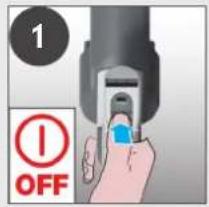
text_image
1 OFF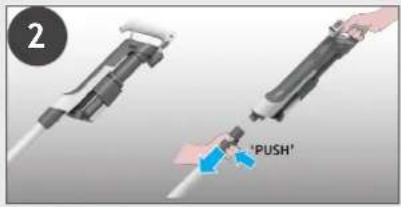
text_image
2 'PUSH'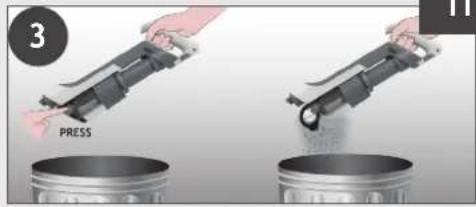
text_image
3 PRESS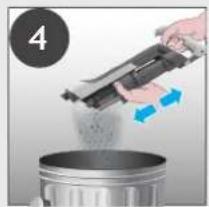
natural_image
Person pouring liquid from a mechanical device into a metal container (no text or symbols visible)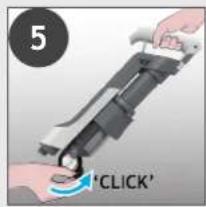
text_image
5 'CLICK'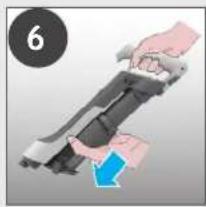
natural_image
Illustration of hands holding a device with a blue arrow indicating motion (no text or symbols)5. MANUTENZIONE DELL'APPARECCHIO
5.3 PULIZIA DEL FILTRO E DEL CONTENITORE RACCOGLIPOLVERE
natural_image
Illustration of a hand using a power tool to press or install a printer (no text or symbols visible)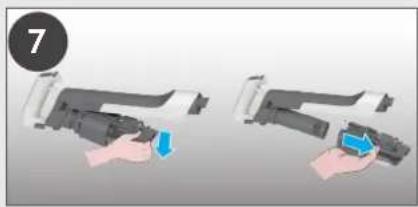
natural_image
Two-step illustration of a handheld device being inserted, showing the process with a blue clip and a blue handle (no text or symbols)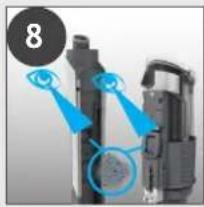
natural_image
Close-up of a mechanical device with blue annotations highlighting components (no readable text or symbols)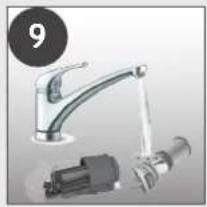
natural_image
Product photo of a kitchen sink with faucet and mechanical components (no visible text or symbols)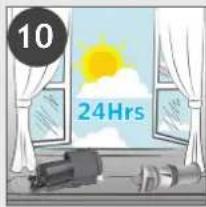
text_image
10 24Hrs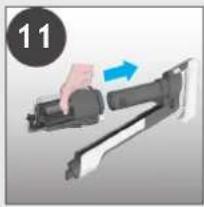
natural_image
Hand holding a firearm with a blue arrow indicating motion (no text or symbols)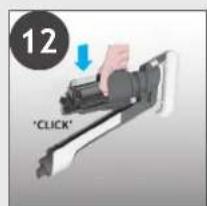
text_image
12 'CLICK'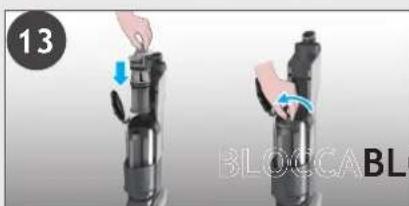
natural_image
Two-step diagram showing a hand holding a device with blue arrows indicating motion, labeled '13' and 'BLOCCABL6' (no text or symbols on the devices themselves)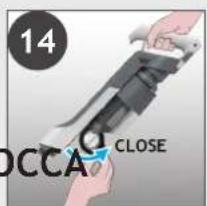
text_image
14 OCCA CLOSE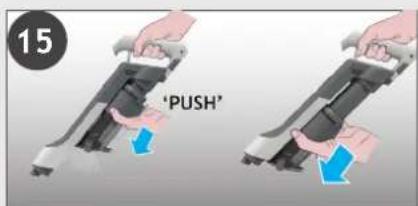
text_image
15 'PUSH'5. MANUTENZIONE DELL'APPARECCHIO 5.4 PULIZIA DELLA SPAZZOLA PER PAVIMENTI
IT
flowchart
graph TD
    A["Step 1: Hand press"] --> B["Step 2: Pushing to brush"]
    B --> C["Step 3: Brush cleaning to brush"]
    C --> D["Step 4: Capture brush"]
    D --> E["Step 5: Capture brush with click"]
    E --> F["Step 6: Capture brush with click"]
    F --> G["Step 7: Capture brush with click"]
    G --> H["Step 8: Capture brush with push"]
text_image
A C B D E F G H J K L I M O R P N Q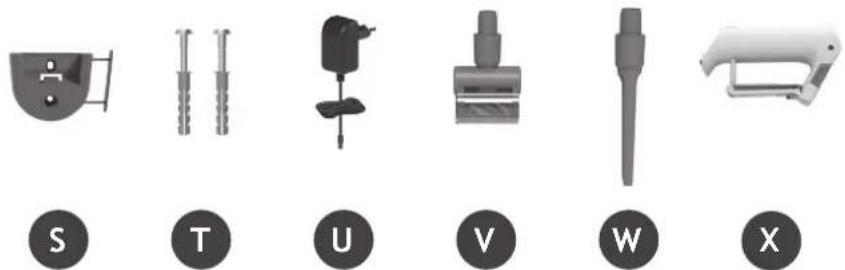
natural_image
Six grayscale industrial tools labeled S, T, U, V, W, X, each with a unique symbol and label (no text or numbers on the tools themselves)2. UW STOFZUIGER IN ELKAAR ZETTEN
natural_image
Illustration of a vacuum cleaner with three accessories and a close-up of its base shelf (no text or symbols)3. DE BATTERIJ OPLADEN
NL
text_image
Diagram showing two connected electrical connectors with labeled parts and green arrows indicating connection points.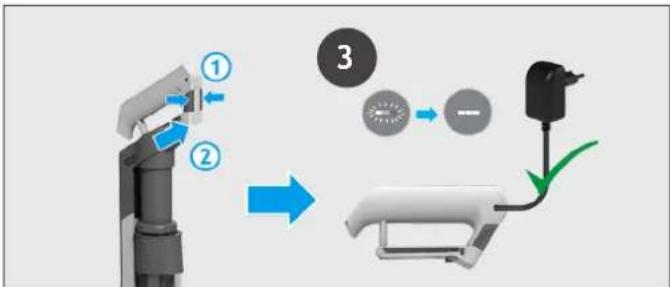
flowchart
graph TD
    A["Robot Arm"] -->|①| B["Battery"]
    B -->|②| C["Switch"]
    C --> D["Motor Battery"]
    D --> E["Ground"]
natural_image
Three identical mechanical devices with black circular indicators, shown from different angles (no text or symbols)4.1 STEELSTOFZUIGER MODUS
text_image
1 "PUSH" 2 *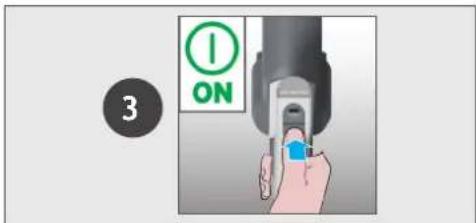
text_image
3 ONInstellingen bedieningselement:
text_image
ULTRA COMPACT x35. ONDERHOUD VAN DE STOFZUIGER
5.2 DE STOFBAK LEDIGEN
flowchart
graph TD
    A["Eye Stimulation"] --> B["Press Release"]
    B --> C["Click Activation"]
    C --> D["Final Cleaning"]
5. ONDERHOUD VAN DE STOFZUIGER
5.3 SCHOONMAKEN VAN FILTER EN CONTAINER
flowchart
graph LR
    A["1: Disassembly"] --> B["2: 3: 4: Assembly"]
    B --> C["3: Assembly"]
    C --> D["5: Assembly with Arrow"]
    D --> E["6: Final Assembly with Step 1"]
5. ONDERHOUD VAN DE STOFZUIGER
5.6 OPSTOPPINGEN
NL
flowchart
graph TD
    A["1: Touching brush"] --> B["2: Pushing press"]
    B --> C["3: Capture in brush"]
    C --> D["4: Click press"]
    D --> E["5: Pull-out brush"]
    E --> F["6: Capture in brush"]
    F --> G["7: Close brush"]
text_image
A C B D E F G H J K L I M O R P N Q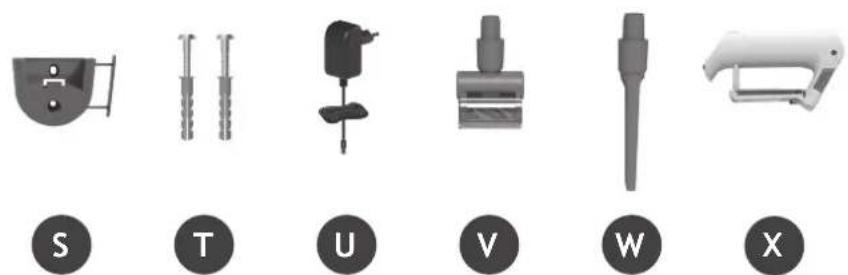
text_image
S T U V W X2. PREPARAR O SEU ASPIRADOR
natural_image
Illustration of a vacuum cleaner with three accessories and a close-up of its base shelf (no text or symbols)text_image
Diagram showing two connected electrical connectors with labeled parts and green arrows indicating connection points.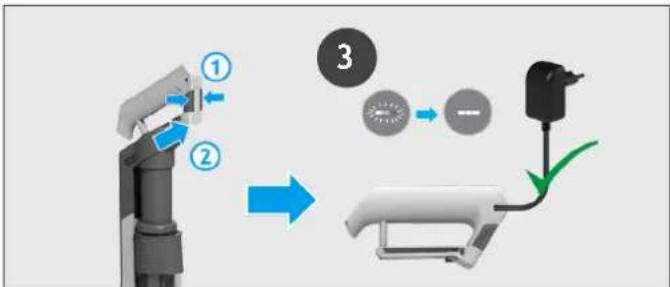
flowchart
graph TD
    A["Robot Arm"] -->|①| B["Battery"]
    B -->|②| C["Switch"]
    C -->|③| D["Battery"]
    style A fill:#f9f,stroke:#333
    style B fill:#ccf,stroke:#333
    style C fill:#cfc,stroke:#333
    style D fill:#fcc,stroke:#333
natural_image
Three identical mechanical devices with black circular indicators, shown from different angles (no text or symbols)text_image
1 "PUSH" 2 *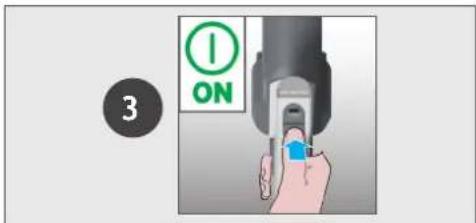
text_image
3 ON4.2 ACIMA DO PAVIMENTO / MODO PORTÁTIL
text_image
ULTRA COMPACT x3natural_image
Hand using a computer to press or install a printer, with a magnified inset showing the printer's screen (no text or symbols visible)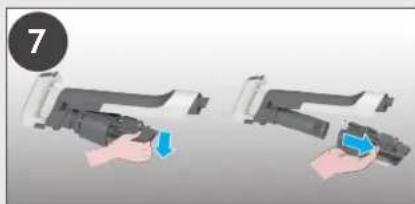
natural_image
Two-step illustration of a hand holding a device, showing the process with a blue arrow indicating action (no text or symbols present)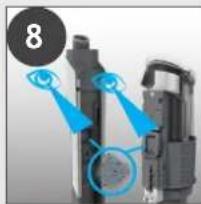
natural_image
Close-up of a mechanical device with blue highlighted components and a numbered circle (8) in the top-left corner, no visible text or symbols.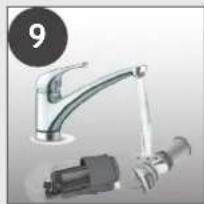
natural_image
Product photo of a stainless steel faucet and mechanical component (no visible text or symbols)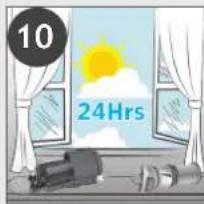
text_image
10 24Hrs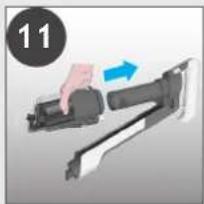
natural_image
Illustration of a hand holding a firearm with a blue arrow indicating motion (no text or symbols)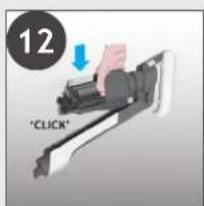
text_image
12 "CLICK"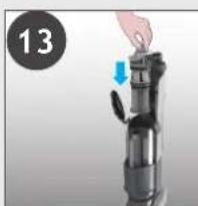
natural_image
Close-up of a hand pressing down on a mechanical device with a blue arrow indicating motion (no text or symbols visible)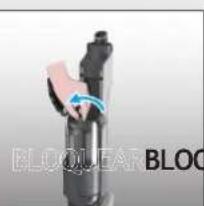
natural_image
Close-up of a black mechanical component with blue motion arrow indicating rotation (no text or symbols)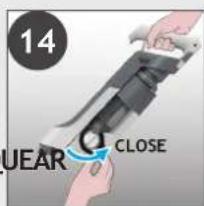
text_image
14 UEAR CLOSE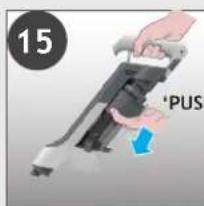
text_image
15 'PUS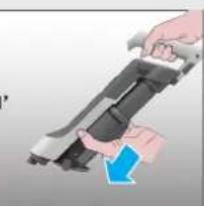
natural_image
Illustration of a hand holding a mounted weapon with a blue arrow indicating motion (no text or symbols)flowchart
graph LR
    A["1: Hand press"] --> B["2: Insert part"]
    B --> C["3: Pull-in part"]
    C --> D["4: Close-up assembly"]
    D --> E["5: Screw assembly with blue tool"]
    E --> F["6: Close-up assembly with blue tool"]
text_image
A C B D E F G H J K L I M O R P N Q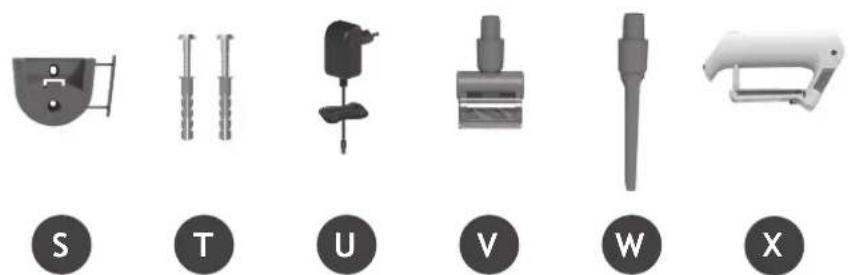
text_image
S T U V W Xnatural_image
Illustration of a vacuum cleaner with three accessories and a close-up of its base shelf (no text or symbols)3. CARGA DE LA BATERÍA
text_image
Diagram showing two connected electrical connectors with labeled parts and green arrows indicating connection points.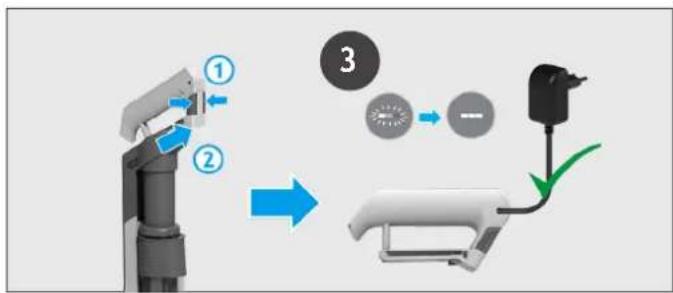
flowchart
graph TD
    A["Robot Arm Joint"] --> B["Gear Shift"]
    B --> C["Battery"]
    C --> D["Switch"]
text_image
TURBO ECO <33% 55% 70% 100%<99%<66%4. USO DEL APARATO
natural_image
Three identical mechanical devices with black circular indicators, shown from different angles (no text or symbols)4.1 MODO ESTÁNDAR
text_image
1 "PUSH" 2 *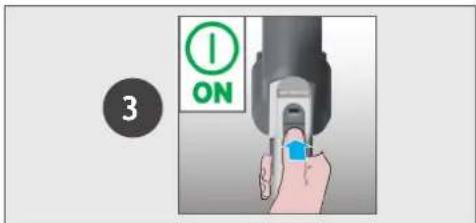
text_image
3 ONtext_image
ULTRA COMPACT x35. MANTENIMIENTO DEL APARATO
natural_image
Hand holding a printer with a magnified inset showing the printer's lens (no text or symbols visible)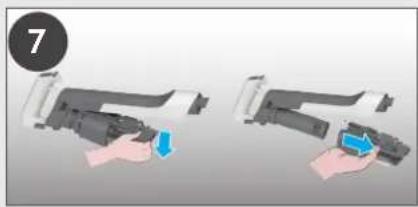
natural_image
Two-step illustration of a hand holding a device, showing a blue arrow and a blue square (no text or symbols)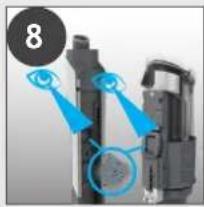
natural_image
Close-up of a mechanical device with blue highlighted components and a numbered circle (8) in the top-left corner, no visible text or symbols.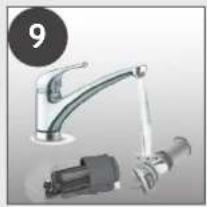
natural_image
Product photo of a kitchen sink with faucet and mechanical components (no visible text or symbols)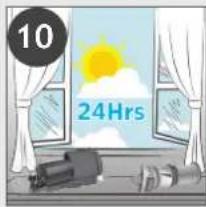
text_image
10 24Hrs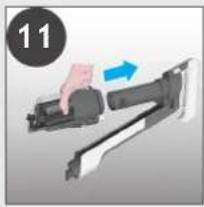
natural_image
Illustration of a hand pressing down a mechanical component with a blue arrow indicating motion (no text or symbols)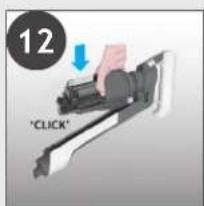
text_image
12 "CLICK"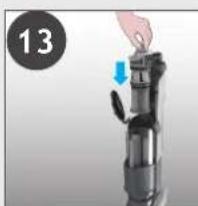
natural_image
Close-up of a hand holding a device with a blue arrow indicating motion (no text or symbols visible)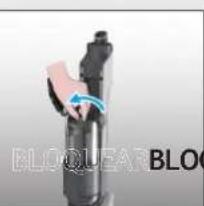
natural_image
Close-up of a black mechanical component with blue motion arrow indicating rotation (no text or symbols)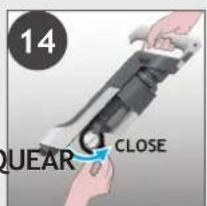
text_image
14 QUEAR CLOSE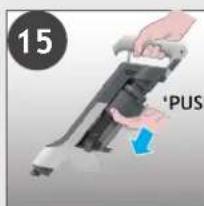
text_image
15 'PUS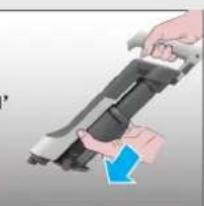
natural_image
Illustration of a hand holding a mounted weapon with a blue arrow indicating motion (no text or symbols)5. MANTENIMIENTO DEL APARATO
5.4 BOQUILLA LIMPIASUELOS
flowchart
graph LR
    A["1: Disassembly"] --> B["2: 3: 4: Assembly"]
    B --> C["3: Assembly with Motion"]
    C --> D["5: Assembly with Motion"]
    D --> E["6: Final Assembly"]
5. MANTENIMIENTO DEL APARATO
5.6 OBSTRUCCIONES
natural_image
Two mechanical components with blue arrows pointing to circular features, no visible text or symbols4
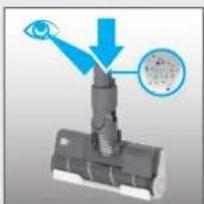
text_image
Diagram showing a mechanical assembly with an eye interacting with a component, and a magnified inset highlighting a circular detail.5
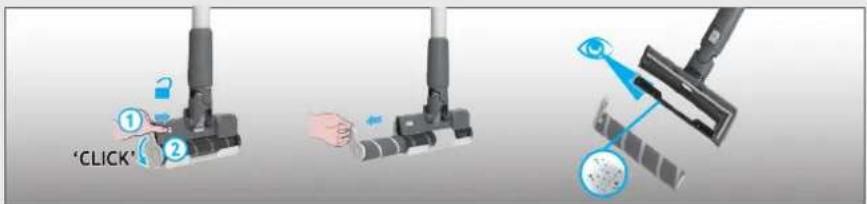
text_image
'CLICK'6
flowchart
graph TD
    A["Eye"] --> B["Target"]
    B --> C["Object 1"]
    B --> D["Object 2"]
7
text_image
'CLICK' ① ② 'PUSH' → 'PUSH' →text_image
A C B D E F G H J K L I M O R P N Q
text_image
S T U V W X2. SÅDAN KLARGÕRES ST∅VSUGEREN
natural_image
Illustration of various household appliances including a vacuum cleaner, shelf shelves, and a handbag (no text or symbols present)3. OPLADNING AF BATTERIET
text_image
Diagram showing two connected components with labeled parts, likely illustrating a cable or connector assembly.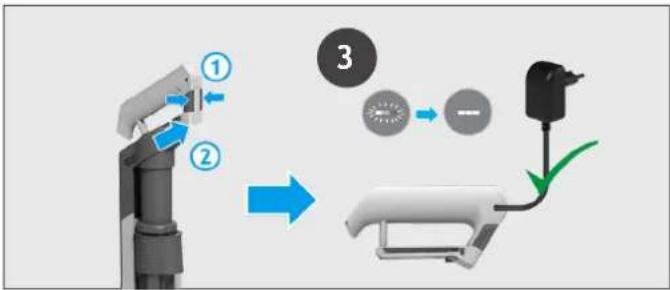
flowchart
graph TD
    A["Robot Arm"] -->|①| B["Battery"]
    B -->|②| C["Switch"]
    C -->|③| D["Battery"]
    D --> E["Electric Battery"]
natural_image
Three identical mechanical devices with black circular indicators, shown from different angles (no text or symbols)4.1 STICK-TILSTAND
For at bruge dit produkt i stick-tilstand:
text_image
1 "PUSH" 2 *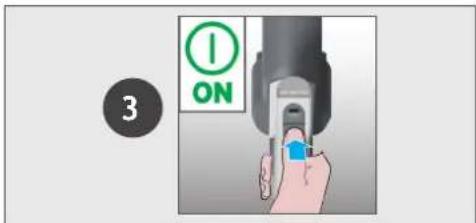
text_image
3 ONBetjeningsindstillinger:
text_image
ULTRA COMPACT x35. VEDLIGEHOLDELSE AF ST∅VSUGEREN
5.2 T∅MNING AF ST∅VBEHOLDEREN
text_image
Diagram illustrating a cleaning process with labeled components and directional arrows indicating eye vision, eye reflection, and clean material.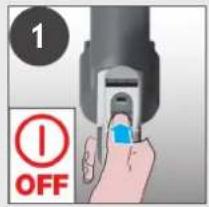
text_image
1 OFF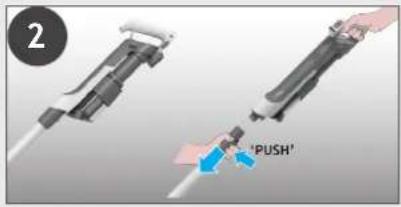
text_image
2 'PUSH'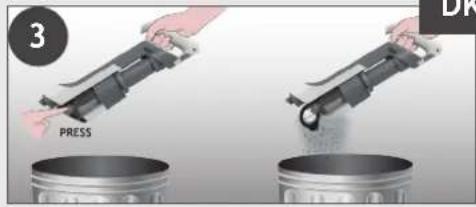
text_image
3 PRESS DK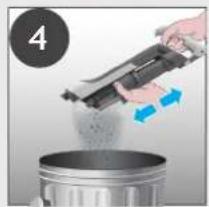
natural_image
Person pouring liquid from a mechanical device into a metal container (no text or symbols visible)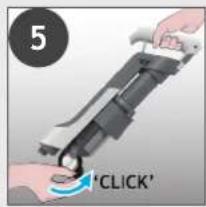
text_image
5 'CLICK'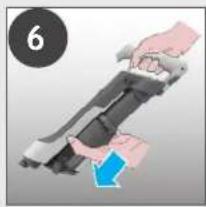
natural_image
Illustration of hands holding a device with a blue arrow indicating motion (no text or symbols)5. VEDLIGEHOLDELSE AF ST∅VSUGEREN
5.3 RENG∅RING AF FILTER OG BEHOLDER
natural_image
Close-up of a hand pressing down on a mechanical device with an arrow indicating motion (no text or symbols)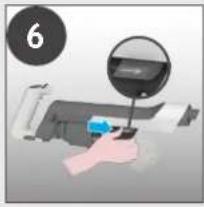
natural_image
Hand using a computer to press or install a printer, with a magnified inset showing the printer's screen (no text or symbols visible)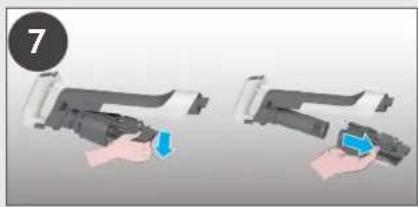
natural_image
Two-step illustration of a hand holding a device, showing the process with a blue arrow and a numbered circle (7), no text or symbols present.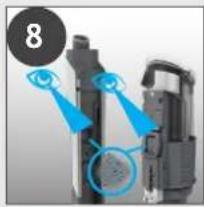
natural_image
Close-up of a mechanical device with blue highlighted components and a numbered circle (8) in the top-left corner, no visible text or symbols.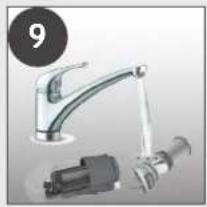
natural_image
Product photo of a kitchen sink with faucet and mechanical components (no visible text or symbols)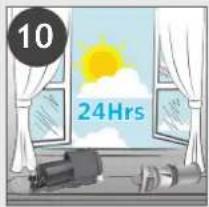
text_image
10 24Hrs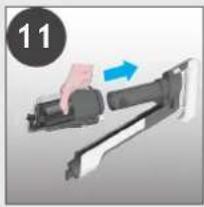
natural_image
Illustration of a hand holding a firearm with a blue arrow indicating motion (no text or symbols)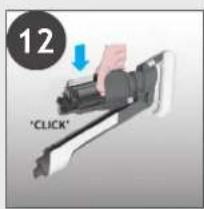
text_image
12 "CLICK"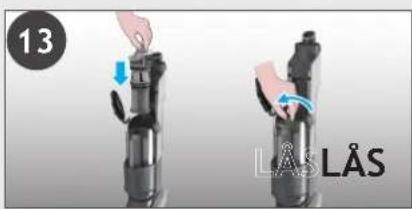
text_image
13 LÅS LÅS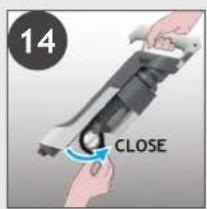
text_image
14 CLOSE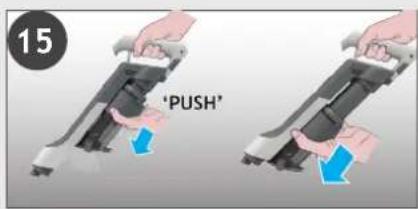
text_image
15 'PUSH'5. VEDLIGEHOLDELSE AF ST∅VSUGEREN
5.4 RENG∅R GULVMUNDSTYKKET
flowchart
graph LR
    A["1: Hand press"] --> B["2: Brush"]
    B --> C["3: Hand press"]
    C --> D["4: Brush with brush"]
    D --> E["5: Screwdriver with brush"]
    E --> F["6: Close brush with brush"]
natural_image
Two mechanical components with blue arrows pointing to circular features, no visible text or symbols4
natural_image
Diagram of a mechanical assembly with an eye and a magnified inset showing internal components (no text or symbols)5
text_image
'CLICK'6
flowchart
graph TD
    A["Eye"] --> B["Target"]
    B --> C["Object 1"]
    B --> D["Object 2"]
7
flowchart
graph LR
    A["Start: Click brush"] --> B["Step ①: Push"]
    B --> C["Step ②: Insert brush"]
    C --> D["Step ③: Pull-in brush"]
    D --> E["Step ④: Release brush"]
I det følgende vises en liste over de mest almindelige problemer og løsninger.
J. UTL∅SERKNAPP FOR T∅MMING AV ST∅VBEHOLDER
K. UTL∅SERKNAPP FOR SKAFT
L. R∅R
M. UTL∅SERKNAPP FOR MUNNSTYKKET
N. MUNNSTYKKE FOR GULV
O. GLIDEBRYTER FOR MUNNSTYKKE B∅RSTESTANG
P. UTL∅SER FOR MUNNSTYKKE B∅RSTESTANG
Q. MUNNSTYKKEVINDU
R. MUNNSTYKKE B∅RSTESTANG
S. VEGGMONTERING
T. SKRUER TIL VEGGMONTERING OG -FESTE
U. LADER
V. MINI KRAFTMUNNSTYKKE*
W. FUGEVERKT∅Y
X. EKSTRA BATTERIPAKKE*
text_image
A C B D E F G H J K L I M O R P N Q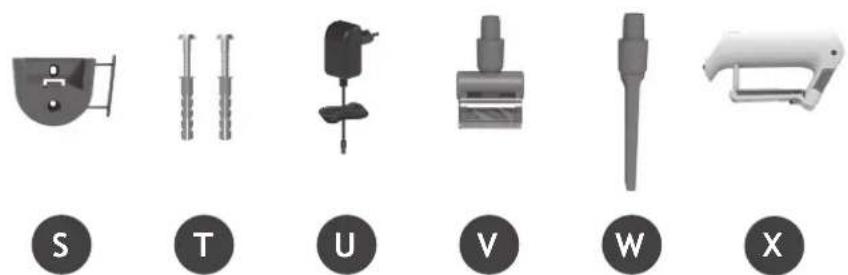
text_image
S T U V W X2. FORBEREDING AV ST∅VSUGEREN
natural_image
Illustration of a vacuum cleaner with three accessories and a shelf view (no text or symbols)3. LAD BATTERIET
NO
text_image
Diagram showing two connected electrical connectors with labeled parts and green arrows indicating connection points.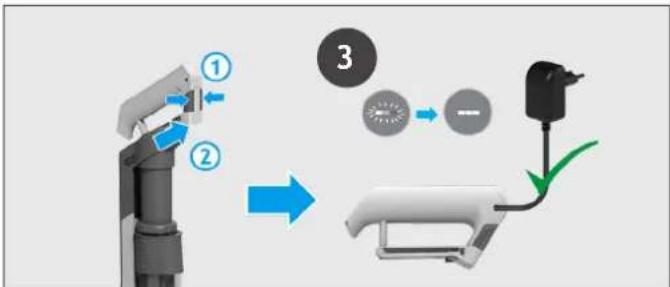
flowchart
graph TD
    A["Robot Arm"] -->|①| B["Battery"]
    B -->|②| C["Switch"]
    C -->|③| D["Battery"]
    D --> E["Ground"]
natural_image
Three identical mechanical devices with black circular indicators, shown from different angles (no text or symbols)4.1 STICK-MODUS
text_image
1 "PUSH" 2 *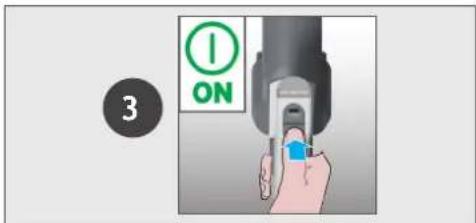
text_image
3 ON4.2 OVER GULVNIVÅ / HÅNDHOLDT MODUS
5. VEDLIKEHOLD AV ST∅VSUGEREN
5.1 ULTRA COMPACT X3: ST∅VKOMPRIMERINGSFUNKSJON
text_image
ULTRA COMPACT x35. VEDLIKEHOLD AV ST∅VSUGEREN
5.2 T∅MME ST∅VBEHOLDEREN
5. VEDLIKEHOLD AV ST∅VSUGEREN
5.3 RENGJ∅RING AV FILTERET OG BEHOLDEREN
natural_image
Illustration of a hand using a computer to press a printer, with a magnified inset showing the printer's tip (no text or symbols present)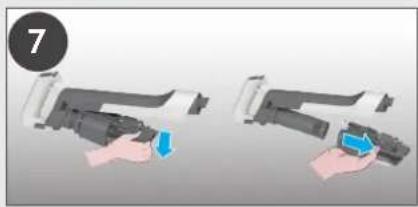
natural_image
Two-step illustration of a hand holding a device, showing a blue arrow indicating the action (no text or symbols present)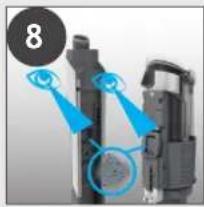
natural_image
Close-up of a mechanical device with blue annotations highlighting components (no readable text or symbols)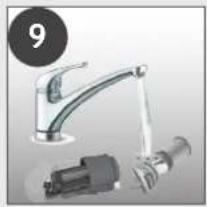
natural_image
Product photo of a kitchen sink with faucet, mechanical pump, and motor (no visible text or symbols)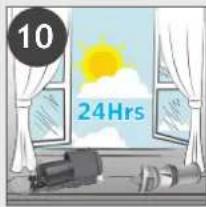
text_image
10 24Hrs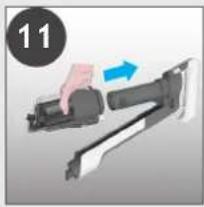
natural_image
Illustration of a hand holding a firearm with a blue arrow indicating motion (no text or symbols)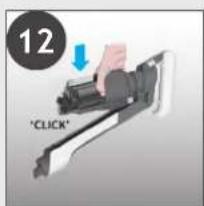
text_image
12 "CLICK"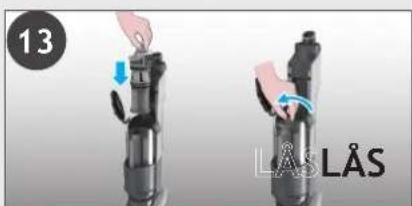
text_image
13 LÅS LÅS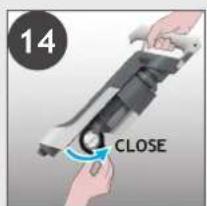
text_image
14 CLOSE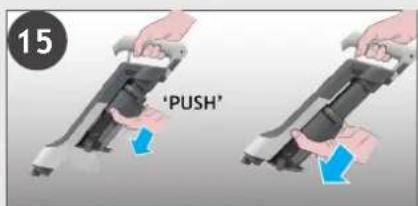
text_image
15 'PUSH'5. VEDLIKEHOLD AV ST∅VSUGEREN
5.4 RENGJ∅RE GULVMUNNSTYKKET
5. VEDLIKEHOLD AV ST∅VSUGEREN
5.5 RENGJ∅RE DET LILLE MUNNSSTYKKET
5. VEDLIKEHOLD AV ST∅VSUGEREN
5.6 BLOKKERINGER
natural_image
Diagram showing two mechanical components with blue arrows pointing to circular features, no text or symbols present4
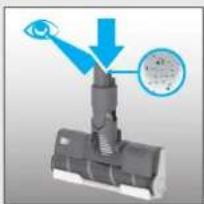
natural_image
Diagram of a mechanical assembly with an eye and a magnified inset showing internal components (no text or symbols)5
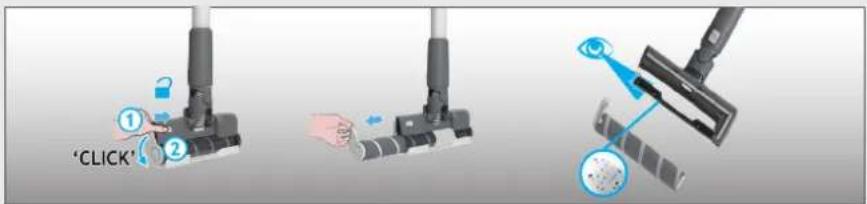
text_image
'CLICK'6
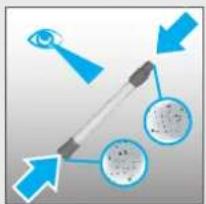
text_image
Diagram illustrating eye targeting with labeled components and directional arrows, including a pen and circular insets showing cellular structures.7
flowchart
graph LR
    A["Start: Click brush"] --> B["Step ①: Push"]
    B --> C["Step ②: Insert brush"]
    C --> D["Step ③: Pull-in brush"]
    D --> E["Step ④: Release brush"]
text_image
A C B D E F G H J K L I M O R P N Q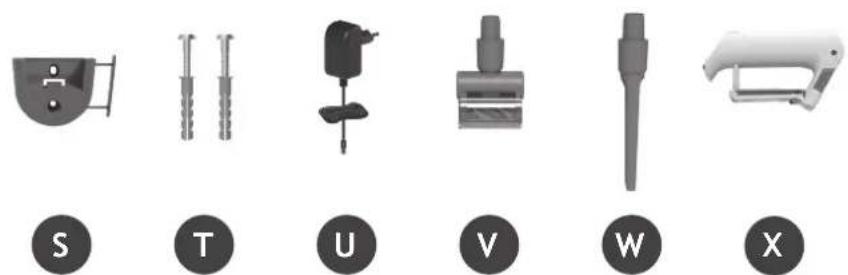
text_image
S T U V W X2. FÖRBERED DIN DAMMSUGARE
natural_image
Illustration of various household appliances including a vacuum cleaner, shelf shelves, and a handbag (no text or symbols present)3. LADDNING AV BATTERIET
text_image
Diagram showing two connected electrical connectors with labeled parts and green arrows indicating connection points.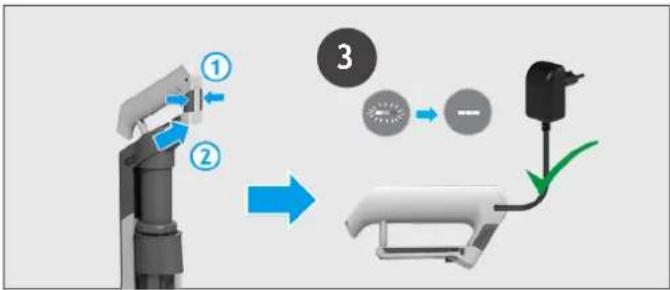
flowchart
graph TD
    A["Robot Arm"] -->|①| B["Engine"]
    B -->|②| C["Engine"]
    C --> D["Device 3"]
    D --> E["Engine"]
    E --> F["Output"]
natural_image
Three identical mechanical devices with black circular indicators, shown from different angles (no text or symbols)4.1 STICK-LÄGE
text_image
1 "PUSH" 2 *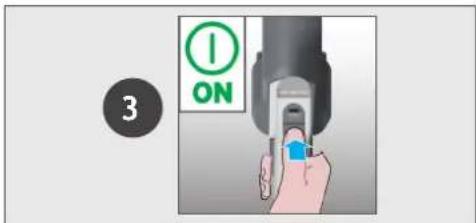
text_image
3 ONtext_image
ULTRA COMPACT x35. UNDERHÅLL AV DAMMSUGAREN
5.2 TOMMA DAMMBEHÅLLAREN
text_image
Diagram illustrating a device's eye detection process, showing eye reflection and liquid level being placed into a trash bin.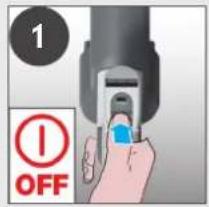
text_image
1 OFF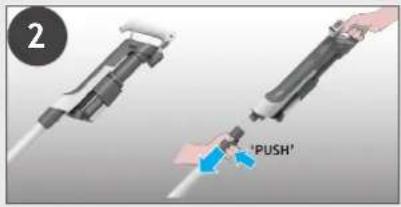
text_image
2 'PUSH'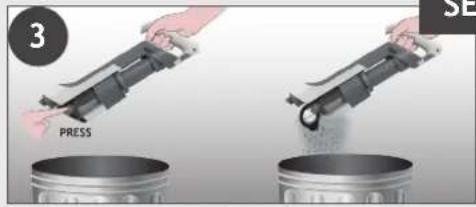
text_image
3 PRESS SE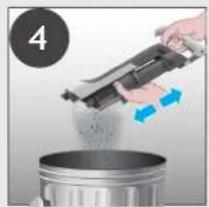
natural_image
Person pouring liquid from a mechanical device into a metal container (no text or symbols visible)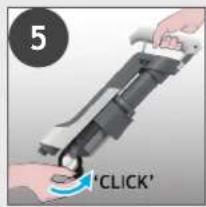
text_image
5 'CLICK'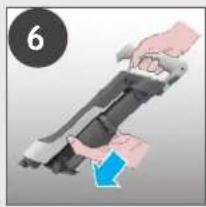
natural_image
Illustration of hands holding a mechanical device with a blue arrow indicating motion (no text or symbols)5. UNDERHÅLL AV DAMMSUGAREN
5.3 RENGÖRING AV FILTER OCH DAMMBEHÅLLARE
natural_image
Illustration of a hand using a tool to press or install a document, with no visible text or symbols.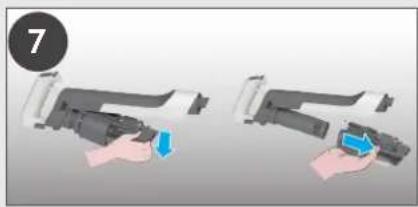
natural_image
Two-step illustration of a hand holding a device, showing a blue arrow and a blue button (no text or symbols)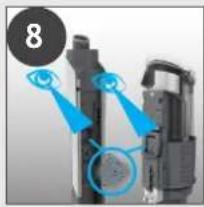
natural_image
Close-up of a mechanical device with blue highlighted components and a numbered circle (8) in the top-left corner, no visible text or symbols.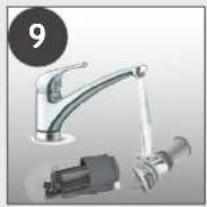
natural_image
Product photo of a kitchen sink with faucet and mechanical device (no visible text or symbols)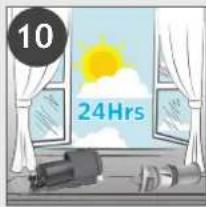
text_image
10 24Hrs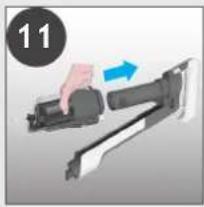
natural_image
Hand holding a camera with a blue arrow indicating motion (no text or symbols)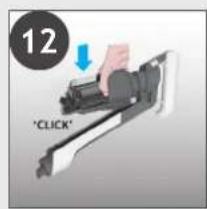
text_image
12 'CLICK'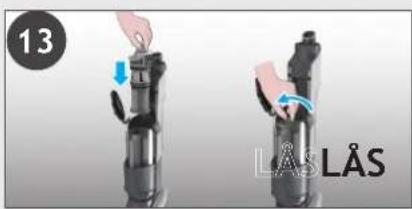
text_image
13 LÄS LÄS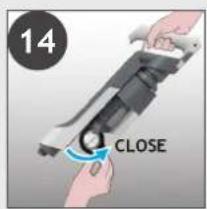
text_image
14 CLOSE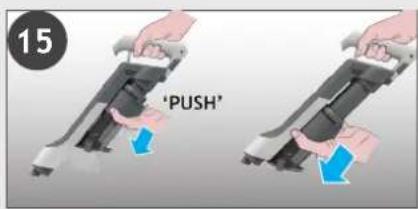
text_image
15 'PUSH'5. UNDERHÅLL AV DAMMSUGAREN
5.4 RENGÖRA GOLVMUNSTYCKET
flowchart
graph LR
    A["1: Disassembly"] --> B["2: 3: 4: Assembly"]
    B --> C["3: Assembly with Component"]
    C --> D["5: Assembly with Component"]
    D --> E["6: Final Assembly"]
5. UNDERHÅLL AV DAMMSUGAREN
5.6 BLOCKERINGAR
natural_image
Diagram showing two mechanical components with blue arrows pointing to circular features, no text or symbols present4
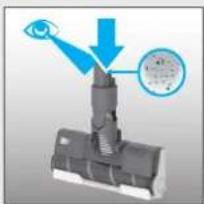
natural_image
Diagram of a mechanical assembly with an eye and a magnified inset showing internal components (no text or symbols)5
text_image
'CLICK'6
flowchart
graph TD
    A["Eye"] --> B["Target"]
    B --> C["Object 1"]
    B --> D["Object 2"]
7
flowchart
graph LR
    A["Start: Click brush"] --> B["Step ①: Push"]
    B --> C["Step ②: Insert brush"]
    C --> D["Step ③: Pull-in brush"]
    D --> E["Step ④: Release brush"]
6. FELSÖKNING
text_image
A C B D E F G H J K L I M O R P N Q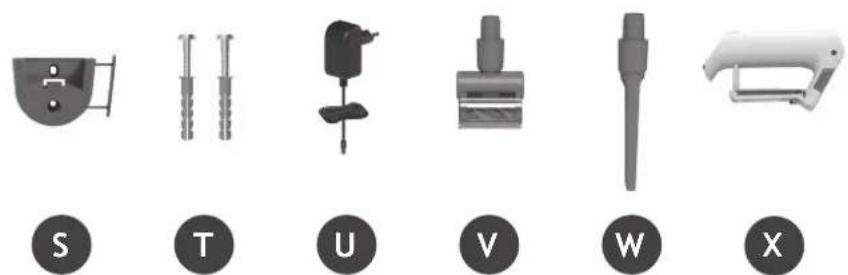
natural_image
Six grayscale product icons labeled S, T, U, V, W, X, each with a unique symbol and label (no readable text or numbers beyond labels)2. LAITTEEN KOKOAMINEN
FI
natural_image
Illustration of a vacuum cleaner with attached components and a close-up of its base shelf (no text or symbols)3. AKUN LATAUS
FI
text_image
Diagram showing two connected components with labeled parts, likely illustrating a cable or connector assembly.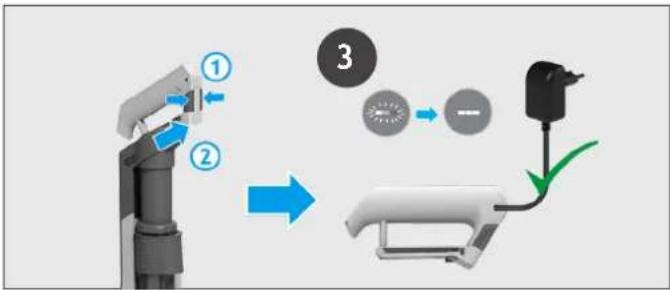
flowchart
graph TD
    A["Robot Arm"] -->|①| B["Engine"]
    B -->|②| C["Engine"]
    C --> D["Device 3"]
    D --> E["Engine"]
    E --> F["Output"]
natural_image
Three identical mechanical devices with black circular indicators, shown from different angles (no text or symbols)4.1 VARSI-IMURI TILA
FI
text_image
1 "PUSH" 2 *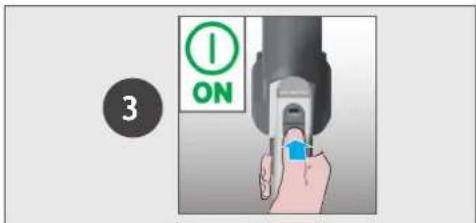
text_image
3 ON4.2 LATTIAN YLÄPUOLELLA -TILA / RIKKAIMURITILA
Ohjausasetukset:
text_image
ULTRA COMPACT x35. LAITTEEN KUNNOSSAPITO
5.2 PÖLYSÄILIÖN TYHJENNYS
text_image
Diagram illustrating a cleaning process with labeled components and directional arrows indicating eye vision, eye reflection, and clean material.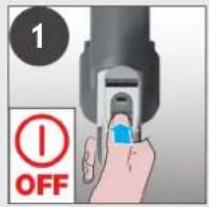
text_image
1 OFF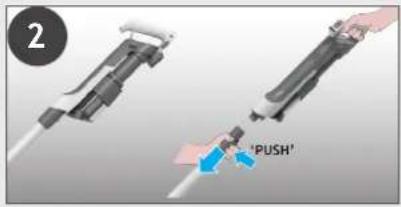
text_image
2 'PUSH'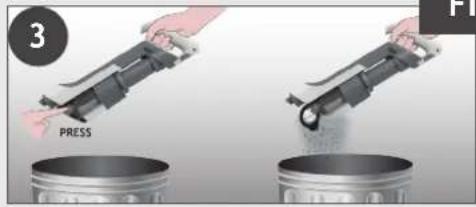
text_image
3 PRESS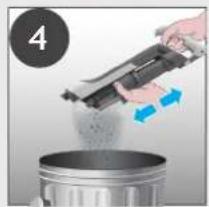
natural_image
Person pouring liquid from a mechanical device into a metal container (no text or symbols visible)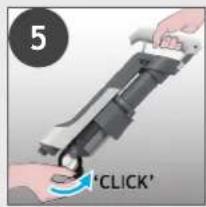
text_image
5 'CLICK'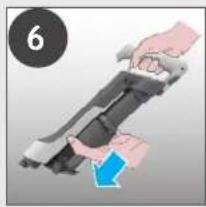
natural_image
Illustration of hands holding a mechanical device with a blue arrow indicating motion (no text or symbols)5. LAITTEEN KUNNOSSAPITO
5.3 SUODATTIMEN JA SÄILIÖN PUHDISTAMINEN
natural_image
Hand holding a printer with a magnified inset showing the printer's screen (no text or symbols visible)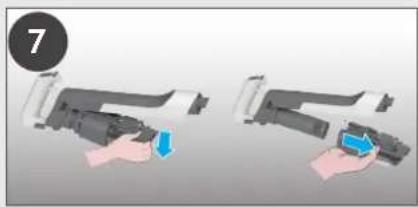
natural_image
Two-step illustration of a hand holding a device, showing the process with a blue arrow (no text or symbols)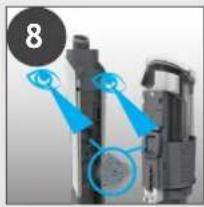
natural_image
Close-up of a mechanical device with blue highlighted components and a numbered circle (8) in the top-left corner, no visible text or symbols.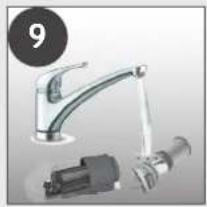
natural_image
Product photo of a kitchen sink with faucet and mechanical component (no visible text or symbols)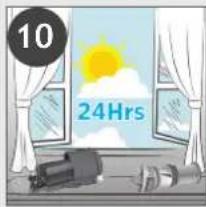
text_image
10 24Hrs
natural_image
Illustration of a hand holding a device with a blue arrow indicating motion (no text or symbols)
text_image
12 "CLICK"
natural_image
Two black mechanical devices with hand gestures, one showing a blue arrow and the other with a blue arrow, labeled 'LUKTUS LUK' (no text on device or background)
text_image
14 TUS CLOSE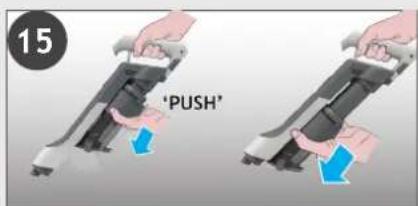
text_image
15 'PUSH'5. LAITTEEN KUNNOSSAPITO 5.4 PUHDISTA LATTIASUUTIN
natural_image
Two mechanical components with blue arrows pointing to circular features, no visible text or symbols4
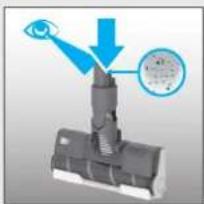
natural_image
Diagram of a mechanical assembly with an eye and a magnified inset showing internal components (no text or symbols)5
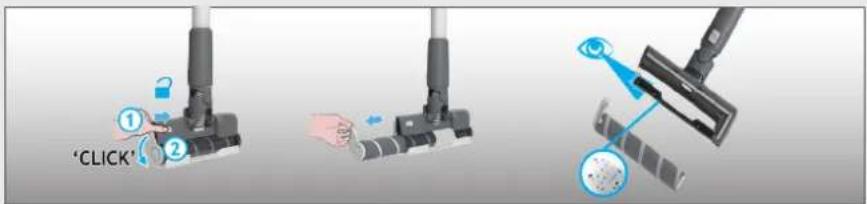
text_image
'CLICK'6
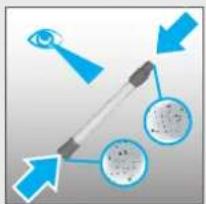
text_image
Diagram illustrating eye targeting with labeled components and directional arrows, including a pen and circular insets showing cellular structures.7
flowchart
graph LR
    A["Start: Click brush"] --> B["Step ①: Push"]
    B --> C["Step ②: Insert brush"]
    C --> D["Step ③: Pull-in brush"]
    D --> E["Step ④: Release brush"]
6. VIANMÄÄRITYS
text_image
A C B D E F G H J K L I M O R P N Q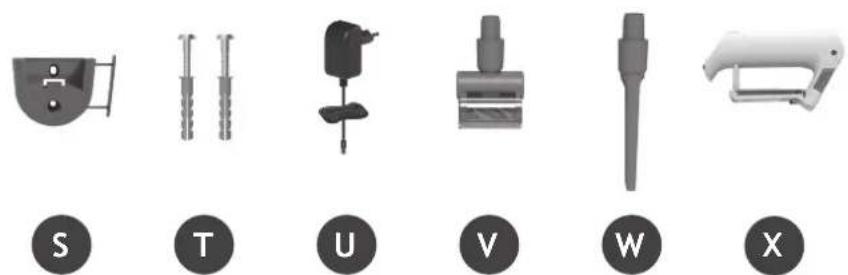
text_image
S T U V W Xnatural_image
Illustration of a vacuum cleaner with attached components and a close-up of its base (no text or symbols)text_image
Diagram showing two connected electrical connectors with labeled parts and green arrows indicating connection points.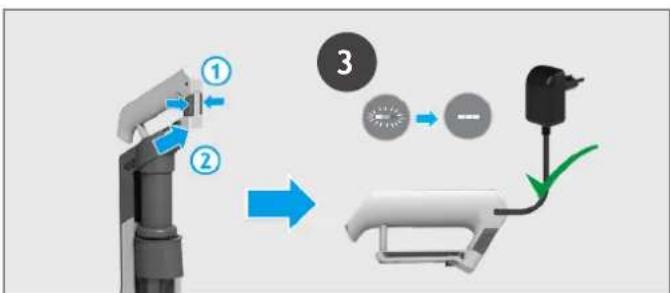
flowchart
graph TD
    A["Robot Arm"] -->|①| B["Battery"]
    B -->|②| C["Switch"]
    C --> D["Load Switch"]
    D --> E["Output"]
natural_image
Three identical mechanical devices with black circular indicators, shown from different angles (no text or symbols)text_image
1 "PUSH" 2 *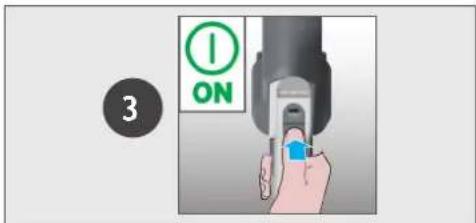
text_image
3 ONtext_image
ULTRA COMPACT x3text_image
Diagram illustrating a cleaning or anti-damaging process with labeled components and directional arrows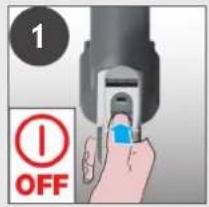
text_image
1 OFF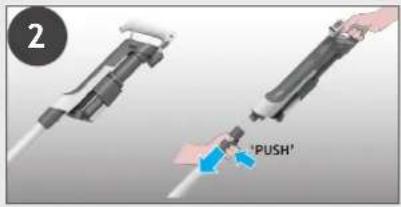
text_image
2 'PUSH'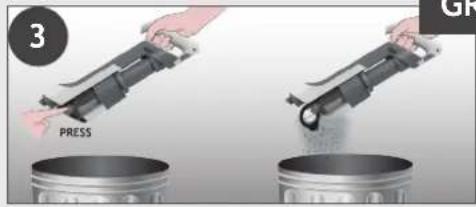
text_image
3 PRESS GR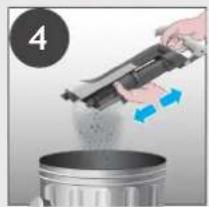
natural_image
Person pouring liquid from a mechanical device into a metal container (no text or symbols visible)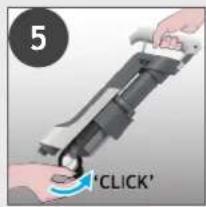
text_image
5 'CLICK'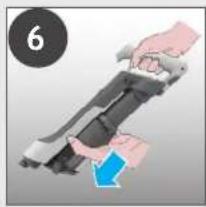
natural_image
Illustration of hands holding a mechanical device with a blue arrow indicating motion (no text or symbols)natural_image
Illustration of a hand using a power tool to press or install a printer (no text or symbols visible)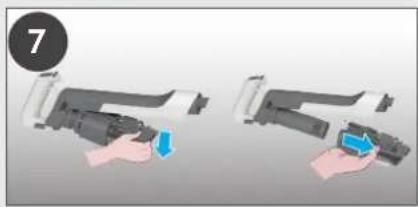
natural_image
Two hands holding a device with blue arrows indicating action (no text or symbols)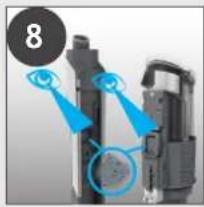
natural_image
Close-up of a mechanical device with blue highlighted components and a numbered circle (8) in the top-left corner, no visible text or symbols.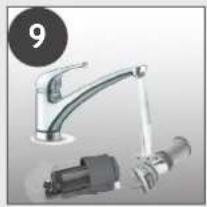
natural_image
Product photo of a kitchen sink with faucet and mechanical component (no visible text or symbols)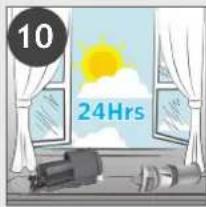
text_image
10 24Hrs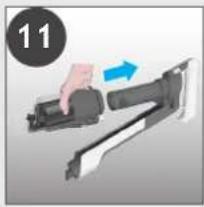
natural_image
Hand holding a mechanical device with a blue arrow indicating motion (no text or symbols)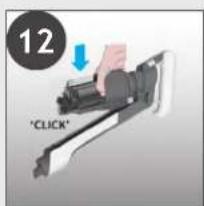
text_image
12 "CLICK"
natural_image
Two-step diagram showing a hand pressing down a device into a black cylindrical component, with no visible text or symbols.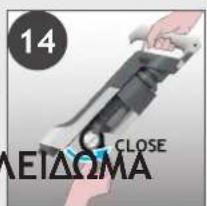
text_image
14 ΛΕΙΔΩΜΑ CLOSE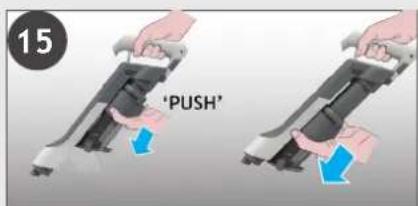
text_image
15 'PUSH'text_image
A C B D E F G H J K L I M O R P N Q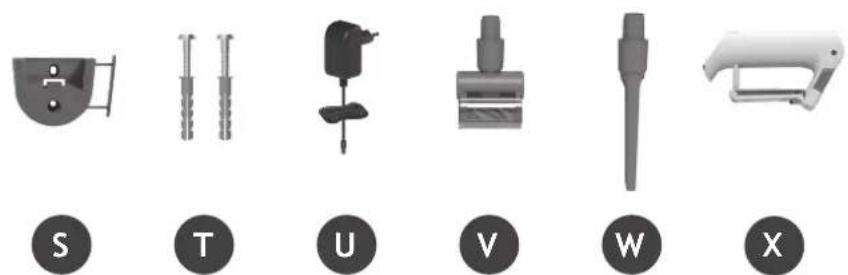
natural_image
Six grayscale product icons labeled S, T, U, V, W, X, each with a circular base (no text or symbols on objects)natural_image
Illustration of various household appliances including a vacuum cleaner, shelf shelves, and a handbag (no text or symbols present)3. ЗАРЯДКА БАТАРЕИ
text_image
Diagram showing two connected components with labeled parts, likely illustrating a cable or connector assembly.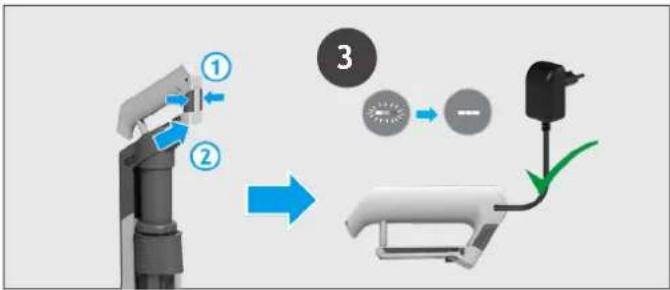
flowchart
graph TD
    A["Robot Arm"] -->|①| B["Battery"]
    B -->|②| C["Switch"]
    C -->|③| D["Battery"]
    D --> E["Electric Battery"]
natural_image
Three identical mechanical devices with black circular indicators, shown from different angles (no text or symbols)4.1 РЕЖИМ С ТРУБКОЙ
text_image
1 "PUSH" 2 *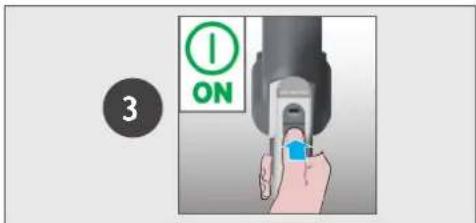
text_image
3 ONtext_image
ULTRA COMPACT x3text_image
Diagram illustrating a cleaning or anti-damaging process with labeled components and directional arrows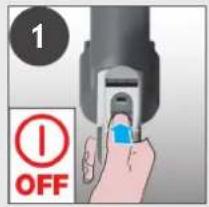
text_image
1 OFF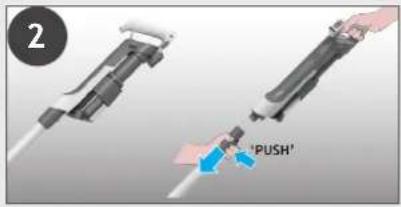
text_image
2 'PUSH'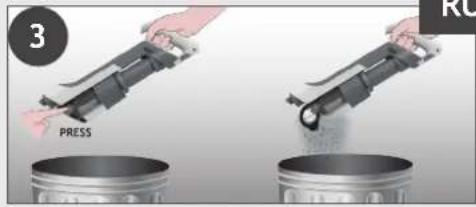
text_image
3 PRESS RU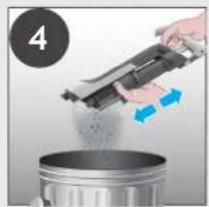
natural_image
Person pouring liquid from a mechanical device into a metal container (no text or symbols visible)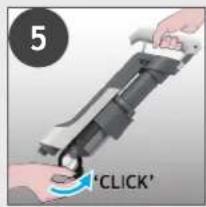
text_image
5 'CLICK'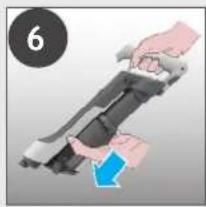
natural_image
Illustration of hands holding a device with a blue arrow indicating motion (no text or symbols)natural_image
Illustration of a hand holding a device with a magnified inset showing a device (no text or symbols present)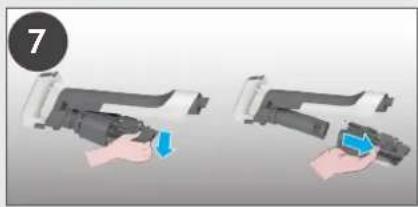
natural_image
Two hand-drawn diagrams showing a device being inserted, with one holding a blue arrow and the other holding a black object (no text or symbols)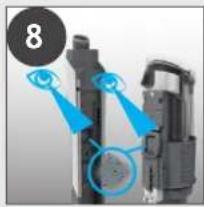
natural_image
Close-up of a mechanical component with blue annotations highlighting features (no readable text or symbols)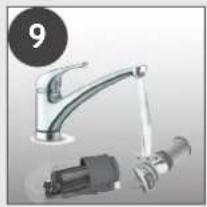
natural_image
Product photo of a kitchen sink with faucet and mechanical component (no visible text or symbols)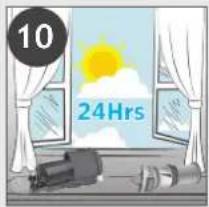
text_image
10 24Hrs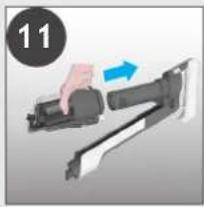
natural_image
Hand holding a firearm with a blue arrow indicating motion (no text or symbols)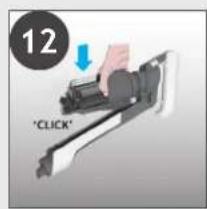
text_image
12 'CLICK'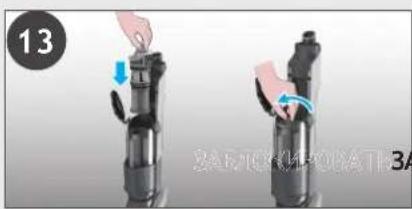
text_image
13 ЗАВЛІСКИРОТАТ-ЗА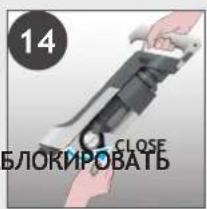
text_image
14 CLOSE БЛОКИРОВАТЬ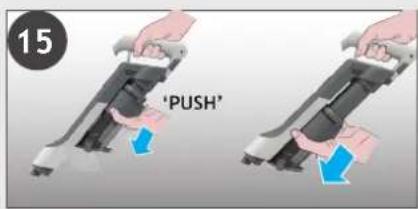
text_image
15 'PUSH'text_image
A C B D E F G H J K L I M O R P N Q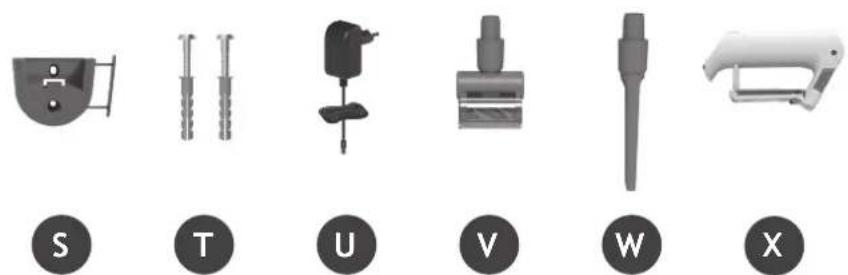
text_image
S T U V W X2. PRZYGOTOWANIE ODKURZACZA
natural_image
Illustration of various household appliances including a vacuum cleaner, shelf shelves, and accessories (no text or symbols)3. LADOWANIE AKUMULATORA
text_image
Diagram showing two connected electrical connectors with labeled parts and green arrows indicating connection points.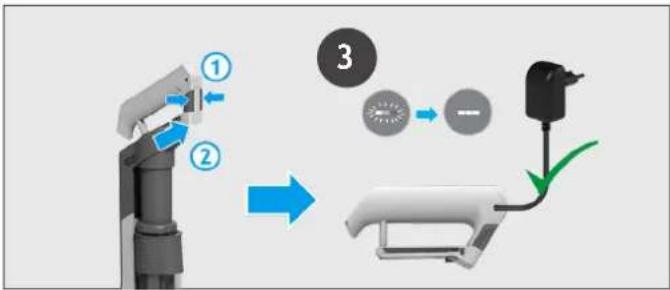
flowchart
graph TD
    A["Robot Arm"] -->|①| B["Engine"]
    B -->|②| C["Engine"]
    C --> D["Device 3"]
    D --> E["Engine"]
    E --> F["Output"]
natural_image
Three identical mechanical devices with black circular indicators, shown from different angles (no text or symbols)4.1 TRYB BEZPRZEWODOWY
text_image
1 "PUSH" 2 *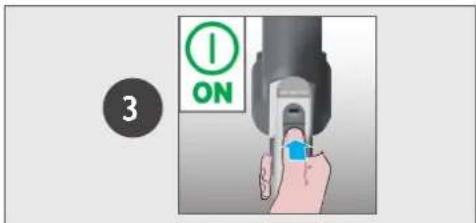
text_image
3 ONtext_image
ULTRA COMPACT x35. KONSERWACJA URZĄDZENIA
5.2 OPRÓŻNIANIE POJEMNIKA NA KURZ
flowchart
graph TD
    A["Eye opening"] --> B["OFF"]
    B --> C["Press press"]
    C --> D["Press release"]
5. KONSERWACJA URZADZENIA
5.3 CZYSZCZENIE FILTRA I POJEMNIKA
natural_image
Illustration of a hand holding a device with a magnified view of a screen (no text or symbols)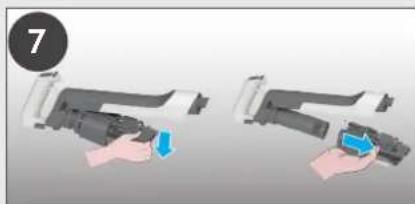
natural_image
Two 3D illustrations of a hand holding a device, one with blue arrows indicating movement or force (no text or symbols)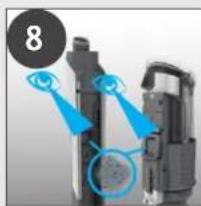
natural_image
Close-up of a mechanical device with blue highlighted components and a numbered circle (8) in the top-left corner, no visible text or symbols.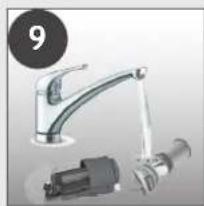
natural_image
Product photo of a kitchen sink with attached electrical connector (no visible text or symbols)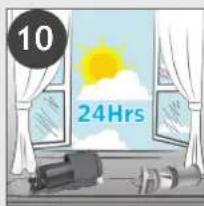
text_image
10 24Hrs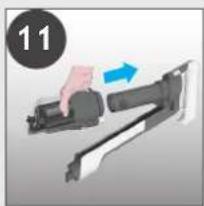
natural_image
Hand holding a firearm with a blue arrow indicating motion (no text or symbols)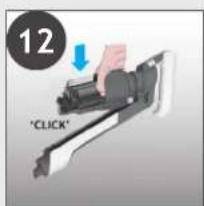
text_image
12 "CLICK"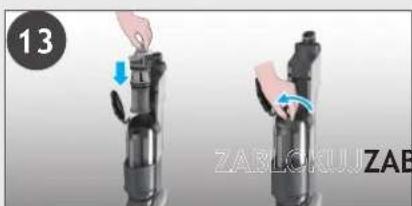
natural_image
Two hands performing a mechanical press or lifting operation on a device, with no visible text or symbols.
text_image
14 LOKUJ CLOSE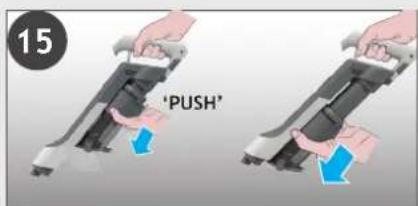
text_image
15 'PUSH'5. KONSERWACJA URZĄDZENIA 5.4 CZYSZCZENIE SSAWKI PODŁOGOWEJ
flowchart
graph TD
    A["Step 1: Hand press"] --> B["Step 2: Push press adjustment"]
    B --> C["Step 3: Brush cleaning with 'PUSH' and 'CLICK' buttons"]
    C --> D["Step 4: Brush cleaning with 'CLICK' buttons"]
    D --> E["Step 5: Brush cleaning with 'PUSH' and 'CLICK' buttons"]
    E --> F["Step 6: Brush cleaning with 'PUSH' and 'CLICK' buttons"]
    F --> G["Step 7: Brush cleaning with 'PUSH' and 'CLICK' buttons"]
6. ROZWIAZYWANIE PROBLEMÓW
text_image
A C B D E F G H J K L I M O R P N Q
text_image
S T U V W X2. PŘÍPRAVA VYSAVAČE
CZ
natural_image
Illustration of a vacuum cleaner with three accessories and a shelf view (no text or symbols)3. NABÍJENÍ BATERIE
CZ
text_image
Diagram showing two connected electrical connectors with labeled parts and green arrows indicating connection points.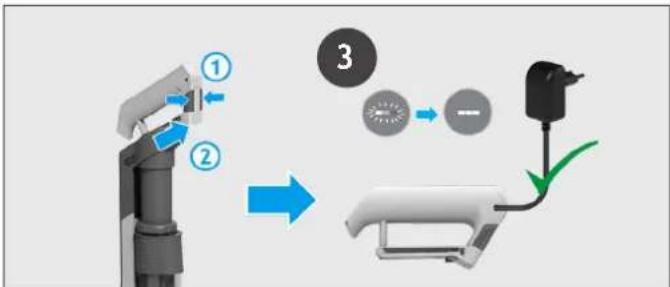
flowchart
graph TD
    A["Robot Arm"] -->|①| B["Battery"]
    B -->|②| C["Switch"]
    C -->|③| D["Battery"]
    style A fill:#f9f,stroke:#333
    style B fill:#ccf,stroke:#333
    style C fill:#cfc,stroke:#333
    style D fill:#fcc,stroke:#333
natural_image
Three identical mechanical devices with black circular indicators, shown from different angles (no text or symbols)4.1 STANDARDNÍ REŽIM
Použití produktu ve STANDARDNÍM REŽIMU.
text_image
1 "PUSH" 2 *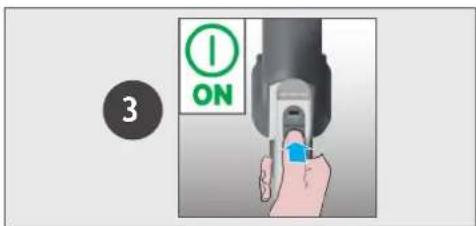
text_image
3 ON4.2 REŽIM POUŽITÍ NAD ZEMÍ / RUČNÍ JEDNOTKA
Nastavení ovládání:
text_image
ULTRA COMPACT x35. ÚDRŽBA VYSAVAČE
5.2 VYPRÁZDNĚNÍ NÁDOBY NA PRACH
flowchart
graph TD
    A["Device Opening"] --> B["Press Release"]
    B --> C{OFF}
    C -->|OK| D["Press Release"]
    C -->|No| E["PUSH"]
    E --> F{PUSH}
    F -->|OK| G["Press Release"]
    F -->|No| H["CALL"]
    H --> I{CLICK}
    I -->|OK| J["Press Release"]
    I -->|No| K["Press Release"]
5. ÚDRŽBA VYSAVAČE
5.3 ČISTĚNÍ FILTRU A NÁDOBY NA PRACH
text_image
4 OPEAKOLTO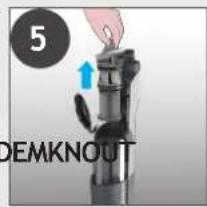
text_image
5 DEMKNOUT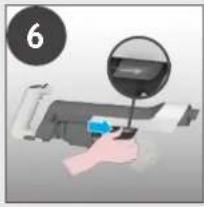
natural_image
Hand holding a printer with a magnified inset showing the printer's screen (no text or symbols visible)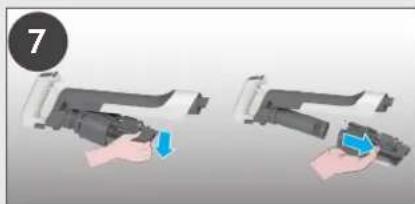
natural_image
Two 3D illustrations of a robotic arm with a hand holding the grip, showing a blue tool (no text or symbols present)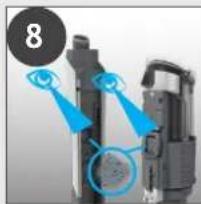
natural_image
Close-up of a mechanical device with blue highlighted components and a numbered circle (8) in the top-left corner, no visible text or symbols.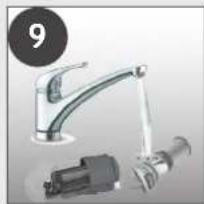
natural_image
Product photo of a kitchen sink with a mechanical connector and a numbered label (9) in the corner (no text or symbols on the main objects)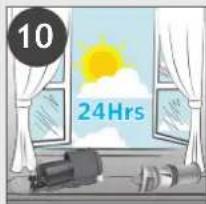
text_image
10 24Hrs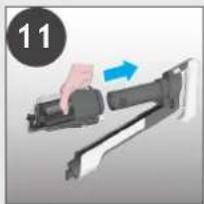
natural_image
Illustration of a hand holding a firearm with a blue arrow indicating motion (no text or symbols)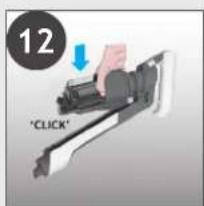
text_image
12 "CLICK"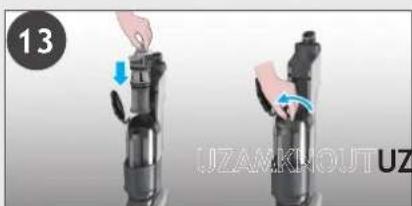
natural_image
Two black mechanical devices with hands performing a press or lifting operation, labeled '13' and 'UZAMKOUT UZ', showing no text or symbols on the devices themselves.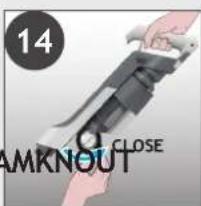
text_image
14 AMKNOUT CLOSE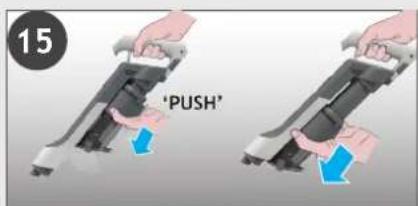
text_image
15 'PUSH'5. ÚDRŽBA VYSAVAČE 5.4 ČIŠTĚNÍ PODLAHOVÉ HUBICE
CZ
flowchart
graph LR
    A["1: Pinning"] --> B["2: 3: 4: Assembly"]
    B --> C["3: Assembly with Ctrl/Arrow"]
    C --> D["5: Assembly with Arrow"]
    D --> E["6: Final Assembly with Arrow"]
natural_image
Two mechanical components with blue arrows pointing to circular features, no visible text or symbols4

natural_image
Diagram showing a device with an eye interacting with a screen, and a magnified inset of the screen (no text or symbols present)5
text_image
1 2 'CLICK' 36
natural_image
Diagram showing light rays interacting with a pen and two circular objects, no text or symbols present7
text_image
'CLICK' ① ② 'PUSH' → 'PUSH'6. ŘEŠENÍ POTÍŽÍ
text_image
A C B D E F G H J K L I M O R P N Q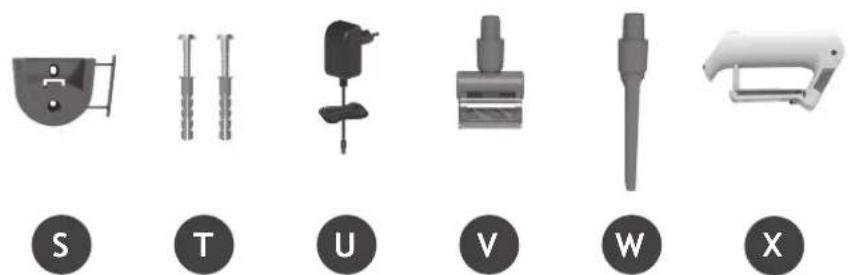
text_image
S T U V W X2. PRIPRAVA VAŠEGA SESALNIKA
Odstranite vse dele izdelka iz embalaže in sestavite svoj sesalnik.
-
KORAK: Cev namestite na nastavek za tla.
-
KORAK: Namestite enoto držala za roke na cev.
text_image
1 CLICK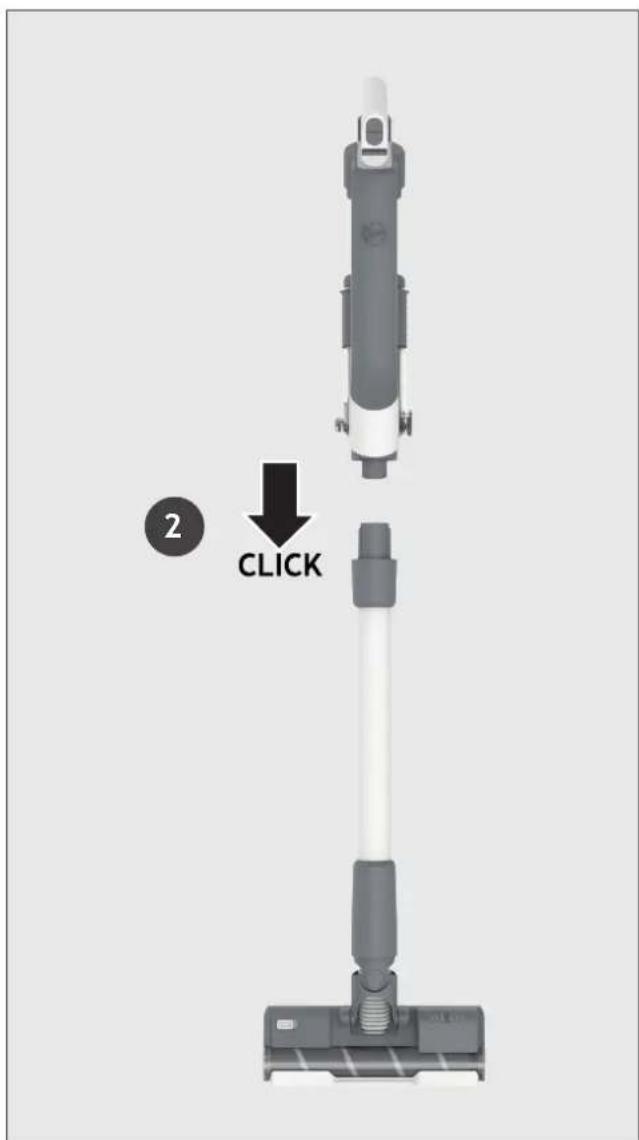
text_image
2 CLICKPriložili smo stenski nosilec za dodatno shranjevanje.
natural_image
Illustration of a vacuum cleaner with three accessories and a shelf view (no text or symbols)3. POLNJENJE BATERIJE
SI
text_image
Diagram showing two connected electrical connectors with labeled parts and green arrows indicating connection points.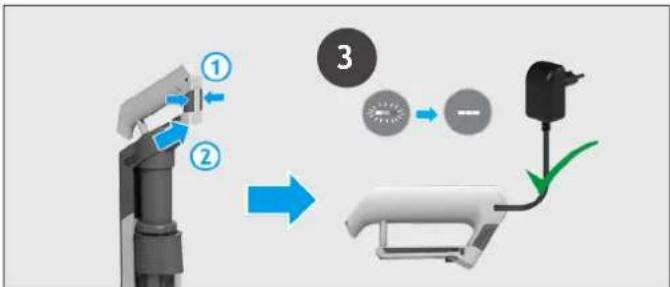
flowchart
graph TD
    A["Robot Arm"] -->|①| B["Battery"]
    B -->|②| C["Switch"]
    C --> D["Motor Battery"]
    D --> E["Ground"]
natural_image
Three identical mechanical devices with black circular indicators, shown from different angles (no text or symbols)4.1 STANDARDNI NAČIN (STICK MODE)
SI
text_image
ULTRA COMPACT x35. VZDRŽEVANJE SESALNIKA
5.2 PRAZNJENJE POSODE ZA PRAH
text_image
Diagram illustrating a cleaning or anti-dyeing process with labeled components and directional arrows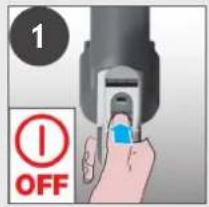
text_image
1 OFF
text_image
2 'PUSH'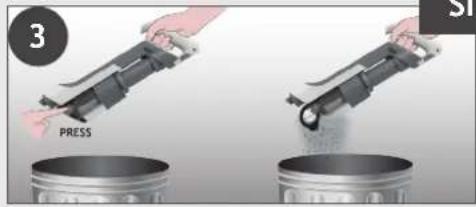
text_image
3 PRESS SI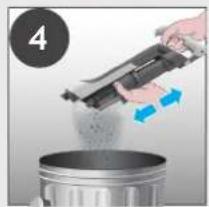
natural_image
Person pouring liquid from a mechanical device into a metal container (no text or symbols visible)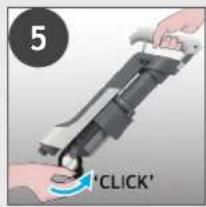
text_image
5 'CLICK'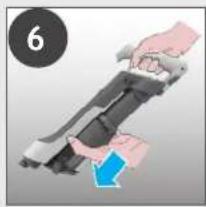
natural_image
Illustration of hands holding a device with a blue arrow indicating motion (no text or symbols)5. VZDRŽEVANJE SESALNIKA
5.3 ČIŠČENJE FILTRA IN POSODE
text_image
4 OCKLEXITEO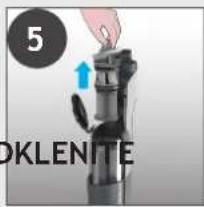
text_image
5 OKLENITE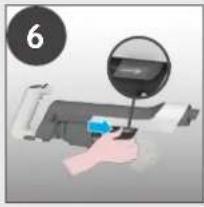
natural_image
Hand using a computer to press or install a printer, with a magnified inset showing the printer's screen (no text or symbols visible)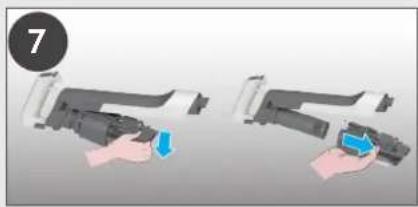
natural_image
Two-step illustration of a hand holding a device, showing the process with a blue clip and a blue handle (no text or symbols)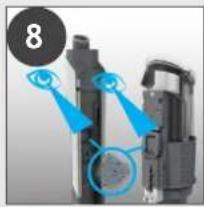
natural_image
Close-up of a mechanical device with blue highlighted components and a numbered circle (8) in the top-left corner, no visible text or symbols.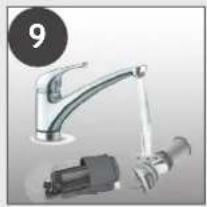
natural_image
Product photo of a kitchen sink with faucet, mechanical component, and bulb (no visible text or symbols)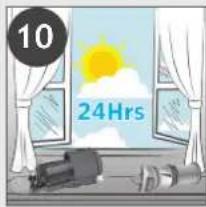
text_image
10 24Hrs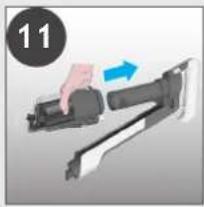
natural_image
Illustration of a hand holding a mechanical device with a blue arrow indicating motion (no text or symbols)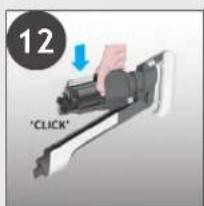
text_image
12 "CLICK"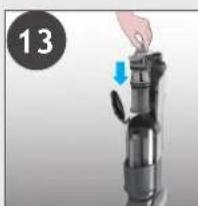
natural_image
Hand placing a component into a device with a blue arrow indicating motion (no text or symbols visible)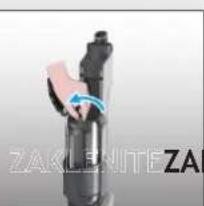
natural_image
Close-up of a mechanical device with blue motion arrow and partial text 'ZAKLEJTE ZAI' visible (no readable document text or symbols)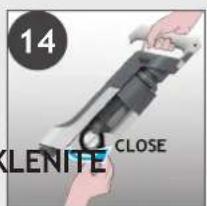
text_image
14 OLENITE CLOSE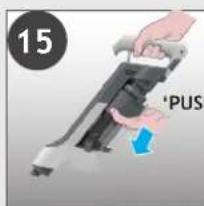
text_image
15 'PUS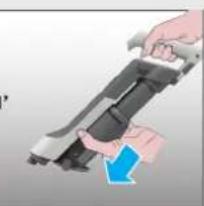
natural_image
Illustration of a hand holding a mounted weapon with a blue arrow indicating motion (no text or symbols)5. VZDRŽEVANJE SESALNIKA
5.4 OČISTITE ŠOBO ZA TLA
Zahvaljujoč ANTI-TWIST sistemu (sistem za preprečevanje ovijanja) ima vaš sesalnik Hoover vgrajen glavnik, ki radikalno zmanjša ovijanje las okoli krtače. Če pa sesalnik ne pobira umazanije učinkovito, je morda treba očistiti krtačo.
flowchart
graph LR
    A["1: Disassembly"] --> B["2: 3: 4: Assembly"]
    B --> C["3: Assembly"]
    C --> D["5: Assembly with Arrow"]
    D --> E["6: Final Assembly with Step 1"]
5. VZDRŽEVANJE SESALNIKA
5.6 BLOKADE
natural_image
Two mechanical components with blue arrows pointing to circular features, no visible text or symbols4
text_image
Diagram illustrating eye targeting mechanism with labeled components and directional arrow5
text_image
'CLICK'6
text_image
Diagram illustrating eye targeting with labeled components and directional arrows, including a pen and cellular structures.7
flowchart
graph LR
    A["Start: Click brush"] --> B["Step ①: Push"]
    B --> C["Step ②: Insert brush"]
    C --> D["Step ③: Pull-in brush"]
    D --> E["Step ④: Cut brush"]
    E --> F["End: Close brush"]
6. ODPRAVLJANJE TEŽAV
text_image
A C B D E F G H J K L I M O R P N Q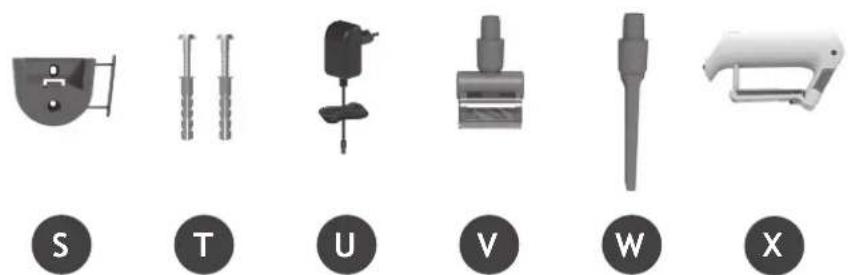
text_image
S T U V W X2. SÜPÜRGENİZİN HAZIRLANMASI
natural_image
Product line drawings of various cleaning and vacuum cleaner components (no text or symbols)3. PILIN DEĞİŞTIRILMESI
TR
text_image
Diagram showing two connected components with labeled parts, likely illustrating a cable or connector assembly.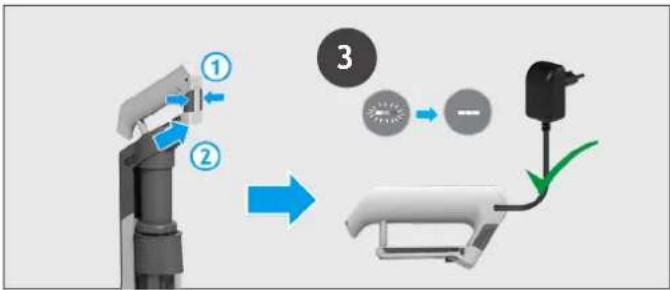
flowchart
graph TD
    A["Robot Arm"] -->|①| B["Battery"]
    B -->|②| C["Switch"]
    C -->|③| D["Battery"]
    D --> E["Electric Battery"]
natural_image
Three identical mechanical devices with black circular indicators, shown from different angles (no text or symbols)text_image
1 "PUSH" 2 *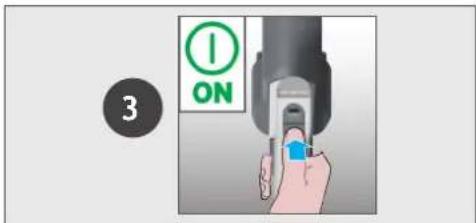
text_image
3 ON4.2 ZEMİN ÜSTÜ MOD / EL ÜNİTESİ MODU
Kontrol ayarları:
text_image
ULTRA COMPACT x35. TEMİZLEYİCİNİZİN BAKIMI
5.2 TOZ HAZNESİNİ BOŞALTMA
natural_image
Close-up of a mechanical device with a hand pressing a button, showing motion arrows (no text or symbols)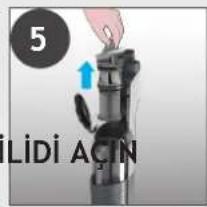
text_image
5 Lidi Actin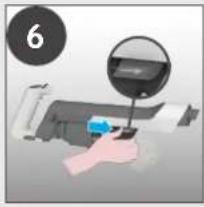
natural_image
Hand holding a printer with a magnified inset showing the printer's lens (no text or symbols visible)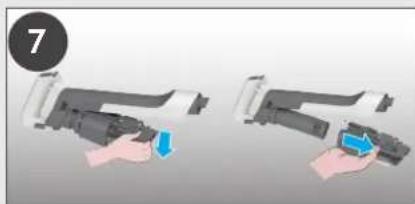
natural_image
Two-step illustration of a hand holding a device, showing the process with blue arrows indicating action (no text or symbols)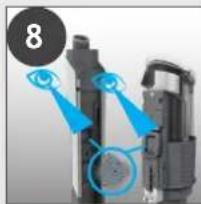
natural_image
Close-up of a mechanical device with blue highlighted components and a numbered circle (8) in the top-left corner, no visible text or symbols.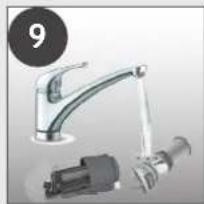
natural_image
Product photo of a stainless steel faucet with a mechanical component (no visible text or symbols)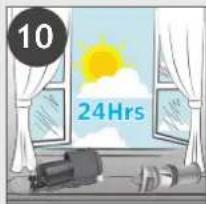
text_image
10 24Hrs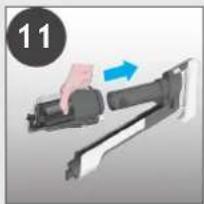
natural_image
Illustration of a hand holding a mechanical device with an arrow indicating motion (no text or symbols)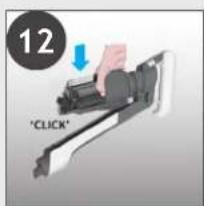
text_image
12 "CLICK"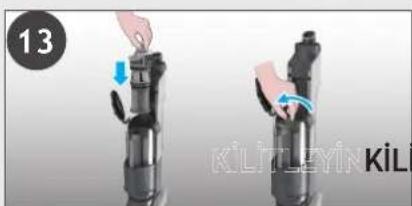
natural_image
Two-step diagram showing a hand holding a device with blue arrows indicating motion (no text or symbols)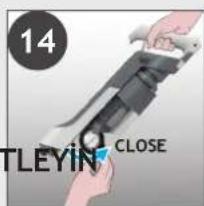
text_image
14 TLEYIN CLOSE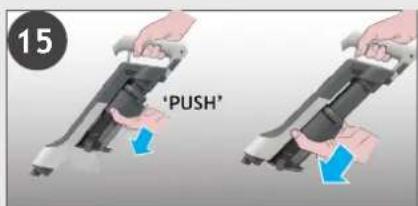
text_image
15 'PUSH'5. TEMİZLEYİCİNİZİN BAKIMI 5.4 ZEMİN BAŞLIĞINI TEMİZLEYİN
flowchart
graph LR
    A["1: Hand press"] --> B["2: 3: 4: Screw"]
    B --> C["3: Hand press"]
    C --> D["5: Screw with blue tip"]
    D --> E["6: Close-up lever with blue handle"]
5. TEMİZLEYİCİNİZİN BAKIMI
5.6 TIKANIKLIKLAR
natural_image
Two mechanical components with blue arrows pointing to circular features, no visible text or symbols4
natural_image
Diagram of a mechanical assembly with a blue arrow pointing to a component and a magnified inset showing a circular detail (no text or symbols)5
text_image
1 2 'CLICK' 36
text_image
Diagram illustrating eye targeting with labeled components and directional arrows, including a pen-like object and cellular structures.7
flowchart
graph LR
    A["Start: Click brush"] --> B["Step ①: Push"]
    B --> C["Step ②: Insert brush"]
    C --> D["Step ③: Pull-in brush"]
    D --> E["Step ④: Release brush"]
    E --> F["End: Close brush"]
natural_image
Diagram showing two mechanical components with blue arrows pointing to circular features, no text or symbols present4
natural_image
Diagram showing a device with an eye interacting with a screen, no text or symbols present5
text_image
'CLICK'6
text_image
Diagram illustrating eye targeting with labeled components and directional arrows, including a pen and circular insets showing cellular structures.7
flowchart
graph LR
    A["Start: Click brush"] --> B["Step ①: Push"]
    B --> C["Step ②: Insert brush"]
    C --> D["Step ③: Pull-in brush"]
    D --> E["Step ④: Release brush"]
The image contains no text or characters.
text_image
'CLICK'The image contains no text or characters. Therefore, the correct OCR output is an empty string.
natural_image
Hand holding a camera lens with a blue arrow indicating motion (no text or symbols visible)The image contains no text or characters.
natural_image
Illustration of a robotic arm with an eye and a battery, no text or symbols present●
natural_image
Modern kitchen faucet with a drain releasing water (no text or symbols visible)6

text_image
24Hrs7
natural_image
Hand holding a tool next to a mechanical component (no visible text or symbols)8
natural_image
Illustration of a hand holding a flashlight with a 'CLICK' button, no text or symbols present- صيانة جهاز التنظيف
natural_image
Close-up of a mechanical component with a cylindrical shaft and flange (no visible text or symbols)The image is too blurry to recognize any text content.
natural_image
Hand holding a mechanical component with a blue curved arrow indicating rotation (no text or symbols visible)The image is too blurry to recognize any text content.
natural_image
Diagram showing a black cylindrical object being cut with scissors, resulting in a twisted spiral (no text or symbols)5
natural_image
Illustration of a blue laser beam projecting onto a mechanical component (no text or symbols)6
text_image
Diagram showing a hand holding a mechanical component with numbered parts and directional arrows indicating motion or force.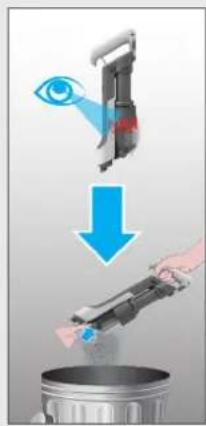
text_image
Diagram illustrating a cleaning process with eye, eye, and trash can being cleaned into a trash bin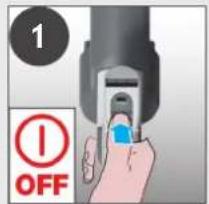
text_image
1 OFF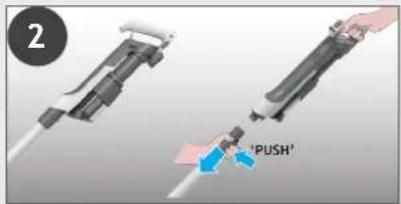
text_image
2 'PUSH'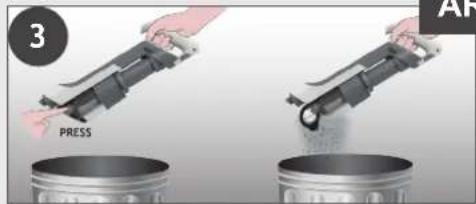
text_image
3 PRESS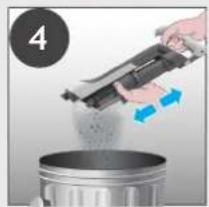
natural_image
Person pouring liquid from a mechanical device into a metal container (no text or symbols visible)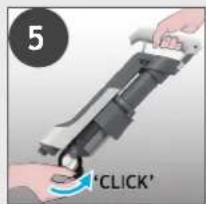
text_image
5 'CLICK'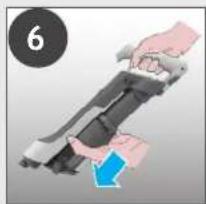
natural_image
Illustration of a hand holding a device with a blue arrow indicating motion (no text or symbols)natural_image
Close-up of a hand pressing down on a mechanical device with a blue arrow indicating motion (no text or symbols visible)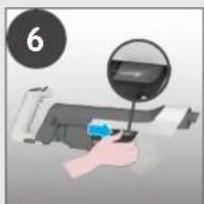
natural_image
Hand holding a device with a magnified inset showing a screen (no text or symbols visible)
natural_image
Two-step illustration of a hand holding a device, showing the process with a blue arrow and a numbered circle (no text or symbols)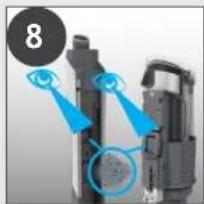
natural_image
Close-up of mechanical components with blue arrows pointing to features (no visible text or symbols)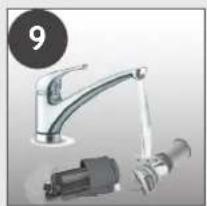
natural_image
Product photo of a stainless steel faucet with attached electrical connector (no visible text or symbols)
text_image
10 24Hrs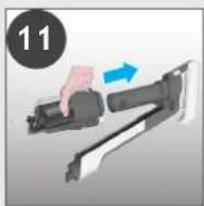
natural_image
Hand holding a firearm with a blue arrow indicating motion (no text or symbols)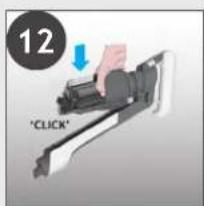
text_image
12 "CLICK"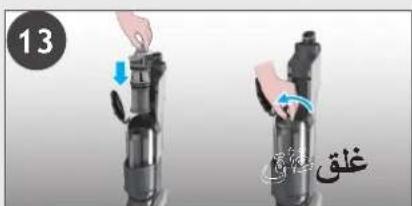
text_image
13 ègè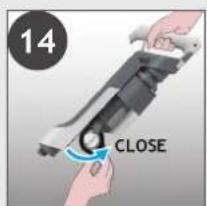
text_image
14 CLOSE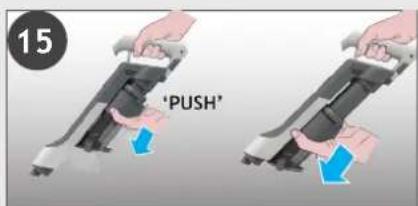
text_image
15 'PUSH'إعدادات التحكم:
text_image
ULTRA COMPACT x3- صيانة جهاز التنظيف
natural_image
Simple line drawing of a handheld device with a star symbol in the corner (no text or labels)3
text_image
ONnatural_image
Mechanical assembly diagram showing a linkage mechanism with no visible text or symbols
natural_image
Close-up of a mechanical device with a magnified inset showing a detail (no visible text or symbols)3
text_image
ONtext_image
Diagram showing two connected electrical connectors with labeled parts and green arrows indicating connection points.natural_image
Three identical mechanical devices with black connectors, shown in a row (no text or symbols visible)natural_image
Product line drawings of a vacuum cleaner, showing front, side, and interior views (no text or symbols)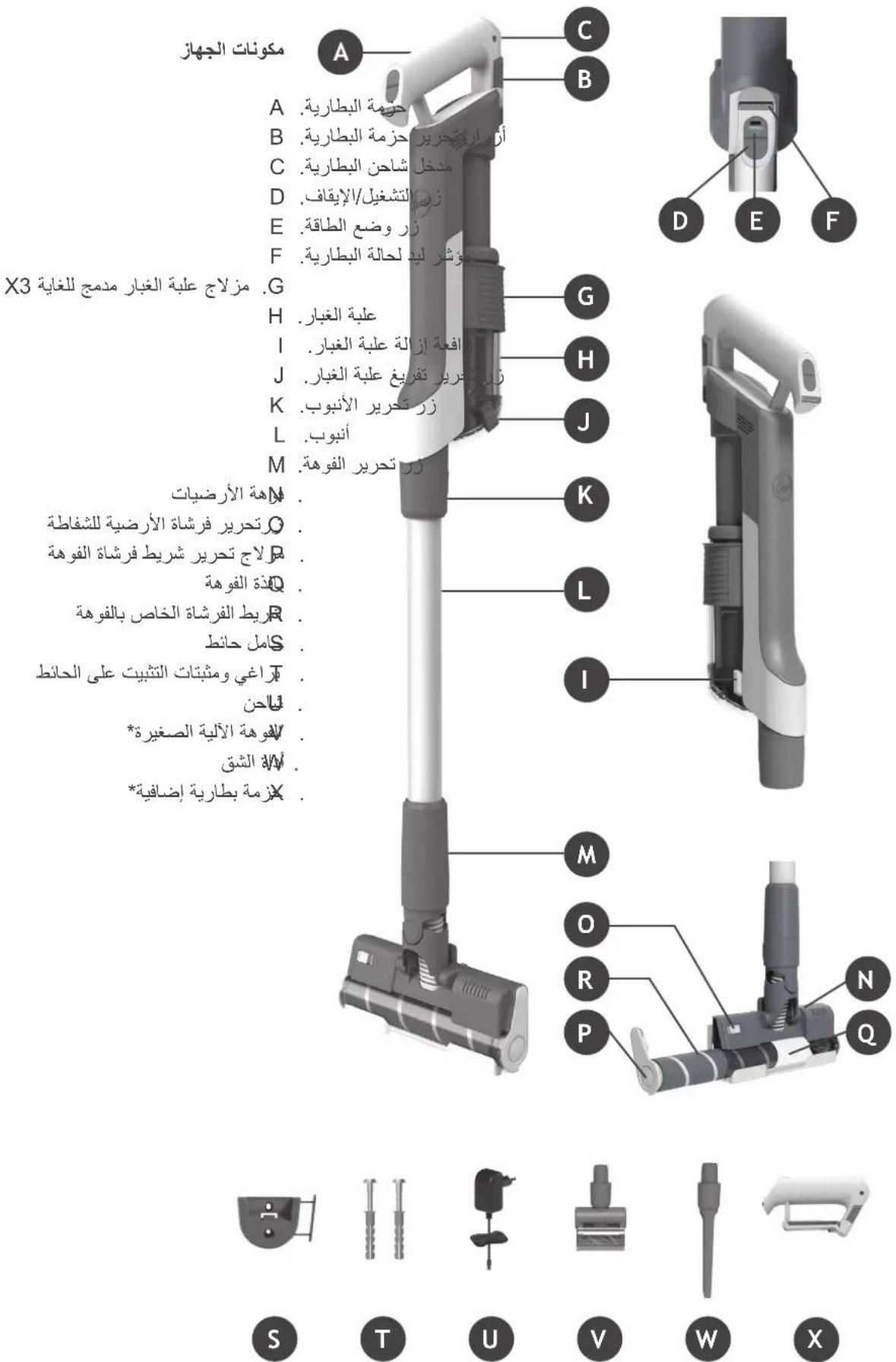
| Manufacturer Name | Dongguan Guanjín Electronics Technology Co., Ltd. |
| Manufacturer Address | Block 16 Qiantou New industrial Park, Niushan, DongchengDistrict,Dongguan City,Guangdong Province, China |
| Model | K12B176070B/K12B176070G |
| Input Voltage | 100-240V- |
| Input AC Frequency | 50/60 Hz |
| Output Voltage | 17.6V DC |
| Output Current | 0.7 A |
| Output Power | 12.3 W |
| Average Active Efficiency | 83.1% |
| Efficiency at load 10% | 79.0% |
| No-Load Power Consumption | 0.10 W |