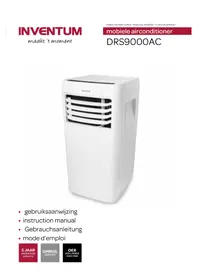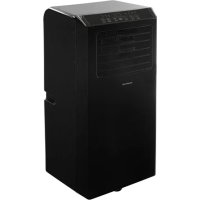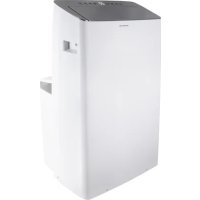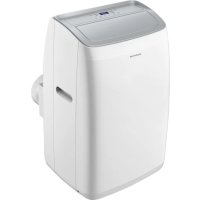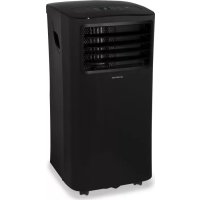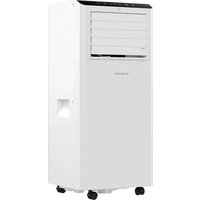
AC702W - Air Conditioning INVENTUM - Free user manual and instructions
Find the device manual for free AC702W INVENTUM in PDF.


| Product type | Portable monobloc air conditioner |
| Dimensions (H x W x D) | 675 x 290 x 295 mm |
| Net weight | 19.6 kg |
| Power supply | 220-240 V ~ 50 Hz |
| Connected power | 1100 W |
| Cooling capacity | 7000 Btu/h (2.6 kW) |
| Energy class | A |
| EER | 2.6 |
| Refrigerant | R290 (125 g) |
| Temperature range | 18 °C to 32 °C |
| Max dehumidification | 0.54 L/h |
| Max airflow | 320 m³/h |
| Recommended area | Up to 60 m³ (approx. 24 m²) |
| Max noise level | 65 dB(A) |
| Functions | Cooling, dehumidification, ventilation (air circulation) |
| Fan speeds | 2 (high and low) |
| Timer | Delayed start and automatic stop (programmable up to 24 h) |
| Remote control | Yes (range 7 m, AAA batteries included) |
| Air filter | Washable with warm water, weekly cleaning recommended |
| Condensation drainage | Manual or continuous (12.7 mm hose provided) |
| Protection index | IPX0 |
| Warranty | 5 years (according to conditions) |
Frequently Asked Questions - AC702W INVENTUM
User questions about AC702W INVENTUM
0 question about this device. Answer the ones you know or ask your own.
Ask a new question about this device
Download the instructions for your Air Conditioning in PDF format for free! Find your manual AC702W - INVENTUM and take your electronic device back in hand. On this page are published all the documents necessary for the use of your device. AC702W by INVENTUM.
USER MANUAL AC702W INVENTUM
natural_image
White Invenetum air conditioner unit with wheels and ventilation slots (no visible text or symbols on device body)- safety instructions page 21
- product description page 29
- prior to first use page 30
- operation of the air conditioner page 32
- tips for efficient use page 34
- draining condensation water page 34
- cleaning & maintenance page 35
- problems and solutions page 36
- technical specifications page 36
General terms and conditions of service and warranty page 76
Deutsch
KOELMIDDEL
natural_image
Product line showing six different items: a cylindrical fan, square holder, circular holder, spool, and plastic bag (no text or symbols visible)natural_image
Pure diagram of a pipe connection with no text, numbers, or symbolsHET INSTALLEREN VAN DE LUCHTAFVOERSLANG
INSTALLATIE VAN DE RAAMAFDICHTINGSSET
natural_image
Close-up of a hand cleaning a wooden window frame (no text or symbols visible)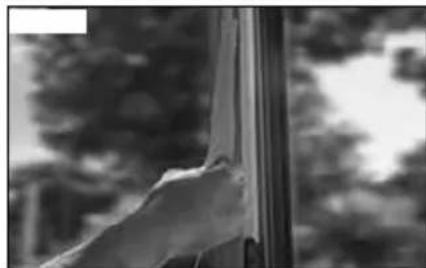
natural_image
Black-and-white photo of a hand reaching toward a window with blurred trees in the background (no text or symbols visible)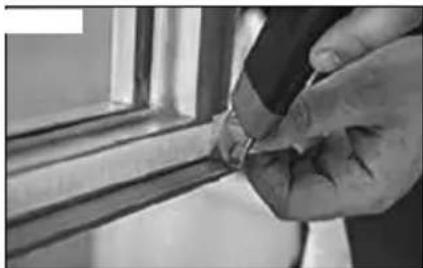
natural_image
Close-up of a hand holding a small object near a window frame (no visible text or symbols)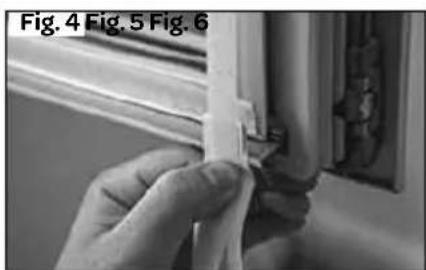
natural_image
Close-up of hands holding a thin strip, no visible text or symbols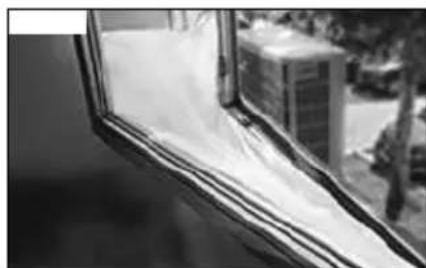
natural_image
Close-up of a window with plastic wrap and a building in the background (no visible text or symbols)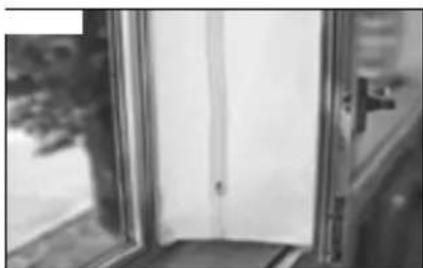
natural_image
Black and white photo of a window with a door, showing partial view from left and right (no text or symbols visible)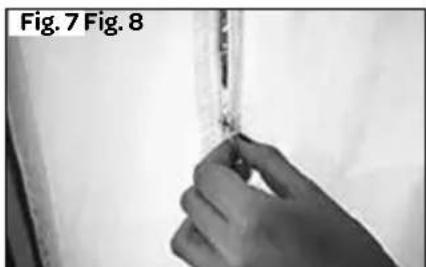
natural_image
Close-up of a hand holding a small object, labeled Fig. 7 and Fig. 8 (no other text or symbols visible)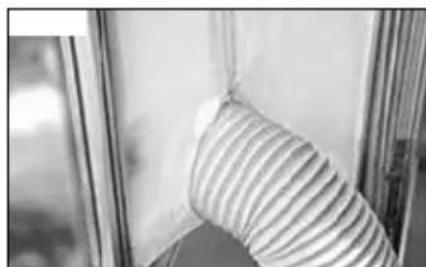
natural_image
Close-up of a striped fabric or cushion being held by a window frame (no text or symbols visible)natural_image
Illustration of a vertical air conditioner unit with a checkmark symbol (no text or labels)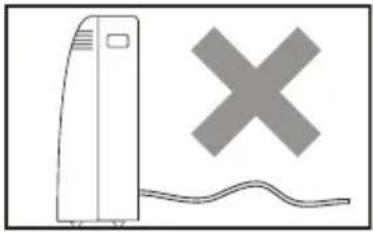
natural_image
Simple line drawing of a vertical device with a cross symbol above it, next to a wavy line (no text or labels)1 safety instructions
- First carefully read the instruction manual in full prior to using the appliance and store the manual in a safe place for future reference.
- Do not use agents that accelerate the defrosting process or other cleaning agents than those recommended by the manufacturer.
- Store the appliance in a room without any continuously active ignition sources (e.g. an open flame, switched on gas appliance or switched on electric heating appliance).
- Do not drill through or burn.
- Caution, certain refrigerants do not have an odour.
- Install, use and store the appliance in a room with a floor surface of at least 7m^2 (for 7000Btu/h).
- Only install this appliance when it complies with local/national legislation and standards.
IMPORTANT
- This appliance is intended for use as an air conditioner in houses and is only suitable for indoor use in living rooms, kitchens and garages on dry locations, under normal domestic circumstances.
- Never use the appliance with a damaged cord or plug. Never clamp the cord and avoid contact with sharp edges.
- The installation should fully correspond with the locally applicable regulations, conditions and standards.
- The appliance is only suitable for use on dry locations, indoors.
- Check the mains voltage.
- This appliance is only suitable for an earthed socket, connection voltage 220-240 Volt/ \~50 Hz.
- The appliance MUST always be connected in an earthed condition. If the power supply is not earthed, it is absolutely not permitted to connect the appliance.
- The plug must always be easily accessible when the appliance is connected.
•Always transport the appliance in a straight position and place it on a stable, flat surface during use. If the appliance has been transported in a lying position, leave it to rest in a straight position for 6 hours before inserting the plug in the socket.
- Have the electrical system checked by a recognised expert if you are not certain that everything is in order.
• Install the appliance on a sturdy, flat floor that is strong enough to carry a weight of up to 50 kg. Installation on a weak or uneven floor could result in damage to your properties or personal injury.
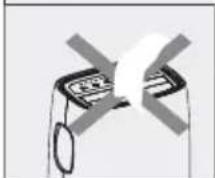
- Never cover the air inlets and outlets.
- Empty the water reservoir via the water drain point, before moving the appliance.
- Never allow the appliance to come into contact with chemicals.
- Do not insert fingers or objects in the openings of the appliance.
- Never allow the appliance to come into contact with water. Do not spray the appliance with water or submerge it in water to prevent short-circuiting.
- Always first remove the plug from the socket before the appliance or a part thereof must be cleaned or replaced.
- NEVER connect the appliance using an extension cord. If there is no earthed socket available, have one installed by a recognised electrician.
- For reasons of safety, always be careful when there are children near this appliance, same as with any other electrical appliance.
- Do not use the appliance if the plug, cord or appliance are damaged, or if the appliance no longer functions properly or if it is damaged in any other way. If this is the case, consult the retailer or our maintenance service. Never replace the plug or cord yourself.
- Always remove the plug from the socket when the appliance is not being used.
- Only have a damaged electricity cord replaced by the supplier or an authorised person/service point.
- Keep the appliance out of reach of children. Children do not see the dangers associated with handling electrical appliances. Therefore, never allow children to operate electrical appliances without supervision. Keep the appliance and cord out of reach of children younger than 8 years of age.
- The appliance can be used by children of 8 years and older and by persons with limited physical, sensory or mental capacities or lack of experience or knowledge, provided they use the appliance under supervision or have been instructed about its safe use and understand the hazards it may involve.
• Children must not play with the appliance.
- The appliance must not be cleaned or maintained by children, unless this is done under supervision.
CAUTION!
- Never close the room where this appliance is used in such a way that it is fully airtight. This prevents vacuum from being created in this room. Negative pressure (=vacuum) could disrupt the safe operation of geysers, extractor hoods, ovens, etc.
- Non-observance of the instructions could invalidate the warranty on the appliance.
• Always lift the appliance with two persons.
• Always make sure the appliance is placed on an sturdy, flat surface.
- Do not leave the appliance unsupervised when it is working.
- If you want to move the appliance, make sure the appliance is switched off. Use both hands when moving the appliance.
- Never use the appliance with components that are not recommended or supplied by the manufacturer.
- Do not pull the cord and/or appliance to remove the plug from the wall socket. Never touch the appliance with wet or damp hands.
- If the appliance does not function after it has been switched on, it is possible that the fuse or earth leakage circuit breaker has been activated in the electrical distribution box. The group may be overloaded or an earth leakage current may have occurred.
- In case of a breakdown, never make repairs yourself; a tripped safety device in the appliance could indicate a defect that cannot be remedied by removing or replacing this safety device. Only original parts should be used.
- Never submerge the appliance, cord or plug in water.
- This appliance is only suitable for household use. If the appliance is not used as intended, no compensation can be claimed in case of defects or accidents and the warranty will be invalidated.
- If you decide not to use the appliance any more due to a defect, we recommend cutting off the cord after removing the plug from the socket.
WARNING
Specific information for appliances with R290 refrigerant gas.
• Thoroughly read all warnings.
- When defrosting and cleaning the appliance, only use tools recommended by the manufacturer.
- Place the appliance in a room without any continuously active ignition sources (e.g. an open flame, switched on electric or gas appliance).
- Do not drill through or burn.
• Install, use and store the appliance in a room with a floor surface of
at least 7 m ^4 .
- This appliance contains 125 grams of R290 refrigerant gas (see the information plate at the rear of the appliance).
- R290 is a refrigerant gas that is in accordance with the European environmental directives. Never drill through any part of the cooling circuit.
- If the appliance is installed, operated or stored in a room without ventilation, the room should be made in such a way that accumulation of refrigerant as a result of a leak is prevented.
This could lead to a fire or explosion hazard due to the ignition of the refrigerant by an electric heating appliance, stove or other ignition source.
- Store the appliance in such a way that mechanical failures are prevented.
- Persons operating or working at the cooling circuit, must be in the possession of a suitable certificate from an authorised organisation, so that these persons are authorised to handle refrigerants in a safe way in accordance with the specifications that apply within the industry.
- Repairs may only be performed as recommended by the manufacturer of the appliance. Maintenance and repairs that require assistance from other trained personnel, must be performed under the supervision of a person who knows how to use combustible refrigerants.
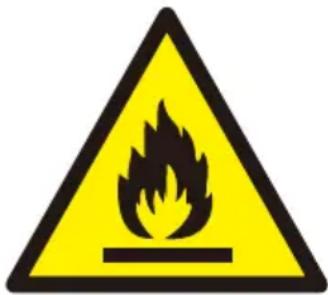
REFRIGERANT
(CE) N 842/2006: This air conditioner contains the refrigerant R290.
The quantity of refrigerant is less than 1 kg and is contained in a closed cooling circuit.
The refrigerant does not have an ozone depletion potential. It is, however, a greenhouse gas according to the Kyoto protocol and could therefore contribute to global warming when released into the atmosphere. Only trained technicians with a suitable refrigerant certificate are permitted to fill or empty the appliance.
If used correctly and when the refrigerant circuit is undamaged, your air conditioner does not have to be refilled with refrigerant. GWP: R290: 3.
Specific information for appliances with R290/R32 refrigerant gas
- Carefully read all warnings.
- When defrosting and cleaning the appliance, do not use other tools than those recommended by the manufacturer.
- Place the appliance in a room with no ignition sources (you could think of: open fire, gas appliances or electric appliances that could cause sparks).
- Do not drill through and do not burn.
• Refrigerant gases can be odourless.
- The appliance must be installed, used and stored in a room that is larger than 7m^2 .
- R290/R32 is a refrigerant gas that complies with the European environmental directives. Never drill through any part of the cooling circuit.
- When installing, using or storing the appliance in an non-ventilated room, the room must be designed in such a way that leaking refrigerant gas cannot accumulate. This can prevent the occurrence of fire or explosions due to the ignition of the refrigerant gas by electric stoves, burners or other ignition sources.
- Store the appliance in such a way that no mechanical defects can occur.
- Persons working at or with the refrigerant circuit should have the correct certification issued by a recognised organisation that guarantees expertise in the handling of refrigerants in accordance with specific certification agreements in the industry.
• In the event of repairs, always observe the recommendations from the manufacturer.
- Maintenance and repair activities that require assistance from other qualified personnel, must be performed under the supervision of a person who is certified in the handling of combustible refrigerants.
- Do not use agents to accelerate the defrosting process or clean than those recommended by the manufacturer.
- The appliance should be stored in a room with no continuously active ignition sources (such as: open fire, an operating gas appliance or an operating electric heater).
- Do not drill through or burn.
• Take into account that refrigerants can be odourless.
• Always observe national laws and legislation.
- Do not block the ventilation holes.
- Store the appliance in such a way that no mechanical damages can be caused.
- Apply a warning that the appliance should be stored in a properly ventilated room, the dimensions of which correspond with the space specified for use.
- All persons involved with working at or dismantling a refrigerant circuit, must be in possession of a valid certificate by an evaluating body recognised by the industry, showing their competence in safely handling refrigerants in accordance with recognised certification agreements in the industry.
- Maintenance may only be performed in accordance with the recommendations from the manufacturer of the equipment.
- Maintenance and repair activities that require assistance from other qualified personnel, must be performed under the supervision of a competent person who is certified in the handling of combustible refrigerants.
- The appliance must be installed, used and stored in a room with a floor area of more than 7m^2 .
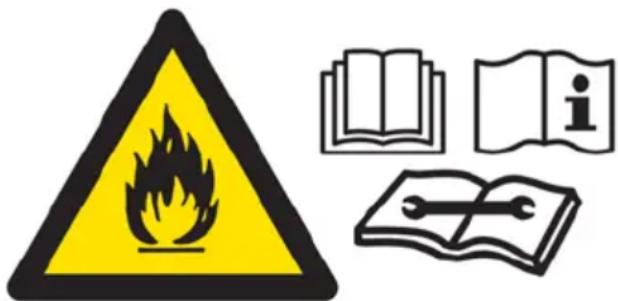
WARNING: This system contains refrigerant under very high pressure. The system may only be maintained by qualified personnel.
1. Transport of equipment containing combustible refrigerants (Appendix CC.1)
Observe the transport instructions.
2. Marking equipment with signs (Appendix CC.2)
Observe local regulations.
3. Disposal of equipment containing combustible refrigerants (Appendix CC.3)
Observe national regulations.
4. Storage of equipment/appliances (Appendix CC.4)
Store equipment in accordance with instructions from the manufacturer.
5. Storage of packaged (unsold) equipment (Appendix CC.5)
The storage packaging must have such a sturdy design that no refrigerant can start to leak when the equipment is mechanically damaged in the packaging.
Local regulations determine the maximum number of appliances that can be stored in one room.
6. Information about maintenance (Appendix DD.3)
1) Check the surrounding area
Prior to working at systems containing combustible refrigerants, safety checks are required to make sure that the risk of ignition is limited to a minimum. When repairing cooling systems, take the following precautions before performing work at the system.
2) Working procedure
Perform work in accordance with a regulated procedure to minimize the risk of released combustible gases or vapours during the work.
3) General work area
Inform all maintenance personnel and others working in the vicinity of the nature of the work to be performed. Avoid working in enclosed spaces. Demarcate the area around the workplace. Make sure the work area is safe by checking for the presence of combustible material and ignition sources.
4) Check for the presence of refrigerant
Check the area prior and during the work with a suitable refrigerant detector, which will warn the technician for the presence of possibly combustible ambient air. Only use leak detection equipment that is suitable for use with combustible refrigerants, i.e. free from sparks, adequately guarded or intrinsically safe.
5) Keep a fire extinguisher within reach
If hot work must be performed at cooling equipment or related parts, suitable extinguishing agents should be present within reach. Immediately next to the filling area, mount a powder extinguisher or CO2 extinguisher.
6) Keep ignition sources at a distance
Anyone performing work at a cooling system whereby pipes (once) containing combustible refrigerant are laid bare, may not use ignition sources that could cause a fire or an explosion. Keep all possible ignition sources, including lighted cigarettes, sufficiently far removed from the place of installation, repair or disposal, where combustible refrigerant could be released in the environment.
Check prior to performance of the work that there are no combustible materials or ignition sources in the area around the equipment.
Hang warning signs with the text "Smoking prohibited".
7) Provide ventilation
Work in the open air or ensure that the work area is sufficiently ventilated before you open the system or perform hot work.
Continuously ensure sufficient ventilation during the performance of the work. The ventilation should blow away any released refrigerant to a safe place and preferable discharge it to the outdoor air.
8) Check the cooling equipment
Replace electric components only by equivalent parts that meet the correct specifications. Always observe the manufacturer's guidelines for maintenance and repair. In case of doubt, contact the technical support service of the manufacturer for support.
Check installations using combustible refrigerants regarding the following:
- The filling volume should correspond with the dimensions of the room in which the refrigerant containing components are installed;
- The ventilation equipment and exhausts should work properly and may not be blocked.
- If an indirect cooling circuit is being used, the secondary circuit must be checked for the presence of refrigerant;
- All markings on the equipment must be visible and legible. Repair in advance all markings and signs that have become illegible;
- Cooling pipes and components containing refrigerant must be installed in such a way that they are unlikely exposed to substances that may affect them, provided the components are not made of materials that are inherently resistant to corrosion or are adequately protected against corrosion.
9) Check electrical appliances
In the event of repair and maintenance of electrical components, always first check them for safety and observe the inspection procedures for the components. If there is a failure that could jeopardise safety, no electrical power supply may be connected to the circuit before this failure has been resolved. If the failure cannot immediately be resolved, but the appliance must remain operational, a suitable temporary solution must be achieved. Always report this to the owner of the equipment, so that all involved parties are informed.
Safety checks in advance include:
- Discharging condensers: this should be done in a safe way to prevent the creation of sparks;
- Check that there are no live electrical components and wires lying bare when filling, draining or flushing the system;
- Check that the continuity of the earthed connections is guaranteed.
7. Repairs to guarded components (Appendix DD.4)
1) When performing repairs to guarded components, disconnect all electrical power supplies from the equipment being work on, before removing the cover plates, etc.. If it is absolutely necessary to keep the power supply switched on during maintenance to
the equipment, a permanently active leak detector should be installed at the most critical point to warn for the occurrence of possibly hazardous situations.
2) Pay extra attention to the following, to make sure that the housing is not changed in such a way during work at electrical components that the protection level is affected.
You could think of damaged cables, making too many attachments per connection, clamps that do not meet the original specifications, damaged seals, incorrect assembly of gaskets, etc.
Make sure the equipment is firmly attached.
Check that seals and sealing materials are still sufficiently able to prevent penetration of combustible ambient air. Only use replacement parts that meet the manufacturer's specifications.
CAUTION: The use of silicone containing sealing agents could disrupt the operation of some types of leak detection equipment.
Intrinsically safe components do not have to be disconnected before working at them.
8. Repairs to intrinsically safe components (Appendix DD.5)
Do not connect permanently inductive or capacitive loads to the circuit without checking if the allowed voltages and currents for the equipment used are exceeded as a result.
Intrinsically safe components are the only types of component at which you are allowed to work while they are live in the presence of flammable ambient air. Only use test equipment with the correct certifications.
Only replace components by parts that correspond with the manufacturer's specifications. The use of deviating parts could cause fire when refrigerant escapes to the ambient air as a result of a leak.
9. Cables (Appendix DD.6)
Check that the cables are not exposed to wear, corrosion, excessive pressure, vibrations, sharp edges or other negative ambient influences. When checking, also consider the consequences of ageing and constant vibration of compressors or fans.
10. Detection of combustible refrigerants (Appendix DD.7)
Never use potential ignition sources when looking for or tracing refrigerant leaks. Do not use a halogen lam (or any other detector with an open flame).
11. Leak detection methods (Appendix DD.8)
The following leak detection methods may be used for systems containing combustible refrigerants.
Preferably use electronic leak detectors to detect combustible refrigerants. Sometimes the sensitivity of such equipment is not sufficient, or they must be recalibrated. (Always calibrate detection equipment in a room that is free from refrigerant.) Check that the detector is not a potential ignition source and that it is suitable for the refrigerant used. Adjust the leak detection equipment at a percentage of the refrigerant's LFL (lower flammable limit) and calibrate the equipment to the refrigerant used and the correct gas percentage (maximum 25%).
Leak detection liquids are also suitable for use with most refrigerants, but avoid the use of chlorinated substances, as the chlorine could also react with the refrigerant and affect the copper piping.
If a leak is suspected, all open flames must be extinguished or removed.
If a refrigerant leak is found that requires soldering, all refrigerant should first be drained from the system, or the refrigerant should be isolated (by means of valves) in a section of the system away from the leak. Then flush the system with oxygen free nitrogen (OFN), both prior to and during the soldering process.
12. Draining and emptying (Appendix DD.9)
When opening a cooling circuit in order to perform repairs - as well as for all other purposes - the correct regulations and procedures should be observed at all times. In addition, always try to work as safely as possible, due to the flammability of the refrigerants. For that reason, always use the following procedure:
- Remove the refrigerant;
- Flush the circuit with inert gas;
- Empty the system;
- Flush once more with inert gas;
- Open the circuit by sawing or soldering.
Collect the refrigerant in a suitable storage container. Flush the system with OFN (oxygen free nitrogen) to make the system safe. It is possible that you must repeat this process a few times. Never use compressed air or oxygen to flush a system.
Flush the vacuum system by allowing OFN to flow into it and then fill the system with OFN until the operating pressure is achieved.
Then allow this to escape to the atmosphere and make the system vacuum again. Repeat this process until there is no more refrigerant in the system. After the last OFN flush, the system must be de-aerated to atmospheric pressure to make the work possible.
This is an absolute condition when soldering work has to take place at the piping.
Ensure that the exhaust of the vacuum pump is not in the vicinity of ignition sources and that the surrounding area is sufficiently ventilated.
13. Filling procedures (Appendix DD.10)
In addition to the standard procedures when filling, also observe the following requirements.
- When using the filling equipment, prevent different refrigerants from getting mixed. Hoses and pipes must be as short as possible to minimise the amount of refrigerant that they contain.
- Always place cylinders upright.
- Earth the cooling system before filling the system with refrigerant.
- Mark the system when it is filled (if this has not yet been done).
- Ensure the cooling system is not excessively filled.
Perform a pressure test with OFN (oxygen free nitrogen) before filling the system. Check the system for leaks after filling, but before commissioning. Always perform a final leak test before leaving the location.
14. Decommissioning (Appendix DD.11)
In order to perform this procedure, it is essential that the technician has fully familiarised himself with the equipment and all its
parts. It is always recommended to drain and dispose the refrigerants used safely. Prior to the work, always take an oil and refrigerant sample when reuse of the drained refrigerant requires prior analysis. It is essential to check whether there is a power supply present, before starting the work.
a) Familiarize yourself with the equipment and its operation.
b) Disconnect the electrical connection between the system nd the power supply.
c) Prior to starting the work, check that the following items have been met:
- All required mechanical provisions are present, e.g. to handle the refrigerant cylinders;
- All personal protective equipment is present and is used correctly;
- There is always a competent person present who supervises the draining process;
- All draining equipment and storage cylinders comply with the applicable standards.
d) Preferably pump empty the cooling system, if this is possible.
e) If pumping empty is not possible, use a suitable distributor to remove as much refrigerant as possible from the different sections of the system.
f) Place the cylinder on the weighing scale before draining starts.
g) Start the draining system and work in accordance with the manufacturer's instructions.
h) Never fill cylinders by more than is permitted. (Maximum 80% liquid volume).
i) Never exceed the maximum operating pressure of the cylinder, not even briefly.
j) When the cylinders are filled correctly and the process has been completed, immediately remove all cylinders and equipment from the location and close all valves of the equipment.
k) Never fill drained refrigerant in another cooling system, before cleaning and checking it.
15. Marks (Appendix DD.12)
Apply markings on the equipment stating that it has been decommissioned and that the refrigerant has been removed. Write the date on the marking, as well as your name. Apply markings on the equipment indicating that the equipment contains combustible refrigerant.
16. Draining (Appendix DD.13)
When removing refrigerant from a system, for maintenance or decommissioning, it is recommended to remove all refrigerants to a safe location. When draining refrigerant, only use cylinders that are suitable for storing refrigerant. Ensure there are sufficient cylinders available to store the entire volume of the cooling system. Only use cylinders that are suitable for storing the refrigerant to be drained and apply markings indicating which refrigerant they contain (i.e. use special storage cylinders). The cylinders must be complete, including properly functioning overpressure valves and valves. Pump empty storage cylinders empty and cool them, if possible, before gas is stored in them.
The draining system must be in a good condition and have a manual describing the equipment used, and must be suitable for collecting combustible refrigerants. In addition, a calibrated weighing scale should be available that is working correctly. All hoses should be provided with coupling that work correctly and are free from leaks. Prior to using the draining system, check that it is in a good conditions, well maintained and that all accompanying electrical components are sufficiently guarded to prevent ignition in the event of a refrigerant leak. In case of doubt, consult the manufacturer.
Hand in the collected refrigerant in the correct storage cylinder at the refrigerant supplier and ask for a receipt for the submitted waste materials. Do not mix refrigerants in the draining system and certainly not in the cylinders.
If compressors or compressor oils must be removed, first empty the appliance to a level at which no combustible refrigerant remains in the lubricant. Emptying should take place before the compressor is sent back to the supplier. The compressor body may only be heated electrically in order to accelerate the process (not with an open flame). When oil must be removed from a system, do this in a safe way.
2 product description
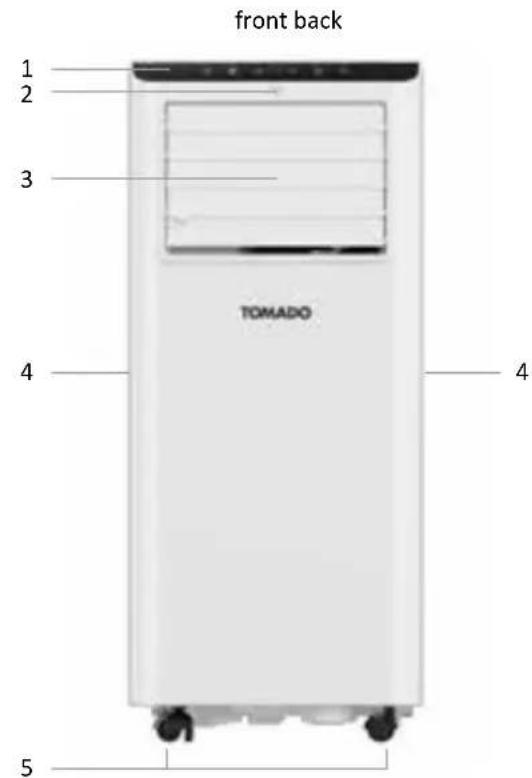
- Control panel
- Sensor for remote control
- Air outlet with fins
- Handle
-
Castor
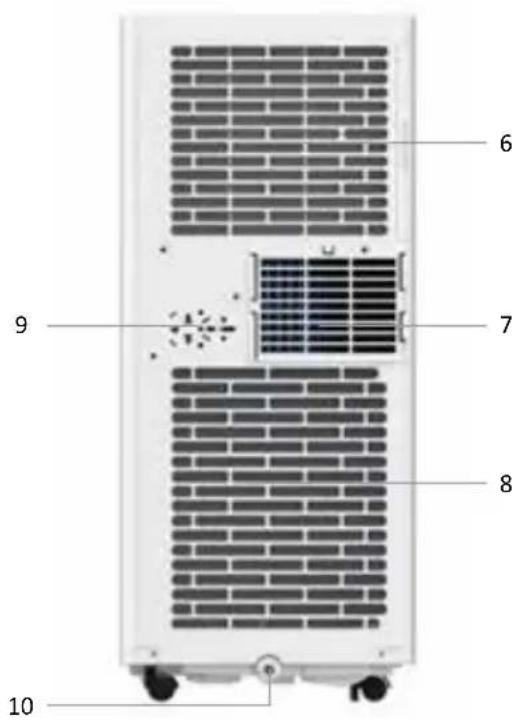
-
Air inlet
- Air outlet
- Air inlet
- Location for plug
- Condensation water drain
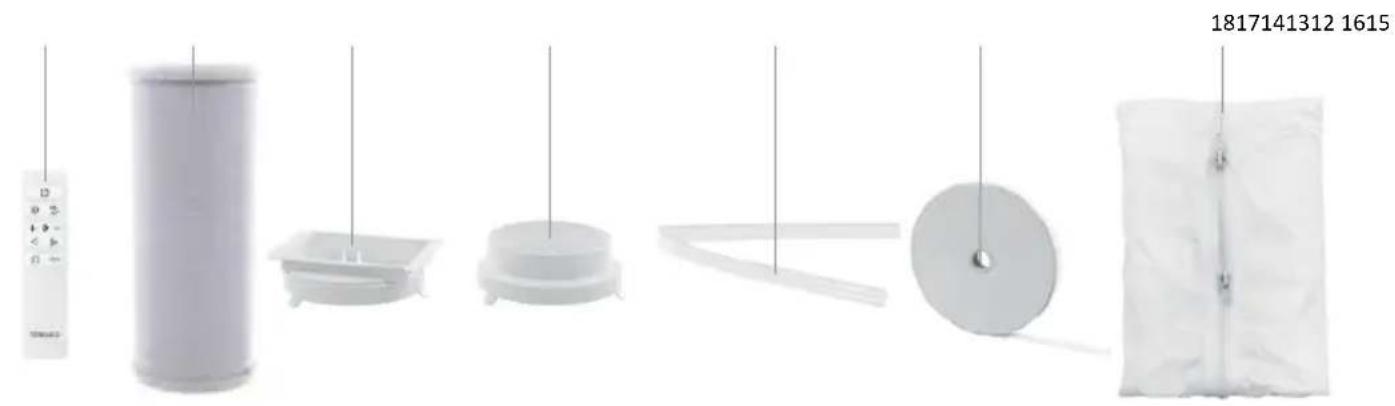
natural_image
Product line drawings of various household appliances and parts, including a cylindrical fan, plastic holder, spool, and wrapped bag (no text or symbols)- Remote control
- Discharge hose - air
- Connector - square
-
Connector - round
-
Discharge hose - water
- Velcro tape
- Flexible window seal set
3 prior to first use
Follow these instructions when using the appliance for the first time: Carefully unpack the air conditioner and all accessories and remove all packaging material and any promotional stickers.
Keep the packaging (plastic bags and cardboard) out of reach of children.
After unpacking the appliance, carefully check it for external damage that may have occurred during transport.
Place the appliance on a sturdy, flat surface and make sure there is enough space all around for sufficient ventilation. Check that all mentioned accessories have been supplied.
Clean the air conditioner with a slightly damp cloth.
Prior to connecting the appliance, check that:
- the connection voltage corresponds with what is stated on the information plate;
• the socket and cord are suitable for the appliance;
• the plug of the cord fits in the socket;
• the appliance is placed on a stable and flat surface.
PLACEMENT OF THE AIR CONDITIONER
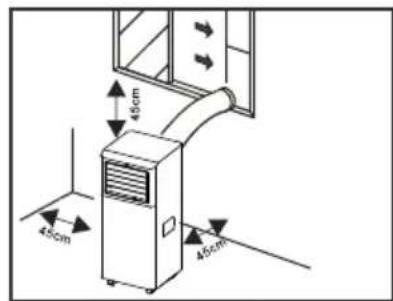
- The appliance should be placed on a sturdy, flat surface with sufficient free space around it.
- Do not block the air outlet and ensure a free space of minimum 45 cm around the appliance.
• After placing the appliance in a straight position, allow it to stand for at least 6 hours before inserting the plug in the socket. - For the benefit of easy movement, the appliance has been provided with castors. Carefully roll the appliance over the floor. Make sure the floor is flat and try not to drive over objects.
- REMARK: Optimum operation of the appliance depends on the length of the discharge hose and the number of bends. Try to limit both. The supplied flexible discharge hose has a maximum length of approx. 150 cm and corresponds with the capacity of the appliance. The use of any other hoses or extensions could cause failures in the appliance. The air should be able to flow without hindrance, or else this could lead to overheating of the appliance or condensation of water in the air discharge hose. Therefore make sure there are no kinks or sharp bends in the discharge hose. For an optimum result, the discharge hose should be kept shorter than 1 metre during use of the appliance.
natural_image
Diagram of a mechanical or electrical component with intersecting lines and shaded areas, no visible text or symbols.INSTALLING THE AIR DISCHARGE HOSE
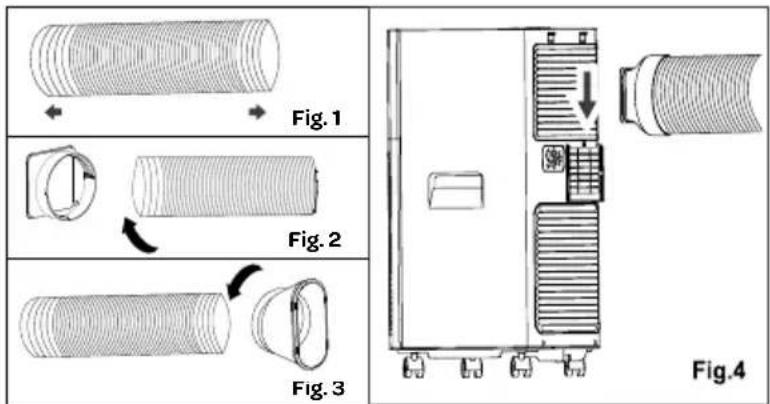
Place the appliance near a window or opening, so that the air can flow to the outside via the discharge hose.
- Carefully pull out the discharge hose until the required length is achieved.
- Screw the connection piece on one end of the discharge hose.
- Screw the other connection piece on the other end of the discharge hose.
- Attach the discharge hose to the air outlet on the rear of the appliance.
- Hang the other end of the discharge hose to the outside. Ensure a free passage of the hose. Close the window and door as much as possible. If necessary, use the window seal set.
INSTALLATION OF THE WINDOW SEAL SET
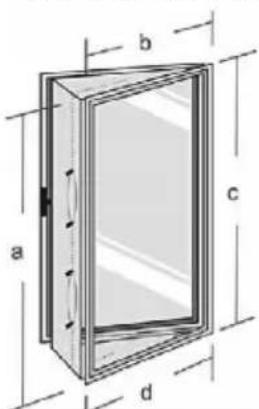
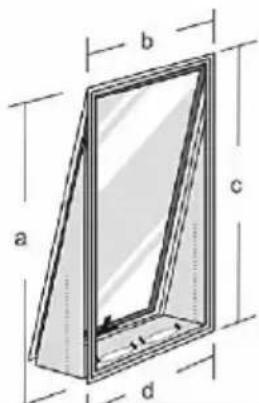
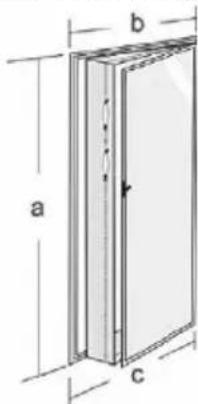
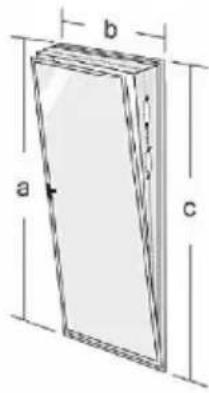
The flexible window seal set is suitable for many windows. Such as: tilt and turn windows, windows turning to the outside and inside. It ensures that you are able to hang the discharge hose to the outside, without hot air flowing into the room again or having problems with insects. For windows turning to the outside, we recommend taping all four sides (a+b+c+d) around the window and for windows turning to the inside only three sides (a+b+c).
- Attach the supplied Velcro tape on the window frame and the window in accordance with one of the drawings below that is similar to your situation.
- Then attach the cloth to the Velcro tape that you attached in the openings.
natural_image
Close-up of a hand cleaning a wooden window frame (no text or symbols visible)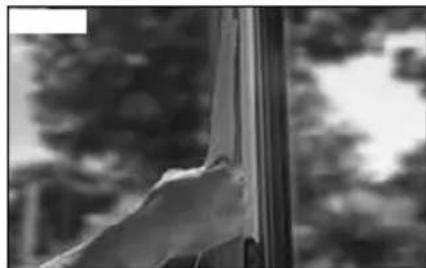
natural_image
Black-and-white photo of a hand reaching toward a window with blurred trees in the background (no text or symbols visible)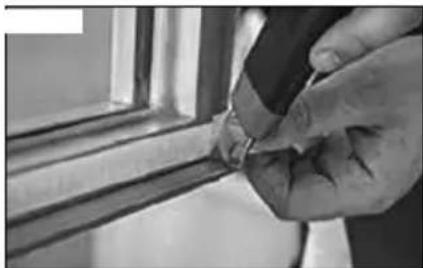
natural_image
Close-up of a hand holding a small object near a window frame (no visible text or symbols)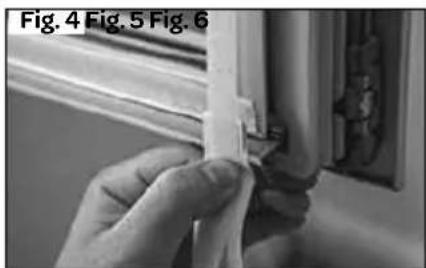
natural_image
Close-up of hands installing a plastic strip on a window frame (no text or symbols visible)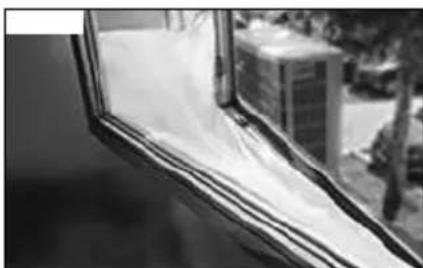
natural_image
Close-up of a window with sheer fabric and a small building in the background (no visible text or symbols)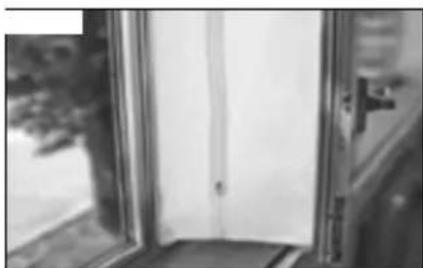
natural_image
Black and white photo of a window with a door, showing partial view of the door (no text or symbols visible)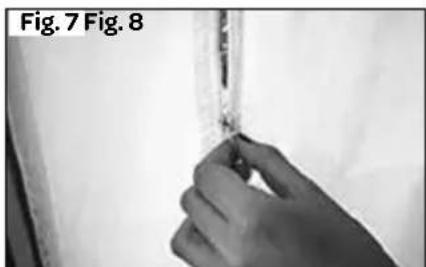
natural_image
Close-up of a hand holding a small object, labeled Fig. 7 and Fig. 8 (no other text or symbols visible)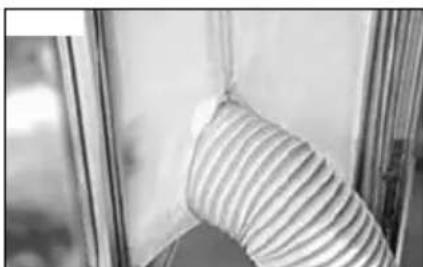
natural_image
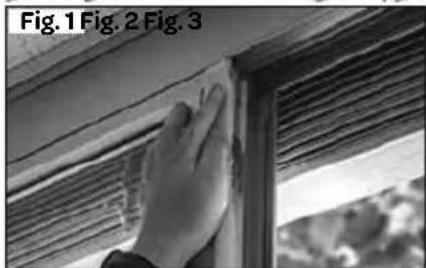
Close-up of a striped fabric or cushion being held by a window frame (no text or symbols visible)- Attach the supplied double-sided tape on the window frame.
- Then attach double-sided tape on the window.
- Cut away excess tape.
- Make sure the tapes on the corners properly overlap to achieve proper sealing.
- Attach the cloth to the tape attached to the window frame and window.
- Make sure the cloth is neatly attached to the tape on both sides.
- Zip open the cloth.
- Insert the discharge hose through the opening and zip the cloth closed to achieve proper sealing.
4 operation of the air conditioner
In addition to cooling, the air conditioner has two other functions, i.e. air circulation and dehumidification.
The air conditioner can be operated via the control panel on the appliance and with the provided remote control.
- Choose a location near a socket.
• Install the discharge hose in accordance with the figures and make sure the window is closed as much as possible. - Insert the plug in an earthed socket.
- Prior to each use, manually open the fins of the air outlet.
- Press the on/off key to switch on the air conditioner.
- The temperature range of the air conditioner is: 18 to 32^ .
- Check that the discharge hose is mounted correctly.
- Do not share the socket with any other appliances.
SWITCHING THE APPLIANCE ON AND OFF
- Insert the plug in the socket. The appliance is standby.
- Press the on/off key to switch on the appliance. The appliance starts in the most recently used setting.
- To switch off the appliance, press the on/off key once more.
Caution: always switch off the appliance with the on/off key and wait a few minutes before removing the plug from the socket. The appliance will perform a check before it switches off completely.
COOLING
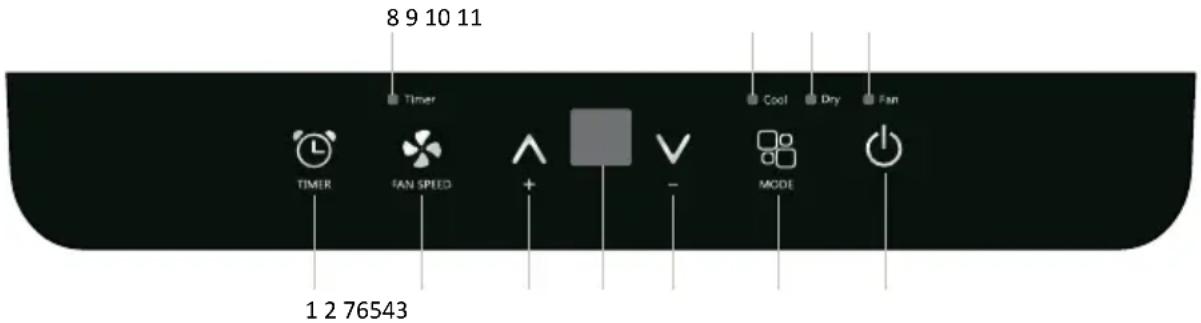
- Press the mode key [ ] key until indicator light - cooling - lights up. The set temperature is shown on the display.
- Press the [ and ] keys to set the required room temperature (between 18^ and 32^ ).
- Press the [ ✝ ] key to set the wind speed. There are two ventilation positions: [F2] high and [F1] low.
The best temperature in the summer will be between 24 and 27^ . Recommendation: do not set the temperature much lower than the outdoor temperature. The speed of the fan can be sensed better on the air circulation position than on the cooling position.
The ambient temperature of the room where the device is located should be between 18-35°C. At a lower or higher ambient temperature, the device will not cool sufficiently.
AIR CIRCULATION
When using this position, the air discharge hose does not have to be connected.
- Press the mode key [ ] until the indicator light for air circulation lights up on the display.
- Press the [ ✝ ] key on the remote control to adjust the wind speed - [F2] high or [F1] low.
DEHUMIDIFICATION
Connect the air discharge hose to discharge the water to the outside.
- Press the mode key [ ] until the indicator light for dehumidification lights up. On the display you can see
- The wind speed is automatically at low speed. This cannot be changed.
ADJUSTING THE TIMER
The timer function can be used to allow the air conditioner to switch on automatically (delayed start) or switch off automatically at a set time (automatic deactivation). Use of the timer avoids unnecessary energy consumption.
Delayed start
- Switch on the appliance and select the position – and temperature, if applicable – you want to use.
- Switch off the appliance. The appliance remembers the last setting and will switch on at the set position/temperature.
- Press the timer key Ⓛ when the appliance is off. The timer's indicator light and the hours on the display will flash.
- Press the keys [ and ] to set the required time.
- Wait 5 seconds until the timer is confirmed and the timer's indicator light is on. When the set number of hours has passed, the appliance switches on automatically.
To cancel the delayed start, press the timer key ⏻ once more or press the on/off key ⏻
Automatic deactivation
- Press the timer key when the appliance is on. The timer's indicator light and the hours on the display will flash.
- Press the keys [ and ] to set the required time.
- Wait 5 seconds until the timer is confirmed and the timer's indicator light is on.
- When the set number of hours have passed, the appliance switches off automatically.
To cancel automatic deactivation, press the timer key once more or press the on/off key.
CHANGING THE TEMPERATURE UNIT - CELSIUS/FAHRENHEIT
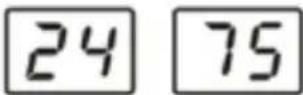
When the appliance is on, press down the [A] keys simultaneously for 3 seconds to change the temperature unit from ^ C (Celsius) to ^ F (Fahrenheit) and vice versa. Example: if the appliance is on COOLING 24 ^ C, the display shows 24 as indicated to the right. After changing the temperature unit, the display shows 75.
THE REMOTE CONTROL
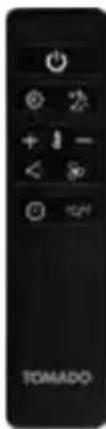
| ON/OFF key wind speed key | |||
| + | up key mode key | ||
| - | down key swing key (not available on this model) | ||
| timer key sleep mode | |||
| °C/°F | key for temperature unit | ||
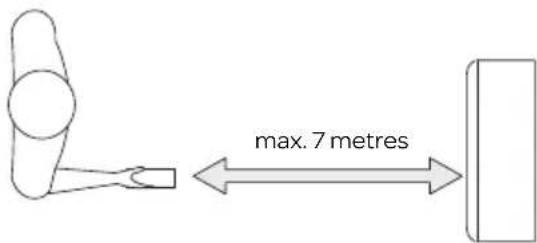
Aim the remote control to the sensor of the appliance. The range of the remote control is approx. 7 metres (without obstacles between the appliance and the remote control).
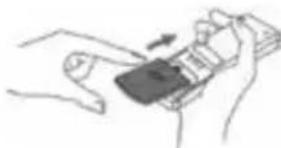
Insert the two supplied AAA 1.5 Volt batteries in the remote control, as indicated in the drawing. Do take the plus and minus symbols on the inside of the remote control into account.
natural_image
Line drawing of a hand holding a smartphone with an arrow pointing to the screen (no text or symbols)Note:
- If the remote control is replaced or is no longer used, remove the batteries and dispose them in accordance with applicable legislation, as they are harmful to the environment.
- Do not mix old and new batteries. Do not use a mix of alkaline, standard (carbon-zinc) or chargeable (nickel-cadmium) batteries.
- Batteries could explode or leak when exposed to open fire. Hand in batteries at a waste collection facility or recognised waste collection point.
- Remove the batteries from the remote control when the appliance is not being used for a longer period of time (winter storage) and keep them on a cool, dry place.
Other functions
The remote control can be used for the same functions as described above. Via the remote control you can control extra functions, such as the sleep mode.
SLEEP MODE
Use the sleep mode when you want to use the appliance at night. Slowly the appliance starts working less and less. The display dims automatically and the wind speed is at the lowest position.
- Switch on the appliance on the - cooling - position.
- Press the sleep key 📋The display dims automatically and the wind speed goes to the lowest position.
The sleep mode maintains the optimum temperature in the room, without excessive fluctuations in temperature and air humidity, while working silently. The wind speed is always low, while room temperature and air humidity vary slightly to make sure the room remains comfortable.
The selected temperature will rise every hour by 1^ C for a period of two hours. This new temperature is maintained for the next 6 hours. Then the appliance switches off automatically.
The sleep mode can be cancelled by pressing the sleep 2-, mode or wind speed key
SWING MODE
This appliance does not have an automatic swing mode. By manually changing the position of the fins, you can determine the air flow.
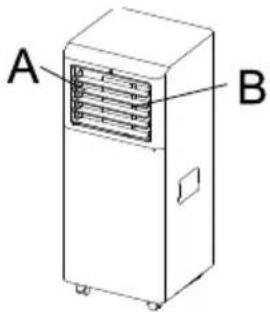
- Move the horizontal fins (A) up or down to guide the air flow upwards or downwards.
- Move the vertical fins (B) to the left or right to guide the air flow to the left or right.
AUTOMATIC RESTART AFTER POWER INTERRUPTION
After a power interruption, the appliance automatically restarts in accordance with the latest settings, once the power supply has been restored.
5 tips for efficient use
For a maximum performance of the appliance, observe the following recommendations:
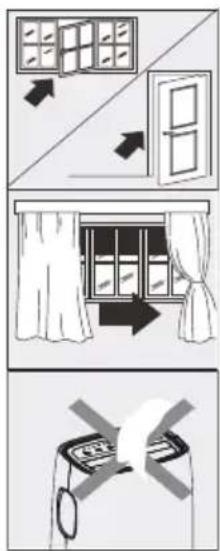
- Close the windows and doors of the rooms to be cooled. If you want to leave the appliance in a room, we recommend leaving the door slightly open (1 cm) so that a good ventilation can be provided.
- Close curtains and/or blinds to keep out the sun, so that the appliance does not have to cool as much and consumes less energy.
- Do not place anything on top of the appliance.
- Do not cover the air inlets and outlets. Make sure all grilles are uncovered.
- Ensure there are no heat sources in the room.
- Do not use the appliance in very humid rooms, such as bathrooms and laundry rooms.
- Never use the appliance outdoors.
- Make sure the appliance is placed on a flat, stable surface.
6 draining condensation water
When there is excess condensation water in the appliance, the appliance switches off automatically and F_t is shown in the display to indicate that the internal water reservoir is full. Excess condensation water can be removed as follows:
Manual discharge - when using the appliance in a room with high air humidity.
- Remove the plug from the socket.
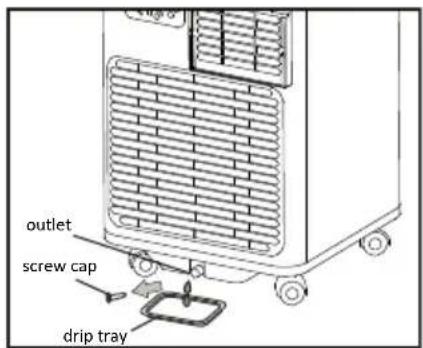
- Place a low receptacle under the lower outlet for condensation water discharge. See the drawing.
- Remove the screw cap.
- The water flows out of the drain into the receptacle.
- Place back the screw cap when no more water is flowing out.
- Switch the appliance on again.
Continuous discharge - recommended when using the dehumidification position.
- Remove the plug from the socket.
- Remove the screw cap. Keep a drip tray at hand when removing the screw cap in order to collect the condensation water that may come out of the outlet.
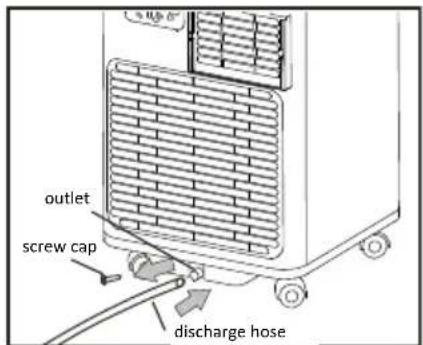
- Connect the discharge hose (1/2" or 12.7 mm). See drawing.
- The water is discharged continuously via the discharge hose.
- Switch the appliance on again.
Condensation water can also be discharged as described on page 37, at section DEHUMIDIFICATION.
Caution:
- Condensation water may run out of the drain when the screw cap is removed and the appliance has been used in cooling mode. Keep a drip tray at hand when removing the screw cap, in order to collect the condensation water.
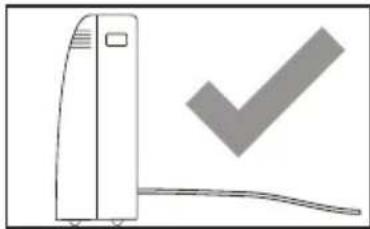
- Make sure the discharge hose for the condensation water properly descends and is not higher than the drain of the appliance.
- When using the cooling position, it is recommended to not discharge the condensation water continuously, but to close the screw cap again. In this way the appliance is able to provide its best performance.
natural_image
Simple line drawing of a vertical device with a checkmark symbol (no text or labels)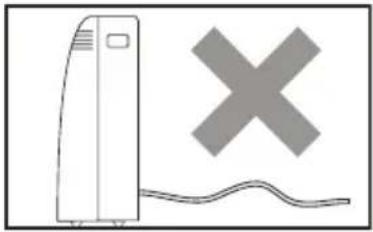
natural_image
Illustration of a portable air conditioner unit with a large 'X' symbol above it and a wavy line below (no text or symbols present)7 cleaning and maintenance
Before cleaning the air conditioner, switch off the appliance by means of the on/off key! Wait a few minutes and remove the plug from the socket.
Cleaning the exterior
Clean the exterior of the appliance with a slightly damp cloth and then wipe it with a dry cloth. If necessary, you can clean the exterior of the appliance by means of a mild washing-up liquid.
- Never wash the appliance with water. This can be dangerous.
- Do not use petrol, alcohol or similar solvents to clean the appliance.
- Never spray with insect sprays or similar agents.
- Do not use aggressive or abrasive cleaning agents for cleaning the appliance.
- Never submerge the appliance, cord or plug in water or any other liquid.
Cleaning the air filters
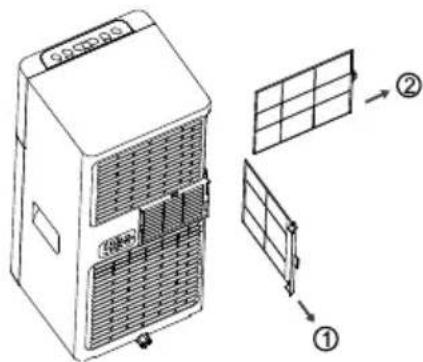
In order to allow the appliance to function as well as possible, we recommend cleaning the air filters every week. An air filter could get clogged with dust and dirt. Remove the air filters as shown in the drawing.
Use a vacuum cleaner to remove all the dust from the air filter.
If the air filter is very dirty, you can clean it with lukewarm water.
- Submerge the air filter in lukewarm water (max. 40°C) containing a soft cleaning agent. Rinse the air filter a few times and allow it to dry in the air. Do not place the air filter in the sun or on the heating to dry it.
- Place back the air filter. Check that it is fully dry, before using the appliance again.
Cleaning the air inlets
In order to allow the appliance to function as well as possible, you can clean the air inlets by means of a vacuum cleaner with a soft brush nozzle.
Start or end of the season
At the start of the season, check that the cord and plug are undamaged. Observe the installation instructions when placing the appliance.
At the end of the season, make sure there is no condensation water left in the appliance. Drain the water in accordance with the instructions in section DRAINING CONDENSATION WATER and make sure the air filter is clean before storing the appliance.
First check the following before submitting the air conditioner for repair.
| Problem Possible cause Solution | |||
| The appliance does not switch on. | ·There is a power interruption·The plug is not in the socket·The safety system is activated | ·Check the power supply·Insert the plug in the socket·Wait 30 minutes before switching the appliance on again. If the problem does not go away, contact customer service. | |
| The appliance only works for a short period of time | ·The air discharge hose has a kink·The air outlet / discharge is blocked | ·Place the air discharge hose as prescribed. As short as possible and preferably without bends.·Check that the air is able to flow out freely | |
| The appliance does not cool sufficiently. | ·Not all doors and windows are closed. | ·Make sure all doors and windows are closed. | |
| ·There are heat sources active in the room. | ·Remove the heat sources or switch them off if possible. | ||
| ·The air discharge hose has disconnected from the appliance | ·Connect the air discharge hose to the back of the appliance. | ||
| ·The appliance is unsuitable for the room where it is located | |||
| The appliance has an unpleasant smell during use | ·The air filter is dirty/blocked ·Clean the air filter as prescribed | ||
| The appliance does not switch on for a period of 3 minutes after it has been switched on. | ·The internal safety system of the compressor prevents the appliance from being switched on until 3 minutes have passed since it was switched off. | ·This delay is normal and the appliance will function normally once the 3 minutes have passed | |
| Display code | |||
 | ·Probe error - sensor defective ·If this code is shown on the display, please contact customer service. | ||
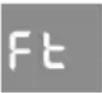 | ·Full water reservoir ·Empty the internal water reservoir.In accordance with instructions in the section about DISCHARGING CONDENSATION WATER | ||
9 technical specifications
Type number AC702W
Voltage 220-240Volt \~50Hz
Connected load 1100 Watt
Cooling capacity* 7000Btu/h (2.0 kW)
EE Class* A
EER* 2.6
Power consumption kW 0.8
Current consumption nom. A 4.8A
Air displacement max. m^3/h
Dehumidification max. ** L/h
Suitable for m^3
Refrigerant / GWP type/gr
Thermostat range °C
Fan speeds
Max. noise level dB(A)
Dimensions (hxwxd)
Nett weight
Protection class IPX0
Remote control
320
0.54
60
R-290 / 3 /125 g.
18 - 32
2
65 dB(A)
675×290×295mm
19.6 kg
yes
10 recycling
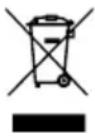
This symbol means that this product should not be disposed of with regular household waste (2012/19/EU). Observe the rules that apply in your country for the separated collection of electric and electronic products. Correct disposal of the product prevents negative consequences for the environment and for public health. The packaging material of this product can be recycled 100%, return packaging material separately.
KÄLTEMITTEL
natural_image
Product line showing six different items: a remote control, cylindrical container, square holder, circular tray, spool, and fabric (no text or symbols visible)natural_image
Pure diagram of a pipe connection with no text, numbers, or symbolsnatural_image
Technical line drawing of a mechanical device with internal components and a labeled section (Fig.4), no readable text or symbols present.natural_image
Close-up of a hand cleaning or adjusting wooden panel with visible grain and texture (no text or symbols)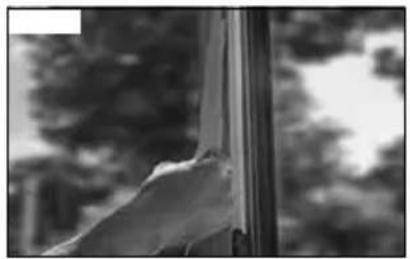
natural_image
Black and white photo of a hand near a window with blurred trees in the background (no text or symbols visible)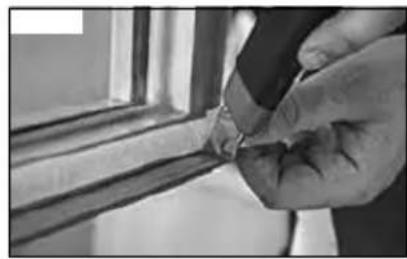
natural_image
Close-up of a hand holding a small object near a window (no visible text or symbols)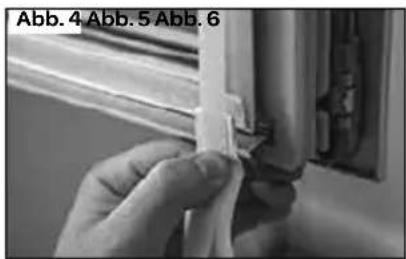
natural_image
Close-up of a hand holding a small object, possibly a component or tool, with no visible text or symbols.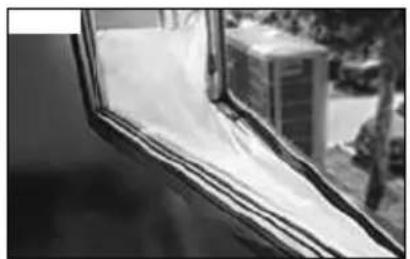
natural_image
Close-up of a window with sheer curtains and a small building in the background (no visible text or symbols)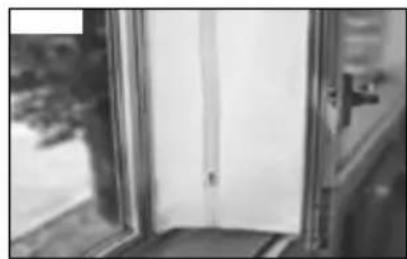
natural_image
Exterior view of a door with a single door opening, showing interior space and window (no text or symbols visible)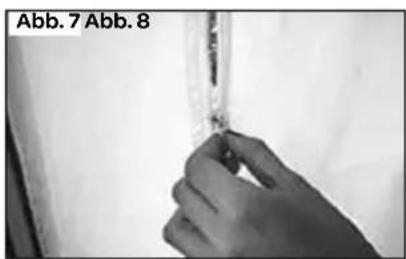
natural_image
Hand holding a small object near a wall, labeled Abb. 7 Abb. 8 (no other text or symbols visible)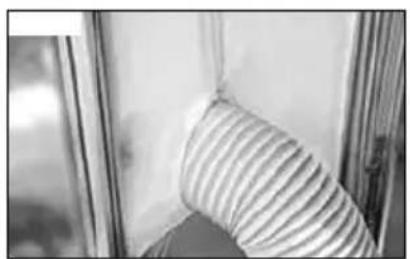
natural_image
Close-up of a striped fabric or cushion in a window frame (no text or symbols visible)natural_image
Illustration of hands holding a smartphone with an arrow indicating action (no text or symbols)Hinweis:
natural_image
Simple line drawing of a vertical device with a checkmark symbol (no text or labels)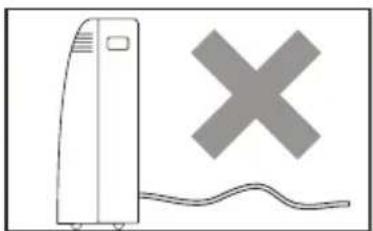
natural_image
Simple line drawing of a vertical device with a cross symbol above it and a wavy line below (no text or labels)FLUIDE RÉFRIGÉRANT
natural_image
Product display of a wall-mounted home appliance with three cylindrical stands and hanging dish (no visible text or symbols)natural_image
Three white medical or medical devices: a needle-like device, a circular component with a central hole, and a rectangular pillow with a vertical seam (no text or symbols visible)natural_image
Diagram of a mechanical or electrical component with intersecting lines and shaded areas, no visible text or symbols.INSTALLATION DU TUYAU D'ÉVACUATION D'AIR
INSTALLATION DU KIT D'ÉTANCHÉITÉ DE FENÊTRE
natural_image
Close-up of a hand cleaning a wooden window frame (no text or symbols visible)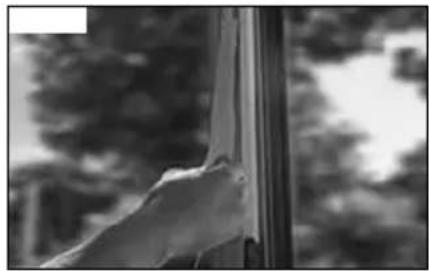
natural_image
Black-and-white photo of a hand reaching toward a window with blurred trees in the background (no text or symbols visible)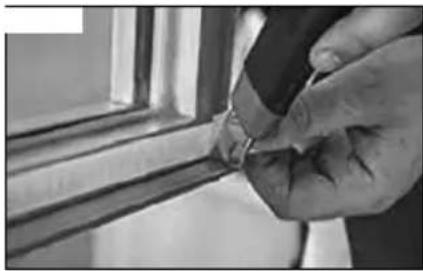
natural_image
Close-up of a hand holding a small object near a window frame (no visible text or symbols)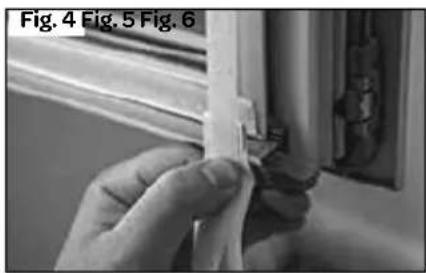
natural_image
Close-up of a hand holding a small white object near a window (no visible text or symbols)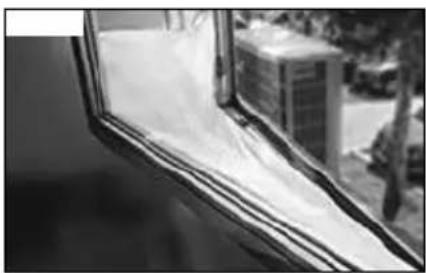
natural_image
Close-up of a window with plastic sheeting and a blurred background showing a building (no visible text or symbols)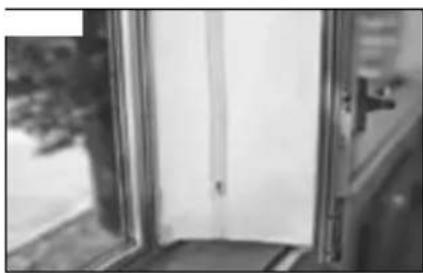
natural_image
Black and white photo of a door with a window, showing partial interior and exterior (no visible text or symbols)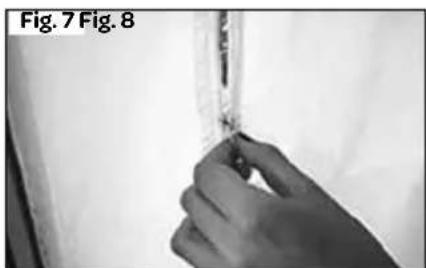
natural_image
Close-up of a hand holding a medical device, labeled Fig. 7 and Fig. 8 (no visible text on device or background)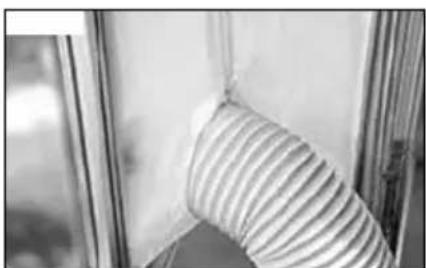
natural_image
Close-up of a striped fabric or mesh component against a blurred background (no text or symbols visible)natural_image
Line drawing of a rectangular industrial device with labeled components A and B, showing internal ventilation or cooling system (no text or symbols beyond labels)natural_image
Diagram showing window and door placement with directional arrows (no text or symbols)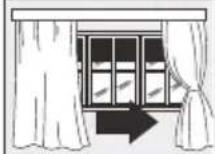
natural_image
Simple line drawing of a device with a cross mark and ring, no text or symbols presentnatural_image
Simple line drawing of a device with a checkmark symbol (no text or labels)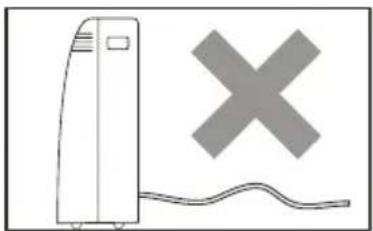
natural_image
Simple line drawing of a vertical device with a cross symbol and wavy line below (no text or labels)General terms and conditions of service and warranty
5-year Inventum warranty!
- Customers enjoy a 5-year full manufacturer's warranty on all Inventum products.
- Within this period, a defective product or part, which makes normal functioning of the product or part impossible, will always be repaired free of charge or, if repair is not possible and/or does not provide a solution, replaced (by the same or equivalent product). The assessment of this lies with Inventum.
- In order to make a claim under the 5-year Inventum warranty you must, within two months after discovering the fault or defect, either return the product to the shop where you bought it, or contact the Inventum customer service department by using the form at www.inventum.eu/service.
- The warranty period starts from the date stated on the product's original sales receipt.
- To invoke the warranty, you must always send a copy of the original proof of purchase with the service request and present the original proof of purchase to the service technician.
- The 5-year warranty applies only to normal domestic use of Inventum products within the Netherlands.
Warranty exclusions
- The 5-year Inventum guarantee does not apply in case of: normal wear and tear, consumables, improper use, insufficient or incorrect maintenance, incorrect and/or inexpert assembly and installation of the appliance, repairs by unauthorised third parties, business or commercial use, missing serial number, damage caused by an external cause. This enumeration is not exhaustive.
- B-choice products and products that have been built-in in a showroom are not covered by the 5-year Inventum warranty. All optical damage such as dents, scratches and slight traces of use are excluded from any warranty.
Reporting malfunctions on Inventum products
-
Faults or defects on Inventum products can be reported by using the service request form on the website www.inventum.eu/service or through the seller of the product.
-
A copy of the original proof of purchase must be included with the request.
-
Inventum's service department determines whether the product will be repaired or replaced, based on the request and the sales receipt.
Important to know
- Products sent without prior notification will not be accepted. Further to the notification you will be informed by Inventum whether a warranty applies and whether you must return the product.
• The replacement or repair of a defective product, or a part thereof, does not lead to an extension of the original warranty period. - Products eligible for replacement or repair must be emptied and clean.
For a detailed explanation of the warranty conditions and items excluded from them, please visit Inventum's website www.inventum.eu/algemene-voorwaarden
These general warranty and service conditions apply to Inventum brand products purchased after 27 April 2022 and intended for use within the Netherlands.
For Inventum products used outside the Netherlands, but within a EU Member State, the warranty rules of that country apply. Inventum provides warranty and service by a white goods technician only in the Netherlands.
As a consumer, you are entitled by law to a properly working product. Does the product break down sooner than you might expect? This means that the product is not in conformity. In that case, the law offers you, the buyer, with a number of legal remedies for your protection. This legal protection is not affected by the above commercial warranty given by Inventum on Inventum products used within the Netherlands.
instagram.com/inventum1908

facebook.com/inventum1908

youtube.com/inventum1908