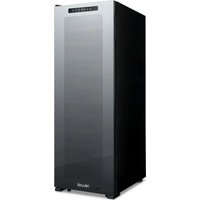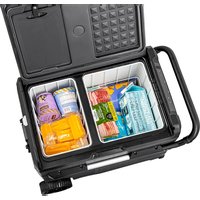
NAECLGBK000 - Fridge NewAir - Free user manual and instructions
Find the device manual for free NAECLGBK000 NewAir in PDF.


| Product Type | Portable Car Refrigerator-Freezer |
| Brand | NewAir |
| Model | NAECLGBK000 |
| Net Capacity | 48 pints (45 L) |
| Temperature Range | -20°C to +20°C (-4°F to 68°F) |
| Power Supply | DC 12 V / 24 V, AC 100-240 V (with adapter), solar 12-50 V |
| Power Consumption | 60 W |
| USB Port | 5 V / 1 A |
| Noise Level | 45 dB |
| Dimensions (L × W × H) | 71.1 × 45.7 × 50.8 cm (28 × 18 × 20 in) |
| Net Weight | 18.6 kg (41 lb) |
| Cooling Functions | MAX mode (fast cooling) and ECO mode (energy saving) |
| Battery Protection | 3 levels: High (H), Medium (M), Low (L) |
| Display | Digital control panel with DCL display |
| Included Accessories | Removable storage baskets, cutting board, bottle opener, telescopic handle, all-terrain wheels, removable battery compartment, cup holder |
| Doors | Reversible with lid latch |
| Solar Compatibility | Yes, via DC5521 connector (recommended solar panel: 100 W minimum) |
| Maintenance | Clean with a damp cloth; manual defrost |
| Warranty | 1-year limited manufacturer's warranty |
| Reparability | Repairs by qualified personnel only; power cable replaceable by manufacturer or authorized service |
Frequently Asked Questions - NAECLGBK000 NewAir
User questions about NAECLGBK000 NewAir
0 question about this device. Answer the ones you know or ask your own.
Ask a new question about this device
Download the instructions for your Fridge in PDF format for free! Find your manual NAECLGBK000 - NewAir and take your electronic device back in hand. On this page are published all the documents necessary for the use of your device. NAECLGBK000 by NewAir.
USER MANUAL NAECLGBK000 NewAir
Portable 48 Quart Car Fridge and Freezer
natural_image
Line drawing of a multi-tiered industrial machine with wheels and compartments (no text or symbols)OWNER'S MANUAL
English Manual ....3
A Name You Can Trust
Trust should be earned and we will earn yours. Customer happiness is the focus of our business.
From the factory to the warehouse, from the sales floor to your home, the whole Newair family promises to provide you with innovative products, exceptional service, and support when you need it the most.
Count on Newair
As a proud Newair owner, welcome to our family. There are no robots here, real people shipped your product and real people are here to help you.
Contact Us
Please reach out to our customer service team before making a return to your store of purchase. We are happy to help with any questions or concerns!
Mon-Fri from 8-4 PST at:
Call: 1-855-963-9247
Email: support@newair.com
Online: www.newair.com
A team member will respond to you within 24 hours.
Follow Us

Facebook.com/newairusa

Instagram.com/newairusa

YouTube.com/newairusa

Twitter.com/newairusa
READ AND SAVE THESE INSTRUCTIONS
TABLE OF CONTENTS
Specifications....5
Register Your Product Online 6
Safety Information & Warnings....7
Parts List....9
Operating Instructions .... 10
Voltage Reference 11
Cleaning & Storage....13
Cleaning....13
Storage 13
Defrosting....13
Disposal 14
Troubleshooting....15
Limited Manufacturer's Warranty 17
SPECIFICATIONS
| MODEL NO. | NPR048GA00 |
| RATED VOLTAGE: | DC 12V/ 24V, AC100–240V, Solar (12 ~ 50V) |
| USB PORT VOLTAGE: | 5V/1Amp |
| POWER CONSUMPTION: | 60W |
| SOLAR PANEL INPUT: | DC5521 Connector |
| NET STORAGE CAPACITY: | 48Qt/45L |
| NOISE LEVEL: | 45dB |
| TEMPERATURE RANGE: | -20°C ~ 20°C (-4°F ~ 68°F) |
| NET WEIGHT: | 41lb |
| UNIT SIZE (W x D x H): | 28 in. x 18 in. x 20 in. |
REGISTER YOUR PRODUCT ONLINE
Register Your Newair Product Online Today!
Take advantage of all the benefits product registration has to offer:

Service and Support
Diagnose troubleshooting and service issues faster and more accurately

Recall Notifications
Stay up to date for safety, system updates and recall notifications

Special Promotions
Opt-in for Newair promotions and offers
Registering your product information online is safe & secure and takes less than 2 minutes to complete:
newair.com/register
Alternatively, we recommend you attach a copy of your sales receipt below and record the following information, located on the manufacturer's nameplate on the rear of the unit. You will need this information if it becomes necessary to contact the manufacturer for service inquiries.
Date of Purchase: ____
Serial Number: ____
Model Number: ____
SAFETY INFORMATION & WARNINGS

WARNING! Failure to obey these warnings could result in malfunction of your device and possible Injury for yourself and other users.
- Do not operate the car fridge and freezer if it is visibly damaged.
- Do not block the gaps of the car fridge and freezer with things like pin, wire, etc.
- Do not expose the car fridge and freezer to rain or soak it in water.
- Do not place the car fridge and freezer near naked flames or other heat sources (heaters, direct sunlight, gas ovens etc.)
- Do not store explosive substances like spray cans with flammable propellants in the car fridge and freezer.
- Before starting the car fridge and freezer, ensure that the power supply line and the plug are dry.
- Check if the voltage specification on the type plate matches that of the energy supply.
- Once unpacked and before turning on, the car fridge and freezer must be placed on a level surface for more than 6 hours.
- Make sure that the car fridge and freezer stays horizontally when it is running. The tilt angle must be less than 5^ for long time running and be less than 45^ for short time running.
- The refrigerator must be well ventilated for heat dissipation and make sure to keep some space around it (Back Space≥200mm, Side Space≥100mm.)
- The car fridge and freezer may only be repaired by qualified personnel. Improper repairs can lead to safety hazards. If the power cable is damaged, it must be replaced by the manufacturer, customer service or a similarly qualified person in order to prevent safety hazards.

NOTICE!
- The car fridge and freezer can be used by children aged 8 or over, as well as by persons with reduced physical, sensory or mental capabilities or a lack of experience and/or knowledge, providing they are supervised or have been taught how to use the car fridge and freezer safely and are aware of the resulting risks.
-
Children must be supervised to ensure that they do not play with the car fridge and freezer.
-
The installation of DC power in the boat must be handled by qualified electricians.
- Never pull the plug out of the socket by the cable.
- Disconnect the car fridge and freezer or switch it off when you turn off the engine. Otherwise, you may discharge the battery.

CAUTION!
- Food may only be stored in its original packaging or in suitable containers.
- Set suitable temperature for the food or medicine stored in the car fridge and freezer.
- Do not turn the car fridge and freezer upside down for drainage, remove the cover and drain from the hole at the bottom of the car fridge and freezer.
PARTS LIST
- Control panel with LCD digital display for temperature setting.
- Removeable wire storage baskets
- Interior drain plug
- Off-road wheels
- Expandable handle
- Detachable battery compartment
• Cutting board and cup holders - Bottle opener
- Door Seal
- Power socket
- Reversible doors with lid latch
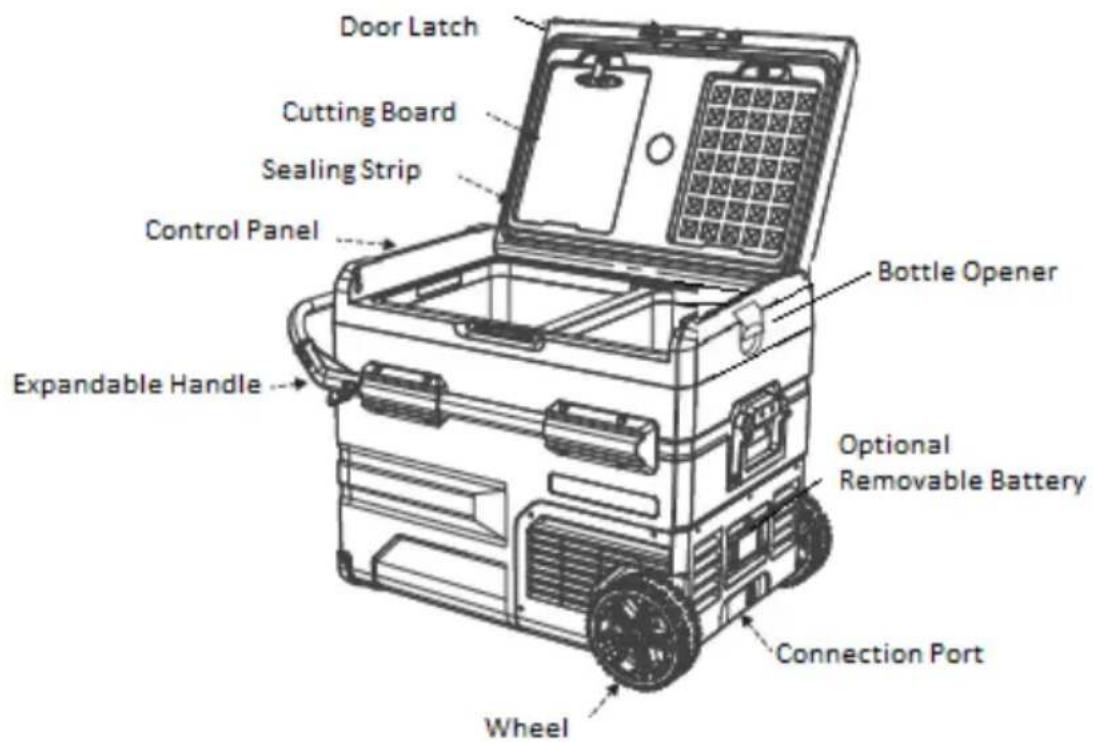
text_image
Door Latch Cutting Board Sealing Strip Control Panel Bottle Opener Expandable Handle Optional Removable Battery Connection Port WheelOPERATING INSTRUCTIONS
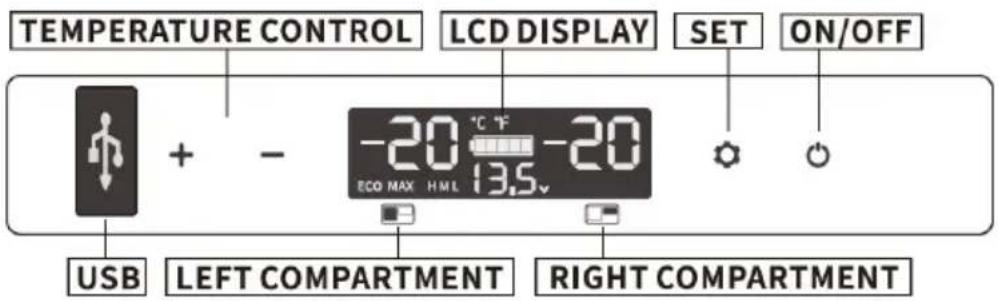
text_image
TEMPERATURE CONTROL LCD DISPLAY SET ON/OFF USB + - -20 °C F ECO MAX HML 13.5v LEFT COMPARTMENT RIGHT COMPARTMENTPower supply: Connect to 12V/24V DC power, 100\~240V AC power (with an adapter) or use backup Lithium battery.
Display Screen Initialization: Connect to the power supply, the buzzer will make a long beep, and the display will light up for 2 seconds then enter the normal operating mode.
Power On/Off: Press to switch ON and hold for three seconds to switch OFF.
Temperature Setting: Press “+” or “-”, it will enter the temperature setting mode of the left chamber, press “+” to increase temperature, press “-” to decrease temperature. Switch to the right chamber by pressing “☐”
Cooling Mode: Press "to switch cooling mode between MAX (fast cooling) and ECO (Energy saving Mode) (*Factory setting is MAX.)
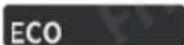
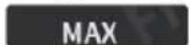
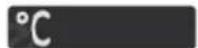
Temperature Unit Setting: Switch off the fridge, press “☐” for three seconds, it will display E1, then switch to E5 by pressing “☐”. Under E5 mode, press “+” or “-” to select Celsius or Fahrenheit. (*Factory setting is Celsius.)

Battery Protection Mode: Press "for three seconds until screen flashes, then press again to select three battery protection modes H(High), M(Medium) and L(Low) (*Factory setting is H.)


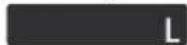
Due to the different output voltages between vehicles, H should be set when the product is connected to car power, and M or L should be set when it is connected to a portable battery or other back-up battery.
The battery gear should be set from H to M or from M to L if there is a voltage protection code F1 shown on the panel. The battery gear should be set to H if the product keeps working after turning off the car engine, or the product may drain the battery.
VOLTAGE REFERENCE
| Mode\Input | DC 12V | DC 24V | ||
| CUT IN | CUT OUT | CUT IN | CUT OUT | |
| L | 9.0V | 10.9V | 21.3V | 22.7V |
| M | 10.1V | 11.4V | 22.3V | 23.7V |
| H | 11.1V | 12.4V | 24.3V | 25.7V |
*Reference numbers may change depending on the scenario and external factors.
*USB output: +5V DC/1A, suitable for small devices like mobile phones, tablets, etc.
Reset: switch off the fridge, keep pressing “○” until E1 displays, then press “+” and “-” at the same time until displays as below:

text_image
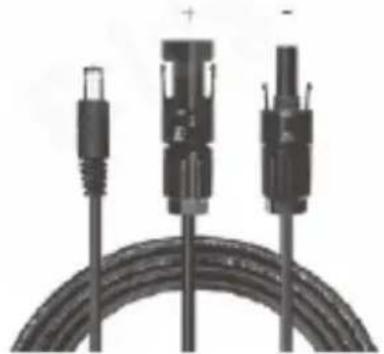
+ - 88.8 °C °F 88.8 ECO MAX H M L 88.8Instructions for solar charging: When using solar panel to charge the refrigerator, place the refrigerator in a cool place to avoid overheating that would cause malfunction of the refrigerator. The battery icon on the display will show the charging status when it is charging.
The charging input power should be higher than the working power of the refrigerator (about 40-45W), or press the power button to make the refrigerator enter the standby state, otherwise the battery will not be able to charge. It is recommended to use a 100W solar panel.
Solar panel (SOLAR) charge connection:
Insert the solar charge cable into the refrigerator's "SOLAR" terminal.
Max Solar Input Volt age: 50V
Max Solar Input Current: 10A
natural_image
Close-up of three black cable connectors with connectors and a coiled cable (no text or symbols visible)(Not included in the package)
Instructions for in-vehicle use:
Engine start: select H, M or L mode (refer to the "Operating Instructions" section), and use car port power to operate the refrigerator.
Instructions for preserving your car battery: When using the car battery to charge, most cars will stop power supply after the engine is turned off, while some cars will continue to supply power. At this time, the battery protection should be adjusted to H, otherwise the car battery may be exhausted, resulting in insufficient power to start the car.
CLEANING & STORAGE
CLEANING
- Unplug the car fridge and freezer first to avoid electric shock.
- Use a wet cloth to clean the car fridge and freezer and dry it.
- Remove the cover and drain from the hole at the bottom of the car fridge and freezer.
- Do not soak the car fridge or freezer in water and do not wash it directly.
- Do not use abrasive cleaning agents as these can damage the car fridge or freezer.
STORAGE
If the car fridge and freezer will not be used for a long time, please follow these steps:
- Turn off the power and remove the plug.
- Remove all the items stored inside.
- Remove the cover and drain any water from the interior, wiping off excess water with a soft rag.
- Leave the lid slightly open to prevent odors from forming.
- Put the car fridge and freezer in a cool and dry place.
DEFROSTING
Humidity can form frost in the interior of the cooling device or on the evaporator. This reduces the cooling capacity. To avoid this, defrost the car fridge and freezer:
- Switch off the car fridge and freezer.
• Take out the contents of the car fridge and freezer. - Remove the cover and drain from the hole.
- Keep the lid open.
- Wipe off the defrosted water.
Never use hard or sharp tools to remove ice or to loosen objects which have frozen in place.
DISPOSAL
Place the packaging material in the appropriate recycling waste bins wherever possible.

If you wish to dispose of the product, ask your local recycling center or specialist dealer for details about how to do this in accordance with the applicable disposal regulations.
TROUBLESHOOTING
| Problem | Solution |
| Refrigerator does not work | Check if the switch is on. |
| Check if the plug and socket are connected well. | |
| Check if the fuse has been burnt. | |
| Check if the power supply is malfunctioned. | |
| Switching on/off the fridge frequently may cause start delay of the compressor. | |
| Refrigerator compartments are too warm | The door is opened frequently. |
| A large amount of warm or hot food was stored recently. Wait for the refrigerator to reach its selected temperature. | |
| The refrigerator has been disconnected for an extended period of time. | |
| Food is frozen | The temperature was set too low, please increase the temperature. |
| There is a “water flow” noise from inside the fridge | It's a normal occurrence, caused by the flow of refrigerant. |
| There are waterdrops around the refrigerator casing or door gap | It's a normal occurrence, the moisture will condense to water when it touches a cold surface of the refrigerator. |
| The compressor is slightly noisy when starting | It's a normal occurrence, the noise will be reduced after the compressor works stably. |
| Code F1 displayed | Possible cause: low voltage to fridge. Adjust the battery protection from H to M or from M to L. |
| Code F2 displayed | Possible cause: condenser fan is overloaded. Disconnect power to fridge for 30 minutes & restart. |
| Code F3 displayed | Possible cause: the compressor starts too frequently. Disconnect power to fridge for 30 minutes & restart. |
| Code F4 displayed | Possible cause: compressor not kicking in. Disconnect power to fridge for 30 minutes & restart. |
| Code F5 displayed | Possible cause: overheating of the compressor & electronics. Disconnect power to fridge for 30 minutes & restart. |
| Code F6 displayed | Possible cause: no parameter can be detected by the controller. Disconnect power to fridge for 30 minutes & restart. |
| Code F7 or F8 displayed | Possible cause: temperature sensor is faulty. Contact manufacturer for service. |
LIMITED MANUFACTURER'S WARRANTY
This appliance is covered by a limited manufacturer's warranty. For one year from the original date of purchase, the manufacturer will repair or replace any parts of this appliance that prove to be defective in materials and workmanship, provided the appliance has been used under normal operating conditions as intended by the manufacturer.
Warranty Terms:
During the first year, any components of this appliance found to be defective due to materials or workmanship will be repaired or replaced, at the manufacturer's discretion, at no charge to the original purchaser. The purchaser will be responsible for any removal or transportation costs.
Warranty Exclusions:
The warranty will not apply if damage is caused by any of the following:
- Power failure
- Damage in transit or when moving the appliance
- Improper power supply such as low voltage, defective household wiring or inadequate fuses
- Accident, alteration, misuse or abuse of the appliance such as using non-approved accessories, inadequate air circulation in the room or abnormal operating conditions (extreme temperatures)
- Use in commercial or industrial applications
- Fire, water damage, theft, war, riot, hostility or acts of God such as hurricanes, floods, etc.
- Use of force or damage caused by external influences
- Partially or completely dismantled appliances
- Excess wear and tear by the user
Obtaining Service:
When making a warranty claim, please have the original bill of purchase with the purchase date available. Once confirmed that your appliance is eligible for warranty service, all repairs will be performed by a Newair™ authorized repair facility. The purchaser will be responsible for any removal or transportation costs. Replacement parts and/or units will be new, re-manufactured or refurbished and is subject to the manufacturer's discretion. For technical support and warranty service, please email support@newairusa.com.
Un nom de confiance
Instagram.com/newairusa

YouTube.com/newairusa

Twitter.com/newairusa
LISEZ ET CONSERVEZ CES INSTRUCTIONS
TABLE DES MATIÈRES
text_image
TEMPERATURE CONTROL LCD DISPLAY SET ON/OFF USB + - -20 °C F ECO MAX HML 13.5v LEFT COMPARTMENT RIGHT COMPARTMENTnatural_image
Close-up of a black cable with two connectors and a plus sign, no visible text or symbolsEmail: support@newair.com
Instagram.com/newairusa

YouTube.com/newairusa

Twitter.com/newairusa