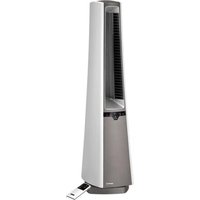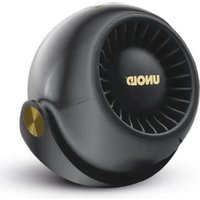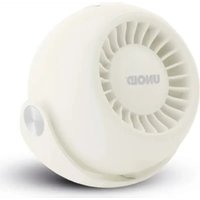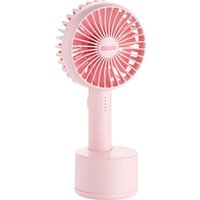
Edel 86956 - Fan UNOLD - Free user manual and instructions
Find the device manual for free Edel 86956 UNOLD in PDF.


User questions about Edel 86956 UNOLD
0 question about this device. Answer the ones you know or ask your own.
Ask a new question about this device
Download the instructions for your Fan in PDF format for free! Find your manual Edel 86956 - UNOLD and take your electronic device back in hand. On this page are published all the documents necessary for the use of your device. Edel 86956 by UNOLD.
USER MANUAL Edel 86956 UNOLD
natural_image
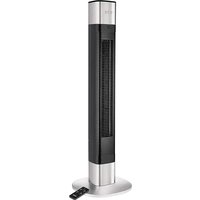
Exterior view of a tall industrial vertical tower with mesh ventilation grille (no visible text or symbols)TURMVENTILATOR Edel
Bedienungsanleitung
Instructions for use | Notice d'utilisation Gebruiksaanwijzing | Istruzioni per l'uso Instrucciones de uso | Instrukcja obsługi
Modell 86956
Impressum:
natural_image
Modern kitchen appliance with digital display and bucket containing red liquid (no visible text or symbols)
natural_image
Illustration of a modern wheat bread machine with a bucket and kitchen utensils (no text or symbols)UNOLD®
Care + Style
natural_image
Product photo of a red and black electric toothbrush with a small brush and a black stand (no text or symbols visible)
natural_image
Close-up of a metallic iron cutting tool with a white cable, no visible text or symbolsUNOLD®
Fan + Heat
natural_image
Close-up of a desktop electric fan with visible blades and base (no text or symbols)
natural_image
Red electric fan with a circular grille and control panel (no visible text or symbols)INHALTSVERZEICHNIS
Instructions for use Model 86956
Introduction....16
Technical Specifications....16
Explanation of the symbols....16
For your safety....16
Assembly 19
Explanation of the button 20
Remote control unit 20
Operation....21
Cleaning and care....22
Guarantee Conditions....23
Waste Disposal / Environmental Protection. 23
Service 15
natural_image
Technical line drawing of a mechanical component with flanged ends and bolt holes (no text or symbols)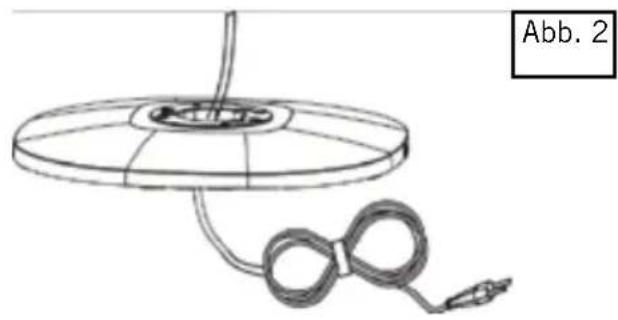
natural_image
Diagram of a circular device with a coiled cable and connector, labeled Abb. 2 (no text or symbols on the diagram itself)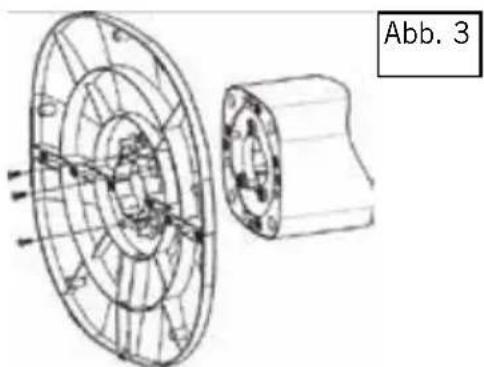
natural_image
Technical line drawing of a mechanical component with concentric circular features and a cylindrical shaft (no text or symbols)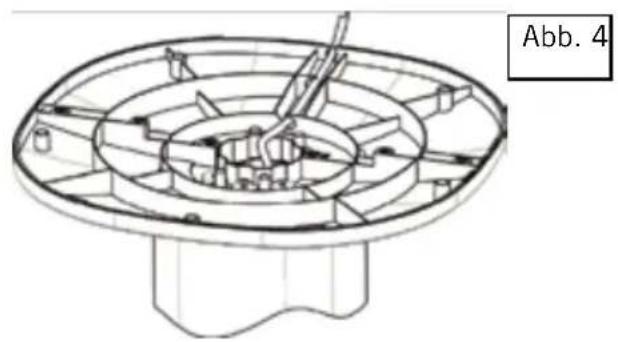
natural_image
Technical line drawing of a mechanical component with concentric circular features and a base (no text or symbols)natural_image
Diagram showing two rectangular components with internal square cutouts and a separate circular component (no text or symbols)Thank you for choosing a product from Unold. Please read the operating instructions carefully. They will familiarise you with your new fan (hereinafter referred to as “appliance”). Please make sure that the operating instructions are read and understood by everyone who uses, cleans or services the appliance. Never give the appliance to someone else without also giving them the operating instructions. If you have any questions that are not fully answered in the operating instructions, or in case of technical problems, please contact our customer service department or your retailer.
TECHNICAL SPECIFICATIONS
Power: 50 watt, 220-240 V\~, 50 Hz
Dimensions: approx. 31.8 x 31.8 x 97 cm (L/W/H)
Weight: approx. 4 kg
Degree of
protection: II
Power cord length: approx. 170 cm
Colour: black
Features: 3 speed levels, 3 wind types, timer (1 to 8 hours), oscillation, aroma box
Accessories: Operating instructions, remote control


Equipment features, technology, colours and design are subject to change without notice.
EXPLANATION OF THE SYMBOLS

This symbol indicates potential hazards that may result in injury or damage to the appliance.
FOR YOUR SAFETY
Please read the following instructions and keep them on hand for later reference.
Instructions for persons in the household
- This appliance can be used by children aged from 8 years and above and persons with reduced physical, sensory or mental capabilities or lack of experience and knowledge if they have
been given supervision or instruction concerning use of the appliance in a safe way and understand the hazards involved.
- Children shall not play with the appliance.
- Cleaning and user maintenance must not be performed by children, unless they are older than 8 years and are supervised.
- Keep the appliance and the power cord out of the reach of children under 8 years.
Safety instructions for set-up and operation of the appliance
- Only switch the appliance on when it has been properly assembled.
- Ensure that there is sufficient space where the appliance is located. A minimum distance of 50 cm must be maintained between the appliance and other objects.
- Do not use the appliance in rooms that are extremely dusty or in the vicinity of flammable substances.
- Only connect the appliance to an AC power supply with voltage corresponding to the voltage specified on the rating plate.
- This appliance must not be operated with an external timer or a remote control system (included remote control is not affected).
- Never immerse the appliance or the power cord in water or other liquids - life-threatening danger!
- Do not open the motor housing under any circumstances, there is danger of electric shock!
- The appliance is intended for household use only, or for similar areas of use, such as in kitchenettes in businesses, offices or other workplaces, for use by guests in hotels, motels or other lodgings, in private guest houses or holiday homes.
- Ensure that the power cord is laid out in such a manner that there is no possibility of stumbling over it.
- To avoid damage to the cord, never wrap the power cord around the appliance.
- To avoid damage to the cord, always unplug the mains plug from the electrical outlet by grasping the plug, never pull the power cord to unplug the appliance.
-
Ensure that the electrical outlet used is easily accessible, in order to unplug the appliance in an emergency.
-
To avoid damage to the power cord, ensure that it is not pinched or pulled over corners.
- If possible, do not use an extension cord. If you must use an extension cord, completely unwind the extension cord and comply with the power limits of the respective extension cord.
- Never place the appliance directly under an electrical outlet.
- The appliance must never be used in wet/wet and cold or damp rooms - danger of electric shock!
- Keep the appliance out of direct sunlight.
- Never stick objects such as fingers, needles, pins, etc. through the openings into the interior of the appliance – danger of injury!
- Check the appliance, the plug and the power cord regularly for wear or damage. If there is damage, please send the appliance for inspection and repair to our customer service organization. Unauthorised repairs can result in serious hazards for the user and void the guarantee.
- If the power cord is damaged, it must only be repaired by the manufacturer, the manufacturer's customer service organization, or some other person with the appropriate technical qualifications to avoid hazards.
- To avoid damage, do not use the appliance with accessories from other manufacturers or of other brands.
- Unplug the mains plug from the electrical outlet after use and before cleaning. Never leave the appliance unattended when the mains plug is plugged in.

Never stick objects such as fingers, needles, pins, etc. through the openings into the interior of the appliance – danger of injury! Only operate the appliance on a level, stable substrate, so that it does not tip over.
The manufacturer will not be liable in the event of incorrect assembly, improper or incorrect use or if repairs are carried out by unauthorized third parties.
ASSEMBLY
- Before assembling, ensure that you are assembling the appliance on a level, dry substrate.
- Remove all packaging materials and transport safeguards. Keep the packaging material, such as plastic bags or Styrofoam away from small children - danger of suffocation!
- Check whether all needed parts are present.
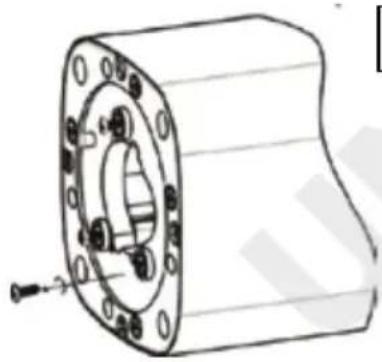
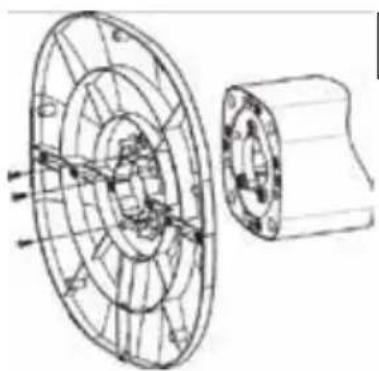
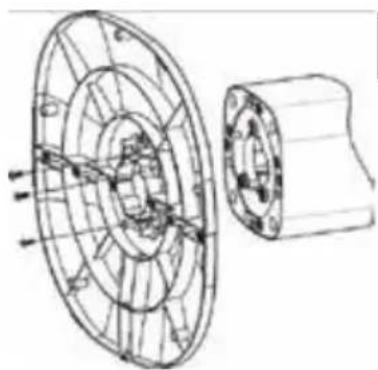
- Remove the three screws from the base of the appliance (Fig. 1).
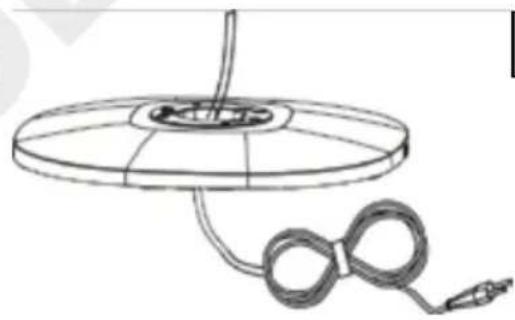
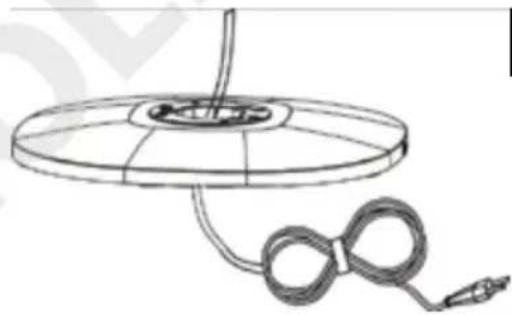
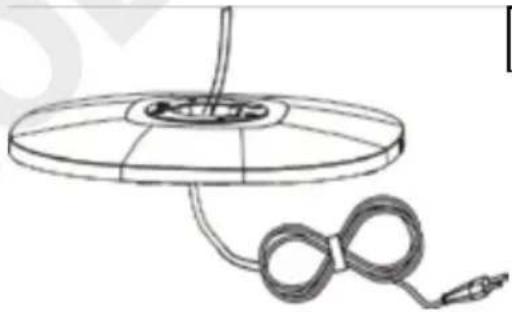
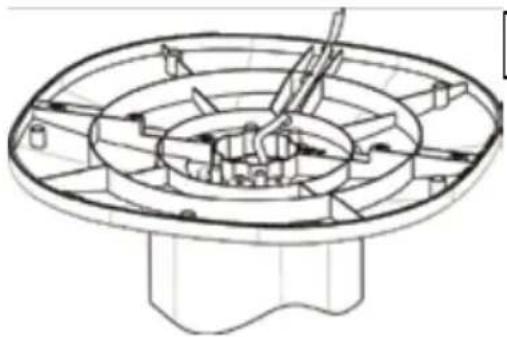
- First, join the two parts of the base stand together, until the lock in place (see Fig. 2) In this process, note that the power cord must be routed through the opening in the middle of both parts!
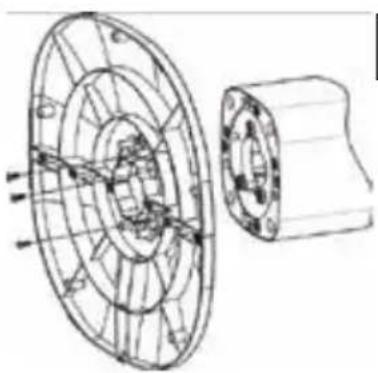
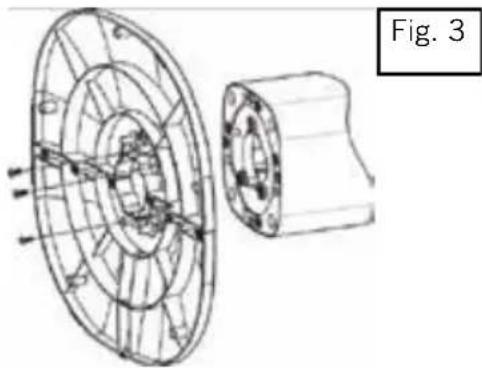
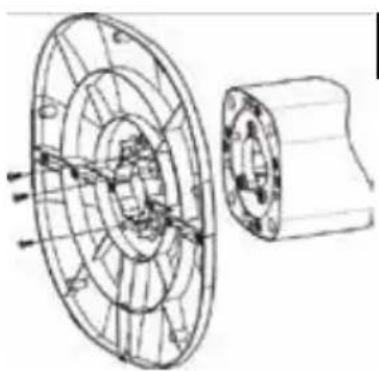
- Connect the base stand to the underside of the appliance and connect all parts using the provided screws (Fig. 3)
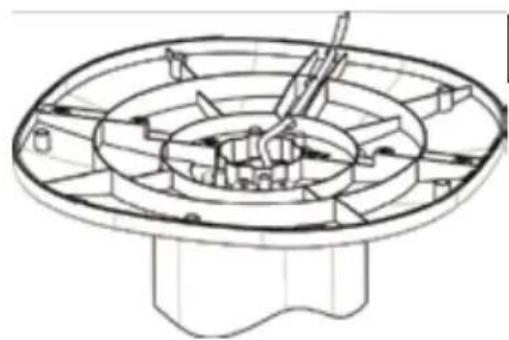
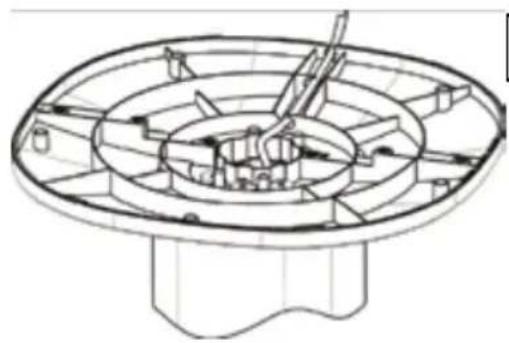
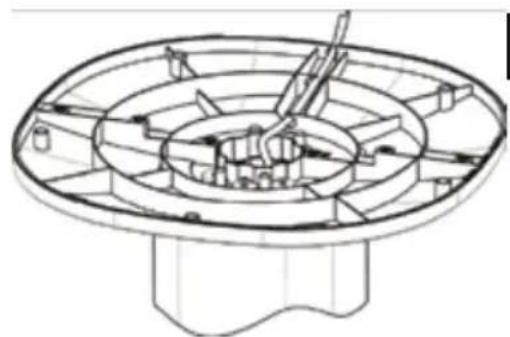
- Fix the power cord in place in the appropriate aperture on the underside of the base stand. (Fig. 4)
- Check whether all parts have been correctly assembled and fixed in place.
natural_image
Technical line drawing of a mechanical flange assembly (no text or symbols)Fig. 1
natural_image
Simple line drawing of a circular device with a coiled cable and connector (no text or symbols)Fig. 2
natural_image
Technical line drawing of a mechanical component with internal gear and housing (no text or symbols)Fig. 3
natural_image
Technical line drawing of a mechanical component with concentric circular and radial features (no text or symbols)Fig. 4
EXPLANATION OF THE BUTTON
text_image
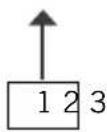
1 2 3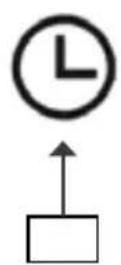
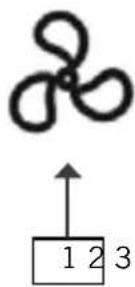
Speed
For adjusting the three different speed levels
Timer
For selecting the time after which the appliance switches off, adjustable between 1 and 8 hours
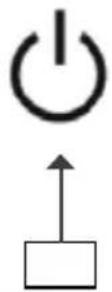
ON/OFF
For switching the appliance on and off
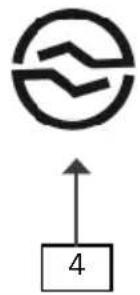
Mode
For selecting the desired mode. Standard mode, Near-Natural Mode or Sleep Mode.
Oscillation
For switching the Swing Function/Oscillation On and Off
REMOTE CONTROL UNIT
- Carefully pull the cover of the battery compartment out of the remote control unit.

natural_image
Diagram showing a rectangular object with internal components and an arrow indicating rotation (no text or symbols)- Insert the battery into the intended holder.
-
If you want to insert a different battery, button cell battery.
-
Carefully slide the cover back into the remote control unit.
- If you adjust the appliance with the remote control unit, ensure that you always hold it in the direction of the fan while you are making the settings.
- The designations on the remote control unit are identical to the designations of the buttons on the appliance.
- To avoid damage, never allow the remote control unit to fall from a significant height.
OPERATION
- Ensure that the appliance is standing on a suitable, level substrate, and has been set up so that it is safe and stable.
- Plug the power cord into an electrical outlet.
- A short signal tone will sound, and “--” will be shown in the display.
- Press the „ON/OFF“ button once. A signal tone sounds again and the appliance starts. In the basic setting the appliance runs at low speed in Normal mode.
Setting the speed
- Press the „Speed“ button until the appliance is working at the desired speed. The setting is shown by the respective indicator light:
Low speed 1
Medium speed 2
High speed 3
Setting the mode
Press the „Mode“ button and select the desired operating mode. You can select Standard mode, Near Natural mode, and Sleep mode. Press the „Mode“ button repeatedly until the desired setting is shown through the appropriate indicator light.
Normal mode
Near Natural mode Display: Natural
The appliance works with alternating speeds that feel like the natural movement of air.
Sleep mode Display: Sleep
The appliance works in Near Natural mode with permanently set speeds that decrease incrementally.
Swing function/oscillation
- Press the „Oscillation (Swing)“ button to switch on the swing function. Press the button again to stop the appliance in the current position, the fan however continues to run.
Timer
- Via the Timer button you can select the desired runtime of the appliance. This is possible in the range from 1 hour to 8 hours. Press the „Timer“ button until the desired number of hours appears in the display. After this time elapses the appliance switches off automatically (a signal tone sounds beforehand). If you do not make a time setting, the appliance will run continuously.
Switching off
- Press the „ON/OFF“ button again or the „ON/OFF“ button on the remote control unit to switch off the appliance. When you are no longer using the appliance, unplug the plug from the electrical outlet.
CLEANING AND CARE

Switch off the appliance, by pressing the “ON/OFF” button, and unplug it from the electrical outlet. Never immerse the appliance in water. The motor or electrical components of the appliance must not get wet.
- Never use any abrasive scouring agents, steel wool, metal objects, hot cleaning agents or disinfectants.
- Wipe off the housing and grille of the fan with a slightly damp cloth.
- Store the fan in a dry, safe place so that it is protected from dust, impact, heat and moisture.
GUARANTEE CONDITIONS
We grant a 24 months guarantee, and in case of commercial use a 12 months guarantee, starting from the date of purchase for any damage demonstrably due to manufacturing defects and when the appliance has been used according to its intended use. Within the warranty period we will remedy defective materials or workmanship through repair or replacement, at our option. Our warranty terms apply only to appliances sold in Germany and Austria. For other countries, please contact the responsible importer. In the event of a claim for remedy of defects, please send the appliance to our after sales service, properly packaged, together with a copy of the automatically generated sales receipt, which must show the date of purchase, and a description of the defect. You can print out a return receipt on our website www.unold.de/ruecksendung. (only for entries from Germany and Austria). The warranty does not cover damage from normal wear, improper handling and failure to comply with the maintenance and care instructions. The warranty is void if repairs or modifications are made to the appliance by third parties. Any claims of the end consumer vis-à-vis the retailer are not limited by this warranty.
WASTE DISPOSAL / ENVIRONMENTAL PROTECTION
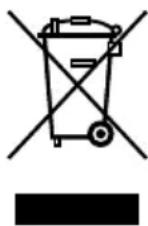
Our appliances are produced on a high quality level for a long lifetime. Regular maintenance and expert repairs by our after-sales service can extend the useful life of the appliance. If an appliance is defective and repair is not possible we ask you to follow the following instructions for disposal. Do not dispose this appliance together with your standard household waste. Please bring this product to an approved collection point for recycling of electric and electronic products. By separate collection and disposal of waste products you help to protect natural resources and ensure, that the product is disposed in an adequate way to protect health and environment.
Do not dispose of used batteries as household waste. Dispose of this product via your appliance dealer or take it to the municipal collection point.
The instruction booklet is also available for download: www.unold.de
NOTICE D'UTILISATION MODÈLE 86956
AVANT-PROPOS
natural_image
Technical line drawing of a mechanical flange component with bolt holes and mounting features (no text or symbols)fig. 1
natural_image
Line drawing of a circular device with a coiled cable and connector, no text or symbols presentfig. 2
natural_image
Technical line drawing of a mechanical component with internal gear and housing (no text or symbols)fig. 3
natural_image
Technical line drawing of a mechanical component with concentric circular and radial features (no text or symbols)fig. 4
natural_image
Simple line drawing of a propeller above a numbered box (no text or symbols)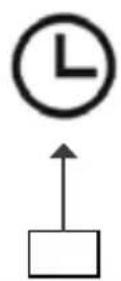
natural_image
Simple diagram with a circle containing wavy lines and an upward arrow labeled '4' (no text or symbols beyond the number)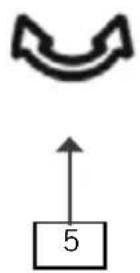
natural_image
Diagram showing two rectangular components with internal square cutouts and a separate circular component (no text or symbols)CONDITIONS DE GARANTIE
natural_image
Technical line drawing of a mechanical flange component with bolt holes and mounting bracket (no text or symbols)afb. 1
natural_image
Simple line drawing of a circular object with a coiled cable and connector, no text or symbols present.afb. 2
natural_image
Technical line drawing of a mechanical component with concentric circular and cylindrical features (no text or symbols)afb. 3
natural_image
Technical line drawing of a mechanical component with no visible text or symbolsafb. 4
VERKLARING VAN DE KNOPPEN


Snelheid/Speed
natural_image
Technical line drawing of a mechanical component with mounting holes and a central bore (no text or symbols)
natural_image
Diagram of a circular device with a coiled cable and connector, labeled Fig. 2 (no text or symbols on the diagram itself)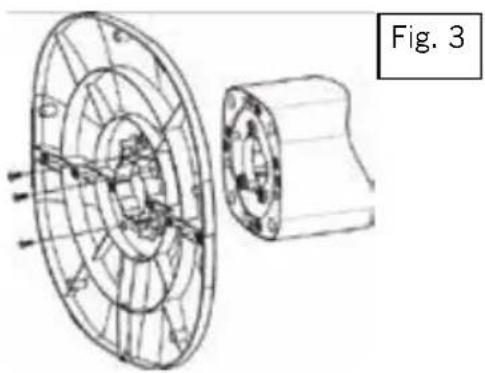
natural_image
Technical line drawing of a mechanical component with internal structure, labeled Fig. 3 (no text or symbols on the diagram itself)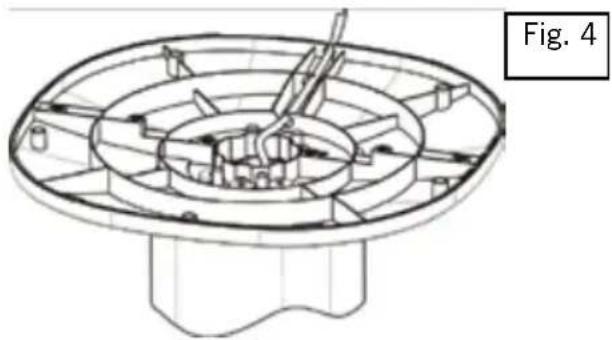
natural_image
Technical line drawing of a mechanical component with concentric circular features and a base (no text or symbols)TELECOMANDO
natural_image
Diagram showing two rectangular components with internal square cutouts and a separate circular component (no text or symbols)natural_image
Technical line drawing of a mechanical component with flanged ends and bolt holes (no text or symbols)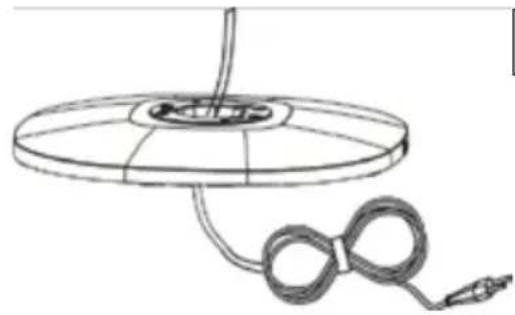
natural_image
Simple line drawing of a circular object with a rope and cable, no text or symbols presentFig. 2
natural_image
Technical line drawing of a mechanical component with internal structure, labeled Fig. 3 (no text or symbols on the diagram itself)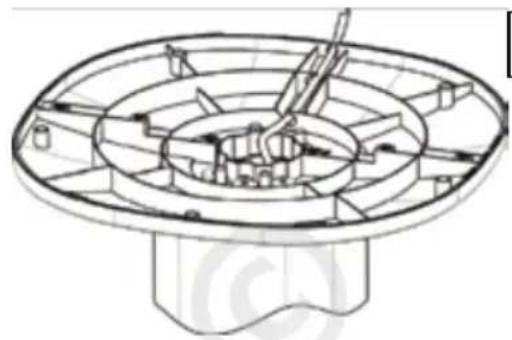
natural_image
Technical line drawing of a mechanical component with no visible text or symbolsFig. 4
CONTROL REMOTO
natural_image
Diagram showing two views of a rectangular device with internal components and a separate circular component (no text or symbols)text_image
Diagram showing a three-blade propeller above a labeled box with numbers 1, 2, 3 and an upward arrow.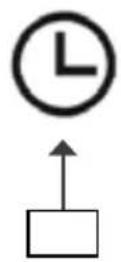
Velocidad/Speed
natural_image
Technical line drawing of a mechanical flange component (no text or symbols)rys. 1
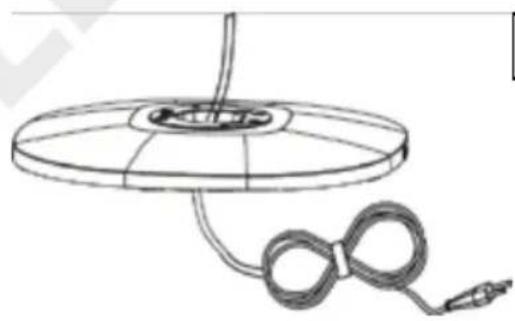
natural_image
Simple line drawing of a circular object with a coiled cable and connector, no text or symbols present.rys. 2
natural_image
Technical line drawing of a mechanical component with concentric circular and cylindrical features (no text or symbols)rys. 3
natural_image
Technical line drawing of a mechanical assembly with concentric circular components and internal blades (no text or symbols)rys. 4