300703 - Wireless Network Adapter CSL - Free user manual and instructions
Find the device manual for free 300703 CSL in PDF.


| Product type | USB wireless network adapter |
| Brand | CSL |
| Model | 300703 |
| Dimensions (approx.) | 2 cm x 1.5 cm x 0.5 cm |
| Weight (approx.) | 5 g |
| Power supply | Via USB port (5 V, 500 mA) |
| Connectivity | IEEE 802.11 b/g/n, 2.4 GHz band |
| Maximum data rate | 300 Mbit/s (802.11n), 54 Mbit/s (802.11g), 11 Mbit/s (802.11b) |
| Chipset | Realtek RTL8192CU |
| Main functions | USB 2.0 WiFi adapter, WPS support (push-button configuration), Plug and Play under Windows 8/8.1 |
| Supported operating systems | Windows XP, Windows 7, Windows 8, Windows 8.1 |
| Wireless security | WEP, WPA, WPA2 (standard) |
| Maintenance and cleaning | Clean with a soft, dry cloth. Do not use liquids or abrasive materials. |
| Safety precautions | Do not open, modify, or expose to moisture. Use only indoors. Keep out of reach of children. |
| Replacement parts and repairability | No user-serviceable parts. In case of failure, replace the adapter. |
| Box contents | USB 2.0 WLAN adapter, driver CD, quick start guide |
| General information | Compliant with WEEE directive (2012/19/EU). Warranty: 2 years (depending on retailer). |
Frequently Asked Questions - 300703 CSL
User questions about 300703 CSL
0 question about this device. Answer the ones you know or ask your own.
Ask a new question about this device
Download the instructions for your Wireless Network Adapter in PDF format for free! Find your manual 300703 - CSL and take your electronic device back in hand. On this page are published all the documents necessary for the use of your device. 300703 by CSL.
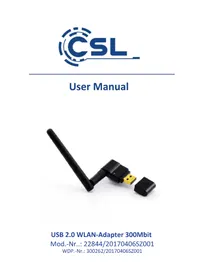
USER MANUAL 300703 CSL
Thank you for having chosen this CSL product and for placing your trust in our company. Please read this manual carefully before installation to ensure your long-term enjoyment of this product. For future reference, please keep this manual.
1 Scope of delivery
- USB 2.0 WLAN Adapter
- Driver CD
- User manual
2 Technical specifications
| Port USB 2.0 Hi-Speed | |
| Data transmission rate | ·IEEE 802.11n: bis zu 300Mbit/s* ·IEEE 802.11g: bis zu 54Mbit/s* ·IEEE 802.11b: bis zu 11Mbit/s* *transmission speed varies according to the distance and external interference |
| Chipset Realtek RTL8192CU | |
| Frequency band 2.4GHz | |
| Features WPS PBC – configuration at the press of a button | |
3 Driver installation
Take the WLAN adapter out of its packaging and connect the device to a free USB port on your PC. Due to "plug and play" this can also be done while your PC is running.
Note: If you are using the Microsoft Windows 8 or 8.1 operating system, the device drivers will install automatically. The WLAN adapter is ready for use after a few minutes.
If you are using Windows XP or Windows 7, please continue with the installation as described.
Put the driver CD in your drive. Call up the contents of the driver CD and go to the sub-directory marked "Drivers".
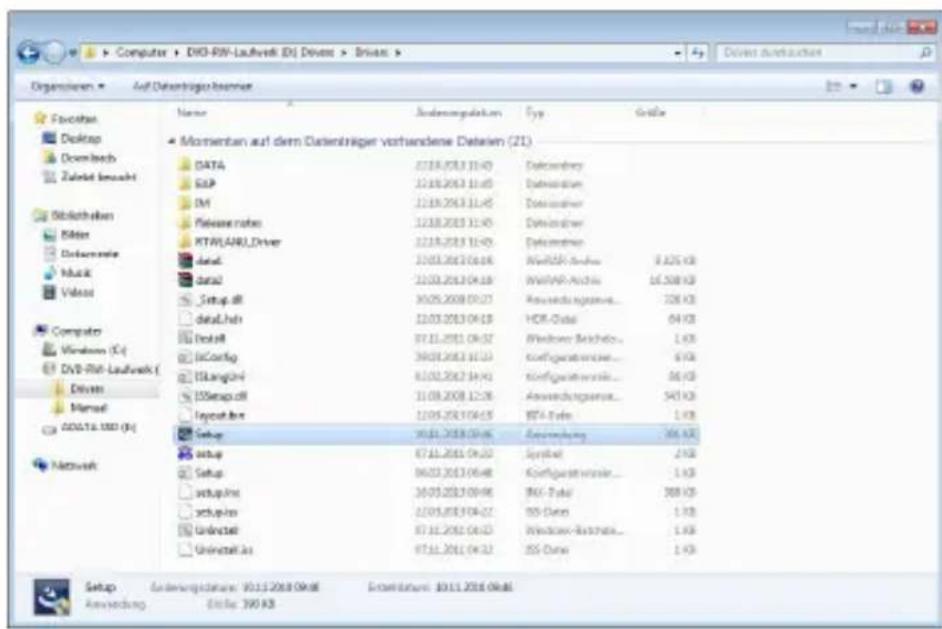
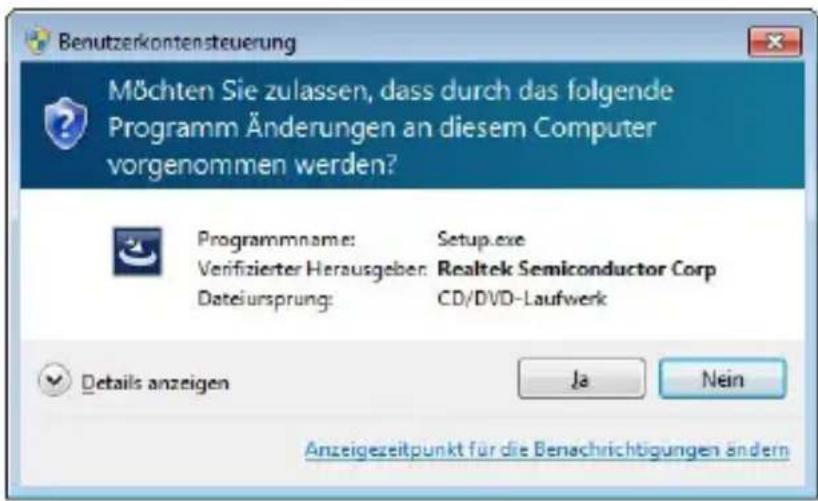
Now start Setup.exe. Please confirm the subsequent security notice by clicking on "Yes".
The installation assistant will be launched. Click on the "Continue" button in the subsequent window to start the installation.
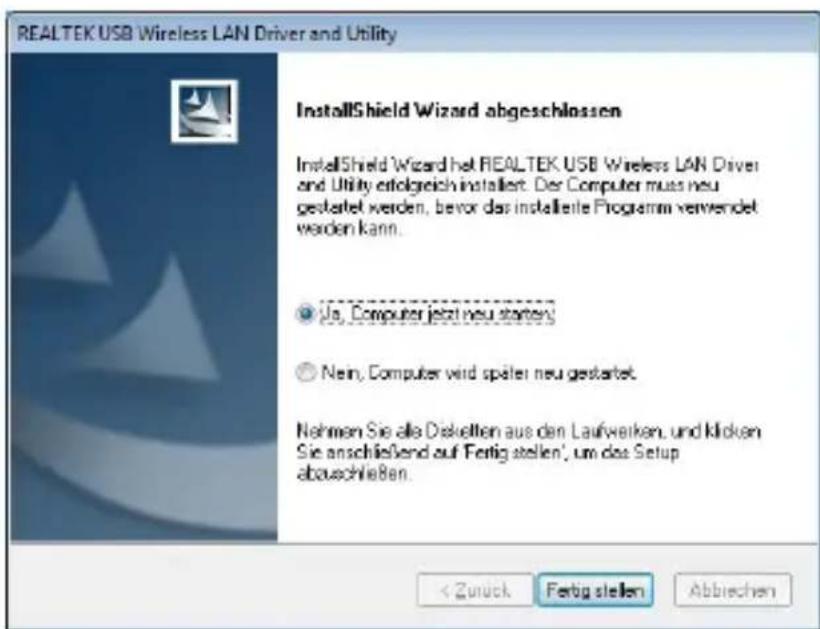
Select "Yes, restart the computer" and click on the "Finish" button. After the operating system has loaded, the WLAN Adapter is ready for use.
4 Safety instructions and liability disclaimer
Never try to open the device to carry out repairs or conversions. Avoid contact with mains voltages. Do not short-circuit the product. The device is not certified for use in the open air; only use it in dry conditions. Protect it from high humidity, water and snow. Keep it away from high temperatures. Do not subject the device to sudden changes in temperature or heavy vibration as this might damage electronic components.
Examine the device for damage before using it. The unit should not be used if it has received an impact or has been damaged in any other way. Please observe national regulations and restrictions. Do not use the device for purposes other than those described in the instructions. This product is not a toy. Keep it out of the reach of children or mentally impaired persons. Any repair or alteration to the device not carried out by the original supplier, will invalidate the warranty
or guarantee. The product may only be used by persons who have read and understood these instructions. The device specifications may change without any separate prior notice to this effect.
5 Disposal instructions
Electrical and electronic devices may only be disposed of in accordance with the European WEEE Directive and not with household rubbish. Components must be disposed of or recycled separately as dangerous, toxic elements can inflict sustained damage on the environment if they are disposed of incorrectly. As a consumer, you are bound by the Electrical and Electronic Devices Act (ElektroG) to return electrical and electronic goods free of charge at the end of their useful life to the manufacturer, the place of purchase or to specially set up, public collection points. The details in each case are governed by national law. The symbol on the product, the operating instructions and/or the packaging refers to these regulations. By separating materials in this way, recycling and disposing of old devices, you are making an important contribution towards protecting our environment.
WEEE guideline: 2012/19/EU
WEEE register number: DE 94495668
CSL Computer GmbH & Co. KG, herewith declares that this product 28283 conforms to the principle requirements and other relevant stipulations of Directive 1999/5/EG. The complete Declaration of Conformity can be obtained from: CSL Computer GmbH & Co. KG, Sokelantstraße 35, 30165 Hanover
www.csl-computer.com
Brand : CSL
Model : 300703
Category : Wireless Network Adapter