300262 - Wireless Network Adapter CSL - Free user manual and instructions
Find the device manual for free 300262 CSL in PDF.


| Product type | USB wireless network adapter |
| Brand | CSL |
| Model | 300262 |
| Interface | USB 2.0 High Speed |
| Wi-Fi standards | IEEE 802.11n / g / b |
| Maximum data rate | 300 Mbit/s (802.11n) |
| Frequency band | 2.4 GHz |
| Chipset | Realtek RTL8191SU |
| Antenna | External removable |
| Dimensions (approx.) | 90 × 20 × 10 mm |
| Weight (approx.) | 30 g |
| Power supply | USB (5 V, 500 mA) |
| Compatible operating systems | Windows XP / Vista / 7 / 8 / 8.1 / 10 |
| Package contents | Adapter, antenna, driver CD, quick start guide |
| Maintenance and cleaning | Clean with a dry cloth; avoid moisture and high temperatures |
| Safety | Do not open, modify, short-circuit; use in a dry place |
| Spare parts and repairability | Not user-repairable; no spare parts provided |
| General information | Complies with WEEE directive (2012/19/EU); declaration of conformity available |
Frequently Asked Questions - 300262 CSL
User questions about 300262 CSL
0 question about this device. Answer the ones you know or ask your own.
Ask a new question about this device
Download the instructions for your Wireless Network Adapter in PDF format for free! Find your manual 300262 - CSL and take your electronic device back in hand. On this page are published all the documents necessary for the use of your device. 300262 by CSL.
USER MANUAL 300262 CSL
natural_image
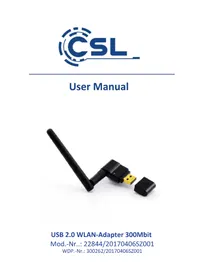
Black USB Ethernet connector with a long left-handled antenna and a small open port (no text or symbols visible)USB 2.0 WLAN-Adapter 300Mbit
Realtek Semiconductor Corp
Dateiursprung:
CD/DVD-Laufwerk

Thank you for choosing this product from CSL and for placing your trust in our company. Before using the WLAN adapter for the first time, please read this manual carefully to ensure your long-term enjoyment of this product. For future reference, please keep this manual.
1 Scope of delivery
- USB 2.0 WLAN adapter
- WLAN antenna
- Driver CD
- User manual
2 Technical specifications
| Port USB 2.0 Hi-Speed | |
| Data rate | IEEE 802.11n: up to 300Mbit/s*IEEE 802.11g: up to 54Mbit/s*IEEE 802.11b: up to 11Mbit/s**The transmission rate depends on distance and outside differences |
| Chipset Realtek RTL8191SU | |
| Frequency range 2.4GHz | |
| Compatibility Microsoft | ft Windows XP / Vista / 7 / 8 / 8.1 / 10 |
| Features External antenna | |
3 Driver installations
Remove the WLAN adapter from its packing and attach the included antenna. Please connect the device to a free USB port with your computer.
Information:
If you are using Microsoft Windows 10, 8 or Windows 8.1 operating systems, the installation of the device drivers takes place automatically. The WLAN adapter is ready for use within minutes.
If your operating system is Windows XP, Windows Vista or Windows 7, proceed with the installation process as described in the following.
Insert the driver CD into your CD-ROM drive, call up the contents of the driver CD and navigate to the subfolder "Drivers". Please open the folder "Windows". Start the installation file setup.exe.

Answer the security question with "Yes".


Program name: Setup.exe Verified publisher: Realtek Semiconductor Corp File origin: CD/DVD drive

Show details
Change when these notifications appear
The installation assistant is running now. Follow the instructions of the installation assistant, to properly perform the driver installation. After restarting the computer the device is ready for use.
4 Safety instructions and disclaimer
Do not attempt to service this product by yourself as opening or removing covers may result in fire, electric shock or equipment damage. Please avoid any contact to the electric current. This product is only licensed for indoor use and dry areas. Please protect it from water, rain, snow or high humidity and keep it away from high temperatures and direct sunlight.
Do not expose this product to extreme and sudden changes of temperature or heavy vibrations; this may lead to damage of the internal electronic part of this unit.
Check this product for signs of damage before putting it in operation. In case the device received any damage, it should not be used. Please contact our customer support.
Please observe the relevant national provisions and legal restrictions. Do not use this product for anything other than intended and as described in the manual.
Any attempt of repairs or alterations by someone other than the original supplier will invalidate the guarantee and result in refusal of warranty claims.
Persons who are familiar with the operating manual and the applicable regulations concerning working safety and accident prevention may only use the WLAN-Adapter.
This unit is not intended to be used by persons (including children) with limited physical, sensory or mental aptitude or lack of experience and/or knowledge unless they are supervised by a person responsible for their safety or have received instructions as to how the device is used properly.
The technical specifications of this product may change without prior notice.
5 Disposal Instructions
The European Directive (WEEE) requires that old electrical and electronic appliances shall be disposed of separately from normal household garbage for optimal recycling. The component parts must be separated, collected and sent for recycling or disposal in an environment-friendly manner.
Otherwise, toxic and dangerous substances could cause enduring damage to the environment if disposed of incorrectly. As a consumer you are legally obligated (Electrical and Electronic Equipment Act-ElektroG) to return electronic equipment at the end of its lifetime to their manufacturer, point of sale, public collection points or importer free of charge. The relevant local laws apply here. The symbol on the product, in the instructions or on its packing indicates these regulations. The reuse or recycling of materials and old units makes an important contribution towards protecting the environment.
WEEE guideline: 2012/19/EU WEEE register number: DE 94495668
WD Plus GmbH, herewith declares that this product 22844/20170406SZ001 conforms to the principle requirements and other relevant stipulations of Directive 1999/5/EG. The complete Declaration of Conformity can be obtained from: WD Plus GmbH, Wohlenbergstraße 16, 30179 Hannover

Program name: Setup.exe Verified publisher: Realtek Semiconductor Corp File origin: CD/DVD drive

Show details
Change when these notifications appear

Program name: Setup.exe Verified publisher: Realtek Semiconductor Corp File origin: CD/DVD drive

Show details

Change when these notifications appear

Program name: Setup.exe Verified publisher: Realtek Semiconductor Corp File origin: CD/DVD drive

Show details
Change when these notifications appear