
IR540W - Heating GORENJE - Free user manual and instructions
Find the device manual for free IR540W GORENJE in PDF.
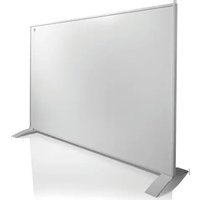


| Product type | Infrared heater |
| Brand | Gorenje |
| Model | IR540W |
| Power | 540 Watts |
| Supply voltage | 220-240 V, 50/60 Hz |
| Dimensions (W x H x D) | 29,2 x 24,4 cm (mounting data) |
| Weight | Approx. 2.5 kg (estimate) |
| Material | Metal with glass panel |
| Installation type | Wall-mounted or freestanding |
| Connectivity | Wi-Fi via mobile app |
| Main functions | Adjustable thermostat (37°C default), timer, control via app |
| Temperature range | From 0°C to 37°C (user adjustable) |
| Safety | Mechanical safety switch, overheat protection, automatic shut-off in case of tipping |
| Maintenance and cleaning | Wipe with a soft damp cloth, do not use abrasive products |
| Warranty | 2 years manufacturer warranty |
| Protection rating | IP24 (splash protection, estimate) |
Frequently Asked Questions - IR540W GORENJE
User questions about IR540W GORENJE
0 question about this device. Answer the ones you know or ask your own.
Ask a new question about this device
Download the instructions for your Heating in PDF format for free! Find your manual IR540W - GORENJE and take your electronic device back in hand. On this page are published all the documents necessary for the use of your device. IR540W by GORENJE.
USER MANUAL IR540W GORENJE
a. Android: https://play.google.com/store/apps/details?id=com.con.sec b. Apple: https://apps.apple.com/us/app/connect-life-robot/id1613312684

QR - Apple
QR – Android
- Open the app and register with a valid email address or using another suggested verification method.
- Turn on the heater and check that the Wi-Fi signal is flashing rapidly (3 flashes per second). If the signal is not flashing, press the Wi-Fi button for 3 seconds to change the flashing state.
- Turn on Wi-Fi and Bluetooth on your phone.
- On the app's home screen, tap the Add device option.
- If the app does not automatically recognize the heater, look for the Small Home Appliances tab on the left side and tap the Heater (Wi-Fi) option.
- Follow the steps required by the app to manually add the heater.
TROUBLESHOOTING
Important safety precautions
SAVE THESE INSTRUCTIONS
PLEASE READ AND SAVE THESE IMPORTANT SAFETY INSTRUCTIONS
When using electrical appliances, basic precautions should always be taken to reduce the risk of fire, electric shock, or personal injury. Such precautions include the following:
- Read all instructions before using this heater.
- Do not use this heater in the immediate vicinity of a bath, shower, or swimming pool. Warning: this heater is not equipped with a device to control the external room thermostat.
- Do not use this heater in small rooms occupied by persons not capable of leaving the room on their own, unless constant supervision is provided.
- Children of less than 3 years should be kept away from the heater unless continuously supervised.
- Children aged between 3 and 8 should only switch the appliance on/off if it has been placed or installed in its intended normal operating position. This is on condition that they are supervised or have been given adequate instructions regarding the safe use of the appliance and that they understand the hazards involved. Children of this age should not plug in, regulate or clean the appliance, nor should they perform any user maintenance.
- This appliance can be used by children aged 8 and above and persons with reduced physical, sensory or mental capabilities, or lack of experience and knowledge, on condition that they are supervised or have been given adequate instructions regarding the safe use of the appliance and that they understand the hazards involved. Children should not play with the appliance, and cleaning and user maintenance should not be carried out by children without supervision.
- If the power cord is damaged, it must be replaced by the manufacturer, its service agent or similarly qualified persons in order to avoid a hazard.
- Caution: some parts of this product can become very hot and cause burns. Particular attention must be given where children and vulnerable people are present.
- In order to avoid overheating, do not cover the heater.
- The heater must not be used if the glass (plaster) panels are damaged.
- The appliance is not to be used by persons (including children) with reduced physical, sensory or mental capabilities, or lack of experience and knowledge, unless they are supervised or have been given adequate instructions.
- Heater is hot when in use. To avoid burns, do not let any bare skin touch the hot surfaces of the appliance. Keep combustible materials such as furniture, pillows, bedding, paper, clothes, and curtains at least 3 feet (0.9m) from the front of the heater and keep them away from the sides and rear.
- Extreme caution is necessary when this heater is used by or near children or those with disabilities, as well as in cases where the heater is left to operate unattended. This appliance is not intended for use by persons (including children) with reduced physical, sensory or mental capabilities, or lack of experience and knowledge, unless they are supervised or have been given adequate instructions regarding the use of the appliance by a person responsible for their safety. Children should be supervised to ensure that they do not play with the appliance. Always unplug the heater when not in use.
- Do not operate any heater with a damaged cord or plug, and do not use the heater after it malfunctions or has been dropped or damaged in any way. Return it to an authorized service facility for examination, electrical or mechanical adjustment, or repair.
- Indoor use only, wall-mounted and ceiling-mounted. Do not use outdoors. (Omitted if the heater is intended for outdoor use.)
- This heater is not intended for use in bathrooms, laundry areas, or similar indoor locations with high humidity. Never place the heater where it may fall into the bathtub or any other water container.
- Do not run the cord under any material. Do not cover the cord with throws, rugs, runners, or similar coverings. Do not operate any heater after it malfunctions. Do not operate the heater if the alarm is sounding (or illuminating). Disconnect the power at the service panel and have the heater inspected by a reputable electrician before resuming use.
- To prevent a possible fire, do not block the space between the heater and the wall in any way as this space allows air to flow in and out.
- A heater has hot and arcing/sparking parts inside. Do not use it in areas where gasoline, paint, or flammable liquids are used or stored.
- Use this heater only as described in this manual. Any other use not recommended by the manufacturer may cause fire, electric shock, or personal injury.
- Avoid the use of an extension lead as it may overheat and cause a risk of fire.
- To prevent overloading a circuit, do not plug the heater into a circuit that already has other appliances working. Do not place the heater under the wall socket.
- It is normal for the plug to feel warm to the touch; however, a loose fit between the socket (receptacle) and plug may cause overheating and distortion of the plug. Contact a qualified electrician to replace loose or worn plug sockets.
- The output of this heater may vary and its temperature may become intense enough to burn exposed skin. To avoid burns, the use of this heater is not recommended for persons with reduced sensitivity to heat or delayed reactions.
- Do not cover the heater under any circumstances.
UNPACKING AND ASSEMBLY INSTRUCTIONS
PACKING LIST
- Heater: 1 piece
- 4x screws (ST 4*35mm)
- 4x plastic fittings
- 1x instruction manual
- 1x wall mounting template
SELF-STANDING ASSEMBLY INSTRUCTIONS
- Unscrew the two bottom corner screws on each side of the heater's back frame.
- Align the self-standing bracket hole to the frame hole such that the outer corners of the bracket and heater frame will be aligned.
- Screw the previously removed screws back in. Make sure to screw them into the screw insert on the frame.
- Start using your heater.
WALL MOUNTING INSTRUCTIONS
- Measure the distance between the centre of each heater bracket both horizontally and vertically to ensure you are drilling the holes in the correct place. Mark the positions of the 4 holes on the wall. You can also use the enclosed template or the below table.
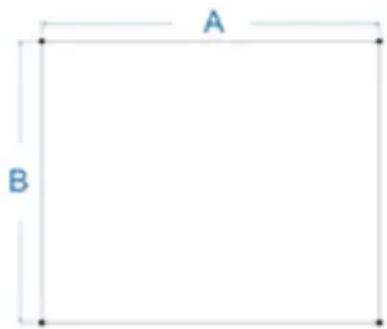
| MODEL A (cm) B (cm) | |
| IR540W29,2 24,4 | |
| IR800W 42,4 39,6 | |
| IR1200W 64,4 36,6 |
- Drill the holes with an appropriate drill bit for the material you are mounting the heater on.
- Insert the plastic fittings into the holes.
- Screw the 4 screws into the plastic fittings. Leave the screw approx. 4 to 5 mm out of the wall. Minor adjustments to the screws will be needed when putting the heater in place.
- Attach the panel heater onto the screws and move the heater to the left so that the screws drop into the securing slots.
OPERATING INSTRUCTIONS
- When connected to a power supply, press the red mechanical safety switch to the ON position. The switch is located on the side of the operating panel.
- The ON/OFF button will activate the heater to start working with the ambient temperature pre-set to 37°C. If your room temperature is lower than 37°C, the heater will start working immediately.
- Set the desired room temperature using the "+" and "-" buttons.
- TIMER CLOCK button will allow you to set a countdown time for the heater. Adjust the desired countdown time using the "+" and "-" buttons.
INSTRUCTIONS FOR CONNECTING TO THE APP
- On Google Play or the Apple Store, download the following application:
a. Android: https://play.google.com/store/apps/details?id=com.con.sec b. Apple: https://apps.apple.com/us/app/connect-life-robot/id1613312684

QR - Apple
QR – Android
- Open the application and perform the registration process using a valid email or other suggested verification method.
- Turn on the heater and check that the Wi-Fi signal is blinking rapidly (3 blinks per second). If not, press the Wi-Fi button for 3 seconds to change the state of blinking.
- Turn on Wi-Fi and Bluetooth on your phone.
- Tap Add device on your application home screen.
- If the heater is not recognized automatically, find the Small Home Appliances tab on the left side and tap the Heater (Wi-Fi) option.
- Follow the steps requested by the application to add the heater manually.
TROUBLESHOOTING
If your heater fails to operate, please follow these instructions:
- Ensure that your circuit breaker or fuse is working properly.
- Be sure the heater is plugged in and that the electrical outlet is working properly.
- If the ON/OFF switch is not illuminated in the ON position, send it to the service center directly for repair.
NOTE: IF YOU EXPERIENCE PROBLEMS WITH YOUR HEATER, PLEASE SEE THE WARRANTY INFORMATION FOR INSTRUCTIONS. PLEASE DO NOT ATTEMPT TO OPEN OR REPAIR THE HEATER YOURSELF AS TO DO SO MAY VOID THE WARRANTY AND CAUSE DAMAGE OR PERSONAL INJURY. IF THE PROBLEM PERSISTS, PLEASE CONTACT THE DISTRIBUTOR.
CLEANING AND STORAGE
Before cleaning your heater, switch off the heater and allow it to cool. Disconnect the electricity supply to the appliance. The outside can be cleaned by wiping it over with a soft damp cloth and then dried. Do not use abrasive cleaning powders or furniture polish as this can damage the surface finish.
For short-term storage, just unplug the heater and leave it; for long-term storage, you can dismantle it from the wall.
SPECIFICATIONS
Voltage:
220-240V, 50/60Hz
Power:
540 Watts for PH-ET540E1
800 Watts for PH-ET800E1
1200 Watts for PH-ET1200E1
Tolerances on all specifications:
Approximately +5%, -10%.
LIMITED WARRANTY AND SERVICE
2 year manufacturer's warranty. Please contact your dealer with your purchase receipt for warranty details.
| Correct Disposal of this product | |
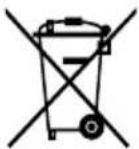 | This marking indicates that this product should not be disposed of with other household wastes throughout the EU. To prevent possible harm to the environment or human health from uncontrolled waste disposal, recycle it responsibly to promote the sustainable reuse of material resources. To return your used device, please use the return and collection systems or contact the retailer where the product was purchased. They can take this product for environmentally-safe recycling. |
a. Android https://play.google.com/store/apps/details?id=com.con.sec b. Apple https://apps.apple.com/us/app/connect-life-robot/id1613312684
QR - Apple
QR - Android
- Open the app and complete the registration process using a valid email or another suggested verification method.
- Turn on the heater and check that the Wi-Fi signal blinks rapidly (3 blinks per second). If it does not blink, press the Wi-Fi button for 3 seconds to change the blinking state.
- Turn on Wi-Fi and Bluetooth on your phone.
- Tap Add Device on the app's home screen.
- If the heater is not recognized automatically, find the Small Home Appliances tab on the left side and tap the Heater (Wi-Fi) option.
- Follow the steps required by the app to manually add the heater.
TROUBLESHOOTING
a. Android https://play.google.com/store/apps/details?id=com.con.sec b. Apple https://apps.apple.com/us/app/connect-life-robot/id1613312684
QR - Apple
QR – Android
QR - Apple
QR – Android
INSTRUCTIONS FOR CONNECTING TO THE APP
QR - Apple
QR – Android
a. Android https://play.google.com/store/apps/details?id=com.con.sec b. Apple https://apps.apple.com/us/app/connect-life-robot/id1613312684

QR - Apple
QR - Android
a. Android https://play.google.com/store/apps/details?id=com.con.sec b. Apple https://apps.apple.com/us/app/connect-life-robot/id1613312684
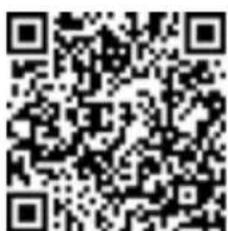
QR - Apple
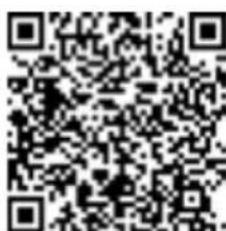
QR – Android
a. Android https://play.google.com/store/apps/details?id=com.con.sec b. Apple https://apps.apple.com/us/app/connect-life-robot/id1613312684

QR - Apple
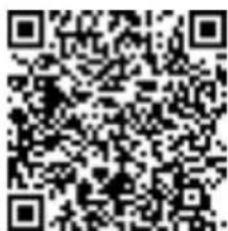
QR – Android
SAVE THESE INSTRUCTIONS
a. Android https://play.google.com/store/apps/details?id=com.con.sec b. Apple https://apps.apple.com/us/app/connect-life-robot/id1613312684
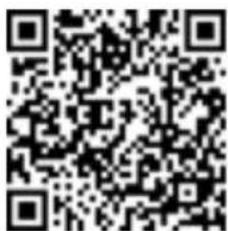
QR - Apple
QR – Android
a. Android https://play.google.com/store/apps/details?id=com.con.sec b. Apple https://apps.apple.com/us/app/connect-life-robot/id1613312684

QR - Apple
QR – Android
SAVE THESE INSTRUCTIONS
READ AND SAVE THESE IMPORTANT SAFETY INSTRUCTIONS
a. Android https://play.google.com/store/apps/details?id=com.con.sec b. Apple https://apps.apple.com/us/app/connect-life-robot/id1613312684

QR - Apple
QR - Android
QR - Apple
QR – Android
QR - Apple
QR - Android
QR - Apple
QR – Android
QR - Apple
QR – Android
b. Apple https://apps.apple.com/us/app/connectlife-robot/id1613312684
QR - Apple
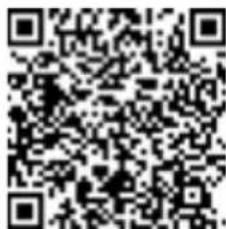
QR – Android
QR - Apple
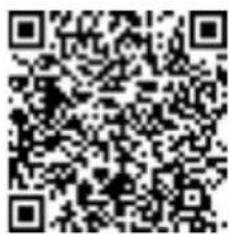
QR – Android


- TROUBLESHOOTING
- IMPORTANT SAFETY PRECAUTIONS
- PLEASE READ AND SAVE THESE IMPORTANT SAFETY INSTRUCTIONS
- UNPACKING AND ASSEMBLY INSTRUCTIONS
- PACKING LIST
- SELF-STANDING ASSEMBLY INSTRUCTIONS
- WALL MOUNTING INSTRUCTIONS
- OPERATING INSTRUCTIONS
- INSTRUCTIONS FOR CONNECTING TO THE APP
- CLEANING AND STORAGE
- SPECIFICATIONS
- LIMITED WARRANTY AND SERVICE
- SAVE THESE INSTRUCTIONS
- READ AND SAVE THESE IMPORTANT SAFETY INSTRUCTIONS
Brand : GORENJE
Model : IR540W
Category : Heating