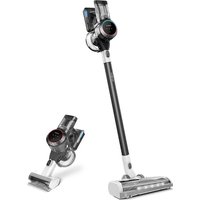
TINECO Pure One S11 - Vacuum Cleaner

Pure One S11 - Vacuum Cleaner TINECO - Free user manual and instructions

Find the device manual for free Pure One S11 TINECO in PDF.

English EN Download 💬 AI Question 10 questions ⚙️ Specs
📄

Document temporarily unavailable

The manual is currently being transferred to our new server. It will be accessible again in a few hours. Thank you for your patience.

View the manual : Français FR English EN Español ES
Pick your language and provide your email: we'll send you a specifically translated version.
Product type Cordless stick vacuum
Brand Tineco
Model Pure One S11
Rated voltage 21.6 V
Power consumption 450 W
Dust bin capacity 0.6 L
Run time in AUTO mode Approximately 40 minutes
Run time in MAX mode Approximately 10 minutes
Charging time for one battery 3 to 4 hours
Battery type Lithium-ion rechargeable, not user-replaceable
Power supply Power adapter 100-240 V~, indoor use only
Filtration Pre-filter, mesh filter, washable HEPA filter
Cleaning modes AUTO (intelligent dust detection) and MAX (maximum suction)
Display Digital with dust, blockage, battery and Wi-Fi indicators
Connectivity Wi-Fi, compatible with Tineco app (iOS/Android)
Included accessories LED multi-task power brush, 2-in-1 combination brush, soft dusting brush, flexible extension tube, pre-filter cleaning tool, hair/string cleaning tool
Dust bin maintenance Clean after each use with a damp cloth; do not wash the bin with water (contains a sensor)
Filter maintenance Pre-filter: monthly washing, replace every 6 months; HEPA filter: wash every 3 months, replace every 12 months
Warranty 2 years for the main unit, 1 year for motorized accessories and separately purchased battery
Recommended use Indoor household use only; do not use on wet surfaces

Frequently Asked Questions - Pure One S11 TINECO

How to empty the dust bin?
Press the unlock button on the side of the dust bin, then empty the contents. Close and replace the bin flap. For a deeper clean, remove the bin by pressing the dust bin unlock button.
How to clean the filter?
Remove the dust bin, then turn the pre-filter and mesh filter counterclockwise to remove them. Rinse them with clean water and dry thoroughly before reinstalling. The HEPA filter is cleaned by pressing the HEPA unlock button, rinsing it under running water, and drying it completely.
What is the battery life of the vacuum?
In AUTO mode, the battery life is approximately 40 minutes. In MAX mode, it is approximately 10 minutes. Battery life may vary depending on the accessories used and the type of surface.
How to charge the battery?
Place the unit on the wall dock or charge the battery separately. Use only the Tineco supplied adapter. Full charging time is 3 to 4 hours within a temperature range of 4°C to 40°C.
What to do if suction is weak?
Check that the dust bin and filters are not full or clogged. Clean them if necessary. Ensure the pre-filter is installed correctly. Also check that the tube, brush, or other parts are not blocked.
How to use AUTO and MAX modes?
The unit starts automatically in AUTO mode. To switch to MAX mode, press the AUTO/MAX button after 3 seconds. In AUTO mode, the power automatically adjusts to the amount of dust detected, while MAX mode provides maximum suction.
How to connect the vacuum to the Tineco app?
Download the Tineco app from the App Store or Google Play. Follow the instructions in the app to connect the unit via Wi-Fi. Make sure the Wi-Fi indicator is flashing during connection. Use the Wi-Fi reset button located under the dust bin if necessary.
What does a flashing red light on the battery mean?
A flashing red light indicates a problem with the battery or unit. Consult the troubleshooting guide in the manual. Try removing the battery and letting it cool down. If the problem persists, contact Tineco customer service.
What accessories are included with the Pure One S11?
The included accessories may vary by model, but the box typically contains: a LED multi-task power brush, a 2-in-1 combination brush, a soft dusting brush, a flexible extension tube, a pre-filter cleaning tool, and a hair/string cleaning tool. Check the packaging for the exact list.
How to maintain the brush roll?
Use the provided hair/string cleaning tool to remove debris wrapped around the brush roll. For a deep clean, unlock the brush roll lock with a coin, remove the brush, clean it with the tool, then reinstall. Do not wash the motorized brush with water.

User questions about Pure One S11 TINECO

0 question about this device. Answer the ones you know or ask your own.

Ask a new question about this device

The email remains private: it is only used to notify you if someone responds to your question.

No questions yet. Be the first to ask one.

Download the instructions for your Vacuum Cleaner in PDF format for free! Find your manual Pure One S11 - TINECO and take your electronic device back in hand. On this page are published all the documents necessary for the use of your device. Pure One S11 by TINECO.

USER MANUAL Pure One S11 TINECO

Manual assistant
Powered by Anthropic
Waiting for your message
Product information

Brand : TINECO

Model : Pure One S11

Category : Vacuum Cleaner