305895 - Vacuum Cleaner Brandson - Free user manual and instructions
Find the device manual for free 305895 Brandson in PDF.


User questions about 305895 Brandson
0 question about this device. Answer the ones you know or ask your own.
Ask a new question about this device
Download the instructions for your Vacuum Cleaner in PDF format for free! Find your manual 305895 - Brandson and take your electronic device back in hand. On this page are published all the documents necessary for the use of your device. 305895 by Brandson.
USER MANUAL 305895 Brandson
text_image
QR code image containing encoded data, no visible human-readable textENG: Current drivers, user manuals and other relevant documents for this product can be found on our homepage.
text_image
Warning symbol and pencil icon, indicating incorrect warning or errornatural_image
Line drawing of a handheld electric shaver with a circular top and cable (no text or symbols)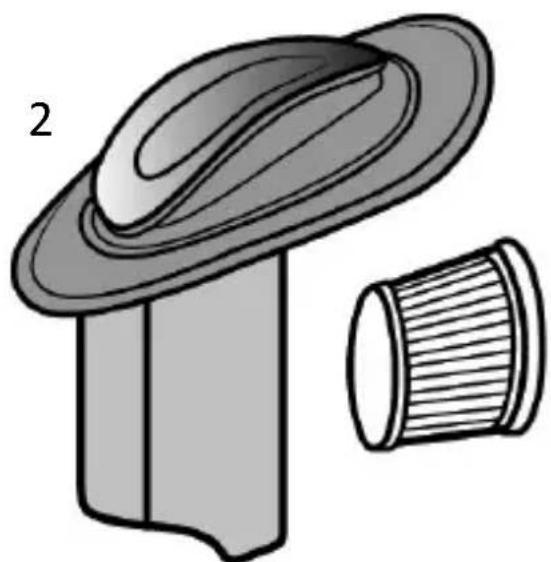
natural_image
Illustration of a mechanical component with a flanged top and a cylindrical base (no text or symbols)text_image
Warning symbol and pencil icon, indicating incorrect warning or errorIMPORTANT SAFETY GUIDELINES FOR THIS APPLIANCE
Please read this user manual carefully be- fore using the appliance!
- Never immerse the product or the power adapter in water!
- This appliance is meant exclusively for personal use and for the intended purpose. This appliance is not intended for commercial use.
- Do not use the product with wet hands.
- Operate the appliance only with the voltage indicated on the appliance label.
- Children should use or clean the appliance only under supervision or guidance.
- If the power cable is damaged, then it should be replaced by the manufacturer, his specialist dealer or an equally qualified person, so as to prevent any risk.
- In the interest of child safety, please do not leave any packaging material (plastic bags, cardboard, polystyrene, etc.) lying around.
- Children should be supervised to ensure that they do not play with the appliance.
- Disconnect the power plug from the mains socket when the appliance is not being used or for cleaning.
-
Always switch off the handheld vacuum cleaner after use.
-
Never block the exhaust openings when the appliance is being used!
- This product is only approved for use on beds, blankets and all kinds of upholstered furniture. Do not use it in commercial areas or outdoors.
-
Do not use the handheld vacuum cleaner to clean the following things:
-
Hot objects
-
Various liquid or semi-liquid substances such as water, petrol, paint, alcohol, cleaning agents, etc.
-
Sharp foreign bodies or particles, such as glass, iron, etc.
-
Toxic and hazardous substances, such as sulphuric acid or caustic agents etc.

Ultraviolet light
NOTE THE FOLLOWING WITHOUT FAIL
DURING USE:
- When the UV lamp is switched on, do not point the handheld vacuum cleaner directly at body parts, animals or plants. There is a risk of injury!
- During normal operation, do not hold the appliance for a prolonged period at one part of the unit to prevent damage to the objects being cleaned.
- Never put your hands under the ultraviolet lamp to prevent burns to the skin.
- This appliance may be used by children above the age of 8 years and by people with limited knowledge with regard to its use or by those with sense organ impairment, under the condition that they are monitored and trained in the safe use of the appliance, and are aware of the associated risks.
- Never look directly at the UV lamp.
- Use the appliance only as described in the user manual. Any other use is considered improper.
Thank you for choosing a Brandon product. Please read the following user manual carefully so that you can enjoy the purchased product for a long time. Before using the product, first check that the delivered item is complete, accurate and undamaged.
1. Scope of delivery
• Handheld vacuum cleaner
- User manual
2. Technical data
| Power supply 220-240V | AC 50 Hz |
| Tank capacity 150 ml | |
| Vacuum 10 Kpa | |
| Power consumption 300 W | |
| Ambient temperature + | 0-3°C until 35-40°C |
3. Product details
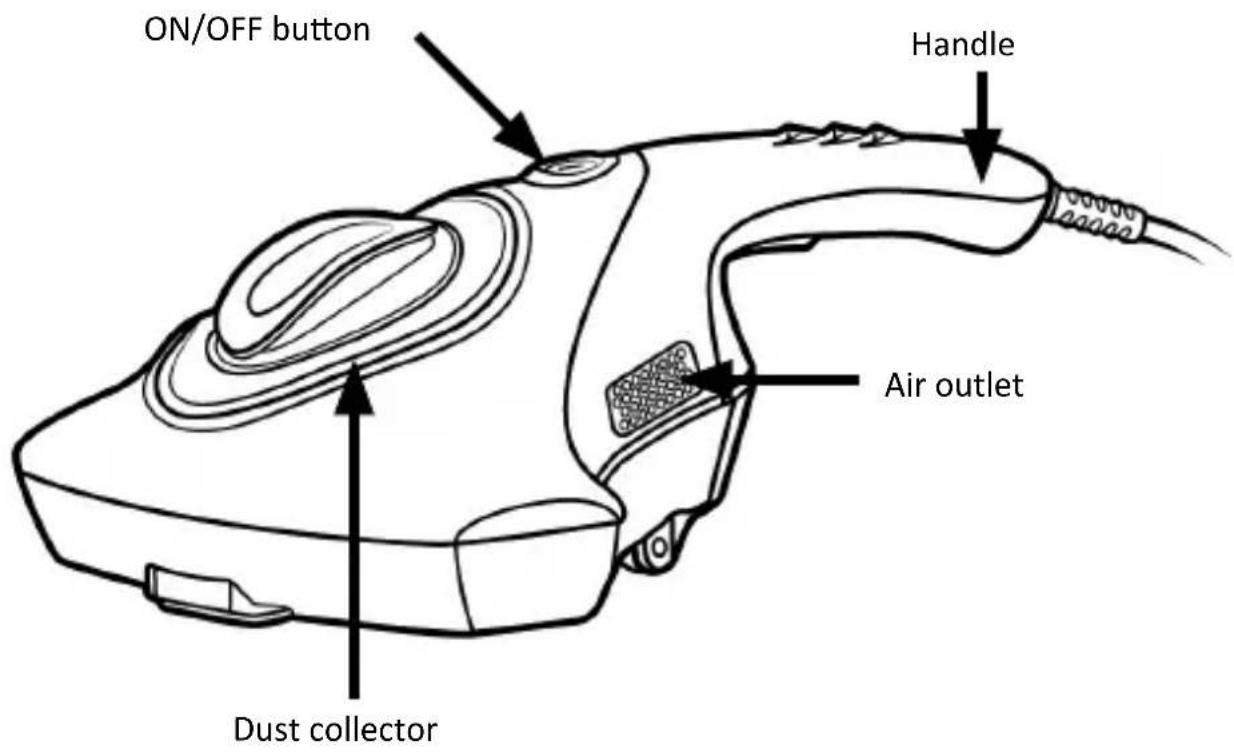
text_image
ON/OFF button Handle Air outlet Dust collector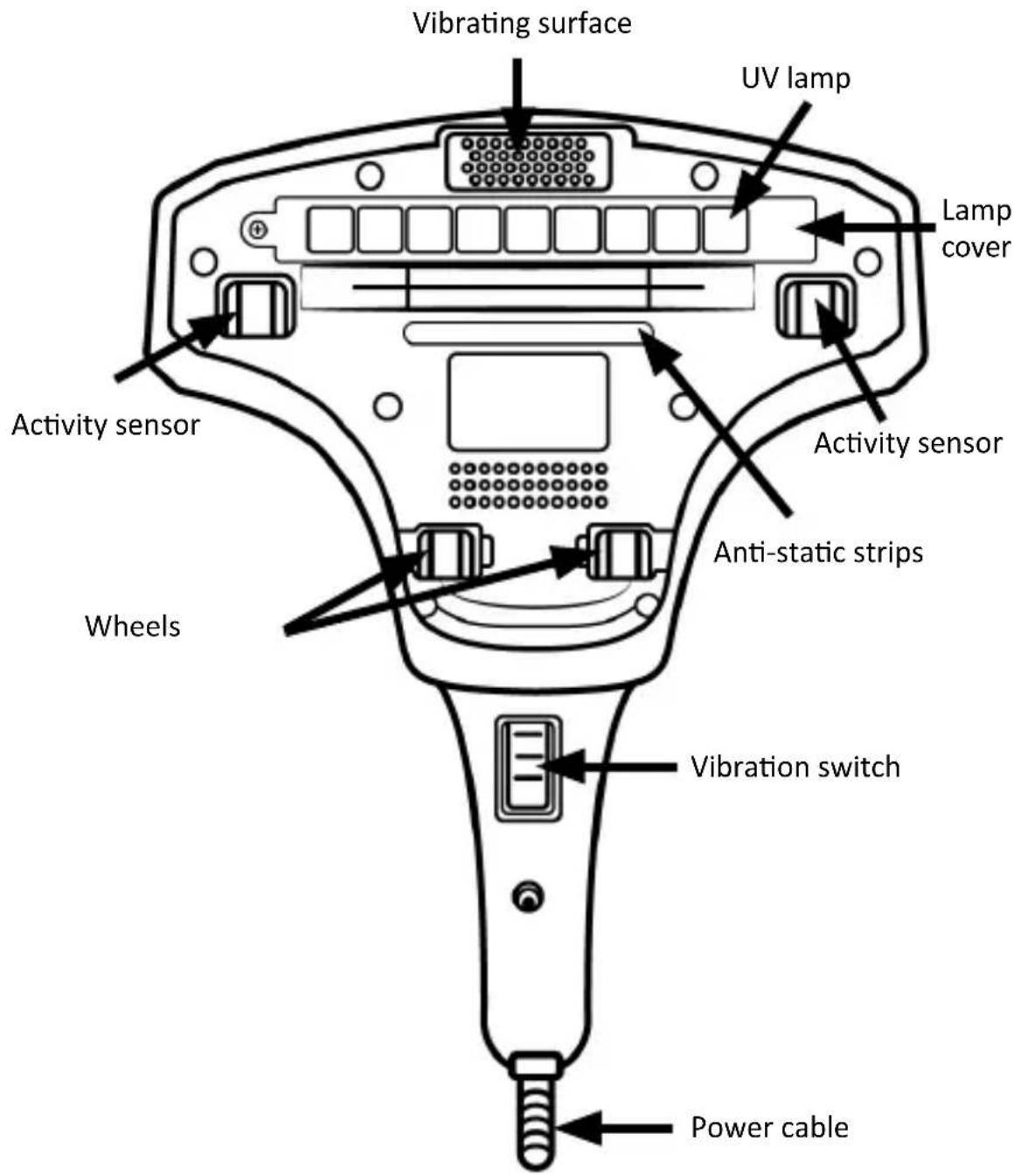
text_image
Vibrating surface UV lamp Lamp cover Activity sensor Anti-static strips Wheels Vibration switch Power cable4. Function
The vibration loosens tissue, dust etc. The ultraviolet radiation kills bacteria, mites and other micro-organisms and they are removed by suction.
5. Initial use
- Insert the power cord of the vacuum cleaner into the socket and press the "ON/OFF" switch on the top to start using the appliance.
- Place the appliance on the material to be cleaned (e.g., bed linen, clothing etc). Press the "ON/OFF" switch to switch on the vacuum cleaner.
- Press the "Vibration" switch by simultaneously applying slight pressure downwards, so that the two activity sensors are actuated. The ultraviolet and vibration function is now switched on.
Note: You can see if the UV lamp is turned on through the dust collector.
6. Cleaning and Care
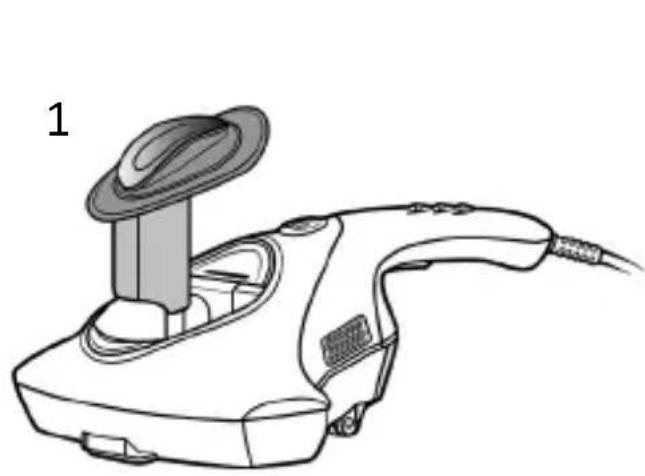
Cleaning the dust collector
- Please first turn off the power switch of the appliance and then disconnect the power cord.
- Please remove the cover of the dust collector.
- Dispose of the contents of the collector and then remove the HEPA filter to clean it.
natural_image
Line drawing of a handheld electric shaver device with a circular top and cable (no text or symbols)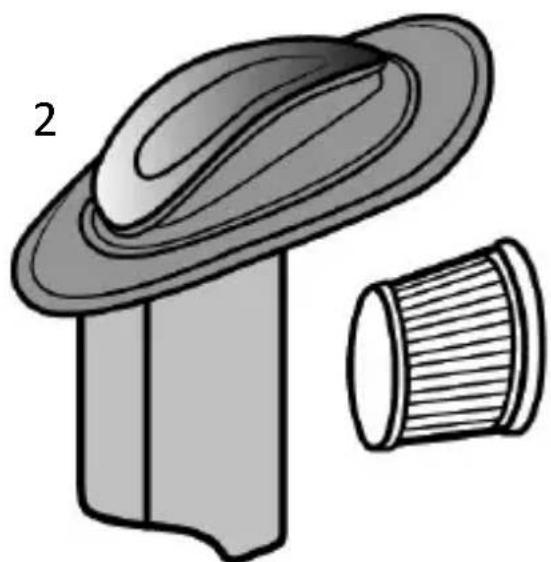
natural_image
Illustration of a mechanical component with a flanged top and a cylindrical base (no text or symbols)Cleaning the appliance
- Routine cleaning and maintenance work should be carried out only after disconnecting the power cord.
- To guarantee the cleaning effect and the service life of the motor, please ensure that the dust collector and filter are cleaned regularly.
- Do not contaminate the UV lamp with grease or dust.
- Keep fluids away from the appliance. Do not clean the appliance with fluids! Use only a slightly damp cloth to wipe the appliance. Do not allow water to get inside the appliance!
7. Storage
It is advisable to store the appliance in a cool, dry place in its original packaging.
8. Troubleshooting
| Error Solution | |
| The appliance is not working properly | ·Ensure that the power plug has been inserted.·Check if the power socket is working properly.·Make sure that the switches have been pressed correctly. |
| Suction is weak | ·Clean the dust container.·Clean the filter. When this is filled with dust, the suction capacity may decrease.·Ensure that the suction opening is not blocked. |
| UV light is not working | Check if the mains plug is inserted.Make sure that the mains socket is working properly.Make sure that the switches have been pressed correctly.Make sure that the UV light is not covered by dirt.If the UV light is faulty, please do not hesitate to get in touch with our customer service department.The UV-light is automatically switched off when the appliance is lifted off the surface. |
| Vibration pad is not working | Make sure that you have pressed the button properly.The activity sensors float in the air and are not placed on the object.If the vibration pad is faulty, please do not hesitate to get in touch with our customer service department. |
9. Safety instructions and disclaimer
Never try to open the appliance to carry out repairs or modifications. Avoid contact with the mains voltage, the appliance does not carry current only when it is disconnected. Do not short-circuit the product. Please disconnect the power cord when not in use or during storms. The appliance is not approved for outdoor use. Therefore please use it only in dry surroundings. Protect it from high humidity, water and snow. Keep the appliance away from high temperatures. Do not expose the appliance to sudden changes in temperature or strong vibrations, as this could damage the electronic components. Check the appliance for any damage before using it. The appliance should not be used if it was subject to impact or has been damaged in some other manner. Please comply with the local regulations and restrictions. Do not use the appliance for purposes other than those described in the user manual. This product is not a toy. Keep it out of the reach of children or mentally disabled persons. Any repair or modifications to the appliance, which are not carried out by the original supplier, will void any warranty and guarantee claims. The appliance should be used only by those who have read and understood this user manual. The specifications of the appliance may be changed without prior notice.
10. Disposal instructions
In line with the European WEEE directive, electrical and electronic appliances should not be disposed of along with domestic waste. Their components have to be separately sent for recycling or disposal, because improper disposal of toxic and dangerous components may permanently damage the environment.
According to the Electrical and Electronic Equipment Act (ElektroG), you are obliged (as a consumer) to return (free of charge) all electrical and electronic appliances to the manufacturer, the point of sale, or public collection points at the end of their service life. The relevant local laws regulate the details in this regard. The symbol displayed on the product, in the user manual or/and on the packaging refers to these regulations. With such kind of sorting, recycling and disposal of used appliances, you make an important contribution towards protecting our environment.
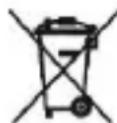
The symbol of the crossed-out dustbin means that the battery may not be disposed of in household waste.

WEEE Guideline: 2012/19/EU WEEE Register no.: DE 67896761
The company WD Plus GmbH hereby certifies that the appliance 303598; 305895 complies with the fundamental requirements and all other relevant stipulations. A complete conformity statement can be obtained from: WD Plus GmbH, Wohlenbergstraße 16, 30179 Hanover

text_image
Two warning symbols: a triangular warning triangle with an exclamation mark and a pencil iconCONSIGNES DE SÉCURITÉ IMPORTANTES POUR CET APPAREIL
natural_image
Line drawing of a handheld electric shaver with a circular top and cable (no text or symbols)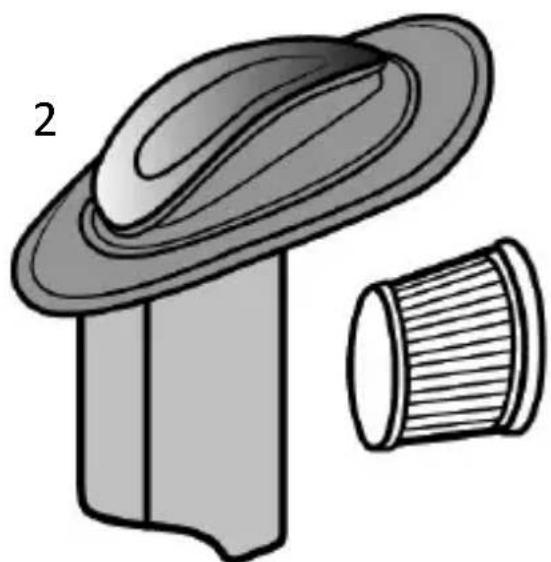
natural_image
Illustration of a mechanical component with a flanged top and a cylindrical base (no text or symbols)text_image
Warning symbol and pencil icon, indicating incorrect warning or errorIMPORTANTI INDICAZIONI DI SICUREZZA PER QUESTO APPARECCHIO
natural_image
Line drawing of a handheld electric air conditioner with a circular top and cable (no text or symbols)
natural_image
Illustration of a hat and a cylindrical object (no text or symbols)text_image
Warning symbol and pencil icon, indicating incorrect warning or errornatural_image
Line drawing of a handheld electric air conditioner with a circular top and cable (no text or symbols)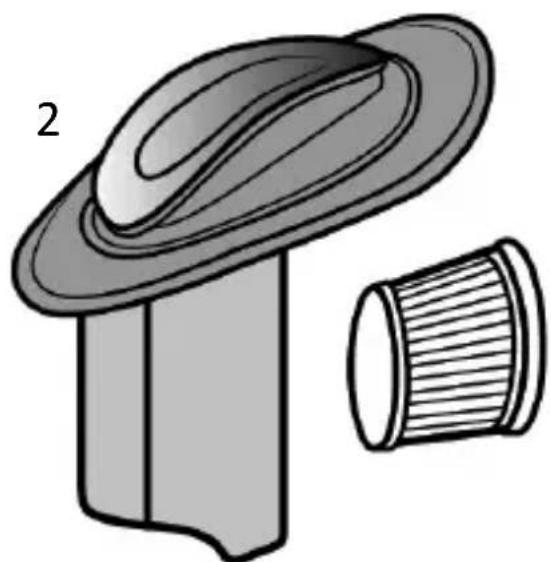
natural_image
Illustration of a hat and a cylindrical object (no text or symbols)MO-FR 9:30am - 18pm CET

text_image
QR code image containing encoded data, no visible human-readable textbrandson-equipment.de