
Grooming Kit Pro - Beard trimmer Xiaomi - Free user manual and instructions
Find the device manual for free Grooming Kit Pro Xiaomi in PDF.


| Product type | Grooming kit (beard trimmer) |
| Brand | Xiaomi |
| Model | Grooming Kit Pro (XMGHT2KITLF) |
| Power supply | Rechargeable lithium-ion battery, AC adapter 100-240 V ~ 50/60 Hz, output 5 V 1 A, USB Type-C charging |
| Charging time | Approximately 120 minutes (2 hours) |
| Runtime | Approximately 90 minutes per full charge |
| Protection rating | IPX7 (water resistant, body washable under running water) |
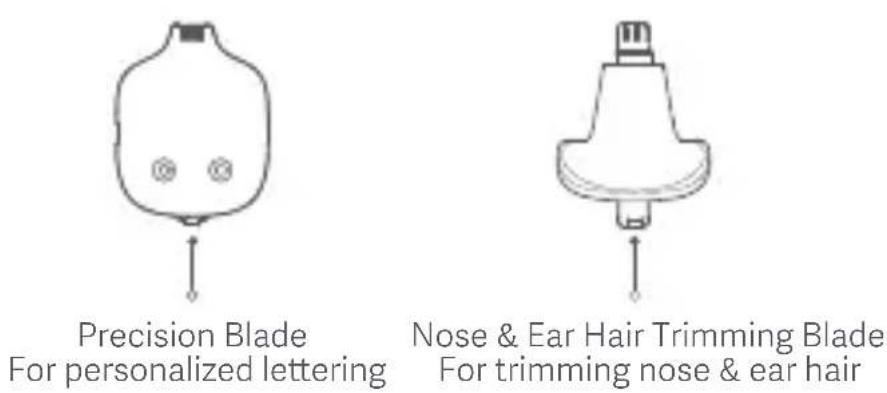
| Included blade heads | U-shaped beard blade, beard shaving blade, body shaving blade, precision blade, trimmer blade for nose and ear hair |
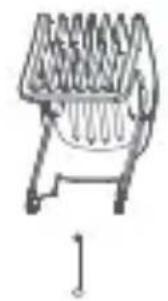
| Beard combs | 2 combs of different lengths, each with 20 adjustable cutting lengths in 0.5 mm increments |
| Cutting length adjustment | By wheel on the body, visible length indicator |
| Travel lock | Yes (long press 3 seconds on power button) |
| LED indicators | Battery level, travel lock |
| Country of manufacture | Manufactured for Xiaomi by Ningbo Lofans Home Appliance Co., Ltd. (China) |
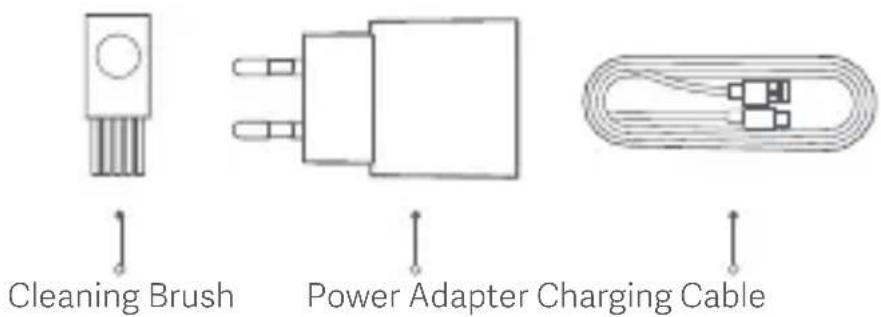
| Included accessories | Cleaning brush, AC adapter (A520-050100U-EU1), USB Type-C charging cable, storage case, travel pouch |
| Recommended use | For trimming beard, hair, body, nose, and ear hair (personal use) |
| Cleaning | Rinseable with water after closing the charging port cover; do not immerse |
| Safety | Use by children aged 8 and above under supervision; do not use in bathtub or shower; battery not replaceable |
| Recycling | Do not dispose of in household waste; take to a recycling center or store; battery must be removed before disposal |
| Operating and charging temperature | 5 °C to 35 °C |
| Warranty | Refer to Xiaomi's general terms and conditions |
Frequently Asked Questions - Grooming Kit Pro Xiaomi
User questions about Grooming Kit Pro Xiaomi
0 question about this device. Answer the ones you know or ask your own.
Ask a new question about this device
Download the instructions for your Beard trimmer in PDF format for free! Find your manual Grooming Kit Pro - Xiaomi and take your electronic device back in hand. On this page are published all the documents necessary for the use of your device. Grooming Kit Pro by Xiaomi.
USER MANUAL Grooming Kit Pro Xiaomi
xiaomi Grooming Kit Pro User Manual · 01
Read this manual carefully before use, and retain it for future reference.
Safety Instructions Warnings
- This appliance can be used by children aged from 8 years and above and persons with reduced physical, sensory or mental capabilities or lack of experience and knowledge if they have been given supervision or instruction concerning use of the appliance in a safe way and understand the hazards involved.
- Children should be supervised to ensure that they do not play with the appliance.
- Cleaning and user maintenance shall not be made by children without supervision.
- Please keep the grooming kit out of reach of children. Do not let children play with it.
- This trimmer is only to be used with the power supply unit supplied with it.
- The handheld part can be cleaned with water only after being disconnected from the charging cable. When cleaning the handheld part, cover the charging port first and keep it dry.
- When the charging cable is damaged, it must be replaced with a genuine one purchased from the manufacturer or the after-sales service team.
- Do not use damaged blade head and beard comb. Before use, please check whether the grooming kit is damaged and whether the sound is normal.
- Before turning off the trimmer, please make sure the blade head is away from the human body.
- Do not charge the trimmer, in humid environments.
- Do not disassemble the trimmer to replace the battery. This appliance contains battery that is non-replaceable.
- Do not directly pull the charging cable when plugging in and unplugging the charging plug.
- This appliance contains built-in lithium-ion battery. Do not disassemble, impact, crush the battery or throw it into fire. If there is severe swelling, do not continue to use. Do not leave the battery in high temperature environment.
- Do not place or insert any foreign objects into this grooming kit.
- Do not modify or repair this grooming kit yourself.
- This grooming kit is not suitable for use in the bathtub or shower.
• Cutting blades may become hot after prolonged use. -
This grooming kit is only for trimming beard, hair, body hair, and nose/ear hair. Do not use it for other purposes.
-
If you come into physical contact with any substance that may leak out of the battery, please rinse the contact area with plenty of water and seek medical attention immediately.
- This appliance contains batteries that are only replaceable by skilled persons.
- For the purposes of recharging the battery, only use the detachable supply unit provided with this appliance.
This indicates that the trimmer can be rinsed under running water.
A520-050100U-EU1
Use only with
Read operator's manual.
Cautions
- Before charging, please make sure the trimmer and its charging port are dry.
- When charging, make sure to use a charger of 5 V —1 A.
- Fully charge the trimmer at least once every six months, if it has not been used for an extended period of time.
Notes
- This grooming kit is intended for indoor use only.
- This grooming kit is intended for use by a single individual only.
- When traveling, make sure the charging port protective cover is closed and the travel lock is enabled to protect the trimmer.
- Only charge, use, and store the trimmer at a temperature between 5^ C and 35^ C.
- Do not wrap the charging cable around the trimmer to avoid damage to the cable.
- The body of this trimmer meets the IPX7 standard for waterproofing and can be cleaned with water. However, it should not be immersed in water for an extended period of time.
Product Overview
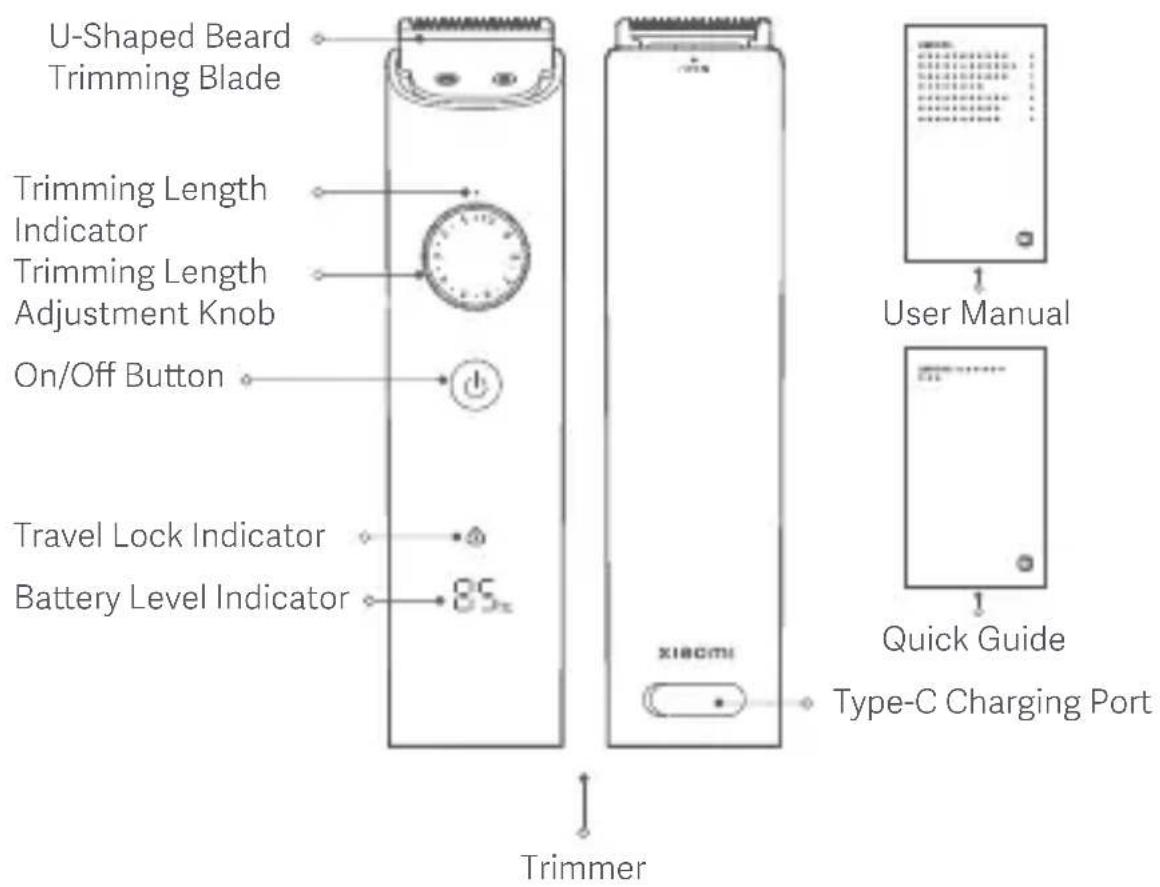
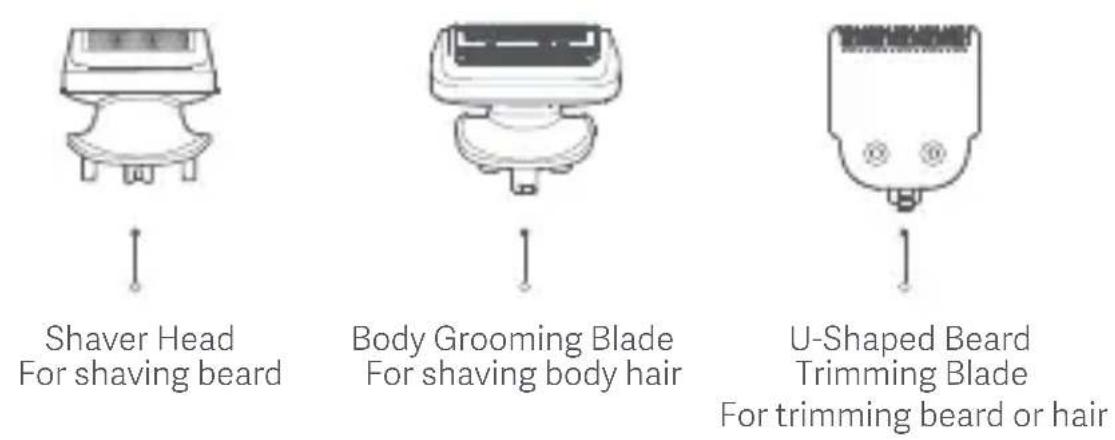
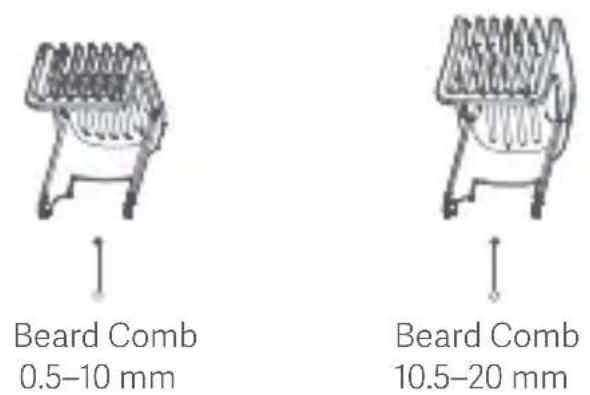
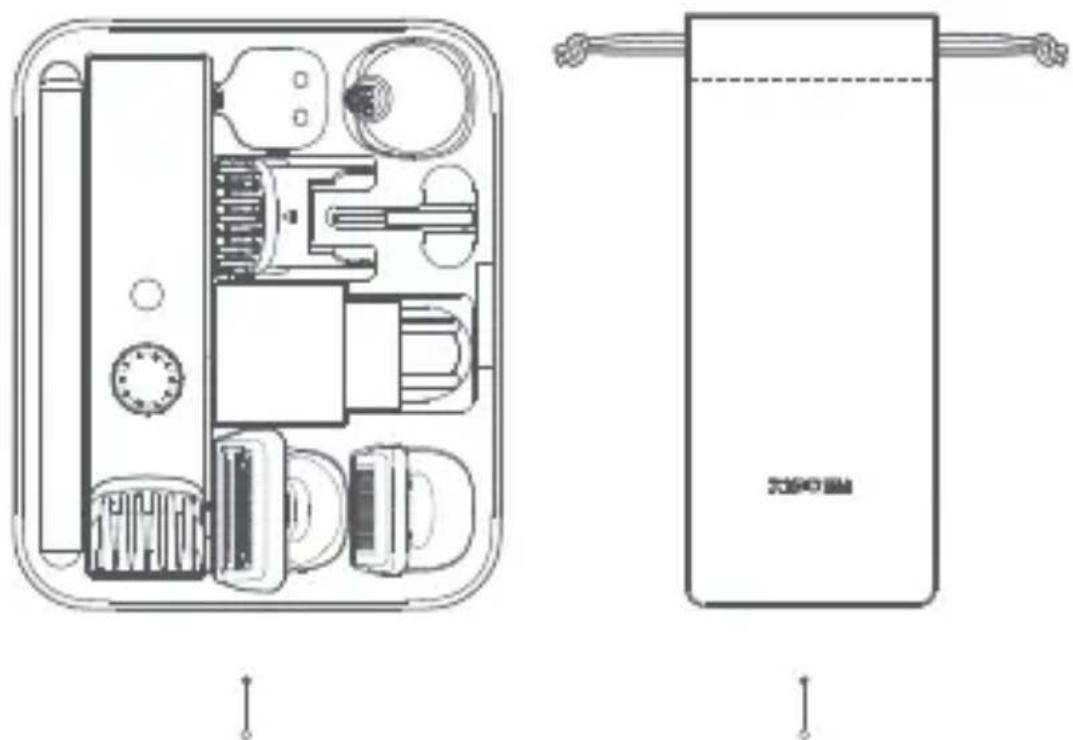
Beard Combs (can only be used with u-shaped beard trimming blade)
natural_image
Technical line drawing of a device interior showing internal components and external casing (no text or symbols)Storage Case Travel Pouch
Note: Illustrations of the product, accessories, and user interface in this user manual are for reference purposes only. The actual product and functions may vary due to product enhancements.
Installing/Removing
Installing/Removing the Blade Head
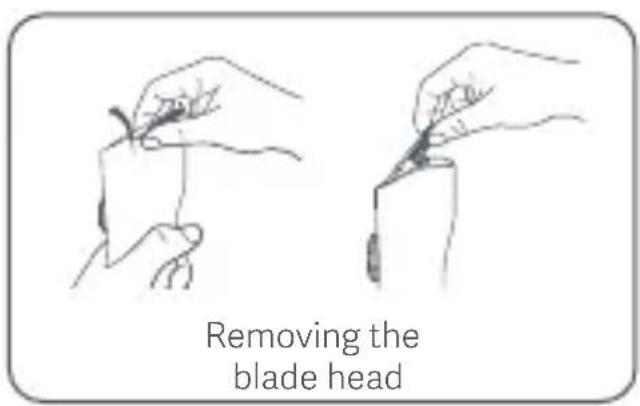
- Removing the blade head: As shown in the figure, use your thumb to hold the blade head and push up from under the blade head to lift it up and away from the handle.
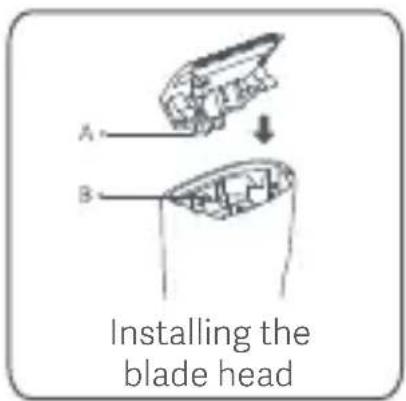
- Installing the blade head: Align the clip (A) of the blade head to the slot (B) of the body, and then press down the blade head. You will hear a clicking sound when it's in position.
Note:
All blade heads can be removed and installed in the same way.
Installing/Removing the Beard Comb
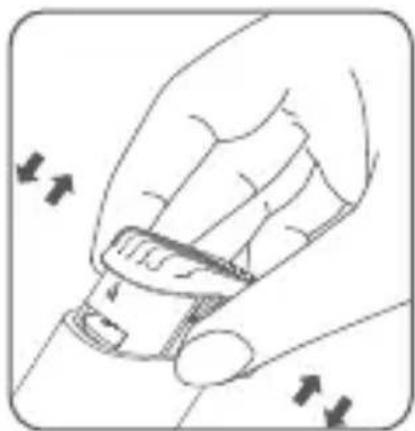
- Installing the beard comb: Insert the beard comb into the comb slot. You will hear a clicking sound when it's in position.
- Remove the beard comb: Pinch both sides of beard comb and pull it vertically upwards.
natural_image
Illustration of a hand adjusting a car seatbelt with directional arrows indicating movement (no text or symbols)How to Use
Charging
- Before charging, make sure the trimmer is turned off.
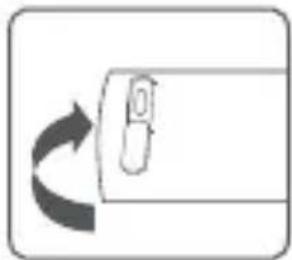
- Open the protective cover of the Type-C charging port, connect the Type-C end of the charging cable to the Type-C charging port in the trimmer, connect the other end of the charging cable to the power adapter, and turn on the power.
natural_image
Simple diagram showing a curved arrow pointing left toward a rectangular object with a handle (no text or symbols)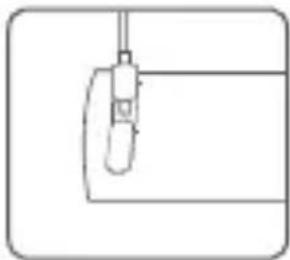
natural_image
Simple line drawing of a mechanical component or tool with a curved base and vertical rod (no text or symbols)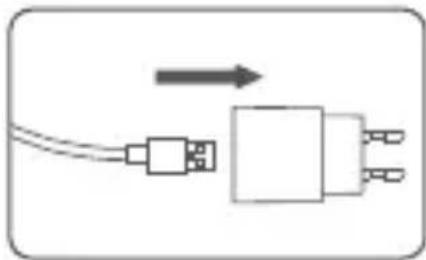
natural_image
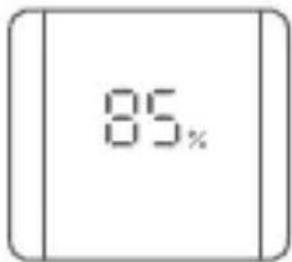
Simple diagram of a device with two ports and a central connector, no text or symbols present- The LED display will show the battery level when the trimmer is charging or in use.
Notes:
- When the trimmer cannot be turned on due to a low battery, it takes about 120 minutes to fully charge the trimmer.
- It can be used for about 90 minutes when fully charged.
- Please fully charge the battery before the first use. For further use, it is recommended to fully charge the battery after the battery is depleted to ensure optimum battery performance.
- It is recommended to fully discharge and then recharge the battery twice a year on a regular basis.
- The power adapter can automatically adapt to an AC voltage ranging from 100 V to 240 V.
- To extend the life of the rechargeable battery, please unplug the power adapter in time when the trimmer is fully charged.
- Do not connect the power adapter to the power outlet for more than 24 hours, otherwise it may burn the power adapter.
Turning On/Off
- Press the on/off button to turn on the trimmer, and it will start to work. After use, press the on/off button to turn it off.
Note:
Improper use of this grooming kit can easily cause damage to blade meshes and blade heads. Please check whether blade meshes and blade heads are intact before use. Immediately stop using the grooming kit if any damage is found.
Beard Comb Adjustment
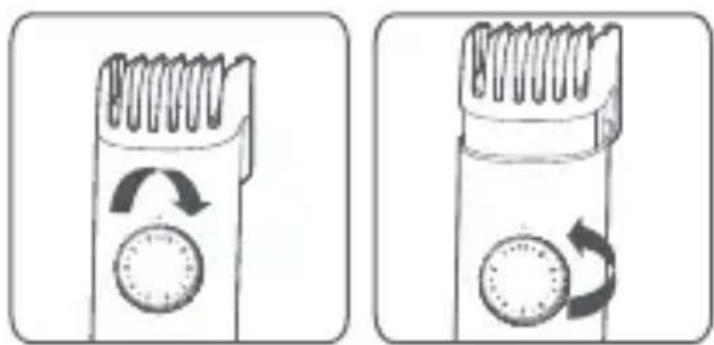
- Turn the trimming length adjustment knob to adjust the cutting length of the comb, which is the length of the stubble that will be retained.
- The two beard combs of different lengths all feature 20 cutting lengths with intervals of 0.5 mm. These cutting lengths correspond to the 20 scales of the adjustment knob on the body.
natural_image
Two identical illustrations of a hairbrush with circular buttons and directional arrows indicating rotation (no text or symbols)Shaving
- It is normal for the skin to be slightly irritated after the first few shaves. It is recommended to regularly use the grooming kit for three weeks (approximately 3 times a week) to allow the skin to adapt as quickly as possible.
- Install the shaver head or u-shaped beard trimming blade. Install the appropriate beard comb and adjust it to the desired cutting length as needed. Apply gentle, continuous pressure and move the shaving unit slowly over your face to trim the beard.
Nose/Ear Hair Trimming
- After installing the nose & ear hair trimming blade, carefully insert the tip of the nose & ear hair trimming blade into the nostril/ear canal to avoid injuring the skin. Gently move the tip in and out of the nostril/ear canal while turning it around to remove unwanted hairs. When no shearing sound is heard, the nose/ear hair trimming ends.
- After trimming, there may be hair residues in the nostrils/ear canals. Please use a tissue or similar to clean them up.
Travel Lock
- This trimmer is equipped with a travel lock to prevent it from accidentally turning on.
- Enabling the travel lock: Press and hold the on/off button for three seconds while the trimmer is turned off. The travel lock indicator blinks three times, indicating the travel lock is enabled.
Notes:
- When the travel lock is enabled, if you press the on/off button, the travel lock indicator and the battery level indicator will blink three times simultaneously, but the trimmer cannot be turned on.
- Disabling the travel lock: In the locked state, press and hold the on/off button for three seconds. The travel lock indicator and the battery level indicator will blink three times simultaneously, indicating that the travel lock is disabled and the trimmer is turned on.
Cleaning & Maintenance
Warning:
- Before cleaning the trimmer, make sure it is not being charged and turned off.
Notes:
- To ensure optimal functionality, clean the trimmer after each use.
- Do not submerge the trimmer in water or other liquids.
- Before cleaning the trimmer, remove it from the power adapter and charging cable.
- Before cleaning the trimmer, remove the beard comb and detachable blade head.
natural_image
Mechanical component diagram showing a lever and pivot (no text or symbols)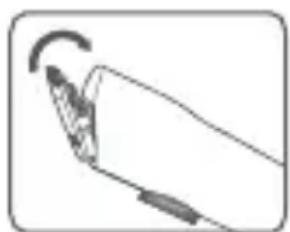
natural_image
Simple line drawing of a hand holding a pen or stylus with an arrow indicating rotation (no text or symbols)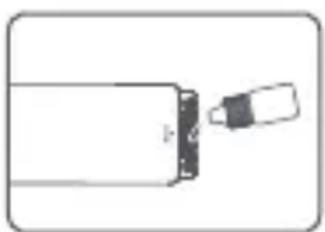
natural_image
Simple line drawing of a bottle with a pointed tip and a small object inside (no text or symbols)- When cleaning the trimmer, please close the protective cover of the Type-C charging port properly, and do not rinse the charging port and the bottom of the body.
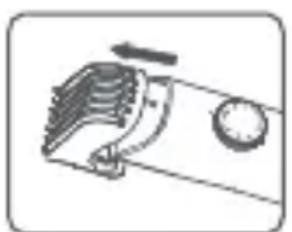
- Lightly remove the hair from the blade head with a cleaning brush.
- After brushing off the hair, rinse the body and blade head with water, but do not soak them in water for an extended period of time.
- Dry or wipe with a cloth after rinsing, keep the blade head dry, and reinstall the blade head.
- It is recommended to regularly add lubricating oil (sold separately) to maintain the blade head. Remove excess oil using a dry cloth.
- Clean the body with a soft dry cloth.
- After cleaning, it can be stored in the travel pouch.
Environmental Protection
When the grooming kit reaches the end of its service life, please remove, dispose of, or recycle the built-in battery in accordance with local laws and regulations of the country or region where the product is used. If the battery cannot be removed, take this product to an officially designated recycling centre.
Warnings
- Do not expose the battery to fire to prevent the battery from exploding or releasing toxic and hazardous substances.
- Do not short-circuit the battery to prevent it from combustion and causing fire.
- Do not disassemble the trimmer unless you want to dispose of it; otherwise, the trimmer will be damaged. Make sure to follow the basic safety precautions and unplug the trimmer before removing the battery.
- Before removing the battery, make sure the battery is depleted. To deplete the battery, you can make the trimmer work until it automatically turns off.
- The trimmer cannot be recovered after disassembly.
Removing Battery
Note:
- The battery must be removed from the appliance before it is scrapped.
-
The appliance must be disconnected from the supply mains when removing the battery. The battery is to be disposed of safely.
-
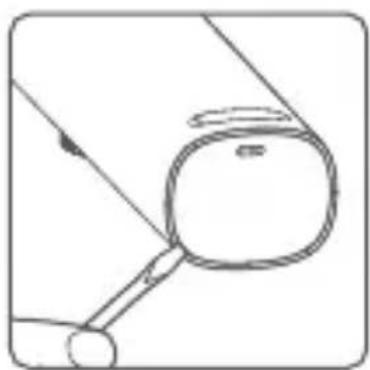
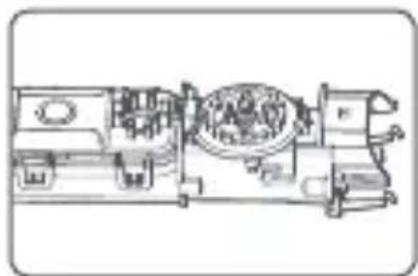
Pry open the rear cover on the body, unscrew the screws at the rear, and pull out the Type-C charging port protective cover on the back of the body.
natural_image
Simple line drawing of a magnifying glass over a circular object, with no text or symbols present.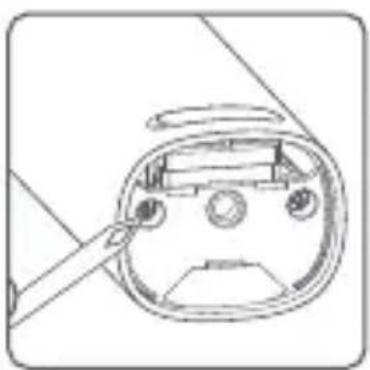
natural_image
Line drawing of a device casing with a handle and circular components (no text or symbols)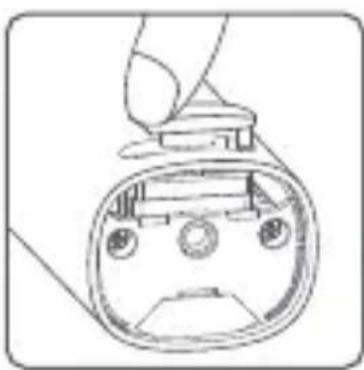
natural_image
Line drawing of a device's front panel with buttons and display (no text or symbols)- Pry open the on/off button and the trimming length adjustment knob, and pull out the inner bracket assembly.
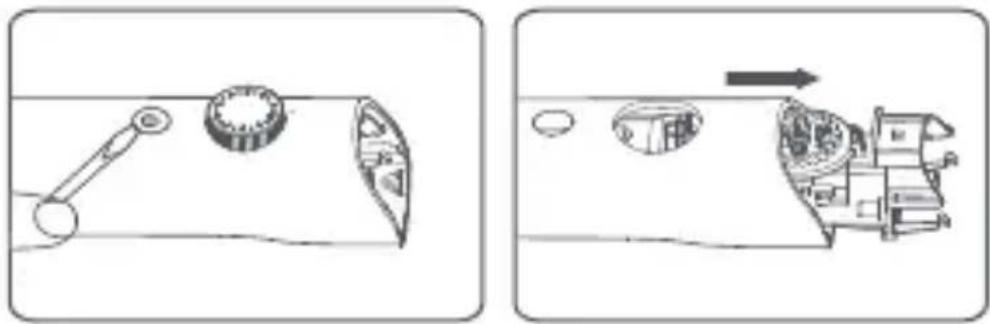
- Pry open the inner bracket cover and take out the circuit board and the battery. Cut off the cables connecting the battery and the circuit board respectively. Be careful not to cut the two cables at the same time to avoid short circuit.
natural_image
Technical line drawing of a mechanical assembly with internal components (no visible text or symbols)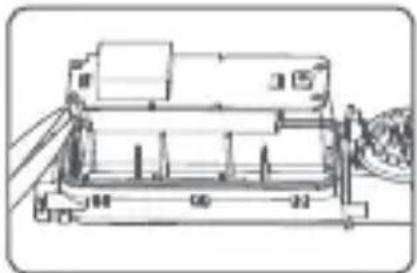
natural_image
Technical line drawing of a mechanical device with no visible text or symbols- Remove the battery and take it to an officially designated recycling centre.
Troubleshooting
| Issues | Possible Causes Solutions | |
| The trimmer runs for less than 90 minutes on a full charge. | The load on the motor is increased if the trimmer hasn't been cleaned for a long time. | Clean the trimmer thoroughly. |
| Battery error | Contact the after-sales service team. | |
| The motor does not work after pressing the on/off button. | The battery level indicator and travel lock indicator do not light up simultaneously. | The battery is depleted. | Charge the battery in time. |
| The circuit board is damaged. | Contact the after-sales service team. | ||
| The on/off button does not function. | Contact the after-sales service team. | ||
| 0% battery level is displayed. | The battery level is too low. | Charge the battery in time. | |
| 0% battery level is displayed. | The battery level is too low. | Charge the battery in time. | |
| The travel lock indicator blinks. | The travel lock is enabled. | Press and hold the on/off button for three seconds to unlock. | |
| The trimmer does not charge. | The battery level is not displayed. | The charging contact is poor. | Reconnect the trimmer to a power supply. |
| The trimmer is damaged internally. | Contact the after-sales service team. | ||
| Battery level display error | Charging ambient temperature is too low or too high. | Charge the trimmer at a temperature between 5°C and 35°C. |
Specifications
| Name: Grooming Kit Pro Charging Port: Type-C | |
| Model: XMGHT2KITLF Rated Input: 5 V 1 A | |
| IP Rating: IPX7 | Working Voltage/Power: 3.7 V =/3 W |
| Charging Time: About 2 hours | |
Power Adapter
| Input: 100–240 V~, 50/60 Hz, 0.2 A Output: 5.0 V 1.0 A, 5.0 W | ||
| Information Published | Value and Precision | Unit |
| Manufacturer's Name | Jiangxi Jian Aohai Technology Co., Ltd.— | |
| Model Identifier — | A520-050100U-EU1 | |
| Input Voltage V~100–240 | ||
| Input AC Frequency Hz50/60 | ||
| Output Voltage V5.0 | --- | |
| Output Current A1.0 | ||
| Output Power W5.0 | ||
| Average Active Efficiency %73.77 | ||
| Eficiency at Low Load (10%) %64.588 | ||
| No-load Power Consumption W0.075 | ||
Europe-EU declaration of conformity
CE
Hereby, Ningbo Lofans Home Appliance Co., Ltd., declares that the radio equipment type XMGHT2KITLF is in compliance with Directive 2014/53/EU. The full text of the EU declaration of conformity is available at the following internet address: http://www.mi.com/global/service/support/declaration.html
WEEE Disposal and Recycling Information
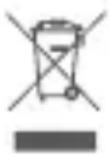
All products bearing this symbol are waste electrical and electronic equipment (WEEE as in directive 2012/19/EU) which should not be mixed with unsorted household waste. Instead, you should protect human health and the environment by handing
over your waste equipment to a designated collection point for the recycling of waste electrical and electronic equipment, appointed by the government or local authorities. Correct disposal and recycling will help prevent potential negative consequences to the environment and human health. Please contact the installer or local authorities for more information about the location as well as terms and conditions of such collection points.
Manufactured for: Xiaomi Communications Co., Ltd. Manufactured by: Ningbo Lofans Home Appliance Co., Ltd. (a Mi Ecosystem company) Address: Room 22-3, Langmu Building, Baisha Road, Cixi City, Zhejiang, China For further information, please go to www.mi.com For detailed e-manual, please go to www.mi.com/global/service/userguide User Manual Version: V1.2
natural_image
Simple line drawing of a lantern with two circular buttons and a hanging pointer (no text or symbols)natural_image
Simple line drawing of a bell-shaped object with a pointed tip and a small arrow pointing downward (no text or symbols)natural_image
Technical line drawing of a mechanical device with internal components (no text or symbols)]
natural_image
Illustration of a hand adjusting a car seatbelt with directional arrows indicating movement (no text or symbols)Modo de uso
Cargar
natural_image
Simple diagram showing a curved arrow pointing to a rectangular object with a small protrusion (no text or symbols)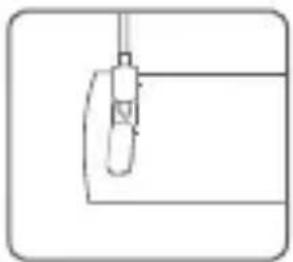
natural_image
Simple line drawing of a mechanical component or tool with no text or symbols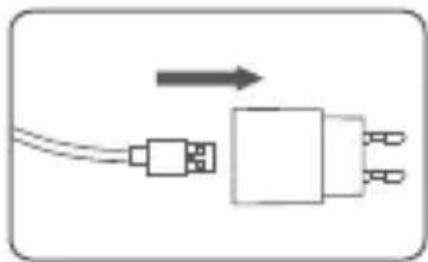
natural_image
Pure electrical circuit lines without any symbolsnatural_image
Two identical diagrams of a hairbrush with circular buttons and rotational arrows, no text or symbols present.Afeitado
natural_image
Simple line drawing of a mechanical component with an arrow indicating direction (no text or symbols)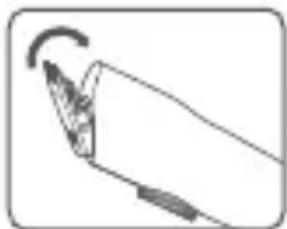
natural_image
Simple line drawing of a hand holding a pen or stylus with an arrow indicating rotation (no text or symbols)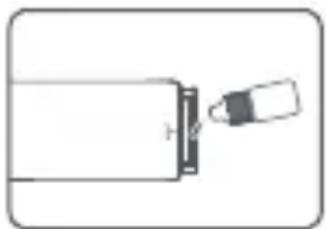
natural_image
Simple line drawing of a battery with a plug inserted (no text or symbols)natural_image
Simple line drawing of a magnifying glass over a circular object, no text or symbols present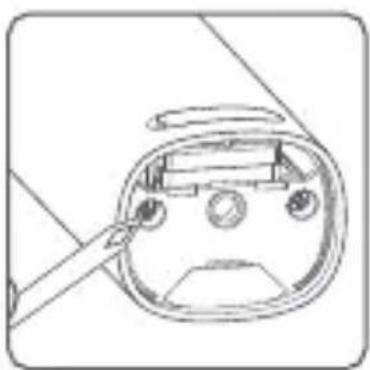
natural_image
Line drawing of a device's front panel with a tool inserted, no text or symbols present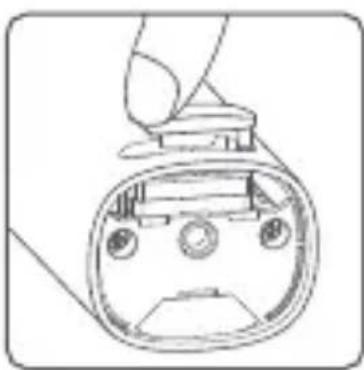
natural_image
Line drawing of a device's front view showing internal components (no text or symbols)natural_image
Cross-sectional diagram of a mechanical assembly (no visible text or labels)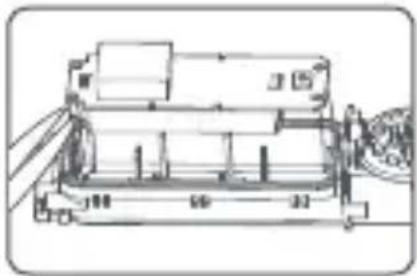
natural_image
Technical line drawing of a mechanical device with no visible text or symbolsnatural_image
Simple line drawing of a mechanical component with no text or symbolsBartkamm 0,5-10 mm
natural_image
Simple line drawing of a mechanical device with no text or symbolsBartkamm 10,5-20 mm
natural_image
Technical line drawing of a mechanical device interior (no text or symbols)natural_image
Illustration of a hand holding a car seatbelt with directional arrows indicating movement (no text or symbols)Verwendung
Aufladen
natural_image
Simple diagram showing a curved arrow pointing to a rectangular object with a handle (no text or symbols)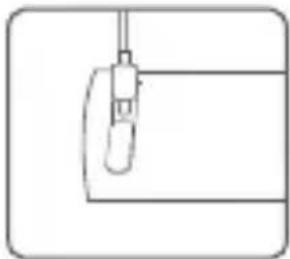
natural_image
Simple line drawing of a mechanical component or tool with a handle and base (no text or symbols)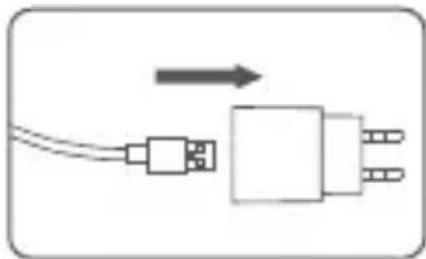
natural_image
Pure electrical circuit lines without any symbolsnatural_image
Two identical diagrams of a hairbrush with circular buttons and rotation arrows, no text or symbols present.Rasieren
natural_image
Mechanical component diagram showing a lever and rotating wheel (no text or symbols)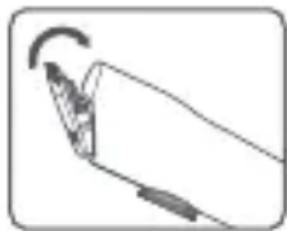
natural_image
Simple line drawing of a hand holding a pen or stylus with an arrow indicating motion (no text or symbols)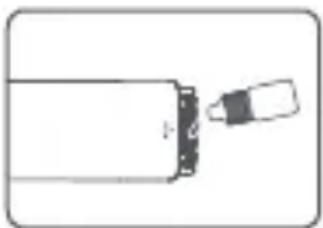
natural_image
Simple line drawing of a bottle with a small object inserted, no text or symbols presentnatural_image
Simple line drawing of a mechanical component with a circular body and lever, no text or symbols present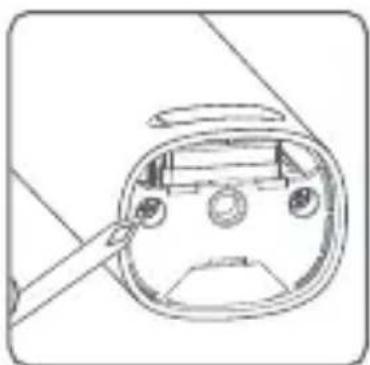
natural_image
Line drawing of a device's front panel with a tool inserted, no text or symbols present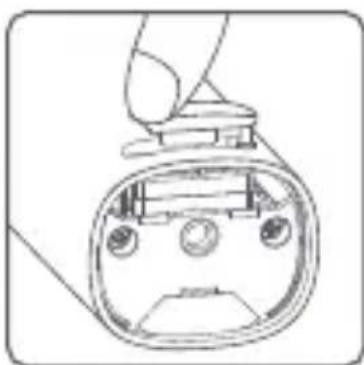
natural_image
Line drawing of a device interior with no visible text or symbolsnatural_image
Diagram showing a mechanical device with a rotating knob and internal components, before and after assembly (no text or symbols)natural_image
Technical line drawings of industrial machinery components (no visible text or symbols)Adresse: Room 22-3, Langmu Building, Baisha Road, Cixi City, Zhejiang, China
www.mi.com/global/service/userguide
natural_image
Technical line drawing of a device interior showing internal components and external casing (no text or symbols)natural_image
Illustration of a hand adjusting a car seatbelt with directional arrows indicating movement (no text or symbols)Modalità d'utilizzo
Carica
natural_image
Three-step diagram showing a device with a scroll, connected to a plug and cable (no text or symbols)natural_image
Two identical illustrations of a hairbrush with circular buttons and a gear-like handle, shown in side-by-side (no text or symbols)Rasatura
natural_image
Mechanical component diagram showing a lever and pivot (no text or symbols)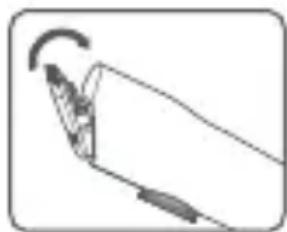
natural_image
Simple line drawing of a hand holding a pen or stylus with an arrow indicating rotation (no text or symbols)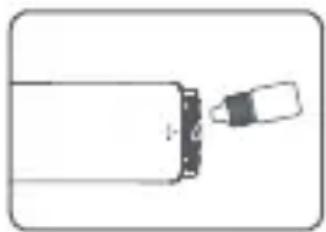
natural_image
Simple line drawing of a bottle with a cap and a small object inserted (no text or symbols)natural_image
Simple line drawing of a mechanical component with a circular body and lever, no text or symbols present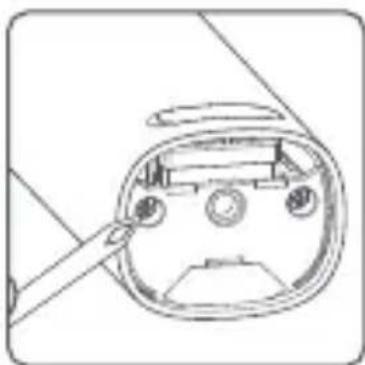
natural_image
Technical line drawing of a mechanical component with a tool inserted (no text or symbols)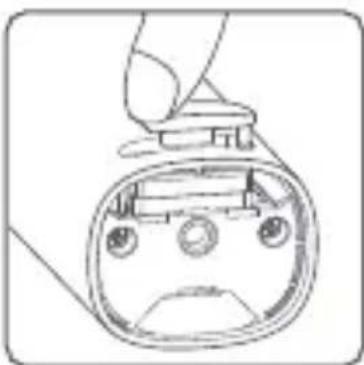
natural_image
Line drawing of a hand holding a device with a circular head and buttons, no text or symbols presentnatural_image
Diagram showing a mechanical device with a rotating knob and a moving vehicle, both without any text or symbols.natural_image
Technical line drawings of a mechanical assembly (no visible text or symbols)http://www.mi.com/global/service/support/declaration.html
Indirizzo: Room 22-3, Langmu Building, Baisha Road, Cixi City, Zhejiang, China
www.mi.com/global/service/userguide
natural_image
Simple line drawing of a mechanical component with no text or symbolsnatural_image
Simple line drawing of a device with a central button and a vertical arrow pointing downward (no text or symbols)natural_image
Simple line drawing of a hairbrush with teeth and screw base (no text or symbols)natural_image
Simple line drawing of a balloon with two circular buttons inside (no text or symbols)natural_image
Simple line drawing of a bell-shaped object with a pointed tip and arrow indicator (no text or symbols)natural_image
Technical line drawing of a device interior showing internal components and external casing (no text or symbols)Installation/retrait
natural_image
Illustration of a hand holding a car seatbelt with directional arrows indicating movement (no text or symbols)Utilisation
Recharge
natural_image
Simple diagram showing a curved arrow pointing left toward a rectangular object with a handle (no text or symbols)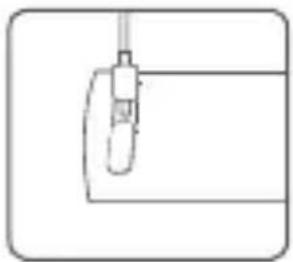
natural_image
Simple line drawing of a mechanical component or tool with no visible text or symbols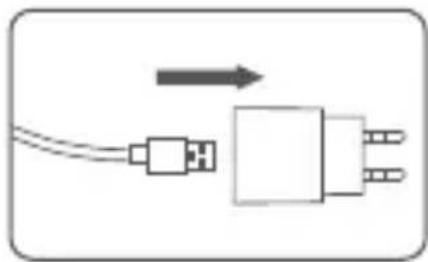
natural_image
Simple line drawing of a plug with a cable and connector, no text or symbols presentnatural_image
Two identical diagrams of a hairbrush with circular button and curved arrows indicating rotation (no text or symbols)Rasage
natural_image
Simple line drawing of a mechanical component with an arrow indicating motion (no text or symbols)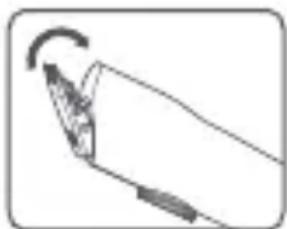
natural_image
Simple line drawing of a hand holding a pen with an arrow indicating rotation (no text or symbols)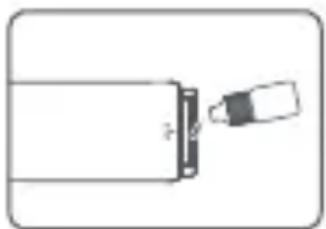
natural_image
Simple line drawing of a battery with a plug inserted (no text or symbols)natural_image
Simple line drawing of a mechanical component with a circular body and lever, no text or symbols present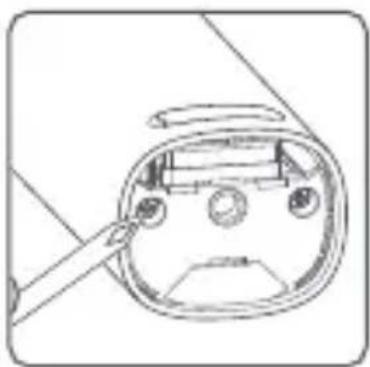
natural_image
Line drawing of a device's internal components, possibly a remote control or display unit, with no visible text or symbols.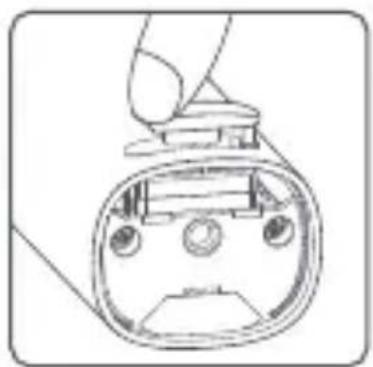
natural_image
Line drawing of a handheld device with a circular head and control buttons (no text or symbols)natural_image
Diagram showing a mechanical device with a rotating wheel and internal components, before and after assembly (no text or symbols)natural_image
Technical line drawings of two mechanical components with internal components and mounting brackets (no text or symbols)natural_image
Symbolic icon of a person walking inside a circular arrow, with no text or numbers present.FR
http://www.mi.com/global/service/support/declaration.html
Adresse : Room 22-3, Langmu Building, Baisha Road, Cixi City, Zhejiang, China
www.mi.com/global/service/userguide
natural_image
Simple line drawing of a symmetrical object with two circular holes and a vertical line at the bottom (no text or symbols)natural_image
Simple line drawing of a bell-shaped object with a pointed tip and a small arrow pointing downward (no text or symbols)natural_image
Technical line drawing of a device interior showing internal components and external casing (no text or symbols)natural_image
Illustration of a hand holding a car seatbelt with directional arrows indicating movement (no text or symbols)Użytkowanie
Ładowanie
natural_image
Simple diagram showing a curved arrow pointing to a rectangular object with a small circular element inside (no text or symbols)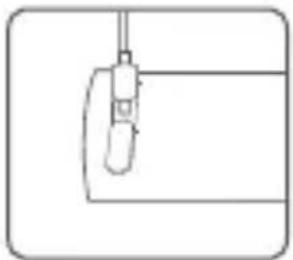
natural_image
Simple line drawing of a mechanical component or tool with no text or symbols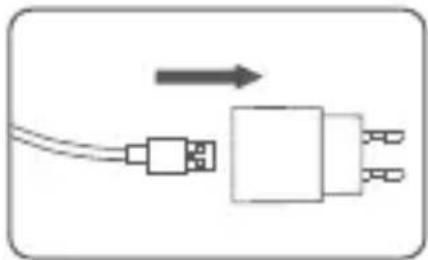
natural_image
Simple diagram of a USB cable connected to a rectangular component with three pins, no text or symbols present.natural_image
Two identical diagrams of a hairbrush with circular buttons and a gear-like handle, showing rotational motion (no text or symbols)Golenie
natural_image
Mechanical component diagram showing a lever and rotating wheel (no text or symbols)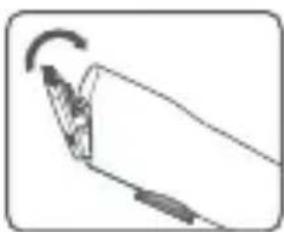
natural_image
Simple line drawing of a hand holding a pen or stylus with an arrow indicating rotation (no text or symbols)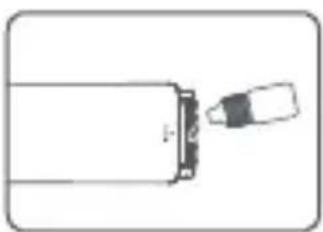
natural_image
Simple line drawing of a bottle with a cap and a small object inside (no text or symbols)natural_image
Simple line drawing of a magnifying glass over a circular object, no text or symbols present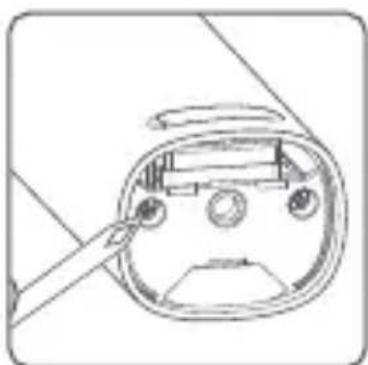
natural_image
Line drawing of a device's internal components with a tool, no text or symbols present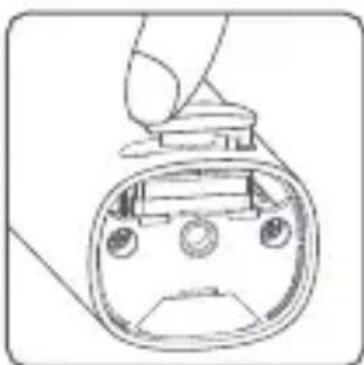
natural_image
Line drawing of a handheld device with a circular head and screen (no text or symbols)natural_image
Diagram showing a mechanical device with a rotating knob and a close-up of its internal components (no text or symbols)natural_image
Technical line drawings of mechanical components, showing front and side views (no text or symbols)Adres: Room 22-3, Langmu Building, Baisha Road, Cixi City, Zhejiang, China
Xiaomi Technology Netherlands B.V.
Prinses Beatrixlaan 582, 2595BM, The Hague, The Netherlands contact@support.mi.com
UK REP.
Xiaomi Technology UK Limited
Davidson House, Forbury Square, Reading, Berkshire RG1 3EU
contact@support.mi.com