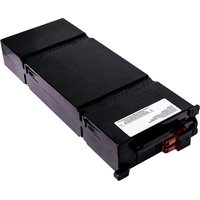
APCRBC152- Smart-UPS On-Line - Battery V7 - Free user manual and instructions
Find the device manual for free APCRBC152- Smart-UPS On-Line V7 in PDF.
User questions about APCRBC152- Smart-UPS On-Line V7
0 question about this device. Answer the ones you know or ask your own.
Ask a new question about this device
Download the instructions for your Battery in PDF format for free! Find your manual APCRBC152- Smart-UPS On-Line - V7 and take your electronic device back in hand. On this page are published all the documents necessary for the use of your device. APCRBC152- Smart-UPS On-Line by V7.
USER MANUAL APCRBC152- Smart-UPS On-Line V7
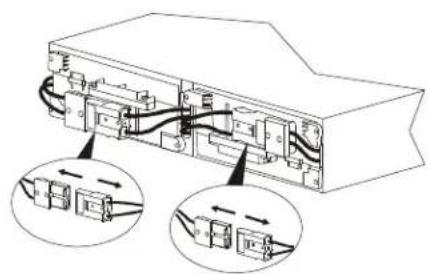
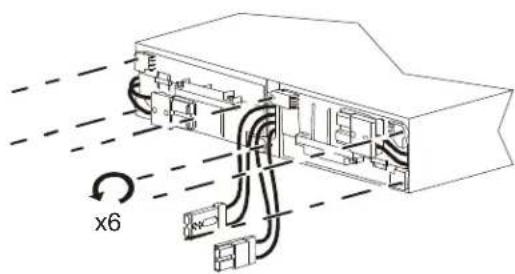
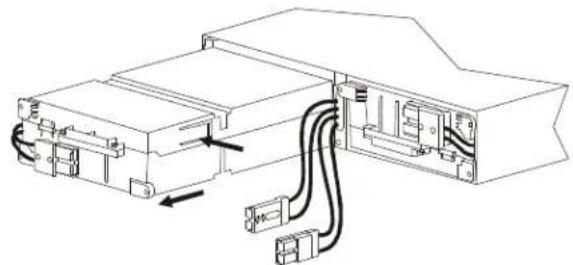
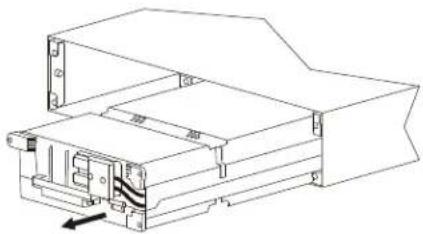
Installation Guide Smart-UPS™ On-Line APCRBC152/APCRBC141
Safety Messages
Read the instructions carefully to become familiar with the equipment before trying to install, operate, service or maintain it. The following special messages may appear throughout this manual or on the equipment to warn of potential hazards or to call attention to information that clarifies or simplifies a procedure.
The addition of this symbol to a Danger or Warning safety label indicates that an electrical hazard exists which will result in personal injury if the instructions are not followed.

This is the safety alert symbol. It is used to alert you to potential personal injury hazards. Obey all safety messages that follow this symbol to avoid possible injury or death.

CAUTION
CAUTION indicates a potentially hazardous situation which, if not avoided, can result in minor or moderate injury.
CAUTION
CAUTION addresses practices not related to physical injury including certain environmental hazards, potential damage or loss of data.

Safety and General Information
Inspect the package contents upon receipt. Notify the carrier and dealer if there is any damage.
- Adhere to all local and national electrical codes.
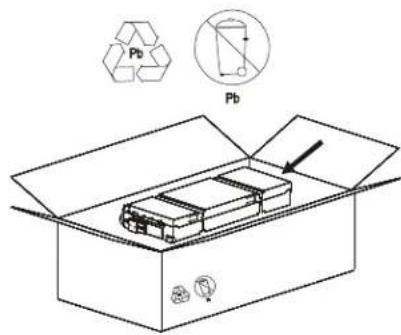
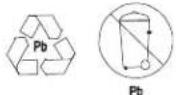
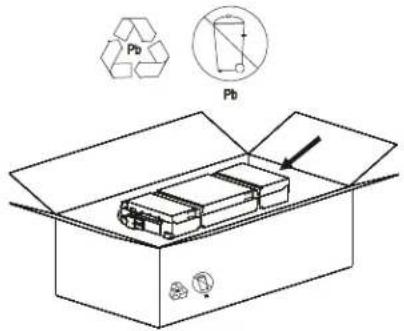
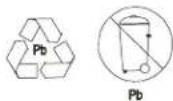
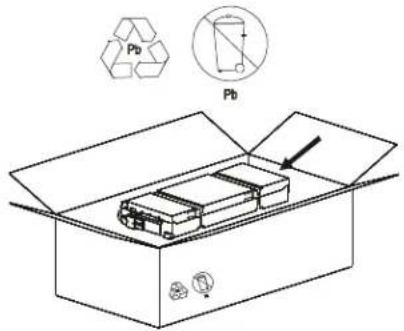
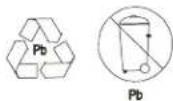
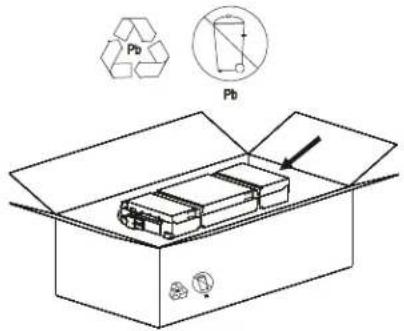
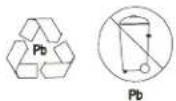
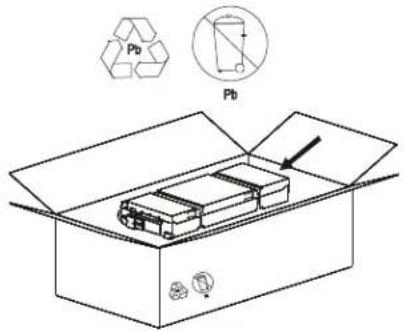
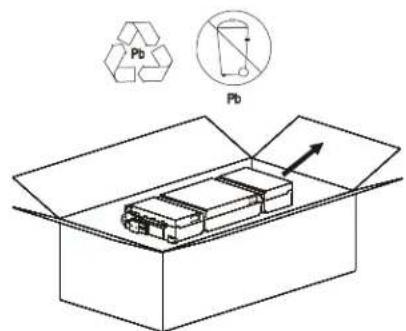
• Always recycle used batteries.
For information on recycling used battery modules, refer to the Battery Disposal Information sheet included with the replacement battery module. - Recycle the package materials or save them for reuse.
Battery safety
- Before installing or replacing the batteries, remove jewelry such as wristwatches and rings. High short circuit current through conductive materials could cause severe burns.
- Do not dispose of batteries by burning them. The batteries may explode.
- Do not open or mutilate batteries. Released electrolyte is harmful to the skin and eyes, and may be toxic.
Replace Battery Modules
CAUTION
DAMAGE TO EQUIPMENT OR PERSONNEL
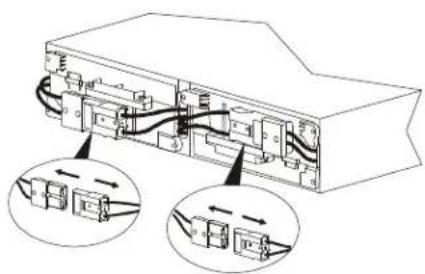
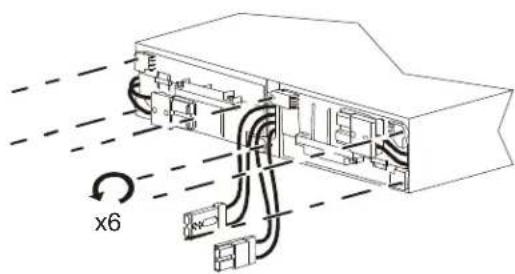
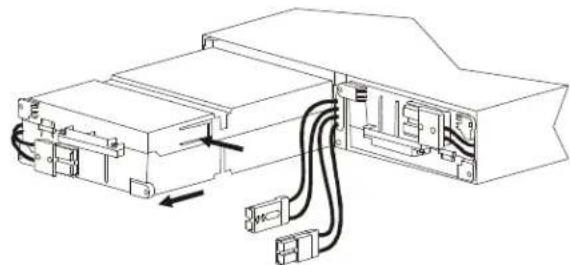
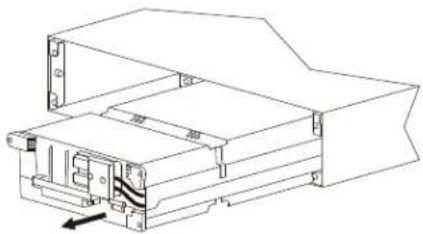
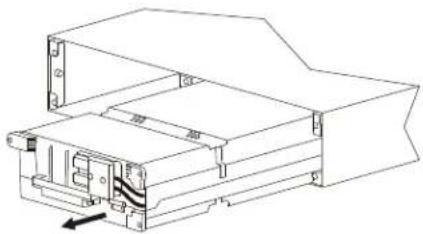
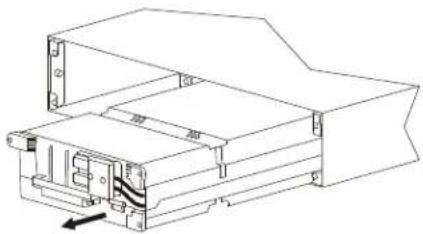
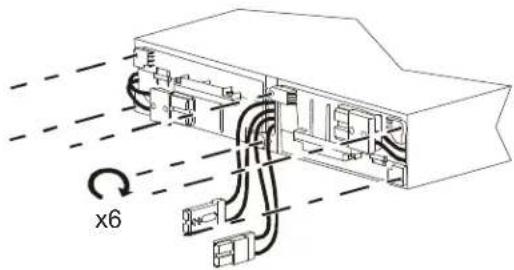
• The equipment is heavy. Each APCRBC152 battery module weighs 15.3 kg (33.7 lb) and each APCRBC141 battery module weighs 11.7 kg (25.8 lb).
• Always practice safe lifting techniques adequate for the weight of the equipment.
- Adhere to all local and national electrical codes.
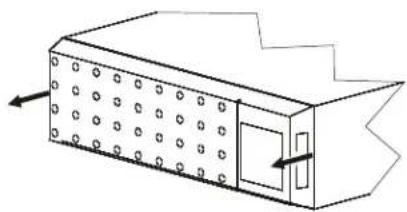
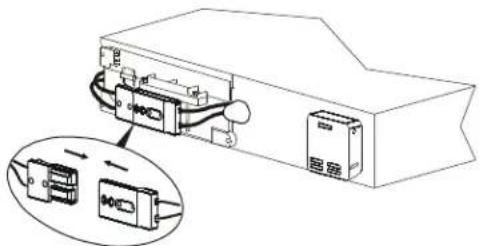
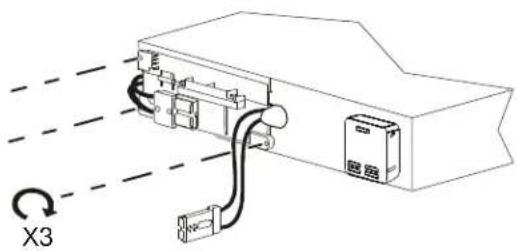
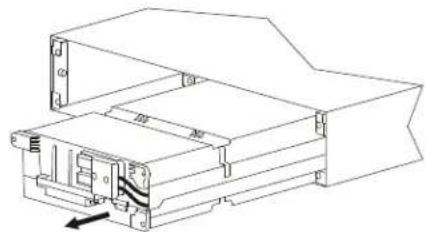
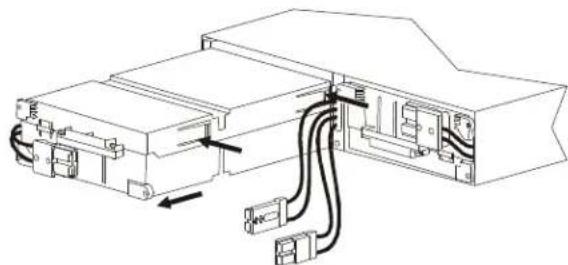
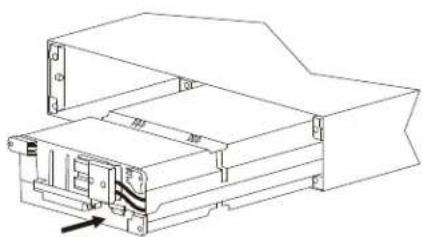
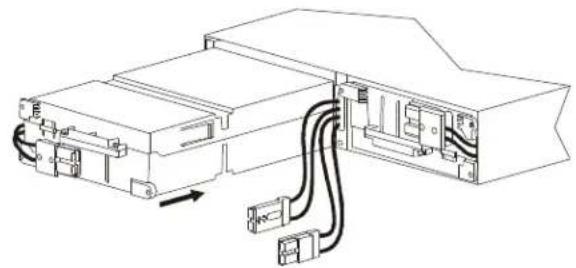
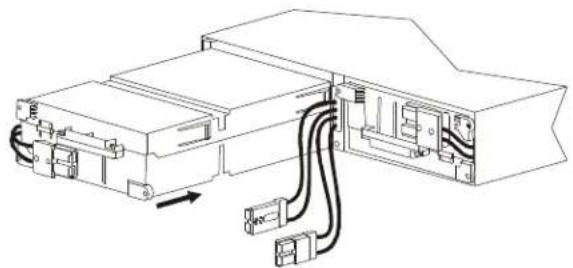
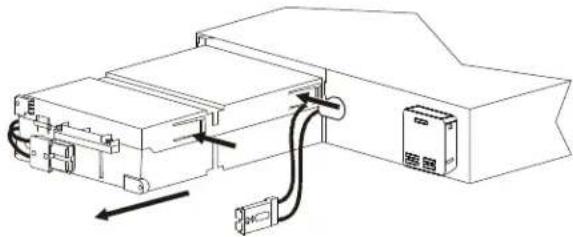
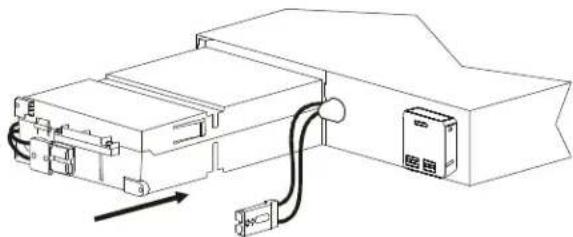
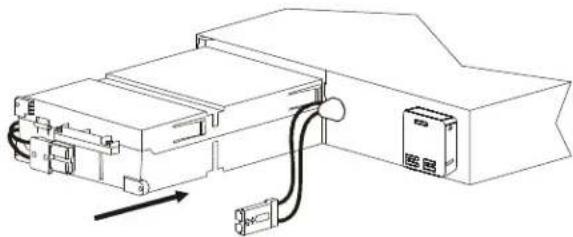
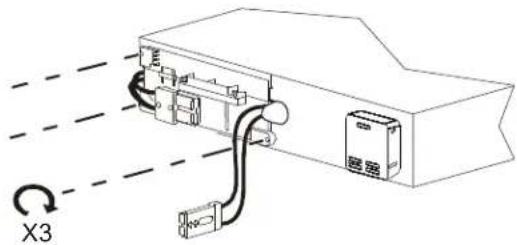
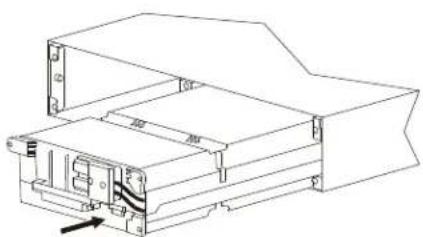
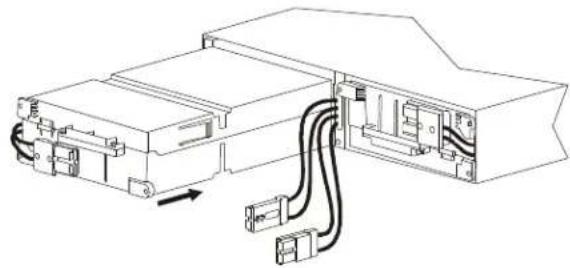
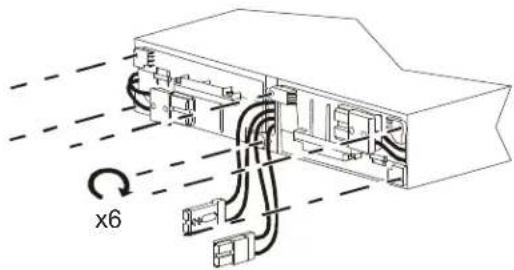
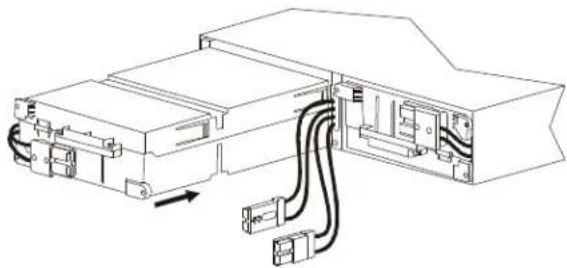
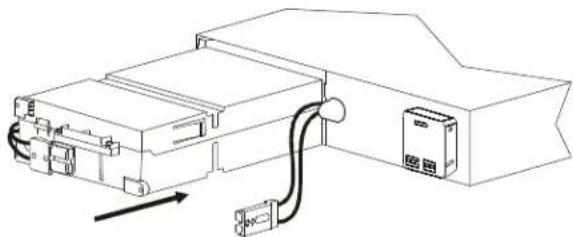
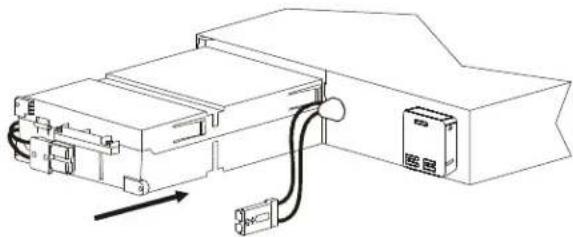
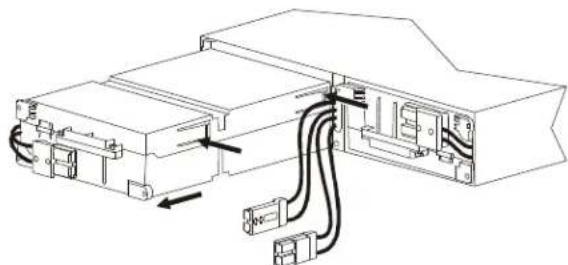
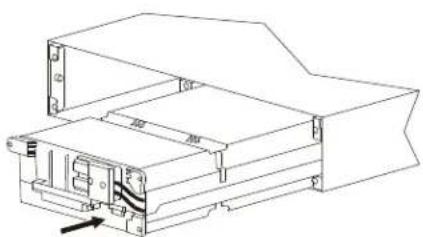
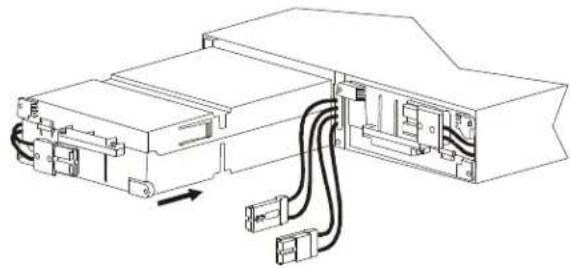
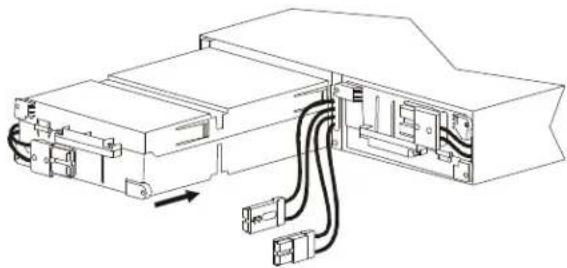
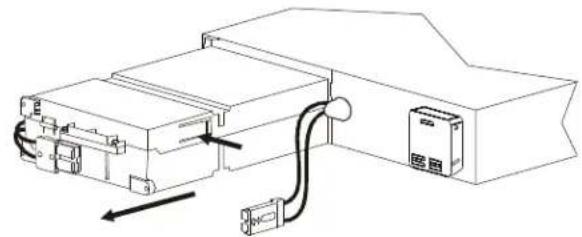
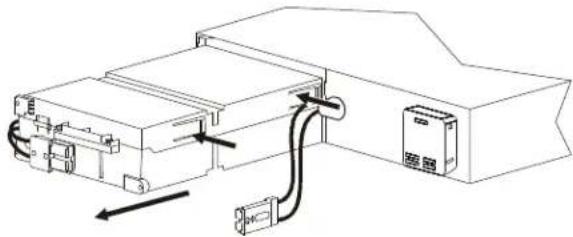
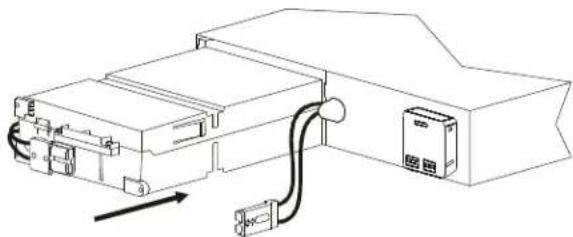
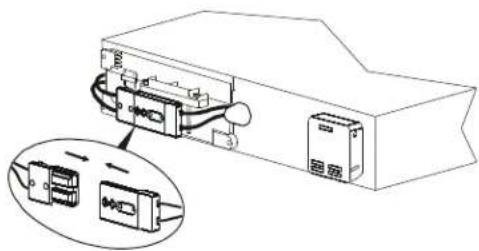
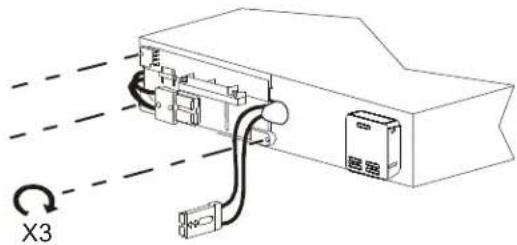
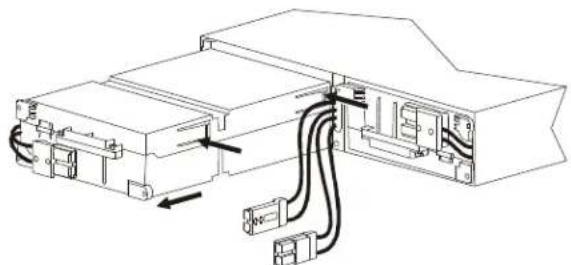
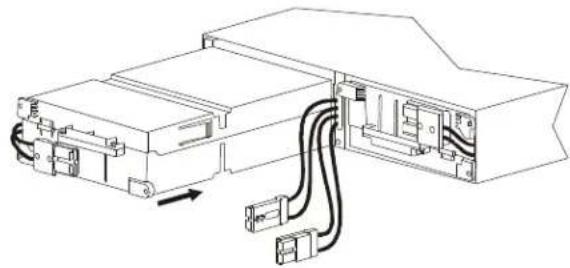
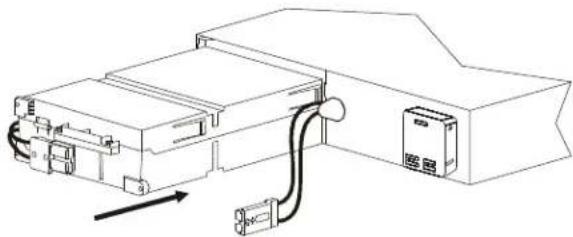
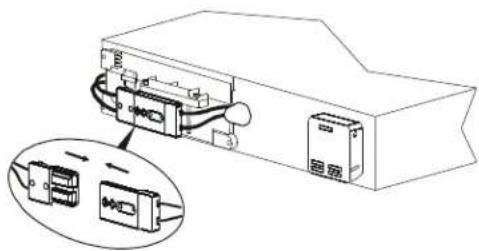
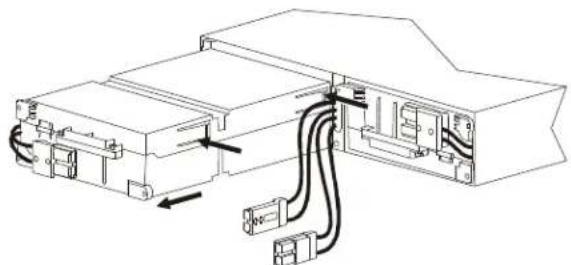
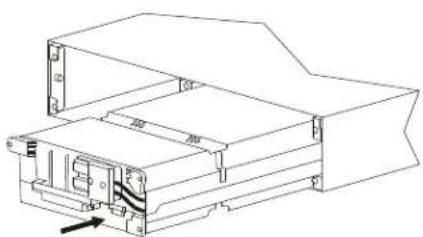
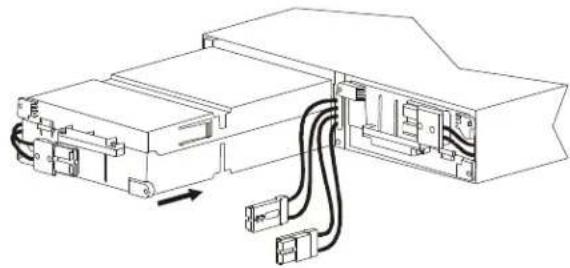
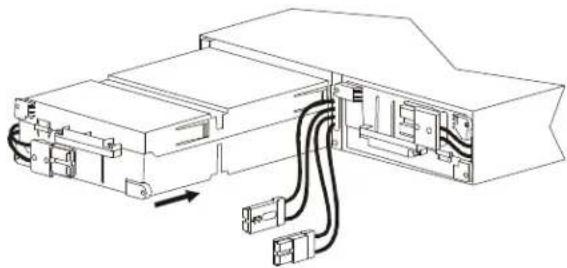
- Use the battery model handle to slide the battery modules in and out of the UPS and external battery pack (XLBP).
- Do not use the handle to lift or carry the battery module.
- When replacing the battery modules, replace with the same type of battery modules.
Failure to follow these instructions can result in equipment damage and minor or moderate injury.
Note: The batteries will charge to 90% capacity in the first three hours of operation on utility power. Do not expect full runtime capability during this initial charge period.
| Battery Module UPS XLBP | |
| APCRBC152 SRT3000XLx/SRT3000RMXLx SRT96BP/SRT96RMBP | |
| APCRBC141 SRT2200XLx/SRT2200RMXLx SRT72BP/SRT72RMBP | |
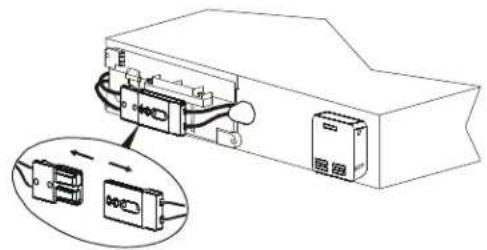
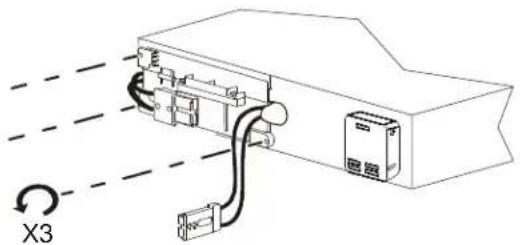
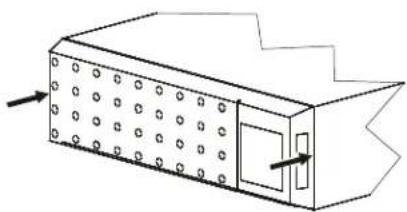
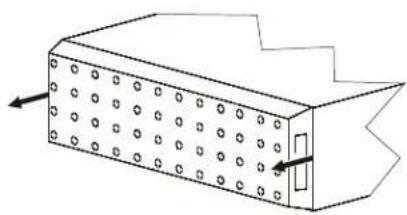
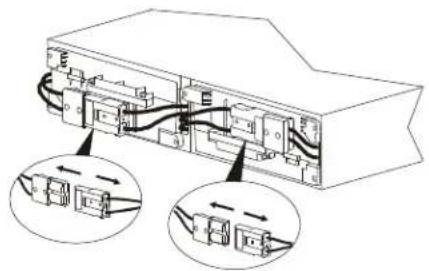
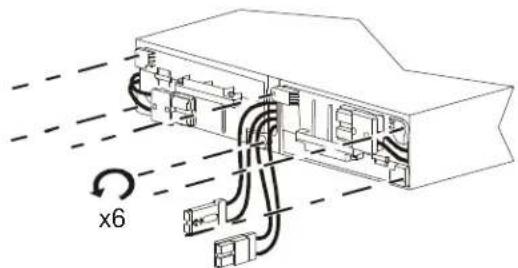
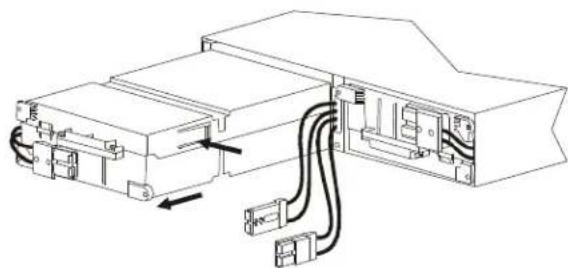
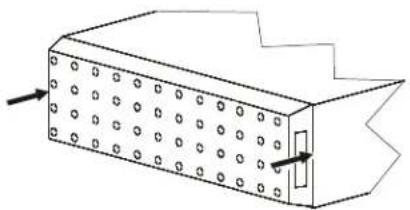
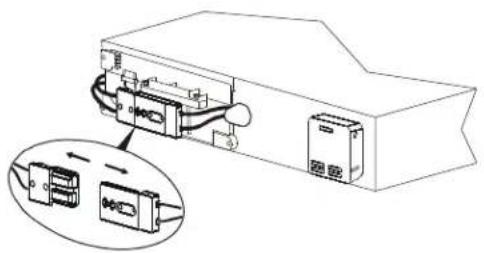
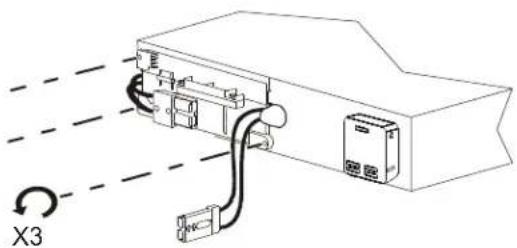
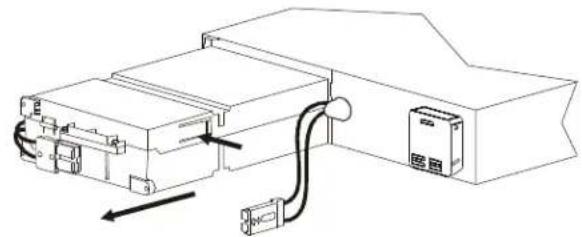
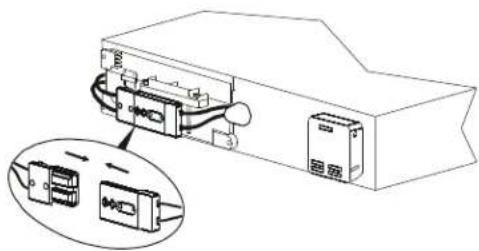
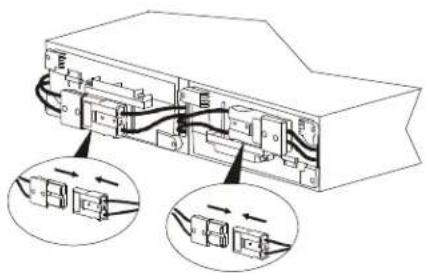
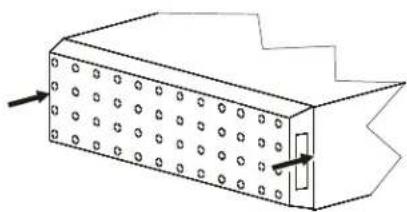
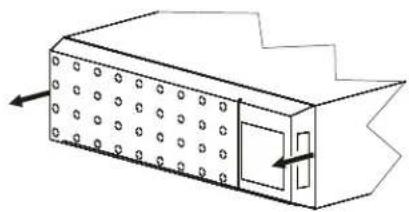
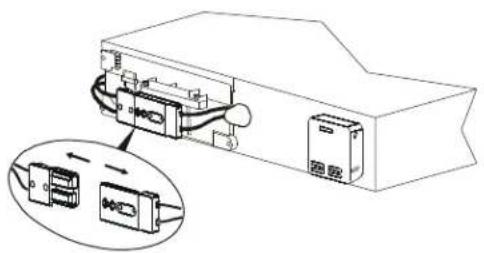
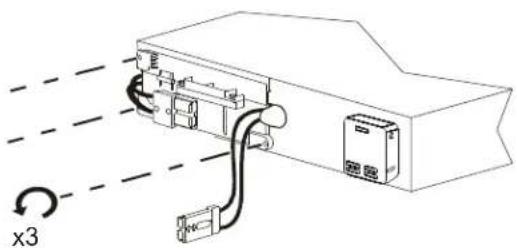
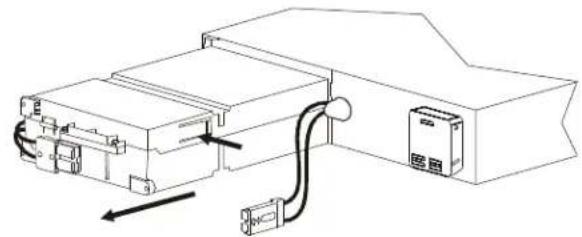
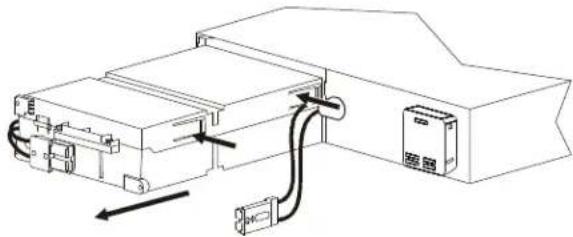
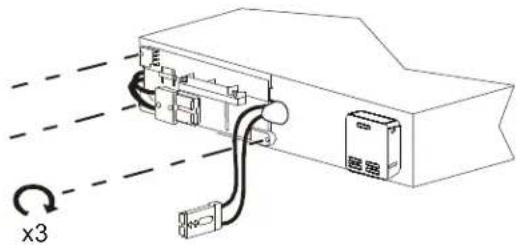
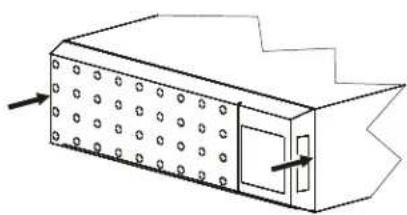
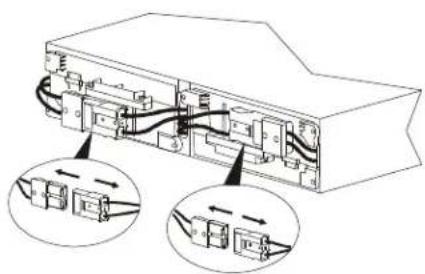
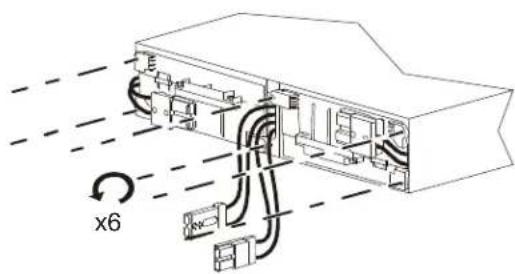
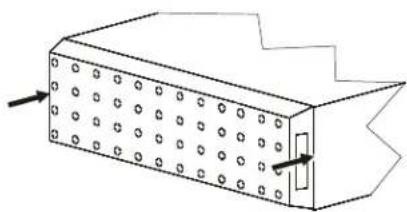
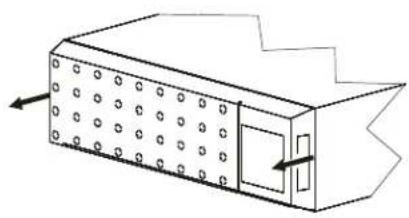
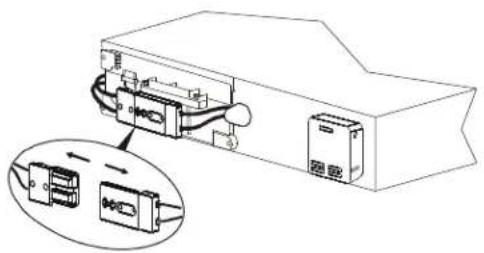
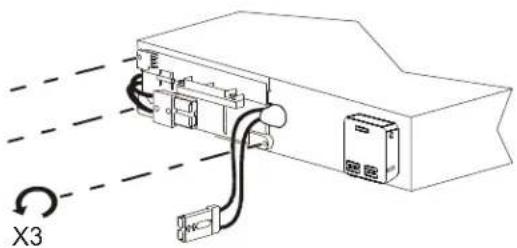
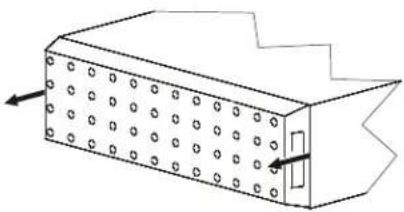
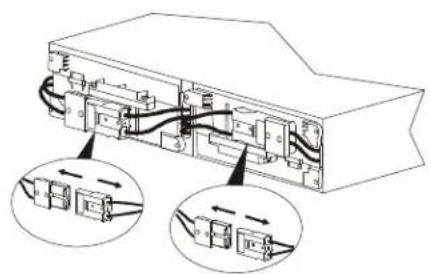
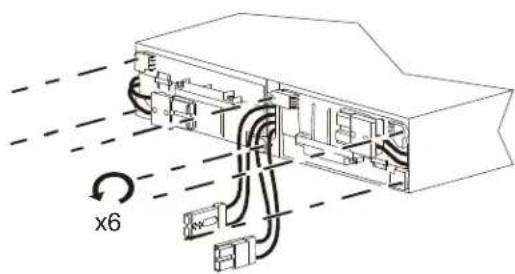
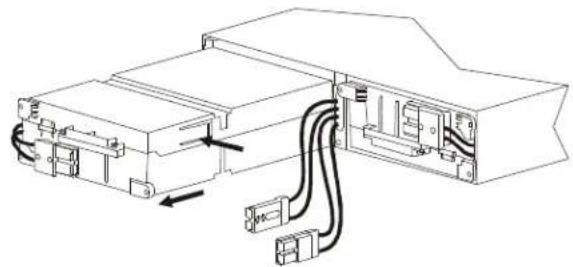
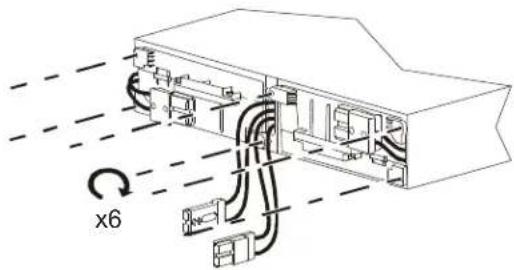
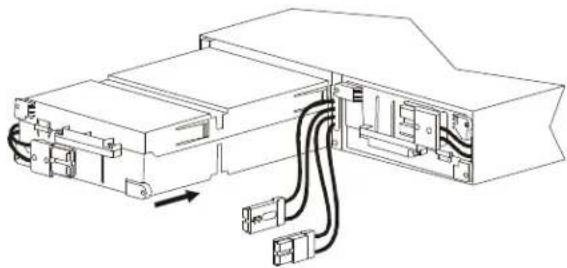
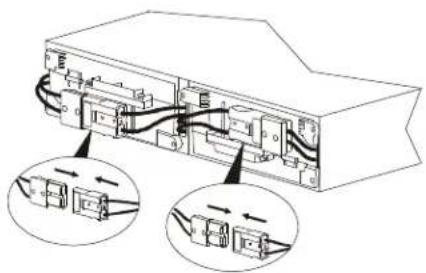
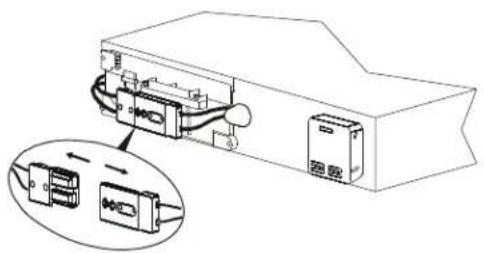
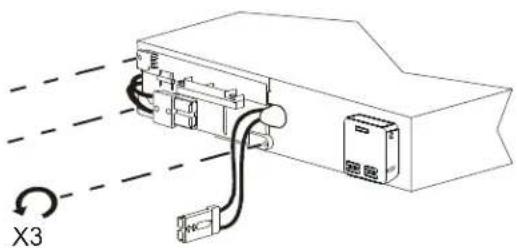
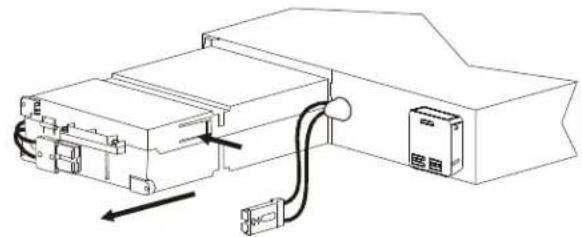
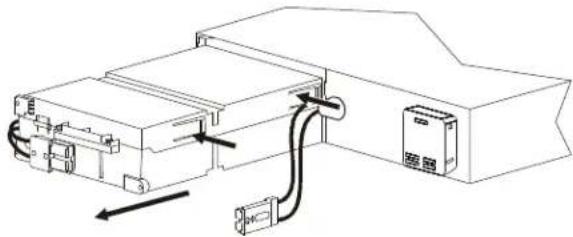
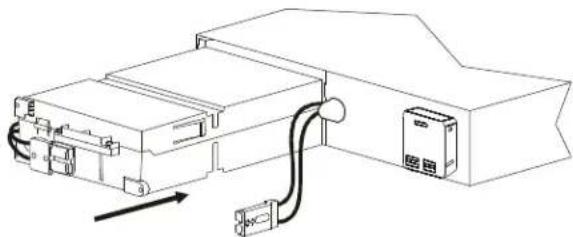
SRT2200XLx/SRT2200RMXLx/SRT3000XLx/SRT3000RMXLx UPS models
1
text_image
Pb PbZ

natural_image
Technical line drawing of a rectangular device with circular patterns and a door, showing directional arrows (no text or symbols)3

natural_image
Technical line drawing of an electronic device with ports and wiring, showing internal components (no text or symbols)4

text_image
X35
APCRBC141

natural_image
Technical line drawing of an electrical enclosure with wiring and a door, no text or symbols presentAPCRBC152

natural_image
Technical line drawing of an electronic device with cable and connector (no text or symbols)7
APCRBC141

natural_image
Technical line drawing of an electrical enclosure with wiring and a control panel (no text or symbols)APCRBC152

natural_image
Technical line drawing of an electronic device with cable and connector (no text or symbols)9

natural_image
Technical line drawing of a device with internal components and an inset showing two connected devices (no text or symbols)6

text_image
Pb Pb8

text_image
X310

natural_image
Diagram of a rectangular device with circular patterns and a door, showing directional arrows (no text or symbols)SRT72BP/SRT72RMBP/SRT96BP/SRT96RMBP External battery packs
1

text_image
Pb x2 boxes x2 battery modulesZ

natural_image
Isometric line drawing of a rectangular box with circular holes and an arrow indicating direction (no text or symbols)3

text_image
Diagram of an electronic device showing internal components with labeled parts and directional arrows indicating connection or movement.4

natural_image
Technical line drawing of an electronic device with visible wiring and components, no text or symbols present5
APCRBC141

natural_image
Technical line drawing of an electronic device showing internal components and wiring (no text or symbols)6

natural_image
Technical line drawing of a mechanical housing or enclosure component (no text or symbols visible)APCRBC152

natural_image
Technical line drawing of an electronic device with internal components and wiring (no text or symbols)7

8

natural_image
Technical line drawing of a mechanical housing or enclosure with mounting brackets and internal components (no text or symbols)9
APCRBC141

natural_image
Technical line drawing of an electronic device showing internal components and wiring (no text or symbols)10

natural_image
Technical line drawing of an electronic device with internal wiring and a circular component labeled 'x6' (no text or symbols beyond label)APCRBC152

natural_image
Technical line drawing of an electronic device showing internal components and wiring (no text or symbols)11

natural_image
Diagram of an electronic device showing internal components connected to a housing, with two views of the housing (no text or symbols present)12

natural_image
Diagram of a rectangular device with perforated panels and a small protruding component, showing directional arrows (no text or symbols)Reset Battery Installation Date
| 1 | POWER ON/OFF button | ![]() |
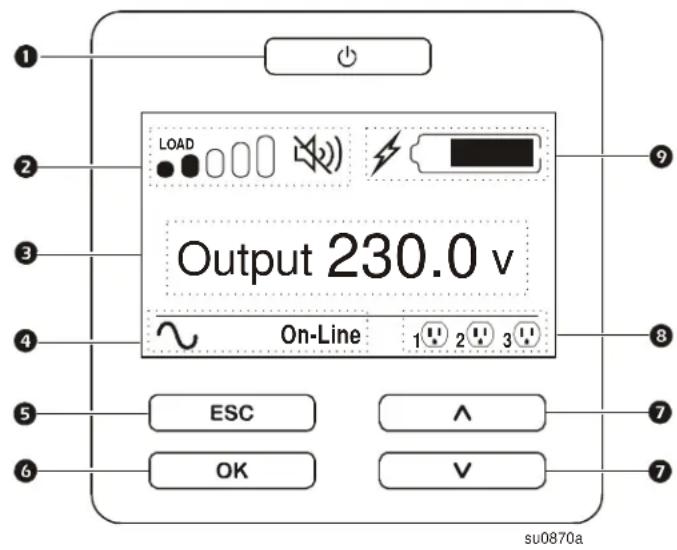
| 2 | Load iconDisable/mute audible alarm icon | |
| 3 | UPS status information | |
| 4 | Operation mode icons | |
| 5 | ESCAPE button | |
| 6 | OK button | |
| 7 | UP/DOWN arrow buttons | |
| 8 | Controllable outlet group status icons | |
| 9 | Battery status icons |
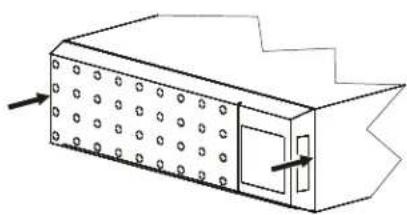
The battery installation date will appear on the display interface within two minutes of battery installation. If the installation date does not appear on the display interface, use the UP/DOWN arrow buttons to navigate to the Config Menu > Battery and enter the correct Installation Date.
When the replacement battery cartridge (RBC), is charged to full capacity, perform a Self Test and a Runtime Calibration Test.
Installationsanleitung Smart-UPS™ On-Line APCRBC152/APCRBC141
Sicherheitshinweise
natural_image
Isometric line drawing of a rectangular device with circular patterns and a door, showing directional arrows (no text or symbols)3

natural_image
Technical line drawing of an electronic device with internal components and a magnified inset showing internal connectors (no text or symbols)4

text_image
X35
APCRBC141

natural_image
Technical line drawing of an electronic device with cable and connector (no text or symbols)APCRBC152

natural_image
Technical line drawing of an electronic device with connectors and wiring (no text or symbols)7
APCRBC141

natural_image
Technical line drawing of an electronic device with cable and power outlet (no text or symbols)APCRBC152

natural_image
Technical line drawing of an electronic device with cable and connector (no text or symbols)9

natural_image
Technical line drawing of a device with internal components and an inset view showing two connected devices (no text or symbols present)6

text_image
Diagram showing a box with an open lid and two labeled components: one with a recycling symbol and another with a disassembled device.8

text_image
X310

natural_image
Technical line drawing of a rectangular device with circular holes and a door, showing internal structure and arrows indicating direction (no text or symbols)SRT72BP/SRT72RMBP/SRT96BP/SRT96RMBP – externe Akkus
1
text_image
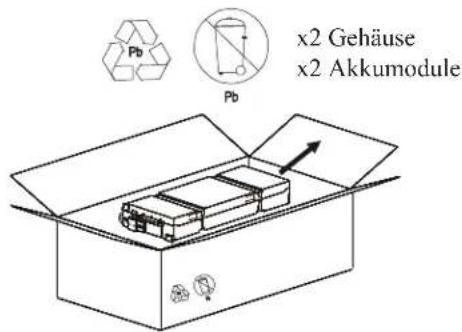
Pb Pb x2 Gehäuse x2 Akkumodule2

natural_image
Isometric line drawing of a rectangular box with circular holes and an arrow pointing to its side (no text or symbols)3

natural_image
Diagram of an electronic device showing internal components and connection arrows (no text or symbols)4

text_image
x65
APCRBC141

natural_image
Technical line drawing of a device with cable routing and connectors (no text or symbols)6

natural_image
Technical line drawing of a mechanical housing or enclosure with mounting brackets and internal components (no text or symbols)APCRBC152

natural_image
Technical line drawing of an electronic device showing internal components and wiring (no text or symbols)7

8

natural_image
Technical line drawing of a mechanical housing or enclosure component (no text or symbols visible)9
APCRBC141

natural_image
Technical line drawing of an electronic device showing internal components and wiring (no text or symbols)10

natural_image
Technical line drawing of an electronic device with internal components and wiring, no text or symbols presentAPCRBC152

natural_image
Technical line drawing of an electronic device showing internal components and wiring (no text or symbols)11

text_image
Technical diagram of an electronic device showing internal components and connection points with arrows indicating movement or assembly.12

natural_image
Diagram of a rectangular device with circular holes and a small rectangular component, no text or symbols presenttext_image
Diagram showing a box with two stacked blocks, each labeled with a 'Pb' symbol and an arrow indicating direction.2

natural_image
Isometric line drawing of a rectangular device with circular patterns and a door, showing directional arrows (no text or symbols)3

natural_image
Technical line drawing of an electronic device with internal components and a magnified inset showing internal connectors (no text or symbols)4

natural_image
Diagram of an electronic device with wiring and connectors, showing a 3x3 rotation indicator (no text or symbols present)5
APCRBC141

natural_image
Technical line drawing of an electronic device with cable and connector (no text or symbols)APCRBC152

natural_image
Technical line drawing of an electronic device with connectors and wiring (no text or symbols)7
APCRBC141

natural_image
Technical line drawing of an electronic device with cable and power outlet (no text or symbols)APCRBC152

natural_image
Technical line drawing of an electronic device with cable and connector (no text or symbols)9

natural_image
Technical line drawing of a device with internal components and an inset view showing two connected devices (no text or symbols present)6

text_image
Diagram showing a box with an open lid and two labeled components: one with a recycling symbol and another with a disassembled device.8

text_image
x310

natural_image
Technical line drawing of a rectangular device with circular holes and a door, showing internal structure and arrows indicating direction (no text or symbols)natural_image
Isometric line drawing of a rectangular box with circular holes and an arrow pointing to its side (no text or symbols)3

natural_image
Diagram of an electronic device showing internal components and connection arrows (no text or symbols)4

text_image
x65
APCRBC141

natural_image
Technical line drawing of a device with cable routing and connectors (no text or symbols)6

natural_image
Technical line drawing of a mechanical housing or enclosure with mounting brackets and internal components (no text or symbols)APCRBC152

natural_image
Technical line drawing of an electronic device showing internal components and wiring (no text or symbols)7

8

natural_image
Technical line drawing of a mechanical housing or enclosure component (no text or symbols visible)9
APCRBC141

natural_image
Technical line drawing of an electronic device showing internal components and wiring (no text or symbols)10

natural_image
Technical line drawing of an electronic device with internal components and wiring, no text or symbols presentAPCRBC152

natural_image
Technical line drawing of an electronic device showing internal components and wiring (no text or symbols)11

natural_image
Diagram of an electronic device showing internal components and wiring connections (no text or symbols)12

natural_image
Diagram of a rectangular container with circular holes and an arrow pointing to its side (no text or symbols)text_image
Diagram showing a box with an open lid and two labeled components: one marked 'Pb' recycling symbol, the other a schematic of a device with a circular arrow indicating rotation.2

natural_image
Isometric line drawing of a rectangular device with circular patterns and a door, showing directional arrows (no text or symbols)3

natural_image
Technical line drawing of an electronic device with internal components and a magnified inset showing internal connectors (no text or symbols)4

text_image
X35
APCRBC141

natural_image
Technical line drawing of an electronic device with cable and connector (no text or symbols)APCRBC152

natural_image
Technical line drawing of an electronic device with connectors and wiring (no text or symbols)7
APCRBC141

natural_image
Technical line drawing of an electronic device with cable and power outlet (no text or symbols)APCRBC152

natural_image
Technical line drawing of an electronic device with cable and connector (no text or symbols)9

natural_image
Technical line drawing of a device with internal components and an inset view showing two connected devices (no text or symbols present)6

text_image
Diagram showing a box with an open lid and two labeled components: one with a recycling symbol and another with a disassembled device.8

text_image
X310

natural_image
Technical line drawing of a rectangular device with circular holes and a door, showing internal structure and arrows indicating direction (no text or symbols)Blocs-batteries externes SRT72BP/SRT72RMBP/SRT96BP/SRT96RMBP
1
text_image
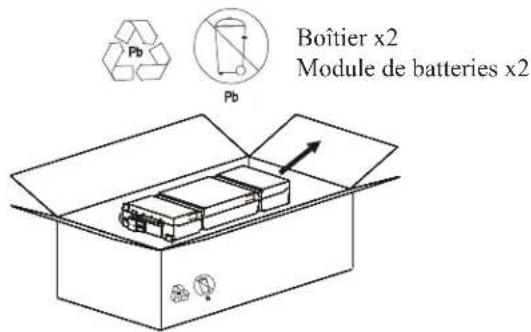
Pb Pb Boîtier x2 Module de batteries x22

natural_image
Isometric line drawing of a rectangular box with circular holes and an arrow pointing to its side (no text or symbols)3

natural_image
Diagram of an electronic device showing internal components and connection arrows (no text or symbols)4

text_image
x65
APCRBC141

natural_image
Technical line drawing of an electronic device with internal components and wiring (no text or symbols)6

natural_image
Technical line drawing of a mechanical housing or enclosure with mounting brackets and internal components (no text or symbols)APCRBC152

natural_image
Technical line drawing of an electronic device with internal components and wiring (no text or symbols)7

8

natural_image
Technical line drawing of a mechanical housing or enclosure component (no text or symbols visible)9
APCRBC141

natural_image
Technical line drawing of an electronic device showing internal components and wiring (no text or symbols)10

natural_image
Technical line drawing of an electronic device with internal components and wiring, no text or symbols presentAPCRBC152

natural_image
Technical line drawing of an electronic device showing internal components and wiring (no text or symbols)11

text_image
Technical diagram of an electronic device showing internal components and connection points with arrows indicating movement or assembly.12

natural_image
Diagram of a rectangular device with circular holes and a small rectangular component, no text or symbols presentnatural_image
Isometric line drawing of a rectangular device with circular holes and a door, showing directional arrows (no text or symbols)3

natural_image
Technical line drawing of an electronic device with internal components and a magnified inset showing internal connectors (no text or symbols)4

text_image
X35
APCRBC141

natural_image
Technical line drawing of an electronic device with cable and connector (no text or symbols)APCRBC152

natural_image
Technical line drawing of an electronic device with connectors and wiring (no text or symbols)7
APCRBC141

natural_image
Technical line drawing of an electronic device with cable and power outlet (no text or symbols)APCRBC152

natural_image
Technical line drawing of an electronic device with cable and connector (no text or symbols)9

natural_image
Technical line drawing of a device with internal components and an inset view showing two connected devices (no text or symbols present)6

text_image
Diagram showing a box with an open lid and two labeled components: one with a recycling symbol and another with a disassembled device.8

text_image
X310

natural_image
Technical line drawing of a rectangular device with circular holes and a door, showing internal structure and arrows indicating direction (no text or symbols)Pacchi batterie esterni SRT72BP/SRT72RMBP/SRT96BP/SRT96RMBP
1
natural_image
Isometric line drawing of a rectangular box with circular holes and an arrow pointing to its side (no text or symbols)3

natural_image
Diagram of an electronic device showing internal components and two close-up views of connectors (no text or symbols)4

text_image
x65
APCRBC141

natural_image
Technical line drawing of a mechanical or electronic component with internal wiring and connectors (no text or symbols)6

natural_image
Technical line drawing of a mechanical housing or enclosure with mounting brackets and internal components (no text or symbols)APCRBC152

natural_image
Technical line drawing of an electronic device with internal components and wiring (no text or symbols)7

8

natural_image
Technical line drawing of a mechanical housing or enclosure component (no text or symbols visible)9
APCRBC141

natural_image
Technical line drawing of an electronic device showing internal components and wiring (no text or symbols)10

natural_image
Technical line drawing of an electronic device with internal components and wiring, no text or symbols presentAPCRBC152

natural_image
Technical line drawing of an electronic device showing internal components and wiring (no text or symbols)11

text_image
Technical diagram of an electronic device showing internal components and connection points with arrows indicating movement or assembly.12