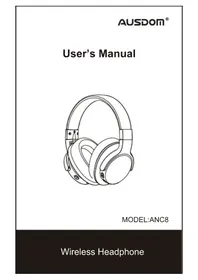
ANC8 - Headphones Ausdom - Free user manual and instructions
Find the device manual for free ANC8 Ausdom in PDF.


| Product type | Wireless active noise-cancelling headset |
| Brand | AUSDOM |
| Model | ANC8 |
| Bluetooth version | 4.0 |
| Bluetooth range | Up to 10 meters |
| Supported Bluetooth profiles | HSP, HFP, A2DP, AVRCP |
| Active noise cancellation (ANC) | Yes, up to 18-20 dB |
| Speaker diameter | 40 mm |
| Speaker impedance | 32 Ω |
| Frequency response | 20 Hz - 20 kHz |
| Sensitivity (SPL) | 95 dB |
| Total harmonic distortion | < 3 % |
| Microphone type | Omnidirectional |
| Microphone sensitivity | -42 dB S.P.L. at 1 kHz |
| Battery type | Rechargeable lithium-ion 400 mAh |
| Charging port | Micro USB 5 V / 1 A |
| Charging time | Approximately 2 hours (first charge), 1-1.5 hours (subsequent) |
| Battery life in playback (without ANC) | Approximately 20 hours |
| Battery life in playback (with ANC) | Approximately 18 hours |
| Standby time | Over 2000 hours |
| Connectors | 3.5mm jack (line-in), Micro USB (charging) |
| Weight | Approximately 200 g (estimated) |
| Operating temperature | -10°C to 45°C |
| Package contents | Headset, micro USB cable, 3.5mm audio cable, manual, carrying case |
Frequently Asked Questions - ANC8 Ausdom
User questions about ANC8 Ausdom
0 question about this device. Answer the ones you know or ask your own.
Ask a new question about this device
Download the instructions for your Headphones in PDF format for free! Find your manual ANC8 - Ausdom and take your electronic device back in hand. On this page are published all the documents necessary for the use of your device. ANC8 by Ausdom.
USER MANUAL ANC8 Ausdom
Thank you for purchasing the AUSDOM ANC8 Active Noise Canceling Wireless Headphone. AUSDOM ANC8 active noise canceling technology monitors the noise around you and cancels it out for travel, work and anywhere in between, helping you focus on what you want to hear. ANC8 has fashionable appearance and eco-friendly package design. Built-in rechargeable battery provides more music playing and standby time. It's engineered to sound better, be more comfortable and easy to carry.
ANC8 can be used both wired and wireless via Wireless V4.0 to communicate with your Wireless-enabled device till 10 meters range. Its powerful and rich bass speaker brings you amazing and unprecedented audio enjoyment.
Note: Please read the user's manual carefully before using, and keep it properly for future reference.
2. Package Contents
- Wireless headphone*1
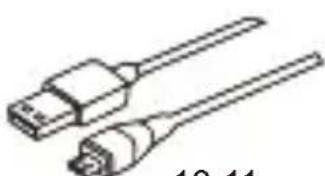
- Micro USB charging cable*1
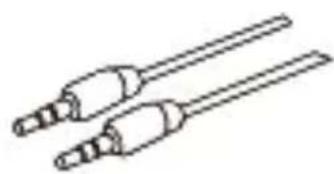
- 3.5mm audio cable*1
-User's manual*1 - Compact carrying case*1
3. Product Overview
EN-1
10 11
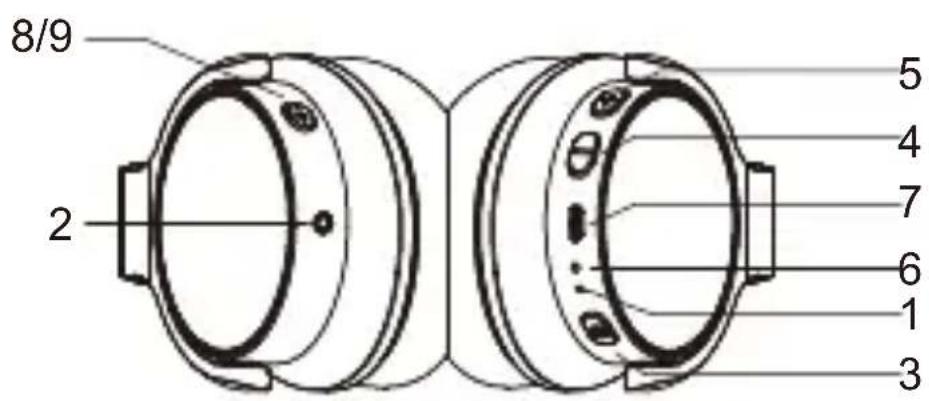
1.Microphone
2.3.5mm line-in jack
3.Power button
4. Previous track/V-
5.Next track/V+
6. LED Indicator/Charging LED
7. Micro USB interface for charging
8. Noise canceling LED indicator
9. Noise canceling on/off
10.Micro USB Charging Cable
11.3.5mm Audio Cable
4. Charging the Battery
Use the supplied micro USB charging cable to recharge the battery. It takes about 2 hours for the first charge and after charging for as long as 1-1.5 hours. The headphone LED turns to solid red during charging. When the battery is fully charged the LED turns off.
You can also use the Wireless function during charging but will extend the charging time. If you use the audio cable or turn the headphone off for charging that will not affect the charging time.
When the battery is low, the LED flashes red light. At the same time the headphone also provides a low battery warning tone.
Note: It is strongly recommended fully charging for the first use. Playtime varies according to volume level and audio content.
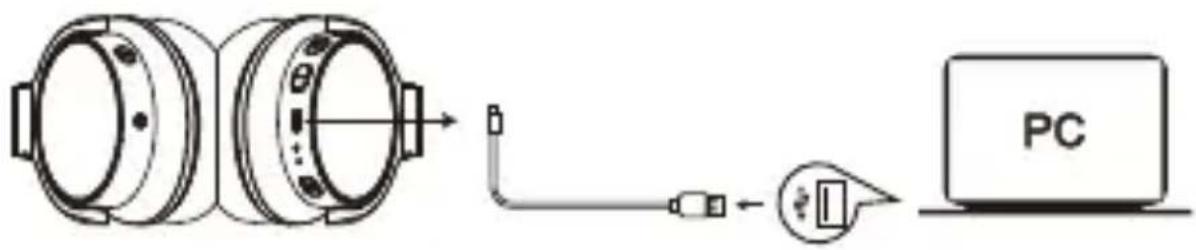
Micro USB charging cable to the USB Interface for charging
5.Pairing with Wireless Devices
5-1 Pairing the headphones with a computer
Before pairing the headphone with your computer, please make sure your computer or laptop has the built-in Wireless feature. If not, you must purchase a Wireless dongle, preferably version 2.1 or above.
1.Make sure the headphone is off.
2.Start the Wireless program in the computer.
3.The "Search new device" screen will be displayed.
-
Do not place both devices more than one meter away from each other.
-
Press and hold the power button on the headphone until it powers on but don't let go just yet. Continue holding down on the power button until you see the LED indicator flashes blue and red alternately, which means your headphone is in "pairing mode" waiting to be paired with your device. You will hear a prompt.
-
As soon as the computer system detects the new device and select "AUSDOM ANC8". Once successfully paired, the LED turns to solid blue. You will hear a prompt.
5-2 Pairing the headphone with a phone
1.Make sure the headphone is off.
2.Do not place both devices more than one meter away from each other.
- Press and hold the power button on the headphone until it powers on but don't let go just yet. Continue holding down on the power button until you see the LED indicator flashes blue and red alternately, which means your headphone is in "pairing mode"waiting to be paired with your device. You will hear a prompt.
4.Start Wireless function on your phone and search for new devices. - Select the "AUSDOM ANC8" to pair. Once successfully paired, the LED turns to solid blue. You will hear a prompt.
5-3 Connecting to paired devices
AUSDOM ANC8 will pair with the last paired device automatically when turning on. Because of different systems, some computers or laptops may need to be manually paired every time.
6. Active Noise Cancelling
AUSDOM ANC8 contains a noise canceling circuit, Noise mainly in an airplane, buses or trains is effectively reduced.
1). The noise canceling effect may not be pronounced in a very quiet environment, or some noise may be heard.
2). The noise canceling effect may vary depending on how you wear the headphones.
3). The noise canceling function works for noise in the low frequency band primarily. Although noise is reduced, it is not canceled completely.
4). When you use the headphones in a train or a car, noise may occur depending on street conditions.
7. Taking and Answering a Call
7-1 Taking a call
1.Make sure the headphone is pairing to the mobile phone. Dial through the mobile phone and press the call button on the phone.
2. To end a call, press the power button once again or also end the call directly by the phone.
7-2 Answering a call
Make sure the Headphone is pairing with your phone. Please refer to chapter 5. Pairing with Wireless devices.
- When a call is incoming. The LED flashes red, then keeps in solid blue.
- Press the power button on your headphone or the answer button on your phone to answer the call. If there is the music playback, it will pause.
- To end a call, press the power button once again or also end the call directly by the phone.
- As soon as the call is ended, the music will continue to play automatically.
8. Using a Wired Headphone
The ANC8 provides a 3.5mm audio jack located on the side of ear cup and an included audio cable for wired use.
This allows you to use the audio function with other devices without having wireless function. When the headphone's battery is low, you can still enjoy the music without worrying battery dead.
Note: The microphone can't work when using as wired headphone.
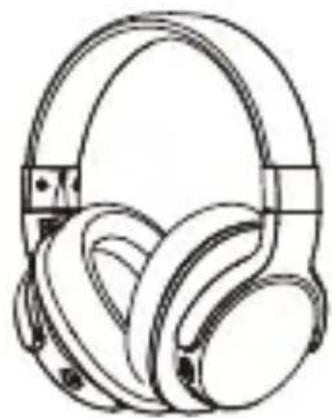
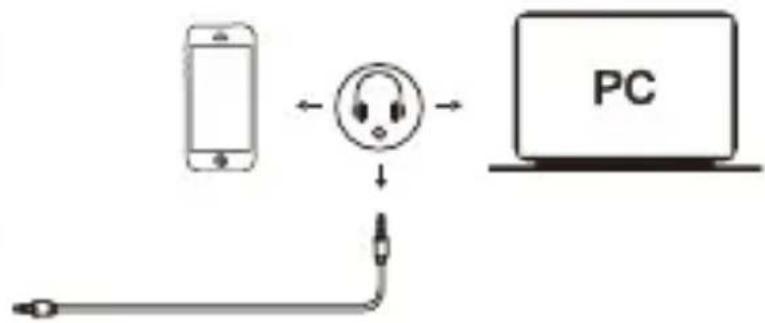
Using as a wired headphone with a 3.5mm audio cable
9. Take Care Your Headphone
-Store the Headphone with power off and in a dry environment.
- If you don't use the headphone for a long period, charging the battery every 2 months for 1-2 hours.
-Use a dry cloth for cleaning if needed.
-Avoid dropping the headphone from high places or on hard surfaces.
-Avoid exposing the headphone to extreme temperature. (Recommended Storage temperature is -40°C-80°C.)
- The headphone is NOT waterproof. Avoid exposing the headphone to rain or getting liquids into any button port or other openings.
-Pleases don't twist or bend the headphone. This may cause permanent deformation.
- The built-in battery can't be disposed in the fire to avoid explosion.
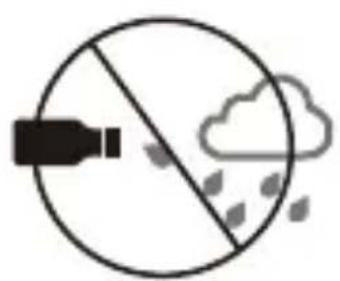
Avoid exposing to liquids and rain

Avoid exposing to extremely temperature
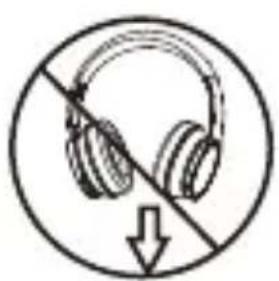
Avoid dropping from high places
10. Protecting your Hearing
The Headphone is held close to your ears, so loud sounds pose a potential hearing risk. It is highly recommended that setting low volume level before putting on the headphone and avoiding exposing yourself continuously to high volumes. If you need to use the headphone for a long period, rest ten minutes for a half hour using.
11. Control Instructions
| Function Operation | |
| Power on | When the headphone is off, press and hold the power button 3 seconds, and the LED flashes blue and sounds a prompt. |
| Power off | When the headphone is on, press and hold the power button 3 seconds, and the LED flashes red and sounds a prompt.. |
| Pairing | Press and hold the power button about 5 seconds, then the LED flashes in red and blue, the voice will prompt. |
| Increase volume | Press the Volume Up V+ button |
| Decrease volume | Press the Volume Down V- button |
| Play media Press the power button | |
| Pause/restart media playback | Press the power button |
| Skip to next track | Press and hold the V+ button for 1-2s |
| Skip to previous track | Press and hold the V- button for 1-2s |
| Answer a call | When a call rings, press the power button |
| End a call When a call is ended, press the power button | |
| Noise Canceling On | Push the Noise-Canceling Button to ON, Blue LED light on. |
| Noise Canceling Off | Push the Noise-Canceling Button to OFF, Blue LED light off |
Note:
There will be a alert tone when the volume reaches the maximum level.
12. Troubleshooting
Q: The headphone cannot be turned on.
A: The battery may be flat. Please recharge the battery and try again. Refer to chapter 4. Charging the Battery.
Q: Why doesn't the headphone pair with the mobile phone?
A: Please check the followings.
-Check that the headphone is charged and is in pairing mode.
-Make sure that the mobile phone's Wireless function is on.
-Make sure the two devices are in the effective pairing range. (10 meters).
-Make sure that there is no obstacle between the headphone and the mobile phone, such as electronic equipment and a wall.
-Furthermore, you can try restarting the headphone and pairing it with the mobile phone again.
-Make sure the paired device's wireless function is turned off.
Q: There is some noise.
-A: Wireless is a radio technology, so it is sensitive to obstacles between the headphone and the pairing device. Please make sure that there is no obstacle between the two devices and is within 10 meters.
Q: I can't hear sound.
A: Please check the followings.
- Try increase the volume.
-Make sure that the Wireless function is on and whether the two devices are connecting and within 10 meters.
Q: My mobile phone or computer cannot find the headphone. A: Please check that the headphone is in pairing mode. Refer to chapter 5. Pairing with Wireless devices. Sometimes when the headphone is connected too many Wireless devices, it cannot search and pair effectively. Or your mobile phone and computer are already connected to many other devices. Try removing some connections before searching the headphone.
13. Warranty
The ANC8 is covered by a 1-year manufacturer warranty. For more information, visit: www.ausdom.com/warranty.
- Specifications
| Microphone Spec. | Microphone Unit 4° | 1.5mm |
| Directivity Omni-directional | ||
| S.P.L -42dB | ||
| Impedance ≤2.2KΩ | ||
| Operating voltage 2V | ||
| Speaker Spec. | Speaker diameter | Φ40mm |
| Impedance 32Ω | ||
| S.P.L 95dB | ||
| THD <3% | ||
| Frequency response | 20Hz-20KHz | |
| Active Noise Canceling | ANC Value 18dB-20dB | |
| Wireless Tech. | Wireless version 4 | 0 |
| Wireless distance | 10m | |
| Transmission frequency | 2.402GHz-2.48GHz | |
| Support profile HS | P/HFP/A2DP/AVRCP | |
| Pairing name AUS | DOM ANC8 | |
| Battery Spec. | Battery type | Built-in 400mah rechargeable lithium battery |
| Charging port | Micro USB 5V/1A | |
| Playtime | About 20 hours talking/About 20 hours music playing time(Noise Canceling OFF) About 18 hours talking/About 18 hours music playing time(Noise Canceling ON) | |
| Standby time | More than 2000 hours | |
| Charging time | About 2 hours | |
| Operating temperature | -10°C-45°C | |
Note: Features and technical specifications are subject to change without notice, we apologize for any inconvenience.
1. Einführung
5-2 Coprajxehne HayshnKOB c TeJefoHOM
1.Y6eIntecb B TOM, UTO HayuHnKn BbIKIOueHbl.
2.PacnoJoxnTe yctpoNCTBa Ha paccToHn He 6oJIe oHoro MeTp a npYr OT dpyra.
3. HaxmTe u ydepXnBaIte KhONky nHTaHna Ha OndHO raphNtpe, noka oHa He BkJIouHTcra. IpoDoJkaTe ydePxNBaTb KhONky nHTaHna HaxaToi, noka CBETODnOHDhInnDnKaTOp He NaHcET MIRatb CnHm IN KpacHBIM ZBeTOM NonepeMeHHo. 3TO O3NaHaet, YTO
raphnItypa haxoIITcB "peXime cOpjXeHna", oXnDa coeINHeHna IIn6o C BaAM yCTpoiCTBOM. Bbl ycIbIuNTe npirIaWeHne.
4.Функця Ст apt Wireless Ha TepefoHe I NONCK HOBbIX yCTpoIcTB.
5.BbI6epnte"AUSDOM ANC8"ДЯ coprajkeHn.Посл eYcpeHoro coprajkeHn, INdNKaTOp n3MeHnT cBET ha cnHn. BbluCJIshTe nprrlaaSeHne.
5-3ПодклоченkeК copяжehнblIM yctpoiCTBaM
7-2 Bxodjune Bbl30Bbl
y6eIntecb, yTO hayuHnKcOnpjxHeBc TeJefoHOM.
IoxaIyIcTa, o6paTntecb K rIaBe 5. COnpJxHne c Wireless yCTpoIcTBamn.
- 3aTeM npo3BeHHT 3BOHOK. CBeToIIOd MmHET KpaChbIM cBETOM, a 3aTeM 3aROpNTcA CNHM.
- Haxmnte KhoNky nItaHna Ha HayuHnKax nIi KhoNky OTBeTa Ha TeJeOHe, YTo6bI OTBETNb Ha Bbl3OB. EcIn 3aNyUeHO BocnpOn3BeDeHne My3bIKN, OHO 6yJeT npnoCTaHOBJIeHO.
3.Чтобы 3abepintb Bbl3OB,нжмITE KHONKY ПИТаня[euple pa3 Илп Лг e 3aBepinte Bbl3OB HeNOCpeДCTBEHNO NO TelefoHy. - KaK TOnbKO Bbl3OB 3aKOHcHcR, My3bIka npOdoJXnT nrgpaTb aBTOMaTnueckn.
12. BbIaBHeHne HeNCpPaBHOCTeI
Bonpoc: Hayshnki He BKJIIOUaHOTcJ.
OTBeT: BaTapeЯ MoKeT pa3PjaXeHNoI. PoXaIyIcTa, 3apYdIte aKKymJyIToP i nonpo6yIte cHOBa. O6paTITecb K rIabe 4. 3apYdka aKKymJyIToPa.
Bɔnpoc:ПочемуHayшнкHe coprayaOTcC MOиьньIM TeJefoHOM?
OtBeT: IoxaIyIcTa, npOBepbTe cIeIyUoIee.
- Y6eIntecb, yTO hayuHnKn 3apJxHeHbI n HaxoIaTcB BpeXime cOpJxKeHnY.
- Y6eIntecb,ЧTO ФункцЯ Wireless Ha мобиьhom Telefohe BkIIOUyeHa.
- Y6eIntecb, yTO dBa yCTpoiCTBa HaxoJrTcB Dnana3OHe 3ΦΦeKTHBHorO cOpjxHEny. (10 metpoB).
- y6eIntecb, uTO HET HnKaKnx npenTCTBm MeJdy
HayshnkaMIMMObHbIM Tepeohom,HaPpImep, 3JIeKTPoHHoro o6OpydoBaHna,CTeHbl.
- Kpome TORO, Bbl MojkeTe nonpo6oBaTb nepe3aRpy3nTb HayuHnKn H CoeINHnTb C MObIbHbIM TeJefoHOM CHOBA.
- Y6eIntecb, yTO B IODKJIIOUaEMOM yCTpOINCTBe ФyHKcNIA 6ecnpoBOdHOJ CBra3N BblKnIOUyeHa.
Bonpoc: CyuecTByeT HeKoTOpbIy m.
- OTBet: Wireless 3TO TexHONOra paADIOCBa3N, PO3TOMy OHa yBCTBNTeJIbHa K IpeIaTCTBnM MeJy HauSHNKaMn IN COpRAeMbIM yCTpoiCTBOM. PoJaIyIcTa, y6eIITecb, YTO Het HnKaKHX IpeIaTCTBn MexJy DByMg YCTPOICTBaMn IN OHN HaxoJrTcB B IpeJeJax 10 metPoB.
Bonpoc: He mory cIbIaTb 3ByK.
OTBeT: PoxaIyIcTa, npOBepbTe cIeIyUoIee.
-Понробуйтейувеличпьгрмкocть
- Y6eIntecb, yTo ФункцЯ Wireless BkIIOueHa,
- Please read the return procedures and warranty policy carefully on www.ausdom.com/warranty before sending items back to point-of-purchase.
- Please fill the card and send it to your reseller together with the product if your product's warranty is valid.
| S.N: | |
| Date of Purchase: | |
| Product Model: | |
| RMA Number: | |
| Return Reason: | |
| Customer Name: | |
| TEL: | |
| E-mail: | |
| Address: |
AUSDOM
Enjoy Smart Life
For more information, please visit our official website www.ausdom.com
Your valuable comments and suggestions on improving AUSDOM products are welcomed!