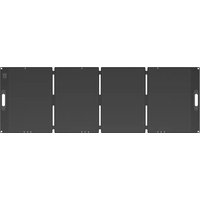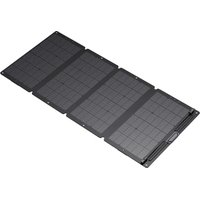
BP-SP120W - Solar panel BLUEPALM - Free user manual and instructions
Find the device manual for free BP-SP120W BLUEPALM in PDF.


| Product Type | Foldable Solar Panel |
| Brand | BLUEPALM |
| Model | BP-SP120W |
| Rated Power | 120 W ± 5% |
| Open Circuit Voltage (Voc) | 24.4 V ± 5% |
| Short Circuit Current (Isc) | 6.60 A ± 5% |
| Maximum Power Voltage (Vmp) | 19.8 V ± 5% |
| Maximum Power Current (Imp) | 6.23 A ± 5% |
| Cell Type | Monocrystalline Silicon |
| Operating Temperature | -20°C to 60°C |
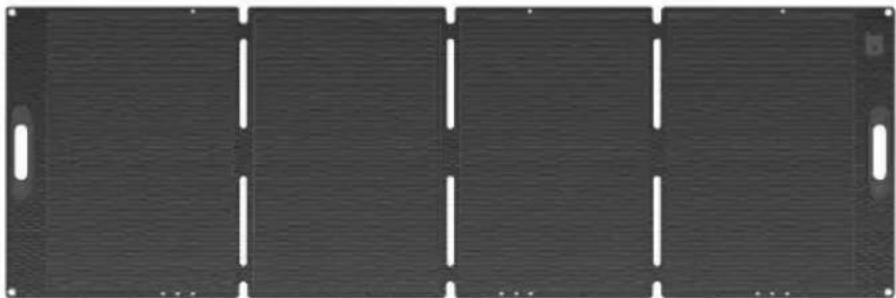
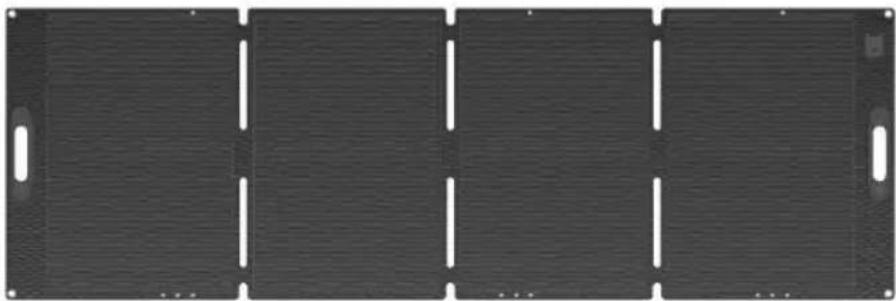
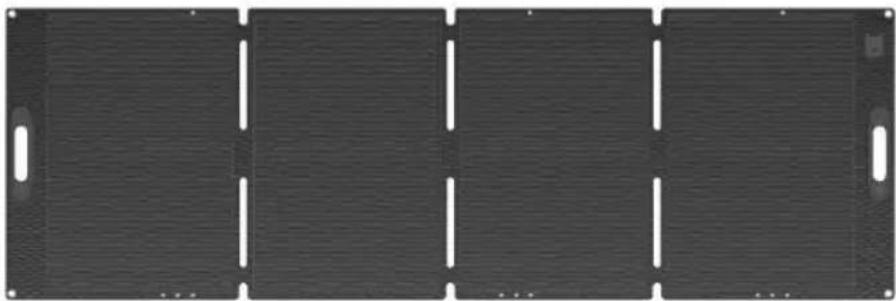
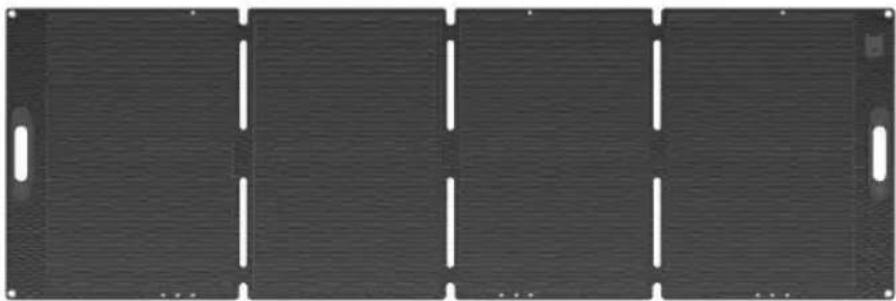
| Dimensions (Unfolded) | 1370 x 616 x 4 mm |
| Dimensions (Folded) | 616 x 381 x 45 mm |
| Weight | 6 kg |
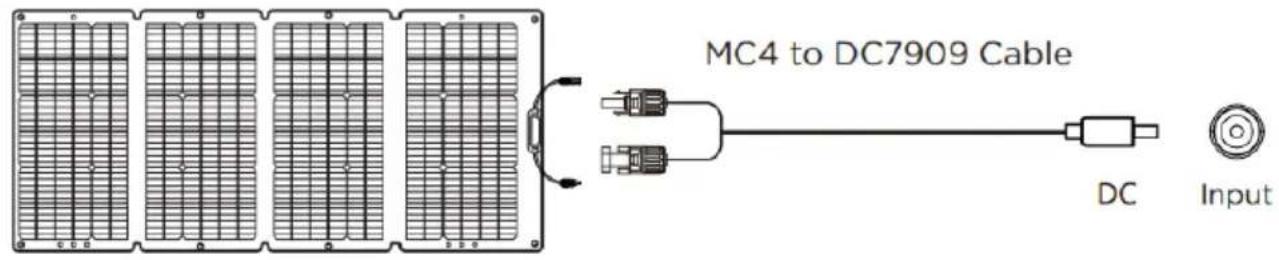
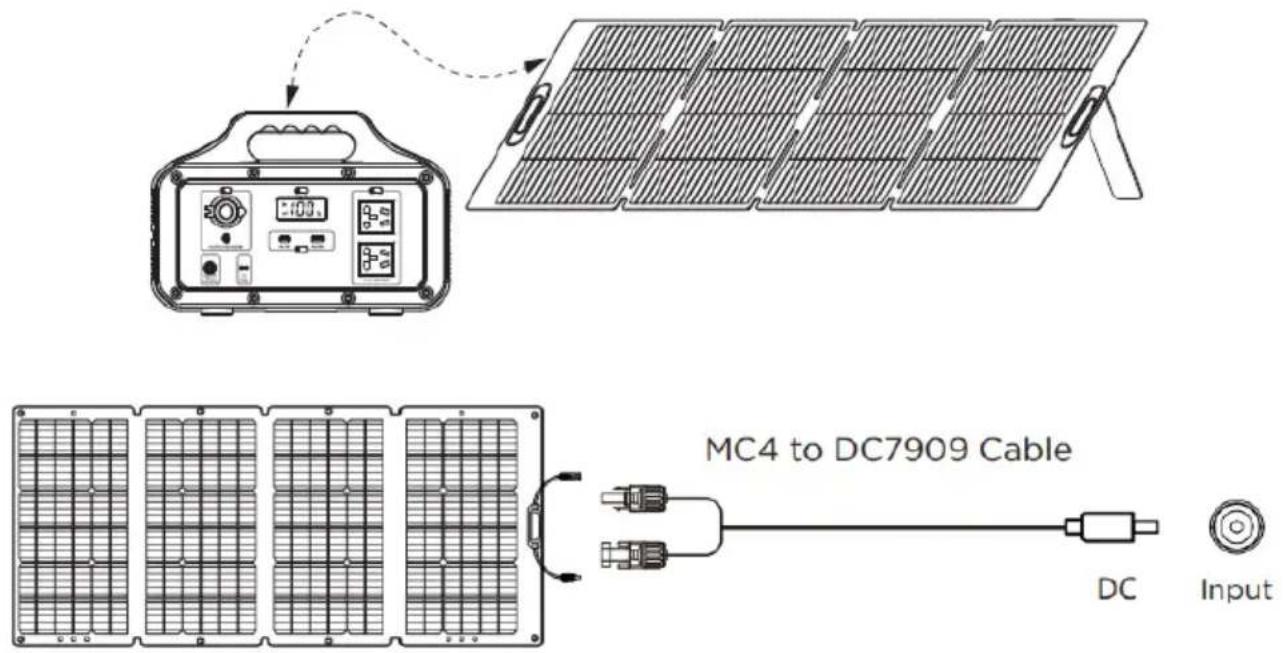
| Output Ports | MC4 Output (MC4 to DC7909 cable included) |
| Chainable | Yes, up to 3 panels (360 W maximum) |
| Material | Waterproof and Durable |
| Included Accessories | Protective case, kickstand, MC4-DC7909 cable, user manual |
| Recommended Use | Charging BLUEPALM power stations and compatible devices (input voltage 24-72 V depending on configuration) |
| Warranty | 2 years (valid in Austria, Germany, Sweden, Netherlands, Romania, Czech Republic, Slovakia) |
| Safety Instructions | Do not short-circuit, do not expose to excessive humidity, do not disassemble, use only in dry and sunny outdoor environments, keep out of reach of children |
| Maintenance and Cleaning | Clean with a soft dry cloth, regularly check connections |
Frequently Asked Questions - BP-SP120W BLUEPALM
User questions about BP-SP120W BLUEPALM
0 question about this device. Answer the ones you know or ask your own.
Ask a new question about this device
Download the instructions for your Solar panel in PDF format for free! Find your manual BP-SP120W - BLUEPALM and take your electronic device back in hand. On this page are published all the documents necessary for the use of your device. BP-SP120W by BLUEPALM.
USER MANUAL BP-SP120W BLUEPALM
natural_image
Close-up of a solar panel with grid panels and mounting base (no visible text or symbols)BP-SP200W
natural_image
Pure electrical circuit lines without any symbolsHERZLICHEN GLÜCKWUNSCH!
DANKE, DASS SIE SICH FÜR EIN BLUEPALM PRODUKT ENTSCHIEDEN HABEN.

text_image
DE 2 FR 15 IT 29 NL 42 SE 56 CZ 68 SK 80 RO 93 EN 106BLUEPALM
natural_image
Diagram of solar panel installation with sunlight illuminating the panels (no text or symbols)natural_image
Diagram showing a solar panel connected to an analog photovoltaic device (no text or symbols present)BLUEPALM
text_image
MC4 to DC7909 Cable DC Inputnatural_image
Close-up of a solar panel with grid panels and mounting base (no visible text or symbols)BP-SP200W
natural_image
Front view of a dark rectangular metal panel with four vertical slots and two side handles (no text or symbols)TOUTES NOS FÉLICITATIONS ! MERCI D'AVOIR CHOISI UN PRODUIT BLUEPALM.
BLUEPALM
VEUILLEZ LIRE ATTENTIVEMENT LE MANUEL UTILISATEUR AVANT DE COMMENCER L'ASSEMBLAGE, L'INSTALLATION, L'UTILISATION OU LA MAINTENANCE. PROTÉGEZ-VOUS ET PROTÉGEZ LES AUTRES EN SUIVANT LES CONSIGNES DE SÉCURITÉ. LE NON- RESPECT DES INSTRUCTIONS EST SUSCEPTIBLE D'ENTRAÎNER DES BLESSURES CORPORELLES ET/OU DES DOMMAGES MATÉRIELS ET/OU UNE PERTE DE GARANTIE
Utilisation prévue
natural_image
Diagram of solar panel installation with sunlight illuminating the panels (no text or symbols)natural_image
Diagram showing a solar panel connected to an electronic device with a dashed arrow indicating connection (no text or symbols present)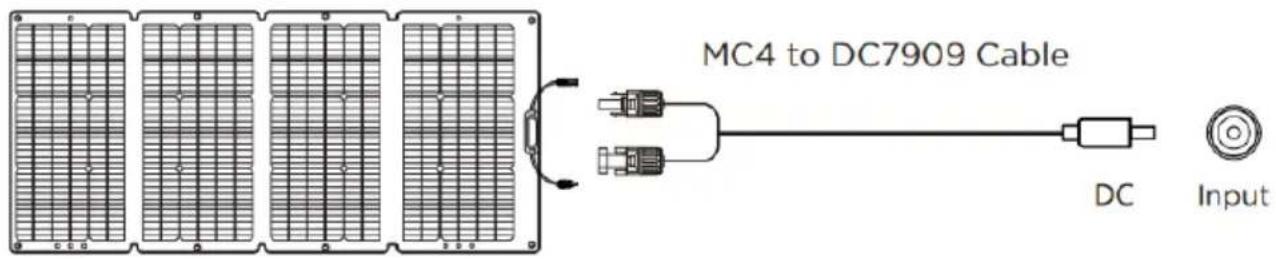
text_image
MC4 to DC7909 Cable DC Inputnatural_image
Close-up of a solar panel with grid pattern and mounting base (no visible text or symbols)BP-SP200W

natural_image
Front view of a dark rectangular metal panel with four vertical slots and two side handles (no text or symbols)CONGRATULAZIONI!
GRAZIE PER AVER SCELTO UN PRODOTTO BLUEPALM.
BLUEPALM
LEGGERE ATTENTAMENTE IL MANUALE D'USO PRIMA DI INIZIARE IL MONTAGGIO, L'INSTALLAZIONE, IL FUNZIONAMENTO O LA MANUTENZIONE. PROTEGGERE SÉ STESSI E GLI ALTRI SEGUENDO LE ISTRUZIONI DI SICUREZZA. LA MANCATA OSSERVANZA DELLE ISTRUZIONI PUÒ PROVOCARE LESIONI PERSONALI E/O DANNI MATERIALI E/O LA PERDITA DELLA GARANZIA
Uso previsto
natural_image
Diagram of solar panel installation under sunlight, showing rows of panels and a sun icon (no text or symbols)natural_image
Diagram showing a solar panel connected to an electronic device with a timer and control panel (no text or symbols present)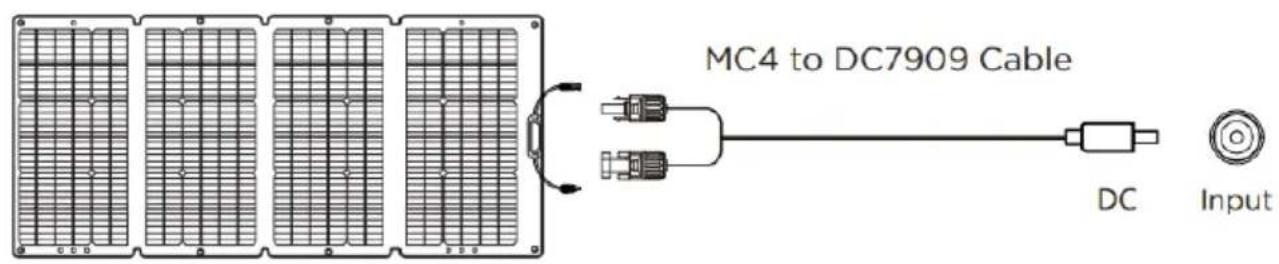
text_image
MC4 to DC7909 Cable DC Inputnatural_image
Close-up of a solar panel with grid panels, mounted on a stand (no visible text or symbols)BP-SP200W
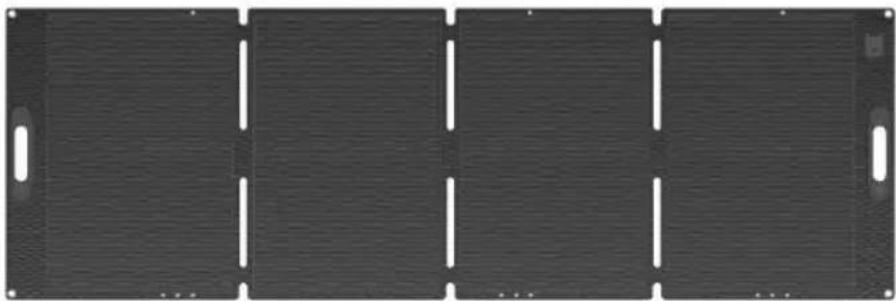
natural_image
Front view of a dark rectangular metal panel with four vertical slots and two side handles (no text or symbols)GEFELICITEERD!
BEDANKT DAT U GEKOZEN HEBT VOOR EEN BLUEPALM- PRODUCT.
BLUEPALM
LEES DE HANDLEIDING ZORGVULDIG DOOR VOORDAT U BEGINT MET DE MONTAGE, INSTALLATIE, GEBRUIK OF ONDERHOUD. BESCHERM UZELF EN ANDEREN DOOR DE VEILIGHEIDAANWIJZINGEN OP TE VOLGEN. HET NIET OPVOLGEN VAN DE AANWIJZINGEN KAN LEIDEN TOT LETSEL EN/OF MATERIËLE SCHADE EN/OF VERLIES VAN DE GARANTIE
Beoogd gebruik
natural_image
Diagram of solar panel installation with sunlight illuminating the panels (no text or symbols)text_image
Diagram showing a solar panel installation setup with an open control unit and a connected module, including a digital display.BLUEPALM
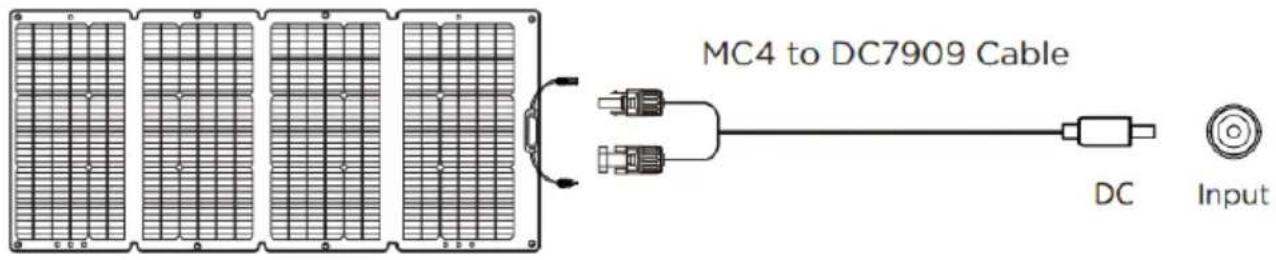
text_image
MC4 to DC7909 Cable DC Inputnatural_image
Close-up of a solar panel with grid panels, mounted on a stand (no visible text or symbols)BP-SP200W
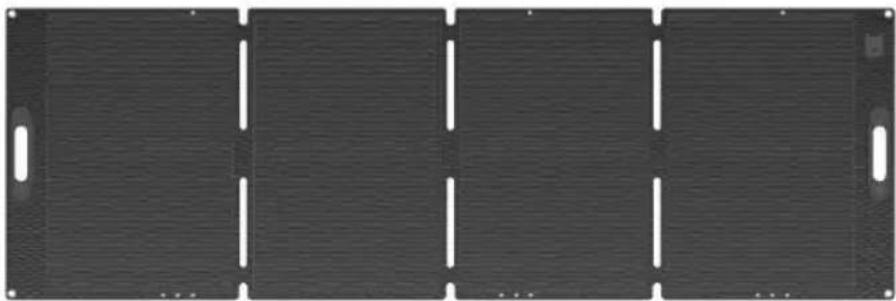
natural_image
Front view of a dark rectangular metal panel with four vertical slots and two side handles (no text or symbols)GRATTIS!
TACK FÖR ATT DU VALT EN BLUEPALM-PRODUKT.
BLUEPALM
LÄS BRUKSANVISNINGEN NOGGRANT INNAN DU STARTAR MONTERING, INSTALLATION, DRIFT ELLER UNDERHÅLL. SKYDDA DIG SJÄLV OCH ANDRA GENOM ATT FÖLJA SÄKERHETSINSTRUKTIONER. UNDERLÅTANDE ATT FÖLJA INSTRUKTIONER KAN RESULTERA I PERSONSKADA OCH/ELLER EGENDOMSSKADA OCH/ELLER FÖRLUST AV GARANTI
Avsedd användning
natural_image
Diagram of solar panel installation with sunlight illuminating the panels (no text or symbols)natural_image
Diagram showing a solar panel connected to an electronic device with a timer and control buttons (no text or symbols present)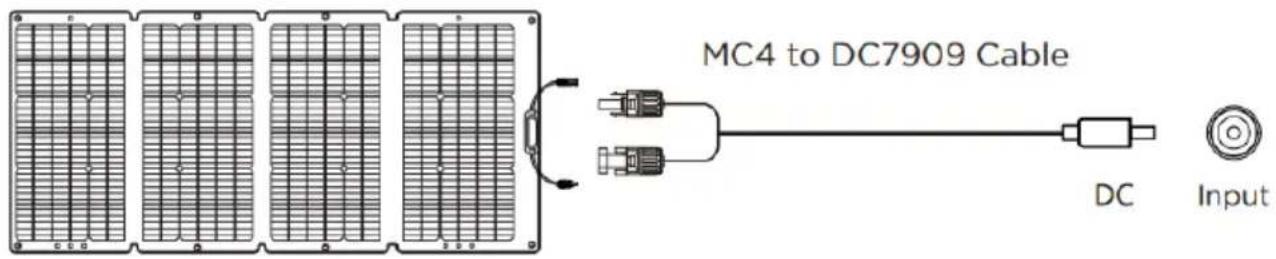
text_image
MC4 to DC7909 Cable DC Inputnatural_image
Close-up of a solar panel with grid panels and mounting base (no visible text or symbols)BP-SP200W
natural_image
Front view of a dark rectangular metal panel with four vertical slots and two side handles (no text or symbols)GRATULUJEME!
DĚKUJEME, ŽE JSTE SI VYBRALI VÝROBEK BLUEPALM.
BLUEPALM
PŘED ZAHÁJENÍM MONTÁŽE, INSTALACE, PROVOZU NEBO ÚDRŽBY SI PROSÍM PEČLIVĚ PŘEČTĚTE UŽIVATELSKU PŘÍRUČKU. CHRAŇTE SEBE I OSTATNÍ DODRŽOVÁNÍM BEZPEČNOSTNÍCH POKYNŮ. NEDODRŽENÍ POKYNŮ MŮŽE ZPŮSOBIT ZRANĚNÍ OSOB A/NEBO POŠKOZENÍ MAJETKU A/NEBO ZTRÁTU ZÁRUKY
Zamýšlené použití
natural_image
Diagram of solar panel installation with sunlight illuminating the panels (no text or symbols)BLUEPALM
text_image
MC4 to DC7909 Cable DC Inputnatural_image
Close-up of a solar panel with grid panels and mounting base (no visible text or symbols)BP-SP200W
natural_image
Front view of a dark rectangular metal panel with four vertical slots and two side handles (no text or symbols)GRATULUJEME!
ĎAKUJEME, ŽE STE SI VYBRALI VÝROBOK BLUEPALM.
BLUEPALM
PRED ZAČANÍM MONTÁŽE, INŠTALÁCIE, PREVÁDZKY ALEBO ÚDRŽBY SI POZORNE PREČÍTAJTE NÁVOD NA POUŽITIE. CHRÁŇTE SEBA AJ OSTATNÝCH DODRŽIAVANÍM BEZPEČNOSTNÝCH POKYNOV. NEDODRŽIAVANIE INŠTRUKCIÍ MÔŽE SPÔSOBIŤ ZRANENIE OSOBY A/ALEBO POŠKODENIE MAJETKU A/ALEBO STRATU ZÁRUKY
Zamýšl'ané použitie
natural_image
Diagram of solar panel installation with sunlight illuminating the panels (no text or symbols)BLUEPALM
- Podl'a potreby pripojte zariadenie na ukladanie energie/mobilný telefón/podložku.
text_image
MC4 to DC7909 Cable DC Inputnatural_image
Close-up of a solar panel with grid panels, mounted on a stand (no visible text or symbols)BP-SP200W
natural_image
Front view of a dark rectangular metal panel with four vertical slots and two side handles (no text or symbols)FELICITĂRI!
VĂ MULTUMIM CĂ AȚI ALES UN PRODUS BLUEPALM.
BLUEPALM
CITIȚI CU ATENȚIE MANUALUL DE UTILIZARE ÎNAINTE DE A ÎNCEPE ASAMBLAREA, INSTALAREA, PUNEREA ÎN FUNCTIUNE SAU ÎNTRETINEREA. PROTEJAȚI-VĂ PE DUMNEAVOASTRĂ ȘI PE CEILALȚI, RESPECTÂND INSTRUCTIUNILE DE SIGURANȚĂ. NERESPECTAREA INSTRUCTIUNILOR POATE AVEA CA REZULTAT VĂTĂMĂRI CORPORALE ȘI/SAU DAUNE MATERIALE ȘI/SAU PIERDEREA GARANȚIEI
natural_image
Diagram of solar panel installation with sunlight illuminating the panels (no text or symbols)text_image
Diagram showing a solar panel installation process with an analog box and a dashed arrow indicating the connection.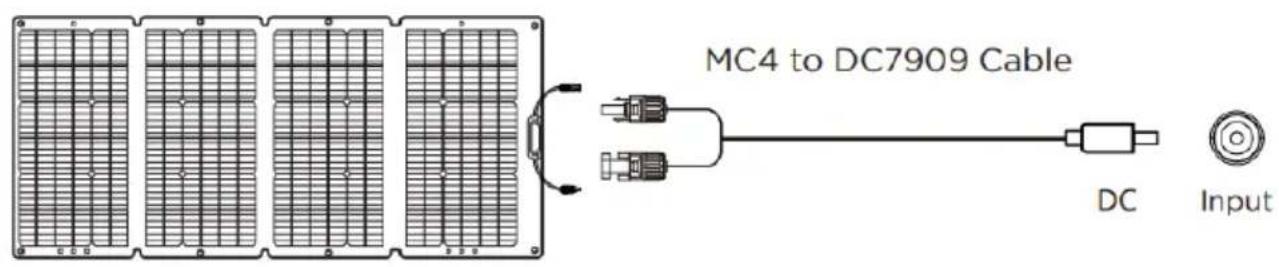
text_image
MC4 to DC7909 Cable DC Inputnatural_image
Close-up of a solar panel with grid panels and mounting base (no visible text or symbols)BP-SP200W
natural_image
Front view of a dark rectangular metal panel with four vertical slots and two side handles (no text or symbols)CONGRATULATIONS! THANK YOU FOR CHOOSING A BLUEPALM PRODUCT.
BLUEPALM
PLEASE READ THE USER MANUAL CAREFULLY BEFORE STARTING ASSEMBLY, INSTALLATION, OPERATION OR MAINTENANCE. PROTECT YOURSELF AND OTHERS BY FOLLOWING SAFETY INSTRUCTIONS. FAILURE TO FOLLOW INSTRUCTIONS COULD RESULT IN PERSONAL INJURY AND/OR PROPERTY DAMAGE AND/OR LOSS OF WARRANTY
Intended use
The device is intended for charging BLUEPALM Power Stations devices. The device is intended for private use only. Suitable for use in dry, sunny outdoor areas. The solar modules convert solar energy into DC electricity, and they are designed for outdoor use.
Currently compatible with below models but no limit to:
Please notice the following safety precautions carefully.
Do not make a short-circuit. Please avoid storing the product together with metal objects, such as coins, jewelry, keys, etc.
Do not water or heat the product, such as putting it in the fire or liquid.
Do not place the product in a highly humid and dusty environment.
BLUEPALM
Do not disassemble the device in any way.
Do not drop, put heavy objects on or strongly impact the product.
Please place this product in a place where cannot be reached by people who lack experience and relevant knowledge unless there is supervision or guidance by personnel responsible for their safety.
Please avoid children operating this product.
Do not cover the product with towels or clothing when using it.
Getting hot when being charged is a normal phenomenon, please be careful.
Please disconnect with the product in time if the appliances are fully charged.
Please use the product normally and avoid electric shock.
Please deal with the scraps according to the regulations.
Children over 3 and under 8 years may only switch the appliance on or off under supervision or if they have been instructed in its safe use and understand the resultant dangers, on the condition that the appliance is positioned or installed in its normal place of use. Children over 3 and under 8 years must not be allowed to insert the plug into the socket, alter the settings, clean the appliance or perform user maintenance on the appliance.
It is forbidden to adapt or modify the properties of this appliance in any way. Use only replacement parts and
BLUEPALM
accessories recommended by the manufacturer (failure to do so may result in loss of warranty cover).
For any repairs to the appliance, the power plug or the cable, always contact the customer services authorized by the manufacturer.
Do not allow children to play with the appliance.
To avoid electric shocks, do not touch the plug with wet hands.
Remove the packaging and check that the appliance is not damaged. If you are in doubt, do not use the appliance and contact your dealer.
Use this appliance only in accordance with the guidelines in this operating manual. Any other use not recommended by the manufacturer may result in fire, electrical shock or personal injury.
Plastic bags can be dangerous, to avoid danger of suffocation keep the plastic bags away from babies and children.
Never leave children unattended with the packaging material. There is a risk of choking in the packaging material. Children often underestimate such risks. Always keep children away from packaging materials.
When transporting and installing any mechanical and electrical components, please take care to keep children away from the system and installation site.
It is recommended that the light receiving surface of the module be completely covered with opaque material during installation and that the positive and negative terminals be
BLUEPALM
disconnected in order to prevent issues arising from power generation.
When installing or troubleshooting for a PV system, do not wear metal rings, straps, earrings, nose rings, lip rings or other metal devices, and only use insulated tools approved for electrical installation.
Please comply with safety instructions for all other components utilized in the system, including cables, connectors, controllers, charge regulators, inverters, batteries, and other rechargeable batteries, etc.
Use only the relevant equipment, connectors, wiring and brackets applicable to the installation of this solar module system. Always use modules of the same type in a particular PV system. Bypass diodes have been integrated into the junction box for all modules.
For any single module or combination of more than one module connected in series, the cross-sectional area of the cable and the capacity of the connector must suit the maximum system short-circuit current, otherwise the cable and connector will overheat at high currents. DC fuses must be appropriate for the module's overcurrent protection rating.
Under normal outdoor conditions, the currents and voltages generated by the module will be different from those listed in the data sheet, depending on the weather and ambient temperature. Data specified on the nameplate are expected values under standard test conditions.
BLUEPALM
When installing systems, please observe all local, regional, and national laws and statutory regulations. When installing them on a vehicle or vessel, please observe relevant local and national laws and regulations.
When installing the product on the roof of a vehicle, ensure that the roof is protected against fire: The installation site should be free of flammable materials. The solar panel's positive and negative terminals should be fully disconnected before installation. Only use approved insulated tools for electrical installation.
Recycling, disposal and Declaration of Conformity
 | RECYCLINGThe packaging materials can be recycled. It is recommended that you dispose of them in separated waste. |
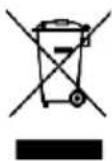 | DISPOSALThe pictogram with the crossed out dustbin indicates that electrical and electronic appliances must be disposed of separately from household waste (WEEE). Electrical and electronic appliances can contain harmful and environmentally hazardous materials. Do not dispose of them in unsorted residual waste, but at a registered collection centre for waste electrical and electronic equipment. By doing so, you will help to conserve resources and protect the environment. For further information please consult your dealer or your local authorities. Directive 2012/19/EU |
 | DECLARATION OF CONFORMITYWe hereby confirm that this article complies with the essential requirements, regulations and guidelines of the EU. The detailed declaration of conformity can be viewed at any time via following link:https://www.schuss-home.at/downloads |
Errata and technical changes reserved.
BLUEPALM
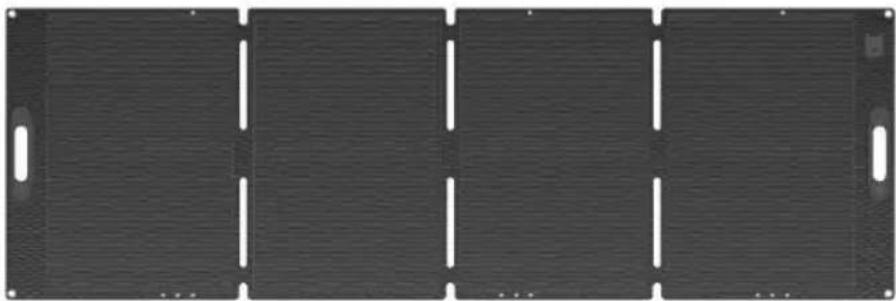
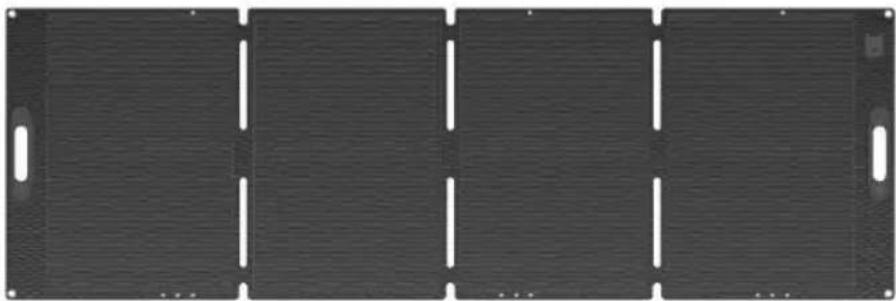
Package List
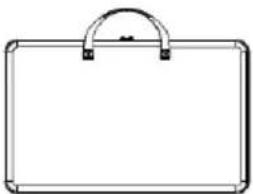 | 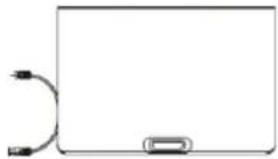 | 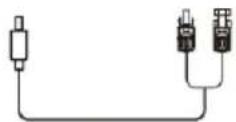 | 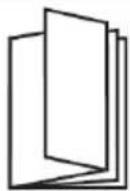 |
| Protective Case and Kickstand | Solar Panel | MC4 to DC7909 Cable*1 | User Manual |
How to use
Solar photovoltaic systems must only be installed by qualified personnel with relevant professional skills and knowledge. Installers shall bear all risk of injury that may occur during installation, including, but not limited to, the risk of electric shock. Ensure that modules comply with general system technical requirements and that other system components will not damage the modules mechanically or electrically. Modules can be connected in series to increase voltage or in parallel to increase current. In a series connection, the positive terminal of one module is transferred to the negative terminal of the second module. In a parallel connection, the positive terminals of one module and the second module are connected, so are their negative terminals.
- Open the solar charging board and try to make the sunlight shine vertically 90^ on the solar charging board.
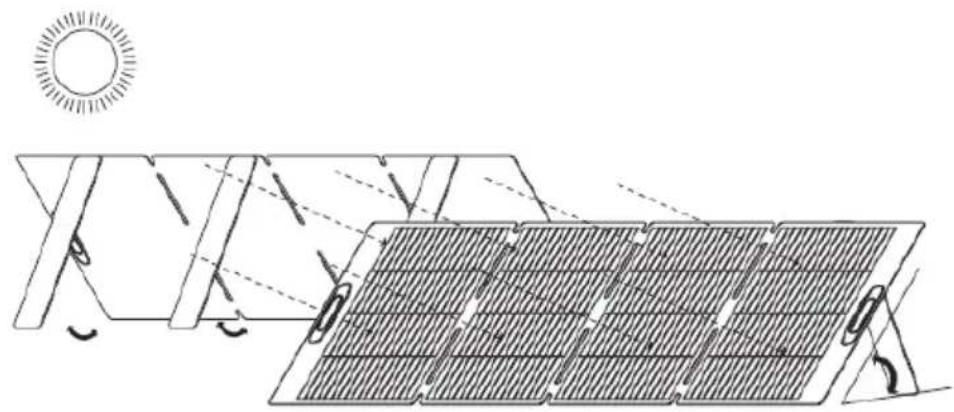
natural_image
Diagram of solar panel installation with sunlight illuminating the panels (no text or symbols)BLUEPALM
- Connect the energy storage device/mobile phone/pad as required.
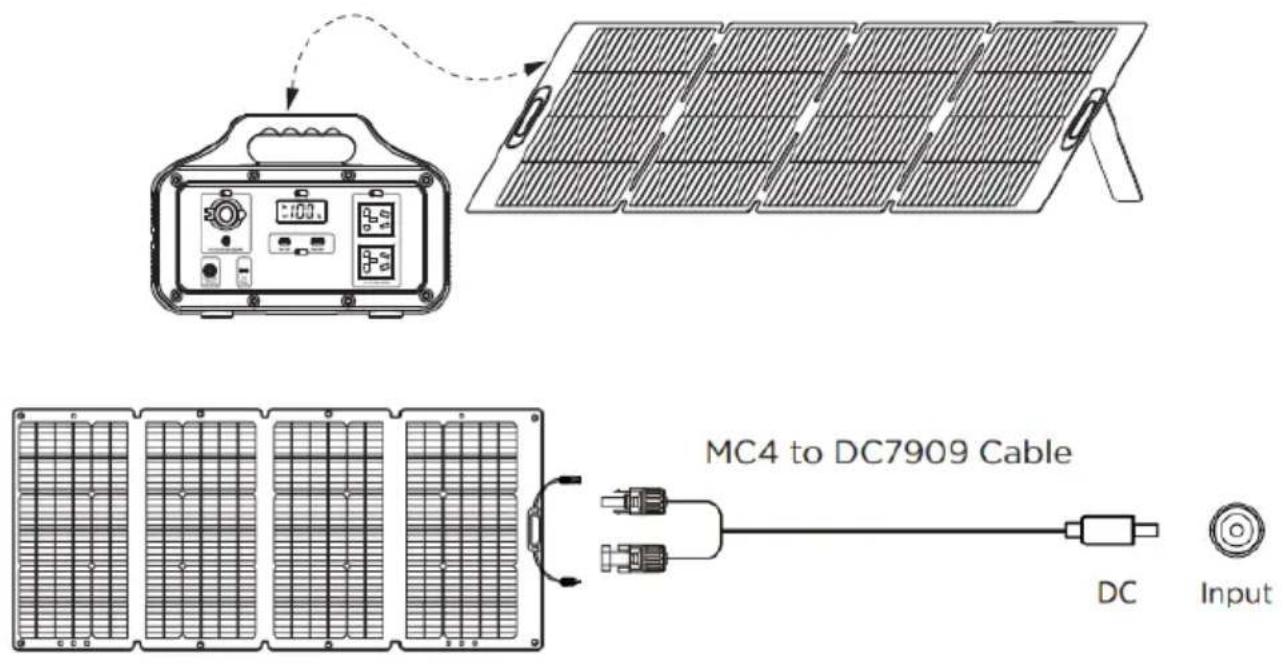
text_image
MC4 to DC7909 Cable DC InputTwo Ways to Get More Power!
When light shines on the light-receiving surface of the solar module, the solar module will generate DC electricity with a voltage of over 24 V. If modules are connected in series, the total voltage is equal to the sum of the voltage of each module.
- Connect two Solar Panels to two Ports (Parallel connection is not supported).
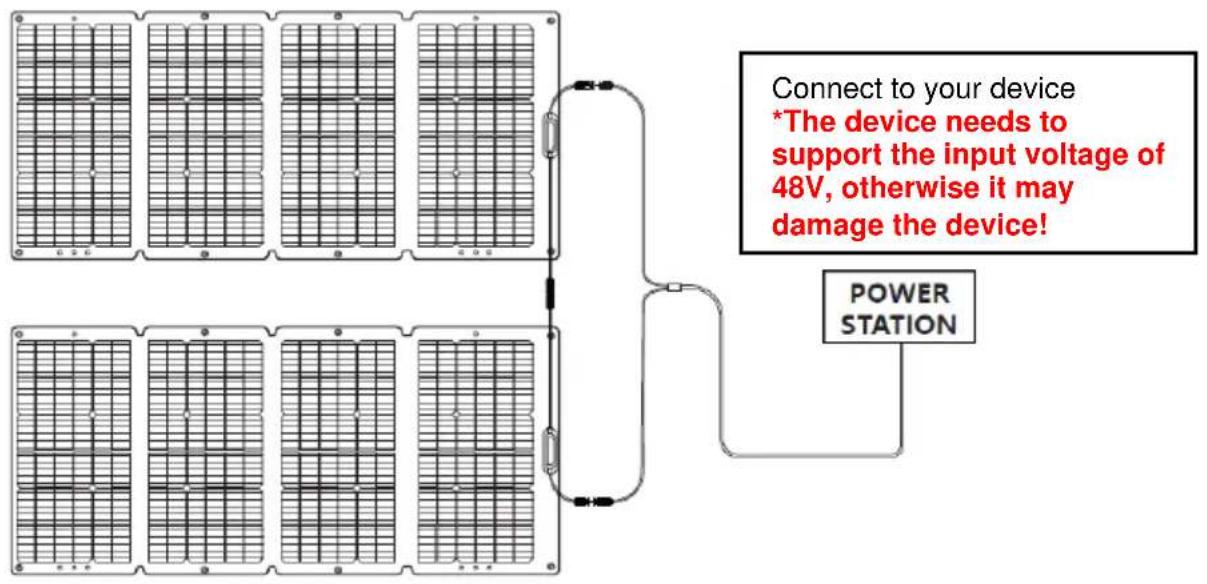
text_image
Connect to your device *The device needs to support the input voltage of 48V, otherwise it may damage the device! POWER STATIONBLUEPALM
- Chain 3 solar panels to charge your device.
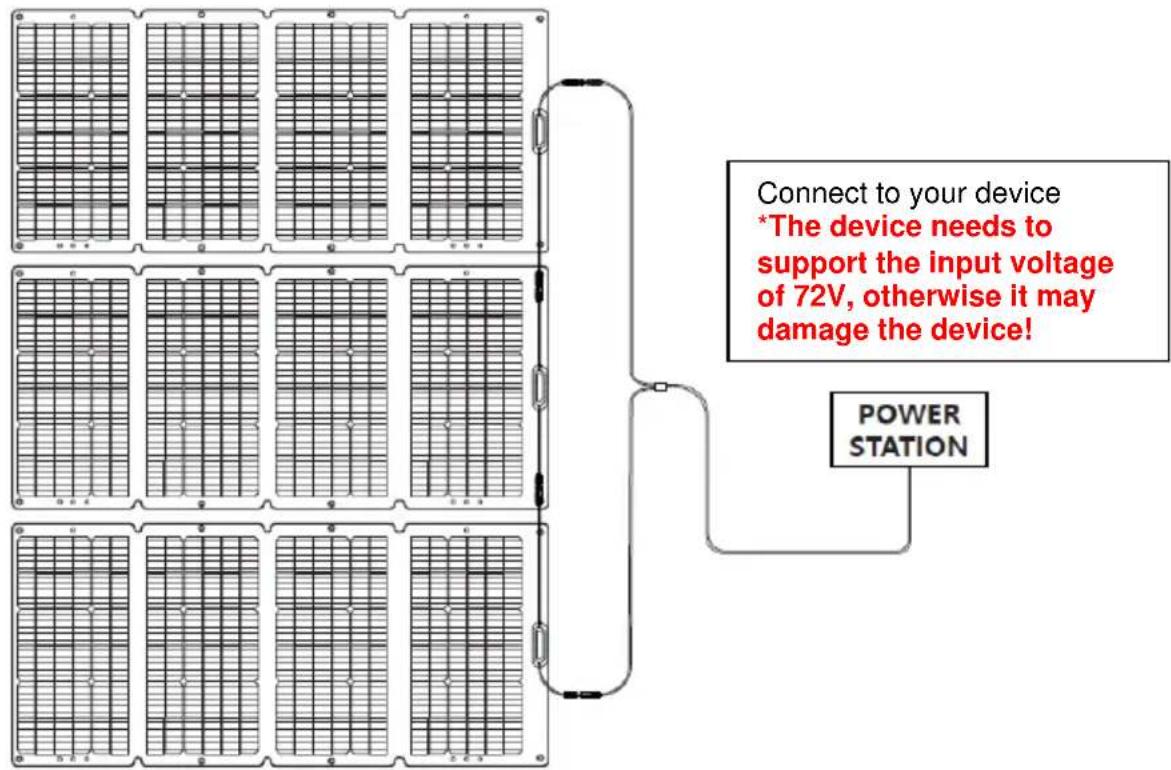
text_image
Connect to your device *The device needs to support the input voltage of 72V, otherwise it may damage the device! POWER STATIONFrequently Asked
Q1: What kind of devices can be charged by the solar panels? Each solar panel has a pair of MC4 ports. You can use a solar extension cable to charge your devices via MC4 ports.
Q2: Can the solar panel output the full power of 120/200 watts? Yes, it can do this when under a best condition. It depends on the weather and the angle between the sunlight and the panels.
Q3: Is the solar panel waterproof?
The solar panel is made of waterproof material, waterproof, durable and easy to carry.
Q4: Can I chain multiple solar panels together to use? Due to its chainable feature, you can chain a maximum of three solar panels together via MC4 cable.
BLUEPALM
Test connected modules before connecting them to the system; always test all electrical and electronic components of the system before commissioning the system, and always follow the instructions supplied together with each part and piece of equipment. To test the electrical performance of the module, the module is generally exposed to sunlight and must not be connected to a load. Pay attention to your personal safety when taking these measurements. Should abnormal power generation occur, troubleshoot the issue by following the steps below:
- Check all wiring to ensure that there are no open circuits or poor connections
- Check the open circuit voltage of each module
- Check the open circuit voltage with the module completely covered with opaque material; then remove the opaque material and measure the open circuit voltage at its terminals and compare.
When exposed to direct sunlight, a single module may generate DC voltages greater than 24 V. Exposure to DC voltages of 24 V or higher is potentially dangerous. Arcing may occur when disconnecting wires that are connected to the PV components exposed to sunlight.
Such arcing may cause burns or a fire. Please operate with special care, otherwise it may give rise to further issues. It is therefore important to protect yourself from electricity!
BLUEPALM
Technical Specifications
| 120W Solar Panel |
| Rated Power: 120W ± 5% |
| Voc: 24.4V ± 5% |
| Isc: 6.60A ± 5% |
| Vmp: 19.8V ± 5% |
| Imp: 6.23A ± 5% |
| Working Temperature: -20~60°C |
| Cell Type: Monocrystalline Silicon |
| General |
| Weight: 6KG (8.8 lbs) |
| Unfolded Dimensions: 1370*616*4 MM |
| Folded Dimensisons: 616*381*45MM |
| Output Ports |
| MC4 Solar Port to Output |
| Chainable: Yes, up to 360W |
| 200W Solar Panel |
| Rated Power: 200W ± 3% |
| Voc: 22.95V ± 5% |
| Isc: 11.66A ± 5% |
| Vmp: 19.48V ± 5% |
| Imp: 10.57A ± 5% |
| Working Temperature: -10~65°C |
| Cell Type: Monocrystalline Silicon |
| General |
| Weight: 8.7 KG (19.2 lbs) |
| Unfolded Dimensions: 2075*681*35 MM |
| Folded Dimensisons: 681*555*65 MM |
| Output Ports |
| MC4 Solar Port to Output |
| Chainable: Yes, up to 600W |
BLUEPALM
GUARANTEE
With this quality product from BLUEPALM, you have made a decision for innovation, durability and reliability.
For this BLUEPALM unit, we grant a warranty period of 2 years from the date of purchase, valid in Austria, Germany, Sweden, Netherlands, Romania, Czech Republic, Slovakia! If, contrary to expectations, service work should nevertheless be necessary on your unit during this period, we hereby guarantee to repair it free of charge (spare parts and labor) or (at the discretion of Schuss) to exchange the product. If neither repair nor replacement is possible for economic reasons, we reserve the right to issue a credit note for the current value. In the event of warranty claims, please contact your specialist dealer or us directly. We would like to point out that repair work that has not been carried out by the authorized contract workshop in Austria immediately terminates the validity of this warranty.
This warranty does not cover:
• Repair or replacement of parts due to normal wear and tear
• Damage due to non-observance of the operating instructions
• Devices that are used - even only partially - for commercial purposes
• equipment mechanically damaged by external influence (fall, impact, breakage, improper use, etc.) as well as wear and tear of an aesthetic nature.
• Equipment that has been improperly handled
• Units that have not been opened by our authorized service workshop.
• Consumer expectations not met.
• Damage caused by force majeure, water, lightning, overvoltage.
- Units where the type designation and/or serial number on the unit has been changed, deleted, made illegible or removed.
• Services outside our authorized workshops, the transport costs to an authorised workshop or to us and back, and the associated risks.
We expressly point out that within the warranty period, a lump sum of € 60,- (indexed basis CPI 2010, June 2015) will be charged in case of operating errors or if no error was detected.
The absolute warranty period of 2 years from the date of purchase is not extended by the provision of warranty service (repair or replacement of the unit). The 2-year guarantee is only valid on presentation of the purchase receipt (must contain the name and address of the dealer as well as the complete designation of the appliance) and the corresponding guarantee certificate, on which the type of appliance as well as the serial number (visible on the box and on the back or bottom of the appliance) must be noted! Without presentation of the guarantee certificate, only the legal guarantee applies! We expressly point out that the statutory warranty rights are not affected by this warranty and continue undiminished. Schuss Home Electronic GmbH and its vicarious agents shall only be liable for damages in the event of gross negligence or intent. In any case, liability for loss of profit, expected but not realised savings, consequential damage and damage from third party claims is excluded. Damages to or for recorded data are always excluded from the liability for damages.
Congratulations on your choice. We wish you much pleasure with your BLUEPALM appliance!
ADDRESS
Schuss Home Electronic GmbH
1140 Vienna, Scheringgasse 3
Tel.: +43 (0)1/ 970
Type Designation: ....
Serial number: ....
In the event of a warranty claim, this warranty certificate must be handed over together with the unit to the authorized service workshop or the dealer from whom you purchased the unit!