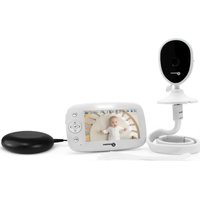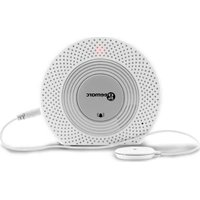
AMPLICALL 140 - Baby monitors GEEMARC - Free user manual and instructions
Find the device manual for free AMPLICALL 140 GEEMARC in PDF.


| Product type | Baby monitor (sound transmitter) |
| Brand | Geemarc |
| Model | AMPLICALL 140 |
| Power supply | 5V DC mains adapter (included) + 2 AA 1.5V alkaline batteries (not included) as backup |
| Microphone sensitivity | 3 adjustable levels: High, Medium, Low |
| Transmission delay | 5, 10 or 15 seconds (selectable) |
| Microphone | Internal microphone + 3.5 mm jack input for external microphone |
| Included accessories | Mains adapter with GB and VDE plugs, sensor microphone (50 cm), microphone extension cable 1.5 m, double-sided sticker, user guide, wall mounting kit (screws, wall plugs, template), icon stickers |
| Compatibility | Works with all receivers of the AMPLICALL range (pairing required) |
| Mounting | Tabletop or wall mounting (kit included) |
| Warranty | 2 years |
| Standards | CE, RoHS, WEEE directive |
| RF power | < 250 mW |
| Maintenance and cleaning | Clean with a soft dry cloth. Do not use abrasive products. |
| Safety | Use only the supplied adapter. Do not disassemble. Keep away from moisture. |
| Spare parts and repairability | External microphone, extension cable, mains adapter available. For any repair, contact customer service. |
| General information | Made in China for Geemarc Telecom. Customer service: sav@geemarc.fr, 03 28 58 75 99. |
Frequently Asked Questions - AMPLICALL 140 GEEMARC
User questions about AMPLICALL 140 GEEMARC
0 question about this device. Answer the ones you know or ask your own.
Ask a new question about this device
Download the instructions for your Baby monitors in PDF format for free! Find your manual AMPLICALL 140 - GEEMARC and take your electronic device back in hand. On this page are published all the documents necessary for the use of your device. AMPLICALL 140 by GEEMARC.
USER MANUAL AMPLICALL 140 GEEMARC
geemarc™ AMPLICALL™ 140 Hear the Difference
Wireless Sound Sensor Alerter (Baby monitor)
Please refer to our website: www.geemarc.com for an up to date user guide, as there may be important updates and changes you need to be aware of.
Package Contents
The AC140(AMPLICALL™140) box contains the following items:
● 1 AC140 Base station
● 1 AC/DC power adaptor
● 1 UK and 1 VDE plug adaptors
● 1 Micro sensor (50cm)
● 1 double side adhesive sticker for Micro sensor mounting
● 1 external cord with 3.5mm plug / jack for micro sensor (1.5m)
- 1 user's manual
- 2 screws and 2 anchors
● 1 Drill hole template
● 2pcs of doorbell icons and 2pcs of baby icons
DESCRIPTION
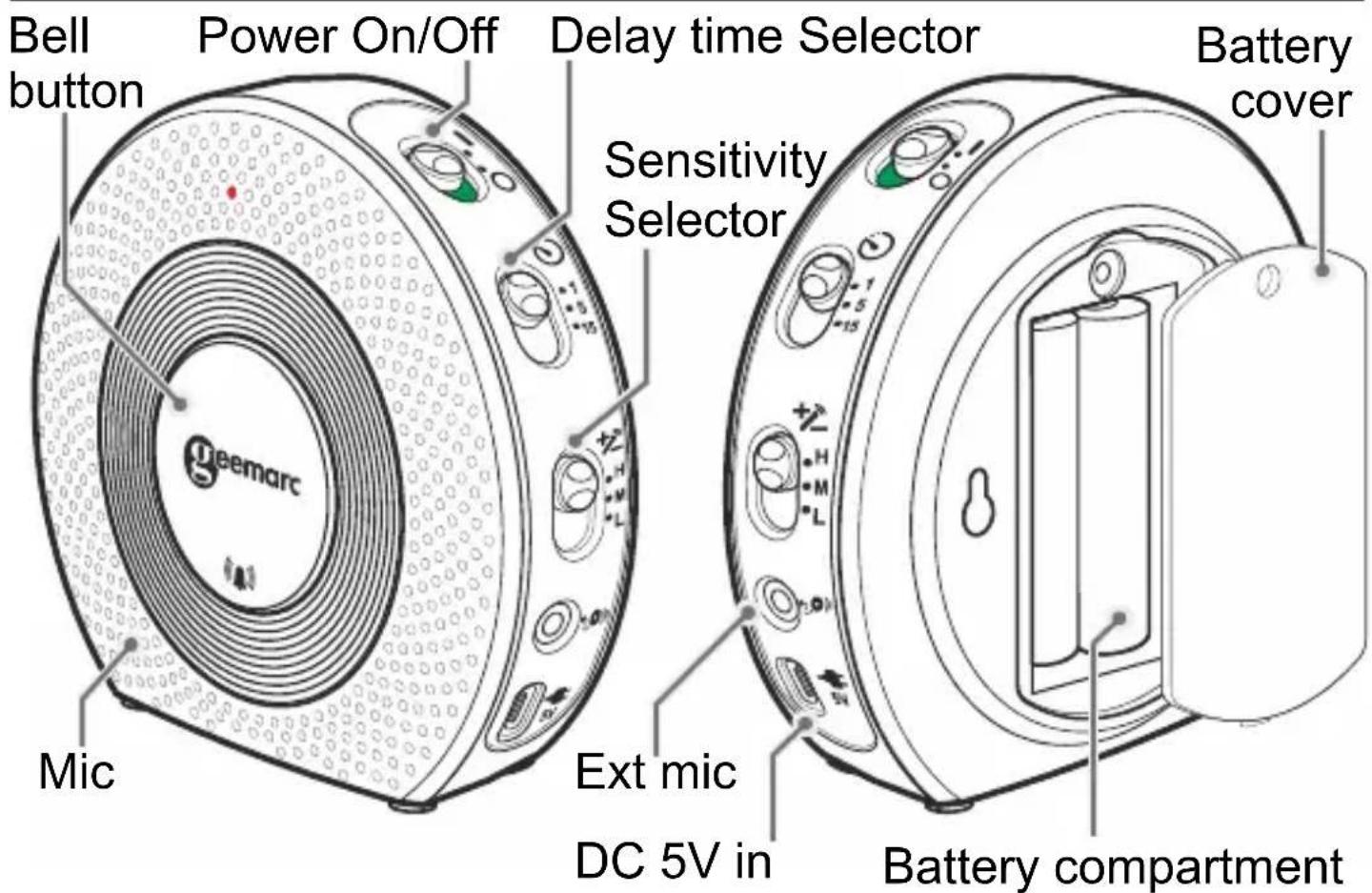
text_image
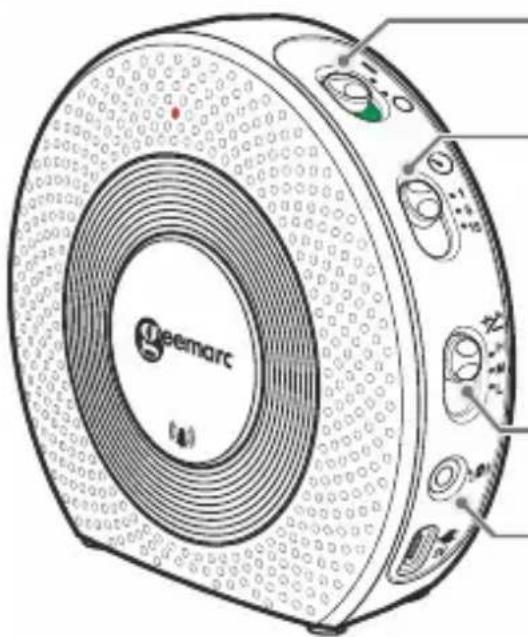
Bell button Power On/Off Delay time Selector Battery cover Sensitivity Selector Mic Ext mic DC 5V in Battery compartment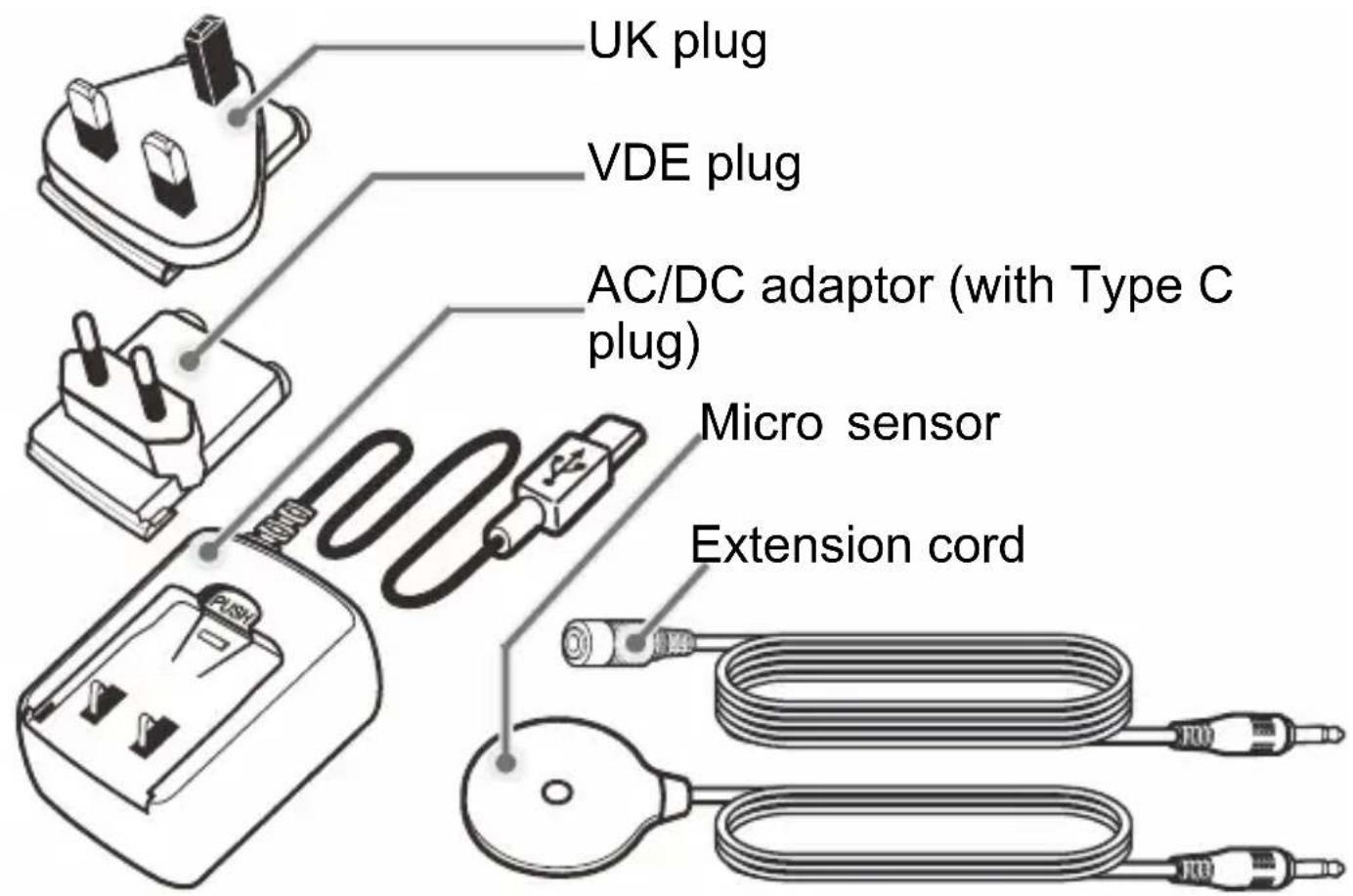
text_image
UK plug VDE plug AC/DC adaptor (with Type C plug) Micro sensor Extension cordConnection your device
natural_image
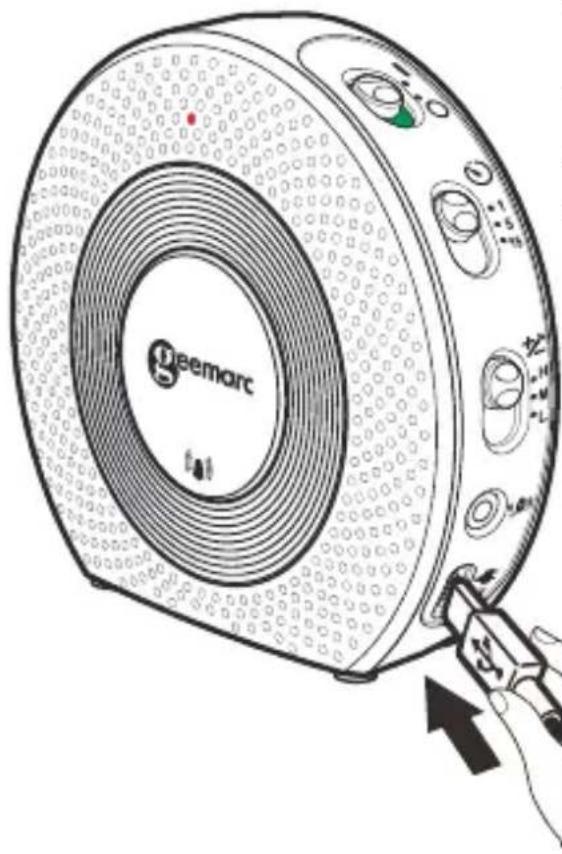
Illustration of a Gaemarc washing machine with a hand holding the button (no text or symbols on the device itself)Your AC140 is delivery with an power adaptor, you must plug it in the socket AC/DC situate on the bottom right.
When using the AC/DC power, you must install the batteries too. Otherwise you will get a battery low information on AC140.
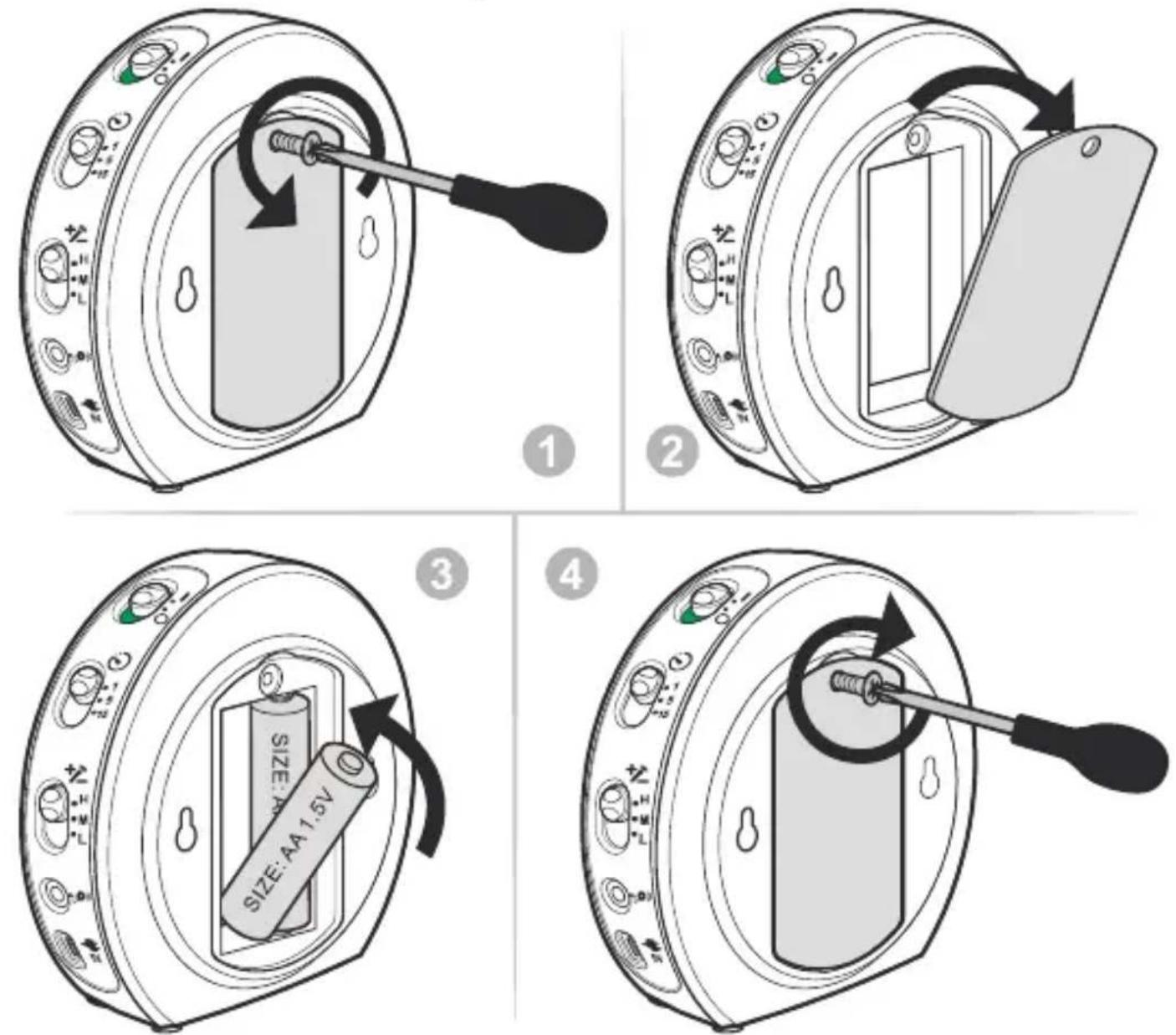
You have the possibility to add 2 Alkaline batteries AA 1.5V (not provided) if you want that your device works in power failure mode or without power adaptor.
Please follow the below procedure to insert the batteries.
text_image
Diagram illustrating four steps of a device's internal components, showing how to switch a battery into a door and switch.- Unscrew the screw on the battery cover.
2.Open the battery cover. - Insert the 2 alkaline batteries AA1.5V in respecting the polarity.
- Replace the battery cover.
- Replace the screw.
Pairing with the AMPLICALL receivers
AC140 works with the AMPLICALL receivers and must be paired before using.
To pair a new device, please follow these steps:
- Enter pairing mode for the AMPLICALL receivers.
Press & hold the LEARNING button (●) for 3 seconds. The LED in zone icon #1 will flash.
- Press the LEARNING button (●) again to move to the zone icon you wish to pair with.
Press the melody selection ( musical) button to scroll through the melodies. Once you hear a melody you like, do not press
any button during the melody.
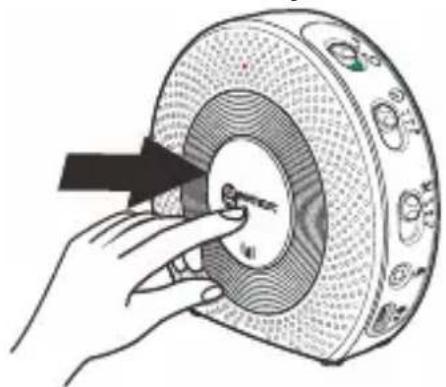
- Once the zone icon and melody are selected, press one time on device AC140 button to pair. If successful, the AMPLICALL receivers will generate two short tones.
Press the LEARNING button (●) to exit
the pairing mode; the system is now ready to use
natural_image
Illustration of a hand pressing a circular component with a black arrow pointing to it (no text or symbols present)Settings
natural_image
Technical line drawing of a geemarc radio receiver with control knobs and buttons (no text or symbols)Power On/Off: Slide the switch to Off (O) position when do not use.
Delay: You can select 5,10, or 15 seconds delay time using this switch. When selected 5 seconds, it means that AMPLICALL receivers will be trigger after 5 seconds of sound detected in continuous.
Sensitivity: You can select Hi, Mid or Low Mic sensitivity by this switch.
Ext.Mic: you can plug the external mic to this jack. The internal mic will be cut off when the external mic is installed.
Operation
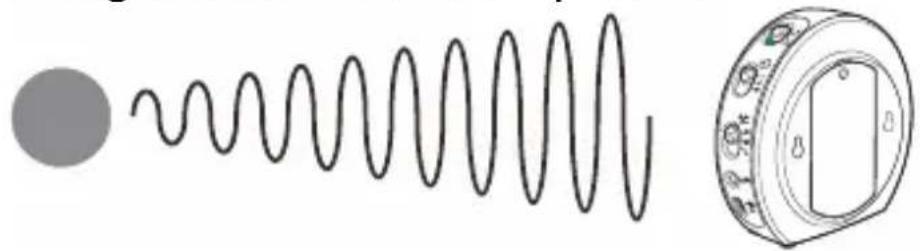
Using the internal microphone:
natural_image
Diagram showing a coiled spring with a circular component and its side view (no text or symbols)Using the external microphone:

natural_image
Simple line drawing of a solenoid connected to a pressure gauge and a probe (no text or symbols)Adjust the distance (between the microphone and the Sound source) and sensitivity according to the sound source type and intensity.
Code Conflict
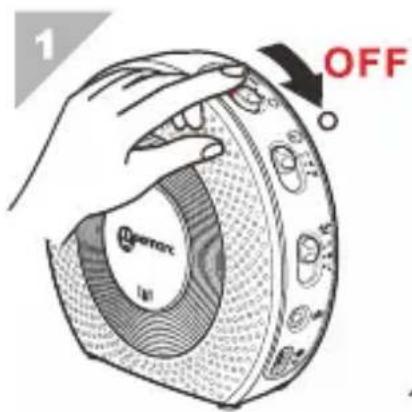
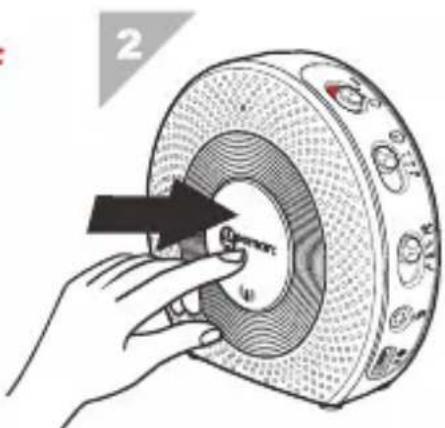
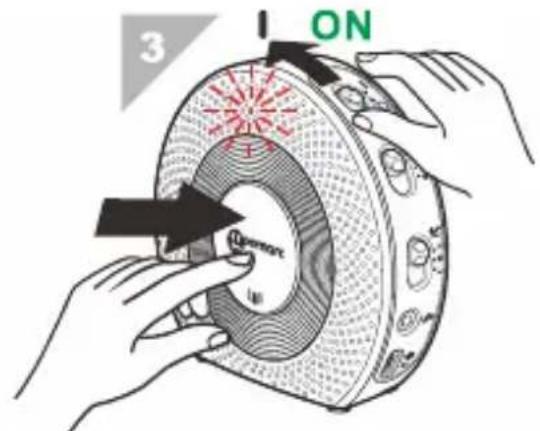
If the AC140 coding is the same as another transmitter, you must change the code. Please follow the procedure as below. When you have changed the code must re-pair the bell press.
text_image
1 OFF QFETOC IIISlide the power switch to OFF position.
text_image
2Press and hold the bell button.
text_image
3 ONSlide the power switch to ON position, do not release the bell button, until the LED indicator blinks 6 times.
Wall mounting
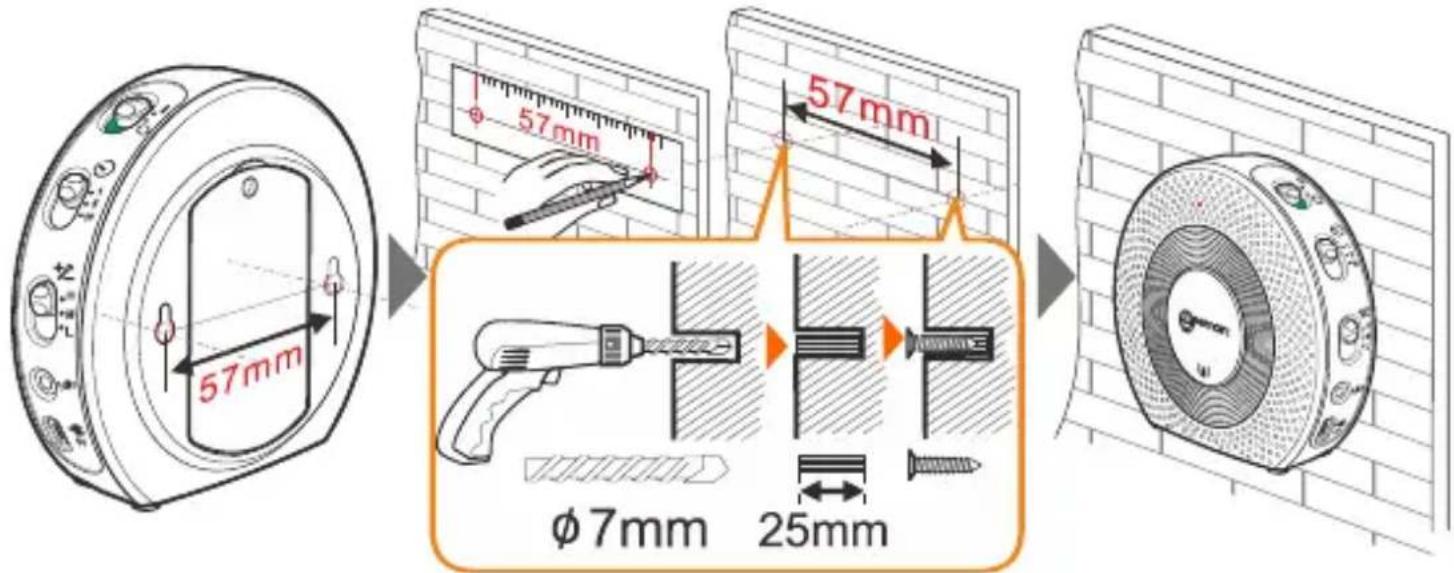
The AC140 can either be placed on a flat surface or be mounted on a wall.
text_image
57mm 57mm 57mm φ7mm 25mmMark two holes on the wall using a pencil and drill hole template.
Mount the unit to the wall using the provided anchors and screws.
GUARANTEE
From the moment your Geemarc AMPLICALL™140 is purchased, Geemarc guarantee is for the period of two years. During this time, all repairs or replacements (at our discretion) are free of charge. Should you experience a problem then contact our help line or visit our website at www.geemarc.com. The guarantee does not cover accidents, negligence or breakages to any parts. The product must not be tampered with or taken apart by anyone who is not an authorized Geemarc representative. The Geemarc guarantee in no way limits your legal rights.
IMPORTANT: YOUR RECEIPT IS PART OF YOUR GUARANTEE AND MUST BE RETAINED AND PRODUCED IN THE EVENT OF A WARRANTY CLAIM.
Please note: The guarantee applies to the United Kingdom only.
UKCA Directives
Geemarc Telecom SA hereby declares that this AMPLICALL™ 140 is in compliance with the essential requirements and other relevant provisions of the Radio Equipment Directive 2014/53/UE.
The UKCA declaration of conformity may be consulted at www.geemarc.com
RF power : < 250mW
Recycling Directives
The WEEE (Waste Electrical and Electronic Equipment) has been put in place for the products at the end of their useful life are recycled in the best way.
When this product is finished with, please do not put it in your domestic waste bin. Please use one of the following disposal options:
- Remove the batteries and deposit them in an appropriate WEEE skip. Deposit the product in an appropriate WEEE skip.
- Or, hand the old product to the retailer. If you purchase a new one, they should accept it. Thus if you respect these instructions you ensure human health and environmental protection.

text_image
i UK CA CE RoHS geemarc™ Hear the DifferenceFor product support and help visit our website at www.geemarc.com
E-mail : help@geemarc.com
telephone 01707 387602
lines are open 09h00 to 16h00 Mon to Fri
2 Rue Galilée, Parc de l'Etoile, 59791 GRANDE-SYNTHE Cedex, FRANCE
This product is made in China To Geemarc Telecom