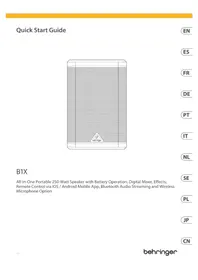
B1X - Speaker BEHRINGER - Free user manual and instructions
Find the device manual for free B1X BEHRINGER in PDF.


| Product Type | Portable Powered Speaker |
| Brand | Behringer |
| Model | B1X |
| Power Supply | Mains via IEC cable (100-240 V) and rechargeable internal battery |
| Audio Inputs | 2 XLR/TRS combo inputs (balanced), 1 stereo 3.5 mm input, 1 USB input for Behringer wireless microphone receiver, Bluetooth |
| Audio Output | 1 balanced XLR Mix output |
| DSP Functions | 3-band equalizer with high-pass filter, presets (Music, Live, Speech, Club), effects (Concert, Room, etc.), gain, volume, mix, delay settings |
| Wireless Connectivity | Bluetooth for audio streaming and control via Show Mix app (iOS/Android), USB receiver for Behringer wireless microphone |
| Display | LCD with level indicators, DSP menu |
| Control | Menu buttons, rotary encoder with push function, power button |
| Additional Features | Party mode (up to 5 linked speakers), stereo mode (master/slave), password lock, firmware update via app |
| Cleaning | Use a dry, lint-free cloth. Do not use chemical products. |
| Safety | Do not expose to rain or moisture. Do not obstruct ventilation openings. Use only recommended accessories. |
| Weight | Not specified in the manual |
| Dimensions | Not specified in the manual |
| Warranty | Limited warranty, see terms on Behringer website |
Frequently Asked Questions - B1X BEHRINGER
User questions about B1X BEHRINGER
0 question about this device. Answer the ones you know or ask your own.
Ask a new question about this device
Download the instructions for your Speaker in PDF format for free! Find your manual B1X - BEHRINGER and take your electronic device back in hand. On this page are published all the documents necessary for the use of your device. B1X by BEHRINGER.
USER MANUAL B1X BEHRINGER
All-in-One Portable 250-Watt Speaker with Battery Operation, Digital Mixer, Effects, Remote Control via iOS / Android Mobile App, Bluetooth Audio Streaming and Wireless Microphone Option
20XQxGxGuE 3
EN Important Safety Instructions

Terms marled with this symbol carry electrical current of sufficient magnitude in constitutire risk of electric shock. Use only high quality professional speaker cables with 60^ T5 or knock- locking plugs pre installed. All other installation or modification should be performed only by qualified personnel.
This symbol, wherever it appears, always to the presence of unimulated homogeneous voltage made the enclosure-voltage that may be sufficient to constitute a risk of shock.
This snclo,there are fccasps, abohty to importrnping and maintenance instructions in the accompanying literature. Please read the manual.
Caution To reduce the risk of electric shock, do not remove the top cover (or the wear section). No user swattable parts inside. Referencing to qualified personnel.
Caution to reduce the risk of fire or electric shock. do not expose this appliesto rain and moisture. The apparatus shall not be exposed to dropping or splashing injuries and no objects filled with liquids, such as vials, shall be placed on the apparatus.
Caution These service instructions are for use by qualified service personnel only. To reduce the risk of electric shock do not perform any sending other than that contained in the operation instructions. Repairs have to be performed by qualified service personnel.
Warning Please refer to the information on the category of bacteria endosure (electrical) and safety information before installing an operating the device.
-
Please read and follow all instructions and warnings. 2. Keep the apparatus away from water except for outdoor products.
-
Clean only with dry cloth.
- Do not block ventilation openings. Do not install in a confined space. Install only according to manufacturer's instructions.
-
Protect the power cord from damage, particularly at places and locations where it is
-
Do not install any heat sources with radiators, heat registers, stoves or other apparatus (including amplifier) that produce heat.
-
Do not defeat the safely purpose of the polished or grounding-type plug. A polished plug has two blades, with one wire over the other (only for USA and Canada). A grounding-type plug has two blades and a third grounding plug. The wide blade at the third plug is provided for your safety. If the provided plug does not fit into your outlet, consult an electrician for replacement of the obsoctic clutch.
-
Protect the power cord from damage, particularly at plugs and appliance sockets.
- Use only attachments and accessories recommended by the manufacturer.

- Use only specified cars, stands, trips, bridges, orates. Use caution to prevent limpet drivers when moving the car/ apparatus combination. 11. Unpung during storms, if not under rain.
along period
-
They use qualified personnel for serving, especially afterdrainings.
-
The apparatus with protective entering terminal shall be connected to a MINE sensor circuit with a protective entering connection.
-
Where the MANET plug or an appliance outlet is used as the detachment device, the detachment device should be located at the following location:
-
Must installing in confined spaces like bookstores. 16. Do not place heated rooms, such as lighted teldes, on the apparatus.
-
Operating temperature range 5^ to 35^ [AT] to 95^ .
A 18.1
- Replacement of a battery with an incorrect type can defeat a safeguard.
-
Disposal of a battery into fire or a hot oven, or mechanically crushing or cutting of a battery can result in an explosion.
-
Leaving a battery in an extremely high temperature surrounding environment can result in an explosion of the leakage of flammable liquid or gas.
-
Battery subjected to extremely low air pressure may result in an explosion or the leasing of flammable liquid or gas.
-
Attention should be down to the environmental aspects of battery disposal.
-
The history should be changed regularly. Do not lease it in a detached state, as this may shorten the battery life.
- Batteries (battery pack or batteries installed) shall not be exposed to excessive heat such as ash, fire or the like.
LEGAL DISCLAIMER
Kosci-Tebe accepts no liability for any loss which may be suffered by any person who relies either wholly or in part, upon any description, photograph, or statement contained herein. Technical specifications, appearances
and other information are subject to change without notice. All trademarks are the property of their respective owners: Mavis, Klass Teknik, Lab Sugiapan, Laisa, Janosy, Furuksson, TC Electronic, Hichikong, Buregus, Astun Microphones and Cleadless are trademarks or registered trademarks of Music Tribe Global Brands Ltd. © Music Tribe Global Brands Ltd. 2014 All rights reserved.
LIMITED WARRANTY
For the applicable warranty term and conditions, and additional information regarding Music Title's Limited Warranty, please we complete details online at community.musictitle.com/support.
BESCHRANKTE GARANTIE
- Use expenses incurred in equipment;

A. Substitution of a bacteria to form lipid ionomere via iodide
types stores of as http://caesarence.anzp.net/ www.quibbut.
12. Lefkim aleit genetwalikers peramiser kon underhood, vocala sidae.
- H: Apparatus mir eine beschränende
andringasangrundlich mot worse; angesprüften es
a unsharpert mit mot eine beschröme
andringe vorsorgebend, - Ah: als stekder haben die stochasten von
anapplikierung als het antipalpungen apparatus wird
bezüglich, noch het antipalpungen apparatus gemäß kajjli
bebedingte bärten. - Vermi inaltiae in algelates numris zalsi loestinkastien.
16.Plots open openXanthomnus,Zea mbridei korean,opht notarum. -
Bedrijhemperneumbrerkurz von 5C (st 15C) [41T (st 86T).
-
Waarschuwing
-
Vervinding van een bather
d着眼 en rijstype kan een beveiligung aan dieh. -
Heteroglossia van een bonttij in jour en een het evenen, of het mechancie pietersen en snijpers van een bonttij kan leden tot een exolige.
- As uen bantijen in een umpeging met eremertheke temperature zanchod, kan de hiction tot en cieplice.
is van ontambare bovlof of cass. - Ein batrakte die count von bugholden sind an externa lage undiskontenkan lehen tot ein explosion of het leken van brandbare vioctif of gas.
- De sandicht mot worden goedvatn up de milliounen voien van wort en zoon en boote
- die Beteiligung nicht reguliertly werden upegliedern.
Laust hem nicht in anionist erstand, sondern ist die lebensraum der die Beteiligung zu verkaufen. - Bautenjin bautenjinpotikat geismunelle bautenjin potikat nicht werden bilobatstadian an overarbeitet bis. 2016 zinrlicht, kour of rzes degriljens.
WETTELJKE ONTKENNING
Banna service, varden for aceservice,
vener for innanee zu faring, ciealand,
spinning multi helght - splicing corn kue
vina tildling for utiupine enuivilin.
Anhitig hibertion hibertion hich tive pintere an aninianing nduvaiel der melleffinde dcdeumeneriher. Variliklich bis bebrukterwirten.
For tipliflagrammikolterchymethazine information am Music Tribes beginnasse garant, sc fullflied information on site com pastry, musichrbs.com/support.
PL
Wazne informace o
beziepckenstwie
Uwaga
Temaee nanae synebem
prenosn ngrnapaopnny
nppey ctezry, ay stnooy rnoo zonotnia
pdeym. uywagyn ywagyn oaeefyabnny
pygwnmchn zanlunmnnnnyvzdarni
TTS. Wysncn ine insulatie lub mnuokkge paxiny
by wonywnw ywagyn poz ywovllowany
pened technique.
Tetymg, pkiinrke jnaii
Inmuae Gie aenrnneiaeae nneceepnnpaednnae eanee
Ten symbol inomine g wzimh zwokwhdctzyacxchg indkowrizjdzpwnzdcwzogcck dokmikien, Pnue proceplzusocneinlncip
inuii duiu. Uwug Wwou cmmnnnna znpredn npcnns pepe mcnr snye mnnnnnnsub iyej sncnnnns nprrnns. Lemnnty uudugdus wne eunnnnne na meg hup naanmnn ne preezzywnk, knapnna mngb ywnnnnneynpeyn prune cyocnilnykounyniu purnen
Uvaga
Vcuocimmnanaa zanrnnnna
Paaonpaiai pannnnae
uargnne nwnnnnnaa aenrnnae
nuolipnncnnae daanmnae do tpe. aae nrooatae
dtae wod jub intdoe. Ntnyl snaovac naunnpnniytnnncnccpnnnneatwaknkjak np, waneb ub kdnk
Uwaga
Prcse serwauu mega byywnkpanae jedyr gne wukhflnoway pordcm. Wcui uinmua agnucn pranpa aenme pnc nake yakwynknap jachnmpjul,Keine ne sqnokane mwnlcholn knywynkwnwaa mega byjdyr gne wukhflnoway pordcm cnckym
Pantularene batreri woluzetua hordu woyolo temperature measure conrodant ywhch his woyk (hawgel) Cozy uab.
Bacterioida hundi niscera ciniensu pseireta
mae ganaedae wshh lab ywck kntupnien drny
lab caan.
-
Ranyz zwiadow tigwim gne wosowosse aspoy
-
Bacteremia: pneumonia is a regulatory pathogen.
- The pseudotuberculosis [a] is the main cause of pulmonary, pneumonias.
- Malaria is spread by zoonocidal bacteria.
Bacterie (pakstak huiusar stansalnose huiie) me moq by ginsdine n mchimie depk, taek jsk stone, qijin liu pudhne.
ZASTRZEZNIA PRAWNE
Mikke Iri nis poin oipn mnnnna 2
kaiokwokwakr, knti moa porckc scky, kthoe pogai a ckioln b npcs jnkimbockspiee,
tajilabn hnncnaczum zamnwn wynjnejn.
dounmene. Specifichae tncnne, wydyI n Inormane mocu ale zanmni zhe poovotia rton.
Wyszka kni tni wrovn w ysnnoq ich
oipnwnnchcnicnils. Mld. Kink Tuk
13.保理一耘子的法则以:保理一又惠的义×不的电源二中
14.××nFJFJFJFJFJFJFJFJFJFJFJFJFJFJFJFJFJFJFJFJFJFJFJFJFJFJFJFJFJFJFJFJFJFJFJFJFJFJFJFJFJFJFJFJFJFJFJFJFJFJF
16. 么哉怎不的明火在装造证加奈以?
17.制作本套面团50克白35克白25克白(附下页95页)
18.警告A 交的文
- LCD SCREEN - displays the current DSP module and parameter settings.
- DISPLAY MENU BUTTONs - use with the display to select various menu pages.
- ENCODEN KNOB - controls volume when the default DSP menu is active. Press the encoder knob to access DSP sub menus and parameters. When the sub-themes are active, rotate the knob to change parameters.
- WIRESOME SYSTEM LEDs - indicate wireless microphone signal input.
- WIRESSESYSTEM USB -input accepts only the Bthering wireless microphone receiver. This port can also be used to charge USB devices including cell phones.
NOTE: The wireless USB input works in parallel with the USB/4/8 analog inputs, which means the wireless microphone signal can be heard at the same time as audio coming through the INPUT 4/8 connections. We recommend you unplug the INPUT 4/8 connections to hear the wireless microphone signal alone.
- INPUT - 3.5 mm stereo input jack
- INPUT A/B - combination jack accept input signals over ZLR balanced, N^ TRS balanced, and N^ TRS/TSR balanced.
- MIX OUTPUT - Jacks a combined signal from all inputs (INPUT 4/8 Jacks, wireless microphone, and Bluetooth) cut over a balance XLR connection.
- POWER SOURCE- jack accepts the included IEC power cord. Only use the supplied power cord
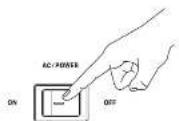
- ACPOWER - switch turns the unit off and on. The BTK will run an AC power if the power cord is connected to a live AC power source, or it will run an internal battery power.
B1X Getting started
Step 3:Getting started
Connect the STK to a power outlet by using the included IEC power core. This will also charge up the internal battery.
Connect all analog microphone and/or instrument cables to their respective input jacks. Make sure at outboard audio gear is switched off for now.
Power up the BIX by pressing the ACPOWER switch to the "ON" position. The startup screen will appear on the LCD display. If the AC power port is not connected, the BIX will run on internal battery power.
4 Reduce the volume by rotating the EDCIDER 10000 counterclockwise until the VOLUME setting shows "MUTE" on the LCD screen.
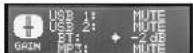
Mute all audio inputs by going to the GALK screen and reducing the gain for each input with the EXCOVER 3000 until each input displays the "Wate" setting.
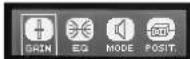

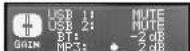
If you are using Bohringer wireless microphones, plug the wireless dongle into the WIRELESS SYSTEM USB input. The WIRELESS SYSTEM IDs will light up when the wireless microphones become active.
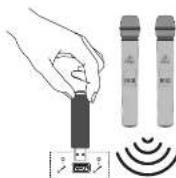
Power up any outboard audio guitar connected to the B1X.
8 Raise the volume back up to a low-to-medium setting in the VOLUME screen to begin setting input levels.

Set microphone levels by going back to the INPUT speech. Speak or sing into each microphone while raising each mic's respective gain level (A or B), with the EKCOER K008 until you find a comfortable gain level that does not distort the audio signal. The level indicator bar will help to find a suitable input gain. Please avoid clipping the input signal.
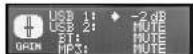
If you intend to stream Bluetooth audio, go to the Bluetooth Streaming section of this Quick Start Guide and follow the setup instructions.
Quick Star Guide 15
Set Bluetooth levels by going to the GMH screen and raising/lowering the BT gain setting until you find comfortable level settings. Do not forget to turn on the volume on the sending BT device.
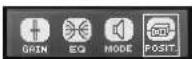
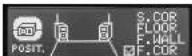
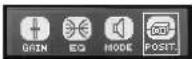
15 The POSIT. Menu allows you to select the speaker position from Stand, Stand Wall, Stand-Connor, Floor, Floor-wall, and Floor-Center.
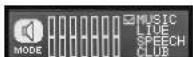
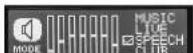
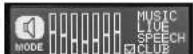
12 Go to the MOCE screen and choose an equilibration preact that suits your needs.

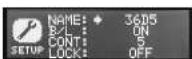
16 Use the SETUP Menu to rename the speaker, Rotate and press the EXCUDER KNO8 to select N/A/E, Rotate it to select the required letters, and press to select each letter. Select the 'return' just before A1 to finish.
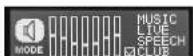
13 Go to the Eo screen and adjust the Bass, Mid and Tbele settings if you wish to make your own adjustments.
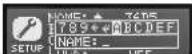
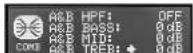
17 Use the SETUP menu to LOCK the speaker settings with a password, to prevent any changes being made after the speaker has been set up. Rotate and press the ENDCORDER RKB08 to select LOCK, rotate it to select the letters, and press to select each letter. Select the 'return' (just before A) to finish.
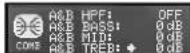
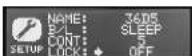
Make final volume adjustments by going to the VOLUME screen and rotating the EKCOOER KROB until you find the desired final volume level.
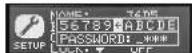
Bluetooth Connection
To stream audio from a Bluetooth enabled device, you will need at least one BIX speaker and an iPad®/iPhone/Android™ Windows® device with basic Bluetooth connectivity. With a streaming-only Bluetooth connection, all related BIX DSP functions must still be controlled directly from the BIX near panel via the rotary encoder for Appi 105 or Android devices, you can also download our dedicated Bejingter Show Mix app from the App Store. The app allows you to fully control a single or multiple BIX speakers, including all DSP functions, remotely from your iOS or Android device (see 'Show Mix App Control' on the next pages for more information). "iPad and App are trademarks of Apple Inc., Android is a trademark of Google Inc. Windows is either a registered trademark or trademark of Microsoft Corporation in the United States and/or other countries.
Bluetooth Streaming
To stream Bluetooth audio with any Bluetooth device (iPad, iPhone, Android, Windows, etc.)
Single Speaker Operation
- Enable Bluetooth on your remote device.
- Switch on your B18 speaker and minimize the volume.
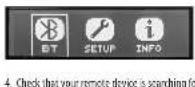
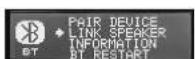
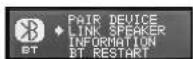
- Select "Pair device" from the BXT speaker's Bluetooth menu.
- Once your device detects the BIX speaker, select the BIX speaker from your remote device's menu (e.g., "Beitracker BIX").
- Was until the remote device shows an active connection, and then check the speaker's Bluetooth menu, which should display the name of the remote device (e.g., "Tull iPad").
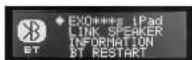
- Bluetooth music can now be streamed to your BIX speaker. The stereo signal will automatically mix down to mono.
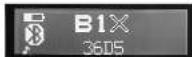
& The BIX speaker will display the Bluetooth indicator on the main, top-level DSP screen. It flashes on an offing Pairing.
Two Speaker Operation
- Complete the steps above to connect the first speaker to Bluetooth audio.
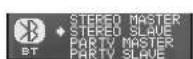
- Use the BT Link Speaker menu on the first speaker to select Stereo Master.
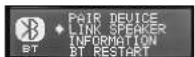
- Switch on the second speaker, and use its BT Link Speaker menu to select Stereo Slave.
QuickStart
17
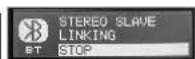
- Wait for the speakers to link.
- Once the linking process is complete, the MASTER speaker will be the main Bluetooth connection to your device. Any SLAVE speakers will receive the Bluetooth audio stream from the MASTER speaker.
- The MASTEII and SLAVE connection will be indicated by a small M or an S on the main display screens.
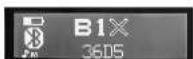
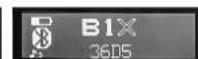
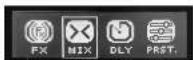
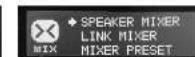
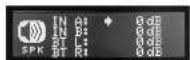
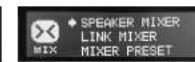
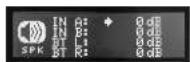
- As the Bluetooth audio stream received by all speakers is stereo, use the MIXER menu of each speaker to adjust the left and right levels. For example, if you want your MASHER to play the left audio from Bluetooth, you can use the BT Right channel. If you want a SLAHT to be a Right channel, MUSH the BT Left channel using that speaker's MIXER menu.
Party Operation
Multiple BIX speakers can be linked in Party Mode, up to a maximum of 8 speakers
- Complete the steps above to convert the first speaker to Bluetooth audio.
- Use the BT "Link Speaker" menu on the first speaker to select Party Slave.
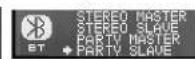
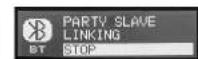
- Switch on the next speaker, and use its BT 'Link Speaker' menu to select Party Master.


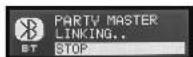
-
Wait for the speakers to link.
-
Once the linking process is complete, the Party Master Speaker will be the main Bluetooth connection to your device. Any Party SLAVE speakers will receive the Bluetooth audio stream from the Party Master speaker.
- The MASTER and SLAVE connection will be indicated by a small M or an S on the main display screens. Another iron appears if the BIX is controlled by the Show Mix App.
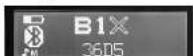
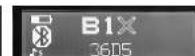
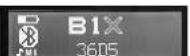
- As the Bluetooth audio stream received by all speakers's stereo use the MIXER menu of each speaker to adjust the left and right ST levels. For example, if you want your MASTER speaker to play the Left audio from Bluetooth, you can MAUTE the BT Right channel. If you want a SLAVE to be a Right channel, MUTE the BT Left channel using that speaker's MIXER menu.
Show Mix APP Control
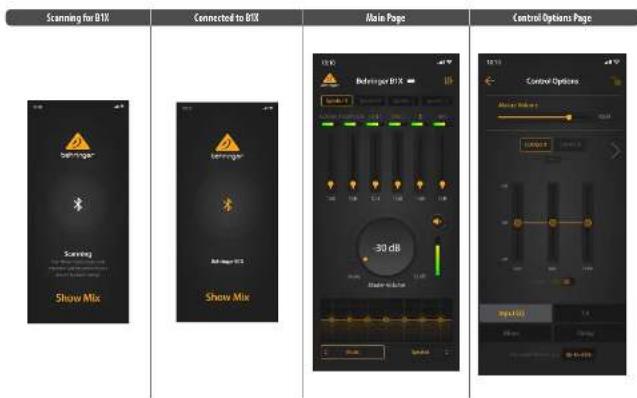
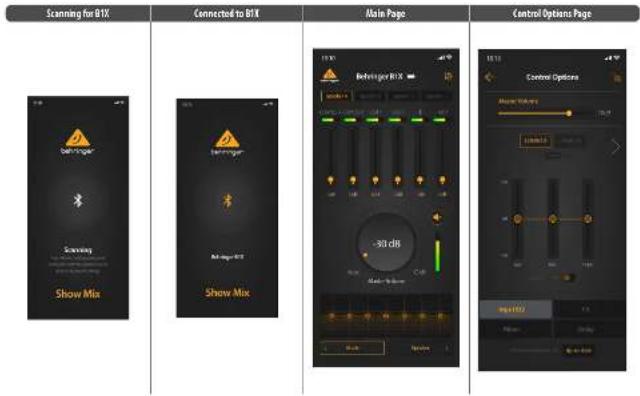
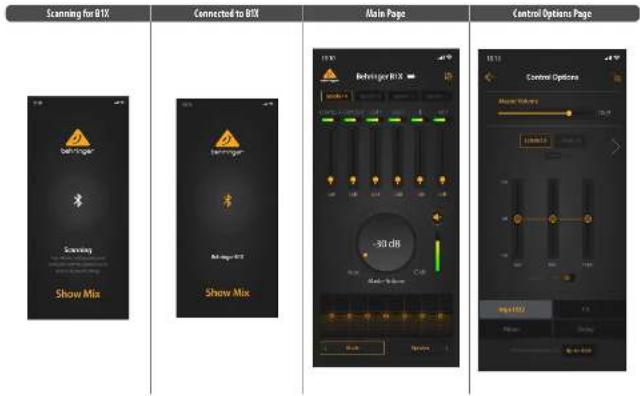
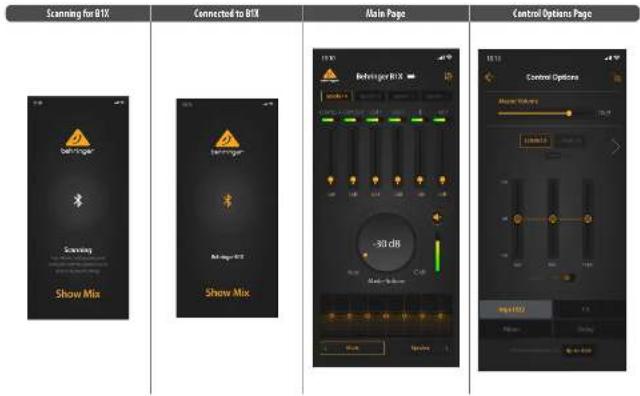
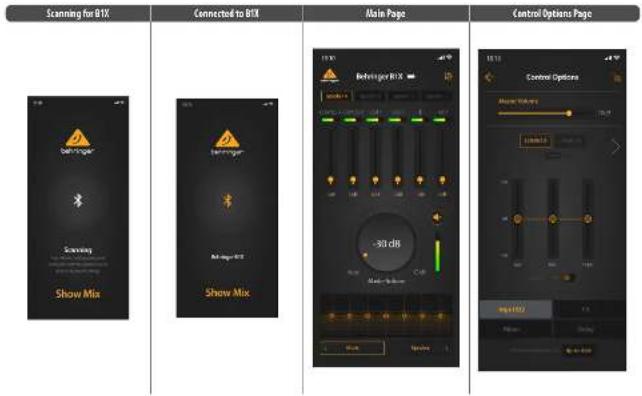
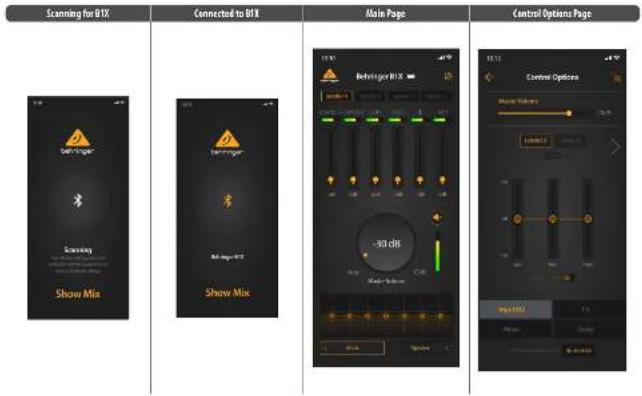
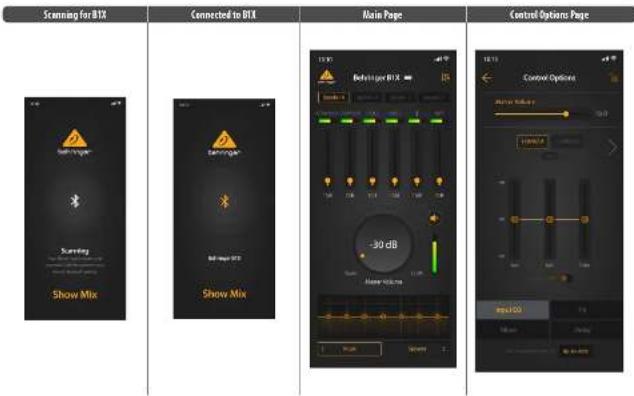
Setting Up the Show Mix App Connection
Note: Please download the latest version of the Show Mix App, as there may be differences between the latest version and the details presented here.
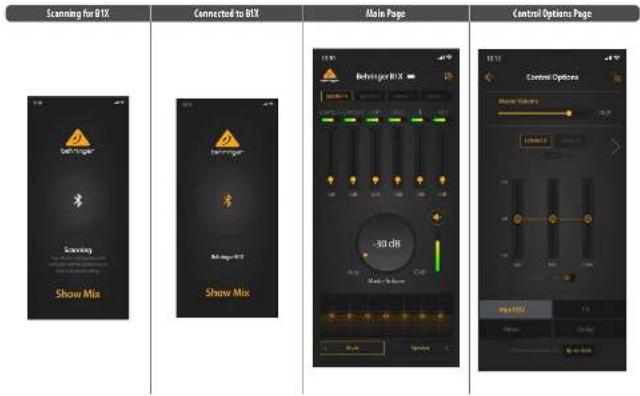
Power on the first speaker
- Connect to the speaker via Bluetooth
- Start the Show Mix app on the iOS/Android device.
- Check that the Sway Mix app is connected and functioning with the speaker.
- Repeat this for all BIX speakers. The App connects your device directly to each of the speakers.

Scan for iOS app Scan for Android app

Sapp Scan for Android app
Quick Stee Gultie 19
Using the Show Mix App
Show Mix allows you to do the following:
- Switch between Speakers
- Adjust the levels of each input.
- Adjust the Kuster volume.
- Select the Mode from Music, Live, Speech, Club
- Select the speaker position from Stand, Stand-Wall, Stand-Corner, Floor, Floor Wall, Floor-Corn
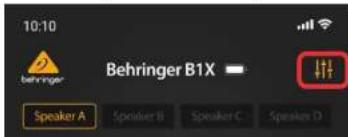
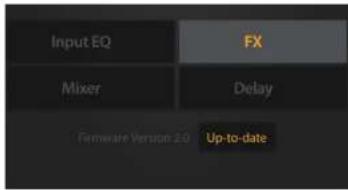
- For further control options, such as EQ, FX, Mitter, and Delay, select the small mixer logo in the top right of the main page to bring up the Control Options page.
Fimwware Update via App
Show Mix allows you to update your BIX firmware:
1. The firmware version is displayed at the bottom of the Control Options page.
2. Make sure that your device has good Internet access, and the battery power is good before beginning any firmware updates.
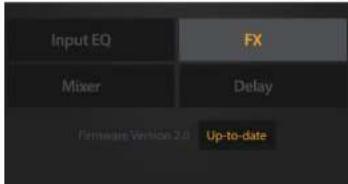
- If the firmware is not up to date, click on the highlighted box to download the latest version.
- The update progress will be displayed on the app and the BIX speaker's LCD screen.

| MAIN SCREEN | ||
| VOLUME -17 dB | VOLUME Rotate the VOLUME RWDE to change the output volume. | |
| GAIN: Sets Input misfit level for analogue Input A and B, B/SR Ratio, Bluescore and DAPS | ||
| CO (QUARTER) Coefficients are linked to another RTX speaker as MATLAB "M" or SLVM "C" Rotate the LOCCOR 080B to adjust the output volume. Press the PDCOR 080B enter the last used sub menu. | ||
| MUTE: Selects from 4 preset equalisation settings, depending on function and mixt type. | ||
| PO2L Position | ||
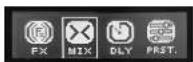
| FA: Selects different effects: Concert, Chantier, Ambience, Echo, Chroma, Pitch, Delay > Rhythm, Chroma > Rhythm, Echo that separate adjustable parameters. "A"Mix and "B"Mix refer to the percentage of "Wait" vs "Dry" signals. | ||
| MIX: Allows you to adjust the Mix of the various input signals playing in the mixer, and to adjust the KHz playing out of the MIX output converter. Three common FZs present are available for quick recall. | ||
| DUT: Adjust the speaker delay by omitting a value in ms, meters, of feet. | ||
| PSET: Load PRESET FRAME: SWEET PRESET LOAD: LEMPTY FRAME: LEMPTY LOAD: LEMPTY FRAME: LEMPTY LOAD: LEMPTY FRAME: LEMPTY LOAD: LEMPTY FRAME: LEMPTY LOAD: LEMPTY FRAME: LEMPTY LOAD: LEMPTY FRAME: LEMPTY LOAD: LEMPTY FRAME: LEMPTY LOAD: LEMPTY FRAME: LEMPTY LOAD: LEMPTY FRAME: LEMPTY LOAD: LEMPTY FRAME: LEMPTY LOAD: LEMPTY FRAME: LFREE LOAD: LFREE FRAME: LFREE LOAD: LFREE FRAME: LFREE LOAD: LFREE FRAME: LFREE LOAD: LFREE FRAME: LFREE LOAD: LFREE FRAME: LFREE LOAD: LFREE FRAME: LFREE LOAD: LFREE FRAME: LFREE LOAD: LFREE FRAME: LFREE LOAD: LFREE FRAME: LFREE LOAD: LFREE FRAME: LFREE LOAD: L FREE FRAME: L FREE LOAD: L FREE FRAME: L FREE LOAD: L FREE FRAME: L FREE LOAD: L FREE FRAME: L FREE LOAD: L FREE FRAME: L FREE LOAD: L FREE FRAME: L FREE LOAD: L FREE FRAME: L FREE LOAD: L FREE FRAME: L FREE LOAD: L FREE FRAME: L FREE LOAD: L FREE FRAME: L FREE LOAD: L FREE FRAME: LFREE LOAD: L FREE FRAME: LFREE LOAD: L FREE FRAME: LFREE LOAD: L FREE FRAME: LFREE LOAD: L FREE FRAME: LFREE LOAD: L FREE FRAME: LFREE LOAD: L FREE FRAME: LFREE LOAD: L FREE FRAME: LFREE LOAD: L FREE FRAME: LFREE LOAD: L FREE FRAME: LFREE LOAD: L FREE FRAME: L FREE LOAD: L FREE FRAME: LFREE LOAD: L FREE FRAME: LFREE LOAD: L FREE FRAME: LFREE LOAD: L FREE FRAME: LFREE LOAD: L FREE FRAME: LFREE LOAD: L FREE FRAME: LFREE LOAD: L FREE FRAME: LFREE LOAD: L FREE FRAME: LFREE LOAD: L FREE FRAME: L FREE LOAD: L FREE FRAME: L FREE LOAD: L FREE FRAME: LFREE LOAD: L FREE FRAME: LFREE LOAD: L FREE FRAME: LFREE LOAD: L FREE FRAME: LFREE LOAD: L FREE FRAME: LFREE LOAD: L FREE FRAME: LFREE LOAD: L FREE FRAME: LFREE LOAD: L FREE FRAME: L FREE LOAD: L FREE FRAME: LFREE LOAD: L FREE FRAME: L FREE LOAD: L FREE FRAME: LFREE LOAD: L FREE FRAME: LFREE LOAD: L FREE FRAME: LFREE LOAD: L FREE FRAME: LFREE LOAD: L FREE FRAME: LFREE LOAD: L FREE FRAME: LFREE LOAD: L FREE FRAME: LFREE LOAD: L FREE FRAME: L FREE LOAD: L FREE FRAME: L FREE LOAD: L FREE FRAME: L FREE LOAD: L FREE FRAME: L FREE LOAD: L FREE FRAME: L FREE LOAD: L FREE FRAME: L FREE LOAD: L FREE FRAME: L FREE LOAD: L FREE FRAME: L FREE LOAD: L FREE FRAME: L FREE LOAD: L FREY FRAME: L FREE LOAD: L FREE FRAME: L FREE LOAD: L FREE FRAME: L FREE LOAD: L FREE FRAME: L FREE LOAD: L FREE FRAME: L FREE LOAD: L FREE FRAME: L FREE LOAD: L FREE FRAME: L FREE LOAD: L FREE FRAME: L FREE LOAD: L FREE FRAME: L FREE LOAD: L FREE FRAME: L FREE LOAD: L FREY FRAME:L FREE LOAD: L FREE FRAME: L FREE LOAD: L FREE FRAME: L FREE LOAD: L FREE FRAME: L FREE LOAD: L FREE FRAME: L FREE LOAD: L FREE FRAME: L FREE LOAD: L FREE FRAME: L FREE LOAD: L FREE FRAME: L FREE LOAD: L FREE FRAME: L FREE LOAD: L FREE FRAME: L FREE LOAD: L FREE FRAME:L FREE LOAD: L FREE FRAME: L FREE LOAD: L FREE FRAME: L FREE LOAD: L FREE FRAME: L FREE LOAD: L FREE FRAME: L FREE LOAD: L FREE FRAME: L FREE LOAD: L FREE FRAME: L FREE LOAD: L FREE FRAME: L FREE LOAD: L FREE FRAME: L FREE LOAD: L FREE FRAME: L FREE LOAD: L FREY FRAME:L FREE LOAD: L FREE FRAME:L FREE LOAD: L FREE FRAME:L FREE LOAD: L FREE FRAME:L FREE LOAD: L FREE FRAME:L FREE LOAD: L FREE FRAME:L FREE LOAD: L FREE FRAME:L FREE LOAD: L FREE FRAME:L FREE LOAD: L FREE FRAME:L FREE LOAD: L FREE FRAME:L FREE LOAD: L FREE FRAME:L FREE LOAD: L FREE FRAME:L FREE LOAD: L FREE |
| Menu(Key Press) Sub-News Screen Function | |||
| BT (BuToch) | Let you pick the speaker with inside Bluetooth devices and has to another BTX speaker as DASSER/ SLAVE. | ||
| SETUP | Set the speaker name, backlight On or Sleep, LCD contrast, 5-5, enter a device-lock password, and factory reset. | ||
| USB Display | Modem and firmware information. | ||
| Firmware upgrade 312 Data Transferring | Firmware Update | Indicate the device is updating firmware from the Shoe Mix app software via Bluetooth. | |
The t h t t t t t t t t t t t t t t t t t t t t t t t t t t t t t t t t t t t t t t t t t t t t t t t t
22 B/Quick Step Guide 23
B1X Conexión
Transmission Bluetooth
Para transmitir audio Bluetooth con coulique dispositio Bluetooth [P6i/PhoneAndroidWindows,etc.].
Setting Up the Show Mix App Connection
Le menu POST was permitted to seleclioner la position de teneur paeni Stand, Stand Wall, Stand Corner, Floor, Floor wall or Hare- corner.
12 Alice's Aeschyn MOE and chistened us prese d'effiligation qui convoiert a tous bocks (Music, Live, Speech or Curb); (Music, Live, Speech or Curb).



scan for Android app
Quick Systic
Show Wix emolilight houe folnnces:

Scan for Android app
QuickStart
59

Scan for Android app
QuickStart
Show Mix consents of equipment firmware BIX

Scan for Android app
Quick Star Guide 79

Scan for Android app
Quick Star Guide 89
Använding av Show Mix-appen
Show Mix qarart da kan gita fiangande
1. Väla mētan hōqālare.
2. Jusera nviema for varic ingan.
3. lustera hauuylvynen.
4. Yiljngfrn Musik Lys.Tal Klupe
5.VaJIbqalarpositioin frn Sua, Su Vag, Su Hm, Goh, Goh Wg, Goh Hm
6. forytigale konntiallatternativ, som 80, FX, Wier och Fendrjning, vii den Illa mixtogatypen i ove higra hofnet p3 uroludstan for att opus san dan Konntiallatternativ.
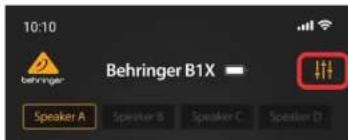
Fllmmware-upppatering via App
Show Mix gir att dan upppatera din 5x finware
1. Firmware versionen yas las langst per pa sidan med Kontrallaltern.
2. Set ill at din enehet har god intemetabomst och at batteniet iadadat innan du pabjgr ngra fmmware-uppateringar.

Scan for Android app

Scan for Android app
ShowMixの使用
ShowMix 1
1.
2.各入力的LPE
3.27夕一水一云海
4.王一在MusikLive,SpeechClub
5. 一の位面をStand, Stand-Wall, Stand-Corner, Floor, Floor-Wall, Floor-Cornerかま国
6.10.R、台华一、莱尔的和在制国不于以,义不范之的上以数小名忘子日为

APF 1
Setting Up the Show Mix App Connection

Scan for Android app
使用 ShowMix 应用
| Amplifier | |
| Maximum output power 250 W* | |
| Hypeclase-0 | |
| Protection Short circuit, open circuit, thermal | |
| Centrals | |
| Hardware battery push encoder | |
| Software Appie K65+ Android interface via USB | |
| Audioprojo/ System Data | |
| Wolfe 1x6.5" | |
| Tectocel 3x2 full range | |
| Frequency response 50Hz - 20 kHz - 3 dB | |
| Maximum SPL 103dB | |
| Crossover 2-way, active | |
| Crossover frequency 750 Hz | |
| Limiter independent HF, LI | |
| Audio Connections | |
| Inputs | 2 x 8.0, / / "TRS componjcd" |
| Impedance | 105.0.83 MΩ, 80R balanced 2.5 dB |
| Sensitivity 0 dBu, input gain and master set to 0) | |
| Max. input level | +10 dBi |
| Max. | 10 kΩ, unbalanced |
| Output | 1 x 8R balanced |
| Impedance | 470 Ω |
| Max. output level | +10 dBi |
| Digital Signal Processor (DSP) | |
| Display LCD 128x12, amboraikit | |
| Factory 12 recess | Positioning, sound mode |
| FA Effects Concert, Chamber, Antenna, Echo, Chorus, and more | |
| Protection Loadout function for all settings | |
| Wireless System | |
| USB dongie | USB dongie accepts signals from 2 independent beampere (UMcrs) |
| Signal indicator LED | 2 gmms |
| Electricals | |
| Frequency Range | 2002 MHz - 2405 MHz |
| Channel number | 79 |
| Voxen | Bluetooth 5.0 compliant |
| Maximum Output Power | ≤3 kWatt |
| Compatibility | Supports GBT, 2GDP 1.2 profiles |
| Maximum communication range | 30 m (without interference) |
| Connectivity | True Wireless Steen (TWS) and multiple speakers limits |
| Battery | Lithium, 5800 mAh, 14.4 V |
| Optimal Accesses | RTB Backpack |
| Power Supply Voltage (Fuses) | |
| Voltage | 100/240 V - 1000V (base 12.4/250 VDC internal) |
| Power consumption (%) max power | 70 W |
| Main connection | Standard IEC receptacle |
| Dimensions / Weight | |
| Dimension (in X in D) | 362 x 240 x 290 mm (14.3 x 9.4 x 11.4") |
| Weight 7.5 kg (10.5 kg) | |
*The Bluetooth card mask and tags are inserted by the Bluetooth 5.6, Inc., and any use of such marks by魅族科技超出本章。
Dados Técnicos
| Bluetooth® | |
| Rango de flourencia | 2/02 MHz ~ 2/03 MHz |
| Numero de canal | 79 |
| Versión | Bluetooth 5.0 compliant |
| Potenía de calidad最小ima | <3 km/min |
| Compatibility | Supports GAIN, A2P1.2 profiles |
| Alcance最小ima deCommunication | 30 m (without interference) |
| Correctidad | True Wireless Stereo (WIS) and multiple speakers limit |
\section*{Caracteristiques Techniques}
| Bluetooth® | |
| Plaque de fructose | 2402 MHz - 2480 MHz |
| Numero do canal | 79 |
| Version | Bluetooth 5.0 compliant |
| Pulsance de croite maximaile | <3.6dBm |
| Compatibility | Supports CATL, A2CP 1.2 profiles |
| Passive maximaile de communication | 30 m (without interference) |
| Connectibilité | True Wireless Stereo (TWS) and multiple speakers links |
Technische Daten
Inesent of Imers and hher protection cours.
The Hnth wod mark and ies are stane by the hothin 50, Inc. and any use of such manity thine is under lience.
ES
FR
DE
PT
IT
NL
124BIXQuick Start Guide 125
Specifikationer
independent of intem and drive protection risks.
The Bnntth wne nnnn aag ane are owby the Bnntth 50, Inc. and any use of such mets by Mua tive surnr hore
技术参数
Other important information

Important information

Informations importantes

- Register online. Please register your new Music Table equipment right after you purchase it by visiting music.com. Register your purchase using our simple online form helps us to process your repair订单 more quickly and efficiently. Also, send the terms and conditions of our warranty, if applicable.
- Malfunction. Should your Music Title Authorized Rescriber not be installed in your system, you may contact the Music Title Authorized Fullder for your country listed under "Support" at muscificom.com. Should your country on the listed, please check if your problem can be dealt with by our "Online Support" which may also be found under "Support" at muscificom.com. Alternatively, please submit an online warranty claim at muscificom.com BEFORE returning the product.
- Power Connections. Before plotting the units in a power meter, please make sure you are using the correct mains voltage for your particular model.
Supply lines must be replaced with lines of the same type and rating without exception.

Responsible Party Name: Music Tribe Commercial NV Inc.
Address: 122 E. 42nd St.1,
8th Floor NY, NY 10168
United States
Email Address: legal@musictribe.com
B1X
Contains Transmitter Module FCC ID:QWO-BTM983H
This equipment has been tested and found to comply with the limits for a Class B digital device, pursuant to part 15 of the FCC Rules. These limits are designed to provide reasonable protection against harmful interference in a residential installation. This equipment generates, uses and can radiate radio frequency energy and, if not installed and used in accordance with the instructions, may cause harmful interference to radio communications. However, there is no guarantee that interference will not occur in a particular installation. If this equipment does cause harmful interference to radio or television reception, which can be determined by turning the equipment off and on, the user is encouraged to try to correct the interference by one or more of the following measures:
-
Recipient or relocate the receiving antenna.
-
Increase the separation between the equipment and receiver.
-
Connect the equipment into an outlet on a circuit different from that to which the receiver is connected.
-
Consult the dealer or an experienced radio TV technician for help.
This equipment complies with Part 15 of the FCC rules. Operation is subject to the following two conditions:
IT this device may not cause harmful interference, and
(2) this device must accept any interference received, including interference that may come undesired operation.
Important information:
Changes or modifications to the equipment not expressly approved by K��ic Tele can void the user's authority to use the equipment.
Caution!
The manufacturer is not responsible for any radio or TV interference caused by unauthorized modification to this equipment. Such modifications could void the user authority to operate the equipment.
FCCRF Radiation Exposure Statement
(1) This Transmitter must not be co-located or operating in conjunction with any other antenna or transmitter.
(2) This equipment complies with FCC RF radiation exposure limits, yet forth for an individual patient. The device is designed to be able to detect and measure the minimum distance of 20 centimeters between the radiator and your body.
ICRF Radiation Exposure Statement
This device contains license-exempt transmitter(s) / receiver(s) that comply with Innovation, Science and Economic Development Canada's license-exempt RISC(s). Operation is subject to the following two conditions:
(1) This device may not cause interference.
(2) This device must accept any Interference. Including Interference that may cause undesired operation of the device.
This equipment complies with Ic radiation exposure limits set forth for an uncontrolled environment. This equipment should be installed and operated with minimum distance 20cm between the radiator's body.
Ferny, Music The debate that this product is In compliance with Directive 2014/53/EU, Directive 2014/50/EU, Directive 2014/53/EU, Directive 2011/65/EU and Amendment 2015/83/EU, Directive 2012/19/EU, Regulation 519/2012 REACH SFH and Directive 1907/2086/EU.
Full text of DU Doc is available at https://community.musictible.com/
EU Representative: Music Tribe Bands UK A/S
Address: Gammel Strand 44, DK 1202 Kibenhausen K, Denmark
UK Representation: Music Tribe Brands UK Ltd
Address: 8th Floor, 20 Farnington Street London EL4 4AB, United Kingdom

Correct disposal of this product: This symbol indicates that this product must not be disposed of with household waste, according to the WEF Directive (2012/53/EU) and your national law. This product should be taken to a collection center licensed for the recycling of waste electronic waste. The collection centre will be responsible for the disposal of
could have a possible negative impact on the environment and human health due to potentially hazardous substances that are generally associated with EEE. At the same time, your cooperation in the correct disposal of this product will contribute in the efficient use of natural resources. For more information about where you can take your waste equipment for recycling, please contact your local city office, or your household waste collection service.
We Hear You