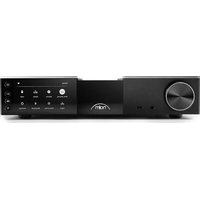
NSC 222 - Receiver NAIM - Free user manual and instructions
Find the device manual for free NSC 222 NAIM in PDF.


| Product type | Streaming preamplifier |
| Brand | Naim |
| Model | NSC 222 |
| Category | Receiver |
| Dimensions (H x W x D) | 91.5 × 432 × 317.5 mm (feet included) |
| Weight | 11 kg |
| Mains power supply | 115 V or 230 V, 50/60 Hz |
| Power consumption | Normal use: 25 W; Network standby: <2 W; Standby: <0.5 W |
| Network connectivity | Ethernet (10/100 Mbps), Wi-Fi (802.11 b/g/n/ac) |
| Audio inputs | 1 x phono MM, 1 x 8-pin DIN, 1 x RCA pair, 2 x TOSLINK optical, 1 x RCA coaxial, 1 x BNC coaxial |
| Audio outputs | 1 x balanced XLR pair, 1 x RCA pair, 1 x 6.35mm headphone jack |
| Supported audio formats | WAV up to 32/384, FLAC/AIFF/ALAC up to 24/384, MP3/AAC/OGG/WMA up to 48 kHz, DSD 64/128, M4A |
| Streaming functions | Internet radio, UPnP, Spotify Connect, AirPlay 2, Chromecast, TIDAL Connect, Qobuz, Roon Ready |
| Multiroom | Yes, via Naim app, AirPlay 2, Chromecast or Roon |
| Remote control | Yes, with front panel button pairing |
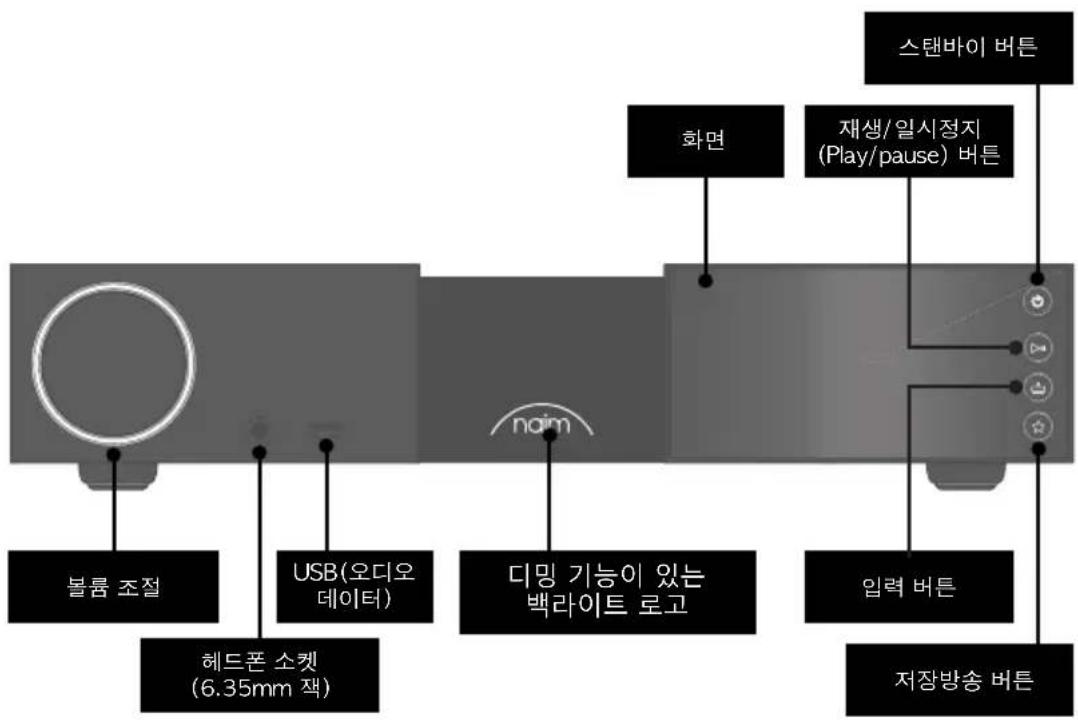
| Display | Yes, with variable intensity backlit logo |
| Maintenance and cleaning | Only use the provided cloth; avoid cleaning products |
| Safety | Unplug during thunderstorms; use 13 A sockets; do not wire resistors |
| Repairability | Repairs only by authorized Naim; specific spare parts |
| Support | Local dealer or support@naimaudio.com |
Frequently Asked Questions - NSC 222 NAIM
User questions about NSC 222 NAIM
0 question about this device. Answer the ones you know or ask your own.
Ask a new question about this device
Download the instructions for your Receiver in PDF format for free! Find your manual NSC 222 - NAIM and take your electronic device back in hand. On this page are published all the documents necessary for the use of your device. NSC 222 by NAIM.
USER MANUAL NSC 222 NAIM
- What's in the box 1
- Getting to know your NSC 222 2
- NSC 222 set-up essentials 3
- Playing music, radio, podcasts and more 7
- Tips on installing and using your NSC 222 9
- Mains power, earthing and more 12
- Further tips and advice 13
- Support 13
- Service and updates 13
- Specifications 14
- Product recycling 14
Introduction
Please Note: Full safety warnings can be found in the Statutory Safety Manual.
Welcome to your new Naim streaming pre-amplifier. Like all Naim Audio products, the NSC 222 puts musical performance first. To help realise its full potential, it is important to follow the simple installation and usage guidelines covered in this manual. We start with some product and set-up essentials, before moving onto more detailed information in Section 5.
1. What's in the box
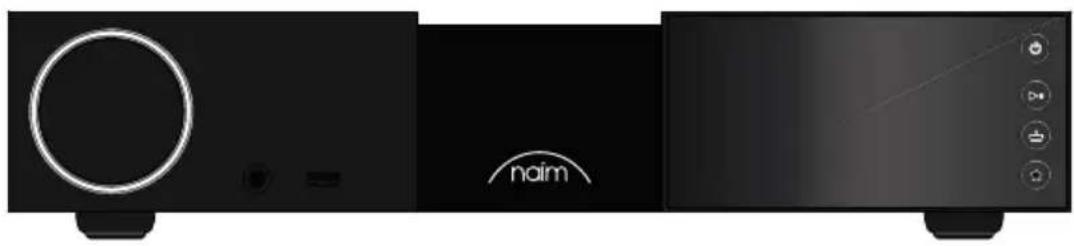
natural_image
Front view of a black audio workstation with a circular button and 'naim' logo, no visible text or symbols on the device itself.1x NSC 222
1x Document pack

natural_image
Solid dark rectangle with a thin white scalloped border (no text or symbols)1x Cleaning cloth
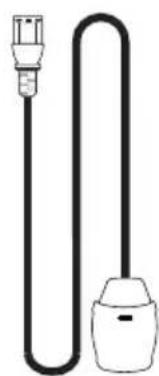
natural_image
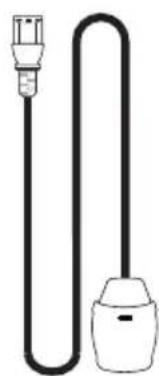
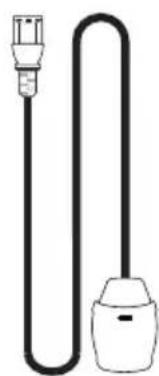
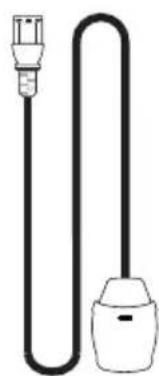
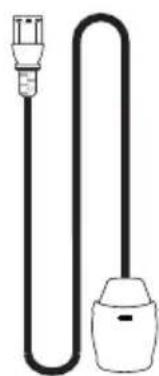
Simple line drawing of a plug and bulb (no text or symbols)1x Power-Line Lite
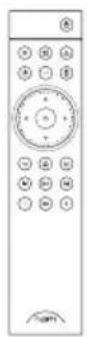
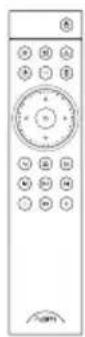
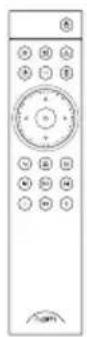
1x Remote control
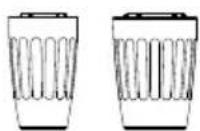
2x Link Plugs
2. Getting to know your NSC 222
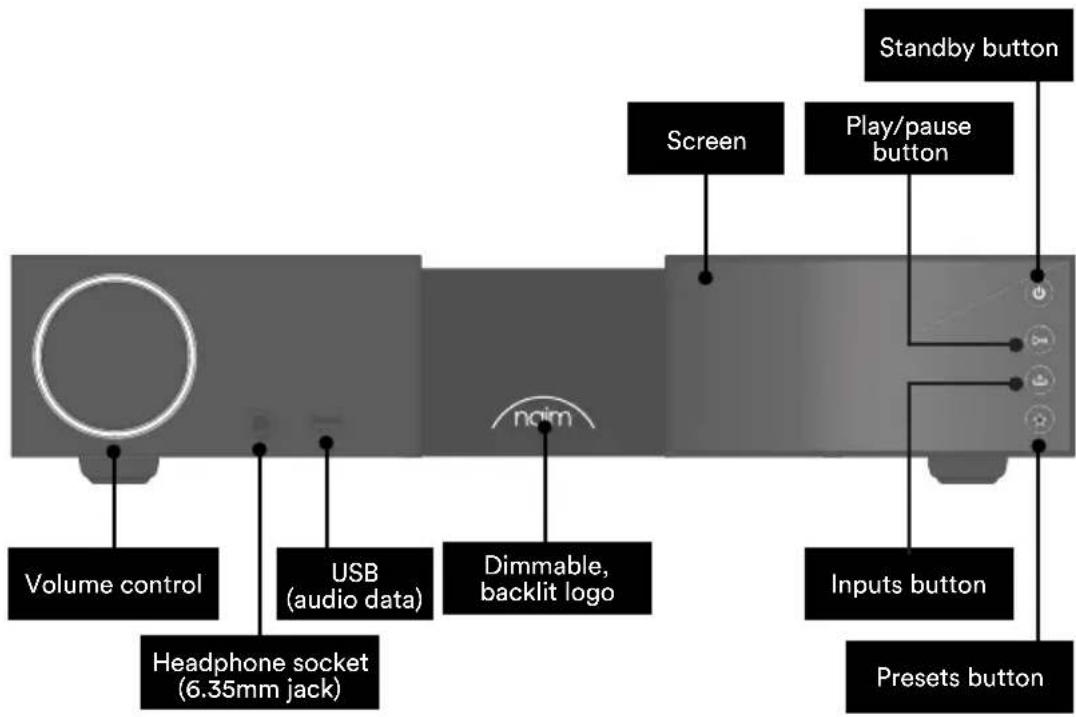
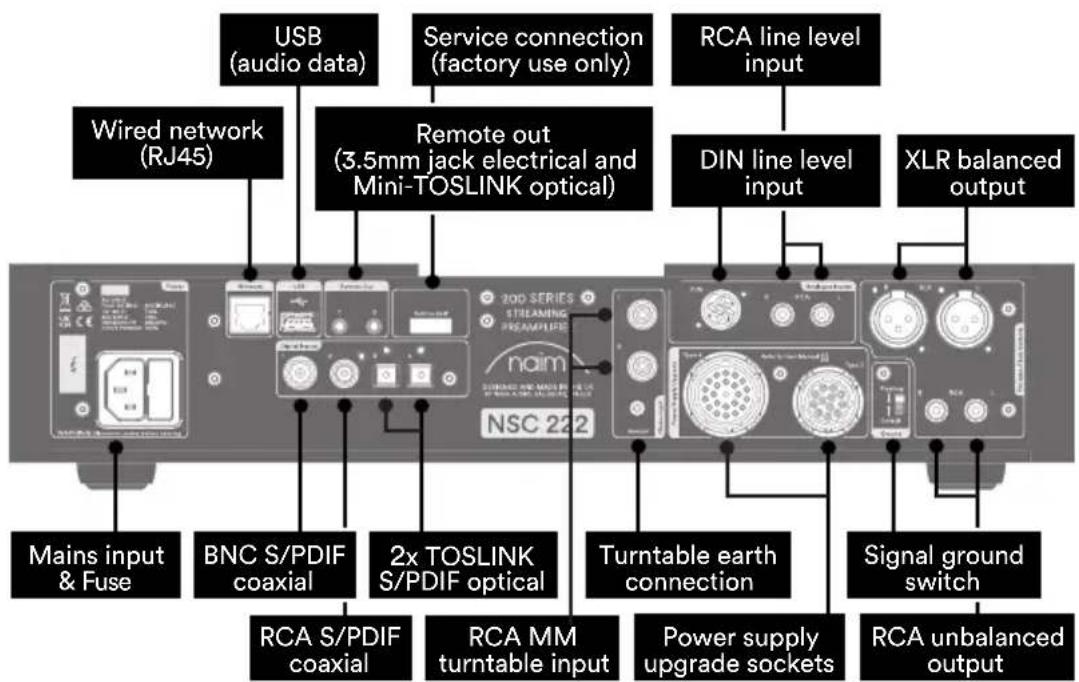
3. NSC 222 set-up essentials
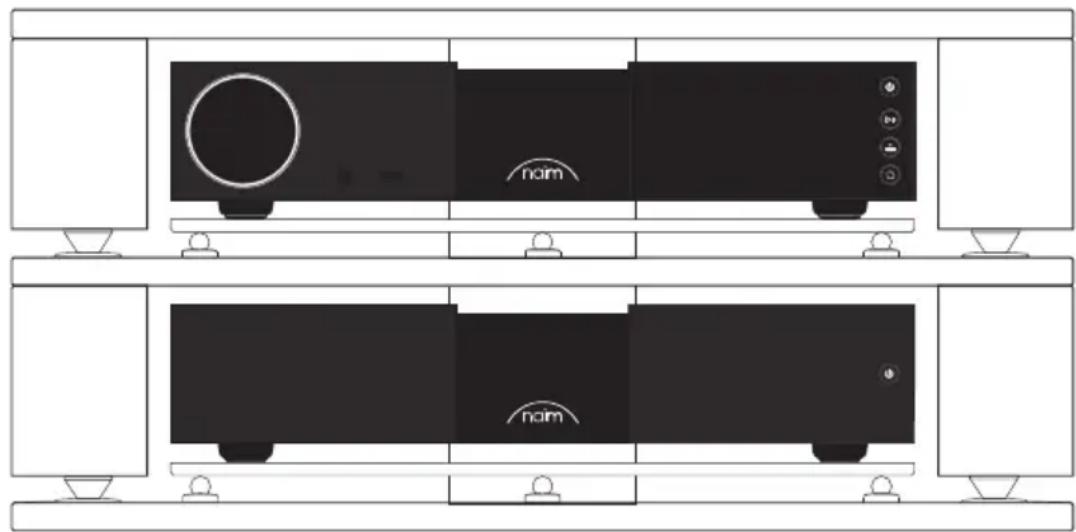
Your NSC 222 needs to be connected to a power amplifier (such as the matching NAP 250), but before you do, please ensure both components are in their final positions and disconnected from mains power.
natural_image
Diagram of a two-tier appliance setup with front and side views, featuring a nom device and control buttons (no text labels or symbols beyond 'nom')For optimum performance, use a dedicated hi-fi support – ideally Naim Fraim – with the preamplifier sited above the power amplifier, as shown.
You will also need speakers with cables, an internet connection (wi-fi or hard wired), and a smartphone or tablet to run the Naim App.
Download the free Naim App from the Apple App Store or Google Play Store.
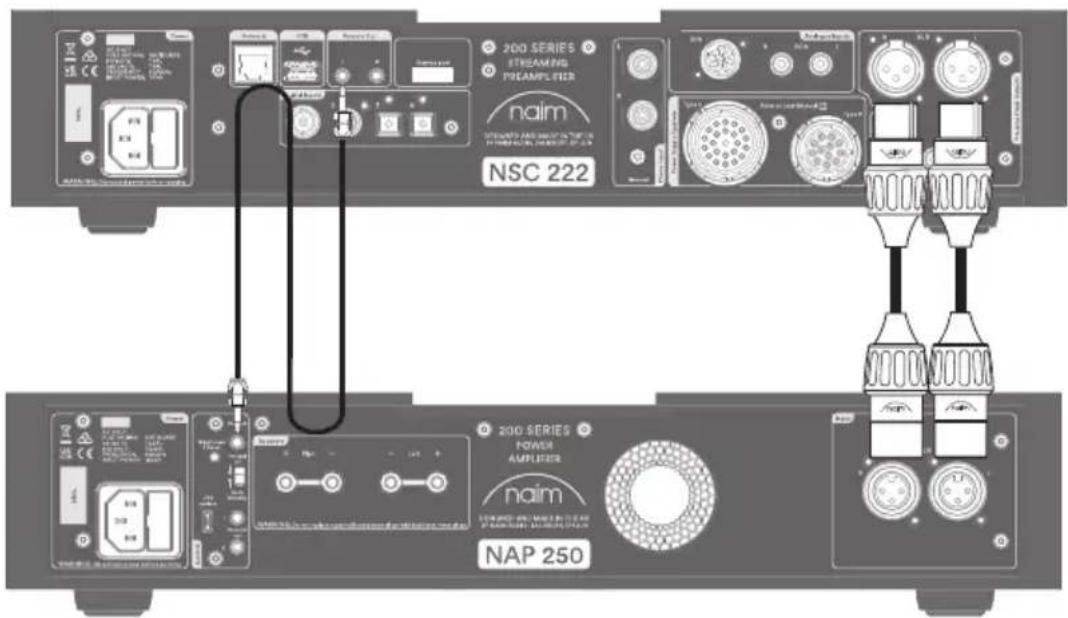
3.1 Connecting your NSC 222 to the NAP 250 power amp
Connect two XLR cables (supplied with the NAP 250) from the balanced XLR outputs of NSC 222 to the balanced input of the NAP 250. Ensure the cables are channel-matched: the pre-amplifier left output connected to the power amplifier left input and the same for the right. Please ensure that the XLR plugs are inserted correctly, which is achieve with the Naim logo on the plug facing upwards.
Connect the system automation cable (supplied with the NAP 250) to the NSC 222 Remote Out terminal and the Remote In terminal on the NAP 250.
3.2 Powering up
Once you have connected your NSC 222 to a power amplifier, and connected the loudspeakers, there are just a few more, simple steps to take before you can power up your NSC 222 and start streaming.
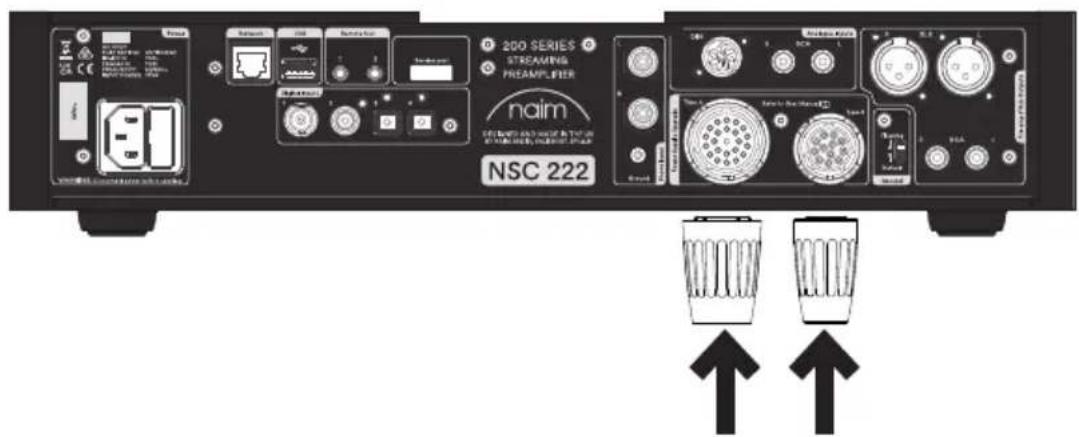
Connect the two supplied link plugs to the NSC 222 power supply upgrade sockets.
If using a wired network connect a cable between the RJ45 socket and the router or switch.
Insert the provided batteries into the remote control handset.
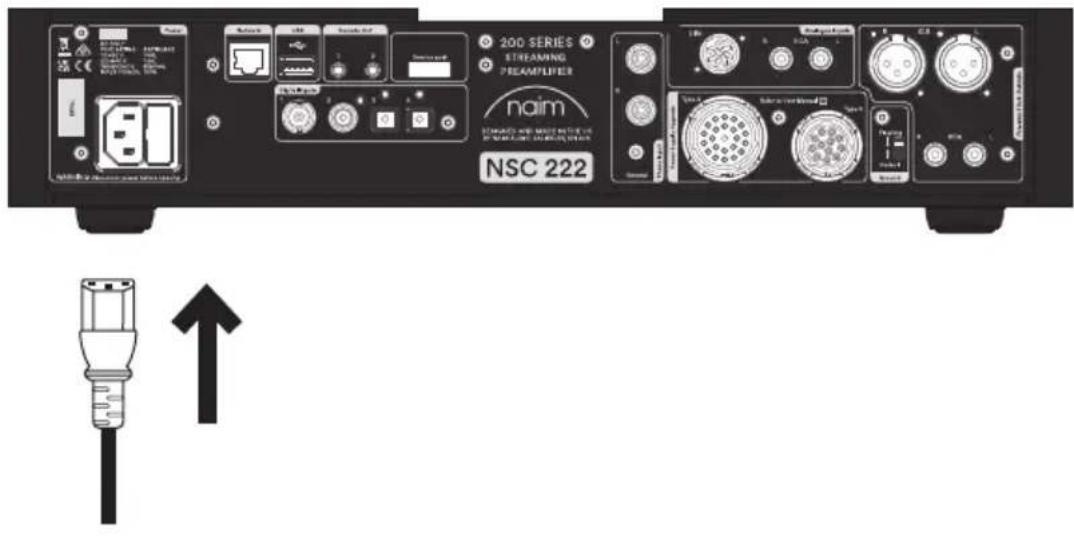
Connect the power cable to the NSC 222's power socket and then to mains power.
Switch on your NSC 222 by pressing the standby button on the top right side of the front panel.
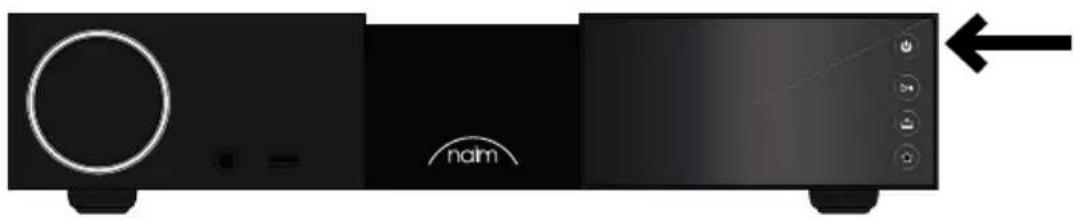
3.3 Pairing the remote control
Once your NSC 222 is switched on, you will need to pair the remote control.
Pressing any of the front panel buttons will enable remote pairing mode.

Press and hold the home button on the remote control handset for 3 seconds
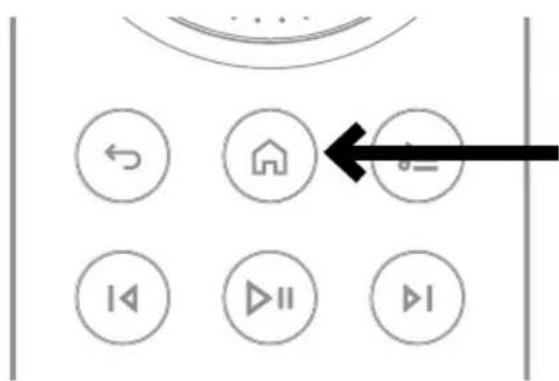
The volume ring on the remote will chase when in pairing mode and then stop at the current volume setting when paired.
The remote is now paired to the unit and ready to use.
4. Playing music, radio, podcasts and more
Access all of your music including your favourite streaming services and internet radio stations, play your stored music from a Naim server (such as a Uniti Core) and be the source for your multiroom system. NSC 222 also includes digital and analogue connections so you can connect your external sources.
Before you start streaming the services below, ensure your control device (smartphone, tablet, or computer) is connected to the same network as your NSC 222.
4.1 Internet radio
A world of radio stations is available to enjoy via the Naim App, including a curated collection of higher-quality streams. You can also select and store station presets for faster access to your favourites.
4.2 UPnP
Your NSC 222 can play audio files stored on Naim music servers (such as the Naim Uniti Core), NAS drives or other connected UPnP devices.
It supports a wide array of file formats, in resolutions up to 384kHz/32-bit.
Browse and enjoy your music and build playlists via the Naim App.
4.3 Spotify Connect/Spotify Hi-Fi
- Open up the Spotify App on your phone, tablet or laptop
- Start playing the content you want to listen to and select 'Devices Available'
- Select your NSC 222 and start listening
4.4 AirPlay 2
AirPlay 2 is an Apple technology designed to control home audio systems and speakers in any room from your iPhone, iPad, Mac, HomePod or Apple TV.
It allows you to stream from a wide range of sources, including Apple Music.
To setup AirPlay 2 use the home app on an iOS device running software 11.4 or later.
- Open the Home app and tap the (+) button to add it as an Accessory.
4.5 Chromecast
Chromecast allows you to stream your favourite music and more from your phone, tablet or laptop.
- To use Chromecast built-in to cast audio to your NSC 222, simply configure it via the Google Home App, then stream away from a range of available sources.
4.6 TIDAL and TIDAL Connect
Subscribers to the TIDAL music-streaming service can enjoy it in two ways on the NSC 222.
- Stream directly from the TIDAL App, via TIDAL Connect.
- Simply open the 'Now Playing' screen while playing a song.
- Look for the speaker icon and choose the NSC 222 from that list.
Alternatively, you can enjoy TIDAL via the Naim App.
- Select the TIDAL input
- Enter your TIDAL login details
- Browse and enjoy TIDAL via the Naim App
4.7 Qobuz
A world of music, including a huge selection of true high-resolution albums, is available to stream via Qobuz. Subscribers can enjoy the service via the Naim App.
- Select the Qobuz input
- Enter your Qobuz login details
- Browse and enjoy Qobuz via the Naim App
4.8 Roon
Your NSC 222 is Roon Ready, allowing you to explore everything the music management service has to offer.
4.9 Multiroom
Your NSC 222 can pair with other music players, speakers and systems to fill your home with perfectly synchronised sound. There are four different ways you can enjoy the multiroom music experience
- Via the Naim App
Pair with other connected Naim products, including Mu-so wireless speakers, Uniti players and more, via the Naim App, for the best quality experience. Simply start playing the music you want to share, and group any or all of your Naim products by selecting the multiroom symbol.
You can also join in the fun by pressing the multiroom button on your remote control.
- Via Apple AirPlay 2
- Via Chromecast
- Via Roon.
5. Tips on installing and using your NSC 222
We know you are eager to enjoy your new NSC 222, but we promise it will sound even better once you have followed these guidelines, all designed to help you experience your streaming preamplifier without compromise.
5.1 Unboxing and positioning
Your NSC 222 uses high-quality components, including a substantial power transformer and durable aluminium casing. That means the NSC 222 weighs in at 11kg, so please take care when lifting or moving it, and ensure the surface you plan to place it on is stable and can support its weight.
For optimum performance, use your Naim products on a dedicated hi-fi equipment rack – ideally the Naim Fraim or Fraim Lite – to minimise vibrations that can affect sound. No room for a rack? Consider placing your NSC 222 on a Fraim glass shelf on a suitable piece of furniture, to provide solid but discreet support.
Never stack Naim products on top of each other, and if you are placing them side-by-side, please leave some distance between the units. Equally, connected products should not sit too far apart: the maximum separation distance is that allowed by the supplied interconnect lead.
To reduce the risk of audible hum from the loudspeakers do not place power supplies or power amplifiers close to source components.
5.2 Input connection details
The NSC 222 features many external connection options. For the best sound quality, we recommend you use the BNC digital input or DIN analogue input.
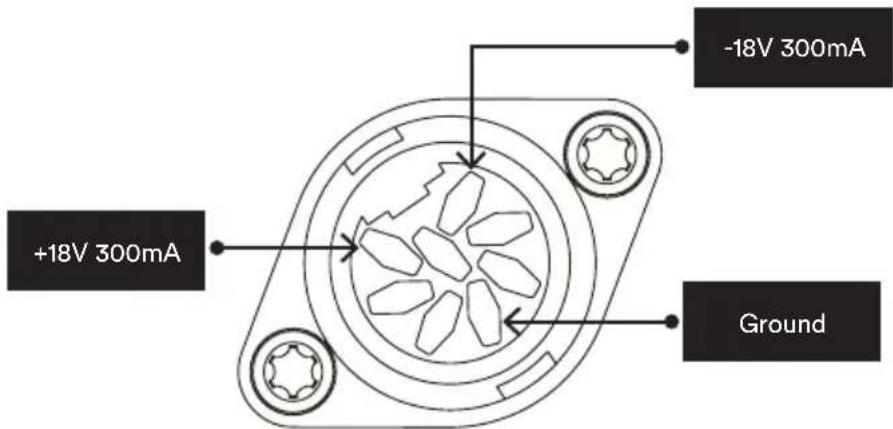
The DIN input is also capable of powering a Naim NVC TT phono stage. The NSC 222 built in phono stage is compatible with moving magnet cartridges.
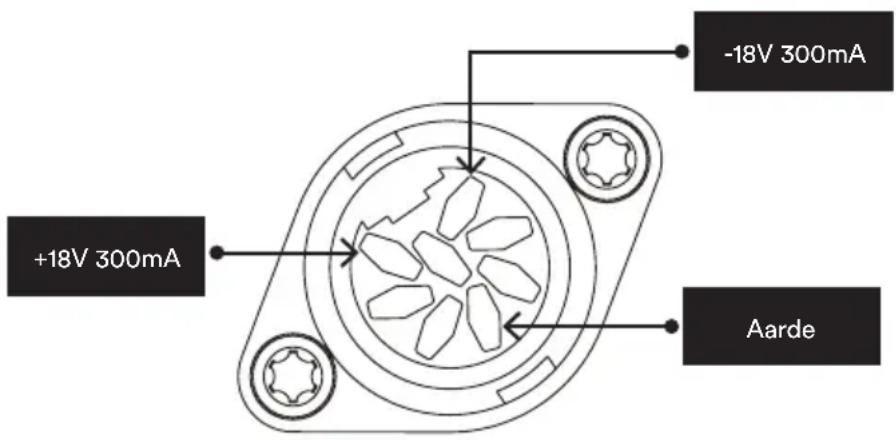
5.2a Type 1: 8 pin DIN
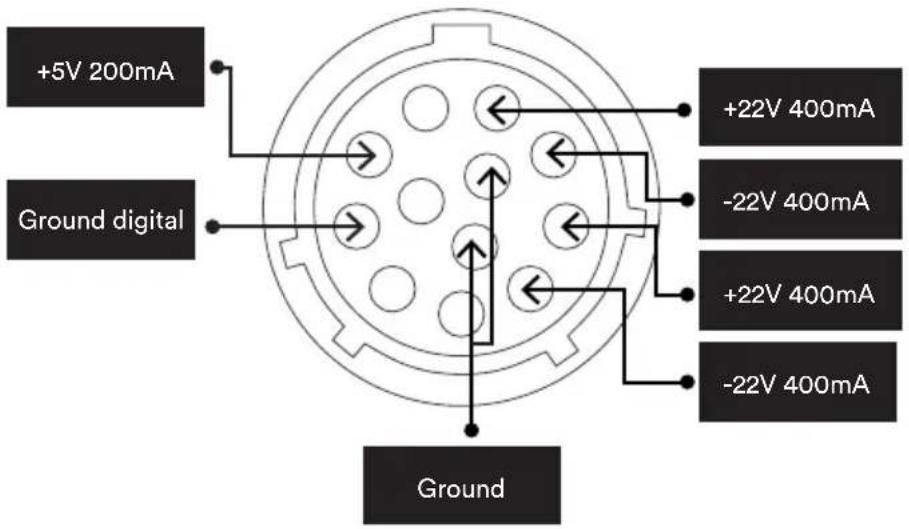
5.2b Type 3: 12 way connector
5.2c Type 4: 23 way connector
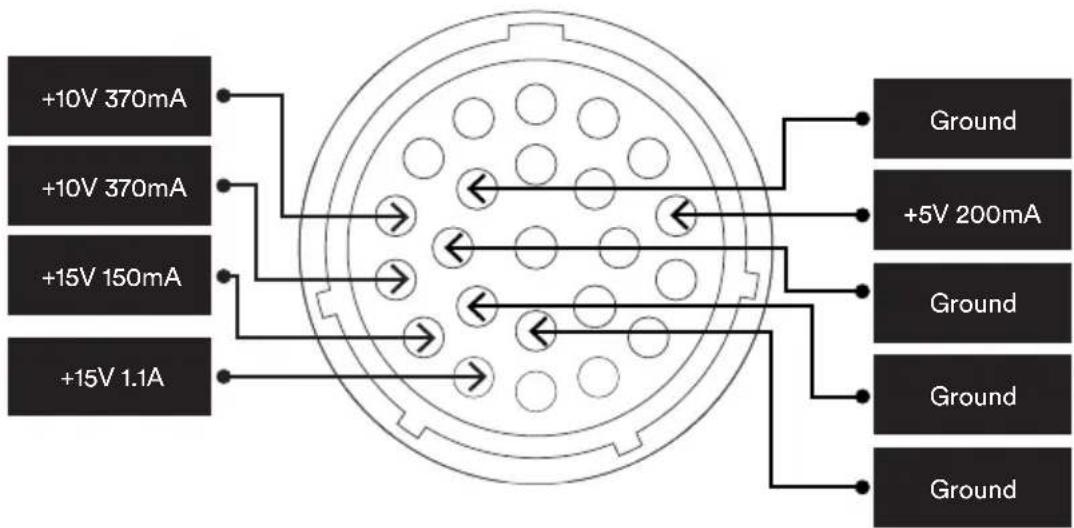
5.3 Output connection details
The XLR sockets should be used for connection to a NAP 250 power amplifier. If the RCA outputs are required (e.g. for a sub-woofer) they will need to be enabled from the Naim App.
If an unbalanced power amplifier (e.g. an older Naim amplifier) is to be used with the NSC 222 the XLR sockets should be used with an appropriately wired cable.
5.4 Headphones
The headphone output has a separate volume setting. When headphones are inserted the volume will be set to the level last used with headphones. When they are removed the volume will be set back the level last used with speakers.
5.4 System automation
When using the NSC 222 with a compatible power amplifier – such as the NAP 250 – you can synchronise power on/off and logo brightness across your system by connecting the two products with the optical system automation cable supplied with the NAP 250.
Simply connect the cable from the ‘Remote Out’ terminal of the NSC 222 preamplifier to the ‘Remote In’ terminal on the NAP 250. It is possible to link further power amplifiers using the ‘Remote Out’ terminal of the NAP 250.
If you require a longer distance between your NSC 222 and the NAP 250 than the supplied cable allows for, you can use a replacement 3.5mm to 3.5mm optical cable to the required length. It is also possible to use standard analogue cables with 3.5mm connectors, but an optical cable offers the best performance.
5.5 Powering up/down
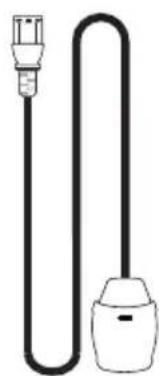
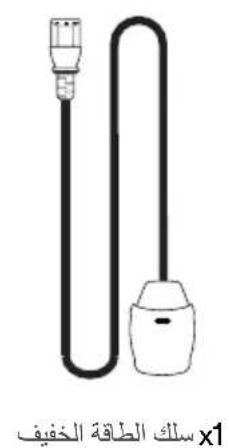
Once all your input and output connections are made, connect the supplied mains lead to your NSC 222 and to mains power.
You can now power up the NSC 222 by pressing the standby button. If the NAP 250 is connected via System Automation it will switch on in sequence.
It is the same procedure to switch off your NSC 222: turn off your NSC 222 preamplifier – and NAP 250 connected via System Automation – by simply pressing the standby button on the front panel, which will put the NSC 222 and the NAP 250 into standby. Avoid using a mains outlet switch to turn your amplifier off.
5.6 Standby power settings
The NSC 222 has four power levels: standby, network standby, network standby with an additional power requirement and powered for normal use.
“Standby” mode has an overall power consumption of less than 0.5W. The NSC 222 can be woken up by pressing the standby button or from the remote control.
"Network standby" is <2W. The network needs to be connected (either wired or Wi-Fi) so the NSC 222 can be woken up via the Naim App.
"Network standby with an additional power requirement". The NSC 222 is fully powered but with the display and logo turned off (it needs to be in this state to power a USB device or act as a server).
"Powered for normal use" In normal use the NSC 222 uses about 25W.
By default, the NSC 222 is set to 'auto standby' - it automatically enters the appropriate standby mode after a period not exceeding 20 minutes of inactivity. For the optimum sound quality set the auto standby period to "Never" in the Naim App so the NSC 222 is permanently powered up.
5.7 Naim logo brightness settings
You can choose the brightness level of the LED indicators and Naim logo on your NSC 222 in the Naim App. If you are using a Naim NAP 250 power amplifier connected via System Automation, you can synchronise the brightness of both logos from the NSC 222.
5.8 Using the NPX 300 power supply
The NPX 300 power supply is an optional system upgrade. If adding the NPX 300 power supply to the NSC 222, first turn the whole system off. Remove the mains cable from the NSC 222 – it is not required when the unit is powered by the NPX 300.
Add the NPX 300 to the equipment stand (usually between the NSC 222 and NAP250).
Remove the two link plugs from the NSC 222 rear panel.
Connect the un-banded end of the two Burndy cables to the NPX 300. Connect the two banded ends to the NSC 222. Ensure all the locking rings are tightened fully. Try to “dress” the cables so they hang as loosely as possible and without touching the stands or the wall – this will be easier if they are formed to roughly the required shape before connecting either end.
Connect the power lead to the NPX 300's power socket and then to mains power. Turn the rest of the system back on.
Turn the NSC 222 back on by pressing the standby button.
6. Mains power, earthing and more
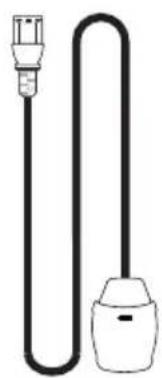
Use only the mains leads and plugs supplied with your NSC 222, or the upgrade Naim Power-Line mains cable. Where fused plugs are used, 13-Amp fuses should be fitted. Do not wire voltage dependent resistors or noise suppressors into mains plugs; they degrade the mains supply and the sound.
6.1 Earthing
In order to avoid hum loops, the signal ground of the whole system should be connected to the mains earth in one place. Typically, this is at the primary source. For example, a Naim streamer has a ground lift switch. Set this to “default” if no other source connects mains earth to signal ground. This setting will give best sound quality.
6.2 Non-rewirable mains plugs
If a non-rewirable plug is cut from a mains lead (for whatever purpose) the plug MUST be disposed of in a way to render it totally useless. Considerable shock hazard exists if the cut-off plug is inserted into a mains outlet.
6.3 Mains circuits and interference
A hi-fi system usually shares a mains power circuit with other household equipment, some of which can cause distortion that may manifest as mechanical hum from mains transformers, including the large transformer in your NSC 222.
Transformer hum is not transmitted through the speakers and has no effect on the performance of the system; however, careful positioning of your Naim system may reduce it, as may a separate, dedicated mains circuit. Such a circuit (ideally with a 30 or 45-Amp rating) will also generally improve system performance. Only seek advice on the installation of a separate mains circuit from a qualified electrician.
6.4 Lightning precautions
Your Naim system should be turned off and fully disconnected from mains power when there is a risk of a lightning strike, to protect from potential damage.
7. Further tips and advice
Now you have all the essentials sorted, let us move onto a few more things that you can do to optimise the performance of your new NSC 222.
7.1 Running in
Naim products are hand-crafted from a carefully selected range of high-quality components. Your NSC 222 will sound superb out of the box, but its performance may improve further still as all these various components power up and interact in their first few weeks of use. Keeping your system powered up will assist this process.
7.2 Cleaning your product and connections
Naim recommends using only the supplied cleaning cloth to lightly dust any product surfaces. Cleaning products may contain ingredients that can adversely affect cosmetic surface treatments and coatings.
Keep interconnect plugs and sockets clean and free from corrosion. The easiest way to achieve this is to fully power off your Naim product (and any connected equipment), unplug all connections from their sockets and firmly push them in again. Contact cleaners and so-called ‘enhancers’ should not be used, as they can leave deposits that can degrade the sound of your system.
7.3 Resetting your NSC 222
To reset your NSC 222 to the factory default settings, use the remote control to navigate to "Home - Settings - Factory settings - Reset all settings - Yes" on the front panel display.
8. Support
Consumer protection varies from country to country. In most territories, the retailer you bought your Naim product from should be your primary contact if you are experiencing problems with your unit. A problem may be due to a fault in the system or its installation, so it is essential to make full use of your dealer's diagnostic skills.
You can find a range of support articles for each Naim product online at Naimaudio.com
If you are still experiencing an issue with your Naim product, contact us directly for help and advice, at support@naimaudio.com
9. Service and updates
Any repairs or hardware updates should only be made by an authorised Naim service centre or at the Naim HQ itself. Many components are custom made, tested or matched and appropriate replacements are often unobtainable from other sources. Please contact your local Naim retailer with any service or repair queries.
10. Specifications
| 200 Series streaming preamplifier - NSC 222 | |
| Audio inputs: | 1 x moving magnet phono1 x 8-pin DIN (compatible with 5-pin DIN cables)1 x RCA pair |
| USB: 2 x USB Type A socket | (front and rear - 1.6A charge) |
| Digital (S/PDIF): | 2 x Optical TOSLINK (up to 24bit/96kHz)1 x coaxial RCA (up to 24bit/192kHz, DoP 64Fs)1 x coaxial BNC (up to 24bit 192kHz, DoP 64Fs) |
| Audio outputs: | Analogue1 x XLR pair1 x RCA pair1 x 6.35mm headphone jack |
| Audio formats: | WAV - up to 32bit/384kHzFLAC and AIFF - up to 24bit/384HzALAC (Apple Lossless) - up to 24bit/384HzMP3 - up to 48kHz, 320kbit (16 bit)AAC - up to 48kHz, 320kbit (16 bit)OGG and WMA - up to 48kHz (16 bit)DSD - 64 and 128FsM4A - up to 48kHz, 320kbit (16 bit)Note: Gapless playback supported on all formats. |
| Network: Ethernet (10/100Mbps), Wi-Fi (802.11 b/g/n/ac) | |
| Power consumption: | Typical use: 25WNetwork standby mode: <2WStandby: <0.5W |
| Ripping and storage: | 2 x USB Type A socket (front and rear - 1.6A charge)Store up to 20,000 tracks to a local USB connected storage device and serve to a network-connected playerExternal portable HDD - max. 1TBUSB sticks - max. 128 GB |
| Dimensions (H x W x D): 91 | 5 x 432 x 317.5 mm (including feet) |
| Weight: 11kg | |
| Mains supply: 115V or 230V | 50/60Hz |
11. Product recycling
Products that display the crossed-out wheeled bin logo cannot be disposed of as domestic waste. These products must be disposed of at facilities capable of recycling them and appropriately handling any waste by-products.
Contact your local authority for details of the nearest such facility.
Appropriate recycling and waste disposal helps conserve resources and protects the environment from contamination.
Table des matières
Section Page
Introduction 1
natural_image
Front view of a black electronic device with circular and curved interface elements, no visible text or symbols on the device body.1x NSC 222

1x Documentation

natural_image
Solid dark rectangle with a scalloped border (no text or symbols)1x Chiffon de nettoyage
natural_image
Simple line drawing of a plug and socket connected by a curved wire (no text or symbols)natural_image
Technical line drawing of a two-tier appliance assembly with no visible text or symbols4.3 Spotify Connect/Spotify Hi-Fi
natural_image
Front view of a black electronic device with circular and curved interface elements, no visible text or symbols on the device body.1x NSC 222
natural_image
Solid dark gray rectangle with a thin white dashed border (no text or symbols)1x Reinigungstuch
natural_image
Simple line drawing of a plug and bulb (no text or symbols)1x Anschlusskabel
1x Remote control
natural_image
Diagram of a two-tier appliance setup with front and side views, featuring a large fan unit labeled 'nom' (no text or symbols beyond branding)4.3 Spotify Connect/Spotify Hi-Fi
• 4.6 TIDAL and TIDAL Connect
natural_image
Front view of a black electronic device with circular icon and 'naim' branding, no visible text or symbols beyond branding elements1x NSC 222
natural_image
Solid dark rectangle with a thin white border, no text or symbols present.1x Reinigingsdoek
natural_image
Simple line drawing of a plug and bulb (no text or symbols)1x Netvoedingskabel
natural_image
Technical line drawing of a two-tier electronic device with no visible text or symbols4.3 Spotify Connect/Spotify Hi-Fi
5.2a Type 1: 8-pins DIN
natural_image
Front view of a black electronic device with circular logo and 'naim' branding, no visible text or symbols beyond branding elements1x NSC 222
1x Documentación

natural_image
Solid dark gray rectangle with a thin white dashed border (no text or symbols)1x Paño de limpieza
natural_image
Simple line drawing of a plug and bulb (no text or symbols)natural_image
Technical line drawing of a two-tiered electronic device with front and back views (no text or symbols)4.3 Spotify Connect/Spotify Hi-Fi
natural_image
Front view of a black electronic device with circular and curved interface elements, labeled 'naim' (no readable text beyond branding)1x NSC 222
natural_image
Solid dark rectangle with a scalloped border (no text or symbols)natural_image
Simple line drawing of a plug and socket connected by a curved wire (no text or symbols)natural_image
Technical line drawing of a two-tiered electronic device with no visible text or symbols4.3 Spotify Connect/Spotify Hi-Fi
4.6 TIDAL e TIDAL Connect
natural_image
Front view of a black electronic device with circular and curved interface elements, no visible text or symbols on the device body.1x NSC 222
natural_image
Solid dark gray rectangle with a thin white border (no text or symbols)natural_image
Simple line drawing of a plug and bulb (no text or symbols)natural_image
Diagram of a two-tier appliance setup with front and side views, featuring a large fan unit labeled 'nom' (no text or symbols beyond branding)4.3 Spotify Connect/Spotify Hi-Fi
4.6 TIDAL i TIDAL Connect
natural_image
Front view of a black electronic device with circular and curved interface elements, no visible text or symbols on the device body.1x NSC 222

natural_image
Solid dark gray rectangle with a thin white border (no text or symbols)natural_image
Simple line drawing of a plug and bulb (no text or symbols)natural_image
Diagram of a two-tier appliance setup with front and side views, featuring a large fan unit labeled 'nom' (no text or symbols beyond branding)4.3 Spotify Connect/Spotify Hi-Fi
4.6 TIDAL и TIDAL Connect
natural_image
Front view of a black electronic device with circular speaker and 'naim' branding (no readable text beyond branding)1x NSC 222

1x 文件收纳袋

natural_image
Solid dark rectangle with a thin white scalloped border (no text or symbols)1x清洁布
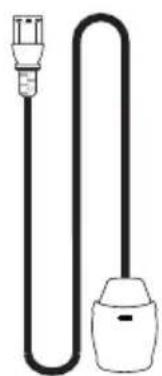
natural_image
Simple line drawing of a cord with a plug and bulb (no text or symbols)1x 电源线
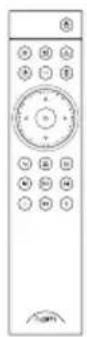
1x 遥控器
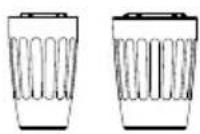
2x 连接插头
2. 认识您的 NSC 222
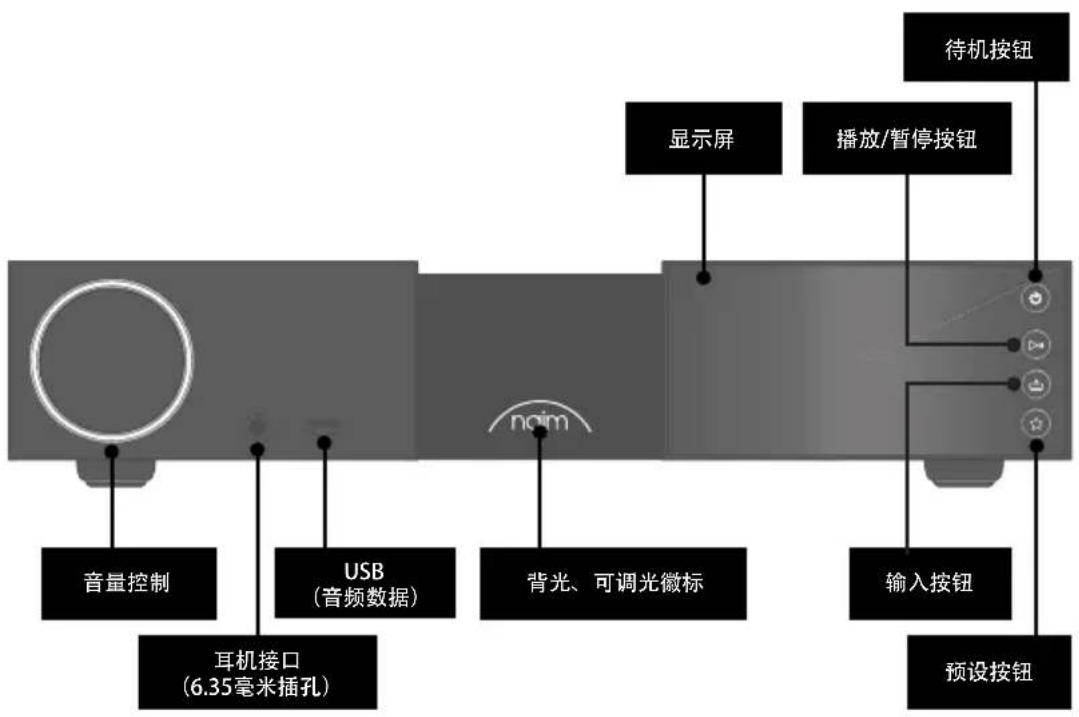
natural_image
Diagram of a two-tier appliance setup with front and side views, featuring a large screen and control panel (no text or symbols)遥控器现已与装置建立配对并可立即使用。
4. 播放音乐、广播、播客等
4.3 Spotify Connect/Spotify Hi-Fi
natural_image
Front view of a black electronic device with circular and curved interface elements, labeled 'naim' (no readable text beyond branding)1x NSC 222

1x 文件包

natural_image
Solid dark rectangle with a scalloped border (no text or symbols)1x 清潔布
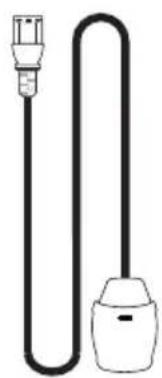
natural_image
Simple line drawing of a plug and bulb (no text or symbols)1x 供電器纜線

1x 遥控
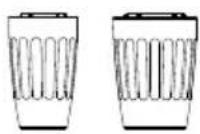
2x 連接插頭
2. 瞭解您的 NSC 222
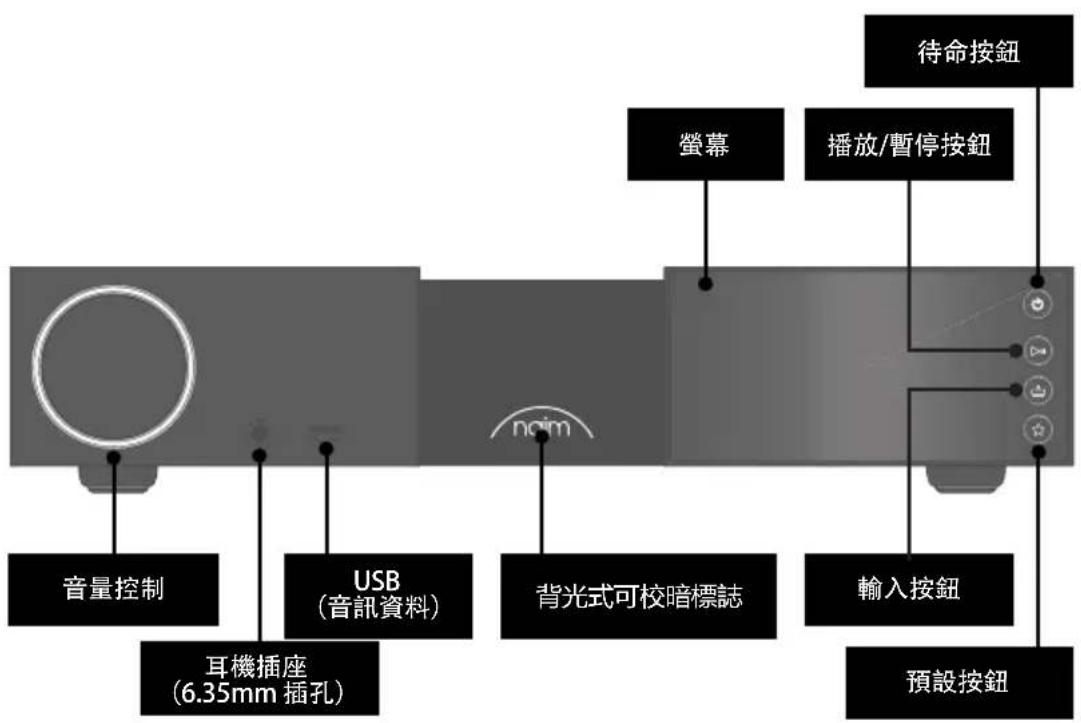
natural_image
Diagram of a two-tier appliance setup with front and side views, featuring a nom device and control buttons (no text labels)遙控器現在已與設備配對並可以使用。
4. 播放音樂、廣播、播客等
4.3 Spotify Connect/Spotify Hi-Fi
4.6 TIDAL 與 TIDAL Connect
natural_image
Front view of a black electronic device with circular logo and 'naim' branding, no visible text or symbols beyond branding elements1x NSC 222
1x 문서 팩

natural_image
Solid dark gray rectangle with a thin white border (no text or symbols)1x 청소용 천
natural_image
Simple line drawing of a plug and bulb (no text or symbols)1x 전원 공급 케이블
1x리모콘
2x 링크 플러그
2. NSC 222 제품 설명
natural_image
Diagram of a two-tier appliance setup with front and side views, featuring a large screen and control panel (no text or symbols)4.3 Spotify Connect/Spotify Hi-Fi
4.6 TIDAL 및 TIDAL Connect
natural_image
Front view of a black electronic device with circular logo and 'noaim' branding, no visible text or symbols beyond branding elements1x NSC 222

1x ขุดเอกสาร

natural_image
Solid dark gray rectangle with a thin white border (no text or symbols)1x ผ้าทําความสะอาด
natural_image
Simple line drawing of a plug and bulb (no text or symbols)natural_image
Diagram of a two-tier appliance setup with no visible text or symbols4.3 Spotify Connect/Spotify Hi-Fi
natural_image
Front view of a black electronic device with a circular button and 'naim' logo, no visible text or symbols on the device itself.NSC 222 x1
natural_image
Technical line drawing of a two-tier electronic device with no visible text or symbolsSpotify Connect/Spotify Hi-Fi 4.3
support@naimaudio.com
- الخدمة والREADYات
Naim Audio Ltd. Southampton Road, Salisbury, UK SP12LN
Call. +44 (0) 1722 426600 Email. info@naimaudio.com
naimaudio.com

bar
| Category | Value | |---|---| | Category1 | 0.0 | | Category2 | 0.0 | | Category3 | 0.0 | | Category4 | 0.0 | | Category5 | 0.0 | | Category6 | 0.0 | | Category7 | 0.0 | | Category8 | 0.0 | | Category9 | 0.0 | | Category10 | 0.0 | | Category11 | 0.0 | | Category12 | 0.0 | | Category13 | 0.0 | | Category14 | 0.0 | | Category15 | 0.0 | | Category16 | 0.0 | | Category17 | 0.0 | | Category18 | 0.0 | | Category19 | 0.0 | | Category20 | 0.0 | | Category21 | 0.0 | | Category22 | 0.0 | | Category23 | 0.0 | | Category24 | 0.0 | | Category25 | 0.0 | | Category26 | 0.0 | | Category27 | 0.0 | | Category28 | 0.0 | | Category29 | 0.0 | | Category30 | 0.0 | | Category31 | 0.0 | | Category32 | 0.0 | | Category33 | 0.0 | | Category34 | 0.0 | | Category35 | 0.0 | | Category36 | 0.0 | | Category37 | 0.0 | | Category38 | 0.0 | | Category39 | 0.0 | | Category40 | 0.0 | | Category41 | 0.0 | | Category42 | 0.0 | | Category43 | 0.0 | | Category44 | 0.0 | | Category45 | 0.0 | | Category46 | 0.0 | | Category47 | 0.0 | | Category48 | 0.0 | | Category49 | 0.0 | | Category50 | 0.0 | | Category51 | 0.0 | | Category52 | 0.0 | | Category53 | 0.0 | | Category54 | 0.0 | | Category55 | 0.0 | | Category56 | 0.0 | | Category57 | 0.0 | | Category58 | 0.0 | | Category59 | 0.0 | | Category60 | 0.0 | | Category61 | 0.0 | | Category62 | 0.0 | | Category63 | 0.0 | | Category64 | 0.0 | | Category65 | 0.0 | | Category66 | 0.0 | | Category67 | 0.0 | | Category68 | 0.0 | | Category69 | 0.0 | | Category70 | 0.0 | | Category71 | 0.0 | | Category72 | 0.0 | | Category73 | 0.0 | | Category74 | 0.0 | | Category75 | 0.0 | | Category76 | 0.0 | | Category77 | 0.0 | | Category78 | 0.0 | | Category79 | 0.0 | | Category80 | 0.0 | | Category81 | 0.0 | | Category82 | 0.0 | | Category83 | 0.0 | | Category84 | 0.0 | | Category85 | 0.0 | | Category86 | 0.0 | | Category87 | 0.0 | | Category88 | 0.0 | | Category89 | 0.0 | | Category90 | 0.0 | | Category91 | 0.0 | | Category92 | 0.0 | | Category93 | 0.0 | | Category94 | 0.0 | | Category95 | 0.0 | | Category96 | 0.0 | | Category97 | 0.0 | | Category98 | 0.0 | | Category99 | 0.0 | | Total (Total) | 12,521,221.22 |
- Introduction
- What's in the box
- Getting to know your NSC 222
- NSC 222 set-up essentials
- Connecting your NSC 222 to the NAP 250 power amp
- Powering up
- Pairing the remote control
- Playing music, radio, podcasts and more
- Internet radio
- UPnP
- Spotify Connect/Spotify Hi-Fi
- AirPlay 2
- Chromecast
- TIDAL and TIDAL Connect
- Qobuz
- Roon
- Multiroom
- Tips on installing and using your NSC 222
- Unboxing and positioning
- Input connection details
- 5.2a Type 1: 8 pin DIN
- 5.2b Type 3: 12 way connector
- 5.2c Type 4: 23 way connector
- Output connection details
- Headphones
- System automation
- Powering up/down
- Standby power settings
- Naim logo brightness settings
- Using the NPX 300 power supply
- Mains power, earthing and more
- Earthing
- Non-rewirable mains plugs
- Mains circuits and interference
- Lightning precautions
- Further tips and advice
- Running in
- Cleaning your product and connections
- Resetting your NSC 222
- Support
- Service and updates
- Specifications
- Product recycling
- Table des matières
- Section Page
- Introduction 1
- • 4.6 TIDAL and TIDAL Connect
- 5.2a Type 1: 8-pins DIN
- TIDAL e TIDAL Connect
- TIDAL i TIDAL Connect
- TIDAL и TIDAL Connect
- 认识您的 NSC 222
- 播放音乐、广播、播客等
- 瞭解您的 NSC 222
- 播放音樂、廣播、播客等
- TIDAL 與 TIDAL Connect
- NSC 222 제품 설명
- TIDAL 및 TIDAL Connect
- Spotify Connect/Spotify Hi-Fi 4.3
Brand : NAIM
Model : NSC 222
Category : Receiver