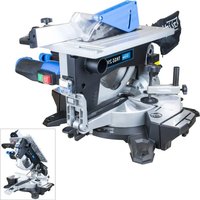
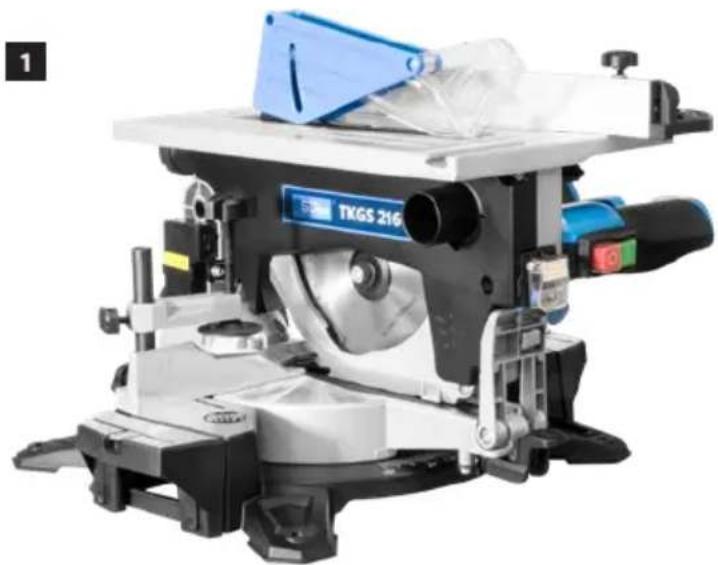
USER MANUAL TKGS 216 Güde
---- EN Translation of the original instructions Flip over combination mitre / bench saw
ENGLISH Please read the instructions carefully before starting the machine.
55254 TKGS 216
natural_image
Industrial machine with blue and black components, no visible text or symbols on the device itself
natural_image
Blue and white plastic tray with a tool, no visible text or symbols
natural_image
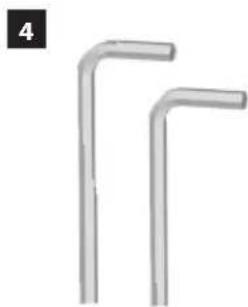
Two identical L-shaped metal bars arranged side by side, no text or symbols visible
natural_image
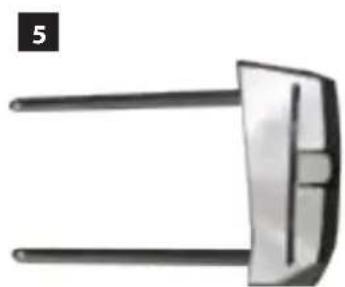
Close-up of a metallic mechanical component with two parallel rods (no visible text or symbols)
natural_image
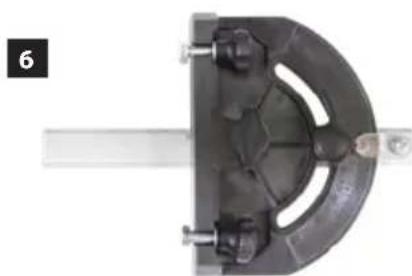
Close-up of a mechanical clamp or bracket component with no visible text or symbols
natural_image
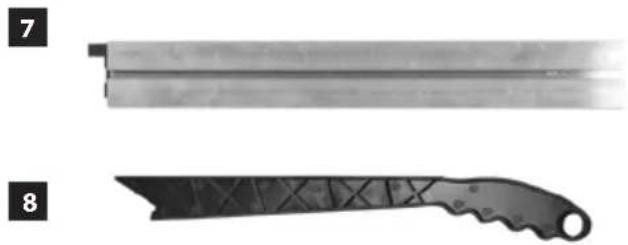
Two types of metal cutting tools: a flat blade and a saw blade (no text or symbols visible)
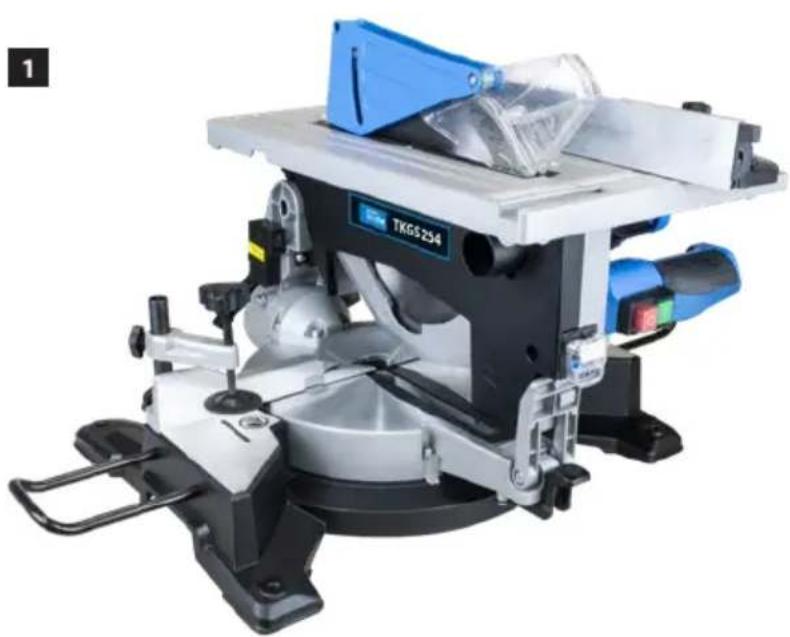
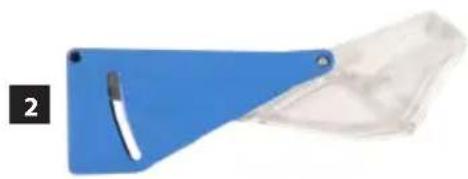
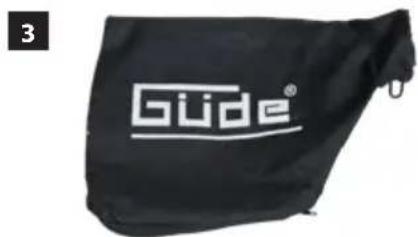
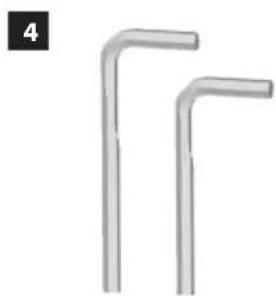
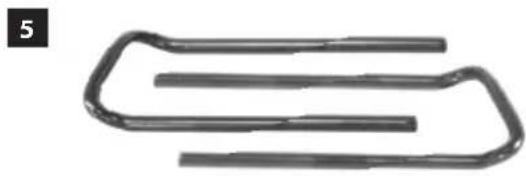
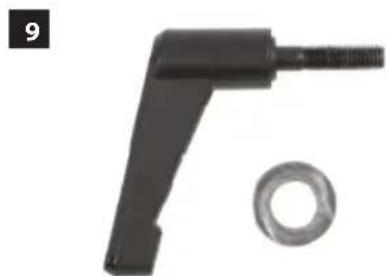
LIEFERUMFANG | DELIVERED ITEMS | ARTICLES DÉLIVRÉS | VOLUME DELLA FORNITURA | LEVERINGSOMVANG | OBJEM DODÁVKY | ROZSAH DODÁVKY | SZÁLLÍTÁSI TERJEDELEM
55256 TKGS 254
natural_image
Industrial machine with blue and silver components, no visible text or symbols on the device itself
natural_image
Blue triangular tray holding a white tool, next to a transparent plastic sheet (no text or symbols visible)
natural_image
Two metallic L-shaped metal bars arranged side by side, no text or symbols visible
natural_image
Pure electrical circuit lines without any symbols
natural_image
Black mechanical tool with threaded end and circular base (no text or symbols)
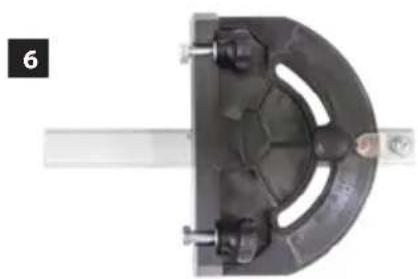
natural_image
Mechanical component with a curved metal frame and mounting bracket (no visible text or symbols)
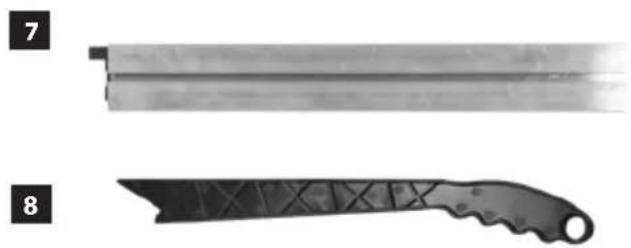
natural_image
Two black metal cutting tools, labeled 7 and 8, shown side by side (no text or symbols on the tools themselves)
| 1 | DE | Montage |
| EN | Assembly |
| FR | Assemblage |
| IT | Montaggio |
| NL | Montage |
| CZ | Montáž |
| SK | Montáž |
| HU | Szerelés |
| 2 | DE | Inbetriebnahme |
| EN | Starting-up the machine |
| FR | mise en service |
| IT | Messa in funzione |
| NL | Inbedrijfstelling |
| CZ | Uvedení do provozu |
| SK | Uvedenie do prevádzky |
| HU | Üzembe helyezés |
| 3 | DE | Betrieb |
| EN | Operation |
| FR | Fonctionnement |
| IT | Esercizio |
| NL | Gebruik |
| CZ | Provoz |
| SK | Prevádzka |
| HU | Üzemeltetés |
| 4 | DE | Wartung |
| EN | Maintenance |
| FR | Entretien |
| IT | Manutenzione |
| NL | Onderhoud |
| CZ | Údržba |
| SK | Údrzba |
| HU | Karbantartás |
DE Montage
EN Assembly
FR Assemblage
IT Montaggio
NL Montage
CZ Montáž
SK Montáž
HU Szerelés

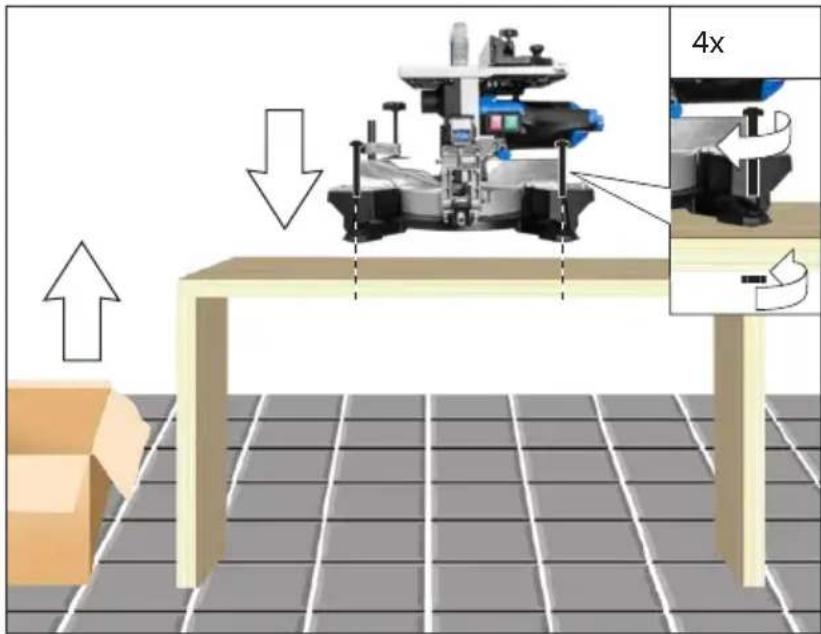

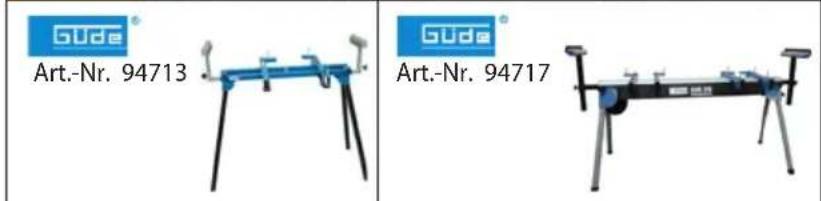
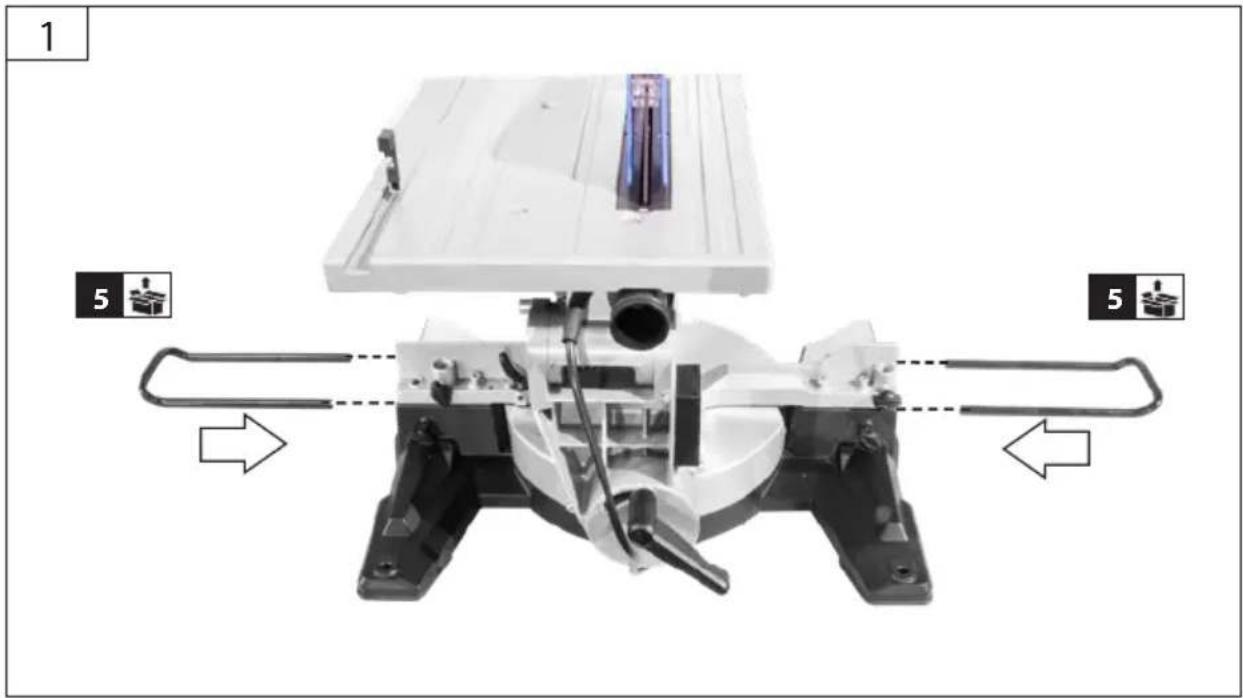
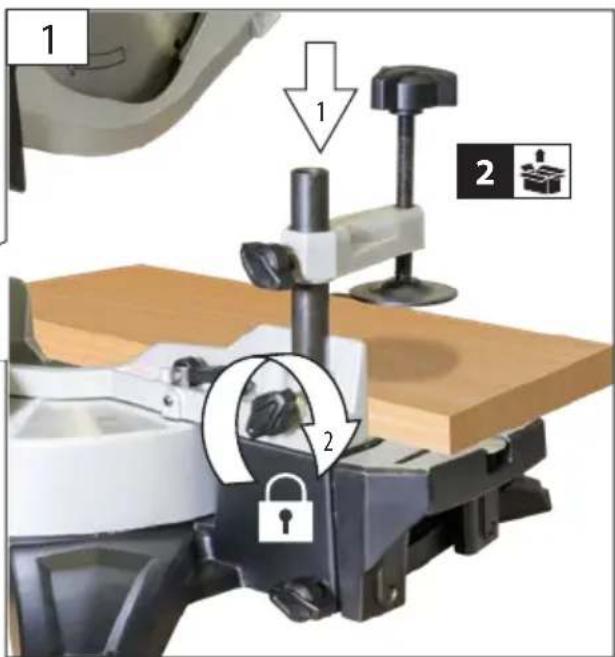
Not included in standard equipment.
natural_image
Illustration of a robotic arm with control panel and mechanical components, no text or symbols present
natural_image
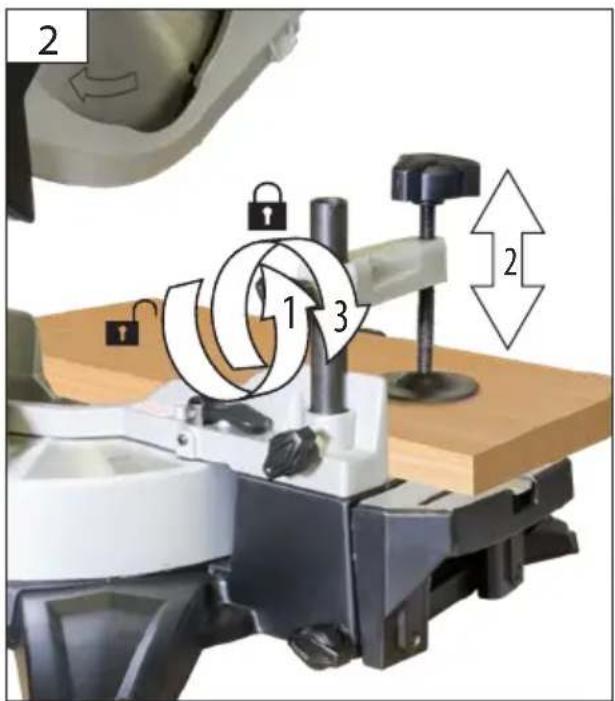
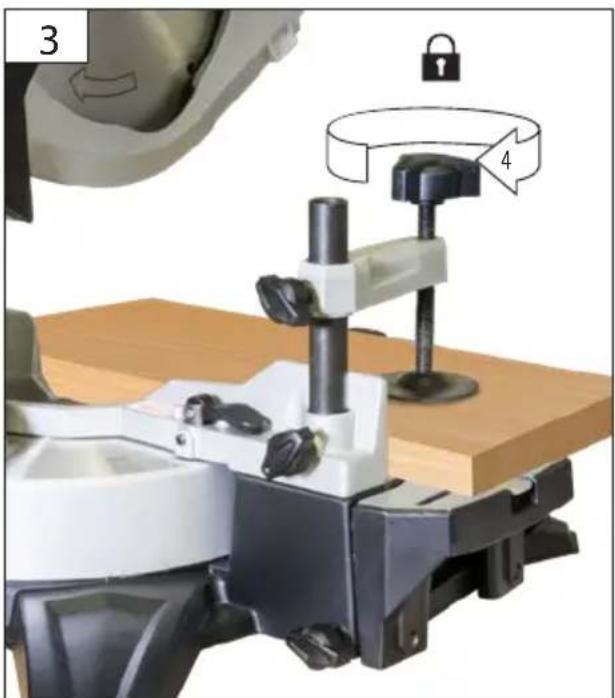
Mechanical device with mounted components and a directional arrow indicating motion (no visible text or symbols)
natural_image
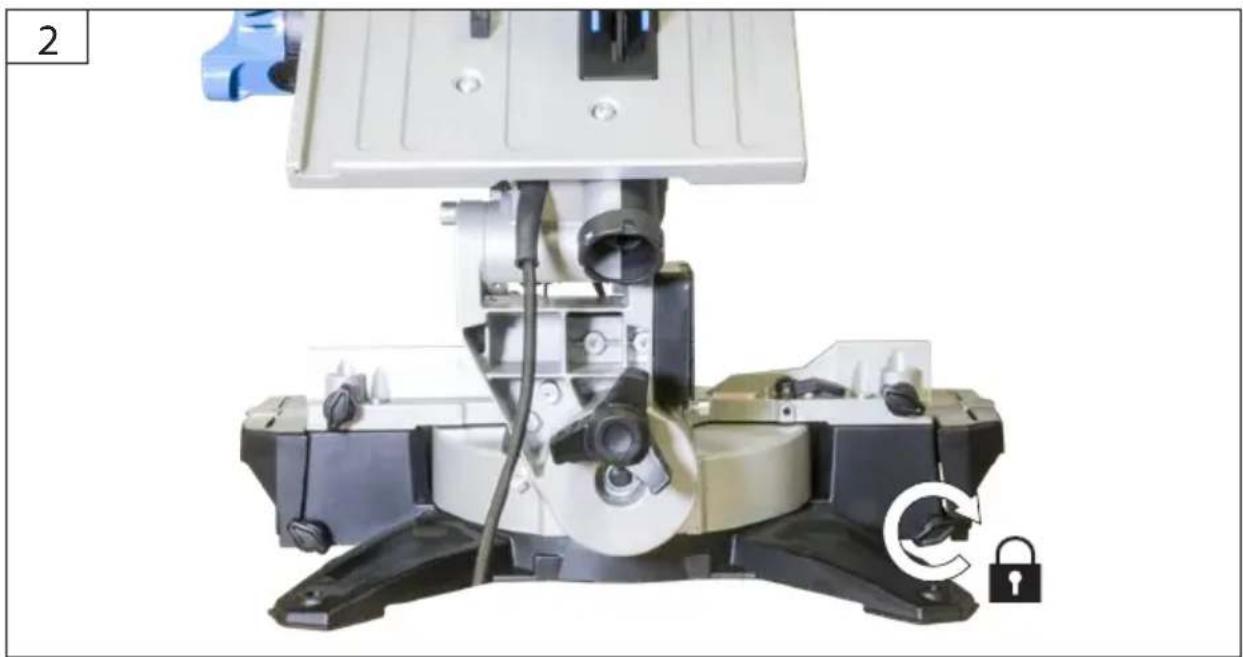
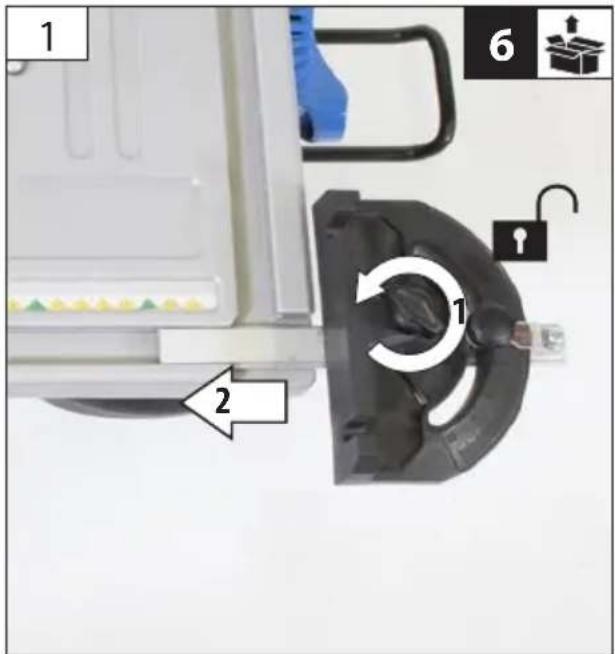
Close-up of a mechanical device with a lock and curved arrow indicating rotation (no text or symbols visible)
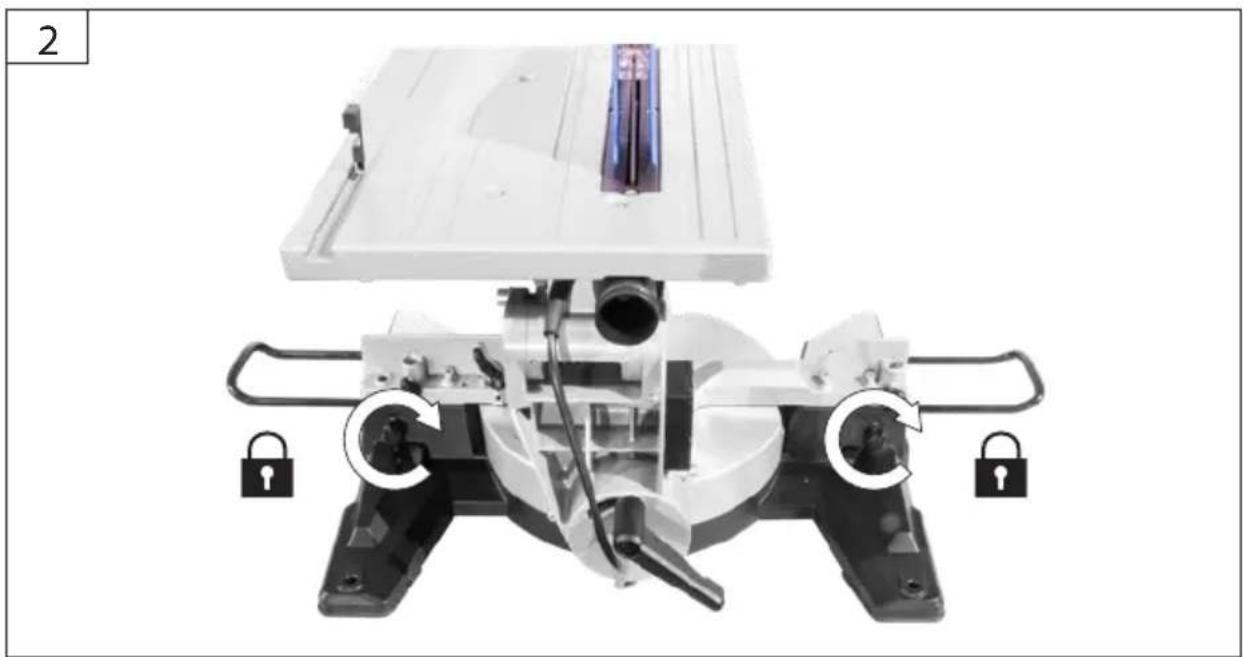
DE Montage
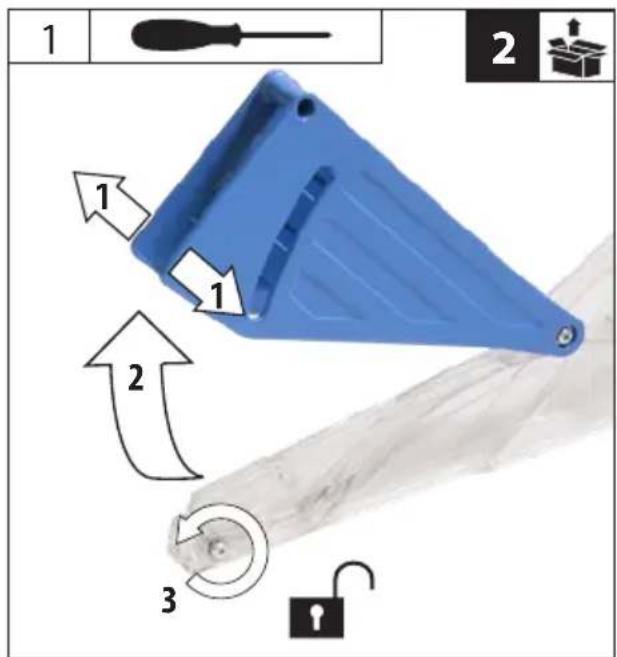
EN Assembly
FR Assemblage
IT Montaggio
NL Montage
CZ Montáž
SK Montáž
HU Szerelés

TKGS 254 55256
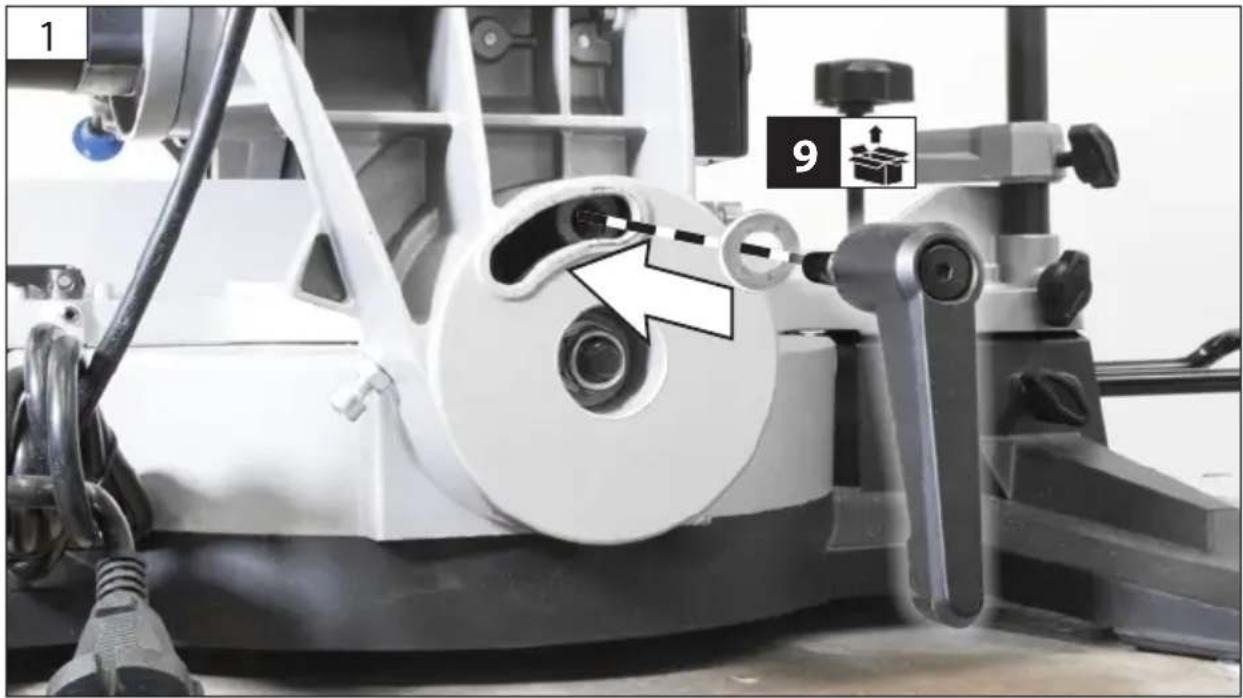
natural_image
Close-up of a mechanical assembly with a circular component and labeled parts (1 and 9), no readable text or symbols present.
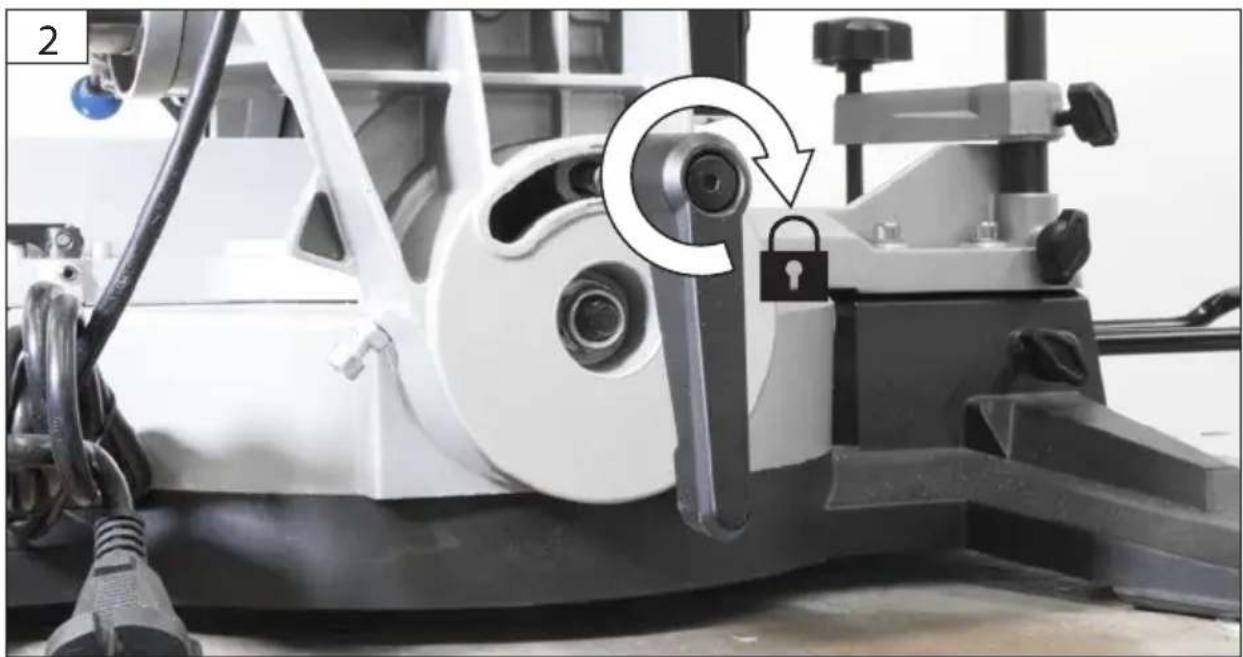
natural_image
Close-up of a mechanical device with a lock mechanism and a circular arrow indicating rotation (no text or symbols)
| 1 | DE | Montage |
| EN | Assembly |
| FR | Assemblage |
| IT | Montaggio |
| NL | Montage |
| CZ | Montáž |
| SK | Montáž |
| HU | Szerelés |
TKGS 254 55256
natural_image
Mechanical device with rotating components and lock indicators (no visible text or symbols)
DE Montage
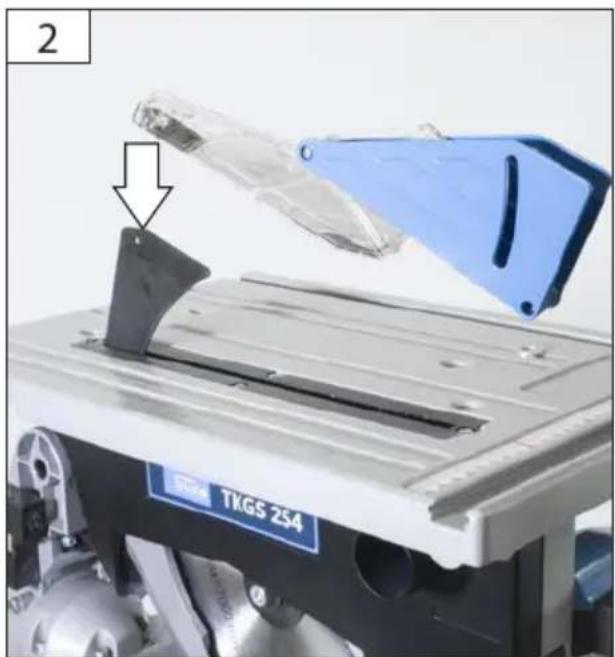
EN Assembly
FR Assemblage
IT Montaggio
NL Montage
CZ Montáž
SK Montáž
HU Szerelés
natural_image
Close-up of a mechanical device with a blue cover and arrow pointing to a component, labeled 'TKGS 254' (no readable text beyond label)
| 1 | DE | Montage |
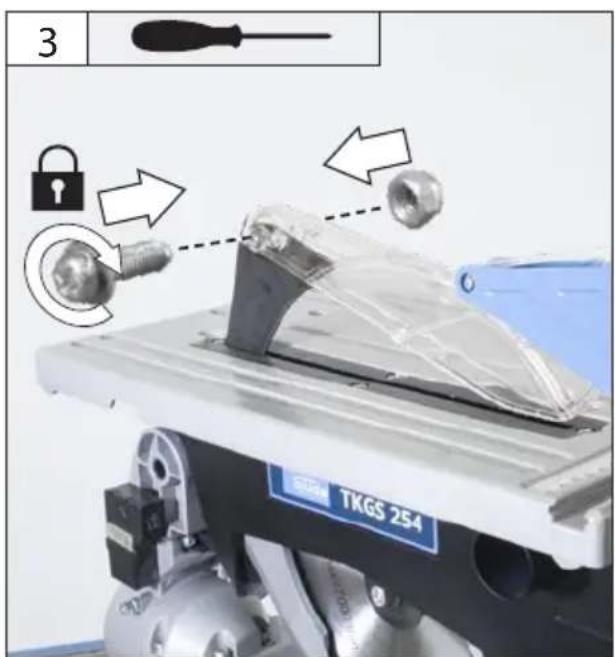
| EN | Assembly |
| FR | Assemblage |
| IT | Montaggio |
| NL | Montage |
| CZ | Montáž |
| SK | Montáž |
| HU | Szerelés |
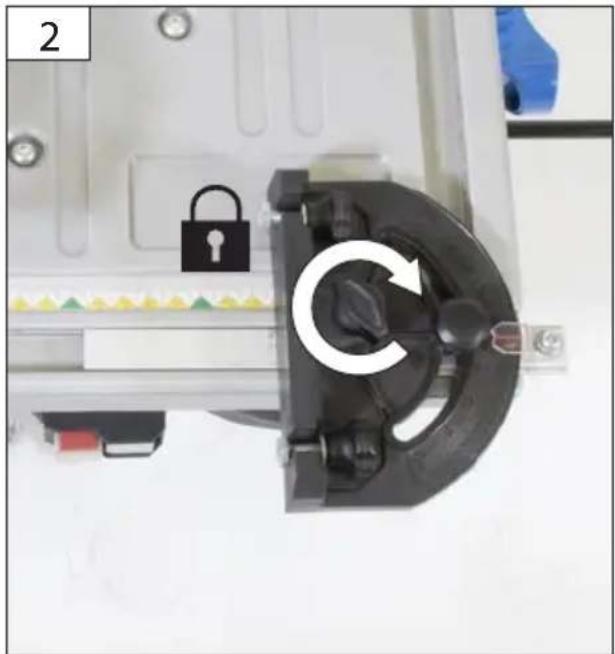
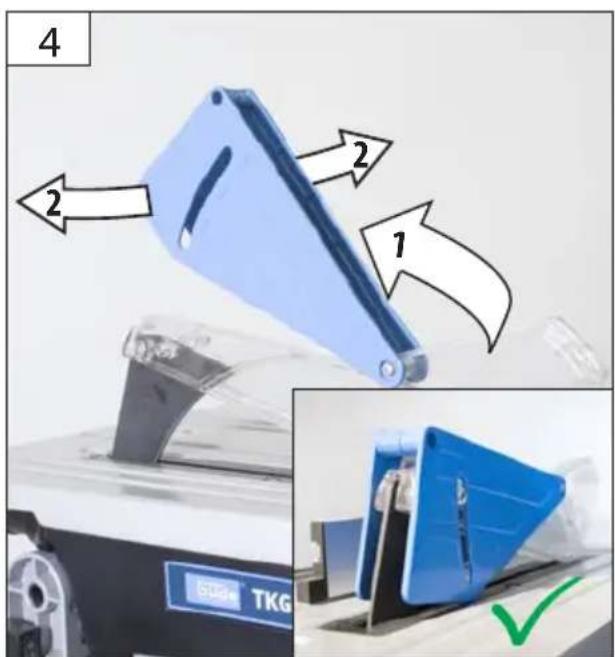
natural_image
Close-up of a mechanical device with a lock and rotary switch, no visible text or symbols
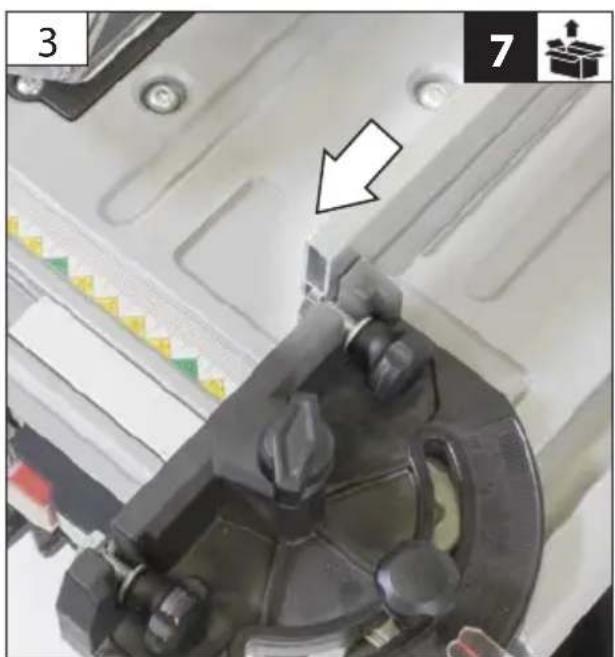
natural_image
Close-up of a mechanical component with a white arrow pointing to a small component, no visible text or symbols.
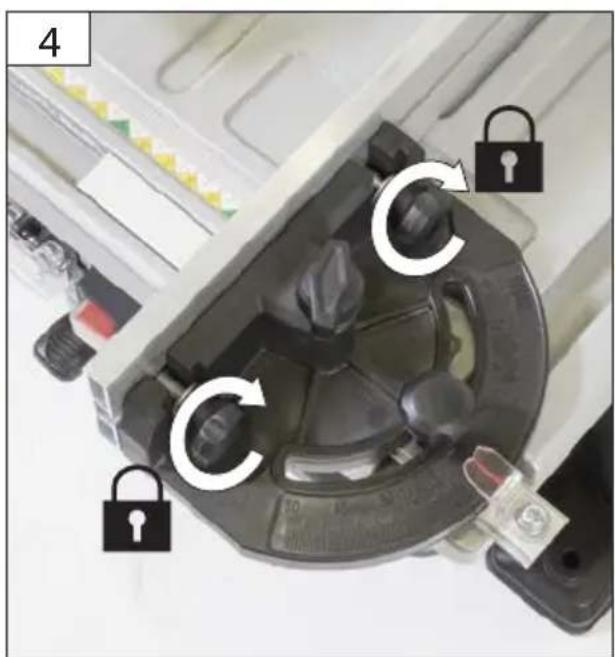
natural_image
Close-up of a mechanical device with multiple lock and adjustment knobs, no visible text or symbols
EN Starting-up the machine - Circular table saw
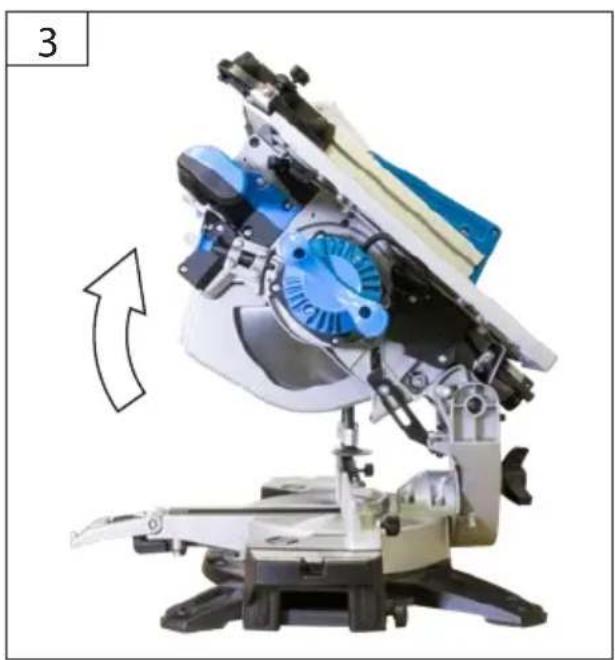
natural_image
Mechanical device with blue fan and mechanical components, no visible text or symbols
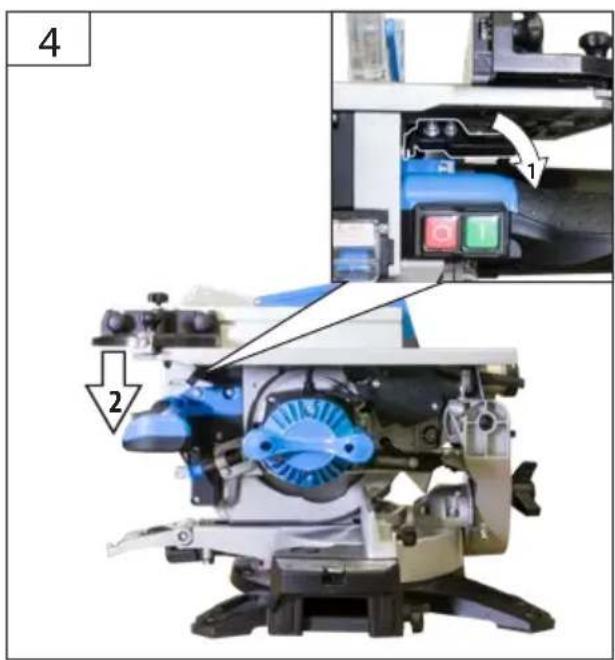
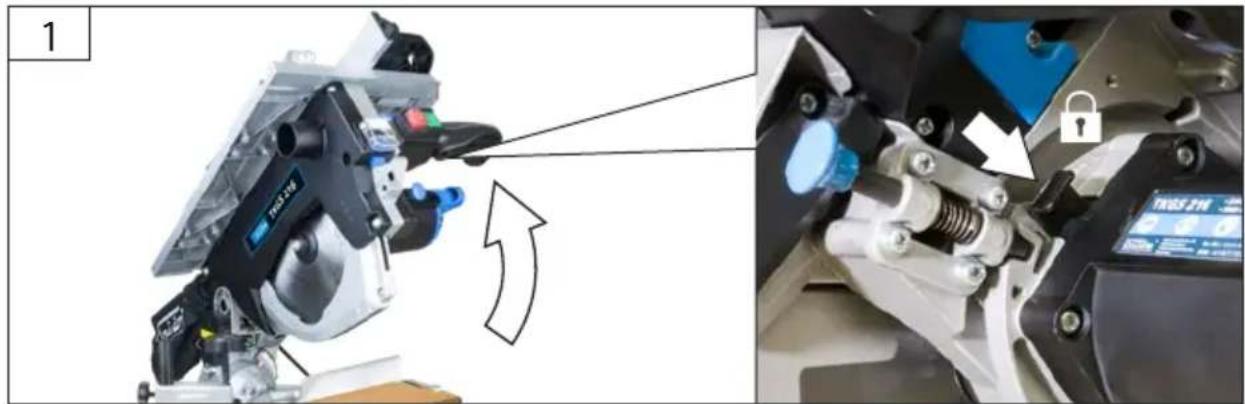
DE Sägeblattwechsel
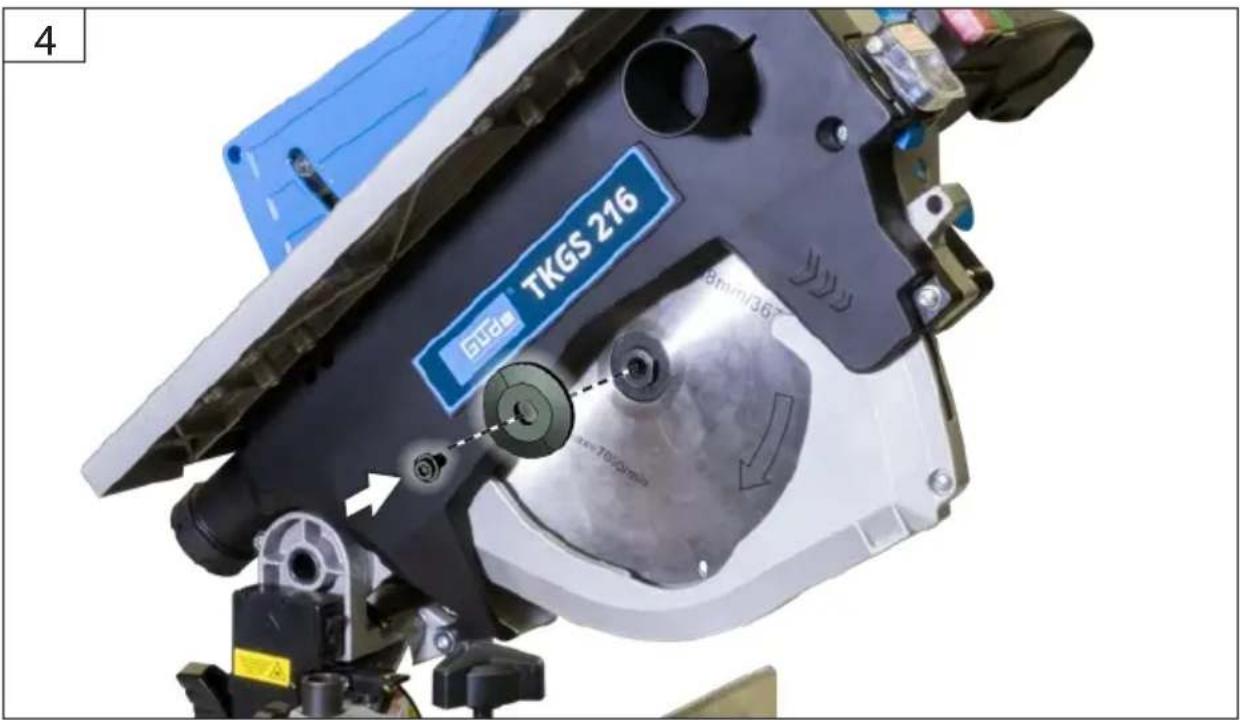
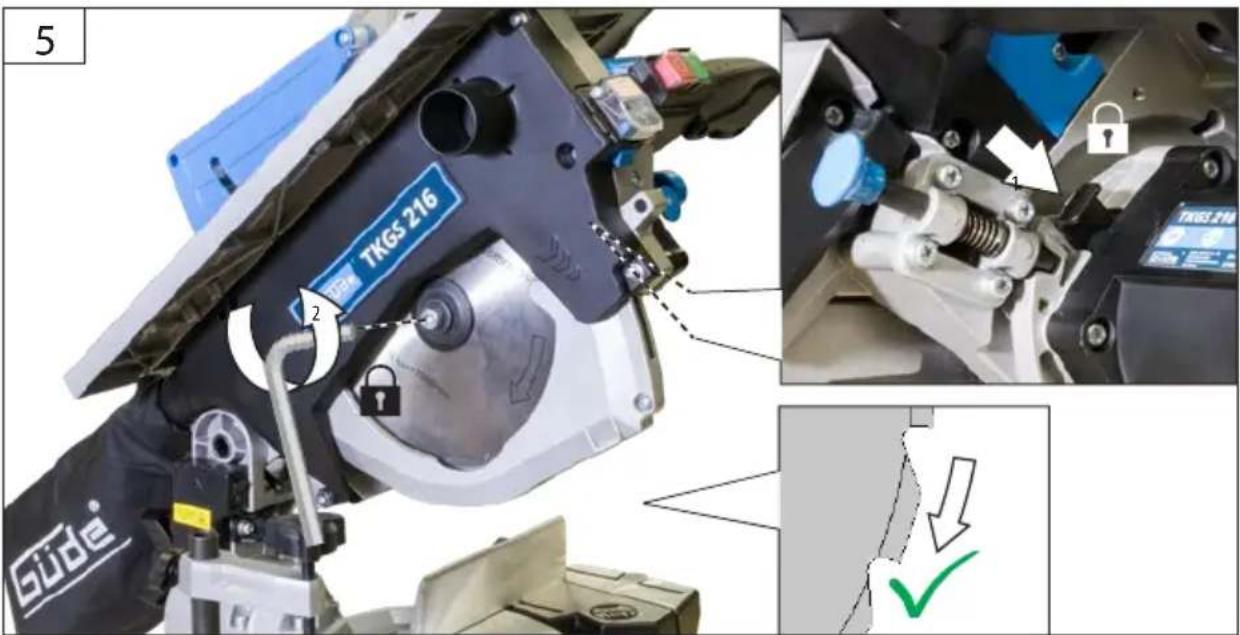
EN Sawblade Change
FR Changement de lame
natural_image
Two blue circular icons: one showing a power plug with an arrow, the other showing a pair of gloves (no text or symbols)
natural_image
Mechanical assembly diagram showing a robotic device with labeled parts and a lock mechanism (no readable text or symbols)
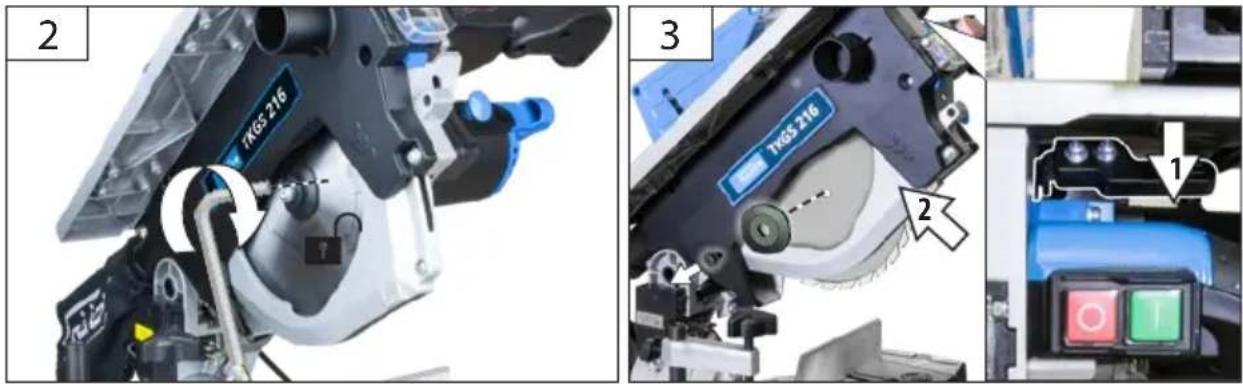
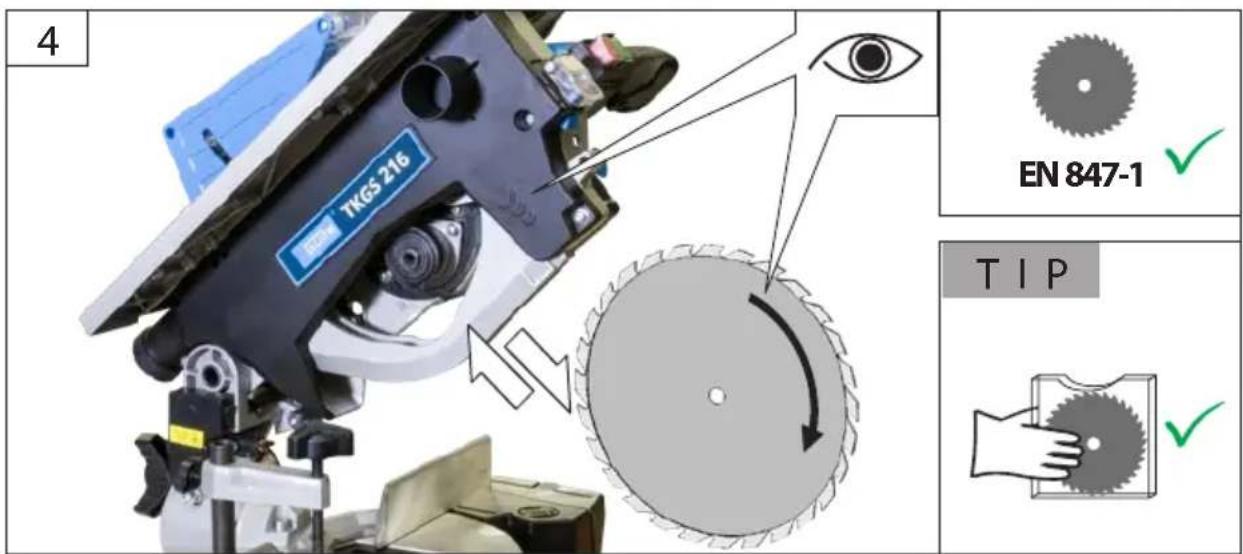
| 2 | DE | Sägeblattwechsel |
| EN | Sawblade Change |
| FR | Changement de lame |
| IT | Blade cambiamento |
| NL | Wisselen van zaagblad |
| CZ | Blade změna |
| SK | Blade zmena |
| HU | Blade változás |


DE Sägeblattwechsel
EN Sawblade Change
FR Changement de lame
IT Blade cambiamento
NL Wisselen van zaagblad
cz Blade změna
SK Blade zmena
HU Blade változás
2
5
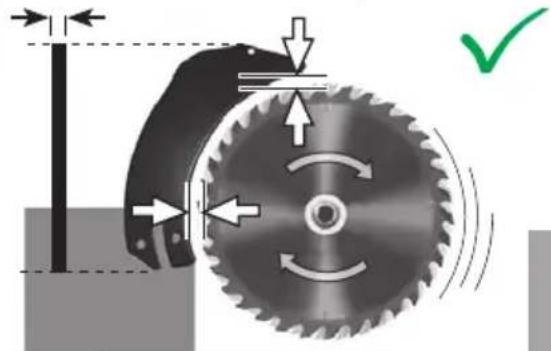
3-5 mm2.5 mm
natural_image
Mechanical gear mechanism diagram showing rotational motion with arrows and a green checkmark (no text or symbols)
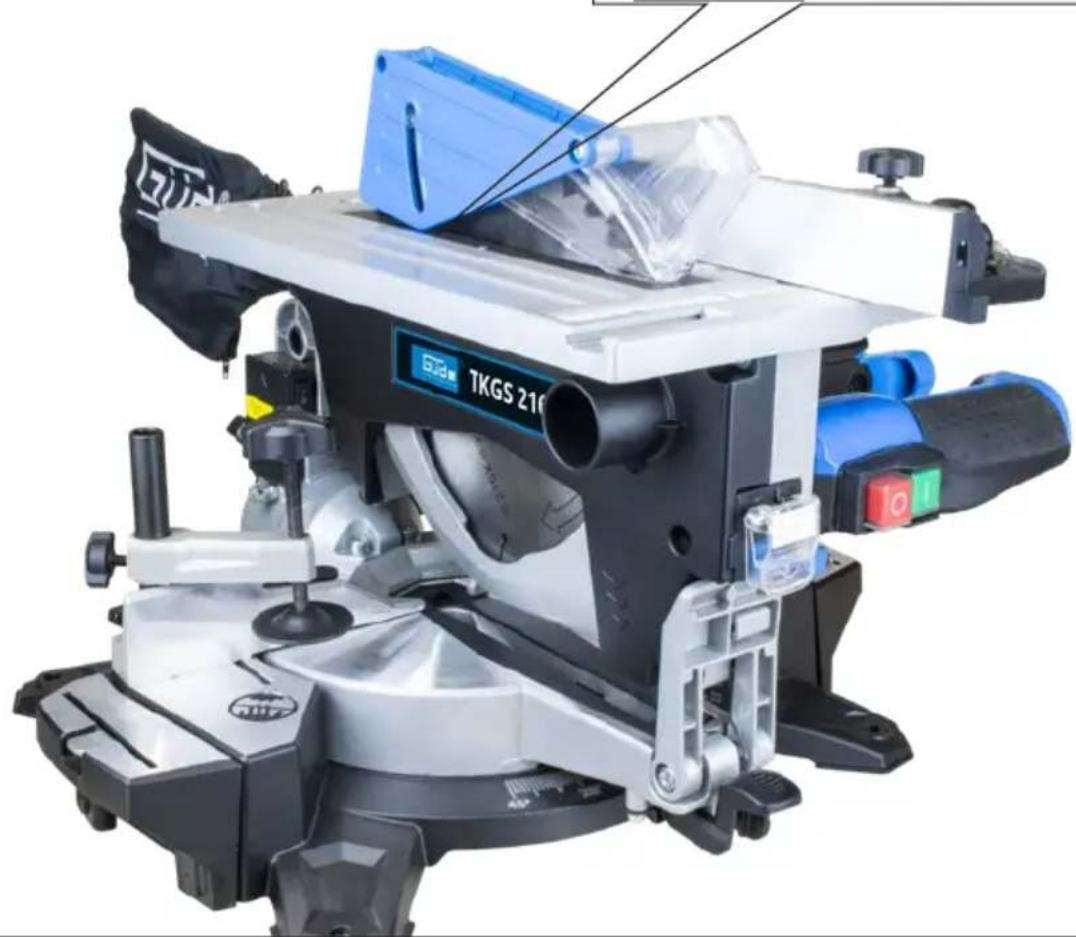
natural_image
Close-up of a mechanical cutting machine (TKGS 210) with blue and white components, no visible text or symbols on the device itself.
| 2 | DE | Staubabsaugung |
| EN | Dust extractor |
| FR | Fonction aspirateur |
| IT | Funzione aspiratore |
| NL | Stofafzuiging |
| CZ | Odsávání prachu |
| SK | Odsávanie prachu |
| HU | Porelszívás |

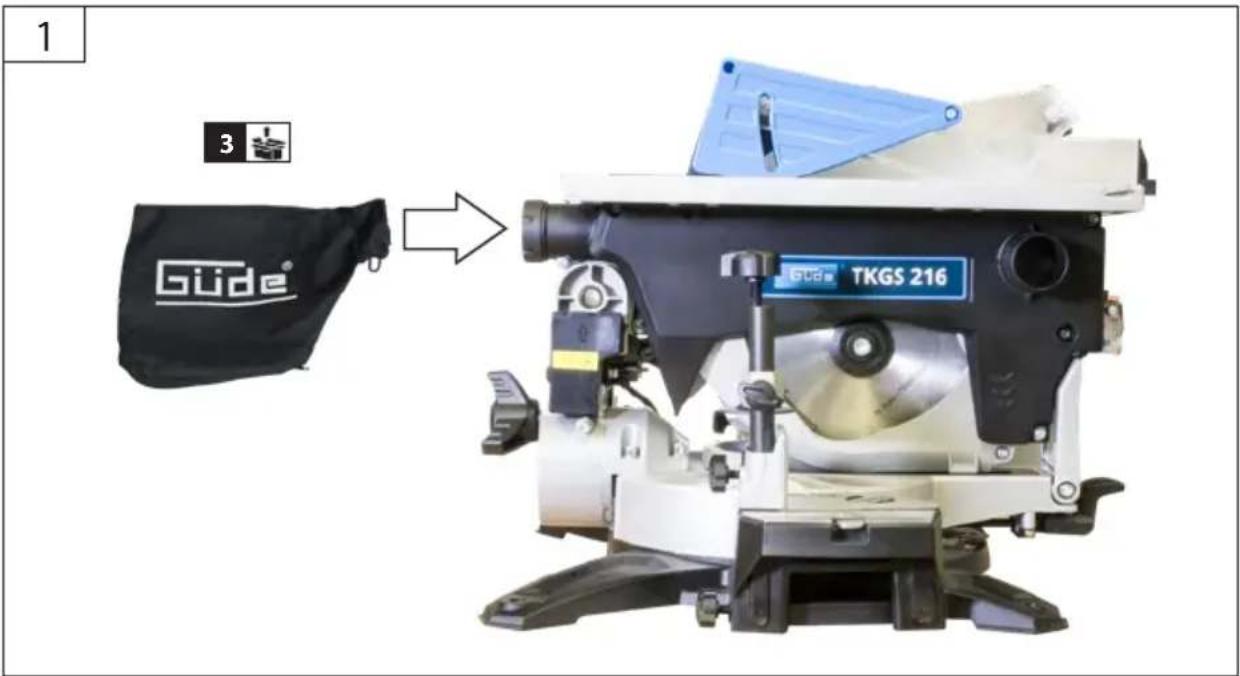
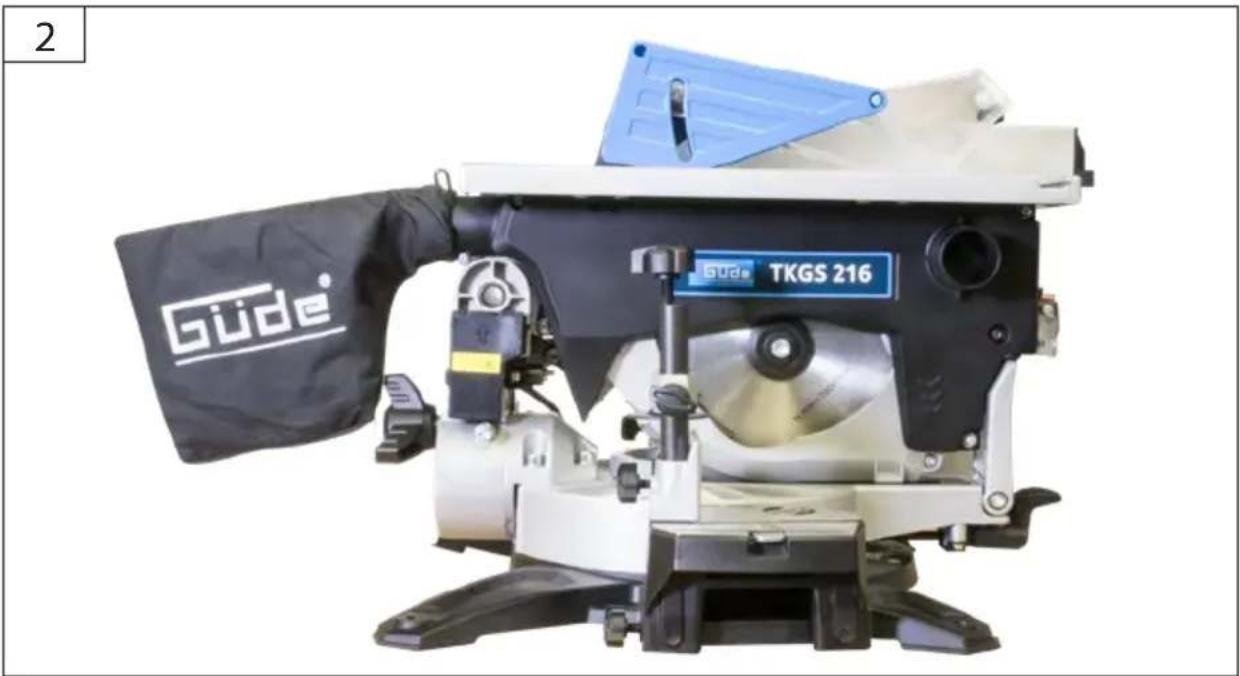
natural_image
Gude TTKGS 216 machine with black cover and blue handle (no visible text or symbols on device body)
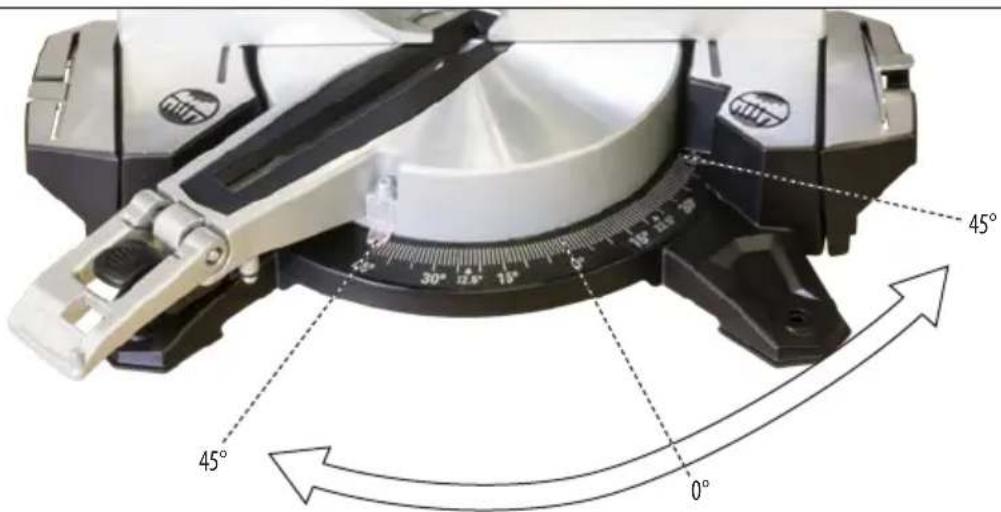
DE Gehrung einstellen
EN Set mitre
FR Régler l'onglet
IT Impostare la bisellatura
NL Verstek instellen
cz Nastavte zkosení
SK Nastavte úkos
HU Gérvágás beállítása
2

1
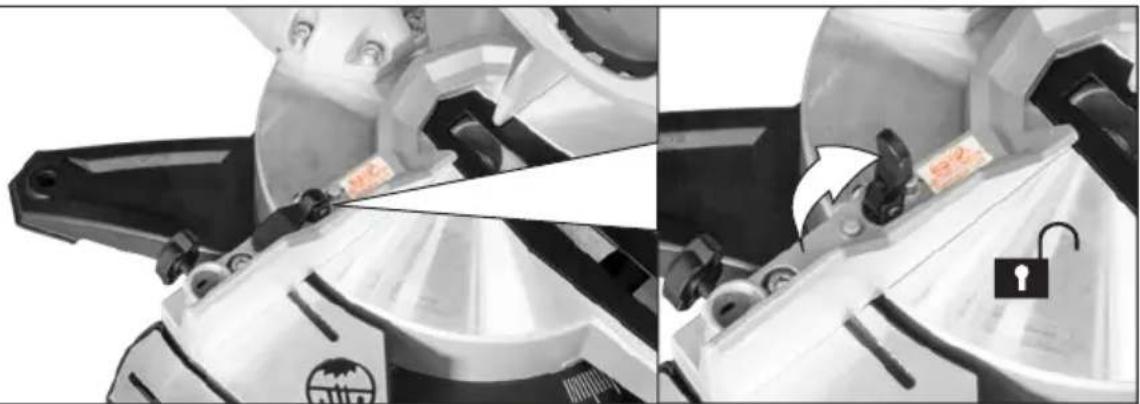
natural_image
Two-panel black-and-white illustration showing a person using a cutting tool to cut a saw, with no visible text or symbols.
2
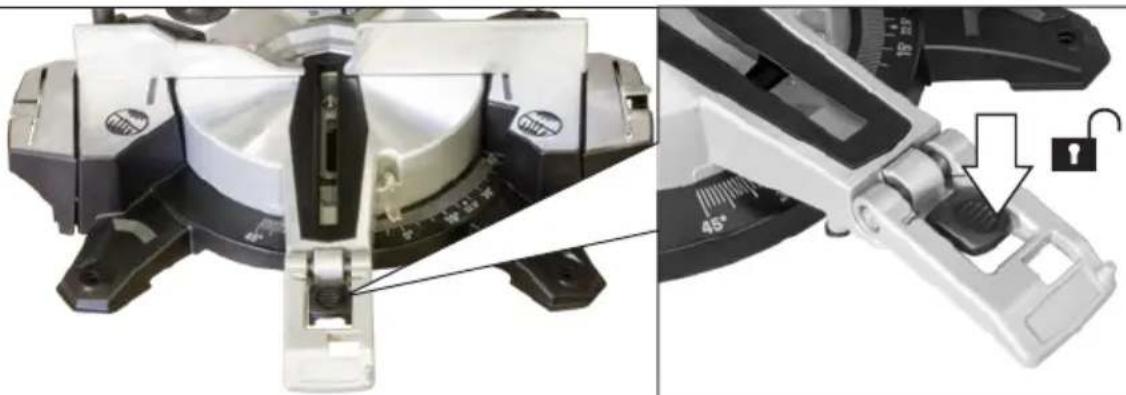
natural_image
Close-up of a mechanical device with a close-up view showing a lock mechanism and a 45° angle annotation (no readable text or symbols)
3
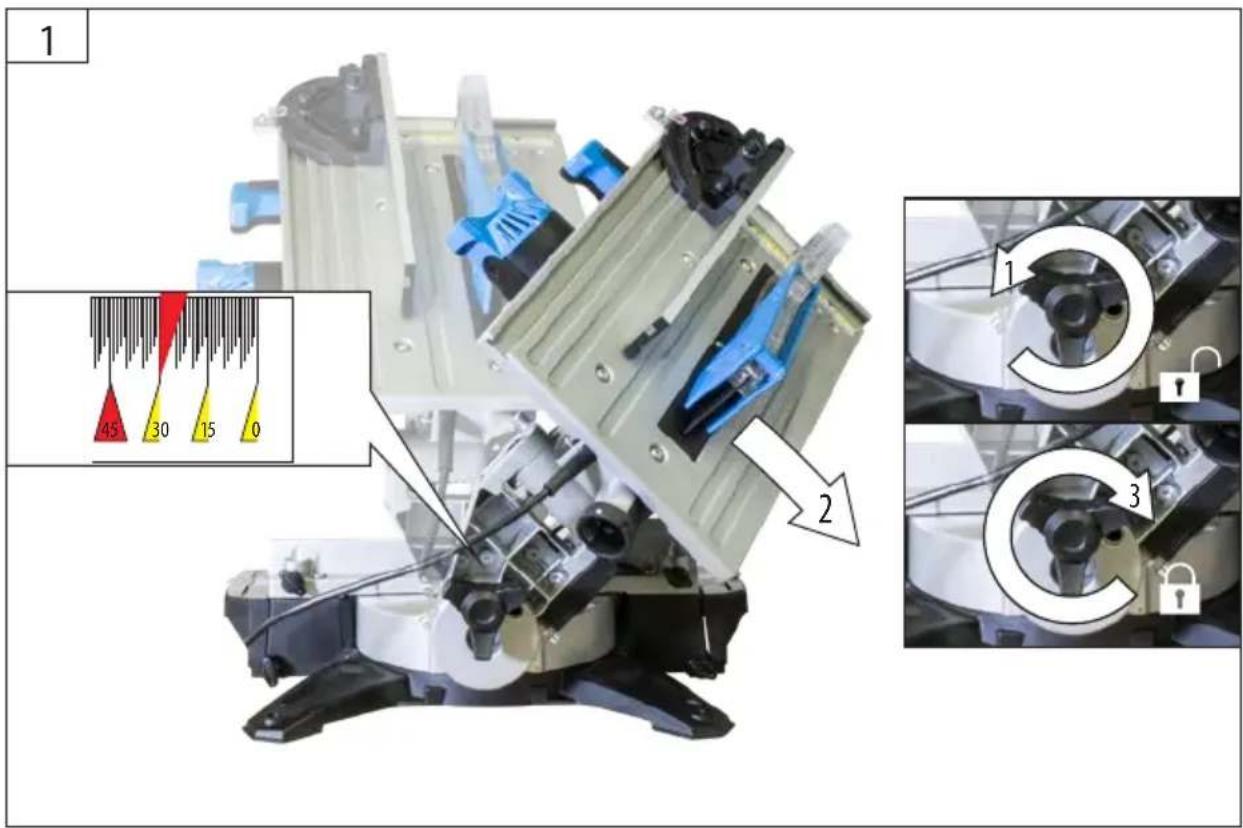
| 2 | DE | Neigung einstellen |
| EN | Set incline |
| FR | Régler l'inclinaison |
| IT | Impostare l'inclinazione |
| NL | Hellingshoek instellen |
| CZ | Nastavte sklon |
| SK | Nastavte sklon |
| HU | Dölésszög beállítása |

natural_image
Close-up of a robotic arm with mechanical components and a yellow warning label (no visible text or symbols)
| 2 | DE | Laser |
| EN | Laser |
| FR | Laser |
| IT | Laser |
| NL | Laser |
| CZ | Laser |
| SK | Laser |
| HU | Lézer |
natural_image
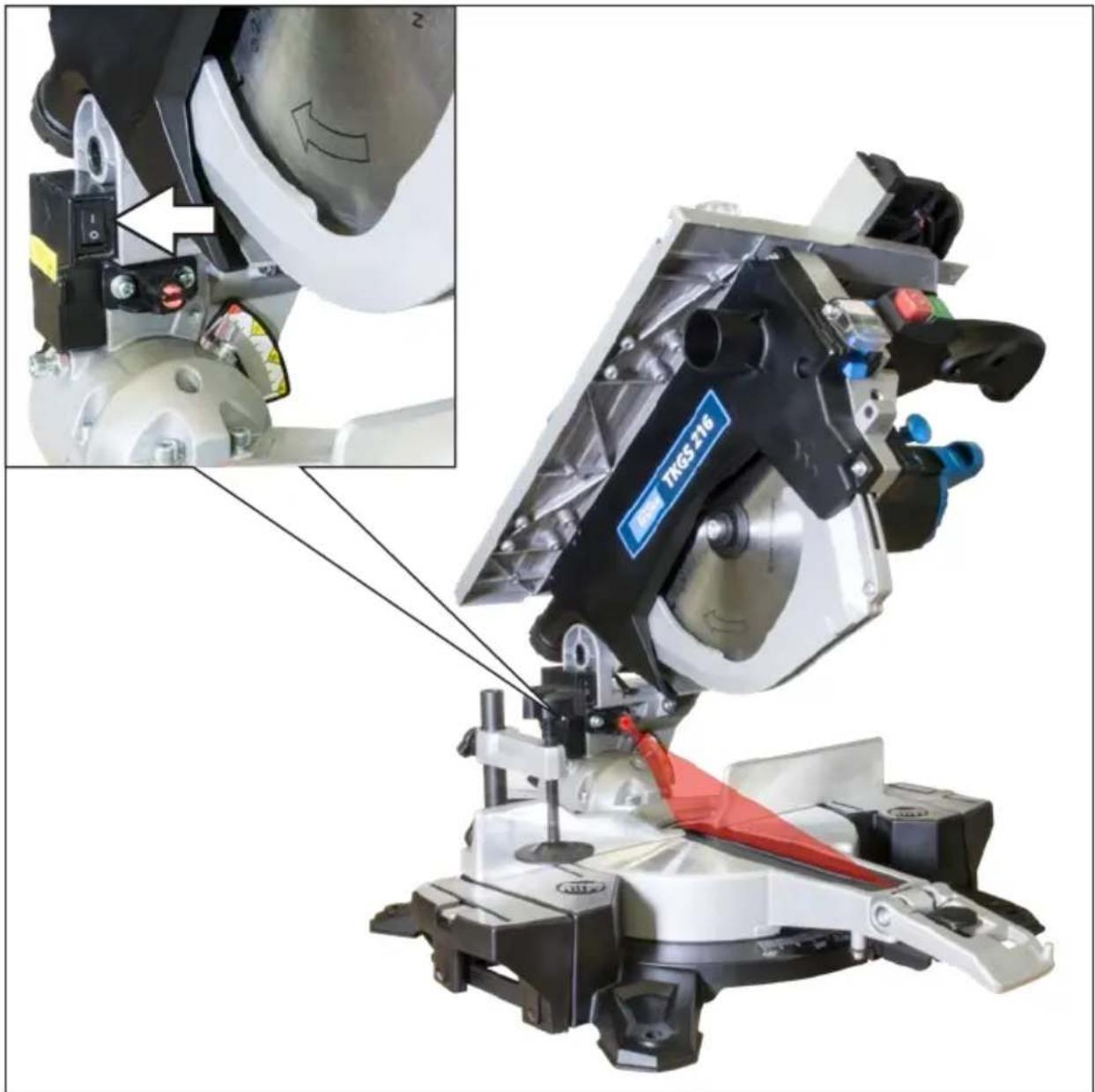
Mechanical assembly diagram showing a cutting tool with a highlighted component and close-up of its mechanical components (no text or symbols visible)
DE Betrieb
EN Operation
FR Fonctionnement
IT Esercizio
NL Gebruik
CZ Provoz
SK Prevádzka
HU Üzemeltetés


1 | START
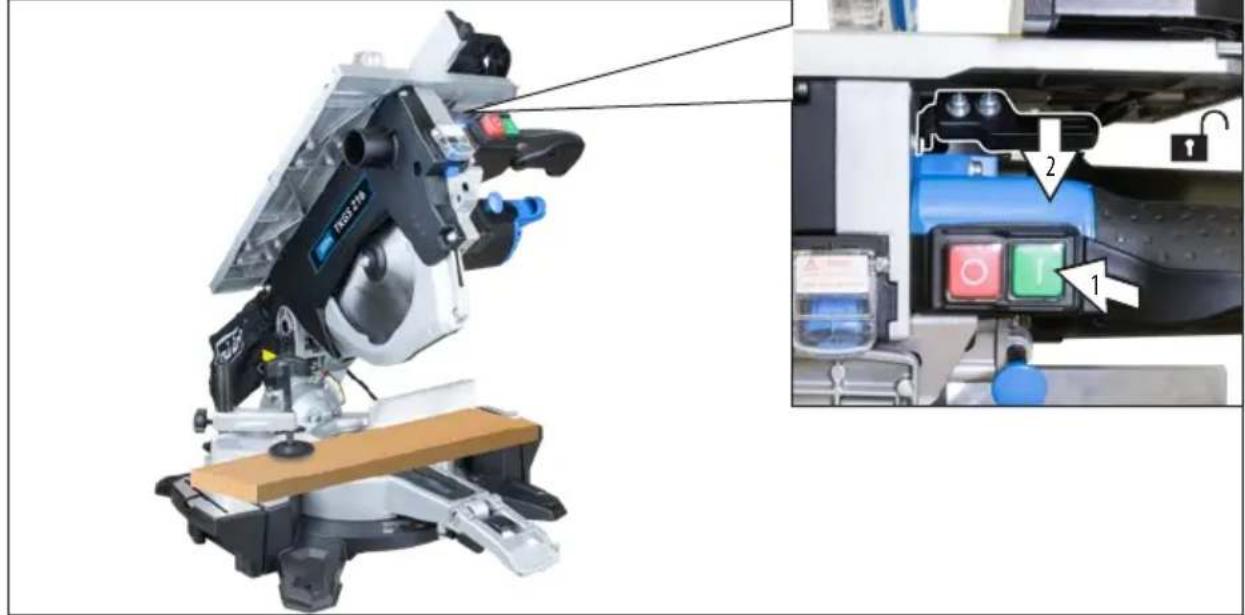
2

3

| 4 | DE | Wartung |
| EN | Maintenance |
| FR | Maintenance |
| IT | Manutenzione |
| NL | Onderhoud |
| CZ | Údržba |
| SK | Údrzba |
| HU | Karbantartás |
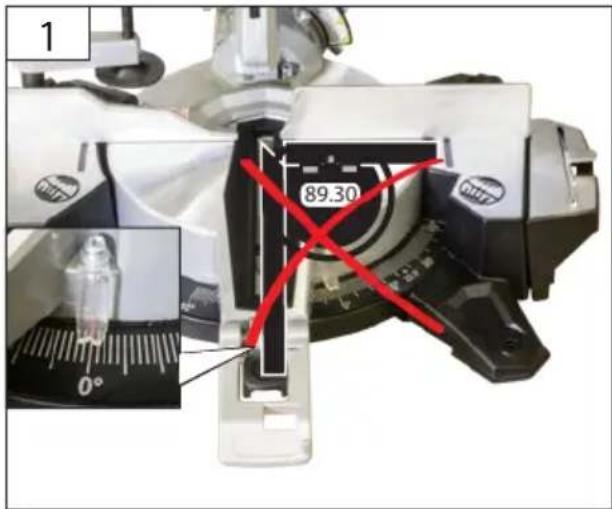
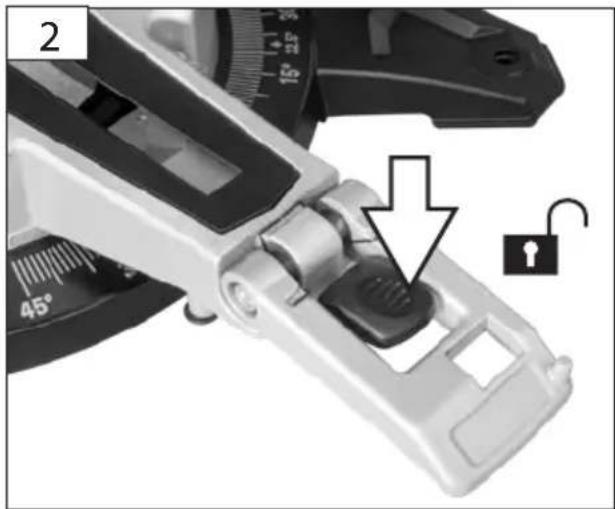
natural_image
Close-up of a mechanical clamp or tool with a 45° angle indicator and an open lock icon (no text or symbols on the clamp itself)
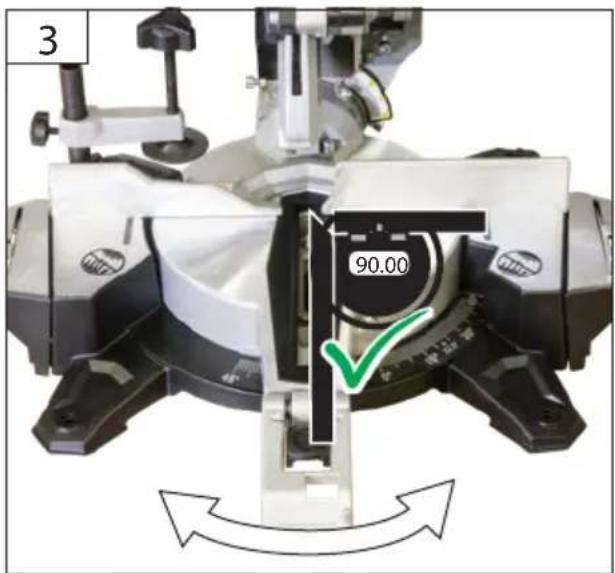
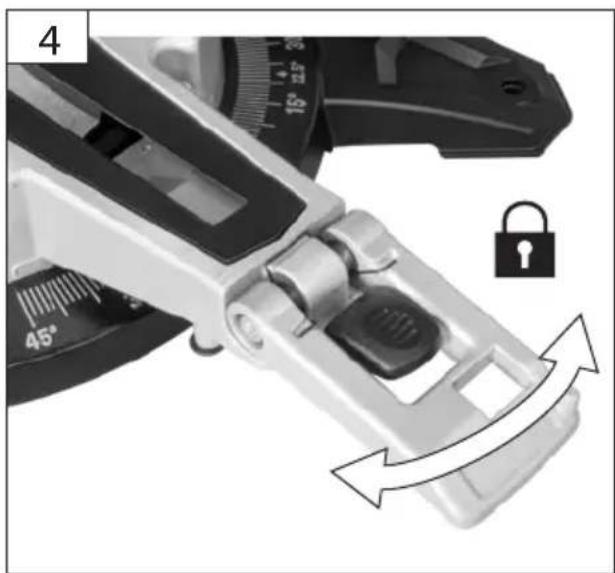
natural_image
Close-up of a mechanical clamp or caliper component with directional arrows indicating motion, no text or symbols present.
DE Wartung
EN Maintenance
FR Maintenance
IT Manutenzione
NL Onderhoud
cz Údržba
SK Údrzba
HU Karbantartás
4

natural_image
Close-up of a CD or DVD disc with a circular arrow indicating rotation, no visible text or symbols
natural_image
Close-up of a mechanical device with rotating components and directional arrows indicating motion (no text or symbols)
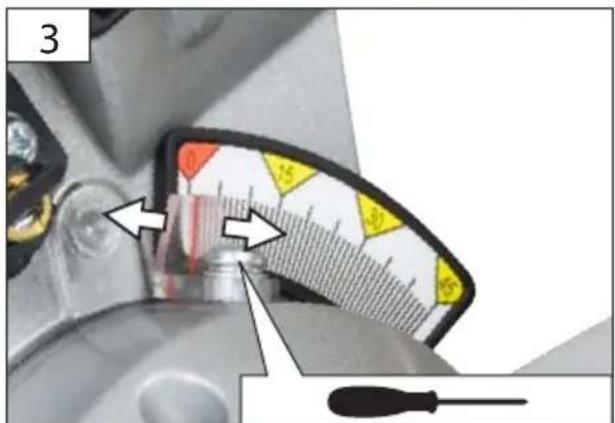
natural_image
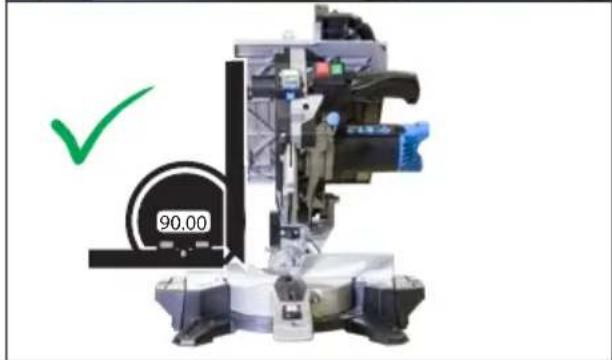
Industrial machine with a green checkmark and scale number 90.00, no readable text or symbols on the device itself.
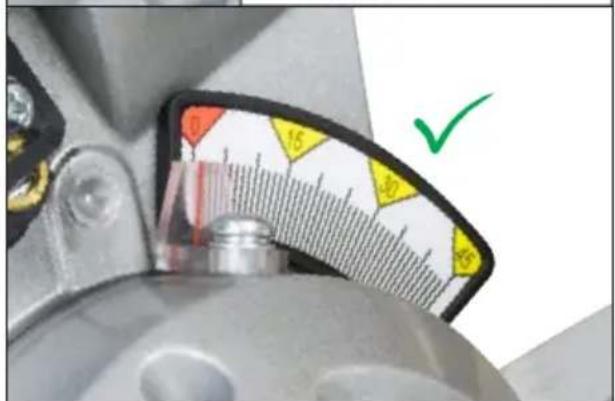
| 4 | DE | Wartung |
| EN | Maintenance |
| FR | Maintenance |
| IT | Manutenzione |
| NL | Onderhoud |
| CZ | Údržba |
| SK | Údrzba |
| HU | Karbantartás |
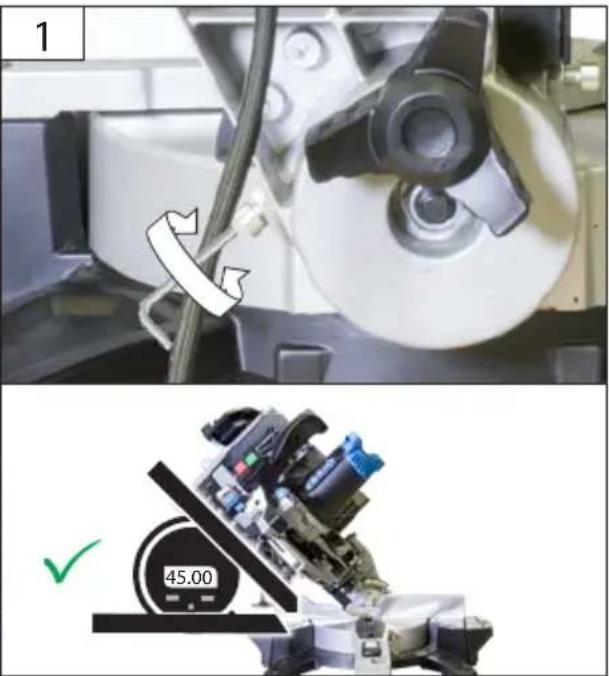
natural_image
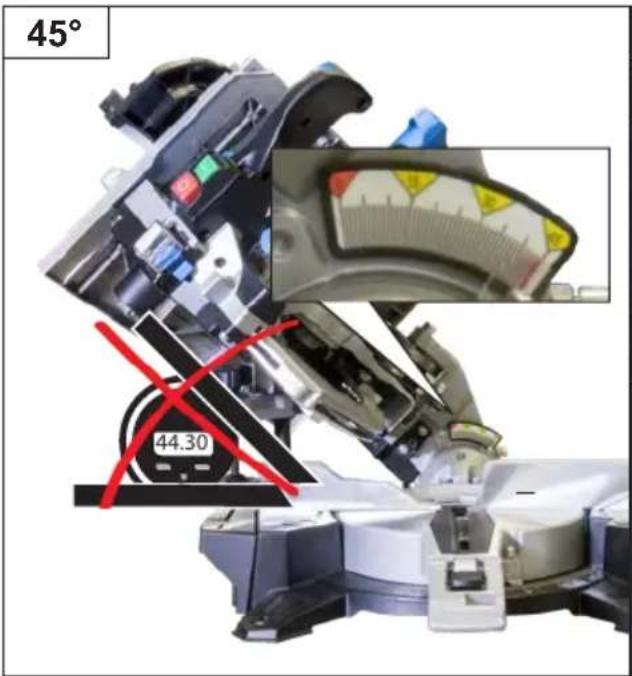
Two-panel image: top shows a mechanical device with a rotating wheel and cable, bottom shows a robotic arm with a green checkmark and '45.00' label (no readable text or symbols)
Technische Daten
The numerical values given are emission levels and not necessarily safe working levels. Although there is a correlation between the emission levels and the acceptable exposure levels, they cannot be reliably used to determine whether or not any additional safety measures are necessary. The characteristics of the work space, other sources of noise, i.e. the number of machines and other processes running in the vicinity and so on, are all factors that can influence the actual exposure levels of the employees. Moreover, the acceptable exposure levels can vary from country to country. This information should enable the machine's operator to carry out a better assessment of the risks and hazards.


Read and understand the operating instructions before using the appliance. Familiarise with the
control elements and how to use the appliance properly. Abide by all the safety measures stated in the service manual. Act responsibly toward third parties.
The operator is responsible for accidents or risks to third parties.
Persons over 16 years of age can only work on the appliance. An exception includes youngsters trained in order to reach knowledge under supervision of the trainer during occupational education.
In case of any doubts about connection and operation refer please to our customer center
Specified Conditions Of Use
The saw is intended solely for sawing profiled timber within the cutting performances specified in the technical data.
Not observing general regulations in force and instructions from this manual does not make the manufacturer liable for damages.
It is strictly prohibited to disassemble, modify and purposely remove the protective equipment on the unit and fit other protective equipment instead.
Residual risks
Even when the device is used properly and all safety regulations are complied with, there still may be some residual risks.
- noise emissions
- dust emissions
• vibrations to hand and arms
- Danger of burns
Tool and workpiece heat up during operation.
- Risk of injury
Sharp tools and workpiece edges
Emergency procedure
Conduct a first-aid procedure adequate to the injury and summon qualified medical attendance as quickly as possible. Protect the injured person from further harm and calm them down. If you seek help, state the following pieces of information: 1. Accident site, 2. Accident type, 3. Number of injured persons, 4. Injury type(s)
Symbols

WARNING/Caution!

WARNING - Read the operating instructions to reduce the risk of injury.

Unplug the machine before any work on it.

Wear eye protective goggles!
Wear ear protectors!

Wear a suitable dust protection mask.

Wear gloves!

Always keep hands away from the path of the saw blade.

Keep dry at all times.
Never expose tool to rain.

Warning against dangerous electric voltage

Warning against cutting injury

Keep distance of persons
Observe to keep out of dangerous zone

Class II tool.
Any damaged or disposed electric or electronic devices must be delivered to appropriate collection centres.

CE marking

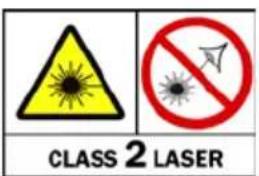
WARNING! LASER RADIATION

LASER 2

LASER RADIATION
Do not stare into beam.
This product corresponds to the laser class 2 in accordance with EN 60825-1:2014; : 652 nm; P ≤ 1 mW
V
Rated voltage

AC Current
n_0
Rated idle speed

WARNING!
When using electric tools the following general safety instructions must be obeyed to protect yourself from electric shocks, injury and fire risks.
Read all these instructions before using this electric tool and keep the safety instruction in a safe place.
Keep your work area clean and tidy. Untidy work places and workbenches increase the risk of accidents and injuries.
Do not expose the appliance to rain and do not use it in wet or moisture conditions.
Provide adequate lighting or good lighting conditions when working with the machine.
Do not work with electric tools in conditions with flammable liquids, gases or dust. Electric tools produce sparks able to ignite dust or fumes.
Protect yourself from electric shock.
Avoid body contact with earthed objects (for example pipes, radiators, electric stoves and cooling units). There is an increased risk of electric shock if your body is earthed.
Keep children and bystanders away while operating a power tool. Do not touch the electric tool or the cable. When not concentrated, you may lose control over the machine.
Ensure that you store electric tools in a safe place.
Tools which are not in used must be stored in a dry place as high as possible out of the reach of children or in an inaccessible place.
Do not overload the machine. Use appropriate electric tools for your work. Working with appropriate electric tools is better and safer when within the specified power range. Do not use low-power machines for heavy work.
Do not use the electric tool for purposes for which it is not designed. For example, do not use a manual circular saw for cutting branches or logs.
Dress properly. Do not wear loose clothing or jewellery. Keep your hair, clothing and gloves away from moving parts. We recommend that you wear non-slip shoes when working outdoors. Wear a hairnet if you have long hair.
Use protective equipment which fit you. Wear safety goggles and ear protection at all times. A dust mask or respirator is also required. Wear tight-fitting gloves at all times when handling sharp blades and saw blades,
If dust exhausters and catchers are to be installed, make sure they are fitted and used properly. Using a dust exhauster may reduce the exposure to dust.
Do not use the cable in conflict with its designation, to carry or hang electric tools or to pull the plug out of socket. Protect the cable against high temperatures, oil, sharp edges or moving parts of the machine. Damaged or entangled cables increase the risk of electric shock.
Avoid any abnormal body posture. Provide good stability and keep balance at all times. By this, electric tools are better controlled in unexpected situations.
Treat electric tools carefully. Check whether the moving parts work perfectly and do not drag, whether not broken or damaged to such an extent that functioning of electric tools could be affected. Have any damaged parts repaired before using the machine. Poor maintenance of electric tools is a cause of many injuries.
Keep the cutting tools sharp and clean. Carefully treated cutting tools with sharp edges get stuck less often and are easier to guide.
Follow the instructions for lubricating and chan-
ging tools.
Check the connection cable on the electric tool at regular intervals and have it replaced by an expert if it is damaged.
Check the extension cables at regular intervals and replace them if they are damaged.
Keep the handles dry, clean and free of oil and grease.
Pull the plug out of the socket and/or remove the battery when the tool is not in use before you make machine settings or change accessories, such as the saw blade, drill bit or cutter. This safety measure prevents unintentional starting of the electric tool.
Before starting any electric tool, remove any adjusting wrenches and screwdrivers. A tool or a wrench present in the rotating part of the machine may lead to injuries.
Prevent the machine from unintentional starting. Before plugging and/or connecting the machine to battery, handling or carrying, make sure the electric tools are switched off. Having a finger on the switch when carrying the electric tool or when the machine is on when plugging it may lead to injuries.
If you wish to work outdoors with an electric tool, only use extension cables which are approved for outdoor use and are marked accordingly. Using an extension cable suitable for outdoor use reduces the risk of electric shock.
Be careful, pay attention to what you are doing and use common sense when working with electric tools. Do not use electric tools when you are tired or under the influence of drugs, alcohol or pharmaceuticals. A moment if inattention when using electric tools may lead to serious injuries.
Check the machine for any damage. Before using the equipment again, the protective equipment must carefully be checked if safe and working as designated.
Check the moving parts for perfect functioning, if working smoothly and if no parts are damaged. To provide safe operation of the equipment, all parts must be installed properly and meet all conditions.
Damaged protective equipment and parts must be professionally repaired or replaced by a recognised professional workshop, unless otherwise specified in the Operating Instructions.
Do not use electric tools with a defective switch.
An electric tool that cannot be switched on or off is dangerous and must be repaired. Damaged switches must be replaced in a customer service workshop. WARNING The use of other tools and other accessories may pose an injury risk for you.
Have your electric tool repaired by an electrician.
This electric tools complies with the relevant safety regulations. Repairs may only be carried out by an electrician using genuine spare parts; otherwise the user may suffer accidents.
Safety instructions for table and mitre saws
Wear suitable personal protection equipment.
Hearing protection to minimise the risk of becoming hard of hearing.
Wear eye protective goggles!
Respiratory protection to minimise the risk of inhaling harmful dust.
Connect the device to a dust collection device when sawing wood.
Wear gloves when handling saw blades and rough materials.
Carry the saw blades in a container whenever this is feasible.
Wear sturdy, non-slip footwear.
Safety precautions
Do not use saw blades which are damaged or deformed Only use saw blades which have been properly sharpened.
Please note the instructions on correctly changing and aligning the saw blade, including the details on how to return the protective devices to their proper position in tabletop circular saw and mitre saw mode.
Replace the table insert when worn
Only use saw blades recommended by the manufacturer.
The splitter may be no thicker than the kerf width and no thinner than the base body of the saw blade.
Saw blades for wood working must comply with EN 847-1. Do not use saw blades made of high-speed steel.
Safe working
In tabletop circular saw mode use a push rod or a push block with a handle to make sure that hands do not get too close to the saw blade during operation.
Return the push rod to its holder when not in use.
Do not carry the device by the protective device, instead, use the equipment provided for this purpose.
The upper part of the saw blade must be covered during transport e.g. by the upper protective cover or by setting the saw blade in its lowest position.
Keep the floor area free of loose material e.g. chips and cut-offs.
The operator must be adequately trained in how to use, set and operate the machine.
Make sure that the arm is securely fastened when cutting at an angle.
Make sure that the arm is securely fastened in table-top circular saw mode.
Switch-off the device when leaving the workstation.
Make sure that the tabletop circular saw table is securely fastened at the selected height.
The rated speed of the accessory must be at least equal to the maximum speed marked on the power tool.
Make sure to use only spacer discs and spindle rings that are suitable for the purpose specified by the manufacturer.
The upper part of the saw blade must be fully enclosed in mitre saw mode.
Do not remove off-cuts or other parts of the workpiece while the machine is running with an unprotected saw blade.
Never reach into the danger area of the machine when it is running.
Make sure that the splitter is properly set in tabletop circular saw mode.
Use the required safety devices when sawing notches and grooves in tabletop circular saw mode.
The machine may not be used for plunge cutting.
Select the speed depending the various materials to be processed.
Make sure that the lower saw protective device is used and is properly set in tabletop circular saw mode.
Always clamp the workpiece to the sawing table in mitre saw mode.
Ensure that the machine is stable before every sawing process.
Fasten the machine to a workbench or similar, if required.
If you have workpieces that are wider or longer than the tabletop, provide appropriate support e.g. with table extensions or sawhorses.
When performing mitre, bevel or compound mitre cuts, adjust the sliding fence to ensure the correct clearance from the blade.
The saw may only be used when the protective equipment is functioning properly, in good condition and in the correct position.
Make sure that the saw is properly set-up in tabletop circular saw or mitre saw mode respectively.
Risk of injury!
Keep body parts and clothes away from rotating parts of the device.
Carry out a visual inspection before switching the appliance on.
Check especially the safety equipment, electrical control elements, power lines and screw couplings for any damage and if they are tightened appropriately. If necessary, replace damaged parts before operation.
In the event of a blockage, switch off the machine immediately. Pull out the mains plug and remove the jammed workpiece.
Mains Connection
Operation is only allowed with a safety switch against stray current (RCD max. stray current of 30mA).
Connect only to single-phase AC system voltage as indicated on the rating plate. It is also possible to connect to sockets without an earthing contact as the design conforms to safety class II. Only plug-in when machine is switched off. The machine meets the EN 61000-3-11 requirements and is subject to special connection conditions. That means that a use on optional points of connection is not allowed. The machine may cause temporary voltage fluctuation in adverse conditions. The machine has only been designed to be used on points of connection not exceeding the maximum allowable network impedance Z_ = 0.233 . As a user, you must make sure, after consultation with your energy provider, if necessary, that your point of connection on which the machine is to be operated meets the requirements above.
Laser
Do not stare into beam. Do not point laser light at other persons.
Do not view directly into beam with optical instruments (binocular, telescope).
Any repairs must only be carried out by the authorized service agent.
WARNING Do not replace the built-in laser or light-emitting diode with another model.
Do not point laser at reflective surfaces.
Avoid exposure to laser radiation. Laser may emit hazardous radiation.
Maintenance

Unplug the machine before any work on it.
The appliance must not be used if damaged or safety equipment is defective. Replace any worn-out and damaged parts.
Caution! If the power cord of the appliance gets damaged, it must be replaced by the manufacturer or its customer service or a similarly qualified person to avoid danger.
Repairs and works specified in these Instructions may only be performed by qualified authorised staff.
Use only original accessories and original spare parts.
Keep the device, in particular the air vents, clean at all times. Never spray water on the device body!
Do not clean the plastics with solvents, flammable or toxic fluids. For cleaning, use a damp cloth only.
Apply environment-friendly oil to all moving parts. Only a regularly maintained and treated appliance can serve as a satisfactory aid. Insufficient maintenance and care can lead to unforeseen accidents and injuries.
If necessary, a list of spare parts can be found at www.guede.com.Guarantee
Warranty period of 12 months applies to commercial use and 24 months applies to private use and commences on the day of purchase of the device.
The guarantee solely covers inadequacies caused by material defect or manufacturing defect. Original payment voucher with the sales date needs to be submitted for any claim in the guarantee period.
The guarantee does not cover any unauthorised use such as appliance overloading, use of violence, damage as a result of any unauthorised interference or caused by foreign items. Failing to follow the operating and assembly instructions and common wear are also not included in the guarantee.
Please be sure to know that returning the product in or after the warranty period must be made in the original packaging.
Disposal
The disposal instructions are based on the icons placed on the appliance or its package.
Any damaged or disposed electric or electronic devices must be delivered to appropriate collection centres.
Transport packaging disposal
The packaging protects the machine against damage during transport. Packaging materials are usually chosen based on environment aspects and waste treatment principles and are therefore recyclable. Returning the packaging into material circulation saves raw materials and reduces waste production. Parts of packagings (e.g. foils, styropor®) can be dangerous for children.
Risk of suffocation!
Keep parts of the packagings out of reach of children and dispose them as soon as possible.
Service
Do you have any technical questions? Any claim? Do you need any spare parts or operating instructions?
We will quickly help you and without needles bureaucracy at our web pages at www.guede.com in the Servicing part. Please help us be able to help you. In order to identify your device in case of claim we need the serial No., product No. and year of production. All this data can be found on the type label.
Tel.: +49 (0) 79 04 / 700-360
Fax: +49 (0) 79 04 / 700-51999
E-Mail: support@ts.guede.com
WAARSCHUWING/Opgelet!

WAARSCHUWING! LASERSTRALING KIJK NIET

LASER 2

We declare under our sole responsibility that this product is in conformity with the following standards or standardized documents.
In case of any change to the appliance not discussed with us the Declaration expires.