MobiTronic MBC-16IU - Battery charger WAECO - Free user manual and instructions
Find the device manual for free MobiTronic MBC-16IU WAECO in PDF.


| Product type | Charger for 12 V lead-acid batteries |
| Brand | Waeco |
| Model | MobiTronic MBC-16IU |
| Intended use | Charging 12 V lead-acid batteries, capacity 6 to 160 Ah |
| Power supply | 230 V AC, 50 Hz, input current 2.5 A |
| Adjustable charging current | 2 A, 4 A, 8 A, 16 A |
| Charging voltage | Absorption: 14.4 V, Float: 13.6 V |
| Reconditioning | Yes, max voltage 15 V, current according to level (0.25 A to 2 A) |
| Protections | Reverse polarity, defective battery, overheating, overvoltage, current limitation, 24-hour timer |
| Display | Digital screen: voltage, current, charge percentage; LED indicators for charge status, faults, reconditioning |
| Dimensions (W × H × D) | 270 × 195 × 155 mm |
| Weight | 1.96 kg |
| Ambient temperature | 0 °C to +40 °C |
| Compatible battery type | 12 V lead-acid batteries (liquid, gel, AGM), with or without maintenance |
| Automatic charging | Three stages: bulk charge (constant current), absorption charge (constant voltage), float charge |
| Maintenance and cleaning | Clean with a damp cloth; disconnect the mains plug before any operation |
| Safety | Do not use with NiCd or non-rechargeable batteries; avoid flammable gases; do not expose to moisture |
| Warranty | According to general terms and conditions; contact the dealer or WAECO branch |
| Supplied accessories | Charging cable, user manual |
| Repairability | Repairs reserved for qualified personnel; contact WAECO after-sales service |
Frequently Asked Questions - MobiTronic MBC-16IU WAECO
User questions about MobiTronic MBC-16IU WAECO
0 question about this device. Answer the ones you know or ask your own.
Ask a new question about this device
Download the instructions for your Battery charger in PDF format for free! Find your manual MobiTronic MBC-16IU - WAECO and take your electronic device back in hand. On this page are published all the documents necessary for the use of your device. MobiTronic MBC-16IU by WAECO.
USER MANUAL MobiTronic MBC-16IU WAECO
GB 26 Compact Charger
Instruction Manual
F 4 7 C h a r
We will be happy to provide you with further information about WAECO products. Please order our free catalogue with no obligation to buy on our homepage: www.waeco.com
F
natural_image
Pure geometric diagram with concentric circles and radial lines, no text or symbols presentMBC-8IU / MBC-16IU
MBC-8IU / MBC-16IU
3



MBC-8IU, MBC-16IU
natural_image
Pure geometric diagram with crosshair and circular shapes without any text or symbolsnatural_image
Pure geometric diagram with crosshair and circular shapes (no text or symbols)natural_image
Pure geometric diagram with concentric circles and crosshairs, no text or symbols presentnatural_image
Pure geometric diagram with crosshair and circular shapes without any text or symbolsnatural_image
Pure geometric diagram with crosshair and circular shapes without any text or symbolsPlease read this operating manual carefully before starting the device. Keep it in a safe place for future reference. If the device is handed over to another person, this operating manual must be handed over along with the device.
Contents
1 Notes on using the manual 27
2 Safety instructions 28
3 Scope of delivery 31
4 Proper use 31
5 Technical description 32
6 Using the compact charger 34
7 Troubleshooting 40
8 Cleaning and maintenance 41
9 Guarantee 42
10 Disposal 42
11 Technical data 43
12 Appendix 44
MBC-8IU, MBC-16IU Notes on using the manual
1 Notes on using the manual
The following symbols are used in this operating manual:

Caution!
Safety instruction: failure to observe this instruction can cause personal injury or damage the device.
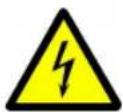
Caution!
Safety instruction relating to danger emanating from electrical currents or voltage: failure to observe this instruction can cause injury or damage the device and impair its function.

Note
Supplementary information for operating the device.
▶ Action: this symbol indicates that action is required on your part. The required action is described step-by-step.
√This symbol describes the result of an action.
fig. 2 1, page 3: this refers to an element in an illustration. In this case, "item 1 in figure 2 on page 3".
Please observe the following safety instructions.
Safety instructions MBC-8IU, MBC-16IU
2 Safety instructions

Caution!
WAECO International will not be held liable for claims for damage resulting from the following:
– Damage to the device resulting from mechanical influences and overvoltage
– Alterations to the device made without the explicit permission of WAECO International
- Use for purposes other than those described in the operating manual

Warning
The following fundamental safety measures must be observed when using electrical devices to protect against
- Electric shock
- Fire hazards
- Injury
2.1 General safety
- Check that the voltage specification on the type plate corresponds to that of the energy supply.
- Ensure that other objects cannot cause a short circuit at the contacts of the compact charger.
- Ensure that the red and black terminals never come into contact.
- Lay all cables so that they cannot be tripped over or damaged.
● Never pull the plug out of the socket by the cable. - Disconnect the connection cable:
– Before cleaning and maintenance - After use
– Before changing a fuse

MBC-8IU, MBC-16IU Safety instructions

● Electronic devices are not toys!
Children are not able to judge the potential dangers of electrical devices correctly. Do not allow children to use electrical devices without supervision.
- The device may not be used if the device itself or the connection cable are visibly damaged.
- This device may only be repaired by qualified personnel. Inadequate repairs can lead to considerable hazards. Should your device need to be repaired, please contact WAECO customer services.
2.2 Operating the device safely
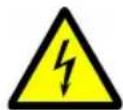
- Caution – Danger of electrocution!
Do not touch exposed cables with your bare hands. This especially applies to all cables in the AC mains circuit.
- If you are working on electrical systems, ensure that there is somebody close at hand who can help you in emergencies.
- To be able to disconnect the compact loader quickly from the mains, the socket must be close to the device and be easily accessible.
- Before starting the device, ensure that the power supply line and the plug are dry.
● Always disconnect the power supply when working on the device. - Please observe that even if the fuse has blown, parts of the device may still be conducting a voltage.
- Set up the device in a dry location where it is protected against splashing water.
- Protect the device against corrosive fumes and salty or moist air.
● Protect the device and the cable against rain and moisture. - Ensure good ventilation.
- Keep a distance of at least 5 cm clear on all sides of the compact charger. During operation, keep all objects that can be damaged by high temperatures away from the device.



Safety instructions MBC-8IU, MBC-16IU
- Do not use the device in areas where flammable gases are present such as in the keel areas of petrol-driven boats or close to propane tanks.
- Do not operate the device in systems with lead acid batteries. These batteries give off explosive hydrogen gas that can be ignited by sparks on electrical connections.
● Always switch the device off after operation.
2.3 Safety precautions when handling batteries
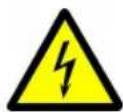
- Caution! Only use rechargeable batteries.
- Caution! Danger of injury! Batteries contain aggressive and caustic acids. Avoid battery fluid coming into contact with your body. If your skin does come into contact with battery fluid, wash the part of your body in question thoroughly with water.
- Caution! Danger of explosions! Prevent any metal parts from falling on the battery. This can cause sparks or short-circuit the battery and other electrical parts.
- Caution! Danger of explosions! Make sure the polarity is correct when connecting the battery (red terminal: positive terminal of the battery; black terminal: negative terminal of the battery).
- Follow the instructions of the battery manufacturer and those of the manufacturer of the system or vehicle in which the battery is used.
● Never attempt to charge frozen batteries. - Do not smoke and ensure that no sparks can arise in the vicinity of the engine or battery.
- Wear goggles and protective clothing when you work on batteries. Do not touch your eyes when you are working on the battery.
- If you need to remove the battery, first disconnect the earth connection. Disconnect all connections and all consumers from the battery before removing it.

natural_image
Pure geometric diagram with crosshair and circular shapes (no text or symbols)MBC-8IU, MBC-16IU Scope of delivery
- Reconditioning only works with non-maintenance-free lead acid batteries. Never attempt to recondition closed (maintenance-free) lead batteries.
● During reconditioning, it is possible that the battery may produce flammable gases.
3 Scope of delivery
- MBC-8IU/MBC-16IU compact charger
- Operating manual
4 Proper use
The MOBITRONIC compact charger is used as a charging device for 12 V lead acid batteries with a capacity of:
● MBC-8IU: 6 Ah to 80 Ah,
● MBC-16IU: 6 Ah to 160 Ah.
It is suitable for mobile use in caravans, ambulances and emergency vehicles and in motor boats and sailing yachts.
The compact charger can also be use to recondition batteries.
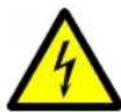
Caution!
Batteries with a cell short circuit may not be charged. There is a danger of explosions due to the explosive gases.
Nickel-cadmium batteries and non-rechargeable batteries may not be charged with the compact charger. The sleeves of these batteries can burst in an explosive manner.
Technical description MBC-8IU, MBC-16IU
5 Technical description
The compact charger uses an AC voltage to create a low DC voltage and a high DC current to charge 12 V batteries.
The compact charger maintains the charging voltage even during fluctuations in the mains voltage of between 200 ~VAC and 250 ~VAC . It supplies an even charging current until the battery is almost completely charged. Then the compact charger reduces the charging current.
The compact charger has the following safety equipment:
● Indicator lamp for reversed polarity
● Indicator lamp for faulty batteries
● Overheating protection mechanism
• Overvoltage protection
● Current limiting protection
● Charging time limitation (the compact charger switches off after 24 hours, to prevent the battery from becoming overcharged)
The DC current circuit is indirect-coupled to the AC mains circuit. This precludes the risk of electric shock and corrosion when used on boats.

natural_image
Pure geometric diagram with crosshair and circular shapes without any text or symbols5.1 Device components
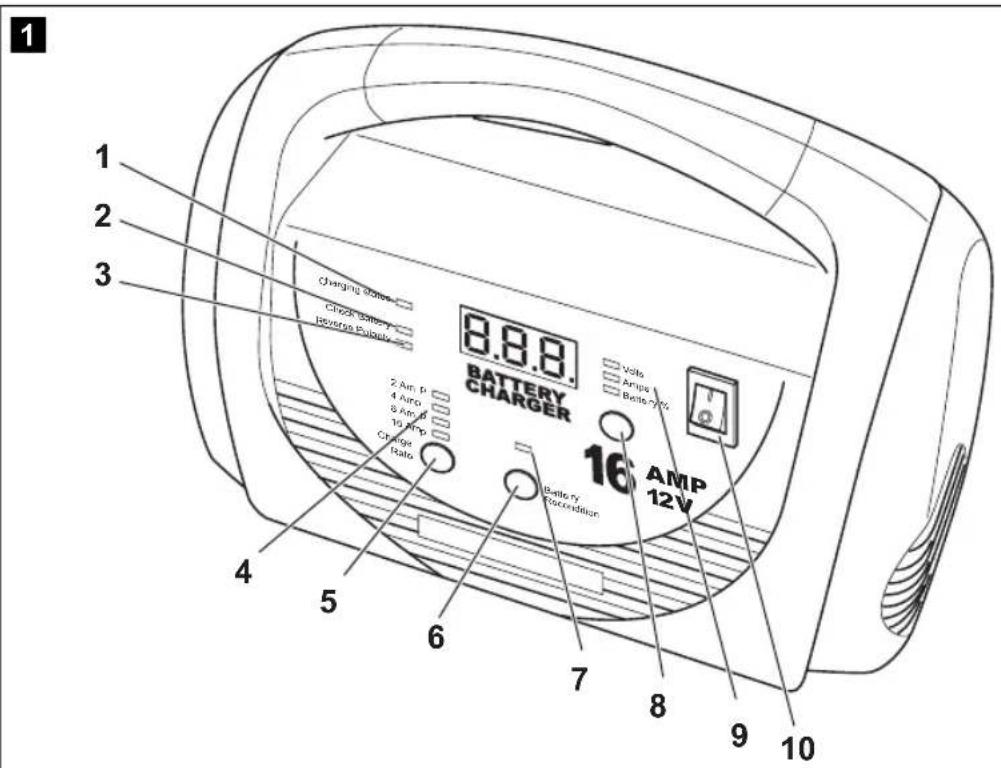
| No. in fig. 1, page 3 | Description Explanation | |
| 1 "Charging status" charging display | Displays the charging status of the battery.● Flashing: the battery is being charged.● Constant glow: the battery has been fully charged. | |
| 2 "Check Battery" indicator lamp | Indicates that the battery is faulty. | |
| 3 "Reverse polarity" indicator lamp | Indicates that the polarity of the connections is incorrect. | |
| 4 "Charge Rate" indicator lamps | Displays the selected charging current for the battery. | |
| 5 "Charge Rate" button | Sets the charging current for the battery. | |
| 6 "Battery Recondition" button | Reconditions a battery that cannot be recharged. | |
| 7 "Battery Recondition" indicator lamp | Indicates that the battery is being reconditioned.● Flashing: the battery is being reconditioned.● Constant glow: reconditioning has been ended. | |
| 8 "Display" button | Switches the display between showing the charging voltage and charging current.If the compact charger is not connected to an AC power supply, the battery charge is also displayed. | |
| 9 "Volts", "Amps" and "Battery %" indicator lamps | Display the units for the value shown in the display:– Volts: charging voltage– Amps: charging current– Battery %: battery charge | |
| 10 On/Off switch Switches the compact charger on or off. | ||
Using the compact charger MBC-8IU, MBC-16IU
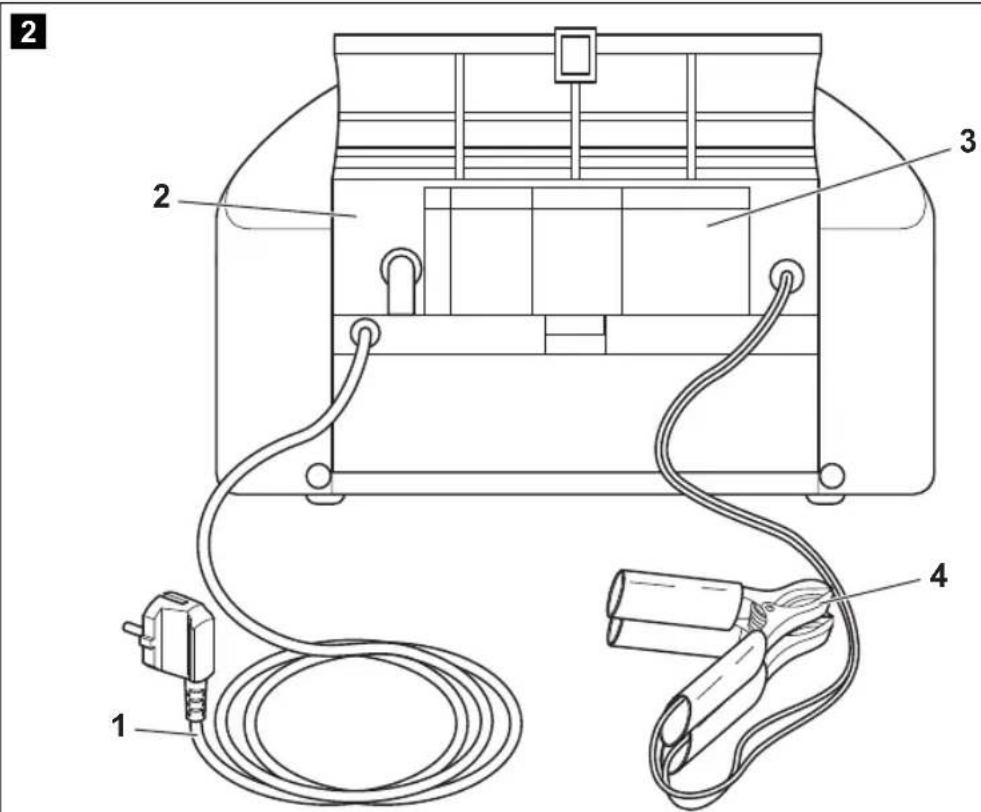
The following operating elements can be found on the back of the compact charger:
No. in
fig. 2,
page 3
Description Explanation
1 Mains cable Connection to the mains voltage supply
2 Storage For storing the charging cable compartment
3 Error code table For quick error searches
4 Charging cable For connecting to the battery
6 Using the compact charger
Caution!
Batteries with a cell short circuit may not be charged. There is a danger of explosions due to the explosive gases.
Nickel-cadmium batteries and non-rechargeable batteries may not be charged with the compact charger. The sleeves of these batteries can burst in an explosive manner.
6.1 Connecting the compact charger

Caution!
The compact charger must be installed in a place that is protected from moisture and humidity.
Ensure that
- No flammable materials or gases are in the vicinity
– The installation location is well ventilated and - The mounting surface is flat and sufficiently firm.
The air intake and outlet openings of the compact charger must be kept clear.
Caution!
Disconnect the mains plug before connecting or disconnecting the DC voltage connection.
MBC-8IU, MBC-16IU Using the compact charger
▶Check the following to ensure that the battery is in good condition:
– The battery housing for damage
- The fluid level in the battery
If necessary refill the battery with distilled water.
- The pole contacts Clean off any dirt present.
- Check the battery voltage with a voltmeter: It should not be below 9 V. At a voltage below 9 V a cell may be defective. In this case, the battery is defective and may not be recharged.
▶As far as possible, disconnect all consumers from the battery:
- Switch off all consumers or
- Disconnect the connection cable or
- Open a disconnector switch.
▶ Connect the mains cable (fig. 2 1, page 3) to a 230 V socket.
▶ Switch the On/Off switch (fig. 1 10, page 3) to "ON".
▶Connect the red cable of the compact charger to the positive terminal of the battery.
The positive terminal can usually be distinguished from the negative terminal by the larger diameter of its connection. In addition, red cables are used for the connection to positive terminals in most vehicles.
▶Connect the black cable of the compact charger to the negative terminal of the battery.

Note
If the indicator lamp (fig. 1 3, page 3) glows red, you have reversed the polarity.
Connect the cables with the correct polarity.
√You can now
- Charge the battery (page 36)
– Recondition the battery (page 38)


Using the compact charger MBC-8IU, MBC-16IU
6.2 Charging the battery
The compact charger can charge non-maintenance-free and maintenance-free lead acid batteries (wet, gel and fleece types) with a rated voltage of 12 V.

Caution – Danger of explosions!
Do not use the compact charger with batteries with other rated voltages.
The compact charger recognises charged batteries when the charging current drops below a default value. This detection can be hindered by connected electric consumers. For this reason the compact charger switches of after 24 hours at the latest to protect against overcharging.
To charge the batteries, proceed as follows:
▶Connect the compact charger ("Connecting the compact charger" chapter on page 34).
▶ Select the charging current (see following table) by pressing the "Charge Rate" button (fig. 1 5, page 3) as often as required.
The charging current present appears in the display.
| MBC-8IU MBC-16IU | |||
| Charging current | Capacity | Charging current | Capacity |
| 2 A 6 Ah to | 20 Ah 2 A 6 Ah to | 20 Ah | |
| 4 A 12 Ah | to 40 Ah 4 A 12 Ah | to 40 Ah | |
| 6 A 18 Ah | to 60 Ah 8 A 24 Ah | to 80 Ah | |
| 8 A 24 Ah | to 80 Ah 16 A 48 Ah | to 160 Ah | |
If you do not select a charging current within 10 s the compact charger sets a default value of 2 A.
√The automatic charging process starts.
√ The charging display (fig. 1 1, page 3) flashes.
MBC-8IU, MBC-16IU Using the compact charger

Note
During the charging process you can
- Interrupt the charging process at any time or
- Change the charging current, by pressing the "Charge Rate" button (fig. 1 5, page 3) as often as required.
▶If you wish to switch the display between the charging current and charging voltage, press the "Display" button.
√ The charging display (fig. 1 1, page 3) switches from flashing to constant glow when the battery is fully charged.

Note
The compact charger starts recharging automatically if the charging current rises to the threshold values shown in the following table.
| MBC-8IU MBC-16IU | |||
| Charging current | Threshold value | Charging current | Threshold value |
| 2 A 0 . 3 A | 2 A 0 . 3 A | ||
| 4 A 0 . 5 A | 4 A 0 . 5 A | ||
| 6 A 0.75 A | 8 A 1.5 A | ||
| 8 A 1.5 A 16 | 6 A 2.0 A | ||
When the battery is charged:
▶ Switch the On/Off switch (fig. 1 10, page 3) to "OFF".
▶Disconnect the black cable from the negative terminal of the battery.
▶Disconnect the red cable from the positive terminal of the battery.
▶ Store the connection cable in the storage compartment (fig. 2 2, page 3).


Using the compact charger MBC-8IU, MBC-16IU
6.3 Reconditioning batteries

Caution – Danger of explosions!
Reconditioning only works with non-maintenance-free 12 V lead acid batteries. Never attempt to recondition closed (maintenance-free) lead batteries.
During reconditioning, the battery is charged with a higher voltage, which mans gas is produced in the battery. Therefore, reconditioning can only be performed on battery cells which have a pressure relief valve or which can be opened. Reconditioning is not suitable for sealed (maintenance-free) batteries.
Also observe the instructions of the battery manufacturer.

Caution – Danger of explosions!
During reconditioning, it is possible that the battery may produce flammable gases.
Please observe the instructions in "Safety precautions when handling batteries" chapter on page 30.

Caution!
Check the electrolyte before reconditioning the battery. Only refill with distilled water.
Observe the following when reconditioning:
- Disconnect all electric consumers which are connected to the battery. This consumers may not have been designed for the higher voltage that is used during reconditioning.
- As the compact charger cannot automatically determine when reconditioning has been concluded, you must observe the acid content of the battery cells during reconditioning.
- Ensure there is sufficient ventilation as gases may form during reconditioning.
● End reconditioning when one or more cells start to overflow. - Do not expose the battery panels to the air and leave the sealing caps closed during reconditioning.
- Do not recondition batteries where possible more often than once a month.
Batteries which are little used require reconditioning less frequently.
MBC-8IU, MBC-16IU Using the compact charger
To recondition the battery, proceed as follows:
▶Connect the compact charger ("Connecting the compact charger" chapter on page 34).
▶ Press the "Battery Recondition" button (fig. 1 6, page 3).
√ The "Battery Recondition" indicator lamp (fig. 1 7, page 3) flashes.
√ The charging display (fig. 1 1, page 3) flashes.
√ The display shows the characters "____" briefly and "----" during reconditioning.
▶Select the reconditioning current (see "Technical data" chapter on page 43) by pressing the "Charge Rate" button (fig. 1 5, page 3) as often as required. The value appears in the display.
If you do not select a charging current within 10 s the compact charger sets a default value of 2 A.
▶Monitor the acid content during reconditioning using a battery syringe.
Most lead acid batteries have an acid content of around 1.28 in a fully charged condition.
√ The "Battery Recondition" indicator lamp (fig. 1 7, page 3) glows constantly when reconditioning has been concluded (i.e. the acid content of the battery remains constant).
√The value in the display disappears.
▶ Press the "Charge Rate" button (fig. 1 5, page 3), until the "Battery Recondition" indicator lamp (fig. 1 6, page 3) goes out or
▶ ... disconnect the battery from the compact charger to end reconditioning.

Note
The compact charger ends reconditioning after approx. four hours.
If the acid content is still rising although the time limit of four hours has been reached, you can restart reconditioning by pressing the "Battery Recondition" button (fig. 1 6, page 3) again.

Troubleshooting MBC-8IU, MBC-16IU
If you wish to end reconditioning early, proceed as follows:
▶ Switch the On/Off switch (fig. 1 10, page 3) to "OFF".
▶Disconnect the black cable from the negative terminal of the battery.
▶Disconnect the red cable from the positive terminal of the battery.
▶ Store the connection cable in the storage compartment (fig. 2 2, page 3).
▶Check the condition of the battery electrolyte. Refill with distilled water if necessary.
7 Troubleshooting
Please refer to the following error table before contacting customer services.
| Problem | Cause | Remedy |
| The display does not switch on when the charging cable is connected to the battery. | "Reverse polarity" indicator lamp glows.The polarity has been reversed. | Connect the connection terminals with the correct polarity. |
| The voltage of the battery to be charged is less than 2.5 V_DC . | Attempt to recondition the battery.If this does not work, replace the battery. Dispose of the defective battery in a suitable manner. | |
| Poor connection at the connection terminals. | Check the connections. | |
| "F01" charging errorFaulty battery | The battery cannot be charged. | Attempt to recondition the battery if it is a non-maintenance-free battery. |
| The charging current selected for the battery is too low. | Select a higher charging current. | |
| "F02" charging errorOverload | The voltage of the battery to be charged is equal or greater than 17 V_DC . | Check the battery voltage.You can only charge 12 V batteries.Use a charging device that is suitable for your battery. |

natural_image
Pure geometric diagram with crosshair and circular shapes without any text or symbolsMBC-8IU, MBC-16IU Cleaning and maintenance
| Problem | Cause | Remedy |
| "F03" charging errorCurrent limitation | Electric consumers are connected. | Disconnect all electric consumers which are connected to the battery. |
| "F04" charging errorOverheating | The compact charger has become overheated. | Clean dirty ventilation openings or remove objects which are covering the device.Place the compact charger in a cooler location.The compact charger restarts automatically when it has cooled down. |
| "F05" charging errorCharging time elapsed | The the battery charging time is 24 hours. | Check the charging condition of the battery. |
| The charging current selected for the battery is too low. | Select a higher charging current. | |
| A battery cell is damaged. Rep | ace the battery. Dispose of the defective battery in a suitable manner. |
8 Cleaning and maintenance
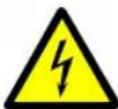
Caution – Danger of electrocution!
Always disconnect the mains plug before you clean and service the device.

Caution – Danger of damaging the device!
Never clean the device under running water or in dish water. Do not use abrasive cleaning agents or hard objects during cleaning as these can damage the device.
▶Occasionally clean the device with a damp cloth.
Guarantee MBC-8IU, MBC-16IU
9 Guarantee
Our general guarantee conditions apply. If the product is defective, please return it to the WAECO branch in your country (see the back of the instruction manual for the addresses) or to your dealer. For repair and guarantee processing, please include the following documents when you send in the device:
● A copy of the receipt with purchasing date
● Reason for the claim or a description of the fault
10 Disposal
▶Place the packaging material in the appropriate recycling waste bins wherever possible.
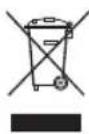
If you wish to scrap the device, ask your local recycling centre or specialist dealer for details about how to do this in accordance with the applicable disposal regulations.

Protect the environment!
Do not dispose of defective batteries with general household waste. Return defective rechargeable batteries/conventional batteries to your retailer or take them to a collection point.

natural_image
Pure geometric diagram with crosshair and circular shapes without any text or symbolsMBC-8IU, MBC-16IU Technical data
11 Technical data
| Item number MBC-8IU MBC-16IU | ||
| Input voltage range: 207 V | AC to 253 V_AC | 207 V_AC to 253 V_AC |
| Input current: 1.5 A 2.5 A | ||
| Power consumption when not charging: 2 W 5 W | ||
| Efficiency factor during rated charging: 52 % 52 % | ||
| Maximum efficiency level: 75 % | 75 % | |
| Nominal battery voltage: 12 V | DC | 12 V_DC |
| Battery voltage range: | 2.5 V_DC to 15.6 V_DC . | 2.5 V_DC to 15.6 V_DC . |
| Absorption voltage: | 14.4 V_DC | 14.4 V_DC |
| Retention voltage: | 13.6 V_DC | 13.6 V_DC |
| Rated charging current: | 2/4/6/8 A | 2/4/8/16 A |
| Maximum output voltage during reconditioning: | 15 V_DC | 15 V_DC |
| Output current during reconditioning: | 2 A stage: 0.25 A4 A stage: 0.5 A6 A stage: 0.75 A8 A stage: 1 A | 2 A stage: 0.25 A4 A stage: 0.5 A8 A stage: 1 A16 A stage: 2 A |
| Charging characteristics: | IU Automatik | IU Automatik |
| Maximum ambient temperature: | 0°C to +40°C | 0°C to +40°C |
| Dimensions (W x H x D): | 270 x 195 x 155 mm | 270 x 195 x 155 mm |
| Weight: | 1.75 kg | 1.96 kg |
Versions, technical modifications and delivery options reserved.
Appendix MBC-8IU, MBC-16IU
12 Appendix
12.1 Charging process
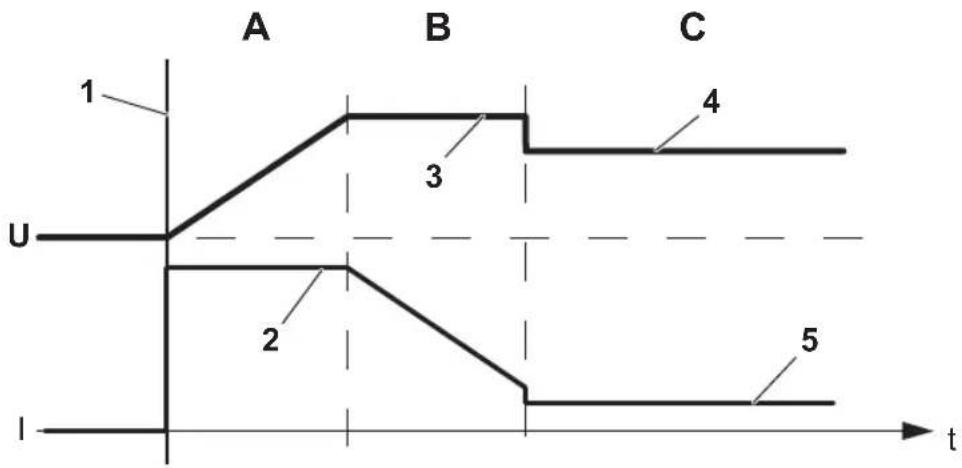
The compact charger charges the battery with the so-called three-stage charge (fig. 3, page 4). The charging voltage depends on the battery to be charged.
No. in fig. 3, page 4 Meaning
U Charging voltage
I Charging current
t T i m e
1 Start of the charging process
2 Constant charging current (bulk charging)
3 Constant charging voltage (absorption charging)
4 Constant charging voltage (retention charging)
5 Constant charging current (retention charging)
The three automatically performed stages are:
- fig. 3 A, page 4: bulk charging
In the first stage, the compact charger creates the maximum charging current. The battery is charged with this current until the absorption voltage is attained (usually approx. 14.4 V).
The bulk charging process charges the battery up to approx. 75 % of its capacity.
- fig. 3 B, page 4: absorption charging
During the second stage the compact charger keeps the charging voltage constant and the battery reduces the charging current gradually because its internal resistance increases while it is being fully charged.
When the charging current drops below around a sixth of the value used in bulk charging, the compact charger switches to retention charging.
MBC-8IU, MBC-16IU Appendix
- fig. 3 C, page 4: retention charging
The third stage prevents the battery from self-discharging and gasification of the electrolyte. The charging voltage of the compact charger is reduced to a lower level, usually to a value of around 13.5 V.
The compact charger starts a new charging process if one of the following conditions is fulfilled:
- The mains voltage is switched off and on again.
- The battery self-discharges causing the internal resistance to reduce and therefore requiring a higher current.

Appendix MBC-8IU, MBC-16IU
12.2 Glossary
This glossary explains a few terms which are used in this manual.
Electrolyte: current-conducting (usually liquid) medium within the battery cells, that enables the movement of ions between electrodes. There are also so-called fixed electrolytes which are either gels or are embedded in glass fibre (AGM = Absorbent Glass Mat).
Capacity: available electricity quantity of a battery or a cell, measured in amp hours (Ah). The capacity depends on the battery temperature and the discharge current.
Non-maintenance-free battery: battery, with cells that need refilling with distilled water at certain intervals. This term is frequently used for non-sealed batteries.
Reconditioning: during reconditioning the battery is discharged with a small current and recharged with an overcharge of approx. 30 %. This is intended to ensure that every cell of the battery attains its optimum condition by reducing sulphate content and layered structures.
Acid density: the acid density in kg/l shows the charging condition of a battery. A battery syringe is required for measuring this.
The following characteristic figures apply:
● Acid density 1.28 kg/l: battery fully charged
● Acid density 1.20 kg/l: battery is half charged
● Acid density 1.10 kg/l: battery discharged
Sulphate build-up: formation of lead sulphate on the electrodes of a lead acid battery due to recrystallisation during longer times of disuse in discharged condition.
Maintenance-free battery: battery requiring no refilling with water in normal usage conditions. This term is often used for closed VRLA (valve regulated lead acid) batteries (electrolyte fixed by gel / glass mat).
Cell short circuit: the acid density value fluctuates heavily from one cell to another (e.g caused by lead chippings). The battery must be replaced.

natural_image
Pure geometric diagram with crosshair and circular shapes (no text or symbols)MBC-8IU, MBC-16IU
natural_image
Pure geometric diagram with crosshair and circular shapes without any text or symbolsMBC-8IU, MBC-16IU Description technique
5 Description technique
Description technique MBC-8IU, MBC-16IU
natural_image
Pure geometric diagram with concentric circles and radial lines, no text or symbols presentnatural_image
Pure geometric diagram with crosshair and circular shapes (no text or symbols)natural_image
Pure geometric diagram with crosshair and circular shapes without any text or symbolsMBC-8IU, MBC-16IU Nettoyage et entretien
natural_image
Pure geometric diagram with crosshair and circular shapes without any text or symbolsMBC-8IU, MBC-16IU
natural_image
Pure geometric crosshair symbols without any text or labelsnatural_image
Pure geometric diagram with crosshair and circular shapes without any text or symbolsnatural_image
Pure geometric crosshair symbols without any text or labelsnatural_image
Pure geometric diagram with crosshair and circular shapes without any text or symbolsMBC-8IU, MBC-16IU Localización de fallos

Advertencia
natural_image
Pure geometric diagram with crosshair and circular shapes without any text or symbolsnatural_image
Pure geometric diagram with crosshair and circular shapes without any text or symbolsMBC-8IU, MBC-16IU Apéndice
12.2 Glosario
natural_image
Pure geometric diagram with concentric circles and crosshairs, no text or symbols presentnatural_image
Pure geometric diagram with crosshair and circular shapes without any text or symbolsnatural_image
Pure geometric diagram with crosshair and circular shapes (no text or symbols)6 Tasto "Battery Recondition"
natural_image
Pure geometric diagram with crosshair and circular shapes (no text or symbols)natural_image
Pure geometric diagram with crosshair and circular shapes without any text or symbolsnatural_image
Pure geometric diagram with crosshair and circular shapes without any text or symbolsnatural_image
Pure geometric diagram with crosshair and circular shapes without any text or symbolsnatural_image
Pure geometric diagram with crosshair and circular shapes without any text or symbolsnatural_image
Pure geometric diagram with crosshair and circular shapes without any text or symbolsnatural_image
Pure geometric diagram with crosshair and circular shapes without any text or symbolsMBC-8IU, MBC-16IU
natural_image
Pure geometric diagram with crosshair and circular shapes without any text or symbolsnatural_image
Pure geometric diagram with crosshair and circular shapes without any text or symbolsnatural_image
Pure geometric diagram with crosshair and circular shapes without any text or symbolsnatural_image
Pure geometric diagram with crosshair and circular shapes (no text or symbols)MBC-8IU, MBC-16IU Säkerhetsanvisningar

natural_image
Pure geometric diagram with crosshair and circular pattern (no text or symbols)MBC-8IU, MBC-16IU Leveransomfattning
natural_image
Pure geometric diagram with crosshair and circular shapes without any text or symbolsMBC-8IU, MBC-16IU Teknisk beskrivning
5.1 Apparatkomponenter
natural_image
Pure geometric diagram with crosshair and circular shapes (no text or symbols)natural_image
Pure geometric diagram with crosshair and circular shapes without any text or symbolsMBC-8IU, MBC-16IU
5 Tast "Charge Rate" Stiller inn ladestrømmen for batteriet.
6 Tast "Battery
Recondition"
- Volts: Ladespenning
- Amps: Ladestrøm
– Battery %: Batterilading
natural_image
Pure geometric diagram with crosshair and circular shapes without any text or symbolsMBC-8IU, MBC-16IU Bruke kompaktladeren

Tips
Under ladingen kan du
- avbryte ladingen til enhver tid eller
natural_image
Pure geometric diagram with crosshair and circular shapes (no text or symbols)MBC-8IU, MBC-16IU Bruke kompaktladeren
natural_image
Pure geometric diagram with concentric circles and radial lines, no text or symbols presentnatural_image
Pure geometric diagram with crosshair and circular shapes without any text or symbolsnatural_image
Pure geometric diagram with crosshair and circular shapes without any text or symbols● MBC-8IU: 6 Ah–80 Ah,
● MBC-16IU: 6 Ah–160 Ah.
natural_image
Pure geometric diagram with crosshair and circular shapes (no text or symbols)natural_image
Pure geometric diagram with crosshair and circular shapes without any text or symbolsnatural_image
Pure geometric diagram with crosshair and circular shapes without any text or symbols

F-60230 Chambly (France)
Fon: +33 1 30282020
Fax: +33 1 30282010
E-Mail: info@waeco.fr

WAECO Finland OY
Mestarintie 4
FIN-01730 Vantaa
Fon: +358 20 7413220
Fax: +358 9 7593700
E-Mail: waeco@waeco.fi

WAECO Italcold SRL
Zona Industriale Sartiano, 298/9
I-61015 Novafeltria
Fon: +39 0541 920827
Fax: +39 0541 920237
E-Mail: sales@waecoitalia.it

WAECO Norge AS
Leif Weldingsvei 16
N-3208 Sandefjord
Fon: +47 33428450
Fax: +47 33428459
E-Mail: firmapost@waeco.no

WAECO Benelux B.V.
Postbus 1461 · Ettenseweg 60
NL-4700 BL Roosendaal
Fon: +31 165 586700
Fax: +31 165 555562
Roman Hill Business Park
UK-Broadmayne
Fon: +44 1305 854000
Fax: +44 1305 854288
E-Mail: sales@waeco.co.uk
Overseas + Middle East

WAECO Pacific Pty. Ltd.
1 John Duncan Court
Varsity Lakes QLD 4227
Fon: +61 7 55076000
Fax: +61 7 55221003
E-Mail: sales@waeco.com.au

WAECO Impex Ltd.
Headquarters
Suites 3210-12 · 32/F · Tower 2
The Gateway · 25 Canton Road
Tsim Sha Tsui · Kowloon
Hong Kong
Fon: +852 2 4632750
Fax: +8 52 24639067
E-Mail: info@waeco.com.hk

WAECO Impex Ltd.
Taipei Office
2 FL-3 · No. 56 Tunhua South Rd, Sec 2
Taipei 106, Taiwan
Fon: +886 2 27014090
Fax: +886 2 27060119
E-Mail: marketing@waeco.com.tw

WAECO Middle East FZCO
R/A 8, SD 6
Jebel Ali, Dubai
Fon: +971 4 8833858
Fax: +971 4 8833868
E-Mail: waeco@emirates.net.ae

WAECO USA, Inc.
8 Heritage Park Road
Clinton, CT 06413
Fon: +1 860 6644911
Fax: +1 860 6644912
E-Mail: customercare@waecousa.com

www.waeco.com



- F
- Contents
- Notes on using the manual
- Caution!
- Note
- Safety instructions
- Warning
- General safety
- MBC-8IU, MBC-16IU Safety instructions
- ● Electronic devices are not toys!
- Operating the device safely
- - Caution – Danger of electrocution!
- Safety instructions MBC-8IU, MBC-16IU
- Safety precautions when handling batteries
- MBC-8IU, MBC-16IU Scope of delivery
- Scope of delivery
- Proper use
- Technical description
- Device components
- Using the compact charger
- Connecting the compact charger
- MBC-8IU, MBC-16IU Using the compact charger
- Charging the battery
- Caution – Danger of explosions!
- When the battery is charged:
- Reconditioning batteries
- Troubleshooting MBC-8IU, MBC-16IU
- Troubleshooting
- Cleaning and maintenance
- Caution – Danger of electrocution!
- Caution – Danger of damaging the device!
- Guarantee
- Disposal
- Protect the environment!
- Appendix
- Charging process
- Glossary
- Description technique
- Description technique MBC-8IU, MBC-16IU
- Advertencia
- Glosario
- MBC-8IU, MBC-16IU Säkerhetsanvisningar
- Apparatkomponenter
- Tips
- MBC-8IU, MBC-16IU Bruke kompaktladeren
- Overseas + Middle East
Brand : WAECO
Model : MobiTronic MBC-16IU
Category : Battery charger