NK36C5703TS - Range hood SAMSUNG - Free user manual and instructions
Find the device manual for free NK36C5703TS SAMSUNG in PDF.


| Brand | Samsung |
| Model | NK36C5703TS |
| Product type | Kitchen hood |
| Use | Extracting version (external evacuation) or recirculating version (internal recirculation with charcoal filter) |
| Number of speeds | 4 (Low, Medium, High, Intensive Boost) |
| Intensive speed (Boost) | Yes, 5 minutes duration |
| Timer | Yes, adjustable programmed shut-off |
| Lighting | LED, replacement by technical service |
| Bluetooth connectivity | Yes (pairing with compatible Samsung hob) |
| Mobile app | SmartThings (remote control) |
| Automatic connectivity | Yes (synchronization of on/off and speed with hob) |
| Grease filter | Metal, washable monthly (by hand or dishwasher) |
| Charcoal filter | Active, to be replaced at most every 4 months |
| Minimum installation distance | ≥ 50 cm (electric cooking) / ≥ 65 cm (gas or mixed cooking) |
| Power consumption in standby | 1.90 W |
| Power consumption in Off mode | 0.48 W |
| Bluetooth frequency band | 2402 - 2480 MHz |
| Maximum Bluetooth transmitter power | 5 dBm |
| Repairability | Spare parts available: charcoal filter, LED lamp (via Samsung after-sales service) |
| Standards | Compliant with European directives (CE, WEEE, etc.) |
Frequently Asked Questions - NK36C5703TS SAMSUNG
User questions about NK36C5703TS SAMSUNG
0 question about this device. Answer the ones you know or ask your own.
Ask a new question about this device
Download the instructions for your Range hood in PDF format for free! Find your manual NK36C5703TS - SAMSUNG and take your electronic device back in hand. On this page are published all the documents necessary for the use of your device. NK36C5703TS by SAMSUNG.
USER MANUAL NK36C5703TS SAMSUNG
EN Instruction on mounting and use
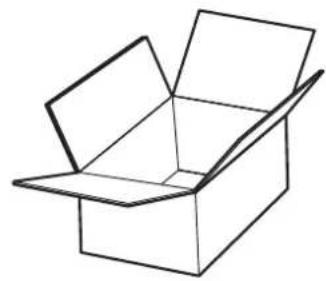
natural_image
Simple line drawing of an open box with no text or symbols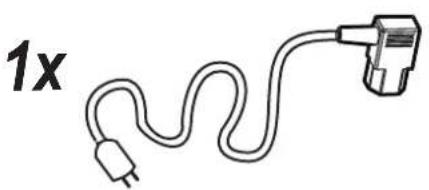
natural_image
Simple line drawing of a plug with a wavy cord and terminal plug, labeled '1x' (no text or symbols on the diagram itself)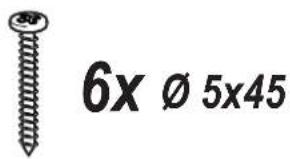
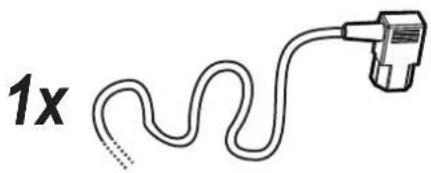
natural_image
Simple line drawing of a plug with a wavy cord and connector (no text or symbols)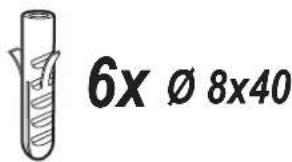
natural_image
Simple line drawing of a closed book or document (no text or symbols visible)1x
2x
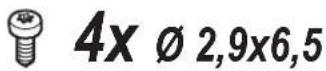
natural_image
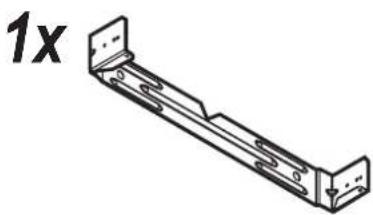
Technical line drawing of a metal bracket with mounting holes and a 1x label (no other text or symbols)1x
natural_image
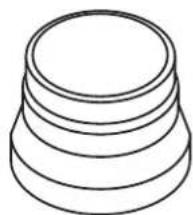
Simple line drawing of a three-tiered cylindrical object (no text or symbols)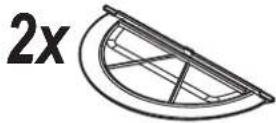
1x
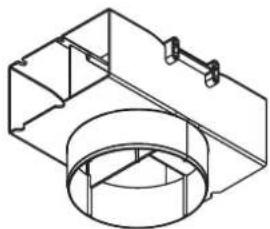
natural_image
Technical line drawing of a mechanical assembly with housing and mounting bracket (no text or symbols)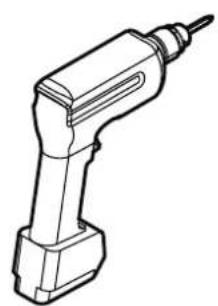
natural_image
Line drawing of a handheld electric drill bit (no text or symbols)
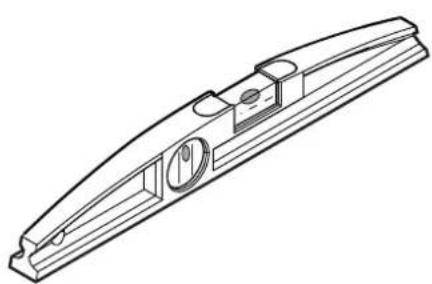
natural_image
Technical line drawing of a mechanical component with cylindrical features and a curved body (no text or symbols)
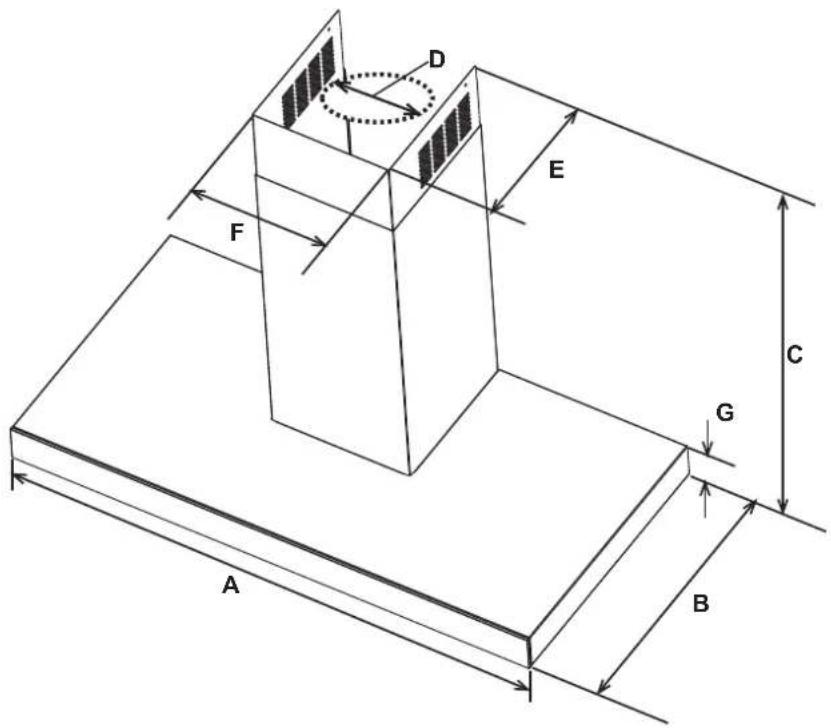
NK36C5703TS/UR
NK24C5703TS/UR
| A | 90 cm | 60 cm |
| B | 45,5 cm | |
| C |  min. 71 - max.114.5 min. 71 - max.114.5  min. 62 - max.114.5 min. 62 - max.114.5 | |
| D | 15 cm | |
| E | 25 cm | |
| F | 24 cm | |
| G | 6 cm | |
NK36C5703TS/UR (net weight - gross weight) : 15,2 Kg - 18,9 Kg NK24C5703TS/UR (net weight - gross weight) : 14,5 Kg - 16,6 Kg
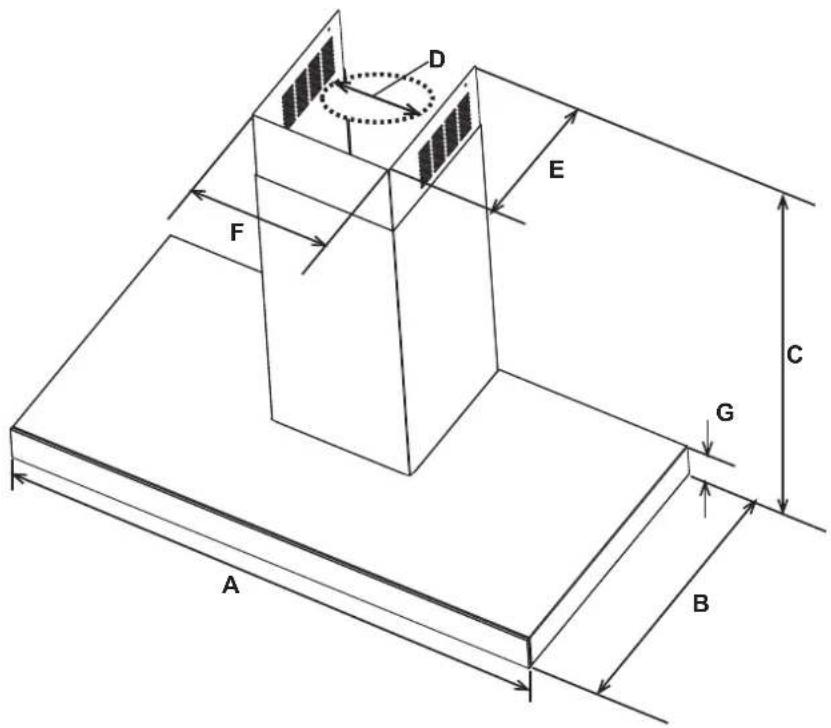
NK36C5703TM/UR
NK24C5703TM/UR
| A | 90 cm | 60 cm |
| B | 50,5 cm | |
| C | min. 71 - max.114.5 [x5zx] min. 62 - max.114.5 | |
| D | 15 cm | |
| E | 25 cm | |
| F | 24 cm | |
| G | 6 cm | |
NK36C5703TM/UR (net weight - gross weight) : 18,2 Kg - 21,5 Kg NK24C5703TM/UR (net weight - gross weight) : 16 Kg - 18,6 Kg
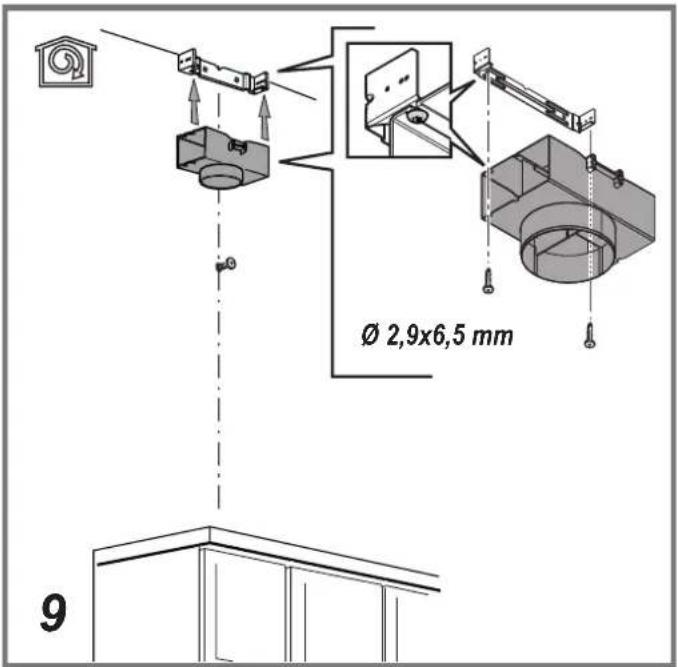
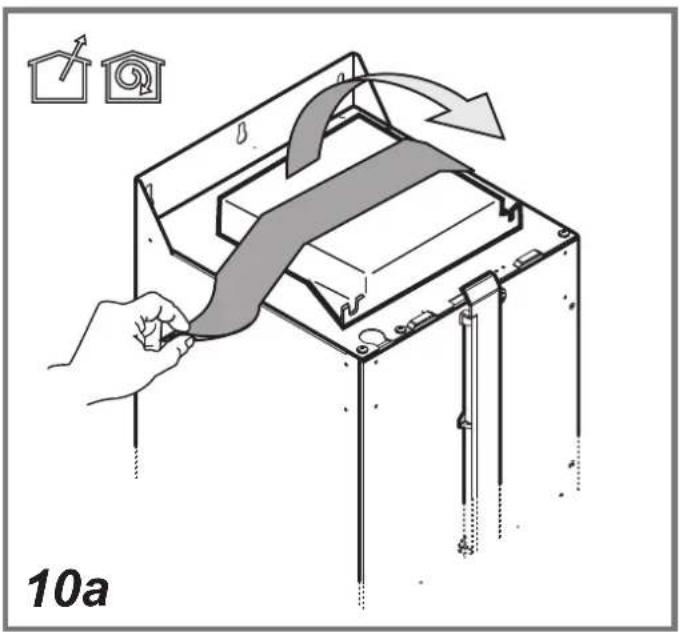
natural_image
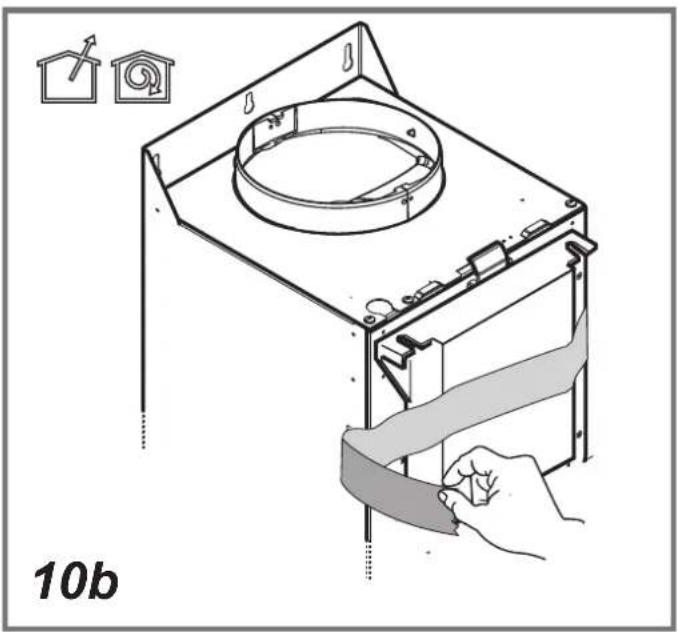
Diagram of a mechanical device with a hand adjusting a belt, showing components like a housing and a circular component (no text or symbols)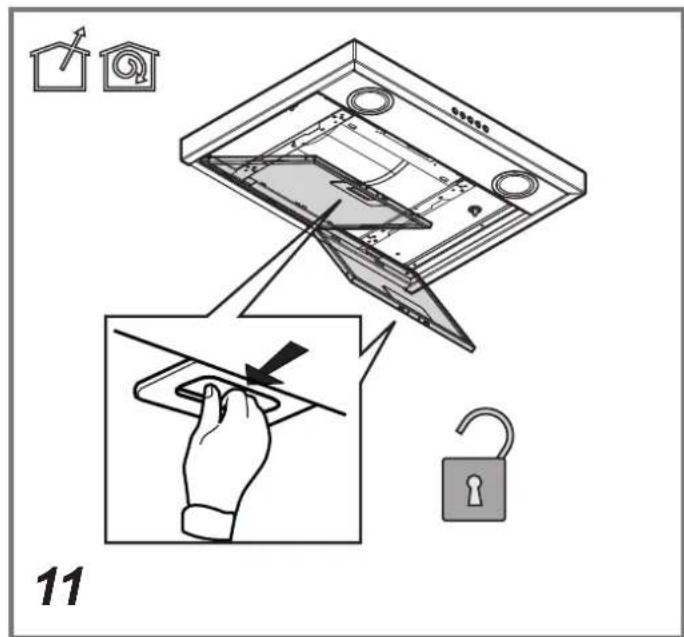
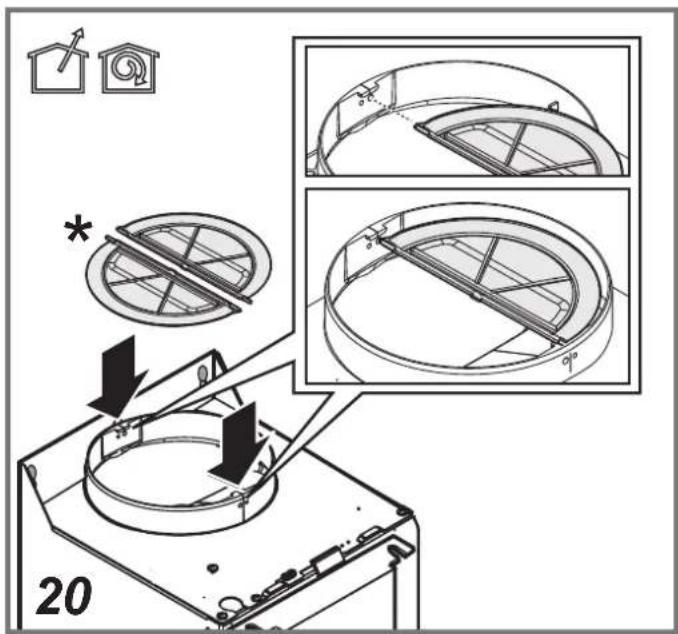
natural_image
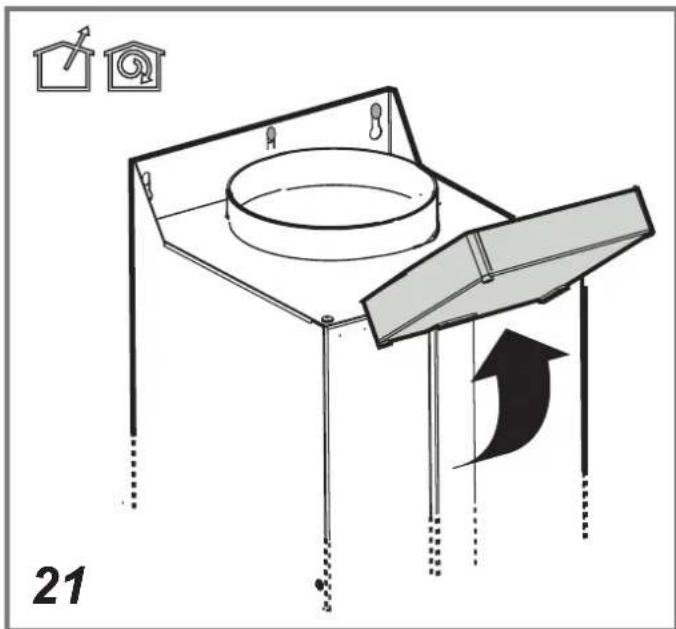
Diagram of a mechanical device with a circular component and a curved arrow indicating motion, labeled '21' (no text or symbols on the diagram itself)
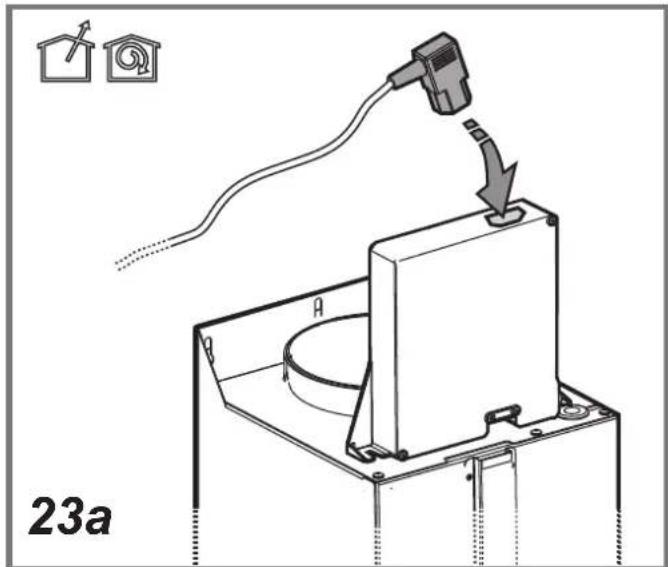

NK24C5703TS/UR
NK24C5703TM/UR
NK36C5703TS/UR
NK36C5703TM/UR
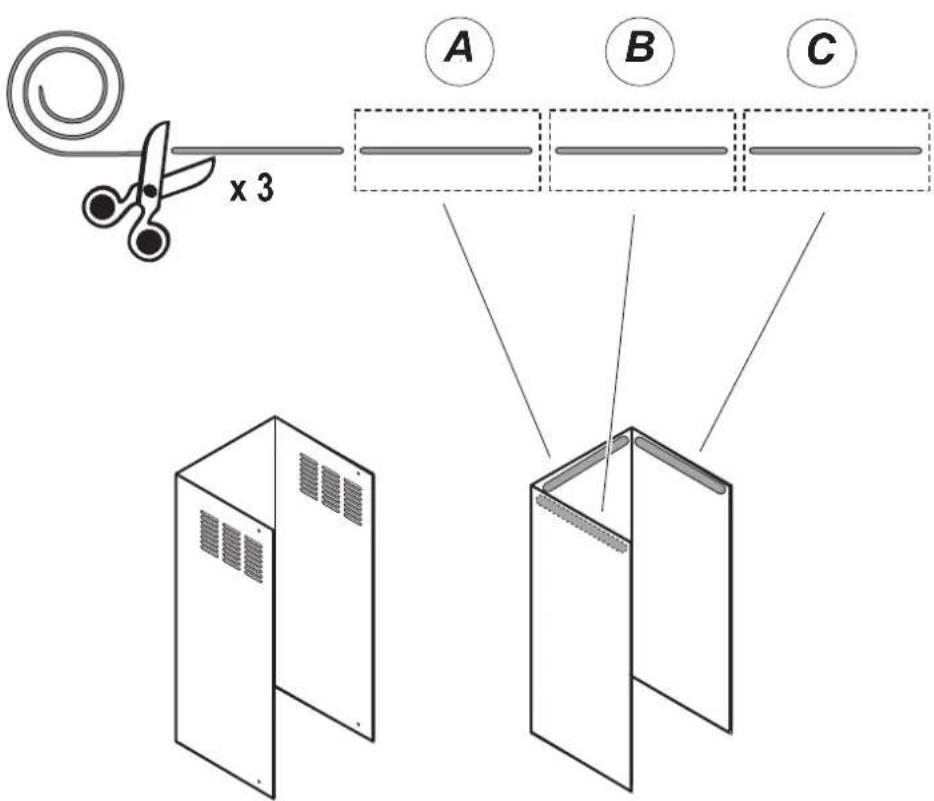
25a
natural_image
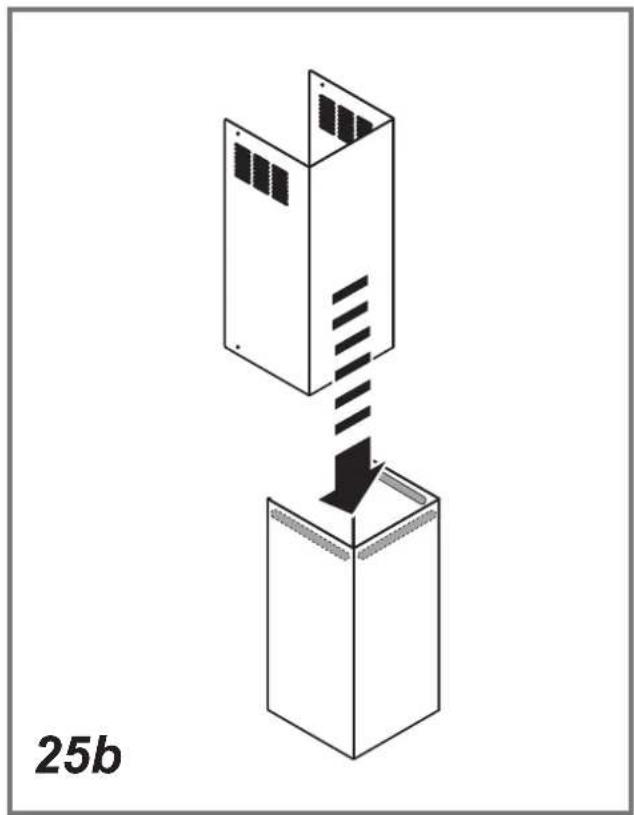
Isometric diagram of a server rack with a downward arrow indicating compression or disassembly (no text or symbols)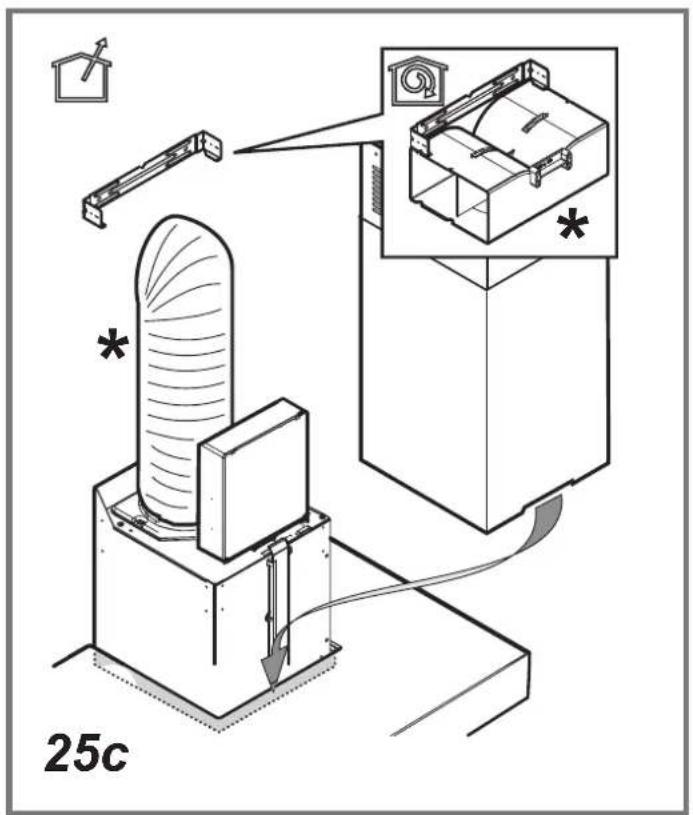
flowchart
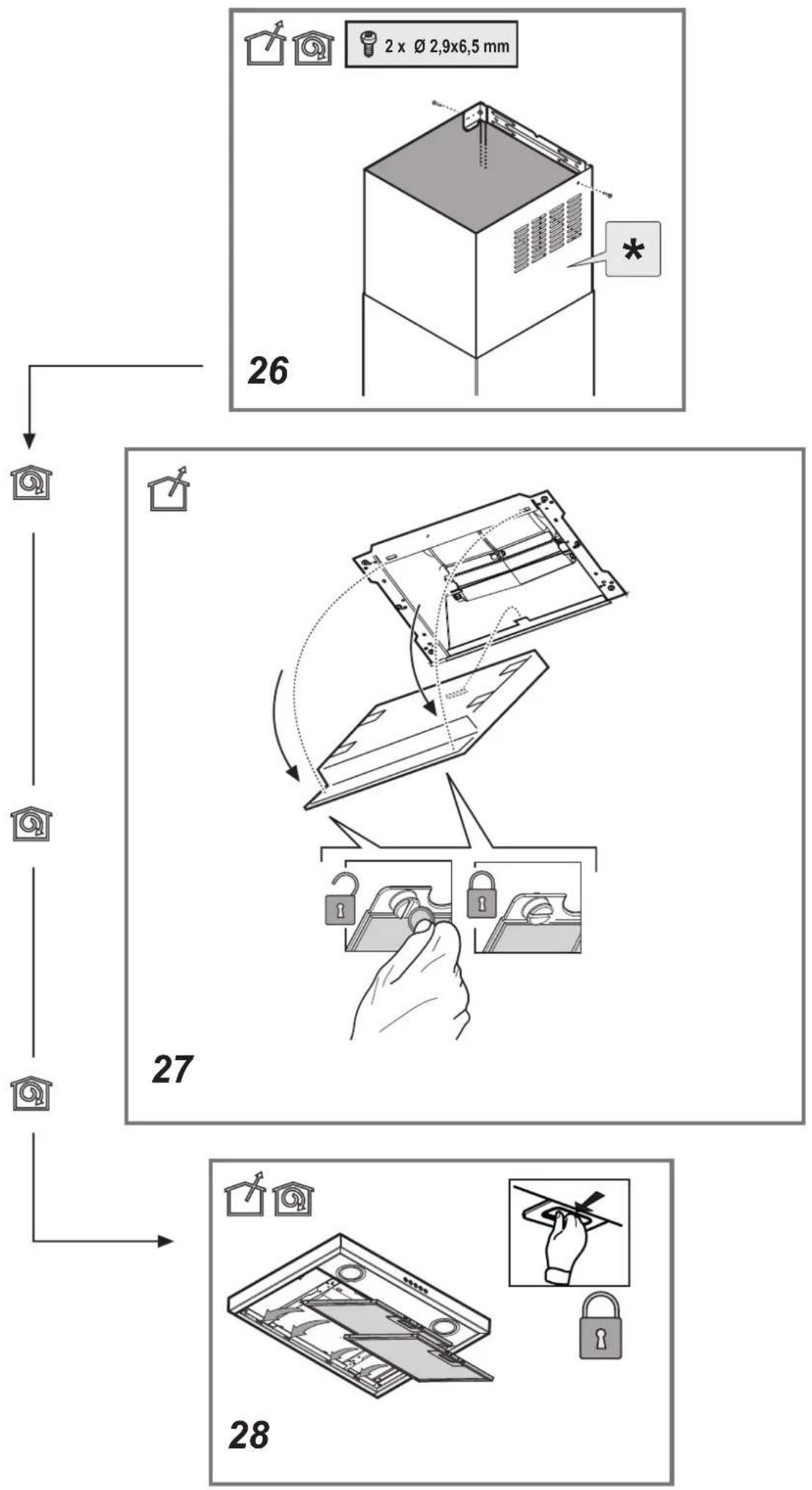
graph TD
    A["2 x Ø 2.9x6.5 mm"] --> B["26"]
    B --> C["27"]
    C --> D["28"]
T1. EIN/AUS Motor
samsung.com/uk/aboutsamsung/samsungelectronics/corporate citizenship/data_corner.html
Utilización
T1. ON/OFF Motor
aboutsamsung/samsungelectronics/corporate citizenship/data_corner.html
Utilisation
T5. Vitesse intensive (Boost)
EN - Instruction on mounting and use
Symbols used in this manual

WARNING
Hazards or unsafe practices that may result in severe personal injury or death.

CAUTION
Hazards or unsafe practices that may result in electric shock, personal injury, or property damage.

NOTE
Useful tips and instructions
These warning icons and symbols are here to prevent injury to you and others. Please follow them explicitly. After reading this section, keep it in a safe place for future reference.
Closely follow the instructions set out in this manual. All responsibility, for any eventual inconveniences, damages or fires caused by not complying with the instructions in this manual, is declined. This appliance is intended to be used in household and similar application such as: - staff kitchen areas in shop, offices and other working environments; - farm houses; - by clients in hotels, motels and other residential type environments; - bed and breakfast type environments.
The hood can look different to that illustrated in the drawings in this booklet. The instructions for use, maintenance and installation, however, remain the same.
- It is important to conserve this booklet for consultation at any moment. In the case of sale, cession or move, make sure it is together with the product.
- Read the instructions carefully: there is important information about installation, use and safety.
- Do not carry out electrical or mechanical variations on the product or on the discharge conduits.
- Before proceeding with the installation of the appliance verify that there are no damaged all components. Otherwise contact your dealer and do not proceed with the installation.

Caution
- Before any cleaning or maintenance operation, disconnect hood from the mains by removing the plug or disconnecting the mains electrical supply.
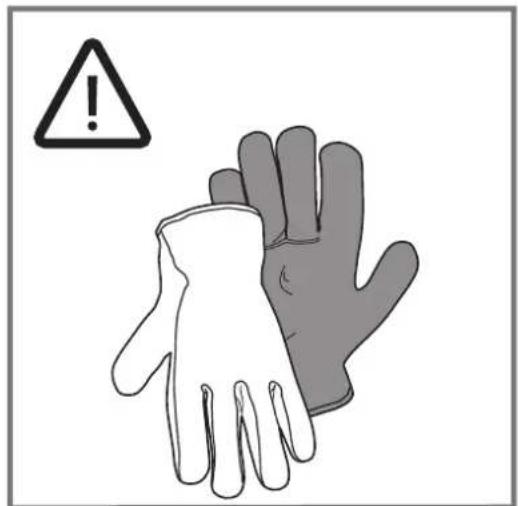
• Always wear work gloves for all installation and maintenance operations.
- This appliance can be used by children aged from 8 years and above and persons with reduced physical, sensory or mental capabilities or lack of experience and knowledge if they have been given supervision or instruction concerning use of the appliance in a safe way and understand the hazards involved.
• Children shall not be allowed to tamper with the controls or play with the appliance.
- Cleaning and user maintenance shall not be made by children without supervision.
- The premises where the appliance is installed must be sufficiently ventilated, when the kitchen hood is used together with other gas combustion devices or other fuels.
- The hood must be regularly cleaned on both the inside and outside (AT LEAST ONCE A MONTH).
- This must be completed in accordance with the maintenance instructions provided. Failure to follow the instructions provided regarding the cleaning of the hood and filters will lead to the risk of fires.
• Do not flambé under the range hood.
• Do not remove filters during cooking.
- For lamp replacement use only lamp type indicated in the Maintenance/Replacing lamps section of this manual.
The use of exposed flames is detrimental to the filters and may cause a fire risk, and must therefore be avoided in all circumstances.
Any frying must be done with care in order to make sure that the oil does not overheat and ignite.
CAUTION: Accessible parts of the hood may become hot when used with cooking appliances.
- Do not connect the appliance to the mains until the installation is fully complete.
- With regards to the technical and safety measures to be adopted for fume discharging it is important to closely follow the regulations provided by the local authorities.
- The air must not be discharged into a flue that is used for exhausting fumes from appliance burning gas or other fuels.
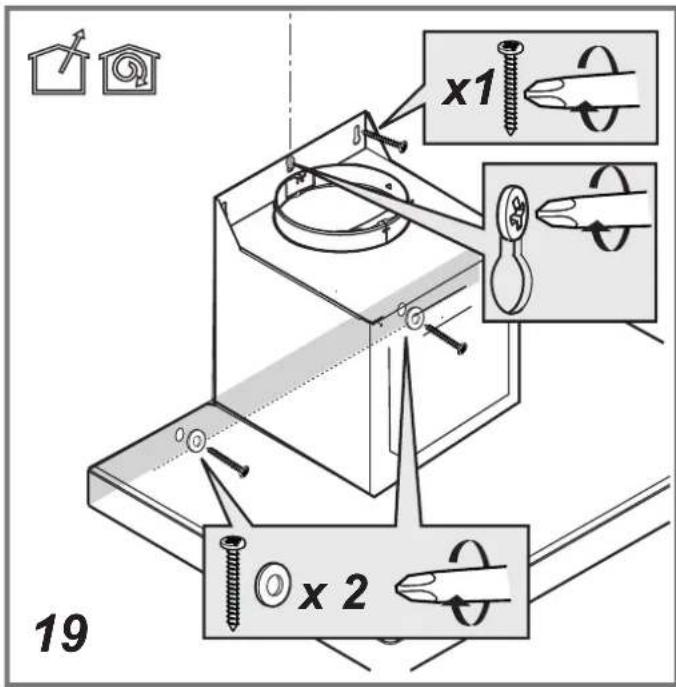
⚠ WARNING! Failure to install the screws or fixing device in accordance with these instructions may result in electrical hazards.
- Do not use or leave the hood without the lamp correctly mounted due to the possible risk of electric shocks.
- Never use the hood without effectively mounted grids.
- The hood must NEVER be used as a support surface unless specifically indicated.
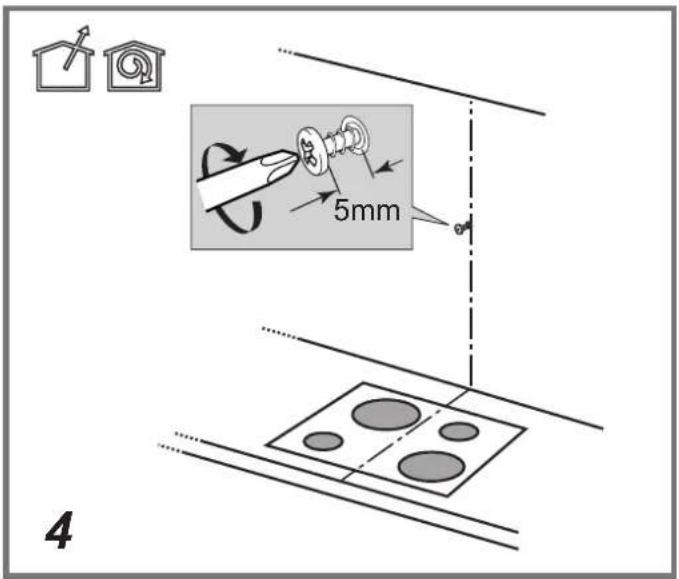
- Use only the fixing screws supplied with the product for installation or, if not supplied, purchase the correct screws type.
- Use the correct length for the screws which are identified in the Installation Guide.
- In case of doubt, consult an authorized service assistance center or similar qualified person.
⚠ WARNING! Do not use with a programmer, timer, separate remote control system or any other device that switches on automatically.
- This appliance is marked according to the European directive 2012/19/EC - UK SI 2013 No.3113 on Waste Electrical and Electronic Equipment (WEEE).
- By ensuring this product is disposed of correctly, you will help prevent potential negative consequences for the environment and human health, which could otherwise be caused by inappropriate waste handling of this product.

- The symbol — on the product, or on the documents accompanying the product, indicates that this appliance may not be treated as household waste. Instead it should be taken to the appropriate collection point for the recycling of electrical and electronic equipment. Disposal must be carried out in accordance with local environmental regulations for waste disposal.
- For further detailed information regarding the process, collection and recycling of this product, please contact the appropriate department of your local authorities or the local department for household waste or the shop where you purchased this product.
Appliance designed, tested and manufactured according to:
• Safety: EN/IEC 60335-1; EN/IEC 60335-2-31, EN/IEC 62233.
• Performance: EN/IEC 61591; ISO 5167-1; ISO 5167-3; ISO 5168; EN/IEC 60704-1; EN/IEC 60704-2-13; EN/IEC 60704-3; ISO 3741; EN 50564; IEC 62301.
- EMC: EN 55014-1; CISPR 14-1; EN 55014-2; CISPR 14-2; EN/IEC 61000-3-2; EN/IEC 61000-3-3. Suggestions for a correct use in order to reduce the environmental impact: Switch ON the hood at minimum speed when you start cooking and kept it running for few minutes after cooking is finished. Increase the speed only in case of large amount of smoke and vapor and use boost speed(s) only in extreme situations.
Replace the charcoal filter(s) when necessary to maintain a good odor reduction efficiency. Clean the grease filter(s) when necessary to maintain a good grease filter efficiency. Use the maximum diameter of the ducting system indicated in this manual to optimize efficiency and minimize noise.
For information on Samsung's environmental commitments and product specific regulatory obligations e.g. REACH, WEEE, Batteries, visit : samsung.com/uk/aboutsamsung/samsungelectronics/corporate citizenship/data_corner.html
Use
The hood is conceived for the suction of cooking fumes and steam and is destined only for domestic use.
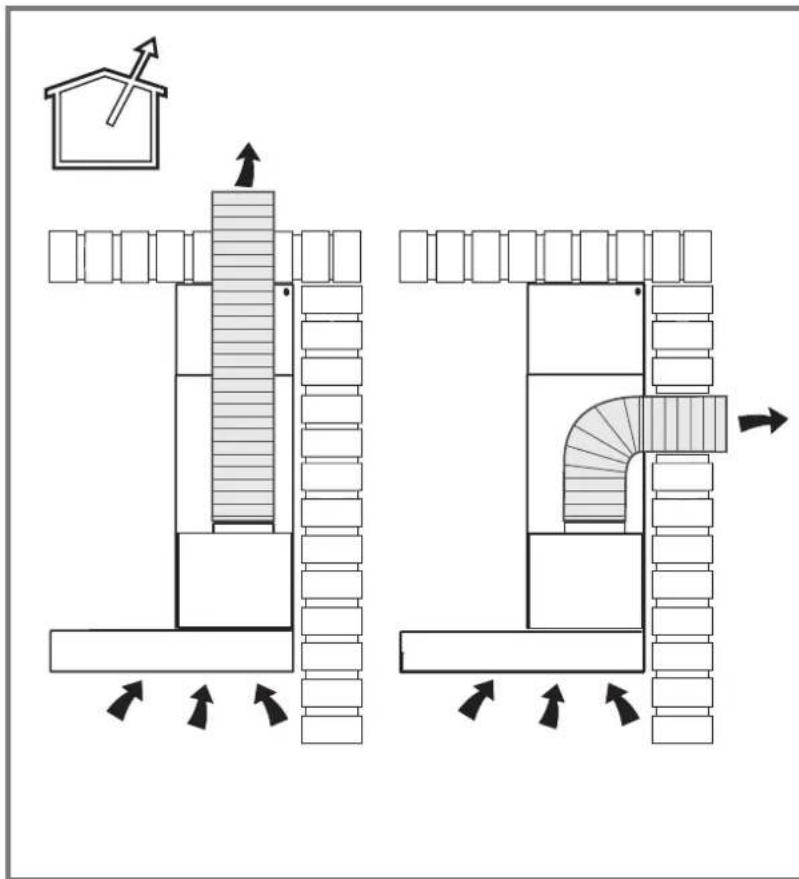
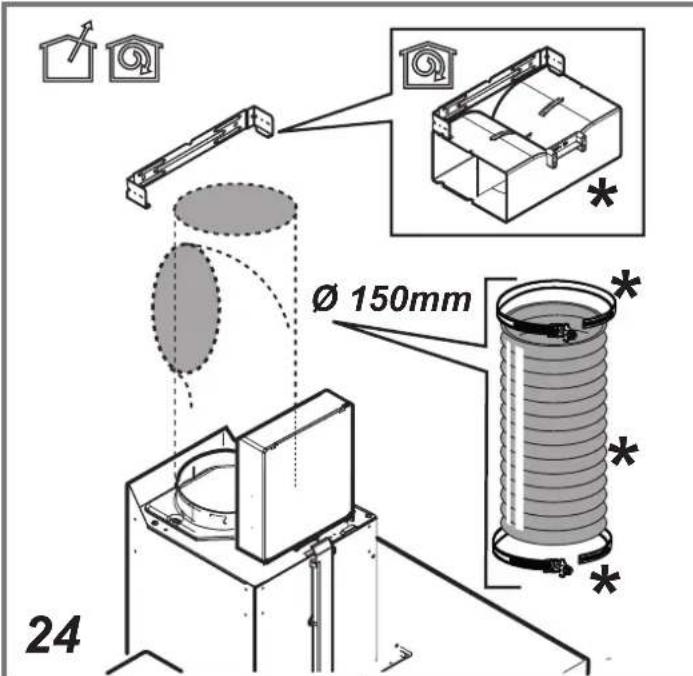
The hood is designed to be used either for exhausting or filter version.

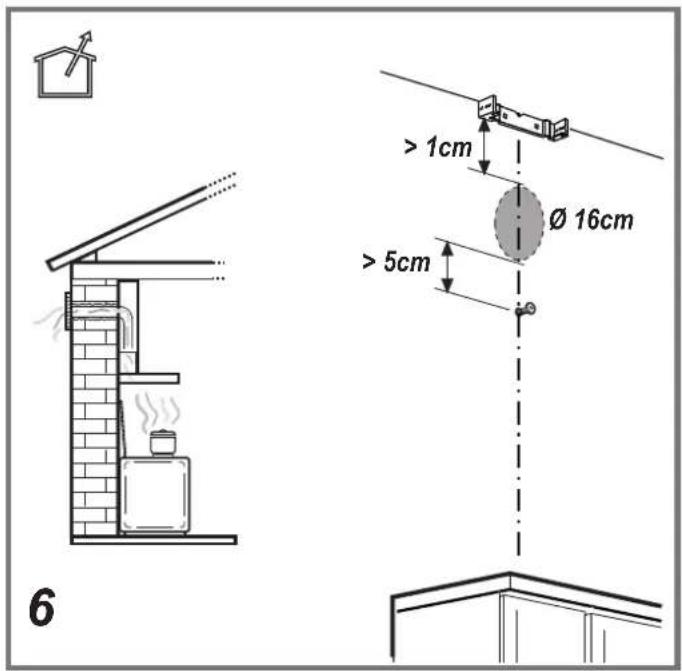
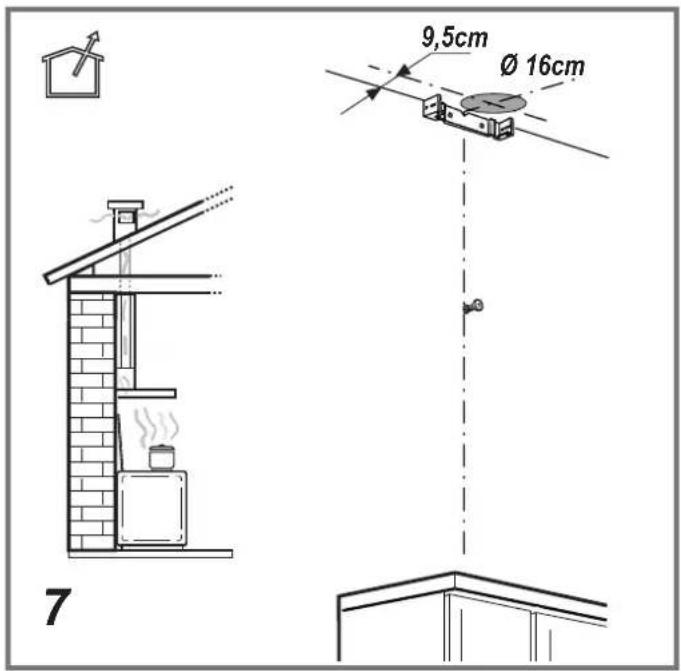
Extraction version
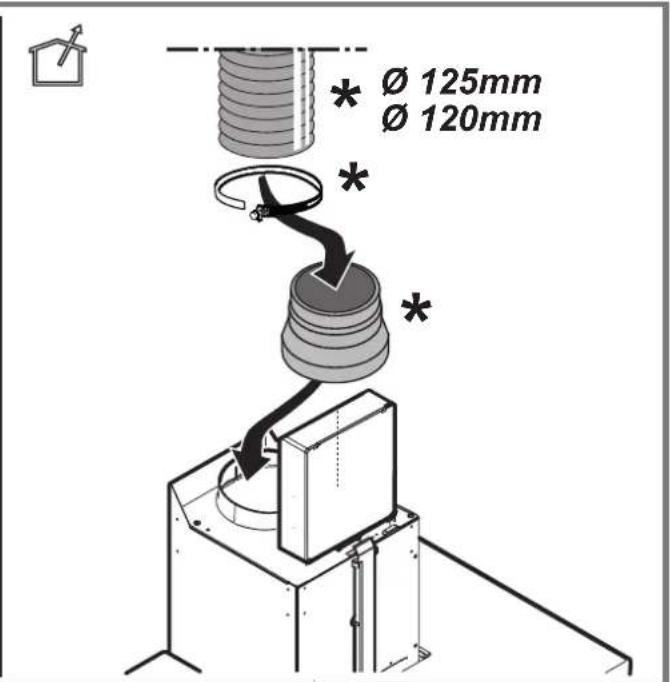
In this case the fumes are conveyed outside of the building by means of a special pipe connected with the connection ring located on top of the hood.

CAUTION!
The exhausting pipe is not supplied and must be purchased apart. Diameter of the exhausting pipe must be equal to that of the connection ring.

CAUTION!
If the hood is supplied with active charcoal filter, then it must be removed.
Connect the hood and discharge holes on the walls with a diameter equivalent to the air outlet (connection flange).
Using the tubes and discharge holes on walls with smaller dimensions will cause a diminution of the suction performance and a drastic increase in noise.
Any responsibility in the matter is therefore declined.
! Use a duct of the minimum indispensable length.
! Use a duct with as few elbows as possible (maximum elbow angle: 90°).
! Avoid drastic changes in the duct cross-section.
If you want to use as Extraction version, Please remove the Charcoal filter on the Hood.

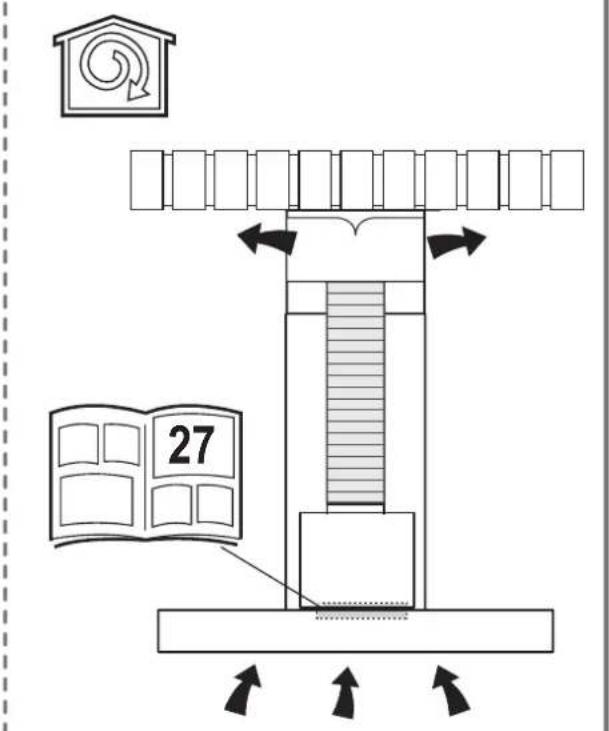
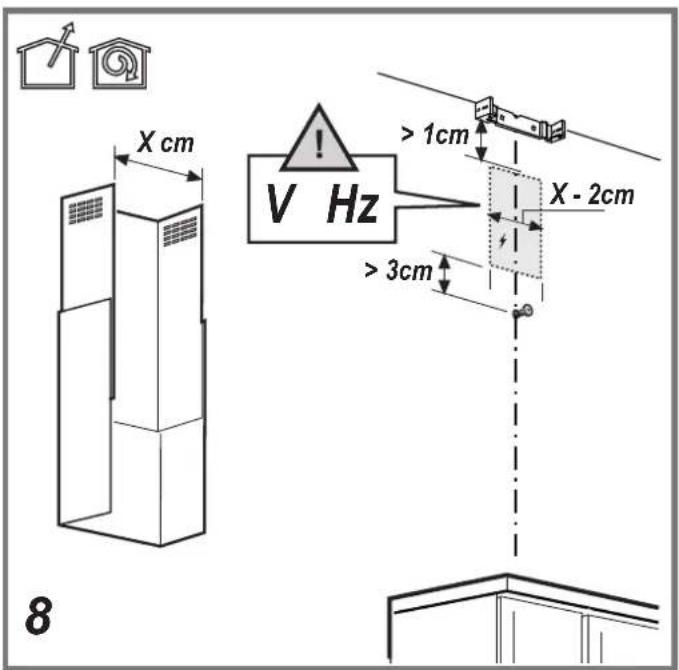
Filtration version
The aspirated air will be degreased and deodorised before being fed back into the room.
In order to use the hood in this version, you have to install a system of additional filtering based on activated charcoal.
Installation
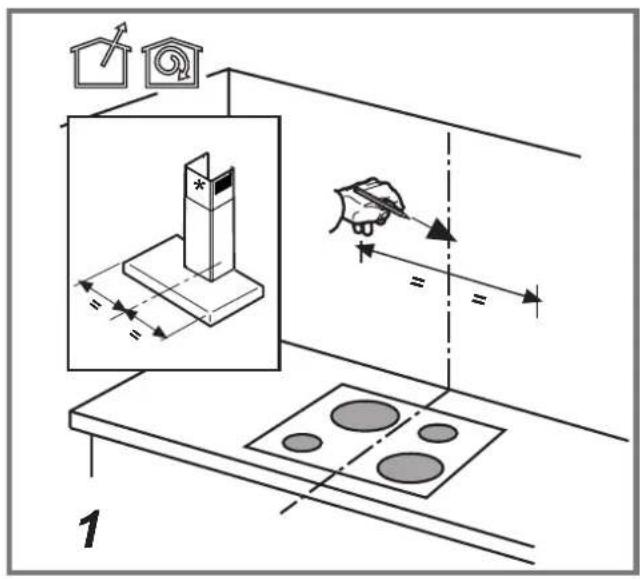
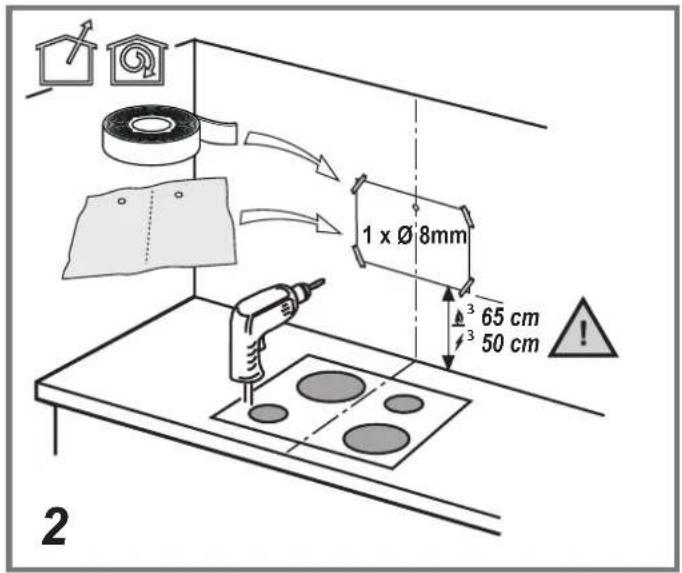
- The minimum distance between the supporting surface for the cooking equipment on the hob and the lowest part of the range hood must be not less than 50cm from electric cookers and 65cm from gas or mixed cookers. If the instructions for installation for the gas hob specify a greater distance, this must be adhered to.
*please check local regulation before installation.

Electrical connection
The mains power supply must correspond to the rating indicated on the plate situated inside the hood. If provided with a plug connect the hood to a socket in compliance with current regulations and positioned in an accessible area, after installation. If it not fitted with a plug (direct mains connection) or if the plug is not located in an accessible area, after installation, apply a double pole switch in accordance with standards which assures the complete disconnection of the mains under conditions relating to over-current category III, in accordance with installation instructions.
▲ WARNING! Before re-connecting the hood circuit to the mains supply and checking the efficient function, always check that the mains cable is correctly assembled. The hood is provided with a special power cable; if the cable is damaged, request a new one from Technical Service.
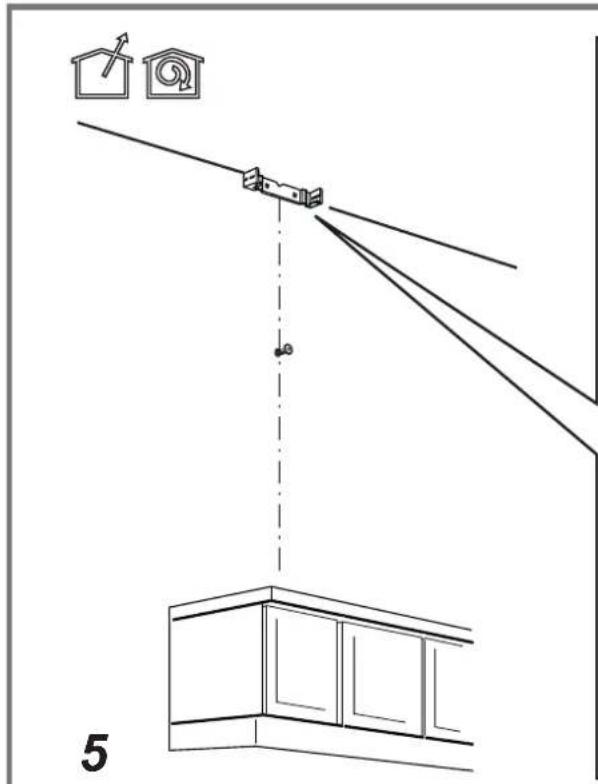
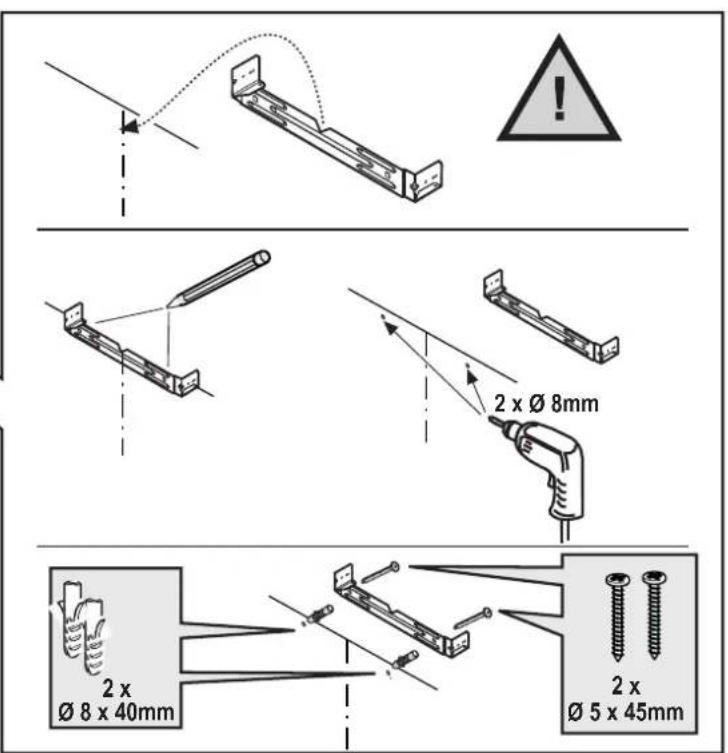
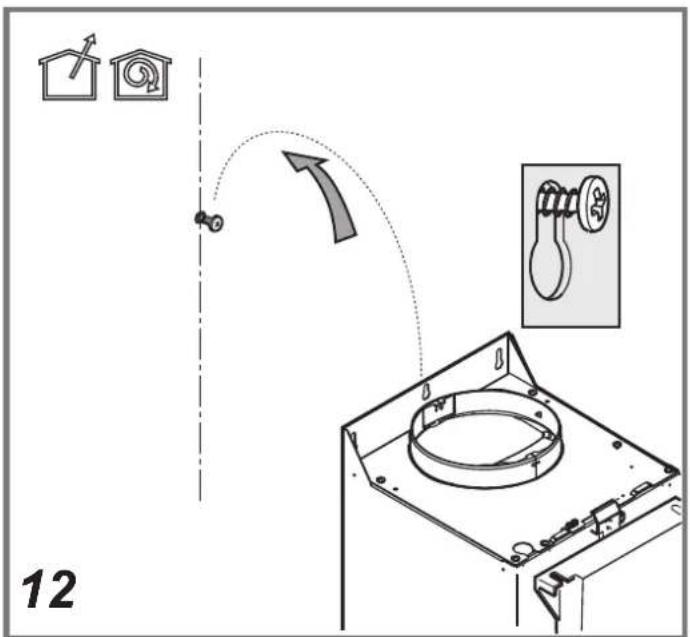
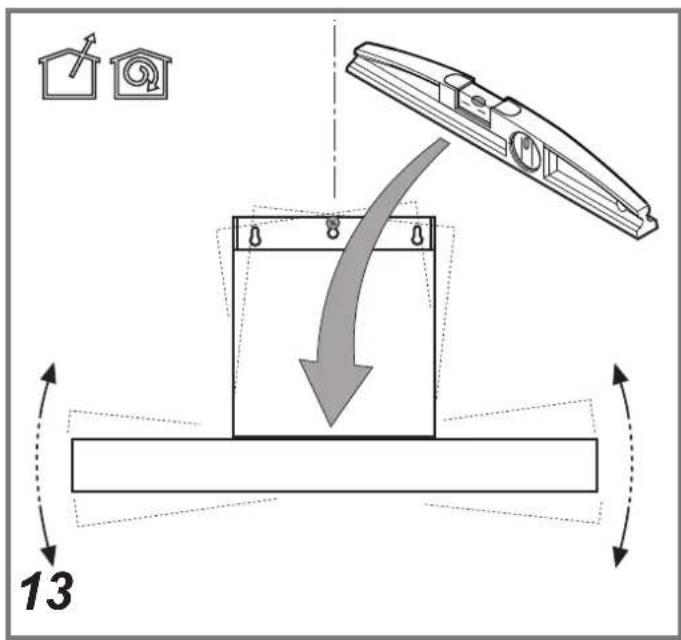
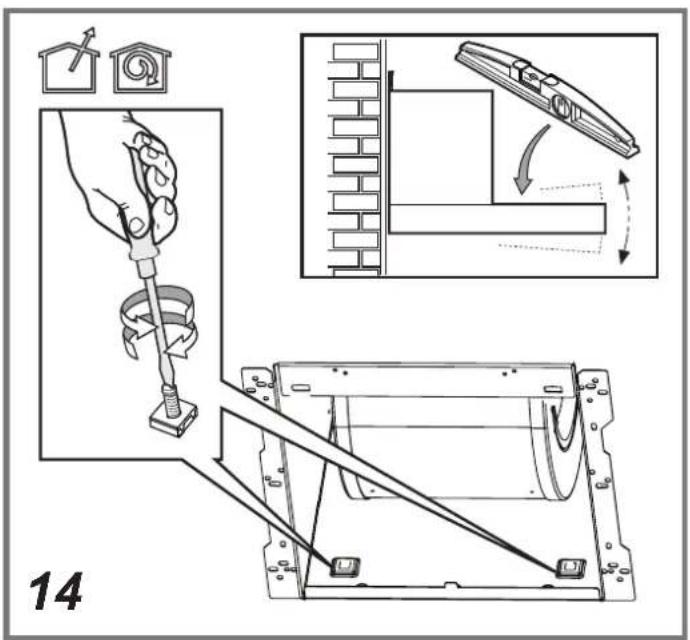
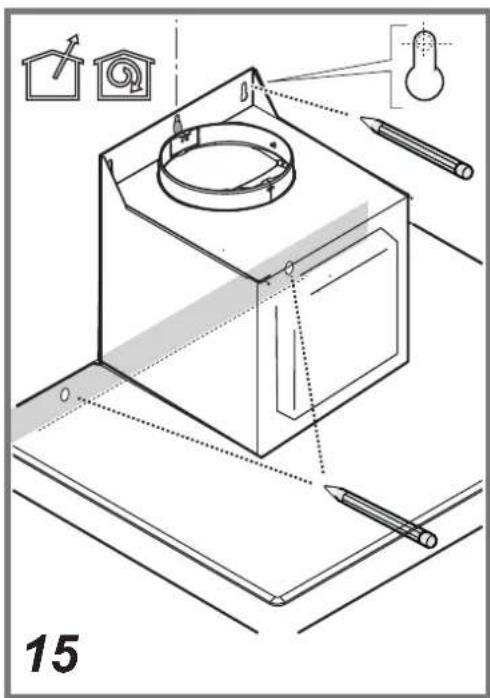
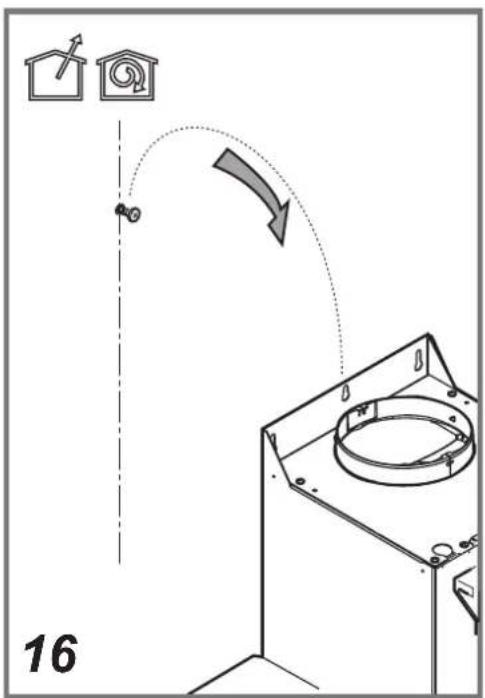
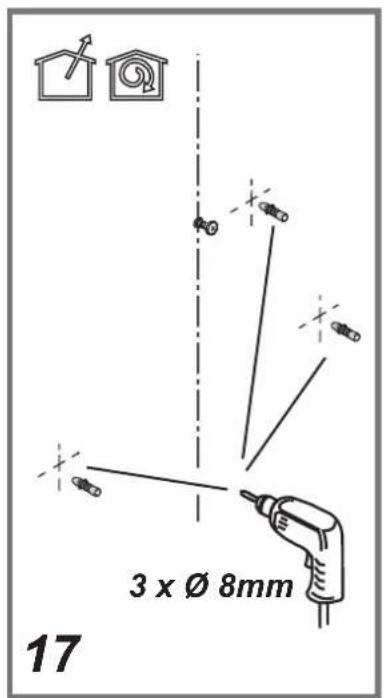
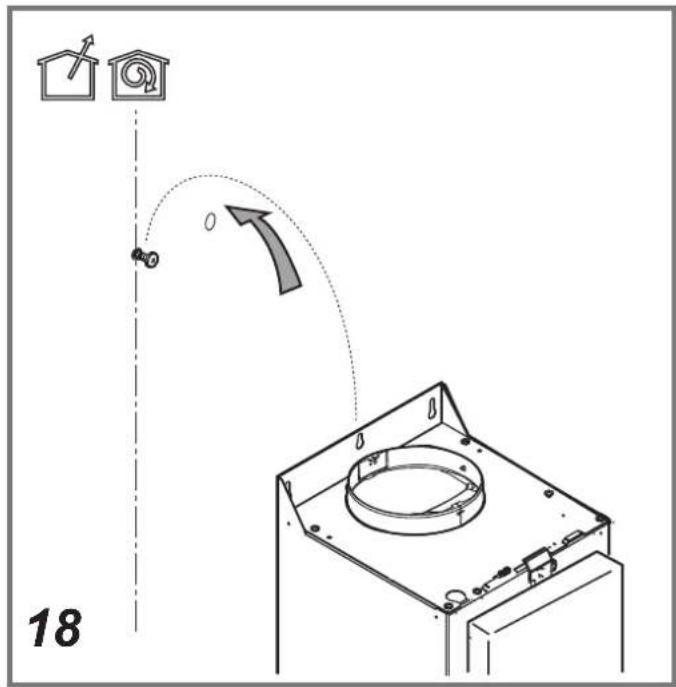
Mounting
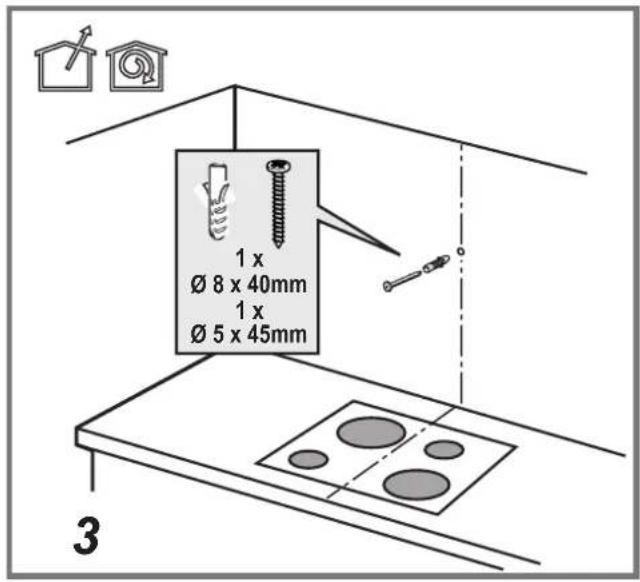
Before beginning installation:
- Check that the product purchased is of a suitable size for the chosen installation area.
- Remove the charcoal (*) filter/s if supplied (see also relative paragraph). This/these is/are to be mounted only if you want to use the hood in the filtering version.
- Check (for transport reasons) that there is no other supplied material inside the hood (e.g. packets with screws (*), guarantees (*), etc.), eventually removing them and keeping them.
Expansion wall plugs are provided to secure the hood to most types of walls/ceilings. However, a qualified technician must verify suitability of the materials in accordance with the type of wall/ceiling. The wall/ceiling must be strong enough to take the weight of the hood.
Do not tile, grout or silicone this appliance to the wall. Surface mounting only.
Note: The parts marked with the symbol "(*)" are optional accessories supplied only with some models or otherwise not supplied, but available for purchase.
Maintenance
Cleaning
Clean using ONLY a cloth dampened with neutral liquid detergent. DO NOT CLEAN WITH TOOLS OR INSTRUMENTS. Do not use abrasive products. DO NOT USE ALCOHOL!
Always wear work gloves for all maintenance operations.
Grease filter
Fig. 11-28
Traps cooking grease particles.
The grease filter must be cleaned once a month using non aggressive detergents, either by hand or in the dishwasher, which must be set to a low temperature and a short cycle. When washed in a dishwasher, the grease filter may discolor slightly, but this does not affect its filtering capacity.
To remove the grease filter, pull the spring release handle.
Charcoal filter (Optional)
Fig. 27
It absorbs unpleasant odors caused by cooking.
The saturation of the charcoal filter occurs after more or less prolonged use, depending on the type of cooking and the regularity of cleaning of the grease filter.
In any case it is necessary to replace the cartridge at least every four mounths (or when the filter saturation indication system – if envisaged on the model in possession – indicates this necessity). The charcoal filter may NOT be washed or regenerated.
Assembly
Hook the charcoal filter at the back on the metal tongue of the hood first, then on the front with the two knobs.
Disassembly
Remove the charcoal filter by turning the knobs fixing it to the hood by 90°.
Buying charcoal filters
The Charcoal filter can be bought at Samsung Service Website and Service Center. Please refer to the last page of manual.
Replacing lamps and/or control gear
The hood is equipped with a lighting system based on LED technology.
The LEDs guarantee an optimum lighting, a duration up to 10 times longer than the traditional lamps and allow to save 90% electrical energy.
For replacement, contact the technical service.
Operation
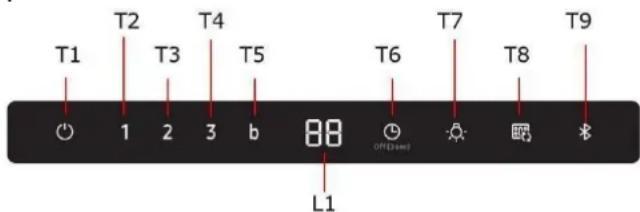
T1. Motor ON/OFF
Press the T1 button and the hood will be activated at default speed (Default Speed: Low).
Press again and the hood will return to sleep mode.
T2. Low speed
Press the T2 button and the hood will be activated at Low speed.
T3. Med Speed
Press the T3 button and the hood will be activated at Medium speed.
T4. High Speed
Press the T4 button and the hood will be activated at High speed
T5. Boost speed
Press the T5 button and the hood will be activated at Maximum speed for 5 minutes.
T6. Timer ON/OFF
Press the Timer button to set the working time.
Press the Timer button for 3 seconds and the Timer function will turn off.
T7. Light ON/OFF
Press the Light button and the lamps will turn on.
Press the Light button again and the lamps will turn off.
T7. SOUND ON/OFF
Press the Light button for 3 seconds. The sound will be turned off.
Press the Light button for 3 seconds. The sound will be turned on.
COOKTOP AND RANGE HOOD CONNECTIVITY
This appliance has a feature which allows you to pair compatible Samsung cooktops and your hood via Bluetooth.
After you enable this function and pair your hood and a compatible cooktop, the hood fan will automatically come on at Low speed when you turn on a cooktop element. The hood fan will also shut off automatically when you turn off the cooktop elements. In addition, after the hood and compatible cooktop are paired, you can download the
Smart Things app to a mobile device, and then use the Smart Things app to:
• Monitor and control the On/Off status of the hood.
• Monitor and control the fan speed.
• Monitor and control the lights.
- Set the hood shut-off timer with the time-up alarm.
For more information about downloading the Smart Things app to your mobile device and using it to control your hood, visit:
• www.samsung.com.
T9. Bluetooth connection (Pairing)
- Press the Bluetooth button on hood.
The pairing mode will be activated and \the indicator on the Bluetooth button will blink. - Press the Bluetooth button on cooktop. After 'the pairing process finishes, the Bluetooth light will stay lit and 'bt' appears in the display.
T9. Bluetooth disconnection (Pairing reset)
- Press and hold the T9 button on the hood for 3 seconds.
- The Bluetooth connection disconnects and "btrt" appears in the display.
NOTE
For a detailed description of the pairing method, see the user manual of a compatible Samsung cooktop.
Auto Connectivity
The Auto Connectivity function lets you quickly connect the hood via Bluetooth with a compatible Samsung cooktop after the hood and cooktop have been paired. To turn the function on, press the Auto Connectivity button. To turn the function off and disconnect the hood and cooktop, press the Auto Connectivity button again. While the hood and cooktop are connected, the hood fan and Lamp will automatically come on at Low speed when you turn on a cooktop element. The hood fan and lamp will also shut off automatically when you turn off the cooktop elements. You will also be able to control the hood with the Smart Things app as described above.
T8. Auto Connectivity ON/OFF
- Press the Auto Connectivity button to activate the function.
- The hood fan and lamp will turn on/off automatically following the cooktop.
- Press again to deactivate the function.
| Display Icon | Remote Control by Smart Things App | Auto Connectivity | Hood Function |
| X | X | O | |
| O | X | O | |
| O | O | O |
Reset filter signals
- Press the T1 button until hearing the sound signal.
• The flashing LED 1 (grease filter) or 2 (charcoal filter) stops flashing
Charcoal filter signal ON/OFF
- Press the T2 and T3 Button for 3 seconds and the Charcoal filter signal will be activate.
- Press the T2 and T3 Button for 3 seconds, and the charcoal filter signal will be deactivate.
NK36C5703T\*, NK24C5703T\*
Data determined according to Regulation (EC) NO 1275/2008.
| Bluetooth | Standby-mode Power Consumption (W) : 1.90WPeriod of time for the power management (min.) : 3 min. |
| Off Mode | Power Consumption (W) : 0.48WPeriod of time for the power management (min.) : 3min. |
Bluetooth max transmitter power
NOTE
Hereby, Samsung Electronics, declares that the radio equipment type appliance is in compliance with Directive 2014/53/EU. The full text of the EU declaration of conformity is available at the following internet address: The official Declaration of conformity may be found at http://www.samsung.com, go to Support > Search Product Support and enter the model name.
| Bluetooth | Frequency range : 2402 MHz ~ 2480 MHzTransmitter power (Max) :5 dBm |
Troubleshooting
A fault may result from a minor information that you can correct yourself with the help of the following instructions. Do not attempt any further repairs if the following instructions do not help in each specific case.
WARNING
Repairs to the appliance are to be performed only by a qualified service technician. Improperly effected repairs may result in considerable risk to the user. If your appliance needs repair, please contact your customer service center.
| Problem | Possible cause | Solution |
| What should I do if the Hood are not working? | The fuse in the house wiring is not intact. | If the fuses trip a number of times, call an authorized electrician. |
| The power button was accidentally actuated. | The appliance is properly switched on. | |
| The control panel is contaminated with foreign objects or liquid. | Clean the control panel. | |
| What should I do if the Bluetooth connection is not working. | See the user manual of a compatible Samsung cooktop. | Only Samsung compatible cooktop can connect with Hood via Bluetooth |
| The hood is connected with other appliance. | Activate Bluetooth disconnection (Pairing reset,T9 for 3 sec) and then activate Bluetooth connection process again. | |
| Bluetooth connection(pairing) is not stable. | Disconnect the power more than 30 seconds. Then restart the appliance. Then activate Bluetooth disconnection and then activate Bluetooth connection process again. |
Reset indicator verzadiging filter
samsung.com/uk/aboutsamsung/samsungelectronics/corporate citizenship/data_corner.html
Uso
samsung.com/uk/aboutsamsung/samsungelectronics/corporate citizenship/data_corner.html
Obstuga
T1. ON/OFF Silnika
T7. ON/OFF SYGNAŁ DŻWIĘKOWY
samsung.com/uk/aboutsamsung/samsungelectronics/corporate citizenship/data_corner.html
Používanie
- Waste Electrical and Electronic Equipment (WEEE).
T7. Lampani yoqish/o'chirish
T8. Avto-ulanishni yoqish/o'chirish
- Bu funksiyani faollashtirish uchun Avto-ulanish tugmasini bosing.
- Gaz plitasiga mos ravishda dudburon parragi va chirog'i avtomatik tarzda yonadi/o'chadi.
- Bu funksiyani o'chirish uchun o'sha tugmani yana bir marta bosing.
| Ekrandagi belgi | Smart Things ilovasi tomonidan masofaviy boshqaruv | Avto ulanish | Dudburon funksiyasi |
| X | X | O | |
| O | X | O | |
| O | O | O |
Filtr signallarini qaytadan o'rnatish
• T1 tugmasini to ovozli signalni eshitmagunga qadar bosib turing.
- Yonib o'chuvchi LED 1 (yog'larni tutib qoluvchi filtr) yoki 2 (ko'mir filtr) yonib o'chishdan to'xtaydi
Ko'mir filtri signalini yoqish/o'chirish
- 3 soniya davomida T2 va T3 tugmalarini bosib turing, ko'mir filtri signali ishga tushadi.
• 3 soniya davomida T2 va T3 tugmalarini bosib turing, ko'mir filtri signali o'chadi.
NK36C5703T\*, NK24C5703T\*
Ma'lumotlar (Yevropa Ittifoqi) 1275/2008-sonli Nizomiga ko'ra keltiriladi.
T7. SES AÇMA/KAPATMA
samsung.com/uk/aboutsamsung/samsungelectronics/corporate citizenship/data_corner.html
Bruksmåte
T1. AV/PÅ Motor
samsung.com/uk/aboutsamsung/samsungelectronics/corporate citizenship/data_corner.html
Käyttö



- NK36C5703TS/UR
- NK24C5703TS/UR
- NK36C5703TM/UR
- NK24C5703TM/UR
- T1. EIN/AUS Motor
- Utilización
- T1. ON/OFF Motor
- Utilisation
- T5. Vitesse intensive (Boost)
- EN - Instruction on mounting and use
- Symbols used in this manual
- WARNING
- CAUTION
- NOTE
- The hood can look different to that illustrated in the drawings in this booklet. The instructions for use, maintenance and installation, however, remain the same.
- Use
- Extraction version
- CAUTION!
- Filtration version
- Installation
- Electrical connection
- Mounting
- Before beginning installation:
- Maintenance
- Cleaning
- Grease filter
- Fig. 11-28
- Charcoal filter (Optional)
- Fig. 27
- Assembly
- Replacing lamps and/or control gear
- T1. Motor ON/OFF
- T2. Low speed
- T3. Med Speed
- T4. High Speed
- T5. Boost speed
- T6. Timer ON/OFF
- T7. Light ON/OFF
- T7. SOUND ON/OFF
- COOKTOP AND RANGE HOOD CONNECTIVITY
- T9. Bluetooth connection (Pairing)
- T9. Bluetooth disconnection (Pairing reset)
- Auto Connectivity
- T8. Auto Connectivity ON/OFF
- Reset filter signals
- Charcoal filter signal ON/OFF
- NK36C5703T\*, NK24C5703T\*
- Bluetooth max transmitter power
- Troubleshooting
- Reset indicator verzadiging filter
- Uso
- Obstuga
- T1. ON/OFF Silnika
- T7. ON/OFF SYGNAŁ DŻWIĘKOWY
- Používanie
- T8. Avto-ulanishni yoqish/o'chirish
- Filtr signallarini qaytadan o'rnatish
- Ko'mir filtri signalini yoqish/o'chirish
- T7. SES AÇMA/KAPATMA
- Bruksmåte
- T1. AV/PÅ Motor
- Käyttö
Brand : SAMSUNG
Model : NK36C5703TS
Category : Range hood