OE 315 - Mp3 player ONEARZ - Free user manual and instructions
Find the device manual for free OE 315 ONEARZ in PDF.


User questions about OE 315 ONEARZ
0 question about this device. Answer the ones you know or ask your own.
Ask a new question about this device
Download the instructions for your Mp3 player in PDF format for free! Find your manual OE 315 - ONEARZ and take your electronic device back in hand. On this page are published all the documents necessary for the use of your device. OE 315 by ONEARZ.
USER MANUAL OE 315 ONEARZ
text_image
01 Video 1.8AMV MOIVE.amv 00:00:37 00:04:03text_image
Recordings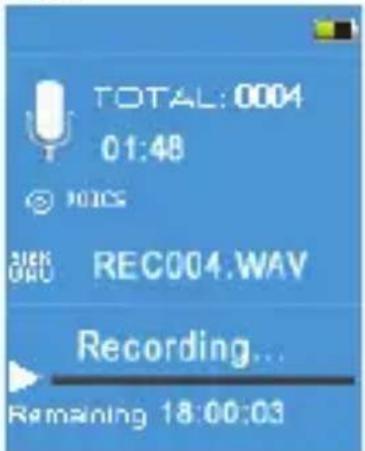
text_image
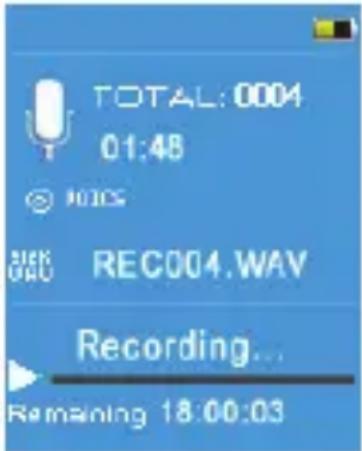
TOTAL:0004 01:48 © 1935 REC004.WAV Recording... Remaining 18:00:03DÉCLARATIONUEDECONFORMITÉ
natural_image
Abstract line drawing with curved and straight lines, no text or symbols presenton-earz
MP4SpelerOEMP4_3158GB
natural_image
Icon of a film clapperboard with a movie reel and 'Video' text below (no other symbols or text)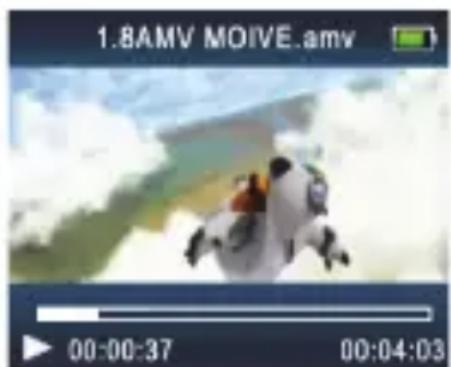
text_image
1.8AMV MOIVE.amv 00:00:37 00:04:03text_image
Recordings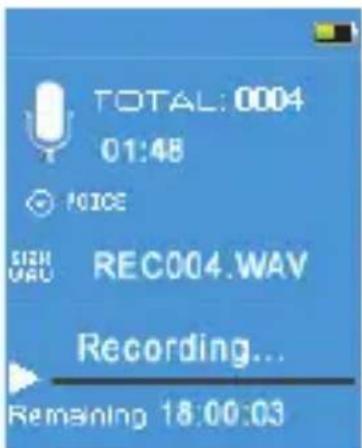
text_image
TOTAL: 0004 01:48 VOICE SICHU URU REC004.WAV Recording... Remaining 18:00:03text_image
12385 pedometer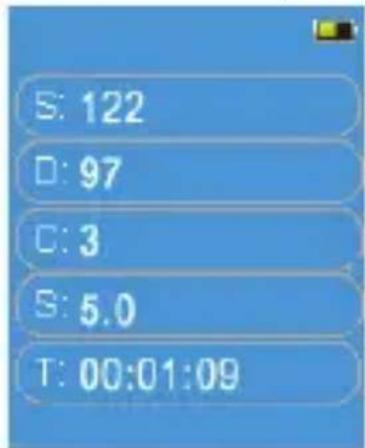
text_image
S: 122 D: 97 C: 3 S: 5.0 T: 00:01:09Selecteer"Startstep"endrukopPLAYomdepedometerinterfaceteopebeginnen.
RoHS Directive: 2011/65/EU, amendment 2015/863/EU
Date : December 2019
David Peroo, Product Manager
natural_image
Abstract line drawing with curved and straight lines (no text or symbols)on-earz
MP4PlayerOEMP4_3158GB
User'smanual
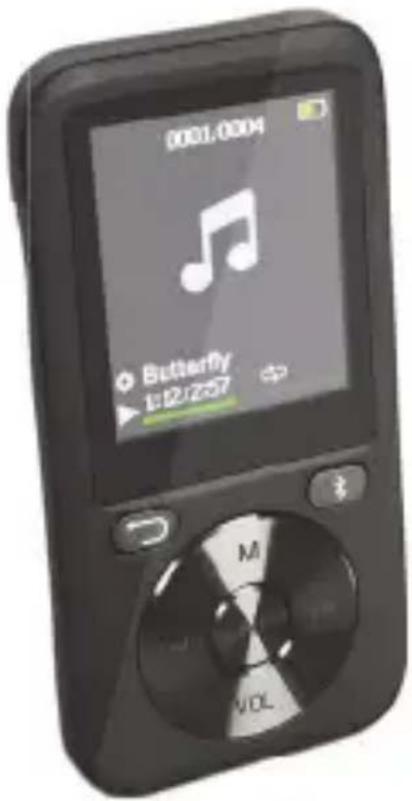
text_image
0001.0004 ● Butterfly 1:22:2571. Gettingstarted
Firstthankyouforbuyingthismultimediaplayer.Pleasereadthisuser'smanualcarefully beforeusingtheproducttomakeacorrectuseofthefunctionsandknowwellaboutthe systemconnectionandusage.Keepthismanualinasafeplaceforfuturereference.
2. Boxcontent
Pleasemakesurethatthefollowingitemsareinthepackagingwhenyouopenitforthefirst time.
-OEMP4_3158Gplayer
-MicroUSBchargingcable
-User'sManual
-Stereoearphones
3.Precautions
Readthefollowingrecommendationsbeforeusingthemultimediaplayer.
Keepitdryanddon'ttakeittodampplacestoavoidtheproduct'sinternalcircuitbeing affected.
Keep the product away from direct sunlight or hot places. Hight temperatures will shortent the life of electronic devices, destroy the battery or distort certain plastic parts.
Don'texposetheproducttoextremelycoldarea.Itmaydamagetheinternalcircuitboard.
Don't try to disassemble the product as it may get damaged and the warranty will be cancelled.
Don'tletitfalldownontothefloororotherhardsurfaces. Theinternalcircuitmightget damaged.
Don'tuseintensivechemicalproductsordetergenttocleantheproduct.
Don't scratch the surface with sharp objects.
Takecarewhenchargingthebattery,excessiveprolongedchargingcandamagebattery lifetime.Chargetheplayertofullcapacitywhenusingforthefirsttime.
If you don't not us this player for long time, please charge it at least once per month, in order to prevent the lithium battery from damaging because of excessive consumption.
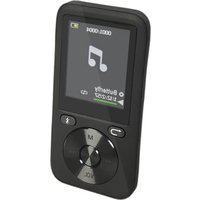
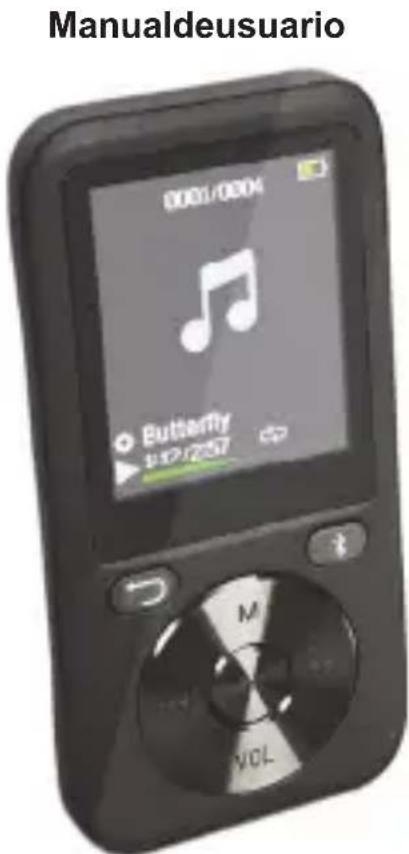
4.Productoverviewandkeysdescription
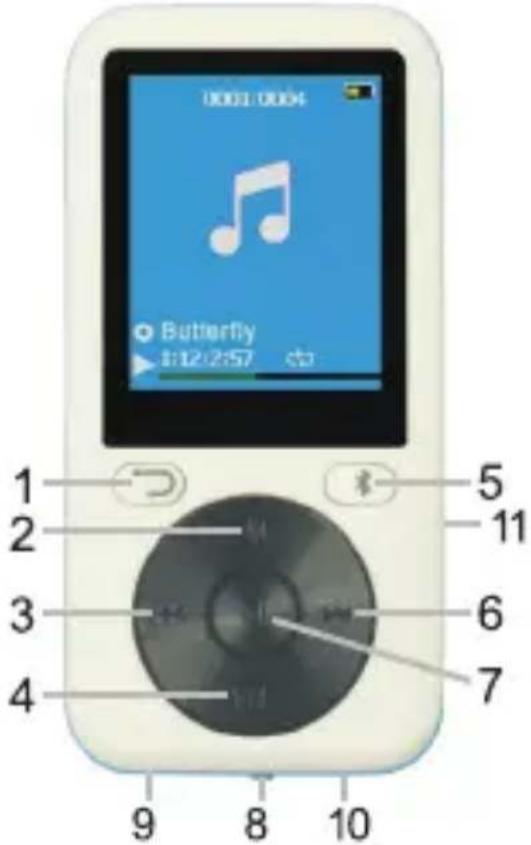
text_image
1 2 3 4 5 6 7 8 9 10 11 Butterfly 1:12:2:57-
Return: Returntoppreviousmenu
-
MODE: Accesstomenu
-
LAST: Previous Music/Rewind
4.VOL: Volume
5.BT: Godirectly to the Bluetooth menu
6.NEXT:NextMusic/Fast-Forward
- PLAY: Short press: Enter/play/pause. Long press: turn on/off
8.MainpowerON/OFFswitch
-
USBport(micro5Pin)
-
Earphonejack
11.MicroSDslot
5.Basicoperations
- Turnonthedevice
WhenthemainPowerSwitchisturnedOFF, slidebuttontoturnondevice.
When the main Power Switch is turned ON, long press the PLAY button to turn on/off device.
Afterfinishingusingtheplayer,makesurethatthemainPowerSwitchisturnedOFF.
Volume
PresstheVOLbuttontoenterthevolumecontrolmode.
Then, pressLAST/NEXTbuttontodecreaseorincreasethevolume.
PresstheReturnbuttontoexitthevolumecontrolmode.
- ChargingtheBattery
ConnectoneendofthemicroUSBcablesuppliedtogetherwiththeproductttoonefreeUSB portofthecomputerortoaUSBwallcharger(notincluded),andtheotherendtothemicro USBportlocatedontheproduct.Ittakesaround1,5to2hourstochargecompletely the player.
When the battery is fully charged, the battery icon displays full. Aftersometime of fuse, the battery indicator will be reduced.
☐ Whenthebatteryisalmostorcompletelyoutofpower,thebatteryiconwillbecompletely emptyandtheunitshouldbechargedimmediately.
Warning: If you are not using the player for few months, pleasere charge the battery to prevent damages on the battery.
6.Music
- Playmusic
- Enter the main menu, then press LAST/ NEXT button and scroll to "Music".
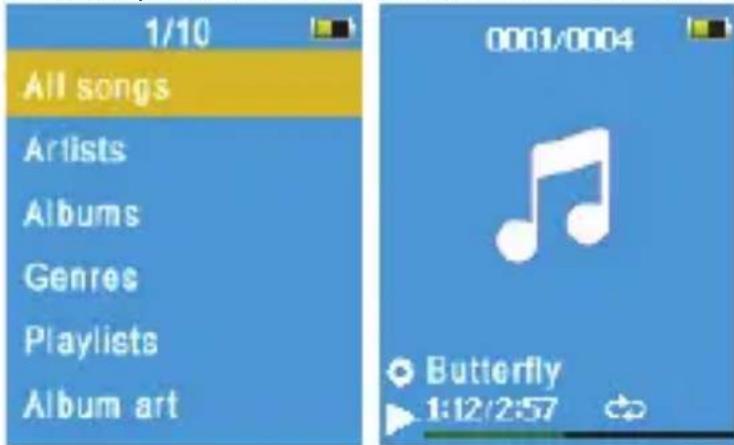
text_image
1/10 All songs Artists Albums Genres Playlists Album art 0001/0004 Butterfly 1:12/2:57- Press PLAY button to select the music menu. Menu options include:
Allsongs:showsallsongsfromallstorage(internalandexternal)oftheplayer.
Artists: ShowsthemusicalphabeticallyfilteredbyArtist'sname.
Albums: Showsthemusicalphabeticallyfiltered by Album's name.
Genres: Showsthemusicalphabeticallyfiltered by Genres.
Playlists: includes "Playlists on the go [1], Playlists on the go [2], Playlists on the go [3]".
CreatePlaylist
- Select a song from the menu and press PLAY to start playing music:
PressLAST/NEXT:SelectaTrack
LongpressLAST/NEXT:Fastforward/rewind
PressPLAY:Pause/Resume
PressMODE:EnterMusicplaysubmenu
PressReturn:returnpreviousdirectory
LongpressMODE: Returntothemainmenu
- MusicPlaySubmenu
Playmode: Playmusic from... (All songs/this artist/ this album/ this genre), Repeat,
Shuffle, Repeatsettings(RepeatMode, ReplayTimes, ReplayInterval).
Soundsettings: Equalizer, VariableSpeedPlayback.
Addtoplaylist
RemovefromPlaylist
Delete
Bookmarks
7.Video
ThisplayeronlysupportstheAMVvideofiles.Ifyouhaveothervideoformats,youcan convertitwithavideoconversiontool,andthencanbeplayed.Therearesomefree conversiontoolsavailableoninternet,youcanfinditeasilywithasimplesearch.
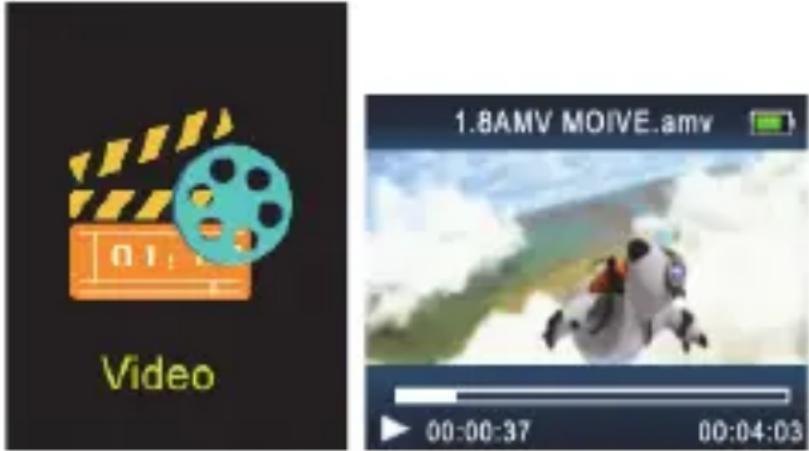
text_image
Video 1.8AMV MOIVE.amv 00:00:37 00:04:03- Enter the main menu, press NEXT button and scroll to "Video". Press PLAY to enter.
- Select the file you want to play, then press PLAY to start playing.
- PresstheMODEbuttonontoenterthesubmenu.
Youcannowadjustthesesettings:Brightness,Repeat,Deletevideo,CreatePlaylist.
8. VoiceRecording
- In the main menu press LAST/ NEXT button and scroll to "Recordings". Then press PLAY buttontoentermenuinterface.
- In the menu interface, select "Start voice recording", then press PLAY button to start recording.

text_image
Recordings
text_image
TOTAL:0004 01:48 © NOTES REC004.WAV Recording... Remaining 18:00:03- PressPLAY: start/pauserecording.
LongpressMODEbuttontosavetherecordedfileandreturntothemenu.
- Menuoptionsincludes:
Startvoicerecording
Recordingslibrary:Selectandplaytherecordedfiles.
RecordFormat:selectMP3orWAVformat.
RecordSettings:settherecordingbitrates.
9. Bluetooth

text_image
BluetoothIn the main menu press LAST/ NEXT button and scroll to "Bluetooth". Then press PLAY to enterthemenuinterface.
- BTControl:selecttoEnableorDisableBluetooth.
- Search Device: press PLAY to open the searching interface. A list of the Bluetooth devices found will be displayed automatically. Press Return button to return to the previous menu.
- Device's List: press PLAY to open it, and then press the LAST/ NEXT button to select a device. Then press PLAY to enter the device menu.
- The current state of the device is available: you can proceed to "Connect" or "Unpair".
- The current state of the device is "Connecting": you can proceed to "Disconnect". PressReturnreturntothepreviousmenu.
• AllMusic:PlaymusicfromaconconnectedBluetoothdevice.
- BTNowPlaying
10.Pedometer
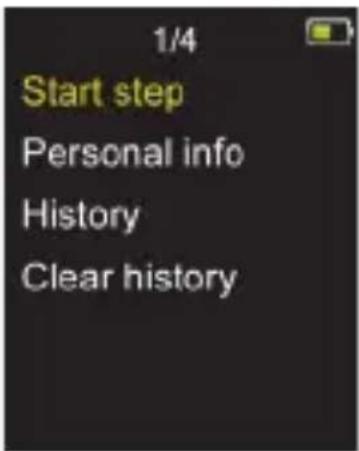
Select "Pedometer" on main menu and press PLAY to enter the pedometer menu.
text_image
1/4 Start step Personal info History Clear history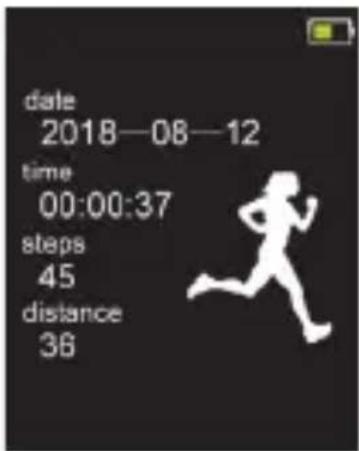
text_image
date 2018—08—12 time 00:00:37 steps 45 distance 36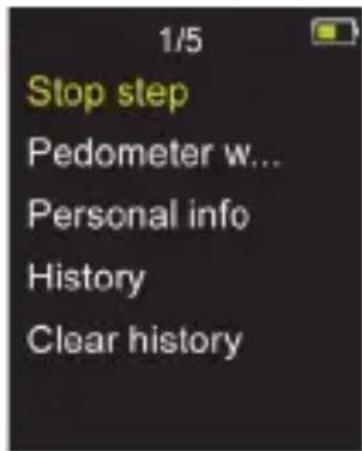
text_image
1/5 Stop step Pedometer w... Personal info History Clear historySelect "Start step" and press PLAY to enter pedometer interface and start counting steps. Press PLAY again to return to the pedometer menu. At this time, you can continue press Return to return to the main menu, Select and enter the Music, to achieve Using a pedometer whilelisteningtomusic.
- Stop step: End this step and save the pedometer results in the history.
• Personalinfo:Selectyoursteplength. - History
- Clearhistory
11.Settings
Youcansettheparametersoftheplayerhere.
In the main menu press the LAST/ NEXT button and scroll to "Setup". Press PLAY to enter themenuinterface:
- Sleeptimer: you can set there an automatic switch-off schedule from 1 minto 99 min.
- Displaysettings: Selectthebrightnessofthedisplaybetween0an11. Thedefaultis5.
Backlighttimer:10seconds,20seconds,30secondsoralwaysON.
Screensaver: None, Digitalclock, Albumart, Screenoff.
- Dateandtimesettings.
4.Slideshowsettings. - Languageselection.
- Information about the product.
- Formatdevice: To formatthemainmemory or TFCardmemory. All data's will belost!
- Factorysettings: recover the initial values for alloption of the player.
12.Pictures
- In the main menu press LAST/ NEXT button and scroll to "Pictures". Press PLAY to enter themenuinterface.
- SelectapictureandpressPLAYtodisplayit.
- Push LAST/NEXT button to browse the different pictures recorded in the memory.
- Press MODE button to enter the picture submenu. The available options are:
Brightness, Backlighttimer, Slideshowsettings, Deletepicture, CreatePlaylist.
13.eBook
- In the main menu press the LAST/ NEXT button and scroll to "eBook". Press PLAY to enter themenuinterface.
- Choose the desired txt file, then press the PLAY button to start reading.
- PressLAST/NEXTbutton: movetoupanddownpage.
- PressMODEbuttontoentertheeBooksubmenu. Theavailableoptionsare:
Playsetting, DeleteBook, BookmarkSelect, Deletebookmark, Addbookmark, and Page select.
14. OtherSettings
- MicroSDCard
TheplayersupportmicroSD/microSDHC(TF)Cardasexternalmemory,withamaximum capacityof32Gb.
When the TF cardis inserted in the player, amenu for Local folder and Card folder will appear for each function of the player. Select the desired menu and press PLAY to select it.
- Folderview
Displayandeditalthedirectoriesandfilescontainedinthememoryoftheplayer.
In the main menu press LAST/ NEXT button and scroll to "Folder view". Press the PLAY buttonentermenuinterface.Selectthedesiredoption.
PressPLAYtoBrowseorPlay.
Press MODE and select "Delete" to delete the selected file or directory.
- Tools
In the main menu press LAST/ NEXT button and scroll to "Tools". Press PLAY button to enter themenuinterface. The available tools in this menu are:
Calendar
Stopwatch
Alarm:Alarmclockset
• UsingtheplayerasUSBDisk
TheplayercanalsobeusedasastandardUSBdisk.Itwillbeautomaticallyrecognizedby
WindowsorMaccomputers.
UsethemicroUSBcabletoconnecttheplayertothePC.
Select "Charge & Transfer" and press PLAY to enter the "USB disk" mode.
Choose“Charge&Play”ifyouwanttousetheplayerwhileitsbatteryischarging.
15. Technical Specifications
| Dimension88×43×10mm | ||
| Weight30g | ||
| Screen1.8TFTdisplay(128*160pixels) | ||
| ConnectingtoPCHighSpeedUSB2.0(micro5PIN) | ||
| MusicFormatsMP3,WMA,WAV,APE,FLAC | ||
| MP3,WMA | Max.Output(L)10mW+(R)10mW(32Ohm) | |
| MP3Bitrate8Kbps-320Kbps | ||
| WMABitrate5Kbps-384Kbps | ||
| Signaltonois ratio 45dB | ||
| Photoformat | JPG,BMP | |
| OperateTemperature | 5to40degreecelsius | |
| SupportedSystems | Windows/Mac | |
| Operatingfrequency | 24MHz | |
| RFmaxoutput | +10dBm | |
Pleasenote: Thedesignandspecifications of this product may changewithout priornotice.
16.Aboutthismanual
Westrivetoensurethattheinformationcontainedinthismanualareasaccurateaspossible.
Changesmaybemadetothemanualortheproductwithoutpriornotification. Thelatest updateswillbeavailableonourwebsitewww.onearz.com. Our company shall underno circumstancesbeheld liable for injuryordamage caused by errors or omissions in this manual.
©ON.EARZ2018.Allbrandsandtrademarksmentionedinthismanualarethepropertyof theirrespectiveowners.BluetoothisattrademarkssownedbyBluetoothSIGInc,USA.
CEDECLARATIONOFCONFORMITY
We, manufacturer/importer,
Company:A6Europes.a.
Address:127-129rueColonelBourg,1140Brussels,Belgium
Declareunderourownresponsibilitythatthefollowingequipment:
Brand:ON.EARZ
Itemcode:OEMP4_3158G
Productdescription:Multimediaplayer
CompliestotheessentialprovisionsofthefollowingECDirective(s):
REDDirective:2014/53/EU
LVDDirective:2014/35/EU
EMCDirective:2014/30/EU
RoHS Directive: 2011/65/EU, amendment 2015/863/EU
And complies with the essential provisions of the following harmonized European standards:
EMC:
Draft ETSI EN301489-1 V2.2.0: 2017-03
Draft ETSI EN301489-17 V3.2.0: 2017-03
EN55035:2017
EN55032:2015+AC:2016
Radio:
ETSI EN300328 V2.1.1: 2016-11
Safety: EN62368-1:2014+A11:2017
Date : December 2019
David Peroo, Product Manager
natural_image
Abstract line drawing with curved strokes and a straight line (no text or symbols)on-earz
text_image
Video 1.8AMV MOVE.amv 00:00:37 00:04:03text_image
Recordings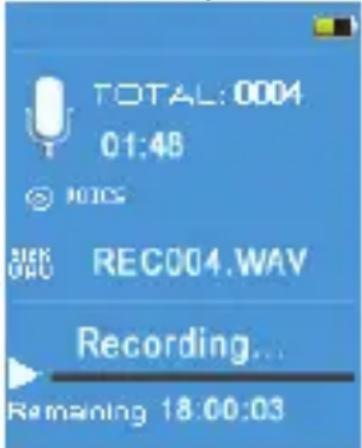
text_image
TOTAL:0004 01:48 NOTES REC REC004.WAV Recording... Remaining 18:00:03natural_image
Simple line drawing of a bird perched on a branch (no text or symbols)on-earz
ReproductormultimediaOEMP4_3158GB
text_image
Manualdeusuario 0001/0004 Butterfly v127257 M VOL1. Primerospasos
natural_image
Icon of a film clapperboard with a blue film reel and 'Video' text below (no other symbols or text)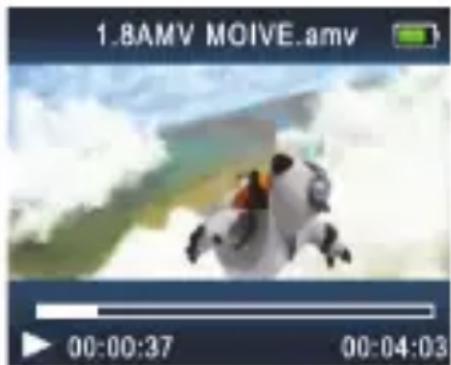
text_image
1.8AMV MOIVE.amv 00:00:37 00:04:03text_image
Recordings