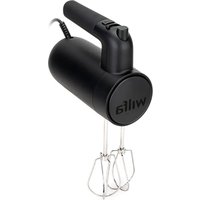
Easy HM2B-350 - Hand blender WILFA - Free user manual and instructions
Find the device manual for free Easy HM2B-350 WILFA in PDF.


| Brand | Wilfa |
| Model | Easy HM2B-350 |
| Product Type | Immersion blender / Electric mixer |
| Power | 220-240 V, 50/60 Hz |
| Number of speeds | 5 (0-5) |
| Turbo button (BOOST) | Yes, pulse function |
| Included accessories | 2 metal whisks |
| Whisk material | Metal |
| Functions | Beat, mix, whisk |
| Maximum continuous use | 5 minutes with the whisk |
| Recommended cooling time | 30 minutes |
| Safety | Overheat protection (automatic shut-off) |
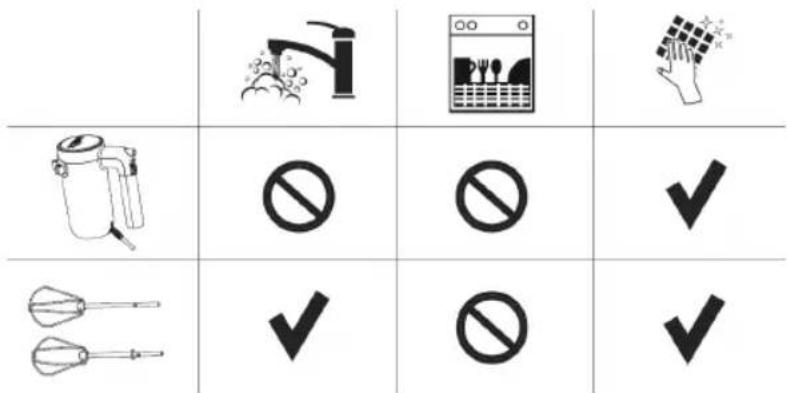
| Cleaning | Whisks washable with water and dish soap; body wiped with a dry cloth |
| Usage | Indoor domestic use only |
| Warranty | 5 years |
| Repairability | Do not repair yourself; call a qualified technician |
| Recycling | Complies with WEEE directives; do not dispose with household waste |
| Precautions | Never immerse the appliance; wait for complete stop before removing accessories |
| Eject button | Yes, works only at speed 0 |
| Plug type | Standard (not specified) |
Frequently Asked Questions - Easy HM2B-350 WILFA
User questions about Easy HM2B-350 WILFA
0 question about this device. Answer the ones you know or ask your own.
Ask a new question about this device
Download the instructions for your Hand blender in PDF format for free! Find your manual Easy HM2B-350 - WILFA and take your electronic device back in hand. On this page are published all the documents necessary for the use of your device. Easy HM2B-350 by WILFA.
USER MANUAL Easy HM2B-350 WILFA
natural_image
White electric mixer with metal handles and a gray body, no visible text or symbols on the device itself.EASY
HAND MIXER HM2W-350, HM2B-350
EN · Instruction manual
NO · Bruksanvisning
SE · Bruksanvisning
IMPORTANT SAFETY INSTRUCTIONS
- Inspect the power cable and appliance regularly. If any defect is found, do not operate the appliance.
- Do not attempt to repair the unit by yourself. It must be repaired by a qualified technician to avoid possible hazards.
- Keep appliance and cable away from direct sunlight, damp, sharp edges and other dangers.
- Always disconnect the appliance from the supply if it is left unattended and before assembling, disassembling or cleaning. Do not use third party accessories.
- This product is intended for indoor, non-industrial, non-commercial, household use only. Do not use the item outdoors or for any other purpose.
- Never allow the unit to come into contact with or become immersed in water or other liquids. Do not use the unit with wet hands.
- Use this appliance only for its intended purpose.
- Never touch the rotating equipment while still in motion; always wait for them to stop.
- Never use this appliance to mix or stir anything other than food.
- If the supply cord is damaged, it must be replaced
by the manufacturer, the manufacturer's service agent or a qualified person in order to avoid a hazard.
- Switch off the appliance and disconnect from supply before changing accessories or approaching parts that move in use.
- This appliance shall not be used by children. Keep the appliance and its cord out of reach of children.
- Appliances can be used by persons with reduced physical, sensory or mental capabilities or lack of experience and knowledge if they have been given supervision or instruction concerning use of the appliance in a safe way and if they understand the hazards involved.
• Children shall not play with the appliance. - Warning: potential injury from misuse.
- Care shall be taken when handling the sharp cutting blades, emptying the bowl and during cleaning
- Do not use the appliance longer than advised. If it shuts down during use, it is the temperature control protection preventing the motor to overheat. Let it cool for 30 minutes before using it.
EN
PRODUCT OVERVIEW
natural_image
Two identical mechanical devices with handles and a central circular component labeled '4' (no text or symbols on the devices themselves)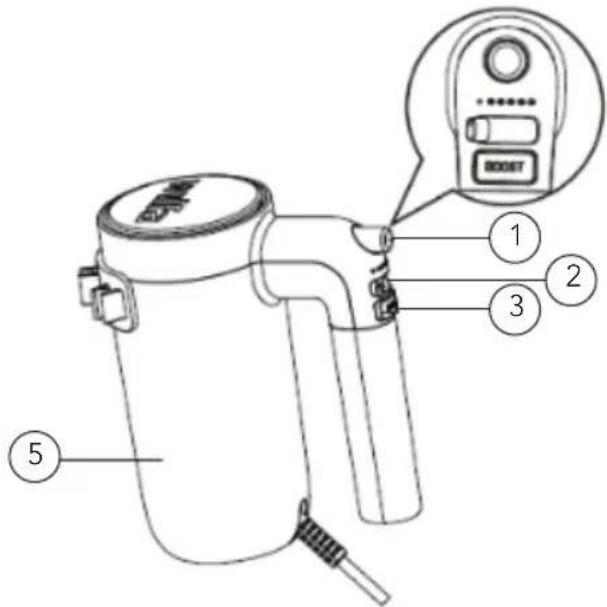
- Eject button
- Speed control 0-5
- BOOST button
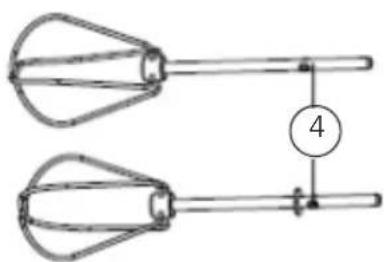
- Beater
- Main body
BEFORE USE
Before attaching the beaters: Always check that the hand mixer is properly switched off.
- Insert the two beaters into the corresponding holes. The beater with the collar around the top of the stem goes into the biggest hole.
- Turn slowly until they snap into place.
USE
NB: This appliance is designed to process average domestic quantities of food. It can be operated without interruption for a maximum 5 minutes with the beater. It should be allowed to rest for up to 30 minutes to cool down before continuing the operation.
SPEED CONTROL
Control the speed from 0-5.0 is stop.
ADJUST THE SPEED CONTROL
Note that the selected speed must be adjusted based on the size of the container, weight, and type of the ingredients. When using the beaters, gradually increase the speed.
Ingredients Speed Time (minutes)
| Egg whites (1-10 pcs) 3-5 | 1-3 |
| Cream 3-5 | 2-3 |
| Cake mix 2-5 | 1-2 |
During plug-in, it needs to be reset to 0 before selecting speed.
Adjust the speed as the mixture becomes thick. If the beater automatically slows down or stirs hard, increase the speed.
To avoid scalding don't touch the beaters after using the hand mixer. Let it cool down before cleaning.
BOOST BUTTON
For a short high-speed burst; press and release the BOOST-button (Pulse function).
REMOVE BEATERS
To detach the beaters, press the eject button. This action will only work if the speed is set to 0.
OPERATING
- Ensure that the speed control is set at "0".
- Insert the power plug into a socket, and switch on the appliance.
- Slowly direct and put the beating accessory into the material to be beaten, adjust the speed control.
- Gently move the unit back and forth and around the bowl while beating.
Tip: For the best results, use a medium-sized, high-sided bowl.
EN
MAINTENANCE AND CLEANING
- Remove plug from the socket.
- Clean the hand mixer with a dry cloth after use.
- Wash the beaters as normal with water and washing liquid.
PRODUCT SPECIFICATIONS
220V-240V\~50/60Hz 350W
SUPPORT AND SPARE PARTS
For support please visit us at wilfa.com, and see our customer service/support page. Here you will find frequently asked questions, spare parts, tips and tricks and all our contact information.
RECYCLABILITY
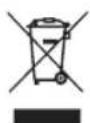
This marking indicates that this product should not be disposed with other household wastes throughout the EU. To prevent possible harm to the environment or human health from uncontrolled waste disposal, recycle it responsibly to promote the sustainable reuse of material resources. To return your used device, please use the return and
collection systems or contact the retailer where the product was purchased. They can take this product for environmentally safe recycling free of charge.

GUARANTEE
Wilfa issues a 5 year guarantee on this product from the day of purchase is done. The guarantee covers production failure or defects that arise during the guarantee period. Your purchase receipt works as proof towards retailer if claiming your guarantee.
The guarantee is valid only for products that are bought and used in private households. The guarantee is not valid if the product is used commercially. The guarantee is not valid if the product is misused, used by negligence, if not following instructions given by Wilfa, if modified or if unauthorized reparation is done. The guarantee is also not valid for normal wear of the product, misuse, lack of maintenance, use of wrong electrical voltage or:
• Overloading of product
- Parts which are normally worn down
NO
NO
INNHOLD
12 VIKTIGE SIKKERHETSANVISNINGER
14 PRODUKTOVERSIKT
14 F∅R BRUK
14 BRUK
15 DRIFT
16 VEDLIKEHOLD OG RENGJ∅RING
16 PRODUKTSPESIFIKASJONER
16 SUPPORT OG RESERVEDELER
16 GJENVINNING
17 GARANTI
VIKTIGE SIKKERHETSANVISNINGER
natural_image
Two identical wire-woven kitchen utensils with a central handle and a numbered circle (4) indicating measurement or step 4 (no text or symbols on the objects)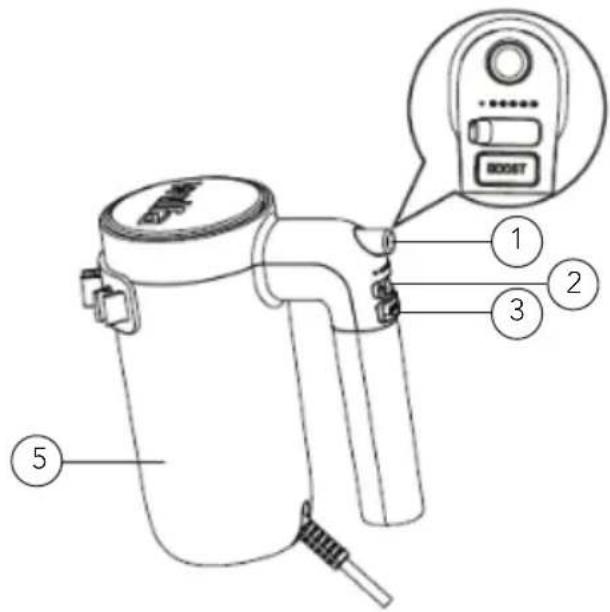
- Utløserknapp
- Hastighetsregulering 0–5
- BOOST-knapp
- Visper
- Hoveddel
F∅R BRUK
PRODUKTSPESIFIKASJONER
220V-240V\~50/60Hz 350W
SUPPORT OG RESERVEDELER
natural_image
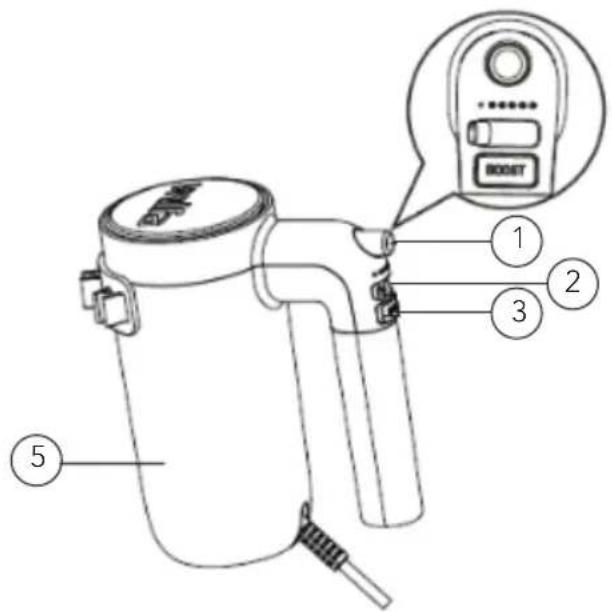
Two identical mechanical devices with handles and a central circular component labeled '4' (no text or symbols on the devices themselves)- Utmatningsknapp
- Hastighetsreglage 0-5
- BOOST-knapp
- Visp
- Motorenhet
FÖRE ANVÄNDNING
JUSTERA HASTIGHETSREGLAGET
natural_image
Two identical aerobatic levers with handles and a central pointer labeled '4' (no text or symbols on the levers themselves)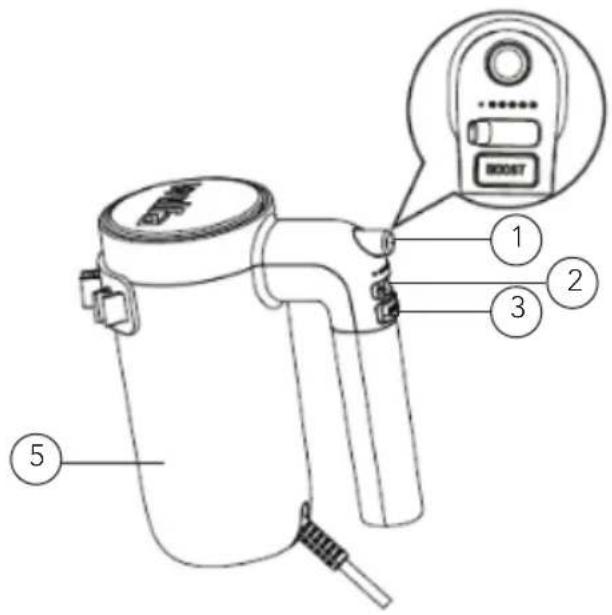
natural_image
Two identical wire-woven kitchen utensils with a central handle and a numbered circle indicating dimension (no text or symbols)FI
ENNEN KÄYTTÖÄ
FI
TUOTETIEDOT
220V-240V\~50/60Hz 350W
TUKI JA VARAOSAT
natural_image
Two identical mechanical devices with conical blades and a central shaft, connected by a vertical line labeled '4' (no text or symbols on the devices themselves)VOR DEM GEBRAUCH
DE
TECHNISCHE DATEN
220V-240V\~50/60Hz 350W
SUPPORT UND ERSATZTEILE
natural_image
Two identical wire handles with conical ends and a central circular marker labeled '4' (no text or symbols on the handles themselves)
DE SNELHEIDSREGELING AANPASSEN
NL
PRODUCTSPECIFICATIONS
220-240V \~ 50/60Hz 350W
ONDERSTEUNING EN RESERVEONDERDELEN
natural_image
Two identical wire-woven kitchen utensils with a central handle and a numbered circle marker (no text or symbols)
natural_image
Two identical wire-woven kitchen utensils with a central handle and a numbered circle (4) indicating a measurement or step, no text or symbols present.AVANT UTILISATION
CARACTÉRISTIQUES DU PRODUIT
220V-240V\~50/60Hz 350W
ASSISTANCE ET PIÈCES DÉTACHÉES
natural_image
Two identical mechanical devices with handles and a central circular component labeled '4' (no text or symbols on the devices themselves)
SPECIFICHE DEL PRODOTTO
220V-240V\~50/60Hz 350W
ASSISTENZA E RICAMBI
natural_image
Two identical wire-woven kitchen utensils with a central circular component labeled '4' (no text or symbols on the items)ANTES DE SU USO
HM2W-350_HM2B-350_20_02