
EP-MAF1 - Massage device PANASONIC - Free user manual and instructions
Find the device manual for free EP-MAF1 PANASONIC in PDF.
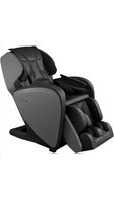


| Product Type | Massage Vibrating Chair |
| Brand | Panasonic |
| Model | EP-MAF1 |
| Power Supply | 120 V AC, 60 Hz, 3.0 A |
| Power Consumption | 3.0 A (operation) / 0.3 W (standby) |
| Height (raised position) | 120 cm |
| Width (raised position) | 68 cm |
| Depth (raised position) | 130 cm |
| Height (reclined position) | 75 cm |
| Depth (reclined position) | 200 cm |
| Weight | 73 kg |
| Upholstery Material | Artificial leather |
| Massage Area (vertical) | Approx. 66 cm |
| Kneading Speed | 4 to 25 times/minute |
| Tapping Speed | 285 to 495 times/minute (one side) |
| Air Pressure (back of knee) | 3 levels: 17 to 33 kPa |
| Backrest Recline Angle | 120° to 170° |
| Leg Rest Angle | 5° to 85° |
| Automatic Timer | Approx. 15 minutes |
| Main Functions | Rollers, air, heat, body scan, stretch |
| Maintenance and Cleaning | Soft cloth; washable sole cover (max 30°C, dry in shade) |
| Safety | Emergency stop, child lock, grounding |
| Included Accessories | Pillow, comfort cushion, sole cover, lock key |
| Maximum User Weight | 100 kg |
| Heating Consumption | 17 W |
Frequently Asked Questions - EP-MAF1 PANASONIC
User questions about EP-MAF1 PANASONIC
0 question about this device. Answer the ones you know or ask your own.
Ask a new question about this device
Download the instructions for your Massage device in PDF format for free! Find your manual EP-MAF1 - PANASONIC and take your electronic device back in hand. On this page are published all the documents necessary for the use of your device. EP-MAF1 by PANASONIC.
USER MANUAL EP-MAF1 PANASONIC
Operating Instructions
Mode d'emploi
使用說明書
Thank you for purchasing this Panasonic product.
Before operating this unit, please read these instructions completely and save them for future use.
Check interesting items immediately!
EN 12
Transport and installation
- Dimensions of main unit!
EN 20
Menu description
- Adjusting the strength and massage to your liking (EN30)
EN 27
About heat massage
EN 36
Cleaning and maintenance
EN 46
The sound is irritating!
● Operating sound, perception, etc.
Contents
Before using the product
IMPORTANT SAFETY INSTRUCTIONS ... EN4
GROUNDING INSTRUCTIONS ..... EN5
Part names and functions of main unit...EN10
Setting up the massage lounger ..... EN12
Before starting massage.....EN14
Operating Instructions
Part names and functions of the controller ...EN18
Simple use....EN20
Body scanning.....EN22
When you want a complete massage . . . EN24
When you want a massage
with your favorite action....EN26
The contents of the action ..... EN27
Screen settings....EN29
Adjusting the intensity ..... EN30
After completing the massage....EN35
Maintenance/Relocation
Cleaning and maintenance.....EN36
Moving the unit....EN38
Notice
Q&A.....EN39
Troubleshooting ..... EN44
Error display ...... EN45
Sounds and sensations of the unit ..... EN46
Specifications ...... EN47
| ⚠️DANGER | Denotes a potential hazard that will result in serious injury or death. |
| ⚠️WARNING | Denotes a potential hazard that could result in serious injury or death. |
| ⚠️CAUTION | Denotes a hazard that could result in minor injury or property damage. |
IMPORTANT SAFETY INSTRUCTIONS
Basic precautions should always be followed when using an electrical unit, including the following. Please ensure that you read all instructions before using the Household Massage Lounger.
! DANGER
To reduce the risk of electric shock:
- Always unplug this appliance from the electrical outlet immediately after using and before cleaning.
WARNING
To reduce the risk of burns, fire, electric shock, or injury to persons:
- The unit should never be left unattended when plugged in. Always unplug the unit when not in use.
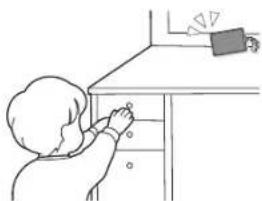
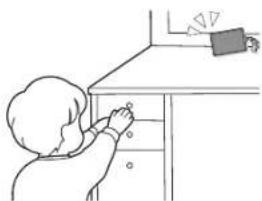
- Close supervision is necessary when this appliance is used by, on, or near children, invalids, or disabled persons. Keep children away from the legrest.
- Only use the unit for the purpose described in these instructions.
- Do not use any accessories other than those recommended by the manufacturer.
- Always return the seat to the upright position and make sure the legrest is completely retracted. Be careful that nothing is obstructing the legrest while retracting.
- Never operate the unit if it has a damaged power cord or plug. Return the unit to the nearest authorized service center if it is not working properly, if it has been dropped or damaged, or if it has been immersed in water.
- Keep power cords away from heated surfaces. Do not carry the unit by the power cord.
- Never block the air openings during operation and make sure that all air openings are kept free of lint and hair, etc. Do not drop or insert anything into any of the openings of the unit.
- Do not use the unit on top of heating appliances, such as electric carpets, etc. Do not operate the unit under blanket or pillow. Excessive heating can occur and cause fire, electric shock, or injury to persons.
- Do not use the unit outdoors.
- Do not use or operate where aerosol spray products are being used or where oxygen is being administered.
- Connect this unit to a properly grounded outlet only. See Grounding Instructions.
- Use heated surfaces carefully. May cause serious burns. Do not use over insensitive skin areas or in the presence of poor circulation. The unattended use of heat by children or incapacitated persons may be dangerous.
- Do not use the unit in close proximity to loose clothing or jewelry.
- Keep long hair away from the unit while in use.
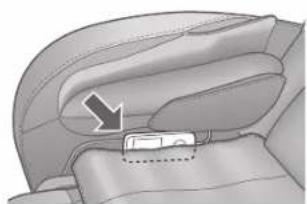
- After each massage, slide the power switch on the backside of unit body to the "off" position, turn the lock switch to the "lock" position and then remove the lock switch key and power plug. (To prevent breakage or injury from misuse by children.)
SAVE THESE INSTRUCTIONS
GROUNDING INSTRUCTIONS
This unit must be grounded. If it should malfunction or breakdown, grounding provides a path of least resistance for electric current to reduce the risk of electric shock. This unit is equipped with a cord having an equipment-grounding conductor and a grounding plug. The plug must be plugged into an appropriate outlet that is properly installed and grounded in accordance with all local codes and ordinances.

DANGER
Improper connection of the equipment-grounding conductor can result in a risk of electric shock. Check with a qualified electrician or serviceman if you are in doubt as to whether the product is properly grounded. Do not modify the plug provided with the product – if it will not fit the outlet, have a proper outlet installed by a qualified electrician. This product is for use on a nominal 120-volt circuit and has a grounding plug that looks like the plug illustrated in Figure A. Make sure that the product is connected to an outlet having the same configuration as the plug. No adapter should be used with this product.

GROUNDING PIN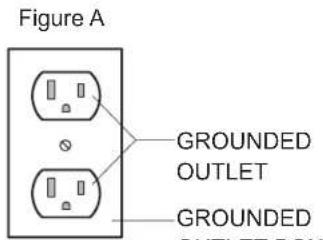
GROUNDED OUTLET GROUNDED OUTLET BOX
- This unit is not intended for use by persons (including children) with reduced physical sensory or mental capabilities, or lack of experience and knowledge, unless they have been given supervision or instruction concerning use of the unit by a person responsible for their safety. Children should be supervised to ensure that they do not play with the unit.
IMPORTANT SAFETY INSTRUCTIONS (continued)
Instructions that you must follow are indicated using the following symbols. (The following symbols are examples.)

Denotes a specific operating procedure that must not be performed.

Denotes a specific operating procedure that must be performed.

WARNING
Symptoms

The following persons should not use this unit:
(1) Persons who are prohibited from receiving massages by a physician (e.g.: due to thrombosis, deep vein thrombosis of the lower limbs, pulmonary embolism, severe aneurism, acute varicose veins, phlebitis, any type of dermatitis or skin infection [including inflammation of the hypodermis], etc.) (2) Persons suffering from osteoporosis, spine fracture, sprain or acute pain such as a pulled or torn muscle (3) Persons who have a pacemaker, defibrillator, or other personal medical devices prone to electronic interference (4) Pregnant women and women who have just given birth (5) Persons with symptoms of acute low back pain, herniated disk, spondylolisthesis, spinal stenosis, degenerative lumbar spondylosis (6) Persons who have abnormalities or curvature of the spine (Otherwise it may worsen symptoms.)
This unit is not intended for use by persons (including children) with reduced physical sensory or mental capabilities, or lack of experience and knowledge, unless they have been given supervision or instruction concerning use of the unit by a person responsible for their safety. Children should be supervised to ensure that they do not play with the unit.
(Otherwise it may lead to accident or injury.)

Persons with any of the conditions listed below or who are undergoing medical treatment should consult with their physicians before using the unit.
(1) Persons who have a malignant tumor (2) Persons suffering from heart disease (3) Persons who have a loss of heat sensation (4) Persons who have sensory abnormalities due to a severe peripheral circulatory disturbance such as diabetes mellitus (5) Persons undergoing anticoagulation therapy (6) Persons suffering from tenosynovitis (7) Persons who have a wound where the massager operates (8) Persons whose body temperature is over 38°C (100.4°F) (who have a fever) (E.g.: When a person has acute inflammation symptoms (fatigued, chills, blood pressure fluctuations, etc.) or when debilitated) (9) Persons who require bed rest or who are in poor physical shape (10) Persons other than those listed above who feel unwell
- If you begin to feel unwell during use or if you do not feel the effects of the massage lounger, stop use immediately and consult a physician. ● The unit has a heated surface. Persons insensitive to heat must be careful when using the unit. (Otherwise it may lead to accident, injury, or becoming unwell.)
Take note of the following points as well:

- Absolutely do not modify, disassemble, or repair the unit. (Otherwise it may lead to fire, or cause the unit to function abnormally resulting in injury.)
When in use:

- When massaging the neck area, be careful of the movement of the massage rollers and avoid massaging the throat area and excessively strong massage action. ● Do not use the massage rollers on your head.
- Do not use the unit on any body part where a medical device is implanted or worn, and the area around it.
- Do not sit on the legrest, backrest, or armrests. ● This unit should not be used by children. Also, do not allow children to play on the unit, or to climb on the legrest, seat, backrest, or armrests.
- Do not use the massage lounger while holding children.
- Do not push your hands, elbows, arms, or feet against the fabric covering the moving parts of the backrest during use.
(Otherwise it may lead to accident or injury.)
- When "HEAT" is used, do not let the massage rollers touch the same place for a long time. (Low temperature burns* may occur.)
* Burns may occur at relatively low temperatures (40 °C (104 °F) to 60 °C (140 °F)) when in contact with the same area of skin for long periods of time, even if you do not feel heat or pain.

● Always check the fabric covering the backrest or legrest movable parts has not been ripped before using the unit. Please also check other areas to ensure the fabric has not been ripped. No matter how small the rip, if you find one then immediately stop using the unit, unplug the power plug and have the unit repaired at an authorized service center. (Otherwise it may lead to injury or electric shock.) - Select a gentle massage when using for the first time. ● Do not massage for more than 30 minutes a day. - Do not massage any one part of your body for more than 5 minutes at a time. (Otherwise it may lead to adverse effect or injury.) - Use the massage lounger correctly by following instructions for use provided in the Operating Instructions. - Keep an eye on your children to make sure that they do not play with the unit. ● Make sure there are no persons or pets around the unit (front, back, underneath or sides of the unit) before using it for massaging or moving the backrest or legrest. (Otherwise it may lead to accident or injury.) ● After each massage, slide the power switch on the unit backside to the "off" position, turn the lock switch to the "lock" position and then remove the lock switch key and power plug. (To prevent breakage or injury from misuse by children.)
IMPORTANT SAFETY INSTRUCTIONS (continued)

WARNING
Power plug, power cord etc.

- Do not do anything that may damage the power cord or power plug.
Do not scratch, modify, use near a heater, excessively bend, twist, pull, place heavy objects on top of, or bundle the cord or plug.
(Otherwise it may lead to electric shock, ignition, or fire due to a short circuit.)
→ Contact the nearest authorized service center for repairs to the power cord or power plug.
- Do not insert or unplug the power plug with wet hands. (Otherwise it may lead to electric shock.)
● Always use sockets and wiring devices at the correct rated value.
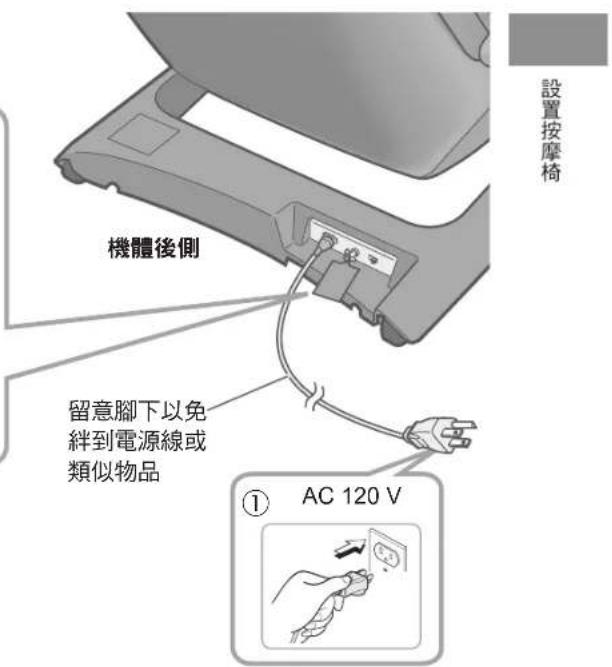
- Use AC 120 V. (Cannot be used overseas, nor with a transformer.)
● Always insert the power plug fully into the socket.
(Otherwise it may lead to electric shock or fire due to overheating.)
- Dust the power plug on a regular basis.
- Remove dust using a dry cloth. (Otherwise it may lead to fire, due to damp shorting the insulation.)
- When unplugging the power plug, hold the plug itself and do not pull on the power cord.
(Otherwise it may lead to electric shock, ignition, or fire due to a short circuit.)
If a malfunction or breakdown occurs

- If a malfunction or breakdown occurs, stop using the chair immediately and unplug the power plug from the wall socket. (Otherwise it may lead to smoke/fire or electric shock.)
• Does not start when pressing
- The power supply goes on and off when the power cord is moved.
- Burning smells or abnormal sounds occurring during operation.
- The unit becomes deformed or unusually hot.
→ Contact an authorized service center immediately for inspection/repairs.
Symptoms

- Persons who are otherwise healthy but have any of the conditions listed below should consult with their physicians before using the unit.
(1) Persons whose muscles have deteriorated due to age or weight loss (2) Persons with symptoms of lower back and hip pain caused by the bones and muscles, organs and nerves (3) Persons who suffer bruises or sprains easily (4) Persons who suffer from severe motion sickness (5) Persons who have undergone heart or internal surgery in the past
(Otherwise it may lead to adversely affected health.)
- If symptoms such as rashes, reddening, itching, etc. occur as a result of using this unit, stop using the unit and consult a physician.
(Otherwise it may lead to accident or adversely affected health.)
Installation and movement

● The unit should not be used on top of heating appliances, such as electric carpets, etc. (Otherwise it may lead to fire.) - Do not drag or push the unit in an installed state. (Otherwise it may damage flooring.) - Do not hold the sole massage section when moving the unit. (It may slide in movement, causing injury.) - Do not use in damp or humid places such as a bathroom. (Otherwise it may lead to electric shock.)

- Place a mat or other covering on the floor when moving the unit using the castors. (Otherwise it may damage the flooring.)
- When moving the unit on its castors, remove any obstacles in the surroundings of the unit, lift up the backrest to the fully upright position, lift the legrest to a position below the waist (less than 80 cm from the floor), and move the unit slowly.
- Place the controller and the power supply cord on the seat.
- Since holding the toe part causes the sole massage section to slide, always hold the sides of the legrest.
- Take care with your feet when lowering the body of the unit, and support the legrest with your hand until finished.
(Otherwise the unit may fall and cause injury.)

CAUTION
Power supply

● To ensure safety, connect the unit to a properly grounded outlet. - Otherwise it may lead to accident or discharge. (Otherwise it may lead to electric shock.)
Before and during use

- Do not use the massage rollers on your head, stomach or bare skin. Also, do not place your hands or feet between the massage rollers.
- Do not use the hand & arm massage section with only tips of fingers inserted.
- Do not use the sole massage section with only tips of toes inserted.
- Do not place your knees between the leg & sole massage section. (Otherwise it may lead to accident or injury.)
- Do not insert your hands, fingers, feet or head into the following spaces: (1) Between the backrest and seat or armrest (2) Between the legrest and seat or armrest (3) Between the seat and armrest (4) Between the back cover and leg cover (5) Back of the legrest
- Do not unplug the power plug or turn the power switch "off" during massage.
- Do not use the sole massage in a standing position. (Otherwise it may lead to injury.)
- Do not sit on, stand on, or place objects on the legrest when the legrest is not completely lowered. (Otherwise it may lead to rotation of the legrest or the unit tipping over, resulting in accident or injury.)
● Always unplug the power plug from the wall socket when not using. (Since dust and humidity deteriorates insulation, which may result in fire due to electrical fault.)

- Do not use at the same time as another medical device.
- Do not fall asleep while using the unit. Do not use the unit after drinking alcohol. (Otherwise it may lead to accident or deteriorated health.)

- Check that the massage rollers are in the retracted position.
- Be sure that all operations have stopped before getting off the unit during a massage.
- Check that there is no foreign matter between the parts of the unit before sitting down.
- Check that there are no foreign objects stuck in the backrest, legrest or hand & arm massage section.
(Otherwise it may lead to accident or injury.)
- Remove the accessories (hair ornaments, necklaces, watches, rings, artificial nails, etc.) on the massage parts. (Otherwise it may lead to injury.)
- Do not drop anything from your pockets, etc. into the gaps of the device. (Otherwise it may lead to loss.)
Take note of the following points as well

- Do not spill water on the unit or controller. (Otherwise it may lead to electric shock, ignition, or fire due to a short circuit.)
- Store the lock switch key out of the reach of children. (Otherwise it may lead to accident such as the child swallowing the key.)
- In the event of a power outage, unplug the power plug immediately. (Otherwise it may lead to accident or injury when the power supply returns.)
- If you have not used the unit for a while, carefully read the operating instructions again and check that the unit is operating normally before use. (Otherwise it may lead to breakage or injury.)

Part names and functions of main unit
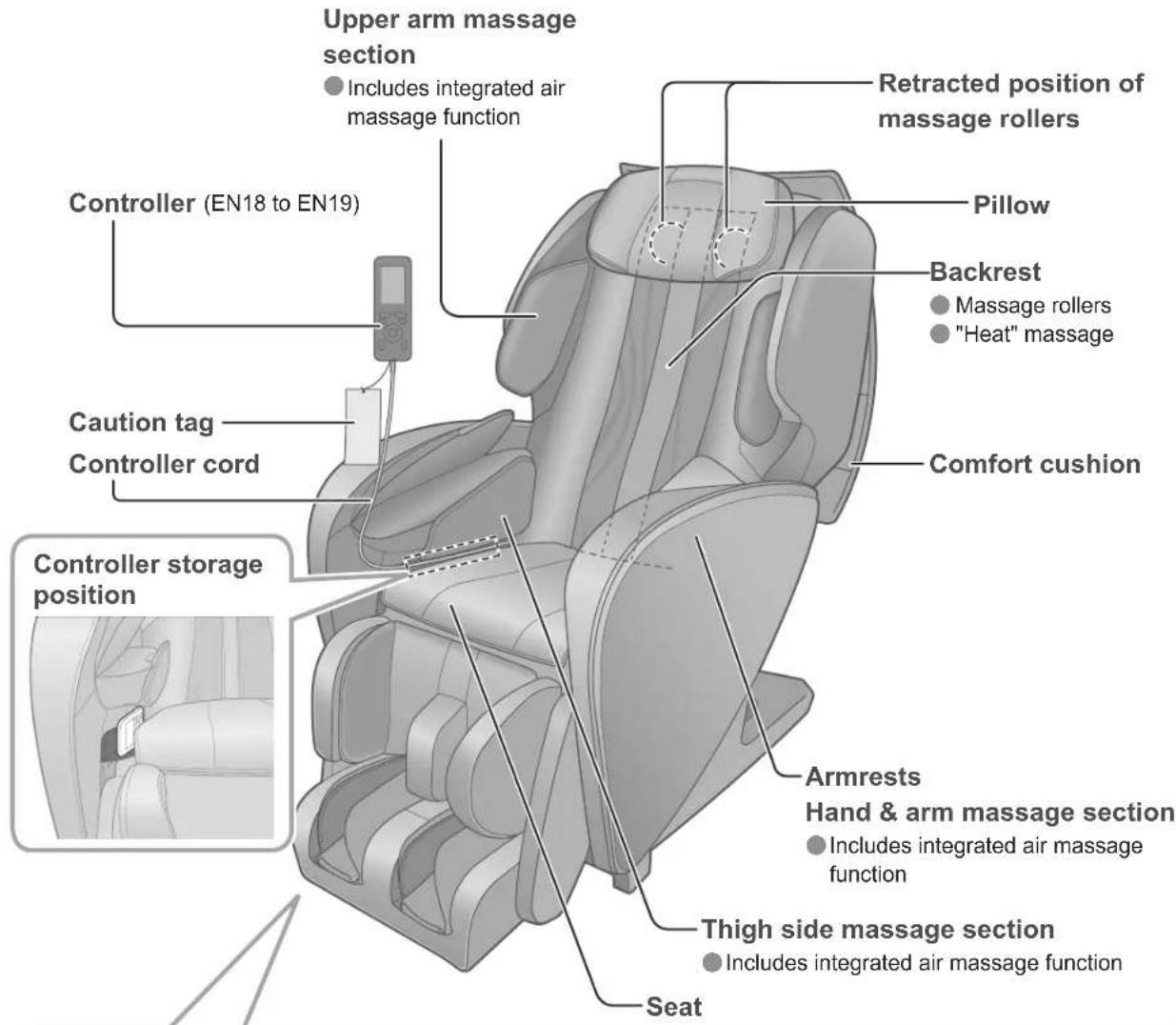
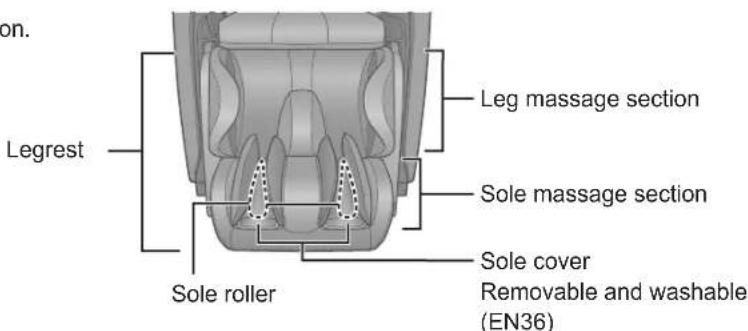
Legrest (Leg & Sole Massage Section)
● Massage by sole roller. - Includes integrated air massage function. - Adjust position by sliding the sole massage section. (EN16)
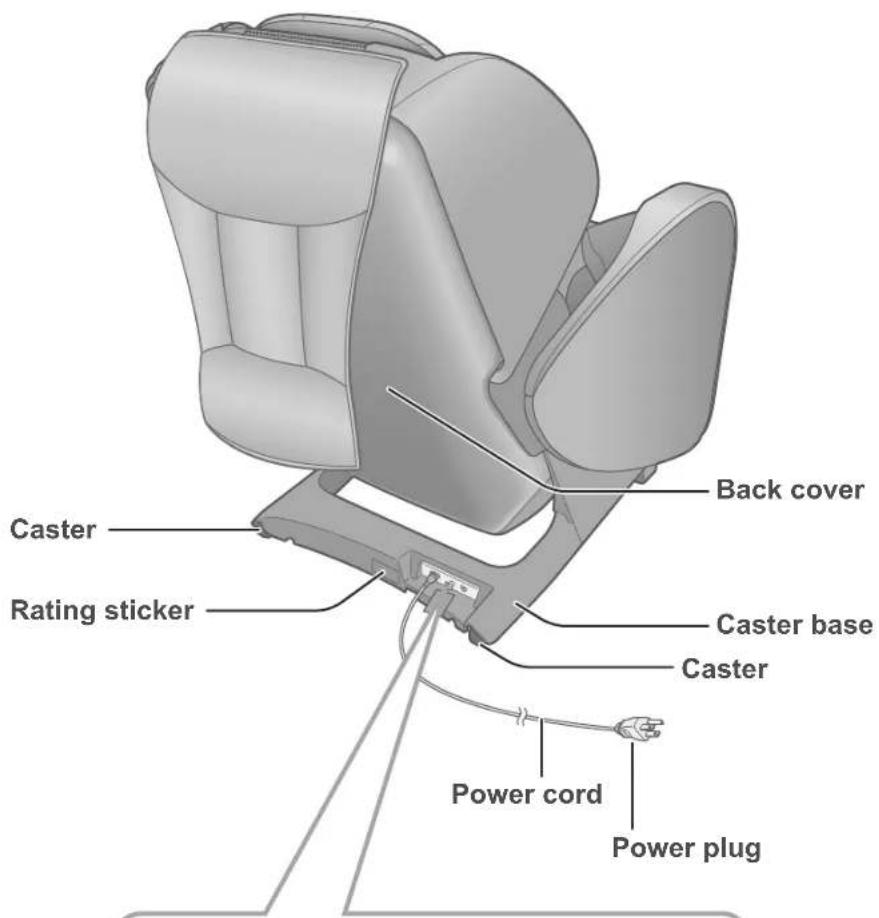
Power switch section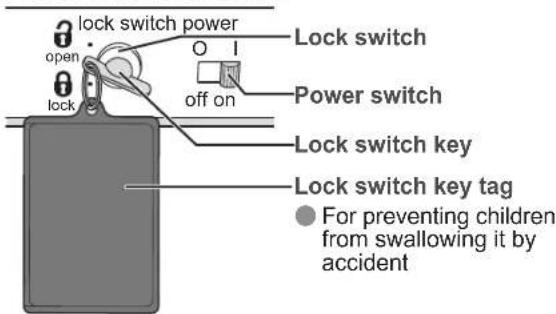
Condition of chair at time of purchase - Lock switch "open" • Power switch "on"
Setting up the massage lounger
1) Checking the accessories
Pillow
- Lock switch key (1 pc.)
This is initially inserted in the lock switch of the power switch section prior to leaving the factory.
Comfort cushion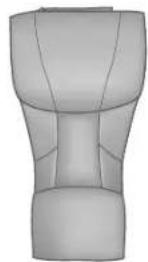
- Sole covers
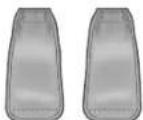
Attached to the main unit prior to leaving the factory.
2) Where to use the unit
Ensure there is adequate space to recline.
Unit body dimensions: Height approx. 120 cm (47.2 in.) × Width* approx. 68 cm (26.8 in.) × Depth* approx. 200 cm (78.7 in.) (See EN48 for detailed unit dimensions.)
* When installing near a wall, etc. In the reclining state, make sure that the backrest and the legrest are separated from walls, etc., by 10 cm (3.9 in.) or more, and the armrest is separated from walls, etc., by 5 cm (2.0 in.) or more.
- Do not expose the massage lounger to direct sunlight or high temperatures, such as in front of heating sources. This can cause discoloration or hardening of the synthetic leather.
3) Installing
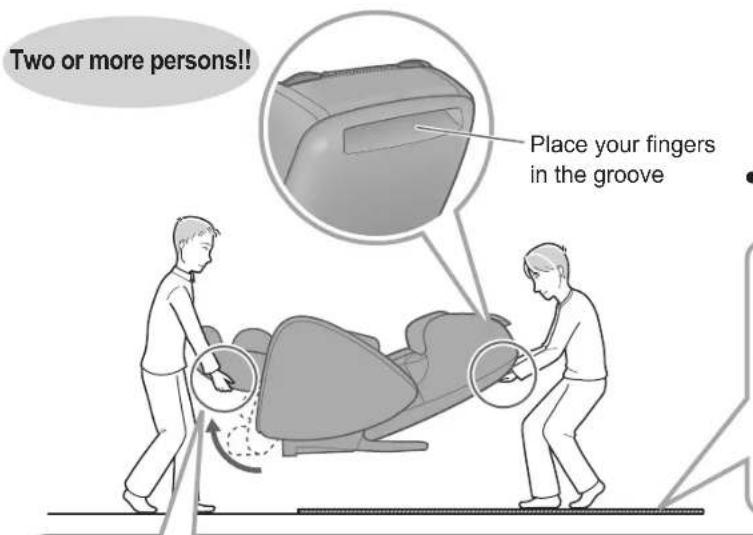
- The unit must be carried by two or more persons. - Since the unit is heavy, be careful to avoid back injuries.
| Unit weight | Approx. 73 kg(160.9 lbs) |
- Watch your step carefully and put down the unit slowly.
Lay out a mat, etc.
Since the unit may damage the flooring, it is recommended to place the unit on a mat. When placing a mat under the unit, the size of the mat should be sufficient (at least 120 cm × 70 cm (47.2 in. × 27.6 in.)) to cover the areas where the unit touches and where the legrest could touch the floor.
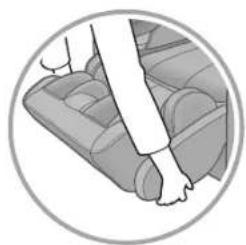
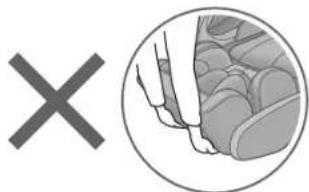
Hold the sides of the legrest.
Hold the legrest with your hands until it has been set on the floor completely.
If you release the legrest too soon, it will spring back to the initial position.
Do not hold the foot part!
The sole massage section might slide, and injuries may occur.
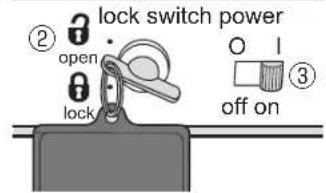
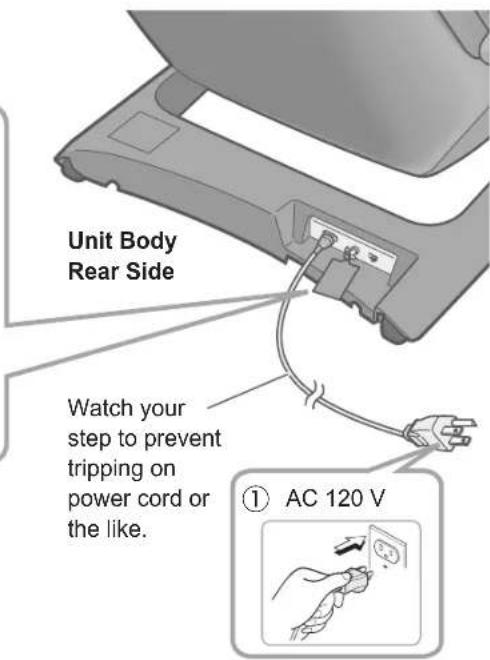
4) Turn on the power and raise the backrest to the upright position.
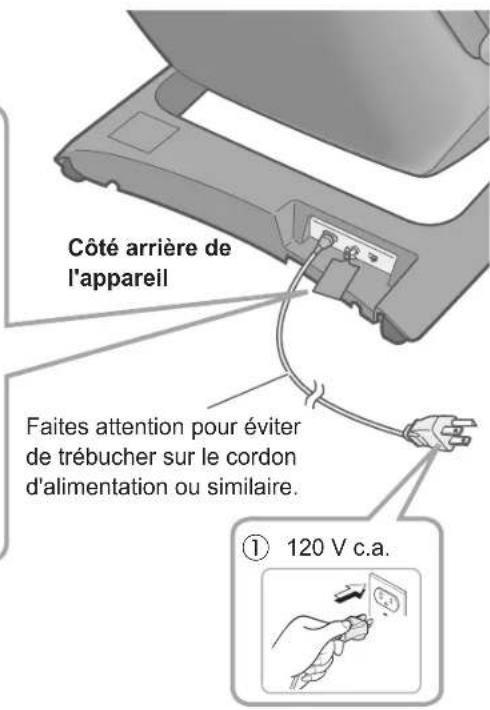
① Insert the power plug into the power outlet. • Always be sure to insert into an AC 120 V plug. ② Confirm the lock switch key is set to the "open" position. ③ Confirm the power switch is set to the "on" position.
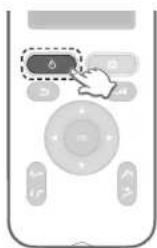
④ Press on the controller twice.
- Press it once, and then press it again after the screen appears.
- Backrest will rise automatically.
Setting up the massage lounger
Before starting massage
Check the surrounding area
Make sure there are no objects, persons, or pets in the vicinity of the unit.
The massage lounger may not work when pets such as dogs and cats chew on or trip over the controller cord. (This may result in a breakdown.)
Flip up the comfort cushion to check the main unit.
If you are using a cloth or blanket to soften the contact sensation of massage rollers, please remove it and check the main unit.
Check the following points:
Is the main unit fabric torn? Are there foreign objects sandwiched in the main unit? Are the massage rollers in their stowed positions?
- When the massage rollers are not in the retracted position
Press twice to return the massage rollers to the retracted position.
Comfort cushion
Retracted position of massage rollers —
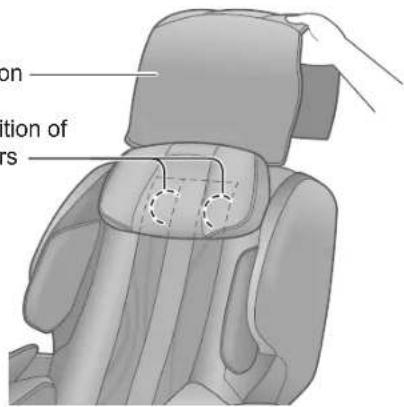
Do not massage with the comfort cushion still on the backrest.
•The fabric may wear faster. •U10 may be displayed when the body is not detected. (EN40) - The comfort cushion can be removed with the fastener.

WARNING
● Always check the fabric covering the backrest or legrest movable parts has not been ripped before using the unit. Please also check other areas to ensure the fabric has not been ripped. No matter how small the rip, if you find one then immediately stop using the unit, unplug the power plug and have the unit repaired at an authorized service center.
(Otherwise it may lead to injury or electric shock.)
Insert the power supply plug, turn the lock key switch to "open", and power switch to "on".
(EN13)
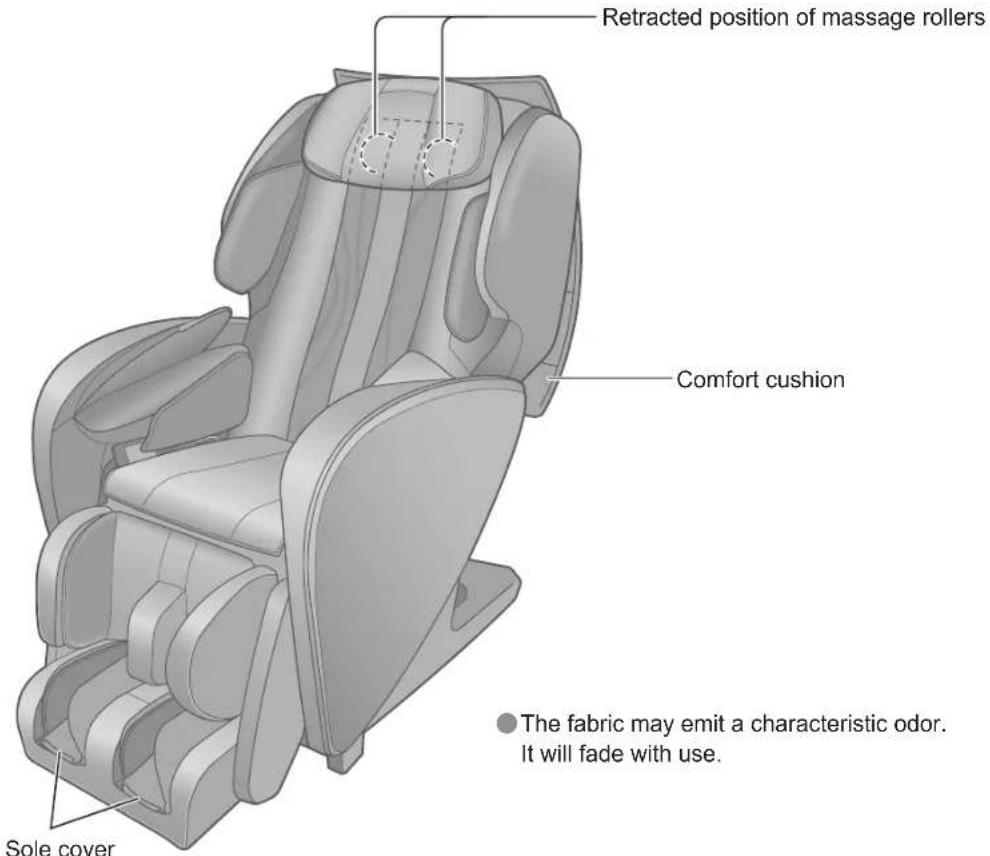
Flip up the sole cover to check the main unit
Check the following points:
Is the sole cover or the main unit fabric torn? Are there foreign objects sandwiched in the main unit?
Due to the characteristics of the fabric used for the sole cover, the fabric may be crushed or partially whitened by repeated use.
(You cannot restore it to its original state even after washing it, which does not affect its use.)
- If you are concerned about creases, please iron it. (EN36)
- If the sole cover is torn, you can buy a new one from your dealer.
Check the legrest position
● Make sure the legrest is in the fully lowered position.
(The legrest contacts the floor in the completely lowered state.)
- When the legrest is not fully lowered
The legrest will lower by pressing on twice.
Before starting massage (continued)
In order to deliver an effective massage, place your body in the right position. Re-align the position if any position drifts during massage.
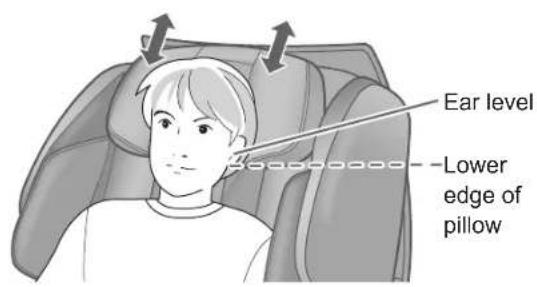
Adjust the pillow position
Attach the pillow using the Velcro fastener.
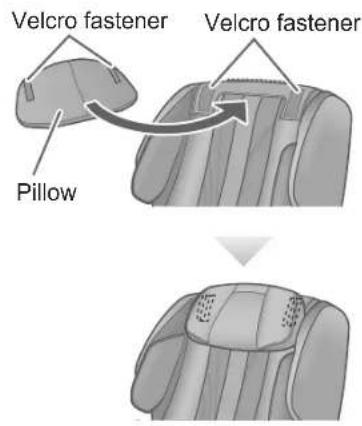
Remove the pillow and adjust its height so that the bottom edge is at ear level.
The pressure of the massage roller on the neck varies depending on the pillow position. - When the reclining angle changes, the pillow position may shift. In that case, adjust the position again. Since the pillow is easily soiled, it is recommended to spread a towel over it. (Otherwise, it may cause staining or discoloration of the fabric.)
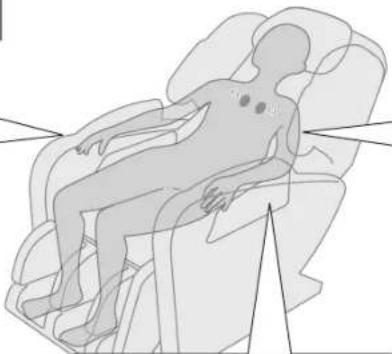
Check your sitting position
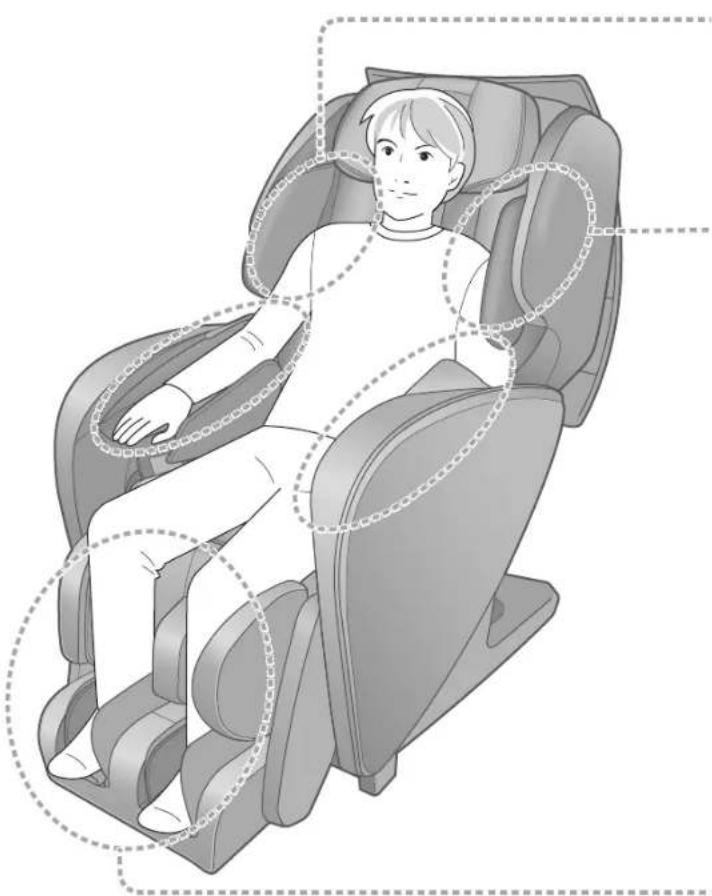
To ensure an effective massage, sit all the way back with your buttocks in contact with the backrest.
Hand and arm massage
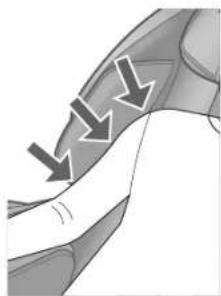
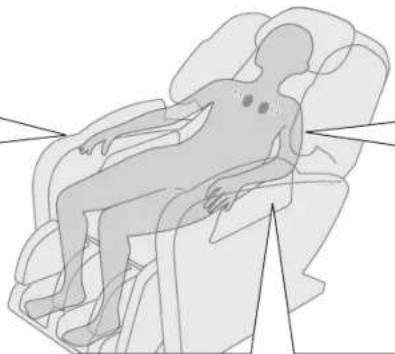
Insert your hands and arms deeply into the section.
Align your elbows with the armrests.

Position your shoulders and arms so they come into contact with the upper arm massage section.
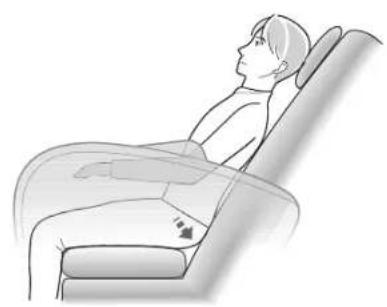
Slide the sole massage section to your preferred position
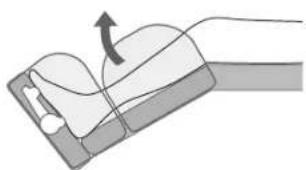
- Adjust to your preferred position after raising the legrest.
(See EN18 for information on reclining angle adjustment)
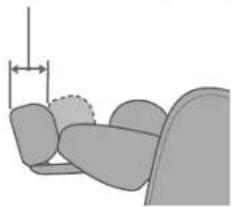
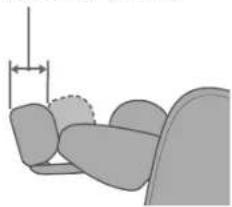
It slides up to about 18 cm (7.1 in.).
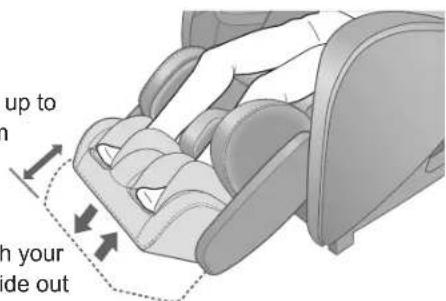
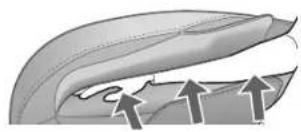
Push with your feet to slide out
Lift your feet slightly and the sole massage section returns
Leg & sole massage
Slide the section to ensure that knees do not float.
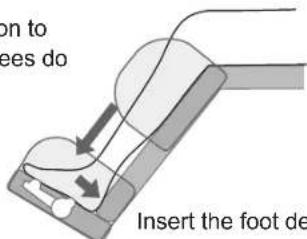
Insert the foot deeply.
For taller persons: Knee floating even when legs are slid with section.
In order to prevent knees floating, the angle of the legs is lowered.
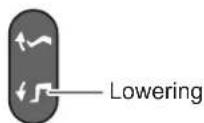
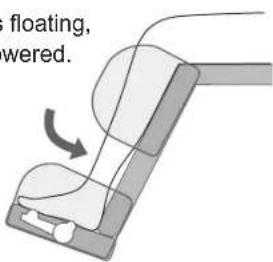
For short individuals: Soles do not reach the bottom.
In order to ensure that soles reach the bottom, the angle of the legs is raised.
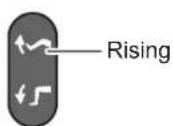
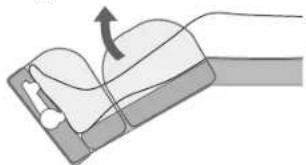
Part names and functions of the controller
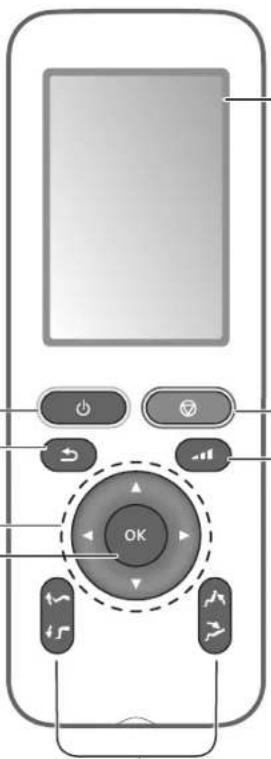
Controller
OFF/ON button
Starting massage operations
- The power of the controller is turned on.
- The power is automatically turned off when the massage operation is completed.
- Suspending ongoing massage operations
- The legrest goes down automatically, the backrest rises, and the massage rollers are stored in the original positions.
BACK button
Returns to the previous screen.
Vertical selection/adjustment button (▲/▼)
Horizontal selection/adjustment button (◀/▶)
OK button
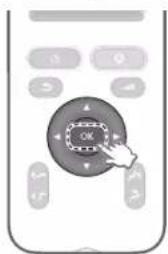
Executes the operation or function selected on the display.
● A confirmation sound will sound when the operation is accepted.
Display section
Emergency stop button
- In case of emergency or feeling abnormal sensations while in operations.
- Press this button to stop the massage immediately.
- The legrest, backrest, and massage rollers will not return to their storing positions.
- Get off the unit body, being careful not to tip over.
- In order to use, press twice returning the backrest and the massage rollers to their storing positions, and then use again.
- When you press the button, you will hear a confirmation beep sound.
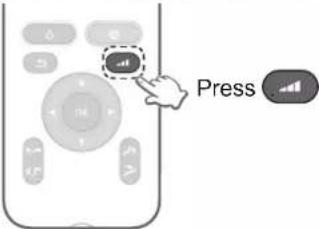
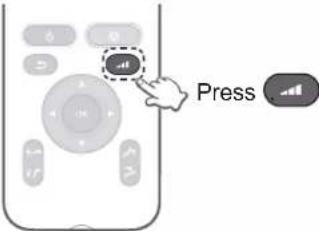
Intensity button
● Displays the screen for adjusting the strength of back massage rollers and the strength for upper arms/arms, thighs/legs, and soles.
Press the reclining angle adjustment button
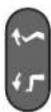
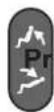
Press to adjust.
- Press to turn the power of the controller on to use the massage lounger. ● Backrest and legrest angles can be adjusted. Armrests will move in conjunction with the reclining of the backrest.
- When holding down the adjustment buttons, chair adjustment will continue until you hear the limit sound (beep-beep-beep).
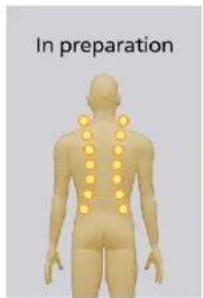
If you press the emergency stop button, turn off the power switch on the back of the main unit, or unplug the power plug, the massage rollers
may move automatically the next time you use it. During that time, the display on the right appears, but this is not a malfunction.
After the massage rollers have moved for a while, it can be used normally.
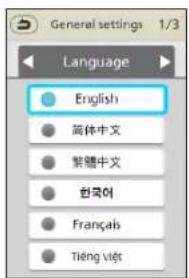
About language selection
The language selection screen will be displayed only the first time when the control unit is activated. (See EN29 for setting and changing)
![graph TD A["Menu"] --> B["Auto"] A --> C["Manual"] A --> D["General settings"]](/content/2026/04/666715/images/6e84ae28a8f871091a7e57cddb9b50efc730236594c3601e4ca9d94353a2327d.jpg)

Screen displays during massaging operations
- Select the displayed action or function to operate. The power is turned OFF automatically if massage is not started and no operation is performed for about 3 minutes.
The "Auto" course is used as an example for the screen displays shown below.
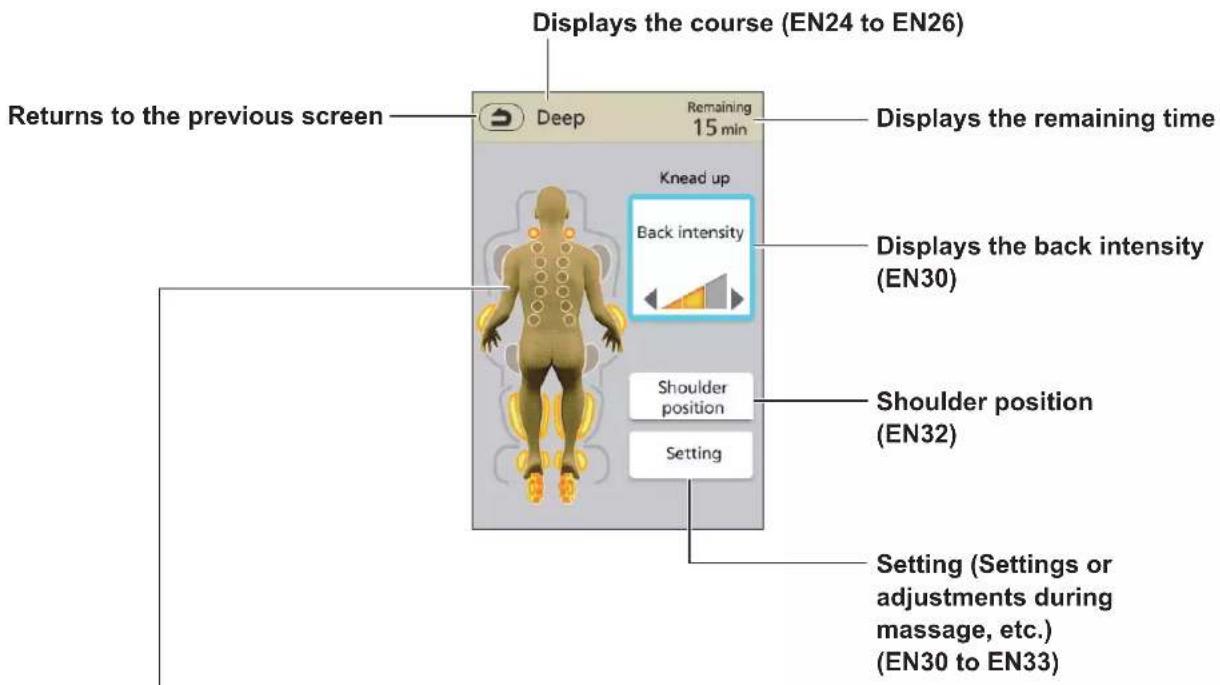
Display of the operation and position
The statuses of massage rollers in operation, as well as sole and air are displayed. (The display indicates rough movements; Actual movements or sensations may vary.)
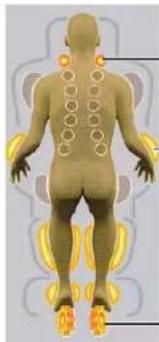
Massage rollers
- Flashes to display the position of the massage roller currently being performed.
Air
- Lights up to display the currently selected air massage operation.
- Flashes to display the position of the air massage currently being performed.
Sole
• Flashes during operation.
Simple use
| Menu → Course & action selection | ||||
| Just select the course and let the machine do the massaging | 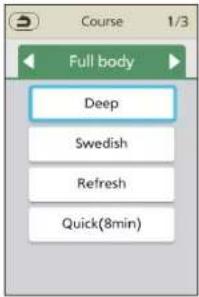 | 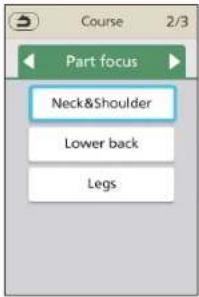 | 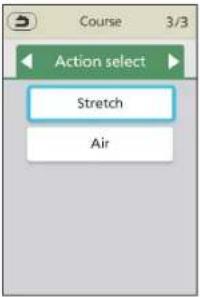 | |
| AutoWhen you want a complete massage (EN24 to EN25) | Select one course, press OK | |||
| Massage with your favorite action | 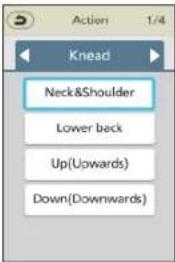 | 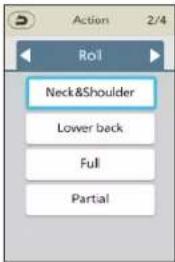 | 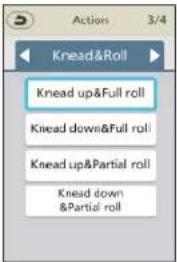 | 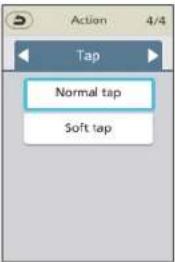 |
| ManualWhen you want to massage with your favorite action (EN26) | Select one action, press OK | |||
Body scanning
Start the massage and adjust to suit your desire
See EN22 to 23 for details.
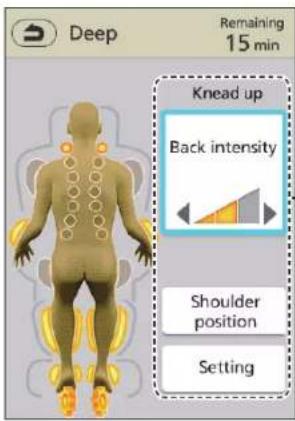
Actions can be adjusted. (EN30 to EN34)

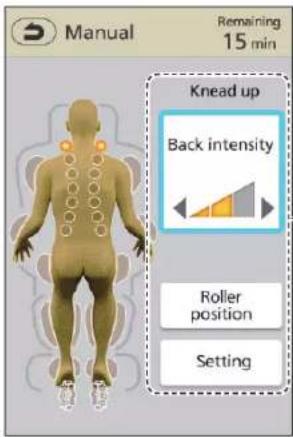
Actions can be adjusted. (EN30 to EN34)
Body scanning is not performed when any of the following is selected.
Auto
Manual
< When Lower back Knead, Up(Upwards), Down(Downwards), Lower back roll, Normal tap, Soft tap are selected>
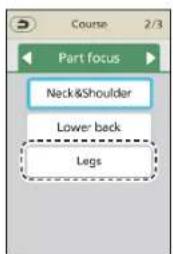
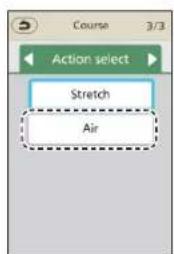
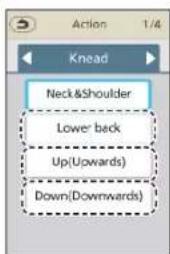
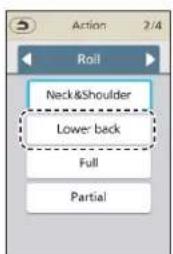
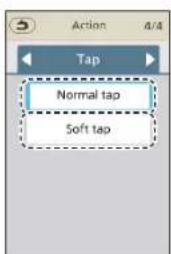
EN21
Body scanning
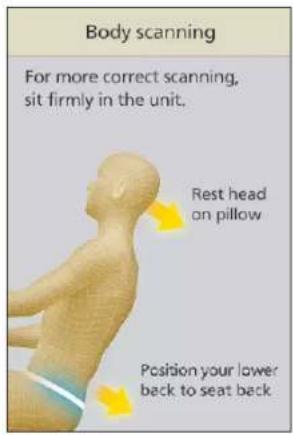
Body scanning is the operation of estimating the shoulder position in order to ensure that massaging is done matching with the body shape. (Height range of body scanning is about 140 cm to 185 cm (55.1 in. to 72.8 in.).)
Body scanning flow
Select one course or one action, press OK

The unit body moves automatically and becomes reclined to an angle suitable for body scanning.

- If you have adjusted the reclining before use, the angle will not change.
Sit back and lean gently back so that your head touches the pillow.
For adjustment of the position of the pillow. (EN16)
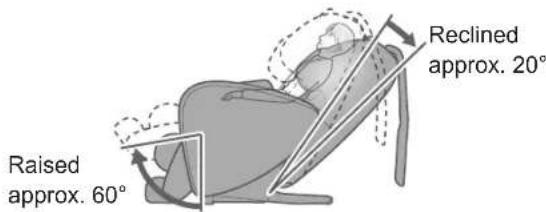
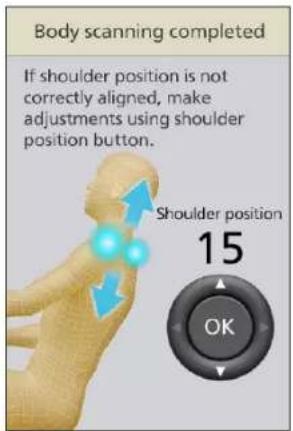
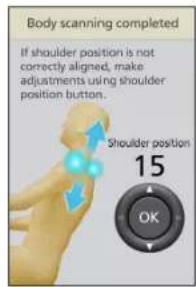
■ Shoulder tapping position is not aligned
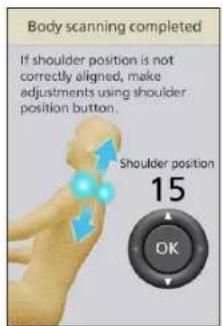
Press "▲" or "▼" during the tapping action (about 12 seconds) to adjust the shoulder height position and press OK
● The shoulder position can be adjusted from 1 (for shorter persons) to 20 (for taller persons).

Moves approx. 1.5 cm (0.6 in.) up or down for each press.
When is pressed, the body scanning is completed and the massaging is started.
● While a beeping sound is being made, the massage roller slowly rises to the top.
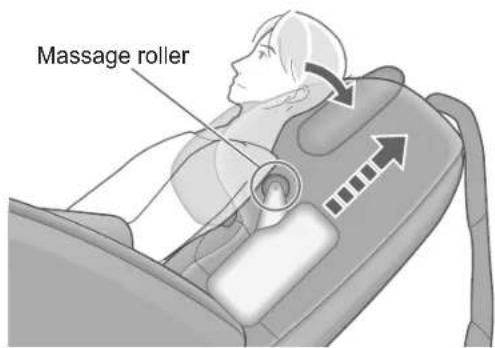
Be sure to put your head on the pillow.
- Do not move your head from the pillow until you have determined the shoulder position. If the correct shoulder position is not found, an error message U10 appears, and the operation may get terminated. (Error display EN45)

Complete Body scanning
- When completed, the following screen is displayed, and the massaging is started.
Even during the tapping action, when you press body scanning will end and massage will start.
If is not pressed, massage will start after about 1 or 2 seconds.
To estimate the approximate height based on the shoulder position, the legrest may automatically adjust its angle so that the sole of the foot touches.
- If the shoulder position is greatly shifted, one press of will stop the action. Rest your shoulders back against the backrest firmly and press the button to start again.
When you want a complete massage
The power is turned OFF automatically if massage is not started and no operation is performed for about 3 minutes.
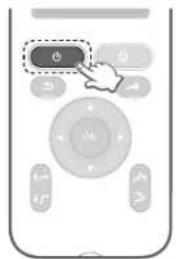
1 Turn on the power.
2 Select "Auto" from the menu.
![graph TD A["Menu"] --> B["Auto"] B --> C["Manual"] C --> D["General settings"]](/content/2026/04/666715/images/d1266f7e960c9aec28cc70be5727b55066df8c2cfbe1bdbcbb2410eeae3fc4e5.jpg)
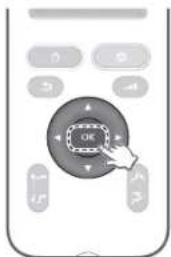
3 Press OK
Select with ▲ or ▼.
4 Select the type of your desired auto course from "Full body", "Part focus" and "Action select".
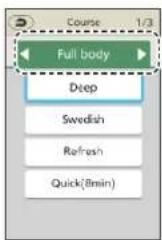
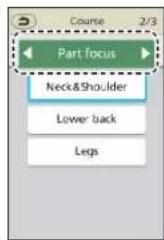
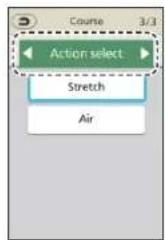
Select with ◀ or ▶.
5 Select one course from the type selected in Step 4
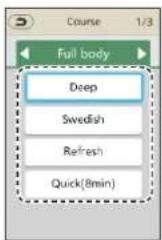
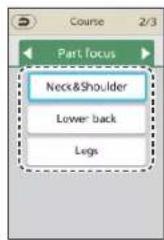
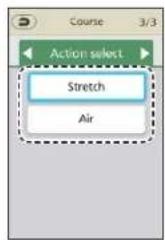
6 Press OK
Select with ▲ or ▼.
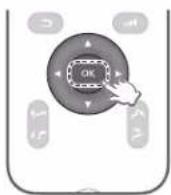
- Start body scanning. (EN22 to EN23) ● Body scanning may be skipped depending on the selected course. (EN21)
7 After body scanning ends, massage starts.
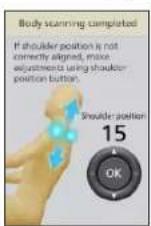
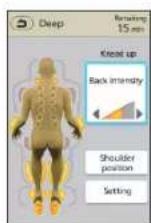
8 After the massage is started, it will automatically end in a maximum of approximately 15 minutes. Massage finished automatically.
- Displays for massage action. During the massage, you can create favorite settings. (EN30 to EN34)
EN24
Features of Auto course
Deep
15 minutes
When you want to firmly loosen your body as you have a stiff neck, frozen shoulders, and a very tired waist
Gently loosens tension by firmly stretching your waist from your neck and shoulders with massage actions such as Knead, Tap, Neck&Shoulder, and Lower back roll. Legs, soles and arms are thoroughly loosened to release fatigue from the whole body.
Swedish
15 minutes
When you want to gently loosen your stiff neck and frozen shoulders to release fatigue from the whole body
Gently loosens tension primarily with a spreading operation on the surface of the body. Air operation is used to apply pressure on fingertips and toe tips.
The massage operation (see EN27 for details) that matches the course is automatically performed.
Refresh
15 minutes
When you want to lightly loosen your stiff neck, frozen shoulders and tired waist
Relaxes your body quickly and comfortably primarily with tapping actions. This is a refreshing and exhilarating course. Arms, soles and calves are firmly loosened.
Quick(8min)
8 minutes
When you want to quickly loosen your body in your spare time
Based on the Deep course, this course is condensed to about 8 minutes by focusing on the points where stiffness and fatigue are easily felt.
Neck & Shoulder
15 minutes
When you want to firmly loosen your stiff neck and frozen shoulders
This course focuses on loosening the neck and shoulders primarily with Neck & Shoulder Knead, Neck & Shoulder roll, and grabbing actions.
Lower back
15 minutes
When you want to firmly loosen your waist
This course focuses on loosening the back and waist primarily with Lower back Knead, Lower back roll, and grabbing actions.
Legs
15 minutes
When you want to firmly loosen your legs
Air operation or roller massage is used to loosen the soles, calves, and thighs.
Stretch
15 minutes
When you want to stretch to loosen your body
This course stretches your body through combined operation of air pressure and massage rollers.
Air
15 minutes
When you want to gently loosen your body with air
This course wraps the body with air and gently loosens the body. (Sole roller also works.)
When you want a massage with your favorite action
The power is turned OFF automatically if massage is not started and no operation is performed for about 3 minutes.
1 Turn on the power.
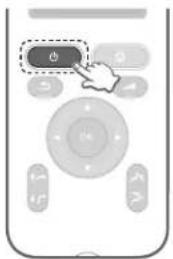
2 Select "Manual" from the menu.
![graph TD A["Menu"] --> B["Auto"] B --> C["Manual"] C --> D["General settings"]](/content/2026/04/666715/images/2d3fe24be3fd62257a21ce819ac42cbeed2f20ee3a5b15505b0a328f109e8c60.jpg)
3 Press OK
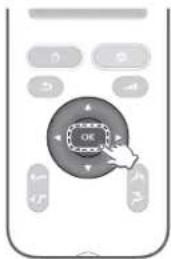
4 Select the type of your favorite action from "Knead", "Roll", "Knead&Roll" and "Tap".
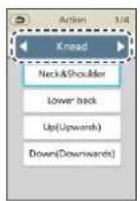
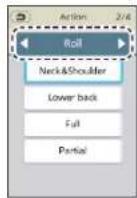
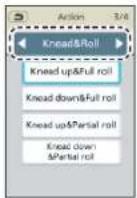

Select with ◀ or ▶.
5 Select one action from the type selected in Step
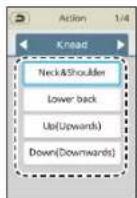
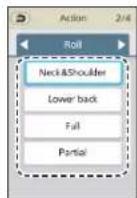
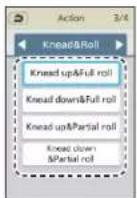
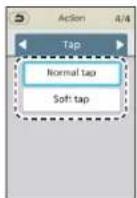
6 Press OK
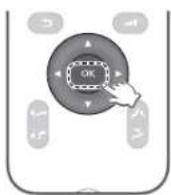
- Start body scanning. (EN22 to EN23) ● Body scanning may be skipped depending on the selected course. (EN21)
7 After body scanning ends, massage starts.
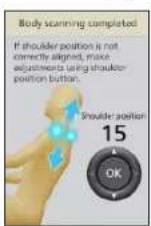
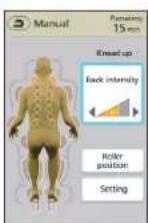
- If you select Knead down, Knead up, Partial roll, Knead up & Partial roll, Knead down & Partial roll, Normal tap or Soft tap, the position of the massage rollers will not move automatically. Be sure to adjust the position after starting. (EN32)
- Displays for massage action. During the massage, you can create favorite settings. (EN30 to EN34)
8 After the massage is started, it will automatically end in a maximum of approximately 15 minutes.
Massage finished automatically.
EN26
The contents of the action
Massage operation by massage rollers
Neck&Shoulder Knead Action kneading the neck and spine.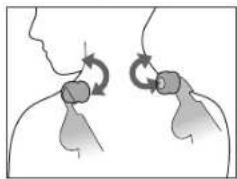
Lower back Knead Action kneading the waist.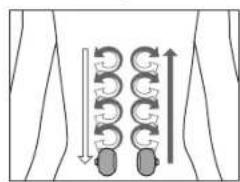
Knead up / Knead down Deep kneading action.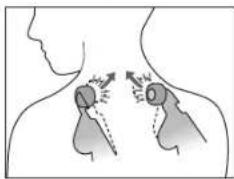
Neck&Shoulder roll Action stretching the neck.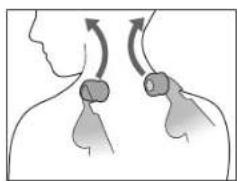
Lower back roll Action stretching the waist.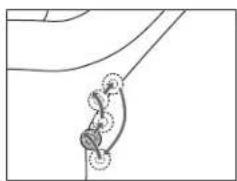
Roll / Partial roll Action stretching the body along the backbone.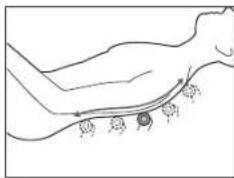
Knead up&Full roll / Knead down&Full roll: Action rolling on the whole spine while kneading up and kneading down.
Knead up&Partial roll / Knead down&Partial roll: Action rolling on part of the spine while kneading up and kneading down (about 12 cm (4.7 in.)).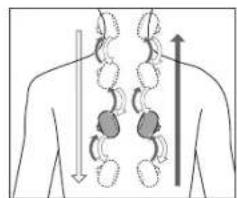
Tap (Normal / Soft): Action tapping alternately on the left and right.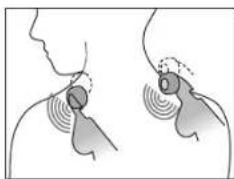
"Heat"
The warm section in the "Heat" massage rollers will warm up the fabric of the massage areas.
● Temperature adjustment cannot be made. ● Sense of warmth differs depending on the room temperature, clothing, body shape, action, position, and course.
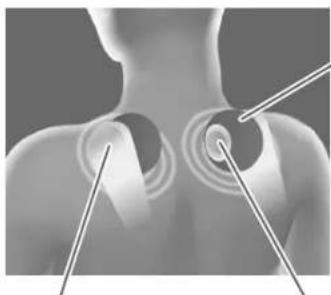
"Heat" massage rollers rubber section
"Heat" massage rollers warm section
The contents of the action (continued)
Stretching
A stretching operation is that of stretching the body using the movements of air or massage rollers.
Body parts for stretching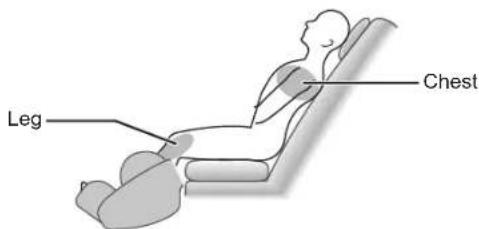
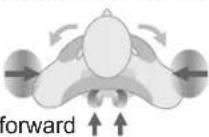
"Chest" stretch
Extends the muscles around the shoulder blades and chest.
① Hold the shoulders with the shoulder-side air bags.
② Press the back forward with the massage roller.
"Leg" stretch
Extends the muscles from the knee area to the thighs.
① Hold your body with an airbag next to your pelvis.
② While the waist is stretched with massage rollers, the legs are pinched, and then the legrest is lowered to stretch the legs.
- If you do "leg" stretching with the sole massage section slid out, it may hit the floor.
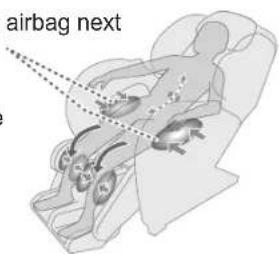
About air massage operation
Air operation is that of softly relaxing the body with only air.
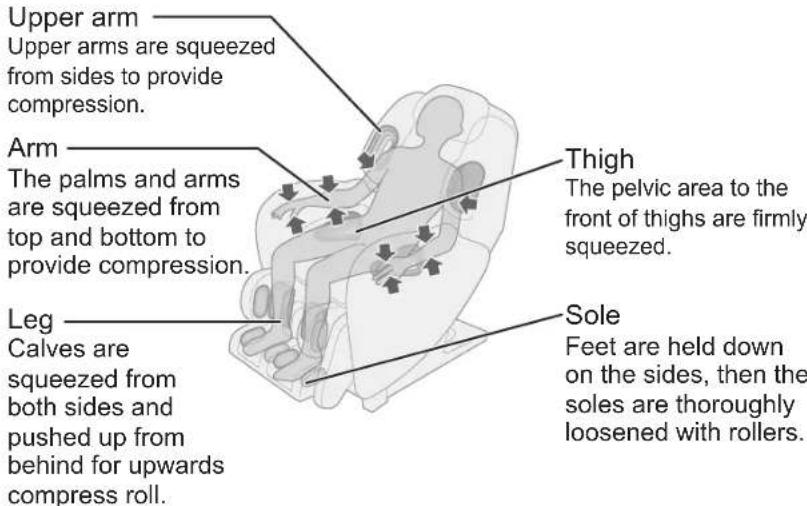
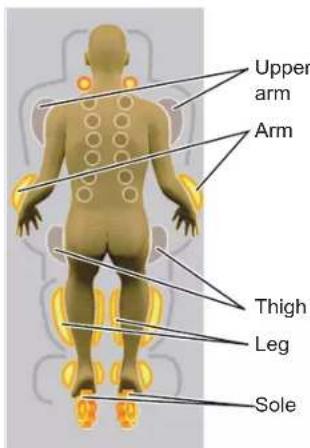
Screen settings
■ Language ...... Select a language ■ Display brightness ..... Setting the brightness of the display section Volume ...... Setting the operation tone volume
1 Select "General settings" from the menu.
![graph TD A["Manual"] --> B["Auto"] B --> C["General settings"]](/content/2026/04/666715/images/99434fecba797ba18712f51b3cca808f7b14ae18ade5807d7c16c712fdca12bd.jpg)
Select with ▲ or ▼.
2 Press OK
3 Select the "Language", "Display brightness" or "Volume" screen.
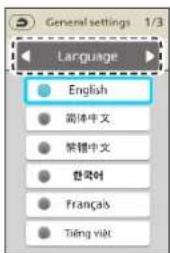
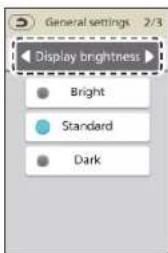
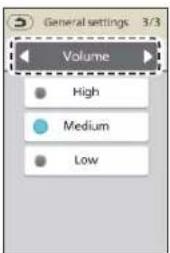
Select with ◀ or ▶.
Select any one.
(Example: When "Bright" is selected) (Example: When "High" is selected)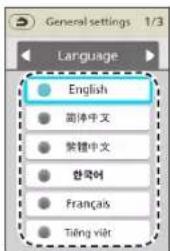
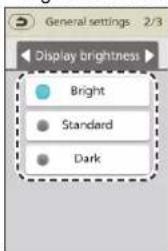
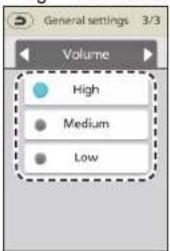
Select with ▲ or ▼.
5 Press OK
Adjusting the intensity
It is possible to adjust to your liking the adjustments and settings, etc., during massaging. The content that can be adjusted can differ depending on the selected course. See EN34 for details.
| Function name | Description | |||
| Back intensity | Adjust back intensity. Auto: 3 stages manual: Up to 5 stages (The stage varies with the action.) | 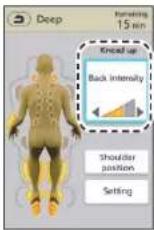 | Select "Back intensity" with ▲ or ▼. | |
 | 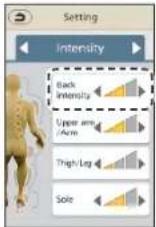 | |||
| Intensity of Upper arm/Arm · Thigh/Leg · Sole | Intensity of Upper arm/ Arm · Thigh/Leg · Sole can be adjusted in 3 stages. | 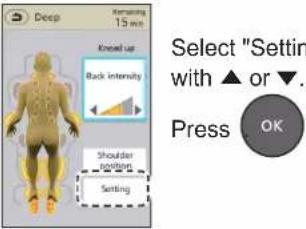 | 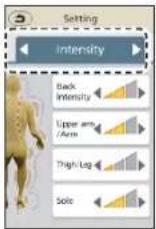 | |
 | ||||
| Action of Upper arm · Arm · Thigh · Leg · Sole | Turn OFF/ON Upper arm · Arm · Thigh · Leg · Sole. | 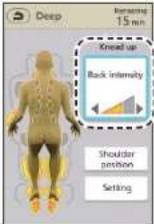 | Select "Back intensity" with ▲ or ▼. Press OK | 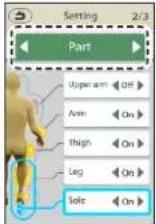 |
| Heat | Turn OFF/ON Heat. | 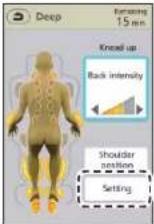 | Select "Setting" with ▲ or ▼. Press OK | 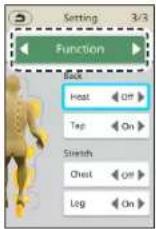 |
| Intensity | Low Medium | High | |
| Back intensity display |  |  |  |
Adjust with ◀ or ▶.
- If the strongest setting is not strong enough, or if the weakest setting is too strong, refer to EN42.
- Adjustments may not be accepted when the massage movements are switched.
- Adjustments will not be accepted while the intensity display is flashing.
| Select "Back intensity" with ▲ or ▼. |
| Intensity | Lowest Low | Medium | High Highest | ||
| Back intensity display |
Adjust with ◀ or ▶.
Select screen of "Intensity" with ◀ or ▶.

Select part with ▲ or ▼
| Intensity | Low Medium | High | |
| Upper arm/ Arm · Thigh/ Leg · Sole intensity display |  |  |  |
Adjust with ◀ or ▶.
Select screen of "Part" with ◀ or ▶.
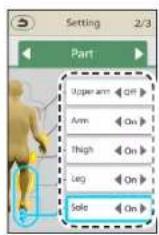
Select part with ▲ or ▼
Switch each time when press ◀ or ▶.
Select screen of "Function" with ◀ or ▶.
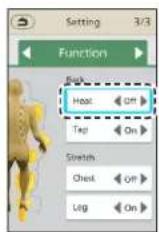
Select Heat with ▲ or ▼
Switch each time when press ◀ or ▶.
- Press before adjusting to return to the original screen.
▶ Continued on the next page
Adjusting the intensity (continued)
| Function name | Description | |||
| Tap action | Turn OFF/ON Tap action. | 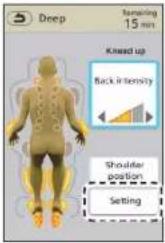 | Select "Setting" with ▲ or ▼.Press OK | 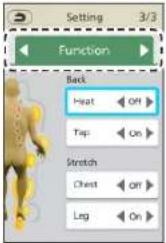 |
| Stretch | Turn OFF/ON Stretching operation. | 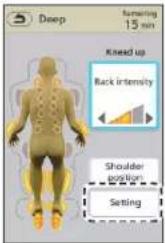 | Select "Setting" with ▲ or ▼.Press OK | 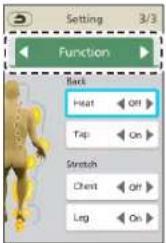 |
| Shoulder position (Only Auto) | Roller positions in vertical directions can be adjusted. | 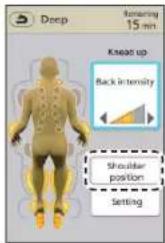 | Select "Shoulder position" with ▲ or ▼.Press OK | 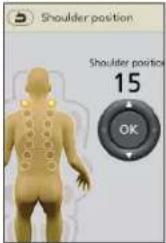 |
| Roller position (Only Manual) | Roller operation positions in vertical and horizontal directions can be adjusted. | 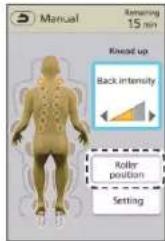 | Select "Roller position" with ▲ or ▼.Press OK | 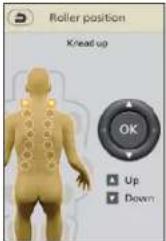 |
| Select screen of "Function" with◀ or ▶. | 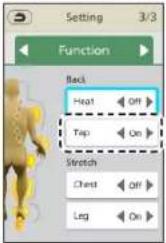 | Select "Tap" with▲ or ▼. | <For Auto>◀On▶◀Off▶Switch each time when press◀ or ▶. |
| <For Manual>If Tap is "On", you can choose from two types: "Normal" and "Soft".◀(Normal)◀(Soft)◀Off▶Switch each time when press◀ or ▶. | |||
| Select screen of "Function" with◀ or ▶. | 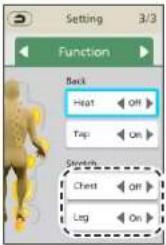 | Select Stretching part with▲ or ▼. |  Switch each time when press◀ or ▶.• The Stretch action is performed once on the spot at the next "On".• After it is completed, the previous course resumes.• For the content of the Stretch action, please refer to EN28. Switch each time when press◀ or ▶.• The Stretch action is performed once on the spot at the next "On".• After it is completed, the previous course resumes.• For the content of the Stretch action, please refer to EN28. |
| Select Shoulder position with▲ or ▼. | Press OK | ●The shoulder position can be adjusted from 1 (for shorter persons) to 20 (for taller persons). | —Moves approx. 1.5 cm (0.6 in.) up or down for each press. |
| • Adjust the position with▲ or ▼.• Press and hold the button to move until you release it. | |||
| • Adjust the position with◀ or ▶.(◀: Narrow; ▶: Wide)• Such adjustments are applicable only to "Neck&Shoulder roll", "Lower back roll", "Normal tap/Soft tap" and "Roll/Partial roll". | ▶Press OK |
- Press before adjusting to return to the original screen.
▶ Continued on the next page
EN33
Adjusting the intensity (continued)
Details on available adjustments
Details on available adjustments vary depending on the type.
"Parts focus" and "Action select" differ depending on the course.
○ : Adjustments available — : Adjustments not available
| Adjustment function | Auto Manual | ||||||
| Full body | Part focus Action select | Knead/Roll/Knead&Roll | Tap | ||||
| Neck& Shoulder/Lower back | Legs Stretch Air | ||||||
| Back intensity | ○ | ○ — | ○ — | ○ | ○ | ||
| Intensity of Upper arm/ Arm · Thigh/ Leg · Sole | ○ | ○ ○ | ○ ○ | ○ | ○ | ||
| Action of Upper arm · Arm · Thigh · Leg · Sole | ○ | ○ ○ | ○ ○ | ○ | ○ | ||
| Heat | ○ | ○ — | ○ — | ○ | ○ | ||
| Tap action | ○ | ○ — | ○ — | ○ | — | ||
| Stretch | ○ | ○ — | ○ — | — | — | ||
| Shoulder position | ○ | ○ — | ○ — | — | — | ||
| Roller position | — | — — | — — | ○ | ○ | ||
After completing the massage
Once the timer is up
● The legrest will lower so you can stand up safely.
If you have extended the sole massage section slide, it may hit the floor and not stow completely. Raise your legs to retract all the way.
● Backrest does not rise automatically.
After the right screen appears, press and the backrest will rise.
● The massage rollers or sole rollers move to their retracted positions.
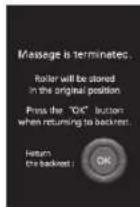
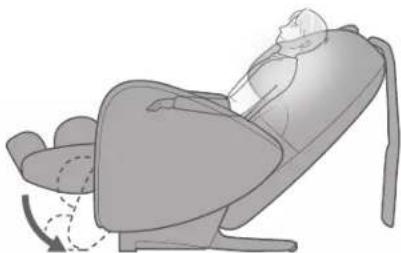
In the middle of the massage, when it ends with the Emergency stop button
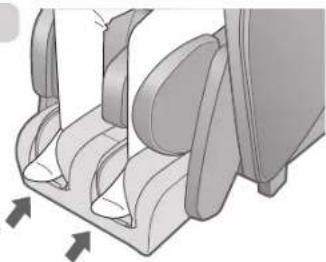
Fully return the sole massage section to the
original position and then press

The legrest is lowered automatically, the backrest is returned to the upright position and massage rollers or sole rollers as well as sole rollers are stored at original positions. When storage is complete, you will hear a confirmation beep sound.
Lift your soles slightly and the sole massage section returns.
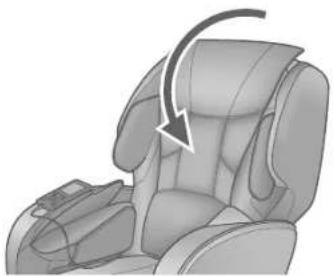
Return the massage lounger to the position it is usually used
Place a comfort cushion on the backrest.
Return the controller to its storage position.
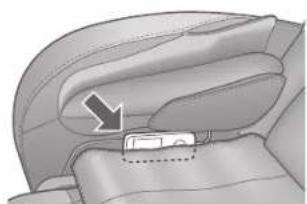
Turn the power off
1 Slide the power switch to the "off" position.
2 Turn the lock switch key to the "lock" position and remove it.
3 Remove the power plug from the electrical outlet.
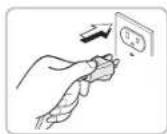
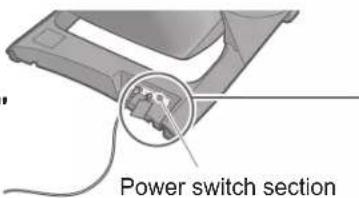
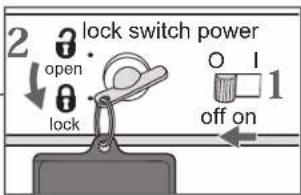
4 The lock switch key must be stored out of the reach of children.
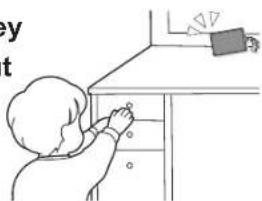
! WARNING
● After each massage, slide the power switch on the backside of unit body to the "off" position, turn the lock switch to the "lock" position and then remove the lock switch key and power plug. (To prevent breakage or injury from misuse by children.)
Cleaning and maintenance
Never use chemicals such as thinner, benzine, alcohol, etc.
Notes on use
- Be careful when using the unit with clothing such as jeans or colored clothes. (Cause of color transfer to the synthetic leather and fabric portions)
- Please avoid long time contact with plastic products etc. (Cause of discoloration)
Sole Massage Section
Remove the dirt from the heel section with a vacuum cleaner.
- Any accumulated fibers or dust will adhere to the velcro fastener of the sole cover, which may weaken the fixing force. Clean regularly with a vacuum cleaner.
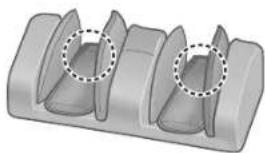
Sole cover: totally removable and washable
- If the whole surface of the velcro fastener of the sole cover is not in close contact, socks and stockings may get torn.
The narrower side is the heel side.
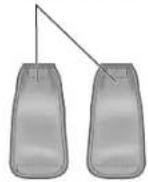
Removal
Remove the velcro fastener.
Sole cover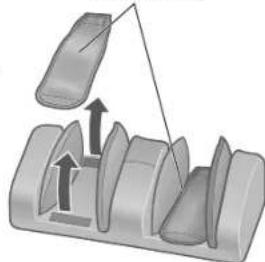
Installation
- Fasten it with the velcro fastener in the order of heel side and then the toe side.
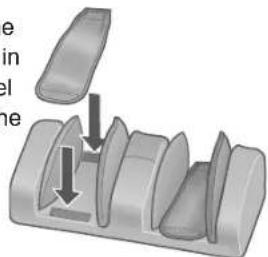
[When you wash it completely]
Wash it with a laundry net.
- Fold the sole cover in half, fasten the velcro fastener, and wash it completely. If you wash it without folding, the velcro fastener may damage the sole cover.
- If dust or hair gets tangled in the velcro fastener, remove it with a toothpick.
Quality indication 100 % Polyester

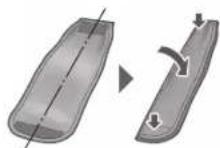
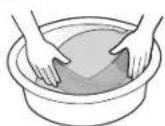
■ To wash with water
- Do not use a washing machine.
① Soak it in water below 30 °C (86 °F) and press to wash it. ④ Stretch the wrinkles lightly and dry it in the shade.
• Never wash it by rubbing. - Never use detergent containing bleaching agents, as it may cause discoloration. - Wash it separately from other items, as it is easy to transfer dye.
② Rinse thoroughly. ③ Drain the water by pressing it lightly.
- Never wring it out or dehydrate it, as it may damage the fabric or loosen the strands.
④ Stretch the wrinkles lightly and dry it in the shade.
- Never dry it in direct sunlight, as it may cause the fabric to shrink and fade.
- Dry it immediately after washing, as it is easy to transfer dye to other items.
● After washing, if you are concerned about creases, please iron it. (Precautions for using an iron)

Cover it with a cloth and limit the temperature of the sole plate to 150 °C (302 °F).
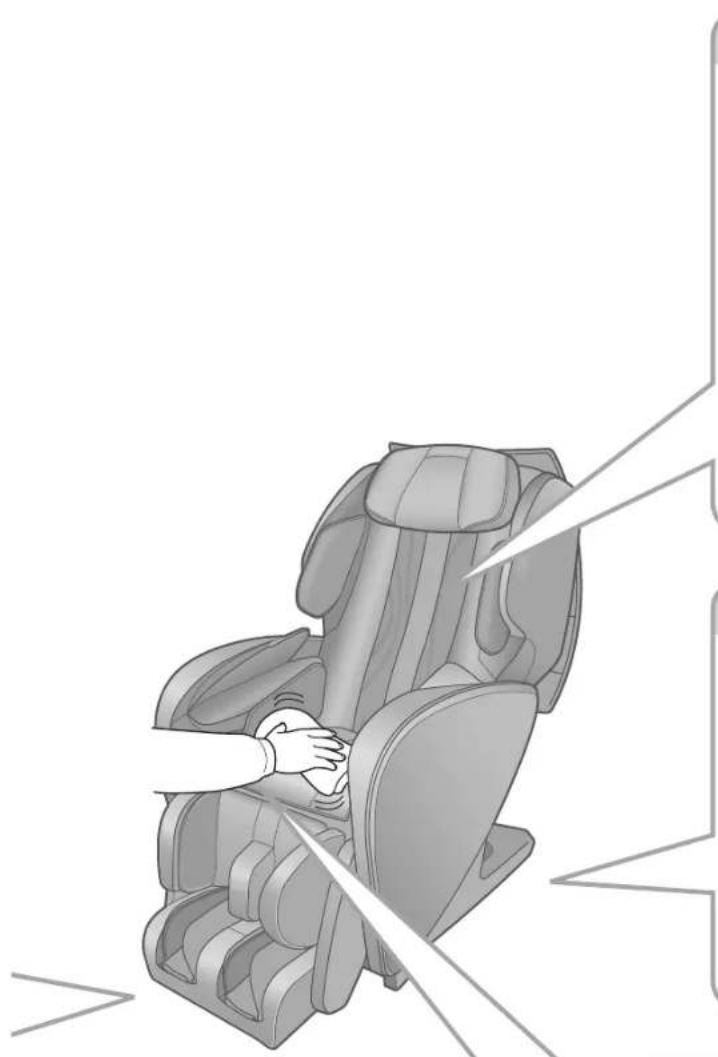
Fabric parts
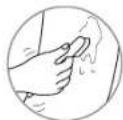
① Soak a soft cloth in water or a 3% - 5% solution of neutral kitchen detergent with warm water and squeeze well and wipe. ② Use water or a neutral kitchen detergent and brush on areas where the seat fabric is particularly soiled. - Be careful not to brush the fabric too much to avoid damage. ③ Finally, rinse the cloth in water and wring it out, then wipe off all the detergent. ④ Allow the unit to dry naturally.

Plastic area
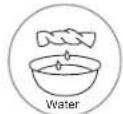
① Soak a soft cloth in water or a 3% - 5% solution of neutral kitchen detergent with warm water and squeeze well and wipe. ② Finally, rinse the cloth in water and wring it out, then wipe off all the detergent.
- Make sure to wring tightly before wiping the controller (other than the touch panel part).
③ Allow the unit to dry naturally.

Synthetic leather part
Wipe with a soft and dry cloth
● Never use cleaners available on the market that contain ethanol ingredients. (Cause of discoloration, change of properties) - Do not rapidly dry off with a dryer, etc.
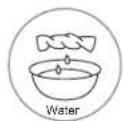
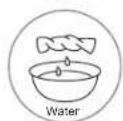
① Soak a soft cloth in water or a 3% - 5% solution of neutral kitchen detergent with warm water and squeeze well. ② Briskly rub the surfaces. ③ Finally, rinse the cloth in water and wring it out, then wipe off all the detergent. ④ Wipe with a soft, dry cloth. ⑤ Allow the unit to dry naturally. For hard-to-clean soiling, wipe with the same neutral kitchen detergent solution, etc. but using a commercially available "sponge of melamine foam material".

Moving the unit
Lift the main unit when moving
Lift and move with one person holding the sides of the legrest and one person holding the backrest cover groove. (EN12)
Always carry the lounge with at least two people!
Moving the unit on its casters
- Remove the obstacles in the vicinity
- Move with the backrest fully upright.
The backrest rises up if is pressed twice.
Since the unit is heavy, be careful to avoid back injuries.
Lifting weight when moving on casters
Approx. 35 kg (77.2 lbs)
Hold the legrest at the sides and move the unit on its casters.
Put the controller and power cord on the seat.
Hold the legrest at the sides. Lift lower than the hip (less than about 80 cm (31.5 in.) from the floor).
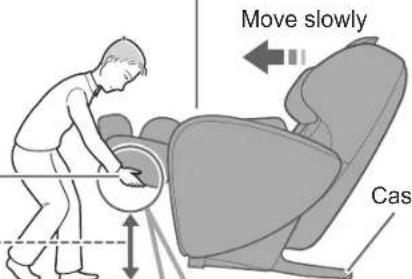
Caster
There is a risk of scratching the floor. Lay out a mat, etc.
Hold at the sides.
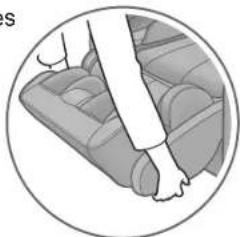

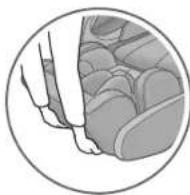
Do not hold by the foot part. The sole massage section might slide, and injuries may occur.
When you lower the unit
Put the unit down slowly and watch your step carefully. Hold the legrest with your hands until it has been set on the floor completely. If you release the legrest too soon, it will spring back to the initial position.
Question Answer
Before use
| Doctor Consultation | Can I use the unit if I have an illness that requires regular medical attention? | Consult your doctor before using this unit.Massage is a form of stimulation by tactile pressure in which pressure is applied to the muscles to relax them. This may exacerbate some illnesses.Be sure to consult a doctor if you have an illness.(EN6) | |
| How to use | The position of the upper body and the position of the legs do not match.What can I do to align massaging positions? | Separating massage of the upper body and legs is recommended.● Massaging only the upper bodyRaise the comfort cushion to expose the backrest and pillow for use.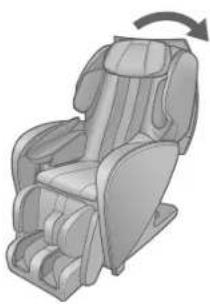 | ● Massaging only the legsUse the leg & sole massage section with the comfort cushion on the backrest.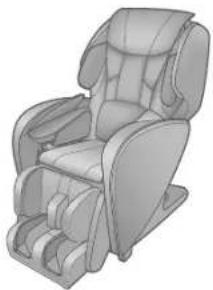 |
| Can people shorter than 140 cm (55.1 in.) or taller than 185 cm (72.8 in.) still use it? | Yes.The following methods are recommended, as the correct shoulder position may not be found during body scanning.<If shorter than 140 cm (55.1 in.)><If taller than 185 cm (72.8 in.)>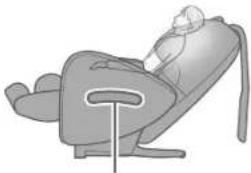 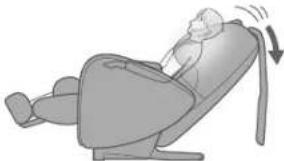 Place a cushion on the seat and sit firmly.Recline the backrest and slide your body down.For taller persons: Please use by reclining the backrest.For shorter persons: Please use by raising the backrest and lifting the legrest. Place a cushion on the seat and sit firmly.Recline the backrest and slide your body down.For taller persons: Please use by reclining the backrest.For shorter persons: Please use by raising the backrest and lifting the legrest. | ||
| How many times can this be used in one day? | Use for less than about 30 minutes in one day.● Rest for about 10 minutes after using for 16 minutes or more. | ||
Q&A (continued)
Question Answer
During operation
| Body scanning* | During body scanning or a massage, 7 short beeps sounded (was displayed) and the action stopped. What happened? | Massages stop for safety if the body cannot be detected for one of the following reasons.The user is not sitting.The head and/or back is not touching the backrest.A cushion is placed against the backrest or the user is wearing thick clothing.Sit firmly, lean gently back so that your head touches the pillow, press and then press to start again.The comfort cushion is not raised. |
| Upper body | The mechanical intensity adjustment button for the upper half of the body does not work sometimes. | The upper body massage roller intensity button is ineffective in following instances. The intensity display flashes during adjustment. No adjustments will be accepted while it is flashing.This is an intentional condition to prevent suddenly intensifying strength and is not a malfunction. |
| There is a delay in movement when adjusting the position. | The massage rollers may not move immediately depending on when the position button is pushed. (There may be a small time lag. This is not an abnormality.)If you hear the limit sound (beep-beep-beep) when the button is pushed, this means that it is at the furthest position and cannot move any further. | |
| The height (intensity) on the left feels different to that on the right. | It is designed to differ in some cases.An alternating tapping mechanism is used to create a more natural sensation. The massage rollers therefore do not move in unison in some massages. The massage roller height (intensity) on the left differs from that on the right in these massages. This is not a malfunction. | |
| Soles | The sole roller sometimes moves before the course begins... | Before the course begins, the sole roller moves into place.This is not an abnormality. |
| Hands & Arms | During auto course (including memory course), air action and sole roller action may suddenly stop and transit to the next operation... | When hip massage or stretching operations start during an Automatic course, the supply of air used for operations and sole roller movements are suspended. This is due to the priority on the air motion that is linked to movements of rollers to enhance the effectiveness of hip massage or stretching operations.For this reason, in the number of times arm massage is performed on the left and the right may differ with alternated application of pressure for air arm massage. |
* Body scanning: action of estimating the shoulder position immediately upon startup. (EN22 to EN23)
Question Answer
During operation (continued)
| Reclining | The angle of the backrest, legrest or armrest automatically changes at times. | The angle automatically changes in the following cases.● While body scanningThe unit body moves automatically, and gets inclined to the angle that makes body scanning easy.● If you have adjusted the reclining before use, the angle will not change.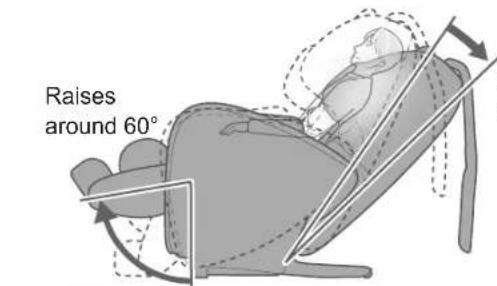 ● When is pressed to end the massage.The chair automatically returns to the upright position.● Only the legrest returns to the original position if the massage is completed according to the timer.● If is pressed to end the massage, all operations immediately stop and the angle does not automatically change. ● When is pressed to end the massage.The chair automatically returns to the upright position.● Only the legrest returns to the original position if the massage is completed according to the timer.● If is pressed to end the massage, all operations immediately stop and the angle does not automatically change. |
| The backrest is not restored to upright position after massaging. | Only the legrest is retracted when the motion comes to stop by timer operation.Press twice to restore the backrest to the upright position. | |
| After use | ||
| Hand & arm | Red marks are left on the under side of my hands/arms after a hand & arm massage. | Marks may remain on the hands and arms after use.These eventually fade and are not a problem. |
| How to adjust the | ||
| Body scanning * | The correct shoulder position cannot be found during body scanning of position. (The shoulder position slips each time.) | Correct body scanning of shoulder roller position may not be possible for some sitting positions (such as leaning forward).Adjust with "▲" and "▼" button.(EN22 to EN23) |
* Body scanning: action of estimating the shoulder position immediately upon startup. (EN22 to EN23)
▶ Continued on the next page
Q&A (continued)
Question Answer
How to adjust the
| Upper body | The auto course is "not strong enough even at the strongest setting..." or is "too strong even at the weakest setting...". | Try the following methods.● Maximum intensity is set for a course but the intensity is insufficient. Leaning back the backrest results in more body weight pressing against the main unit for stronger massaging.● Minimum intensity is set for a course by the intensity is excessive. Placing cloth or blanket over the backrest can soften the contact sensation of massage rollers. |
| Hand & arm | Can hand & arm massage be performed simultaneously? | Massaging is performed alternately, to ensure that the user can stop the operation whenever any anomaly or danger is sensed. |
| Sole | I hardly feel any difference in intensity in the sole roller even after adjustment ... | The sole roller intensity is adjusted by the strength of the foot side air pressure holding the soles.Therefore, depending on the operating pattern, intensity difference may not be felt. Foot side air bag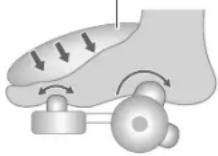 |
| Sole roller is too intense even at the gentlest setting ... | Slightly lower the sole massage section so that the heel is raised above it, which will weaken the effect of the roller.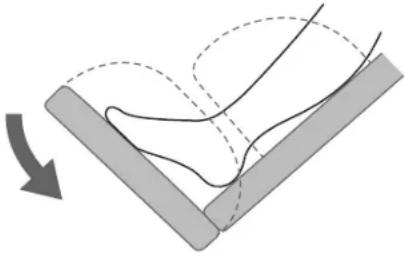 |
Question Answer
Other
| Controller | The displays of the operation or position seem to be different ... | The actions shown represent rough movements. Actual movements or sensations may vary. |
| Noise | The noise grows louder after using the chair for a long time. | This may be a malfunction. Contact the nearest authorized service center for an inspection and repair. |
| Timer function | Is there a timer function? Yes. | To prevent overuse, the massage automatically ends at a maximum of 19 minutes after starting.When the timer ends, the legrest automatically lowers and the massage rollers are stowed.Press to use again. |
| How many minutes is the massage set? | "Auto" and "Manual" courses are set for about 15 minutes.However, "Quick (8min)" is set for about 8 minutes.The time setting cannot be changed. |
Troubleshooting
Investigate the "Problem" and apply the "Remedy" below.
If the problem still exists after following the remedy, contact an authorized service center.
| Problem Cause and Remedy | |
| The action stops mid-way. | If excessive force is applied to the massage rollers during operation, in the interests of safety the action may stop.→Turn off the power switch, wait for approx. 10 seconds and then turn the power switch on again. |
| If the operation returns to the menu selection screen while a course was ongoing, the operation stops. | |
| There was a power outage.→Since the operation would have stopped, press twice to return the backrest and the massage rollers to the storage position, and then start to use again.(The operation does not restart even if the unit has recovered from a power failure.) | |
| The seat cannot be reclined and the legrest cannot be lowered. | If the unit encounters an obstacle or if excessive force is exerted on it during operation, in the interests of safety the unit will come to a stop.→When the backrest and the legrest have stopped, switch slide the power switch on the backside of unit body to the "off" position, and switch it "on" again after about 10 seconds, and then operate the unit. |
| The massage rollers do not come up to the shoulder or neck. | If your head does not contact the pillow or your back does not contact the backrest, the shoulder position may be detected as lower than the actual position during the body scanning of shoulder roller position.→Sit on the seat in the deepest position and put your head on the pillow, and then repeat the operations again from the start.(EN22 to EN23) |
| The height of the left and right massage rollers is different. | An alternating tapping method is employed, which means that this phenomenon will naturally occur. There is nothing wrong with the unit.(EN42) |
| "Heat" massage rollers do not get warm. | "Heat"is set to Off.Sense of warmth from the massage rollers differs depending on your body shape, the massage body part, massage action, clothing, and room temperature. |
| The "Heat" massage rollers do not cool down even after being turned off. | Because of the structure of the heater, the "Heat" massage rollers will feel warm for a while after heating due to the residual heat.Continuing to massage the same area even after turning off the "Heat" switch may increase the temperature felt. |
| Reclining does not take place even though a massage is started.(The seat does not automatically recline.) | If you have adjusted the reclining before use, it will not recline automatically.(EN41) |
| The backrest does not return to the upright position. | If the unit is stopped by automatic shut-off or by pressing will not return automatically for safety.→To return from the reclined position to the original position, press twice. |
| The unit will not operate at all. The power plug has been disconnected. (EN13) | |
| Sometimes the power won't turn on when is pressed again when a massage has finished. | Due to shutdown (approx. 5 seconds) may not be accepted.→ Wait at least 5 seconds once all movement has stopped before pressing . ⏻ |
| The unit has been damaged. | →To prevent accidents, be sure to contact an authorized service center. |
| The power cord or power plug is abnormally hot. | |
Error display
U10
For safety reasons, action will terminate automatically when it cannot detect if someone is seated.
If this error occurs even if you are seated, press the emergency stop switch, sit back all the way to the backrest, and operate from the start again.
F15
There is a malfunction inside the massage device. Stop using and ask your dealer to inspect and repair the chair.
Error display Contents
| U10 | For safety reasons,action will automatically stop when it cannot detect if someone is seated.If this error occurs even if you are seated, press sit further back in the chair pressing your lower back against the seat back, and repeat the operation. |
| F03 ~ F82 | There is malfunction inside the massage device.Stop using and ask your dealer to inspect and repair the chair.(Service and maintenance will be carried out smoother if the error number is communicated when contacting.) |
Error display Troubleshooting
Sounds and sensations of the unit
The following sounds and sensations occur while using the unit. However, they occur due to the construction of the unit and are perfectly normal.
From each air massage unit (see EN10 for the position of each air massage unit)
"Snapping", hollow, bending and thrusting sounds
Inflating sound of air bag as well as sounds and sensations of air bag as they rub against each other during air operations.
"Popping", "Clunking" sounds
Sounds and feels like the massage rollers are straining to get over wrinkles in the cloth
"Rattle", "Squeak", "Rustle" sounds
Operating sounds of the kneading or tapping actions
"Creaking" sound
Creaking sound when the massage rollers are in operation
"Rattle", "Jerk" sounds
Operating sounds when the massage rollers move up or down
"Rumble" sound
Sound of the belt rotating
Motor sounds
Motor sounds when air pressure is applied
"Clunking", "Jerking" sounds
Sounds when the massage rollers change from "push" to "pull"
"Rubbing" sound
Rubbing sound of the massage rollers on the seat fabric
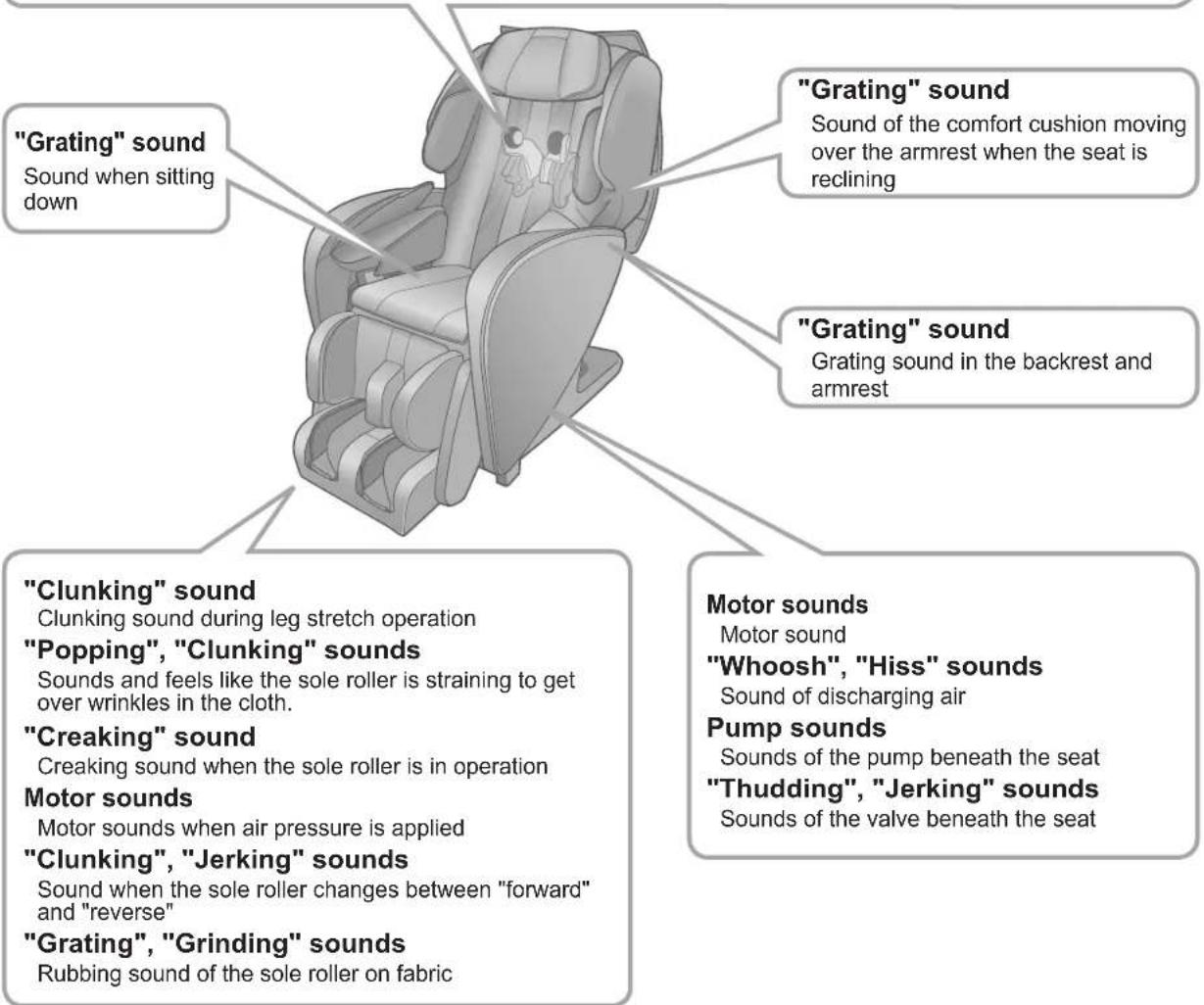
If these sounds have grown louder, there may be a malfunction.
Contact the nearest authorized service center for inspection and repair.
Specifications
| Power supply AC 120 V 60 Hz | ||
| Power consumption | 3.0 A(when "off" at the controller, approx. 0.3 W) | |
| Heater unit power consumption | 17 W | |
| Upper body massage | Massage area (Up-Down) | Approx. 66 cm (26.0 in.) (The massage rollers move a total of approx. 60 cm (23.6 in.)) |
| Massage area (Left-Right) | Roller spacing during kneading operationsNeck, shoulders, back and low back:Approx. 4 cm to 15 cm (1.5 in. to 5.9 in.) | |
| Massage area (Front-Back) | Strength adjustment range: Approx. 10 cm (3.9 in.) | |
| Massage speed | Kneaded: Approx. 4 sets per minute to 25 sets per minuteTap (including soft shiatsu): Approx. 285 sets per minute to 495 sets per minute (one side)Moving speed: Approx. 2 cm (0.8 in.) per second to 4.5 cm (1.8 in.) per second | |
| Air massage | Air pressure (Rear knee) | 3: Approx. 33 kPa2: Approx. 30 kPa1: Approx. 17 kPa(there are slight variations between body parts) |
| Soles massage | Massage speed | Approx. 8 sets per minute to 21 sets per minute |
| Reclining angle | Backrest: Approx. 120 degrees to 170 degreesLegrest (Leg & Sole Massage Section): Approx. 5 degrees to 85 degrees | |
| Timer Around 15 minutes (automatically ends) | ||
| Dimensions | When not reclining (H × W × D) | Approx. 120 cm × 68 cm × 130 cm (47.2 in. × 26.8 in. × 51.2 in.) |
| When reclining (H × W × D) | Approx. 75 cm × 68 cm × 200 cm (29.5 in. × 26.8 in. × 78.7 in.) | |
| Mass Approx. 73 k | g (160.9 lbs) | |
| Upholstery Synthetic leather | ||
For persons weighing 100 kg (220.3 lbs) or more, the product operations may make more noise and the fabric cover may wear faster.
Specifications (continued)
Unit dimensions
Front
Width with the armrests: Approx. 68 cm (26.8 in.)
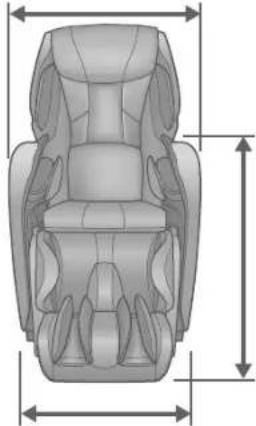
Armrest height: Approx. 75 cm (29.5 in.) Width of floor section: Approx. 64 cm (25.2 in.)
Side
Length: Approx. 130 cm (51.2 in.)

Height: Approx. 120 cm (47.2 in.) (approx. 115 cm (45.3 in.) with cushion removed)
Extension length of sole massage section: Approx. 18 cm (7.1 in.)
Length of floor section: Approx. 79 cm (31.1 in.)
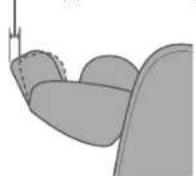
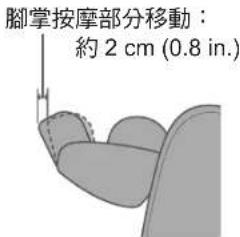
Sole massage section movement: Approx. 2 cm (0.8 in.)
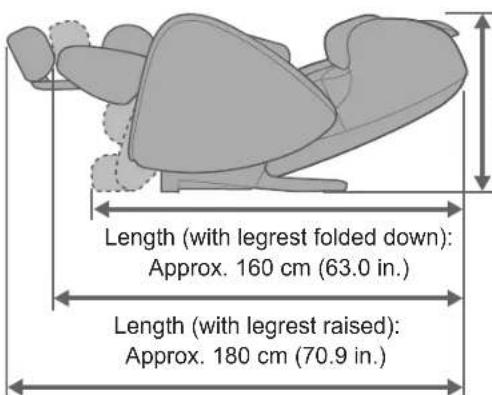
Height: Approx. 75 cm (29.5 in.)
Maximum length: Approx. 200 cm (78.7 in.)
Specifications
Transport and installation
SAVE THESE INSTRUCTIONS
GROUNDING INSTRUCTIONS
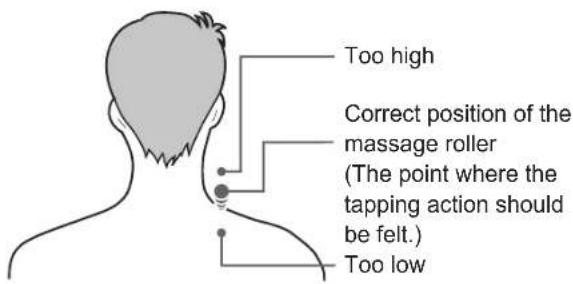
Massage rollers
Too high
Tapping (normal/delicate)
"Heat"

! WARNING
Installation
[Washing]
Washing with water


Squeaking
Place a mat on the floor.
Check sitting posture
Hand and arm massage
Insert your hands and arms.

Align your elbows with the armrests.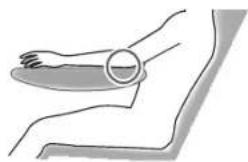
Let your shoulders and arms contact the upper arm massage part.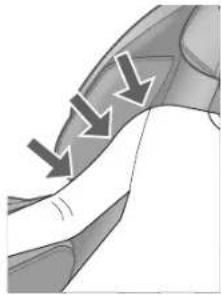
Slide the foot massage part to your preferred position
Names and functions of each part of the controller
Controller
Off/On button
● Starts massage operation
Display section
Emergency stop button
● For emergencies or if you feel any abnormality during use.
Massage rollers
2 Select "Automatic" from the menu.
![graph TD A["選單"] --> B["自動"] B --> C["手動"] C --> D["一般設定"]](/content/2026/04/666715/images/8177e06d0d7a2bfdbf02e04562f41d4b7be6e174541a5d97f0ece77b37f5a435.jpg)
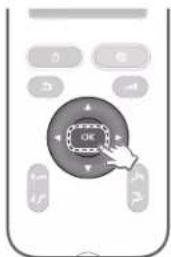
3 Press OK
Use ▲ or ▼ to select.
4 Select the desired automatic massage mode, including
"Whole Body", "Spot Focus", and "Motion Selection".
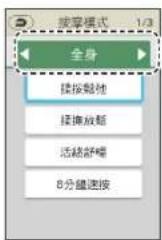
2 Select "Manual" on the menu.
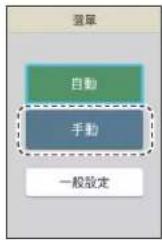
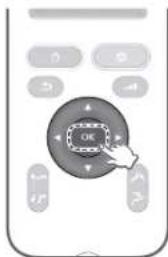
3 Press OK
Use ▲ or ▼ to select.
4 Select the preferred motion type, including
Waist kneading: A motion that kneads the waist.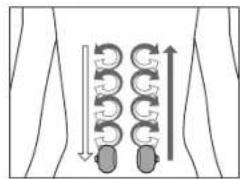
Upward kneading/Downward kneading: Deep kneading motions.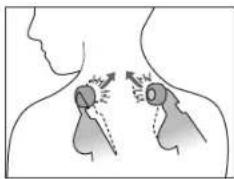
Neck and shoulder rolling: A motion that stretches the neck.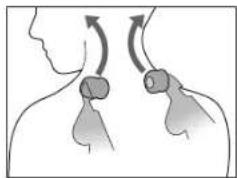
Waist rolling: A motion that stretches the waist.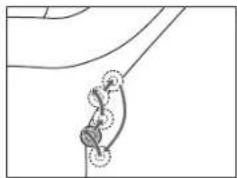
"Heat"
"Heat" massage roller rubber parts
"Heat" massage roller heating parts
The heating part of the "warm" massage roller
Operation details (continued)
Stretch
Thigh
The pelvic area on the front of the thigh is firmly pressed.
Foot sole
The foot sole is slightly lifted, and the foot massage part retracts.
After massage completion
Adjust intensity
Return the massage chair to its normal use position
Place the comfort pad on the backrest.
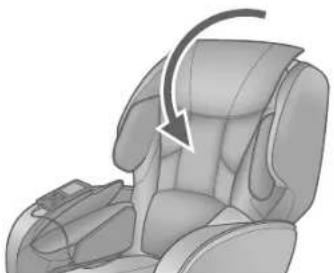
Return the controller to its storage position.
Slide the power switch to the "off" position
Warning
Foot sole cover: can be completely removed and washed
Installation
[If you want to thoroughly clean]
Place in a laundry net to wash.
■ In the case of dry cleaning
"Rustling" sound
Sound of the comfort pad moving on the armrest when the seat is tilted
"Rustling" sound
Friction sound between the backrest and armrest
"Thumping" sound
Thumping sound during calf stretch operation
"Banging", "thumping" sound
Armrest height:
Approx. 75 cm (29.5 in.)
Base width: approx. 64 cm (25.2 in.)
Side
Height:
Approx. 120 cm (47.2 in.)
(Approx. 115 cm after removing the cushion
(45.3 in.)
Extension of the foot massage section: approx. 18 cm (7.1 in.)
This product incorporates the following software:
(1) the software developed independently by or for Panasonic Corporation,
(2) the software owned by third party and licensed to Panasonic Corporation,
(3) open source software licensed under terms and conditions.
The software categorized as (3) is distributed in the hope that it will be useful, but WITHOUT ANY WARRANTY, without even the implied warranty of MERCHANTABILITY or FITNESS FOR A PARTICULAR PURPOSE.
Copyright 2012 Google Inc. All Rights Reserved.
Licensed under the Apache License, Version 2.0 (the "License"); you may not use this file except in compliance with the License.
You may obtain a copy of the License at
http://www.apache.org/licenses/LICENSE-2.0
Unless required by applicable law or agreed to in writing, software distributed under the License is distributed on an "AS IS" BASIS, WITHOUT WARRANTIES OR CONDITIONS OF ANY KIND, either express or implied. See the License for the specific language governing permissions and limitations under the License.
Apache License
Version 2.0, January 2004
http://www.apache.org/licenses/
TERMS AND CONDITIONS FOR USE, REPRODUCTION, AND DISTRIBUTION
- Definitions
"License" shall mean the terms and conditions for use, reproduction, and distribution as defined by Sections 1 through 9 of this document.
"Licensor" shall mean the copyright owner or entity authorized by the copyright owner that is granting the License.
"Legal Entity" shall mean the union of the acting entity and all other entities that control, are controlled by, or are under common control with that entity. For the purposes of this definition, "control" means (i) the power, direct or indirect, to cause the direction or management of such entity, whether by contract or otherwise, or (ii) ownership of fifty percent (50%) or more of the outstanding shares, or (iii) beneficial ownership of such entity. "You" (or "Your") shall mean an individual or Legal Entity exercising permissions granted by this License. "Source" form shall mean the preferred form for making modifications, including but not limited to software source code,
documentation source, and configuration files. "Object" form shall mean any form resulting from mechanical transformation or translation of a Source form, including but not limited to compiled object code, generated documentation, and conversions to other media types. "Work" shall mean the work of authorship, whether in Source or Object form, made available under the License, as indicated by a copyright notice that is included in or attached to the work (an example is provided in the Appendix below).
"Derivative Works" shall mean any work, whether in Source or Object form, that is based on (or derived from) the Work and for which the editorial revisions, annotations, elaborations, or other modifications represent, as a whole, an original work of authorship. For the purposes of this License, Derivative Works shall not include works that remain separable from, or merely link (or bind by name) to the interfaces of, the Work and Derivative Works thereof. "Contribution" shall mean any work of authorship, including the original version of the Work and any modifications or additions to that Work or Derivative Works thereof, that is intentionally submitted to Licensor for inclusion in the Work by the copyright owner or by an individual or Legal Entity authorized to submit on behalf of the copyright owner. For the purposes of this definition, "submitted" means any form of electronic, verbal, or written communication sent to the Licensor or its representatives, including but not limited to communication on electronic mailing lists, source code control systems, and issue tracking systems that are managed by, or on behalf of, the Licensor for the purpose of discussing and improving the Work, but excluding communication that is conspicuously marked or otherwise designated in writing by the copyright owner as "Not a Contribution."
"Contributor" shall mean Licensor and any individual or Legal Entity on behalf of whom a Contribution has been received by Licensor and subsequently incorporated within the Work.
- Grant of Copyright License. Subject to the terms and conditions of this License, each Contributor hereby grants to You a perpetual, worldwide, non-exclusive, no-charge, royalty-free, irrevocable copyright license to reproduce, prepare Derivative Works of, publicly display, publicly perform, sublicense, and distribute the Work and such Derivative Works in Source or Object form.
- Grant of Patent License. Subject to the terms and conditions of this License, each Contributor hereby grants to You a perpetual, worldwide, non-exclusive, no-charge, royalty-free, irrevocable (except as stated in this section) patent license to make, have made, use, offer to sell, sell, import, and otherwise transfer the Work, where such license applies only to those patent claims licensable by such Contributor that are necessarily infringed by their Contribution(s) alone or by combination of their Contribution(s) with the Work to which such Contribution(s) was submitted. If You institute patent litigation against any entity (including a cross-claim or counterclaim in a lawsuit) alleging that the Work or a Contribution incorporated within the Work constitutes direct or contributory patent infringement, then any patent licenses granted to You under this License for that Work shall terminate as of the date such litigation is filed.
- Redistribution. You may reproduce and distribute copies of the Work or Derivative Works thereof in any medium, with or without modifications, and in Source or Object form, provided that You meet the following conditions:
(a) You must give any other recipients of the Work or Derivative Works a copy of this License; and (b) You must cause any modified files to carry prominent notices stating that You changed the files; and (c) You must retain, in the Source form of any Derivative Works that You distribute, all copyright, patent, trademark, and attribution notices from the Source form of the Work, excluding those notices that do not pertain to any part of the Derivative Works; and (d) If the Work includes a "NOTICE" text file as part of its distribution, then any Derivative Works that You distribute must include a readable copy of the attribution notices contained within such NOTICE file, excluding those notices that do not pertain to any part of the Derivative Works, in at least one of the following places: within a NOTICE text file distributed as part of the Derivative Works; within the Source form or documentation, if provided along with the Derivative Works; or, within a display generated by the Derivative Works, if and wherever such third-party notices normally appear. The contents of the NOTICE file are for informational purposes only and do not modify the License. You may add Your own attribution notices within Derivative Works that You distribute, alongside or as an addendum to the NOTICE text from the Work, provided that such additional attribution notices cannot be construed as modifying the License. You may add Your own copyright statement to Your modifications and may provide additional or different license terms and conditions for use, reproduction, or distribution of Your modifications, or for any such Derivative Works as a whole, provided Your use, reproduction, and distribution of the Work otherwise complies with the conditions stated in this License.
- Submission of Contributions. Unless You explicitly state otherwise, any Contribution intentionally submitted for inclusion in the Work by You to the Licensor shall be under the terms and conditions of this License, without any additional terms or conditions. Notwithstanding the above, nothing herein shall supersede or modify the terms of any separate license agreement you may have executed with Licensor regarding such Contributions.
- Trademarks. This License does not grant permission to use the trade names, trademarks, service marks, or product names of the Licensor, except as required for reasonable and customary use in describing the origin of the Work and reproducing the content of the NOTICE file.
- Disclaimer of Warranty. Unless required by applicable law or agreed to in writing, Licensor provides the Work (and each Contributor provides its Contributions) on an "AS IS" BASIS, WITHOUT WARRANTIES OR CONDITIONS OF ANY KIND, either express or implied, including, without limitation, any warranties or conditions of TITLE, NON-INFRINGEMENT, MERCHANTABILITY, or FITNESS FOR A PARTICULAR PURPOSE. You are solely responsible for determining the appropriateness of using or redistributing the Work and assume any risks associated with Your exercise of permissions under this License.
- Limitation of Liability. In no event and under no legal theory, whether in tort (including negligence), contract, or otherwise, unless required by applicable law (such as deliberate and grossly negligent acts) or agreed to in writing, shall any Contributor be liable to You for damages, including any direct, indirect, special, incidental, or consequential damages of any character arising as a result of this License or out of the use or in ability to use the Work (including but not limited to damages for loss of goodwill, work stoppage, computer failure or malfunction, or any and all other commercial damages or losses), even if such Contributor has been advised of the possibility of such damages.
- Accepting Warranty or Additional Liability. While redistributing the Work or Derivative Works thereof, You may choose to offer, and charge a fee for, acceptance of support, warranty, indemnity, or other liability obligations and/or rights consistent with this License. However, in accepting such obligations, You may act only on Your own behalf and on Your sole responsibility, not on behalf of any other Contributor, and only if You agree to indemnify, defend, and hold each Contributor harmless for any liability incurred by, or claims asserted against, such Contributor by reason of your accepting any such warranty or additional liability.
END OF TERMS AND CONDITIONS
Federal Communication Commission Interference Statement
This equipment has been tested and found to comply with the limits for a Class B digital device, pursuant to Part 15 of the FCC Rules. These limits are designed to provide reasonable protection against harmful interference in a residential installation. This equipment generates, uses and can radiate radio frequency energy and, if not installed and used in accordance with the instructions, may cause harmful interference to radio communications. However, there is no guarantee that interference will not occur in a particular installation. If this equipment does cause harmful interference to radio or television reception, which can be determined by turning the equipment off and on, the user is encouraged to try to correct the interference by one of the following measures:
- Reorient or relocate the receiving antenna.
- Increase the separation between the equipment and receiver.
- Connect the equipment into an outlet on a circuit different from that to which the receiver is connected.
- Consult the dealer or an experienced radio/TV technician for help.
FCC Caution: To assure continued compliance, install and use in accordance with provided instructions. Any changes or modifications not expressly approved by the party responsible for compliance could void the user's authority to operate this equipment.
IN USA CONTACT:
Panasonic Corporation of North America
Two Riverfront Plaza, Newark, NJ 07102-5490
http://www.panasonic.com
Call 1-800-338-0552 (In USA)
http://shop.panasonic.com/personal-care
http://shop.panasonic.com/support
IN CANADA CONTACT:
AU CANADA, COMMUNIQUEZ AVEC :
Panasonic Canada Inc.
5770 Ambler Drive, Mississauga, Ontario L4W 2T3
www.panasonic.com
www.panasonic.ca/english/support (In Canada)
www.panasonic.ca/french/support (In Canada)
Panasonic Corporation
© Panasonic Corporation 2022
No.1 EN, FR, TC
Issued date: 2022-03-08
Publication date: 2022-03-08
Issue date: 2022-03-08
Printed in China
Printed in China
Printed in China
P9310MAF1201
F0322Y0
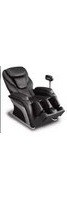


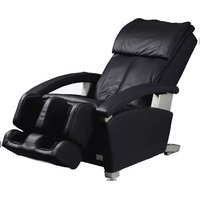
- OPERATING INSTRUCTIONS
- MODE D'EMPLOI
- 使用說明書
- CHECK INTERESTING ITEMS IMMEDIATELY
- EN
- TRANSPORT AND INSTALLATION
- MENU DESCRIPTION
- ABOUT HEAT MASSAGE
- CLEANING AND MAINTENANCE
- THE SOUND IS IRRITATING
- CONTENTS
- BEFORE USING THE PRODUCT
- MAINTENANCE/RELOCATION
- NOTICE
- IMPORTANT SAFETY INSTRUCTIONS
- DANGER
- TO REDUCE THE RISK OF ELECTRIC SHOCK
- WARNING
- TO REDUCE THE RISK OF BURNS, FIRE, ELECTRIC SHOCK, OR INJURY TO PERSONS
- SAVE THESE INSTRUCTIONS
- GROUNDING INSTRUCTIONS
- IMPORTANT SAFETY INSTRUCTIONS (CONTINUED)
- SYMPTOMS
- TAKE NOTE OF THE FOLLOWING POINTS AS WELL
- WHEN IN USE
- POWER PLUG, POWER CORD ETC
- IF A MALFUNCTION OR BREAKDOWN OCCURS
- INSTALLATION AND MOVEMENT
- CAUTION
- POWER SUPPLY
- BEFORE AND DURING USE
- PART NAMES AND FUNCTIONS OF MAIN UNIT
- LEGREST (LEG & SOLE MASSAGE SECTION)
- SETTING UP THE MASSAGE LOUNGER
- CHECKING THE ACCESSORIES
- WHERE TO USE THE UNIT
- INSTALLING
- LAY OUT A MAT, ETC
- HOLD THE SIDES OF THE LEGREST
- HOLD THE LEGREST WITH YOUR HANDS UNTIL IT HAS BEEN SET ON THE FLOOR COMPLETELY
- DO NOT HOLD THE FOOT PART
- TURN ON THE POWER AND RAISE THE BACKREST TO THE UPRIGHT POSITION
- BEFORE STARTING MASSAGE
- CHECK THE SURROUNDING AREA
- FLIP UP THE COMFORT CUSHION TO CHECK THE MAIN UNIT
- CHECK THE FOLLOWING POINTS
- FLIP UP THE SOLE COVER TO CHECK THE MAIN UNIT
- CHECK THE LEGREST POSITION
- BEFORE STARTING MASSAGE (CONTINUED)
- ADJUST THE PILLOW POSITION
- CHECK YOUR SITTING POSITION
- HAND AND ARM MASSAGE
- SLIDE THE SOLE MASSAGE SECTION TO YOUR PREFERRED POSITION
- LEG & SOLE MASSAGE
- PART NAMES AND FUNCTIONS OF THE CONTROLLER
- CONTROLLER
- OFF/ON BUTTON
- BACK BUTTON
- OK BUTTON
- DISPLAY SECTION
- EMERGENCY STOP BUTTON
- INTENSITY BUTTON
- PRESS THE RECLINING ANGLE ADJUSTMENT BUTTON
- PRESS TO ADJUST
- ABOUT LANGUAGE SELECTION
- SCREEN DISPLAYS DURING MASSAGING OPERATIONS
- DISPLAY OF THE OPERATION AND POSITION
- MASSAGE ROLLERS
- AIR
- SOLE
- SIMPLE USE
- BODY SCANNING
- START THE MASSAGE AND ADJUST TO SUIT YOUR DESIRE
- AUTO
- MANUAL
- BODY SCANNING FLOW
- SIT BACK AND LEAN GENTLY BACK SO THAT YOUR HEAD TOUCHES THE PILLOW
- SHOULDER TAPPING POSITION IS NOT ALIGNED
- BE SURE TO PUT YOUR HEAD ON THE PILLOW
- COMPLETE BODY SCANNING
- WHEN YOU WANT A COMPLETE MASSAGE
- TURN ON THE POWER
- SELECT "AUTO" FROM THE MENU
- PRESS OK
- SELECT THE TYPE OF YOUR DESIRED AUTO COURSE FROM "FULL BODY", "PART FOCUS" AND "ACTION SELECT
- SELECT ONE COURSE FROM THE TYPE SELECTED IN STEP
- AFTER BODY SCANNING ENDS, MASSAGE STARTS
- AFTER THE MASSAGE IS STARTED, IT WILL AUTOMATICALLY END IN A MAXIMUM OF APPROXIMATELY 15 MINUTES. MASSAGE FINISHED AUTOMATICALLY
- FEATURES OF AUTO COURSE
- DEEP
- WHEN YOU WANT TO FIRMLY LOOSEN YOUR BODY AS YOU HAVE A STIFF NECK, FROZEN SHOULDERS, AND A VERY TIRED WAIST
- SWEDISH
- WHEN YOU WANT TO GENTLY LOOSEN YOUR STIFF NECK AND FROZEN SHOULDERS TO RELEASE FATIGUE FROM THE WHOLE BODY
- REFRESH
- WHEN YOU WANT TO LIGHTLY LOOSEN YOUR STIFF NECK, FROZEN SHOULDERS AND TIRED WAIST
- QUICK(8MIN)
- WHEN YOU WANT TO QUICKLY LOOSEN YOUR BODY IN YOUR SPARE TIME
- NECK & SHOULDER
- WHEN YOU WANT TO FIRMLY LOOSEN YOUR STIFF NECK AND FROZEN SHOULDERS
- LOWER BACK
- WHEN YOU WANT TO FIRMLY LOOSEN YOUR WAIST
- LEGS
- WHEN YOU WANT TO FIRMLY LOOSEN YOUR LEGS
- STRETCH
- WHEN YOU WANT TO STRETCH TO LOOSEN YOUR BODY
- WHEN YOU WANT TO GENTLY LOOSEN YOUR BODY WITH AIR
- WHEN YOU WANT A MASSAGE WITH YOUR FAVORITE ACTION
- SELECT "MANUAL" FROM THE MENU
- SELECT THE TYPE OF YOUR FAVORITE ACTION FROM "KNEAD", "ROLL", "KNEAD&ROLL" AND "TAP
- SELECT ONE ACTION FROM THE TYPE SELECTED IN STEP
- AFTER THE MASSAGE IS STARTED, IT WILL AUTOMATICALLY END IN A MAXIMUM OF APPROXIMATELY 15 MINUTES
- THE CONTENTS OF THE ACTION
- MASSAGE OPERATION BY MASSAGE ROLLERS
- HEAT
- THE CONTENTS OF THE ACTION (CONTINUED)
- STRETCHING
- CHEST" STRETCH
- EXTENDS THE MUSCLES AROUND THE SHOULDER BLADES AND CHEST
- LEG" STRETCH
- EXTENDS THE MUSCLES FROM THE KNEE AREA TO THE THIGHS
- ABOUT AIR MASSAGE OPERATION
- SCREEN SETTINGS
- SELECT "GENERAL SETTINGS" FROM THE MENU
- SELECT THE "LANGUAGE", "DISPLAY BRIGHTNESS" OR "VOLUME" SCREEN
- SELECT ANY ONE
- ADJUSTING THE INTENSITY
- ADJUSTING THE INTENSITY (CONTINUED)
- DETAILS ON AVAILABLE ADJUSTMENTS
- AFTER COMPLETING THE MASSAGE
- ONCE THE TIMER IS UP
- FULLY RETURN THE SOLE MASSAGE SECTION TO THE
- ORIGINAL POSITION AND THEN PRESS
- RETURN THE MASSAGE LOUNGER TO THE POSITION IT IS USUALLY USED
- PLACE A COMFORT CUSHION ON THE BACKREST
- RETURN THE CONTROLLER TO ITS STORAGE POSITION
- TURN THE POWER OFF
- NOTES ON USE
- SOLE MASSAGE SECTION
- REMOVE THE DIRT FROM THE HEEL SECTION WITH A VACUUM CLEANER
- SOLE COVER: TOTALLY REMOVABLE AND WASHABLE
- REMOVAL
- INSTALLATION
- [WHEN YOU WASH IT COMPLETELY]
- WASH IT WITH A LAUNDRY NET
- TO WASH WITH WATER
- FABRIC PARTS
- PLASTIC AREA
- SYNTHETIC LEATHER PART
- WIPE WITH A SOFT AND DRY CLOTH
- MOVING THE UNIT
- LIFT THE MAIN UNIT WHEN MOVING
- MOVING THE UNIT ON ITS CASTERS
- WHEN YOU LOWER THE UNIT
- QUESTION ANSWER
- Q&A (CONTINUED)
- TROUBLESHOOTING
- ERROR DISPLAY
- U
- F
- SOUNDS AND SENSATIONS OF THE UNIT
- SPECIFICATIONS (CONTINUED)
- UNIT DIMENSIONS
- FRONT
- SIDE
- TOO HIGH
- TAPPING (NORMAL/DELICATE)
- [WASHING]
- WASHING WITH WATER
- SQUEAKING
- PLACE A MAT ON THE FLOOR
- CHECK SITTING POSTURE
- SLIDE THE FOOT MASSAGE PART TO YOUR PREFERRED POSITION
- NAMES AND FUNCTIONS OF EACH PART OF THE CONTROLLER
- SELECT "AUTOMATIC" FROM THE MENU
- SELECT THE DESIRED AUTOMATIC MASSAGE MODE, INCLUDING
- WHOLE BODY", "SPOT FOCUS", AND "MOTION SELECTION
- SELECT "MANUAL" ON THE MENU
- SELECT THE PREFERRED MOTION TYPE, INCLUDING
- OPERATION DETAILS (CONTINUED)
- RETURN THE MASSAGE CHAIR TO ITS NORMAL USE POSITION
- SLIDE THE POWER SWITCH TO THE "OFF" POSITION
- FOOT SOLE COVER: CAN BE COMPLETELY REMOVED AND WASHED
- [IF YOU WANT TO THOROUGHLY CLEAN]
- PLACE IN A LAUNDRY NET TO WASH
- IN THE CASE OF DRY CLEANING
- FEDERAL COMMUNICATION COMMISSION INTERFERENCE STATEMENT
Brand : PANASONIC
Model : EP-MAF1
Category : Massage device