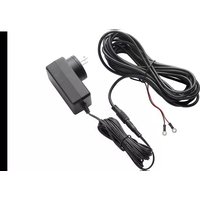
AP24V500B - Smart Home Lorex - Free user manual and instructions
Find the device manual for free AP24V500B Lorex in PDF.


| Product type | Doorbell power adapter |
| Brand | Lorex |
| Model | AP24V500B |
| Input voltage | 100-240 V AC |
| Output voltage | 24 V AC |
| Output current | 500 mA |
| Included plug types | North America plug and United Kingdom plug |
| Cable length | Approximately 1 m |
| Main functions | Power Lorex video doorbells |
| Installation | Plug into a standard wall outlet with twist-lock |
| Wall mounting | Possible by drilling for cable pass-through and cable tie loops |
| Maintenance | Clean with a soft, dry cloth |
| Safety | Compliant with FCC Part 15 |
| Included accessories | Cable, cable tie loops |
| Warranty | Limited hardware warranty (see Lorex website) |
| Repairability | Not user-serviceable |
| Weight | Approximately 150 g |
| Dimensions (approx.) | 10 x 5 x 3 cm |
Frequently Asked Questions - AP24V500B Lorex
User questions about AP24V500B Lorex
0 question about this device. Answer the ones you know or ask your own.
Ask a new question about this device
Download the instructions for your Smart Home in PDF format for free! Find your manual AP24V500B - Lorex and take your electronic device back in hand. On this page are published all the documents necessary for the use of your device. AP24V500B by Lorex.
USER MANUAL AP24V500B Lorex
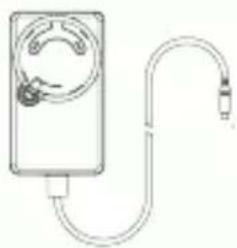
What's Included • Ce qui est inclu • Qué está incluido
natural_image
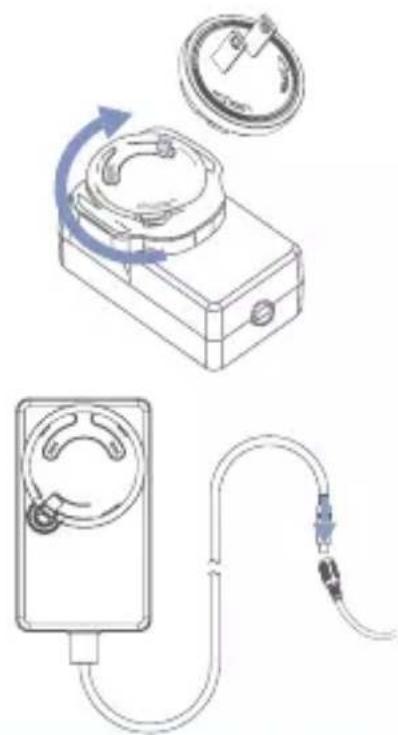
Simple line drawing of a handheld device with a curved cable or tube, no text or symbols present.- Align the back of the Plug to the Doorbell Power Adapter prongs, and then press the Plug into the Power Adapter.
- Turn the Plug clockwise. You will hear a "click" when locked in place.
- Connect the Cable to the Power Adapter.
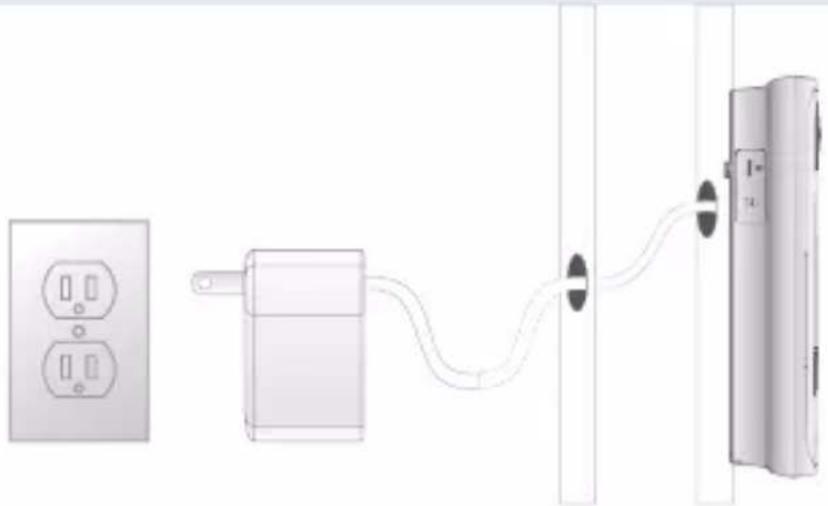
- Select an outlet near the doorbell.
- Run the cable from the doorbell to the outlet.
- (Optional) Secure the cable using the provided cable clips.
- (Optional) To install the doorbell without any gaps between the doorbell and the wall, drill 2 holes to run the Cable through the wall.
natural_image
Technical line drawing of a mechanical device with three components: a box, a ring, and a meter (no text or symbols)
Always be careful of existing wiring, pipes or other hazards when drilling.
If you are not comfortable doing it yourself, consult a licensed electrician or installer
natural_image
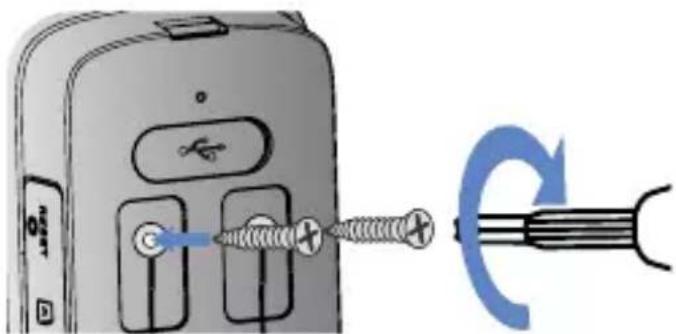
Diagram showing connections between a power outlet, a plug-in, and a wall-mounted device (no text or symbols present)- Completely remove the power port terminal screws from the doorbell with a Philips-head screwdriver.
- Thread the screws through the metal loops of the Cable, and then tighten the screws clockwise.
-
(Optional) Push the wiring back into the wall. Make sure there is enough space to fit the cable into the hole in the wall.
-
Connect the Power Adapter to the outlet.
Français
For the product compatibility chart please visit:
lorex.com/pages/compatibility
Please see our full Terms of Service and Limited Hardware Warranty Policy at:
lorex.com/pages/warranty

This device complies with part 15 of the FCC Rules. Operation is subject to the following two conditions: (1) This device may not cause harmful interference, and (2) This device must accept any interference received, including interference that may cause undesired operation.
Copyright © 2023 Lorex Technology Inc
As our products are subject to continuous improvement, Lorex reserves the right to modify product design, specifications and prices, without notice and without incurring any obligation. E&OE. All rights reserved.
PRODUCT SPECIFICATIONS
Rated Voltage AC100-240V
Variation Range AC90-264V
Rated Frequency 50/60Hz
Variation Frequency 47-63Hz
Input Current 1.0A maximum
Inrush current 60A Max. Cold start @ 100V AC,
60Hz input
80A Max. Cold start @ 240V AC,
50Hz input
AC Leakage Current 0.25mAh Max.
Output characteristics
Voltage 24Vdc±5%
Min load 0A
Max. load 1.0A
Output ripple & noise 120mVp-p Max.
Turn-On delay time 3 sec Max. @ 100-240Vac input
Rise time 50mS Max. from 10% to 90% rated
voltage @ 100Vac/240Vac
Hold up time 10mS Min @ 100Vac/240Vac
Overshoot voltage -3 to +7% rated voltage max. @ turn
on or turn off
Average efficiency 86.20% min. @ Input 115/230Vac. and
100%, 75%, 50%, 25% Rated Load
Environmental Requirement
Operating Temperature -10°C to 45°C
Storage Temperature -40°C to 80°C
Relative Humidity 5% to 95%, non-condensing
Mechanical Requirement
Power adapter
Enclosure 76 (L) x 44 (W) x 31.3 (H) mm
Weight 115g
Color Black
DC plug 5.5mm x 2.1mm x 10mm
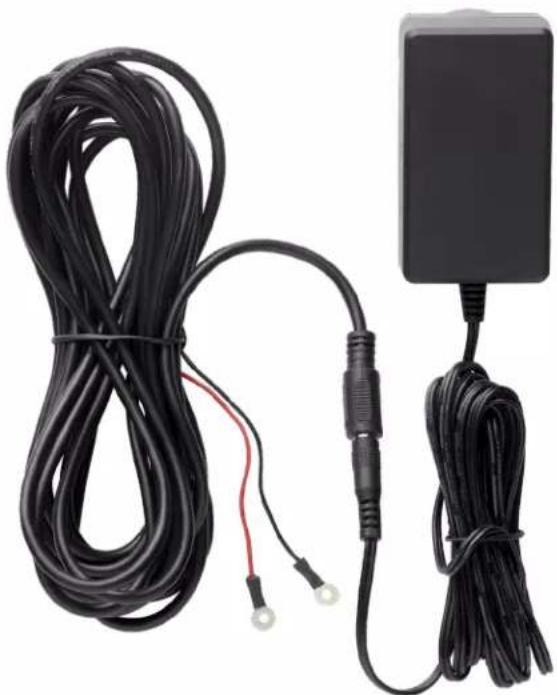
Cord 3 meter, UL2468, 24AWG/2C
Extension Cable
Color Black
Eyelet Connector RV1-3.2
Length 5 meter
MODEL INFORMATION
AP24V500B Doorbell Power 6-95529-05099-7
Adapter
natural_image
Coiled black cable and electrical adapter with terminal connectors (no text or symbols visible)DIMENSIONS
Package Blue Box
Package Weight 3.57lb / 1.6kg
Package 8.46 × 7.32 × 2.56" /
Dimensions 213 × 185 × 63mm
(W× D× H)
Package Cube 0.08cbf / 0.02cbm
WHAT'S INCLUDED
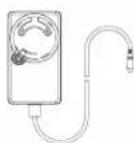
Doorbell Power Adapter
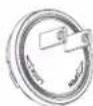
North America Plug
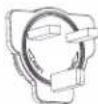
UK Plug
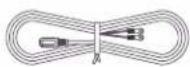
Cable

Cable Clips (x12)

Screws (x12)
Lorex Corporation
10440 Little Patuxent Parkway, Ste, 300,
Columbia, MD 21044, United States
© 2023 Lorex Corporation
As our product is subject to continuous improvement, Lorex Technology & subsidiaries reserve the right to modify product design, specifications & prices without notice and without incurring any obligation. E&OE.
(23-0033-LOR) 05312023-1
AP24V500B
lorex.com