WorkCentre BookMark 40 - Printer XEROX - Free user manual and instructions
Find the device manual for free WorkCentre BookMark 40 XEROX in PDF.


User questions about WorkCentre BookMark 40 XEROX
0 question about this device. Answer the ones you know or ask your own.
Ask a new question about this device
Download the instructions for your Printer in PDF format for free! Find your manual WorkCentre BookMark 40 - XEROX and take your electronic device back in hand. On this page are published all the documents necessary for the use of your device. WorkCentre BookMark 40 by XEROX.
USER MANUAL WorkCentre BookMark 40 XEROX
GKLS European Operations
Bessemer Road
Welwyn Garden City
Hertfordshire
AL7 1BU
ENGLAND
Copyright ©2008 by Xerox Corporation. All rights reserved.
Copyright protection claimed includes all forms and matters of copyrighted material and information now allowed by statutory or judicial law or hereinafter granted, including without limitations, material generated from the software programs which are displayed on the screen, such as icons, screen displays, looks etc.
Xerox ^® , and all Xerox products mentioned in this publication are trademarks of Xerox Corporation. Product names and trademarks of other companies are hereby acknowledged.
Changes, technical inaccuracies and typographical errors will be corrected in subsequent editions.
Version 1.0 - 7.2.08
Part Number: 604E43390
Thank you for choosing the Xerox WorkCentre BookMark 40 and 55. This product has been designed for ease of use, particularly in library environments. To use your machine to the it's fullest potential, take some time to read the Quick Reference Guide and this document.
The Quick Reference Guide provides an overview of the features and options that may be available on your machine.
Some features mentioned in the Quick Reference Guide are different for the WorkCentre BookMark 40 and 55. This document details the unique features of your machine.
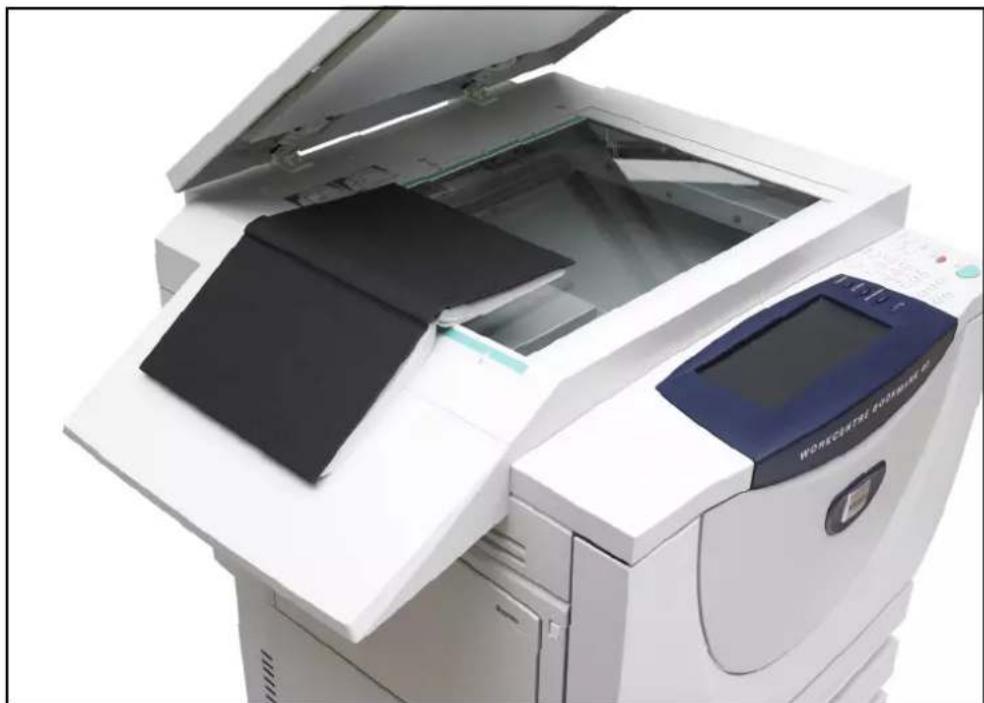
Copying a Book
Align the book to the arrow at the top left of the document glass as shown in the picture.
natural_image
Exterior view of a white office paper printer with open lid and closed cover (no visible text or symbols)The Basic Copying tab is the default Copy screen.
Select the Copy buttons on the Basic Copying tab as described in the User Guide to select the required copy features such as background suppression and contrast.
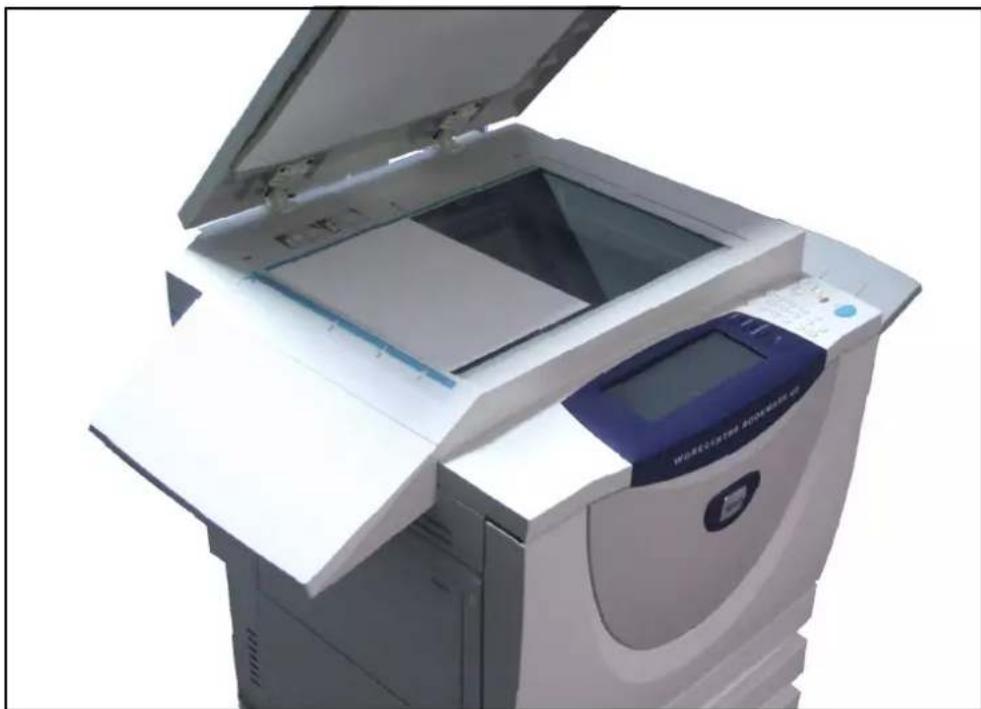
Align the document page to the arrow at the top left of the document glass as shown in the picture.
natural_image
Exterior view of a white office paper printer with open lid and digital display (no visible text or symbols)The Basic Copying tab is the default Copy screen.
Select the Copy buttons on the Basic Copying tab as described in the User Guide to select the required copy features such as background suppression and contrast.