N3861K - Monitor OPTOMA - Free user manual and instructions
Find the device manual for free N3861K OPTOMA in PDF.


User questions about N3861K OPTOMA
0 question about this device. Answer the ones you know or ask your own.
Ask a new question about this device
Download the instructions for your Monitor in PDF format for free! Find your manual N3861K - OPTOMA and take your electronic device back in hand. On this page are published all the documents necessary for the use of your device. N3861K by OPTOMA.
USER MANUAL N3861K OPTOMA
Creative Board....72
Optoma Marketplace 88
Keeper 89
MediaPlayer....90
Optoma Management Suite (OMS)....99
INFORMATIONS SUPPLÉMENTAIRES .... 102
Dimensions....102
55 pouces....102
65 pouces....103
75 pouces....104
86 pouces....105
98 pouces....106
natural_image
Line drawing of a PC Enfichable OPS M router with two antennas and ports (no text or symbols on the device itself)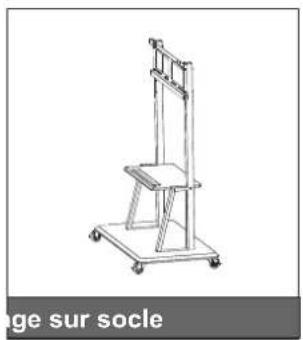
natural_image
Line drawing of a vertical support structure with wheels and a chair (no text or symbols)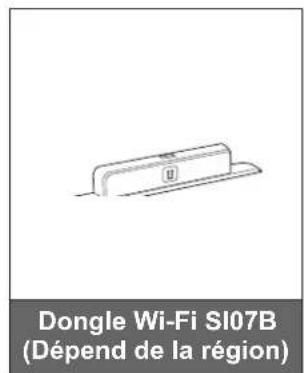
text_image
Dongle Wi-Fi SI07B (Dépend de la région)INTRODUCTION
text_image
Technical diagram of a server rack with labeled ports and internal components, including port numbers and connectors.text_image
Diagram of a server rack layout with numbered components and labeled connectorsINTRODUCTION
natural_image
Technical line drawing of a rack-mounted server or shelf unit with multiple vertical supports (no text or symbols)text_image
442.8mm800mm 181.8mm 600mm 4-M9×25mm75 pouces 86 pouces
text_image
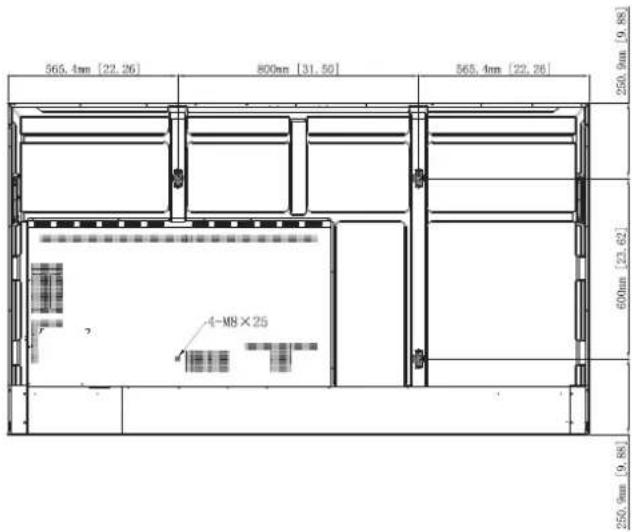
565.4mm [22.26] 800mm [31.50] 565.4mm [22.26] 250.9mm [9.88] 600mm [23.62] 4-M8×25 250.9mm [9.88]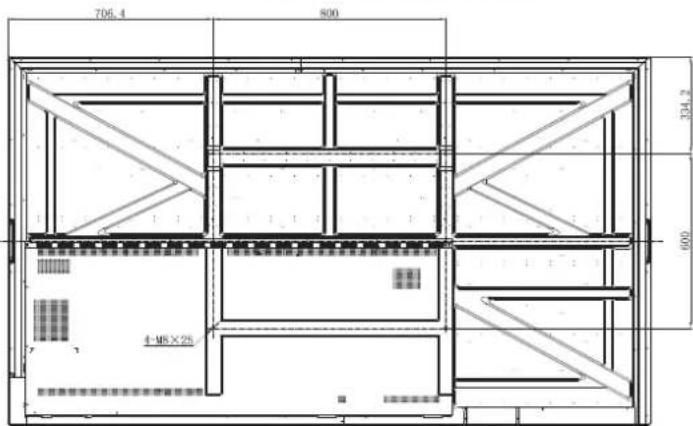
text_image
706.4 800 334.2 4-MX×25 100098 pouces
CONFIGURATION ET INSTALLATION
natural_image
Technical diagram of a mechanical component with a magnified inset showing a screw inserted into a slot (no text or symbols present)natural_image
Diagram showing a cylindrical device with a ring attached to a wall, connected to a dashed rectangular box (no text or symbols present)natural_image
Technical diagram of a mechanical assembly with a blue arrow indicating direction, no visible text or symbolsnatural_image
Technical diagram of a wall-mounted device with a close-up inset showing a component labeled 'C' (no text or symbols present)Remarque :
natural_image
Technical line drawing of a mechanical component with a magnified inset showing a screw inserted into a bracket (no text or symbols)Remarque :
natural_image
Diagram showing a two-wheeled cart with wheels and a close-up of its mechanical components (no text or symbols)natural_image
Technical line drawing of a vertical mechanical device with wheels and a blue arrow indicating direction (no text or symbols)CONFIGURATION ET INSTALLATION
natural_image
Diagram of a smartphone rear panel with a blue arrow indicating rotation (no text or symbols)natural_image
Diagram of a remote control panel with battery and indicator lights (no text or symbols)natural_image
Diagram of a smartphone with a blue arrow indicating the direction of change or motion (no text or symbols present)MISE EN GARDE
natural_image
Diagram showing a circular screen connected to a remote control with multiple function buttons (no text or symbols present)CONFIGURATION ET INSTALLATION
Connexions
text_image
Diagram showing connection between a power plug, switch, and socket with labeled componentsnatural_image
Diagram showing connection between a device and a laptop via USB cable (no text or symbols present)CONFIGURATION ET INSTALLATION
natural_image
Simple diagram showing a blue downward arrow between two hanging lights on a horizontal beam (no text or symbols)natural_image
Diagram showing a blue upward arrow pointing to a gray base with a label 'II', above parallel lines (no text or symbols on the diagram itself)text_image
Diagram showing connection between a power plug, switch, and socket with Chinese labelstext_image
Power Off Please confirm shutdown. The system will shut down in 9 seconds. Cancel OKtext_image
Keeper Optoma Marketplace Browser Clean All The Processes(3)text_image
Personnel Network Device Samsung Systems Personnel Networks Data Logis Next Server Device to switch (Windows) Landings (F) Logistics Landings (F) Product (D) Auto 2802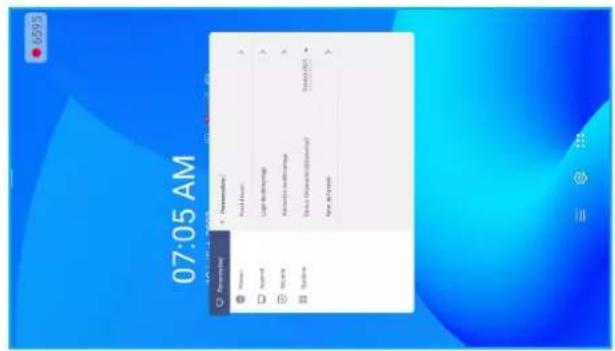
text_image
07:05 AM Preschool 1. Newspaper 2. New 3. New 4. New 5. New 6. New 7. New 8. New 9. New 10. New 11. New 12. New 13. New 14. New 15. New 16. New 17. New 18. New 19. New 20. New 21. New 22. New 23. New 24. New 25. New 26. New 27. New 28. New 29. New 30. New 31. New 32. New 33. New 34. New 35. New 36. New 37. New 38. New 39. New 40. New 41. New 42. New 43. New 44. New 45. New 46. New 47. New 48. New 49. New 50. New 51. New 52. New 53. New 54. New 55. New 56. New 57. New 58. New 59. New 60. New 61. New 62. New 63. New 64. New 65. New 66. New 67. New 68. New 69. New 70. New 71. New 72. New 73. New 74. New 75. New 76. New 77. New 78. New 79. New 80. New 81. New 82. New 83. New 84. New 85. New 86. New 87. New 88. New 89. New 90. New 91. New 92. New 93. New 94. New 95. New 96. New 97. New 98. New 99. NewPaysage Portrait
text_image
Bluetooth pairing code 3 6 6 6 6 7 Commands to pair with your device. Please confirm that this bluetooth pairing code is displayed on Cancel Pair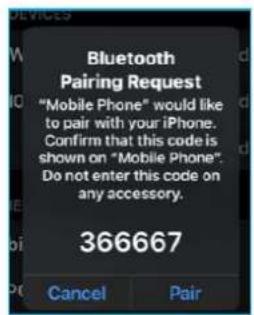
text_image
Bluetooth Pairing Request "Mobile Phone" would like to pair with your iPhone. Confirm that this code is shown on "Mobile Phone". Do not enter this code on any accessory. 366667 Cancel Pairtext_image
Monitor settings H monitors 1 V monitors 1 Position 1 Position count from left to the right, then top to the bottom. Annuler OKtext_image
Dealer Menu Advanced settings Active Standby <= OFF => Exit| Advanced settings | |||
| USB WIFI Enable | <= | OPEN | => |
| USB Disk Enable | <= | OFF | => |
| Android input Enable | <= | OPEN | => |
| Back | |||