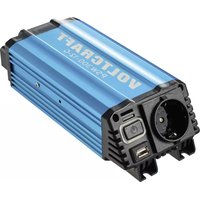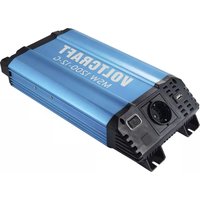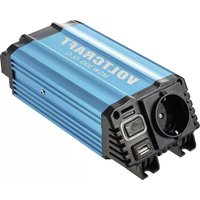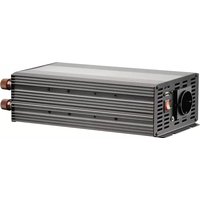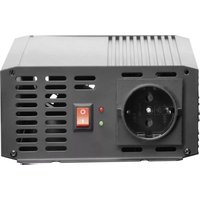
PSW 1000-12-G - Inverter VOLTCRAFT - Free user manual and instructions
Find the device manual for free PSW 1000-12-G VOLTCRAFT in PDF.



| Product Type | Inverter |
| Brand | Voltcraft |
| Model | PSW 1000-12-G |
| Nominal Input Voltage | 12 V DC |
| Output Voltage | 230 V AC, 50 Hz |
| Output Waveform | True Sine Wave |
| Continuous Output Power | 1000 W |
| Maximum Output Power (short-term) | 2000 W |
| Efficiency at Rated Load | > 85% |
| No-Load Current Consumption | < 1 A |
| Cooling | Built-in Fan |
| Input | Screw terminals (max. 10 mm² cross-section) |
| Output | 1 safety power outlet (230 V/50 Hz) |
| Undervoltage Protection | Alarm at 10.5 V, shutdown at 10.0 V |
| Overvoltage Protection | Shutdown at 15.0 V |
| Overload Protection | Yes (temporary shutdown, automatic restart) |
| Overheating Protection | Yes (automatic shutdown, restart after cooling) |
| Reverse Polarity Protection | Yes (inverter does not operate) |
| Short Circuit Protection | Yes |
| Dimensions (W x D x H) | 335 x 152 x 72 mm |
| Weight | Approx. 3100 g |
| Operating Temperature | 0 °C to +60 °C |
| Ambient Humidity | 20% to 85% (non-condensing) |
| Package Contents | Inverter, connection cable with terminals, user manual |
| Maintenance and Cleaning | Clean with a soft, dry cloth; do not use detergents |
Frequently Asked Questions - PSW 1000-12-G VOLTCRAFT
User questions about PSW 1000-12-G VOLTCRAFT
0 question about this device. Answer the ones you know or ask your own.
Ask a new question about this device
Download the instructions for your Inverter in PDF format for free! Find your manual PSW 1000-12-G - VOLTCRAFT and take your electronic device back in hand. On this page are published all the documents necessary for the use of your device. PSW 1000-12-G by VOLTCRAFT.
USER MANUAL PSW 1000-12-G VOLTCRAFT
Operating Instructions Page 20 - 37 Inverter "PSW 1000"
text_image
QR code image containing encoded data, no visible human-readable text2 Introduction....21
3 Explanation of Symbols 22
4 Scope of Delivery....22
5 Latest Product Information....22
6 Intended Use 23
7 Safety Information....24
7.1 General information ....24
7.2 Site of setup....25
7.3 Connection to a direct voltage source .....26
7.4 Mains voltage output....27
7.5 Operation....27
8 Connection to the Voltage Source 29
9 Operation....31
10 Protective Functions ....32
10.1 Undervoltage protection....32
10.2 Overvoltage protection....32
10.3 Overload protection ....33
10.4 Overtemperature protection....33
10.5 Polarity reversal protection ....33
11 Maintenance and Cleaning....34
12 Troubleshooting....34
13 Disposal....36
14 Technical Data 37
2 Introduction
Thank you for making the excellent decision to purchase a Voltcraft® product.
Voltcraft® - This name stands for above-average quality products in the areas of measuring, charging and grid technology, characterised by technical competence, extraordinary performance and permanent innovation.
Whether you are an ambitious hobby electronics or a professional user - a product of the Voltcraft® brand family will provide you with the best solution for even the most sophisticated of tasks. Special features: We offer the sophisticated technology and reliable quality of our Voltcraft® products at a near-unbeatable price/performance ratio. We lay the groundwork for long, good and successful cooperation.
Enjoy your new Voltcraft® product!
All company names and product names are trademarks of their respective owners. All rights reserved.
If there are any technical questions, please contact:
www.conrad.com/contact
3 Explanation of Symbols
The following symbols can be found on the product/device or in the text:
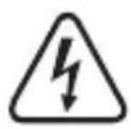
The symbol with a lightning bolt in a triangle is used where there is a health hazard, e.g. from electric shock.
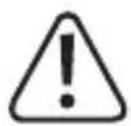
The exclamation mark in a triangle indicates important notes in these operating instructions that must be observed strictly.
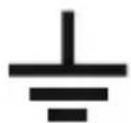
This symbol marks a connection terminal for ground potential on the inverter.
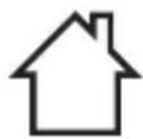
The product is intended for use in dry indoor rooms only; it must not become damp or wet.
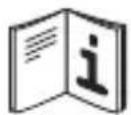
Observe the operating instructions.
4 Scope of Delivery
Inverter
■ Connection cable with cable lugs
Operating instructions
5 Latest Product Information
Download the latest product information at www.conrad.com/downloads or scan the QR code shown. Follow the instructions on the website.

text_image
QR code image containing encoded data, no visible human-readable text6 Intended Use
The inverter produces a sine-like alternate voltage of 230 V/AC, 50 Hz from a direct voltage (depending on inverter version, either 12 V/DC or 24 V/DC).
Item no. 1277820, 1277821, 1277822: Operating voltage 12 V/DC
Item no. 1277827, 1277832, 1277836: Operating voltage 24 V/DC
Since the mains voltage is, however, only sine-like, but not precisely sine-shaped, we cannot guarantee that all electrical consumers can be operated via the inverter without problems.
The maximum output of the inverter and other important indices can be found in chapter “Technical Data” at the end of these operating instructions.
Electrical consumers with a higher rated power intake than the maximum permanent output of the inverter must not be connected.
When connecting electrical consumers (e.g. drill, refrigerator, etc.), to the inverter, observe that they often need a higher output than indicated on the rating plate of the consumer for a short period when switching on or starting up. The Inverter therefore briefly supplies a higher output.
The inverter switches off on its own when the input voltage drops below a specific value. This protects a car battery from harmful deep discharge.
The safety notes and all other information in these operating instructions always have to be observed! Read these operating instructions with care before connection and commissioning. Keep these operating instructions or pass them on to a third party only together with this product.
Any use other than that described above can damage the product and may involve additional risks such as short circuit, fire, electric shock, etc. No part of this product must be modified or converted!
7 Safety Information

The guarantee/warranty will expire if damage is incurred resulting from non-compliance with the operating instructions! We do not assume any liability for consequential damage! We do not assume any liability for damage to property or personal injury caused by improper use or the failure to observe the safety instructions! In such cases the warranty/guarantee is voided.
The following safety instructions are intended not only for the protection of your health but also for the protection of the product.
Therefore, read the following items very carefully before connecting the product and taking it into operation.
7.1 General information
The unauthorized conversion and/or modification of the product is inadmissible for safety and approval reasons. Never dismantle the product.
Maintenance, adjustments and repair work may only be carried out by a specialist/specialised workshop. The installed device fuse must only be exchanged by a specialist.
The product is not a toy and must be kept out of reach of children.
Do not leave packaging material unattended. It may become a dangerous toy for children.
Never touch the inverter or any cables with wet or damp hands; danger to life from electric shock!
Protect all cables from damage. Damaged cables must not be used anymore. Replace them at once
Place the cables where no one can trip over them.
Never touch the inverter or any cables of the connected consumer if they are damaged; danger to life from electric shock! First switch off the inverter and disconnect it from the voltage/current supply.
Handle the product with care. It can be damaged by impact, blows or when dropped even from a low height.
Observe the operating instructions of all devices that are connected to the inverter.
If you are not sure about the correct connection or use of the inverter, or if questions which are not covered by these operating instructions arise, please do not hesitate to contact us or another qualified specialist.
7.2 Site of setup
Keep children away from the product. Choose the site of setup so that children cannot reach it. Children may try to stick objects into the device. There is danger to life from electric shock!
The product is only suitable for operation in dry, closed rooms. The entire product must never become moist or wet. There is a fatal danger from electric shock!
Choose a solid, flat, clean and sufficiently large surface for the product.
Avoid the following unfavourable ambient conditions at the site of setup, during storage or when transporting:
– dampness or too-high humidity
– cold or heat, direct solar radiation
– dust or flammable gases, fumes or solvents
– strong vibration, impact or blows,
– strong magnetic fields such as those near machines or speakers
Do not place the product next to a radiator, fan, air conditioning or similar. Keep the product away from dust and dirt.
The product has an installed fan. Place the product so that the fan cannot suck in any loose objects, curtains, etc. This not only poses a danger of damage to the product, but also a danger of fire.
Never place the product on a flammable surface (e.g. carpet, tablecloth). Always use a suitable, non-flammable, heatproof surface.
Do not place the product on any valuable furniture surfaces without using suitable protection. Heat may cause colour or material changes. Scratches of pressure points on the furniture surface are possible as well.
Keep the product away from easily inflammable materials (e.g. curtains, paper), liquids (e.g. petrol) or gases. There is a risk of fire and explosion!
This specifically applies to gases escaping from rechargeable batteries (e.g. for lead batteries). Therefore, observe the corresponding ventilation and do not place the inverter and the rechargeable battery in the same room.
Keep the inverter away from sources of open fire (e.g. candles), and do not place them on the inverter.
The product must be easily accessible so that it can be switched off or disconnected from the voltage source and the connected consumer quickly in case of error.
Avoid operation in direct proximity of strong magnetic or electromagnetic fields, transmitter aerials or HF generators. This can affect the control electronics.
Do not place any containers filled with liquid, e.g. vases or plants, on or next to the product. Liquids entering the inverter will destroy it. There also is the utmost risk of potentially fatal electric shock.
In this case, disconnect the product from the voltage/current supply at once. No longer operate the product. Have the product inspected by a specialist workshop or dispose of it environmentally compatibly.
Secure or attach the inverter and all cables, e.g. when using them in a vehicle, so that proper operation of the vehicle is ensured and the inverter cannot come loose.
7.3 Connection to a direct voltage source
Do not wear any metal or conductive materials, such as jewellery (necklaces, bracelets, rings, etc.). A short circuit at the rechargeable battery or inverter causes a danger of injury, fire and explosion.
Use a suitable connection cable with a sufficiently large line cross-section. If the line cross-section is too small, the connection cable may grow hot. There is a danger of fire!
Very strong overheating may also cause a defect to the insulation of the connection cable, which may cause short circuit. There is a risk of explosion by the rechargeable battery.
Keep the connection cable as short as possible.
The longer the connection cable, the larger the line cross-section has to be.
Before the inverter is connected to the direct voltage source, it must be switched off.
Always observe the correct polarity (plus/+ and minus/--) for connection. The red clamp of the inverter is the plus pole (+), the black clamp is the minus pole (-).
The inverter should never be directly connected to a direct voltage source (e.g. a car battery), but only via an accordingly sized fuse. This fuse should be placed as close as possible to the direct voltage source.
Depending on the power taken from the inverter, the direct voltage source (e.g. a car battery) must be able to supply the corresponding current strength.
Check all connections for tight fit and good electrical contact at regular intervals. High transfer resistances not only reduce the performance of the inverter but also may cause overheating and fire.
The inverter must not be connected to electrical systems (e.g. a motor vehicle) where the plus pole is grounded or connected to the chassis of the vehicle.
7.4 Mains voltage output
Do not pull the mains plug from the mains socket of the inverter by pulling the cable.
Never connect the 230 V output of the inverter to another 230 V source (e.g. a mains socket). The inverter must not be used to feed mains voltage into an electrical building installation.
If devices with protective ground plugs are connected to the mains socket of the inverter, the inverter may need to be earthed. For this, there is a corresponding connection at the inverter available (marked with the earthing symbol, see symbol on the right).
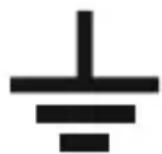
The earthing line used (green/yellow cable) must have a cross-section of at least 6 mm ^4 .
7.5 Operation
Do not operate the inverter unsupervised.
Never touch the blank live contacts, connection terminals or cable lugs on the input side of the inverter.
Even after triggering the internal protective device, parts of the inverter may still be live!
The housing of the inverter will heat up in operation (depending on the output). Therefore, always observe sufficient ventilation of the inverter; never cover it in operation. Never close the ventilation slots of the inverter.
Keep a minimum distance of 5 cm from other devices around the housing of the inverter.
Never operate the inverter immediately after it has been taken from a cold room to a warm room. The resulting condensation may lead to malfunctions or damage! Moreover, there is the risk of a fatal electric shock!
Let the inverter reach room temperature before connecting and operating it. This may take several hours!
Only operate the inverter in a moderate climate, never in a tropical climate. For more information on acceptable environmental conditions, see the chapter “Technical data”.
Never overload the inverter. In spite of comprehensive protective circuits, a defect or damage to the inverter or the connected devices cannot be fully excluded.
The inverter is not approved for operation in connection with life-supporting medical devices.
Deactivate the inverter and disconnect it from the voltage/current supply when you do not need it anymore.
In schools, training centres, hobby and self-help workshops, the use of the product must be supervised by responsible trained personnel.
In commercial institutions, the accident prevention regulations of the Employer's Liability Insurance Associations for Electrical Systems and Operating Materials are to be observed.
Deactivate the product and disconnect it from the voltage/current supply when you do not need it anymore. Keep it in a clean, dry, cool place that is inaccessible to children.
8 Connection to the Voltage Source

Before connecting the inverter and taking it into operation, read the entire operating instructions; specifically observe the chapter "Safety Information".
Switch off the inverter (switch position "O").
If the inverter is to be connected in a vehicle, switch off the vehicle's ignition.
Check if the input voltage indicated on the inverter matches the voltage source (e.g. a car battery) used by you.
If this is not the case, the inverter must not be connected to the voltage source.
Depending on the power taken from the inverter, the direct voltage source (e.g. a car battery) must be able to supply the corresponding current strength.
Observe that the actually required current is higher due to conversion loss in the inverter (approx. by 20%).
Example:
A consumer with a power consumption of 120 W is connected to the inverter.
For a inverter with an input voltage of 12 V/DC, a current of 10 A results. Due to the conversion loss, the input current is 10 A + 20% = 12 A .
For a inverter with an input voltage of 24 V/DC, a current of 5 A results. Due to the conversion loss, the input current is 5 A + 20% = 6 A .
First connect the black connection terminal of the inverter to the minus pole (-) of the voltage source via the enclosed connection cable.
Then connect the red connection terminal of the inverter to the plus pole (+) of the voltage source via the enclosed connection cable.

When connecting the inverter, always ensure correct polarity; never swap the connections!
Red connection terminal = plus pole (+)
Black connection terminal = minus pole (-)
The inverter should never be directly connected to a direct voltage source (e.g. a car battery), but only via an accordingly sized fuse. This fuse should be placed as close as possible to the direct voltage source.
Ashort circuit between the poles of a rechargeable battery may not only cause light arc and welding of the connection cables, but also explosion! This not only poses a danger of fire, but also severe danger of injury (e.g. from the acid in a lead battery).
Therefore, proceed very carefully when connecting the connection cables between inverter and rechargeable battery.
Observe that the cables cannot get into any rotating parts of the vehicle (fans, V-belt, etc.).
Use only the enclosed cables or at least equal cables with a sufficient line cross-section and suitable cable lugs for connection.
If you want to use longer cables, you may need to use cables with a larger line cross-section. The following applies: The larger the line cross-section and the shorter the cable, the lower the voltage drop on the line.
A too-high voltage drop on the line may cause premature undervoltage deactivation of the inverter.
Suitable ring cable lugs are needed to connect the lines to the terminals of the inverter. Clamping in of the open cable ends or even soldering on is not permitted.
Tighten the screw terminals by hand; do not use any tools, to not apply any force.
Secure or attach the inverter and all cables, e.g. when using them in a vehicle, so that proper operation of the vehicle is ensured and the inverter cannot come loose.
9 Operation
Which consumers that are operated with mains voltage (230 V/AC, 50 Hz) can be connected to a inverter?
Generally, all consumers can be operated on a inverter.
However, many consumers have a higher power consumption at the moment of switching on than their rating plate says. This does not have any great importance when connecting to the public mains, since there are always the corresponding power reserves.
The inverter is limited in its output. However, it may supply a peak output briefly to balance out the high consumption at the moment of activation of the consumer.
If the consumption at the moment of activation of the consumer is higher than the peak output of the inverter (or if it takes too long), the overload protection of the inverter will be activated. The consumer cannot be connected and operated at the inverter.
Examples:
A small compressor-operated refrigerator with a rated power of approx. 50 W may have ten times the power consumption (500 W) for three seconds after activation, since the electrical motor starts.
A light bulb rated power of approx. 60 W may have ten times the power consumption (600 W) for one second after activation, since the low-impedance spiral-wound filament heats up. Only as the temperature rises will the electrical impedance increase as well so that the power consumption drops to rated output.
Due to the many different electrical consumers, it is not possible to provide a precise list of where problems are to be expected.
For example, consumers with integrated electrical motor, capacitors in mains units, devices with inductive load or light bulbs or heating radiators are problematic.
After connection of the inverter to the voltage source (e.g. a car battery), you may take the inverter into operation.
Connect a consumer to the mains socket of the inverter. The rated power of the consumer (see rating plate on the consumer or in its operating instructions) must not exceed the output of the inverter.
Switch the inverter on via the on/off switch (switch position "I").
If connected correctly, the "Power" LED will now light up and thus indicate correct operation of the inverter. The two connected consumers are ready for operation.
The "Fault" LED will light up at overload, overtemperature or undervoltage recognition.
To switch off the inverter, put the on/off switch in the "O" position.
10 Protective Functions
10.1 Undervoltage protection
The inverter emits an alarm sound when the input voltage drops below a specific value:
12 V inverter: Voltage drops below 10.5 V/DC (tolerance ±0.5 V/DC)
24 V inverter: Voltage drops below 21.0 V/DC (tolerance ±0.5 V/DC)
If the input voltage drops further, the inverter and the connected consumer are switched off. This protects, e.g., a car battery that is used to operate the inverter, from harmful deep discharge.
12 V inverter: Voltage drops below 10.0 V/DC (tolerance ±0.5 V/DC)
24 V inverter: Voltage drops below 20.0 V/DC (tolerance ±0.5 V/DC)
The “Fault” LED will light up if the inverter recognises undervoltage. In this case, switch off the inverter via the on/off switch.
10.2 Overvoltage protection
The inverter switches itself and the connected consumer off once the input voltage is too high.
12 V inverter: Voltage rises over 15.0 V/DC (tolerance ±0.5 V/DC).
24 V inverter: Voltage rises over 30.0 V/DC (tolerance ±0.5 V/DC).
The “Fault” LED will light up if the inverter recognises undervoltage. In this case, switch off the inverter via the on/off switch. Check the voltage source.
10.3 Overload protection
The inverter switches itself off temporarily if the consumer connected to the output draws too much power. If the power consumption is reduced, the inverter will switch on again automatically.
The “Fault” LED will light up at overload. Switch the inverter off via the on/off switch and remove the cause of the overload.
10.4 Overtemperature protection
The conversion of input voltage to mains voltage and the resulting conversion loss produces heat due to the working principle. An integrated fan helps to cool the electronics of the inverter.
Depending on the power intake of the connected consumer or the ambient temperature, the inverter may overheat.
In this case, the inverter will switch itself off. After the inverter has cooled off sufficiently, it will switch on again.
The "Fault" LED will light up if the inverter recognises overtemperature.
10.5 Polarity reversal protection
If the polarity of the input is swapped when connecting, the inverter will not work and cannot be switched on.
Always observe the correct polarity (plus/+ and minus/--) for connection.
Red connection terminal = plus pole (+)
Black connection terminal = minus pole (-)
11 Maintenance and Cleaning
The product does not require any maintenance. You should never take it apart.
The product should only be repaired by a specialist or specialist workshop or it may be damaged. Furthermore, the CE approval and the guarantee/warranty will expire.
The installed device fuse must only be exchanged by a specialist.
Before cleaning, switch off the product and disconnect it from the voltage/current supply. Disconnect the connected consumers as well.
Only clean the product with a soft, clean, dry and lint-free cloth. Never use any cleaning agents, since this might damage the surface of the casing and label.
Dust can be removed using a clean, soft brush and a vacuum cleaner.
12 Troubleshooting
Inverter cannot be switched on, "Power" LED is not lit.
The rechargeable battery used for operation is flat. Connect the inverter to another, fully charged rechargeable battery.
The polarity was swapped at connection. Check the wiring.
The cable connections with the rechargeable battery are not correct; e.g. the connection cable is not screwed on. Tighten the screws of the terminal clamps.
The inverter works only with a consumer with a lower power consumption.
The connection cable to the rechargeable battery is too long or the line cross-section is too small. Replace the connection cable by a shorter one; use a cable with a larger line cross-section.
The connected consumers' power consumption is too high for the inverter.
The connected consumers' power consumption at activation is too high.
The connected consumers are not working and the "Fault" LED is lit.
The consumers' power consumption is too high for the inverter; overload protection has been activated.
The consumers' power consumption is too high when starting up; overload protection has been activated.
An alarm sounds.
Undervoltage recognition has been activated. The rechargeable battery that is used for voltage/current supply of the inverter is flat. Connect the inverter to another, fully charged rechargeable battery.
The overtemperature protection has been activated. Switch the inverter off and let it cool off sufficiently.
Check if the inverter is sufficiently ventilated.
Operate the inverter in a cooler environment.
Connect a consumer with lower power consumption. With one consumer each connected to the two outputs of the inverter, try disconnecting one of them from the inverter.
The operating time is too short.
Use a rechargeable battery with higher capacity.
The rechargeable battery is not fully charged. Disconnect the rechargeable battery from the inverter and charge it entirely.
The rechargeable battery is old/flat; replace it by a new one.
13 Disposal
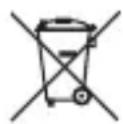
This symbol must appear on any electrical and electronic equipment placed on the EU market. This symbol indicates that this device should not be disposed of as unsorted municipal waste at the end of its service life.
Owners of WEEE (Waste from Electrical and Electronic Equipment) shall dispose of it separately from unsorted municipal waste. Spent batteries and accumulators, which are not enclosed by the WEEE, as well as lamps that can be removed from the WEEE in a non-destructive manner, must be removed by end users from the WEEE in a non-destructive manner before it is handed over to a collection point.
Distributors of electrical and electronic equipment are legally obliged to provide free take-back of waste. Conrad provides the following return options free of charge (more details on our website):
in our Conrad offices
at the Conrad collection points
at the collection points of public waste management authorities or the collection points set up by manufacturers or distributors within the meaning of the ElektroG
End users are responsible for deleting personal data from the WEEE to be disposed of.
It should be noted that different obligations about the return or recycling of WEEE may apply in countries outside of Germany.
14 Technical Data
| Item no. 1277820, 1277821, | 1277822 | 1277827, 1277832, 1277836 |
| Rated input voltage 12 V/DC 24 V/DC | ||
| Output voltage 230 V/AC, 50 Hz | ||
| Signal output form True sine wave | ||
| Permanent output power 1000 W | ||
| Peak output power 2000 W (short-term) | ||
| Effectiveness at rated load >85% | ||
| Power intake without load <1 A | ||
| Cooling Installed fan | ||
| Inputs Screw connectors | ||
| Outputs 1x protective ground socket (230 V/AC, 50 Hz) | ||
| Cable cross-section 10 mm2 | ||
| Undervoltage alarm 10,5 ±0,5 V/DC | 21,0 ±0,5 V/DC | |
| Undervoltage deactivation | 10,0 ±0,5 V/DC | 20,0 ±0,5 V/DC |
| Overvoltage deactivation | 15,0 ±0,5 V/DC | 30,0 ±0,5 V/DC |
| Overload protection | yes | |
| Overtemperature protection | yes | |
| Protection against wrong Polarity | yes | |
| Short-circuit protection | yes | |
| Ambience conditions | Temperature: 0 °C to +60 °C, humidity 20% to 85% relative, non-condensing | |
| Dimensions | 335 x 152 x 72 mm (L x W x H) | |
| Weight | approx. 3100 g | |