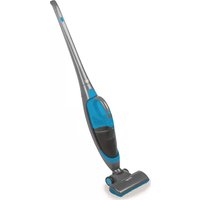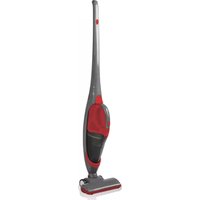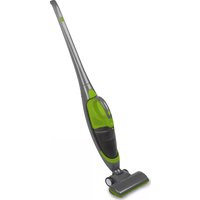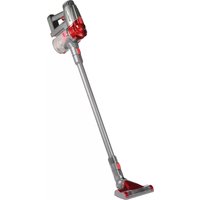
New York CVC638 - Vacuum Cleaner Montiss - Free user manual and instructions
Find the device manual for free New York CVC638 Montiss in PDF.
Download the instructions for your Vacuum Cleaner in PDF format for free! Find your manual New York CVC638 - Montiss and take your electronic device back in hand. On this page are published all the documents necessary for the use of your device. New York CVC638 by Montiss.
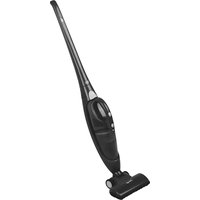
USER MANUAL New York CVC638 Montiss
Upright and hand-held vacuum cleaner in one New York CVC638
IMPORTANT SAFEGUARDS In the unlikely event your device is not functioning well or shows any defect, please contact your retailer. To avoid any inconvenience, we advise you to read this user manual carefully before contacting them. When using an electrical appliance, basic safety precautions should always be observed, including the following READ ALL INSTRUCTIONS BEFORE USING YOUR VACUUM CLEANER.
WARNING: To reduce the risk of fire, electrical shock, or injury, please observe the following rules
1. Do not use outdoors or on wet surfaces
2. Do not use as a toy. Pay attention is necessary when used with children nearby.
3. Only use this vacuum cleaner as described in this manual. Only use manufacturer’s
recommended attachments.
4. Do not use the vacuum cleaner if it has been dropped, damaged, left outdoors, or dropped in
water. Return it to an authorized service center for inspection.
5. Do not handle the plug or appliance with wet hands.
6. Do not put any large objects into openings. Do not obstruct the openings; keep the intake port
free of dust, lint, hair and anything that may reduce air flow.
7. Keep hair, loose clothing and all parts of body away from openings and moving parts to avoid
being picked up or entangled.
8. Do not pick up anything that is burning or smoking, such as cigarettes, matches, or cigarette
9. Do not use to pick up flammable objects or liquids such as gasoline or use in areas where they
10. Follow all label and marking instructions on your vacuum cleaner.
11. Keep the end of hose, wands and other openings away from your face and body.
12. Do not use the vacuum cleaner without the dust cup filter in place.
13. Always unplug this appliance before connecting or disconnecting vacuum attachments.
14. Store the vacuum indoors. Put the vacuum away after use to prevent tripping accidents.
15. Use of incorrect batteries may harm the motor and users. Please use the recommended
16. Do not use for any purpose other than described in this user guide.
17. If the vacuum cleaner is damaged, repair must be carried out by the manufacturer, the service
agent or similarly qualified persons in order to avoid hazards.
18. This appliance is not suitable for use by children or persons with reduced physical, sensory or
mental capabilities, or lack of experience and knowledge, unless someone who is responsible for their safety is supervising them or explains to them how the appliance must be used. Close supervision is required if the appliance is used in the vicinity of children, pets or plants.27 THE PRODUCT
Extra handle which can be used on the aluminium tube
3. Tube release button
12. Cradle for storage and charging
Dust Cup Set Dust Cup Release Button Dust Cup Cover for Air Exhaust Dust Cup Cover Dust Cup Bottom Dust Cup Plastic Centering Filter System Dust Cup Set Dust Cup Release Button Dust Cup Set Cover for Air Exhaust Turbine System Dust Cup Dust Cup Bottom28 PRECAUTIONARY MEASURES If there is a blockage where the brush or extension tubes are clogged up, you should switch off the vacuum cleaner at once. Clear the clogged up substance before attempting to start the vacuum cleaner again. 1.Do not operate the vacuum cleaner too close to heat sources such as heaters, radiators, cigarette butts, etc.
2.Before you start using the vacuum cleaner, please remove large or sharp objects from the floor in order to prevent damage to the filter. Do not use the vacuum to pick up flammable materials or liquids, such as gas and cigarettes.
Installing the conversion connector When you need to use any attachments other than the main floor brush, please use the conversion connector.29
Installing the aluminum extension tube We can use the aluminum extension tube to connect the vacuum cleaner on one side (a "click” will be heard if the installation was successful), with an attachment on the other side (see diagram on the right), so that it can be used as a vertical vacuum cleaner:
- When connected to a floor brush it can be used directly to clean the floor or carpet.
- When connected to a floor brush or a crevice nozzle, it can be used to clean the ceiling, curtains and other places that are normally difficult to clean, such as higher places. This makes it very convenient and practical to use. Handle assembly instructions Ist, pls fix tape 1 to the position shown of the aluminum tube; Then put the handle (fig 2) well fixed with tap; Final as per (fig 3) shown as a complete tube with handle. (PS: handle is an optional parts, up to customer)30 Removing and installing the dust cup (a) Removing dust cup: push the release button of dust cup, then take out the dust cup from body. (Fig. A) (b) Installing dust cup: first, make sure the underside of the dust cup is connected with the body. (pay attention to the fitting position and direction). Then, push the dust cup towards the body. Once you hear a click, the dust cup will be locked in place. (Fig. B). Fig. A Fig. B Installation and removal of battery pack (a) Removing the battery pack: push the battery pack cover latch at the bottom of the body, then remove the battery pack by moving it alongside the indicated direction. (Fig. A) (b) Installing the battery pack: insert the battery pack according to the indicated direction, once you hear a “click”, this will indicate that the battery pack is locked in place. (Fig. B) Fig. A Fig. B
A. How to empty out dust and clean the dust cup
1. Remove the dust cup from the body.
2. Press the release button on the
bottom of the dust cup, the dust will fall out automatically. Usually you only need to operate as shown in (Fig. A).
3. If the turbine system is too dirty,
press the dust cup release button, take out the filter assembly out of the dust cup, and clean them with a soft brush or wash them with water. You should dry them completely before you use again (Fig. B).
Fig. A Fig. B B. Changing or cleaning the sponge and filter
1. Remove the dust cup from body.
2. Rotate the dust cup cover
anticlockwise from “close” to “open”, take out the dust cup cover. Remove the sponge and filter set. (Fig. A)
3. After removing the sponge and filter
from the ventilation cover, clean the sponge and filter using a soft brush or rinse it in lukewarm water and dry them completely before use again. All the filters are washable (we recommend cleaning the filters when the suction power feels weak.) (Fig. B) Note: Ensure that all the above filters are installed in the correct places before operating the vacuum machine. Fig. A Fig. B Dust Cup Bottom Release Button Push Plastic Centering Filter System Sponge and HEPA Filter Push Dust Cup Bottom Re lease Button Filter System Sponge and Filter32 C. Charging the vacuum cleaner
1. When charging, please put
the vacuum cleaner in the charging cradle, before plugging the charger into an outlet. The charging cradle should be placed near the wall, prevent accidents such as tripping.
Suggestion: After using the vacuum cleaner, you can put the vacuum cleaner and its accessories on the specifically designed charging cradle so that you can access it conveniently the next time you use it. TROUBLESHOOTING GUIDE
PROBLEM POSSIBLE REASON POSSIBLE SOLUTION Machine doesn’t work - The battery may be out of power - Check the battery for power or change the battery The machine can't pick up ash or suction is very weak - The dust cup may be full - Empty dust cup (see page 7) - Connect the charger Dust escapes from the vacuum cleaner - Dust cup is full. - The dust cup bottom may not have been installed properly - Empty dust cup - Check to see if the dust at the bottom of the cup lock button Vacuum cleaner doesn’t pick up after the floor brush is installed - Dust cup is full - Empty and clean dust cup container33
COMPULSORY INFORMATION REGARDING THE DECREE ON BATTERIES AND ELECTRICAL APPLIANCES Batteries and electrical appliances do not belong in your household waste. Users are required by law to return used batteries. For proper disposal of batteries, you can find designated disposal containers in specialized shops as well as in municipal collecting facilities. This is a solid contribution to the protection of the environment. Since 1998, the decree on batteries requires all citizens to dispose used batteries only via these specialized shops or collecting facilities. Specialized shops and manufactures are obliged to accept used batteries in return and re-use them in accordance to the decree or dispose of them as dangerous waste. If you wish to return your used batteries to us, you can mail them to our address in an adequately stamped envelope. Batteries that need to be labelled by law are provided with one of the illustrations below, being a crossed-out wheeled bin and the chemical symbol for the classification of pollutants-containing heavy metals. The chemical symbol (Cd, Hg or Pb) will be shown under the illustration.
According to Waste of Electrical and Electronic Equipment (WEEE) directive, WEEE should be separately collected and treated. If at any time in future you need to dispose of this product and batteries, please do NOT dispose of this product with household waste. Please send this product to WEEE collecting points where available.
The following text can be found on the pollutants-containing batteries: Pb: Battery contains lead Cd: Battery contains cadmium Hg: Battery contains mercury CAUTION BATTERY Li-ion
1. Risk of fire and burns. Do not recharge, disassemble, heat above 100 C (212 F) or incinerate.
2. Keep battery out of reach of children and in original package until ready to use
3. Dispose of used batteries promptly according to local recycling or waste regulations
4. Never put batteries in mouth. If swallowed, contact your physician or local poison control center.34
TECHNICAL DETAILS Model number CVC638 Battery 22.2V 1500mAh Adapter input 100-240V~50/60Hz 0,5A Adapter output 26.0V 450mA GUARANTEE This guarantee covers your device for a period of 24 months from the date of purchase for service and replacement of parts, on the condition that you have used the device correctly as described in this user manual. This guarantee does not exclude national legislation that may exist in the country of purchase in regards to warranty regulations. When you make a claim under this guarantee, you must submit the original invoice or receipt with clear mention of the date of purchase, name of retailer and the description and model number of the device. You are advised to keep these documents in a safe place. This device is intended for domestic use only. Damage and/or malfunctions as the result of industrial or commercial use are excluded from the warranty. The guarantee does not cover the supplied accessories or other parts of the device that are subject to wear. If you want to reorder these parts, then that is possible through www.montiss.com The guarantee for this device expires if: The original invoice or receipt has in one way or another been changed or made illegible; The model or serial number on the device has been changed, removed, deleted or made illegible; Repairs have been executed by unauthorized repair workshops or persons who are not authorized to do so; The damage is the result of an external cause, such as fire damage, water damage, transport damage, atmospheric discharges, insufficient or improper maintenance; The device has been operated in another country than for which originally designed, approved, released and produced, as well as defects occurred as the result of such modifications; The device has not been used according to the guidelines and directions in this user manual supplied with the device.
ManualGo.com