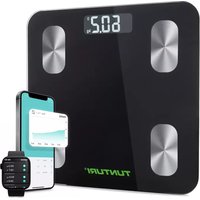
SC30 - Fitness Equipment TUNTURI - Free user manual and instructions
Find the device manual for free SC30 TUNTURI in PDF.



User questions about SC30 TUNTURI
0 question about this device. Answer the ones you know or ask your own.
Ask a new question about this device
Download the instructions for your Fitness Equipment in PDF format for free! Find your manual SC30 - TUNTURI and take your electronic device back in hand. On this page are published all the documents necessary for the use of your device. SC30 by TUNTURI.
USER MANUAL SC30 TUNTURI
14 body measurements.... 4
Caution 5
Troubleshooting.... 6
How to weigh.... 7
Operating instructions.... 7
Maintenance....11
Disclaimer....11
Nederlands 12
Productspecificaties.... 13
Productkenmerken....13
14 lichaamsmetingen.... 14
Waarschuwing.... 15
Probleemoplossing.... 16
Hoe weeg je....17
Thank you for choosing the Tunturi Smart Scale! This scale is your personal health assistant. It uses bio-electrical impedance analysis (BIA) technology to offer you the data you need to keep track of your personal health metrics: BMI (Body Mass Index), Body Fat %, Body Water, Muscle Mass, Bone Mass, Protein, and much more!
Note:
The maximum user weight is 180 kg.
PRODUCT SPECIFICATIONS
EN
| Dimensions (LWH) | 26 x 26 x 1.8 cm | 10.2 x 10.2 x 0.7 inch |
| Weight | 1 kg | 2.2 lb |
| Batteries | 2x 1.5V AAA |
| Max. user weight | 180 kg | 396 lb |
| Division | 0.1 kg | 0.22 lb |
| Unit | kg | lb |
ACCURACY RANGE
| 50 kg ±0.6% 100 kg ±0.4% 180 kg ±0.3% | ||
| 220 lb ±0.4% 110 lb960lb±0.3% | ||
PRODUCT FEATURES
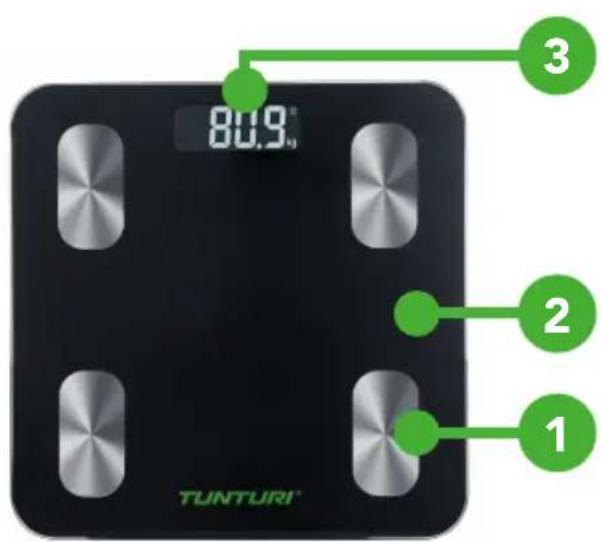
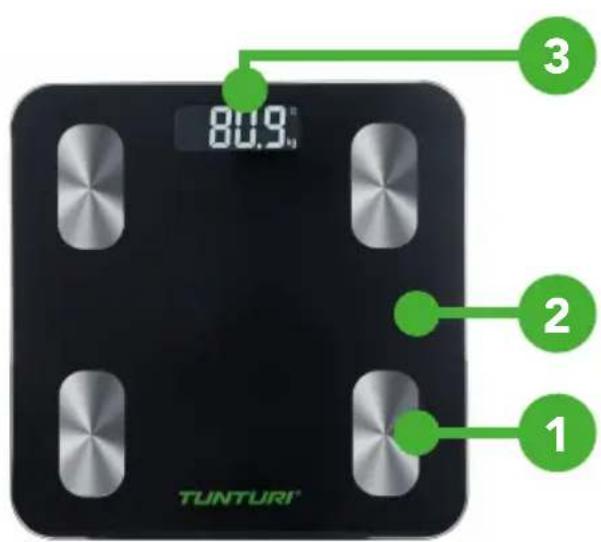
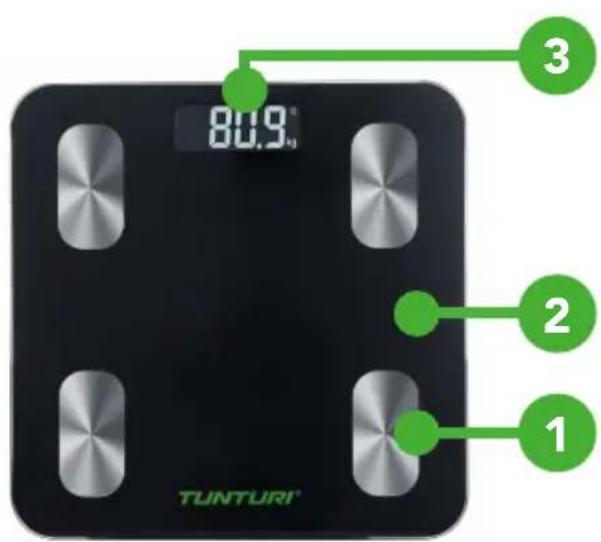
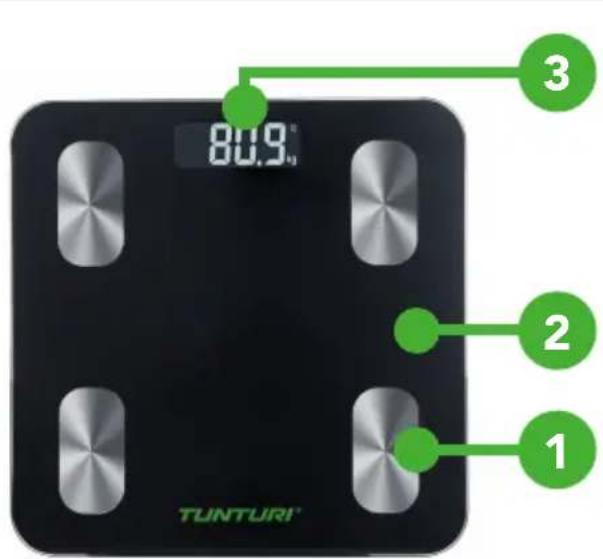
- High Sensitivity Electrodes
- Durable Tempered Glass
- LCD display
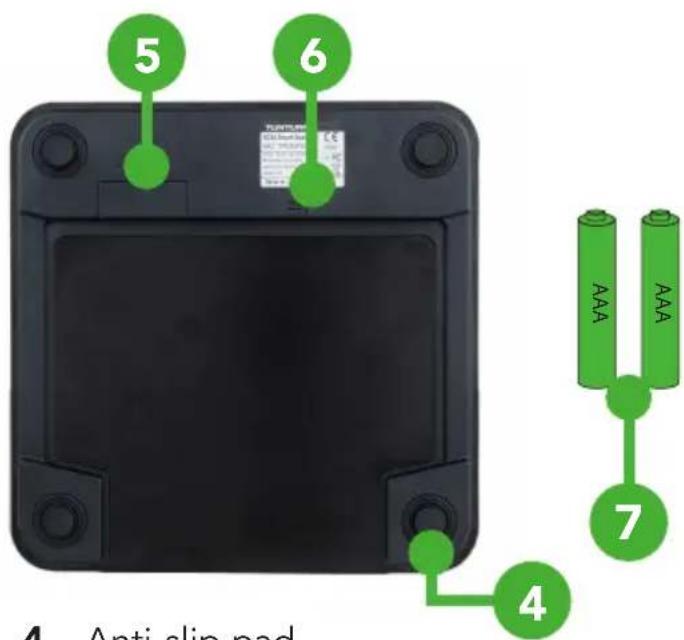
- Anti-slip pad
- Battery compartment
- Switch button: kg/lb
- 2x 1.5V AAA Batteries
14 BODY MEASUREMENTS EN
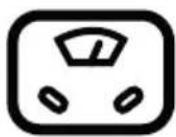
WEIGHT BI

Body Mass Index
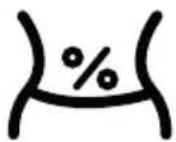
BODY FAT
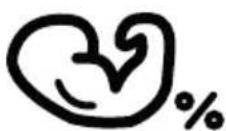
MUSCLE RATE
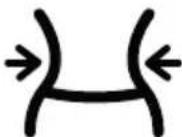
FAT-FREE BODY WEIGHT
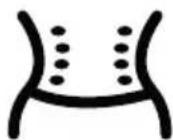
SUBCUTANEOUS FAT
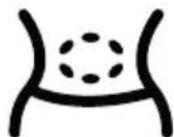
VISCERAL FAT B

SKELETAL MUSCLE

MUSCLE MASS
BODY AGE

PROTEIN
BMR
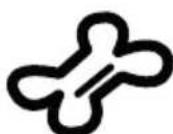
BONE MASS
Basal Metabolic Rate
Safety precautions:
When using digital scale, certain basic safety precautions must be followed, including the following:
- The Bluetooth scale should not be used to diagnose or treat any medical condition. You should consult a doctor when undertaking any diet or exercise program.
- If you are pregnant or have a pacemaker or other internal device, you should not rely on the data provided by this product.
- All data is for reference and is not a substitute for advise from a licensed health care professional.
- Check the device before each use. Do not use the device if damaged. The continuous use of a damaged unit may cause injury or improper results.
Points of attention:
- Scale is a high-precision measuring device. Never jump or stamp on the scale or disassemble. Please handle the scale carefully to avoid breakage.
- Place the scale on a hard, flat surface during use. Using the scale on a soft surface like carpet or linoleum may affect the accuracy of the scale readings.
- To ensure weighing accuracy, please gently step on the scale to wake it up and wait at least 10 seconds before weighing yourself on the scale. You must also wake up the scale if it has been moved.
Take your measurements at the same time each day to ensure the most accurate results. - When not in use, please remove the batteries and place the device in a dry room and protect it against extreme moisture, heat, lint, dust and direct sunlight. Never place any heavy objects on the equipment.
- Before using the scale, make sure you have entered all your personal data through the Fitdays app.
- Use the scale while barefoot. The scale cannot measure body fat percentage if you're wearing shoes or socks.
- Make sure your feet are dry before weighing yourself.
- This scale is not waterproof; never immerse the scale in water. To clean the surface, use a damp cloth or glass cleaner. Do not use soap or other chemicals.
Battery safety:
- If the scale is not used for long periods, it's recommended to remove the battery to avoid damage to the scale due to possible battery leakage.
- Keep the battery out of reach of children.
- Do not mix old and new batteries, with different compositions or of different brands to prevent possible leakage or explosion.
- Do not heat or deform the batteries or explore to fire.
- Waste batteries should not be disposed of with household waste.
- Please check with your local authority for battery recycling advice.
TROUBLESHOOTING
888.8
FUNCTIONING NORMALLY C
No display
GE BATTERY

CALIBRATING
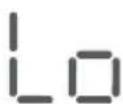
CHANGE BATTERY
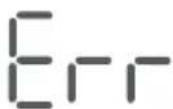
OVERLOAD
If the scale malfunctions, first check the batteries and replace if needed.
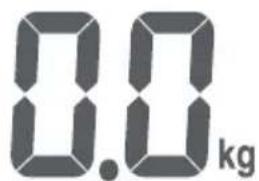
For body weight: Place the scale on an even surface and wait at least 10 seconds before stepping on the scale. The reading should display 0.0 kg before stepping on.
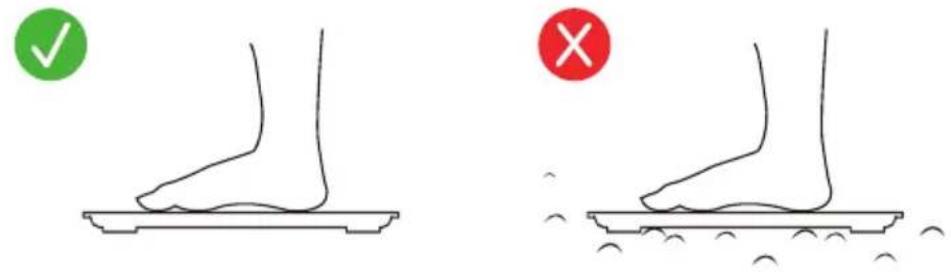
For body fat and other body composition analysis: Stand straight on the scale and uniformly touch the electrodes with bare and dry feet, as shown below.
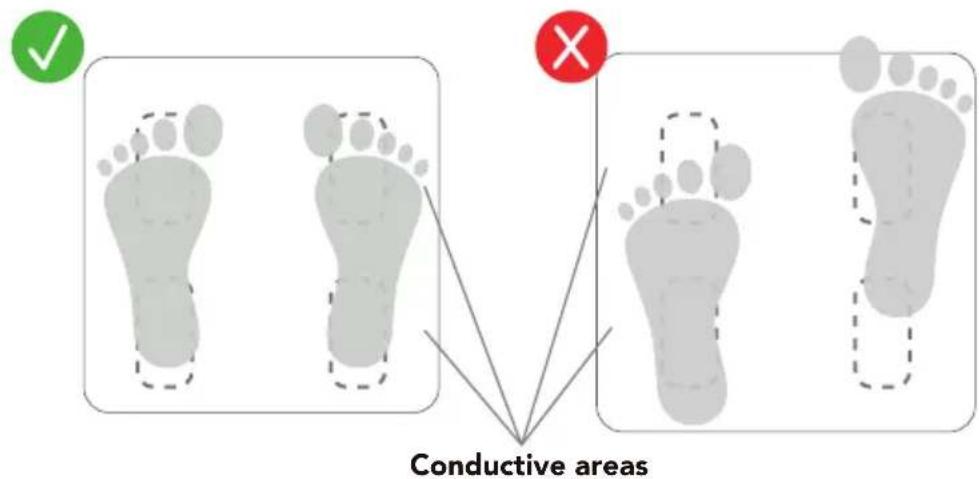
If you want to switch between kg and lb, press the button on the back of the product. You can see the kg/lb indication changing on the LCD screen.
OPERATING INSTRUCTIONS
The Bluetooth Scale can connect to your mobile phone (Android 6.0+ & IOS 8.0+) or iPad via Bluetooth 4.0. Download the "Fitdays" app free from the App Store or Google Play.
Please note that the instructions and screenshots can change with app updates.
DOWNLOAD APP AND INSTALL BATTERIES

natural_image
Abstract geometric logo design with white stylized letter F on teal background (no text or symbols)Download "Fitdays" via App Store or Google Play.
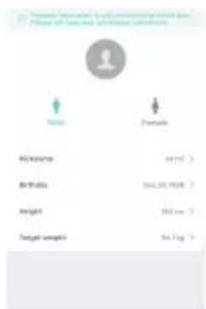
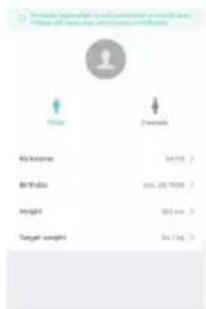
Register your ID, then add personal data and confirm "ok".
natural_image
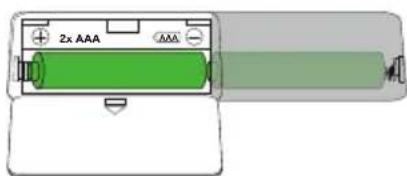
Illustration of a battery with two 2x AAA power rating and a green internal component (no text or symbols)Install the original battery set. Please note the batteries offered are trial versions. We recommend replacing them within three months and removing the batteries when not used for a long time.
PAIRING THE SCALE WITH YOUR SMARTPHONE
Turn on Bluetooth on your smartphone. Location also needs to be turned on for Android 6.0 or higher.
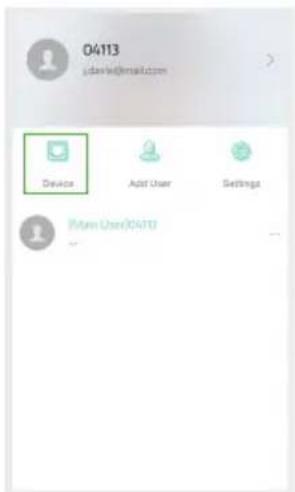
Press [Device] and Device Management to enter measuring page and find device.
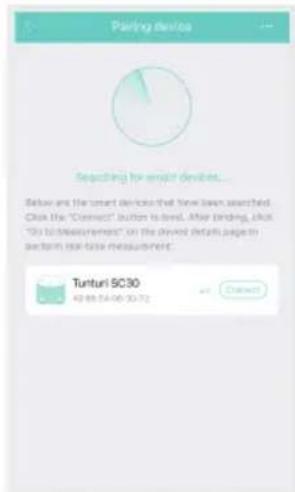
Power on the scale, press[+] to select "Tunturi SC30" to add the device.
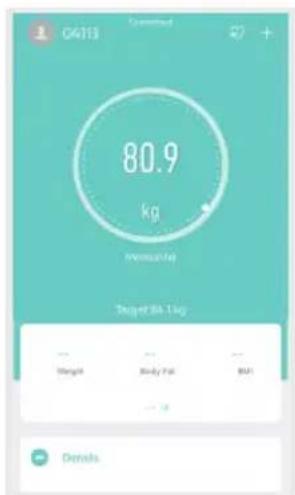
Come back to measure page. Step on the scale and keep standing for 5-10 seconds with bare feet. The weighing has finished after the analysing data shows.
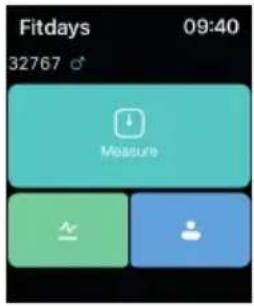
PAIRING THE SCALE WITH YOUR APPLE WATCH
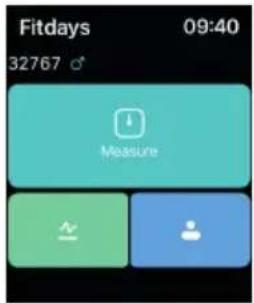
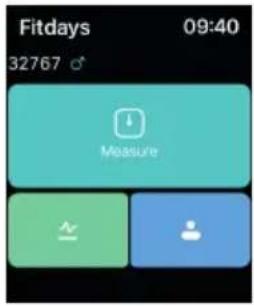
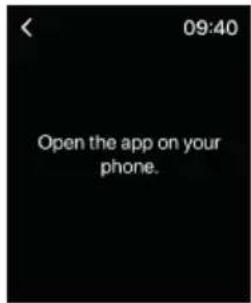
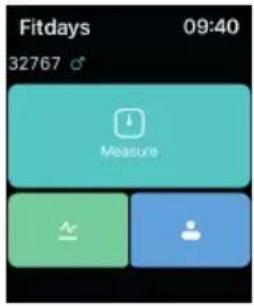
Open the Fitdays app on your Apple Watch.
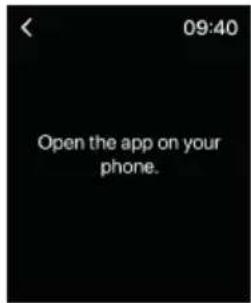
If it says to open the app on your phone you have to do this step.
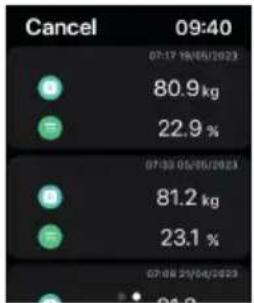
other
| Indicator | Value (kg) | Percentage (%) | | :--- | :--- | :--- | | Green Circle | 80.9 | 22.9 | | Green Circle (Blue) | 81.2 | 23.1 | | Blue Circle | 07:17 18/05/2023 | 01.2 |You can now analyze your weight and subcutaneous fat.
VIEW REPORTS, SET REFERENCE DATA, SHARE PROGRESS
Click "Charts" to view your progress history. Enter it into the calendar to form a list and select a dataset or all data you want to delete. You can also select different data to contrast and share with others.
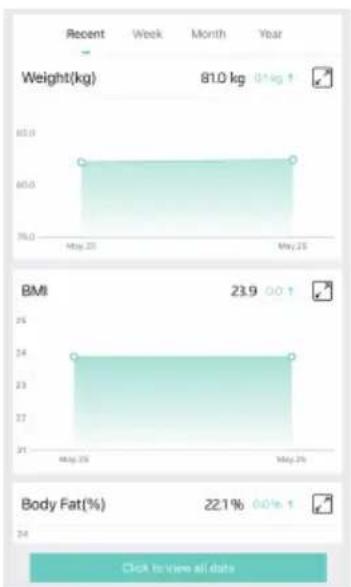
bar
| Metric | Recent Week | Recent Month | Recent Year | | :--- | :--- | :--- | :--- | | Weight(kg) | 81.0 | 0.1 kg | | | BMI | 23.9 | 0.01 | | | Body Fat(%) | 22.1% | 0.0% | |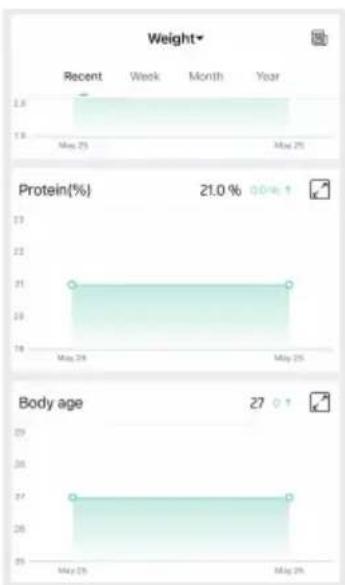
bar
| Metric | Recent | Week | Month | Year | |---|---|---|---|---| | Weight | 2.8 | 19 | 19 | 19 | | Protein(%) | 21.0% | 21 | 21 | 21 | | Body age | 27 | 26 | 26 | 26 |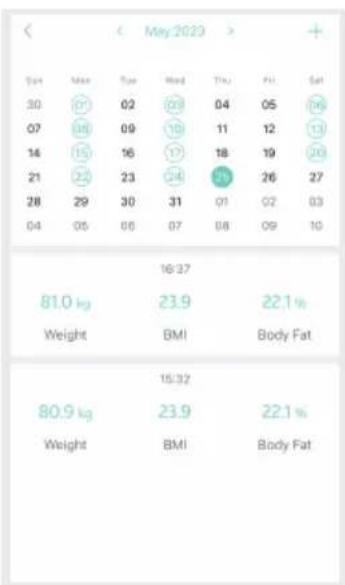
other
| Time | Max | Tue | Wed | Thu | Fri | Sat | |---|---|---|---|---|---|---| | 30 | 61 | 02 | 28 | 04 | 05 | 14 | | 07 | 28 | 09 | 18 | 11 | 12 | 13 | | 14 | 15 | 16 | 17 | 18 | 19 | 24 | | 21 | 22 | 23 | 24 | 25 | 26 | 27 | | 28 | 29 | 30 | 31 | 01 | 02 | 03 | | 04 | 05 | 06 | 07 | 08 | 09 | 10 | | 16-37ADD/DELETE USERS & BASIC SETTINGS
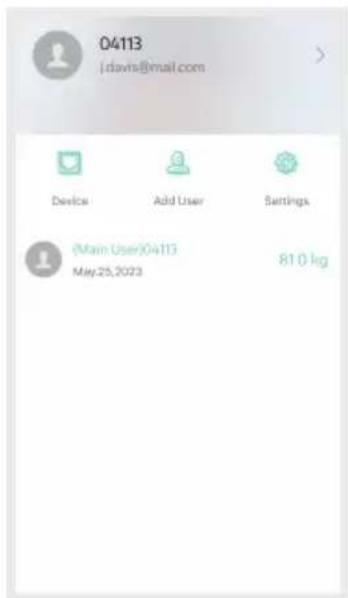
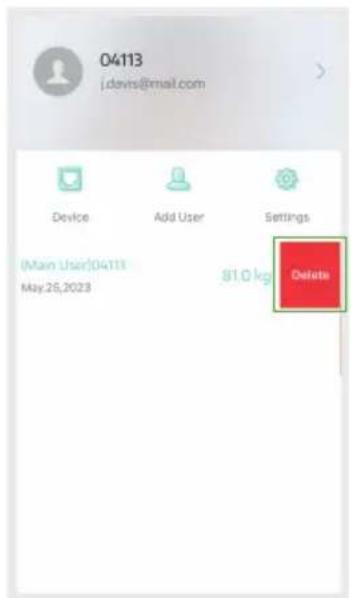
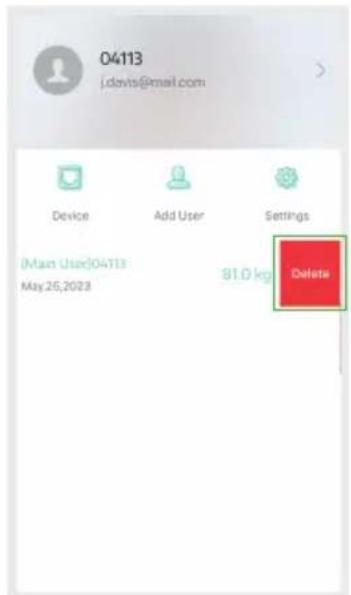
Under "Account" you can add a new user by selecting "Add User". To delete an account, swipe the account to the left and select "Delete".
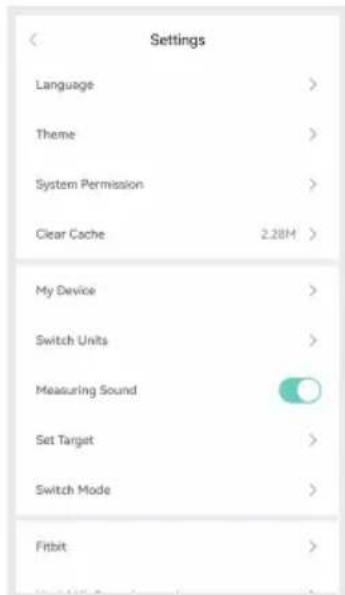
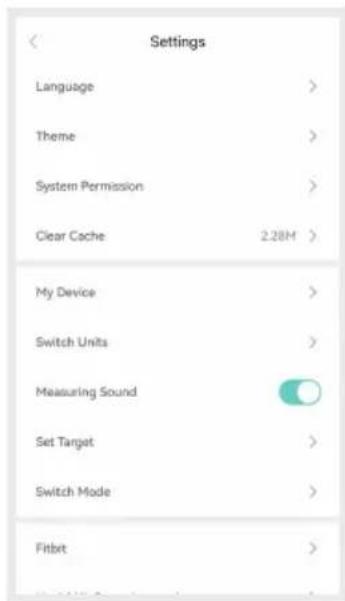
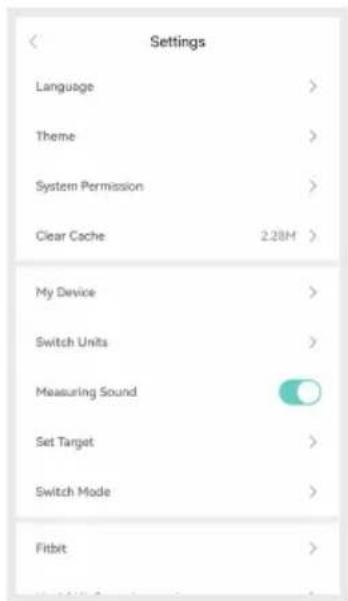
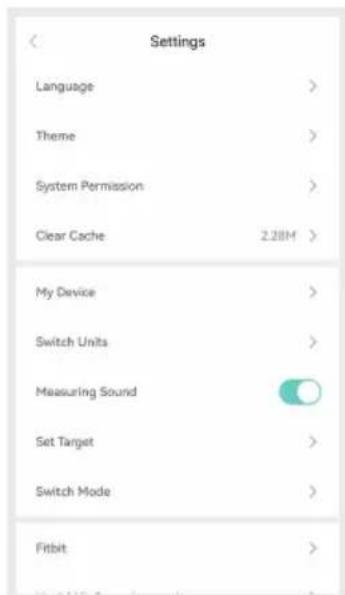
Under "Account" you can go to the "Settings" page. Within this menu you can customize the app to your preference.
SYNCING FITNESS APPS

Apple Health
- Go to Apple Health, Account top right, Under Privacy, choose apps.
- Select FitDays, Turn on all categories to allow the Fitdays app to work.

Google Fit
- Within the FitDays app, Select Account and go to Settings
- Select Google Fit and Turn on Google Fit.
OPERATING INSTRUCTIONS
EN

FitBit
- Enter the "Settings" page, and select Fitbit.
- Turn on the Fitbit button, and login to your Fitbit account.
- Select "Allow" to access Fitbit App.
MAINTENANCE
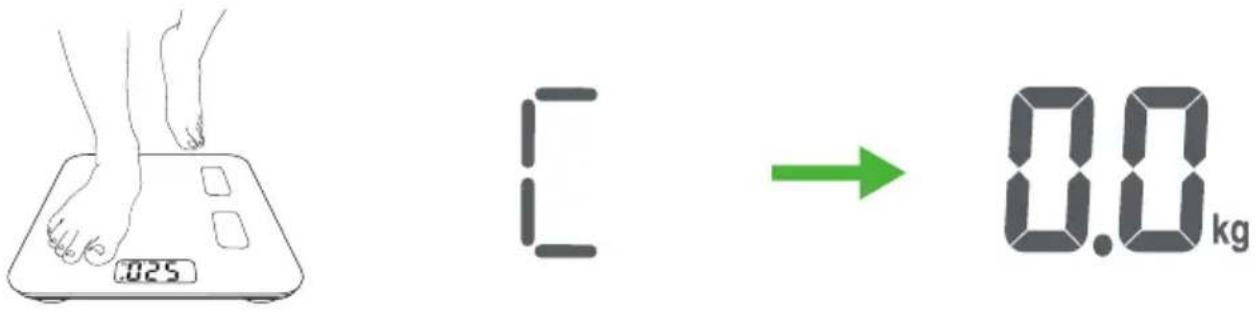
If the scale has been moved or flipped up side down, It must be recalibrated to ensure accurate results.
- Place the scale on a hard, flat surface.
- Step on the scale with one foot until the digits appear on the display, then, step off.
- The scale will show "0.00", indicating that the calibration process is complete.
DISCLAIMER
© 2023 Tunturi New Fitness BV
All rights reserved. The product and the manual are subject to change.
Specifications can be changed without further notice.
Tunturi New Fitness B.V. / P.O. Box 60001 / 1320 AA Almere / The Netherlands / www.tunturi.com
GEBRUIKERSHANDLEIDING N
| 50 kg ±0.6% 100 kg ±0.4% 180 kg ±0.3% | ||
| 220 lb ±0.4% 110 lb960lb±0.3% | ||
PRODUCTKENMERKEN
BOTMASSA
Basal Metabolic Rate
natural_image
Abstract geometric logo design with white stylized letter F on teal background (no text or symbols)Download "Fitdays" via de App Store of Google Play.
natural_image
Illustration of a battery with two 2x AAA power rating and a green internal component (no text or symbols)KOPPELEN VAN DE WEEGSCHAAL MET APPLE WATCH
Open de Fitdays-app op uw Apple Watch.
bar
| Metric | Recent | Week | Month | Year | |---|---|---|---|---| | Weight* | 2.8 | 1.5 | 1.5 | 1.5 | | Protein(%) | 21.0% (3.6%) | 21.0% (3.6%) | 21.0% (3.6%) | 21.0% (3.6%) | | Body age | 27 | 27 | 27 | 27 |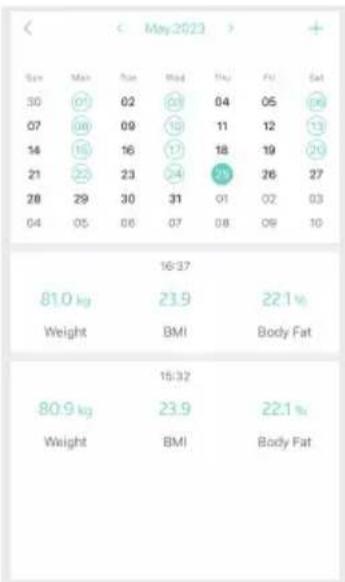
other
| Time | Weight (kg) | BMI | Body Fat (%) | |---|---|---|---| | 07 | 108 | 10 | 12 | | 08 | 156 | 16 | 19 | | 09 | 212 | 23 | 26 | | 10 | 296 | 30 | 02 | | 11 | 304 | 31 | 01 | | 12 | 312 | 32 | 09 | | 13 | 320 | 33 | 16 | | 14 | 328 | 34 | 22 | | 15 | 336 | 35 | 22 | | 16 | 344 | 36 | 22 | | 17 | 352 | 37 | 22 | | 18 | 360 | 38 | 22 | | 19 | 368 | 39 | 22 | | 20 | 376 | 40 | 22 | | 21 | 384 | 41 | 22 | | 22 | 392 | 42 | 22 | | 23 | 400 | 43 | 22 | | 24 | 408 | 44 | 22 | | 25 | 416 | 45 | 22 | | 26 | 424 | 46 | 22 | | 27 | 432 | 47 | 22 | | 28 | 440 | 48 | 22 | | 29 | 448 | 49 | 22 | | 30 | 456 | 50 | 22 | | 31 | 464 | 51 | 22 | | 32 | 472 | 52 | 22 | | 33 | 480 | 53 | 22 | | 34 | 488 | 54 | 22 | | 35 | 496 | 55 | 22 | | 36 | 504 | 56 | 22 | | 37 | 512 | 57 | 22 | | 38 | 520 | 58 | 22 | | 39 | 528 | 59 | 22 | | 40 | 536 | 60 | 22 | | 41 | 544 | 61 | 22 | | 42 | 552 | 62 | 22 | | 43 | 560 | 63 | 22 | | 44 | 568 | 64 | 22 | | 45 | 576 | 65 | 22 | | 46 | 584 | 66 | 22 | | 47 | 592 | 67 | 22 | | 48 | 600 | 68 | 22 | | Note: The 'Weight' and 'BMI' values are estimated based on the chart's visual context. The 'Body Fat' values are not explicitly labeled in the image. The 'Date' is marked at the top left. There is no additional data series present in the table.GEBRUIKERS TOEVOEGEN/VERWIJDEREN EN BASISINSTELLINGEN
SYNCEN FITNESS APPS

Apple Health
natural_image
Line drawing of a human foot pressing on a digital balance scale (no text or symbols)

DISCLAIMER
© 2023 Tunturi New Fitness BV
| 50 kg ±0.6% 100 kg ±0.4% 180 kg ±0.3% | ||
| 220 lb ±0.4% 110 lb960lb±0.3% | ||
PRODUKTMERKMALE
KNOCHENMASSE
Basal Metabolic Rate
natural_image
Abstract geometric logo design with stylized letter F on teal background (no text or symbols)natural_image
Illustration of a battery with two 2x AAA power rating and a green internal component (no text or symbols)KOPPELN DER WAAGE MIT APPLE WATCH
bar
| Metric | Recent | Week | Month | Year | |---|---|---|---|---| | Weight | 2.8 | 1.8 | 1.8 | 1.8 | | Protein(%) | 21.0% (0.9%) | 21.0% (0.9%) | 21.0% (0.9%) | 21.0% (0.9%) | | Body age | 27 | 26 | 26 | 26 |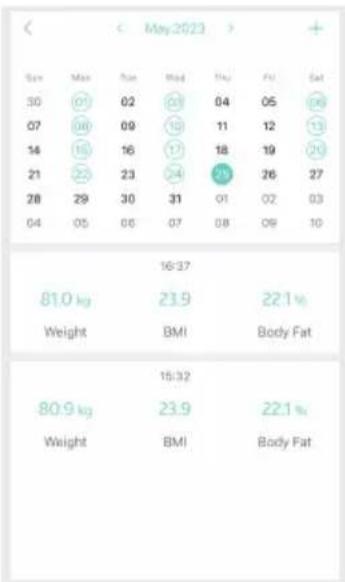
![04113 j.davis@mail.com Device Add User Settings [Main User]04113 May.25,2023 81.0 kg Delete](/content/2026/04/655836/images/98ebb793eafd55d1624c172ec0910cab58ea665af33ecb1968992a2342a2054a.jpg)
FITNESS-APPS SYNCHRONISIEREN

Apple Health
DISCLAIMER
© 2023 Tunturi New Fitness BV
SPÉCIFICATIONS DU PRODUIT
FR
| 50 kg ±0.6% 100 kg ±0.4% 180 kg ±0.3% |
CARACTÉRISTIQUES DU PRODUIT
natural_image
Abstract geometric logo design with white stylized letter F on teal background (no text or symbols)natural_image
Illustration of a battery with two 2x AAA power rating and a green internal component (no text or symbols)APPAIRAGE DE LA BALANCE AVEC APPLE WATCH
bar
| Metric | Recent | Week | Month | Year | |---|---|---|---|---| | Weight | 2.8 | 1.9 | 1.9 | 1.9 | | Protein(%) | 21.0% (30.0%) | 21.0% (30.0%) | 21.0% (30.0%) | 21.0% (30.0%) | | Body age | 27 | 27 | 27 | 27 |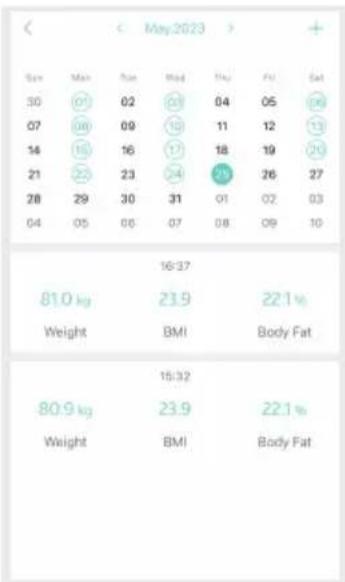
INSTRUCTIONS D'UTILISATION FR
AJOUTER/SUPPRIMER DES UTILISATEURS ET PARAMÈTRES DE BASE
SYNCHRONISATION DES APPLICATIONS DE FITNESS

Apple Health
DISCLAIMER
© 2023 Tunturi New Fitness BV