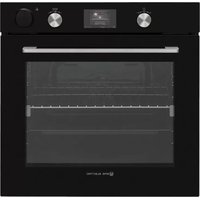
EMV75TVP - Oven EAS Electric - Free user manual and instructions
Find the device manual for free EMV75TVP EAS Electric in PDF.



| Product type | Multifunction built-in oven |
| Brand | EAS Electric |
| Model | EMV75TVP |
| Appliance dimensions (W x H x D) | Approximately 595 x 595 x 575 mm |
| Power supply | 220-240 V~ single-phase or 380-415 V 3N~ three-phase |
| Rated power | Not specified in the manual |
| Oven capacity | Approximately 75 litres (deduced from model EMV75TVP) |
| Number of cooking functions | 8 (Static, Turbo, Natural convection, Ventilation, Pizza, Grill, Express grill, Double fan grill) + Defrost + Steam cooking |
| Cooking types | Convection, static heat, grill, steam, defrost |
| Steam cooking | Yes, with 300 ml water tank, 3 injection levels |
| Cleaning | Vapclean+ steam cleaning |
| Interior lighting | E14 lamp, 15-25 W, resistant to 300°C |
| Door | Soft-closing door |
| Display | LCD screen with menu |
| Automatic programs | Yes, Auto Cooking menu with preset recipes |
| Favorites function | Yes, possibility to save custom settings |
| Child lock | Yes, activation by long press on the left button |
| Included accessories | Metal grid, drip tray, shallow drip tray, rotisserie grid (if applicable), telescopic rails |
| Installation type | Built-in under worktop |
| Net weight | Approximately 35 kg (estimate) |
Frequently Asked Questions - EMV75TVP EAS Electric
User questions about EMV75TVP EAS Electric
0 question about this device. Answer the ones you know or ask your own.
Ask a new question about this device
Download the instructions for your Oven in PDF format for free! Find your manual EMV75TVP - EAS Electric and take your electronic device back in hand. On this page are published all the documents necessary for the use of your device. EMV75TVP by EAS Electric.
USER MANUAL EMV75TVP EAS Electric
natural_image
Simple line drawing of a rectangular box with a top and bottom tabs (no text or symbols)EMV75TVP
Escanee para ver este manual en otros idiomas y actualizaciones Scan for manual in other languages and further updates Manuel dans d'autres langues et mis à jour Manual em outras línguas e actualizações
natural_image
Symbol of a trash bin crossed out by two crossed lines, with a solid black rectangle below (no text or labels)natural_image
Technical line drawing of a mechanical assembly with no visible text or symbolsnatural_image
Dark rectangular frame with a small white sun icon at the top right corner (no text or symbols)natural_image
Abstract geometric design with a stylized three-blade propeller inside a dark square frame (no text or symbols)natural_image
Abstract geometric symbol with a circular motif inside a square frame (no text or symbols)natural_image
Solid dark square with two horizontal white lines on top and bottom (no text or symbols)natural_image
Abstract geometric symbol with a four-petal flower inside a square frame (no text or symbols)natural_image
Abstract geometric design with a circular motif and horizontal line (no text or symbols)natural_image
Abstract geometric shape with a wavy white line inside a dark square frame (no text or symbols)natural_image
Abstract geometric design with a dark square and two horizontal white lines above it, no text or symbols present.natural_image
Simple icon of a propeller inside a container with wavy lines above (no text or symbols)natural_image
Close-up of a kitchen appliance control panel with a dial and handle (no visible text or symbols)natural_image
Close-up of a hand pressing a black control knob on a black appliance (no visible text or symbols)natural_image
Close-up of a hand holding a black industrial control knob with a checkered shirt, no visible text or symbolsnatural_image
Hand pouring liquid into a glass bottle on a black stovetop (no text or symbols visible)natural_image
Close-up of a hand pressing a black kitchen control knob with a metallic dial (no text or symbols visible)El menú principal
Función del horno
Duración de cocción
natural_image
Interior view of a refrigerator with a glowing logo and temperature display (no readable text or symbols)
El menú principal
Selección de receta
Inyección de vapor
Pantalla informativa
natural_image
Interior view of a modern kitchen or storage unit with illuminated ceiling and tray (no visible text or symbols)Favoritos
Pantalla informativa
natural_image
Interior view of a 3D printer or scanner with a star-shaped logo on the screen, showing no readable text or symbols.El menú principal
Favoritos
Función del horno
Duración de cocción
Pantalla informativa
Inyección de vapor
Pantalla informativa
natural_image
Interior view of a futuristic kitchen with illuminated ceiling and window (no visible text or symbols)El menú principal
El menú de idiomas
El menú de brillo
El menú de la hora
natural_image
Technical line drawing of a square frame with bolt holes and a central circular hole (no text or symbols)La bandeja llana
natural_image
Technical line drawing of a square frame with bolt holes and internal ribs (no text or symbols)La bandeja pequeña
natural_image
Simple line drawing of a rectangular tray or container with a small handle and rounded corners (no text or symbols)natural_image
Technical line drawing of a mechanical support structure with no visible text or symbolsGuías telescópicas
natural_image
Technical illustration of a mechanical device with a side view showing internal components and motion arrows (no text or symbols)natural_image
Line drawing of a refrigerator interior with a door and drawer, showing a scroll inside (no text or symbols)Colector de agua
natural_image
Technical line drawing of a door frame structure with no visible text or symbols5. LIMPIEZA Y MANTENIMIENTO
5.1. Limpieza

natural_image
Line drawing of a hand cleaning a car window with a circular component (no text or symbols)natural_image
Technical line drawing of a mechanical assembly with an arrow indicating rotation (no text or symbols)natural_image
Diagram of a door mechanism with an arrow indicating direction (no text or symbols present)natural_image
Diagram showing a hand holding a closed notebook inside a device frame, with an arrow indicating direction (no text or symbols present)5.2. Mantenimiento
natural_image
Simple line drawing of a trash bin with crossed lines indicating no waste or discharge (no text or symbols)natural_image
Pure technical diagram of a mechanical assembly without any text, numbers, or symbolsnatural_image
Simple dark gray square with a small white sun icon at the top center (no text or symbols)Backofenlampe:Es
natural_image
Abstract geometric symbol with three curved white lines on a dark gray square background (no text or symbols)natural_image
Abstract geometric symbol with a circular element inside a square frame (no text or symbols)Turbo-Funktion:Das
natural_image
Solid black square with two horizontal white lines on dark gray background (no text or symbols)Ober- und
Unterhitze:Das
natural_image
Abstract geometric symbol with three curved white lines on a dark gray background, enclosed by two horizontal lines (no text or symbols)natural_image
Pure electrical circuit symbol for a three-blade fan or propeller, no text or labels presentPizzafunktion:Das
natural_image
Abstract dark square with a white wavy line at the top (no text or symbols)natural_image
Abstract geometric design with a dark square and two horizontal white lines above it, no text or symbols present.natural_image
Simple icon of a propeller inside a container with wavy lines above (no text or symbols)natural_image
Close-up of a kitchen appliance control panel with a rotary dial and handle (no visible text or symbols)natural_image
Close-up of a hand pressing a button on a black appliance (no visible text or symbols)natural_image
Close-up of a hand operating a black kitchen appliance with a dial and control knob (no visible text or symbols)natural_image
Hand pouring liquid into a glass bottle on a black stove burner (no text or symbols visible)natural_image
Close-up of a hand pressing a black control knob on a kitchen appliance (no visible text or symbols)natural_image
Interior view of a modern kitchen oven with a star-shaped ceiling and temperature/night controls (no readable text or symbols)natural_image
Interior view of a modern kitchen oven with a star-shaped ceiling light and illuminated shelves (no visible text or symbols)natural_image
Interior view of a modern oven with a star-shaped ceiling light and illuminated tray (no text or symbols visible)natural_image
Interior view of a modern kitchen oven with illuminated ceiling and star-shaped vent (no visible text or symbols)Menü „Signalton“
natural_image
Technical line drawing of a square frame with bolt holes and a central circular hole (no text or symbols)Flaches Backblech
natural_image
Technical line drawing of a square frame with circular cutouts and mounting holes (no text or symbols)Kleines Backblech
natural_image
Simple line drawing of a rectangular tray or container with a small protrusion at the top (no text or symbols)natural_image
Technical line drawing of a mechanical component with parallel grooves and a central shaft (no text or symbols)Teleskopschienen
natural_image
Technical line drawing of a mechanical component with a side view showing a rotating shaft (no text or symbols present)natural_image
Line drawing of a refrigerator interior with a door and drawer, showing a scroll inside (no text or symbols)Wasserablauf
natural_image
Technical line drawing of a door frame structure with an arrow indicating direction (no text or symbols)natural_image
Line drawing of a hand cleaning a car window with a cloth (no text or symbols)natural_image
Technical line drawing of a mechanical assembly with a curved arrow indicating rotation (no text or symbols)natural_image
Technical line drawing of a mechanical joint or bracket assembly (no text or symbols)natural_image
Diagram of a door mechanism with an arrow indicating direction (no text or symbols present)natural_image
Diagram of a hand pressing down on a screen with horizontal lines, labeled 'a' (no text or symbols on the screen itself)5.2 Wartung

natural_image
Technical line drawing of a mechanical assembly with no visible text or symbolsnatural_image
Simple dark gray square with a small white sun icon in the center (no text or symbols)Lampe du four :
natural_image
Abstract geometric symbol with three curved lines inside a square frame (no text or symbols)Fonction
natural_image
Simple dark square with two horizontal white lines on top and bottom (no text or symbols)natural_image
Abstract geometric symbol with a four-petal flower inside a square frame (no text or symbols)natural_image
Pure electrical circuit lines without any symbolsnatural_image
Abstract geometric shape with a wavy white line inside a dark square frame (no text or symbols)natural_image
Simple icon of a container with a wavy line above it, no text or symbols present.natural_image
Abstract icon with a stylized propeller inside a square frame, no text or symbols present.natural_image
Close-up of a kitchen oven control panel with a dial and rotary knob (no visible text or symbols)natural_image
Close-up of a hand pressing a black circular button on a black appliance (no visible text or symbols)natural_image
Close-up of a hand holding a black kitchen appliance with a dial and control knob (no visible text or symbols)natural_image
Hand pouring liquid into a glass bottle on a black stovetop (no text or symbols visible)natural_image
Close-up of a hand pressing a black control knob on a kitchen appliance (no visible text or symbols)Menu principal
Fonctions du four
Cuisson vapeur
Temps de cuisson
natural_image
Interior view of a modern kitchen appliance with illuminated ceiling and ventilation grilles (no visible text or symbols)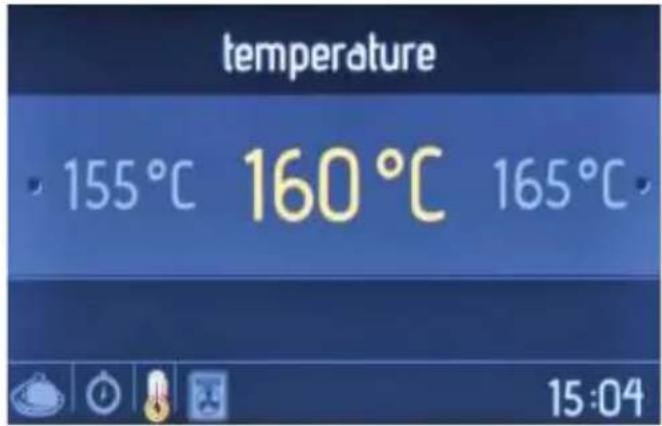

Écran animé
Menu principal
Injection de vapeur
natural_image
Interior view of a futuristic kitchen with illuminated ceiling and storage racks (no visible text or symbols)Écran animé
Favoris
Écran run/edit (lancer/modifier)
natural_image
Interior view of a modern kitchen appliance with illuminated ceiling and star-shaped logo (no readable text or symbols)Écran animé
Menu principal
Favoris
Écran run/edit (lancer/modifier)
Fonctions du four
Temps de cuisson
Injection de vapeur
cleaning duration (temps de nettoyage)
natural_image
Interior view of a futuristic kitchen with illuminated ceiling and window (no visible text or symbols)Écran animé
Menu principal
Menu clock (horloge)
natural_image
Technical line drawing of a square frame with bolt holes and a central circular hole (no text or symbols)natural_image
Technical line drawing of a square frame with circular cutouts and mounting holes (no text or symbols)Petite lèchefrite
natural_image
Simple line drawing of a rectangular tray or container with a small handle and rounded corners (no text or symbols)natural_image
Technical line drawing of a mechanical assembly with parallel rods and a central rod (no text or symbols)Rails télescopiques
natural_image
Technical illustration of a mechanical assembly with a side view showing a rotating component (no text or symbols present)natural_image
Line drawing of a refrigerator interior with a door and drawer, showing a scroll inside (no text or symbols)Collecteur d'eau
natural_image
Technical line drawing of a mechanical component with an arrow indicating direction (no text or symbols)5. NETTOYAGE ET ENTRETIEN
5.1. Nettoyage

natural_image
Line drawing of a hand cleaning a car window with a circular object on the wall (no text or symbols)natural_image
Technical line drawing of a mechanical assembly with an arrow indicating rotation (no text or symbols)natural_image
Technical line drawing of a mechanical joint or bracket assembly (no text or symbols)natural_image
Diagram of a door mechanism with an arrow indicating direction (no text or symbols present)5.2. Entretien
Thank you for choosing this product.
This User Manual contains important safety information and instructions on the operation and maintenance of your appliance.
Please take the time to read this User Manual before using your appliance and keep this book for future reference.
| Icon Type Meaning | |
| WARNING Serious injury or death risk | |
| RISK OF ELECTRIC SHOCK Dangerous voltage risk | |
| FIRE Warning; Risk of □□/□□□□□ materials | |
| CAUTION Injury or property damage risk | |
| IMPORTANT / NOTE Operating the system correctly |
CONTENTS
1.SAFETY INSTRUCTIONS ....4
1.1 General Safety Warnings ....4
1.2 Installation Warnings ....6
1.3 During Usage 7
1.4 During Cleaning and Maintenance 9
2.INSTALLATION AND PREPARATION FOR USE 10
2.1 Instructions for the Installer .... 10
2.2 Installation of the Oven....10
2.3 Electrical Connection and Safety.... 11
3.PRODUCT FEATURES ....13
4.USE OF PRODUCT 14
4.1 Oven Controls....14
4.2 Cooking Table....16
4.3 Use of the Smart LCD Control Unit 16
4.4 Accessories 27
5.CLEANING AND MAINTENANCE....29
5.1 Cleaning 29
5.2 Maintenance....30
6.TROUBLESHOOTING&TRANSPORT 31
6.1 Troubleshooting....31
6.2 Transport 31
7. GUARANTEE COMMERCIAL....32
1. SAFETY INSTRUCTIONS
- Read these instructions carefully and completely before using your appliance and keep them in a convenient place for reference when necessary.
- This manual is prepared for more than one model. Your appliance may not have some of the features described in this manual. Pay particular attention to any figures while you are reading the operating manual.
1.1 General Safety Warnings
- This appliance can be used by children aged from 8 years and above and persons with reduced physical, sensory or mental capabilities or lack of experience and knowledge if they have been given supervision or instruction concerning use of the appliance in a safe way and understand the hazards involved. Children shall not play with the appliance. Cleaning and user maintenance shall not be made by children without supervision.
WARNING: The appliance and its accessible parts become hot during use. Care should be taken to avoid touching heating elements. Keep children less than 8 years of age away unless they are continuously supervised.
WARNING: Danger of fire: Do not store items on the cooking surfaces.
⚠️ ⚠️ WARNING: If the surface is cracked, switch off the appliance to avoid the possibility of electric shock.
- Do not operate the appliance by means of an external timer or separate remote-control system.
-
During use the appliance will get hot. Care should be taken to avoid touching heating elements inside the oven. v.2
-
During use handles held for short periods in normal use may get hot.
- Do not use harsh abrasive cleaners or sharp metal scrapers to clean the oven door glass and other surface. They can scratch the surface which may result in shattering of the glass or damage to the surface.
- Do not use steam cleaners for cleaning the appliance.
⚠ WARNING: To avoid the possibility of electric shocks, make sure that the appliance is switched off before replacing the lamp.
⚠️ CAUTION: Accessible parts may be hot when cooking or grilling. Keep young children away from the appliance when it is in use.
- Your appliance is produced in accordance with all applicable local and international standards and regulations.
- Maintenance and repair work must only be carried out by authorised service technicians. Installation and repair work that is carried out by unauthorised technicians may be dangerous. Do not alter or modify the specifications of the appliance in any way. Inappropriate hob guards can cause accidents.
- Before connecting your appliance, make sure that the local distribution conditions (nature of the gas and gas pressure or electricity voltage and frequency) and the specifications of the appliance are compatible. The specifications for this appliance are stated on the label.
⚠️ CAUTION: This appliance is designed only for cooking food and is intended for indoor domestic household use only. It should not be used for any other purpose or in any other application, such as for
non-domestic use or in a commercial environment or room heating.
- Do not use the oven door handles to lift or move the appliance.
- All possible measures have been taken to ensure your safety. Since the glass may break, care should be taken while cleaning to avoid scratching. Avoid hitting or knocking the glass with accessories.
- Make sure that the supply cord is not trapped or damaged during installation. If the supply cord is damaged, it must be replaced by the manufacturer, its service agent or similarly qualified persons in order to prevent a hazard.
- Do not let children climb on the oven door or sit on it while it is open.
- Please keep children and animals away from this appliance.
1.2 Installation Warnings
- Do not operate the appliance before it is fully installed.
- The appliance must be installed by an authorised technician. The manufacturer is not responsible for any damage that might be caused by defective placement and installation by unauthorised people.
- When the appliance is unpacked, make sure that it is has not been damaged during transportation. In case of any defect do not use the appliance and contact a qualified service agent immediately. The materials used for packaging (nylon, staplers, styrofoam, etc.) may be harmful to children and they should be collected and removed immediately.
- Protect your appliance against atmospheric effects. Do not expose it to effects such as sun, rain, snow,
excessive humidity etc.
- The material around the appliance (cabinet) must be able to withstand a minimum temperature of 100^ .
- The appliance must not be installed behind a decorative door, in order to avoid overheating.
1.3 During Usage
- When you first use your oven you may notice a slight smell. This is perfectly normal and is caused by the insulation materials on the heater elements. We suggest that before using your oven for the first time you leave it empty, and set at maximum temperature for 45 minutes. Make sure that the environment in which the product is installed is well ventilated.
• Take care when opening the oven door during or after cooking. The hot steam from the oven may cause burns. - Do not put flammable or combustible materials in or near the appliance when it is operating.
• Always use oven gloves to remove and replace food in the oven. - Under no circumstances should the oven be lined with aluminium foil as overheating may occur.
- Do not place dishes or baking trays directly onto the base of the oven whilst cooking. The base becomes very hot and damage may be caused to the product.
Do not leave the oven unattended while cooking with solid or liquid oils. They may catch fire under extreme heating conditions. Never pour water on to flames that are caused by oil, instead switch the oven off and cover the pan with its lid or a fire blanket.
- If the product will not be used for a long period of time, turn the main control switch off.
- Make sure the appliance control knobs are always in the “0” (stop) position when it is not used.
- The trays incline when pulled out. Take care not to spill or drop hot food when removing it from the ovens.
- Do not place anything on the oven door when it is open. This could disrupt the balance of the oven or damage the door.
- Do not hang towels, dishcloths or clothes from the appliance or its handles.
- It is recommended to use soft water to avoid excess amount of limescale residue in steam generating system over time. To check the softness of water please use the test paper given with the product and the table below. Test paper is kept in water for 3 seconds, and taken out after a minute stripes become visible on the paper.
| Test Stripes Hardness of the Water | |
| 5-4 blue stripes Soft | |
| 1 red stripe Slightly Hard | |
| 2 red stripes Medium Hard | |
| 3 red stripes Hard | |
| 4-5 red stripes Very Hard | |
- If the correct water hardness level is not set, this could affect appliance operation and its useful life.
- Do not use other liquids than still water.
- Do not use hot water.
- Keep the water tank closed when the oven is operating.
- When oven is hot and oven door is opened, hot air steam may come over so stand away and also keep children away while opening oven door.
- To avoid limescale residual in the cavity, clean the cavity after each use.
- After the cooking process, the remaining water in the system should be removed. To do that please select "Yes" when automatically asked on the screen after cooking process. Do not leave anything in the oven during this operation.
1.4 During Cleaning and Maintenance
- Make sure that your appliance is turned off at the mains before carrying out any cleaning or maintenance operations.
- Do not remove the control knobs to clean the control panel.
- To maintain the efficiency and safety of your appliance, we recommend you always use original spare parts and to call our authorised service agents in case of need.
CE Declaration of conformity
C€
We declare that our products meet the applicable European Directives, Decisions and Regulations and the requirements listed in the standards referenced.
This appliance has been designed to be used only for home cooking. Any other use (such as heating a room) is improper and dangerous.

The operating instructions apply to several models. You may notice differences between these instructions and your model.
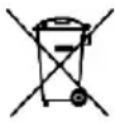
DISPOSAL: Do not dispose this product as unsorted municipal waste. Collection of such waste separately for special treatment is necessary.
The european directive 2012/19 /UE on wasted electrical and electronic equipments (WEEE), requires that household electrical appliances must not be disposed of in the normal unsorted municipal waste stream. appliances must be collected separately in order to optimize the recovery and recycling of the materials they contain, and reduce the impact on human health and the environment. The crossed out “wheeled bin” symbol on the product reminds you of your obligation, that when you disposed of the appliances, it must be separately collected. Consumers should contact their local authority or retailer for information concerning the correct disposal of their old appliance.
2. INSTALLATION AND PREPARATION FOR USE
WARNING: This appliance must be installed by an authorised service person or qualified technician, according to the instructions in this guide and in compliance with the current local regulations.
- Incorrect installation may cause harm and damage, for which the manufacturer accepts no responsibility and the warranty will not be valid.
- Prior to installation, ensure that the local distribution conditions (electricity voltage and frequency) and the adjustments of the appliance are compatible. The adjustment conditions for this appliance are stated on the label.
- The laws, ordinances, directives and standards in force in the country of use are to be followed (safety regulations, proper recycling in accordance with the regulations, etc.).
2.1 Instructions for the Installer General instructions
• After removing the packaging material from the appliance and its accessories, ensure that the appliance is not damaged. If you suspect any damage,
do not use it and contact an authorised service person or qualified technician immediately.
- Make sure that there are no flammable or combustible materials in the close vicinity, such as curtains, oil, cloth etc. which may catch fire.
- The worktop and furniture surrounding the appliance must be made of materials resistant to temperatures above 100°C.
- The appliance should not be installed directly above a dishwasher, fridge, freezer, washing machine or clothes dryer.
2.2 Installation of the Oven
The appliances are supplied with installation kits and can be installed in a worktop with the appropriate dimensions. The dimensions for hob and oven installation are given below.
| A (mm) | 557 min./max. | F (mm) 560/580 | |
| B (mm) | 550 min. G (mm) | 555 | |
| C (mm) | 595 min. H/I (mm) | 600/590 | |
| D (mm) | 575 min. J/K (mm) | 5/10 | |
| E (mm) | 574 | ||


After making the electrical connections, insert the oven into the cabinet by pushing it forward. Open the oven door and insert 2 screws in the holes located on the oven frame. While the product frame touches the wooden surface of the cabinet, tighten the screws.

natural_image
Technical line drawing of a mechanical assembly with no visible text or symbols2.3 Electrical Connection and Safety

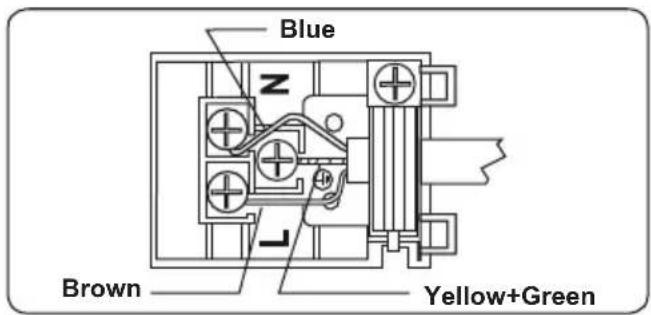
WARNING: The electrical connection of this appliance should be carried out by an authorised service person or fied electrician, according to the actions in this guide and in compliance the current local regulations.

WARNING: THE APPLIANCE MUST BE EARTHED.
- Before connecting the appliance to the power supply, the voltage rating of the appliance (stamped on the appliance identification plate) must be checked for correspondence to the available mains supply voltage, and the mains electric wiring should be capable of handling the
appliance's power rating (also indicated on the identification plate).
- During installation, please ensure that isolated cables are used. An incorrect connection could damage your appliance. If the mains cable is damaged and needs to be replaced this should be done by a qualified personnel.
- Do not use adaptors, multiple sockets and/or extension leads.
- The supply cord should be kept away from hot parts of the appliance and must not be bent or compressed. Otherwise the cord may be damaged, causing a short circuit.
- If the appliance is not connected to the mains with a plug, a all-pole disconnector (with at least 3 mm contact spacing) must be used in order to meet the safety regulations.
- The appliance is designed for a power supply of 220-240V \~ and 380-415V 3N\~. If your supply is different, contact the authorised service person or a qualified electrician.
- The power cable (H05VV-F) must be long enough to be connected to the appliance, even if the appliance stands on the front of its cabinet.
-
Ensure all connections are adequately tightened.
-
Fix the supply cable in the cable clamp and then close the cover.
- The terminal box connection is placed on the terminal box.
3. PRODUCT FEATURES

Important: Specifications for the product vary and the appearance of your appliance may differ from that shown in the figures below.
List of Components

- Control Panel
- Oven Door Handle
- Oven Door
Control Panel
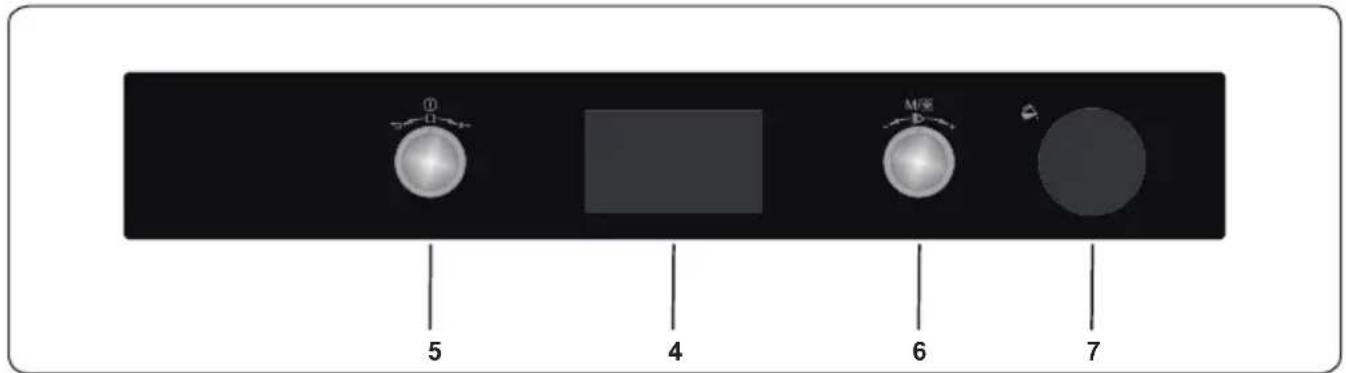
- Timer
- Oven Function Control Knob
- Oven Thermostat Knob
- Water Tank Cover
4. USE OF PRODUCT
4.1 Oven Controls
Left knob
- Long push: Switch on / off
- Short push: Pause cooking
- Turn right: Key lock
- Turn left: Undo / Go to previous menu
Right knob
- Push: Select / Start Cooking / Start manual steam operation
- Turn Right: Menu Navigation / Increase Temperature
- Turn Left: Menu Navigation / Decrease Temperature
Oven Functions
* The functions of your oven may be different due to the model of your product.

natural_image
Dark rectangular frame with a small bright sun icon in the top-right corner (no text or symbols)Oven Lamp: Only the oven light will switch on. It will remain on for the duration of the cooking function.
natural_image
Abstract geometric symbol resembling a four-blade propeller inside a dark square frame (no text or symbols)Defrost Function: The oven's warning lights will switch on and the fan will start to operate. To use the defrost function, place your frozen food in the oven
on a shelf in the third slot from the bottom. It is recommended that you place an oven tray under the defrosting food to catch the water accumulated due to melting ice. This function will not cook or bake your food, it will only help to defrost it.

natural_image
Abstract geometric symbol with a circular element resembling a three-blade fan or impeller inside a dark square frame (no text or symbols)Turbo Function: The oven's thermostat and warning lights will switch on, and the ring heating element and fan will start operating. The turbo function
evenly disperses the heat in the oven so all food on all racks will cook evenly. It is recommended that you preheat the oven for about 10 minutes.

natural_image
Abstract dark square with a white horizontal bar at the bottom (no text or symbols)Static Cooking Function: The oven's thermostat and
warning lights will switch on, and the lower and upper heating elements will start operating. The static cooking function emits heat, ensuring even cooking of food. This is ideal for making pastries, cakes, baked pasta, lasagne and pizza. Preheating the oven for 10 minutes is recommended and it is best to use only one shelf at a time in this function.
natural_image
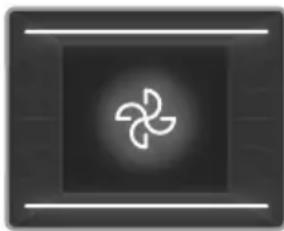
Abstract geometric symbol with three curved white lines on a dark gray background, enclosed by two horizontal lines (no text or symbols)Fan Function: The oven's thermostat and warning lights will switch on, and the upper and lower heating elements and fan will start operating.
This function is good for baking pastry. Cooking is carried out by the lower and upper heating elements within the oven and by the fan, which provides air circulation, giving a slightly grilled effect to the food. It is recommended that you preheat the oven for about 10 minutes. The fan and lower heating function is ideal for baking food, such as pizza, evenly in a short period of time. The fan evenly disperses the heat of the oven, while the lower heating element bakes the food.

natural_image
Simple icon of a propeller inside a square frame, no text or symbols presentPizza Function: The oven's thermostat and warning lights will switch on, and the ring, lower heating elements and fan will start operating. This function
is ideal for baking food, such as pizza, evenly in a short time. While the fan evenly disperses the heat of the oven, the lower heating element ensures baking of the food.

natural_image
Abstract geometric shape with a wavy white line inside a dark square frame (no text or symbols)Grilling Function: The oven's thermostat and warning lights will switch on, and the grill heating element will start operating. This function is used for
grilling and toasting foods on the upper shelves of the oven. Lightly brush the wire grid with oil to stop food sticking and place food in the centre of the grid. Always place a tray beneath the food to catch any drips of oil or fat. It is recommended that you preheat the oven for about 10 minutes.

Warning: When grilling, the oven door must be closed and the oven temperature should be adjusted to C.

natural_image
Simple icon of a container with a wavy line above it, no text or symbols present.Faster Grilling
Function: The oven's thermostat and warning lights will switch on, and the grill and upper heating elements will start operating. This function is used for faster grilling and for grilling food with a larger surface area, such as meat. Use the upper shelves of the oven. Lightly brush the wire grid with oil to stop food sticking and place food in the centre of the grid. Always place a tray beneath the food to catch any drips of oil or fat. It is recommended that you preheat the oven for about 10 minutes.

Warning: When grilling, the oven door must be closed and the oven temperature should be adjusted to 190°C.
natural_image
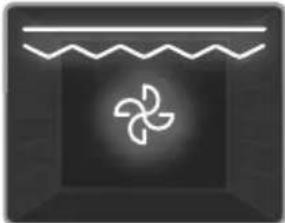
Abstract icon with a stylized propeller inside a dark square, no text or symbols present.Double Grill and Fan
Function: The oven's thermostat and warning lights will switch on, and the grill, upper heating elements and fan will start operating. This function is used for faster grilling of thicker food and for grilling of food with a larger surface area. Both the upper heating elements and grill will be energised along with the fan to ensure even cooking. Use the upper shelves of the oven. Lightly brush the wire grid with oil to stop food sticking and place food in the centre of the grid. Always place a tray beneath the food to catch any drips of oil or fat. It is recommended that you preheat the oven for about 10 minutes.

Warning: When grilling, the oven door must be closed and the oven temperature should be adjusted to 190^ C.
Manual Aiding Steam Function:
This function can be used any other cooking together with functions.
It is used for cooking all types of vegetables, smaller chunks of meat, fruit, and side dishes (rice, pasta).
The advantages;
- Crispy and shiny surface on foods
• Minimum loss of water
- Almost no loss of nutrients
- Low-fat cooking
You can select the desired function and steam density. Steam density table is on the next page.
Filling the Water Tank

natural_image
Close-up of a kitchen appliance control panel with a rotary dial and handle (no visible text or symbols)- The water tank volume is 300 ml. This amount allows 3 cycles of steam aiding. For each cycle around 100 ml water is used.

natural_image
Close-up of a hand pointing at a black appliance control knob (no visible text or symbols)- Push the tank cover to open

natural_image
Close-up of a hand holding a black kitchen control knob, with no visible text or symbols on the knob itself.- Pull the water tank out slightly.

The tank must not be taken out
natural_image
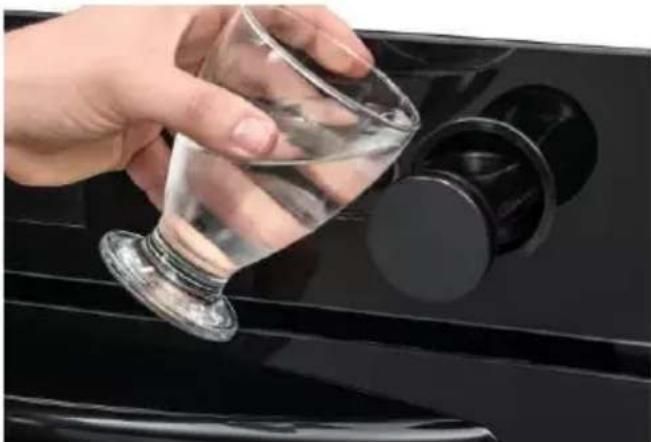
Hand pouring liquid into a black appliance with control knob (no text or symbols visible)- Add the minimum 100 ml water into the tank before usage.

The maximum water level is indicated as "MAX" on the tank.
| Steam Density Water | Amounts |
| 1 steam injection Add | 100 ml water |
| 2 steam injection Add | 200 ml water |
| 3 steam injection Add | 300 ml water |
| Auto steam injection Add | 100 ml water |
natural_image
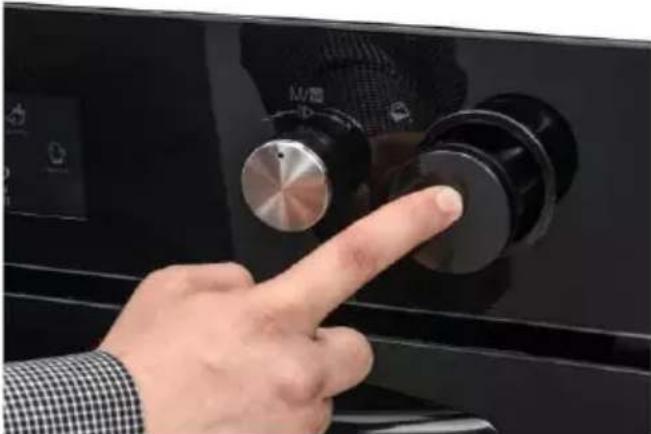
Close-up of a hand pressing a black control knob on a kitchen appliance (no visible text or symbols)- Push on the tank cover to close.

Vap clean+ function:
Vapclean+ function provides easy cleaning. You will find this function
under 'Cleaning' menu. Before running this function please add 300 ml water into the tank. For adding water please follow the instruction given under title 'Filling Water Tank'.
4.2 Cooking Table
| Function | Dishes |  |  |  |
| Static | Puff Pastry 2-3 | -4 170-190 | 35-45 | |
| Cake 2-3-4 | 170-190 30 | 40 | ||
| Cookie 2-3-4 | 170-190 30 | 40 | ||
| Stew 2 175 | 200 40-50 | |||
| Chicken 2-3-4 | 200 | 45-60 | ||
| Fan | Puff Pastry 2-3 | -4 170-190 | 25-35 | |
| Cake 2-3-4 | 150-170 25 | 35 | ||
| Cookie 2-3-4 | 150-170 25 | 35 | ||
| Stew 2 175 | 200 40-50 | |||
| Chicken 2-3-4 | 200 | 45-60 | ||
| Turbo | Puff Pastry 2-3 | -4 170-190 | 35-45 | |
| Cake 2-3-4 | 150-170 30 | 40 | ||
| Cookie 2-3-4 | 150-170 25 | 35 | ||
| Stew 2 175 | 200 40-50 | |||
| Grilling | Grilled meatballs | 7 | 200 | 10-15 |
| Chicken | * | 190 | 50-60 | |
| Chop | 6-7 | 200 | 15-25 | |
| Beefsteak 6-7 | 200 | 15-25 |
*If available cook with roast chicken skewer.
4.3 Use of the Smart LCD Control Unit
Ready Cook is designed to help home users to implement professional cooking recipes easily using the built-in auto cooking functions.
The Ready Cook menus, such as Manual Cooking, Auto Cooking, Favourites, Cleaning, and Settings, are described below.
Manual cooking
You can adjust every cooking setting in Manual Cooking mode, including the 7 different cooking functions, the temperature, the boost function, the cooking duration, and the cooking end time. Follow the steps listed below to navigate the Manual Cooking menu.

The main menu
- Rotate the right knob in either direction until "Manual Cooking" is highlighted.
- Press the right knob to select the highlighted option.
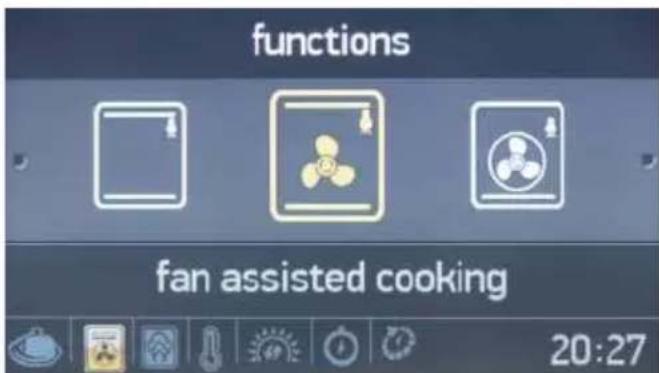
Oven function
- Rotate the right knob in either direction to navigate between the available oven functions.
- Press the right knob to select the highlighted option.
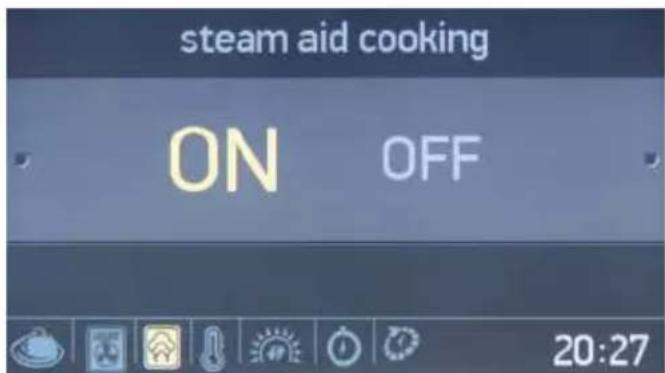
Steam Aid Cooking
- Rotate the right knob in either direction to highlight Steam aid cooking "ON" or "OFF".
- Press the right knob to select the highlighted option.

- Press the right knob to select to "1 steam injection".
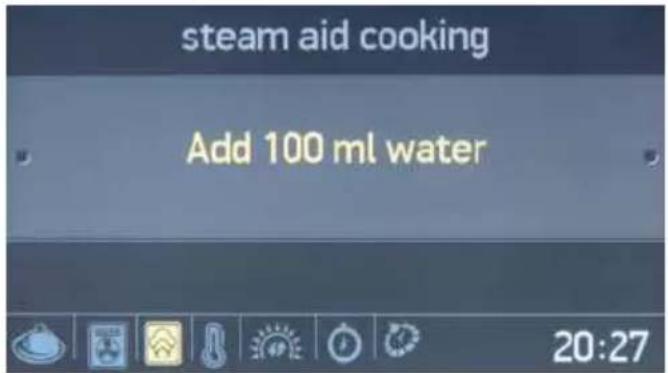
- Add 100 ml of water into the water tank.
- Press the right knob to select to "Add 100 ml water".

- Rotate one times the right knob to 2 steam injection.
- Press the right knob to select the highlighted option.
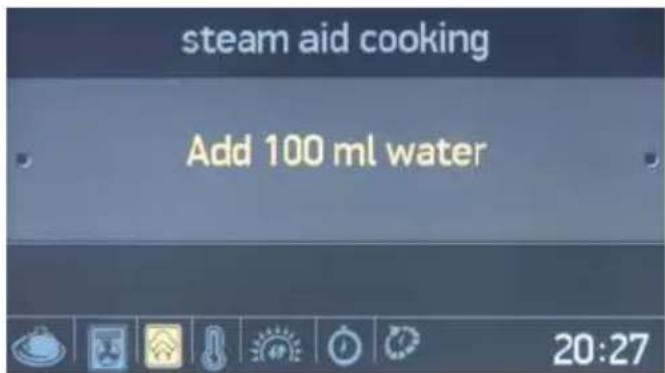
- Add 200 ml of water into the water tank.
- Press the right knob to Add 200 ml water.

- Rotate two times the right knob to 3 steam injection.
- Press the right knob to select the highlighted option.

- Add 300 ml of water into the water tank.
- Press the right knob to Add 300 ml water.

- Rotate two times the right knob to auto steam injection.
- Press the right knob to select the highlighted option.

- Add 100ml of water into the water tank.
- Press the right knob to Add 100 ml water.

Temperature
- Rotate the right knob in either direction to navigate between the available temperature settings.
- Press the right knob to select the highlighted option.

Boost
- Rotate the right knob in either direction to highlight Boost "ON" or "OFF".
- Press the right knob to select the highlighted option.
- Use this function to heat the oven the desired temperature as quickly as possible. This mode is not appropriate for cooking.
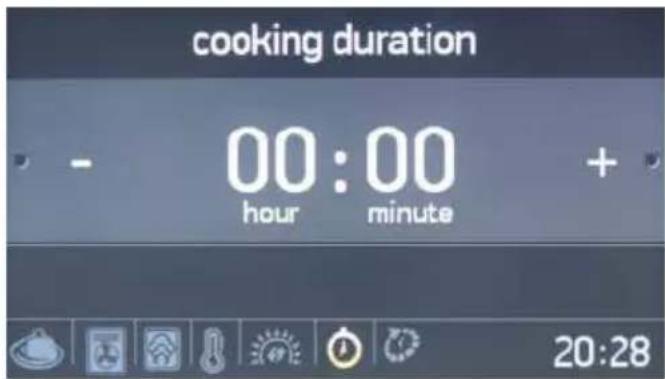
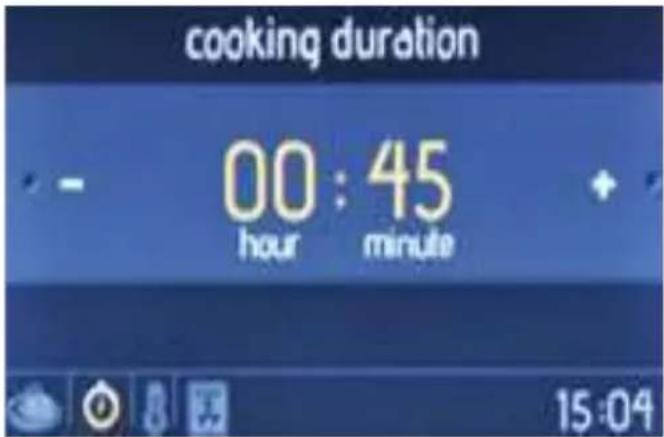
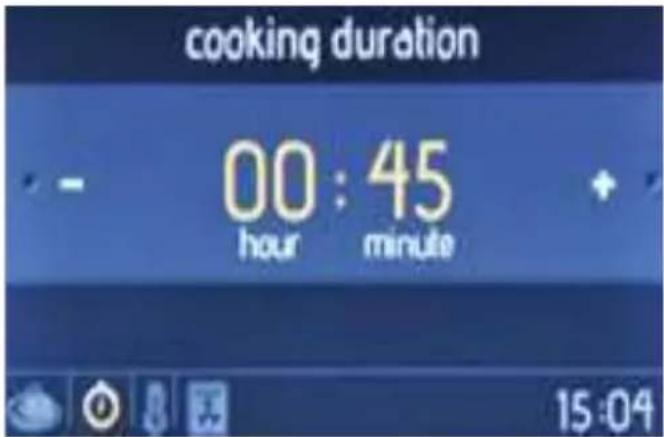
Cooking duration
- Rotate the right knob in either direction to change the cooking duration.
- Press the right knob to set the cooking duration.
- NOTE: If the cooking duration is set to 00:00, cooking will continue until you manually stop it.

Cooking end time
- Rotate the right knob in either direction
to change the cooking end time.
- Press the right knob to set the cooking end time.

The information screen
• Cooking will begin within 10 seconds of the last action, or when the right knob is pressed.
- Rotate the left knob anti-clockwise to go back to the previous setting.

natural_image
Interior view of a refrigerator oven with illuminated tray and ceiling lights (no visible text or symbols)The animation screen displays:
- Cooking time
- Temperature
• Cooking start and end time
• Cooking function information.


The animation screen
- Press the left knob to stop cooking.
- Press the right knob to start / continue cooking.
- Rotate the right knob in either direction to change the temperature.
- Rotate the left knob anti-clockwise, while any cooking function is active, to display the oven function, temperature, and cooking time setting screen.
- To stop cooking and return to the main menu, press the left knob then rotate it anti-clockwise.
Auto Cooking
Ready Cook has built-in, previously
determined, recipe functions that can be selected in the Auto Cooking menu. You will only be able to select the name of the desired meal. It will not be possible to alter any of the recipe settings, including cooking duration and temperature, as these are automatically set by Ready Cook.
Follow the steps below to perform auto cooking.

The main menu
- Rotate the right knob in either direction until "Auto Cooking" is highlighted.
- Press the right knob to select the highlighted option.

Food categories
- Rotate the right knob in either direction to navigate between the available recipes.
- Press the right knob to select the highlighted option.

Recipe selection
- Rotate the right knob in either direction to navigate between the available recipes.
- Press the right knob to select the highlighted option.
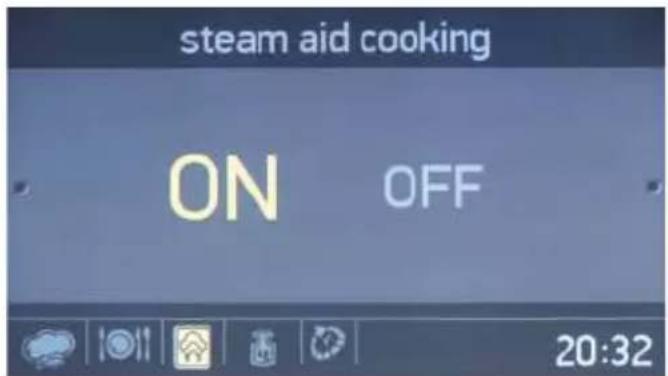
Steam injection
- Rotate the right knob in either direction to highlight Steam injection On or Off.
- Press the right knob to select the highlighted option.

- Add 200 ml of water into the water tank.
- Press the right knob to Add 200 ml water.
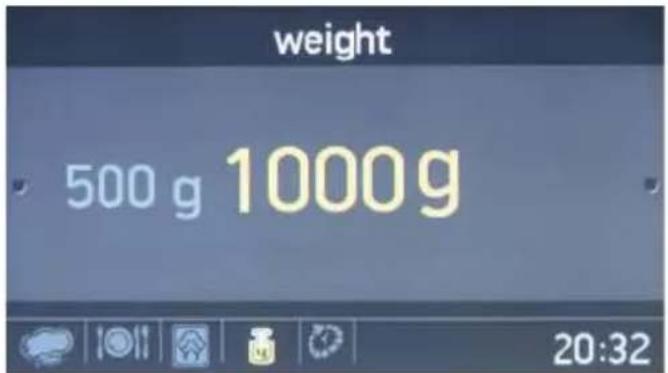
Food weight
- Rotate the right knob in either direction to change the weight value.
- Press the right knob to set the weight.

Cooking end time
- Rotate the right knob in either direction to change the cooking end time.
- Press the right knob to set the cooking end time.

The information screen
- Cooking will start within 10 seconds of no activity, or when the right knob is pressed.
- Rotate the left knob anti-clockwise to go back through the previous setting screens.
- Place food on the middle shelf to achieve the best cooking results.

natural_image
Interior view of a futuristic kitchen with illuminated fixtures and a star-shaped emblem on the counter (no readable text or symbols)The animation screen
- Press the left knob to stop cooking.
- Press the right knob to start and continue cooking.
- To stop cooking and return to the main menu, press the left knob and rotate it anti-clockwise.
Favourites
It is possible to save your manual cooking settings, allowing you to quickly select the same cooking settings at any time. At the end of the Manual Cooking menu, after the cooking duration setting, you will be asked whether you want to save the settings to your favourites.
To create a favourite cooking setting, use the edit function in the Favourites menu.
To select and begin a favourite function, follow the steps below.

On the main menu
- Rotate the right knob in either direction until 'Favourites' is highlighted.
- Press the right knob to select the highlighted option.

Favourites
- Rotate the right knob in either direction to navigate between the available options.
- Press the right knob to select the highlighted option.
• The settings stored in the favourite will be displayed at the bottom of the screen.
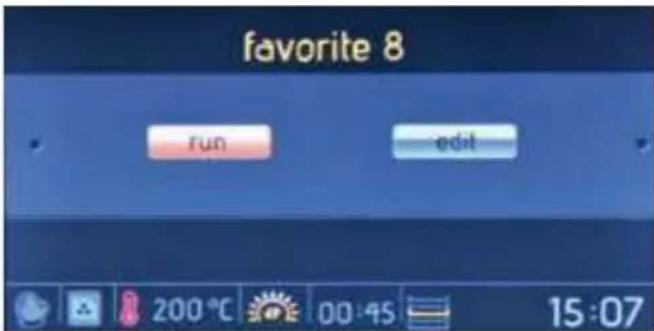
The run/edit screen
- Rotate the right knob to highlight "Run".
- Press the right knob to select "Run".

Cooking end time
- Rotate the right knob in either direction to change the cooking end time.
- Press the right knob to set the cooking end time.
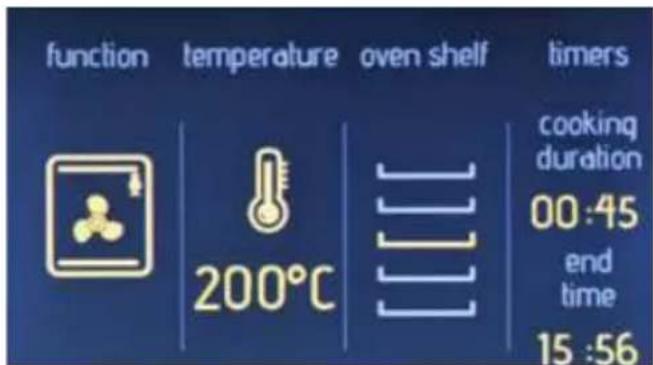
The information screen
• Cooking will start within 10 seconds of no activity, or when the right knob is pressed.
- Rotate the left knob anti-clockwise to go back through the previous setting screens.
- Place food on the middle shelf to achieve the best cooking results.

natural_image
Interior view of a smart oven with a star-shaped ceiling and illuminated windows (no readable text or symbols)The animation screen
- Press the left knob to stop cooking.
- Press the right knob to start and continue cooking.
• To stop cooking and return to the main menu, press the left knob and rotate it anti-clockwise.
To edit any Favourites settings, follow the steps below.

The main menu
- Rotate the right knob in either direction until "Favourites" is highlighted.
- Press the right knob to select the highlighted option.

Favourites
- Rotate the right knob in either direction to navigate between the available options.
- Press the right knob to select the highlighted option.
- The settings stored in the selected 'Favourite' will be displayed at the bottom of the screen.
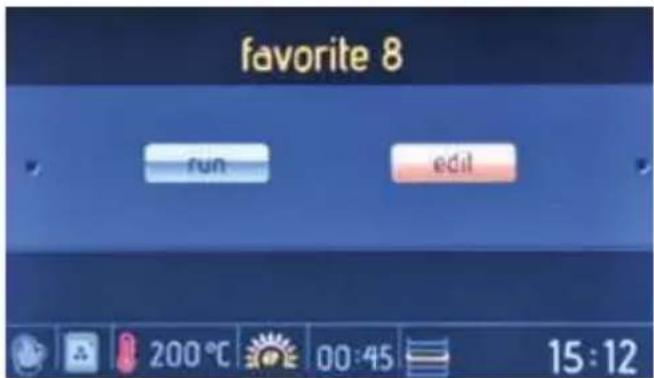
The run/edit screen
- Rotate the right knob to highlight "Edit".
- Press the right knob to select "Edit".

Oven function
- Rotate the right knob in either direction to navigate between the available oven functions.
- Press the right knob to select the highlighted option.

Temperature
- Rotate the right knob in either direction to navigate between the available temperature settings.
- Press the right knob to select the highlighted option.
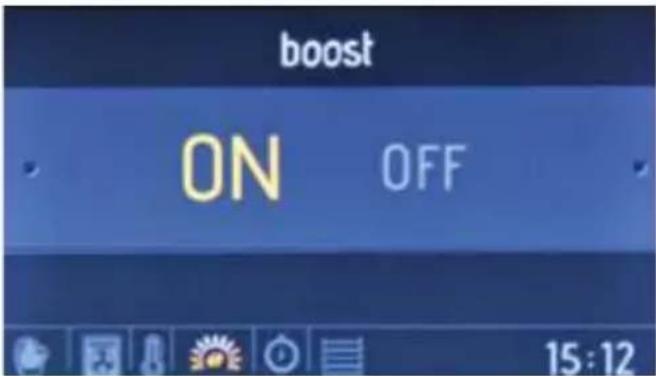
Boost
- Rotate the right knob in either direction to highlight Boost "ON" or "OFF".
- Press the right knob to select the highlighted option.
- Use this function to heat the oven the desired temperature as quickly as possible. This mode is not appropriate for cooking.
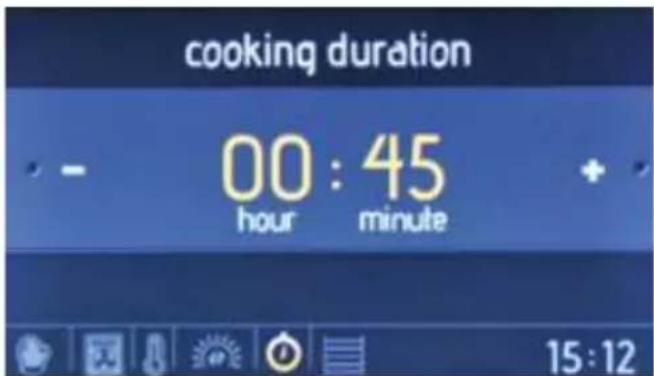
Cooking duration
- Rotate the right knob in either direction to change the cooking duration.
- Press the right knob to set the cooking duration.

Oven shelf
- Rotate the right knob in either direction to navigate between the available oven shelves.
- Press the right knob to select the shelf
- For the same cooking results each time, oven shelf information is important.
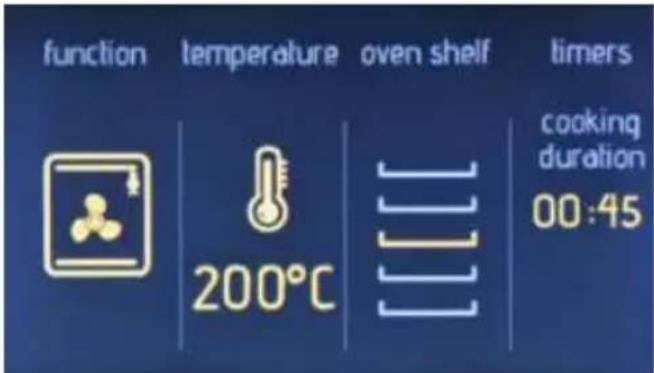
The information screen
- Rotate the left knob anti-clockwise to go back through the previous setting screens.
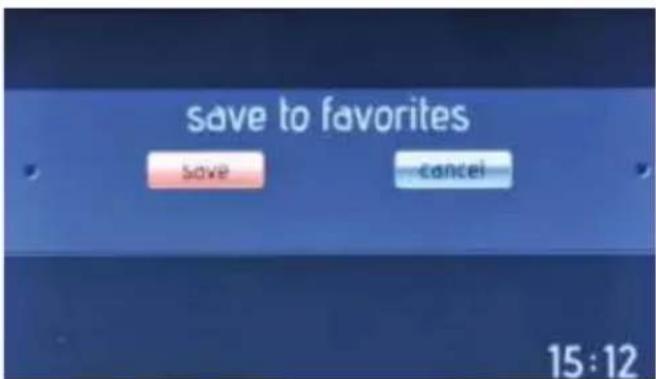
Save to favourites
- Rotate the right knob to highlight "Save" (to save the settings) or "Cancel" (to discard the settings).
- Press the right knob to select the highlighted option.
Cleaning
With the Vapclean function, dried residue within the oven will be softened with vapour. To perform Vapclean, pour a glass of water onto the oven shelf at the bottom of the oven, then follow the steps listed below.

On the main menu
- Rotate the right knob in either direction until "Cleaning" is highlighted.
- Press the right knob to select the highlighted option.

The function selection screen
Press the right knob to select "Vapclean".
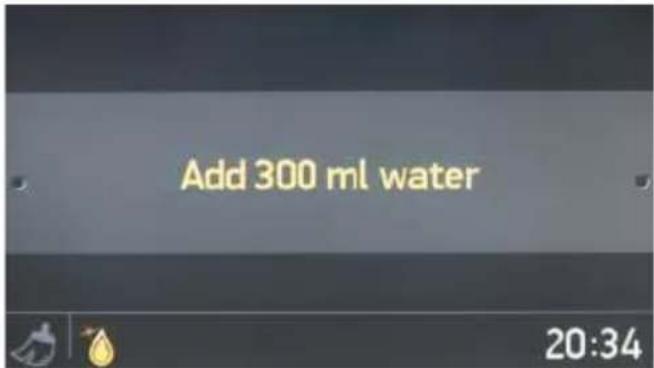
Steam injection
- Add 300 ml of water into the water tank.
- Press the right knob to Add 300 ml water.

Cleaning duration
- Rotate the right knob in either direction to change the cleaning duration.
- Press the right knob to set the cleaning duration.

Cleaning end time
- Rotate the right knob in either direction to change the cleaning end time.
- Press the right knob to set the cleaning end time.
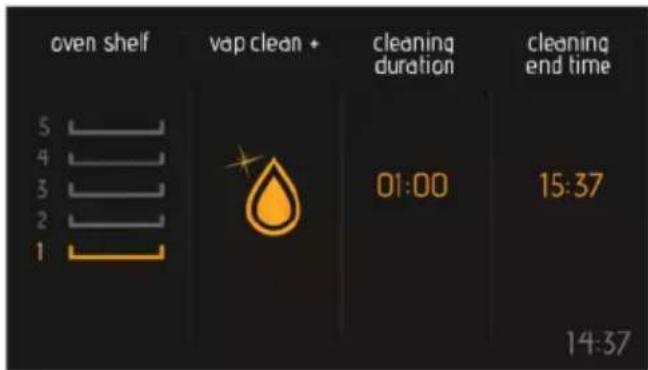
The information screen
- Cleaning will start within 10 seconds of no activity, or when the right knob is pushed.
- Rotate the left knob anti-clockwise to go back through the previous setting screens.

natural_image
Interior view of a modern kitchen oven with illuminated ceiling and ventilation duct (no text or symbols visible)The animation screen
- Press the left knob to stop cleaning.
- Press the right knob to start and continue cleaning.
- To stop cleaning and return to the main menu, press the left knob and rotate it anti-clockwise.
Settings
The settings menu allows you to change and set the date, time, screen brightness, buzzer tone, and language option.

The main menu
- Rotate the right knob in either direction until 'Settings' is highlighted.
- Press the right knob to select the highlighted option.

The languages menu
- Rotate the right knob in either direction to change the language.
- Press the right knob to set the desired language.

The brightness menu
- Rotate the right knob in either direction to change the screen brightness between the levels 0 and 4.
- Press the right knob to set the screen brightness.
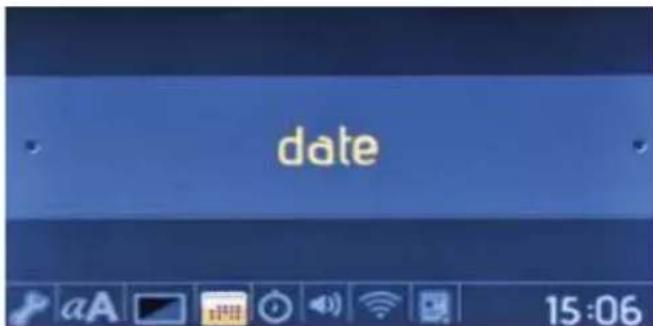
The date menu
- Rotate the right knob in either direction to change the date.
- Press the right knob to set the date.
• The date is set in the format: month, day, year.

The clock menu
- Rotate the right knob in either direction to change the clock.
- Push the right knob to set the clock.
- Clock is set in the format: minute and hour.
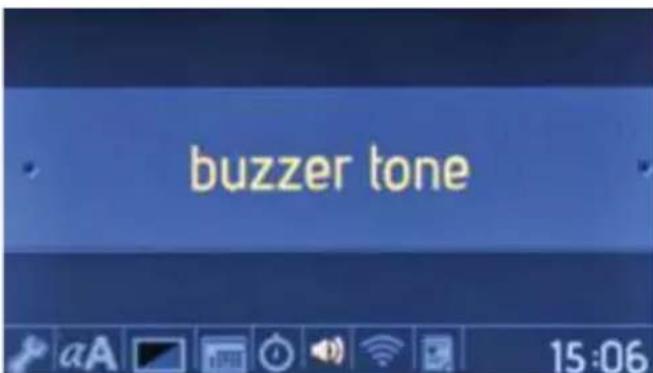
On the buzzer tone menu
- Rotate the right knob in either direction to choose from 3 different buzzer tones.
- Press the right knob to set the desired buzzer tone.

The software version menu
- The software version will be displayed as information only. It cannot be changed.
Key lock
The key lock is used to avoid unintentional changes being made to the oven settings. To activate or deactivate the key lock, rotate the left knob anti-clockwise and hold it for 3 seconds. While the key lock is active, only the "ON/OFF" button can be activated. All other buttons will be locked.
4.4 Accessories
The EasyFix Wire Rack
Clean the accessories thoroughly with warm water, detergent and a soft clean cloth on first use.

- Insert the accessory to the correct position inside the oven.
- Allow at least a 1 cm space between the fan cover and accessories.
• Take care removing cookware and/or accessories out of the oven. Hot meals or accessories can cause burns. - The accessories may deform with heat. Once they have cooled down, they will recover their original appearance and performance.
- Trays and wire grids can be positioned
on any level from of 1 to 7.
- Telescopic rail can be positioned on levels T1, T2, 3, 4, 5, 6, 7.
- Level 3 is recommended for single level cooking.
- Level T2 is recommended for single level cooking with the telescopic rails.
- Level 2 and Level 4 are recommended for double level cooking.
- The turnspit wire grid must be positioned on Level 3.
- Level T2 is used for turnspit wire grid positioning with the telescopic rails.
****Accessories may vary depending on the model purchased.
The Deep Tray
The deep tray is best used for cooking stews.
Put the tray into any rack and push it to the end to make sure it is placed correctly.

natural_image
Technical line drawing of a square frame with bolt holes and a central circular hole (no text or symbols)The Shallow Tray
The shallow tray is best used for baking pastries.
Put the tray into any rack and push it to the end to make sure it is correctly placed.

natural_image
Technical line drawing of a square frame with circular cutouts and mounting holes (no text or symbols)The Small Tray
The small tray is best used for baking pastry.
Place the tray in the centre of a wire grid.

natural_image
Simple line drawing of a rectangular tray or container with a central hole and side holes (no text or symbols)The Wire Rack with Easyfix Half Telescopic Rail
The half telescopic rail extends half-way out, to allow easy access to your food.
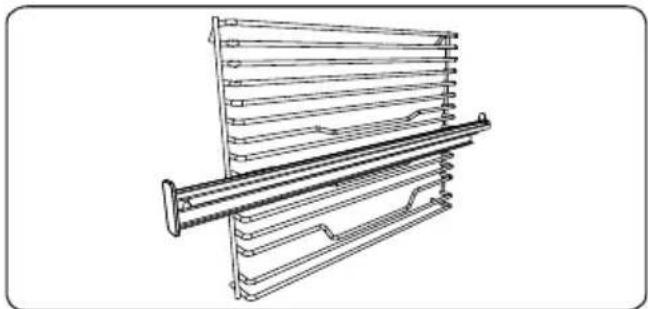
natural_image
Technical line drawing of a mechanical assembly with parallel plates and a central rod (no text or symbols)Telescopic rails
Clean the accessories thoroughly with warm water, detergent and a soft clean cloth on first use.
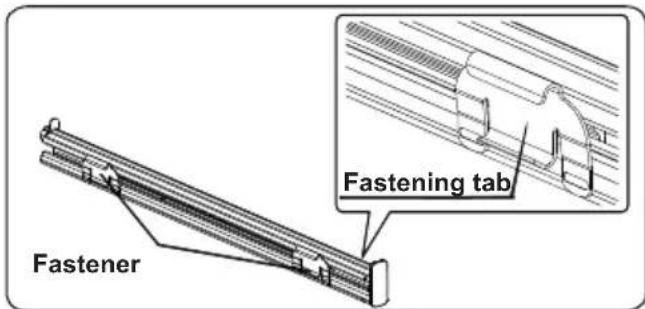
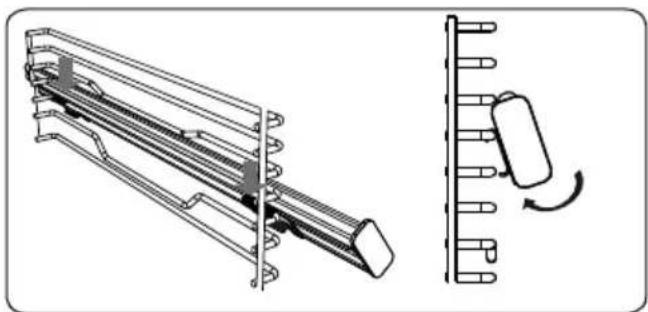
- On each telescopic rail there are fasteners that allow you to remove them for cleaning and repositioning.
- Remove the side runner. See section "Removal of the wire shelf".
natural_image
Technical line drawing of a mechanical device with a side view showing a rotating component (no text or symbols present)- Hang the telescopic rail top fasteners on the side rack level reference wire
and simultaneously press the bottom fasteners until you clearly hear the fasteners clip into the side rack level fixing wire.
- In order to remove, hold the front surface of the rail and repeat the previous instructions in reverse.
Soft-Close Oven Door
The oven door closes slowly by itself when it is released just before the closed position.

natural_image
Line drawing of a refrigerator interior with a door and drawer, showing a scroll inside (no text or symbols)The Water Collector
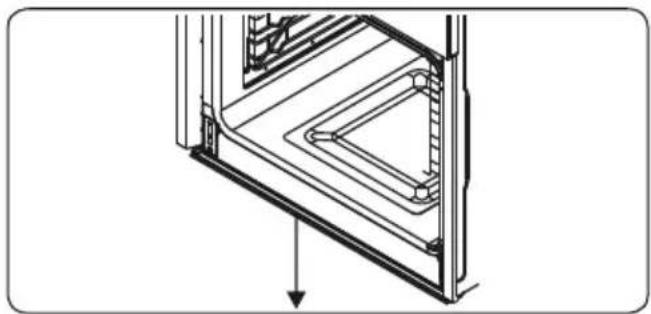
In some cases of cooking, condensation may appear on the inner glass of the oven door. This is not a product malfunction.
Open the oven door into the grilling position and leave it in this position for 20 seconds.
Water will drip to the collector.
Cool the oven and wipe the inside of the door with a dry towel. This procedure must be applied regularly.
natural_image
Technical line drawing of a mechanical assembly with no visible text or symbols5. CLEANING AND MAINTENANCE
5.1 Cleaning

WARNING: Switch off the appliance and allow it to cool before cleaning is to be carried out.
General Instructions
- Check whether the cleaning materials are appropriate and recommended by the manufacturer before use on your
appliance.
- Use cream cleaners or liquid cleaners which do not contain particles. Do not use caustic (corrosive) creams, abrasive cleaning powders, rough wire wool or hard tools as they may damage the cooker surfaces.

Do not use cleaners that contain particles as they may scratch the glass, enamelled and/or painted parts our appliance.
- Should any liquids overflow, clean them immediately to avoid parts becoming damaged.

Do not use steam cleaners for cleaning any part of the appliance.
Cleaning the Inside of the Oven
- The inside of enamelled ovens are best cleaned while the oven is warm.
- Wipe the oven with a soft cloth soaked in soapy water after each use. Then, wipe the oven over again with a wet cloth and dry it.
- You may need to use a liquid cleaning material occasionally to completely clean the oven.

natural_image
Line drawing of a hand cleaning a car window with a circular vent (no text or symbols)Cleaning the Glass Parts
- Clean the glass parts of your appliance on a regular basis.
- Use a glass cleaner to clean the inside and outside of the glass parts. Then, rinse and dry them thoroughly with a dry cloth.
Cleaning the Stainless Steel Parts (if available)
- Clean the stainless steel parts of your appliance on a regular basis.
- Wipe the stainless steel parts with a soft cloth soaked in only water. Then, dry them thoroughly with a dry cloth.

Do not clean the stainless steel parts while they are still hot from cooking.

Do not leave vinegar, coffee, milk, salt, water, lemon or tomato juice on the stainless steel for a long time.
Cleaning Painted Surfaces (if available)
- Spots of tomato, tomato paste, ketchup, lemon, oil derivatives, milk, sugary foods, sugary drinks and coffee should be cleaned with a cloth dipped in warm water immediately. If these stains are not cleaned and allowed to dry on the surfaces they are on, they should NOT be rubbed with hard objects (pointed objects, steel and plastic scouring wires, surface-damaging dish sponge) or cleaning agents containing high levels of alcohol, stain removers, degreasers, surface abrasive chemicals. Otherwise, corrosion may occur on the powder painted surfaces, and stains may occur. The manufacturer will not be held responsible for any damage caused by the use of inappropriate cleaning products or methods.
Removal of the Oven Door
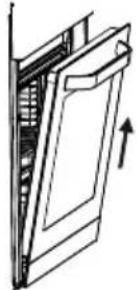
Before cleaning the oven door glass, you must remove the oven door, as shown below.
- Open the oven door.

natural_image
Technical line drawing of a mechanical component with an arrow indicating rotation (no text or symbols)- Open the locking catch (a) (with the aid of a screwdriver) up to the end position.
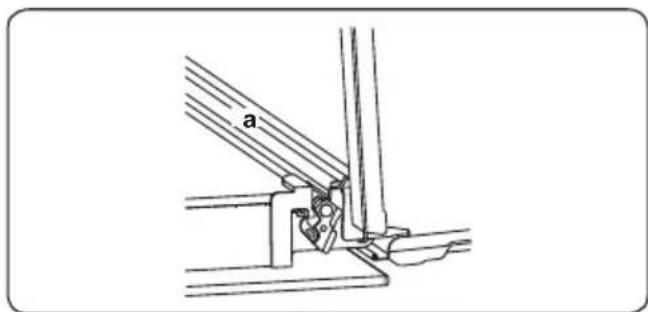
- Close the door until it is almost in the fully closed position, and remove the door by pulling it towards you.
natural_image
Diagram of a door mechanism with an arrow indicating direction (no text or symbols present)Removal of the Wire Shelf
To remove the wire rack, pull the wire rack as shown in the figure. After releasing it from the clips (a), lift it up.

natural_image
Diagram of a hand holding a spring-loaded object on a screen, with no visible text or symbols5.2 Maintenance
WARNING: The maintenance of this appliance should be carried out by an authorised service person or qualified technician only.
Changing the Oven Lamp
WARNING: Switch off the appliance and allow it to cool before cleaning your appliance.
- Remove the glass lens, then remove the bulb.
- Insert the new bulb (resistant to 300 °C) to replace the bulb that you removed (230 V, 15-25 Watt, Type E14).
- Replace the glass lens, and your oven is ready for use.
The lamp is designed specifically for use in household cooking appliances. It is not suitable for household room illumination.
6. TROUBLESHOOTING&TRANSPORT
6.1 Troubleshooting

If you still have a problem with your appliance after checking these basic troubleshooting steps, please contact an authorised service person or qualified technician.
| Problem Possible Cause Solution | ||
| Oven does not switch on. Power is switched off. | Check whether there is power supplied.Also check that other kitchen appliances are working. | |
| No heat or oven does not warm up. | Oven temperature control is incorrectly set.Oven door has been left open. | Check that the oven temperature control knob is set correctly. |
| Oven light (if available) does not operate. | Lamp has failed.Electrical supply is disconnected or switched off. | Replace lamp according to the instructions.Make sure the electrical supply is switched on at wall socket outlet. |
| Cooking is uneven within the oven. | Oven shelves are incorrectly positioned. | Check that the recommended temperatures and shelf positions are being used.Do not frequently open the door unless you are cooking things that need to be turned. If you open the door often, the interior temperature will be lower and this may affect the results of your cooking. |
| The timer buttons cannot be pressed properly. | There is foreign matter caught between the timer buttons.Touch model: there is moisture on the control panel.The key lock function is set. | Remove the foreign matter and try again.Remove the moisture and try again.Check whether the key lock function is set. |
| The oven fan (if available) is noisy. | Oven shelves are vibrating. | Check that the oven is level.Check that the shelves and any bake ware are not vibrating or in contact with the oven back panel. |
| The cooling fan continues to operate after the oven is switched off. | Electronically-controlled oven fan automatically runs for a certain amount of time to cool the oven. | The fan switches off automatically when the electronic components have cooled sufficiently. |
| The oven has switched itself off. | Electronically-controlled ovens switch off automatically if no function is in operation. | The oven will switch itself off automatically to save energy if no other action is taken within a certain time frame after switching it on or after the end of a cooking programme. |
| If the door is opened during a fan-assisted function, the internal fan will stop. | Electronically-controlled ovens with a door switch will stop cooking if the oven door is opened. | It is a normal operation of the appliance, useful when cooking foods in order to avoid excessive heat escaping. When the door is closed, the oven will restart to normal operation. |
6.2 Transport
If you need to transport the product, use the original product packaging and carry it using its original case. Follow the transport signs on the packaging. Tape all independent parts to the product to prevent damaging the product during transport.
If you do not have the original packaging, prepare a carriage box so that the appliance, especially the external surfaces of the product, is protected against external threats.
-
Remote controls, drain intake rubbers, dockings and door seals, weather stripping.
-
Damage to enamels, paints, nickel plating, chrome plating, oxidation or other types of aesthetic parts or components that do not affect the internal functioning of the appliance.
-
Damage to wear parts due to use, corrosion or oxidation, whether caused by normal use of the appliance or accelerated deterioration due to unfavorable environmental or climatic circumstances. Not suitable for outdoor use.
-
Damage to fragile pieces of glass, glass ceramic, plastics, handles, baskets, doors or light bulbs when their failure or breakage is not attributable to a manufacturing defect.
-
Faults produced by fortuitous causes or accidents of force majeure, or as a consequence of abnormal, negligent or inappropriate use of the device.
-
Civil liabilities of any nature.
-
Consequential damage to the appliance as long as it has not been caused by an internal malfunction.
-
Maintenance or upkeep of the appliance: periodic reviews, adjustments and greases.
-
Faults that accessories and complements, adapters, external cables, bags, spare parts of all kinds, lamps, as well as any part considered consumable by the manufacturer, may suffer.
-
Faults caused by incorrect or illegal installation, inadequate ventilation, lack of grounding in the home, power disturbances, inappropriate modifications or use of non-original spare parts.
-
Appliances used in industrial applications or for commercial purposes.
-
Appliances with illegible or altered serial number.
-
Defects or breakdowns produced as a result of fixes, repairs, modifications, or disassembly of the installation of the device by the user or by a technician not authorized by the manufacturer, or as a result of manifest non-compliance with the manufacturer's instructions for use and maintenance.
-
During the warranty period it is essential to keep all manuals together with the equipment. If the equipment is sold, donated or given away, the manual and all related documents must be given to the new user. If any of these are lost, their replacement cannot be claimed.
-
Faults that have their origin or are a direct or indirect consequence of: contact with liquids, chemicals and other substances, as well as conditions derived from the climate or the environment: earthquakes, fires, floods, excessive heat or any other external force, such as insects, rodents and other animals that may have access to the interior of the machine or its connection points.
-
Damages derived from terrorism, riot or popular tumult, legal or illegal demonstrations and strikes; facts of actions of the Armed Forces or the State Security Forces in times of peace; armed conflicts and acts of war (declared or not); nuclear reaction or radiation or radioactive contamination; vice or defect of the goods; facts classified by the Government of the Nation as "national catastrophe or calamity".
natural_image
Pure technical diagram of a mechanical assembly without any text, numbers, or symbolsnatural_image
Dark rectangular frame with a small white sun icon in the top-right corner (no text or symbols)natural_image
Abstract geometric symbol resembling a three-blade propeller inside a dark square frame (no text or symbols)natural_image
Abstract geometric symbol with a circular element inside a square frame (no text or symbols)natural_image
Solid dark square with two horizontal white lines on top and bottom (no text or symbols)natural_image
Abstract geometric symbol with a four-blade propeller inside a dark square frame (no text or symbols)natural_image
Abstract geometric design with a circular motif resembling a three-blade fan or impeller inside a dark square frame (no text or symbols)natural_image
Abstract geometric shape with a wavy white line inside a dark square frame (no text or symbols)natural_image
Abstract geometric design with a dark square and two horizontal white lines above it, no text or symbols present.natural_image
Abstract icon with a stylized propeller inside a square, no text or symbols presentnatural_image
Close-up of a kitchen appliance control panel with a rotary dial and handle (no visible text or symbols)natural_image
Close-up of a hand pressing a black control knob on a black appliance (no visible text or symbols)- Empurre a tampa do depósito para abrir

natural_image
Close-up of a hand operating a kitchen appliance with a rotary knob (no visible text or symbols)natural_image
Hand pouring liquid into a glass on a black stove burner (no text or symbols visible)natural_image
Close-up of a hand pressing down on a kitchen appliance control knob (no visible text or symbols)O menu principal
Função do forno
Cozinhar a Vapor
Duração da cozedura
natural_image
Interior view of a modern kitchen oven with a ceiling-mounted fixture and a star-shaped logo (no readable text or symbols)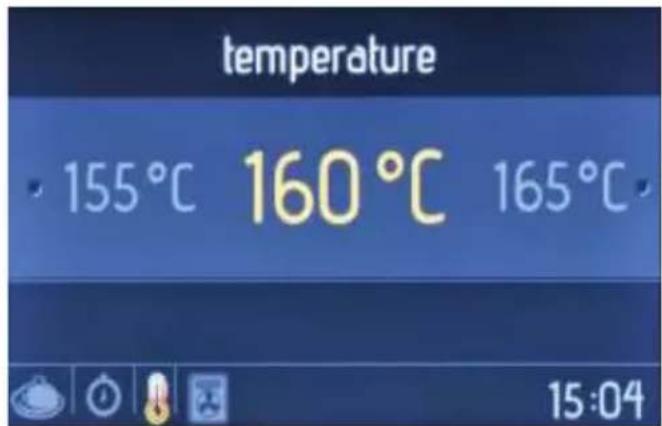
Ecrã de animação
O menu principal
Categorias de comida
Seleção de receita
Injeção de vapor
Ecrã de informações
natural_image
Interior view of a futuristic kitchen with illuminated shelves and ceiling lights (no visible text or symbols)Ecrã de animação
No menu principal
Favoritos
Ecrã de informações
natural_image
Interior view of a 3D printer or scanner with a star-shaped logo on the screen, showing no readable text or symbols.Ecrã de animação
O menu principal
Favoritos
Ecrã editar / arrancar
Função do forno
Duração da cozedura
Injeção de vapor
Duração da limpeza
Ecrã de informações
natural_image
Interior view of a futuristic kitchen with illuminated stove and ceiling lights (no visible text or symbols)Ecrã de animação
O menu principal
O menu dos idiomas
O menu de brilho
O menu relógio
natural_image
Technical line drawing of a square frame with bolt holes and a central circular hole (no text or symbols)Tabuleiro Raso
natural_image
Technical line drawing of a square frame with bolt holes and internal ribs (no text or symbols)Tabuleiro pequeno
natural_image
Simple line drawing of a rectangular tray or container with a small handle and rounded corners (no text or symbols)natural_image
Technical line drawing of a mechanical support structure with no visible text or symbolsCalhas telescópicas
natural_image
Technical illustration of a mechanical assembly with a side view showing a rotating component (no text or symbols present)natural_image
Line drawing of a refrigerator interior with a door and drawer, showing a scroll inside (no text or symbols)Coletor de Água
natural_image
Technical line drawing of a mechanical component with an arrow indicating direction (no text or symbols)natural_image
Line drawing of a hand cleaning a car window with a circular object on the wall (no text or symbols)Limpar as Partes de Vidro
natural_image
Technical line drawing of a mechanical assembly with a curved arrow indicating rotation (no text or symbols)natural_image
Technical line drawing of a mechanical joint or bracket assembly (no text or symbols)natural_image
Diagram of a door mechanism with an arrow indicating direction (no text or symbols present)5.2. Manutenção

Scan for manual in other languages and further updates:
- El menú principal
- Función del horno
- Duración de cocción
- Selección de receta
- Inyección de vapor
- Pantalla informativa
- Favoritos
- El menú de idiomas
- El menú de brillo
- El menú de la hora
- La bandeja llana
- La bandeja pequeña
- Guías telescópicas
- Colector de agua
- LIMPIEZA Y MANTENIMIENTO
- Limpieza
- Mantenimiento
- Backofenlampe:Es
- Turbo-Funktion:Das
- Ober- und
- Unterhitze:Das
- Pizzafunktion:Das
- Menü „Signalton“
- Flaches Backblech
- Kleines Backblech
- Teleskopschienen
- Wasserablauf
- Wartung
- Lampe du four :
- Fonction
- Menu principal
- Fonctions du four
- Cuisson vapeur
- Temps de cuisson
- Écran animé
- Injection de vapeur
- Favoris
- Écran run/edit (lancer/modifier)
- cleaning duration (temps de nettoyage)
- Menu clock (horloge)
- Petite lèchefrite
- Rails télescopiques
- Collecteur d'eau
- NETTOYAGE ET ENTRETIEN
- Nettoyage
- Entretien
- Thank you for choosing this product.
- CONTENTS
- SAFETY INSTRUCTIONS
- General Safety Warnings
- Installation Warnings
- During Usage
- During Cleaning and Maintenance
- CE Declaration of conformity
- C€
- DISPOSAL: Do not dispose this product as unsorted municipal waste. Collection of such waste separately for special treatment is necessary.
- INSTALLATION AND PREPARATION FOR USE
- Instructions for the Installer General instructions
- Installation of the Oven
- Electrical Connection and Safety
- WARNING: THE APPLIANCE MUST BE EARTHED.
- PRODUCT FEATURES
- List of Components
- Control Panel
- USE OF PRODUCT
- Oven Controls
- Left knob
- Right knob
- Oven Functions
- Faster Grilling
- Double Grill and Fan
- Manual Aiding Steam Function:
- Filling the Water Tank
- The tank must not be taken out
- The maximum water level is indicated as "MAX" on the tank.
- Vap clean+ function:
- Cooking Table
- Use of the Smart LCD Control Unit
- Manual cooking
- The main menu
- Oven function
- Steam Aid Cooking
- Temperature
- Boost
- Cooking duration
- Cooking end time
- The information screen
- The animation screen displays:
- The animation screen
- Auto Cooking
- Food categories
- Recipe selection
- Steam injection
- Food weight
- Favourites
- On the main menu
- The run/edit screen
- Oven shelf
- Save to favourites
- Cleaning
- The function selection screen
- Cleaning duration
- Cleaning end time
- Settings
- The languages menu
- The brightness menu
- The date menu
- The clock menu
- On the buzzer tone menu
- The software version menu
- Key lock
- Accessories
- The EasyFix Wire Rack
- The Deep Tray
- The Shallow Tray
- The Small Tray
- The Wire Rack with Easyfix Half Telescopic Rail
- Telescopic rails
- Soft-Close Oven Door
- The Water Collector
- CLEANING AND MAINTENANCE
- Cleaning
- General Instructions
- Cleaning the Inside of the Oven
- Cleaning the Glass Parts
- Cleaning the Stainless Steel Parts (if available)
- Cleaning Painted Surfaces (if available)
- Removal of the Oven Door
- Removal of the Wire Shelf
- Maintenance
- Changing the Oven Lamp
- TROUBLESHOOTING&TRANSPORT
- Troubleshooting
- Transport
- O menu principal
- Função do forno
- Cozinhar a Vapor
- Duração da cozedura
- Ecrã de animação
- Categorias de comida
- Seleção de receita
- Injeção de vapor
- Ecrã de informações
- No menu principal
- Ecrã editar / arrancar
- Duração da limpeza
- O menu dos idiomas
- O menu de brilho
- O menu relógio
- Tabuleiro Raso
- Tabuleiro pequeno
- Calhas telescópicas
- Coletor de Água
- Limpar as Partes de Vidro
- Manutenção
Brand : EAS Electric
Model : EMV75TVP
Category : Oven