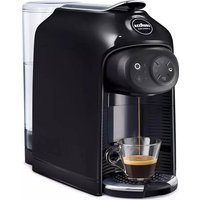
Idola - Coffee machine Lavazza - Free user manual and instructions
Find the device manual for free Idola Lavazza in PDF.



User questions about Idola Lavazza
0 question about this device. Answer the ones you know or ask your own.
Ask a new question about this device
Download the instructions for your Coffee machine in PDF format for free! Find your manual Idola - Lavazza and take your electronic device back in hand. On this page are published all the documents necessary for the use of your device. Idola by Lavazza.
USER MANUAL Idola Lavazza
natural_image
Illustration of a Lava alla coffee maker with control panel and side dish (no text or symbols on device body)
text_image
LAVAZZA A MODO MIO
LEGGERE ATTENTAMENTE LE ISTRUZIONI
READ THE INSTRUCTIONS CAREFULLY
LIRE ATTENTIVEMENT LES INSTRUCTIONS
Dear Customer thank you for purchasing the Lavazza A MODO MIO espresso coffee machine and for choosing our company.
Before operating the machine, we recommend you carefully read the operating instructions that explain how to use, clean and maintain it in perfect working order. We hope you enjoy brewing authentic Italian coffee, thanks to Lavazza!
Félicitations!
natural_image
Hand inserting a plug into an electrical outlet (no text or symbols visible)natural_image
Illustration of a hand pointing at the control panel of a coffee maker (no text or symbols visible)natural_image
Illustration of a hand using a coffee maker to press or feed a coffee cup (no text or symbols visible)IT
natural_image
3D rendering of a mechanical component with circular ports and a central fan (no text or symbols visible)natural_image
Illustration of a hand pressing a button on a device panel (no text or symbols visible)natural_image
Illustration of a hand using a MACHA milk dispenser to clean or store it, with no visible text or symbols on the device itself.natural_image
Illustration of a hand using a self-service coffee maker to clean food (no text or symbols visible)natural_image
Illustration of a coffee maker with a cup and lid, no visible text or symbolsnatural_image
Illustration of a Lavalia coffee maker with a cup, no text or symbols presentEROGAZIONE ESPRESSO / ESPRESSO LUNGO
natural_image
Illustration of a hand pressing down on a coffee machine with a paper clip, showing liquid and a cup (no text or symbols)natural_image
Illustration of a Lava Atta console with a hand inserting a coin into it, accompanied by a coffee cup and plastic cups (no text or symbols)PREPARAZIONE CAFFÈ
IT
natural_image
Illustration of a Lava Atta la coffee maker with a hand adjusting its lid, showing its open base and coffee cup (no text or symbols on the device itself)natural_image
Illustration of a hand pressing a coffee machine with a mug, no text or symbols presentnatural_image
Illustration of a hand pressing down on a coffee maker's control panel with a mug (no text or symbols visible)natural_image
Illustration of a coffee maker with a hand pressing a button to a cup (no text or symbols visible)
natural_image
Illustration of a coffee maker with a hand inserting a coffee cup into the machine (no text or symbols visible)
natural_image
Illustration of a hand pouring liquid into a coffee maker with a cup, no text or symbols presentnatural_image
Illustration of a Lavalia coffee maker with a hand pointing to its control panel and a coffee cup on the side (no text or symbols)natural_image
Illustration of a CavaQA coffee maker with a hand pointing at the control panel and a cup on a base (no text or symbols)PULIZIA VASSOIO RACCOGLI GOCCE E CASSETTO RACCOGLI CAPSULE USATE
natural_image
Illustration of a Lavaola coffee maker with open lid and side panel, showing internal processing steps (no text or symbols)natural_image
Technical illustration of a mechanical component assembly showing internal parts and directional arrows (no text or symbols)text_image
QR code image containing encoded data, no visible human-readable textnatural_image
Illustration of a blender with a lid and handle, showing internal components (no text or symbols)natural_image
Illustration of a hand pouring liquid into a glass bottle with a faucet (no text or symbols)natural_image
Illustration of a coffee maker with a stand mixer and lid (no text or symbols visible)IT
natural_image
Illustration of a hand pouring liquid into a coffee maker using a cup (no text or symbols visible)natural_image
Illustration of a hand inserting a small container into a coffee maker's machine, with no visible text or symbols.natural_image
Illustration of a coffee maker with a glass cup and side cups (no text or symbols visible)natural_image
3D rendering of a mechanical component with control panel and adjustment knobs (no text or symbols visible)natural_image
Illustration of a hand using a coffee maker to press a cup, no text or symbols presenttext_image
QR code image containing encoded data, no visible human-readable textnatural_image
Illustration of a coffee maker with a lid and base, showing internal components (no text or symbols)
natural_image
Hand pouring liquid into a clear glass bottle with a faucet, no text or symbols visible
natural_image
3D rendering of a small kitchen brush with a lid and handle, showing internal components (no text or symbols visible)natural_image
Illustration of a hand reaching for a coffee maker with a glass cup (no text or symbols visible)natural_image
Illustration of a hand using a coffee maker to press a cup into a tray (no text or symbols visible)natural_image
Illustration of a coffee maker with a glass cup and side cups (no text or symbols visible)IT
natural_image
3D rendered mechanical component with circular ports and a central hub (no visible text or symbols)natural_image
Illustration of a hand using a coffee maker to press or feed a cup (no text or symbols visible)This appliance is intended to be used in household and similar applications such as:
– staff kitchen areas in shops, offices and other working environments;
- farm houses;
– by clients in hotels, motels and other residential type environments;
- bed and breakfast type environments.
The improper use of the machine may cause possible injuries.
It is prohibited to make any technical changes to the machine.
The machine may not be used by children under 8 years of age or persons with physical, sensory or mental impairment, or lacking the necessary experience, unless supervised or after being instructed in the safe use of the machine and understanding the potential dangers.
Do not let children play with the machine. Keep the machine and its mains lead out of the reach of children under 8 years of age.
The necessary cleaning and maintenance meant to be performed by the user must not be carried out by children if not under direct supervision and older than 8 years.
Installation site:
Place the coffee machine in a safe place, where nobody may overturn it or be injured by it. Do not keep the machine at a temperature below 41^ F ( 5^ C) as freezing may damage it. Do not use the coffee machine outdoors.
Do not place the machine on very hot surfaces or close to flames.
The coffee machine shall not be stored inside a cabinet when it's in use.
Power supply:
The coffee machine shall be connected only to adequate power sockets equipped with grounding means.
The voltage must match the one on the appliance identification plate.
Power supply cable:
Do not operate the coffee machine if the power cord is damaged.
If the power cord is damaged, it must be replaced by the manufacturer (or the latter's technical service staff), in order to prevent any risk.
Do not pass the power cable for angles and sharp edges, over very hot objects, and protect it from oil.
Do not carry or pull the coffee machine holding it by the power cord.
Do not remove the plug by pulling the power cord, do not touch it with wet hands. Power cord should not hang loose from tables or shelves.
Danger of electrocution:
Live parts should never come into touch with water.
Do not immerse the machine.
⚠️ Protect children under 8 years of age:
Prevent children from playing with the machine.
Children are not aware of the risks related to electric household appliances.
Do not leave the machine packaging materials within the reach of children.
Danger of burns:
Do not touch the hot parts (cartridge holder group) of the machine immediately after use. While dispensing the drink, pay attention to any possible splashes of hot liquid.
Cleaning:
Before cleaning, unplug the machine and let it cool down.
Do not immerse the machine in water! It is strictly forbidden to tamper with the internal parts of the machine. Change the water in the tank if not used for 3 days. To prevent damage to the appliance do not use alkaline cleaning agents when cleaning, use a soft cloth and a mild detergent.

Storing the machine:
If the machine remains inactive for a long time, unplug it and store it in a dry place out of reach of children. Keep it protected from dust and dirt.

Servicing / Maintenance:
In case of failure, problems or a suspected fault resulting from falling of the machine, immediately unplug the machine. Do not attempt to operate a faulty machine.
Only the authorized Lavazza Service Centres can carry out the necessary operations and repairs. Lavazza will not be responsible for possible damage resulting from repairs and operations not carried out by them.

Water tank:
Fill the tank only with fresh, non-sparkling, drinking water. Do not operate the machine if the water is not at least above the minimum level indicated on the tank.

apsule compartment:
Only Lavazza A MO compatible capsules must be introduced in the capsule-holder; do not put in your fingers or any other object.
The capsules shall be used only once.

Machine disposal at the end of its operational life:
INFORMATION FOR THE USER: the symbol of the crossed-out wheeled bin on the appliance or its packaging indicates that the product must be disposed of separately from other waste at the end of its operational life.
The user must therefore take the appliance to be disposed of to an appropriate separate collection centre for electrical and electronic equipment.
Appropriate separate waste collection, in view of the decommissioned equipment's recycling, processing and environment-friendly disposal, helps avoiding possible adverse effects both on the environment and the public health and, also, promotes the reuse and/or recycling of the materials the machine is made up of. Specific administrative sanctions provided for by current regulations will be applied for illicit disposal of the product by the user.
EN
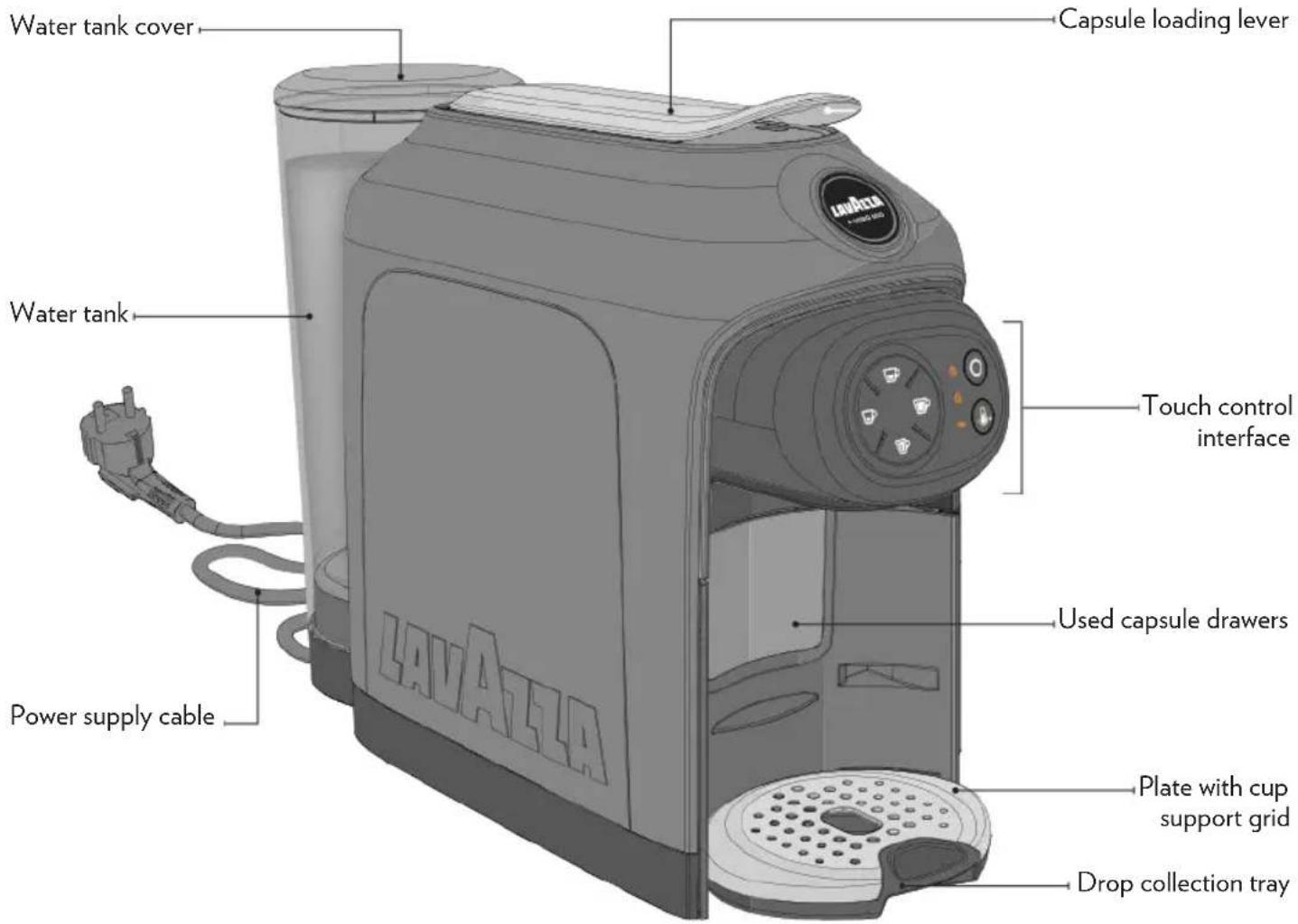
MACHINE COMPONENTS
PACKAGE CONTENT \*
• IDOLA machine
- Welcome kit consisting of 9 assorted Lavazza A MODO MIO capsules and a Lavazza Delfled (included only in some countries)
- Instruction booklet
- Quick guide
- Warranty sheet
text_image
Water tank cover Water tank LAVAILLA Capsule loading lever Touch control interface Power supply cable Used capsule drawers Plate with cup support grid Drop collection tray* The characteristics and the package content can vary according to the target market.
text_image
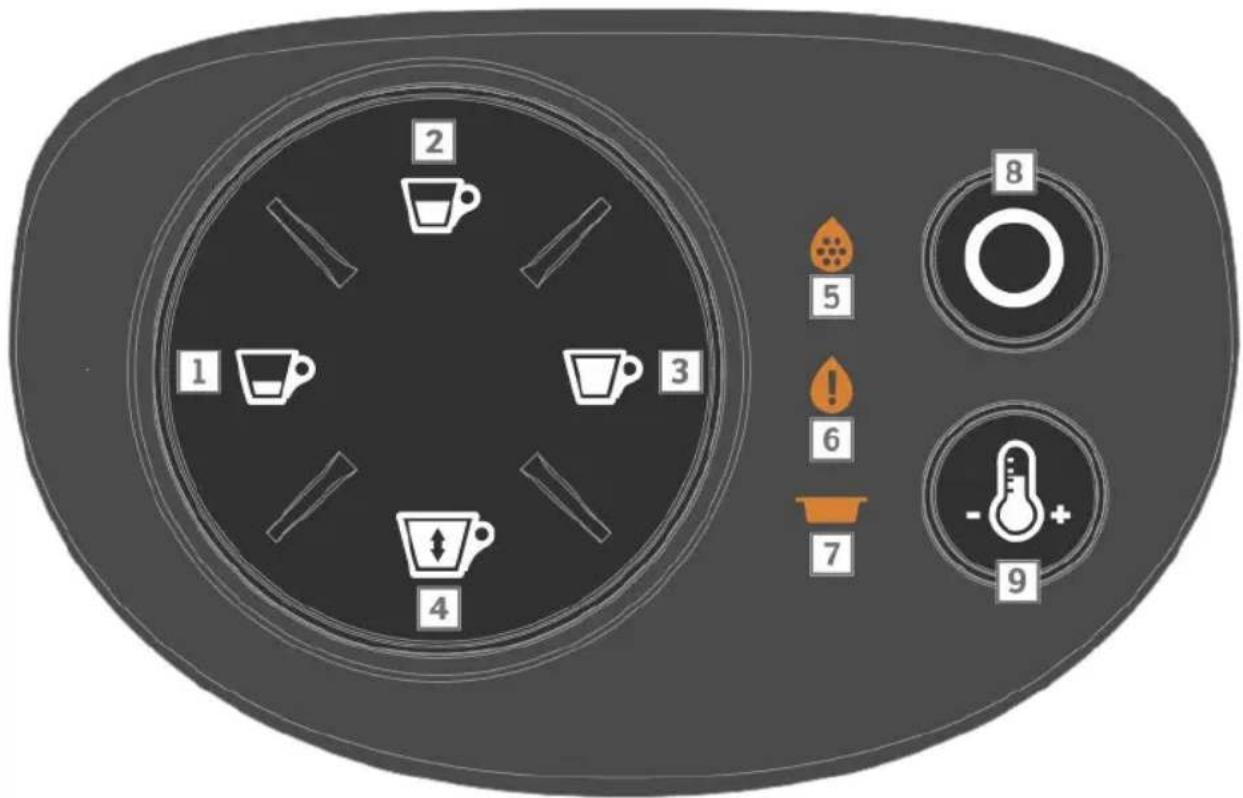
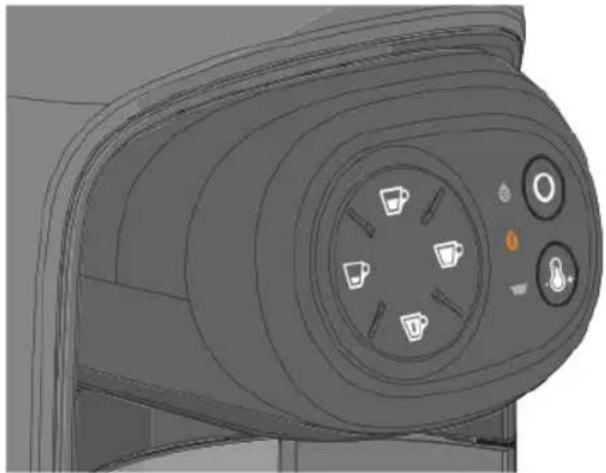
2 1 4 3 5 6 7 8 9TOUCH CONTROL INTERFACE
1 ESPRESSO supply button
2 LONG ESPRESSO supply button
3 LONG COFFEE supply button
4 FREE DOSE BEVERAGE supply button
5 Warning light decalcification
6 Warning light no water
7 Warning light drip tray drawer
8 ON/OFF ○button
9 TEMPERATURE boost button
| INTERFACE STATE | |||||||
| OFF MODE | |||||||
 |  |  |  | [W08K] |  |  | |
| Power on | |||||||
| [X47H] |  |  |  |  |  |  | |
| Heating | |||||||
| [2547] |  |  | [6XKH] |  | [7OXY] |  | |
| Machine ready (temperature reached) | |||||||
| [2H04] |  | [5ABW] | [7Z05] |  | [AWYO] |  | |
| Delivering espresso (button 1) | |||||||
 |  |  | [XOZT] | [A7O2] |  |  | |
| Delivering long espresso (button 2) | |||||||
 |  |  | [74T4] | [7WT8] | [2YST] |  | |
| Delivering long coffee (button 3) | |||||||
| [ZZY8] |  |  |  |  |  |  | |
| Delivering free dose beverage (button 4) | |||||||
 |  | [9GXA] |  |  |  |  | |
| No water in the tank | |||||||
 | [04Y6] | [208D] |  | [50DA] |  |  | |
INDICATOR LIGHTS
EN
| INTERFACE STATE | ||
Programming espresso measure (button 1)  | 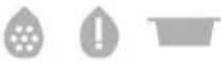 | 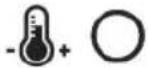 |
Programming long espresso measure (button 2)  |  | 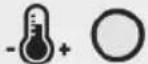 |
Programming long coffee measure (button 3)  | 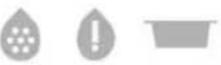 | 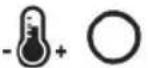 |
Programming free dose beverage measure (button 4)  | 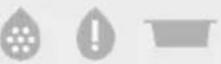 | 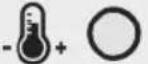 |
Used capsule drawer filled  | 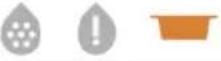 | 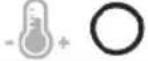 |
Used capsule drawer positioned incorrectly or absent  |  | 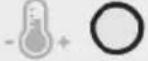 |
Descaling required  | 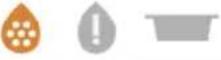 | 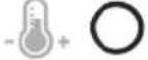 |
Machine block  |  |  |

= Off

= On

= Flashing

coustic feedback
EN
MACHINE SETTING

We are not liable for any damages in case of:
- incorrect use and other uses than the intended purposes;
• repairs not carried out at Lavazza authorized service centers; - tampering;
- use of spare parts and accessories which are not original;
- failure to decalcify;
• storage in rooms below 39°F (4°C);
• use below 41°F (5°C);
• use over 104°F (40°C);
• use in places with relative humidity above 95%;
• using non-compatible capsules.
In any of these cases, the warranty is cancelled.
STARTING THE MACHINE

Place the coffee machine on a flat and stable surface, far from water and heat sources. Machine damages due to non-observance of these indications are not covered by warranty.

Lift and remove the cover, then the water tank itself.

Rinse the tank before using it.

Fill the water tank up to the MAX level indicated, using only fresh drinking water. Fit the tank back into place, then close by using the cover.

The cover can be lifted to fill the tank directly.
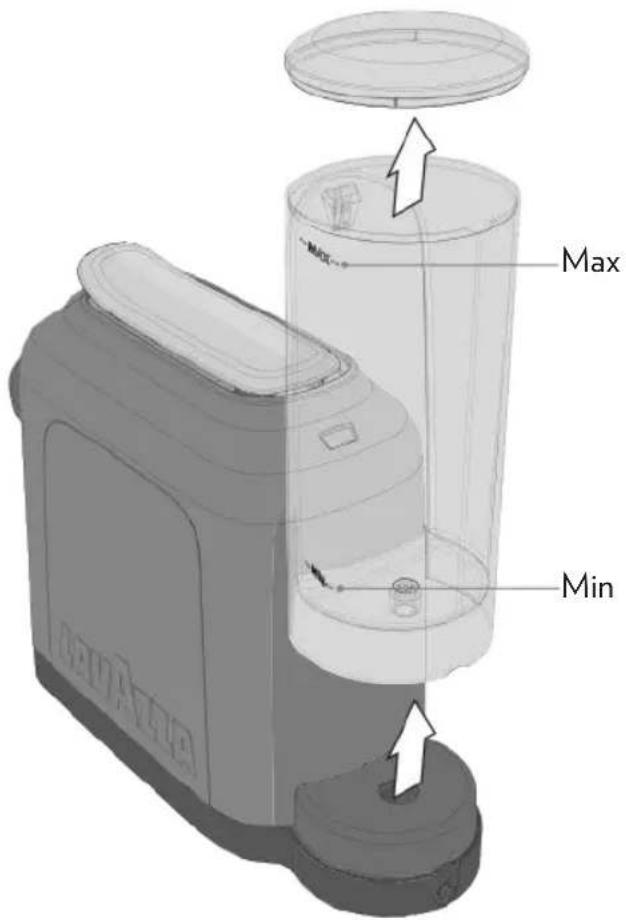
text_image
Max Min
The water level should never exceed the MAX indication. Only use non-carbonated fresh water. Hot water and other liquids can damage the tank and the machine. Do not operate the machine without water: make sure that there is enough water in the tank.

Make sure that the hands, the machine, the cord and the support surface of the machine are not wet.
MACHINE SETTING
EN
4 Fit the supply plug into the power outlet.
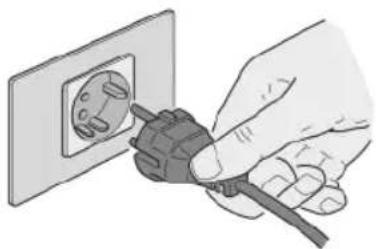
natural_image
Illustration of a hand inserting a plug into an electrical outlet (no text or symbols)5 Press the button to switch the machine on.
The machine will emit an acoustic signal. All buttons will come on to a steady white light, whereas the alarm warning lamps will come on to a steady orange light over an instant.
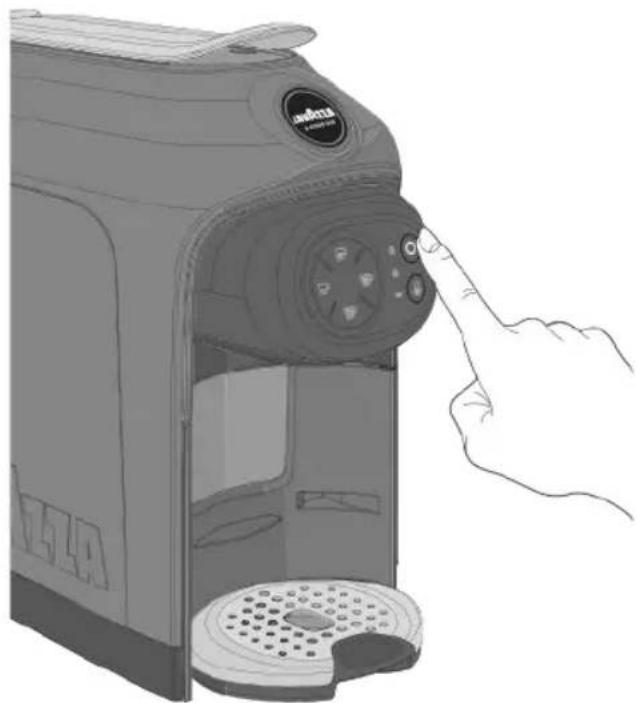
natural_image
Illustration of a hand pressing down on a coffee machine with control panel (no text or symbols visible)6 The coffee machine starts the heating cycle. The button will start blinking to a light white.
7 The machine will be ready when the button Ostops blinking and the supply button lights are steadily.
By pressing one of the supply buttons during the heating cycle, you can reserve the beverage that will be supplied at the end of the heating cycle.
8 Upon the first machine start-up, you shall supply 0.5 litres of water, with no capsule inserted and keeping the lever lowered. Place a cup under the supplying spout.
9 Press the FREE DOSE button and wait for the supply to end.
Open and close the lever before removing and emptying the cup.
10 Empty the cup and supply one more time, by pressing the FREE DOSE Button again.
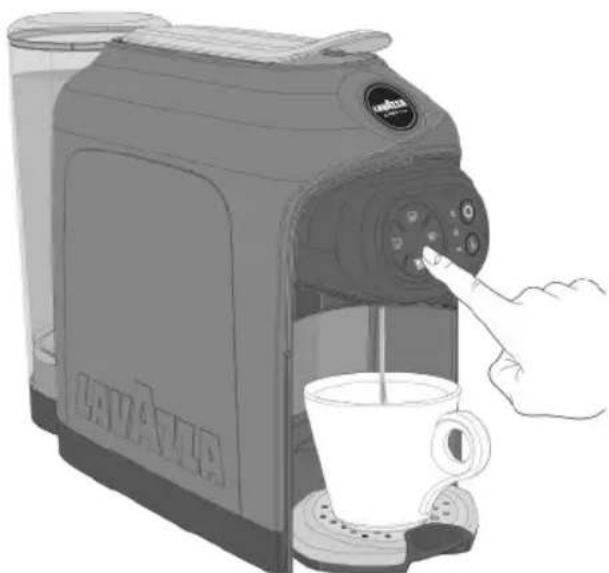
natural_image
Illustration of a coffee maker using a hand mixer to open a cup (no text or symbols visible)
When a supply is selected, the machine will activate the electric water pump over 7 seconds.
If water is found inside the hydraulic circuit, the machine will normally supply.
If no water is found inside the hydraulic circuit, the machine will stop supplying over 5 seconds and will try to supply again up to a maximum of 5 time.
After 5 attempts have been made, the machine will cause the "No water" warning lamp to come on to a steady orange light, to inform that water is missing, and will also emit an acoustic signal
natural_image
3D rendering of a mechanical component with circular ports and control buttons (no text or symbols visible)ACOUSTIC SIGNAL ACTIVATION / DEACTIVATION
1 Switch off the machine, and then hold down both the ESPRESSO 📋/LONG COFFEE 🌐 buttons for minimum 5 seconds.
The machine will emit a prolonged acoustic signal to notify the acoustic signal deactivation, and two brief acoustic signals to notify the activation.
2 Once the procedure has been completed, the machine will go back to the OFF MODE.
OFF MODE FUNCTION
To guarantee energy saving, the machine switches off automatically after 9 minutes of non-operation.
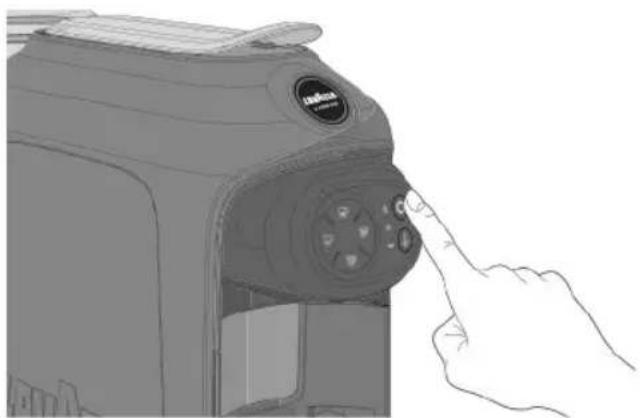
You can switch off the machine manually within 9 minutes by holding the O button, the machine will emit an acoustic signal
In the OFF MODE, the buttons will be OFF, and the O button will come on to a less intense light.
The machine can be activated again by pressing the button.
The power consumption of the machine when it is switched-off is 0.4 W.
natural_image
Line drawing of a camera module with a hand pointing to the button (no text or symbols)MACHINE SETTING
EN
PREPARATION FOR COFFEE BREWING
The coffee machine features two positions for preparing the coffee: espresso cup/mug.
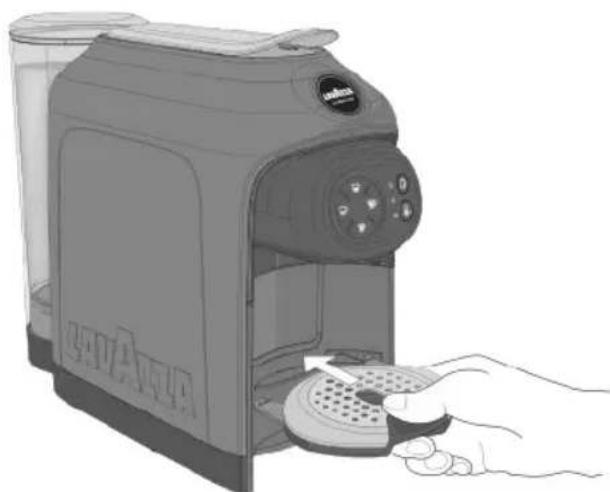
To use an espresso coffee cup, remove the cup support plate.
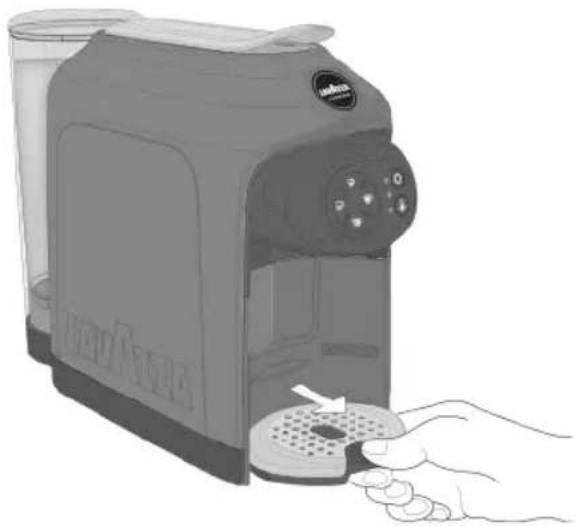
natural_image
Illustration of a hand using a NaVAN brand water heater to press or install a product (no text or symbols visible)3 Place the cup onto the plate.
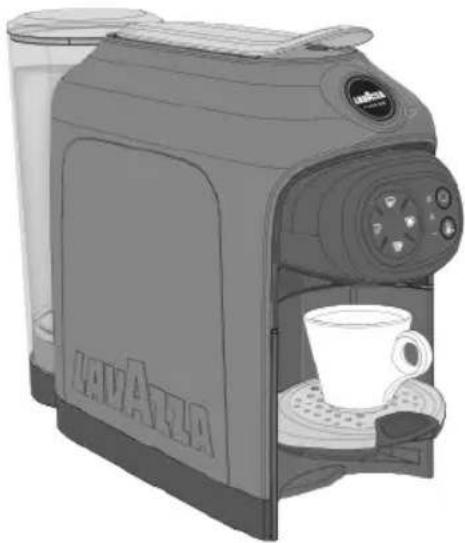
natural_image
Illustration of a coffee maker with a cup and side panel, no visible text or symbols4 To use a big cup, place the cup (or glass) directly onto the plate at the bottom.
2 Fit the cup support plate into the slot available at the top.
natural_image
Illustration of a hand using a self-service food machine to press or install a tray (no text or symbols visible)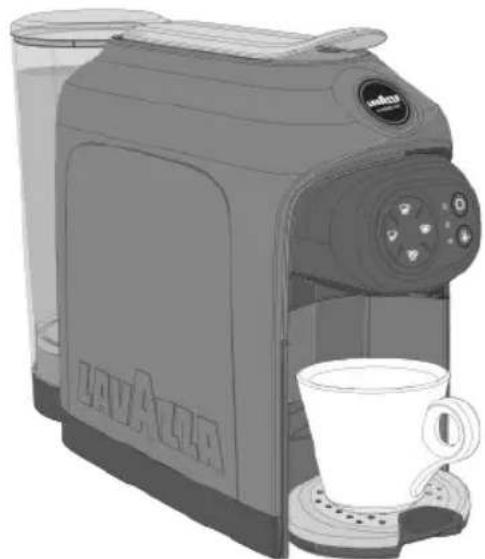
natural_image
Illustration of a Lava l'air cream maker with a coffee cup, no text or symbols presentESPRESSO / LONG ESPRESSO DELIVERY
Make sure that the coffee supply buttons have come on to a steady white light.
1 Place the mug/cup as shown (see PREPARATION FOR COFFEE BREWING).
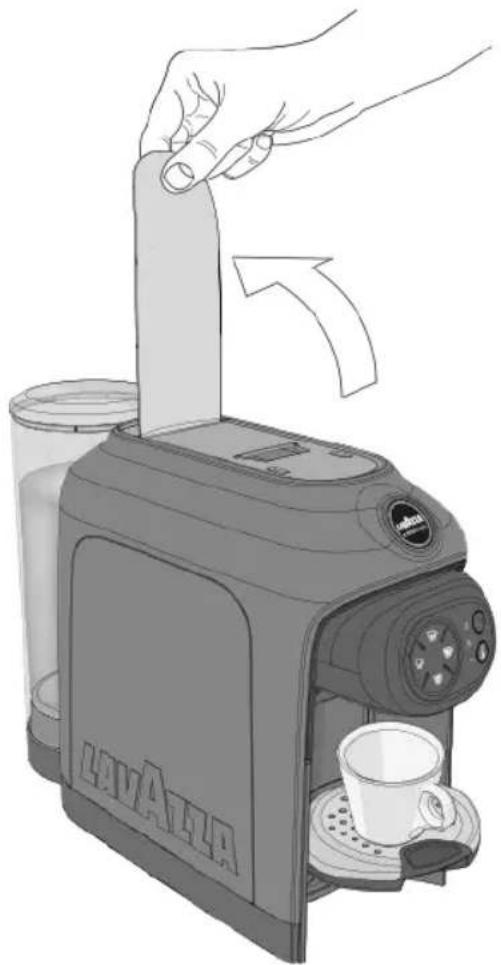
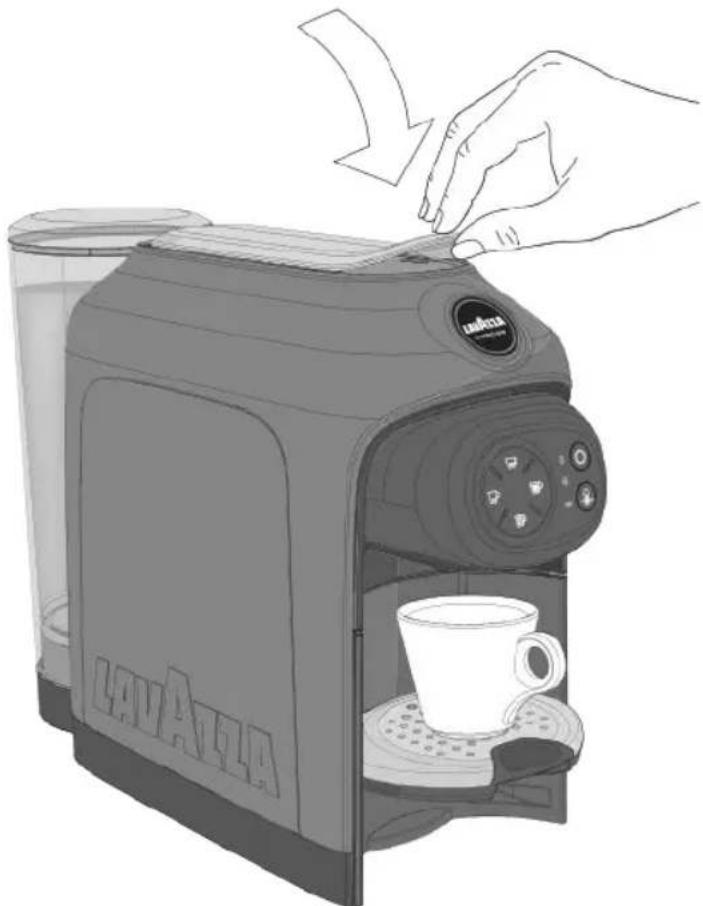
2 Lift the capsule loading lever until it locks into position to open the capsule fitting compartment.
natural_image
Illustration of a hand pressing down on a Lava Atta printer into a coffee cup (no text or symbols present)Never put fingers or objects in the capsule-holder. Only Lavazza amodopable capsules must be introduced in the capsule-holder.
Single-dose capsules are prepared to dispense one coffee/product. DO NOT use the capsules more than once. Inserting two or more capsules can cause the machine to malfunction.
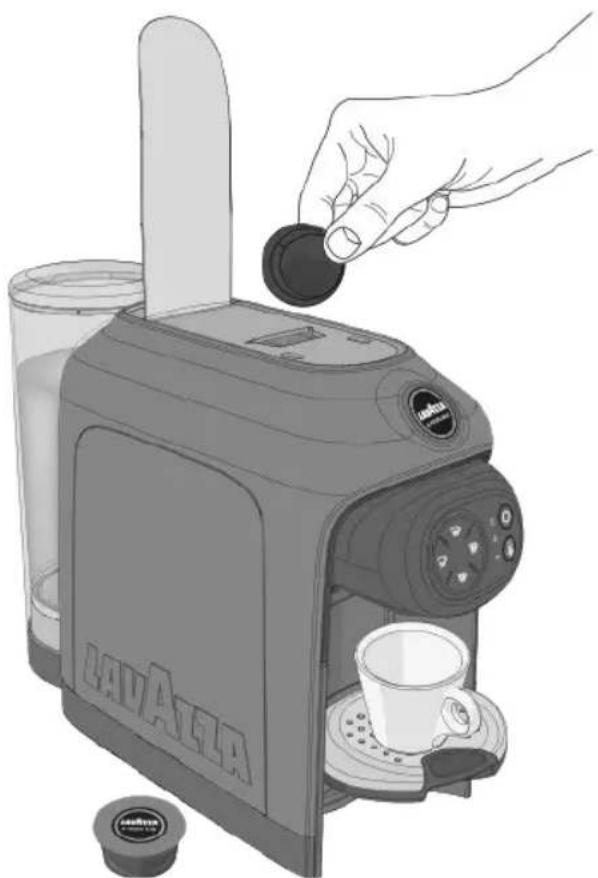
3 Put a Lavazza capsule into the capsule fitting compartment.
natural_image
Illustration of a Lavaola coffee maker with a hand inserting a coin into it, accompanied by a cup and a small inset (no text or symbols on the main device)4 Lower the capsule loading lever to close the capsule fitting compartment.
natural_image
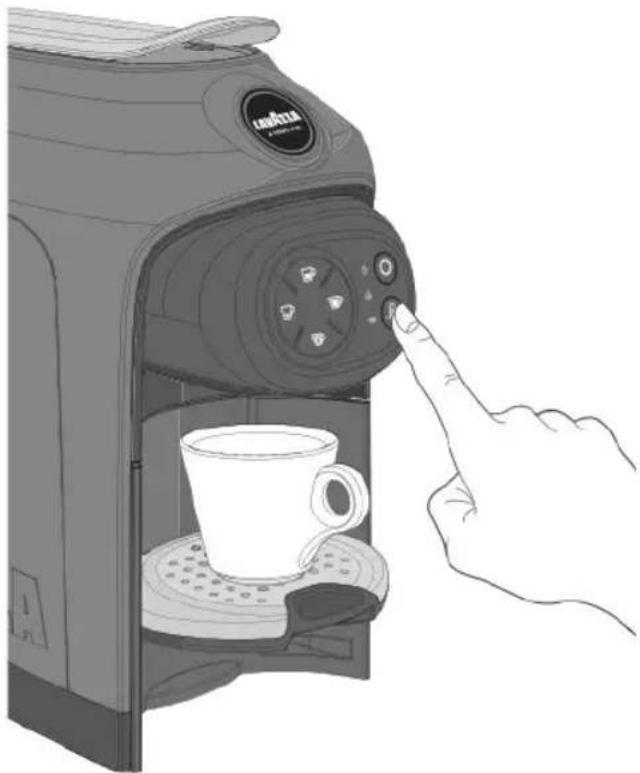
Illustration of a Lavaola coffee maker with a hand inserting a cup into its side (no text or symbols on the device itself)If you wish a hotter coffee, you can increase the beverage temperature by pressing the TEMPERATURE boost button 🔍.
The machine will, when the button is pressed, emit an acoustic signal and the button light will get brighter.
natural_image
Illustration of a hand pressing a button on a coffee maker's side table with a mug (no text or symbols visible)If you wish to go back to the standard temperature, press the TEMPERATURE boost button again.
The machine will, when the button is pressed, emit an acoustic signal and the button light will get dimmer.
The temperature cannot be changed during the supply phase.
EN
PREPARING THE COFFEE
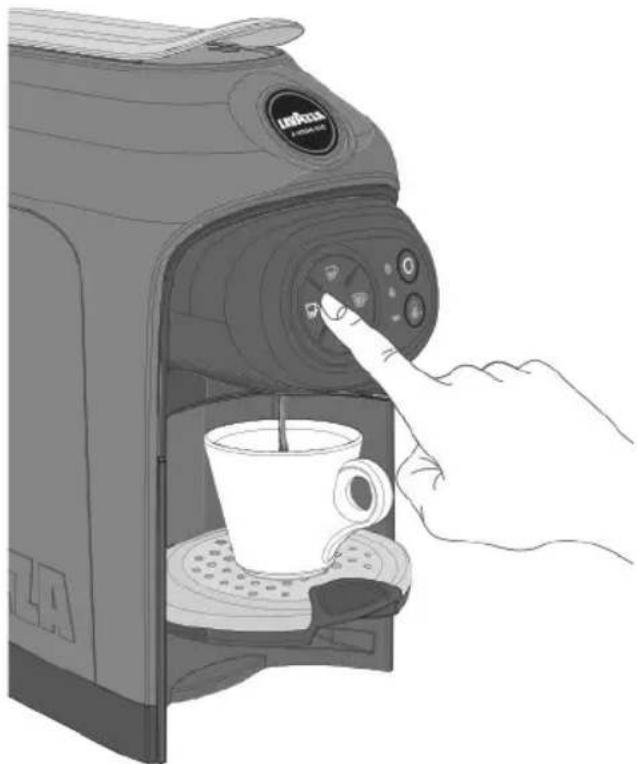
5 To start supplying: press the ESPRESSO (Pfl oz /30 ml) or press the LONG ESPRESSO (1.5 fl oz/45 ml).
The machine will stop delivery automatically when the programmed measure is reached.
natural_image
Illustration of a hand using a coffee maker machine to press the control panel, with a cup on the tray (no text or symbols visible)The supply button will light up to a blinking white light when the product is being supplied. You can stop supplying by pressing the supply button again.
If, during the dispensing cycle power supply is interrupted proceed as follows: - Restore the power supply. - Press the button ○ and wait for the button to light up to a steady white light. - Replace the capsule inside the capsule fitting compartment with a new one. - Restart the coffee dispensing.
If, during the dispensing cycle water is exhausted within the tank proceed as follows: - Fill the water tank up to the indicated MAX level. - Replace the capsule inside the capsule fitting compartment with a new one. - Restart the coffee dispensing.
⚠️ Supplying without a capsule the doses may not respect the programmed quantity. 6 Once supply is over, lift and then lower the capsule loading lever to unload the exhausted capsule. 7 To supply again, wait until both the supply button and the button ○ come on to a steady white light.
PREPARING THE COFFEE
EN
Do steps: 1, and 3 in paragraph ESPRESSO DELIVERY.

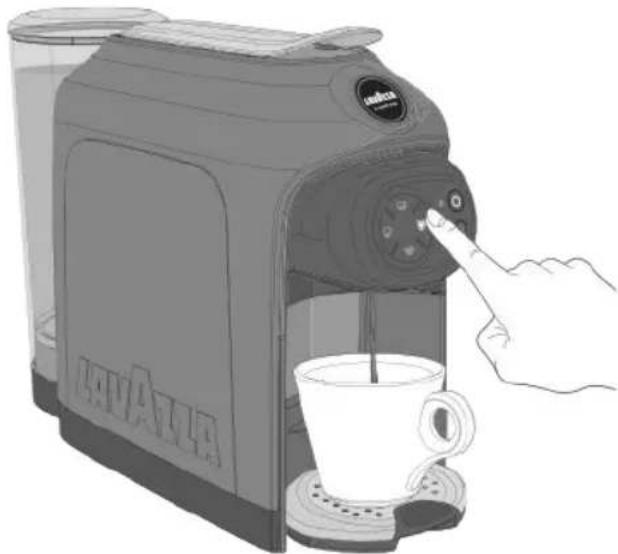
Press the LONG COFFEE 📋 (3 fl oz/90 ml) button to start delivery. The machine will stop delivery automatically when the programmed measure is reached.
natural_image
Illustration of a coffee maker with a hand pointing at the control panel, emitting a cup (no text or symbols visible)
The supply button will light up to a blinking white light when the product is being supplied. You can stop supplying by pressing the supply button again.

Once supply is over, lift and then lower the capsule loading lever to unload the exhausted capsule.

To supply again, wait until both the supply button and the button come on to a steady white light.
FREE DOSE BEVERAGE DELIVERY

Do steps: ,1, and 3 in paragraph ESPRESSO DELIVERY.

In case of soluble capsules, it is recommended that a brief plain (i.e. by using only water) supply should be dispensed before inserting the capsule, so that you can best enjoy the product.

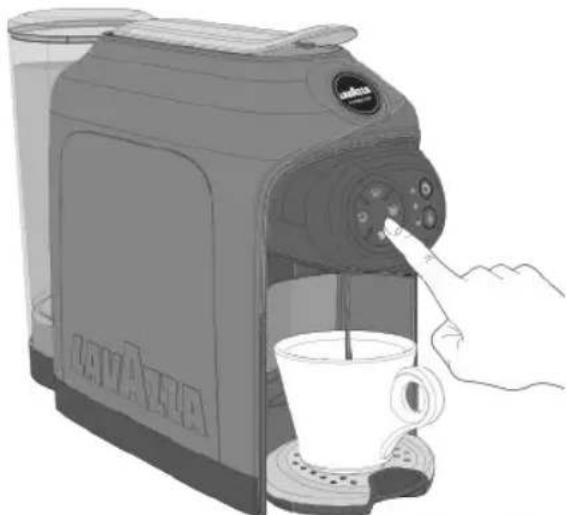
Press the FREE DOSE BEVERAGE 📋 button to start delivery. Once the desired amount of brewed coffee is reached, press the button again to stop brewing.
natural_image
Illustration of a hand using a Jaya coffee maker to press a cup, with no visible text or symbols on the device itself.
The supply button will light up to a blinking white light when the product is being supplied. You can stop supplying by pressing the supply button again.

Once supply is over, lift and then lower the capsule loading lever to unload the exhausted capsule.

To supply again, wait until both the supply button and the button come on to a steady white light.
EN
PROGRAMMING
COFFEE DOSE PROGRAMMING

Doses can be programmed from machine serial number 1907S001023833 onwards. The machine serial number is shown below the barcode on the label put under the machine.

Measures are always programmed using the same button; any action by pressing other buttons will be ignored.
The programmed amount of brewed coffee can be changed by repeating the programming.

Press the button to switch the machine on.
The machine will be ready when the button stops blinking and the supply button lights are steadily.

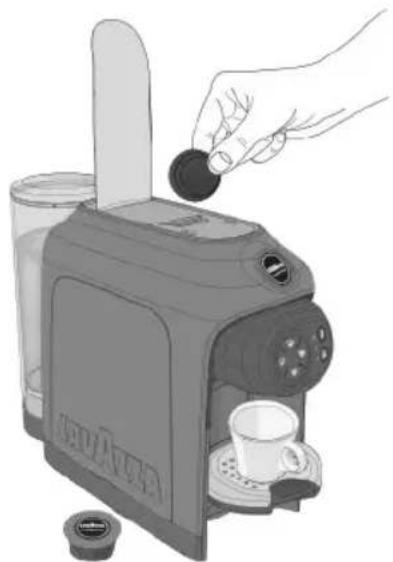
Lift the pod loading lever until it locks into position to open the pod fitting compartment.

Put a Lavazza capsule into the capsule fitting compartment.

Lower the pod loading lever to close the pod fitting compartment. Place the cup onto the plate.
natural_image
Illustration of a hand pouring liquid into a coffee maker with a cup, no text or symbols present
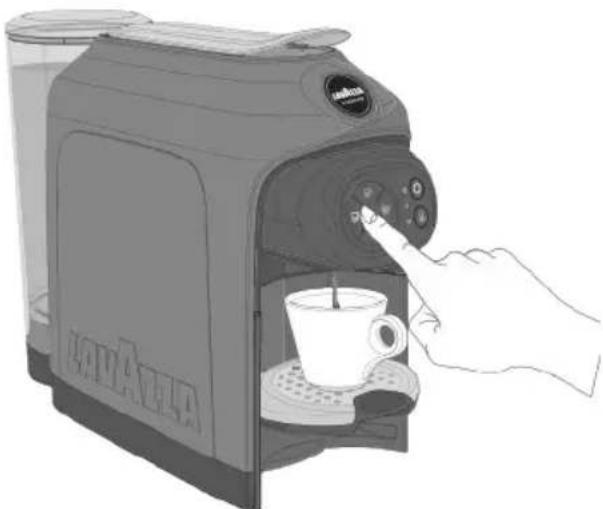
Press down the button of the icon you wish to program. The machine will start supplying and, after approximately 3 seconds, the other coffee buttons will start blinking and the machine will beep 📄 indicate that the programming mode has been accessed.

Keep the supply button depressed

Once the desired amount of coffee has been obtained, stop supply by releasing the button.
The machine will stop and the dose will be programmed
natural_image
Illustration of a hand pressing a coffee maker's control panel with a coffee cup (no text or symbols visible)
If the programmed measure exceeds the maximum allowed the machine will automatically stop delivery, the delivery button will blink and the last programmed measure will be saved in the memory.
If there is a power failure during programming, the last programmed value remains in the memory.
If during a dose programming, water lack is indicated, the machine stops the supply and the dose being programmed won't be saved. Once filled the water tank, repeat the dose programming procedure.
CLEANING THE MACHINE

Never use solvents, alcohol or other aggressive substances or ovens for drying the coffee machine components.
Wash machine components (electric components excluded) with cold/lukewarm water and non-abrasive clothes/sponges. All removable components can be cleaned by using a dishwasher.
Do not leave water in the tank and water circuit for more than 3 days.
If this is the case, drain the tank and circuit, rinse it and refill it with fresh water, then carry out a delivery without capsule before making any coffee or other beverage.
COFFEE DISPENSER CLEANING
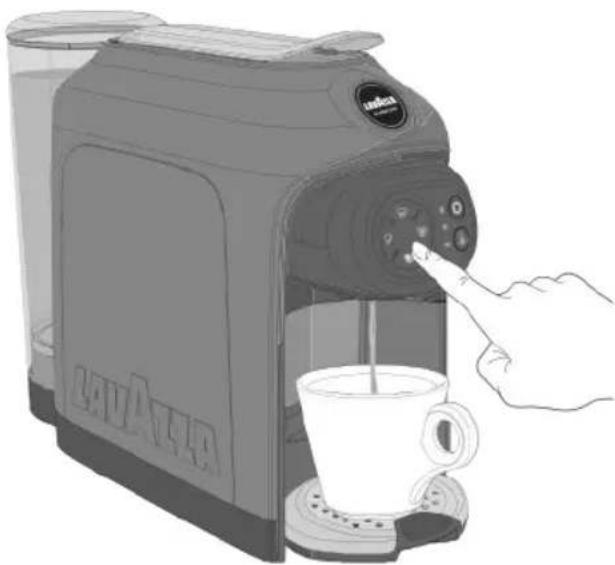
To clean the dispenser, perform a weekly COFFEE BREWING procedure without inserting the capsule.
natural_image
Illustration of a coffee maker with a hand pressing a cup to its side (no text or symbols visible)CLEANING THE DROP COLLECTION TRAY AND THE USED CAPSULE COLLECTION TRAY
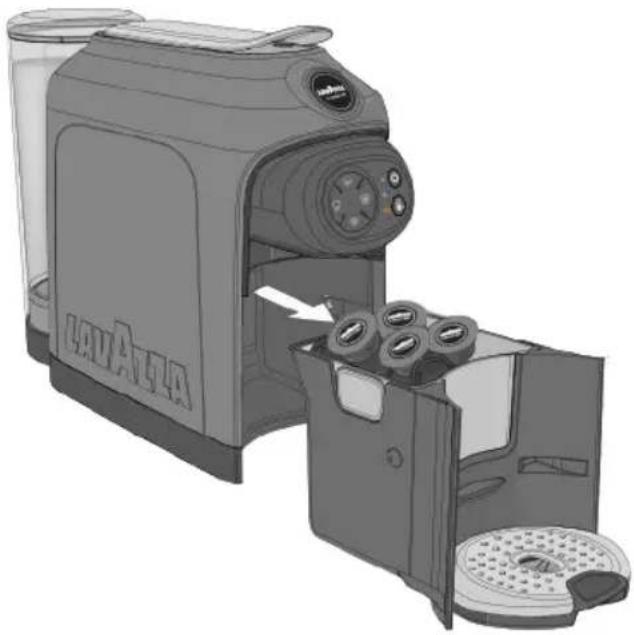
The capsule collection tray warning lamp will come on when the used capsule tray is full and, therefore, has to be emptied and fitted back into place again.
1 Remove the drop collection tray and the used capsule collection tray.
The machine will emit an acoustic signal to inform that the capsule collection tray has been removed.
natural_image
Illustration of a Lava Alfa coffee maker with open drawer and control panel (no text or symbols)If the drawer is removed for more than 5 seconds, the machine will zero the capsules inserted count.
EN
MAINTENANCE AND CLEANING
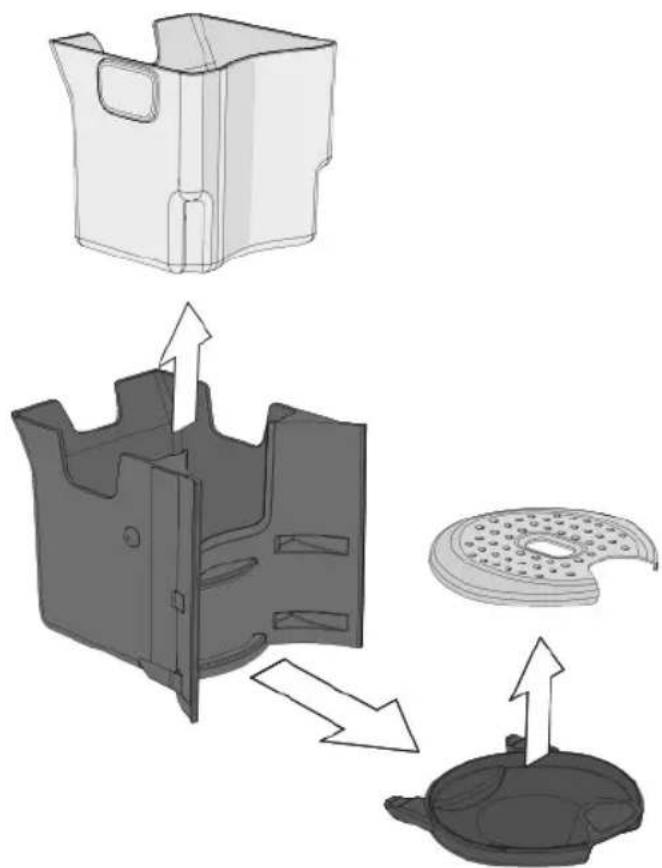
2 Remove the drop collection tray and the capsule collection tray, then empty the used capsules and the fluids found in the drop collection tray.
natural_image
Technical illustration of a mechanical component assembly showing internal parts and directional arrows (no text or symbols)3 Wash all the components with cold or warm water, or in a dishwasher, then dry them up and fit them back into place correctly.
i Regularly check that the drop collection tray is not full, so as to prevent fluid leakage.
Prior to starting the machine, check the machine serial number that is printed under the Bar Code in the label underneath the machine and find the operating instructions in the dedicated section.
Manuals and tutorial videos suitable to all machine serial numbers are available on our website.
DESCALING AS REGARDS MACHINES WITH SERIAL NUMBER FROM 1950S001049448
Carefully read the descaling instructions.
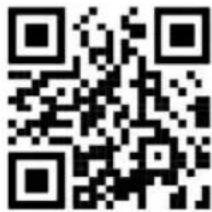
Scan the QR code to watch the descaling tutorial:
text_image
QR code image containing encoded data, no visible human-readable textLime-scale normally builds up with extended use of the appliance; the machine needs descaling every 2 months and/or whenever a reduction in water flow is noticed. The descaling cycle will be requested by the machine through the switching-on of the special warning lamp available
Do not switch the machine off when the descaling cycle is under way.
Do not move away from the machine when the descaling cycle Is under way.
The cycle will have, once it has been started, to be performed completely.
Check there is no capsule inside the capsule containing compartment.
Do not drink the descaling solution and products dispensed until the completion of the cycle.
Never use vinegar as a descaling solution.
To decalcify the machine, It is recommended that the LAVAZZA DESCALING agent should be used.
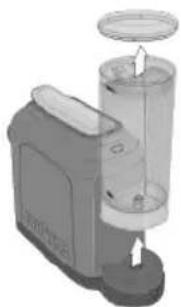
1 Remove and empty the water tank.
natural_image
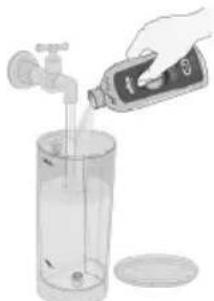
Illustration of a blender with a lid and handle, showing internal components (no text or symbols)2 Fill the tank with the LAVAZZA DESCALING agent (250 ml) and water (250 ml).
natural_image
Illustration of a hand pouring liquid into a glass bottle with a faucet (no text or symbols)Use a moist cloth to wipe off the squirts or drops, if any.
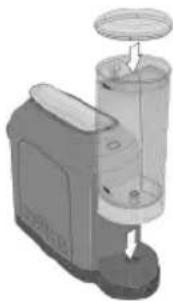
3 Fit the tank back into place on the machine.
natural_image
Illustration of a coffee maker with a stand mixer and lid (no text or symbols)EN
MAINTENANCE AND CLEANING
4 Place a container with a capacity of at least 0.5 litres under the supplying device.
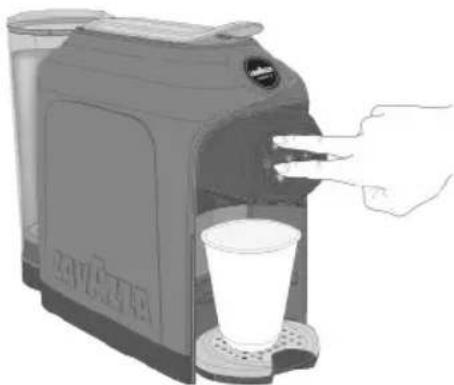
5 With the machine switched off, hold down both delivery buttons LONG ESPRESSO 📋 and FREE DOSE 📅 for minimum 3 seconds.
natural_image
Illustration of a coffee maker with a hand inserting a cup into the machine (no text or symbols visible)The machine will emit a prolonged acoustic signal * when the ○ button, LONG COFFEE 📋 button and the descaling warning lamp 🌐 will all come on to a steady light . ❧ * The acoustic signals will not be emitted if they have been turned OFF.
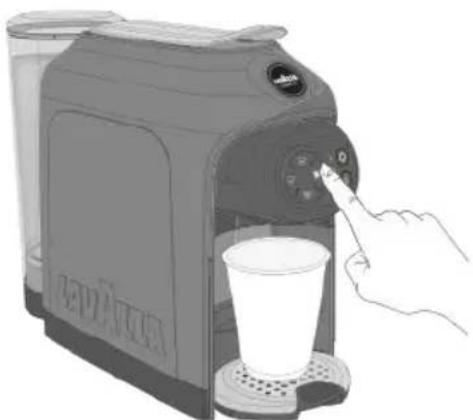
6 Press the LONG COFFEE 📋 button to start the descaling cycle.
natural_image
Illustration of a hand inserting a small container into a coffee maker's base, with no visible text or symbols.If the LONG COFFEE button ☑ not pressed within 9 minutes after the acoustic signal ☑ the machine switches off automatically and you should repeat the step of the procedure to start the cycle. In case of power supply interruption, the machine will, upon the first power-on, resume the descaling procedure where it was interrupted: press the LONG COFFEE button ☑ restart DESCALING.
7 The machine will automatically activate the descaling process, after the heating cycle is over
During the descaling cycle, the LONG COFFEE button will be ON and blinking and the descaling warning lamp will be ON to a steady light.
During the descaling cycle, the machine will automatically perform intermittent supply cycles, to allow the container to be emptied.
The descaling cycle can be temporarily interrupted by pressing either the LONG COFFEE 📋 or ○ button. To start the cycle again, press the LONG COFFEE button 📋
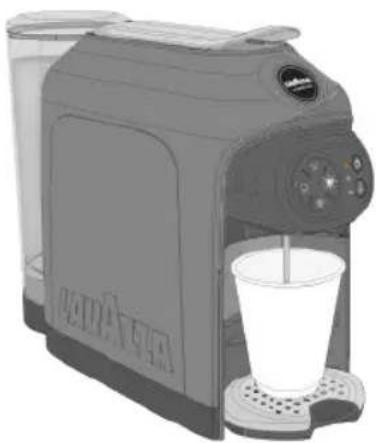
natural_image
Illustration of a coffee maker with a glass cup and side cups (no text or symbols visible)MAINTENANCE AND CLEANING
EN
8 The cycle will be temporarily interrupted when the fluid runs out in the machine tank.
DO NOT top up the tank during this phase. You must allow the tank to empty completely.
9 Empty the container used to collect the solution.
The O button, LONG COFFEE button 📋 and "No water" warning lamp will be ON to a steady light.
Descaling warning lamp will be ON and blinking.
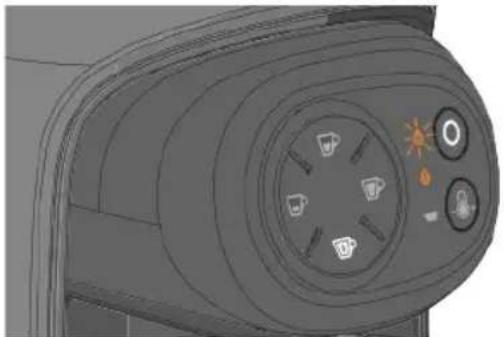
natural_image
3D rendered mechanical component with circular ports and a central hub (no text or symbols visible)10 Remove the water tank, rinse and wash it accurately. Fill it with drinking fresh non-carbonated water up to the MAX. level.
In case of power supply interruption, the machine will, upon the first power-on, resume the rinse procedure where it was interrupted: press the LONG COFFEE button w restart RINSING.
11 Fit the tank with water. Place a container with a capacity of at least 0.5 litres under the supply device.
12 Press the LONG COFFEE button 📋 to start he rinsing cycle.
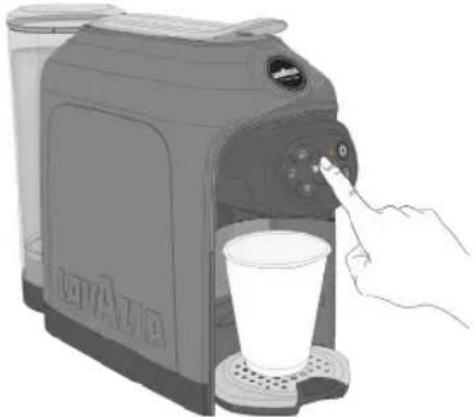
natural_image
Illustration of a hand pressing a button on a coffee maker's side table with a glass cup (no text or symbols visible)13 At the end of the first rinse cycle, refill the water tank and start the second rinse cycle by pressing the LONG COFFEE button 📋.
To end the rinse cycle, a minimum amount of water of 67.62 fl oz (2 litres) (approximately 2 tanks) will have to be supplied. In case of lack of water, the cycle will be temporarily interrupted, the machine will emit a prolonged acoustic signal (if enabled) and the "No water" warning lamp will come on to a steady light. Top up the tank and press the LONG COFFEE button again to restart the rinse cycle
14 At rinse end, the descaling warning lamp goes off, which confirms that the procedure has come to an end. Before using the machine, empty and thoroughly rinse the milk frothing jug and its cover, clean it using a soft moist cloth.
DESCALING AS REGARDS MACHINES WITH SERIAL NUMBER UNTIL 1950S001049447

Carefully read the descaling instructions.
Scan the QR code to watch the descaling tutorial:
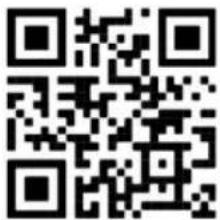
text_image
QR code image containing encoded data, no visible human-readable textLime-scale normally builds up with extended use of the appliance; the machine needs descaling every 2 months and/or whenever a reduction in water flow is noticed. The descaling cycle will be requested by the machine through the switching-on of the special warning lamp available

Do not switch the machine off when the descaling cycle is under way.
Do not move away from the machine when the descaling cycle Is under way.
The cycle will have, once it has been started, to be performed completely.
Check there is no capsule inside the capsule containing compartment.
Do not drink the descaling solution and products dispensed until the completion of the cycle.
Never use vinegar as a descaling solution.

To decalcify the machine, It is recommended that the LAVAZZA DESCALING agent should be used.

Remove and empty the water tank.
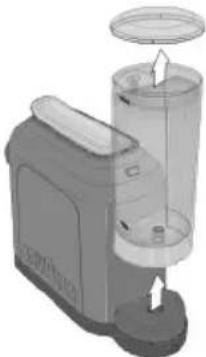
natural_image
3D rendering of a mechanical device with a cylindrical component and a lid, showing internal components (no text or symbols visible)
Fill the tank with the LAVAZZA DESCALING agent (250 ml) and water (250 ml).
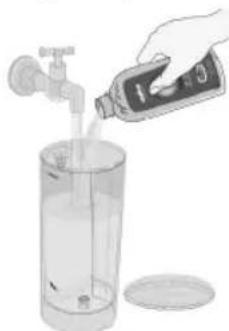
natural_image
Illustration of a hand pouring liquid into a tall glass bottle with a faucet (no text or symbols)
Use a moist cloth to wipe off the squirts or drops, if any.

Fit the tank back into place on the machine.
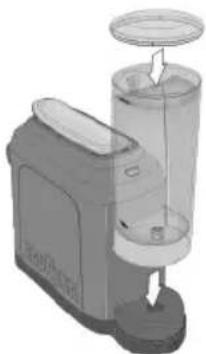
natural_image
3D rendering of a mechanical device with a cylindrical component and base mount (no visible text or symbols)4 Place a container with a capacity of at least 0.5 litres under the supplying device.
5 With the machine switched off, hold down both delivery buttons ESPRESSO and LONG ESPRESSO or minimum 3 seconds.
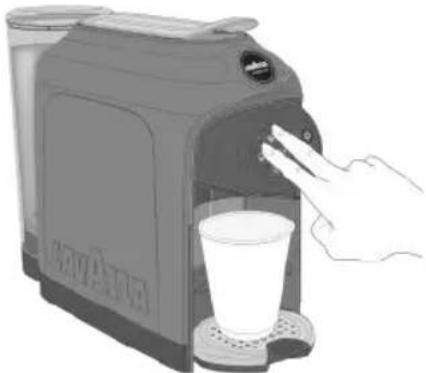
natural_image
Illustration of a hand washing a coffee maker with a glass cup (no text or symbols visible)The machine will emit a prolonged acoustic signal 📋, then the ○ button, FREE DOSE 📌 button and the descaling warning lamp 📊 will all come on to a steady light . * The acoustic signals will not be emitted if they have been turned OFF.
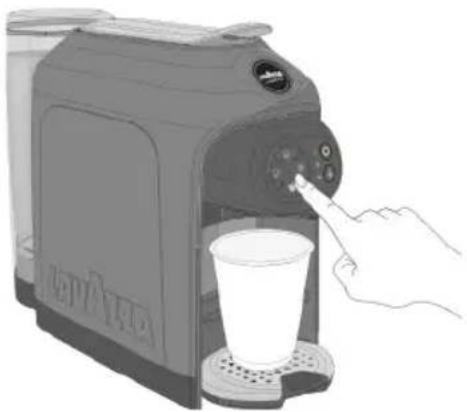
6 Press the FREE DOSE button to start the descaling cycle.
natural_image
Illustration of a hand using a coffee maker to press a cup (no text or symbols visible)If the FREE DOSE 📋 is not pressed within 9 minutes after the acoustic signal 🔍 the machine switches off automatically and you should repeat the step of the procedure to start the cycle.
In case of power supply interruption, the machine will, upon the first power-on, resume the descaling procedure where it was interrupted: press the FREE DOSE button 📋 prestart DESCALING.
7 The machine will automatically activate the descaling process, after the heating cycle is over
During the descaling cycle, the FREE DOSE will be ON and blinking and the descaling warning lamp will be ON to a steady light.
During the descaling cycle, the machine will automatically perform intermittent supply cycles, to allow the container to be emptied.
The descaling cycle can be temporarily interrupted by pressing either the FREE DOSE ☐ or ○ button. To start the cycle again, press the FREE DOSE button ☐.
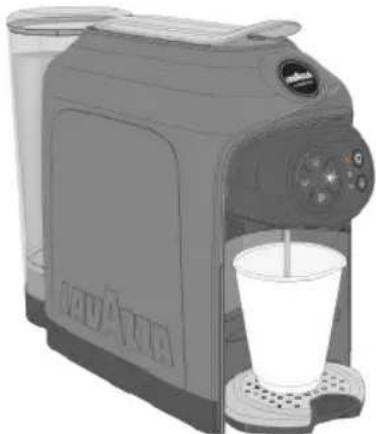
natural_image
Illustration of a coffee maker with a glass cup and side cups (no text or symbols visible)EN
MAINTENANCE AND CLEANING
8 The cycle will be temporarily interrupted when the fluid runs out in the machine tank.
! DO NOT top up the tank during this phase. You must allow the tank to empty completely.
9 Empty the container used to collect the solution.
The O button, FREE DOSE button 📌 and "No water 🔊" warning lamp will be ON to a steady light. Descaling warning lamp will be ON and blinking.
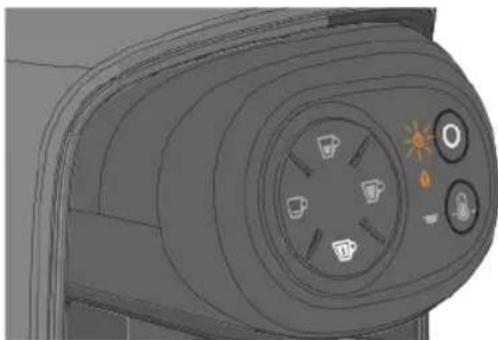
natural_image
Close-up of a camera lens with adjustment knobs and a sun icon (no text or symbols)10 Remove the water tank, rinse and wash it accurately. Fill it with drinking fresh non-carbonated water up to the MAX. level.
In case of power supply interruption, the machine will, upon the first power-on, resume the rinse procedure where it was interrupted: press the FREE DOSE button 📁 restart RINSING.
11 Fit the tank with water. Place a container with a capacity of at least 0.5 litres under the supply device.
12 Press the FREE DOSE button 📋 to start he rinsing cycle.
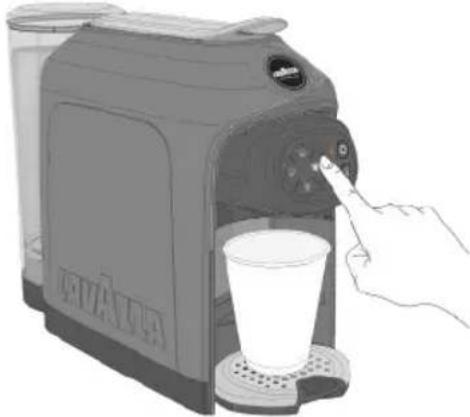
natural_image
Illustration of a hand inserting a coffee into a milk cart using a digital cream machine (no text or symbols visible)To end the rinse cycle, a minimum amount of water of 33.81 fl oz (1 litre) (approximately 1 full tank) will have to be supplied.
In case of lack of water, the cycle will be temporarily interrupted, the machine will emit a prolonged acoustic signal (if enabled) and the "No water warning lamp will come on to a steady light. Top up the tank and press the FREE DOSE button again to restart the rinse cycle.
13 At rinse end, the descaling warning lamp goes off, which confirms that the procedure has come to an end. Before using the machine, empty and thoroughly rinse the milk frothing jug and its cover, clean the machine using a soft moist cloth.
TROUBLESHOOTING
EN
| Problem encountered Possible causes Solution | ||
The machine will not switch on after the button is pressed.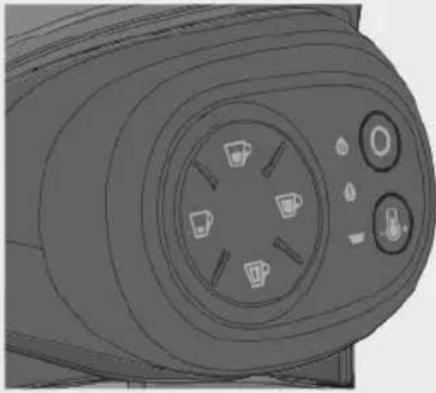 | » Machine is not connected to the power source.» The machine is connect to power strip not working.» Power supply not available in the electric/household mains.» Touch interface fails to respond.» Wrong simultaneous pressure of 2 buttons. | » Connected the machine to the power source.» Connected the machine directly to the power source.» Connect another device to check the power supply.» Verify that the interface surface and the user's hands are clean and dry.» Wait a few seconds, then press the button only.IF THE PROBLEM REMAIN PLEASE CONTACT LAVAZZA CUSTOMER SERVICE. |
| Excessive heating time perceived (i.e. more than 40 seconds). | » Machine storage at low temperatures (e.g.: cellar/garage). | » Keep the machine in a suitable place over at least 1 hour.Then, plug the machine into the mains socket and try to switch it on.IF THE PROBLEM REMAIN PLEASE CONTACT LAVAZZA CUSTOMER SERVICE. |
| The machine is very noisy. » Machine not is on a flat and stable surface.» Power supply cable incorrectly positioned.» Movable parts not fitted properly.» No water in the tank.» Capsule not present | » Check the surface.» Check the correct position of the cable into the base of the machine.» Fit the movable parts properly.» Top up the tank with fresh drinking water.» InsertLavazzaA MODO MIO capsule or compatible.IF THE PROBLEM REMAIN PLEASE CONTACT LAVAZZA CUSTOMER SERVICE. | |
| Unit ready for use and failing to acknowledge the button press. | » Wrong button press/activation.» Used capsule collection tray not fitted. | » Press one of the illuminated buttons with your fingertip, then check the availability of the acoustic signal (if activated) and the proper blinking of the selected icon.» Check the correct insertion of the tray, with the resulting alarm warning lamp switch-off. Check for correct supplying.IF THE PROBLEM REMAIN PLEASE CONTACT LAVAZZA CUSTOMER SERVICE. |
| The lever remains closed after the supply. | » Used capsule tray full. » Empty the tray and try to open the lever. | IF THE PROBLEM REMAIN PLEASE CONTACT LAVAZZA CUSTOMER SERVICE. |
TROUBLESHOOTING
EN
| Problem encountered Possible causes Solution | ||
| No supply (the machine is switched on, yet it supplies no coffee or water). | » No water in the tank.» Tank not inserted correctly.» Capsule loading lever lifted or not lowered correctly.» No water flow in the hydraulic circuit (no activation).» Capsule not compatible.» Presence of lime-scale. | » Top the tank up with drinking fresh water, then check for correct supplying.» Correctly fit the tank in, then check for correct supplying.» Lower the capsule loading lever up to the stop, then check for correct supplying.» Disconnect the power cord, wait 10 seconds, then connect the power cord again. Switch the machine on and wait for the heating cycle to be over. Check for correct supplying (the machine will automatically make attempts at filling the hydraulic circuit).» Try again by using another capsule from a different package.» Perform the descaling procedure by means of the Lavazza descaling agent.IFTHEPROBLEMREMAIN PLEASE CONTACT LAVAZZA CUSTOMER SERVICE. |
| Water leaks in the coffee machine. » Tankdamaged.» Spent capsule drawer filled.» Capsulestuck.» Capsule not compatible. | » Check for leaks in the tank keeping it separate from the machine.» Empty the spent capsule drawer.» Open and close the lever to drop the capsule. Remove and empty the capsule collection tray.» Use suitable capsules (i.e. Lavazza A MODO MIO capsules or any compatible capsule).IF THE PROBLEM REMAIN PLEASE CONTACT LAVAZZA CUSTOMER SERVICE. | |
| The button blinking red. | » Inadequate machine storing conditions / Temporary lock. | » Unplug the machine from the power socket and allow it to rest at room temperature enough time (Max. 1 hour). Plug the machine in again, then press the switch-on button (make one attempt only).IF THE PROBLEM REMAIN PLEASE CONTACT LAVAZZA CUSTOMER SERVICE. |
| The loading lever does not reach the supply position or requires an excessive closing effort. | » Spent capsule drawer filled.» Capsulestuck. | » Empty the tray and make an attempt at closing the lever.» Open and close the lever to drop the capsule.IF THE PROBLEM REMAIN PLEASE CONTACT LAVAZZA CUSTOMER SERVICE. |
| Coffee is dispensed too fast and, therefore, it is not so creamy. | » A previously used capsule is used.» Capsule not present.» Capsule not compatible. | » Use a new capsule.» Insert the capsule.» Try again by using another capsule from a different package.IF THE PROBLEM REMAIN PLEASE CONTACT LAVAZZA CUSTOMER SERVICE. |
| The coffee is cold. » Slow supplying, hydraulic circuit clogged with lime-scale. | » Perform the descaling procedure by means of the Lavazza descaling agent.IF THE PROBLEM REMAIN PLEASE CONTACT LAVAZZA CUSTOMER SERVICE. | |
TROUBLESHOOTING
EN
| Problem encountered Possible causes Solution | |
| The machine emits no sound » Acoustic signal OFF. » Switch off the machine, and then hold down both the ESPRESSO and LONG COFFEE buttons depressed over at least 5 seconds. (refer to the “GETTING THE MACHINE READY” section). IF THE PROBLEM REMAIN PLEASE CONTACT LAVAZZA CUSTOMER SERVICE. | |
| Coffee flows out slowly drop by drop. » Capsule not compatible. » An inadequate pod has been used. » Supplying device clogged. » Hydraulic circuit clogged with lime-scale. | » Try again by using another capsule from a different package. » Remove the used capsule and use a new capsule. » Clean the coffee dispensing spout (see MAINTENANCE AND CLEANING). » Perform the descaling procedure by means of the Lavazza descaling agent. IF THE PROBLEM REMAIN PLEASE CONTACT LAVAZZA CUSTOMER SERVICE. |
Contact Lavazza Customer Service for any problem or failure not included in the above list.
TECHNICAL SPECIFICATIONS
• Power supply: 220-240V / 50-60Hz
- Nominal power: 1500W
- Sizes: Height Width Depth
280 mm 145 mm 380 mm
11.02 in 5.70 in 14.96 in
• Weight: 4 kg (8,81 lb)
• Water tank removable type: 1,1 L (38,71 oz)
• Housing materials: Thermoplastic
• Cable Length: 0,8 m (31.49 in)
⚠ Destination d'usage:
natural_image
Illustration of a hand inserting a plug into an electrical outlet (no text or symbols)natural_image
Illustration of a coffee maker with a hand pointing to the control panel (no text or symbols visible)natural_image
Illustration of a hand using a coffee maker to press the cup into a machine (no text or symbols visible)natural_image
3D CAD model of a mechanical component with circular ports and control buttons (no text or symbols visible)ACTIVATION/DÉSACTIVATION SIGNAL SONORE
natural_image
Illustration of a camera module with a pointing finger and control panel (no text or symbols visible)PRÉPARATION DE LA MACHINE
FR
DISPOSITION POUR LA PRÉPARATION DU CAFÉ
natural_image
Illustration of a hand using a Swiss brand water dispenser to press or install a product (no text or symbols visible)natural_image
Illustration of a hand using a self-service coffee maker to clean food (no text or symbols visible)natural_image
Illustration of a coffee maker with a cup and side panel, no visible text or symbolsnatural_image
Illustration of a Lavalla coffee maker with a cup, no text or symbols presentFR
PRÉPARATION DU CAFÉ
PRÉPARATION DU EXPRESSO / EXPRESSO LONG
natural_image
Illustration of a hand using a Lavalza coffee maker to press or attach a piece of tea, with a cup and glass nearby (no text or symbols on the device itself)natural_image
Illustration of a Liava Alfa coffee maker with a hand inserting a coin into it, accompanied by a cup and small inset (no text or symbols)PRÉPARATION DU CAFÉ
FR
natural_image
Illustration of a Lavailla coffee maker with a hand inserting a paper into it, no text or symbols present.natural_image
Illustration of a hand pressing a button on a coffee machine with a mug inside (no text or symbols visible)natural_image
Illustration of a hand pressing a coffee machine with a cup on the tray (no text or symbols visible)natural_image
Illustration of a coffee maker with a hand pointing at the control panel, no text or symbols present.
natural_image
Illustration of a hand using a coffee maker to press the cup into a tray (no text or symbols visible)
natural_image
Illustration of a hand pouring liquid into a toaster with a coffee cup nearby (no text or symbols)natural_image
Illustration of a coffee maker with a hand pointing at the control panel, next to a cup (no text or symbols visible)
natural_image
Illustration of a coffee maker with a hand pressing a button to a cup (no text or symbols visible)NETTOYAGE DU BAC DE COLLECTE DES GOUTTES ET DU TIROIR DE COLLECTE DES CAPSULES USÉES
natural_image
Illustration of a Lava Alta coffee maker with open drawer and side pan (no text or symbols)natural_image
Technical illustration of a mechanical component with exploded view and internal assembly (no text or symbols)text_image
QR code image containing encoded data, no visible human-readable textnatural_image
3D rendering of a mechanical device with a cylindrical component and a lid, showing internal components (no text or symbols visible)natural_image
Illustration of a hand pouring liquid into a glass bottle with a faucet (no text or symbols)natural_image
Illustration of a mechanical device with a cylindrical component and a circular top, no visible text or symbols.FR
ENTRETIEN ET NETTOYAGE
natural_image
Illustration of a hand inserting a cup into a coffee maker (no text or symbols visible)natural_image
Illustration of a hand inserting a small cup into a coffee maker using a control panel (no text or symbols visible)natural_image
Illustration of a coffee maker with a cup and side cups (no text or symbols visible)ENTRETIEN ET NETTOYAGE
FR
natural_image
3D rendering of a mechanical component with circular ports and control buttons (no text or symbols visible)natural_image
Illustration of a hand using a coffee maker to press a cup, with no visible text or symbols.text_image
QR code image containing encoded data, no visible human-readable textnatural_image
3D rendering of a kitchen appliance with a lid and base, showing internal components (no text or symbols visible)
natural_image
Illustration of a hand pouring liquid into a clear glass bottle with a faucet (no text or symbols)
natural_image
3D rendering of a microwave oven with lid and base, showing internal components (no text or symbols)natural_image
Illustration of a hand reaching for a coffee maker with a cup, no text or symbols presentnatural_image
Illustration of a hand inserting a coffee into a milk cart using a portable milk maker (no text or symbols visible)natural_image
Illustration of a coffee maker with a glass cup and side cups (no text or symbols visible)FR
MAINTENANCE AND CLEANING
natural_image
Close-up of a camera lens with adjustment knobs and a sun icon (no text or symbols)natural_image
Illustration of a hand inserting a small orange object into a coffee maker's side table (no text or symbols visible)natural_image
Illustration of a hand inserting a plug into an electrical outlet (no text or symbols)natural_image
Illustration of a hand pointing at the control panel of a coffee maker (no text or symbols visible)natural_image
Illustration of a hand using a coffee maker to press or feed into a cup (no text or symbols visible)natural_image
3D rendering of a mechanical component with circular ports and control buttons (no text or symbols visible)natural_image
Line drawing of a device's front panel with a hand pointing to the button (no text or symbols visible)natural_image
Illustration of a Swiss coffee maker with a hand inserting a slot into it (no text or symbols visible)natural_image
Illustration of a hand using a coffee maker to clean food, showing the lid and tray (no text or symbols)natural_image
Illustration of a coffee maker with a cup and side panel, no visible text or symbolsnatural_image
Illustration of a Lava l'air cream maker with a coffee cup, no text or symbols presentAUSGABE EINES ESPRESSO / LANGE ESPRESSO
natural_image
Illustration of a hand inserting a small object into a Lava Ala device, with no visible text or symbols on the device itself.natural_image
Illustration of a hand placing a coffee maker into a glass container with a coffee cup nearby (no text or symbols)natural_image
Illustration of a Lava Atta saucer with a hand inserting a packet into it, no text or symbols present.natural_image
Illustration of a hand pressing a button on a coffee maker's side table with a mug (no text or symbols visible)natural_image
Illustration of a hand using a coffee maker to press the control panel, with a coffee cup on the tray (no text or symbols visible)natural_image
Illustration of a coffee maker with a hand pointing at the control panel, no text or symbols present
natural_image
Illustration of a coffee maker using a hand mixer with a cup, no text or symbols present
natural_image
Illustration of a hand pouring liquid into a coffee maker with a spoon, showing tea and cups (no text or symbols)
natural_image
Illustration of a coffee maker with a hand pressing a button to select a coffee cup (no text or symbols visible)
natural_image
Illustration of a hand using a PAPALA coffee maker to press or touch the cup (no text or symbols visible)REINIGUNG DER ABTROPFSCHALE UND BEHÄLTER DER VERBRAUCHTEN KAPSELN
natural_image
Illustration of a Lavailler coffee maker with open lid and control panel (no text or symbols)natural_image
Technical illustration of a mechanical component with exploded view and internal assembly (no text or symbols)natural_image
Illustration of a small electric shaver with a cylindrical top and base, showing internal components (no text or symbols)natural_image
Illustration of a hand pouring liquid from a bottle into a glass with a faucet (no text or symbols visible)natural_image
Illustration of a coffee maker with a stand mixer and handle (no text or symbols)DE
natural_image
Illustration of a hand inserting a cup into a digital coffee maker (no text or symbols visible)natural_image
Illustration of a hand pressing a button on a coffee maker's side table with a glass (no text or symbols visible)natural_image
Illustration of a coffee maker with a glass cup and side cups (no text or symbols visible)natural_image
3D rendered mechanical component with circular ports and control buttons (no text or symbols visible)natural_image
Illustration of a hand using a coffee maker to press or click the cup (no text or symbols visible)text_image
QR code image containing encoded data, no visible human-readable textnatural_image
Illustration of a kitchen blender with lid and side panel (no text or symbols)natural_image
Hand pouring liquid into a clear glass bottle with a faucet (no text or symbols visible)natural_image
Illustration of a coffee maker with a lid and base, showing its mechanical components (no text or symbols)natural_image
Illustration of a hand using a coffee maker to clean a cup (no text or symbols visible)natural_image
Illustration of a hand using a coffee maker to press a cup (no text or symbols visible)natural_image
Illustration of a coffee maker with a glass cup and straw, no visible text or symbolsDE
natural_image
3D rendering of a mechanical component with circular ports and control panel (no visible text or symbols)natural_image
Illustration of a hand inserting a cup into a coffee maker using a digital brush (no text or symbols visible)natural_image
Illustration of a hand inserting a plug into an electrical outlet (no text or symbols)natural_image
Illustration of a hand pressing down on a Tesla brand self-service device (no text or symbols visible)natural_image
Illustration of a hand using a LAVA LEA coffee maker to press the product into a cup (no text or symbols visible)natural_image
Technical illustration of a mechanical component with circular ports and a central knob (no text or symbols)natural_image
Line drawing of a hand pressing a button on a device panel (no text or symbols visible)natural_image
Illustration of a hand using a coffee maker to press or install a tray (no text or symbols visible)natural_image
Illustration of a hand using a self-service coffee maker to clean food (no text or symbols visible)natural_image
Illustration of a Lavailla coffee maker with a cup on the side (no text or symbols visible)natural_image
Illustration of a Lava l'air cream maker with a coffee cup, no text or symbols presentnatural_image
Illustration of a CATAA machine with a hand inserting a paper into it, showing liquid and a cup (no text or symbols)natural_image
Illustration of a hand inserting a small black object into a self-service coffee maker machine (no text or symbols visible)PREPARACIÓN DE CAFÉ
ES
natural_image
Illustration of a Lava Atta sa<|im_start|> Puerto Rico coffee maker with a hand adjusting its lid (no text or symbols on the device itself)natural_image
Illustration of a hand pressing a button on a coffee machine with a mug inside (no text or symbols visible)natural_image
Illustration of a hand pressing a coffee machine control panel with a coffee cup (no text or symbols visible)natural_image
Illustration of a hand using a LiFalla coffee maker to press or feed into a cup (no text or symbols on the device itself)
natural_image
Illustration of a hand using a Lavailla coffee maker to press or interact with a cup (no text or symbols visible)
natural_image
Illustration of a hand placing a coffee maker into a cup, with no visible text or symbols.
natural_image
Illustration of a coffee maker with a hand pressing a button to a cup, no text or symbols present
natural_image
Illustration of a hand using a coffee maker to press a cup into a machine (no text or symbols visible)natural_image
Illustration of a Lava Ala coffee maker with open lid and side panel, showing internal processing steps (no text or symbols)natural_image
Technical illustration of a mechanical component assembly showing internal parts and directional arrows (no text or symbols)text_image
QR code image containing encoded data, no visible human-readable textnatural_image
Illustration of a coffee maker with a side panel and handle, no visible text or symbolsnatural_image
Illustration of a hand pouring liquid into a clear glass bottle with a faucet (no text or symbols)natural_image
Illustration of a blender with a lid and handle, no text or symbols presentES
MANTENIMIENTO Y LIMPIEZA
natural_image
Illustration of a hand pouring liquid into a coffee maker with a cup (no text or symbols visible)natural_image
Illustration of a hand using a coffee maker to press a cup, with no visible text or symbols.natural_image
Illustration of a coffee maker with a glass cup and side cups (no text or symbols visible)MANTENIMIENTO Y LIMPIEZA
ES
natural_image
3D rendering of a camera lens with adjustment knobs and a sun icon (no text or symbols)natural_image
Illustration of a hand using a coffee maker to press or click a cup (no text or symbols visible)text_image
QR code image containing encoded data, no visible human-readable textnatural_image
Illustration of a microwave oven with a lid and side-mounted dish (no text or symbols)
natural_image
Illustration of a hand pouring liquid into a clear glass bottle with a faucet (no text or symbols)
natural_image
3D rendering of a small electric shaver with a cylindrical top and base, showing internal components (no text or symbols visible)natural_image
Illustration of a coffee maker with a hand inserting a cup into the machine (no text or symbols visible)natural_image
Illustration of a hand using a coffee maker to press a cup (no text or symbols visible)natural_image
Illustration of a coffee maker with a glass cup and side panel (no text or symbols visible)ES
MANTENIMIENTO Y LIMPIEZA
natural_image
3D rendered mechanical component with circular ports and control buttons (no text or symbols visible)natural_image
Illustration of a coffee maker with a hand pointing at the counter and a glass of milk (no text or symbols visible)natural_image
Illustration of a hand inserting a plug into an electrical outlet (no text or symbols)natural_image
Illustration of a hand pointing at the control panel of a coffee maker (no text or symbols visible)natural_image
Illustration of a coffee maker using a hand mixer with a cup, no text or symbols presentnatural_image
3D rendering of a mechanical component with circular ports and control buttons (no text or symbols visible)natural_image
Line drawing of a camera module with a finger pressing the button (no text or symbols visible)natural_image
Illustration of a hand inserting a brand into a self-service coffee maker (no text or symbols visible)natural_image
Illustration of a hand using a coffee maker to clean food, showing the lid and tray (no text or symbols)3 Apoiar a xícara sobre a superfície.

natural_image
Illustration of a coffee maker with a cup and side panel, no visible text or symbolsnatural_image
Illustration of a Lavailla coffee maker with a cup, no text or symbols presentEXPRESSO / EXPRESSO LONGO
natural_image
Illustration of a hand using a latte cream machine to press or lift a cup, with no visible text or symbols.natural_image
Illustration of a Lavaola coffee maker with a hand inserting a coin into it, accompanied by a cup and glass (no text or symbols on the device itself)PREPARAÇÃO DE CAFÉ
PT
natural_image
Illustration of a Lava alla coffee maker with a hand adjusting its lid, showing its open lid and baseplate (no text or symbols on the device itself)natural_image
Illustration of a hand pressing a button on a coffee machine with a mug, no text or symbols presentnatural_image
Illustration of a hand pressing a coffee machine control panel with a cup (no text or symbols visible)natural_image
Illustration of a coffee maker with a hand pointing at the cup (no text or symbols visible)
natural_image
Illustration of a coffee maker with a hand inserting a coffee cup into the machine (no text or symbols visible)
natural_image
Illustration of a hand placing a coffee maker into a cup, with no visible text or symbols.
Pressionar mantendo seguro a tecla que se deseja programar.
natural_image
Illustration of a hand using a coffee maker to press or interact with a coffee cup (no text or symbols visible)
natural_image
Illustration of a hand using a coffee maker to press or interact with a coffee cup (no text or symbols visible)LIMPEZA DA BANDEJA DE COLETA DE GOTAS E DA GAVETA DE COLETA DE CÁPSULAS UTILIZADAS
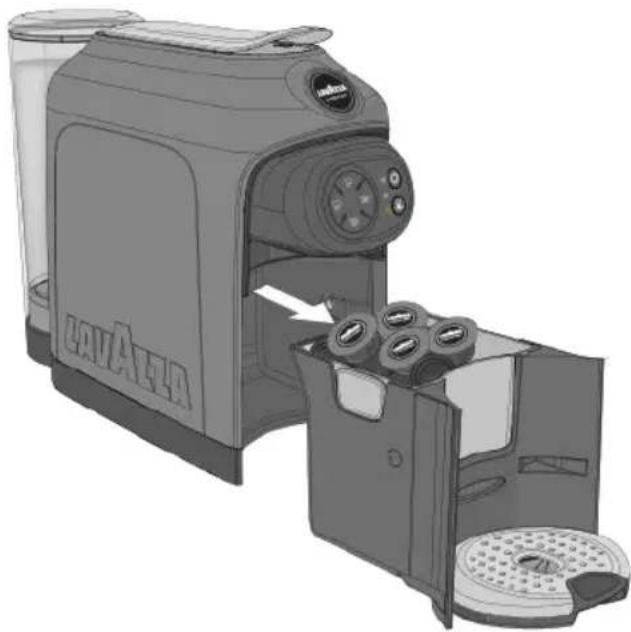
O acendimento da luz avisadora da gaveta de coleta de cápsulas indica que a gaveta de cápsulas utilizadas esta cheia e ocorre esvazia-la e reintroduzi-la.
1 Extrair a bandeja de coleta de gotas e a gaveta de coleta de cápsulas utilizadas.
A máquina emite um sinal acústico para sinalizar a remoção da gaveta de coleta de cápsulas.
natural_image
Illustration of a Lava Atta coffee maker with open lid and side panel, showing internal processing steps (no text or symbols)natural_image
Technical illustration of a mechanical component assembly showing internal parts and directional arrows (no text or symbols)text_image
QR code image containing encoded data, no visible human-readable textnatural_image
3D rendering of a mechanical device with a cylindrical component and a base, showing internal components and directional arrows (no text or symbols)natural_image
Hand pouring liquid into a clear glass bottle with a faucet (no text or symbols visible)natural_image
Illustration of a small manual mixer or brush unit with a circular top and handle (no text or symbols visible)PT
natural_image
Illustration of a hand pouring liquid into a coffee maker using a cup (no text or symbols visible)natural_image
Illustration of a hand inserting a small cup into a coffee maker's machine (no text or symbols visible)natural_image
Illustration of a coffee maker with a glass cup and straw, no visible text or symbolsnatural_image
3D rendering of a mechanical component with circular ports and a starburst icon (no text or symbols)natural_image
Illustration of a hand pressing a button on a coffee maker's side table with a glass cup (no text or symbols visible)text_image
QR code image containing encoded data, no visible human-readable textnatural_image
Illustration of a kitchen grater with a lid and handle, showing internal components (no text or symbols)
natural_image
Illustration of a hand pouring liquid into a clear glass bottle with a faucet (no text or symbols)
natural_image
3D rendering of a small kitchen appliance with a lid and base, showing internal components (no text or symbols visible)natural_image
Illustration of a hand inserting a cup into a coffee maker (no text or symbols visible)natural_image
Illustration of a hand using a coffee maker to press a cup (no text or symbols visible)natural_image
Illustration of a coffee maker with a glass cup and side cups (no text or symbols visible)PT
natural_image
Close-up of a mechanical component with circular ports and adjustment knobs (no visible text or symbols)natural_image
Illustration of a coffee maker with a hand inserting a cup into the machine (no text or symbols visible)The manufacturer reserves the right to make changes without prior notice.