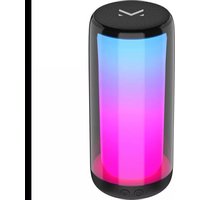
ORION - Loudspeaker MAJESTIC - Free user manual and instructions
Find the device manual for free ORION MAJESTIC in PDF.



| Product Type | Bluetooth Speaker |
| Brand | Majestic |
| Model | ORION |
| Dimensions (L x H x D) | 9.4 × 20.8 × 9.4 cm |
| Weight | 611 g |
| Power | DC 5V, 1A via USB-C |
| Battery | Rechargeable lithium, 2000 mAh |
| Battery life | Approximately 2 hours at medium volume |
| Charging time | Approximately 3 hours |
| Bluetooth version | 5.0 |
| Bluetooth range | Approximately 10 meters |
| Output power (RMS) | 1 × 4.8 W |
| Supported audio formats | MP3 (via USB/microSD) |
| Max USB/microSD capacity | 64 GB (FAT32/exFAT) |
| TWS function | Yes (pairing two speakers) |
| AUX input | Yes (3.5 mm jack) |
| Hands-free kit | Yes (built-in microphone) |
| LED lighting | Yes (multiple effects) |
| Package contents | Speaker, USB-C cable, 3.5 mm AUX cable, manual, warranty certificate |
| Maintenance and cleaning | Soft, dry cloth; do not use chemical products |
| Safety | Do not expose to water, excessive heat, or open flames |
| Spare parts and repairability | Not intended for the user; contact qualified service |
| Max operating temperature | 45 °C |
Frequently Asked Questions - ORION MAJESTIC
User questions about ORION MAJESTIC
0 question about this device. Answer the ones you know or ask your own.
Ask a new question about this device
Download the instructions for your Loudspeaker in PDF format for free! Find your manual ORION - MAJESTIC and take your electronic device back in hand. On this page are published all the documents necessary for the use of your device. ORION by MAJESTIC.
USER MANUAL ORION MAJESTIC
natural_image
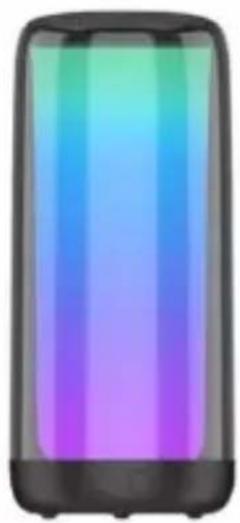
Illustration of a smartphone with a gradient-colored vertical bar (no text or symbols)ALTOPARLANTE BLUETOOTH CON LUCI LED 360°
CE

New MAJESTIC SpA
Via Rossi Martini, 41
26013 Crema (CR) - Italia
www.newmajestic.com
MADE IN CHINA
To download the instruction manual frame QR code:
Indice
Avvisi di sicurezza
New Majestic S.p.A. Lacchinelli Dean - CEO

INSTRUCTION MANUAL ORION
BLUETOOTH SPEAKER WITH 360 ° LED LIGHTS
New MAJESTIC S.p.A.
Via Rossi Martini, 41
26013 Crema (CR) - Italy
www.newmajestic.com
MADE IN CHINA
To download the instruction manual frame QR code:
Operating Instructions
Power on/off
Choice of LED lights effect
Play / Pause / Source change
Bluetooth function
Bluetooth connection
Answer an incoming call
TWS function (True Wireless Stereo)
TWS function activation
USB / microSD function
AUX function
Troubleshooting
Care and maintenance
Technical specifications
SAFETY WARNINGS
For safe use and maximum performance please read this manual carefully before use.
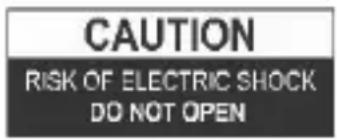
CAUTION: TO REDUCE THE RISK OF ELECTRIC SHOCK, DO NOT DISASSEMBLE THE APPLIANCE. THERE ARE NO USER SERVICEABLE PARTS. FOR REPAIRS CONTACT QUALIFIED TECHNICAL STAFF.
To avoid the danger of electric shock or fire, do not expose to rain or moisture.
DANGEROUS VOLTAGE!
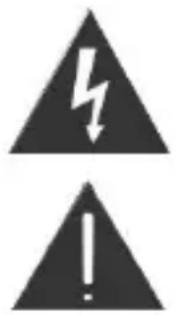
The symbol opposite warns the user of the presence of uninsulated voltage which could cause electric shock.
This symbol warns that before using the unit you must carefully read the instruction booklet.
IMPORTANT NOTES
- The use must be allowed only to adults and responsible persons, adequately educated on the damages deriving from incorrect use.
- This appliance can be used by children aged 8 years under adults supervision or if they have received instructions on how to use the appliance safely and understand the dangers involved. Cleaning and maintenance operations by the user must not be carried out by children unless they are over 8 years of age and operate under supervision. Keep the appliance and its cord out of the reach of children under the age of 8.
- The devices can be used by people with reduced physical, sensory or mental abilities or with a lack of experience and knowledge if they are supervised or if they have received instructions regarding the safe use of the device and understand the dangers involved.
- Children must not use the appliance as a game.
- Do not allow the appliance to be used by children or the disabled without supervision.
- Keep away from pets.
- Never use the appliance in places where the cord, plug and the product itself may come into contact with water or wet surfaces. Do not use the appliance
outdoors, as rain could create short circuits. Do not touch the appliance with wet hands.
- The max. operation temperature is 45irc C
-
Avoid installing the unit in the locations listed below:
-
Places exposed to direct sunlight or close to equipment that generate heat, such as radiators;
- Above other appliances that can radiate excessive heat;
- Places that block ventilation or are humid or dusty;
- Environments subject to constant vibration;
- Do not place accessories with naked flames, such as lighted candles, on the appliance.
- Do not try to repair or intervene on the appliance yourself. Incorrect interventions or tampering can void the guarantee. In the event of any damaged parts or suspected malfunction, discontinue use immediately and consult qualified personnel. Never dip the appliance in water or other liquids. Do not place bowls containing liquids (such as vases) on top of the appliance.
- Do not touch the appliance with wet hands and do not place it near sinks, tubs or bowls of liquids. Use the product only if in perfect condition. If the appliance has been lippe in water or is damaged, contact qualified personnel.
- The product should not be used if it has been dropped or if there are any visible signs of damage.
- Exposure to high volume levels can cause hearing problems, including permanent damage. The tendency to hearing loss varies from person to person, however constant exposure to high volume levels is harmful to anyone. Moderate the volume level.
Only contact qualified service personnel to avoid voiding the warranty. For information and questions, contact the New Majestic SpA technical assistance service.
Package Contents
| 1 | ORION Bluetooth speaker | 1 piece |
| 2 | USB-C charging cable | 1 piece |
| 3 | 3.5mm AUX cable | 1 piece |
| 4 | Instruction manual | 1 piece |
| 5 | Warranty Card | 1 piece |
Description of the keys
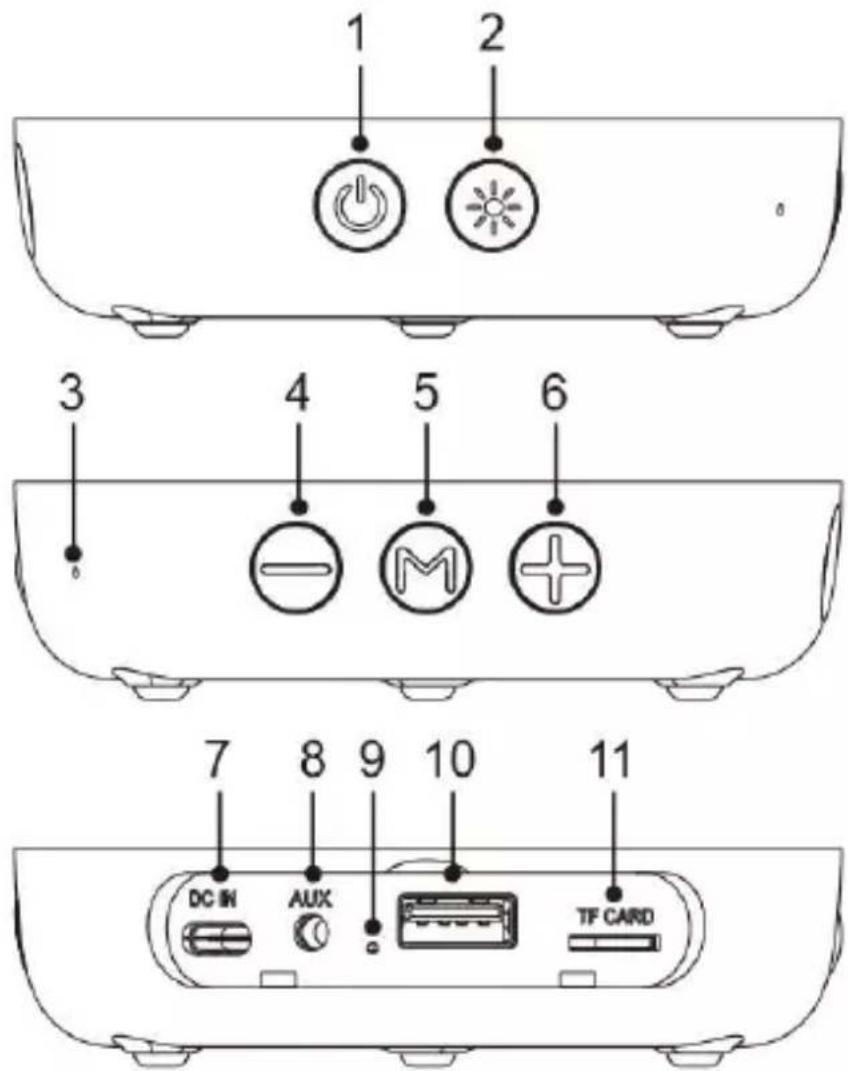
| 1 | Power/TWS key |
| 2 | LED lights key (ON/OFF/Effect choice) |
| 3 | Microphone |
| 4 | Previous track / Volume key- |
| 5 | M button: Play/Pause/Source Selection |
| 6 | Next track/Volume + button |
| 7 | USB-C input for charging |
| 8 | AUX input |
| 9 | LED indicator |
| 10 | USB input (not for charging) |
| 11 | MicroSD input |
Battery charge
ORION has a built-in rechargeable battery which can be recharged using the supplied cable and a DC 5V 1A power adapter (not supplied). Before use, it is recommended to fully charge the battery.
During the charging phase, the red LED will be on (ORION will be fully charged in about 3 hours).
The indicator will turn off when the appliance is fully charged.
Note:
- Low battery warning: when the speaker is low it will periodically start emitting a warning sound, recharge the unit to resume playback.
- The battery life (it lasts about 2 hours with listening at medium volume) may vary depending on the listening volume, the type of song being played, the paired external device and whether or not the LED lights and TWS function are used.
- Charging times may vary depending on the charge status of the unit and on features of the used power charger.
Operating Instructions
Power on/off
- Long press the Powerkey to turn on the appliance, a confirmation sound will be played ignition.
- Press and hold Power key again the appliance will switch off (a sound will confirm the switch off).
NOTE : The device turns off automatically after about 5 minutes if no Bluetooth device is connected.
Choice of LED lights effect
After turning on the unit, press and hold the LED Lights key to turn on/off the LE lights. By briefly pressing the LED lights key, you can change the light effect.
Play/Pause/Changing source
During music playback, briefly press the M key to pause the playback. To resume playback, press the M key again.
For changing source (choosing between Bluetooth/microSD/USB/AUX) long press the M key.
Bluetooth function
The device supports music playback via Bluetooth connection to a smartphone or other compatible Bluetooth device.
NOTE : It can not be guaranteed the compatibility with all Bluetooth devices on the market
Bluetooth connection:
- Turn on the speaker and activate the Bluetooth function on the external device.
- Search for the name " ORION " from your external device and select it to pair with Bluetooth (enter "0000" if required).
- An audio signal will confirm the pairing.
- Note: Once the devices have been successfully paired, the Bluetooth pairing will no longer be required and the devices will connect automatically.
Answering an incoming call:
When a Smartphone is paired with the bluetooth speaker, it will ring if an incoming call is received, press the "M" key to answer. To reject an incoming call press the "M" key twice. To end the call, press the "M" key while a call is in progress.
TWS function (True Wireless Stereo), for playing songs in Bluetooth mode only.
If you have two ORION speakers it is possible to activate the TWS function that allows you to pair two speakers together and obtain Stereo audio playback (the speakers will play the same BT audio at the same time).
Note: in order to use the TWS function, the two speakers must have a maximum distance of about 3 meters from each other in open spaces.
TWS function activation (how to pair two ORION loudspeakers with each other):
- Make sure the speakers are not paired with any external Bluetooth devices.
- Turn on the two Bluetooth speakers at the same time.
- "Power" button twice on a speaker to initiate TWS pairing.
-
When the second speaker emits a sound, the pairing is successful and the TWS function is active.
-
Activate Bluetooth on the external device, search for the name “ORION” and choose it to make the Bluetooth pairing.
- After pairing, the speakers will automatically pair with each other if switched on at the same time.
USB / microSD function
Insert a USB stick / card microSD (containing tracks in MP3 format) into the appropriate input after turning on the speaker. Playback will start automatically. Press the “Next Track” or “Previous Track” button to go to the next / previous track.
Long press the “Volume +” or “Volume-” key to adjust the volume.
To change source (choosing between Bluetooth / microSD / USB / AUX) long press the “M” key.
AUX function
To play audio via AUX-IN connect one end of the dedicated cable to the AUX input on the speaker and the other to the external device. Select the right source by long pressing the “M” key then start playback directly from the external device.
NOTE: in AUX mode it is not possible to go to the previous / next track with the “Next track +” and “Previous track-” keys, but it is necessary to carry out the operation directly from the connected external device.
Troubleshooting
| Problem | Solution |
| The unit does not turn on. | Long press the Power key to turn on the appliance. |
| The battery is low, leave the device to charge for a 4 hours. | |
| No matching. | Check that the speaker is turned on and is not already paired with another device. |
| If there are too many Bluetooth devices turned on nearby, turn them off to avoid any interference and to perform Bluetooth pairing again. | |
| The sound is weak or distorted. | Check the volume of the speaker and that of the external device and adjust it to a suitable level. |
| Make sure the speaker is charged. | |
| Playback does not work properly.The music is discontinuous | Check that the distance between the speaker and the Bluetooth device is not out of the operating distance meters max). |
| Remove any obstacles between the speaker and the Bluetooth device. | |
| Move the speaker or Bluetooth device to get the best reception. | |
| Check battery charge status. |
Care and maintenance
- Keep the unit away from magnetic objects, water and heat sources.
- To clean the device, use a soft, dry cloth. Do not use chemicals substances that could damage it.
WARNING : Do not pour water or other liquids on the appliance while cleaning it. Water could get into the slot and damage the speaker.
Technical specifications
| Bluetooth version | V 5 .0 |
| Bluetooth distance | About 10m |
| Built-in battery | Rechargeable Lithium, 2000mAh |
| Power supply | DC 5V - 1A (USB-C input) |
| MAX output power (RMS) | 1 x 4.8W |
| Playing time | About 2 hours at medium volume |
| microSD / USB | Supported file systems: FAT32 / ExFAT.Max capacity: 64GB. |
| Supported formats microSD / US | mp3 |
| Unit size | 9.4 (L) 20.8 (H) x 9.4 (D) cm |
| Weight | 611 gr. |
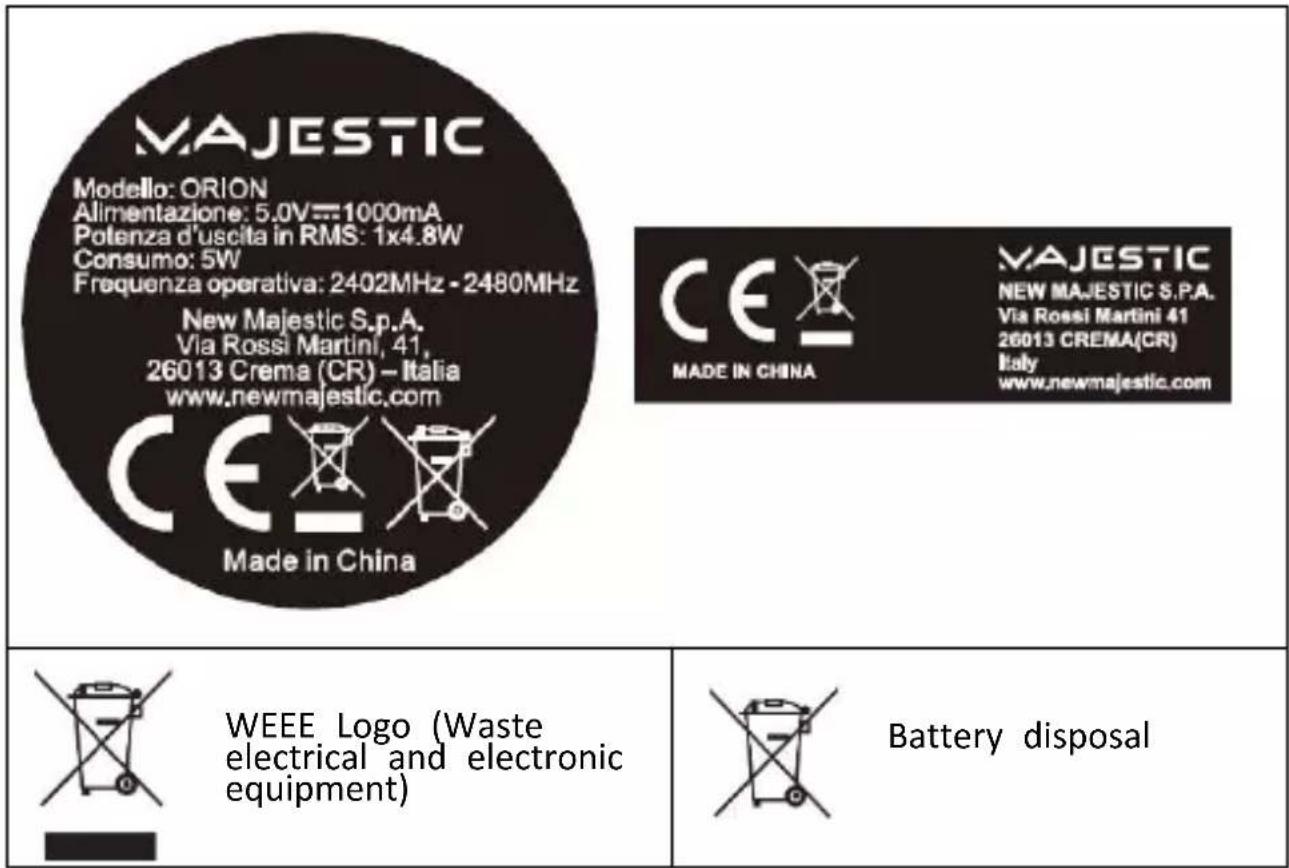
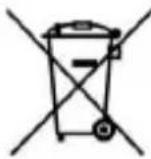
INFORMATION FOR USERS OF HOUSEHOLD EQUIPMENT
Pursuant to art. 25 Paragraph 1 of the Legislative Decree 14 March 2014, n. "Implementation of Directives 2011/65 / EU and 2012/19 / EU relating to the reduction of the use of hazardous substances in electrical and electronic equipment, as well as the disposal of waste".
The crossed-out bin symbol shown on the appliance or on its packaging indicates that the product at the end of its useful life must be collected separately from other waste. The user must therefore deliver the equipment a the end of its life to suitable separate collection centers for electronic and electrotechnical waste, or return it to the retailer when purchasing a new equipment of an equivalent type, on a one-to-one basis.
Adequate separate collection for the subsequent sending of the decommissioned equipment for recycling, treatment and environmentally compatible disposal helps to avoid possible negative effects on the environment and health and favors the reuse and / or recycling of the materials of which it is composed the equipment.
Illegal disposal of the product by the user involves the application of the sanctions provided for by the current legislation.
Any batteries or rechargeable batteries contained in the device must be disposed of separately in the special bins designated for the collection of exhausted batteries.
Battery disposal
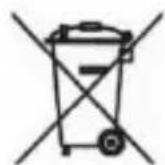
Disposal of used batteries must take place at the appropriate separate waste collection centers or according to local regulations. Batteries compliant with directive 2013/56 / EC.
WEEE eco-contribution paid where due - AEE Register N °: IT08020000001647 PILE eco-contribution paid where due - PILE Register N °: IT19070P00005533
Dear Customer, We thank you for your purchase and we remind you that the product complies with the regulations in force in terms of construction and safety.
In the event that anomalies or defects in the product are found, New Majestic SpA offers a conventional guarantee subject to the conditions set out here (specifying that the conventional guarantee does not affect the rights of the consumer pursuant to Legislative Decree no.206 of 06/09 / 2005). The guarantee refers exclusively to the repair or free replacement of individual components or of the entire goods recognized as faulty in manufacturing.
The warranty period will not be renewed or extended following subsequent resale, repair or replacement of the product itself.
The parts repaired, replaced or the total exchange of the product will be guaranteed for a period of 60 days starting from the date of repair or replacement and of course for the remainder of the guarantee. The Guarantee is valid from the date proven by a valid fiscal document (fiscal receipt or purchase invoice) for a period of 24 months in case of purchase with fiscal receipt and 12 months in case of purchase with fiscal invoice (VAT number).
There are goods that due to their normal characteristics are perishable over time or subject to wear and tear deriving from use, therefore, for the accessories included in the sales package, the Warranty valid for 12 months.
A rechargeable battery is considered defective and replaceable under the 12-month warranty only when it is interrupted, i.e. it no longer supplies energy and the voltage across it is Zero Volt. In the event that the ability to supply energy is reduced compared to the new product (in the case of consumption / wear), the Warranty period will be 6 months.
The following are not covered by the Warranty:
- Deterioration due to wear and tear of the aesthetic parts and of all components that may be defective due to negligence or carelessness in use, incorrect maintenance or circumstances that cannot be traced back to manufacturing defects of the appliance.
- User manuals, third party software, configurations, applications or data downloaded by the customer.
- Defects caused by improper use of the product (falls, pressure, deformation or use of sharp objects).
- Opening, modification or repair of the product by anyone other than the Authorized Service Center
- Serial numbers, production date, barcode or IMEI* code that are erased, tampered with or illegible.
For warranty interventions, please contact one of the Authorized Service Centers of New Majestic SpA, the complete list of which can be consulted on the website www.newmajestic.com, or at the point of sale where the product was purchased, by delivering the duly completed Warranty slip and attaching the receipt relating to the purchase.
ATTENTION:
It is advisable to keep intact both the packaging and all the accessories contained therein, since in case of sending to the technical laboratory it is better to use the original packaging with all its accessories.
New Majestic SpA
MAJESTIC
natural_image
Illustration of a smartphone with a gradient color bar on the screen (no text or symbols)ALTAVOZ BLUETOOTH CON LUCES LED 360°
CE

New MAJESTIC SpA
Vía Rossi Martini, 41
26013 Crema (CR) - Italia
www.newmajestic.com
MADE IN CHINA
To download the instruction manual frame QR code:
Índice
Avisos de seguridad
MANUEL D'INSTRUCTIONS ORION
natural_image
Illustration of a smartphone with a gradient color bar (no text or symbols)HAUT-PARLEUR BLUETOOTH AVEC LUMIÈRES LED 360°
C€

New MAJESTIC SpA
Via Rossi Martini, 41
26013 Crema (CR) - Italie
www.newmajestic.com
MADE IN CHINA
To download the instruction manual frame QR code:
Indice
natural_image
Illustration of a smartphone with a gradient color bar (no text or symbols)BLUETOOTH-LAUTSPRECHER MIT 360° -LED-LEUCHTEN
CE
X
[Non-Text]
New MAJESTIC SpA
Via Rossi Martini, 41
26013 Crema (CR) - Italien
www.newmajestic.com
MADE IN CHINA
To download the instruction manual frame QR code:
Index
Sicherheitshinweise
Packungsinhalt
Befehlsbeschreibung
Belastung
Gebrauchsanweisung
- Indice
- INSTRUCTION MANUAL ORION
- BLUETOOTH SPEAKER WITH 360 ° LED LIGHTS
- SAFETY WARNINGS
- IMPORTANT NOTES
- Battery charge
- Note:
- Operating Instructions
- Power on/off
- Choice of LED lights effect
- Play/Pause/Changing source
- Bluetooth function
- Bluetooth connection:
- Answering an incoming call:
- TWS function activation (how to pair two ORION loudspeakers with each other):
- USB / microSD function
- AUX function
- Care and maintenance
- INFORMATION FOR USERS OF HOUSEHOLD EQUIPMENT
- Battery disposal
- The following are not covered by the Warranty:
- ATTENTION:
- MAJESTIC
- Índice
- MANUEL D'INSTRUCTIONS ORION
- BLUETOOTH-LAUTSPRECHER MIT 360° -LED-LEUCHTEN
- Index
Brand : MAJESTIC
Model : ORION
Category : Loudspeaker