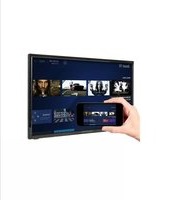
MJSGT220 - Television MAJESTIC - Free user manual and instructions
Find the device manual for free MJSGT220 MAJESTIC in PDF.


Pick your language and provide your email: we'll send you a specifically translated version.
| Product Type | Television |
| Brand | Majestic |
| Model | MJSGT220 |
| Screen Size | 22 inches (estimated) |
| Display Technology | LED |
| Resolution | 1366 x 768 (HD) |
| Power Consumption | 30 W (typical) |
| Input Voltage | 100-240 V AC, 50/60 Hz |
| Dimensions (with stand) | 520 x 320 x 150 mm |
| Weight | 3.5 kg |
| Connectivity | HDMI, USB, VGA, AV, RF |
| Audio Output | 2 x 5 W speakers |
| Functions | Teletext, Sleep Timer, Parental Lock |
| Cleaning | Wipe with a soft dry cloth |
| Safety Precautions | Do not expose to water; ensure proper ventilation |
| Spare Parts Available | Remote control, stand, power cord |
Frequently Asked Questions - MJSGT220 MAJESTIC
How do I connect external devices like a DVD player or gaming console?
Use the HDMI port for high-definition devices. For older devices, use the AV or VGA inputs.
How can I change the input source?
Press the Source button on the remote control or on the TV side panel to cycle through available inputs.
What should I do if the TV does not turn on?
Check the power cord connection and ensure the outlet is working. Try pressing the Power button on the TV itself instead of the remote.
How do I adjust the picture settings?
Press the Menu button, navigate to Picture settings, and adjust brightness, contrast, color, etc.
How can I clean the TV screen safely?
Turn off the TV and unplug it. Use a soft dry cloth to gently wipe the screen. Do not use liquids or abrasive cleaners.
Does this TV support USB playback?
Yes, you can connect a USB flash drive to play media files like photos, music, and videos (check supported formats in the manual).
How do I enable parental controls?
Go to Menu > Settings > Parental Lock. Set a password and choose restrictions for channels or inputs.
What is the sleep timer and how do I set it?
The Sleep Timer automatically turns off the TV after a set time. Press the Sleep button on the remote to select minutes (30, 60, 90, 120).
Where can I find a replacement remote control?
Replacement remote controls are available from Majestic service centers or authorized online retailers. Use the model MJSGT220 to find compatible ones.
How do I perform a factory reset?
Go to Menu > Settings > Factory Reset. Enter the PIN (default 0000) and confirm. This erases all personal settings.
User questions about MJSGT220 MAJESTIC
0 question about this device. Answer the ones you know or ask your own.
Ask a new question about this device
No questions yet. Be the first to ask one.
Download the instructions for your Television in PDF format for free! Find your manual MJSGT220 - MAJESTIC and take your electronic device back in hand. On this page are published all the documents necessary for the use of your device. MJSGT220 by MAJESTIC.
USER MANUAL MJSGT220 MAJESTIC


Manual assistant
Powered by Anthropic
Waiting for your message
Product information
Brand : MAJESTIC
Model : MJSGT220
Category : Television