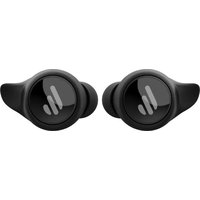
TWS6 - Earplug EDIFIER - Free user manual and instructions
Find the device manual for free TWS6 EDIFIER in PDF.



| Brand | Edifier |
| Model | TWS6 |
| Product type | Wireless earphones (earbuds) |
| Connection technology | Bluetooth |
| Supported Bluetooth profiles | AVRCP (Audio/Video Remote Control Profile) |
| Operating range | 10 meters |
| Power supply | Rechargeable lithium battery |
| Charging time for earphones | About 1.5 hours |
| Earphone charging indicator | Slow blinking light (charging), off (fully charged) |
| Case charging indicator | Blinking light (charging), off (fully charged) |
| Touch controls | Double-tap for play/pause, answer/end call, voice assistant |
| Voice assistant | Accessible by double-tapping the left earpiece |
| Included ear tips | Silicone and memory foam, various sizes |
| Included accessories | USB charging cable, replacement ear tips |
| Care and cleaning | Avoid moisture, high or very low temperatures, shocks. Do not use chemicals or sharp objects. |
| Safety | Do not disassemble, do not dispose of battery in fire. Recycle battery according to regulations. |
| Charging recommendation if unused for long | Recharge the battery at least once every 3 months |
| Spare parts and repairability | Silicone and foam ear tips available. If issues, contact customer service. |
Frequently Asked Questions - TWS6 EDIFIER
User questions about TWS6 EDIFIER
0 question about this device. Answer the ones you know or ask your own.
Ask a new question about this device
Download the instructions for your Earplug in PDF format for free! Find your manual TWS6 - EDIFIER and take your electronic device back in hand. On this page are published all the documents necessary for the use of your device. TWS6 by EDIFIER.
USER MANUAL TWS6 EDIFIER
True Wireless Earbuds with Balanced Armature Drivers
www.edifier.com
EN·Product Description and Accessories
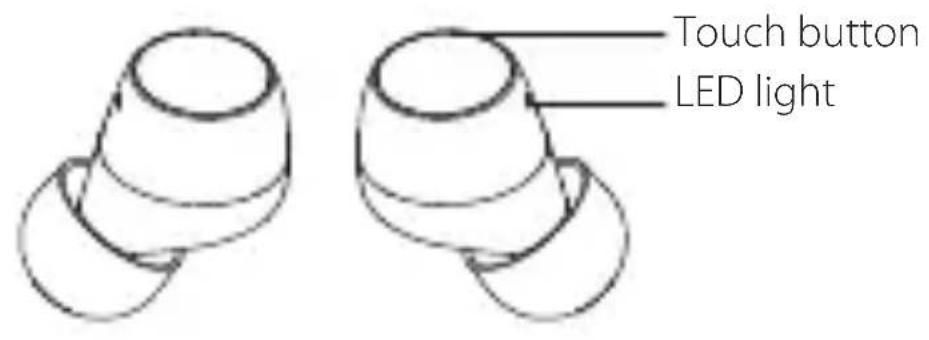
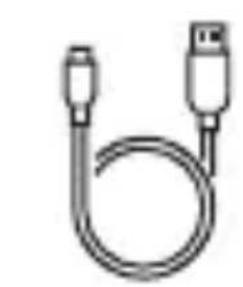
USB charging cable
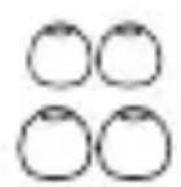
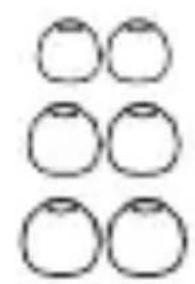
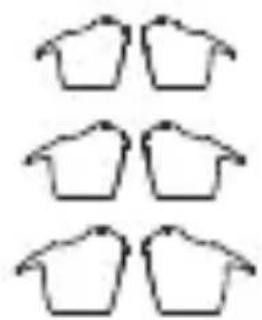
Silicone ear tipsMemory foam ear tips Earwings
There are different size of ear tips attached in the package, please select the suitable ones to wear.
Note: Images are for illustrative purposes only and may differ from the actual product.
Wearing Instructions
How to wear earwings
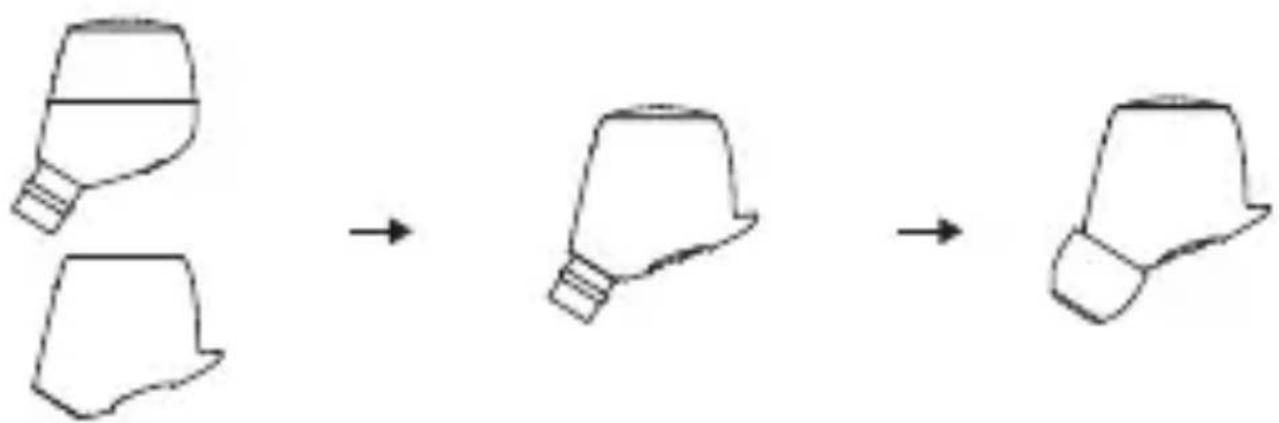
Keep earbud and earwing in the same direction
Put the earwing over the earbud
Put the ear tip over the earbud
How to wear memory foam ear tips
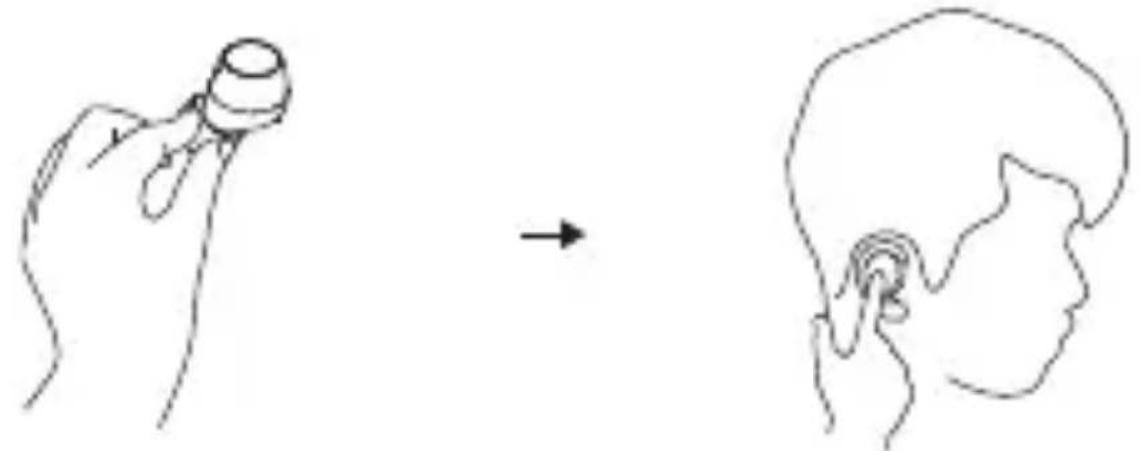
Pinch memory foam ear tip and put it over the earbud
Fix the earbud by hand and release until the memory foam ear tip rebounds
■ User Guide
Charge the Earbuds
- You may hear a warning tone when at low battery level, please charge the earbuds.
- Charging: place the earbuds in the charging case
- Charging time: about 1.5 hours for a full charging LED light flashing in a breathe pattern=charging LED light off=fully charged
- Charge the Charging Case
Every time when the charging case is opened, the flashing times of indicator light on its bottom mean the times that the earbuds can be charged; if the indicator light flashes rapidly, it means the charging case has a low battery capacity, please charge the case in time.
LED light flashing = charging LED light off = fully charged
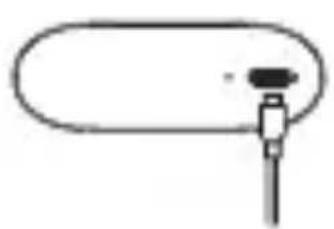
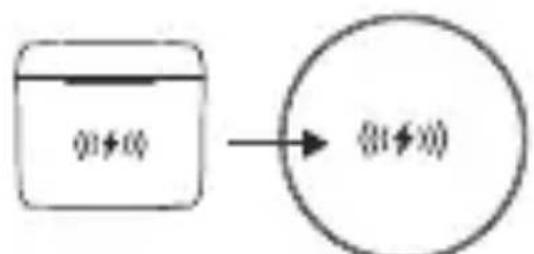
Wireless chargingWired charging
Rated input: 5V = 55mA(eARBuds) 5V = 500mA(charging case)
Warning: The rechargeable batteries that provide power for this product must be disposed properly for recycling. Do not dispose of batteries in fire to prevent an explosion.
If the product with lithium battery is not used for long periods of time, please charge the product at least once per three months.
Power ON/OFF
- Power on automatically when taken out from the charging case;
- Power off automatically while placed in the charging case.
- Bluetooth Connection
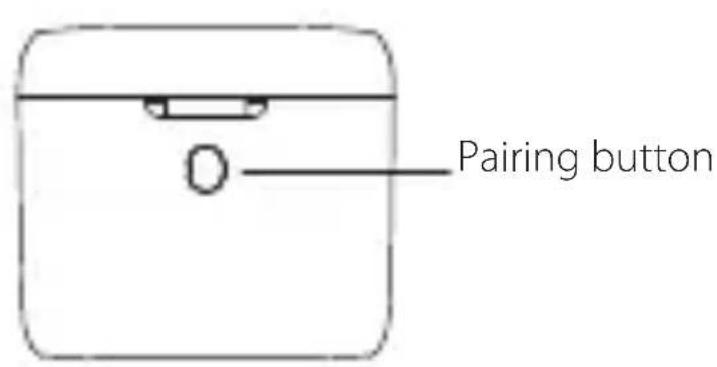
- Open the charging case, then press and hold the pairing button to enter pairing state, the LED light flashes rapidly;
- Set mobile phone to search for and connect to either "EDIFIER TWS6 L" or "EDIFIER TWS6 R", after pairing is successful, the LED light flashes slowly.
- You can choose to use one earbud or both earbuds.
- TWS Pairing of the Left and Right Earbuds
The left and right earbuds have finished TWS pairing before leaving factory. If the wireless connection fails to resume, please follow the steps below to re-pair:
- Place the earbuds in the charging case, then press and hold the pairing button for 8 seconds to enter TWS pairing state, the LED light flashes rapidly;
- After pairing is done, blue lights of both earbuds flash slowly.
Functional Operation Instructions
MusicPlayback
Voice assistant: double click the left earbud
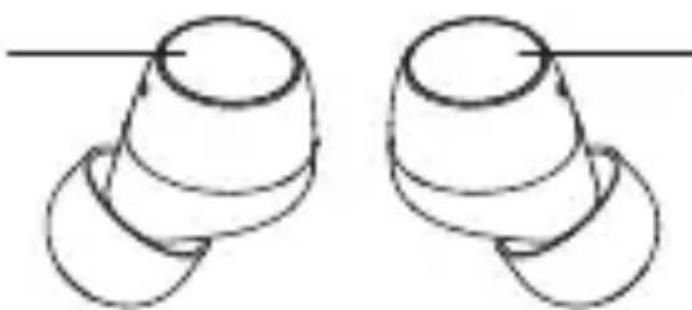
Pause/play: double click the right earbud
- Call (same operation for the left and right earbuds)
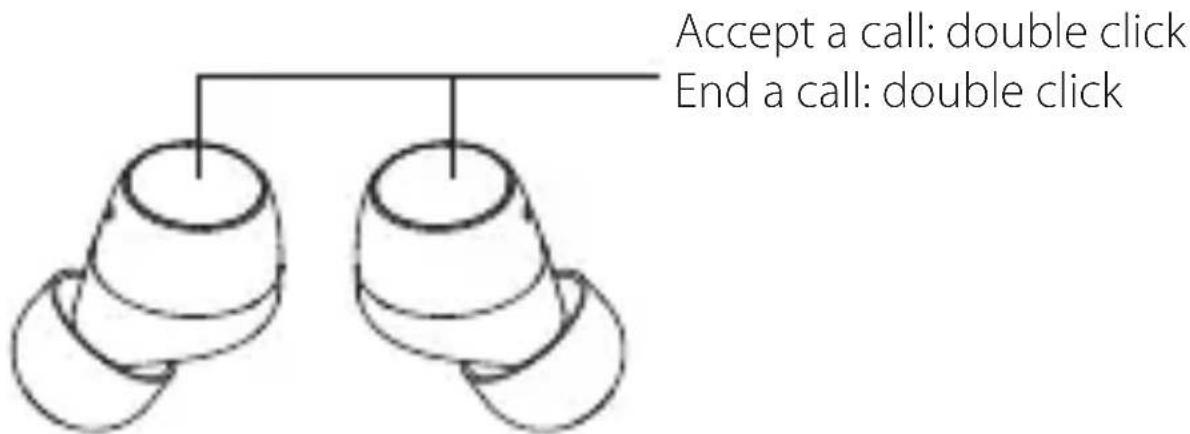
- Clear pairing records: Whether the charging case is being charged or not, open the case and place the earbuds in it, then press and hold the pairing button for approx. 10 seconds to clear pairing records.

FAQs
LED light is off during charging.
- Please ensure the earbuds are correctly placed in the charging case.
- When the earbuds have not been used for long periods of time, the battery will enter sleep state, it needs to charge about 30 minutes and then the light will be lit.
No sound
- Check if the earbuds are operating.
- Check if the earbuds volume are at an appropriate level.
- Check if the earbuds are correctly connected with mobile phone.
- Check if the earbuds are operating within a normal working range.
The call quality of the earbuds are not good.
- Check if mobile phone is in an area with strong signal.
- Please ensure the earbuds are within effective distance (10m) and no obstacle between the earbuds and mobile phone.
When playing music, cannot control pause/play via the earbuds.
- Please ensure the paired device support AVRCP (Audio Video Remote Control Profile) profile.
■ Maintenance
- Keep the product away from humid places to avoid affecting internal circuit. Do not use the product during intense exercise or with much sweat to prevent sweat from dropping into the product to make damage.
- Do not put the product in places exposed to sun or with high temperature. High temperature will shorten service life of electronic components, damage battery and make plastic components deformed.
- Do not put the product in cold places to avoid damaging internal circuit board.
- Do not dismantle the product. Non-professional personnel may damage the product.
- Do not drop, strongly vibrate, strike the product with hard object to avoid damaging internal circuit.
- Do not use drastic chemicals or cleaner to clean the product.
- Do not use sharp objects to scratch product surface to avoid damaging shell and affecting facade.
Editier International Limited
P.O.Box 6264
General Post Office
Hong Kong
www.edifier.com
© 2019 Edifier International Limited. All rights reserved.
Printed in China
NOTICE:
For the need of technical improvement and system upgrade, information contained herein may be subject to change from time to time without prior notice.
Products of EDIFIER will be customized for different applications. Pictures and illustrations shown on this manual may be slightly different from actual product. Images are for illustrative purposes only and may differ from the actual product.
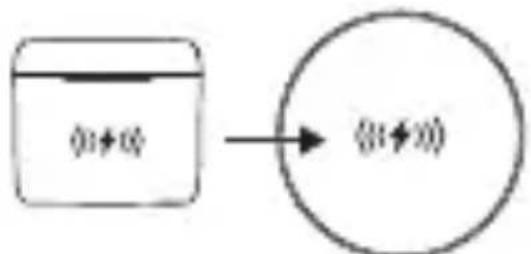
Charge sans filCharge via cable
Entree nominale: 5V 55mA (ecouteur) 5V 500mA (etui-chargeur)
Editier International Limited
P.O.Box 6264
General Post Office
Hong Kong
www.edifier.com
Editier International Limited
P.O.Box 6264
General Post Office
Hong Kong
www.edifier.com
Editier International Limited
P.O.Box 6264
General Post Office
Hong Kong
www.edifier.com
Editier International Limited
P.O.Box 6264
General Post Office
Hong Kong
www.edifier.com
Editier International Limited
P.O.Box 6264
General Post Office
Hong Kong
www.edifier.com
Editier International Limited
P.O.Box6264
General Post Off Ice
Hong Kong
www.edifier.com
2019 Edifier International Limited. 禁無斷軌載
印刷:中国
乙注意
- EN·PRODUCT DESCRIPTION AND ACCESSORIES
- WEARING INSTRUCTIONS
- USER GUIDE
- CHARGE THE EARBUDS
- CHARGE THE CHARGING CASE
- POWER ON/OFF
- BLUETOOTH CONNECTION
- TWS PAIRING OF THE LEFT AND RIGHT EARBUDS
- FUNCTIONAL OPERATION INSTRUCTIONS
- MUSICPLAYBACK
- CALL (SAME OPERATION FOR THE LEFT AND RIGHT EARBUDS)
- FAQS
- LED LIGHT IS OFF DURING CHARGING
- NO SOUND
- THE CALL QUALITY OF THE EARBUDS ARE NOT GOOD
- WHEN PLAYING MUSIC, CANNOT CONTROL PAUSE/PLAY VIA THE EARBUDS
- MAINTENANCE
- NOTICE
- 乙注意
Brand : EDIFIER
Model : TWS6
Category : Earplug