X5 - Earplug EDIFIER - Free user manual and instructions
Find the device manual for free X5 EDIFIER in PDF.


| Product Type | Wireless earbuds (True Wireless earphones) |
| Brand | Edifier |
| Model | X5 |
| Connection Technology | Bluetooth |
| Earphone Power Supply | 5V = 50 mA (via charging case) |
| Charging Case Power Supply | 5V = 500 mA |
| Earphone Battery Life | Up to 6 hours (with case up to 24 hours) |
| Controls (touch) | Single, double, triple tap, hold 2s, hold 3s, hold 8s |
| Functions | Play/pause, call, reject, previous/next track, voice assistant |
| Pairing | Bluetooth (3s press) and TWS (two quick presses) |
| Reset (clear memory) | Touch press for 8 seconds |
| Operating Temperature | 0 °C to 35 °C |
| Cleaning | Neutral solvent or clear water; do not use harsh cleaning products |
| Hearing Safety | Avoid prolonged listening at high volume |
| Precautions | Do not expose to rain or moisture; do not use near heat sources |
| Intended Use | Household electronic device, non-professional use |
| Recommended Audience | Adults and adolescents over 14 (supervision required for those under 14) |
Frequently Asked Questions - X5 EDIFIER
User questions about X5 EDIFIER
0 question about this device. Answer the ones you know or ask your own.
Ask a new question about this device
Download the instructions for your Earplug in PDF format for free! Find your manual X5 - EDIFIER and take your electronic device back in hand. On this page are published all the documents necessary for the use of your device. X5 by EDIFIER.
USER MANUAL X5 EDIFIER
Please visit EDIFIER website for the full version user manual: www.edifier.com
EN
-
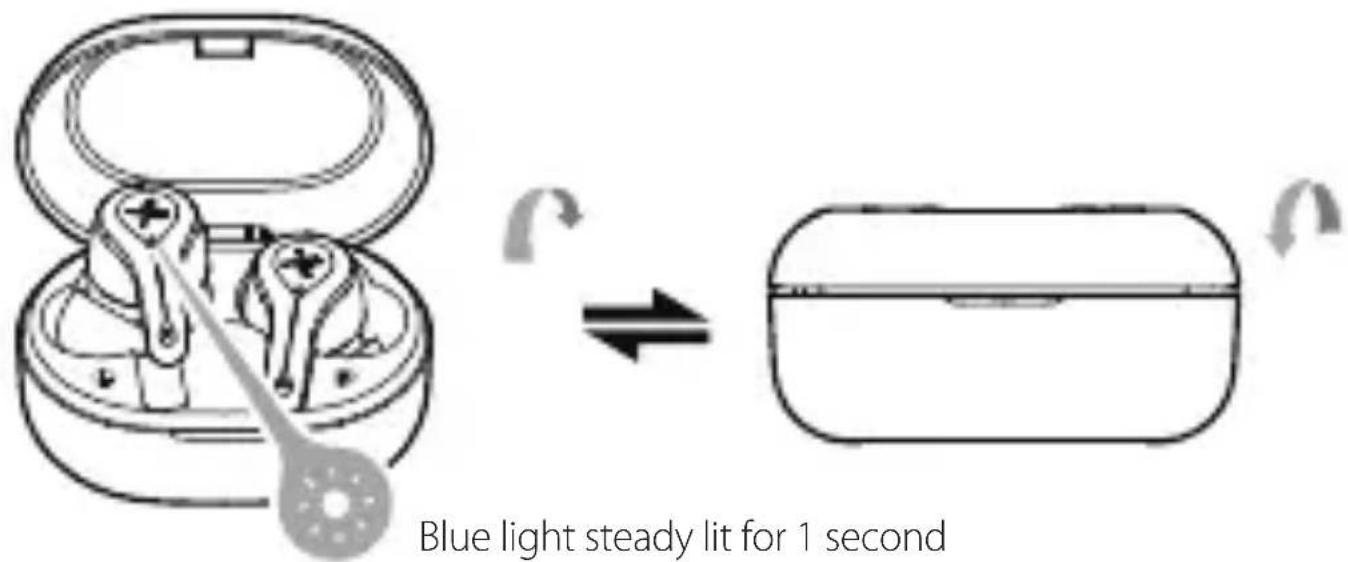
Power on when taken out of the charging case.
-
Power off when placed in the charging case.
- Pairing
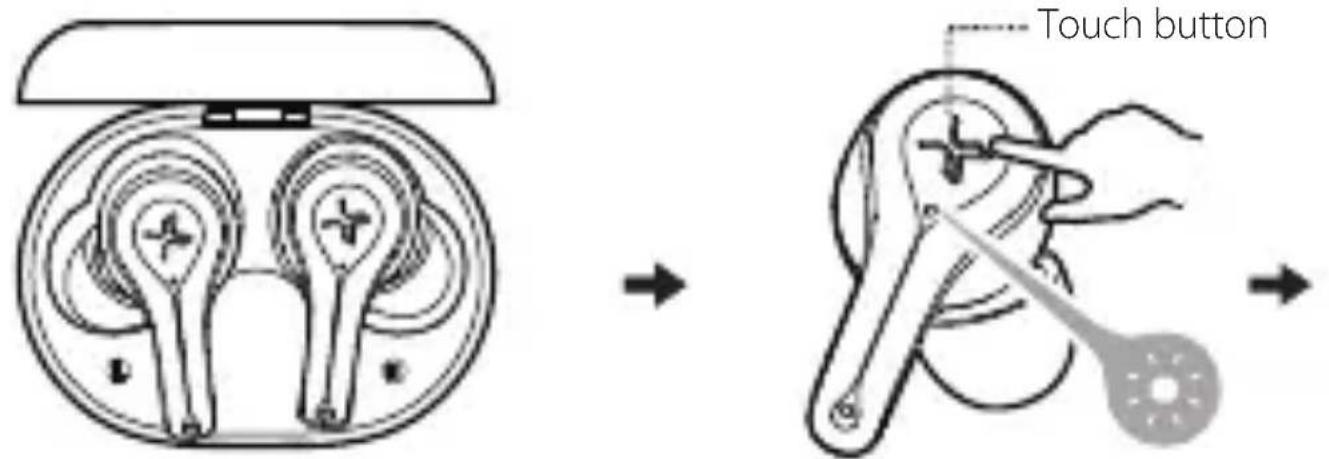
- Bluetooth pairing: press and hold the touch button for 3 seconds
- TWS pairing: double click the touch button
- Clear pairing records: press and hold the touch button for 8 seconds
Input: 5V = 50mA (earbuds)
- Bluetooth pairing: red and blue lights flash rapidly
- TWS pairing: blue light flashes rapidly
- Clear pairing records: blue light flashes six times rapidly
5V= 500mA (charging case)
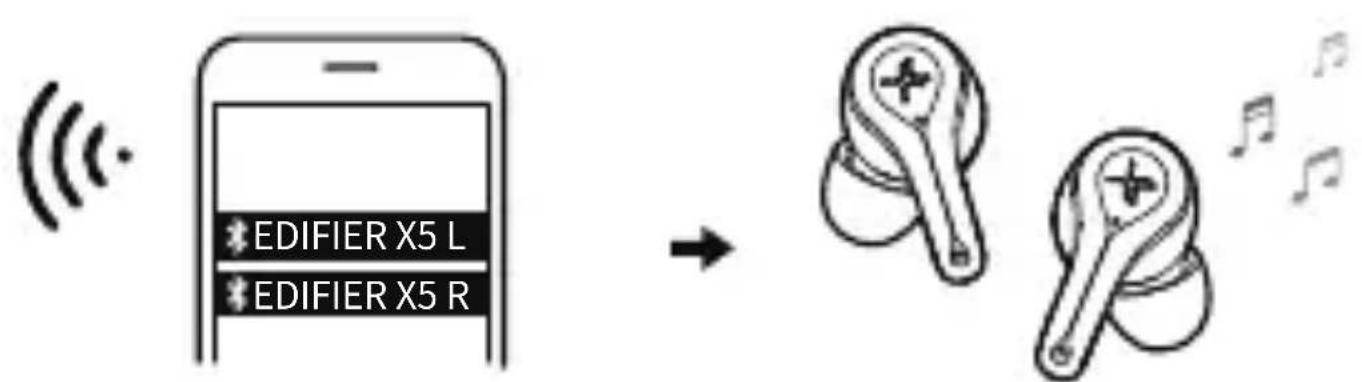
- For initial use, directly take the earbuds out of the charging case, and set mobile phone to search for and connect to the corresponding Bluetooth pairing name as shown in the above picture; For subsequent use, the earbuds will automatically connect to the mobile phone connected last time.
- Tips: After pairing your mobile phone with one earbud, you can repeat the above steps to pair the mobile phone with the other earbud, then you can choose to use either of earbuds.
- Functional operation (same operation for the left and right earbuds)
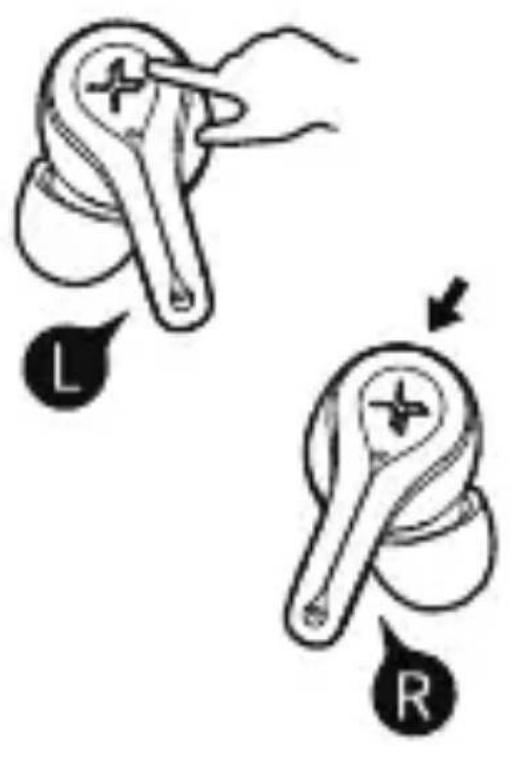

Accept/end a call: single click the touch button
Decline a call: press and hold the touch button for around 2 seconds

Pause/play: single click the touch button

Previous track: triple click the touch button

Next track: double click the touch button

Voice assistant: press and hold the touch button for around 2 seconds
Note: Images are for illustrative purposes only and may differ from the actual product.
FR
Tolocobn NOMiHk:HaTNCHTb i UtpmyTe CeHCOPHy KHOKNy BnpoOBx 2cekynd
i _ i i _ i i _ i i _ i i _ i i _ i i _ i i _ i i _ i 1 0 0 0 0 0 0 0 0 0 0 0 0 0 0 0 0 0 0 0 0 0 0 0 0 0 0 0 0 0 0 0 0 0 0 0 0 0 0 0 0 0 0 0 0 0 0 0 0 0 0 1
上 上 上 上 上 上 上 上 上 上 上 上 上 上 上 上 上 下 下 下 下 下 下 下 下 下 下 下 下 下 下 下 下 下
∴ if √ [3]2 ififififififififififififififififif · ifififififififififififififififif 1 0 0 0 0 0 0 0 0 0 0 0 0 0 0 0 0 0 0 0 0 0 0 0 0 0 0 0 0 0 0 0 0 0 0 0 0 0 0 0 0 0 0 0 0 0 0 0 0 0 0 1
i _ 1 i _ 2 i _ 3 i _ 4 i _ 5 i _ 6 i _ 7 i _ 8 i _ 9 i _ 1 0 i _ 1 1 i _ 1 2 i _ 1 3 i _ 1 4 i _ 1 5 i _ 1 6 i _ 1 7 i _ 1 8 i _ 1 9 i _ 2 0 i _ 2 1 i _ 2 2 i _ 2 3 i _ 2 4 i _ 2 5 i _ 2 6 i _ 2 7 i _ 2 8 i _ 2 9 i _ 3 0 i _ 3 1 i _ 3 2 i _ 3 3 i _ ....
i
- "To prevent possible hearing damage, do not listen at high volume levels for long periods."
- "Fully understand user manual before use."
- "Ensure your player at low volume levels or power off before you leaving."
Correct Disposal of this product. This marking indicates that this product should not be disposed with other household disposal, recycle it responsibly to promote the sustainable reuse of material resources.
To return your used device, please use the return and collection systems or contact the retailer where the product was purchased. They can take this product for environmental safe recycling.

WARNING!
- Danger of explosion if battery is incorrectly replaced. Replace only with the same or equivalent type.
- A warning that batteries (battery pack or batteries installed) shall not be exposed to excessive heat such as sunshine, fire or the like.
- Never disassemble, hit with force, squeeze batteries or dispose of batteries in fire.
- Do not expose batteries in conductive materials, liquid, fire or heat.
- Do not let metal object contact two battery poles. If the battery looks swollen, leaking, discolored, having odor or any abnormal appearance, stop using it.
- Do not use the battery after immersed in water.
- Improper use of battery may lead to explosion or leakage, causing skin burn or other injuries; in the event of battery leakage, handle it with care and immediately dispose of the battery in the manner in compliance with applicable laws and regulations in your locality.
- The battery subjected to extremely low air pressure that may result in an explosion or the leakage of flammable liquid or gas.

The Bluetooth® word mark and logos are registered trademarks owned by Bluetooth SIG, Inc. and any use of such marks by EDIFIER is under license. Other trademarks and trade names are those of their respective owners.
Declaration for EU
Frequency Band: 2.402GHz ~ 2.480GHz
RF Power Output: ≤20 dBm (EIRP)
There is no restriction of use.

Qualcomm aptX is a product of Qualcomm Technologies, Inc. and/or its subsidiaries.
Qualcomm is a trademark of Qualcomm Incorporated, registered in the United States and other countries.
aptX is a trademark of Qualcomm Technologies International, Ltd., registered in the United States and other countries.
EN·Warning!
- Please read the manual carefully. Keep it in safe place for future reference.
- Use the product properly by following the instructions in the manual.
- Using the product in a 0 - 35° C environment is recommended.
- Supervise children under 14 when using the product, the product is not a toy.
- To reduce the risk of fire and electric shock, do not expose the product to rain or moisture.
- Do not use the product near any heat source (e.g. radiator, heater, stove, or other devices that generate heat).
- Consult local staff before using the product near medical or industrial equipment or on board an aircraft.
- Never use strong acid, alkali, gasoline, alcohol, or other chemical solvents to clean the product surface. Use only neutral solvent or clear water for cleaning.
- To prevent possible hearing damage, do not listen at high volume level for long periods. Therefore, always set the volume to an appropriate level.
- For traffic safety, do not use the product while driving, cycling or crossing a road.
CN·安全注意事項!
© 2020 Edifier International Limited. All rights reserved.
Printed in China
NOTICE:
For the need of technical improvement and system upgrade, information contained herein may be subject to change from time to time without prior notice.
Products of EDIFIER will be customized for different applications.
Pictures and illustrations shown on this manual may be slightly different from actual product. If any difference is found, the actual product prevails.
IB-200-X00050-00 V1.0



@EdifierGLOBAL@EdifierGLOBAL@Edifierglobal
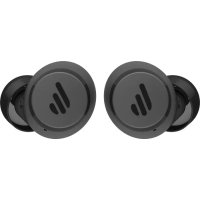
Brand : EDIFIER
Model : X5
Category : Earplug