EasyManual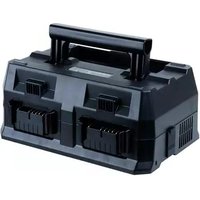
UC18YTSL - Drill METABO - Free user manual and instructions
Find the device manual for free UC18YTSL METABO in PDF.



User questions about UC18YTSL METABO
0 question about this device. Answer the ones you know or ask your own.
Ask a new question about this device
Download the instructions for your Drill in PDF format for free! Find your manual UC18YTSL - METABO and take your electronic device back in hand. On this page are published all the documents necessary for the use of your device. UC18YTSL by METABO.
USER MANUAL UC18YTSL METABO
SAFETY INSTRUCTIONS AND INSTRUCTION MANUAL
WARNING indicates a potentially hazardous situations which, if ignored, could result in death or serious injury. CAUTION indicates a potentially hazardous situations which, if not avoided, may result in minor or moderate injury, or may cause machine damage. NOTE emphasizes essential information.
WARNING: Death or serious bodily injury could result from improper or unsafe
use of multi port chargers. To avoid these risks, follow these basic safety instructions:
READ ALL INSTRUCTIONS
1. SAVE THESE INSTRUCTIONS: This manual
contains important safety and operating instructions for multi port charger Model UC18YTSL.
2. Before using multi port charger, read all instructions and cautionary markings on (1) multi
port charger, (2) battery, and (3) product using battery.
CAUTION: To reduce risk of injury, charge only metabo HPT rechargeable battery types BSL14 series, BSL18 series, and MV series. Other type of batteries may burst causing personal injury and damage.
4. Do not expose multi port charger to rain or snow.
5. Use of an attachment not recommended or sold by the multi port charger manufacturer may
result in a risk of re, electric shock, or injury to persons.
6. To reduce risk of damage to electric plug and cord, pull by plug when disconnecting multi
7. Make sure cord is located so that it will not be stepped on, tripped over, or otherwise
subjected to damage or stress.
8. An extension cord should not be used unless absolutely necessary. Use of improper
extension cord could result in a risk of re and electric shock. If extension cord must be used make sure: a. That blades of extension cord are the same number, size, and shape as those of plug on multi port charger: b. That extension cord is properly wired and in good electrical condition; and c. That wire size is large enough for AC ampere rating of multi port charger as specied in Table 1. Table 1
AC Input Rating Amperes* AWG Size of Cord Equal to or greater than but less than Length of Cord, Feet (Meter) 25 (7.5) 50 (15) 100 (30) 150 (45)
English 000Book_UC18YTSL_US_metabo.indb 3 2019/03/28 15:40:53* If the input rating of a multi port charger is given in watts rather than in amperes, the corresponding ampere rating is to be determined by dividing the wattage rating by the voltage rating–for example: 1,250 watts = 10 amperes 125 volts
9. Do not operate multi port charger with damaged cord or plug-replace them immediately.
10. Do not operate multi port charger if it has received a sharp blow, been dropped, or
otherwise damaged in any way; take it to a qualied serviceman.
11. Do not disassemble multi port charger; take it to a qualied serviceman when service or
repair is required. Incorrect reassembly may result in a risk of electric shock or re.
12. To reduce risk of electric shock, unplug charger from receptacle before attempting any
maintenance or cleaning. Removing the battery will not reduce this risk.
13. This multi port charger might be attached to metabo HPT battery operated tools as a
standard accessory. In this case, please conrm Instruction Manual of the metabo HPT battery operated tools before using the multi port charger. IMPORTANT SAFETY INSTRUCTIONS FOR USE OF THE BATTERY
AND MULTI PORT CHARGER
You must charge the battery before you can use the power tool. Before using the model UC18YTSL multi port charger, be sure to read all instructions and cautionary statements on it, the battery and in this manual. CAUTION: USE ONLY metabo HPT BATTERY TYPES BSL14 SERIES, BSL18 SERIES, AND MV SERIES. OTHER TYPES OF BATTERIES MAY BURST AND CAUSE INJURY! Follow these instructions to avoid the risk of injury:
WARNING: Improper use of the battery or multi port charger can lead to serious
injury. To avoid these injuries:
1. NEVER disassemble the battery.
2. NEVER incinerate the battery, even if it is damaged or is completely worn out. The battery
can explode in a re.
3. NEVER short-circuit the battery.
4. NEVER insert any objects into the multi port charger’s air vents. Electric shock or damage
to the multi port charger may result.
5. NEVER charge outdoors. Keep the battery away from direct sunlight and use only where
there is low humidity and good ventilation.
6. NEVER charge when the temperature is below 14°F (-10°C) or above 104°F (40°C).
7. NEVER connect two multi port chargers together.
8. NEVER insert foreign objects into the hole for the battery or the multi port charger.
9. NEVER use a booster transformer when charging.
10. NEVER use DC power to charge.
11. NEVER store the battery or multi port charger in places where the temperature may reach
13. ALWAYS operate charger on standard household electrical power (120 volts). Using the
charger on any other voltage may overheat and damage the charger.
14. ALWAYS disconnect the power cord from its receptacle when the charger is not in use.
USB DEVICE CONNECTION PRECAUTIONS
When an unexpected problem occurs, the data in a USB device connected to this product may be corrupted or lost. Always make sure to back up any data contained in the USB device prior to use with this product. Please be aware that our company accepts absolutely no responsibility for any data stored in a USB device that is corrupted or lost, nor for any damage that may occur to a connected device.
DISPOSAL OF THE EXHAUSTED BATTERY
WARNING: Do not dispose of the exhausted battery. The battery must explode
if it is incinerated. The product that you have purchased contains a rechargeable battery. The battery is recyclable. At the end of it’s useful life, under various state and local laws, it may be illegal to dispose of this battery into the municipal waste stream. Check with your local solid waste ocials for details in your area for recycling options or proper disposal.
SAVE THESE INSTRUCTIONS
OTHER USERS AND OWNERS OF THIS TOOL!
English 000Book_UC18YTSL_US_metabo.indb 5 2019/03/28 15:40:53OPERATION AND MAINTENANCE NOTE: The information contained in this Instruction Manual is designed to assist you in the safe operation and maintenance of the multi port charger. NEVER operate, or attempt any maintenance on the multi port charger unless you have rst read and understood all safety instructions contained in this manual. Some illustrations in this Instruction Manual may show details or attachments that dier from those on your own multi port charger.
BSL1415 / BSL1415X / BSL1415S .................DC 6.0 A USB × 2 Charging voltage ...............................................DC 5 V Charging current........................................ DC total 2 A Weight 3.3 lbs (1.5 kg) APPLICATIONS ○ For charging the metabo HPT batteries types BSL14 series, BSL18 series, and MV series. ○ For recharging USB devices. ○ For using as AC power supply outlets.
CHARGING MODE SELECTION
This device is capable of charging up to four rechargeable batteries with a choice of two modes. Rechargeable batteries can be charged in any of the ports, both in normal mode and in Multi Mode. When the mode selector switch is o, batteries are charged in normal mode. When the switch is on, they are charged in Multi Mode. (Fig. 2) Mode selector switch Mode indicator lamp Fig. 2
English 000Book_UC18YTSL_US_metabo.indb 7 2019/03/28 15:40:53Mode Normal Multi Purpose To charge a number of batteries in sequence. To charge all batteries simultaneously. Charging method Charges in sequence from port numbers 1 to 4. Charges all batteries uniformly. Mode selector switch OFF ON Mode indicator lamp OFF
Normal Mode (Mode selector switch o) Rechargeable batteries are charged in the order of the port numbers (1→2→3→4). (Fig. 3) Battery charging port number Charge indicator lamp Fig. 3 The charge indicator lamp turns green when the corresponding rechargeable battery is fully charged, and the buzzer emits a beep to notify the user. The time taken to fully charge all batteries will be the total of the charging time for each battery. In the example shown in Table 1, the time taken to fully charge the battery in port number 2 will be the total time taken to charge the batteries in port numbers 1 and 2 (32 minutes + 52 minutes = 84 minutes). Tip Rechargeable batteries you wish to use soon should be inserted in order from port number 1. Multi Mode (Mode selector switch on) All batteries will be charged simultaneously. The charge indicator lamps turn green when all rechargeable batteries are fully charged, and the buzzer emits a beep to notify the user. In the example shown in Table 1, it will take 152 minutes to fully charge all four batteries simultaneously.
English 000Book_UC18YTSL_US_metabo.indb 8 2019/03/28 15:40:53Table 1 Charging example Port No. Rechargeable battery Charging time* 1 BSL 1850 32 minutes 2 BSL 36B18 52 minutes 3 BSL 1860 38 minutes 4 BSL 1430C 30 minutes Total charging time 152 minutes
- Charging time will vary depending on the residual capacity of the batteries. General points applying to both modes ○ The battery currently being charged is the port indicated by the steady red illuminated charge indicator lamp. ○ Batteries that are hot immediately after being used or cold due to low-temperature conditions take longer to charge, so they are skipped and charged after the other batteries. ○ If charging is taking a long time, press the selector switch twice. This resets the charger, reassesses batteries that are either hot immediately after use or cold due to low-temperature conditions, and skips them before resuming charging. Normal mode ○ If a battery is inserted in a port with a lower number (i.e., higher priority) port while other batteries are being charged, charging of the newly inserted battery will start after the battery currently being charged has been fully charged. Multi mode ○ If rechargeable batteries are used before they are fully charged, the level of charging may vary from battery to battery. ○ Inserting a depleted battery into a vacant port while other batteries are being charged will increase the time taken to charge all the batteries.
English 000Book_UC18YTSL_US_metabo.indb 9 2019/03/28 15:40:53CHARGING METHOD NOTE: Before plugging into the receptacle, make sure the following points. ○ The power source voltage is stated on the nameplate. ○ The cord is not damaged.
WARNING: Do not charge at voltage higher than indicated on the nameplate.
If charged at voltage higher than indicated on the nameplate, the charger will burn up.
1. Connect the multi port charger’s power cord to the receptacle.
When connecting the plug of the charger to a receptacle, the charge indicator lamp will blink in red. (At 1-second intervals).
WARNING: Do not use the electrical cord if damaged. Have
it repaired immediately.
2. Select the charging mode.
Select the charging mode to suit requirements. (Fig. 2) (See “CHARGING MODE SELECTION” on page 7.)
3. Insert the battery to the multi port charger.
Insert the battery into the multi port charger as shown in Fig. 4. NOTE: The charging lamps next to each of the four ports indicate the charging status of the corresponding battery being charged. Fig. 4 Charge indicator lamp Guide rail Electrical outlet Battery Plug Mode selector switch Charge indicator lamp
English 000Book_UC18YTSL_US_metabo.indb 10 2019/03/28 15:40:534. Charging When inserting a battery in the charger, the charge indicator lamp will light up in red. When the battery becomes fully recharged, the charge indicator lamp will light up in green. (See Table 2) (1) Charge indicator lamp indication The indications of the charge indicator lamp will be as shown in Table 2, according to the condition of the multi port charger or the battery. Table 2 Indications of the charge indicator lamp Charge indicator lamp (RED / GREEN) Before charging Blinks (RED) Lights for 0.5 seconds. Does not light for 0.5 seconds. (o for 0.5 seconds) Plugged into power source While charging Lights (RED) Lights continuously Charging complete Lights (GREEN) Lights continuously (Continuous buzzer sound: about 6 seconds) Overheat standby Blinks (RED) Lights for 0.3 seconds. Does not light for 0.3 seconds. (o for 0.3 seconds) Battery overheated. Unable to charge. (Charging will commence when battery cools) Charging impossible Flickers
RED) Lights for 0.1 seconds. Does not light for 0.1 seconds. (o for 0.1 seconds) (Intermittent buzzer sound: about 2 seconds) Malfunction in the battery or the charger (2) Regarding the temperature of the rechargeable battery. The temperatures for rechargeable batteries are as shown in the Table 3, and batteries that have become hot should be cooled for a while before being recharged. Table 3 Rechargeable batteries Temperatures at which the battery can be recharged BSL1415, BSL1415X, BSL1415S, BSL1425, BSL1430C, BSL1815, BSL1815X, BSL1815S, BSL1820, BSL1825, BSL1830C, BSL1420, BSL1430, BSL1450, BSL36A18, BSL1460, BSL1830, BSL1440, BSL1840, BSL1850,
English 000Book_UC18YTSL_US_metabo.indb 11 2019/03/28 15:40:54(3) Regarding recharging time Table 4 shows the recharging time required according to the type of battery. Table 4 Recharging time (approx. min.) at 20°C Battery Capacity Li-ion BATTERY Battery Voltage
BSL36B18 52 min. NOTE: ○ The battery charging times may increase depending on the ambient conditions and battery conditions. The battery charging times apply to charging one battery on its own. When charging multiple batteries, the total charging time will be the sum of the individual charging times. ○ Charging time will increase if the ambient temperature is below 0°C.
5. Disconnect multi port charger from the receptacle.
CAUTION: Do not pull the plug out of the receptacle by pulling on the cord. Make sure to grasp the plug when removing from receptacle to avoid damaging cord.
6. Remove the battery from the multi port charger.
Supporting the multi port charger with hand, pull out the battery from the multi port charger. NOTE: Be sure to pull out the battery from the multi port charger after use, and then keep it. Regarding electric discharge in case of new batteries, etc. As the internal chemical substance of new batteries and batteries that have not been used for an extended period is not activated, the electric discharge might be low when using them the rst and second time. This is a temporary phenomenon, and normal time required for recharging will be restored by recharging the batteries 2 – 3 times.
English 000Book_UC18YTSL_US_metabo.indb 12 2019/03/28 15:40:54How to make the batteries perform longer. ○ Recharge the batteries before they become completely exhausted. When you feel that the power of the tool becomes weaker, stop using the tool and recharge its battery. If you continue to use the tool and exhaust the electric current, the battery may be damaged and its life will become shorter. ○ Avoid recharging at high temperatures. A rechargeable battery will be hot immediately after use. If such a battery is recharged immediately after use, its internal chemical substance will deteriorate, and the battery life will be shortened. Leave the battery and recharge it after it has cooled for a while. CAUTION: ● If the battery is charged while it is heated because it has been left for a long time in a location subject to direct sunlight or because the battery has just been used, the charge indicator lamp of the charger lights for 0.3 seconds, does not light for 0.3 seconds (o for 0.3 seconds). The battery will not be recharged. In such a case, let the battery cool before charging. ● When the charge indicator lamp ickers (at 0.2-second intervals), check for and take out any foreign objects in the charger’s battery connector. If there are no foreign objects, it is probable that the battery or charger is malfunctioning. Take it to your authorized Service Center.
HOW TO RECHARGE USB DEVICE
WARNING ○ Prior to use, check the connecting USB cable for any defect or damage. Using a defective or damaged USB cable can cause smoke emission or ignition. ○ Use a connecting USB cable of less than 2 m. ○ When the product is not being used, cover the USB port with the rubber cover. Buildup of dust etc. in the USB port can cause smoke emission or ignition. NOTE: ○ The time required for charging will be longer when a USB device and battery are being simultaneously charged. ○ There may be an occasional pause during USB recharging. ○ When a USB device is not being charged, turn the USB power switch OFF and remove the USB device from the charger. Failure to do so may not only reduce the battery life of a USB device, but may also result in unexpected accidents. ○ It may not be possible to charge some USB devices, depending on the type of device. ○ The USB charging current should not exceed a total of 2 A for the two USB charging ports. Doing so may cause the charger to malfunction.
English 000Book_UC18YTSL_US_metabo.indb 13 2019/03/28 15:40:54(1) Select a charging method Depending on the charge method selected, either the battery is inserted into the charger or the power cord is plugged into an outlet. ○ Charging a USB device by battery (Fig. 5-a) ○ Charging a USB device from a electrical outlet (Fig. 5-b) ○ Charging a USB device and battery from a electrical outlet (Fig. 5-c)
a b c Order of priority Fig. 5 NOTE: When charging a USB device from a rechargeable battery, insert the rechargeable battery into battery charging port No. 1. (Fig. 3) (2) Turn the USB power switch ON (Fig. 6) When you turn the USB power switch ON, the USB power indicator lamp will light up. USB power switch USB power indicator lamp Rubber cover USB port USB cable Fig. 6 (3) Connect the USB cable. (Fig. 6) Pull back the rubber cover and rmly plug in a commercially available USB cable (appropriate to the device being charged) into the USB port. ○ When the power cord is not plugged into an outlet and the battery runs out of power, power output will stop and the USB power indicator lamp will shut o. ○ When the USB power indicator lamp goes out, change the battery or plug the power cord into an electrical outlet.
English 000Book_UC18YTSL_US_metabo.indb 14 2019/03/28 15:40:54(4) When charging is completed (Fig. 7) ○ The USB power indicator lamp will not go out when a USB device has been completely charged. To verify charge status, check the USB device. ○ Turn the USB power switch OFF and unplug the power cord from the electrical outlet. (Fig. 7) ○ Remove the battery from the charger and place the rubber cover over the USB port. USB cable USB cable USB port Rubber cover Fig. 7 BEFORE USE Check the work area to make sure that it is clear of debris and clutter. Clear the area of unnecessary personnel. Ensure that lighting and ventilation is adequate.
USING AS AN AC POWER SUPPLY
The product includes convenient AC outlets for use as a power supply for AC devices. (Two locations: Total current capacity is 10 A.) AC devices can be used by plugging them into the AC outlets on the charger with the charger power supply plug plugged into an electrical outlet. AC outlets (two locations) Plug of the AC device AC device AC device Electrical outlet Plug of the charger Fig. 8 NOTE: ○ AC devices connected to the charger should not exceed a total of 10 A. Doing so may cause the charger to malfunction. Read the instruction manual carefully for the device to be used, and check the current rating before use.
English 000Book_UC18YTSL_US_metabo.indb 15 2019/03/28 15:40:54○ Make sure the charger power supply plug is plugged into an electrical outlet while using an AC device. a b AC device AC device Fig. 9 (1) Select usage conguration ○ Using an AC device with power supplied from an electrical outlet. (Fig. 9-a) ○ Using an AC device and charging a battery with power supplied from an electrical outlet. (Fig. 9-b)
MAINTENANCE AND INSPECTION
CAUTION: Pull out battery before doing any inspection or maintenance.
Loose screws are dangerous. Regularly inspect them and make sure they are tight. CAUTION: Using this multi port charger with loosened screws is extremely dangerous.
Dust may be removed with a soft cloth or a cloth dampened with soapy water. Do not use bleach, chlorine, gasoline or thinner, for they may damage the plastics. CAUTION: In the operation and maintenance of power tools, the safety regulations and standards prescribed in each country must be observed.
WARNING: Detach any batteries from the charger before transporting.
Damages or injuries may occur if the batteries fall o. Fig. 10 A carrying handle is provided for easy carrying after use. The handle can be stowed in the main unit for compactness when not in use. Fig. 11 STORAGE Storing in a place below 104°F (40°C) and out of the reach of children.
All quality power tools will eventually require servicing or replacement of parts because of wear from normal use. To assure that only authorized replacement parts will be used, all service and repairs must be performed by a metabo HPT AUTHORIZED SERVICE CENTER, ONLY. NOTE: Specications are subject to change without any obligation on the part of the metabo HPT. Carrying handle
English 000Book_UC18YTSL_US_metabo.indb 17 2019/03/28 15:40:54TROUBLESHOOTING GUIDE WARNING All electrical or mechanical repairs should be done only by qualied service technicians. Contact metabo HPT Authorized Service Center. Problem Possible Cause Possible Solution The charge indicator lamp is rapidly ickers red, and battery charging doesn’t begin. The battery is not inserted all the way. Insert the battery rmly. There is foreign matter in the battery terminal or where the battery is attached. Remove the foreign matter. The charge indicator lamp blinks red, and battery charging doesn’t begin. The battery is not inserted all the way. Insert the battery rmly. The battery is overheated. If left alone, the battery will automatically begin charging if its temperature decreases, but this may reduce battery life. It is recommended that the battery be cooled in a well-ventilated location away from direct sunlight before charging it. Battery usage time is short even though the battery is fully charged. The battery’s life is depleted. Replace the battery with a new one. The battery takes a long time to charge. The temperature of the battery, the charger, or the surrounding environment is extremely low. Charge the battery indoors or in another warmer environment. The charger’s vents are blocked, causing its internal components to overheat. Avoid blocking the vents. The cooling fan is not running. Contact a metabo HPT Authorized Service Center for repairs. The USB power lamp has switched o and the USB device has stopped charging. The battery’s capacity has become low. Replace the battery with one that has capacity remaining. Plug the charger’s power plug into an electric socket. USB power lamp does not switch o even though the USB device has nished charging. The USB power lamp lights up green to indicate that USB charging is possible. This is not a malfunction. It is unclear what the charging status of a USB device is, or whether its charging is complete. The USB power lamp does not switch o even when charging is complete. Examine the USB device that is charging to conrm its charging status.
English 000Book_UC18YTSL_US_metabo.indb 18 2019/03/28 15:40:54Problem Possible Cause Possible Solution Charging of a USB device pauses midway. The charger was plugged into an electrical socket while the USB device was being charged using the battery as the power source. This is not a malfunction. The charger pauses USB charging for about 5 seconds when it is dierentiating between power sources. A battery was inserted into the charger while the USB device was being charged using a power socket as the power source. Charging of the USB device pauses midway when the battery and the USB device are being charged at the same time. The battery has become fully charged. This is not a malfunction. The charger pauses USB charging for about 5 seconds while it checks whether the battery has successfully completed charging. Charging of the USB device doesn’t start when the battery and the USB device are being charged at the same time. The remaining battery capacity is extremely low. This is not a malfunction. When the battery capacity reaches a certain level, USB charging automatically begins. AC devices cannot be used even when they are plugged into the AC outlets on the charger. The charger fuse has tripped due to excessive load from the AC device. Contact a metabo HPT Authorized Service Center for repairs. AC devices should not exceed a total of 10 A. Devices do not charge even when they are connected to the USB ports. The charger fuse has tripped due to excessive load from the USB device. Contact a metabo HPT Authorized Service Center for repairs. USB devices should not exceed a total of 2 A.