EasyManual
C3610DRJ - Saw METABO - Free user manual and instructions
Find the device manual for free C3610DRJ METABO in PDF.



User questions about C3610DRJ METABO
0 question about this device. Answer the ones you know or ask your own.
Ask a new question about this device
Download the instructions for your Saw in PDF format for free! Find your manual C3610DRJ - METABO and take your electronic device back in hand. On this page are published all the documents necessary for the use of your device. C3610DRJ by METABO.
USER MANUAL C3610DRJ METABO
SAFETY INSTRUCTIONS AND INSTRUCTION MANUAL
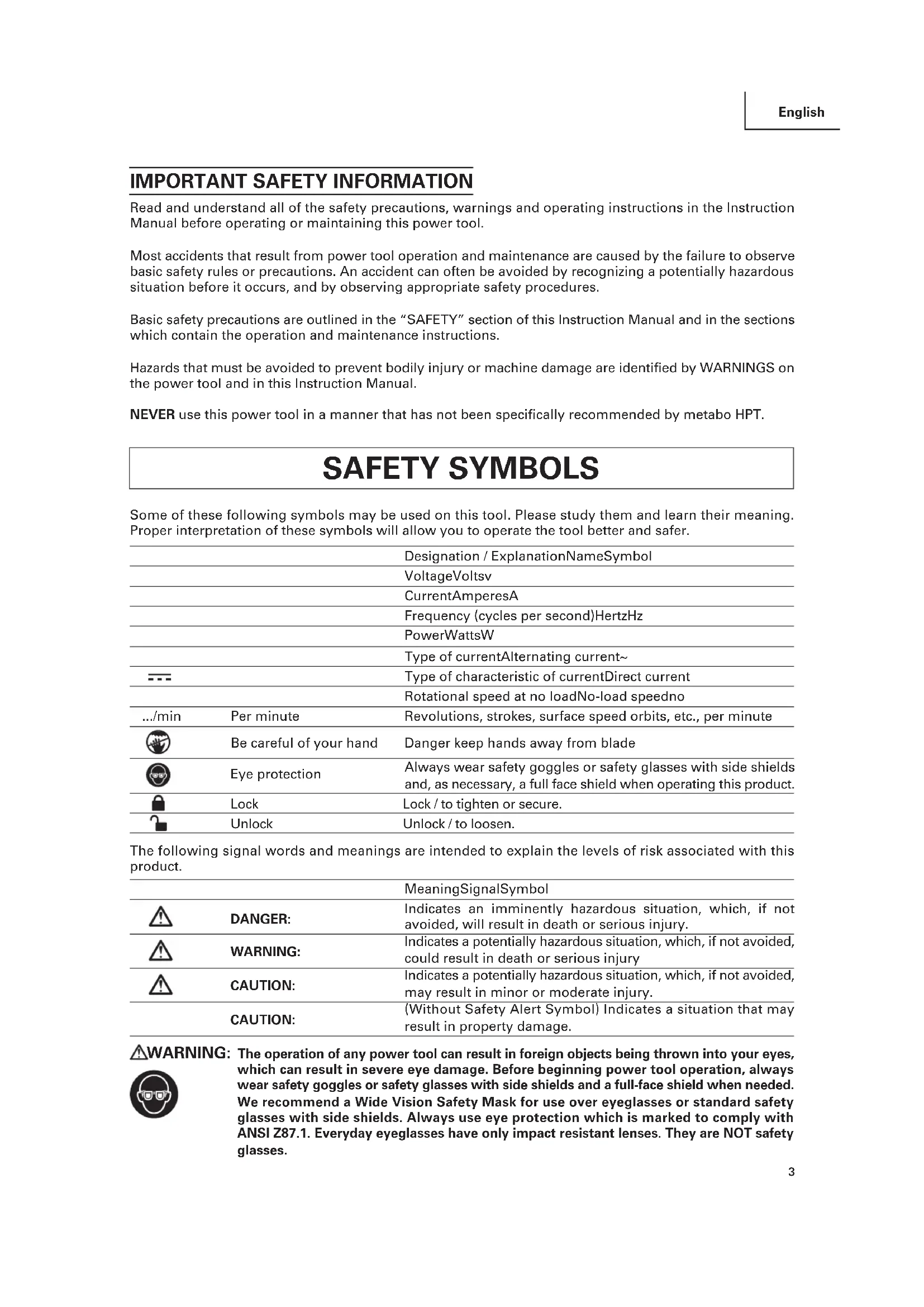
ÍNDICEThe following signal words and meanings are intended to explain the levels of risk associated with this product.
Read and understand all of the safety precautions, warnings and operating instructions in the Instruction Manual before operating or maintaining this power tool. Most accidents that result from power tool operation and maintenance are caused by the failure to observe basic safety rules or precautions. An accident can often be avoided by recognizing a potentially hazardous situation before it occurs, and by observing appropriate safety procedures. Basic safety precautions are outlined in the “SAFETY” section of this Instruction Manual and in the sections which contain the operation and maintenance instructions. Hazards that must be avoided to prevent bodily injury or machine damage are identified by WARNINGS on the power tool and in this Instruction Manual. NEVER use this power tool in a manner that has not been specifically recommended by metabo HPT.
IMPORTANT SAFETY INFORMATION
English Always wear safety goggles or safety glasses with side shields and, as necessary, a full face shield when operating this product. Some of these following symbols may be used on this tool. Please study them and learn their meaning. Proper interpretation of these symbols will allow you to operate the tool better and safer.
WARNING: The operation of any power tool can result in foreign objects being thrown into your eyes,
which can result in severe eye damage. Before beginning power tool operation, always wear safety goggles or safety glasses with side shields and a full-face shield when needed. We recommend a Wide Vision Safety Mask for use over eyeglasses or standard safety glasses with side shields. Always use eye protection which is marked to comply with ANSI Z87.1. Everyday eyeglasses have only impact resistant lenses. They are NOT safety glasses. Designation / ExplanationNameSymbol VoltageVoltsv CurrentAmperesA Frequency (cycles per second)HertzHz PowerWattsW MeaningSignalSymbol Indicates an imminently hazardous situation, which, if not avoided, will result in death or serious injury.
Indicates a potentially hazardous situation, which, if not avoided, could result in death or serious injury
Indicates a potentially hazardous situation, which, if not avoided, may result in minor or moderate injury. CAUTION: (Without Safety Alert Symbol) Indicates a situation that may result in property damage. CAUTION: Type of currentAlternating current~ Type of characteristic of currentDirect current Rotational speed at no loadNo-load speedno Revolutions, strokes, surface speed orbits, etc., per minutePer minute.../min Danger keep hands away from bladeBe careful of your hand Eye protection SAFETY SYMBOLS Lock Lock / to tighten or secure. Unlock Unlock / to loosen.4 English SAFETY INSTRUCTIONS
WARNING: To ensure safety and reliability, all repairs should be performed by a qualied service
technician. The term “power tool” in the warnings refers to your mains-operated (corded) power tool or BATTERY- operated (cordless) power tool.
Work area safety a) Keep work area clean and well lit. Cluttered or dark areas invite accidents.
Do not operate power tools in explosive atmospheres, such as in the presence of flammable liquids, gases or dust. Power tools create sparks which may ignite the dust or fumes.
Keep children and bystanders away while operating a power tool. Distractions can cause you to lose control.
Electrical safety a) Power tool plugs must match the outlet. Never modify the plug in any way. Do not use any adapter plugs with earthed (grounded) power tools. Unmodified plugs and matching outlets will reduces risk of electric shock.
Avoid body contact with earthed or grounded surfaces, such as pipes, radiators, ranges and refrigerators. There is an increased risk of electric shock if your body is earthed or grounded.
Do not expose power tools to rain or wet conditions. Water entering a power tool will increase the risk of electric shock.
Do not abuse the cord. Never use the cord for carrying, pulling or unplugging the power tool. Keep cord away from heat, oil, sharp edges or moving parts. Damaged or entangled cords increase the risk or electric shock.
When operating a power tool outdoors, use an extension cord suitable for outdoor use. Use of a cord suitable for outdoor use reduce the risk of electric shock.
If operating a power tool in a damp location is unavoidable, use a RESIDUAL CURRENT DEVICE (RCD) protected supply. Use of an RCD reduces the risk of electric shock.
Personal safety a) Stay alert, watch what you are doing and use common sense when operating a power tool. Do not use a power tool while you are tired or under the influence of drugs, alcohol or medication. A moment of inattention while operating power tools may result in serious personal injury.
Use personal protective equipment. Always wear eye protection. Protective equipment such as dust mask, non-skid safety shoes, hard hat, or hearing protection used for appropriate conditions will reduce personal injuries.
Prevent unintentional starting. Ensure the switch is in the off-position before connecting to power source and/or BATTERY pack, picking up or carrying the tool. Carrying power tools with your finger on the switch or energising power tools that have the switch on invites accidents.
Remove any adjusting key or wrench before turning the power tool on. A wrench or a key left attached to a rotating part of the power tool may result in personal injury.
Do not overreach. Keep proper footing and balance at all times. This enables better control of the power tool in unexpected situations.
Dress properly. Do not wear loose clothing or jewellery. Keep your hair, clothing and gloves away from moving parts. Loose clothes, jewellery or long hair can be caught in moving parts.
If devices are provided for the connection of dust extraction and collection facilities, ensure these are connected and properly used. Use of dust collection can reduce dust-related hazards.
Do not let familiarity gained from frequent use of tools allow you to become complacent and igore tool safety principles. A careless action can cause severe injury within a fraction of a second. Save all warnings and instructions for future reference.
WARNING: Read all safety warnings, instructions, illustrations and specifications provided with this
power tool. Failure to follow all instructions listed below may result in electric shock, fire and/or serious injury.5
4) Power tool use and care
a) Do not force the power tool. Use the correct power tool for your application. The correct power tool will do the job better and safer at the rate for which it was designed.
Do not use the power tool if the switch does not turn it on and off. Any power tool that cannot be controlled with the switch is dangerous and must be repaired.
Disconnect the plug from the power source and/or remove the BATTERY pack, if detachable, from the power tool before making any adjustments, changing accessories, or storing power tools. Such preventive safety measures reduce the risk of starting the power tool accidentally.
Store idle power tools out of the reach of children and do not allow persons unfamiliar with the power tool or these instructions to operate the power tool. Power tools are dangerous in the hands of untrained users.
Maintain power tools and accessories. Check for misalignment or binding of moving parts, breakage of parts and any other condition that may affect the power tool’s operation. If damaged, have the power tool repaired before use. Many accidents are caused by poorly maintained power tools.
Keep cutting tools sharp and clean. Properly maintained cutting tools with sharp cutting edges are less likely to bind and are easier to control.
Use the power tool, accessories and tool bits etc. in accordance with these instructions, taking into account the working conditions and the work to be performed. Use of the power tool for operations different from those intended could result in a hazardous situation.
Keep handles and grasping surfaces dry, clean and free from oil and grease. Slippery handles and grasping surfaces do not allow for safe handling and control of the tool in unexpected situations.
BATTERY tool use and care a) Recharge only with the charger specified by the manufacturer. A charger that is suitable for one type of BATTERY pack may create a risk of fire when used with another BATTERY pack.
Use power tools only with specifically designated BATTERY packs. Use of any other BATTERY packs may create a risk of injury and fire.
When BATTERY pack is not in use, keep it away from other metal objects, like paper clips, coins, keys, nails, screws or other small metal objects, that can make a connection from one terminal to another. Shorting the BATTERY terminals together may cause burns or a fire.
Under abusive conditions, liquid may be ejected from the BATTERY; avoid contact. If contact accidentally occurs, flush with water. If liquid contacts eyes, additionally seek medical help. Liquid ejected from the BATTERY may cause irritation or burns.
Do not use a BATTERY pack or tool that is damaged or modified. Damaged or modified batteries may exhibit unpredictable behaviour resulting in fire, EXPLOSION or risk of injury.
Do not expose a BATTERY pack or tool to fire or excessive temperature. Exposure to fire or temperature above 265°F (130°C) may cause explosion.
Follow all charging instructions and do not charge the BATTERY pack or tool outside the temperature range specified in the instructions. Charging improperly or at temperatures outside the specified range may damage the BATTERY and increase the risk of fire.
Service a) Have your power tool serviced by a qualified repair person using only identical replacement parts. This will ensure that the safety of the power tool is maintained.
Never service damaged BATTERY packs. Service of BATTERY packs should only be performed by the manufacturer or authorized service providers.
Guarding related warnings a) Keep guards in place. Guards must be in working order and be properly mounted. A guard that is loose, damaged, or is not functioning correctly must be repaired or replaced.
Always use saw blade guard, riving knife and anti-kickback device for every through- cutting operation. For through-cutting operations where the saw blade cuts completely through the thickness of the workpiece, the guard and other safety devices help reduce the risk of injury.
Immediately reattach the guarding system after completing an operation (such as rabbeting, dadoing or resawing cuts) which requires removal of the guard, riving knife and/or anti-kickback device. The guard, riving knife, and anti-kickback device help to reduce the risk of injury. English Safety instructions for table saws6 d) Make sure the saw blade is not contacting the guard, riving knife or the workpiece before the switch is turned on. Inadvertent contact of these items with the saw blade could cause a hazardous condition.
Adjust the riving knife as described in this instruction manual. Incorrect spacing, positioning and alignment can make the riving kinfe ineffective in reducing the likelihood of kickback.
For the riving knife and anti-kickback device to work, they must be engaged in the workpiece. The riving knife and anti-kickback device are ineffective when cutting workpieces that are too short to be engaged with the riving knife and anti-kickback device. Under these conditions a kickback cannot be prevented by the riving knife and anti-kickback device.
Use the appropriate saw blade for the riving knife. For the riving knife to function properly, the saw blade diameter must match the appropriate riving knife and the body of the saw blade must be thinner than the thickness of the riving knife and the cutting width of the saw blade must be wider than the thickness of the riving knife.
Cutting procedures warnings a) DANGER: Never place your fingers or hands in the vicinity or in line with the saw blade. A moment of inattention or a slip could direct your hand towards the saw blade and result in serious personal injury.
Feed the workpiece into the saw blade or cutter only against the direction of rotation. Feeding the workpiece in the same direction that the saw blade is rotating above the table may result in the workpiece, and your hand, being pulled into the saw blade.
Never use the miter gauge to feed the workpiece when ripping and do not use the rip fence as a length stop when cross cutting with the miter gauge. Guiding the workpiece with rip fence and the miter guage at the same time increases the likelihood of saw blade binding and kickback.
When ripping, always apply the workpiece feeding force between the fence and the saw blade. Use a push stick when the distance between the fence and the saw blade is less than 150 mm, and use a push block when this distance is less than 50 mm. “Work helping” devices will keep your hand at a safe distance from the saw blade.
Use only the push stick provided by the manufacturer or constructed in accordance with the instructions. This push stick provides sufficient distance of the hand from the saw blade.
Never use a damaged or cut push stick. A damaged push stick may break causing your hand to slip into the saw blade.
Do not perform any operation “freehand”. Always use either the rip fence or the miter gauge to position and guide the workpiece. “Freehand” means using your hands to support or guide the workpiece, in lieu of a rip fence or miter gauge. Freehand sawing leads to misalignment, binding and kickback.
Never reach around or over a rotating saw blade. Reaching for a workpiece may lead to accidental contact with the moving saw blade.
Provide auxiliary workpiece support to the rear and/or sides of the saw table for long and/or wide workpieces to keep them level. A long and/or wide workpiece has a tendency to pivot on the table’s edge, causing loss of control, saw blade binding and kickback.
Feed workpiece at an even pace. Do not bend or twist the workpiece. If jamming occurs, turn the tool off immediately, unplug the tool then clear the jam. Jamming the saw blade by the workpiece can cause kickback or stall the motor.
Do not remove pieces of cut-off material while the saw is running. The material may become trapped between the fence or inside the saw blade guard and the saw blade pulling your fingers into the saw blade. Turn the saw off and wait until the saw blade stops before removing material.
Use an auxiliary fence in contact with the table top when ripping workpieces less than 2 mm thick. A thin workpiece may wedge under the rip fence and create a kickback.
Kickback causes and related warnings Kickback is a sudden reaction of the workpiece due to a pinched, jammed saw blade or misaligned line of cut in the workpiece with respect to the saw blade or when a part of the workpiece binds between the saw blade and the rip fence or other fixed object. Most frequently during kickback, the workpiece is lifted from the table by the rear portion of the saw blade and is propelled towards the operator. Kickback is the result of saw misuse and/or incorrect operating procedures or conditions and can be avoided by taking proper precautions as given below.
Never stand directly in line with the saw blade. Always position your body on the same side of the saw blade as the fence. Kickback may propel the workpiece at high velocity towards anyone standing in front and in line with the saw blade.
Never reach over or in back of the saw blade to pull or support the workpiece. Accidental English7 English
WARNING: Read and understand all instructions. Failure to follow all instructions listed below, may
result in electric shock, and/or serious personal injury. Save all warnings and instructions for future reference. contact with the saw blade may occur or kickback may drag your fingers into the saw blade.
Never hold and press the workpiece that is being cut off against the rotating saw blade. Pressing the workpiece being cut off against the saw blade will create a binding condition and kickback.
Align the fence to be parallel with the saw blade. A misaligned fence will pinch the workpiece against the saw blade and create kickback.
Use a featherboard to guide the workpiece against the table and fence when making non-through cuts such as rabbeting, dadoing or resawing cuts. A featherboard helps to control the workpiece in the event of a kickback.
Use extra caution when making a cut into blind areas of assembled workpieces. The protruding saw blade may cut objects that can cause kickback.
Support large panels to minimise the risk of saw blade pinching and kickback. Large panels tend to sag under their own weight. Support(s) must be placed under all portions of the panel overhanging the table top.
Use extra caution when cutting a workpiece that is twisted, knotted, warped or does not have a straight edge to guide it with a miter gauge or along the fence. A warped, knotted, or twisted workpiece is unstable and causes misalignment of the kerf with the saw blade, binding and kickback.
Never cut more than one workpiece, stacked vertically or horizontally. The saw blade could pick up one or more pieces and cause kickback.
When restarting the saw with the saw blade in the workpiece, centre the saw blade in the kerf so that the saw teeth are not engaged in the material. If the saw blade binds, it may lift up the workpiece and cause kickback when the saw is restarted.
Keep saw baldes clean, sharp, and with sufficient set. Never use warped saw blades or saw blades with cracked or broken teeth. Sharp and properly set saw blades minimise binding, stalling and kickback.
Table saw operating procedure warnings a) Turn off the table saw and disconnect the battery pack when removing the table insert, changing the saw blade or making adjustments to the riving knife, anti-kickback device or blade gurad, and when the machine is left unattended. Precautionary measures will avoid accidents.
Never leave the table saw running unattended. Turn it off and don’t leave the tool until it comes to a complete stop. An unattended running saw is an uncontrolled hazard.
Locate the table saw in a well-lit and level area where you can maintain good footing and balance. It should be installed in an area that provides enough room to easily handle the size of your workpiece. Cramped, dark areas, and uneven slippery floors invite accidents.
Frequently clean and remove sawdust from under the saw table and/or the dust collection device. Accumulated sawdust is combustible and may self-ignite.
The table saw must be secured. A Table saw that is not properly secured may move or tip over.
Remove tools, wood scrapes, etc. from the table before the table saw is turned on. Distraction or a potential jam can be dangerous.
Always use saw blades with correct size and shape (diamond versus round) of arbour holes. Saw blades that do not match the mounting hardware of the saw will run off-centre, causing loss of control.
Never use damaged or incorrect saw blade mounting means such as flanges, saw blade washers, bolts or nuts. These mounting means were specially designed for your saw, for safe operation and optimum performance.
Never stand on the table saw, do not use it as a stepping stool. Serious injury could occur if the tool is tipped or if the cutting tool is accidentally contacted.
Make sure that the saw blade is installed to rotate in the proper direction. Do not use grinding wheels, wire brushes, or abrasive wheels on a table saw. Improper saw blade installation or use of accessories not recommended may cause serious injury.8 English
- KEEP GUARDS IN PLACE and in good working order. Blade guard must be in place for all through cut operations. Never operate the saw without the blade guard in place for any cut which does not require it to be removed. Make sure the blade guard is operating properly before each use. A guard that is loose, damaged, or is not functioning correctly must be repaired or replaced.
- DO NOT leave tools or pieces of wood on the saw while it is in operation. Distraction or a potential jam can be dangerous.
- KEEP CHILDREN AND VISITORS AWAY. All visitors should wear safety glasses and be kept a safe distance from work area. Do not let visitors contact tool or extension cord while operating.
- DRESS PROPERLY. Do not wear loose clothing, gloves, neckties, or jewelry. They can get caught and draw you into moving parts. Rubber gloves and nonskid footwear are recommended when working outdoors. Also wear protective hair covering to contain long hair.
- ALWAYS wear safety goggles that comply with United States ANSI Z87.1 and a face shield or dust mask if operation is dusty. Everyday eyeglasses have only impactresistant lenses, they are NOT safety glasses.
- SECURE WORK. Use a clamps or vice to hold workpiece when practical. It’s safer than using your hand and frees both hands to operate tool.
- MAINTAIN TOOLS WITH CARE. Keep tools sharp and clean for better and safer performance. Follow instructions for lubricating and changing accessories.
- TURN UNIT OFF AND REMOVE THE BATTERY PACK OR ADAPTER when preparing and changing locations.
- Carbide is a very hard but brittle material. Care should be taken while mounting, using and storing carbide tipped blades to prevent accidental damage.
- Slight shocks, such as striking the tip, can seriously damage the blade. Foreign objects on the work piece, such as wire or nails, can also cause tips to crack or break off.
- Before using, always visually examine the blade and tips for cracks, breakage, missing or loose tips, or other damage.
- Do not use if damage is suspected. Failure to heed safety instructions and warnings can result in serious bodily injury or loss of eyesight. Handling the power cord on this product may expose you to chemicals known to the State of California to cause cancer and birth defects or other reproductive harm. Wash hands after handling.
GENERAL SAFETY IMFORMATION
WARNING: The use of this tool can generate and/or disperse dust, which may cause serious and
permanent respiratory or other injury. Always use protection appropriate for the dust exposure. Direct particles away from the face and body.
WARNING: To avoid the risk of personal injury, do not modify this power tool or use accessories not
recommended to your tool.
WARNING: Read warnings and conditions about your carbide tipped saw blade.
WARNING: Do not operate the saw without the proper blade
guard in place for all through cut operations. Make sure the blade guard is reinstalled immediately after finishing any non-through cut operations which require removal of the blade guard. CAUTION: Always follow proper operating procedures as defined in this manual — even if you are familiar with use of this or similar tools. Remember that being careless for even a fraction of a second can result in severe personal injury.9 English OR ADAPTER. Inserting the battery pack or adapter into power tools invites accidents.
- DO NOT INSTALL OR REMOVE THE BATTERY PACK OR ADAPTER WITH WET HANDS.
- CHECK DAMAGED PARTS. Before further use of the tool, a guard or other part that is damaged should be carefully checked to determine that it will operate properly and perform its intended function. Check for alignment of moving parts, binding of moving parts, breakage of parts, mounting and any other conditions that may affect its operation. A guard or other part that is damaged must be properly repaired or replaced by an authorized service center to avoid risk of personal injury.
- PROTECT YOUR LUNGS. Wear a face or dust mask if the cutting operation is dusty.
- PROTECT YOUR HEARING. Wear ear plugs or muffs during extended periods of operation.
- KEEP HANDS AWAY FROM CUTTING AREA. Keep hands away from blades. Do not reach underneath work or around or over the blade while blade is rotating.
- BLADE COASTS AFTER BEING TURNED OFF.
- KEEP TOOL DRY, CLEAN, AND FREE FROM OIL AND GREASE. Always use a clean cloth when cleaning. Never use brake fluids, gasoline, petroleum-based products, or any solvents to clean tool.
- USE ONLY CORRECT BLADES. Never use blade washers or blade bolts that are defective or incorrect. The maximum blade capacity of your saw is 10 in.
- BEFORE MAKING A CUT, BE SURE ALL ADJUSTMENTS ARE SECURE.
- BE SURE BLADE PATH IS FREE OF NAILS. Inspect for and remove all nails from lumber before cutting.
- NEVER TOUCH BLADE or other moving parts during use.
- WHEN SERVICING use only identical replacement parts. Use of any other parts may create a hazard or cause product damage.
- DOUBLE CHECK ALL SETUPS. Make sure blade is tight and not making contact with saw or workpiece before connecting to power supply.
- FIRMLY BOLT THE SAW TO A WORK BENCH OR LEG STAND at approximately hip height.
- NEVER OPERATE THE SAW ON THE FLOOR.
- GUARD AGAINST KICKBACK. Kickback occurs when the blade stalls rapidly and workpiece is driven back towards the operator. It can pull your hand into the blade resulting in serious personal injury. Stay out of blade path and turn switch off immediately if blade binds or stalls.
- USE RIP FENCE. Always use a fence or straight edge guide when ripping.
- REMOVE ALL FENCES AND AUXILIARY TABLES before transporting saw. Failure to do so can result in an accident causing possible serious personal injury.
- NEVER PLACE ARMS OR HANDS IN LINE WITH THE PATH OF THE CUTTING BLADE.
- ALWAYS lock the rip fence and secure bevel adjustment firmly before cutting.
- ALWAYS SECURE WORK firmly against the rip fence or miter gauge.
- ALWAYS USE A PUSH STICK. A push stick is a device used to push a workpiece through the blade instead of using your hands. Size and shape can vary but the push stick must always be narrower than the workpiece to prevent the push stick from contacting the saw blade. When ripping narrow stock, always use a push stick, so your hand does not come close to the saw blade. Use a featherboard and push blocks for non-through cuts.
- NEVER reach behind, over, or within three inches of the blade or cutter with either hand for any reason.
- MOVE THE RIP FENCE out of the way when cross cutting.
- DO NOT USE THE MITER GAUGE AND RIP FENCE during the same operation.
- NEVER attempt to free a stalled saw blade without first turning the saw OFF and removing the battery pack or adapter. If a workpiece or cut-off piece becomes trapped inside the blade guard assembly. Turn saw off and wait for blade to stop before lifting the blade guard assembly and removing the piece. SPECIFIC SAFETY RULES• AVOID KICKBACKS (work thrown back toward you) by: a) Keeping blade sharp. b) Keeping rip fence parallel to the saw blade. c) Keeping spreader, anti-kickback pawls, and blade guard in place and operating. d) Not releasing the work before it is pushed all the way past the saw blade using a push stick. e) Not ripping work that is twisted or warped or does not have a straight edge to guide along the fence. f) When bevel ripcut, make sure the rip fence is on the right side of the blade.
- NEVER CUT METALS, CEMENT BOARD, OR MASONRY. These materials need to be cut by other special tools.Cutting them with this tool can result in damage to the saw and personal injury.
- AVOID AWKWARD OPERATIONS AND HAND POSITIONS where a sudden slip could cause your hand to move into the cutting tool.
- MAKE SURE THE WORK AREA HAS AMPLE LIGHTING to see the work and that no obstructions will interfere with safe operation BEFORE performing any work using the table saw.
- If this saw makes an unfamiliar noise or if it vibrates excessively, cease operating immediately, turn unit off and remove the battery pack or adapter until the problem has been located and corrected. Contact a metabo HPT factory service center, a metabo HPT authorized service center or other qualified service personnel if the problem can not be found.
- DO NOT STORE THIS TOOL WITH THE BATTERY OR ADAPTER INSTALLED. Think through all scenarios to ensure that the saw is never turned on accidentally.
- DO NOT TRANSPORT THIS TOOL WITH THE BATTERY OR ADAPTER INSTALLED.
- ADDITIONAL INFORMATION regarding the safe and proper operation of power tools (i.e., a safety video) is available from the Power Tool Institute, 1300 Sumner Avenue, Cleveland, OH 4 4115-2851 (www.powertoolinstitute.com). Information is also available from the National Safety Council, 1121 Spring Lake Drive, Itasca, IL 60143-3201. Please refer to the U.S. Department of Labor OSHA 1910.213 Regulations.
- SAVE THESE INSTRUCTIONS. Refer to them frequently and use to instruct other users. If you loan someone this tool, loan them these instructions also. CAUTION: Follow safety instructions that appear on your saw.
READ ALL INSTRUCTIONS
1. This manual contains important safety and operating instructions for battery charger Model UC18YSL3
or AC/DC adapter Model ET36A.
2. Before using charger or adapter, read all instructions and cautionary markings on (1) charger or adapter,
(2) battery, and (3) product using battery or adapter.
3. When charging the battery with a battery charger, reduce the risk of injury by charging metabo
HPT rechargeable battery multi volt type series and BSL18 series. Other type of batteries may burst causing personal injury and damage.
4. Use of an attachment not recommended or sold by the charger or adapter manufacturer may result in
a risk of fire, electric shock, or injury to persons.
5. To reduce risk of damage to electric plug and cord, pull by plug when disconnecting charger or adapter.
6. Make sure cord is located so that it will not be stepped on, tripped over, or otherwise subjected to damage
7. An extension cord should not be used unless absolutely necessary. Use of improper extension cord
could result in a risk of fire and electric shock. If extension cord must be used make sure: a. That blades of extension cord are the same number, size, and shape as those of plug on charger or adapter: b. That extension cord is properly wired and in good electrical condition; and c. That wire size is large enough for AC ampere rating of charger or adapter as specified in Table 1.
WARNING: Death or serious bodily injury could result from improper or unsafe use of charger or
adapter. To avoid these risks, follow these basic safety instructions:
English IMPORTANT SAFETY INSTRUCTIONS FOR CHARGER OR ADAPTER The term "charger or adapter" in the safety instructions refers to your battery charger or AC/DC adapter.CAUTION: USE ONLY metabo HPT BATTERY TYPE BSL36B18. OTHER TYPES OF BATTERIES MAY BURST AND CAUSE INJURY!
WARNING: Improper use of the battery or battery charger or AC/DC adapter can lead to serious injury.
To avoid these injuries: Table 1
AWG Size of CordAC Input Rating Amperes* Equal to or greater than but less than 1,250 W =10A 125 V Length of Cord, Feet (Meter) 25 (7.5) 50 (15) 100 (30) 150 (45)
- If the input rating of a charger or adapter is given in watts rather than in amperes, the corresponding ampere rating is to be determined by dividing the wattage rating by the voltage rating–for example:
1. NEVER disassemble the battery or AC/DC adapter.
2. NEVER incinerate the battery or AC/DC adapter, even if it is damaged or is completely worn out. The
battery and AC/DC adapter can explode in a fire.
3. NEVER short-circuit the battery or AC/DC adapter.
4. NEVER insert any objects into the charger or adapter’s air vents. Electric shock or damage to the charger
or adapter may result.
5. NEVER use outdoors. Keep the battery or AC/DC adapter away from direct sunlight and use only where
there is low humidity and good ventilation.
7. NEVER connect two charger or adapter together.
8. NEVER insert foreign objects into the hole for the battery or the charger or adapter.
11. NEVER store the battery or charger or adapter in places where the temperature may reach or exceed
104°F (40°C) such as inside metal box or car.
12. NEVER expose the battery or charger or adapter to rain or wet conditions.
You must charge the battery before you can use the power tool. Before using the model UC18YSL3 battery charger, be sure to read all instructions and cautionary statements on it, the battery and in this manual. Follow these instructions to avoid the risk of injury:
8. Do not operate charger or adapter with damaged cord or plug-replace them immediately.
9. Do not operate charger or adapter if it has received a sharp blow, been dropped, or otherwise damaged
in any way; take it to a qualified serviceman.
10. Do not disassemble charger or adapter; take it to a qualified serviceman when service or repair
is required. Incorrect reassembly may result in a risk of electric shock or fire.
11. To reduce risk of electric shock, unplug charger or adapter from receptacle before attempting
any maintenance or cleaning. Removing the battery will not reduce this risk. 12. Do not expose charger or adapter to rain or snow.13. ALWAYS operate charger or adapter on standard household electrical power (120 volts). Using the charger or adapter on any other voltage may overheat and damage the charger.
14. ALWAYS wait at least 15 minutes between charges to avoid overheating the charger. (UC18YSL3)
15. ALWAYS disconnect the power cord from its receptacle when the charger or adapter is not in use.
[The information below applies only to ET36A]
16. Do not use the product if the tool or the AC/DC adapter terminals (AC/DC adapter mount) are deformed.
Installing the AC/DC adapter could cause a short circuit that could result in smoke emission or ignition.
17. Keep the tool’s terminals (AC/DC adapter mount) free of swarf and dust.
- Prior to use, make sure that swarf and dust have not collected in the area of the terminals. - During use, try to avoid swarf or dust on the tool from falling on the AC/DC adapter. - When suspending operation or after use, do not leave the tool in an area where it may be exposed to falling swarf or dust. Doing so could cause a short circuit that could result in smoke emission or ignition.
18. The product is intended for Use in Pollution Degree 2 or PD2 environments. Operate only in areas of
non-conductive pollution. A temporary conductivity caused by condensation is normally expected.
19. This is a precision machine so do not drop or expose to impact.
20. Do not use this product near a pacemaker or other similar implanted device, which may be affected by
a magnetic field produced by this product.
21. The adapter, power supply box and the inside of the DC cord generates a boosted high voltage of 380 V
so please be careful of the following. - Do not disassemble the product. - Do not drop or expose to impact. In the event the product is damaged from strong impact, do not use the product. - Do not use the product in areas exposed to rain, snow, iron powder or wet condition. - Do not touch the product with wet hands. - Do not spill or pour liquid onto the product. - Do not pull the cord with excessive force. - Use the product in a well-ordered work environment.
1. When the mesh of the vent is plugged by objects such as wood shavings, try to keep the objects out
when you clear the mesh. (If not properly maintained, the temperature protective feature could shut the product off )
2. When the temperature protective feature frequently cuts the power off, do not overload the machine
with continued work, but let the machine rest for a little before continuing operation.
3. The machine does get hot. However, this does not indicate an abnormality.
Keep the electricity running and operate the internal fan to cool the machine before carrying it elsewhere. When carrying the product, make sure to use the cord armor. The case may be hot so please be careful.
4. During use, do not pull the cord to move the Box.
Doing so may result in damage.
5. Do not use more that a single cord reel of 100 feet (30 meters).
Doing so may result in damage.
6. During use, if the machine stops running after the Box’s LED lamp blinks, confirm the power supply
7. Do not drag the cord when using or carrying the machine.
Doing so may tear the cord insulation or break the cord which could result in electric shock.
8. Do not stretch the cord out any more than required. When using tools such as gardening clippers or
circular saws, always make sure of the power cord’s position to avoid cutting the cord during operation.
9. To use the AC/DC adapter after it shuts down due to high temperature, disconnect the box’s power plug,
wait for the LED lamp to go out and then reconnect the box’s power plug. If the machine cuts off even after sufficiently cooling it off with the built-in fan, discontinue use as there may be a problem with the machine.
10. Do not use this product near a radio. Doing so could cause noise from the radio, making it difficult to
listen to a broadcast.
11. This is a power source for multi volt products. Do not use with 18 V products or chargers. Doing so could
12. Overload behavior may differ when compared with BSL36B18 battery use.
With the battery where the LED should blink on the main unit, the LED on the AC/DC adapter may blink instead.CAUTION
1. If liquid leaking from the battery gets into your eyes, do not rub your eyes and wash them well with
fresh clean water such as tap water and contact a doctor immediately. If left untreated, the liquid may cause eye-problems.
2. If liquid leaks onto your skin or clothes, wash well with clean water such as tap water immediately.
There is a possibility that this can cause skin irritation.
3. If you find rust, foul odor, overheating, discolor, deformation, and/or other irregularities when using
To extend the lifetime, the lithium-ion battery equips with the protection function to stop the output. In the cases of 1 to 3 described below, when using this product, even if you turn the switch on, the motor may stop. This is not the trouble but the result of protection function.
1. When the battery power remaining runs out, the motor stops.
In such case, charge it up immediately.
2. If the tool is overloaded, the motor may stop. In this case, turn off the switch of tool and eliminate causes
of overloading. After that, you can use it again.
3. If the battery is overheated under overload work, the battery power may stop.
In this case, stop using the battery and let the battery cool. After that, you can use it again. Furthermore, please heed the following warning and caution. WARNING In order to prevent any battery leakage, heat generation, smoke emission, explosion and ignition beforehand, please be sure to heed the following precautions.
1. Make sure that swarf and dust do not collect on the battery.
- During work make sure that swarf and dust do not fall on the battery. - Make sure that any swarf and dust falling on the power tool during work do not collect on the battery. - Do not store an unused battery in a location exposed to swarf and dust. - Before storing a battery, remove any swarf and dust that may adhere to it and do not store it together with metal parts (screws, nails, etc.).
2. Do not pierce battery with a sharp object such as a nail, strike with a hammer, step on, throw or subject
the battery to severe physical shock.
3. Do not use an apparently damaged or deformed battery.
4. Do not use the battery in reverse polarity.
5. Do not connect directly to an electrical outlets or car cigarette lighter sockets.
6. Do not use the battery for a purpose other than those specified.
7. If the battery charging fails to complete even when a specified recharging time has elapsed, immediately
stop further recharging.
8. Do not put or subject the battery to high temperatures or high pressure such as into a microwave oven,
dryer, or high pressure container.
9. Keep away from fi re immediately when leakage or foul odor are detected.
10. Do not use in a location where strong static electricity generates.
11. If there is battery leakage, foul odor, heat generated, discolored or deformed, or in any way appears
abnormal during use, recharging or storage, immediately remove it from the equipment or battery charger, and stop use.
12. Do not immerse the battery or allow any fluids to flow inside. Conductive liquid ingress, such as water,
can cause damage resulting in fire or explosion. Store your battery in a cool, dry place, away from combustible and flammable items. Corrosive gas atmospheres must be avoided.
English The adapter equips with the protection function to stop the output. In the cases of 1 to 2 described below, when using this product, even if you turn the switch on, the motor may stop. This is not the trouble but the result of protection function.
1. If the tool is overloaded, output may stop. In this case, turn off the switch of tool and eliminate causes
2. If the adapter is overheated under overload work, output may stop. In situations like this, discontinue
use of the adapter and detach it from the tool. Allow the adapter to cool in a location such as a shaded area with good air circulation.
PRECAUTIONS FOR AC/DC ADAPTER
CAUTION ON LITHIUM-ION BATTERYthe battery for the first time, do not use and return it to your supplier or vendor. WARNING If an electrically conductive foreign object enters the terminals of the lithium-ion battery, a short-circuit may occur resulting in the risk of fire. Please observe the following matters when storing the battery. - Do not place electrically conductive cuttings, nails, steel wire, copper wire or other wire in the storage case. - Either install the battery in the power tool or store by securely pressing into the battery cover until the ventilation holes are concealed to prevent short-circuits (See Fig. 3).
SAVE THESE INSTRUCTIONS
OTHER USERS AND OWNERS OF THIS TOOL!
English When transporting a lithium-ion battery, please observe the following precautions. WARNING Notify the transporting company that a package contains a lithium-ion battery, inform the company of its power output and follow the instructions of the transportation company when arranging transport.
- Lithium-ion batteries that exceed a power output of 100 Wh are considered to be in the freight classification of Dangerous Goods and will require special application procedures.
- For transportation abroad, you must comply with international law and the rules and regulations of the destination country.
- If the BSL36B18 is installed in the power tool, the power output will exceed 100 Wh and the unit will be classified as Dangerous Goods for freight classification.
REGARDING LITHIUM-ION BATTERY TRANSPORTATION
When an unexpected problem occurs, the data in a USB device connected to this product may be corrupted or lost. Always make sure to back up any data contained in the USB device prior to use with this product. Please be aware that our company accepts absolutely no responsibility for any data stored in a USB device that is corrupted or lost, nor for any damage that may occur to a connected device.
USB DEVICE CONNECTION PRECAUTIONS
Power Output2 to 3 digit number Fig. 1The safe use of this product requires an understanding of the information on the tool and in this operator’s manual as well as a knowledge of the project you are attempting. Before use of this product, familiarize yourself with all operating features and safety rules.
- Anti-kickback Pawls: Kickback is a hazard in which the workpiece is thrown back toward the operator. The teeth on the anti-kickback pawls point away from the workpiece. If the workpiece should be pulled back toward the operator, the teeth dig into the wood to help prevent or reduce the possibility of kickback.
- Bevel Scale: The easy-to-read scale on the front of the cabinet shows the exact blade angle.
- Blade: For maximum performance, it is recommended that you use the 40-tooth, 10 in. carbide tipped combination blade provided with your saw. The blade is raised and lowered with the height/bevel adjusting handwheel. Bevel angles are locked with the bevel locking lever.
WARNING: Do not use blades rated less than the speed of this tool. Failure to heed this warning
could result in personal injury.
WARNING: Be careful of your hand. Blade are sharp. Wear work gloves when removing or installing
- Blade Guard: Always keep the guard down over the blade for through-sawing cuts.
- Bevel Locking Lever: This lever under the worktable surface on the front of the cabinet, locks the angle setting of the blade.
- Height/Bevel Adjusting Handwheel: Located on the front of the cabinet, this handwheel is used to lower and raise the blade for adjustments or blade replacement. The handwheel also makes the adjustment for bevel angles easy.
- Fence Rails Locking Lever: The lever under worktable surface on the left of the saw releases the fence rails or locks it in place.
- Adjusting Knob: This knob is under the worktable surface on the front of the saw. Turn it clockwise will slide the fence rails to right. Turn it counter-clockwise will slide fence rails to left.
- Outfeed Support: The outfeed support at the back of the tool gives the operator additional support when cutting long workpieces.
- Miter Gauge: The miter gauge aligns the wood for a cross cut. The easy-to-read indicator shows the exact angle for a miter cut, with positive stops at 0°, 22.5° and 45°.
- Miter Gauge Grooves: The miter gauge rides in these grooves on either side of the blade.
- Front Rail: Front rail provides support for the front fence rail and rip fence.
- Rip Fence with a Narrow Fence: A sturdy metal fence guides the workpiece and It can be fixed on three positions of the extension poles with rip fence locking knobs secure in place, the narrow fence can supports workpiece that extends beyond the working table.
- Scale: Located on the front rail, the easy-to-read scale provides precise measurements for rip cuts.
- Riving Knife: A metal piece, slightly thinner than the saw blade, which helps keep the kerf open and prevent kickback.
- Arbor: The shaft on which a blade or cutting tool is mounted.
- Working table: Surface where the workpiece rests while performing a cutting operation.
- Kerf: The material removed by the blade in a through-cut, or the slot produced by the blade in a non- through or partial cut.
- Push Stick: A push stick should be used for narrow ripping operations when work piece 6 in. (152 mm) wide or less. These aids help to keep the operator’s hands well away from the blade.
- Kickback: A hazard that can occur when the blade binds or stalls, throwing the workpiece back toward the operator.
- Ripping or Rip Cut: A cutting operation along the length of the workpiece.
- Bevel Cut: A cutting operation made with the blade at any angle other than 90° to the table surface.
- Compound Cut: A crosscut made with both a miter angle and a bevel angle.
English• Crosscut: A cutting or shaping operation made across the grain or width of the workpiece.
- Miter Cut: A cutting operation made with the workpiece at any angle other than 90° to the blade.
- Non-Through Cut: Any cutting operation where the blade does not extend completely through the thickness of the workpiece.
- Through-sawing: Any cutting operation where the blade extends completely through the thickness of the workpiece.
- Dado Cut: A non-through cut which produces a square-sided notch or trough in the workpiece (requires a special blade).
- Freehand: Performing a cut without the workpiece being guided by a fence, miter gauge, or other aid Never perform any cut freehand with this saw.
English OVERVIEW Outfeed support Miter gauge Blade guard Front fence rail Anti-kickback pawls Blade wrench Blade wrench storage Bevel locking lever Bevel scale Height/bevel adjusting handwheel Switch assembly Front rail Sub fence assembly storage Rip fence Blade guard storage Push stick storage Fence rails locking lever Anti-kickback pawls storage Handle Locking knob Dust extraction port Foot mat Working table Miter gauge storage Saw blade Table insert Miter gauge groove Miter gauge groove Rear fence rail Battery pack chamber Push stick Adjusting knob Rip fence locking knob Rip fence locking lever Narrow fence Sub fence assemblya. Battery b. Battery Charger c. Dado Table Insert (Code No. 374761) d. Stand Assembly (Code No. 374769) b. AC/DC Adapter Plug LatchVentilation holesTerminalsAC cordDC cord Box Cord armorCord armorAdapterError lampError lampPower lamp <BSL36B18> Fig. 3 <UC18YSL3> Fig. 4 <ET36A> Fig. 2 Battery coverVentilation holesBatteryLatchTerminalsVentilation holes Body Cord NameplateCharge indicator lampGuide railCord armor NOTE: Accessories are subject to change without any obligation on the part of the metabo HPT.
English (optional accessories...sold separately)C 3610DRJModel Cordless Table Saw Battery Charger DC brushless motorMotor 5000 RPMNo load speed 10" x 5/8" (255mm x 15.9mm) 40T Carbide-tippedBlade 0°~45°Bevel range 28-3/4" x 22" (730mm x 559mm)Working table size 28-3/4" x 2" (730mm x 50mm)Outfeed support size 3-1/8" (79mm)Depth of cut at 0° 2-1/4" (57mm)Depth of cut at 45° 22" (559mm)Max rip to left of blade 35" (889mm)Max rip to right of blade 13/16" (20mm)Max width of dado 14°F (-10°C) ~ 104°F (40°C)Ambient operating temperature range 1.6mmBlade body thickness 2.3-2.5mmBlade kerf range 2mmRiving knife thickness 60° Right or leftMiter gauge angle Li-ion battery Model BSL36B18, AC/DC adapter Model ET36A 36V Power supply type* Power supply voltage Model UC18YSL3 Input power source Single phase: AC 120V 60Hz Charging time (At a temperature of 68°F (20°C)) BSL36B18 : Approx. 52 min Charging voltage DC 14.4 – 18 V Charging current DC 8.0 A Weight 1.3 lbs. (0.6 kg)
67.3 lbs (30.5 kg) (BSL36B18 attached)Weight
- Existing batteries (BSL3660/3626/3620, BSL18xx and BSL14xx series, etc.) cannot be used with this tool. NOTE: The charging time may vary according to temperature and power source voltage. SPECIFICATIONS
Table saw assembly Blade guard assembly (in stored position) Anti-kickback pawls assembly (in stored position) Rip fence assembly (in stored position) 1Sub fence assembly (in stored position) Outfeed support assembly Miter gauge (in stored position) Push stick (in stored position) Blade wrench (in stored position) 2
4mm hex key 1 The following items are included with your table saw:
EnglishITEMS NOT SUPPLIED Flat head screwdriver Screwdriver Framing square Triangle square ITEMS SUPPLIED Blade wrench (2 pc) 2.5mm hex key (1 pc) 4mm hex key (1 pc) This product requires assembly.
- Carefully lift saw from the carton and place it on a level work surface.
- Inspect the tool carefully to make sure that no breakage or damage occurred during shipping.
- Do not discard the packing material until you have carefully inspected and satisfactorily operated the tool.
- The saw is factory set for accurate cutting. After assembling it, check for accuracy. If shipping has influenced the settings, refer to specific procedures explained in this Operator’s Manual.
- If any part is missing or damaged, do not attempt to assemble the table saw, insert the battery pack or adapter and turn the switch ON until the missing or damaged part is obtained and is installed correctly.
CAUTION: This tool is heavy. To avoid back injury, lift with your legs, not your back, and get help when needed.
WARNING: Remove the protective polyfoam from between the saw’s housing and the motor.
WARNING: The use of attachments or accessories not listed in this manual might be hazardous and
could cause serious personal injury.
WARNING: Do not attempt to modify this tool or create accessories not recommended for use with
this tool. Any such alteration or modification is misuse, and could result in a hazardous condition leading to possible serious personal injury.
WARNING: To avoid injury, do not insert the battery pack or adapter and turn the switch ON until it
is completely assembled and adjusted and you have read and understood the operator’s manual. CAUTION: Many of the illustrations in this manual show only portions of the table saw. This is intentional so that we can clearly show points being made in the illustrations. Never operate the saw without all guards securely in place and in good operating condition.
WARNING: Do not insert the battery pack or adapter and turn the switch ON until assembly is complete.
Failure to comply could result in accidental starting and possible serious personal injury.
WARNING: Always make sure the table saw is securely mounted to the stable table or work bench.
Failure to heed this warning can result in serious personal injury. ASSEMBLY
EnglishThe table saw must be mounted to a firm supporting, waist high surface such as a stable table, work bench or leg stand. Four bolt holes (A) have been provided in the saw’s frame bottom for this purpose. Each of the four mounting holes should be bolted securely using machine bolts, lock washers, and hex nuts (not included). Bolts should be of sufficient length to accommodate the saw’s frame bottom, lock washers, hex nuts, and the thickness of the work bench. Tighten all four bolts securely. Carefully check the work bench after mounting to make sure that no movement can occur during use. If any tipping, sliding, or walking is noted, secure the work bench to the floor before operating. Fig. 5 Fig. 6a Fig. 6b MOUNTING HOLES (Fig. 5)
- Lower the blade all the way to down position by turning the height adjusting knob (A) counter-clockwise.
- Lock the blade by turning bevel-lock lever (B) clockwise.
- To remove the table insert: Turn the lock knob (C) counter-clockwise to unlock the table insert (D).Place your index finger in the hole, pulling the table insert (D) out toward the front of the saw.
- To reinstall the table insert: Push the table insert (D) down, turn the lock knob (C) clockwise to lock the table insert in place. When the table insert is not level with the saw table, using a 2.5mm hex key (supplied), adjust the four set screws (E) pre-assembled to the table located on the four holes of the table insert until the table insert is level with the working table.
WARNING: The table insert must be level with the saw table. If the table insert is too high or too low,
the workpiece can catch on the uneven edges, resulting in binding or kickback, which could result in serious personal injury.
WARNING: Be care of your hands avoided to be striked with the saw blade which could result in
- Turn off the saw and remove the battery pack or adapter. To place riving knife in uppermost position (for through cuts)
- Remove the table insert.
- Set the saw blade angle to 0°.
- Raise the saw blade to the uppermost positon by turning the height adjusting knob (A) clockwise.
- Lock the blade by turning bevel-lock lever (B) clockwise.
- Unlock riving knife lock knob (C) by turning it clockwise.
- Grasp the riving knife (D) and pull toward right side of saw to release it from spring-loaded locking pin.
- Position the riving knife in the uppermost position with spring-loaded locking pin is re-engaged.
- Lock the riving knife lock knob (C) by turning it counter-clockwise.
- Reinstall the table insert.
WARNING: Riving knife has three holes for three positions. The uppermost position is for all through
cuts. The middle position is for non-through cuts (with blade guard and anti-kickback pawls removed). The down position is for dado cuts. (with blade guard and anti-kickback pawls removed).
WARNING: Be extremely careful when adjust the riving knife position. Do not allow hands to contact
blade. CAUTION: This saw is shipped with riving kinfe in “DOWN” position. Riving kinfe must be placed in uppermost position to attach anti-kickback pawls and blade guard for all through cut operations. RIVING KNIFE INSTALLATION AND POSITION (Fig.7a-7c) Through cutting riving kinfe installation and position In uppermost position for through cuts
To place riving knife in middel or down position, refer to the above procedure. In middle position for non-through cuts In down position for dado cutsInstall the blade:
- Place one new blade on arbour (G). Make sure saw blade teeth point down at the front side of saw table. Place outer flange (E) and nut (D) on arbour and use blade wrenches to tighten nut securely. DO NOT over tighten.
- Lower the saw blade to lowest position and replace table insert.
- Turn off the saw and remove the battery pack or adapter.
- Turn height-adjustment knob clockwise to raise blade to maximum height.
- Remove the table insert.
- Remove the blade wrenches from storage area. Remove the blade:
- Using one opened-ended blade wrench (A), place the flat open end on the flats on the inner blade flange (B).
- Using the other opened-ended blade wrench (C), place the flat open end on the flats on the arbor nut (D). Holding both wrenches firmly, pull the opened-ended blade wrench on the arbor nut (D) forward to the front of the machine.
- Remove arbour nut (D), outer blade flange (E) and saw blade (F).
WARNING: Be extremely careful when loosening arbour nut. Keep firm grasp on both wrenches. Do
not allow hands to slip and contact blade.
WARNING: The large, flat surface of the outer flange faces the the saw blade and the saw blade (F)
is firmly seated aganist the inner flange (B).
WARNING: If the inner flange has been removed, reinstall it before placing the saw blade on arbor.
Failure to do so could cause an accident.
English CAUTION: To work properly, the saw blade teeth must point down toward the front of the saw. Failure to heed this instruction could cause damage to the saw blade, the saw or the workpiece.
WARNING: Make sure that the saw blade is installed to rotate in the proper direction. Do not use
grinding wheels, wire brushes, or abrasive wheels on a table saw. Improper saw blade installation or use of accessories not recommended may cause serious injury.
WARNING: Only use a 10 in. diameter blade. To avoid injury from an accidental start, make sure the
switch is in the OFF position and the battery pack or adapter is not installed to the table saw. REMOVING AND INSTALLING THE BLADE (Fig. 8a-8b) Fig. 8a Fig. 8b
- Turn off the saw and remove the battery pack or adapter.
- Set the blade angle to 0°.
- Raise the saw blade to maximum height by turning height adjustment knob clockwise.
- Lock the blade by turning bevel-lock lever clockwise.
- Place the riving knife in the highest position.
- Pull out and hold knob (A) and push anti-kickback pawls up, remove it from the anti-backpawls storage (B) located on inside of the left side of saw. (Fig. 9a)
- Pull out and hold knob (A). Align slot in anti-kickback pawls (C) over the slot (D) indicated of riving kinfe (E). Place the spring pin (F) on the anti-kickback pawls (C) into the slot (D) indicated on the riving knife (E).
- Press anti-kickback pawls (C) down until it snaps into place and release knob (A) to insert the pin (G) into hole (H) indicated on the riving knife (E). BLADE GUARD INSTALLATION (Fig. 10a-10c) Fig. 9a Fig. 9b Anti-kickback pawls should only be installed for through cuts. ANTI-KICKBACK PAWLS AND BLADE GUARD INSTALLATION (Fig. 9a-9b)
WARNING: Make sure the anti-kickback pawls are reinstalled immediately after finishing any non-
through cut operations which require their removal.
WARNING: Replace dull or damaged anti-kickback pawls. Dull or damaged anti-kickback pawls may
not stop a kickback, increasing the risk of serious personal injury. CAUTION: Pull up on anti-kickback pawl assembly to make sure it is secured to riving knife.
WARNING: Gently pull up the anti-kickback pawls to ensure it is locked into place. Make sure that the
anti-kickback pawls move freely and are not stuck in the table insert slot.
WARNING: Use extra caution when cutting wood products having slippery surface as the anti-kickback
pawls may not always be effective.
WARNING: KEEP GUARDS IN PLACE and in good working order
for all through cut operations. Reinstall the blade guard immediately after finishing any non-through cut operations which require removal of the blade guard. Failure to heed this instruction could result in serious personal injury.
A• Turn off the saw and remove the battery pack or adapter.
- Hold the knobs (A) (one on either side of the blade guard) and push the knobs forward to the front of the blade guard and up until the pin comes out from the slot in the mounting bracket (blade guard storage) (B) at bottom front right side of the saw, then remove the blade guard from the U-bracket (blade guard storage) (C) at bottom middle right side of the saw (Fig. 10a).
- Hold and push knobs (A) forward to the front of the the blade guard. Place the pins (D, E) on the blade guard (F) into the slots (G, H) indicated on the riving knife. (Fig. 10b)
- Pull blade guard fully back onto riving knife. Push pin and release it to lock guard into position.
- If blade guard is not parallel to table when riving knife is in uppermost position (through cuts), adjust the set screw (I) as necessary. (Fig. 10c)
WARNING: After the installation, check the blade guard to ensure that it is properly placed and
workable before operation the saw.
WARNING: Make sure blade guard and anti-kickback pawls move freely before starting the saw.
Ensure the direction of rotation by checking blade teeth point down at the front side of saw table.
WARNING: When using the blade guard, lift the left and right blade guard and make sure that they
move independently and contact the table surface. The blade gurad can be raised to adust the cut line, but must be lowered to contact the table surface before starting the saw.
- Loosen two stop screws (A) on the extension poles (B) of the outfeed support (C).
- Loosen the locking knobs (D) under the working table counter-clockwise.
- Insert the rear extension table poles (B) into the two holes in the rear of the work table and into the extension tube brackets that are located under the work table. Position the outfeed support.
- Thread the locking knobs (D) into the the holes under the work table and tighten them.
- Thread the two stop screws (A) into the holes located on ends of the extension poles (B) and tighten them. OUTFEED SUPPORT ASSEMBLY INSTALLATION (Fig. 11a-11b) RIP FENCE INSTALLATION (FIG. 12a-12c) Fig. 11a Fig. 12a Fig. 12b Fig. 11b
- Push down the fence rails lever (A) toward the rear of the saw to unlock it.
- Loosen the rip fence locking knobs (B) on the rip fence.
- Sliding the rip fence (C) to right and swing it up at an angle, then remove the fence from the front and rear fence rails (D). CAUTION: There are three position screws (E, F, G) on the each front and rear fence rails (D) to attach rip fence. Position screws (E, F) use for rip fence on the right of saw blade. Position screws (G) use for rip fence on the left of saw blade. (Fig. 12b)
- Holding the fence (C) at an angle, align the position screws (front and back) on fence rails with the fence slots.
- Slide the slots onto the position screws and rotate the fence down until it rests on the rails.
- Secure the rip fence in place by turning the rip fence locking knobs (B) clockwise.
- Lock the fence rails lever (A). CAUTION: The rip fence should be parallel to the saw blade. If not, refer to the section “ALIGNING RIP FENCE TO BLADE”. CAUTION: Three position screws apply to three different scales: Position screw AA: Begin with 0 to 27 in. end. (Rip fence located on the right of the blade) Position screw BB: Begin with 8 in. to 35 in. end. (Rip fence located on the right of the blade) Position screw CC: Begin with 0 to 22 in. end. (Rip fence located on the left of the blade)
2• The table saw has two convenient storage areas (one on either side of the saw) specifically designed for the saw’s accessories: rip fence assembly (A), blade guard assembly (B), push stick (C), blade wrenches (D), sub fence assembly (E), anti-kickback pawls (F) and miter gauge (G).
The miter gauge (A) can be installed on each miter gauge groove (B) on either side of blade.
- Remove the miter gauge (A) from storage area (C) located on inside of the right side of saw).
- Slide the guide rail (D) of the miter gauge (A) into one of the guide grooves (B) of the saw table intended for this purpose. MITER GAUGE INSTALLATION (FIG. 13a-13b)
The dust extraction port (A) with 2 1/2" (6.35 cm) size is located on the back of the table saw. This port can be connected directly to a dust collection system by connecting the pick up end of the dust collection hose to the dust port. CONNECT TO A DUST COLLECTION SYSTEM (Fig. 15) How to install the battery or AC/DC adapter. Align the battery (A) or AC/DC adapter with the groove inside the tool and slip it into place. Always insert it all the way until it locks in place with a little click, If not, it may accidentally fall out of the tool, causing injury to you or someone around you (Fig. 16a). How to remove the battery or AC/DC adapter. Withdraw battery (A) or AC/DC adapter from the tool while pressing the latch (B) (2 pcs) of the battery (A) or AC/DC adapter (Fig. 16a). REMOVAL AND INSTRUCTION METHOD OF BATTERY OR AC/DC ADAPTER (Fig. 16a-16d)
WARNING: ALWAYS connect to a dust collection system and the table saw must be regularly checked
for dust built up and cleaned frequently, otherwise there is a risk of heat built up and potential fire. Fig. 15
Push Push InsertPull outPull outNOTE Before plugging into the receptacle, make sure the following points.
- The power source voltage is stated on the nameplate.
- The cord is not damaged. WARNING Do not charge at voltage higher than indicated on the nameplate. If charged at voltage higher than indicated on the nameplate, the charger will burn out.
1. Connect the charger’s power cord to a receptacle. When the power cord is connected, the charge indicator
lamp will blink in red. (At 1-second intervals).
2. Insert the battery to the battery charger.
Firmly insert the battery into the battery charger as shown in Fig. 16b.
When inserting a battery in the charger, the charge indicator lamp will blink in blue. When the battery becomes fully recharged, the charge indicator lamp will light up in green.(See Table 2) (1) Charge indicator lamp indication The indications of the charge indicator lamp will be as shown in Table 2, according to the condition of the battery charger or the battery. CHARGING METHOD (Fig. 16b)
English WARNING Do not use the electrical cord if damaged. Have it repaired immediately. Charge indicator lampGuide railBattery Fig. 16b32 English (2) Regarding the temperature of the rechargeable battery. The temperatures for rechargeable batteries are as shown in the Table 3, and batteries that have become hot should be cooled for a while before being recharged. (3) Regarding recharging time (At 68°F (20°C)) NOTE The recharging time may vary according to the ambient temperature.
4. Disconnect battery charger from the receptacle.
5. Remove the battery from the battery charger.
Supporting the battery charger with hand, pull out the battery from the battery charger. CAUTION Do not pull the plug out of the receptacle by pulling on the cord. Make sure to grasp the plug when removing from receptacle to avoid damaging cord. Table 2 Indications of the charge indicator lamp Table 3 Rechargeable batteries Temperatures at which the battery can be recharged
32°F – 122°F (0°C – 50°C)BSL36B18
Before charging Blinks (RED) Plugged into power source Lights for 0.5 seconds. Does not light for 0.5 seconds. (off for 0.5 seconds) Overheat standby Charging impossible Blinks (RED) Battery overheated. Unable to charge. (Charging will commence when battery cools) Lights for 0.3 seconds. Does not light for 0.3 seconds. (off for 0.3 seconds) Flickers (PURPLE) Malfunction in the battery or the charger Lights for 0.1 seconds. Does not light for 0.1 seconds. (off for 0.1 seconds) (Intermittent buzzer sound: about 2 seconds) While charging Charge indicator lamp (RED / BLUE / GREEN / PURPLE) Charging complete Blinks (BLUE) Battery capacity at less than 50% Lights for 0.5 seconds. Does not light for 1 second. (off for 1 second) Blinks (BLUE) Battery capacity at less than 80% Lights for 1 second. Does not light for
0.5 seconds. (off for 0.5 seconds)
Lights (BLUE) Battery capacity at more than 80% Lights continuously Lights (GREEN) Lights continuously (Continuous buzzer sound: about 6 seconds) Table 4 Charging time Charger Battery UC18YSL3 Approx. 52 min.BSL36B18WARNING
- Prior to use, check the connecting USB cable for any defect or damage. Using a defective or damaged USB cable can cause smoke emission or ignition.
- When the product is not being used, cover the USB port with the rubber cover. Buildup of dust etc. in the USB port can cause smoke emission or ignition. NOTE
- The time required for charging will be longer when a USB device and battery are being simultaneously charged.
- There may be an occasional pause during USB recharging.
- When a USB device is not being charged, turn the USB power switch OFF and remove the USB device from the charger. Failure to do so may not only reduce the battery life of a USB device, but may also result in unexpected accidents. (1) Select a charging method Depending on the charge method selected, either the battery is inserted into the charger or the power cord is plugged into an outlet.
- Charging a USB device by battery (Fig. 16c-a)
- Charging a USB device from a electrical outlet (Fig. 16c-b)
NOTE Be sure to pull out the battery from the battery charger after use, and then keep it. As the internal chemical substance of new batteries and batteries that have not been used for an extended period is not activated, the electric discharge might be low when using them the first and second time. This is a temporary phenomenon, and normal time required for recharging will be restored by recharging the batteries 2 – 3 times. CAUTION
- When the battery charger has been continuosly used, the battery charger will be heated, thus constituting the cause of the failures. Once the charging has been completed, give 15 minutes rest until the next charging.
- If the battery is charged while it is heated because it has been left for a long time in a location subject to direct sunlight or because the battery has just been used, the charge indicator lamp of the charger lights for 0.3 seconds, does not light for 0.3 seconds (off for 0.3 seconds). In such a case, first let the battery cool, then start charging.
- When the charge indicator lamp flickers (at 0.2–second intervals), check for and take out any foreign objects in the charger’s battery installation hole. If there are no foreign objects, it is probable that the battery or charger is malfunctioning. Take it to your authorized Service Center. English Regarding electric discharge in case of new batteries, etc. (1) Recharge the batteries before they become completely exhausted. When you feel that the power of the tool becomes weaker, stop using the tool and recharge its battery. If you continue to use the tool and exhaust the electric current, the battery may be damaged and its life will become shorter. (2) Avoid recharging at high temperatures. A rechargeable battery will be hot immediately after use. If such a battery is recharged immediately after use, its internal chemical substance will deteriorate, and the battery life will be shortened. Leave the battery and recharge it after it has cooled for a while. How to make the batteries perform longer34 English (2) Turn the USB power switch ON (Fig. 16d) When you turn the USB power switch ON, the USB power indicator lamp will light up. (3) Connect the USB cable. (Fig. 16d) Pull back the rubber cover and firmly plug in a commercially available USB cable (appropriate to the device being charged) into the USB port.
- When the power cord is not plugged into an outlet and the battery runs out of power, power output will stop and the USB power indicator lamp will shut off .
- When the USB power indicator lamp goes out, change the battery or plug the power cord into an electrical outlet. (4) When charging is completed
- The USB power indicator lamp will not go out when a USB device has been completely charged. To verify charge status, check the USB device.
- Turn the USB power switch OFF and unplug the power cord from the electrical outlet. (Fig. 16d)
- Remove the USB device from the charger and place the rubber cover over the USB port. a b c Fig. 16c USB power switch USB power indicator lamp Rubber cover USB port USB cable Fig. 16dOPERATION
WARNING: ALWAYS make sure your workpiece is not in contact with the blade before operating the
switch to start the saw. Blade contact could result in kickback or thrown workpiece.
WARNING: DO NOT use blades rated less than the speed of this tool. Failure to heed this warning
could result in serious personal injury.
WARNING: Before installing the battery or adapter in the table saw or operating the saw, always
inspect the blade guard assembly and riving knife for proper operation alignment and clearance with saw blade.
WARNING: To reduce the risk of serious personal injury, turn unit off and remove the battery pack
or adapter before making any adjustments or removing/installing attachments or accessories. An accidental start-up can cause injury.
WARNING: Before using the saw, verify the following each and every time:
- ALWAYS wear proper eye, hearing and respiratory equipment.
- Blade is securely tightened.
- Bevel angle and fence rails locking lever is locked.
- If ripping, ensure that rip fence locking lever is locked and that the fence is parallel to the blade.
- If crosscutting, miter gauge lock knob is securely tightened.
- The blade guard assembly is properly attached and the anti-kickback assembly is functioning.
DANGER: Feed the workpiece into the saw blade or cutter only against the direction of rotation.
Feeding the workpiece in the same direction that the saw blade is rotating above the table may result in the workpiece, and your hand, being pulled into the saw blade.
WARNING: To reduce the risk of serious personal injury, have push stick ready to use before starting
WARNING: Ripping or crosscutting may cause saw to tip over while operating. Make sure saw is
securely mounted to a stable surface.
WARNING: Never use the fence and miter gauge together. This may cause a kickback condition and
injure the operator.
WARNING: The proper table insert must be in place at all times to reduce the risk of a thrown
workpiece and possible injury.
WARNING: If this saw makes an unfamiliar noise or if it vibrates excessively, cease operating
immediately, turn unit off and remove the battery pack or adapter until the problem has been located and corrected. Contact a metabo HPT factory service center or a metabo HPT authorized service center if the problem cannot be found.
WARNING: When ripping, always use the fence to provide a guide for the material and blade guard
assembly to protect against a kickback situation. WARNING: Never perform any cutting operation free hand. Never perform plunge cutting.You can use this tool for the purposes listed below:
- Straight-line cutting operations, such as crosscutting, ripping, mitering, beveling, and compound cutting.
- Cabinet making and woodworking. NOTE: This table saw is designed to cut wood and wood composition products only. Never cut metals, cement board, or masonry. APPLICATIONS Kickback can occur when the blade stalls or binds, causing the workpiece to be kicked back toward the operator with great force and speed. If your hands are near the saw blade, they may be jerked loose from the workpiece and come into contact with the blade. Obviously, kickback can cause serious injury, and it is well worth using precautions to avoid the risks. Kickback can be caused by any action that pinches the blade in the wood, such as the following:
- Making a cut with incorrect blade depth.
- Sawing into knots or nails in the work piece.
- Twisting the wood while making a cut.
- Failing to support the workpiece.
- Cutting warped or wet lumber.
- Using the wrong blade for the type of cut.
- Not following correct operating procedures.
- Failing to use the anti-kickback pawls.
- Cutting with a dull, gummed-up, or improperly set blade.
WARNING: Never operate the saw with the blade guard removed
except for dado and other non-through cuts. Reinstall the blade guard immediately after finishing any non- through cut operations which require removal of the blade guard. Failure to heed this instruction could result in serious personal injury. NOTE: Kickback can be avoided by taking following proper precautions:
- Never stand directly in line with the saw blade. Always position your body on the same side of the saw blade as the fence. Kickback may propel the workpiece at high velocity towards anyone standing in front and in line with the saw blade.
- Never reach over or in back of the saw blade to pull or to support the workpiece. Accidental contact with the saw blade may occur or kickback may drag your fingers into the saw blade.
- Never hold and press the workpiece that is being cut off against the rotating saw blade. Pressing the
- The upper portion of the blade projects up through the table and is surrounded by an insert called the table insert. The height of the blade is set with a height adjusting handle on the height/bevel adjusting handwheel. Detailed instructions are provided in this manual for the basic cut: cross cuts, miter cuts, bevel cuts, and compound cuts.
- The rip fence is used to position workpiece for lengthwise cuts and used for extension table for large workpiece cuts.
- It’s very important to use the blade guard assembly for all through-cut sawing operations. The blade guard assembly includes: riving knife, anti-kickback pawls, and blade guard. OPERATING COMPONENTSworkpiece being cut off against the saw blade will create a binding condition and kickback.
- Align the fence to be parallel with the saw blade. A misaligned fence will pinch the workpiece against the saw blade and create kickback.
- Use a featherboard to guide the workpiece against the table and fence when making non-through cuts such as rabbets, dado cuts. A featherboard helps to control the workpiece in the event of a kickback.
- Use extra caution when making a cut into blind areas of assembled workpieces. The protruding saw blade may cut objects that can cause kickback.
- Support large panels to minimise the risk of saw blade pinching and kickback. Large panels tend to sag under their own weight. Support(s) must be placed under all portions of the panel overhanging the table top.
- Use extra caution when cutting a workpiece that is twisted, knotted, warped or does not have a straight edge to guide it with a miter gauge or along the fence. A warped, knotted, or twisted workpiece is unstable and causes misalignment of the kerf with the saw blade, binding and kickback.
- Never cut more than one workpiece, stacked vertically or horizontally. The saw blade could pick up one or more pieces and cause kickback.
- When restarting the saw with the saw blade in the workpiece, center the saw blade in the kerf so that the saw teeth are not engaged in the material. If the saw blade binds, it may lift up the workpiece and cause kickback when the saw is restarted.
- Keep saw blades clean, sharp, and with sufficient set. Never use warped saw blades or saw blades with cracked or broken teeth. Sharp and properly set saw blades minimise binding, stalling and kickback.
WARNING: To reduce the risk of injury, be sure the switch is in the OFF position before installing the
battery or adapter. NOTE: A conventional padlock will not fit.To turn saw on and off:• Flip the switch cover (A) upward.• Press the switch I (B) to turn on the saw.• Press the switch paddle (C) to turn off the saw.To lock saw:• Flip the switch cover (A) downward.• The holes (D) is provided in the switch for insertion of a padlock with a removable shank to lock the saw off. SWITCH ASSEMBLY (FIG. 17) Fig. 17
WARNING: Make sure the blade guard is in place after adjusting the blade depth. Failure to heed this
instruction could result in serious personal injury.Blade depth should be set so that outer points of blade (A) are higher than workpiece by approximately1/8 in. to 1/4 in. and bottom of gullets are below top surface of workpiece.• Turn the bevel locking lever (B) clockwise to tighten it securely.
- Raise blade (A) by turning height adjusting handle (C) on the height/bevel adjusting handwheel (D) clockwise. Lower blade by turning height adjusting handle (C) counter-clockwise.• Make sure blade (A) is at proper height. CHANGING BLADE DEPTH (FIG. 18)
- Loosen the bevel locking lever (A) counter-clockwise.
- Adjust bevel angle by first pushing height/bevel adjusting handwheel (B) all the way to the left.
- Holding height/bevel adjusting handwheel, slide bevel indicator to the right to increase angle of blade (C) (bringing it closer to 45° from the tabletop). Holding height/bevel adjusting handwheel, slide bevel indicator to the left to decreases the angle (bringing blade closer to 90° from the tabletop).• Make sure blade (C) is at desired angle. Tighten bevel locking lever (A) clockwise. CHANGING BLADE ANGLE (BEVEL) (FIG. 19) CAUTION: A 90° cut has a 0° bevel and a 45° cut has a 45° bevel. CAUTION: If bevel indicator is not at zero when saw blade is at 0°, see the section “ADJUSTING BEVEL INDICATOR”.
WARNING: Make sure the blade guard is in place after adjusting blade angle. Failure to heed this instruction
could result in serious personal injury.
DCFENCE RAILS LOCKING LEVER (Fig. 20a)The fence rails locking lever locks the rip fence in place preventing movement during cutting.• To lock the fence rails locking lever (A), push it up and toward the front of the saw.• To unlock the fence rails locking lever (A), push it down and toward the rear of the saw. RIP FENCE (FIG. 20a-20f)
WARNING: To reduce the risk of injury, always make sure the rip fence is parallel to the blade before beginning
any operation. CAUTION: When ripping, always lock the fence rails locking lever.
3NARROW FENCE (Fig. 20b-20c) Your table saw is equipped with a narrow fence (B) to support workpiece that extends beyond the working table.
- To use the narrow fence (B), turn the locking lever (C) counter-clockwise and rotate the narrow fence (B) as shown in Fig. 20b, then turn the locking lever (C) clockwise to lock.
- When not in use, turn the locking lever (C) clockwise and retracts the narrow fence (B) as shown in Fig. 20b. CAUTION:To lock the narrow fence (B), turn the locking lever (C) as shown in Fig. 20c until it presses against therib (D).Make sure the lip fence does not rotate after you have turned the locking lever (C). EnglishFig. 20b
2Sub fence assembly (Fig. 20c-20e)Your table saw is equipped with a sub fence assembly to cutting narrow workpiece.• Rotate the narrow fence to the position as shown in Fig. 20c.• Pull the sub fence assembly (E) out from the sub fence assembly storage. (Fig. 20d)
- Pull up the lock lever (F) and align the slot of sub fence assembly with the narrow fence (B), then push the sub fence assembly down, lock it in place with pushing down lock lever (F). (Fig. 20e)• When not in use, store the sub fence assebly in storage position.ADJUSTMENT KNOB (Fig. 20f)The adjustment knob allows smaller adjustments when setting the rip fence.• Unlock the fence rails locking lever (A).• Slide the rip fence (G) close to the desired position.
- Slowly turn the adjustment knob (H) to set the rip fence to desired position. Turn the adustment knob clockwise will extend the fence rails (I) to right. Turn the adjustment knob counter-clockwise will extend the fence rails (I) to left.• Lock the fence rails locking lever (A).
2The miter gauge (A) provides accuracy in angled cuts. For very close tolerances, test cut are recommended.There are two miter gauge grooves, one on either side of blade. When making a 90° cross cut, use eithermiter gauge groove. When making a beveled cross cut (blade tilted in relation to working table, miter gaugeshould be located in groove on right so that blade is tilted away from miter gauge and hands.• Using miter gauge• Loosen lock knob (B) turning it counter-clockwise.• With miter gauge in miter gauge groove, rotate gauge until desired angle on scale is reached.• Retighten lock knob (B) turning it clockwise.• Remove the battery pack or adapter.• Loosen the locking knobs (B) under the working table counter-clockwise.
- Stand behind saw. Grasp outfeed support (A) with both hands and pull until it is fully extended.
- Tighten the locking knobs (B) clockwise. MITER GAUGE (FIG. 21) The outfeed support (A) slides to give operator additional support for cutting long workpieces. OUTFEED SUPPORT (FIG. 22)
EnglishFig. 21WARNING: Use only the push stick provided by the manufacturer or constructed in accordance with the instructions. This push stick provides sufficient distance of the hand from the saw blade.
WARNING: Never use a damaged or cut push stick. A damaged push stick may break causing your hand to slip
into the saw blade.Cutting aids such as push stick, push blocks, featherboards and jigs should be used where appropriate tomaximize your ability to control your workpiece for a safe and precise cut. When making non-through cutsor ripping narrow stock, always use a push stick, push block, featherboard and/or jig set-up so hands donot come within 6 inches of blade.A push stick is included with your saw. Additional push sticks and other cutting aids can be purchased separately at any authorized dealer. Instructions for making cutting aids can be found at on page 44-46. CUTTING AIDS Push stick can be purchased or made to securely hold down the workpiece against the table when makingnon-through cuts or ripping narrow stock. The stick must be narrower than the workpiece, with a 90° notchin one end and shaped for a grip on the other end.PUSH STICKS EnglishFig. 22
- In order to operate your table saw safely, you must use a push stick whenever the size or shape of the workpiece would otherwise cause your hands to be within 6 in. (152 mm) of the saw blade or other cutter. A push stick is included with this saw.
- No special wood is needed to make additional push-sticks as long as it’s sturdy and long enough. A enough length with a notch that fits against the edge of the workpiece to prevent slipping. It’s a good idea to have several push sticks of the same length with different size notches for different workpiece thicknesses.
- The shape can vary to suit your own needs as long as it performs its intended function of keeping your hands away from the blade. Fig. 23a Included standard push stick A featherboard is a device used to help control the workpiece by guiding it securely against the table or rip fence. Featherboards are especially useful when ripping small workpieces and for completing non-through cuts. The end is angled with a series of narrow slots to give a friction hold on the workpiece. It is locked in place on the table with a C-clamp. FEATHERBOARDS Push blocks are blocks used to securely hold down the workpiece against the table. They include some gripping surface or handle to hold the block. Any screws running through the underside of the block to fasten the handle should be recessed in order to avoid contact with the workpiece. PUSH BLOCKS HOW TO MAKE AN ADDITIONAL PUSH STICK (FIG. 23a-23b)
WARNING: When using featherboard, it must be mounted in front of the blade and used only against the uncut
portion of the workpiece to avoid a kickback that could result in serious injury.
English Fig. 23b Additional Push Stick Construction Notch toprevent handfrom slippingCut here to match wood thicknesswhen neededDrill hole forhanging70° 3/4 in.(19 mm)12 in.(305 mm)2 1/2 in.(63 mm)1/4 in.(6 mm)1/8 in.(3 mm) Sandpaper or old mouse pad material Wooden dowel 4 in.(101 mm)6 in.(152 mm)2 in. (51 mm) Fig. 24a Fig. 24b Fig. 25a Fig. 25b
WARNING: Use a push block when the distance between the fence and the saw blade is less than 2 in. (51 mm).
- Select a piece of wood about 4 in. (101 mm) wide, 6 in. (152 mm) long and 1 (25 mm) to 2 in. (51 mm) thick (a cutoff from a 2 in. (51 mm) by 4 in. (101 mm) makes a good blank for a push block).
- Drill a hole in the block and glue in a dowel to use as a handle (you can angle the hole to provide a more comfortable grip on the handle).
- To finish off the block, glue a piece of sandpaper or some kind of rubber material (old mouse pads work well) to the bottom of the block. HOW TO MAKE A PUSH BLOCK (FIG. 25a-25b)
- Select a solid piece of lumber approximate 3/4 in. (19 mm) thick, 2 1/2 in. (63 mm) wide and 12 in. (305 mm) long.
- Mark the center width on one end of stock. Miter width to 70° (See miter cut section for information on miter cuts).
- Set rip fence to allow approximately a 1/4 in. (6 mm) “finger” to be cut in the stock.
- Feed stock only to mark previously a 1/4 in. (6 mm) “finger” to be cut in the stock.
- Turn saw off and allow blade to completely stop rotating before removing stock.
- Reset rip fence and cut spaced rips into workpiece to allow approximately 1/4 in. (6 mm) fingers and 1/8 in. (3 mm) spaces between fingers. HOW TO MAKE A FEATHERBOARD (FIG. 24a-24b) English 45C
CAUTION: Make sure hardware does not protrude from front of auxiliary wood fence. Fig. 26
- Select a piece of wood 3/4 in. (19 mm) thick, 2 3/8 in. (60 mm) wide and as long as the rip fence.
- Drill a 1/4 in. (6 mm) hole, 1 in. (25 mm) from each end of the narrow fence.
- Drill a 1/4 in. (6 mm) hole in the middle rip fence 1/2 in. (12.5 mm) from bottom of auxiliary fence.
- Attach auxiliary fence (A) to the narrow fence (B); place wood against narrow fence and firmly on the working table.
- From back side of rip fence, secure wood to fence using wood screws (C) (not included). An auxiliary fence is a device used to close the gap between rip fence and working table. ALWAYS use an auxiliary fence when ripping material 1/8 in. (3 mm) or thinner to prevent stock from slipping under fence. HOW TO MAKE AN AUXILIARY FENCE (FIG. 26) THROUGH CUTS
WARNING: Always make sure the blade guard and anti-kickback pawls are in place and working properly when
making these cuts to avoid possible injury.
WARNING: Use extra caution when cutting wood products having slippery surface as the anti-kickback pawls
may not always be effective.
WARNING: DO NOT use blades rated less than the speed of this tool. Failure to heed this warning could result
WARNING: To avoid kickback, make sure one side of the workpiece is securely against the rip fence during
any rip cut, and hold the workpiece firmly against the miter gauge during any miter cut.
WARNING: DO NOT attempt compound miter cuts, with blade beveled and miter fence angled, until you are
thoroughly familiar with the basic cuts and understand how to avoid kickback. WARNING: DO NOT attempt to make any cuts not covered here.
WARNING: Using rip fence as a cutoff gauge when cross cutting will result in kickback which can cause serious
WARNING: NEVER make freehand cuts (cuts without miter gauge or rip fence). Unguided workpieces can result
in serious injury.Cross cut Rip cut Miter cut Bevel cross cut Bevel rip cut Compound (bevel) miter cut
- The kerf (the cut made by the blade in the wood) will be wider than the blade to avoid overheating or binding. Make allowance for the kerf when measuring wood.
- Make sure the kerf is made on the waste side of the measuring line.
- Cut the wood with the finish side up.
- Knock out loose knots before making cut.
- Always provide proper support for wood as it comes out of saw. CUTTING TIPS
WARNING: Never use the fence and miter gauge together. This may cause a kickback condition and injury to
- Stand slightly to the side of blade path to reduce the chance of injury should kickback occur.
- Use miter gauge when making cross, miter, bevel and compound miter cuts. To secure angle, lock miter guage in place by twisting lock knob clockwise. ALWAYS tighten lock knob securely in place before use. MAKING CUTS CAUTION: All other cuts are combinations of these basic six. Operating procedures for making each kind of cut are given later in this section. There are six basic cuts: 1) the cross cut, 2) the rip cut, 3) the miter cut, 4) the bevel cross cut, 5) the bevel rip cut, and 6) the compound (bevel) miter cut. TYPES OF CUTS (FIG. 27)
WARNING: Never make through cuts without the blade guard in place.
Failure to heed this instruction could result in serious personal injury.• Remove rip fence.
- Set blade to correct depth for workpiece.
- Set miter gauge to 0° and tighten lock knob.
- Make sure wood is clear of blade before turning on saw.
- To turn saw on, press switch button.
- Let blade build up to full speed before moving workpiece into blade.
- Hand closest to blade should be placed on miter gauge lock knob and hand farthest from blade should be placed on workpiece. Feed workpiece into blade.
- When cut is complete, turn saw off. Wait for blade to come to a complete stop before removing workpiece.
- Set blade to correct depth for workpiece.
- Unlock the fence rail locking lever and slide rip fence to desired distance from blade for cut.
- Lock the fence rail locking lever.
- Make sure wood is clear of blade before turning on saw.
- When ripping a long workpiece, slide the outfeed support to fully extend.
- To turn saw on, press switch button.
- Position workpiece flat on table with edge flush against rip fence. Let blade build up to full speed before feeding workpiece into blade.
- Once blade has made contact with workpiece, use hand closest to rip fence for guidance. Make sure edge of workpiece remains in solid contact with both rip fence and surface of table. If ripping a narrow piece, use push stick and/or push blocks to move piece through cut and past blade.
- When cut is complete, turn saw off. Wait for blade to come to a complete stop before removing workpiece.
- Set blade to correct depth for workpiece.
- Set miter gauge to the desired angle and tighten lock knob.
- Make sure the wood is clear of the blade before turning on the saw.
- Let the blade build up to full speed before moving the workpiece into the blade.
- Hand closest to blade should be placed on miter gauge lock knob and hand farthest from blade should be placed on workpiece. Feed workpiece into blade.
- When cut is complete, turn saw off. Wait for blade to come to a complete stop before removing workpiece.
- Adjust bevel angle to desired setting.
- Lock bevel locking lever.
- Set blade to correct depth for workpiece.
- Set miter gauge to 0° and tighten lock knob.
- Make sure wood is clear of blade before turning on saw.
- Let blade build up to full speed before moving workpiece into blade.
MAKING A BEVEL CROSS CUT
WARNING: When ripping, always apply the workpiece feeding force between the fence and the saw blade. Use
a push stick when the distance between the fence and the saw blade is less than 6 in. (152 mm), and use a push block when this distance is less than 2 in. (51 mm). Cutting aids will keep your hand at a safe distance from the saw blade.
- Adjust bevel angle to desired setting.
- Lock bevel locking lever.
- Set blade to correct depth for workpiece.
- Unlock the fence rails locking lever and slide rip fence to desired distance from blade for cut.
- Lock the fence rails locking lever.
- Make sure wood is clear of blade before turning on saw.
- When ripping a long workpiece, slide the outfeed support to fully extend.
- Position workpiece at on table with edge push against rip fence.
- Let blade build up to full speed before moving workpiece into blade.
- Once blade has made contact with workpiece, use hand closest to rip fence for guidance. Make sure edge of workpiece remains in solid contact with both rip fence and surface of table. If ripping a narrow piece, use push stick to move piece through cut and past blade.
- When cut is complete, turn saw off. Wait for blade to come to a complete stop before removing workpiece.
MAKING A BEVEL RIP CUT
- Hand closest to blade should be placed on miter gauge lock knob and hand farthest from blade should be placed on workpiece. Feed workpiece into blade.
- When cut is complete, turn saw off. Wait for blade to come to a complete stop before removing workpiece.
- Adjust bevel angle to desired setting.
- Lock bevel locking lever.
- Set blade to correct depth for workpiece.
- Set miter gauge to desired angle and tighten lock knob.
- Make sure wood is clear of blade before turning on saw.
- Let the blade build up to full speed before moving the workpiece into the blade.
- Hand closest to blade should be placed on miter gauge lock knob and hand farthest from blade should be placed on workpiece. Feed workpiece into blade.
- When cut is complete, turn saw off. Wait for blade to come to a complete stop before removing workpiece.
MAKING A COMPOUND (BEVEL) MITER CUT
- Slide the outfeed support to fully extend, and place a support the same height as top of working table behind saw for cut and add supports to sides as needed.
- Depending on shape of panel, use rip fence or miter gauge. If panel is too large to use either rip fence or miter gauge, it is too large for this saw.
- Make sure wood does not touch blade before saw is turned on.
- Position workpiece flat on table with edge flush against rip fence. Let blade build up to full speed before feeding workpiece into blade.
- Use push stick to move piece through cut and past blade.
- When cut is complete, turn saw off. Wait for blade to come to a complete stop before removing workpiece.
MAKING A LARGE PANEL CUT
WARNING: Make sure that the rip fence is on the right side of the blade to avoid trapping the wood and causing
kickback. Kick-back and serious personal injury will result if the rip fence is placed to the left of the blade.The use of a non-through cut is essential to cutting grooves and rabbets and dados. Non-through cuts can be made using a standard blade having a diameter of 10 inches, or a dado blade up to 13/16 inches wide with a diameter of 8 inches. Non-through cuts are the only type of cuts that should be made without the blade guard assembly installed. Make sure the blade guard assembly is reinstalled upon completion of this type of cut.
DADOS AND OTER NON-THROUGH CUTS
WARNING: To reduce the risk of serious injury when making non-through cuts, follow all applicable warnings
and instructions listed below in addition to those listed above for the relevant through cut.
WARNING: When making a non-through cut, blade is covered by workpiece during most of cut. Be alert to
exposed blade at start and finish of every cut to avoid the risk of personal injury.
WARNING: Never feed wood with hands when making any non-through cuts such as rabbets. To avoid personal
injury, always use push blocks, push sticks, and/or featherboards.
WARNING: Read the appropriate section which describes the type of cut in addition to this section on non-through
cuts. For example, if your non-through cut is a straight cross cut, read and understand the section on straight cross cuts before proceeding.
WARNING: Once all dado and non-through cuts are completed, remove the battery pack or adapter and reinstall
riving knife in uppermost position. Install anti-kickback pawls and blade guard.
WARNING: Always use push blocks, push sticks, and/or featherboards when making dado cuts to avoid the
risk of serious injury. Dado blades are stacked blades that can be used when making through cut slots in a workpiece, or the non-through cuts described above. Dado blades require a special table insert. Dado blades and table inserts are all sold separately.
MAKING A NON-THROUGH CUT
- Remove the battery pack or adapter.
- Unlock release lever.
- Remove blade guard and anti-kickback pawls.
- Place the riving knife in the middle position.
- Set blade to correct depth for workpiece.
- Depending on shape and size of wood, use either rip fence or miter gauge.
- Install the battery pack or adapter and turn saw on.
- Let blade build up to full speed before moving workpiece into blade.
- Always use push blocks, push sticks, and/or featherboard when making non-through cuts to reduce the risk of serious injury.
- When cut is made, turn saw off. Wait for blade to come to a complete stop before removing workpiece.
- Remove the battery pack or adapter.
- Loosen and remove the thumbscrew (A), then open the small baffle (B).
- Clean out the excess dust, and push the small baffle in place, tighten the thumbscrew.
English This table saw is equipped with a dustshroud and dust collection port. For best results, connect a vacuum to the port at the rear of the saw. After extended use, the saw’s dust collection system may become clogged. To clear the dust collection system: DUST COLLECTION (Fig. 28)
1. Check the work area to make sure that it is clear of debris and clutter.
Clear the area of unnecessary personnel. Ensure that lighting and ventilation are adequate.
2. To prevent electric shock, connect to a power source equipped with a ground fault circuit breaker.
3. Prior to use, make sure that the DC cord insulation is not torn or that the case is not cracked.
Do not use the product if there is a break in the DC cord, the insulation is torn, or the case is damaged.
4. Before starting operation, make sure that the vicinity of the box’s vent is free from any wood shavings
or iron powder. Also, do not use in locations where iron powder is abundant, or in areas where there is rain, snow or other water sources that could wet the product.
5. Make sure there are no solid metal material or liquid in the adapter box. Failure to do so may result in
6. Be careful not to step on the box. Also, make sure the box is placed in a location where it won’t be stepped
on. Do not place in a location where the box could be immersed in water when it rains. BEFORE USING AC/DC ADAPTERTable 5 The Table 5 shows the state of remaining battery indicator lamp and the battery remaining power. NOTE Do not give a strong shock to the display panel or break it. It may lead to a trouble. You can check the battery’s remaining capacity by pressing the remaining battery indicator switch to light the indicator lamp. (Fig. 29, Table 5) The indicator will shut off approximately 3 seconds after the remaining battery indicator switch is pressed. It is best to use the remaining battery indicator as a guide since there are slight differences such as ambient temperature and the condition of the battery. Also, the remaining battery indicator may vary from those equipped to a tool or charger. ABOUT REMAINING BATTERY INDICATOR (Fig. 29)
English State of lamp Battery Remaining PowerLights;The battery remaining power is over 75%.Lights;The battery remaining power is 50%-75%.Lights;The battery remaining power is 25%-50%.Lights;The battery remaining power is less than 25%.Blinks;The battery remaining power is nearly empty. Recharge the battery soonest possibleBlinks;Output suspended due to high temperature. Remove the battery from the tool andallow it to fully cool down.Blinks;Output suspended due to failure or malfunction. The problem may be the battery soplease contact your dealer.Display panelRemaining batteryindicator lamp Remaining batteryindicator switch Fig. 29Table 6
English ABOUT ERROR LAMP OF AC/DC ADAPTER Adapter Box Status Before use Power on Power suspended Power suspended Power Lamp (GREEN) Blinks Lights Blinks Lights Indications of the indicator lamp Error lamp (RED) Light off Light off Blinks Blinks Lights for 0.5 seconds. Does not light for 0.5 seconds. (off for 0.5 seconds) Lights for 0.1 seconds. Does not light for 0.1 seconds. (off for 0.1 seconds) Lights for 0.5 seconds. Does not light for 0.5 seconds. (off for 0.5 seconds) Indicates Plugged into power source Tool can be used Adapter cannot be used due to high temperature. (Can be used once the adapter is cooled) Overload Cannot be used because the temperature in the box is too high (Can be used once the box is cooled)WARNING: Before performing any adjustment, remove the battery pack or adapter and turn the switch off. Failure to do so could result in serious personal injury.
WARNING: Make sure the blade guard is reinstalled immediately after making any adjustment which
requires it to be removed. Failure to heed this instruction could result in serious personal injury. ADJUSTMENTS The table saw has been adjusted at the factory for making very accurate cuts. However, some components might have been jarred out of alignment during shipping. Also, over a period of time, readjustment will probably become necessary due to wear. Carefully check alignment with a framing square before beginning adjustments to confirm whether they are necessary. Use test cuts after completing adjustments to avoid damaging workpiece.
WARNING: Rip fence must be aligned to blade so that wood does not bind, resulting in kickback.
Failure to do so could result in serious personal injury.
WARNING: Make sure the blade guard is reinstalled immediately after making any adjustment which
requires it to be removed. Failure to heed this instruction could result in serious personal injury. CAUTION: Remove the battery pack or adapter and turn the switch off. Remove blade guard and anti-kickback pawls. Raise the blade by turning height adjusting knob.
WARNING: The adjustment must be correct. If it is not, kickback could result in a serious injury and
inability to make accurate cuts. TO CHECK/ADJUST:
- Place the framing square (A) beside the blade (B), and unlock the fence rails locking lever (C) to move the rip fence (D) up to the square.
- Lock the fence rails locking lever (C) and note the measurement on the rip scale.
- Move the fence back and rotate the framing square (A) 180° to check the other side.
- If the two measurements are not the same, loosen the position screws (E) on the extension poles and then align it.
- Retighten the position screws with 4 mm hex key (supplied). Recheck alignment after position screws are retightened.
- Reinstall the blade guard and anti-kickback pawls.
- Make two or three test cuts using scrap wood. If the cuts are not true, repeat the process. DO NOT loosen any position screws for this adjustment until alignment has been checked with a square to be sure adjustment are necessary. Once screws are loosened, items must be reset.
English Rip fence and blade alignment is set at factory and in most cases will not need to be adjusted. However, the alignment should always be checked after installing blade or before making cuts, and can be adjusted if necessary. If rip fence is out of alignment with blade, adjustment is needed. ALIGNING RIP FENCE TO BLADE (FIG. 30a-30b)A
- Turn power off and remove the battery pack or adapter.
- Raise the blade to the maximum height by turning the height adjusting knob clockwise.
- Remove the anti-kickback pawls and blade guard.
- Using a framing square (A), set the blade (B) to exactly 90°.
- If the blade stops bevelling before it gets to 90°, loosen the 90° stop set screw (C) (located at the left of the bevel track on the front), and then adjust it to 90°.
- With the blade set at 90°, slowly turn the 90° stop set screw (C) until you feel resistance. Bevel the blade away from 90° a little, and then back to the stop.
- Re-measure the angle and repeat the stop adjustment as necessary until the blade stops at 90°. This saw has positive stops that will quickly position the saw blade at 90° (0°) or 45° to the table. Angle settings of saw have been set at the factory and, unless damaged in shipping, should not require setting during assembly. After extensive use, they may need to be checked. BEVEL ADJUSTMENT (FIG. 31a-31d)
CAUTION: For easy of use, bevel adjust should stop at 45° and 90°.
WARNING: Make sure the blade guard and anti-kickback pawls are reinstalled immediately after
making any adjustment which requires it to be removed. Failure to heed this instruction could result in serious personal injury. TO CHECK 45° BEVEL (Fig. 31c-31d):
- Turn power off and remove the battery pack or adapter.
- Raise the blade to the maximum height by turning the height adjusting knob clockwise.
- Remove the anti-kickback pawls and blade guard.
- Using a triangle square (D), set the blade (B) to exactly 45°.
- If the blade stops bevelling before it gets to 45°, loosen the 45° stop set screw (E) (located at the right of the bevel track on the front), and then adjust it to 45°.
- With the blade set at 45°, slowly turn the 45° stop set screw (E) until you feel resistance. Bevel the blade away from 45° a little, and then back to the stop.
- Re-measure the angle and repeat the stop adjustment as necessary until the blade stops at 45°.
- Unlock the fence rails lock lever (A).
- Set the blade at 0° bevel and move the fence (B) in until it touches the blade.
- Lock the fence rails lock lever (A).
- Loosen the rip fence scale indicator screws (C, D) and set the red line (E) on the rip fence scale indicator (F) to read zero.
- Retighten the rip fence indicator screws (C, D). The top rip scale reads correctly only when the fence is mounted on the right side of the blade and is in position 1 (G) (for 0 to 27 in. ripping) [not the 35 in. position]. The bottom scale reads correctly only when the fence is mounted on the right side of the blade and in position 2 (H) (for 8 in. to 35 in. ripping). ADJUSTING RIP FENCE SCALE INDICATOR (FIG. 32)B
EnglishFig. 32Fig. 33• With blade perpendicular to table, loosen screw (A).• Set the bevel indicator (B) to align with 0° on bevel scale (C).• Retighten screw (A).Adjust the red line on the bevel indicator if it is not aligned with zero when the blade is perpendicular tothe table. ADJUSTING BEVEL INDICATOR (FIG. 33)
1WARNING: When servicing, use only identical replacement parts. Use of any other part may create a hazard or cause product damage.
WARNING: Always wear safety goggles or safety glasses with side shields during power tool operation or when
blowing dust. If operation is dusty, also wear a dust mask.
WARNING: Before performing any maintenance, make sure the switch is in the off position and remove the
battery pack or adapter.
WARNING: To avoid an accident or personal injury, always confirm that the switch is turned OFF and pull out
the battery or AC/DC adapter before performing any maintenance or inspection of this tool.
WARNING: DO NOT at any time let brake fluids, gasoline, petroleum-based products, penetrating oils, etc.,
come in contact with plastics parts. Chemicals can damage, weaken, or destroy plastic.
WARNING: Make sure the blade guard is reinstalled immediately after finishing any maintenance which requires
it to be removed. Failure to heed this instruction could result in serious personal injury. NOTE: Specifications are subject to change without any obligation on the part of metabo HPT. MAINTENANCE
- Avoid using solvents when cleaning plastic parts. Most plastics are susceptible to damage from various types of commercial solvents and may be damaged by their use. Use clean cloths to remove dirt, dust, oil, grease, etc.
- Periodically check all clamps, nuts, bolts, and screws for tightness and condition. Make sure the table insert is in good condition and level with the working table.
- Check the blade guard assembly after performing maintenance to make sure it is installed correctly and functioning properly.
- Clean plastic part only with a soft damp cloth. DO NOT use any aerosol or petroleum solvents.
- Keep your tool and your workshop clean. Do not allow sawdust to accumulated on saw, inside cabinet or any vents of the tool. Frequently vacuum or blow out any sawdust that may accumulate within cabinet or vents. Be certain motor and internal mechanisms are clean and are frequently vacuumed or blown free of any dirt. GENERAL MAINTENANCE All of the bearings in this tool are lubricated with a sufficient amout of high grade lubricant for the life of the unit under normal operating conditions. Therefore, no further lubrication is required. LUBRICATION All quality power tools will eventually require servicing or replacement of parts because of wear from normal use. To assure that only authorized replacement parts will be used and that the double insulation system will be protected, all service (other than routine maintenance) must be performed by an AUTHORIZED metabo HPT REPAIR CENTER ONLY.
- Inspection of terminals (tool and battery or AC/DC adapter) Check to make sure that swarf and dust have not collected on the terminals. On occasion check prior, during and after operation.
EnglishWARNING: Do not dispose of the exhausted battery. The battery must explode if it is incinerated. The product that you have purchased contains a rechargeable battery. The battery is recyclable. At the end of it’s useful life, under various state and local laws, it may be illegal to dispose of this battery into the municipal waste stream. Check with your local solid waste officials for details in your area for recycling options or proper disposal. NOTE Storing lithium-ion batteries Make sure the lithium-ion batteries have been fully charged before storing them. Prolonged storage (3 months or more) of batteries with a low charge may result in performance deterioration, significantly reducing battery usage time or rendering the batteries incapable of holding a charge. However, significantly reduced battery usage time may be recovered by repeatedly charging and using the batteries two to five times. If the battery usage time is extremely short despite repeated charging and use, consider the batteries dead and purchase new batteries. CAUTION: Remove any swarf or dust which may have collected on the terminals. Failure to do so may result in malfunction. Important notice on the batteries for the metabo HPT cordless power tools Please always use one of our designated genuine batteries. We cannot guarantee the safety and performance of our cordless power tool when used with batteries other than these designated by us, or when the battery is disassembled and modified (such as disassembly and replacement of cells or other internal parts).
- Disposal of the exhausted battery.
- Storage After operation of the tool has been completed, check that the following has been performed: (1) Switch is in OFF position, (2) Pull out the battery or AC/DC adapter from the tool. When the tool is not in use, storing in a place below 104°F (40°C) and out of the reach of children.
CORRECTIVE ACTIONPROBLEM CAUSEPROBLEM
- Install the battery pack or adapter.
- Recharge the battery pack.
- Keep ambient operating temperature at 14°~104°F (-10°~40°C).
- To turn the switch on.
- Do not install the battery pack or adapter.
- The battery pack empty.
- Too lower or high temperature.
- Do not turn the switch on. Saw will not start.
- See section “Aligning rip fence to blade”.
- Positive stop not adjusted correctly.
- Bevel angle pointer not set accurately.
- Rip fence not properly aligned. Does not make 45° and 90° rip cuts.
- See section “Aligning rip fence to blade”.
- Select another piece of wood.
- Rip fence not aligned with blade.
- Warped wood, edge against fence is not straight. Material pinches blade when ripping.
- Align riving knife to saw blade.• Riving knife not aligned correctly with blade. Material binds on riving knife.
- Replace with the specified blade.
- Turn the blade around.
- Remove the blade and clean with turpentine and coarse steel wool.
- Change to the specified blade.
- Clean table with turpentine and steel wool.
- Blade mounted backwards.
- Gum or pitch on blade.
- Incorrect blade for work being done.
- Gum or pitch on blade causing erratic feed. Saw makes unsatisfactory cuts.
- Align riving knife to saw blade.
- Install and use rip fence.
- Install and use riving knife (with guard).
- Replace with the specified blade.
- Push material all the way past saw blade before releasing work.
- Riving knife not aligned correctly with blade.
- Feeding stock without rip fence.
- Riving knife not in place.
- The operator letting go of material before it is past saw blade.
- Miter angle lock knob is not tightened. Material kicked back from blade.
- Brush or blow out loose dust and dirt.
- Sawdust and dirt in elevation/ beveling mechanisms. Blade does not raise or bevel freely.
- Replace with adequate size cord.
- Contact your electric company.
- Extension cord too light or too long.
- Low house voltage. Blade does not come up to speed or reset trips too easily.
- Tighten all mounting hardware.
- Reposition on flat, level surface.
- Securely the workbench to floor.
- Replace with the specified blade.
- The saw is not mounted securely to the stand.
- Stand is on uneven floor.
- Workbench is moving.
- Damaged saw blade. Machine vibrates excessively.
WARNING: To avoid injury from an accidental start, turn the switch OFF and remove the battery or AC/DC
adapter from the main body before making any adjustments. All electrical or mechanical repairs should be done only by qualified service technicians. Contact metabo HPT Authorized Service Center. Consult metabo HPT Authorized Service Center if for any reason the motor will not run. TROUBLESHOOTING61 English
CORRECTIVE ACTIONPROBLEM CAUSEPROBLEM
- Please install a multi volt type battery.
- Attempting to install a battery other than that specified for the tool. Battery cannot be installed
CORRECTIVE ACTIONPROBLEM CAUSEPROBLEM
- Insert the battery firmly.
- Remove the foreign matter.
- The battery is not inserted all the way.
- There is foreign matter in the battery terminal or where the battery is attached. The charge indicator lamp is rapidly flickers purple, and battery charging doesn’t begin.
- Insert the battery firmly.
- If left alone, the battery will automatically begin charging if its temperature decreases, but this may reduce battery life. It is recommended that the battery be cooled in a well- ventilated location away from direct sunlight before charging it.
- The battery is not inserted all the way.
- The battery is overheated. The charge indicator lamp blinks red, and battery charging doesn’t begin.
- Replace the battery with a new one.• The battery’s life is depleted.Battery usage time is short even though the battery is fully charged.
- Charge the battery indoors or in another warmer environment.
- Avoid blocking the vents.
- Contact a metabo HPT Authorized Service Center for repairs.
- The temperature of the battery, the charger, or the surrounding environment is extremely low.
- The charger’s vents are blocked, causing its internal components to overheat.
- The cooling fan is not running. The battery takes a long time to charge.
- Replace the battery with one that has capacity remaining. Plug the charger’s power plug into an electric socket.
- The battery’s capacity has become low. The USB power lamp has switched off and the USB device has stopped charging.
- This is not a malfunction.• The USB power lamp lights up green to indicate that USB charging is possible. USB power lamp does not switch off even though the USB device has fi nished charging.
- Examine the USB device that is charging to confirm its charging status.
- The USB power lamp does not switch off even when charging is complete. It is unclear what the charging status of a USB device is, or whether its charging is complete.
- This is not a malfunction. The charger pauses USB charging for about 5 seconds when it is differentiating between power sources.
- The charger was plugged into an electrical socket while the USB device was being charged using the battery as the power source. A battery was inserted into the charger while the USB device was being charged using a power socket as the power source. Charging of a USB device pauses midway.CORRECTIVE ACTIONPROBLEM CAUSEPROBLEM
- Allow the tool and AC/DC adapter to sufficiently cool down.
- Output is suspended because the tool or the AC/DC adapter is overheated. The adapter’s error lamp is blinking red and the tool does not operate when switched on.
- Remove the cause of the overload.• Output is suspended because the tool is overloaded. The adapter’s error lamp rapidly blinks red and the motor does not operate when the tool is switched on.
CORRECTIVE ACTIONPROBLEM CAUSEPROBLEM
- This is not a malfunction. The charger pauses USB charging for about 5 seconds while it checks whether the battery has successfully completed charging.
- The battery has become fully charged. Charging of the USB device pauses midway when the battery and the USB device are being charged at the same time.
- This is not a malfunction. When the battery capacity reaches a certain level, USB charging automatically begins.
ARTICLES NON FOURNIS
ACTION CORRECTIVECAUSE DU PROBLÈMEPROBLÈME
ACTION CORRECTIVECAUSE DU PROBLÈMEPROBLÈME
ACTION CORRECTIVECAUSE DU PROBLÈMEPROBLÈME
ACTION CORRECTIVECAUSE DU PROBLÈMEPROBLÈME
ACTION CORRECTIVECAUSE DU PROBLÈMEPROBLÈME
GUARD (EXCEPT NON-THROUGH
CUT). Using this tool without blade guard may result in serious injury.
- Make surethe blade guard is reinstalled immediately after finishing any non-through cut operations which require removal of the blade guard. Failure to heed this instruction could result in serious personal injury. WARNING
- For your own safety read and understand instruction manual before operating saw.
- Always wear safety glasses complying with United States ANSI Z87.1 while operating machine. • Use saw-blade guard and riving knife for every operation for which it can be used, including all through sawing. • Keep hands out of the line of saw blade.
- Use a push stick when required. • Pay particular attention to instruction on reducing risk of kickback. • Do not perform any operation freehand. • Never reach around or over saw blade. • Always disconnect machine from power source before performing maintenance or repair. • Do not expose to rain or operate in damp environment.
- Never stand directly in line with the saw blade. • Always position your body on the same side of the saw blade as the fence. WARNING
No. Description Qty Bolt Left blade guard Latch cap Split washer Flat washer Blade guard support seat Stop pin Blade guard support seat spring Sliding detent Right blade guard Washer for shaft Anti-kickback pawl Latch Anti-kickback pawl latch spring Anti-kickback pawl spring Anti-kickback pawl supprot seat Hexagon socket set screw with flat point Anti-kickback pawl Elasticity cylindrical pin Rip fence knob Riving knife Hexagon socket set screw with flat point Table insert Table insert lock plate Flat washer Spring washer Cross pan head screw M14 hexagon socket screw Rear Extension support Rear Extension rod Stop collar Cross pan head screw Cross pan head screw Table sliding rail (A) Hexagon socket head cap screws Rail Friction pad Working table Position screw (B) Big flat washer Hex nut M8 Adjusting bolt Adjusting wheel Hex key lock nut Table insert locking block (A) Table insert locking block (B) Pointer Cover Lever (right)
Cross recess head screw M5 x 20 Rotation bolt Rip fence holder assembly (right) Cross pan head screw M4 x 10 End cap (right) Hex lock nut Cross pan head screw Fixing plate Locking spring Locating pin Hexagon socket set screw with flat point Rip fence Pin shaft Clamping bush Lock block Angle block Compression spring End cap (left) Rip fence holder assembly (Left) Pin Rotation lever Locking pin Fixing plate Locating plate Hexagon socket head cap screws Vic rip fence clamp Vic rip fence Handle for miter gauge Miter gauge Steel ball Compressing spring (B) Pointer Hexagon socket set screw with flat point Miter gauge bar Cross recessed pan head tapping screw Location-limted plate (A) Locking block Locking lever Longer nut M8 (B) Hex nut M8 Elasticity cylindrical pin Front locking rod Table compression spring Location-limted plate (B) Flat washer Spring washer Cross pan head screw Rear locking rod (B) Spring
No. Description Qty Cylindrical spring pin Slider (A) Rear locking rod (A) Clamping plate Table adjusting knob cover Hexagon lock nut Flat washer Table adjusting knob Adjusting gear Adjusting support seat (C) Table adjusting spring Cross pan head screw Adjusting support seat (B) Adjusting support seat (A) Big flat washer Split washer Elasticity cylindrical pin Adjusting rod Moving baffle Cross pan head screw Thumbscrew M5 x 12 Small baffle Trunnion protection guard Arbor nut Blade outer flange Blade Blade inner flange Trunnion holder Spring washer Hexagon socket head cap screws Trunnion slider block Trunnion Up and down adjusting rod (B) Key Adjusting seat Bevel gear Washer Cover plate Blade protection plate Motor assembly Special bolt Eccentric handle Cam pressing plate Clamping bush Hexgon lock nut Steel ball Holder spring Hexagon socket set screw with flat point Guide pillar
Cross pan head screw Locking knob Blade wrench Battery panel Hexagon bolt Cross recessed pan head tapping screw Support pad Cross recessed pan head tapping screw Battery Connector (A) Battery connector Cross recessed pan head tapping screw Wire clip Cross recessed pan head tapping screw Battery connector (B) Cross recessed pan head tapping screw Eccentric location-limted block Back plate Angle adjusting base Cross recessed countersunk head screw Cross recessed pan head tapping screw Front Panel Footing (B) Push sticker Main scale label Switch rotation pin Switch fixing plate Switch HY52-7 Switch panel Cross recessed pan head tapping screw Footing (A) Miter gauge storage Frame assembly Blade guard storage (B) Blade guard storage (A) Push sticker storage (B) Push sticker storage (A) Hexagon socket head cap screws Up and down adjusting rod (A) Rotation wheel Hex nut M8 Rotation handle Crank handle knob Handle screws Washer sleeve Locking compression spring Compression scew rod Hexagon socket head cap screws Locking handle Angle pointer
No. Description Qty Hexagon socket head cap screws Switch lock Anti-kick back pawl base plate (A) Anti-kick back pawl base plate (B) Compressing knob Connecting shaft (A) Connecting shaft (B) Cross groove countersunk head screw Gear Cover Output shaft Retainer ring Half round key Retainer ring Front end cover Rotor assembly Self-tapping screw Stator assembly Cross recess pan head screw Motor housing Self-tapping screw Self-tapping screw Rear end cap Driver assembly Fan cover
Code No. C99734661 Printed in China Issued and distributed by 1111 Broadway Ave, Braselton, Georgia, 30517 3405 American Drive, Units 9-10, Mississauga, ON, L4V 1T6
Some dust created by power sanding, sawing, grinding, drilling, and other construction activities contains chemicals known to the State of California to cause cancer, birth defects or other reproductive harm. Some examples of these chemicals are:
- Lead from lead-based paints,
- Crystalline silica from bricks and cement and other masonry products, and
- Arsenic and chromium from chemically-treated lumber. Your risk from these exposures varies, depending on how often you do this type of work. To reduce your exposure to these chemicals: work in a well ventilated area, and work with approved safety equipment, such as those dust masks that are specially designed to fi lter out microscopic particles.