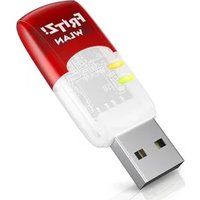
FRITZ!WLAN Stick AC 430 MU-MIMO - Wi-Fi USB Key AVM - Free user manual and instructions
Find the device manual for free FRITZ!WLAN Stick AC 430 MU-MIMO AVM in PDF.


| Brand | AVM |
| Model | FRITZ!WLAN Stick AC 430 MU-MIMO |
| Product Type | Wi-Fi USB Stick |
| Wi-Fi Standards | IEEE 802.11ac, 802.11n, 802.11g, 802.11b, 802.11a |
| Frequency Bands | 2.4 GHz and 5 GHz |
| Maximum Rate (Gross) | 433 Mbit/s (802.11ac) |
| Maximum Rate (Net) | 200 Mbit/s (802.11ac) |
| Technology | MU-MIMO |
| Wireless Security | WPA, WPA2, WEP 64/128 bits |
| Interface | USB 2.0 or higher |
| Compatible Operating Systems | Microsoft Windows 11 and 10 |
| Connection Methods | Stick & Surf, WPS |
| Included Software | FRITZ!WLAN |
| Power Supply | USB port |
| LED Indicators | LED for WLAN and USB status |
| Wi-Fi Transmission Power (2.4 GHz) | 100 mW max |
| Wi-Fi Transmission Power (5 GHz) | 200 mW max (indoor) |
| Modulation | 256 QAM (proprietary, 2.4 GHz) |
| Maintenance | Clean with a damp cloth after disconnecting |
| Safety | Do not open, protect from liquids, disconnect during thunderstorms |
| Package Contents | FRITZ!WLAN Stick AC 430 MU-MIMO, quick guide |
Frequently Asked Questions - FRITZ!WLAN Stick AC 430 MU-MIMO AVM
User questions about FRITZ!WLAN Stick AC 430 MU-MIMO AVM
0 question about this device. Answer the ones you know or ask your own.
Ask a new question about this device
Download the instructions for your Wi-Fi USB Key in PDF format for free! Find your manual FRITZ!WLAN Stick AC 430 MU-MIMO - AVM and take your electronic device back in hand. On this page are published all the documents necessary for the use of your device. FRITZ!WLAN Stick AC 430 MU-MIMO by AVM.
USER MANUAL FRITZ!WLAN Stick AC 430 MU-MIMO AVM
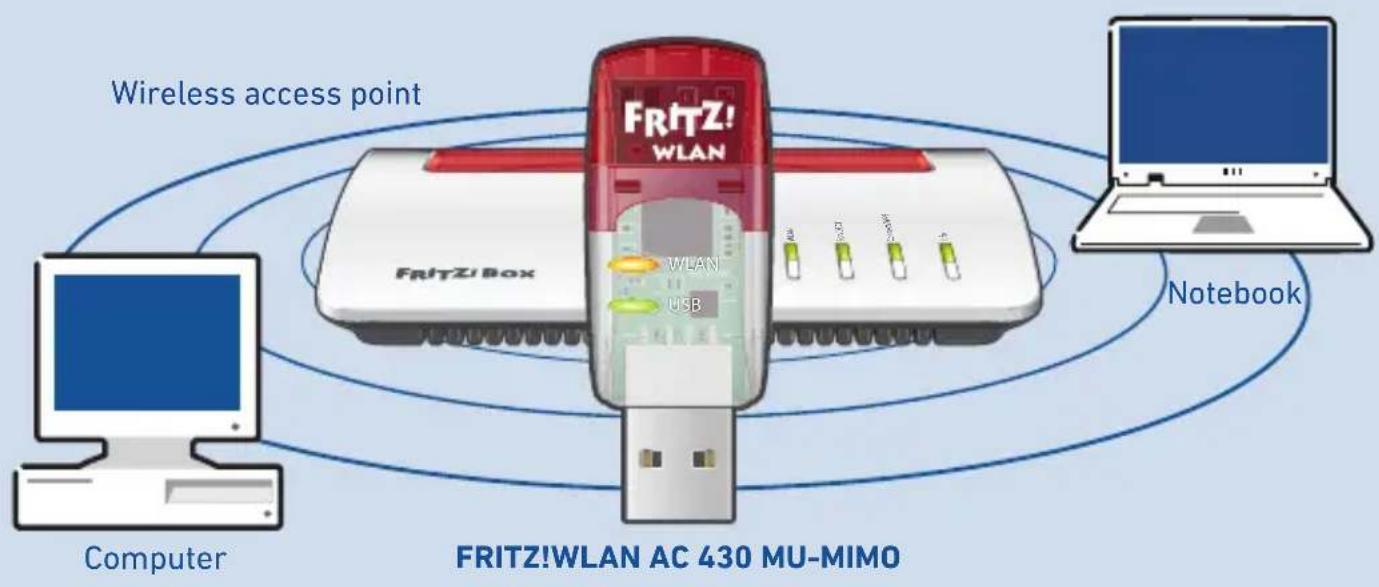
The FRITZ!WLAN Stick AC 430 MU-MIMO is a Wi-Fi dongle that can be used on the USB port of your computer for fast Wi-Fi connections to a wireless router.
The Wi-Fi connections are established using your computer's operating system and can be monitored and configured with the free FRITZ!WLAN software from AVM.
For more information and technical specifications, see the FRITZ!WLAN Stick manual at en.avn.de/service.
Security
- Do not install the FRITZ!WLAN Stick during an electrical storm.
- During an electrical storm, disconnect the FRITZ!WLAN Stick from the computer.
- Never let liquids get inside the FRITZ!WLAN Stick.
- Do not open the FRITZ!WLAN Stick housing. Opening and/or repairing the device can present a hazard.
- Remove the FRITZ!WLAN Stick from the computer before cleaning. Clean the device using a moist cloth.

See also the security instructions in the FRITZ!WLAN Stick manual at en.avn.de/service/manuals/fritzwlan.
Package Contents
Name Illustration
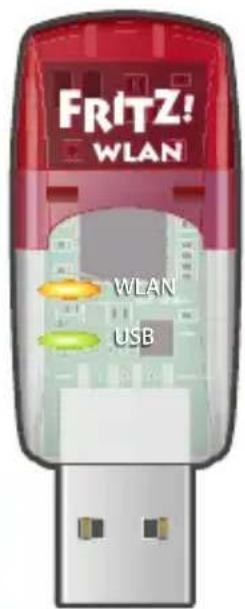
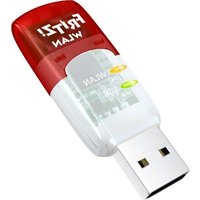
1 FRITZ!WLAN Stick AC 430 MU-MIMO
1 quick guide No illustration
Device Features
Name Illustration Action/Meaning
Status display
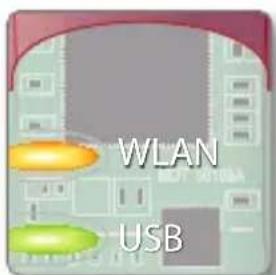
- WLAN: indicates a Wi-Fi connection
- USB: indicates that the stick is ready for operation
Wi-Fi function
(Wi-Fi)
- For connecting to the Wi-Fi network
Wireless 802.11 ac/n in the 5-GHz band - Compatible with the Wireless 802.11n/g/b/a standard
MU-MIMO
MU-MIMO (Multi User-Multiple Input, Multiple Output) is a technology for the parallel use of multiple data streams in Wi-Fi connections, and serves to increase the aggregate throughputs in a Wi-Fi cell.
The FRITZ!WLAN Stick supports MU-MIMO and can be used with any wireless routers, but provides its full spectrum of performance only when used in combination with wireless routers that support MU-MIMO.
All Wi-Fi environments benefit from MU-MIMO. If the participating wireless devices support MU-MIMO for both sending and receiving, data transmission improves significantly. In mixed environments with older wireless devices for single-user MIMO, more airtime is available for these devices and performance improves.
MU-MIMO is enabled in the downstream direction, that is, for data transfer from the wireless router to the wireless device, and works only in the close vicinity of the wireless router.
Wi-Fi Connections
You can establish Wi-Fi connections in two simple ways.
AVM Stick & Surf WPS Quick Connection
With AVM Stick & Surf the FRITZ!WLAN Stick adopts the security settings of a FRITZ!Box and automatically establishes a secure wireless LAN connection.
For more information on this, read the description at "Wi-Fi Connection with AVM Stick & Surf" on page 21.
The FRITZ!WLAN Stick can be connected with the wireless router via WPS.
WPS (Wi-Fi Protected Setup) is a method for establishing secure Wi-Fi connections between wireless devices. WPS is supported by all current FRITZ!Box models with Wi-Fi and by many other wireless routers. See the documentation for your wireless router.
Read the description here at "Wi-Fi Connection with WPS" on page 22.
Wi-Fi Connection with AVM Stick & Surf
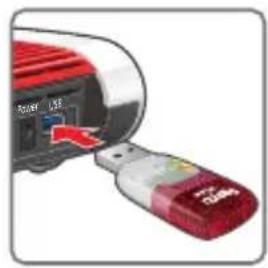
- Insert the FRITZ!WLAN Stick in the FRITZ!Box.
- The Info LED on the FRITZ!Box flashes. Wait until the Info LED stops flashing and remains lit up.
- Remove the FRITZ!WLAN Stick.
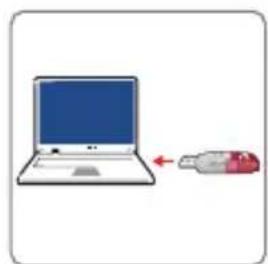
- Insert the FRITZ!WLAN Stick in your booted computer.
- The driver installation is started.
- Click FRITZ!WLAN Stick AC 430 MU-MIMO Installation and confirrm the subsequent queries. The FRITZ!WAN Stick is installed.
- The Stick & Surf logo appears and the connection to your FRITZ!Box is established automatically. Note the instructions on "FRITZ!WLAN Software" on page 23.
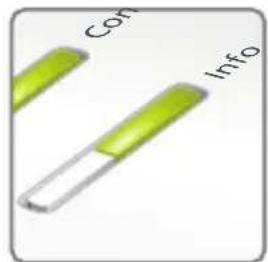
fl ashes briefly, then remains lit

Wi-Fi Connection with WPS
- Insert the FRITZ!WLAN Stick in your computer.
- Click on "FRITZ!WLAN Stick AC 430 MU-MIMO Installation" and confirm the subsequent queries. The FRITZ!WLAN Stick is installed.
- Click on the Wi-Fi symbol or in the taskbar of your Windows computer.
- Select the Wi-Fi network of your FRITZ!Box or your wireless router and use the network key to establish a Wi-Fi connection. The Wi-Fi network key of a FRITZ!Box is printed on the base of the device housing.
The Wi-Fi connection will be established.
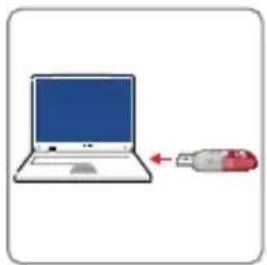
FRITZ!WLAN Software
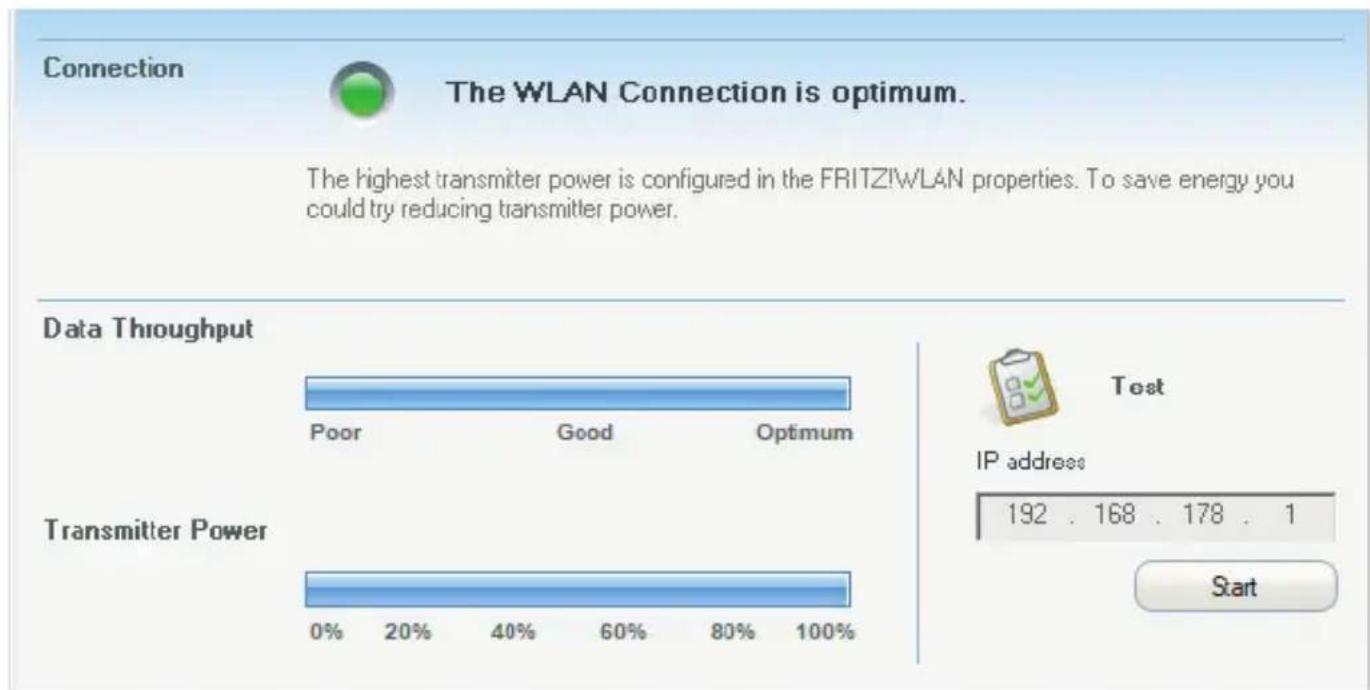
The FRITZ!WLAN software is installed on your computer along with the FRITZ!WLAN Stick. With FRITZ!WLAN you receive information on your connection and the settings of your FRITZ!WLAN Stick.
- Click on the FRITZ!WLAN icon in the taskbar of your Windows computer. FRITZ!WLAN is started.

- Details on the program are provided in the manual of your FRITZ!WLAN Stick at en.avn.de/service/manuals/fritzwlan.
Wi-Fi standards
Your FRITZ!WLAN Stick supports the following Wi-Fi standards:
| Frequency Band (GHz) | Transmission in Mbit/s (Gross, Maximum) | Transmission in Mbit/s (Net, Maximum) | |
| 802.11b 2.4 | 11 5 | ||
| 802.11g 2.4 | 54 25 | ||
| 802.11n 2.4 | / 5 150 100 | ||
| 802.11a 5 54 25 | |||
| 802.11ac 5 433 200 |
For Wi-Fi connections the FRITZ!WLAN Stick must use the same standard and the same frequency band as your wireless router. This means that the settings of the wireless router determine which standard is used in a Wi-Fi network.
The best transmission speeds can be achieved by operating your wireless router in the 5-GHz frequency band. The 5-GHz band is subject to less interference and provides more channels for transmission than the 2.4-GHz frequency band.
Technical Specifications
- Requirements:
Computer with USB port 2.0 or higher and Microsoft Windows 11 or 10 - Support for Wi-Fi networks in accordance with IEEE 802.11ac, IEEE 802.11n, IEEE 802.11g, IEEE 802.11b and IEEE 802.11a
- WPA (Wi-Fi Protected Access) / WPA2 (802.11i) / WEP 64/128-bit (Wired Equivalent Privacy)
- Support for 256-QAM modulation in the 2.4-GHz band (proprietary, not standardized)
- Compatible with USB 2.0 and higher
- Wireless:
2.4 GHz - 2.483 GHz, max. 100 mW
5.15 GHz - 5.35 GHz, max. 200 mW
5.47 GHz - 5.725 GHz, max. 1000 mW
The range from 5.15 GHz to 5.35 GHz is intended only for indoor use. This restriction or requirement is effective in the countries AT, BE, BG, CY, CZ, DE, DK, EE, EL, ES, FI, FR, HR, HU, IE, IT, LT, LU, LV, MT, NL, PL, PT, RO, SE, SI, SK, UK, NI.
Legal Notice
Declaration of CE Conformity
AVM declares herewith that the device is compliant with directive 2014/53/EU.
The full text of the declaration of EU conformity is available at
en.avm.de/service/declarations.

Disposal
In accordance with European directives, the FRITZ!WLAN Stick and the cable may not be disposed with household waste.click Please bring these to your local collection points for disposal.
Legal Notice
Legal information and licensing conditions are presented in the help of the user interface.
FRITZ!WLAN Stick AC 430 MU-MIMO
The WLAN Connection is optimum.
The highest transmitter power is configured in the FRITZ!wLAN properties. To save energy you could try reducing transmitter power.
Data Throughput


Test
IP address
Transmitter Power

-
-
- 1
-
Start
Estandares Wi-Fi
The WLAN Connection is optimum.
The highest transmitter power is configured in the FRITZ!wLAN properties. To save energy you could try reducing transmitter power.
Data Throughtput


Test
IP address
Transmitter Power

-
-
- 1
-
Start
Standard wireless
La FRITZ!WLAN Stick supporta i seguenti standard wireless:
| Banda di frequenza (GHz) | Trasmissione in Mbit/s (massima lorda) | Trasmissione in Mbit/s (massima netta) | |
| 802.11b 2,4 | 11 5 | ||
| 802.11g 2,4 | 54 25 | ||
| 802.11n 2,4 | / 5 150 100 | ||
| 802.11a 5 54 25 | |||
| 802.11ac 5 433 200 |
AVM Stick & Surf WPS-snelverbinding
The WLAN Connection is optimum.
The highest transmitter power is configured in the FRITZ!wLAN properties. To save energy you could try reducing transmitter power.
Data Throughput


Test
IP address
Transmitter Power

-
-
- 1
-
Start
Wi-Fi-standardarden
Top 10 knowledge documents
Downloads
Manuals
Support


- Security
- Package Contents
- Name Illustration
- Device Features
- Name Illustration Action/Meaning
- MU-MIMO
- Wi-Fi Connections
- AVM Stick & Surf WPS Quick Connection
- Wi-Fi Connection with AVM Stick & Surf
- Wi-Fi Connection with WPS
- FRITZ!WLAN Software
- Wi-Fi standards
- Technical Specifications
- Legal Notice
- Declaration of CE Conformity
- Disposal
- FRITZ!WLAN Stick AC 430 MU-MIMO
- The WLAN Connection is optimum.
- Data Throughput
- Test
- Transmitter Power
- Estandares Wi-Fi
- Data Throughtput
- Standard wireless
- AVM Stick & Surf WPS-snelverbinding
- Wi-Fi-standardarden
Brand : AVM
Model : FRITZ!WLAN Stick AC 430 MU-MIMO
Category : Wi-Fi USB Key