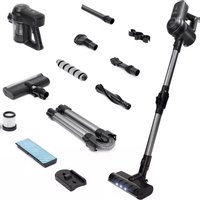
Cyclone C3 - Vacuum Cleaner JAP - Free user manual and instructions
Find the device manual for free Cyclone C3 JAP in PDF.



| Brand | JAP |
| Model | Cyclone C3 |
| Category | Vacuum cleaner |
| Type of vacuum cleaner | Cordless stick with washing function |
| Product code | C-C3 |
| Adapter input | 100-240 V ~ 50/60 Hz |
| Adapter output | 27 V, 500 mA |
| Rated power | 280 W |
| Suction power | 25 kPa |
| Battery type | Li-ion 2200 mAh |
| Runtime | 35 minutes |
| Charging time | 4 hours |
| Power settings | 2 levels |
| Dust container capacity | 0.5 L |
| Filters | Washable stainless steel filter and washable HEPA filter |
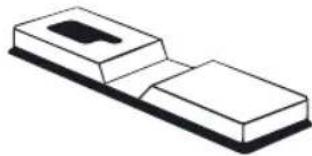
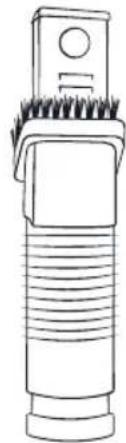
| Included accessories | Standard brush for carpets, soft brush for hard floors, water tank with mop, crevice tool, 2-in-1 tool for corners and furniture, furniture accessory, accessory holder to attach to the tube, wall mount |
| Warranty | 2 years |
| Manufacturing | Made in China, designed in the Netherlands |
| Customer service | www.japproducts.eu, support@japproducts.eu |
Frequently Asked Questions - Cyclone C3 JAP
User questions about Cyclone C3 JAP
0 question about this device. Answer the ones you know or ask your own.
Ask a new question about this device
Download the instructions for your Vacuum Cleaner in PDF format for free! Find your manual Cyclone C3 - JAP and take your electronic device back in hand. On this page are published all the documents necessary for the use of your device. Cyclone C3 by JAP.
USER MANUAL Cyclone C3 JAP

BIONIC BLAST
CYCLONE

BIONIC BLAST
CYCLONE

www.japproducts.eu
Index
EN English 8
NL Nederlands 22
DE Deutsch 36
FR Français 50
□-
□-
□-
Table of contents
Thank you for your purchase 8
Looking for help? 8
Important safety precautions 9
Key safety points 9
General safety 10
Adapter 10
Battery 11
Getting to know your CYCLONE CB 12
Accesories 13
Assembling the water tank with mop function 14
Assembling the brushes 15
Technical specifications 16
Before first use 16
Test run 16
Using your CYCLONE CB 17
Using the vacuum cleaner 17
Charging the vacuum cleaner 17
Taking care of your CYCLONE CB 18
8 Accesories 19
Troubleshooting 19
Warranty information 20
Customer support 20
Disposal of electrical appliances 20
More JAP products 21
Inhoudsopgave
We hope you will enjoy your new CYCLONE CB as much as we do.
LOOKING FOR HELP?

Our helpful, in-house family is ready to help you with all your questions!

Email: support@japproducts.eu

Phone: +31736447405 (workdays from 09.00 - 17.00 CET)
Read the instructions carefully before you use your C:\SAVE\This manual for future use or for new users.

Key safety points
• Only use the CYCLONE CB for dry purposes. Water, liquids and other wet objects may not be vacuumed.
- Do not vacuum large or sharp object (like glass). Otherwise, the engine might break or the vacuum cleaner could get clogged.
• Do not vacuum flammable or explosive substances, like petrol or alcohol.
- Use the device in a responsible manner and do not touch any hot components.
Only use the handle during use. [FIG. 1]

natural_image
Line drawing of a handheld device with a hand interacting with it, showing no text or symbols.FIG. 1
• Make sure that no fingers or strange objects get into the suction opening or into the ventilation opening. This could cause an electrical shock or a fire.

General safety
- Do not use your or adapted when they are damaged of defect.
Do not try to repair the product, contact us instead. - Do not use your CYCLONE CB before the device is fully assembled and always turn your device off before you move it or before you disassemble.
• Make sure that your hands are dry before you touch the plug or before you turn on your CYCLONE C3. - Keep close watch on children around your CYCLONE C3. Children may not use this device.
- This device is not suitable for use by people with reduced physical, sensory, or mental capabilities, or people that lack experience and knowledge unless they are supervised by a person who is responsible for their safety.
- Never leave the device unattended during use.
- Do not use any replacement parts or accessories from third parties as these could cause fires, electrical shock or personal injury.
- Do not use outdoor. This device is only suitable for indoor use.
- Do not submerge your adapter in water or any other liquid.
- Store the device in a safe and dry place when it is not in use.
Adapter
- Check before you put the plug in the outlet if the voltage level corresponds with level on the model plate on the device.
- Do not use the adapter with an extension cord.
• Take the plug out of the outlet when the vacuum cleaner is fully charged. Do not pull on the cord directly. -
Make sure that the cable does not tangle or hinder during use.
• Take the plug out of the outlet when the adapter is not being used. -
The battery can only be used for the . Do NOT on the battery for other purposes.
- The device contains a battery with materials that could be harmful for the environment.
The battery must be safely recycled. - Always fully charge the battery when you are using a new one or when it is the first use after a long storage period.
- When the CYCLONE CB is not being used for a long period of time, make sure that the battery is charged at least once every three months.
- Do not expose the battery to high temperatures or fire.
- Avoid contact between the battery and small metal objects such as paperclips, coins, keys, nails or screws.
- Leakage of the battery could occur under extreme circumstances. Do not touch the liquid that leaks out of the battery.
- When you touch the battery under these circumstances, wear gloves and immediately dispose of the battery according to local guidelines.
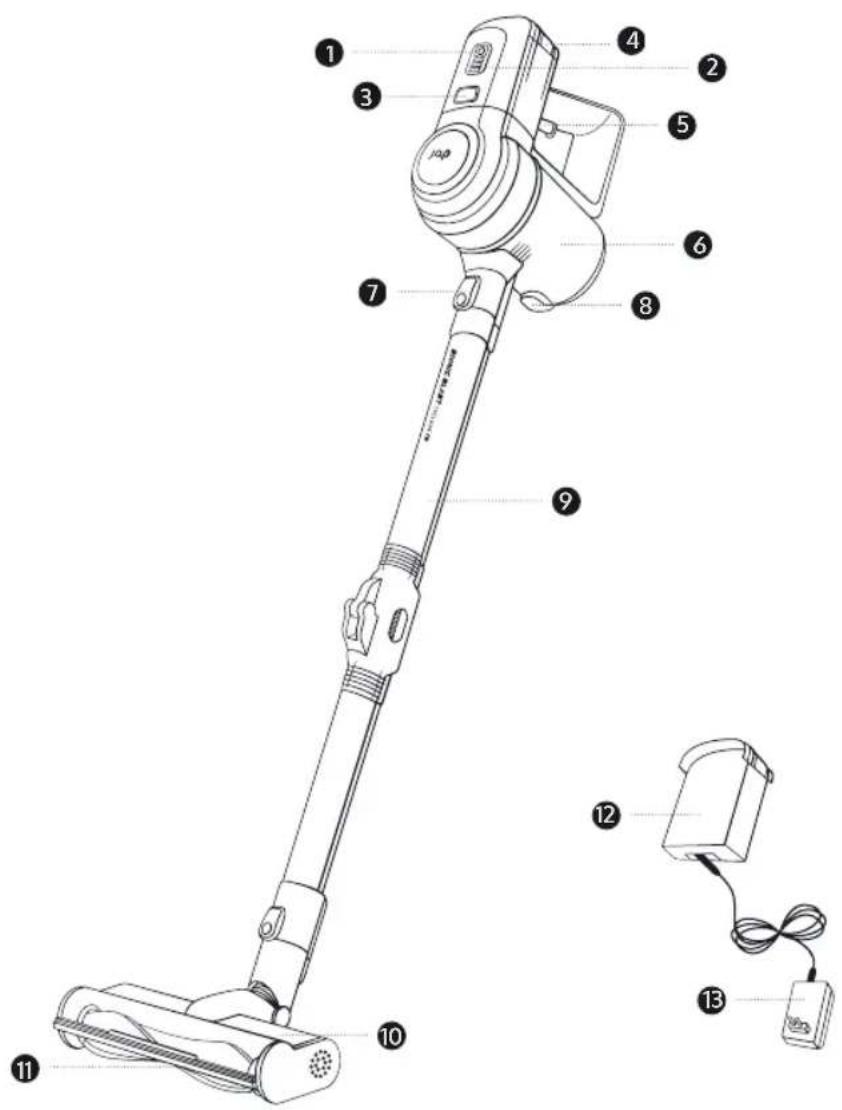
- Speed control
- LED-indicator
- Unlock button handle
-
Unlock button battery
-
On/off switch
- Dust tank
- Unlock button stalk
-
Unlock button dust reservoir
-
Foldable stalk
- Base
- LED-light
- Changeable battery
- Adapter
1
natural_image
Simple line drawing of a twisted cylindrical object with circular ends (no text or symbols)2

natural_image
Simple line drawing of a striped cylindrical object with rounded ends (no text or symbols)
3
natural_image
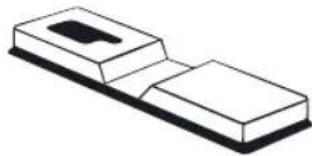
Simple line drawing of a rectangular block with a small inset object on top (no text or symbols)
natural_image
Simple line drawing of a cylindrical object with a pointed tip and base (no text or symbols)5

natural_image
Line drawing of a mechanical tool or device with no visible text or symbols6
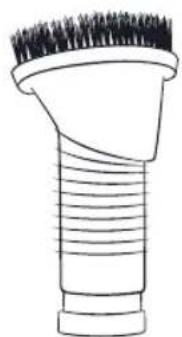
natural_image
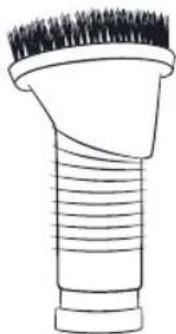
Line drawing of a hairbrush with bristles and threaded body (no text or symbols)7
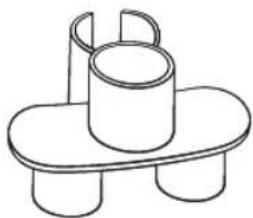
natural_image
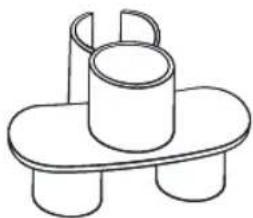
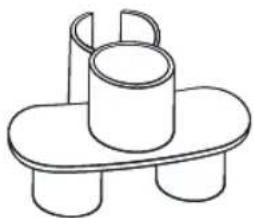
Simple line drawing of a cup on a tray with three legs (no text or symbols)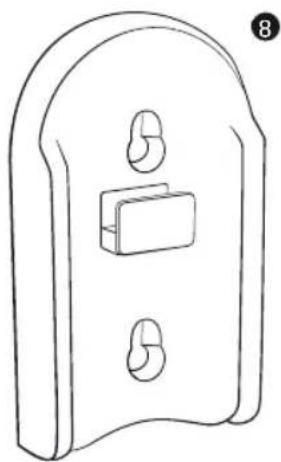
natural_image
Line drawing of a door latch with two side clips and a central rectangular block (no text or symbols)9

natural_image
Simple line drawing of a cylindrical container with a dotted fill (no text or symbols)10
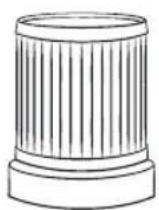
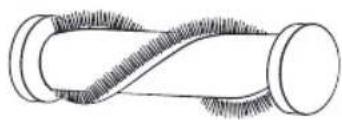
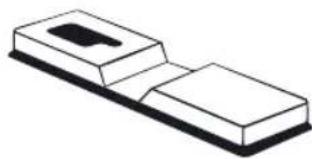
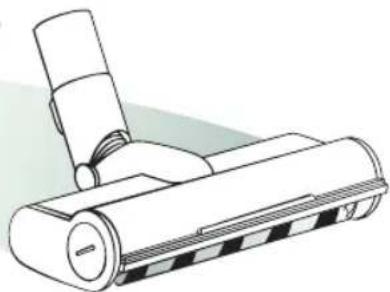
- Normal brush for carpets
- Soft brush for hard floors
- Water tank with mop function
- Attachment for cracks
-
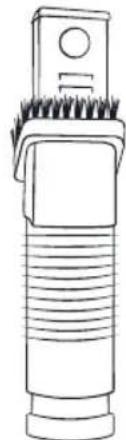
Attachment 2in1 for corners and furniture
-
Attachment for furniture
- Accessories holder to be attached to the stalk
- Wall mount
- Washable stainless steel filter
- Washable HEPA-filter
ASSEMBLING THE WATER TANK WITH MOP FUNCTION
- Fill the tank with water.
- Add your favourite cleaning solution.
- Attach the water tank to the bottom of the stalk behind the base.
- Clean all dirty spots with the mop while the remaining dust particles are vacuumed.

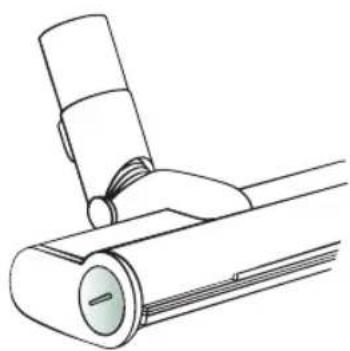
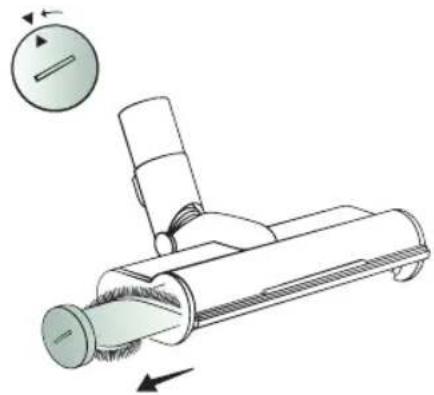
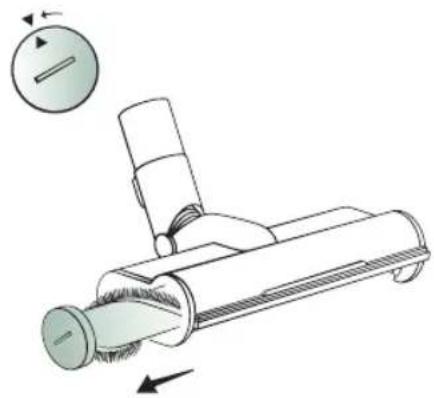
ASSEMBLING THE BRUSHES
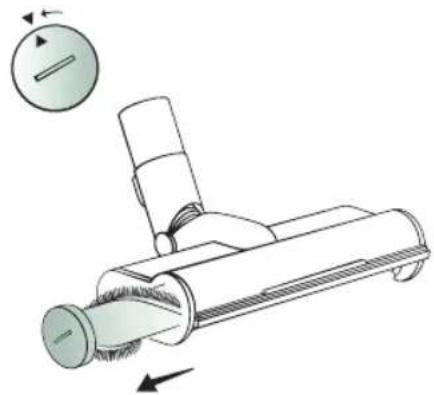
- There is a cap on the right side of the base.
- Turn the cap counter clockwise and remove it from the base.
CAUTION: Do not use any objects while removing the cap as this may cause damage.
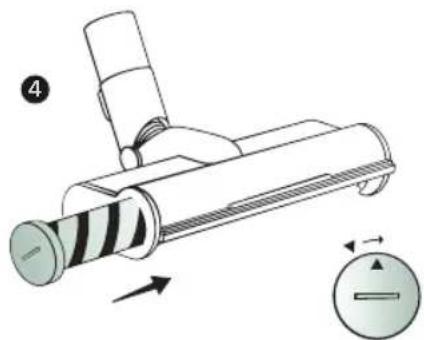
- Attach the preferred brush to the cap.
- Place the cap back in the base and turn it clockwise to close it.
- Clean your floor better than ever before.
1
natural_image
Line drawing of a mechanical device with a lever and cylindrical body (no text or symbols)2
natural_image
Diagram of a vacuum cleaner with airflow direction indicators (no text or symbols)

natural_image
Diagram of a mechanical device with directional arrows indicating motion or force (no text or symbols)5

natural_image
Line drawing of a vacuum cleaner with attached roller and handle (no text or symbols)
CYCLONE C3
Product reference: C-C3
Adapter input: 100-240V\~, 50-60Hz
Adapter output: 27V, 500mA
Voltage: 22,2V
Power: 280W
Suction power : 25kpa
Type battery: 2200mAh Li-ion
Usage time: 35 min
Charging time: 4h
Settings: 2
Capacity of dust reservoir: 0,5L
Made in P.R.C., designed in the Netherlands.

Before first use
-
Read the safety measurements carefully and check the product for any visible damages.
-
Remove all the packaging material from the and boneseries, including non-essential temporary stickers.
-
Use the cryolateral heat resistant and flat surface.
-
Use a damp cloth to wipe the inside and outside of the .CYCLONE CB And dry with a tea towel.

Test run
By testing the device you become accustomed to your CYCLONE CB and you can ensure that it always functions properly, you can also clean any possible dirt.
CAUTION: Check occasionally if the accessory is clean, otherwise scratches could appear on sensitive surfaces.
USING THE VACUUM CLEANER
- Place the changeable battery in the backside of the CYCLONE CB.
- Slide the metal stalk or one of the accessories on the base until you hear a click sounds. In case of the stalk, attach one of the attachments to the other end. [FIG. 2]
FIG. 2

natural_image
Technical line drawing of a vacuum cleaner with two views showing mechanical components (no text or symbols)- Turn the device on or o by pressing the to the low setting.
The vacuum cleaner is by default set
-
Press the to set the vacuum cleaner in the high setting.
-
Press the again to set the vacuum cleaner back in the low setting.
CHARGING THE VACUUM CLEANER
-
If the light of the charging indicator starts ashing, turn the vacuum cleaner of and charge the battery.
-
The indicator light ○ starts ashing as soon as the devices makes contact with the adapter.
-
While the device is charging the lights will keep ashing. When fully charged, the light will be on continuously.
-
Then the is ready focus again.
CAUTION:
- The battery can also be removed and charged directly. During the charging the light is
When fully charged, it changes to a
colour.
• Always make sure that the
CYCLONE CB is turned o
when it is connected to the adapter.
• The vacuum cleaner may not be used during the charging process.


CAUTION: Always clean the carbonate use.
- Turn off the . Letchondevise cool down completely before you clean it.
- Wipe the outside of the with a loane cloth.
CAUTION: Do not use any liquids because the surface could burst or the colour could fade.
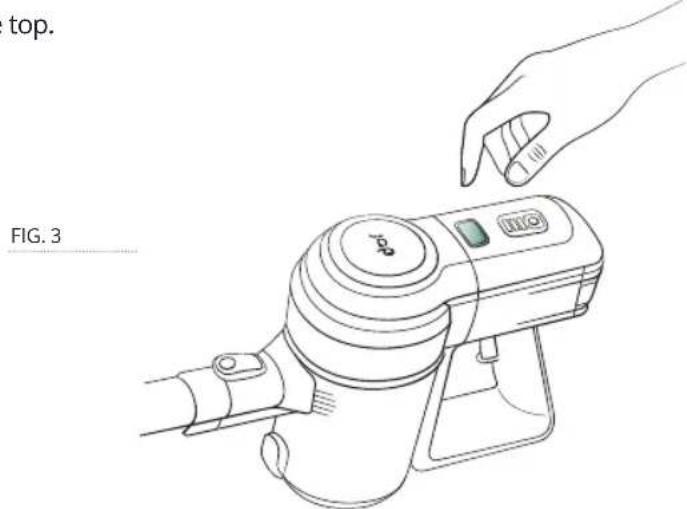
- Remove the dust tank by pressing the unlocking button [FIG. 3] and turn counter clockwise to open the top.
- Remove the filters and empty the contents of the dust tank. The filters are washable.
- Clean the inside of the ceramic sponge, non-abrasive sponge or cloth. Do not submerge it in water.
- For stubborn dirt:
a. Mix 30 ml of baking soda with 15 ml of water in a small bowl until it forms a spreadable paste.
b. Use a sponge to smear and scrub the paste on the removable parts. Leave the paste on the removable for 15 minutes before you rinse them.
c. Wash the removable parts with soap and water before you use them.
- Dry before use.
CAUTION: Make sure that the accessories are completely dry before you turn on the CYCLONE CB

Accessories
You can buy accessories for your buy going to www.japproducts.eu and finding the most suitable sales outlet.
Please contact support@japproducts.eu if you have any questions.

Troubleshooting
PROBLEM POSSIBLE SOLUTION
The vacuum cleaner does not vacuum properly.
→ Empty the dust tank.
→ Check if the dust reservoir is installed correctly.
→ Check if the filters are installed correctly.
→ Clean the filters.
The vacuum cleaner stops or does not function.
→ Charge the battery.
→ Clean the accessory.
The battery does not charge.
→ Check the battery.
→ Check the outlet.
Warranty information
JAP Products guarantees that all products will be of the highest quality in material, craftsmanship and service for two years, starting from the date of purchase until the end of the warranty period. The warranty period can differ per product category.
If you have any questions or comments about your new product, please contact us.

Customer support
www.japproducts.eu
De Beverspijken 7D
5221EE 's-Hertogenbosch
The Netherlands
Our helpful, in-house family is ready to help you with all your questions!
Email: support@japproducts.eu
Phone: +31736447405
(workdays from 09.00 - 17.00 CET)
Please prepare your order number when you contact our customer service.

Disposal of electrical appliances
The European guidelines 2012/19/EU concerning Waste Electrical and Electronic Equipment (Waste Electrical and Electronic Equipment (discarded electrical and electronic appliances) (AEEA) determines that old household electrical appliances may not be disposed in the regular not sorted household waste. Old appliances need to be collected for the retrieval and recycling of materials that they contain to limit the impact on the public health and the environment. The crossed-out symbol of the wheeled bin on the product reminds you of your obligation to dispose the device in proper manner. Consumers need to contact their local authorities for information about the correct disposal of old appliances and/or their batteries.
JAPproducts

Instagram :
@jap_nl

Facebook :
JAP_nl


MORE JAP PRODUCTS
If you're happy with this, the product line doesn't stop here.
BEDANKT
VOOR JE
AANKOOP

Email: support@japproducts.eu

natural_image
Line drawing of a handheld device with a hand holding a smartphone (no text or symbols visible)FIG. 1
natural_image
Diagram of a twisted cylindrical object with textured surface (no text or symbols)2


3

natural_image
Isometric illustration of a rectangular electronic component with a slot (no text or symbols)Nederlands

natural_image
Simple line drawing of a cylindrical object with a pointed tip and base (no text or symbols)4
5
natural_image
Line drawing of a handheld tool with threaded handle and spout (no text or symbols)6
natural_image
Line drawing of a hairbrush with bristles and threaded body (no text or symbols)7
natural_image
Simple line drawing of a cup on a tray with three legs (no text or symbols)
natural_image
Line drawing of a door latch with two side clips and a central rectangular block (no text or symbols)
natural_image
Simple line drawing of a cylindrical container with a dotted pattern inside (no text or symbols)
natural_image
Simple line drawing of a cylindrical object with vertical ridges and a base, no text or symbols present.natural_image
Line drawing of a mechanical device with a lever and cylindrical body (no text or symbols)2
natural_image
Diagram of a vacuum cleaner with airflow direction indicators (no text or symbols)
natural_image
Diagram of a mechanical device with directional arrows indicating motion or force (no text or symbols)5

natural_image
Line drawing of a vacuum cleaner with roller and handle (no text or symbols)

Technische specificaties

CYCLONE C3
Productreferentie: C-C3
Adapter input: 100-240V\~, 50-60Hz
Adapter output: 27V, 500mA
Voltage: 22,2V
Vermogen: 280W
Zuigkracht : 25kpa
Type accu: 2200mAh Li-ion
Gebruikstijd: 35min
Oplaadtijd: 4h
Standen: 2
natural_image
Technical line drawing of a vacuum cleaner with two views showing mechanical components (no text or symbols)FIG. 2

MEER JAP PRODUCTEN
Email: support@japproducts.eu

natural_image
Line drawing of a handheld device with a hand holding a smartphone (no text or symbols visible)FIG. 1
natural_image
Diagram of a twisted cylindrical object with textured surface (no text or symbols)2


3
natural_image
Isometric illustration of a rectangular electronic component with a slot (no text or symbols)Deutsch

natural_image
Simple line drawing of a cylindrical object with a pointed tip and base (no text or symbols)4
5
natural_image
Line drawing of a hairbrush with bristles and threaded body (no text or symbols)6

natural_image
Line drawing of a hairbrush with bristles and threaded body (no text or symbols)7

natural_image
Simple line drawing of a cup on a tray with three cups (no text or symbols)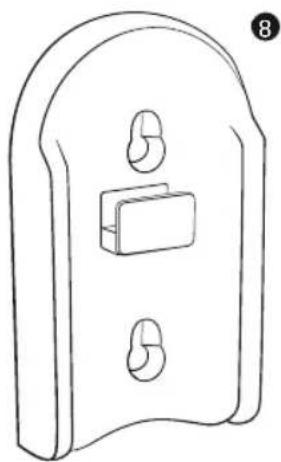
natural_image
Line drawing of a door latch with two side clips and a central rectangular block (no text or symbols)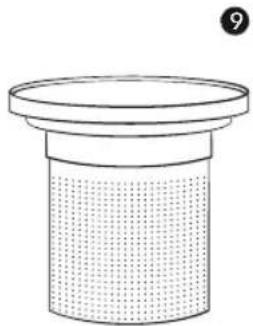
natural_image
Simple line drawing of a cylindrical container with a dotted fill and a top rim, no text or symbols present.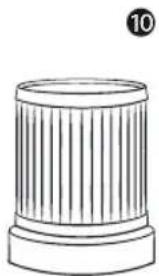
natural_image
Simple line drawing of a cylindrical object with vertical ridges and a base, no text or symbols present.natural_image
Line drawing of a vacuum cleaner with roller and handle (no text or symbols)
Technische Daten


CYCLONE C3
natural_image
Technical line drawing of a vacuum cleaner with two views showing mechanical components (no text or symbols)FIG. 2
Email: support@japproducts.eu
Telefon: +31736447405

MERCI POUR VOTRE ACHAT

Email: support@japproducts.eu

Téléphone: +31736447405 (jours ouvrables de 09.00 - 17.00 CET)

natural_image
Line drawing of a handheld device with a hand holding a smartphone (no text or symbols visible)FIG. 1
natural_image
Diagram of a twisted cylindrical object with textured surface (no text or symbols)2


3
natural_image
Isometric illustration of a rectangular electronic component with a slot and base (no text or symbols)
natural_image
Simple line drawing of a cylindrical object with a pointed tip and base (no text or symbols)4
5

natural_image
Line drawing of a hairbrush with bristles and threaded body (no text or symbols)6

natural_image
Line drawing of a hairbrush with bristles and threaded body (no text or symbols)7
natural_image
Simple line drawing of a cup on a tray with three cylindrical cups (no text or symbols)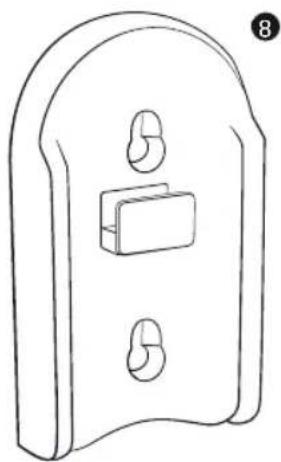
natural_image
Line drawing of a door latch with two side clips and a central rectangular block (no text or symbols)
natural_image
Simple line drawing of a cylindrical container with a dotted fill and a top rim, no text or symbols present.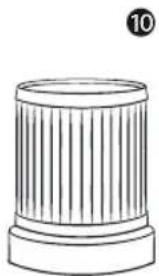
natural_image
Simple line drawing of a cylindrical object with vertical ridges and a base, no text or symbols present.
natural_image
Illustration showing a bottle pouring liquid onto a rectangular object (no text or symbols)
natural_image
Diagram of a vacuum cleaner being processed with a device, showing the process from fan to base (no text or symbols present)
natural_image
Line drawing of a vacuum cleaner with handle and ventilation slots (no text or symbols)ASSEMBLAGE DES BROSSES
natural_image
Line drawing of a mechanical device with a lever and cylindrical body (no text or symbols)2
natural_image
Diagram of a vacuum cleaner with airflow direction indicators (no text or symbols)

natural_image
Diagram of a mechanical device with directional arrows and a circular dial indicator (no text or symbols)5
natural_image
Line drawing of a vacuum cleaner with roller and handle (no text or symbols)
natural_image
Technical line drawing of a vacuum cleaner with two views showing mechanical components (no text or symbols)FIG. 2
natural_image
Line drawing of a handheld device with a hand interacting with it, labeled 'FIG. 3' (no text or symbols on the device itself)PROBLÈME SOLUTION POSSIBLE
Email: support@japproducts.eu
Téléphone: +31736447405

PLUS DE PRODUITS JAP
Questions or concerns?
support@japproducts.eu
www.japproducts.eu


- BIONIC BLAST
- CYCLONE
- Index
- Table of contents
- Inhoudsopgave
- LOOKING FOR HELP?
- Key safety points
- General safety
- Adapter
- ASSEMBLING THE WATER TANK WITH MOP FUNCTION
- ASSEMBLING THE BRUSHES
- CYCLONE C3
- Before first use
- Test run
- USING THE VACUUM CLEANER
- CHARGING THE VACUUM CLEANER
- CAUTION:
- Accessories
- Troubleshooting
- PROBLEM POSSIBLE SOLUTION
- Warranty information
- Customer support
- Disposal of electrical appliances
- JAPproducts
- MORE JAP PRODUCTS
- Technische specificaties
- Technische Daten
- MERCI POUR VOTRE ACHAT
- ASSEMBLAGE DES BROSSES
- PROBLÈME SOLUTION POSSIBLE
- PLUS DE PRODUITS JAP
Brand : JAP
Model : Cyclone C3
Category : Vacuum Cleaner