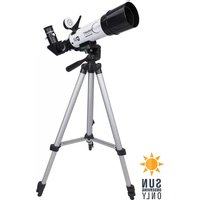
EclipSmart - Binoculars CELESTRON - Free user manual and instructions
Find the device manual for free EclipSmart CELESTRON in PDF.



| Brand | Celestron |
| Model | EclipSmart |
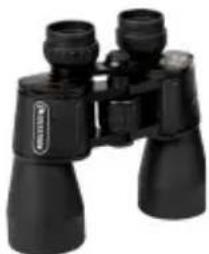
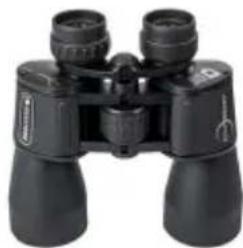
| Product Type | Solar binoculars with built-in filters |
| Safety Standard | ISO 12312-2 for direct solar observation |
| Solar Filters | Solar Safe integrated, never use if damaged |
| Interpupillary Distance Adjustment | Adjustable hinge |
| Dioptric Correction | Right eyepiece with adjustment wheel |
| Eyecups | Retractable for eyeglass wearers |
| Focusing | Central focusing wheel |
| Dimensions (approx) | About 15 x 12 x 5 cm |
| Weight (approx) | About 500 g |
| Power | None (optical instrument) |
| Recommended Use | Ages 14 and up |
| Warranty | Limited lifetime (USA and Canada) |
| Maintenance | Gentle cleaning with optical kit, do not disassemble |
| Included Accessories | Carrying case |
| Main Functions | Solar observation, sunspots, eclipses, planetary transits |
| Country of Origin | China |
Frequently Asked Questions - EclipSmart CELESTRON
User questions about EclipSmart CELESTRON
0 question about this device. Answer the ones you know or ask your own.
Ask a new question about this device
Download the instructions for your Binoculars in PDF format for free! Find your manual EclipSmart - CELESTRON and take your electronic device back in hand. On this page are published all the documents necessary for the use of your device. EclipSmart by CELESTRON.
USER MANUAL EclipSmart CELESTRON
text_image
ECLIP SMART™ SOLAR SAFE PRODUCTS by CELESTRON®
SOLAR®
SAFE
FILTER TECHNOLOGY
SOLAR BINOCULARS
INSTRUCTION MANUAL
ENGLISH

Conforms to and meets the
Transmission Requirements
of ISO 12312-2, Filters for
Direct Observation of the Sun
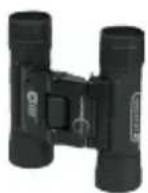
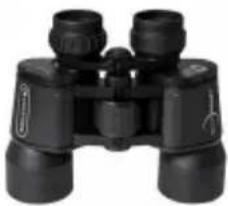
10x25
71237
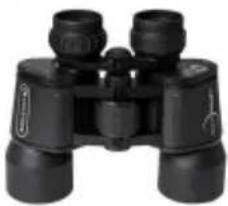
natural_image
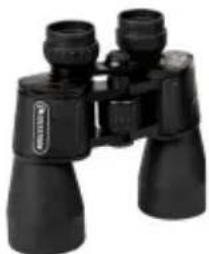
Black binoculars with visible lens and frame (no text or symbols)10x42
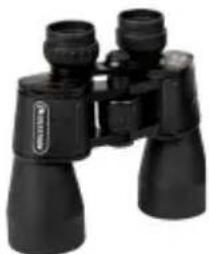
71238
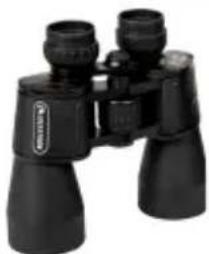
natural_image
Black binoculars with no visible text or symbols on the device itself12x50
71239
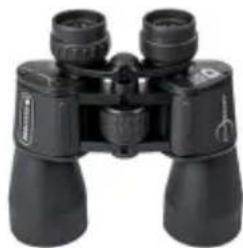
natural_image
Black binoculars with visible lenses and no text or symbols20x50
71240
CELESTRON ECLIPSMART BINOCULARS
Thank you for purchasing a Celestron EclipSmart binocular. We are confident it will bring you many years of enjoyable solar observation. This EclipSmart binocular is a very specialized optical instrument, so please read these instructions before using it.
IMPORTANT SAFETY NOTE: If done incorrectly, direct observation of the Sun can be harmful to your vision. Never look directly at the Sun without using equipment specially designed and tested for that purpose. Celestron's EclipSmart binoculars meet and conform to the ISO 12312-2 International Standard for safe direct visual observation of the Sun. EclipSmart binoculars should not be used for solar observation if the objective filters have been damaged, tampered with, or removed.
SET-UP AND USE OF YOUR CELESTRON ECLIPSMART BINOCULAR
Because of its built-in solar filters, you won't be able to see anything other than the Sun through an EclipSmart binocular. If you do see something other than the Sun through these binoculars, discontinue use immediately and contact Celestron's customer service department.
SET-UP
1. Adjusting the Interpupillary Distance (IPD)
Since the distance between the eyes (specifically, the distance between the centers of the pupils) varies among individuals, you'll need to adjust the distance between your binocular's two eyepieces to align with your eyes. To do this, lift the binoculars up to your eyes (using both hands) and move the two halves of the binoculars by flexing the hinge until both eyes seem to be fully covered by the eyepieces.

natural_image
Black binoculars with directional arrows indicating rotational motion (no text or symbols)SOLAR BINOCULARS
2. Adjusting Diopter
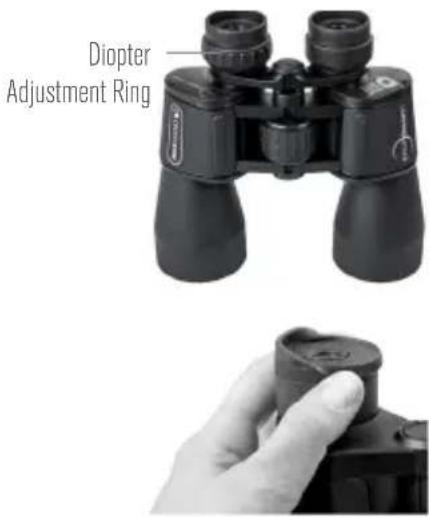
EclipSmart binoculars feature a diopter compensation adjustment mechanism on the right eyepiece for sharpest focus. If you do not wish to make an initial diopter correction adjustment, simply check to make sure the indicator on the right eyepiece is set to the “zero” mark prior to use. You can find a detailed explanation of how to set the diopter compensation later in this manual in the “Use” section, item 3.
3. Positioning the Rubber Eyecups
Leave the rubber eyecups up if you do not wear eyeglasses, but fold them down if you do wear eyeglasses to obtain the maximum field of view.
USE
Using EclipSmart binoculars is similar to using a standard binocular—with one important difference. To ensure your eyes are always protected, position your eyes behind the eyecups BEFORE raising them into position to view the Sun.
1. Positioning the Binocular
Take up the binocular in both hands and with your view downward toward the ground in front of you, turn your body so that you are facing the direction of the Sun. Place the binocular eyecups in front of your eyes so that they are both completely covered. Then, keeping the eyecups of the binocular squarely in front of your eyes, raise your head until the solar disk appears in the binocular's field of view. If the solar disk is not immediately apparent in the field of view, slowly scan with the binocular until it becomes apparent. NEVER REMOVE THE ECLIPSMART BINOCULAR FROM IN FRONT OF YOUR EYES WHILE YOUR GAZE IS DIRECTED TOWARD THE SUN.
SOLAR BINOCULARS
2. Adjusting Focus
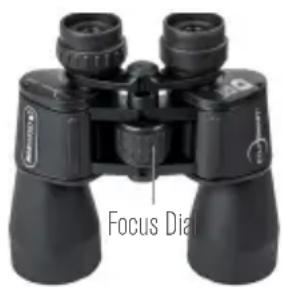
To focus your EclipSmart binocular, simply turn the large dial located between the two barrels until you see a sharp image of the solar disk.
3. Adjusting Diopter
As solar observation with binoculars does not require the level of fine detail that other types of astronomical or terrestrial observation does, most users will not need to make any adjustments to the diopter compensation of the binocular
text_image
Focus Diaother than setting it to the zero ("0") mark. However, if you would like to fine tune the diopter for your unique eyesight, follow these steps, making sure that you never allow yourself to look at the Sun without both eyepieces of the binocular fully in front of your eyes at all times. Begin with the EclipSmart binocular safely positioned in front of your eyes and the solar disk in view, without moving the binocular away from your eyes:
A. Keep both eyes open and use one hand to cover the right objective lens. Adjust the center focus dial until the image you see through the left eyepiece is sharp. Do not touch the center focus dial again until this process is complete.
SOLAR BINOCULARS
B. Move your hand away from the right objective lens and cover the left objective lens. If the image you see through the right eyepiece is sharp, you are finished. If it is not, adjust the diopter correction dial on the right eyepiece until it is.
C. Move your hand away from the left objective lens and assess the image as seen through both eyepieces simultaneously. The image should now be sharp and satisfying to view.
OBSERVING THE SUN
SOLAR ECLIPSES
Solar eclipses occur somewhere on Earth at least twice a year. There are two kinds of eclipses—partial and total.
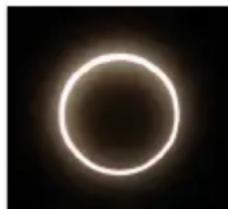
A partial solar eclipse happens when the Moon passes directly between the Earth and the Sun and the Moon blocks part of the Sun's light. If the Moon happens to be near the far point of its orbit from Earth, a very special form of a partial eclipse occurs, called an
SOLAR BINOCULARS
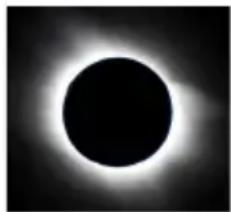
annular eclipse. In an annular eclipse, the Moon will block out most of the Sun's disk, but leaves a small ring (or annulus) of sunlight surrounding the Moon. A total eclipse occurs when the moon is close enough to the Earth in its orbit so that it blocks the entire disk of the Sun from view. The partial phases of a total solar eclipse leading up to totality are incredible to watch. The Moon will first appear as a small dark dent in the edge of the Sun, growing to a large bite. If you are in the path of totality, the Sun will eventually become a thin crescent and then disappear completely. For a couple of minutes, daytime turns to deep twilight and bright stars and planets are visible in the daytime sky. After totality, the process reverses itself as the Sun re-emerges from behind the Moon. It is a sight that should not be missed.
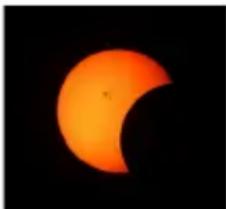
natural_image
Crescent moon against a black background, showing the Sun partially visible against its arc (no text or symbols)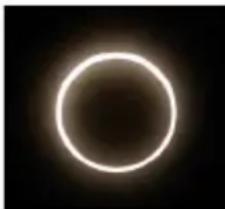
natural_image
Circular glowing ring against a dark background, resembling a stylized sun or moon (no text or symbols)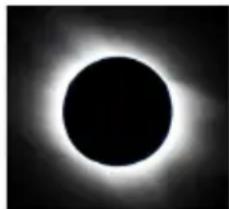
natural_image
Black and white photo of a circular hole with bright halo effect (no text or symbols)PARTIAL ECLIPSE ANNULAR ECLIPSE TOTAL ECLIPSE
SOLAR BINOCULARS
Sunspots
Sunspots are dark spots that appear on the photosphere, or visible “surface” of the Sun. They usually have a dark core, called the umbra, surrounded by a lighter border, called the penumbra. They form when large disturbances in the Sun’s magnetic field cool portions of the photosphere. Sunspots are relatively cool, being only 6,000°F (3,300°C) compared to the normal 10,000°F (5,500°C) of the rest of the photosphere. Although these spots appear to be almost black, they are actually quite bright. If it were possible to remove a sunspot from the Sun and put it in the night sky, it would shine brighter than the Full Moon. They only appears to be “dark” when compared to the rest of the photosphere.
Sunspots can be big. Very big. They can range in size from 10 to 100,000 miles (16 to 160,000 km) in diameter. To put that into perspective, the Earth is only 8,000 miles (12,800 km) in diameter! Compare sunspot sizes to the relative size of the Earth in the image on the next page to better grasp the immense size of the Sun and share that WOW factor with neighbors, friends, and family.
Sunspots usually appear in pairs but can also appear in very large groups. They can last from a few days to several weeks and can change their shape, size and number as they slowly rotate across the face of the Sun. It will take about two weeks for a sunspot group to cross the Sun. Try looking at the Sun every day and draw a picture of what you see. At the end of the week, compare your drawings and you'll see how sunspots evolve.
SOLAR BINOCULARS

text_image
JUPITER EARTH 1.3 MILLION EARTHS CAN FIT INSIDE THE SUNPLANETARY TRANSIT
Planetary transits occur when the planet
Mercury or Venus passes between the Sun and Earth, allowing observers on Earth to track the planet's dark disk as it crosses the face of the Sun. This is an extremely rare event, occurring only four times over the next 50 years.
CARE AND CLEANING
Binoculars do not need routine maintenance other than making sure that the objective lenses and eyepieces are clean. If repairs become necessary, please contact Celestron's customer service department.
Collimation (optical alignment) is the biggest concern with binoculars. If your binoculars are roughly handled or dropped, there is a good chance that they could be knocked out of collimation, requiring service from Celestron's repair department. When you are not using your binocular, always store it in the case provided.
Avoid touching your binocular's glass surfaces. If fingerprints (which contain mild acid) get on them, they should be cleaned as soon as possible to avoid damaging the coatings.
To clean the optical surfaces, we recommend a lens/optics cleaning kit available at most photo or optical shops. Follow the kit's instructions closely. If your lenses have a lot of dust or dirt accumulated, brush it off gently with a camel's hair brush or use a can of pressurized air before using the cleaning kit. You could also use the Celestron Lens Cleaning Kit or LensPen Optics Cleaning Tool made especially for cleaning binoculars.
NEVER ATTEMPT TO CLEAN YOUR BINOCULARS INTERNALLY OR TRY TO DISASSEMBLE THEM!
PROBLEMS OR REPAIR
SOLAR BINOCULARS
If warranty problems arise or repairs are necessary, contact the Celestron technical support department if you live in the U.S.A. or Canada. If you live elsewhere, please contact the Celestron dealer you purchased the binoculars from or the Celestron distributor in your country (listings on the Celestron website).
IMPORTANT: Celestron EclipSmart binoculars are specially designed with built-in Solar Safe filters. If you notice any damage to these filters, do not use them for solar observation and contact Celestron's customer service department.
WARRANTY
Your binocular has the Limited Lifetime Warranty for U.S.A. and Canadian customers. For complete details of eligibility and for warranty information on customers in other countries, visit the Celestron website: www.celestron.com
This product is designed and intended for use by those 14 years of age and older. Product design and specifications are subject to change without prior notification.

CELESTRON
©2022 Celestron. Celestron and Symbol are trademarks of Celestron, LLC. All rights reserved. Celestron.com
Torrance, CA 90503 USA
71237/71238/71239/71240
07-22
Printed in China

text_image
ECLIP SMART™ SOLAR SAFE PRODUCTS by CELESTRON™JUMELLES SOLAIRES
MODE D'EMPLOI
FRANÇAIS
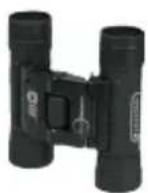
10x25
71237
natural_image
Black binoculars with no visible text or markings10x42
71238
natural_image
Black binoculars with visible lens and frame (no text or symbols)12x50
71239

natural_image
Black binoculars with visible lenses and no text or symbols20x50
71240
JUMELLES ECLIPSMART DE CELESTRON
natural_image
Black binoculars with directional arrows indicating rotational movement (no text or symbols)JUMELLES SOLAIRES
2. Ajuster la dioptrie
natural_image
Black binoculars with visible lenses and control knobs (no text or symbols)
natural_image
Close-up of a hand holding a cylindrical object with a circular mark on top (no visible text or symbols)JUMELLES SOLAIRES
UTILISATION
natural_image
Crescent moon against a black background, no text or symbols visible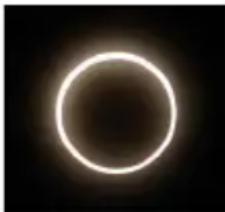
natural_image
Circular glowing ring against a dark background, resembling a stylized sun or moon (no text or symbols)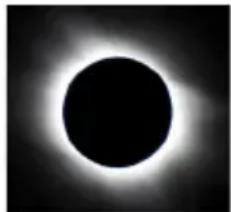
natural_image
Black and white image of a circular hole with a bright halo effect (no text or symbols)text_image
ECLIP SMART™ SOLAR SAFE PRODUCTS by CELESTRON®SONNENFERNGLÄSER
BEDIENUNGSANLEITUNG
DEUTSCH
10x25
71237
natural_image
Black binoculars with no visible text or markings10x42
71238
natural_image
Black binoculars with visible lens and frame (no text or symbols)12x50
71239

natural_image
Black binoculars with multiple lenses (no visible text or symbols)20x50
71240
CELESTRON ECLIPSMART FERNGLAS
natural_image
Black binoculars with directional arrows indicating rotational movement (no text or symbols)SONNENFERNGLÄSER
natural_image
Black binoculars with visible lens and control knobs, labeled 'Fokustrad' at bottom (no other text or symbols)natural_image
Crescent moon against a black background, showing the Sun partially visible in its arc (no text or symbols)PARTIELLE SONNENFINSTERNIS
natural_image
Circular glowing ring against a dark background, resembling a stylized sun or moon (no text or symbols)RINGFÖRMIGE SONNENFINSTERNIS
natural_image
Black and white photo of a circular hole with bright halo effect (no text or symbols)TOTALE SONNENFINSTERNIS
SONNENFERNGLÄSER
Sonnenflecken
text_image
ECLIP SMART™ SOLAR SAFE PRODUCTS by CELESTRON®BINOCOLI SOLARI
natural_image
Black binoculars with visible lens and frame (no text or symbols)10x42
71238
natural_image
Black binoculars with visible lens and frame (no text or symbols)12x50
71239
natural_image
Black binoculars with multiple lenses (no visible text or symbols)20x50
71240
BINOCOLI ECLIPSMART CELESTRON
natural_image
Black binoculars with directional arrows indicating rotational movement (no text or symbols)BINOCOLI SOLARI
natural_image
Close-up of a hand holding a small cylindrical object (no visible text or symbols)BINOCOLI SOLARI
USO
natural_image
Orange crescent moon against a black background (no text or symbols)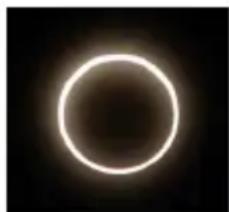
natural_image
Circular glowing ring against a dark background, resembling a stylized sun or moon (no text or symbols)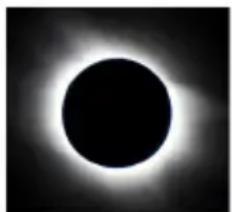
natural_image
Black and white image of a circular hole with a bright halo effect (no text or symbols)ECLISSI PARZIALE ECLISSI ANULARE ECLISSI TOTALE
Macchie solari
text_image
ECLIP SMART™ SOLAR SAFE PRODUCTS by CELESTRON®BINOCULARES SOLARES
natural_image
Black binoculars with two lenses (no visible text or symbols)10x42
71238
natural_image
Black binoculars with visible lens and frame (no text or symbols)12x50
71239

natural_image
Black binoculars with multiple lenses (no visible text or symbols)20x50
71240
BINOCULARES ECLIPSMART DE CELESTRON
natural_image
Black binoculars with directional arrows indicating rotational motion (no text or symbols)BINOCULARES SOLARES
natural_image
Black binoculars with visible lenses and no text or symbols
natural_image
Close-up of a hand holding a cylindrical object, possibly a camera or device (no visible text or symbols)BINOCULARES SOLARES
USO
natural_image
Orange crescent moon against a black background, likely part of the Sun (no text or symbols visible)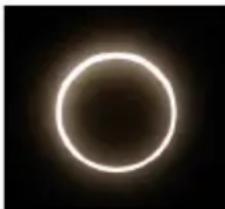
natural_image
Circular glowing ring against a dark background, resembling a lens or eclipse (no text or symbols)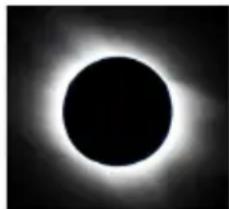
natural_image
Black and white photo of a circular hole with bright halo effect (no text or symbols)ECLIPSE PARCIAL ECLIPSE ANULAR ECLIPSE TOTAL