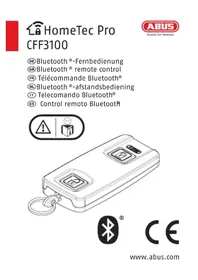
HomeTec Pro CFF3100 - Security and Access Control System ABUS - Free user manual and instructions
Find the device manual for free HomeTec Pro CFF3100 ABUS in PDF.



| Product type | Bluetooth lock remote control |
| Brand | ABUS |
| Model | HomeTec Pro CFF3100 |
| Dimensions | 63 x 30 x 11 mm |
| Weight (without battery) | 18 grams |
| Power supply | 1 CR2032 3V lithium polymer battery |
| Operating temperature | 0°C to +40°C |
| Radio frequency | 2.402 GHz - 2.480 GHz |
| Max transmission power | < 10dBm eirp |
| Encryption | AES 128-bit |
| Bluetooth | Bluetooth 4.0 LE and higher |
| Number of controllable locks | Up to 2 CFA3100 mechanisms |
| Main functions | Keyless opening/closing via smartphone or remote control, remote control, access management |
| Care and cleaning | Clean with a dry cloth; replace CR2032 battery if necessary |
| Security | AES 128-bit encryption, Keycard as proof of ownership |
| Smartphone compatibility | iOS and Android with ABUS HomeTec Pro app |
| Warranty | Warranty against material or manufacturing defects |
| Disposal | Complies with WEEE and directive 2006/66/EC; remove battery before disposal |
Frequently Asked Questions - HomeTec Pro CFF3100 ABUS
User questions about HomeTec Pro CFF3100 ABUS
0 question about this device. Answer the ones you know or ask your own.
Ask a new question about this device
Download the instructions for your Security and Access Control System in PDF format for free! Find your manual HomeTec Pro CFF3100 - ABUS and take your electronic device back in hand. On this page are published all the documents necessary for the use of your device. HomeTec Pro CFF3100 by ABUS.
USER MANUAL HomeTec Pro CFF3100 ABUS
DE Bedienungsanleitung 3 - 9
GB Operating instructions 10 - 16
FR Instructions d'utilisation 17 - 24
NL Gebruikshandleiding 25 - 31
IT Istruzioni d'uso 32 - 38
ES Instrucciones de funcionamiento ..... 39 - 45

GB Thank you for choosing this ABUS product!
Please read this guide carefully before use. Keep these instructions and provide all users with instruction on how to use it.
To set up your HomeTec Pro Bluetooth® door lock drive for the first time, you will need a Bluetooth®-enabled smartphone (Bluetooth® 4.0 LE or higher), a currently supported iOS or Android software version and the free ABUS HomeTec Pro app for iOS or Android. The drive can be operated with either a smartphone (Bluetooth® and the ABUS HomeTec Pro app) or with the other HomeTec Pro components.
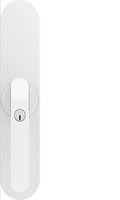
The remote control serves as an alternative to using a smartphone.
A CFF3100 remote control can operate a maximum of two door lock drives CFA3100.
The contents of this installation and operating manual reflect the current status at the time of printing. The printed manual may be outdated at the time of the product's entry into service due to updates and further developments.
We therefore ask you to visit our website
www.abus.com and enter „CFF3100“ into the search bar. You'll always find the current and complete version of the installation and operating instructions on the product page under the „Downloads“ column.
HomeTec Pro App
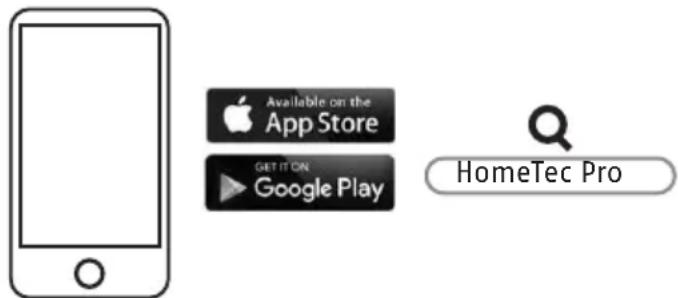
- Download the ABUS HomeTec Pro app and enable Bluetooth® on your smartphone.
- Start the app and follow the instructions in the app.
- Pay attention to the assignment of the different Keycards to the products, and always scan the correct Keycard.
- To program the remote control, start by pressing the button „Add HomeTec Pro / component“.
- It is imperative to keep the ABUS Keycard(s) in a secure place even after completing the setup! You need the Keycard for software updates, if you lose your smartphone, and for proof of ownership for matters related to warranty claims and repair. Do not give the Keycard to third parties.
To guarantee proper function, we expressly recommend performing updates in the app and software/firmware updates for HomeTec Pro components in a timely manner. The app will provide information on this. You can also perform the respective update in the component's settings.
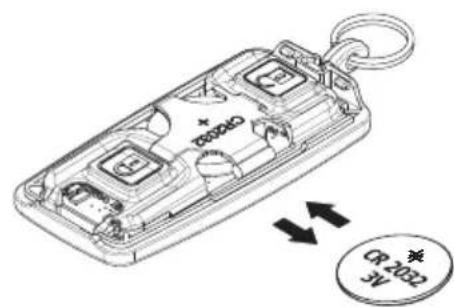
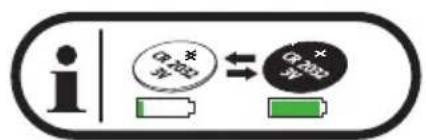
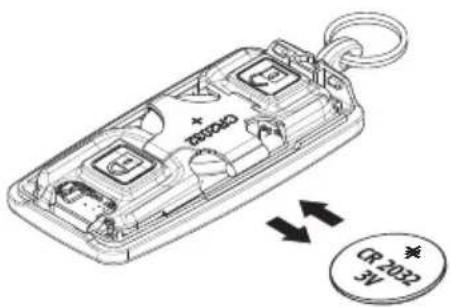
Battery replacement


Technical data
| Dimensions 63 x 30 x 11 mm | |
| Weight (without battery) | 18 grams |
| Battery type 1 * CR2032 | 3 V Lithium-polymer |
| Operating temperature range | 0°C to +40°C |
| Radio frequency 2,402 | GHz - 2,480 GHz |
| Max. radiated transmission power | < 10dBm eirp |
| Encryption AES-128 bit | |
Legal information
Battery instructions
• This product contains a lithium button cell CR2032.
- Keep batteries out of the reach of children. Children may put batteries in their mouths and swallow them. This can cause serious harm to their health. Seek immediate medical attention in this event!
- Batteries must be inserted with the correct polarity (+ and -).
- Empty batteries must be removed or replaced immediately.
- The battery terminals must not be short-circuited.
- Risk of burns from contact with leaking or damaged batteries! In these cases, use suitable protective gloves and clean the battery compartment with a dry cloth.
- Batteries must not be dismantled, punctured, damaged, shortcircuited, heated, charged or thrown into an open fire (risk of explosion!).
- Do not use or store the product in areas where the temperature could reach below 0^ or above +40^ . Do not expose the product to direct sunlight for long periods of time.
EU Declaration of Conformity
Hereby, ABUS August Bremicker Söhne KG declares that the radio equipment type HomeTec Pro is in compliance with Directives 2014/53/EU and 2011/65/EU. The full text of the EU declaration of conformity is available at the following internet address: docs.abus.com
UK Declaration of Conformity
Hereby, ABUS August Bremicker Söhne KG declares that the radio equipment type HomeTec Pro is in compliance with the Radio Equipment Regulations 2017 and the Restriction of the Use of Certain Hazardous Substances in Electrical and Electronic Equipment Regulations 2012. The full text of the UK declaration of conformity is available at the following internet address: docs.abus.com
Disposal
It is your responsibility to delete all stored personal data prior to disposal of the product. This product contains valuable raw materials. At the end of its service life, dispose of the product in accordance with the applicable legal requirements. Electrical appliances, rechargeable batteries and batteries must not be disposed of with household waste. Disposal must be carried out in accordance with Directive 2012/19/EU on waste electrical and electronic equipment (WEEE), or Directive 2006/66/EC on batteries and accumulators and waste batteries and accumulators. Batteries must be removed from electrical appliances and disposed of separately before disposal. Dispose of the packaging according to type. Separate the cardboard, foil and plastic elements for recycling. Please contact the local authority responsible for disposal if you have any queries. You can obtain information on collection points for your old appliances, for example, from the local municipal or city administration, the local waste
disposal companies, or your specialist dealer.

ABUS products are designed, manufactured and tested in accordance with applicable regulations with great care. The warranty exclusively covers faults that are caused by material or manufacturing defects. If a material or manufacturing defect can be proven, the product will be repaired or replaced at the discretion of the warrantor. In such cases, the warranty ends with the termination of the original warranty period. Any further claims are expressly excluded.
ABUS assumes no liability for defects or damage that has been caused by external influences (e.g. transport, external forces), improper use, normal wear and tear or non-compliance with this operating and installation instructions document. If a warranty claim is asserted, the product must be returned with the original receipt with date of purchase and a brief written description of the fault.
Licence text
The Bluetooth® word mark and logos are registered trademarks owned by Bluetooth SIG, Inc. and any use of such marks by ABUS August Bremicker Söhne KG is under license. Other trademarks and brand names are those of their respective owners.
Apple and the Apple logo are trademarks of Apple Inc., registered in the U.S. and other countries and regions. App Store is a service mark of Apple Inc.
Google Play and the Google Play logo are trademarks of Google LLC.
Subject to technical alterations. No liability for mistakes and printing errors.
Application HomeTec Pro
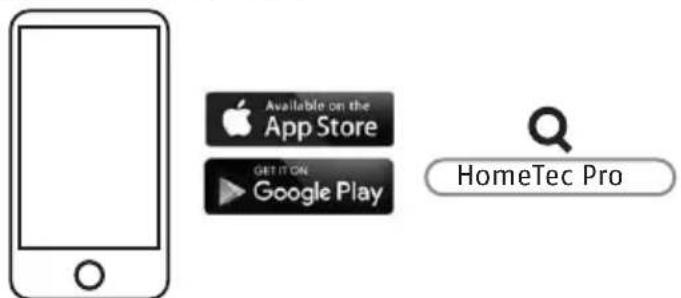
flowchart
graph LR
    A["App Store"] --> B["Available on the App Store"]
    A --> C["GET IT ON Google Play"]
    D["HomeTec Pro"] --> E["Search Box"]
natural_image
Simple line drawing of a smartphone with a blank screen and circular button (no text or symbols)


ABUS August Bremicker Söhne KG
DE-58292 Wetter
Tel.: +49 (0) 23 35 63 40
www.abus.com | info@abus.de

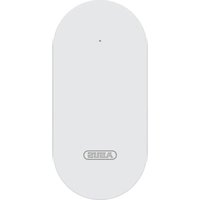
Brand : ABUS
Model : HomeTec Pro CFF3100
Category : Security and Access Control System