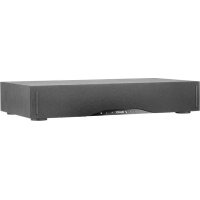
USER MANUAL BaseStation One TANNOY

TANNOY®
Owner's Manual
Important Safety Instructions
- Read these instructions.
- Keep these instructions.
- Heed all warnings.
- Follow all instructions.
- Do not use this apparatus near water.
- Clean only with dry cloth.
- Do not block any ventilation openings. Install in accordance with the manufacturer's instructions.
- Do not install near any heat sources such as radiators, registers, stoves, or other apparatus (including amplifiers) that produce heat.
-
Do not defeat the safety purpose of the polarized or grounding-type plug. A polarized plug has two blades with one wider than the other. A grounding type plug has two blades and a third grounding prong. The wide blade or the third prong are provided for your safety. If the provided plug does not fit into your outlet, consult an electrician for replacement of the obsolete outlet.
-
Protect the power cord from being walked on or pinched particularly at plugs, convenience receptacles, and the point where they exit from the apparatus.
-
Only use attachments/accessories specified by the manufacturer.
-
Use only with the cart, stand, tripod, bracket, or table specified by the manufacturer, or sold with the apparatus. When a cart used, use caution when moving the cart/apparatus combination can avoid injury from tip-over.
-
Unplug this apparatus during lightning storms or when unused for long periods of time.
- Refer all servicing to qualified service personnel. Servicing is required when the apparatus has been damaged in any way, such as power-supply cord or plug is damaged, liquid has been spilled or objects have fallen into the apparatus, the apparatus has been exposed to rain or moisture, does not operate normally, or has been dropped.
- The equipment shall be used at maximum 35 degree C ambient temperature.
- Do not open the equipment to reduce the risk of electrical shock. For safety reasons it is only allowed to be opened by qualified service personnel.
- WARNING: To reduce the risk of fire or electric shock, do not expose this apparatus to rain or moisture. And the apparatus shall not be exposed to dripping or splashing and that no objects filled with liquids, such as vases, shall be placed on the apparatus.
- The AC inlet is used as the disconnect device and shall remain readily operable.
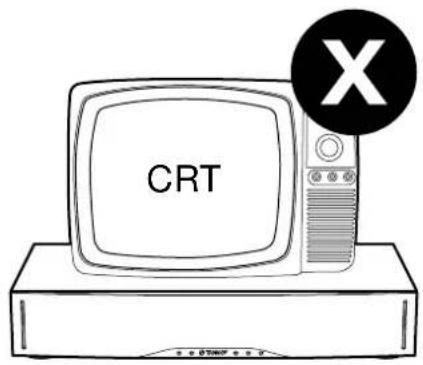
- The product shall be used on an open bench.
- No naked flame source, such as lit candles, should be placed on the apparatus.

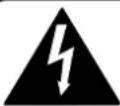
The lightning flash with arrowhead symbol within an equilateral triangle, is intended to alert the user to the presence of uninsulated "dangerous voltage" within the product's enclosure that may be of sufficient magnitude to constitute a risk of electric shock to persons.

The exclamation point within an equilateral triangle is intended to alert the user to the presence of important operating and maintenance (servicing) instructions in the literature accompanying the product.

ATTENTION!
CAUTION
RISK OF ELECTRIC SHOCK!
DO NOT OPEN!
RISQUE DE CHOC ÉLECTRIQUE!

NE PAS OUVRIR!
FCC Statement
This equipment has been tested and found to comply with the limits for a Class B digital device, pursuant to Part 15 of the FCC Rules. These limits are designed to provide reasonable protection against harmful interference in a residential installation. This equipment generates uses and can radiate radio frequency energy and, if not installed and used in accordance with the instructions, may cause harmful interference to radio communications. However, there is no guarantee that interference will not occur in a particular installation. If this equipment does cause harmful interference to radio or television reception, which can be determined by turning the equipment off and on, the user is encouraged to try to correct the interference by one or more of the following measures:
- Reorient or relocate the receiving antenna.
- Increase the separation between the equipment and receiver.
- Connect the equipment into an outlet on a circuit different from that to which the receiver is connected.
- Consult the dealer or an experienced radio/TV technician for help.
This device complies with part 15 of the FCC Rules. Operation is subject to the following two conditions:
- This device may not cause harmful interference, and
- This device must accept any interference received, including interference that may cause undesired operation.
Changes or modifications not expressly approved by the party responsible for compliance could void the user's authority to operate the equipment.
Package Contents
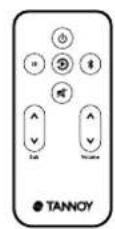
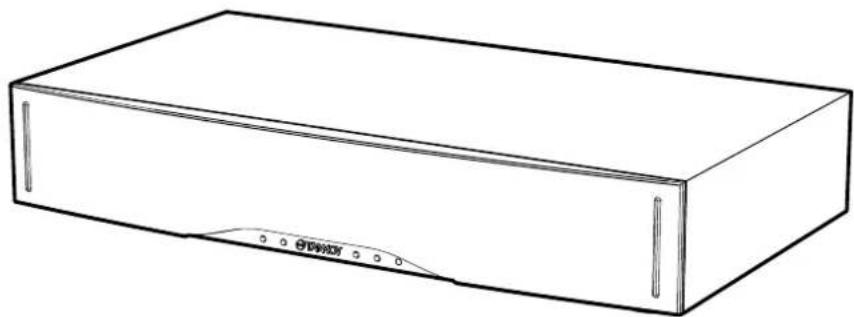
BaseStation OneRemote
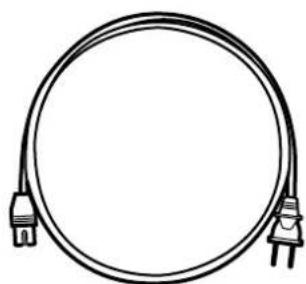
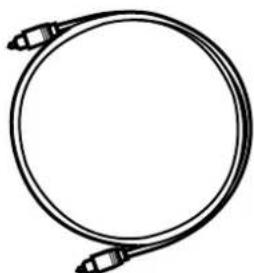
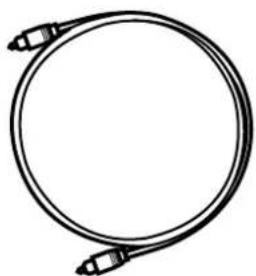
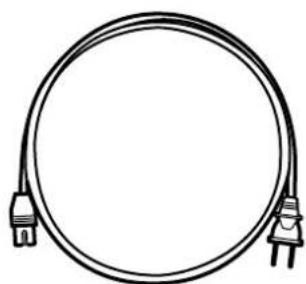
AC Power Cord(s) Digital Optical Cable
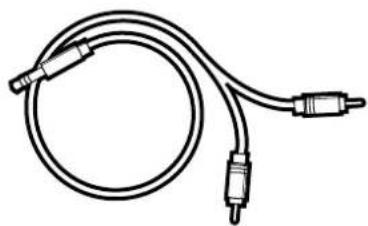
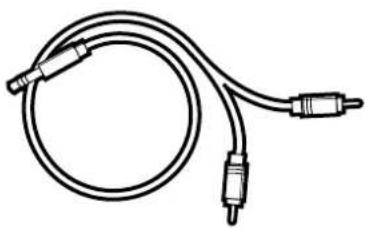
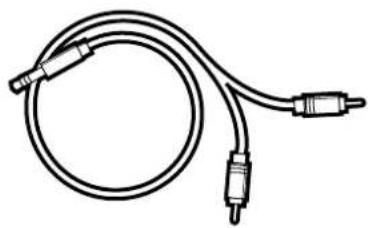
Headphone to Phono Cable
Placement
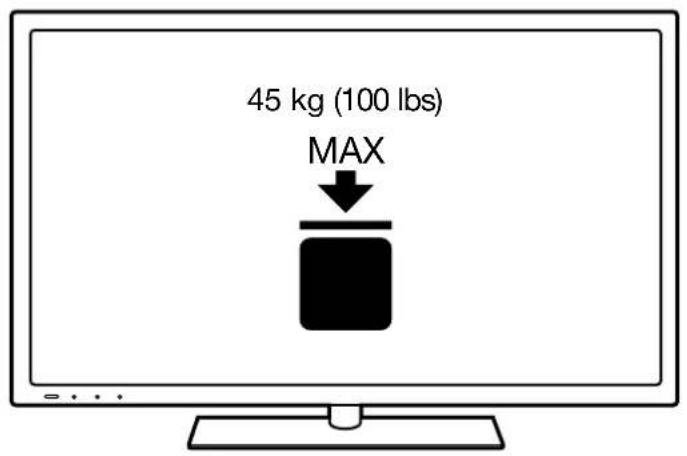
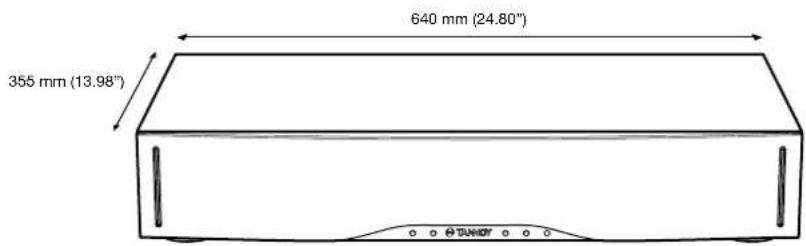
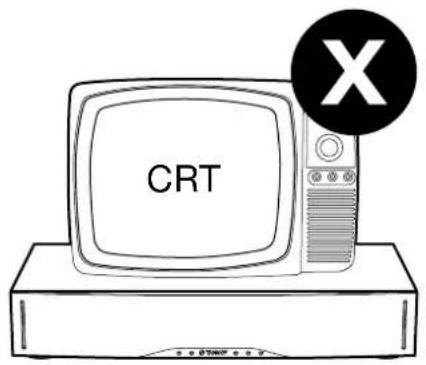
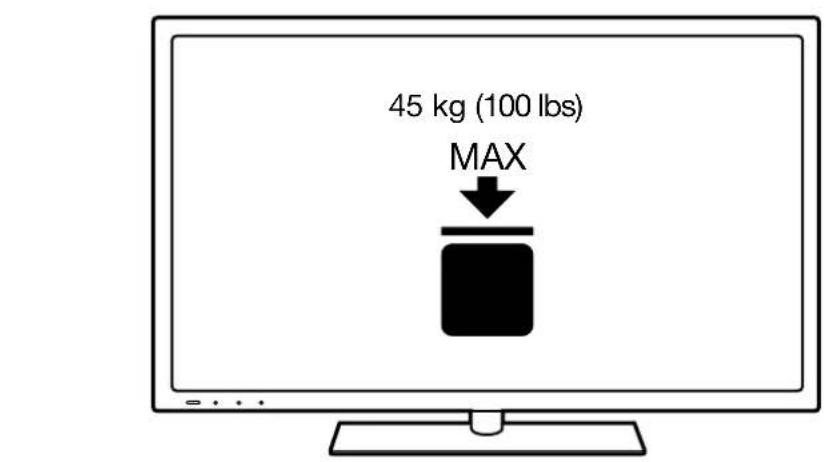
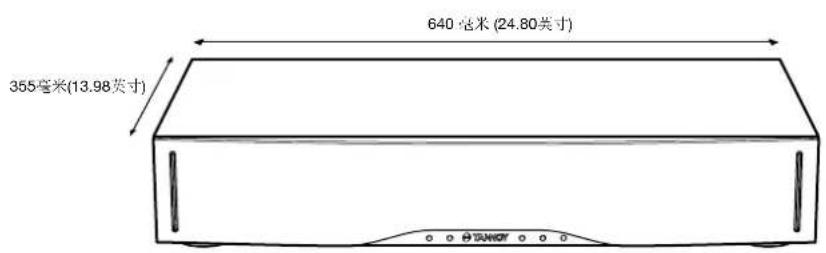
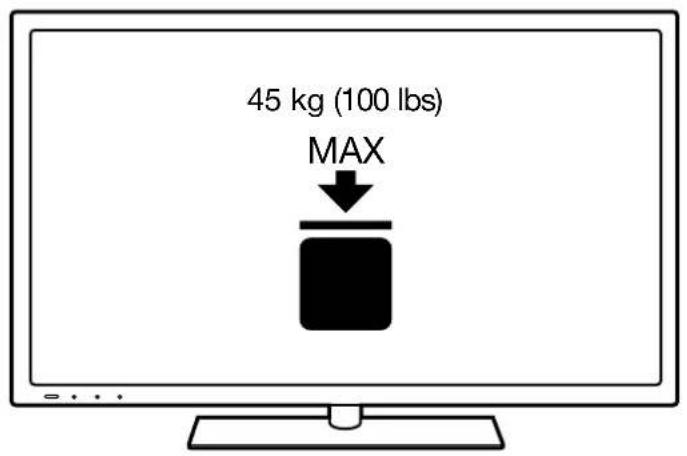
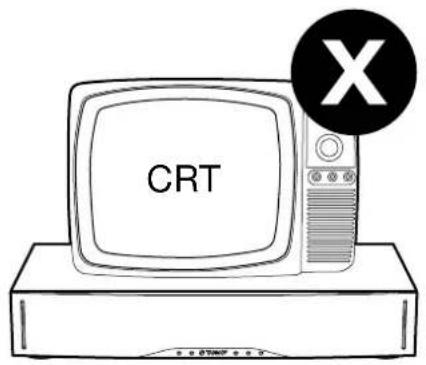
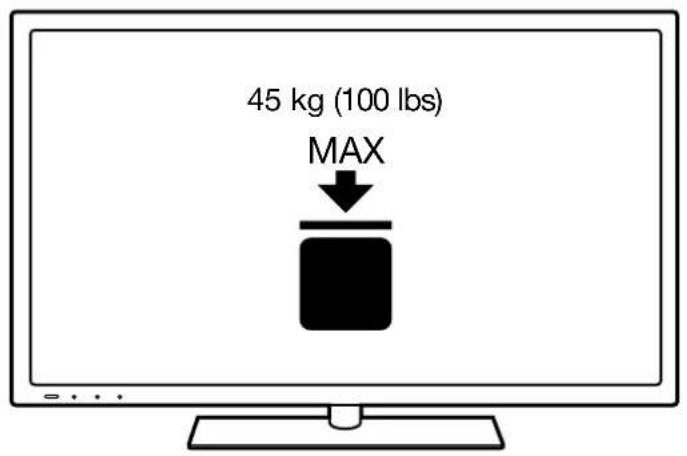
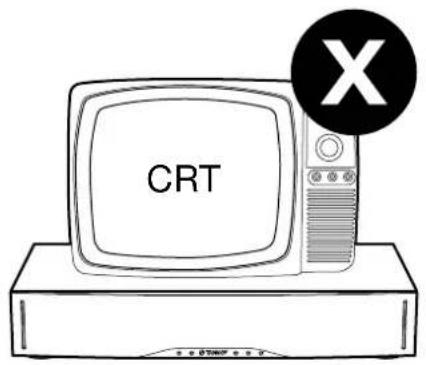
Note: TV must not exceed 45 kg (100 lbs). Make sure the TV is placed centrally on the BaseStation One and that no part of the TV stand extends beyond the outside edges of the unit.
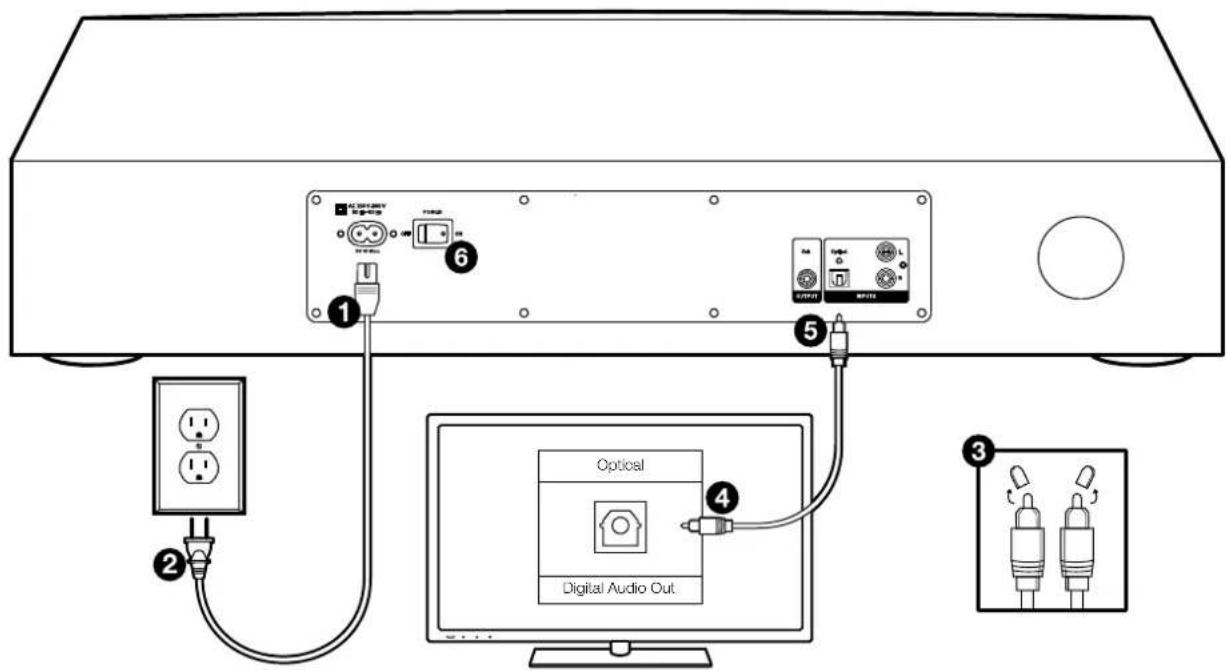
Connecting to TV using:
TV DIGITAL OPTICAL OUTPUT (cable supplied)
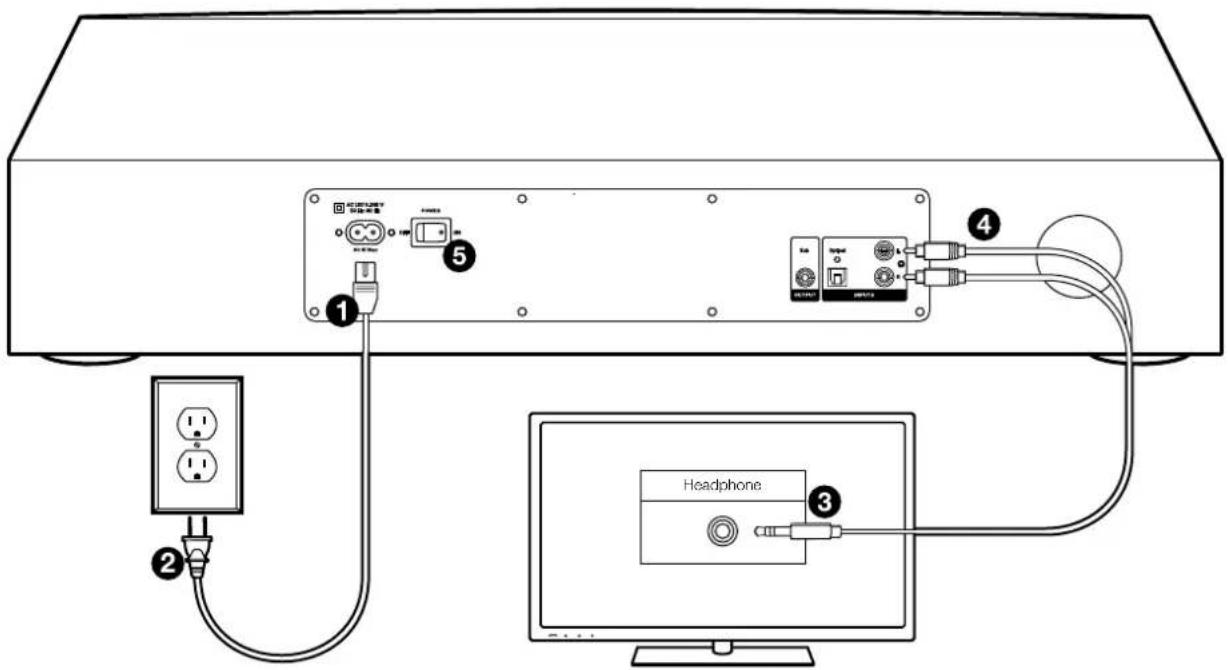
Connecting to TV using:
TV HEADPHONE OUTPUT (cable supplied)
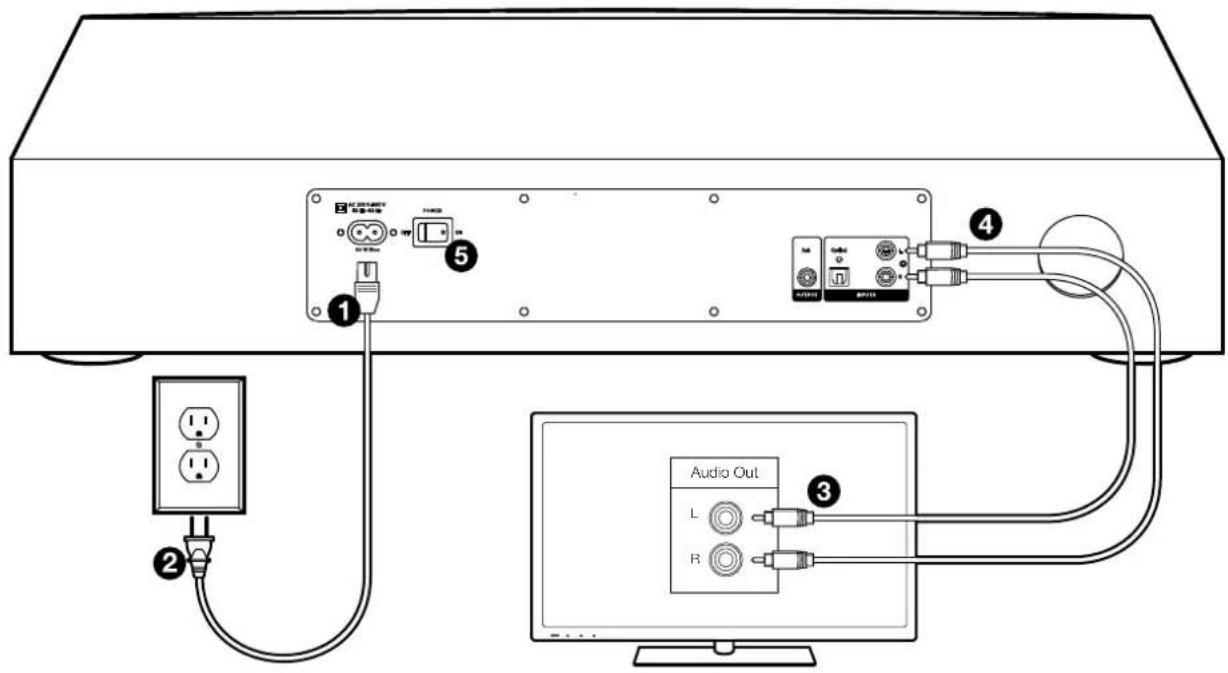
Connecting to TV using:
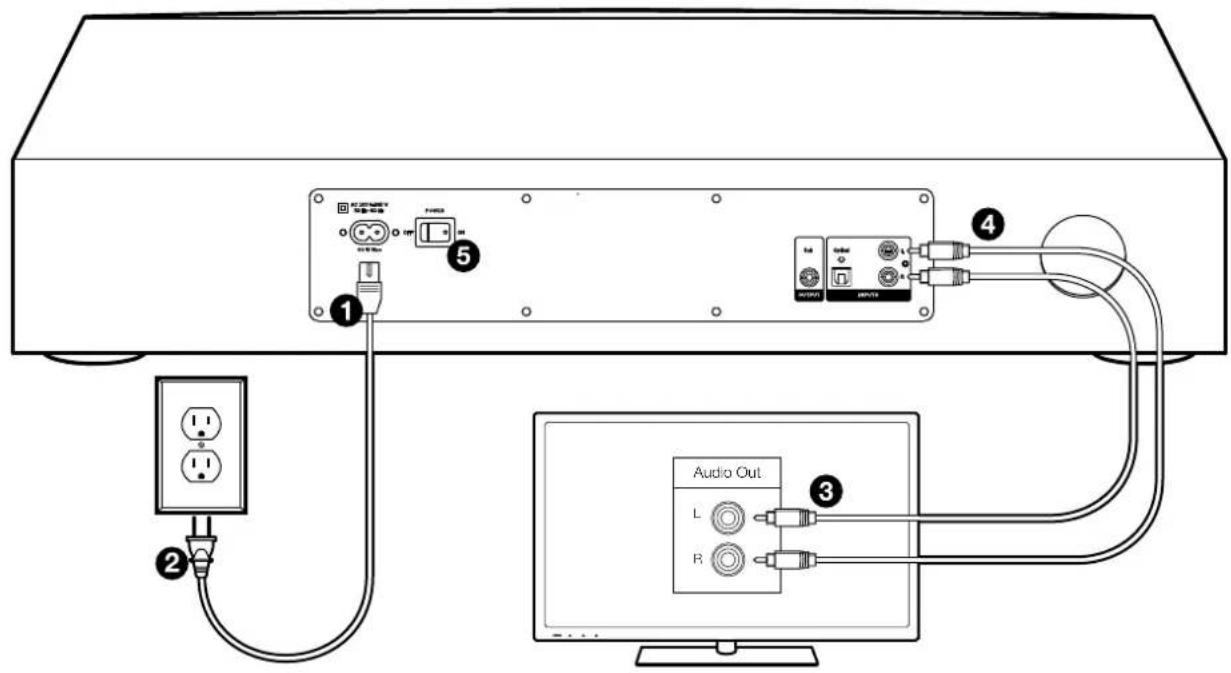
TV LINE OUTPUT (phono-phono cable not supplied)
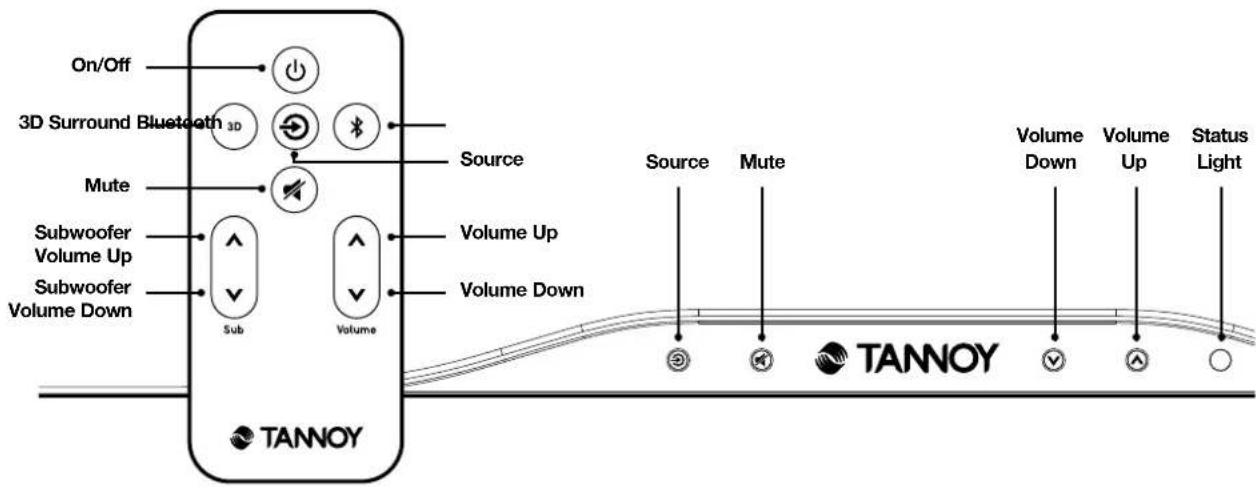
Controls
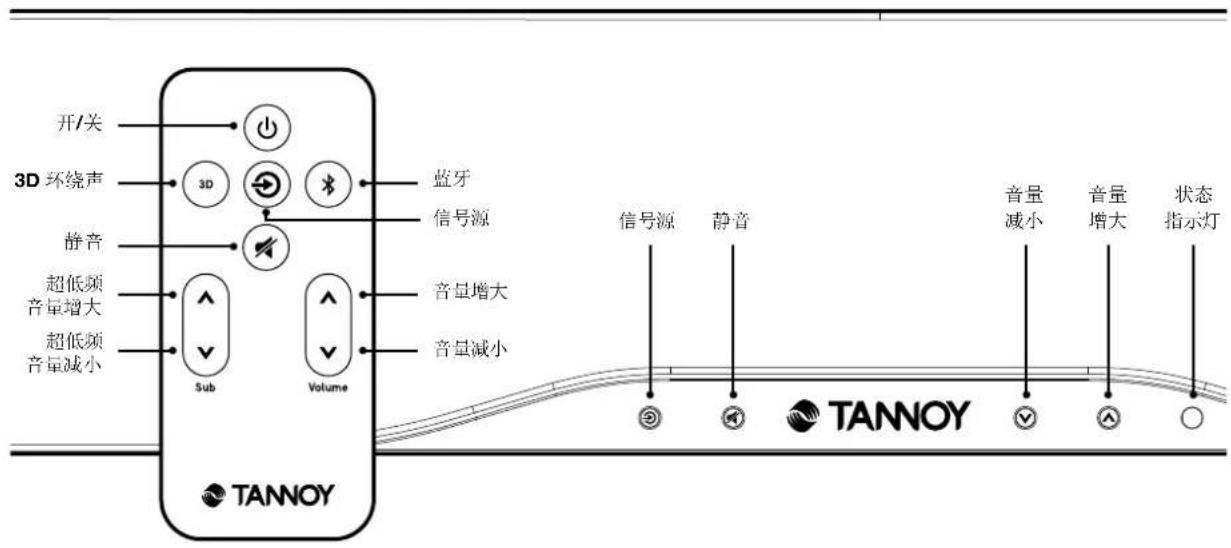
FRONT PANEL
Controls
REMOTE PROGRAMMING
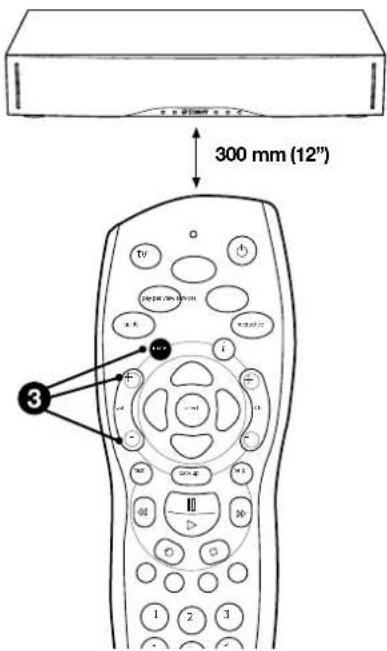
Programming your BaseStation One to use another remote control
![graph TD A["1"] --> B["2"] C["TANNOY"] --> D["2"] E["3"] --> F["2"] G["4"] --> H["2"] I["5"] --> J["2"] K["6"] --> L["2"] M["7"] --> N["2"] O["8"] --> P["2"]](/content/2026/04/634549/images/9c32169643e8484eec688bbab2592c1daffd2b1480708ff2fccd83404e79108e.jpg)
1 Press and hold the Source and Mute buttons on the front panel simultaneously – the status light should flash ORANGE
2 Press the mode you wish to copy e.g. MUTE, Volume UP or Volume DOWN - the status light should stop flashing, staying ORANGE
3 Now press the required button on your remote control FOUR times
Repeat steps 1-3, for all the remote functions you want.
Status Lights
RED In standby mode
GREEN Optical Source
ORANGE Line IN Source
BLUE Bluetooth Source
SLOW FLASH Unit in MUTE mode,
colour dependant on
source selected
BLUE (RAPID Bluetooth pairing FLASHING) mode
The status light extinguishes after a few seconds to minimise distraction.

Note: When the device is in Standby mode, it is using minimal power, and is safe to leave in this mode for long periods. However, we would always recommend switching the unit off when leaving it number of days (holidays, for example).
The 3D function is enabled by pressing the 3D button on the remote control. When the function is first enabled, the status light will briefly flash GREEN. Pressing the button again will disable the function, and the status light will briefly flash RED.
Connecting using Bluetooth®
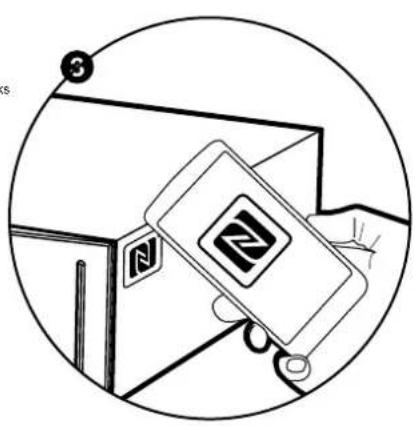
USING NFC™ (requires an NFC-equipped mobile device)
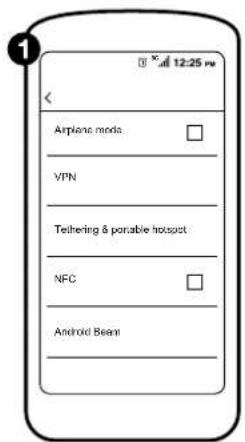
① Locate your Wireless & Network settings menu.
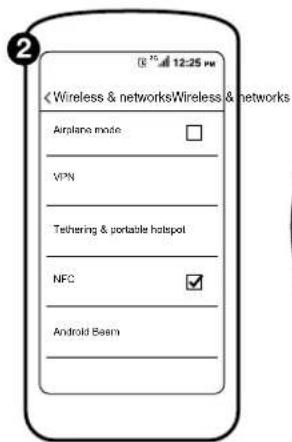
② Enable the NFC function on your mobile device.
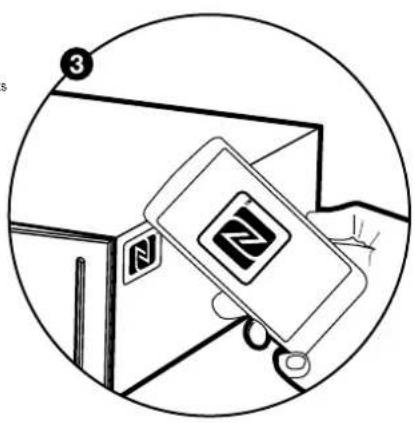
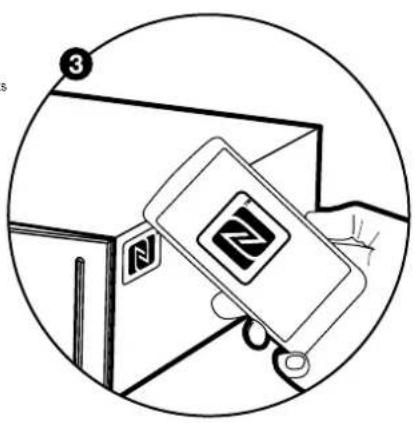
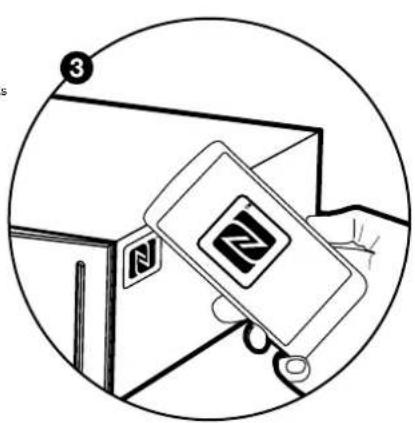
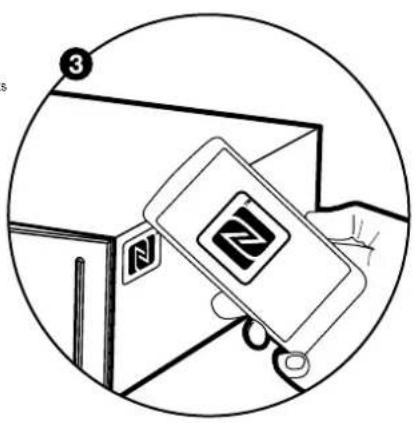
3 Place your device next to the NFC label on the BaseStation One. Wait until your device accepts the new connection.
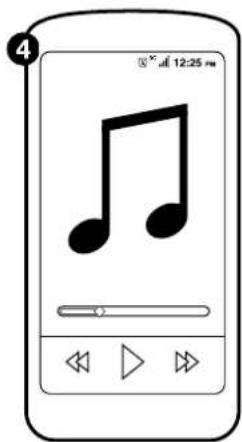
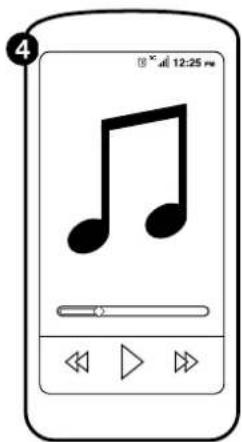
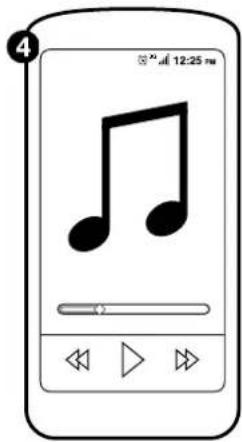
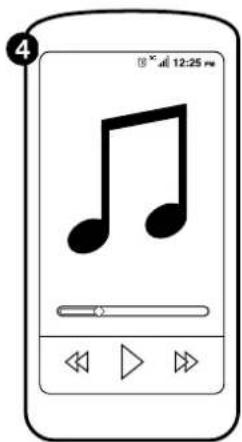
4 Start your preferred music application.
Note:
This procedure may vary depending on your mobile device.
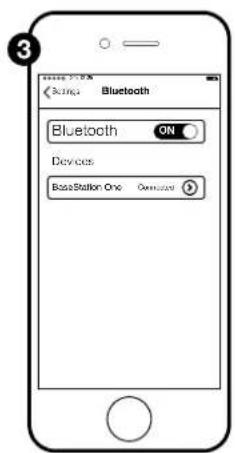
MANUALLY (requires a Bluetooth audio playback device)
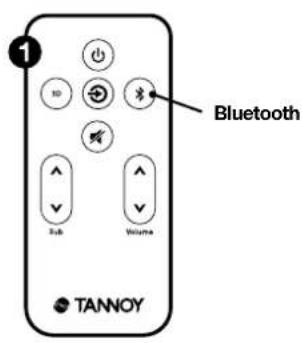
1 Select the Bluetooth input using the remote.
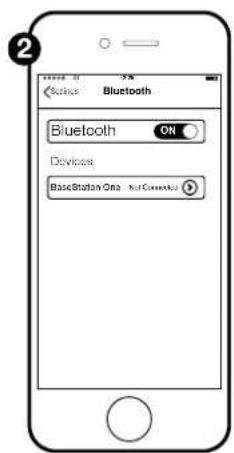
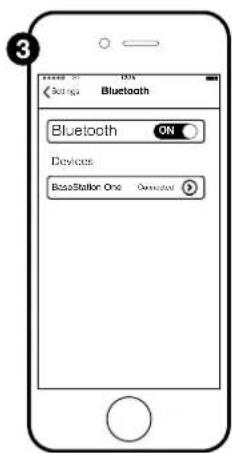
② Enable Bluetooth on your mobile device.
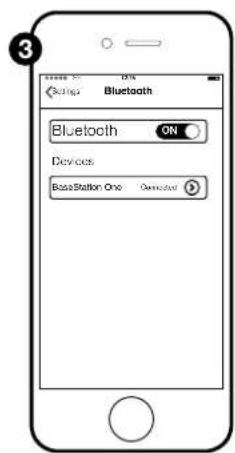
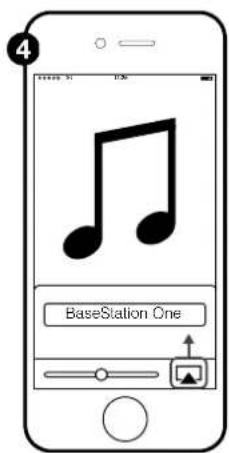
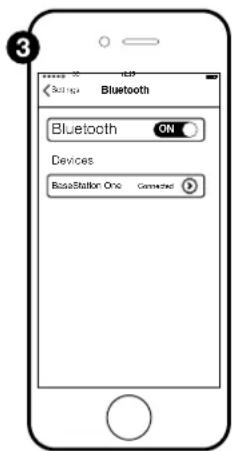
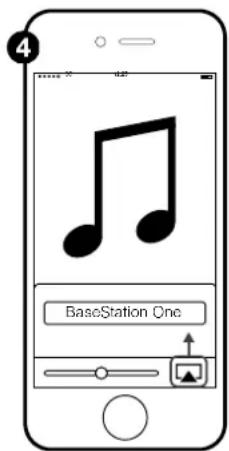
3 Select BaseStation One from the list of devices.
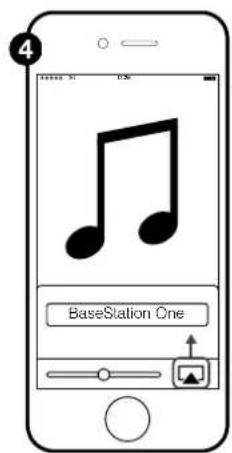
4 Start your preferred music application.

be paired at a time.
Note: This procedure may vary depending on your mobile device. Only one Bluetooth device can
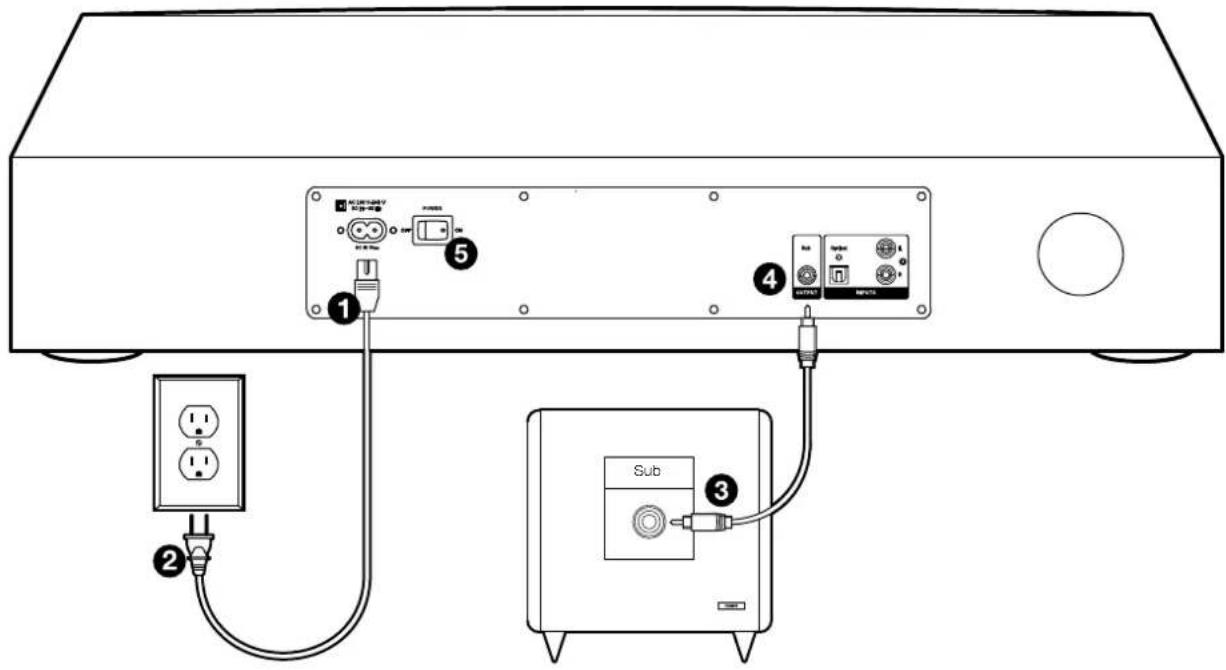
Using with an external subwoofer
SUBWOOFER LINE OUTPUT (phono-phono cable not supplied)
TV Speakers
To enjoy the full benefit of hearing TV audio through your BaseStation One, turn off the internal speakers in the TV. The TV may have an onscreen audio menu that includes an option for turning the TV speakers on or off.
- On the TV remote, find and press the Menu button to enter the display for audio and video settings on the TV screen. Some TV remotes may have an Audio setup or Settings button.
- Locate the Audio menu to turn the TV speakers on or off and select "Off".
Note: If the TV does not have a menu setting for turning off the internal speakers, exit the audio menu to the TV volume to its lowest setting.
Care
- Clean the device using only a dry, lint-free cloth.
- Do not use any cleansers/chemical treatments.
- Keep your BaseStation One away from sources of heat and moisture.
Troubleshooting
BaseStation One will not switch on
- Check that the mains lead is plugged in and the mains socket is switched on.
- Check that the power switch on the back of the unit is in the 'on' position.
No Output
- Check that the signal cable is plugged in to the TV and the BaseStation One.
- Is the unit in ‘Standby’ mode (is the indicator light RED)? If so, select the required source to bring the unit out of Standby mode.
- Have you selected the correct source?
- If everything seems correct, switch off the unit, wait a few seconds and then switch it back on again.
Cannot programme unit to work with your remote control
- Be sure that you have studied and understood the remote programming section.
- If you are trying to use a universal remote, try using the remote that was provided with the TV instead.
- Not all remote controls will work with the BaseStation One.
Cannot make a Bluetooth connection
- Make sure the unit is paired with the unit.
- Place your mobile device closer to your BaseStation One.
- If at any time the status light flashes red, please start the process over again.
Warranty
No maintenance of this device is necessary.
Please register your new loudspeaker online at www.tannoy.com.
All of our products have been produced and tested with care and precision to give first class service.
All passive components are guaranteed for a period of five years from the date of purchase from an authorised Tannoy dealer. All active and electronic components are guaranteed for a period of two years from the date of purchase from an authorised Tannoy dealer. Misuse, overload, or accidental damage to Tannoy passive or active and electronic components are not covered by this warranty.
If at any time during this warranty period the equipment proves to be defective for any reason other than accident, misuse, neglect, unauthorised modification or fair wear and tear, we will repair any such manufacturing defect or, at our option, replace it without charge for labour, parts or return carriage.
If you suspect a problem with a Tannoy product then, in the first instance, discuss it with your Tannoy dealer. If you require further assistance then we ask that you deal directly with your local Tannoy distributor. If you cannot locate your distributor please contact Customer Services, Tannoy Limited, at the address given below:
Customer Services, Tannoy Ltd.,
Rosehall Industrial Estate,
Coatbridge,
North Lanarkshire
ML5 4TF,
Scotland
Telephone: +44 1236 420199
Fax: +44 1236 428230
Website: http://support.tannoy.com
Do not ship any product to Tannoy without previous authorisation.
Our policy commits us to incorporating improvements to our products through continuous research and development. Please confirm current specifications for critical applications with your supplier.
Specifications
| System Configuration | 3-way, with high-power Class D amplification and DSP |
| Tweeter | 19 mm (0.75") aluminium dome x 2 |
| Midrange | 75 mm (3") polypropylene cone x 2 |
| Subwoofer | 75 mm (3") by 115 mm (4.5") polypropylene cone x 2 |
| Frequency Response | 46 Hz - 24 kHz (-6 dB) |
| Connectivity | Stereo phono, optical and Bluetooth inputs, phono output for external subwoofer |
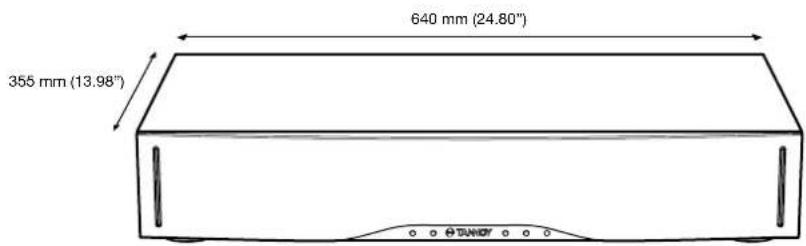
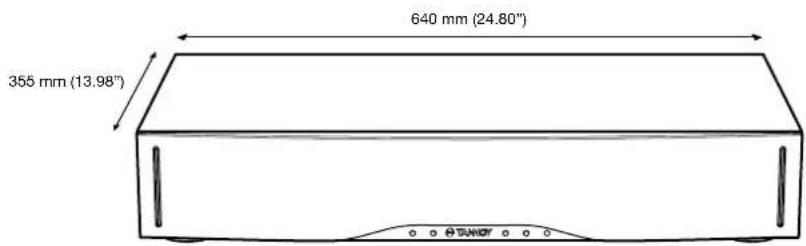
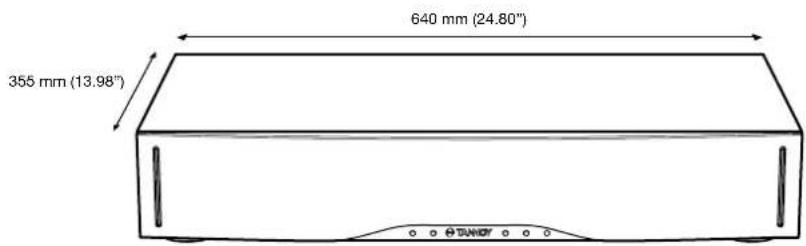
| Dimensions (H x W x D) | 115 x 640 x 355 mm (4.53 x 24.80 x 13.98") |
| MAX. TV Stand Size | 640 x 335 mm (24.80 x 13.98") |
| MAX. TV Weight | 45 kg (100 lbs) |
| Features | Bluetooth with enhanced aptX sound qualityNFC connectivity3D surroundRemote teaching (for existing remote)Multi-colour status LED |
| Included accessories | Remote control3.5 mm headphone to phono cableDigital optical cableMains lead appropriate to territory |
| Finish | Brushed black vinyl, with black grille cloth |
| Weight | 8.8 kg (19.4 lbs) |
Notes
重要的安全说明
BaseStation One主机遥控器
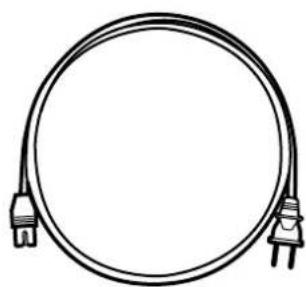
交流电源线 数字光纤线
耳机插头到同轴插头转换线
放置

与电视连接的方式:
电视数字光纤输出(随机提供光纤线)

控制
前面板
② 在你的移动设备上启用NFC功能。
② 在你的移动设备上启用蓝牙功能。
电视扬声器
Customer Services, Tannoy Ltd.,
Rosehall Industrial
Estate.
Coatbridge,
North Lanarkshire
ML5 4TF,
Scotland
电话: +44 1236 420199
传真: +44 1236 428230
网站: http://support.tannoy.com
Câble jack - RCA
Placement

Customer Services, Tannoy Ltd.,
Rosehall Industrial Estate,
Coatbridge,
North Lanarkshire
ML5 4TF,
Ecosse
Téléphone : +44 1236 420199
Fax: +44 1236 428230
Site Web : http://support.tannoy.com

SUBWOOFER-LINE-AUSGANG
Customer Services, Tannoy Ltd.,
Rosehall Industrial Estate,
Coatbridge
North Lanarkshire
ML5 4TF.
Schottland
Telefon: +44 1236 420199
Fax: +44 1236 428230
Website: http://support.tannoy.com
BaseStation OneControl remoto
Cable de conector de auriculares de 6,3 mm a RCA
Ubicación

TV no debe superar
Altavoces de TV
Customer Services, Tannoy Ltd.,
Rosehall Industrial Estate,
Coatbridge,
North Lanarkshire
ML5 4TF,
Scotland
Tannoy Limited - product designed and engineered in the United Kingdom. Tannoy adopts a policy of continuous improvement and product specification is subject to change. Bluetooth, NFC and aptX remain the property of their respective owners. Copyright 4 2014 Tannoy Limited. All rights reserved.