SD410 - Soap dispenser GermGuardian - Free user manual and instructions
Find the device manual for free SD410 GermGuardian in PDF.



User questions about SD410 GermGuardian
0 question about this device. Answer the ones you know or ask your own.
Ask a new question about this device
Download the instructions for your Soap dispenser in PDF format for free! Find your manual SD410 - GermGuardian and take your electronic device back in hand. On this page are published all the documents necessary for the use of your device. SD410 by GermGuardian.
USER MANUAL SD410 GermGuardian
To the consumer, Guardian Technologies LLC warrants this product to be free of defects in materials or workmanship commencing upon the date of the original purchase. In order to be eligible for this Limited Warranty, an original sales receipt or comparable substitute proof of purchase bearing the date of original purchase is required. Refer to the original product carton or specific product/model page on the Guardian Technologies website for warranty length for your particular model. This warranty applies only to the original purchaser of this product from the original date of purchase. This warranty covers product purchased from authorized distributors only. This warranty does not cover Guardian Technologies products that are used outside of the US and Canada as the appliance must be plugged directly into a 120V AC electrical outlet without the use of an adapter.
This warranty applies to repair or replacement of product found to be defective in materials or workmanship. This warranty does not apply to damage resulting from unusual wear, commercial, abusive, unreasonable use or supplemental damage. This warranty does not cover damage from unauthorized repairs or from any use not in accordance with the instruction manual. Defects that are the result of normal wear and tear will not be considered manufacturing defects under this warranty.
If this product should become defective within the warranty period, we will repair or replace any defective parts free of charge. All warranty repairs must be completed by Guardian Technologies LLC. This warranty gives you specific legal rights and you may also have other rights (other rights may vary from state to state in the U.S.A.)
To submit product under warranty the complete machine must be delivered pre-paid to Guardian Technologies LLC. Please include complete information including: the problem, the model number of the product, the day of purchase, and a copy of the original sales receipt along with your name, address, and telephone (email optional). Address returns to the attention of: Repair Department, at the address below. Additional questions or comments can be made toll free to the number listed below.
USA and Canada
Guardian Technologies LLC
26251 Bluestone Blvd.
Euclid, Ohio 44132
1.866.603.5900
www.guardiantechnologies.com
Please go to www.guardiantechnologies.com to register your product. We consider the registration process important to ensuring superior service to our customers, however submitting the registration is optional and does not affect your rights to utilize this warranty according to the conditions stated above.
Additional copies of the instruction manual can be obtained by accessing and printing directly from our website or calling customer service.

guardian
technologies™
Guardian Technologies LLC
26251 Bluestone Blvd. • Euclid, OH 44132
1.866.603.5900 • www.guardiantechnologies.com
©2016 Guardian Technologies LLC

guardian
technologies™
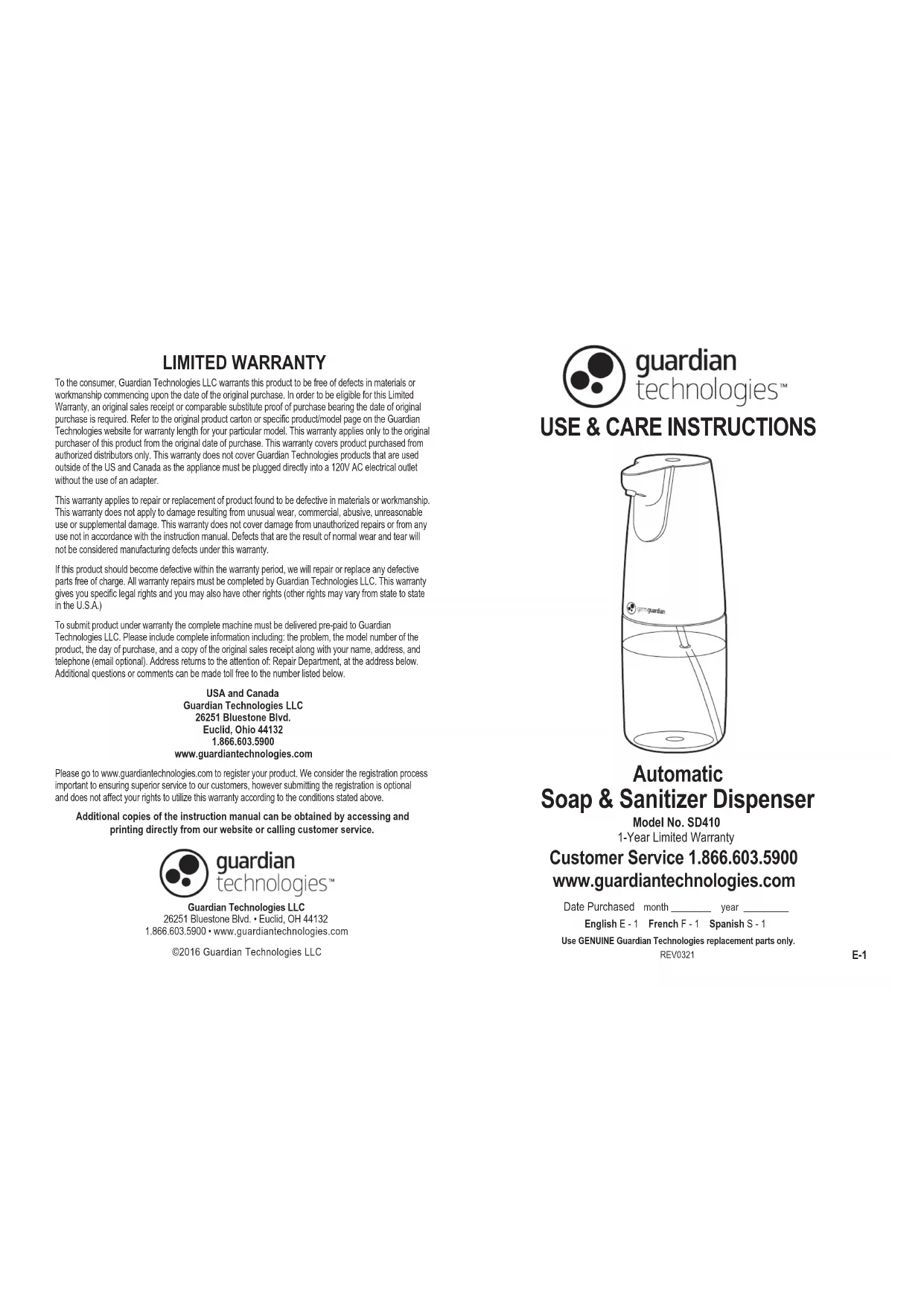
USE & CARE INSTRUCTIONS
natural_image
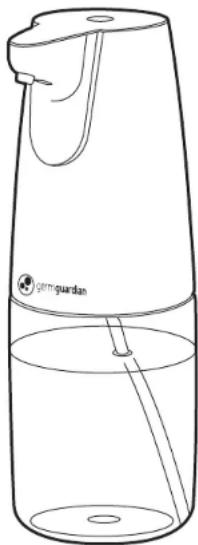
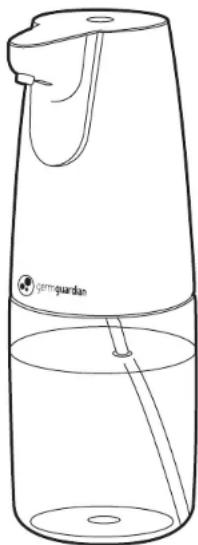
Line drawing of a micrometer with label 'gimgurdas' and liquid level indicator (no text or symbols on the device itself)Automatic
Soap & Sanitizer Dispenser
Model No. SD410
1-Year Limited Warranty
Customer Service 1.866.603.5900
www.guardiantechnologies.com
Date Purchased month ____ year ____
English E - 1 French F - 1 Spanish S - 1
Use GENUINE Guardian Technologies replacement parts only.
REV0321
READ AND SAVE THESE INSTRUCTIONS WARNINGS
Failure to comply with the warnings listed below may result in electric shock or serious injury.

This product should be used only in accordance with the specifications outlined in this manual. Usage other than what has been specified here may result in serious injury.
When using electrical appliances, basic precautions should always be followed to reduce the risk of fire, electric shock and injury to persons, including the following:
- Read all instructions before using appliance.
- Use caution when using hand sanitizers that contain flammable ingredients. Read and follow soap/sanitizer manufacture instructions before use.
- Do not use with foaming soaps or sanitizers. Use with liquid or gel soaps/sanitizers only.
- For normal "automatic dispensing," do not mix water with liquid soap, sanitizer or lotion.
- Do not rinse, submerge, or allow liquid to enter the battery compartment.
- Do not immerse the unit (even the bottom) in water to avoid the malfunction of the inner electrical parts of the unit.
- Do not try to wash the unit otherwise the washing liquid will penetrate inside of the unit and rust the inner electrical parts.
• Always place the unit with liquid upright on a level counter-top.
- Do not expose the unit directly to strong sunlight otherwise it will cause the malfunction of the infrared sensor.
- Do not allow to be used as a toy. Close attention is necessary when used by or near children.
- If appliance is not working as it should, has been dropped, damaged, left outdoors or dropped in water, call Customer Service.
- Remove batteries before any routine cleaning or maintenance.
- Leaks from battery cells can occur under extreme conditions. If the liquid gets on the skin (1) wash quickly with soap and water or (2) neutralize with a mild acid such as lemon juice or vinegar. If the liquid gets into the eyes, flush them immediately with clean water for a minimum of 10 minutes. Seek medical attention.
- Use only 4 AA batteries (4).

WARNING: Cancer or Reproductive Harm.
For more information go to www.P65Warnings.ca.gov.
PRODUCT SPECIFICATIONS AND PARTS
text_image
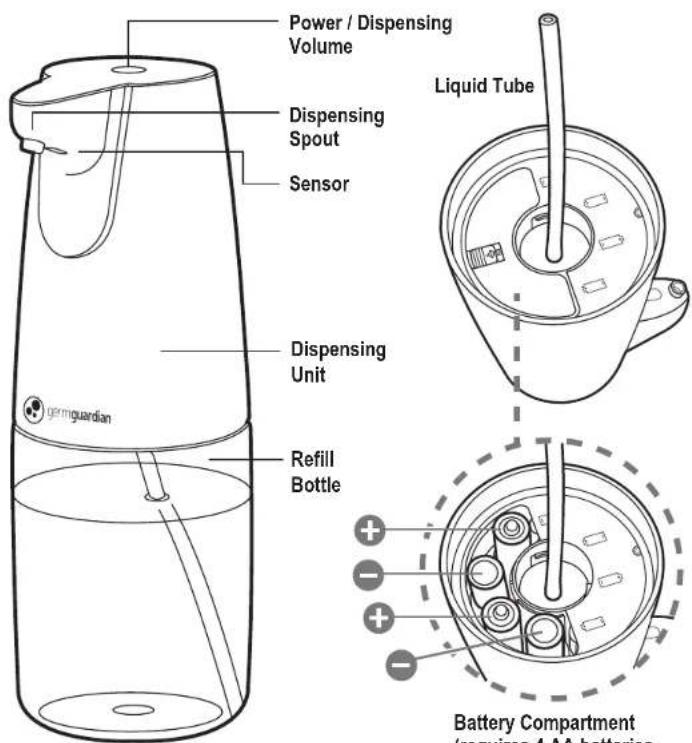
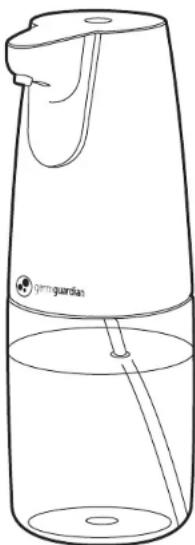
Power / Dispensing Volume Dispensing Spout Sensor Liquid Tube Dispensing Unit Refill Bottle germguardian Battery Compartment /requires 4 AA batteriesBATTERY INSTALLATION
natural_image
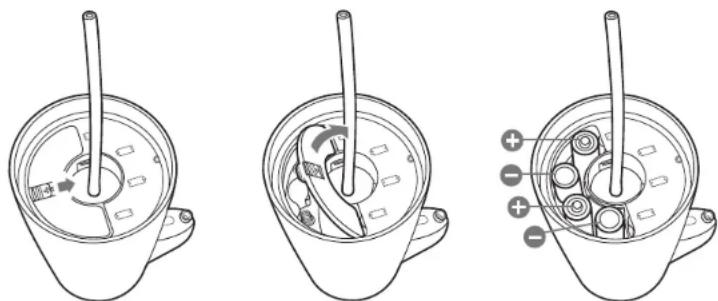
Three technical line drawings of a mechanical component with internal parts and labeled ports (no text or symbols present)- Remove the dispenser from the refill bottle by twisting it counterclockwise.
- Remove the battery cover by sliding the release tab and lifting the cover off.
- Install four AA batteries (not included) in the direction indicated below the cover. Replace the cover by inserting the tabs on each end then sliding the release tab down, press to secure the lid then slide the release tab forward to lock in place.
OPERATING INSTRUCTIONS
Use only liquid or gel soap.
IMPORTANT: Do NOT use foaming products. The unit will not function properly.
FILLING
- Turn off the dispenser.
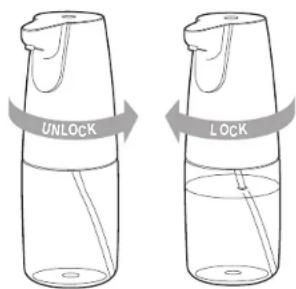
- Remove the dispenser from the refill bottle by twisting it counterclockwise.
- Pour soap/sanitizer into the bottle.
- Return the dispenser to the refill bottle and turn clockwise to lock.
USAGE
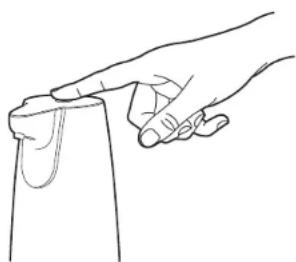
The power button turns the unit on/off and allows for either a low or high dispensing volume selection. Wait until the light has stopped flashing to switch to the next mode.
text_image
UNLOCK LOCK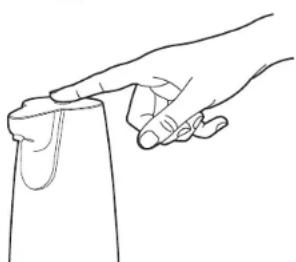
natural_image
Line drawing of a hand holding a piece of material, no text or symbols presentUSAGE (Continued)
Power ON
Press and hold the button for 2 seconds to turn the unit ON. The blue indicator light briefly flashes, indicating the product is on.
Mode 1
Quickly press the button to select low dispensing volume mode (suggested for thinner solutions such as standard liquid soaps/sanitizers). The blue indicator light briefly flashes, indicating it is switching modes.
Mode 2
Quickly press the button again to switch to high volume mode (suggested for thicker solutions such as gel soaps/sanitizers). The blue indicator light briefly flashes, indicating it is switching modes.
Power OFF
Press and hold the button for 2 seconds to turn the unit OFF. The indicator light changes to red and briefly flashes.
Note: if the dispenser isn't used for a while, it may need to be primed a few times by placing your hand under the spout/sensor area to activate it.
Low Battery Indicator
A red LED will flash when the battery is low. When flashing, replace batteries.
Note: the unit cannot be turned on with too low of a battery.
Cleaning
Regularly clean the nozzle if there is a build-up of soap
Periodically clean the sensor with a damp cloth.
TROUBLE SHOOTING GUIDE
| PROBLEM | SOLUTION |
| Unit won't power on. | Make sure batteries are inserted properly.Replace with new batteries. |
| Too much/too little soap is being dispensed. | Adjust the liquid volume (see filling instructions). |
| No liquid is being dispensed. | Make sure batteries are working properly.Confirm delivery tube is connected and in the liquid.Refill soap. |
| Unit turns off. | When the unit is on, holding the power button down for too long will turn it off. Try lightly touching buttons to switch modes.Make sure batteries are working properly. |
GARANTIE LIMITÉE
Guardian Technologies LLC
26251 Bluestone Blvd.
Euclid, Ohio 44132
1 866 603-5900
www.guardiantechnologies.com
Guardian Technologies LLC
26251 Bluestone Blvd. • Euclid, OH 44132
1.866.603.5900 • www.guardiantechnologies.com
©2016 Guardian Technologies LLC

guardian technologies™
UTILISATION ET INSTRUCTIONS D'ENTRETIEN
natural_image
Line drawing of a micrometer with label 'gimgardas' and no other text or symbolstext_image
Technical diagram showing three views of a mechanical component with labeled parts and directional arrows indicating motion or movement.text_image
UNLOCK LOCK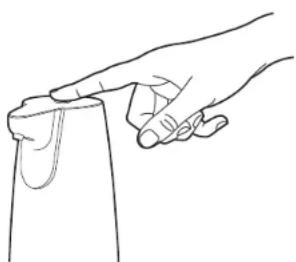
natural_image
Line drawing of a hand holding a piece of material, no text or symbols presentUTILISATION (suite)
Allumer
Guardian Technologies LLC
26251 Bluestone Blvd.
Euclid, Ohio 44132
1.866.603.5900
www.guardiantechnologies.com
Guardian Technologies LLC
26251 Bluestone Blvd. • Euclid, OH 44132
1.866.603.5900 • www.guardiantechnologies.com
©2016 Guardian Technologies LLC

guardian technologies™
UTILISATION ET INSTRUCTIONS D'ENTRETIEN
natural_image
Line drawing of a portable water dispenser with a handle and spout, no text or symbols presentnatural_image
Three technical line drawings of a mechanical component with internal parts and labeled ports (no text or symbols present)text_image
UNLOCK LOCK