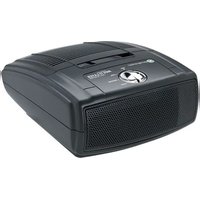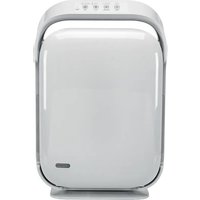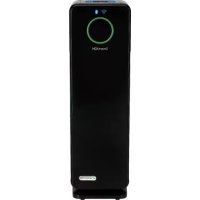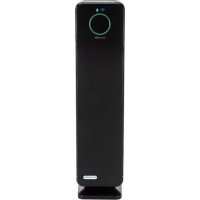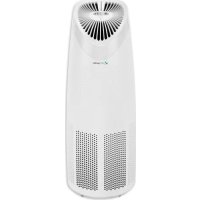
AC4625 - Air purifier GermGuardian - Free user manual and instructions
Find the device manual for free AC4625 GermGuardian in PDF.



User questions about AC4625 GermGuardian
0 question about this device. Answer the ones you know or ask your own.
Ask a new question about this device
Download the instructions for your Air purifier in PDF format for free! Find your manual AC4625 - GermGuardian and take your electronic device back in hand. On this page are published all the documents necessary for the use of your device. AC4625 by GermGuardian.
USER MANUAL AC4625 GermGuardian
To the consumer, Guardian Technologies LLC warrants this product to be free of defects in materials or workmanship commencing upon the date of the original purchase. In order to be eligible for this Limited Warranty, an original sales receipt or comparable substitute proof of purchase bearing the date of original purchase is required. Refer to the original product carton or specific product/model page on the Guardian Technologies website for warranty length for your particular model. This warranty applies only to the original purchaser of this product from the original date of purchase. This warranty covers product purchased from authorized distributors only. This warranty does not cover Guardian Technologies products that are used outside of the US and Canada as the appliance must be plugged directly into a 120V AC electrical outlet without the use of an adapter.
This warranty applies to repair or replacement of product found to be defective in materials or workmanship. This warranty does not apply to damage resulting from unusual wear, commercial, abusive, unreasonable use or supplemental damage. This warranty does not cover damage from unauthorized repairs or from any use not in accordance with the instruction manual. Defects that are the result of normal wear and tear will not be considered manufacturing defects under this warranty.
If this product should become defective within the warranty period, we will repair or replace any defective parts free of charge. All warranty repairs must be completed by Guardian Technologies LLC. This warranty gives you specific legal rights and you may also have other rights (other rights may vary from state to state in the U.S.A.)
To submit product under warranty the complete machine must be delivered pre-paid to Guardian Technologies LLC. Please include complete information including: the problem, the model number of the product, the day of purchase, and a copy of the original sales receipt along with your name, address, and telephone (email optional). Address returns to the attention of: Repair Department, at the address below. Additional questions or comments can be made toll free to the number listed below.
USA and Canada
Guardian Technologies LLC
26251 Bluestone Blvd.
Euclid, Ohio 44132
1.866.603.5900
www.guardiantechnologies.com
Please go to www.guardiantechnologies.com to register your product. We consider the registration process important to ensuring superior service to our customers, however submitting the registration is optional and does not affect your rights to utilize this warranty according to the conditions stated above.
Additional copies of the instruction manual can be obtained by accessing and printing directly from our website or calling customer service.

guardian
technologies™
Guardian Technologies LLC
26251 Bluestone Blvd. • Euclid, OH 44132
1.866.603.5900 • www.guardiantechnologies.com
©2016 Guardian Technologies LLC

guardian technologies™
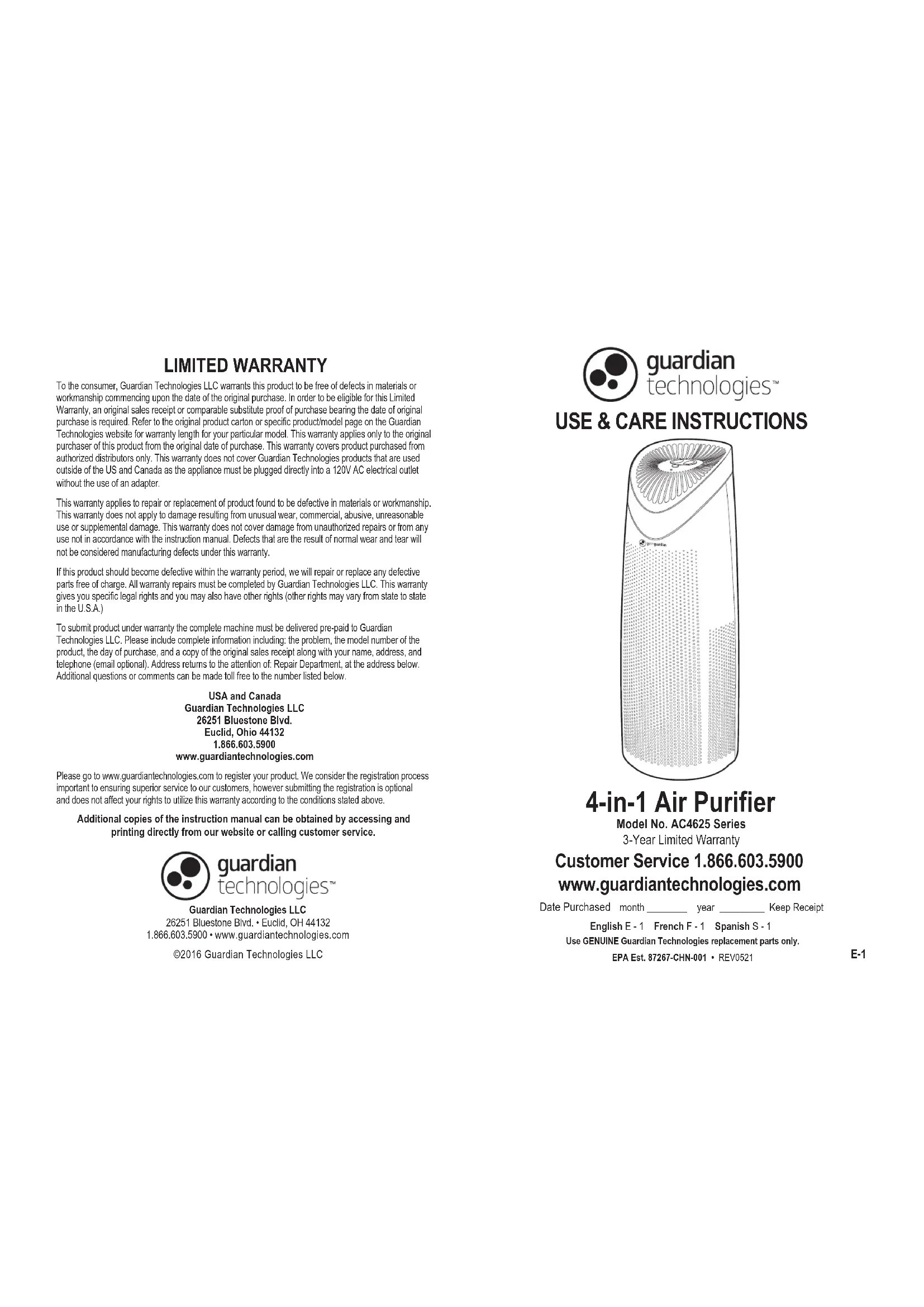
USE & CARE INSTRUCTIONS
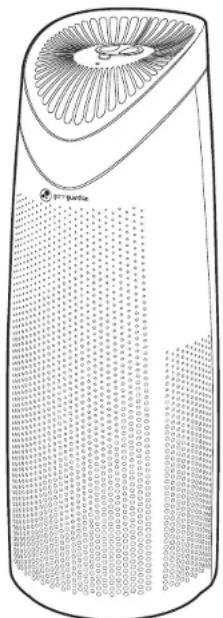
natural_image
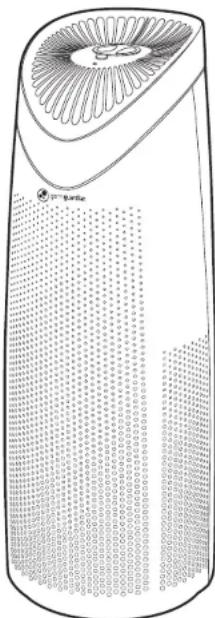
Line drawing of a cylindrical electronic device with a fan-shaped top and grid pattern (no text or symbols)4-in-1 Air Purifier
Model No. AC4625 Series
3-Year Limited Warranty
Customer Service 1.866.603.5900
www.guardiantechnologies.com
Date Purchased month ____ year ____ Keep Receipt
English E - 1 French F - 1 Spanish S - 1
Use GENUINE Guardian Technologies replacement parts only.
EPA Est. 87267-CHN-001 • REV0521
READ AND SAVE THESE INSTRUCTIONS WARNINGS
Failure to comply with the warnings listed below may result in electric shock or serious injury.

This product should be used only in accordance with the specifications outlined in this manual. Usage other than what has been specified here may result in serious injury.
When using electrical appliances, basic precautions should always be followed to reduce the risk of fire, electric shock and injury to persons, including the following:
- Read all instructions before using appliance.
- IMPORTANT - This appliance has a polarized plug (one blade is wider than the other). To reduce the risk of electric shock, this plug is intended to fit in a polarized outlet only one way. If the plug does not fit fully in the outlet, reverse the plug. If it still does not fit, contact a qualified electrician. Do not attempt to defeat this safety feature.
- WARNING: To reduce the risk of fire or electric shock do not use with an extension cord.
• To avoid fire or shock hazard, plug the appliance directly into a 120V AC electrical outlet. - Keep the cord out of heavy traffic areas. To avoid fire hazard, NEVER put the cord under rugs, near heat registers, radiator, stoves or heaters.
- To protect against electrical hazards, DO NOT immerse in water or other liquids. Do not use near water.
- Extreme caution is necessary when any appliance is used by or near children or people with disabilities and whenever the appliance is left operating unattended.
- Always unplug the air purifier before moving it, opening the grill, changing filters, cleaning or whenever the air purifier is not in use. Be sure to pull by the plug and not the cord.
- NEVER drop or insert any object into any openings.
• DO NOT run cord under carpeting. - DO NOT cover cord with throw rugs, runners, or similar coverings.
- DO NOT route cord under furniture or appliances. Arrange cord away from traffic area and where it will not be tripped over.
- DO NOT operate any appliance with a damaged cord or plug, if motor fan fails to rotate, after the appliance malfunctions, or if it has been dropped or damaged in any manner. Call Customer Service at 1.866.603.5900 for assistance.
- Use appliance only for intended household use as described in this manual. Any other use not recommended by the manufacturer may cause fire, electric shock or injury to persons.
• DO NOT use outdoors.
• DO NOT place anything on top of unit. - NEVER block the air openings, grills/outlets or place on a soft surface such as a bed or sofa, as this could cause the unit to tip over, blocking the air intake or outtake opening.
-
DO NOT attempt to repair or adjust any electrical or mechanical functions on this unit. Doing so will void your warranty. The inside of the unit contains no user serviceable parts. All servicing should be performed by qualified personnel only.
-
WARNING: To reduce the risk of fire or electric shock, do not use this purifier with any solid-state speed control device.
- WARNING: Skin or eye damage may result from directly viewing the light produced by the lamp in this apparatus. Always disconnect power before replacing lamp or servicing. Replace Lamp With Lamp Model No. LB1000, Manufactured by Guardian Technologies.
• Always unplug the unit before cleaning or servicing in any way. - CAUTION: Do NOT use gasoline, benzene, thinner, harsh cleaners, etc. on and/or in the unit while cleaning as they will damage the product. NEVER use alcohol or other solvents.
CAUTION: THIS EQUIPMENT SHOULD BE INSPECTED AND CLEANED IN ACCORDANCE WITH THE MANUFACTURER'S INSTRUCTIONS ON A REGULAR BASIS TO PREVENT EXCESSIVE ACCUMULATION OF DUST PARTICLES THAT CAN RESULT IN FLASHOVER OR A RISK OF FIRE.
The 8 hour TWA Ozone for this product is 0.001 ppmv when tested in a 30 m ^3 chamber. The product complies with the maximum allowable concentration of ozone of 0.050 parts per million by volume (ppmv) in a 24-hour period. The Health Canada Guideline 2010 recommends that the maximum exposure limit, based on averaging time of 8 hours, is 0.020 ppmv or less when tested in a sealed, controlled room approximately 30 m ^3 .

WARNING: Cancer and Reproductive Harm. For more information go to www.P65Warnings.ca.gov.

This product earned the ENERGY STAR label by meeting strict energy efficiency guidelines set by the U.S. EPA. Room air cleaners have demonstrated the potential for improving air quality and providing health benefits. EPA does not endorse manufacturer claims regarding the degree to which a specific product will produce healthier indoor air. The energy efficiency of this ENERGY STAR certified model is measured based on a ratio between the model's CADR for Smoke and the electrical energy it consumes, or CADR/Watt.

LAMP CONTAINS MERCURY

Manage in accordance with Spills, Disposal and Site Cleanup Requirements. In case of breakage, follow clean-up procedures provided by contacts below.
www.epa.gov/cficleanup 1-866-284-4010
SPECIFICATIONS
Air purifier with HEPA Filter
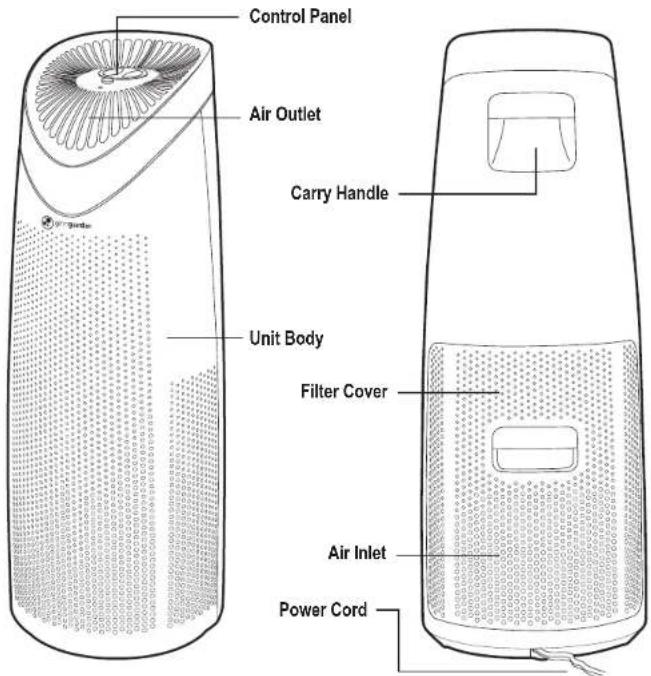
text_image
Control Panel Air Outlet Carry Handle Unit Body Filter Cover Air Inlet Power Cord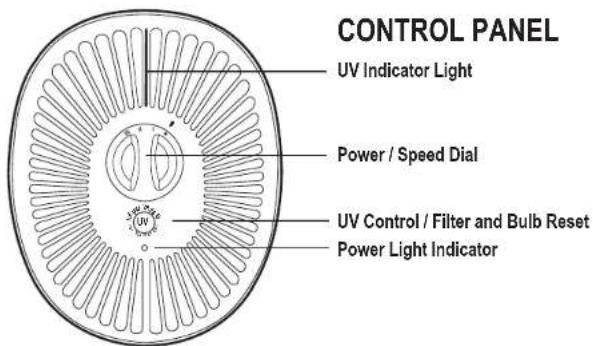
text_image
CONTROL PANEL UV Indicator Light Power / Speed Dial UV UV Control / Filter and Bulb Reset Power Light IndicatorAIR CLEANING LAYERS
Improve your indoor air quality with your new germguardian Air Cleaning system. Multiple levels of cleaning include combination filter that traps allergens and a carbon filter layer that captures odors. The UV-C light technology helps reduce germs and works with Titanium Dioxide (TiO2) to reduce volatile organic compounds.
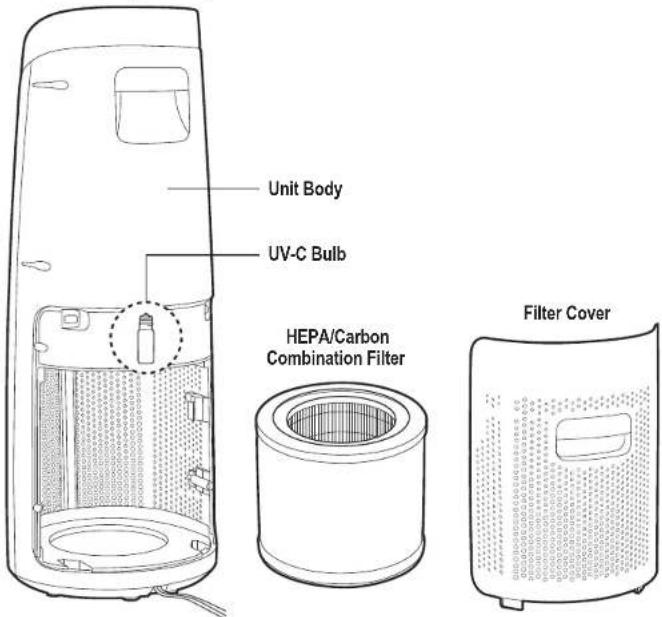
text_image
Unit Body UV-C Bulb HEPA/Carbon Combination Filter Filter CoverREPLACEMENT PARTS
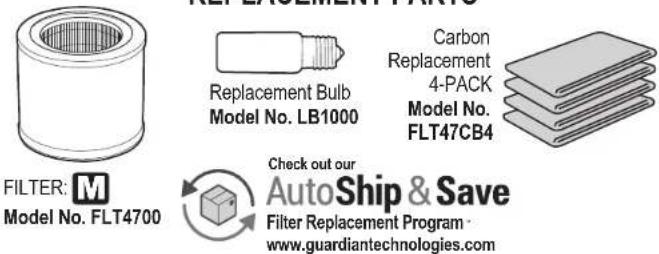
text_image
FILTER: M Model No. FLT4700 Replacement Bulb Model No. LB1000 Carbon Replacement 4-PACK Model No. FLT47CB4 Check out our AutoShip & Save Filter Replacement Program www.guardiantechnologies.comIMPORTANT: To maintain performance of the air cleaner, use Guardian Technologies GENUINE Replacement Parts only. To Purchase Contact Customer Service
OPERATING INSTRUCTIONS
Carefully remove your air purifier from the box and bag.
Select a firm, level and flat location for the air purifier.
For proper air flow, locate the unit at least 1 foot from any wall or furniture.
Make sure none of the grills are blocked.
IMPORTANT: If the filter is not placed in properly or the filter cover is not secure, the unit will not turn on.
IMPORTANT: When moving the air purifier, always lift unit by the carrying handle located on the back.
-
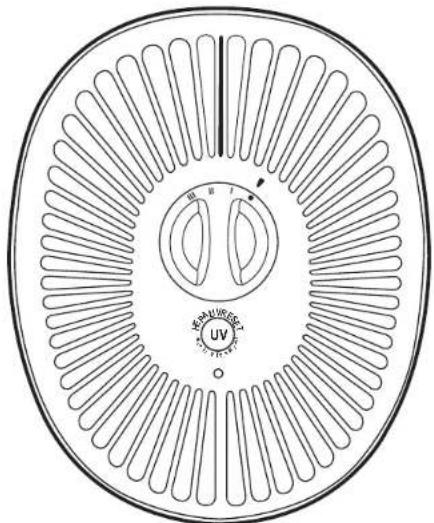
Turn the air purifier ON by rotating POWER KNOB clockwise to line up with the arrow.
-
Upon turning the air purifier ON, the power indicator will be lit and the unit will be in LOW mode (I).
-
Rotate the POWER KNOB clockwise to set the air purifier to MEDIUM (II) or High mode (III).
-
To activate the UV-C Bulb, press the UV button. Press the button again to turn OFF the UV-C. The light on the top of the unit will turn on when the UV-C is on.
-
To turn the unit OFF, rotate the POWER KNOB counter-clockwise to OFF mode (•).
-
Filter reset
• The power indicator will flash when it's time to change the filter.
- Replace the filter according to instructions (page 7).
- Press and hold the UV button for 5 seconds to reset the filter light.
natural_image
Circular diagram with radial lines and central circular elements, no text or symbols presentFILTER REPLACEMENT
Power light will flash when it is time to replace your filter. Depending on usage and environmental conditions the filter will last approximately 6 months. The inside pleats of the filter will turn from white to grey when it is dirty and needs replacing. It is important to maintain and change the filter to continue to optimize the performance of the air purifier.
IMPORTANT: Do NOT wash and re-use the filter. Please contact Customer Service to purchase a replacement filter or visit www.guardiantechnologies.com.
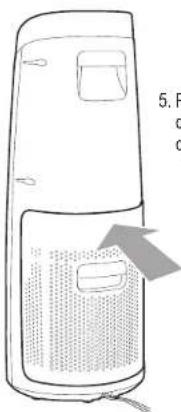
REMOVE AND REPLACE FILTER
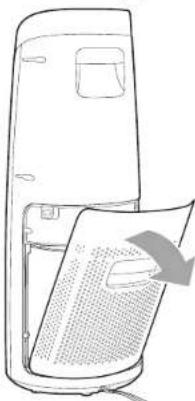
- Turn off and unplug the unit.
natural_image
Line drawing of a device with a paper sheet being inserted, showing no text or symbols- Remove filter cover.
natural_image
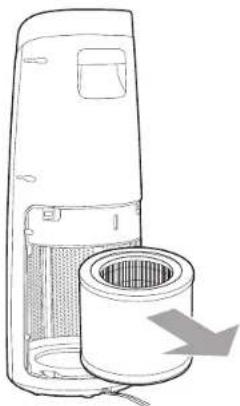
Line drawing of a portable air purifier with a cylindrical filter and a gray arrow indicating airflow direction (no text or symbols)- Remove and dispose of filter. 4. Replace with new filter.
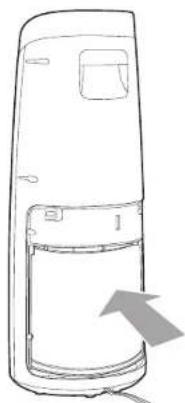
natural_image
Line drawing of a device casing with an arrow indicating direction (no text or symbols)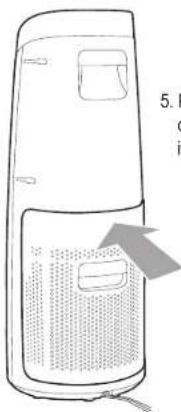
natural_image
Line drawing of a two-tiered air purifier with a label pointing to its side panel (no text or symbols on the diagram itself)- Replace filter cover, checking to make sure it's secure.

6. Reset the filter indicator by holding the UV-C button for 5 seconds.
IMPORTANT: If the filter is not placed in properly or the filter cover is not secure, the unit will not turn on.
INSTALLING & REMOVING UV-C BULB
CHANGE BULB INDICATOR
The blue light on the top of air cleaner will begin to flash continuously when it is time to replace the UV-C bulb. Replace the bulb according to the directions then press the UV control button and hold for 5 seconds to restart the system. The light should remain a constant blue.
- Turn off and unplug unit.
- The UV-C bulb is located in a compartment in the center of the purifier. To access, first follow the instructions to remove the filter.
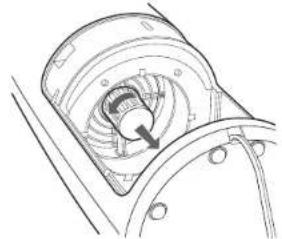
natural_image
Technical line drawing of a mechanical component with no visible text or symbols- After removing the filter, remove the UV-C cover by twisting counter-clockwise (left) and pulling the cover out.
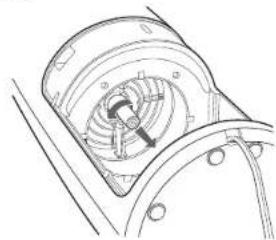
natural_image
Technical line drawing of a mechanical component with internal fan and mounting holes (no text or symbols)- Hold the unit in place with one hand. Locate the bulb and with your opposite hand, turn the bulb in a counter-clockwise direction (left) to remove bulb from socket.
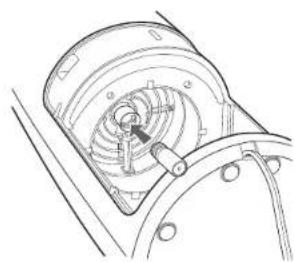
natural_image
Technical line drawing of a mechanical component with internal gears and mounting holes (no text or symbols)- Take new bulb and screw into unit using a clockwise motion (right). Wipe off fingerprints with a dry cloth.
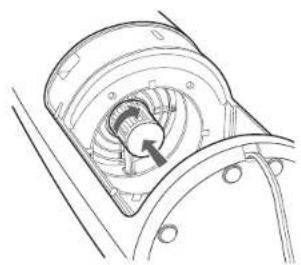
natural_image
Technical line drawing of a mechanical assembly with internal components and a directional arrow (no text or symbols)- Return UV-C cover and twist clockwise (right) to secure. It will lock. Return filter and cover. Replace fitler and filter cover.

- Push and hold UV Control Button for 5 seconds to reset UV Bulb Change Indicator.
IMPORTANT: The UV-C bulb should be replaced every 10 months depending on use.
IMPORTANT: If the filter is not placed in properly or the filter cover is not secure, the unit will not turn on.
CLEANING & MAINTENANCE
CLEANING
• Always unplug the appliance before you clean it.
- Never immerse the appliance in water or any other liquid.
- Never use aggressive or flammable cleaning agents such as bleach or alcohol to clean any part of the appliance.
BODY OF THE APPLIANCE
Regularly clean the inside and outside of the body to prevent dust from collecting.
- Wipe away dust with a soft dry cloth from the body of the appliance.
- Clean the air inlet and the air outlet with a soft dry cloth.
PRE-FILTER SCREEN
The pre-filter/charcoal layer collects larger dust and debris and should be cleaned monthly or more frequently depending on use. Remove and clean regularly with the brush attachment of your vacuum cleaner. This will remove the lint and dirt and help maintain the life of the filter. (See filter replacement to locate and clean or remove the filter).
Note: Do NOT stick any foreign objects or your fingers inside the unit.
Caution: Do NOT use gasoline, benzene, thinner, harsh cleaners, etc. on and/or in the unit while cleaning as they will damage the products.
NEVER use alcohol or other solvents.
TROUBLESHOOTING GUIDE
| PROBLEM | SOLUTION |
| Unit shuts off unexpectedly or does not operate. | Check that the unit is plugged into a working electrical outlet.Check that the filter and bottom filter cover are installed correctly.If locks are not engaged, unit will not turn on.Unplug/replug into the outlet. Call customer service. |
| No air circulating from the unit. | Unplug unit. Check filter. Clean or replace filter if necessary. |
| Odors not removed. | Make sure the filter is clean. Replace if necessary. |
| Discharged air has an odor. Check to see if the filter is heavily soiled. Replace if necessary. | |
| Increase in noise level. | Make sure the filter is clean. Replace if necessary. |
| Power light is flashing. Replace filter and reset light. | |
| Blue UV-C light is flashing. Replace bulb and reset light. | |
What is CADR?
CADR stands for "Clean Air Delivery Rate," which indicates the volume of filtered air delivered by an air purifier. CADR ratings show the effectiveness of how efficient the air purifier is at capturing fine particles from things like tobacco smoke and plant pollens from the room.
Clean Air Delivery Rate
From air cleaner to air cleaner, compare the CADR numbers. First look at suggested room size. Then refer to the Clean Air Delivery Rate (CADR) numbers. The higher the number, the faster the unit filters the air.
Refer to website for individual model CADR numbers.
GARANTIE LIMITÉE
Guardian Technologies LLC
26251 Bluestone Blvd.
Euclid, Ohio 44132
1.866.603.5900
www.guardiantechnologies.com
Guardian Technologies LLC
26251 Bluestone Blvd. • Euclid, OH 44132
1.866.603.5900 • www.guardiantechnologies.com
©2016 Guardian Technologies LLC

guardian technologies™
UTILISATION ET INSTRUCTIONS D'ENTRETIEN
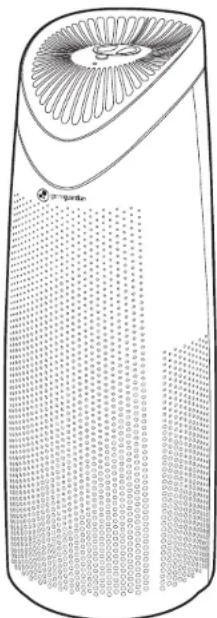
natural_image
Line drawing of a cylindrical device with a fan-shaped top and grid pattern below (no text or symbols)text_image
Diagram of a biological structure with labeled parts, likely illustrating a cellular or vascular system.PANNEAU DE COMMANDE
Voyant lumineux de lampe UV
Voyant lumineux de lampe UV
natural_image
Circular diagram with radial lines and central circular elements, no text or symbols presentREEMPLACEMENT DU FILTRE
natural_image
Line drawing of a device with a paper sheet being inserted, showing a circular arrow indicating rotation (no text or symbols present)natural_image
Line drawing of a portable air conditioner unit with a cylindrical filter and airflow direction arrow (no text or symbols)natural_image
Line drawing of a device casing with an arrow indicating direction (no text or symbols)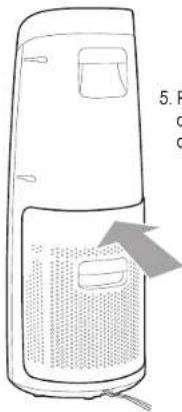
natural_image
Line drawing of a portable air conditioner unit with ventilation slots and a gray arrow indicating airflow direction (no text or symbols)natural_image
Technical line drawing of a mechanical component with internal gear and mounting holes (no text or symbols)natural_image
Technical line drawing of a mechanical component with no visible text or symbolsnatural_image
Technical line drawing of a mechanical component with internal gears and shafts (no text or symbols)natural_image
Technical line drawing of a mechanical component with no visible text or symbolsGuardian Technologies LLC
26251 Bluestone Blvd.
Euclid, Ohio 44132
1.866.603.5900
www.guardiantechnologies.com
Guardian Technologies LLC
26251 Bluestone Blvd. • Euclid, OH 44132
1.866.603.5900 • www.guardiantechnologies.com
©2016 Guardian Technologies LLC

guardian technologies™
UTILISATION ET INSTRUCTIONS D'ENTRETIEN
natural_image
Line drawing of a cylindrical device with a fan-shaped top and grid pattern below (no text or symbols)natural_image
Circular diagram with radial lines and central circular elements, no readable text or symbolsREEMPLAZAR EL FILTRO
natural_image
Line drawing of a refrigerator with a paper sheet being inserted (no text or symbols)natural_image
Line drawing of a portable air purifier with a cylindrical filter and airflow direction arrow (no text or symbols)natural_image
Line drawing of a device casing with an arrow pointing to the side panel (no text or symbols)