
FUMK50020B - Alarm system ABUS - Free user manual and instructions
Find the device manual for free FUMK50020B ABUS in PDF.



| Product Type | Wireless mini opening contact |
| Brand | ABUS |
| Model | FUMK50020B |
| Dimensions (L x W x H) | 33 x 89 x 29 mm |
| Weight | Approx. 53 g |
| Power supply | 3.6 V lithium battery (type SAFT LS14250) |
| Battery life | Up to 36 months |
| Radio frequency | 868.6625 MHz / FM |
| Range | Varies depending on ambient conditions |
| Main functions | Monitors opening/closing of doors and windows and transmits the information to the alarm control panel |
| Housing material | ABS |
| Environmental class | I (-10 °C to +55 °C) |
| Safety level | II |
| Power consumption | 0.03 A |
| Maintenance and cleaning | Replace battery respecting polarity; clean exterior with a dry cloth |
| Safety | Anti-tamper switch (pull-off contact); integrated magnet |
| Spare parts and repairability | Spare battery SAFT LS14250; 7 mm magnet holder support available |
| Mounting instructions | Mount on frame or sash with a distance of 10 mm from the edge; maintain max. gap of 3 mm between magnet and contact |
| Package contents | Circuit board housing, screwable base, protective cover, magnet holder fixing, 7 mm support, magnet holder, screws, battery |
Frequently Asked Questions - FUMK50020B ABUS
User questions about FUMK50020B ABUS
0 question about this device. Answer the ones you know or ask your own.
Ask a new question about this device
Download the instructions for your Alarm system in PDF format for free! Find your manual FUMK50020B - ABUS and take your electronic device back in hand. On this page are published all the documents necessary for the use of your device. FUMK50020B by ABUS.
USER MANUAL FUMK50020B ABUS
natural_image
White matchbox with a red hit and wooden stick beside it, no visible text or symbols on the main objects.natural_image
Interior view of a white battery pack with a green internal component and a black circular arrow pointing to it (no visible text or symbols)natural_image
Close-up of a white electrical outlet wall-mounted device with two black square buttons (no text or symbols visible)natural_image
Close-up of a white rectangular electronic device mounted on a wall, no visible text or symbolsnatural_image
Close-up of a white electrical outlet box with a screw and plastic housing, mounted on a wall (no visible text or symbols)
natural_image
Close-up of a white door with a mounted electrical switch and screw base (no visible text or symbols)natural_image
Close-up of a rectangular electronic component with metallic edges (no visible text or symbols)Secvest Mini-wireless opening detector

Security Tech Germany

natural_image
White matchbox with red hit and wooden stick beside it (no text or symbols visible)Installation instructions
[GB] Mini wireless opening detector
Scope of delivery ......- 6 -
Technical data ...... - 6 -
Start-up....- 7 -
Assign the detector in zones ......- 7 -
Range....- 8 -
Installation location ...... - 8 -
Installation ....- 10 -
Changing the battery....- 13 -
Preface
Dear customer,
Thank you for purchasing this mini wireless opening detector. This device is built with state-of-the-art technology and complies with current domestic and European regulations. Conformity has been proven, and all related certifications are available from the manufacturer on request (www.abus.com). To guarantee safe operation, it is essential that you observe these installation instructions. If you have any questions, please contact your specialist dealer.
Hereby, ABUS Security-Center GmbH & Co. KG declares that the radio equipment type FUMK50020 is in compliance with Directive 2014/53/EU. The full text of the EU declaration of conformity is available at the following internet address: www.abus.com >> Search >> FUMK50020 >> Downloads
The Declaration of Conformity can also be obtained from the following address: ABUS Security-Center GmbH & Co. KG, Linker Kreuthweg 5, 86444 Affing, GERMANY
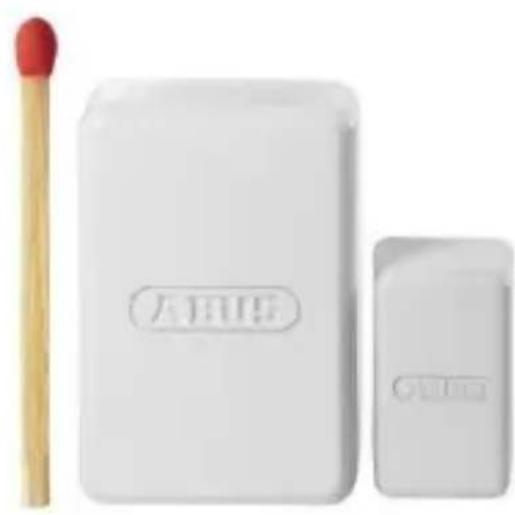
This mini wireless opening detector is used to monitor doors and windows. It wirelessly monitors the status (open/closed) of a door or a window and reports this to a wireless alarm panel.

Please observe the notes and instructions in this user guide! If you do not follow these instructions, any guarantee claim is invalidated. No liability can be accepted for resulting damage. The product may not be changed or modified in any way.
Battery warning information
The device is supplied with direct current from a 3.6 V lithium battery. To guarantee a long lifespan and avoid fire and injury, please note the following:
- Do not dispose of the battery in domestic waste.
- The battery may not be directly exposed to heat or sunlight.
- The battery may not be burned.
- The battery may not come into contact with water.
- The battery may not be dismantled, pierced or otherwise damaged.
- The battery contacts may not be short-circuited.
- The battery must be kept away from small children.
- The battery cannot be recharged.
Safety information
No part of the product may be changed or modified in any way. Finger contact with the motherboard should also be avoided.
Be careful with magnets:
- Beware fingers becoming trapped.
- Keep the product away from children, as its small parts could be swallowed.
- In the event that parts are swallowed, seek medical attention immediately, especially if the magnet is swallowed.
- Magnets may damage credit or debit cards with a magnetic strip.
- If you have a pacemaker, defibrillator or any other implanted devices, please bear the following information in mind: the magnet can have an adverse effect on devices such as these, so maintain sufficient distance between the magnet and implanted device (approx. 20 cm), particularly during installation.
Scope of delivery
(9.) Motherboard housing
(10.) Backplate
(11.) Dust cover
(12.) Magnet holder attachment
(13.) 7 mm plate
(14.) Magnet bracket
(15.) Fixing screws
(16.) Battery

Technical data
Power supply: 3.6 V lithium-thionyl chloride
Battery type: SAFT LS1425 (please use this battery type only)
Power consumption: 0.03 A
Radio frequency: 868.6625 MHz/FM
Dimensions (LxWxH): 33 x 89 x 29 mm
Environmental class: I (-10 to +55°C)
Battery life: up to 36 months
Housing material: ABS
Weight: approx. 53 g
Security level: II
Start-up
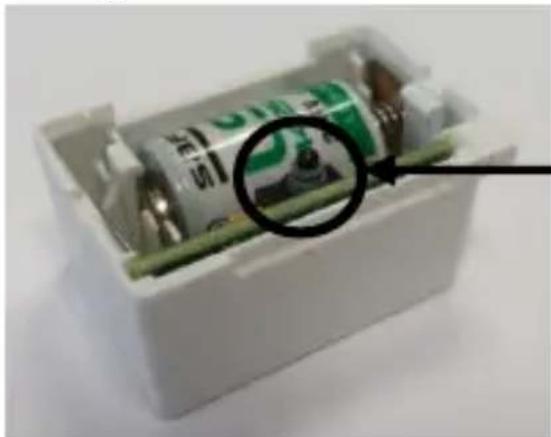
Insert the battery into the wireless opening detector.

IMPORTANT
Ensure that the polarity is correct.

Assign the detector in zones
natural_image
Interior view of a white battery pack with internal components and a magnified inset showing a green component (no visible text or symbols)See the relevant device information.
Press the tamper switch (anti-removal wall contact), until the receiver has received the signal, indicated by a beep.
Range
The range is dependent on environmental factors. Check whether the detector is communicating properly with the alarm control panel prior to assembly.
When assembling the detector:
- do not assemble it on or near metal surfaces.
- keep it at least 1 m from gas, water or power lines.
- do not assemble it near electronic equipment such computers, photocopiers or other transmitters and interferences.
Installation location
The optimal installation position for your wireless opening detector is the top corner of your window/door frame or leaf. Make sure that you install the detector on an even surface so that the tamper switch (anti-removal wall contact) operates reliably.
The wireless opening detector can be installed on either the window frame or the leaf of the door.
Select the installation position best suited to the individual location:
| Rabbet depth | Window/door frame | Window/door leaf | 7 mm magnet bracket plate |
| < 19 mm | magnet/detector | magnet/detector | optional |
| > 19 mm | magnet | detector | compulsory |
- For window/door frames with a rabbet depth of less than 19 mm and sufficient space, we recommend installing the wireless opening detector on the window/door frame.
(Reverse installation is also possible in this instance, however.)
- For window/door frames with a rabbet depth of more than 19 mm, the wireless opening detector must be installed on the leaf of the window/door using the 7 mm magnet bracket plate.

Prior to installation, always check that the distance between the detector and the magnet is sufficiently short that the magnet can be reliably detected by the wireless opening detector.
To test the detector's triggering function, we recommend pre-assembling the magnetic bracket and detector base temporarily, using the attached adhesive film but not the screws.
Once you have checked this, we recommend installing the magnet bracket and detector base using the screws to secure it in place permanently (you do not need to pre drill the plastic).
You should always check the rabbit depth of the leaf before making any screw connections and avoid the screws emerging on the opposite side. (If necessary, screws may be shortened.)
Installation

The following section describes how to install the wireless opening detector on the leaf of the window or door.
(Installation on a window or door frame follows the same procedure.)

Position and screw on the backplate
The holes for the fixing screws must be aligned in the direction of the wall (and not aligned with the centre of the door/window).
Distance from the door/window edge: 10 mm
(Figure shows window with DIN on right; installation with DIN on left follows the same procedure.)

natural_image
Close-up of a white electrical socket mounted on a wall, with two black square buttons visible (no text or symbols)Attach motherboard housing
Attach the motherboard housing in the correct position and press this into place.
(Figure shows window with DIN on right; installation with DIN on left follows the same procedure.)

natural_image
Close-up of a white rectangular electronic device mounted on a wall (no visible text or symbols)Attach dust cover
Attach the dust cover (so that the ABUS logo is legible) and press this into place.

Fit magnet bracket
If the rabbet depth is no more than 19 mm, the magnet bracket can be fitted without the 7 mm base.
Side-on distance between the magnet bracket and window leaf max. 3 mm
For rabbet heights of up to 20 mm, you will need to use the 7 mm magnet bracket base. (The base can improve the efficacy of the magnetic contact.)

natural_image
Exterior view of a wall-mounted electrical enclosure with a screw and control panel (no visible text or symbols)
natural_image
Close-up of a white door panel with a screw and screw securing the side panel (no text or symbols visible)Side-on distance to the window leaf also max. 3 mm.

natural_image
Close-up of a rectangular electronic component with a dark central section and metallic edges (no visible text or symbols)Press the magnet bracket including the magnet into the fitted magnet holder attachment.
Position the magnet in the magnet bracket as shown in the adjacent illustration.
Changing the battery

Before changing the battery, set the alarm system to installer mode or hide the respective zone (see corresponding device information).
To change the battery, remove the dust cover together with the locked motherboard housing by swinging them away swiftly, and return to their original position once you have changed the battery.

Ensure that the polarity is correct.

FUMK50020
natural_image
White matchbox with red hit and wooden stick, next to a smaller rectangular item (no visible text or symbols)natural_image
Interior view of a white battery pack with internal components and a magnified inset showing a green component (no visible text or symbols)natural_image
White electrical outlet wall-mounted device with two black square buttons (no text or symbols visible)natural_image
Close-up of a white rectangular electronic device mounted on a wall, no visible text or symbols.natural_image
Close-up of a white electronic device with a screw and two rectangular components mounted on a wall (no visible text or symbols)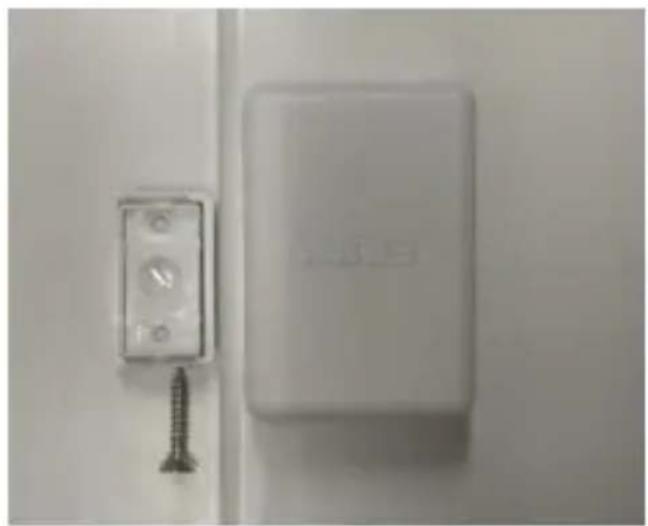
natural_image
Close-up of a white wall-mounted electrical switch with a screw and indicator lights, no visible text or symbols.natural_image
Close-up of a rectangular electronic component with metallic edges (no visible text or symbols)Security Tech Germany

natural_image
White matchbox with red hit and wooden stick, next to a smaller rectangular item (no text or symbols visible)Melder in zones inlezen

natural_image
Interior view of a white battery pack with a green cable inside, showing internal components and a magnified inset (no text or symbols visible)natural_image
White wall-mounted electrical outlet or switch mounted on a wall, with two black square buttons visible (no text or symbols)natural_image
Close-up of a white rectangular electronic device mounted on a wall (no visible text or symbols)Afdekkap plaatsen
natural_image
Close-up of a white electrical outlet box with a screw and plastic housing, mounted on a wall (no visible text or symbols)
natural_image
Close-up of a white door with a mounted electrical switch and screw base (no visible text or symbols)natural_image
Close-up of a rectangular electronic component with metallic edges (no visible text or symbols)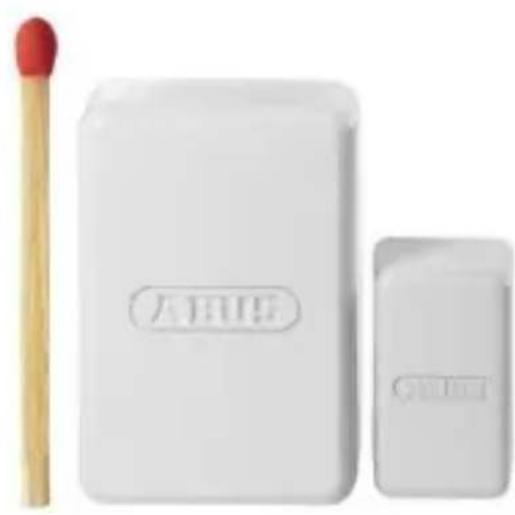
natural_image
White matchbox with a red-tipped stick next to its lid, no visible text or symbols on the main objects.natural_image
Interior view of a white battery pack with a green cable inside, showing internal components and a magnified inset (no text or symbols visible)natural_image
White electrical outlet wall-mounted device with two black square buttons (no text or symbols visible)natural_image
Close-up of a white rectangular electronic device mounted on a wall (no visible text or symbols)Sæt dækslet på
natural_image
Exterior view of a white electrical enclosure with a screw and control panel (no visible text or symbols)
natural_image
Close-up of a white wall-mounted electrical outlet with screw and indicator lights (no text or symbols visible)natural_image
Close-up of a rectangular electronic component with metallic edges (no visible text or symbols)Security Tech Germany

natural_image
White matchbox with a red hit and a small eraser, no visible text or symbols on the main objects.natural_image
Interior view of a white battery pack with internal components and a magnified inset showing a green component (no visible text or symbols)natural_image
White electrical outlet wall-mounted device with two black square buttons (no text or symbols visible)natural_image
Close-up of a white rectangular electronic device mounted on a wall, no visible text or symbols.Applicare la calotta
natural_image
Close-up of a white electronic device with a screw and two rectangular components mounted on a wall (no visible text or symbols)
natural_image
Close-up of a white wall-mounted electrical switch with a screw and indicator lights, mounted on a door (no visible text or symbols)natural_image
Close-up of a rectangular electronic component with a dark central section and metallic edges (no visible text or symbols)


- Installation instructions
- Preface
- Battery warning information
- Safety information
- Be careful with magnets:
- Scope of delivery
- Technical data
- Start-up
- Assign the detector in zones
- Range
- Installation location
- Installation
- Position and screw on the backplate
- Distance from the door/window edge: 10 mm
- Attach motherboard housing
- Attach dust cover
- Fit magnet bracket
- Changing the battery
- FUMK50020
- Afdekkap plaatsen
- Sæt dækslet på
- Applicare la calotta
Brand : ABUS
Model : FUMK50020B
Category : Alarm system