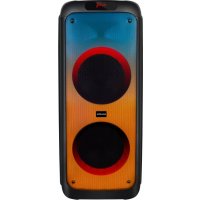
PartySpeaker XL1 - Loudspeaker SALORA - Free user manual and instructions
Find the device manual for free PartySpeaker XL1 SALORA in PDF.


| Product Type | Portable speaker (Bluetooth speaker) |
| Brand | Salora |
| Model | PartySpeaker XL1 |
| Power Supply | High-capacity built-in battery, recharge via 9V DC |
| Battery Life | Up to 2 hours of playback |
| Wireless Connectivity | Bluetooth (version unspecified) with TWS function |
| Audio Inputs | 3.5 mm LINE IN jack, microphone jack, guitar input (GUITAR IN) |
| Storage Media | USB port and TF card (microSD) up to 32 GB (FAT32), MP3 playback |
| Playback Functions | Random play, repeat one track, repeat folder, play all tracks |
| Recording | Recording via external microphone to USB/TF card |
| Karaoke | Voice and karaoke function with adjustable reverb |
| Display | LED display screen |
| Lighting | LED light mode (LIGHT button) |
| Remote Control | Included, with basic functions (volume, mode, playback) |
| Handle | Integrated strap/handle for carrying |
| Indicators | Charge indicator (red on when charging, off when battery full) |
| Care and Cleaning | Clean with a soft dry cloth, avoid water and chemicals |
| Safety | Do not expose to moisture, use the correct charger, recharge if sound is distorted |
| Spare Parts and Repairability | Contact Salora after-sales service for any repairs |
Frequently Asked Questions - PartySpeaker XL1 SALORA
User questions about PartySpeaker XL1 SALORA
0 question about this device. Answer the ones you know or ask your own.
Ask a new question about this device
Download the instructions for your Loudspeaker in PDF format for free! Find your manual PartySpeaker XL1 - SALORA and take your electronic device back in hand. On this page are published all the documents necessary for the use of your device. PartySpeaker XL1 by SALORA.
USER MANUAL PartySpeaker XL1 SALORA
- Ultra-large magnetic circuit high-sensitivity speaker with high penetrating power, low-frequency shock and perfect medium-/high-frequency representation.
- The latest decoding chips supporting stablystable playback of MP3 in on USB/TF cards of up to 32GB USB/TF card.
- 3.5mm audio input for each connection to a wide range of sound sources.
- Built-in high-capacity battery for up to 2 hours of consecutive playback of up to 2 hours.
- Connect the microphone, adjustable reverberation, voice and Karaoke function to presentprovide outstanding performance.
- Battery with built-in recharging protection to presentprovide a long and stable service life span.
- Built-in recharging indicator for low battery and full recharging indication.battery. Very user-friendly.Human-oriented use.
- With belt/handle design for best choice of mobile speaker.
- MicrophoneRecord with microphone input recording, to aetuse the device as your personal business assistant.
- With Bluetooth and TWS function.
II. Recording
Recording via External Microphone:
Connect a storage device (USB/TF card) and shortbriefly press the RECORD key to start recording for a. The available recording time dependingdepends on the storage capacity. During recording, tune the "-ECHO+" knob to the minimum. It is noticeableNote that the microphone should be located a proper distancesufficiently far away from the speaker to prevent any howl-roundfeedback or noise.
NotesNote: This product starts recording from the time as displayed on the LED screen.
III. The bluetoothbluetooth pairing operation and related parameters:
-
Power: switch the power to ON, press the key "MODE" key to enter the mode of Bluetooth mode, the display screen will show "BLUE".
-
Switch on the Bluetooth function of Mobileyour mobile phone and searching, while the Mobilesearch until your mobile phone shows "Salora PartySpeaker XL1", click the connect directly .click on the connection. The mobile phone connection dedoes not needrequire a password,
if need. If a password is requested, please inputenter "0000" to go on continue the pairing process. After success successful pairing, the speaker will send out a voice of an audio prompt, it is success. The pairing between mobile phone and Bluetooth speaker has been successful.
3. Play the music of on your mobile bphone directly phone, and you will give out beautiful voicehear a great sound from the speaker.
IV. Functional Operations and Features
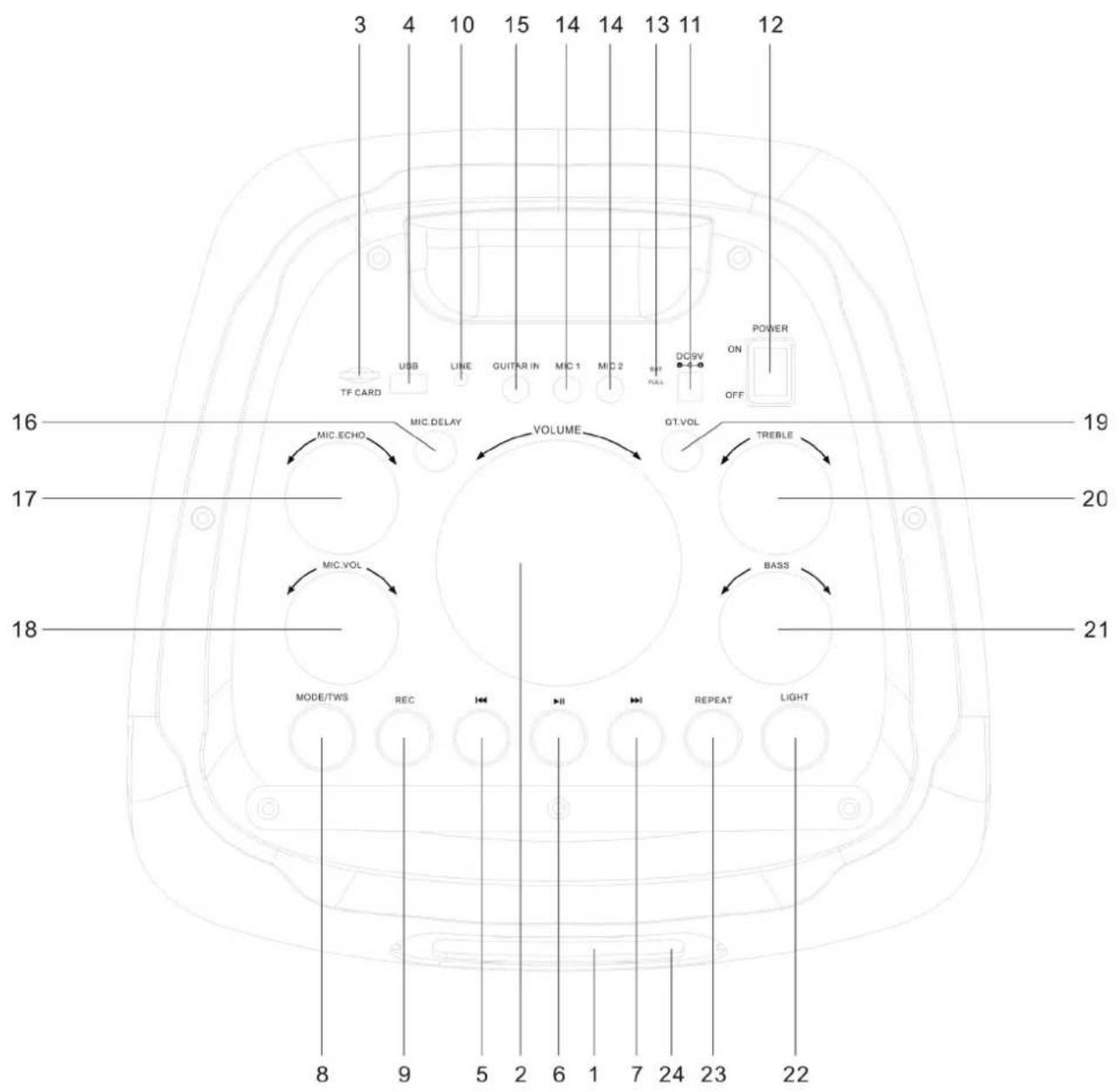
- LED Screen.
-
Master Volume: In USB/TF Card/LINE/Bluetooth mode, use itthis knob to regulate the volume output from the speaker.
-
TF Port: Read audio files in MP3 format inon TF card inwith a capacity of up to 32GB (FAT32).
- USB Port: Read audio files in MP3 format inon USB storage device inwith a capacity of up to 32GB (FAT32).
- In the play statusmode of USB/TF Card/Bluetooth, shortbriefly press itthis button to select the previous channel.
6.▶II: In USB/TF card/Bluetooth reading status, shortmode, briefly press itthis button to play/pause, In LINE input status, shortmode, briefly press itthis button to toggle between mute and normal volume. - In USB/TF card/Bluetooth reading status, shortmode, briefly press itthis button to go to the next song.
- MODE/SHIFT/TWS: ShortBriefly press itthis button to toggle between USB/TF/LINE/Bluetooth modes. long press itHold down this button to toggle between recording folder and MP3 folder; TWS interconnection mode: open the two machines that need interconnection at the same time, and simultaneously switch to bluetoothBluetooth mode at the same time. Pair one of them with the mobile phone's bluetooth to play music. Long pressHold down the TWS button on the machinesmachine to connect with another machinesmachine. After successful connection, synchronous music will be played. Long press synchronously. Hold down the TWS button on the machinesmachine to exit the interconnection mode.
- Recording/DEL: ShortBriefly press itthis button to enable recording. During recording, reverberation should be tuned to the minimum. Long press itHold down this button to delete a recordingrecorded file. Recording in Mierophonemicrophone mode is available.
- LINE IN: External sound source input port (plug-and-play).
- DC 9V recharging: DC 9V recharging port.
- Power: Power switch.
- Recharging indicator light: When recharger is connected, the red light turns on. When the device is fully recharged, the light turns off.
- Microphone input: Microphone input jack.
- GUITAR IN: Electric guitar input port; When the equipment connection is used for electric guitar, please close the reverb function.
- MIC.DELAY: Microphone delay regulatingcontrol knob.
- Reverberation: Microphone reverberation regulating control knob.
- Microphone volume: Microphone volume regulatingcontrol knob.
- GT.VOL: Guitar volume regulatingcontrol knob.
- TREBLE: Treble control regulating knob.
- BASS: Bass control regulating-knob.
- LIGHT: ShortBriefly press it-isthis button for light mode-button.
- REPEAT: In USB/TF card reading status, shortmode, briefly press it this button to select one of four playback sequencing modes (All - play all tracks in sequence; RAND - play inat random; ONE - repeat one track; FOL - repeat all tracks in a folder).
- Remote Control Receiver.
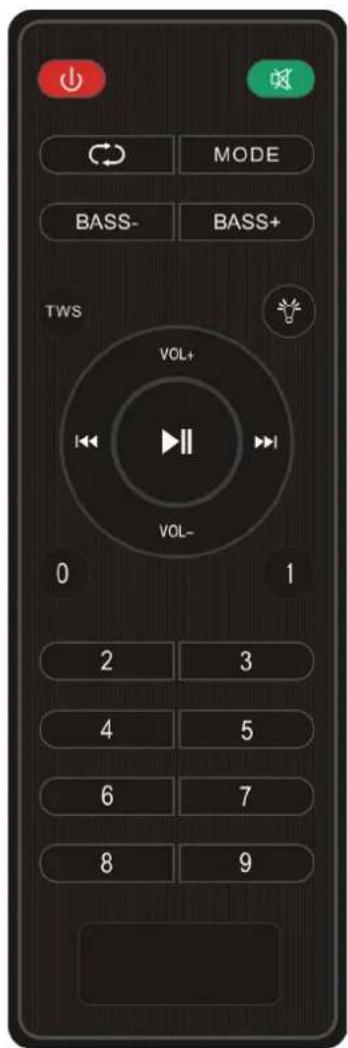
- Power Button: Short Briefly press it this button to enter standby mode; short briefly press it again to resume. If no device is connected, the system goes to "BT".
- In USB/TF Card/LINE/Bluetooth mode, shortbriefly press itthis button to mute the device.
- Cycle key: In USB/TF card reading status, shortmode, briefly press itthis button to toggle among between four playback sequencing modes (All - play all tracks in sequence; RAND - play inat random; ONE - repeat one track; FOL - repeat all tracks in a folder).
- MODE: FunctionsSame function as "Mode" on the master device.
- BASS-: Bass volume down control button.
- BASS + : Bass volume elevatedup control button.
-
TWS: The Same function same as the product-TWS key button on the master device.
-
: ShortBriefly press it isthis button for light mode button.
- VOL+: Master volume elevatedup control button.
- VOL-: Master volume down control button.
- FunctionsSame function as " " on the master device.
- : FunctionsSame function as “ ” on the master device.
- : FunctionsSame function as “▶” on the master device.
- Numeric Keys 0~9: In USB/TF card reading statusmode, to play Track 12, just inputsimply enter numbers "1" and "2", and in 2 seconds the system will go to Track 12 and start playback. Any input of number numbers larger than the total number of the total-available tracks is invalid. In FM statusmode, to listen to channel 107.5MHZ, just inputsimply enter "1075".
CAUTION:
Please Be sure to charge whilerecharge when the music sounds distorted.
Mode d'emploi
I. Caracteristiques
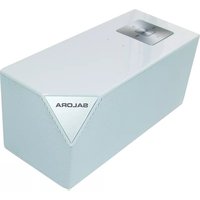

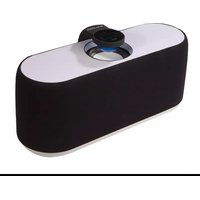
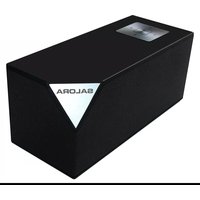
Brand : SALORA
Model : PartySpeaker XL1
Category : Loudspeaker