BTS1400 - Loudspeaker SALORA - Free user manual and instructions
Find the device manual for free BTS1400 SALORA in PDF.


| Product Type | Bluetooth Speaker |
| Brand | Salora |
| Model | BTS1400 |
| Dimensions (L x W x H) | 420 x 160 x 200 mm |
| Weight | Approximately 3.65 kg |
| Power Supply | 12V / 3A AC adapter |
| Bluetooth Version | Bluetooth 2.1+EDR |
| Maximum Range | 10 meters (without obstacles) |
| Frequency Bands | 2.402 GHz – 2.480 GHz |
| Supported Bluetooth Profiles | HSP, HFP 1.5, A2DP, AVRCP |
| Output Power | Output level 2 (reference) |
| AUX Input | 3.5 mm jack |
| USB Port | USB 1A for device charging |
| Remote Control | Yes, with basic functions (power, volume, etc.) |
| LED Indicator | Red (standby), Blue (pairing/connection) |
| Main Functions | Wireless music playback, hands-free, volume control, pause/play, equalizer (EQ) on remote control |
| Maintenance and Cleaning | Wipe with a dry, soft cloth. Do not use abrasive products. |
| Safety | Do not expose to water, excessive heat, or disassemble |
| Max. number of paired devices | 8 |
Frequently Asked Questions - BTS1400 SALORA
User questions about BTS1400 SALORA
0 question about this device. Answer the ones you know or ask your own.
Ask a new question about this device
Download the instructions for your Loudspeaker in PDF format for free! Find your manual BTS1400 - SALORA and take your electronic device back in hand. On this page are published all the documents necessary for the use of your device. BTS1400 by SALORA.
USER MANUAL BTS1400 SALORA
User's Manual of Bluetooth Speaker
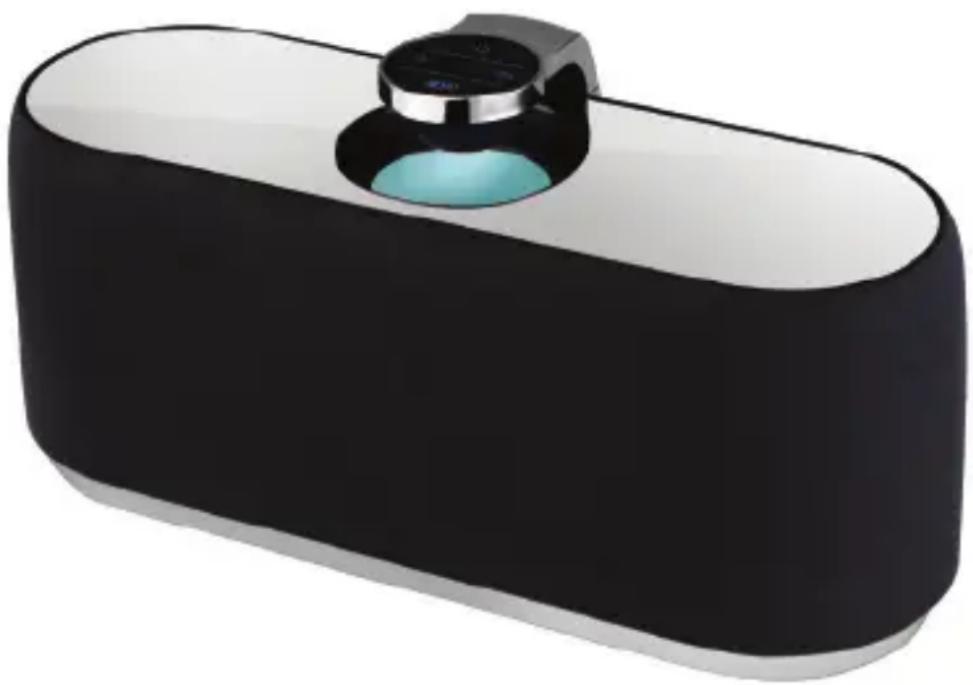
natural_image
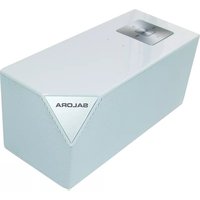
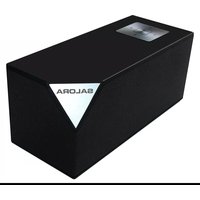
3D rendering of a black and white electronic device with a small blue lens (no text or symbols visible)The picture is for reference only, if it differs from the actual machine, subject to the actual machine!
Please keep this manual properly; any updates are subject to no prior notice!
Table of Contents
Introduction....2
Notes ...... 2
Definition of Buttons and Jacks....3
Remote Control function ....4
Startup....6
Shutdown 6
Bluetooth Pairing Mode....6
Notes ......7
Search Mode 7
Standby Mode ....7
Connection Mode 8
AUX IN Mode 8
Supported Mobile Phones....8
Product Specification 9
Introduction
This product is a kind of portable Bluetooth stereo which supports music player, it adopts digital signal processing technology and is applicable in different environment such as office, home, it can realize wireless connection with the majority of Bluetooth-supporting devices and mobile phones to play musics with high quality from the devices and mobile phones.
Notes
Firstly, thank you for choosing the digital audio product of our company!
Read the manual before use to ensure using this product in a proper way. In order to offer better service, contents of this manual may be altered without notice due to the change of performance and functionality of the product.
In order to maintain good performance, please do not use the product in too cold, too hot, dusty or humid places, more attention should be paid in the following situations:
- Wet or underwater-operating environment
- Heater or high-temperature operating environment
- Environment expose to sunlight
- Environment easy to cause dropping
- Do not disassemble the machine without authorization, which will result in losing the right of warranty
Warning

- Be careful to avoid water, the product should not be exposed to water
drips or splashes, the body can not be placed on with articles filled with liquid such as vase to avoid accidents.

- If using power plug as disconnecting device, the disconnecting device should be easy to operate.
Definition of Buttons and Jacks
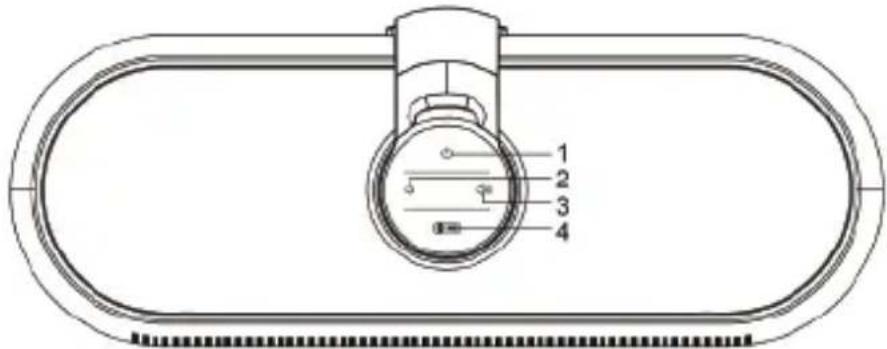
There are 4 buttons and 3 jacks, which are defined as follows:
-
⏻: short press Power on/off button
-
: short press to decrease the volume; long press to quickly decrease the volume
-
: short press to increase the volume; long press to quickly increase the volume
-
☐: in the search mode, long press "☐" on for 3 seconds to enter pairing; short press "☐" on in the playing state of the Bluetooth to pause/play music.
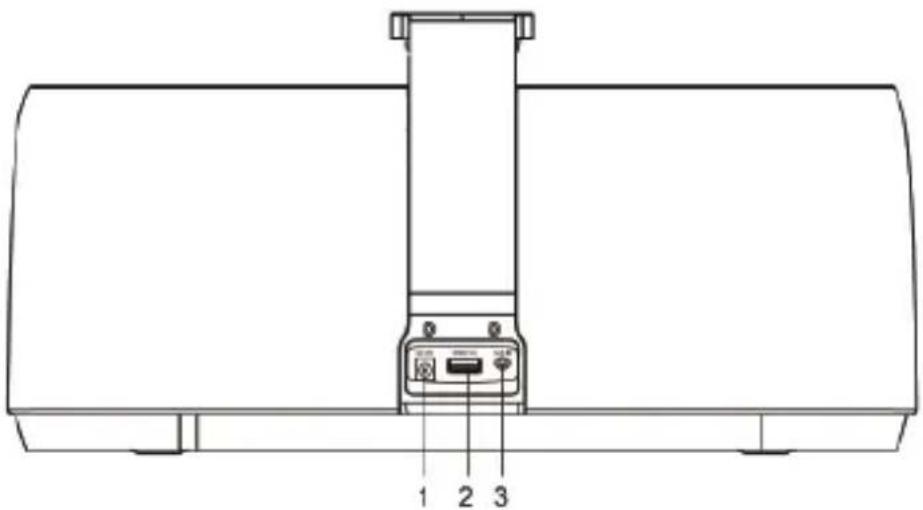
1.DC 12V: DC 12V power supply jack
2. USB(1A): charging jack of a variety of mobile phones and iPod / iPhone models
3.AUX IN: external audio source input jack (3.5mm jack)
Remote control function
- ☁ short press Power on/off button
- : short press to decrease the volume; long press to quickly decrease the volume
- : short press to increase the volume; long press to quickly increase the volume
- PAIR/▶II: short press in the playing state of the Bluetooth to pause/play music; in the search mode, long press for 3 seconds to enter pairing;.
- ☒: mute button
- short press in the Bluetooth state to switch to the last music; short press/long press in the AUX IN input playing state has no function
- ▶▶: short press in the Bluetooth state to switch to the next music; it has no function when short press/long press in the AUX IN input playing state
- EQ: audio settings button
- RESET: start up in the Bluetooth state and long press for more than 10 seconds to exclude Bluetooth device connected, at this time, the blue light flashes rapidly
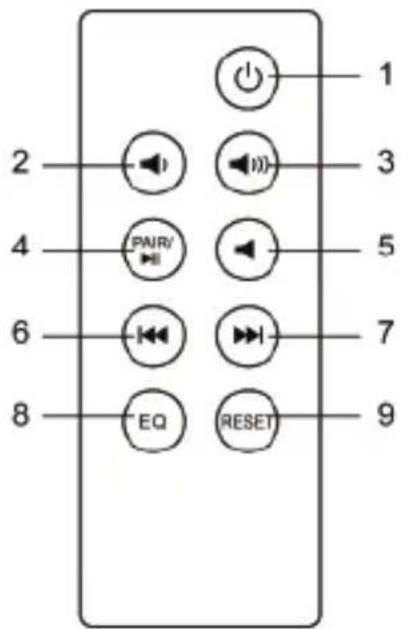
How to use remote control:
- Pull the PVC insulation film out of the battery buckle before you use the remote control, now the battery inside the battery buckle starts formal power supply for the remote control, hold the remote control and face it to the display screen of the host so as to effect each function of the remote control;
- When the remote control does not work due to running out of power after being used for a long time, open the buckle door by the method shown in below figure, take out the old battery and replace it by a new one, pay attention to the "+/-" direction when making replacement, push the battery into the remote control according to the direction shown in the Figure, then the replacement is completed.
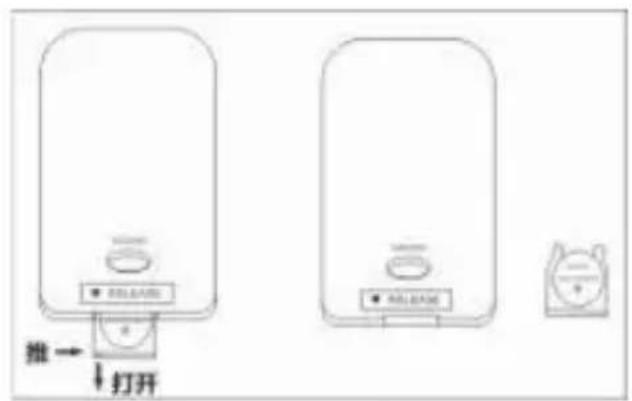
拆开电池扣门
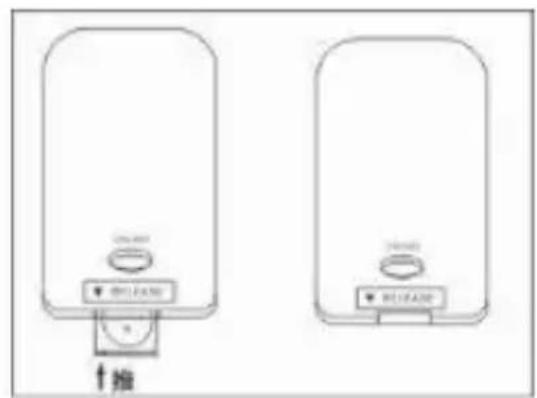
关闭电池扣门
拆开电池扣门: open buckle door of the battery
关闭电池扣门:close buckle door of the battery
LED indicator light:
LED (Red): in the standby mode, the red LED indicator light flashes once every three seconds (in the front of the machine)
LED (Blue): the blue LED indicator light flashes in the pairing process of Bluetooth connection; the blue indicator light will remain lit after the pairing (in the front of the machine)
Startup
Insert the DC 12V power adapter into the DC 12V jack on the back of the machine then the red LED power indicator will be lit up (flash once every three seconds), press the "⏻" button to start up the machine.
- At the the first time of use, the blue LED light will flash and enter the pairing mode.
- If the pairing has been successfully completed before, the blue LED light flashes once every 1 second, the machine goes into the search mode, the Bluetooth automatically connects with devices and mobile phones used last time.
- Enter into the search mode, the Bluetooth will automatically connect with devices and mobile phones used last time, if the connection is successful in, it will enter into the connection mode; if fails to connect, the machine will go into the standby mode
Shutdown
In the running state, press the "⏻" button to shut down the machine, it will go into the standby mode.
Bluetooth pairing mode
There are two conditions enabling the machine to enter this mode:
- In the search mode or standby mode, long press "☒▶II" button for more than 3 seconds;
- When starting up the machine at the first time of use:
1) place your mobile phone within three meters away;
2) long press "✗▶II" button for 3 seconds, the blue light flashes, then enter into the pairing mode;
3) activate the Bluetooth function of your mobile phone, the phone will start to search for Bluetooth device (please refer to the user's manual of the mobile phone
4) select "SALORA BTS1400" from the device found in the phone;
5) for some phones which require you to input identification number "0000" and then press the Enter button to make the machine match the phone, the blue LED light will remain lit after the pairing is successful.
6) press Return button of the phone to exit the phone menu, make sure there is no obstruction within 10 meters away from the phone, then you can play music through the machine.
Notes:
- When starting up the machine in the Bluetooth mode, if it is not connected to Bluetooth device after 120 seconds, the machine will automatically shut down and go into the standby mode.
- If the pairing is successful, the machine will enter the connection mode.
- If the paired devices exceed the maximum capacity (maximum 8 units), the machine will automatically exclude the first device memorized.
Search mode
At startup time or in pairing mode, long press " ☐ on to go into this mode, the blue light flashes once every 1 second, if in the search mode, it will attempt to connect with the device connected last time, if finding it, the machine will go into the connection mode.
If the search time exceeds 120 seconds, the machine will go into the standby mode.
Standby mode
The blue LED light flashes slowly and flashes once every 5 seconds while in the standby mode. It will accept connections from all paired devices ( record 8 devices at most).
Connection mode
The blue LED light will keep lit after the pairing is completed, if there is no headset mark appearing on the phone screen before use, please follow below steps to activate the Bluetooth connection.
(1) Select "SALORA BTS1400"- from the pairing list of the phone for connection
(2) Short press " ⚙▶II" button, select "accept connection" on the phone screen.
(3) To disconnect, long press " ⚙▶II" button or select disconnection from the phone, the machine will go into the standby mode.
In the play mode of Bluetooth music, you can:
Short press or long press "◀◀◀◀" or "-"◀◀ button to turn up/down the sound.
Press "播放" button to play/pause operation.
AUX IN mode
As long as you use AUX IN line to connect with AUX IN Jack, the system will automatically suspend the Bluetooth, the blue LED will go off and go into the AUX IN mode, you can short press or long press " 🔍" or " " button to turn up/down the sound.
After you pull the AUX IN line completely out of the AUX IN Jack, the system will reenter the Bluetooth search mode to search for the last device connected.
Supported mobile phones
iPad 1
iPad 2
iPad 3
iPhone 4
iPhone 4S
iPhone 3G
iPhone 3GS
NOKIA N95
NOKIA N78
Android OS
NOKIA 5800
NOKIA 6110
NOKIA 5300
NOKIA 6230
Blackberry 8310
Blackberry 9700
SAMSUNG Galaxy
SAMSUNG gt-s5628
Sony Ericsson W910i
Note: In addition to mobile phones mentioned above, it also supports devices with Bluetooth music players in theory.
Product Specification
Bluetooth Specification: Bluetooth 2.1 + EDR
Output Power: Output Level 2, the maximum connection distance of 10 m
Power Adapter: 12V/3A
Range of Operating Frequency: 2.402GHz \~ 2.480GHz unlicensed ISM band
Profiles Supported: HSP, HFP 1.5, A2DP and AVRCP
Dimension: length 420 × width 160 × height 200 (mm)
Weight: about 3.65KG (the host)
natural_image
3D rendered image of a black and white electronic device with a small blue component on top (no text or symbols visible)natural_image
Two identical white electronic devices with control buttons and a dial indicator, no visible text or symbols.关闭电池扣门
natural_image
Black and white electronic device with a small blue lens on top (no visible text or symbols)Specifications....30
nleiding
natural_image
Two identical cylindrical devices with control buttons and a dial, no visible text or symbols关闭电池扣门
Werkfrequencies: 2.402GHz – 2.480GHz unlicensed ISM band
natural_image
Black and white electronic device with a small circular sensor or lens on top (no visible text or symbols)BTS1400
SALORA

- User's Manual of Bluetooth Speaker
- Table of Contents
- Introduction
- Notes
- Warning
- Definition of Buttons and Jacks
- Remote control function
- How to use remote control:
- LED indicator light:
- Startup
- Shutdown
- Bluetooth pairing mode
- Notes:
- Search mode
- Standby mode
- Connection mode
- In the play mode of Bluetooth music, you can:
- AUX IN mode
- Supported mobile phones
- Product Specification
- nleiding
- SALORA
Brand : SALORA
Model : BTS1400
Category : Loudspeaker